With more big events than ever in our virtual cycling paradise, it’s easy to miss some really cool rides! Here are 5 events this weekend that you won’t want to miss.
Special thanks to Jesper at ZwiftHacks with his Events app which provides powerful event filtering tools so we can narrow the weekend list from 400+ events to just a handful.
Esteban Chaves’ Ride For Smile
Join Mitchelton–Scott pro rider Esteban Chaves for a fun, fundraising ride. 100% of donations will go to the Dan Marino Foundation and the Esteban Chaves Foundation: two organizations coming together to help children overcome physical and developmental disabilities. Charitable gifts are encouraged but not required.
This event is an easy, beginner-friendly ride aimed at Zwifters looking for a group ride experience at an average lap pace of around 1.5w/kg for 45 minutes. If you’re not speedy and you’re new to group rides here’s a great place to start!
It can be frustrating to always race against others much lighter than yourself, no matter how strong you are! We like the idea of a race for Clydesdales (men over 84kg) and Athenas (women over 70kg), and this race does just that. 5 different categories to choose from (2 for women, 3 for men) based on the Marine Corps divisions for Clydesdale and Athena athletes.
Ladies: care to see how you stand up against other women your age? This race is for you! Categories correspond to your age, rather than rider strength or fitness. A: 29 years or under, B: 30-39 years, C: 40-49 years, D: 50-59 years, E: 60 years and over.
EUROSPORT Polska “eOTA Wyscig Amatorow” Series by ZTPL.CC
This weekly stage race, mostly for amateurs, is being broadcast on EUROSPORT1, and Eurosport’s FB and YT pages. The best male and female racers at the end of the stages will be announced. Race one or all of the stages and watch for top cyclists from around the world out there on course with you!
Got other events that stand out this weekend? Share below in the comments! And if you participate in any of these events, let us know how your ride went.
I signed up for the “Haute Route Community Rides // Quatch Quest” event last Saturday because I was looking for a longer, harder race effort. Turns out, I found exactly what I was looking for.
The Warmup
I started my race prep the same way I always do – a couple pieces of caffeine gum and some PR lotion on the legs. Running a bit late once again, my warmup was abbreviated (18 minutes). That would be just enough time to formulate my race plan and select my frame and wheels.
Race Plan
By my estimation, I would be finishing this ride in just under 2 hours. So I had no intention of going all out from the start! Still, I planned to push it for the first few minutes to hopefully make the front selection and get a free fast tow until we hit the Epic KOM at around 10km.
I had no illusions about what would happen once we hit the Epic KOM. This was a combined start event, so even if I managed to hang with the front group of A’s and B’s to the foot of the Epic climb, I would be quickly dropped by the climbers in both categories as we tackled the ~25-minute mountain. I can’t hang with the strong climbers up long climbs like the Epic KOM even on a good day, plus I wasn’t going all-out on this climb anyway, knowing the Alpe was waiting.
Everything between the top of the Epic KOM and the start of the Alpe would be recovery. Then it would be ~55 minutes of draining whatever I had left to summit the Alpe.
I knew the B podium was far from attainable for me in this race. So today’s goal was just to push myself to the limit in a long, challenging race effort.
Frame and Wheels
I knew I didn’t want to ride my typical aero race rig for this route, since approximately 80 minutes of the 120-minute effort would be spent on long climbs. I used our frame ranking charts and wheel ranking charts to decide which equipment to ride. Here’s what I settled on, and why:
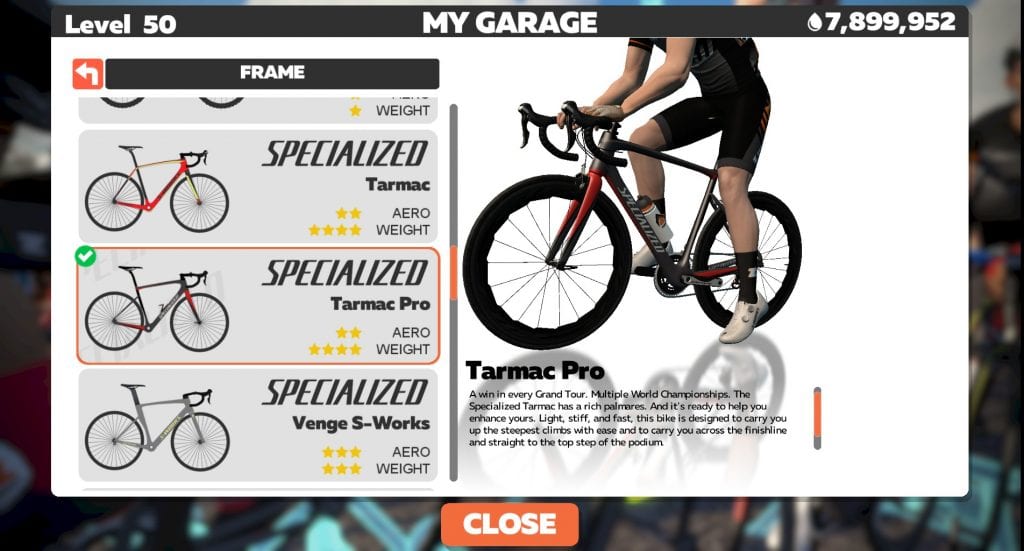
Specialized Tarmac Pro Frame: 15s slower on our ~50-minute flat test compared to the Specialized Venge I use for flatter races. But it’s 15s faster up the Alpe (~50-minute climb). So I was essentially making an even trade for performance on the flats vs performance on climbs. With 2/3 of this race being on climbs, and me always losing the most places on the inclines, this is a smart trade to make!
Zipp 454 Wheels: 11s slower on our ~50-minute flat test compared to the Zipp 858s I use for flatter races. But they are 5s faster up the Alpe (~50-minute climb). With twice as much climb time in today’s race as descent/flat time, this meant I was making a roughly even trade in terms of performance, but shifting the advantage to where I’m weakest: on the climbs.
My chosen rig for this race: Specialized Tarmac Pro + Zipp 454s
The Start
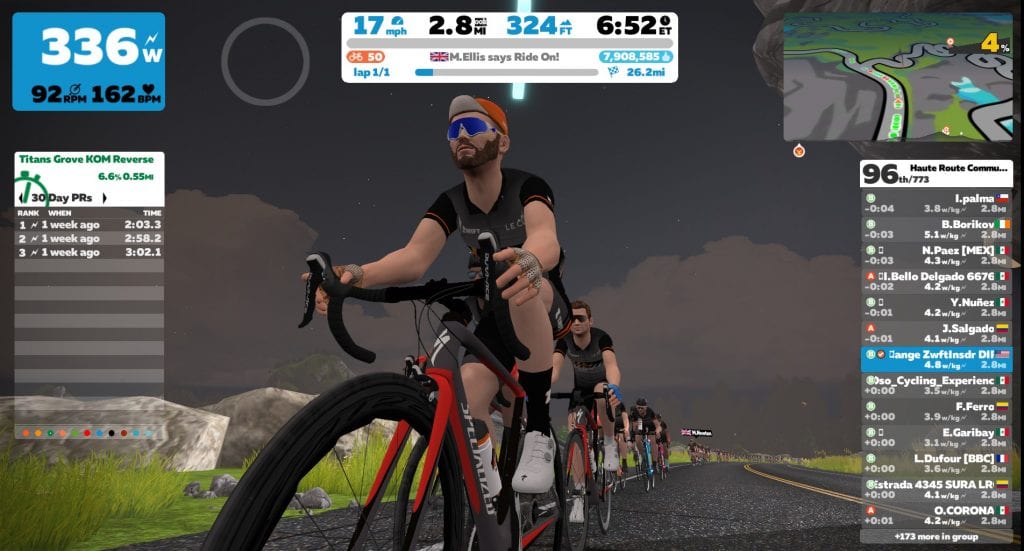
The clock hit zero and we jumped out of the desert start pen. This route begins by heading through Titans Grove, which is a punchy way to start a race!
This was a combined category event, and we had a total of 773 riders in all categories. (I’m not sure how many of those starters were B’s, but we ended up with 115 B finishers.)
I hammered in an attempt to hang with the front pack, but the riders strung out quickly thanks to strong racers on the pointy end really pushing the pace. Due to some combination of those strong riders, my somewhat fatigued legs, and knowing the Alpe was up the road, I just didn’t have the heart to keep pushing. I sat up after just a few minutes, jumping into a small group around 95th place where I could ride tempo and save my legs for the big climbs.
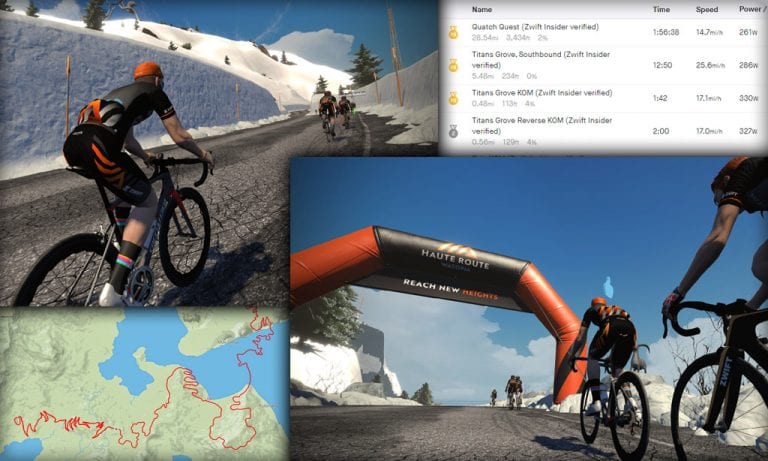
I would end up with a PR on the Titans Grove Southband segment. Not entirely surprising, since I’ve rarely raced this section!
Pushing the pace up the short Titans Grove Reverse KOM
Epic KOM
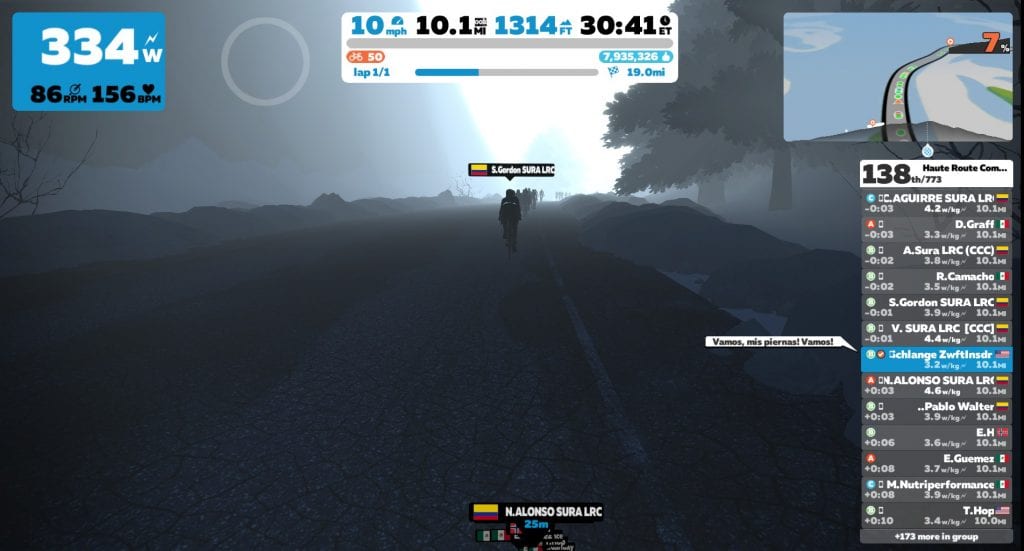
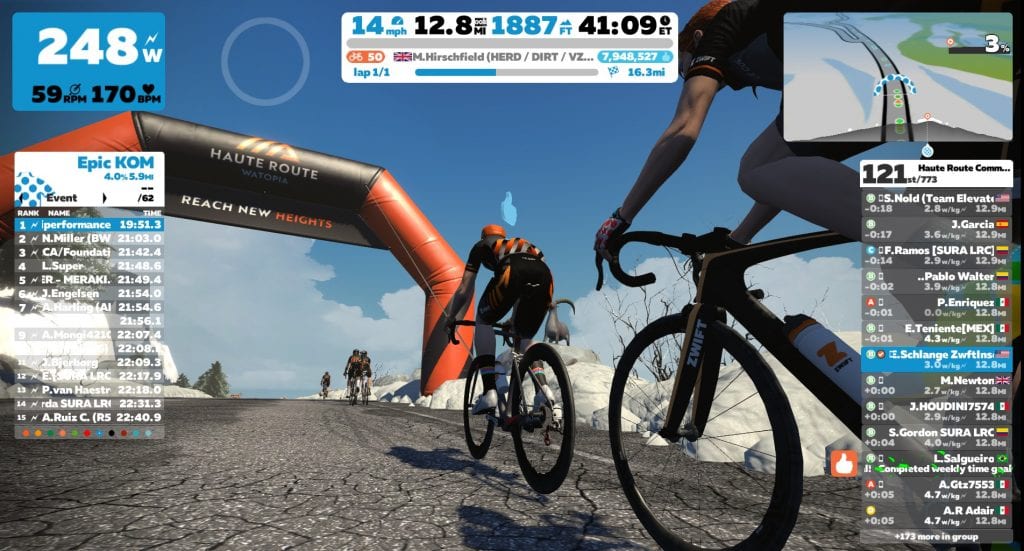
Soon enough we were at the start of the Epic KOM, and I found myself in ~120th place, surrounded mostly by B’s, with a few tired A’s and some obviously confused “C’s” in the mix. I set a goal: to finish in the double digits. (This goal would keep me fighting to the end of the race, as you’ll see!)
There were lots of Spanish speakers on this ride, which was cool to see since this was a benefit ride for Mexican medical services. Lots of flags from South American countries, Mexico, and Spain – and plenty of Spanish dialogue. I jumped in with joking replies of my own, but never got any response. I envisioned the Spanish dudes reading my messages and shaking their heads. Gringos, am I right?
I averaged 268W for the Epic KOM, putting in a time of 25:38 – almost 2 minutes off my PR, which was set in the Haute Route stage 1 back in April. Not impressive by my standards, but you can’t PR everything all the time! When I’m a little off my game, I try to focus on keeping my effort high, and race smarter so my mind can hopefully offset my body’s weakness a bit.
For the Epic KOM, riding smart meant using drafting and momentum to my advantage. For drafting, I would sit on wheels as much as possible, especially on flats and descents where air resistance is a big factor. Momentum is an interesting one to play with near the top of the Epic KOM – if you hammer a bit while descending, so you carry extra speed/power into the starts of the rises, you’ll usually put some time into nearby riders. It takes practice and some route knowledge, but using the game’s momentum to your advantage is a very useful technique when racing routes that have descents leading into short climbs.
Here’s a good spot to keep momentum high…
Cresting the Epic KOM
Never pass up a chance to supertuck!
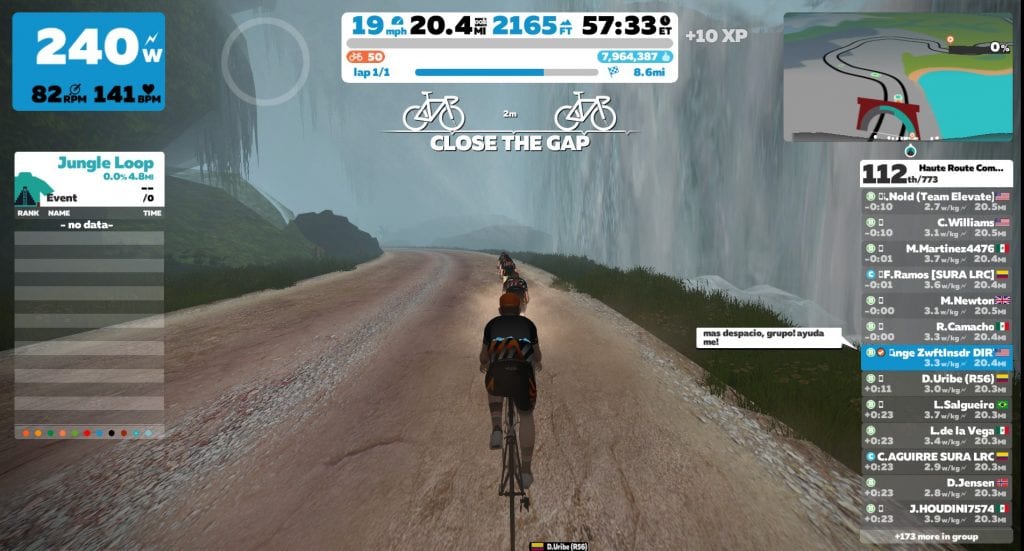
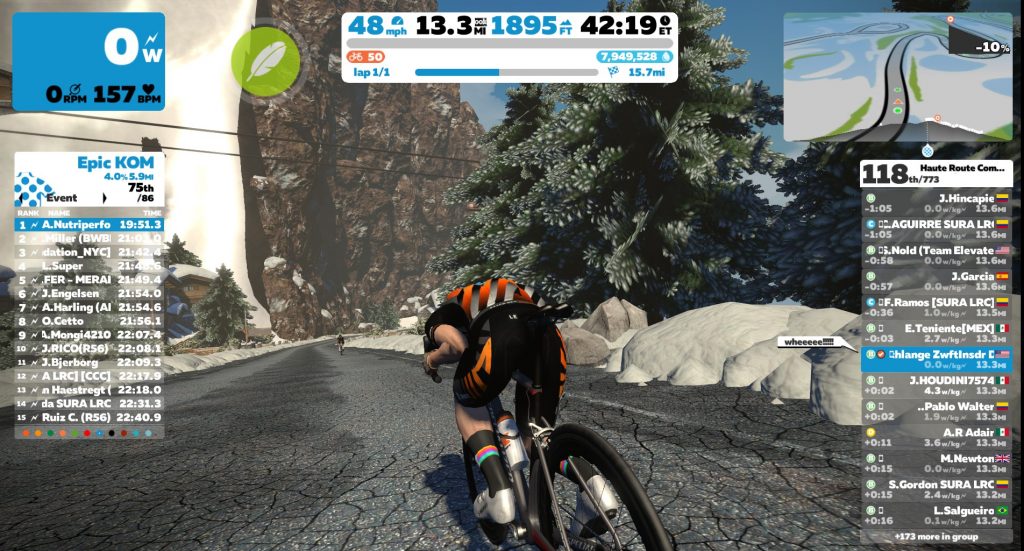
Soon enough I found myself off the front of our group, supertucking down the Epic KOM’s backside. With no packs up the road in the sight there wasn’t much incentive to hammer, so I took it easy until the chase group behind caught me on the climb into the Jungle Circuit. We would ride together at a tempo pace until the foot of the Alpe.
The Alpe
I started the Alpe around 110th place, but there were a fair number of riders just ahead or behind. How hard would I have to work to finish into the double digits?
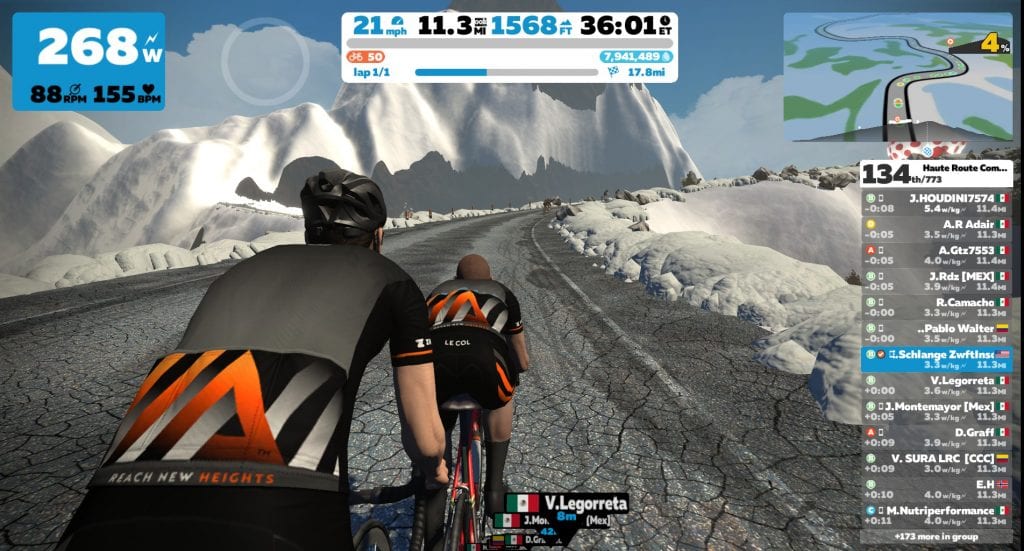
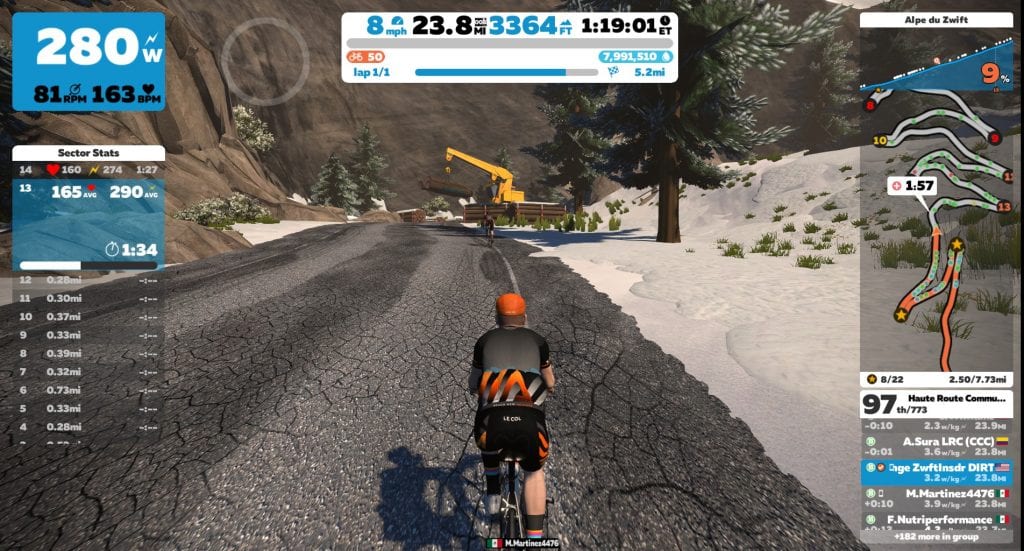
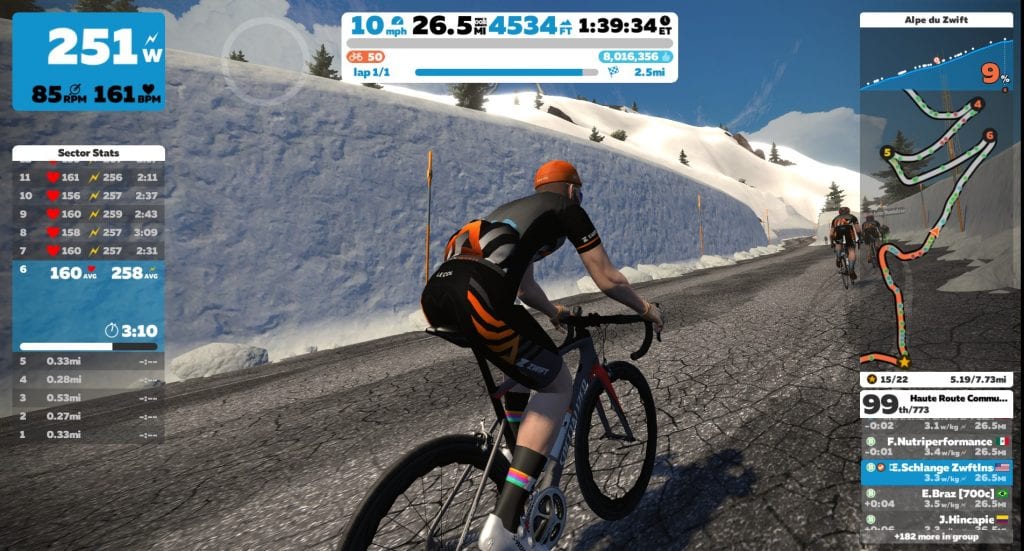
My pacing strategy wasn’t exactly consistent, as I flipped between holding a steady tempo, chasing a wheel ahead, getting out of the saddle for short, harder efforts, and chasing the powerup countdown timers. The pressure to keep my power up was constant, though, as I could see a steady line of B riders just behind me! I found myself trading places with the same handful of riders repeatedly: Nutriperformance, Braz, Hincapie (not that Hincapie), Sura, Oso, Buenaventura.
Chasing the powerup timer
Chasing riders through the snowbanks
One third of the way up I began to notice how sweaty I was. Now, I’m a pretty sweaty dude – I get warm easily, and sweat a lot when that happens. So I use a strong fan and dress to stay as cool as possible on Zwift. But sweat was dripping everywhere. I could feel it in my shoes, which wasn’t normal. Was it because the shoes were new? I didn’t think so – they were the exact same shoes I’d had before (Specialized Torch), just a new model year. I had already used up one sweat towel and headband, having swapped to fresh ones at the bottom of the Alpe. My KICKR Headwind had been on high the entire time. But I just couldn’t seem to cool down!
As we neared the top I was still ranked in the double digits, but just barely. Rounding the final hairpin I was in 97th, with Hincapie just ahead and Meza and Buenaventura just behind. I always seem to have a little extra left for that final push to the line after the final Alpe turn, and today was no different. I pushed it extra hard all the way to the line, which was a good thing because other riders around me were pushing too! I finished 97th according to Zwift, 48th in the B’s. ZwiftPower would place me 41st.
I was pleased with my performance overall, although I think I could have done a bit better if I had handled my cooling better (see below). I set some power bests for 2020 in the 1:40-1:56 range. And I set a PR on the Titans Grove Southbound segment, as well as destroying my Quatch Quest PR (I had ridden it twice before, but as solo efforts). I was 3-4 minutes off my best time Alpe times, but that’s not surprising given my two faster efforts were both in races on the much shorter Road to Sky route.
Takeaways
I have a theory on my sweat issue for this ride, and it centers around humidity. While my smallish office/pain cave wasn’t particularly hot, it was enclosed, and a two-hour hard ride made the room quite humid, as evidenced by condensation on the windows and that lovely “rain forest feeling” I got when I walked back into the room after finishing the ride.
My theory is, once the room hit a certain humidity level, my sweat was no longer evaporating at a high enough rate to cool me down. So my takeaway here is: for races over an hour or so, I need to run my A/C unit in dehumidifier mode, to keep the air dry.
The aftermath. It was much worse than it looks. My shoes were dripping sweat out the bottom as they sat on the floor!
Hydration Note
Because of all the sweating, I decided to weigh myself when I got out of the shower. Despite emptying almost 4 bidons during the race, I had dropped from 180 to 176 pounds during the ride. Wow!
One strategy I’ve heard riders use is to weigh themselves before and after big rides, then drink enough water to replace whatever weight was lost. That would mean drinking around 60oz of water in my case, and you know what? I didn’t do that.
Instead, I drank a big glass, changed my clothes, and headed outside to work on fixing our pool – a job that would involve several hours and a lot of sweat. And I didn’t drink enough water during that job, either.
The result: I was still feeling my Quatch Quest effort 3 days later. Re-hydrating is a big key to recovery, and I really blew it on this day. Never again!
Your Thoughts
Questions or comments? I’m especially interested in your thoughts on sweating/room humidity and hydration. Share below!
This year would have seen the 34th edition of the Tour of the Gila, one of the few remaining iconic, internationally-known American stage races. Unfortunately, it was cancelled due to COVID-19, like so many other events. But organizers have announced a Virtual Tour of the Gila to be held on Zwift from May 22-24th! Here are the details…
Invitation-Only
The virtual Tour of the Gila is only open to invited men’s and women’s USA Cycling-registered domestic elite, UCI Pro and USA Crit teams.
Race Format
Like a true stage race, riders must complete each stage in order to start the next day.
Stage 1: Team Time Trial (TTT) Start Times: women’s team kick off at 5:45pm Mountain Time with the men’s team kick off at 7pm
Stage 2: Circuit race (67.4km), reminiscent of the Tour of the Gila Fort Bayard stage with a fast, flat finish Start Times: men start at 10:00am Mountain Time and women at noon Mountain time.
Stage 3: Queen stage (72.6km) – a challenging final stage on the Medio Fondo route that finishes atop the Epic KOM – similar to Tour of the Gila’s queen stage to Piños Altos. Start Times: men start at 10:00am Mountain Time and women at noon Mountain time.
Watch the Races Live
Zwift Community Live will be streaming the races, so check them out on Facebook or YouTube. Nathan Guerra and Dave Towle will be commentating.
About the Organizer
The Virtual Tour of the Gila is made possible by Project Echelon Racing. Eric Hill, who runs Project Echelon Racing, recognized how difficult the racing season was for riders and worked to create a virtual Redlands Classic which recently finished on Zwift. After a successful virtual Redlands, Hill shared, “Pulling together these events hasn’t been easy, but the effort has certainly been worth it as it is inspiring to see how the cycling community has come together in this unique way and how we have been able to help close the gap between e-sports and ‘In Real Life’ competition. It’s always good to be agile and think with an open mind. I truly believe that there is an opportunity for cycling to come out on top of the current COVID-19 situation if we do this right.”
This is an open invitation to our entire Zwift family to join us for a worldwide effort to finish the mountain bike portion of the CeramicSpeed Mission together! To do so you must be signed up for the CeramicSpeed Mission and ride 25 miles (40 km) on a mountain bike.
When and How This Will Work
When? Saturday, May 30
Time? Whatever time is convenient for you
How do I sign up for this ride? Just show up! There’s no official event, that way we can all ride whenever is convenient for each of us!
How long is the ride? Ride as far as you need to complete the mission. Some of us will need to ride a full 5 laps to complete the 25 miles for the mission. Others who’ve been working on the mission will only need to ride the number of miles they still have left.
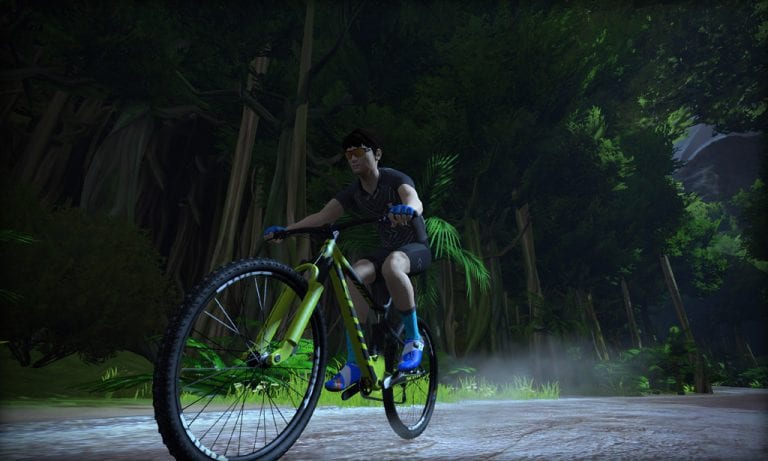
What bike should I choose? Be sure to ride a mountain bike! They’re faster in the dirt AND required to get your mountain bike miles in for the mission.
Should I change my name? Yes! Add “ZI Ride” to the end of your name so we can see each other better!
I don’t see the ride listed as an event! Where do I sign up? There’s no official event, that way we can all ride whenever it is convenient for us! Just show up when convenient for you. Lots of other people will be out on course at nearly all times of the day.
When will Monica be riding? I (Monica) have the full 25 miles to ride so I’ll start on Saturday, May 30 at 8am PT (GMT-7), but you can start whenever it is convenient for you!
Will I be done with the Mission once I ride the 25 miles? The mission includes 75 miles on a road bike and 50 miles on a time trial bike. If you finish those before May 30 then yes, you’ll be done with the mission after this ride is over! Learn all about the CeramicSpeed Mission >
Let’s Do This!
Who is with me? Let’s get a ton of us out there so it’s even more fun!
Strava rolled out a massive set of changes yesterday – the largest raft of changes in recent memory, in fact. The changes are centered around encouraging users to become paying subscribers, which, as Strava says, “… ensures that Strava can serve athletes decades from now, and in an up-front way that honors the support of the athletes we serve today.” Or in plain English: Strava isn’t yet profitable, but they need to get there. So they’re going to cater to athletes willing to pay a fee for the service.
Given the context of seeking profitability, it’s no surprise that yesterday’s changes expand the features available for subscribers. But Strava has also reduced the features available to non-subscribers, making the subscription service more appealing while doubtlessly driving non-subscriber masses to take up pitchforks and light torches.
Here’s a quick summary of those changes, in case you haven’t yet read the details:
New features for subscribers:
A big Routes update, with planning & recommendations on iOS and Android
Matched Rides: Analyze performance on identical rides over time
See your full workout history with Training Log on iOS
Workout Analysis is now available for all activity types
Grade-Adjusted Pace (GAP) now on iOS and Android
Coming soon: A whole new way to compete on segments…
Subscription-only features that were previously free:
Overall segment leaderboards (Top 10 view is still free)
Comparing, filtering and analyzing segment efforts
Route planning on strava.com, with a huge redesign launching soon!
Matched Runs: Analyze performance on identical runs over time
Training Log on Android and strava.com
Monthly activity trends and comparisons
Non-subscribers will still have access to the following (not an exhaustive list):
Depending on your subscriber status, and how you use Strava, these changes may have a big impact on your usage of the platform. Or they may have no impact at all!
Subscribers aren’t losing any functionality – they’re getting a few upgrades, in fact, including an improved route builder and fitness stats on the mobile app.
Non-subscribers, however, will notice a reduced feature set compared to the Strava they’ve grown accustomed to. For Zwifters, this will be most noticeable when it comes to tracking your leaderboard rank on segments, and comparing/analyzing your segment times.
Leaderboard Rank: non-subscribers will only see the top 10 leaderboard, as well as their own ranking, for a segment. You can’t see the rankings of your friends, club members, etc. If you’re anything like me, you don’t really pay attention to your overall rank on Zwift segments – with tens of thousands of riders competing on each segment, my overall rank just isn’t a useful metric. (It’s very useful for outdoor segments, though!)
Analyzing Segment Times: What I do pay attention to are my historical times on segments. I like to see how many efforts I’ve made on a particular segment, and those segment times. This segment analysis is going away for non-subscribers.
Veloviewer Changes
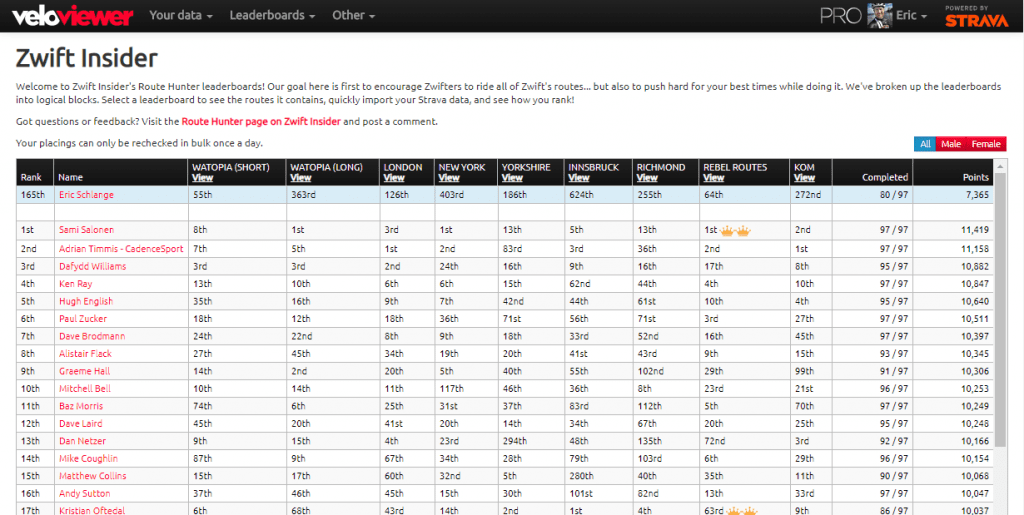
Many of you have enjoyed using the Zwift Insider Route Hunter Leaderboards powered by Veloviewer. As part of yesterday’s change, Strava has greatly reduced the data available to third party apps like Veloviewer. The good news is, for paying subscribers, Veloviewer leaderboards will continue functioning just as they did before.
For non-Strava-subscribers, though, Veloviewer (and other third-party apps) can no longer grab your segment times via the Strava API. So Veloviewer’s leaderboards will become more of a checklist of segments, and less of a ranking tool.
Overall the response from the community seems to be quite negative, but that’s not surprising, given that ~95% of Strava’s users aren’t paying subscribers. Strava’s challenge here is that they gave away so much for free for so long. When you try to take all that free goodness away, you’ll get some angry users.
Me? I’ve been a Strava subscriber for years, because I find the service useful and affordable. (How else would I chase live segment KOMs in my IRL rides?) So these changes don’t impact me directly, although I can see how they will make segments less interesting for non-subscribers, which is a bit of a bummer for everyone.
An Opportunity for Zwift, and Others
This is purely speculation on my part – but I’d say Strava’s latest changes open the door even wider for Zwift (and other companies) to step in and provide a useful, free solution to the activity tracking and route-creation needs of their customers.
What if Zwift Companion could show me segment analysis for my Zwift rides? Right now the only PR data I can see is in-game, and it only lasts for 30 days. What if segment PRs were stored forever and accessible to be analyzed? What if we could view KOM/QOM data, comment with user tagging, filter by friends lists and Clubs, and more? All included in the price of your Zwift subscription.
I’d love to see it – but I suspect it’s not high on Zwift’s list of priorities. And that’s probably a good thing, for now.
Your Thoughts?
Are you a non-subscriber who is annoyed by these changes? A subscriber who is perfectly fine with it? Or something else? Do you think there’s a place here for another company to swoop in and build a Strava-beater? Or perhaps such a platform already exists? Share your thoughts below!
During lockdown, some Zwifters have taken on some seriously massive challenges! Take South African pro cyclist Willie Smit for example. The Burgos–BH rider headed to Watopia on April 14, where he tackled a continuous 1,000-kilometer ride, covering every meter in 37 hours. After broadcasting certain parts of the ride live on YouTube, he posted the final data on Instagram: 8,150 meters climbed. 17,081 calories burned. Kev chats with Willie about the next-level undertaking in this episode.
Alpe du Zwift is by far the longest, hardest, most intimidating climb in game. Modeled as a GPS-accurate replica of the famous Alpe d’Huez, its 21 hairpin turns average 8.5%, and riders climb 1035 meters (3,396′) over 12.2 km (7.6 miles) to reach the summit.
Many Zwifters who’ve never climbed Alpe du Zwift ask the same question: how long will it take me?
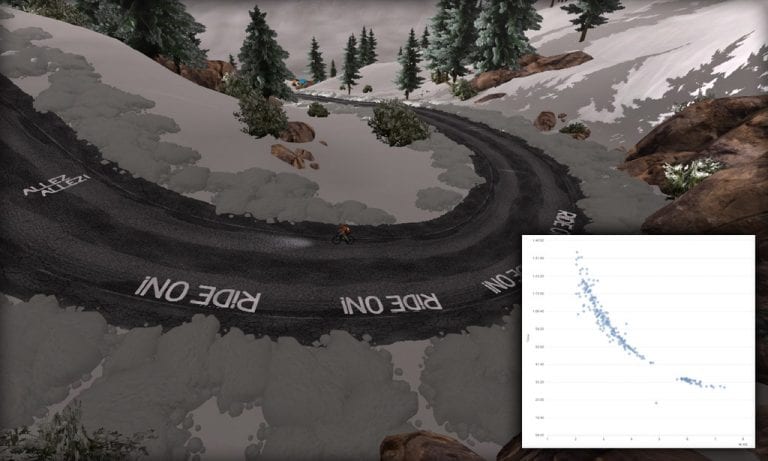
Luckily, ZwiftPower has built up a history of Alpe du Zwift segment times, so you can see what sort of time you can expect.
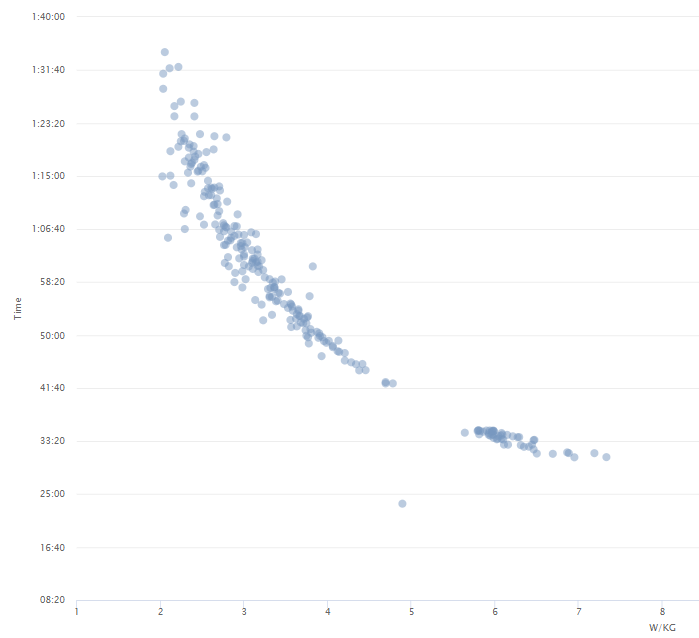
To get to the data, go to ZwiftPower.com and click Segments>Alpe du Zwift, then click Analysis. Or just click here. You be greeted with a chart like this:
Mouse over each point in the graph to see the w/kg and time of each ZwiftPower user’s Alpe personal best!
Using this data we can make some time estimates based on w/kg:
2 w/kg: 90 minutes
2.5 w/kg 75 minutes
3 w/kg: 62 minutes
3.5 w/kg: 55 minutes
4 w/kg: 49 minutes
4.5 w/kg: 44 minutes
5 w/kg: 40 minutes
5.5 w/kg: 37 minutes
6 w/kg: 35 minutes
6.5 w/kg: 32 minutes
Pretty cool, huh? Keep in mind these are just estimates. Your time will vary based on frame/wheel choice, your height and weight, how much drafting you’re doing, and when you apply your power on the climb (hint: go hardest when the road is steepest). But the above estimates should be within a minute or two of your finishing time.
Dig Deeper
You can use the ZwiftPower tool to look up Power vs Time graphs for all timed segments in Zwift. This includes Box Hill, the Fuego Flats sprint, the Central Park loop, and much more! Just click “Segments” in the main menu to get started.
Our favorite Aussie Lama Shane Miller has released a Swift Zwift Tip quickly explaining some recent changes to Zwift for AppleTV.
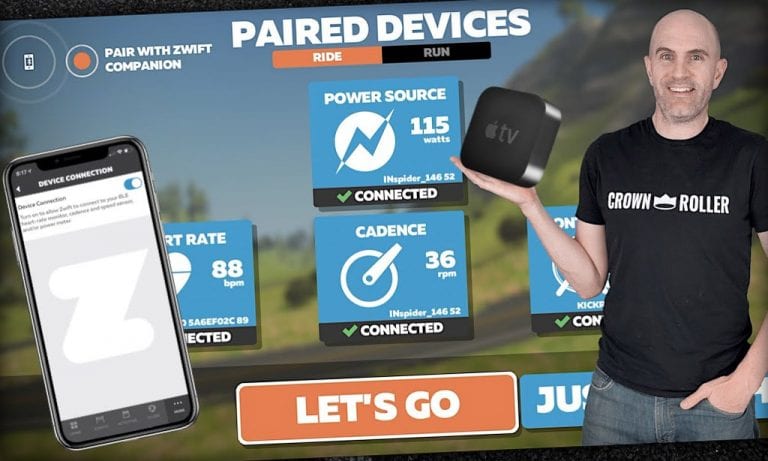
The modifications to the pairing screen make it clear that Zwifters must pair their Bluetooth devices by one of these two methods:
Using Zwift Companion (on your phone), which works via your local network and does not limit the number of devices you can connect; or
Directly to AppleTV, which only allows two device connections
The two connection limit is one of the hassles which AppleTV users have to put up with. This isn’t a limit from Zwift, but from Apple. There are various ways around it, but if you’re running up against that limit the simplest (and cheapest) solution is to just use Zwift Companion.
On the other hand, if you have a smart trainer with built-in cadence such as the Wahoo KICKR line, Tacx Neo and other smart trainers, Saris H3, or any Elite interactive trainer, you can pair up your heart rate monitor as well as your smart trainer directly to AppleTV and be off and Zwifting in no time!
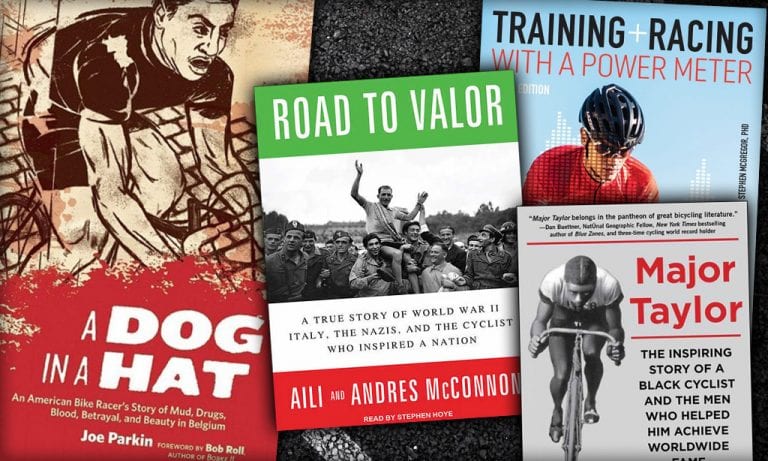
I’ve selected two stories of pro cyclists who rocked the world in different ways (Road to Valor and Major Taylor), a gritty look at becoming a pro racer in 1980’s Belgium (A Dog In a Hat), and one of the most highly-recommended training manuals available today (Training and Racing with a Power Meter). Enjoy!
A True Story of WWII Italy, the Nazis, and the Cyclist Who Inspired a Nation
Aili and Andres McConnon
Gino Bartali is an Italian cycling legend who not only won the Tour de France twice but also holds the record for the longest time span between victories. He first won in 1938 at the age of 24, then won again 10 years later. A lot happened in between, including Bartoli’s secret work to save Jews during the war.
Based on nearly ten years of research, Road to Valor is the first book ever written about Bartali in English and the only book written in any language to explore the full scope of Bartali’s wartime work. An epic tale of courage, resilience, and redemption, it is the untold story of one of the greatest athletes of the twentieth century.
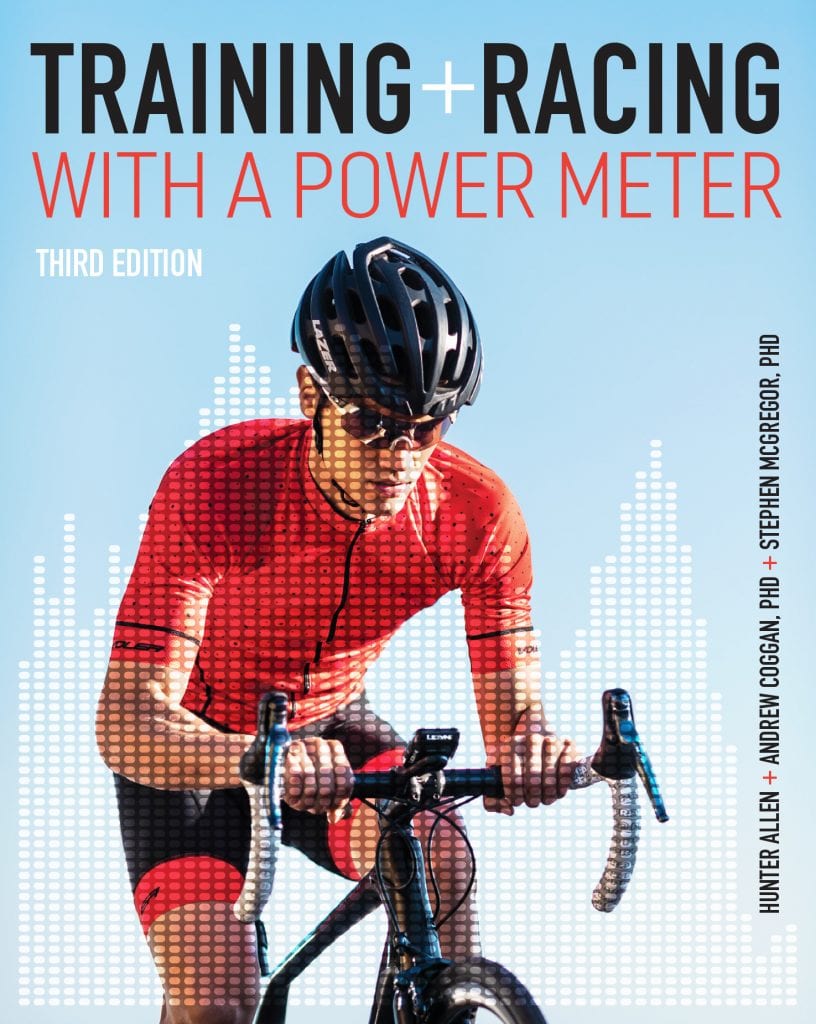
Modern cyclists have access to more trainer data than ever before – but what do you do with it? This latest edition updates what has become one of the top training guides for self-coached cyclists.
Pioneering cycling coach Hunter Allen and exercise physiologists Dr. Andy Coggan and Stephen McGregor show how to use a power meter to find your baseline power data, profile your strengths and weakness, measure fitness and fatigue, optimize your daily workouts, peak for races, and set and adjust your racing strategy during a race.
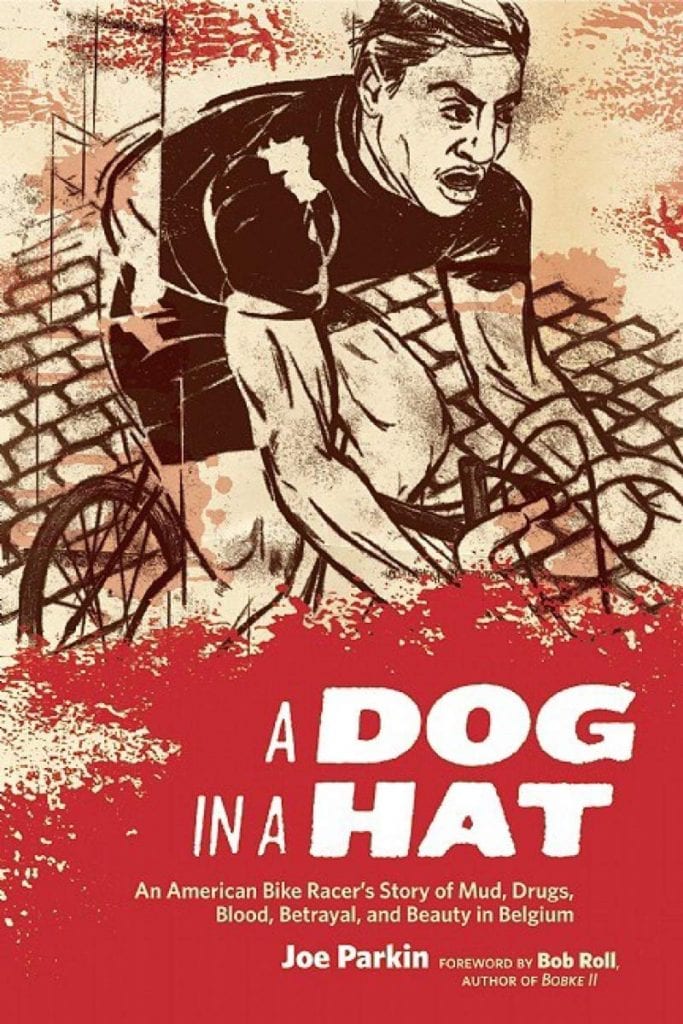
An American Bike Racer’s Story of Mud, Drugs, Blood, Betrayal, and Beauty in Belgium
Joe Parkin
In 1987, Joe Parkin was an amateur bike racer in California when he ran into Bob Roll, a pro on the powerhouse Team 7-Eleven. “Lobotomy Bob” told Parkin that, to become a pro, he must go to Belgium.
Riding along a canal in Belgium years later, Roll encountered Parkin, who he described as “a wraith, an avenging angel of misery, a twelve-toothed assassin”. Roll barely recognized him. Belgium had forged Parkin into a pro, and changed him forever.
A Dog in a Hat is the remarkable story of the un-ordinary education of Joe Parker and his love affair with racing, set in the hardest place in the world to be a bike racer.
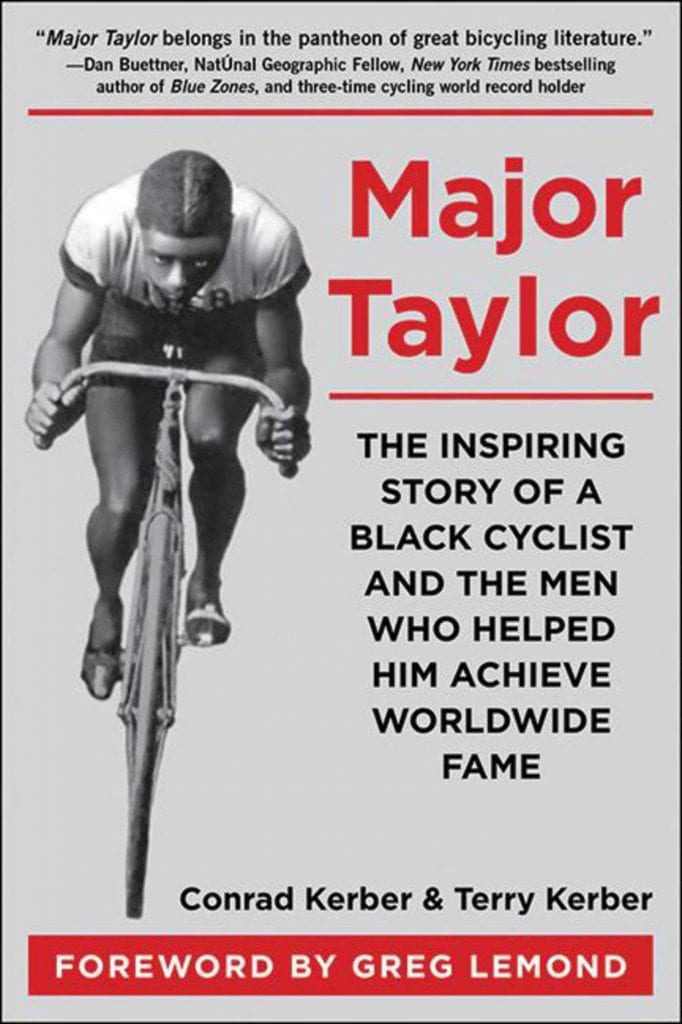
The Inspiring Story of a Black Cyclist and the Men Who Helped Him Achieve Worldwide Fame
Conrad and Terry Kerber
“Before Magic, before Ali, before Jesse Owens, there was Major Taylor.” ~Bob Roll
At the turn of the century, one of the world’s most popular athletes was a black bicycle racer named Marshall Walter “Major” Taylor. Known throughout the country, he was the fastest man in America and the first African American cyclist to achieve the level of world champion. But he still faced the virulent racism and belittling treatment that was a daily occurrence for so many.
With more big events than ever in our virtual cycling paradise, it’s easy to miss some really cool rides! Here are 5 events this weekend that you won’t want to miss.
Special thanks to Jesper at ZwiftHacks with his Events app which provides powerful event filtering tools so we can narrow the weekend list from 400+ events to just a handful.
Haute Route Community Rides // Quatch Quest
Ready for a challenge? Hit the tough Quatch Quest route with other riders in your category. Go easy if you’d like, or go all-in for a race.
Best of all, this ride helps doctors on the front lines of the pandemic! All miles ridden will be donated to support Mexican doctors working against COVID-19.
Stage 4 of Zwift’s biggest-ever fundraiser series begins tomorrow (Saturday)! This stage is all about the big climbs, with group rides and races up the Alpe and Epic KOM.
Learn more about the Tour for All, then join a ride or run. You can make it an easy group ride, or go for a race effort.
Here’s a ride we stumbled across that deserves the community’s support. We’re short on details, but what we know is enough! The event description simply says “Riding the Tour of Fire and Ice route finishing at the top of Alpe Du Zwift with Samantha who is 8 and is cycling to try and stay on top of arthritis in her knees and back.”
Sign up, get a solid workout, and support little Samantha!
Join Rigoberto Urán of Education First Pro Cycling for an all out effort to the top of the Epic KOM. This ride is short (7.5 miles), but it’s gonna hurt!
Rigo will lead out the group and it’s going to be full gas from the get go. Try to stay with the Yellow Beacon for as long as possible.
Got other events that stand out this weekend? Share below in the comments! And if you participate in any of these events, let us know how your ride went.