Zwiftcast Episode 79: Crazy numbers on Zwift, will there be a trainer shortage, and changes at HQ
In a worried world, Simon, Shane, and Nathan try to look at the positives whilst recognising some of the serious matters facing Zwifters.
Episode 79 marks the first of the weekly episodes during the virus crisis.
Simon kicks off with a Zwiftcast plea to HQ – let’s turn the Unemployed Badge into a Work From Home Badge… it just seems kinda better right now.
The podcasters move on to discuss the remarkable figures in the game as new Zwifters pour onto the platform in huge numbers. Simon is confident of victory in the Zwiftcast’s Peak Zwift Guessing Game.
But could a limiting factor end up being a trainer shortage? There are signs it may happen although an update from Elite on the unprecedented measures they’ve taken to ensure supply provides some hope for those keen to get their hands on a smart trainer.
The chaps discuss and dismiss the several calls for Zwift to be made free – and Dick, if you’re listening… we don’t mean to be mean!
In a packed episode Simon talks to a Dad and Lad team who’ve been on Zwift for years – and looks at how the company is dealing with another huge influx, the number of kids getting signed up under the company’s excellent Kids Go Free scheme as parents look for healthy diversions in the home.
Simon, Shane and Nathan take a look at the news that Zwift has undergone a management re-organisation, with layoffs, and what that may mean for Zwifters.
There’s also a feature on Group Meetups – part of the game which has come into very sharp focus in the crisis… with lots of advice to HQ on how it may be tweaked.
And finally, the podcasters seem to have gone challenge crazy – listen to find out who has now challenged who to what!
We hope you enjoy listening and we hope you stay safe.
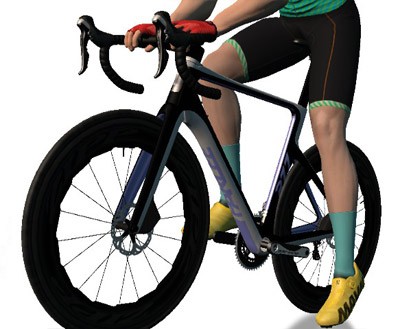
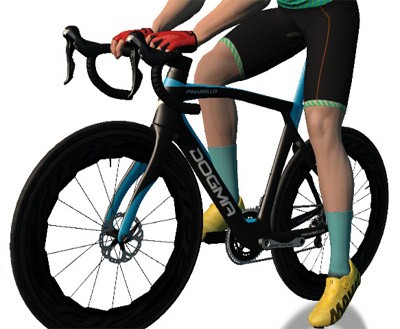
New Bike Frames: Parlee RZ7 and Pinarello Dogma F12
New bike day is always a good day! Zwift has added two new frames to the Drop Shop: Parlee’s RZ7 and Pinarello’s F12.
Parlee RZ7 (level 28 locked)
Pinarello Dogma F12 (level 29 locked)
“The Parlee RZ7 is the ultimate blend of stiffness, efficiency, weight and performance all designed to make you faster. Nothing feels better than going faster. And faster feels better on a Parlee RZ7.”
“Hanging on your wall, it looks like art. On the road, it feels like a rocket. The F12 carries on the legendary Dogma legacy of performance and artistry. More aero, more powerful, and more beautiful than ever before, the Pinarello Dogma F12 is the ultimate racing bicycle.”
We’ve completed a quick preliminary flat road test with both bikes, and can say they’re both pretty zippy, but not quite as fast as any of the frames our “Fastest Frames” list. (The Parlee performs about the same as the Zwift Aero, and the Pinarello is about 4 seconds faster than the Parlee over our ~50 minute test course.
More complete test results on these new frames will be published as soon as we’ve got them.
Enjoy the Alpe, N00bs!
Zwift has temporarily reduced the level locks on the Jungle and Alpe du Zwift Level 5 and Level 6 respectively. Jon Mayfield’s release notes say this has been done, “to allow more people to give it a try.”
Apparently Zwift is trying to keep their new users engaged and happy by opening up these restricted portions of Watopia at an earlier point. By my math, most Zwifters could hit level 5 and get access to the Jungle with 6 hours of riding (or less). Alpe access (now level 6) should take 8 hours of riding, possibly closer to 7. So this might be a smart move from Zwift to get newbies to put in more rides quickly – assuming the newbies understand that they’ll unlock more routes at these levels.
Birthday and Gender Locks
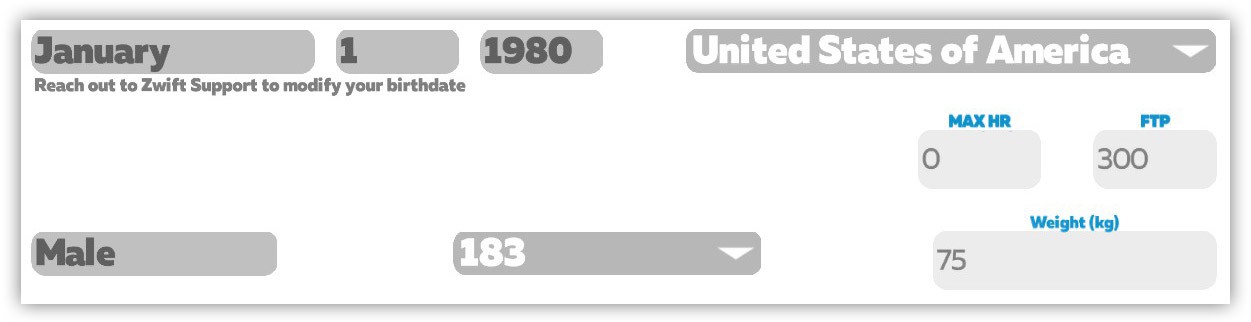
You can no longer change your birthday (or presumably gender) without direct help from Zwift Support.
Our guess is this change has been put into place prior to further changes involving kids on the platform. These changes may include requested features like a reduced minimum weight for riders below a certain age and more privacy protections for minors.
This also prevents men from changing their gender to join women’s only rides, which has been an issue in the past.
The Fence Returns
We wrote about this last week at more length, but Zwift has returned the Ride Leader Fence to the game! Jon’s release notes say, “We will be testing this feature in select group rides.” Hopefully, the fence will behave in the tests and Zwift will allow it to return to regular use very soon.
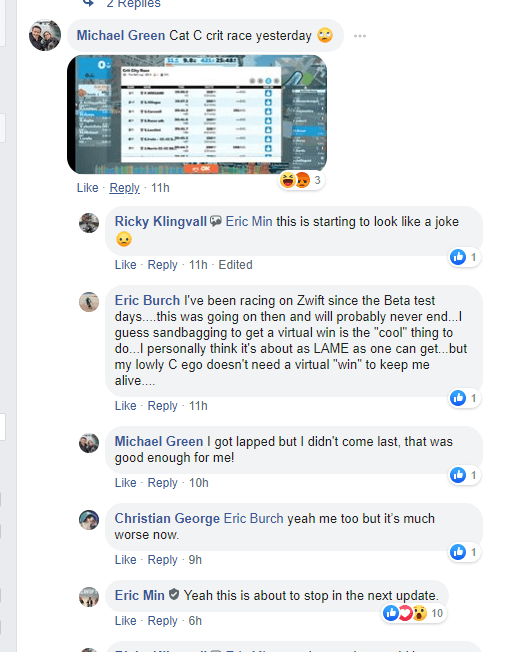
Just a few hours before this update dropped, Eric Min made an interesting comment on a Facebook thread about sandbagging in races, saying “Yeah this is about to stop in the next update”. So what does this update include for sandbaggers? That is unclear at this time – Jon’s notes don’t mention anything, and we’re not seeing anything changed in-game.
Our guess is they’ve included some sandbagger controls which need to be enabled on a per-event basis, and Zwift will be using those in test events soon. They wouldn’t want to roll this sort of thing out and have it negatively affect someone’s race experience.
Back when I wrote my first post about enforcing race categories, ZwiftHQ told me their plans were to “implement post-event hiding of riders who race without heart rate or use zPower (assuming the event is set up to disallow such riders).” That was 3 months ago, though, and since then Eric Min has talked about “ghosting” sandbaggers in races so they’re hidden from other racers but can still complete the event for their own enjoyment.
Perhaps this update includes some mix of those features? Hard to say. Hopefully we’ll find out more about this soon, because racers are clamoring for it!
More Changes
Here are the other changes noted in this release:
Added support for upcoming special events
Added support for April Ride and April Run mission
Updated new user tutorials for certain user types
New users are now prompted to customize their avatar during first ride or run
Bluetooth FTMS spin down re-enabled for certain trainers
Nothing in Jon’s release notes mentions the much-awaited UI update or Clubs functionality. So what’s going on with those? Here’s what we know:
Rumor has it that the new UI is scheduled to roll out on AppleTV in another couple of weeks. If you recall, the plan is for AppleTV first, since it’s the toughest platform in terms of UI design. Rollouts to other platforms will follow afterward, although the timeline for these is unclear.
ZwiftHQ has assured us that Clubs functionality is moving forward as planned, and we will see some concrete news on it early next week!
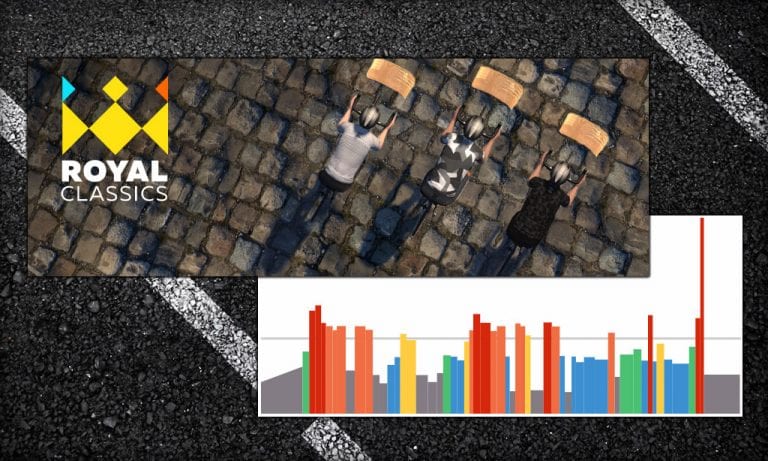
Zwift has just announced a set of group workouts designed by Zwift Coach Kevin Poulton and inspired by the Spring Classics. Running for four weeks (March 30 through April 26), this “race experience” workout series aims to bring the spirit of unique events like the Amstel Gold Race, La Flèche Wallonne, and Paris-Roubaix to Watopia.
When thinking of the Classics, it’s the major sectors that spring to mind. Cobbled climbs like the Koppenberg, punishing sectors like the Carrefour de l’Arbre, the contrastingly smooth surface of Roubaix’s Velodrome or the leg-snapping gradient of the Cauberg. While these typically provide the springboards for the race-winning moves, what often goes unnoticed are efforts made within the peloton to move the favorites into position by their teammates ahead of each of these fabled sectors. The Zwift Royal Classics Series will give a taste of the constant accelerations and stresses of true classics racing.
“An entire Classics race experience pressed into a single hour on Zwift,” says Zwift. Intrigued? Read on!
About the Workouts
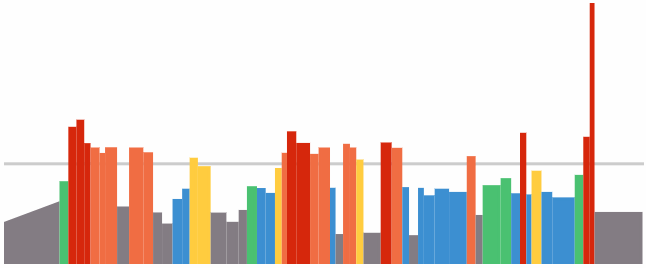
Each week’s workout has men’s and women’s versions. It appears that all riders are welcome to join either workout version. While the workouts are similar, their intervals appear to be adjusted to more closely-mimic the timing of efforts in the actual men’s and women’s races (see workout images below).
The Hellingen Royal Classic (Week 1)
“Our take on one of the most famous real-life Classics, the Hellingen Royal Classic on Zwift contains a number of climbs that offer several opportunities to attack and take the lead.”
“Based on one of the toughest cycling events on the calendar, The Roubaix Royal Classic has tons of intervals that represent specific sections of the course.”
(workout images coming soon)
The Cauberg Royal Classic (Week 3)
“Inspired by a lengthy circuit race in a quiet part of Europe, the Cauberg Royal Classic will push riders over and over again until only the strongest riders are left.”
(workout images coming soon)
The Ardennes Royal Classic
“Based on the oldest of the Monuments, the Ardennes Royal Classic is perfect for top-of-the-line riders to show their strengths. A series of seemingly never-ending climbs await riders here before the finale plays out over a few last climbs.”
The “King and Queen of the Classics”, Philippe Gilbert and Anna van der Breggen, will each lead one ride per week. Here’s their schedule for week 1:
April 2 – 17:30 (UTC/GMT) Anna van der Breggen leads the Hellingen Royal Classics Workout. Sign up here.
April 3 – 17:00 (UTC/GMT) Philippe Gilbert leads the Hellingen Royal Classics Workout. Sign up here.
About Philippe Gilbert
Belgian road cyclist Philippe Gilbert heads to Zwift for the Royal Classics. A professional racer for UCI WorldTeam Lotto–Soudal, Philippe is the second person in history to have won three Ardennes Classics in a single week. The “King of the Classics,” Philippe is a veritable Classics specialist, with a number of wins under his belt. He has also won stages at each of the three cycling Grand Tours. Be sure to join Philippe in the Royal Classics.
About Anna Van Der Breggen
Dutch road cyclist Anna van der Breggen brings a wealth of experience to the Royal Classics. Currently with UCI Women’s Continental Team Boels–Dolmans, Anna rode away with a gold medal for women’s road race in the 2016 Rio Olympics and won the women’s road race in the 2018 UCI Road World Championships. Considered one of the most versatile riders of her generation, Anna excels in both the one-day classics and stage races. In 2017, she won all three Ardennes classics races in one week, earning her the nickname Queen of the Ardennes.
British Cycling and USA Cycling Launch Race and Group Ride Events
The Zwift events team is being kept busy around the clock as pro teams, cycling federations, and local cycling clubs scramble to keep their members motivated and active during these challenging times.
Two big announcements were recently made by two of the world’s top cycling federations: British Cycling (BC) and USA Cycling (USAC). Here are the details…
British Cycling Race Series
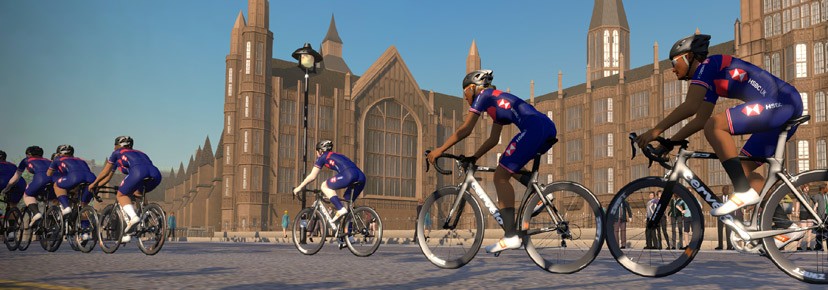
The British Cycling Race Series launched March 19th and currently shows road races, time trials, and group workouts on the schedule. Group rides are coming soon, according to BC’s press release:
Those wanting to pit their form against the best of British won’t have long to wait as group rides led by the Great Britain Cycling Team, including with women’s academy squad Team Breeze, are set to be introduced.
Great Britain Cycling Team women’s endurance academy coach, Emma Trott, said: “We’re in an entirely unique situation that means there’ll be no racing for a while, but it’s important that we try to find some sense of normality in all this. For us, that’s training and staying connected not just with each other, but the cycling community. Moving things online is a really fun way of keeping that connection and we’re all looking forward to people joining us over the next few weeks.”
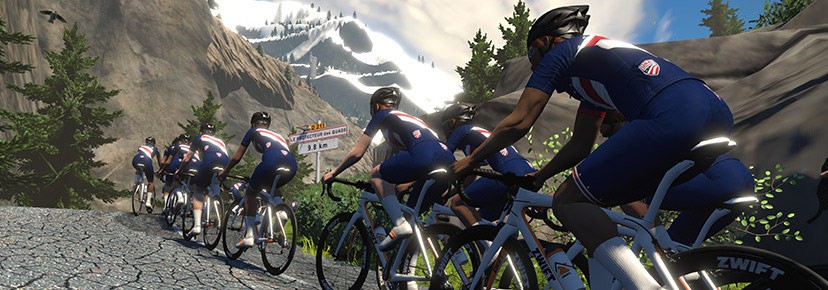
USAC has collaborated with three well-established Zwift teams to put the federation’s weight behind popular existing events. Team ODZ, Team DIRT, and Indoor Specialist all host a variety of weekly events, some of which have been renamed as USA Cycling events.
BC and USAC are just two of the many federations who are setting up events on Zwift. Stay in touch with your country’s federation if you are interested in taking part!
More Clubs and Federations? Share Below!
Do you know of other clubs or federations setting up official Zwift events? If so, please share the details below!
Editor’s note: Monica is undertaking the “Couch to Route Hero” challenge of riding all 67 “free-ridable” Zwift routes (and getting all the badges) in 11 weeks. Each week she shares her story of the previous week’s struggles and accomplishments. Follow along on her journey, take the challenge yourself, and be sure to give her a Ride On if you see her on course!
As the world shifts and groans, it’s difficult to write a post about my week on Zwift. People are doing much harder things right now. Loss of life, loss of livelihood, loss of socialization. But there’s also so much good happening right now: families re-learning how to connect, people slowing down, homes being intentional about gratitude, and the Zwift community growing as cyclists move indoors. So I still share my story, to add to the non-Coronavirus posts.
The Week Lined Up
I added 3 new route badges this week, for a total of 59. Only 8 left! I rode 127.78 miles with 11,667 feet of climb in 11 ½ hours on my bike.
People who’ve ridden both the Uber Pretzel and the London PRL Full routes have said the Uber Pretzel was worse. Gosh, I hope they weren’t lying! This was a tough ride! Knowing it would be tough is why I only rode 3 routes this week. After having learned more about depleting my immune system I’m even more conscientious of it. (See the second half of this article for more on that topic.)
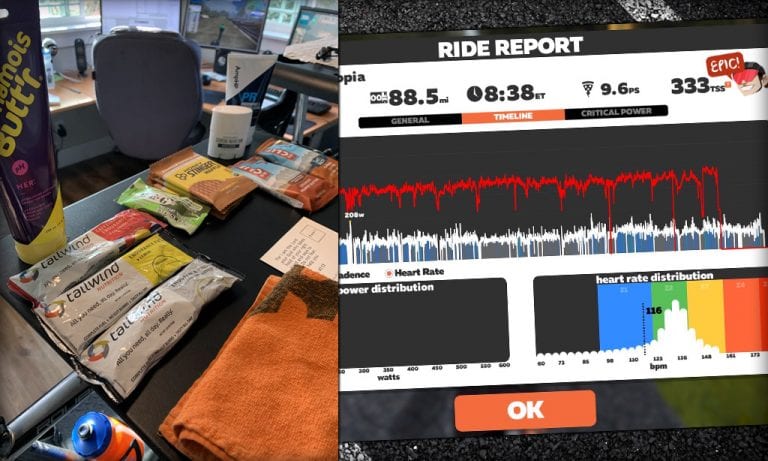
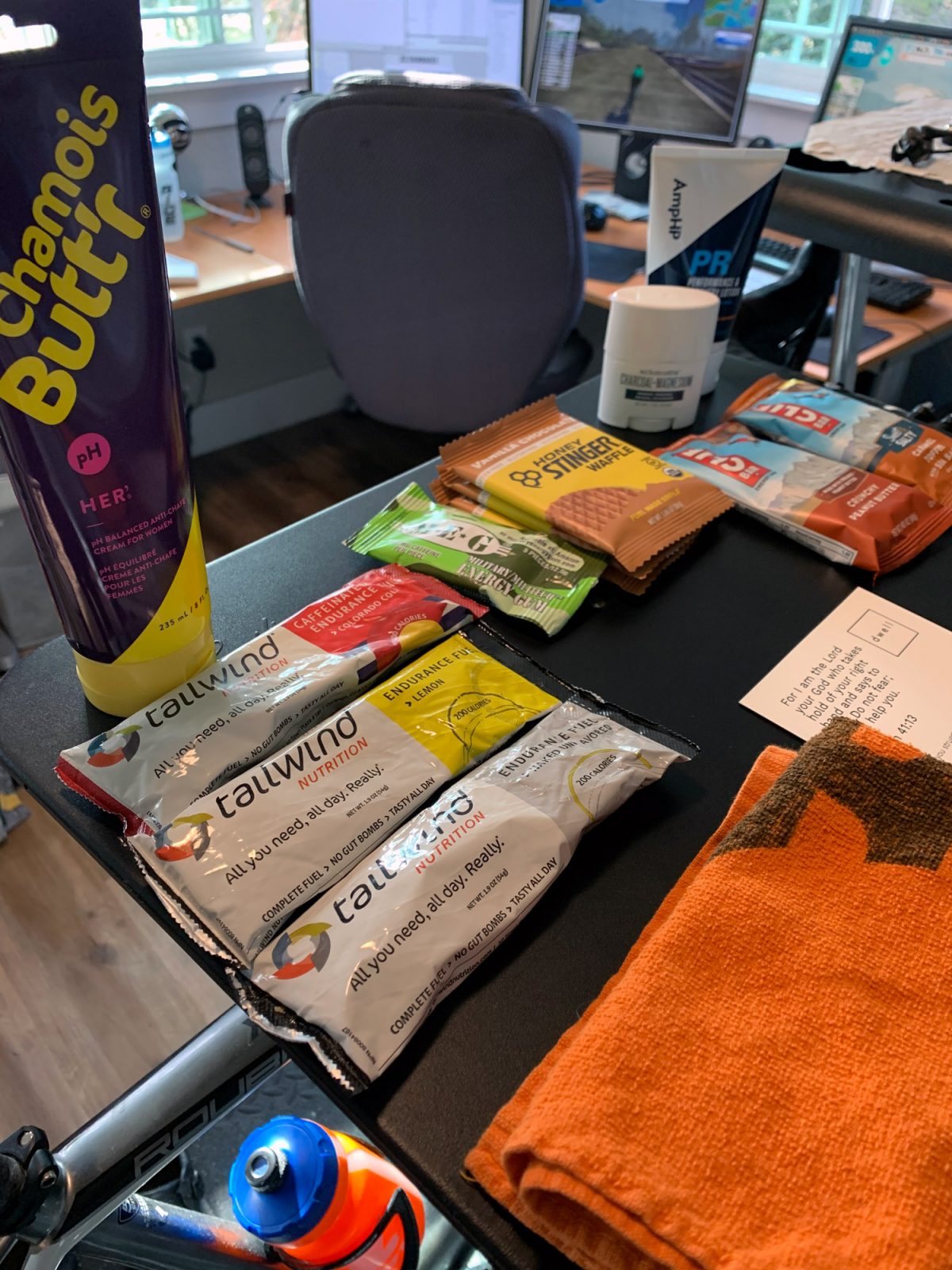
I started the Uber Pretzel with plenty of sleep, lots of fuel, my nicest bibs, some chamois cream and a bit of anxiety. The plan was to stay in Zone 1 or 2.
The first half of the Uber Pretzel wasn’t so bad. It started with the Epic KOM and the Bonus Climb to the Radio Tower (which I dread more than Alpe du Zwift).
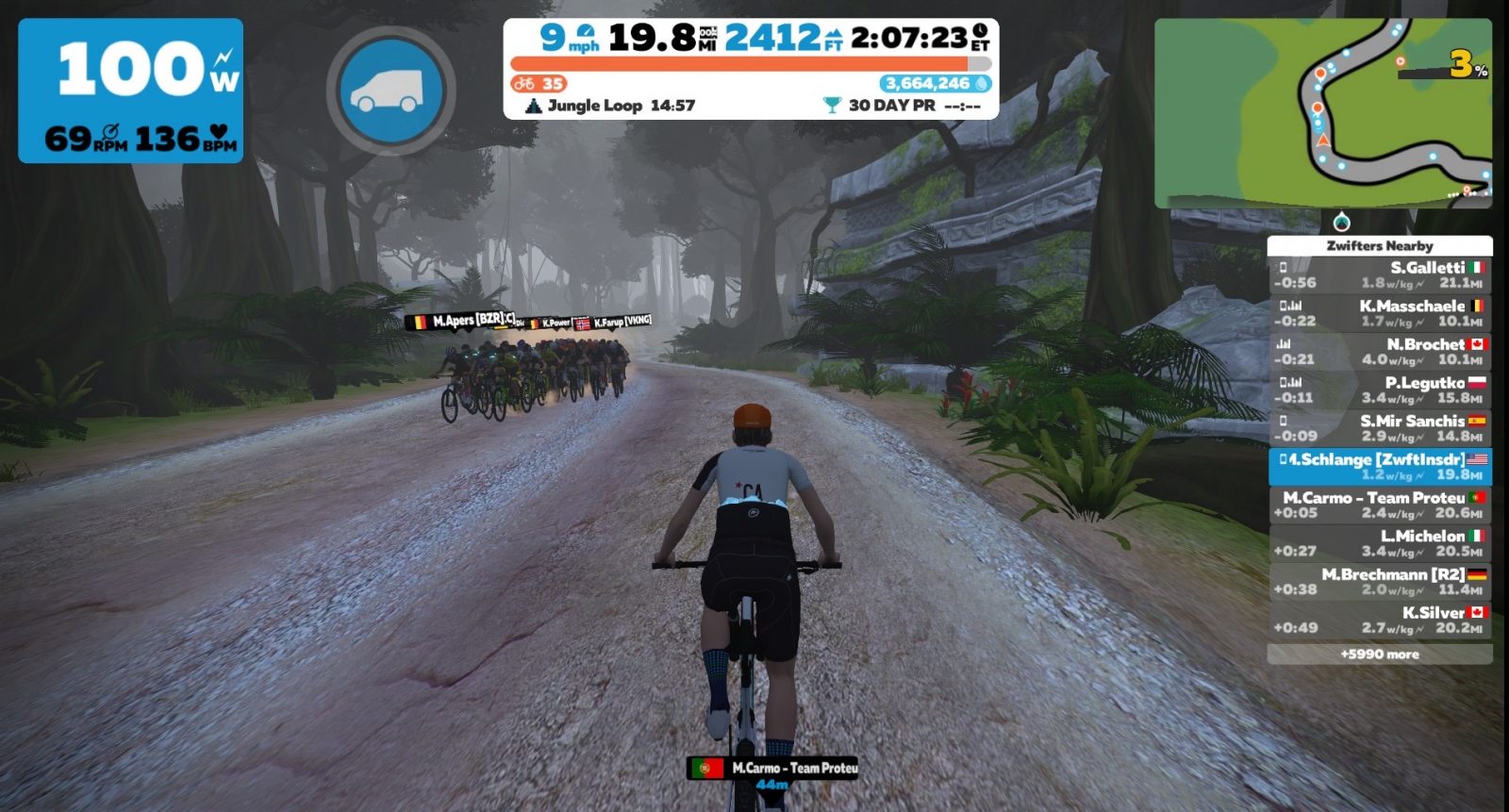
I took a couple of short breaks, one of which was at the Jungle Circuit to hop onto a mountain bike. No sense in going even slower by riding a road bike in the dirt! I happened to be on the jungle circuit when the Stage 4 Pro-Am race started so I got to watch them race past me in the opposite direction. I thought for SURE Nathan Guerra, who was commentating the race, would mention me, but alas, he did not!
The Pro-Am race flies past
Next was the Volcano Climb, a much needed sit-bones break at the descent, a gentle zip through the Esses and a meander on over to Fuego Flats.
This route takes you through Fuego Flats in each direction. The first direction is the halfway point as far as mileage and climb go. I was encouraged that I was only at 3 ½ hours! I took a longer break here: donned new bibs and socks, ate some real food including pickle juice (just in case), and sat around for 15 minutes.
Halfway there!
Once I got back on my bike I realized I had made a big mistake. The bibs I put on were NOT comfortable at all! They were my second-best pair. I should have started with them and worn my best pair on the second half of the ride. Thankfully, I was reminded by my ever-faithful new Zwift friend Shirley that some people wear a second pair of bibs turned inside out. I tried that and it relieved a lot of pressure!
At the 6 hour mark I was in tears. I had no words. Just tears as I was only on turn two of Alpe du Zwift.
Further up the Alpe I hopped off my bike to stretch on the ground where I fell asleep. When I woke my whole body wondered why I wasn’t done riding. My mind was wondering why my body wasn’t still going. Everything was out of balance. The nap plus some caffeinated gum helped get everything back on board!
As I went up the Alpe I was encouraged by a few nearby rider messages as well as seeing a couple of other Zwifters scaling it with 70+ miles under their belt. I kept plugging along, although every part of my body that came into contact with my bike was in a lot of pain: my feet, my hands, and my sit bones.
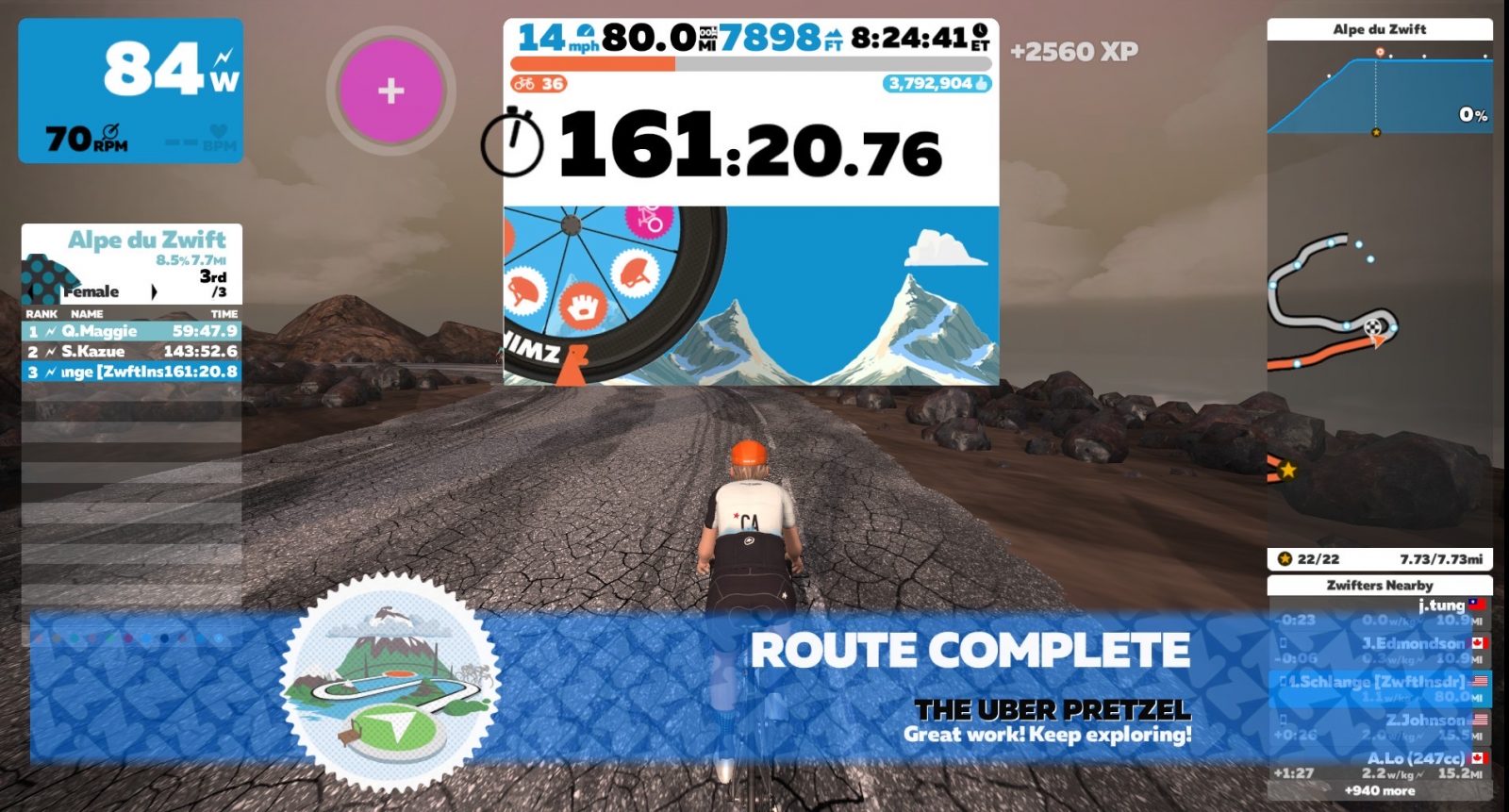
I finally scaled Alpe du Zwift and limped my way around the loop at the top so I could coast down the descent. I earned that coast! What I didn’t earn was the Meilenstein Wheels at the top of the Alpe. What a shame, too as that’s the last time anyone will ever see me on that mountain!
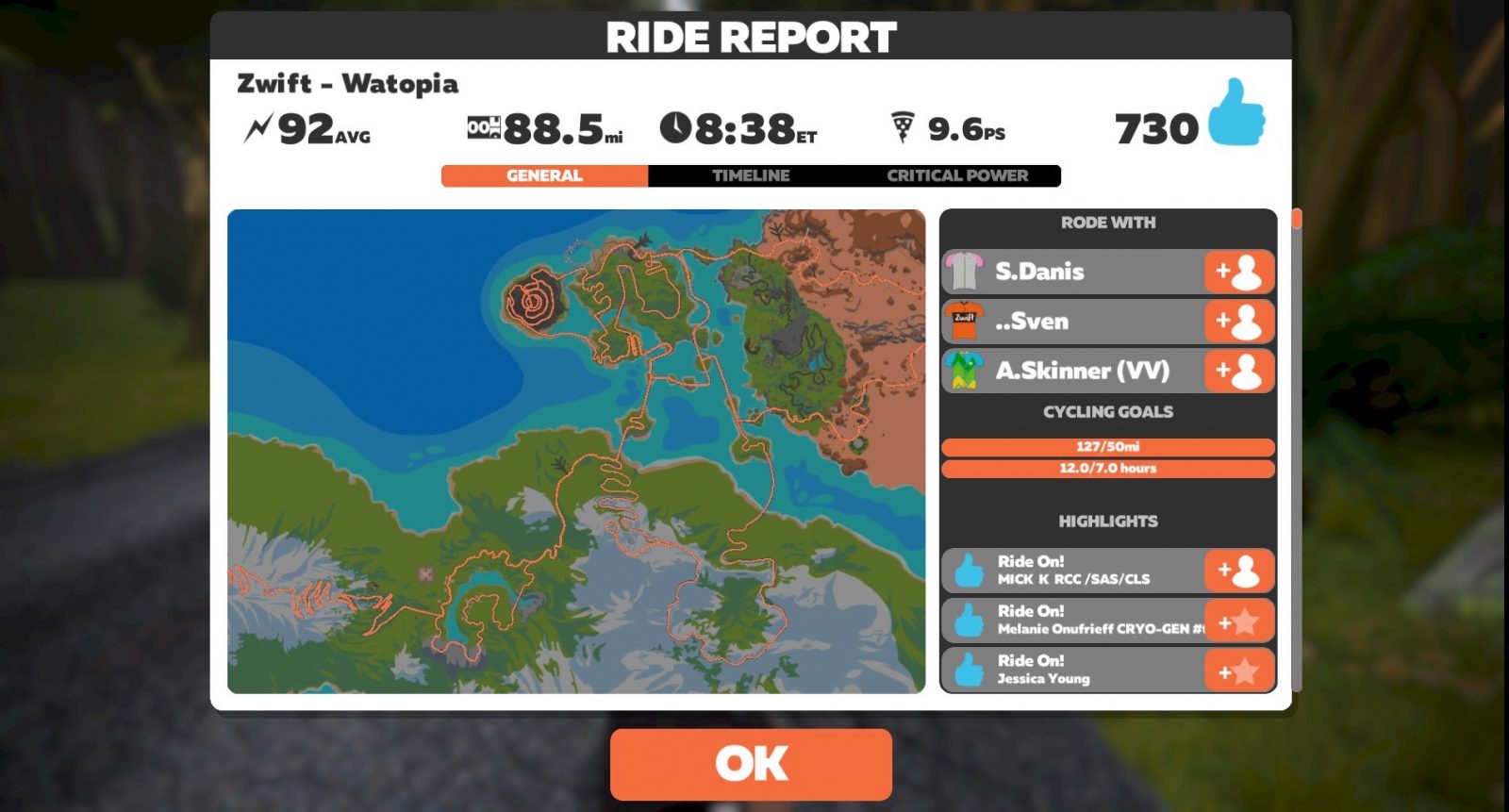
It took 8 hours and 38 minutes of riding time to cover 88.5 miles, my longest ride ever both in distance and time! Along the way I took 2 hours and 9 minutes worth of breaks, burned 2700 calories, had a TSS of 333, and got 730 ride ons.
I will never do this route again. You couldn’t pay me enough. The second half took me 5 hours! Now don’t let that scare you off. I stayed in Zone 2, and my FTP is 2.0 w/kg. Most people finish this much faster than I did. And, I AM glad I did this route! I feel a mix of pride and relief!
The best news is, 2 days later none of those contact points that hurt were in any kind of pain!
Have you done the Uber Pretzel? If not, have I scared you off from doing it? Will I see you at the PRL Full this Saturday? I’d love to hear from all of you!
All good things must come to and end – today was my last Tour of Watopia 2020 race. It’s been a lot of fun, and I’ve kept my streak alive, handily losing each stage. Last night I began wondering how this final stage would work out. Three laps of Volcano Circuit CCW – a fun race route I know very well. And one that is flat enough for me to be able to hang onto the front of the race so I’m in the mix for the final sprint!
But yesterday I rode the long A group ride for stage 4 – 5 Jungle Circuit laps. And while I’ve generally tried to stay in Zone 2 for the ToW group rides, yesterday’s ride was a bit more… spirited, shall we say? I had loads of fun working with a small pack of riders to keep pushing and gaining places throughout the ride, but with a finishing average power of 261 watts over 80 minutes, I knew my legs wouldn’t be 100% for today’s race.
Bike Choice
Volcano Circuit CCW is basically a flat route, so use the most aero frame and wheelset you’ve got. Not sure what is best? Here are some helpful links:
I went with my standard race setup: the S-Works Venge with Zipp 858 wheels. Sure, the Tron is just a bit faster than this setup, but I like riding the same frame in Zwift as I do IRL, and a difference of 1-2 seconds over an hourlong race isn’t noticeable.
The Warmup
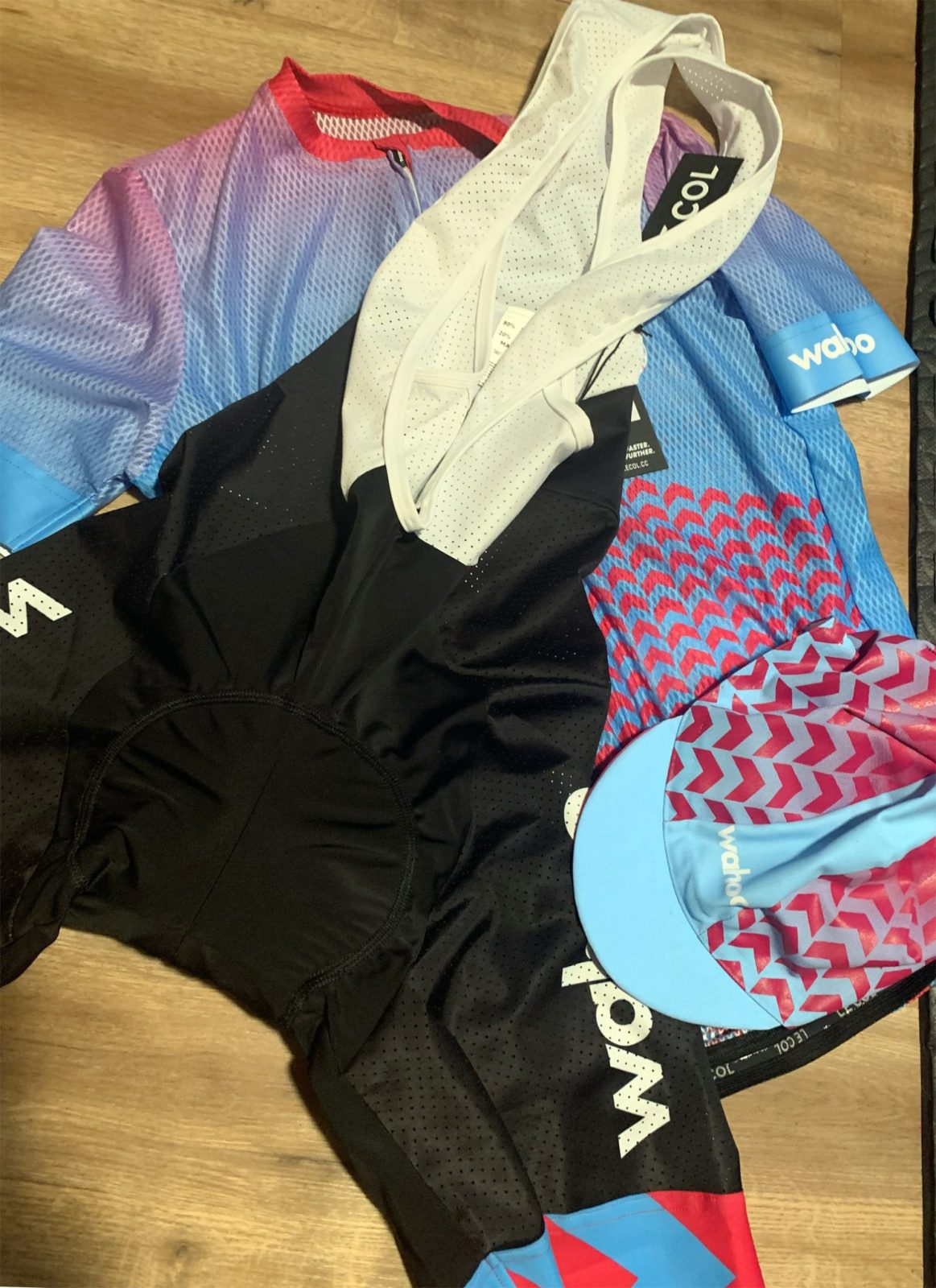
I rolled out of bed at 5:15am, chewed a piece of caffeine gum, put some PR lotion on the legs, and kitted up. I was a little extra-excited about kitting up for today’s ride, as I was going to be testing out some new indoor kit from Le Col + Wahoo. (Watch for a review on this coming soon!)
I hit Tempus Fugit and got about 8 miles in over 23 minutes. As usual, the warmup began with easy spinning, keeping my cadence up while slowly raising power up over several minutes to wake up the legs and heart as gently as possible. Then it was a few harder efforts to get my heart rate up to 160 and “break the ice.”
My heart rate was a little resistant to go higher than 155, probably due to yesterday’s hard effort. But with a little extra pushing, we eventually got there. Time to race!
Today’s warmup ride – a pretty typical race warmup for me
The Start
We had a big pack in today’s B event: 135 riders! I knew this meant the group speed would be high, and it would be really difficult to pull off any sort of solo attack. So my plan was to just sit in, conserve, then sprint for the best finish I could.
The start was tough but doable – par for the course on any Volcano Circuit races, which begin with the ramp up to the turnoff for the glass bridge to the Volcano. At 82kg (I’ve been slowly trimming my weight) I averaged 380 watts for the first 80 seconds, 340 watts for the first 3-1/2 minutes, in order to hang with the front group. Then things settled down – the initial selection had been made. Our group of 135 starters was down to around 50.
The Middle
We transitioned into the standard Volcano Circuit CCW rhythm, riding a hard but steady pace for most of the circuit then going into the red on the three key uphill bumps on the route: the straight rise heading into the volcano, the bump just after that heading into the finish line, and the little bump on the opposite side of the circuit as you exit the Volcano.
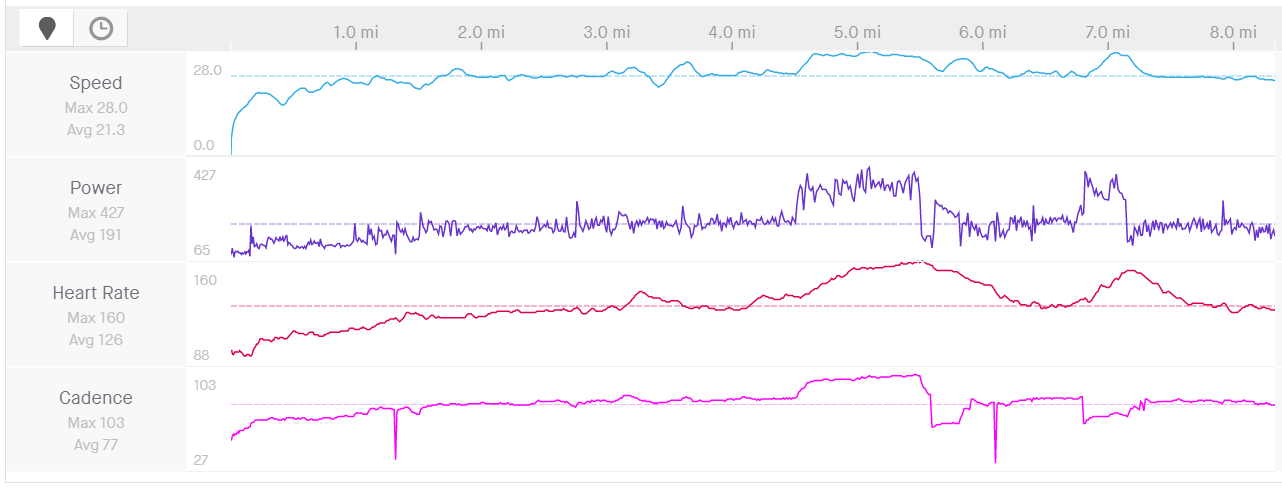
Here’s what that looks like in terms of my power output – you can see the same pattern repeats each lap:
The middle of the race was unremarkable apart from two things:
Riders got steadily dropped one by one as we hit the “red” portions of each lap. By the time we hit our final lap the group was down to around 35 riders.
I received a ghost powerup my first two times through the arch. What a useless powerup if you’re not looking to attack off the front! I just burned them in the pack. Happily, I got a feather through the final banner, which wasn’t the ideal powerup, but a useful one on this route.
The Finish
Each lap had gotten progressively faster: our first was finished in 5:17 (296 watts average for me). The second lap was 5:15 (304 watts). The third lap would be faster still. It began sedately enough, but when we hit the bump to exit the Volcano 1.5 miles from the finish, the pace jumped up and never settled down again!
Solo riders tried to jump off the front in the final minutes, but I knew from experience that these attacks were unlikely to survive, so I just stayed near the front of the group. I had my feather powerup ready – my plan was to use it on the ramp into the Volcano so I wouldn’t have to put in such a hard effort to stay near the front. This would save my legs just a bit for the difficult final sprint.
We hit the straight ramp into the Volcano and I deployed my feather. It worked to perfection, allowing me to stay within a few bike lengths of the front of the pack without working too hard. Then the road leveled out and we started hammering toward the finish!
I knew it wasn’t time to go hard yet – the #1 mistake riders make on this finish is to go too early. So I tried to hold those wheels, not letting riders get too far away but also conserving my energy until just the right time. But the riders ahead were charging fast, and the group was stringing out.
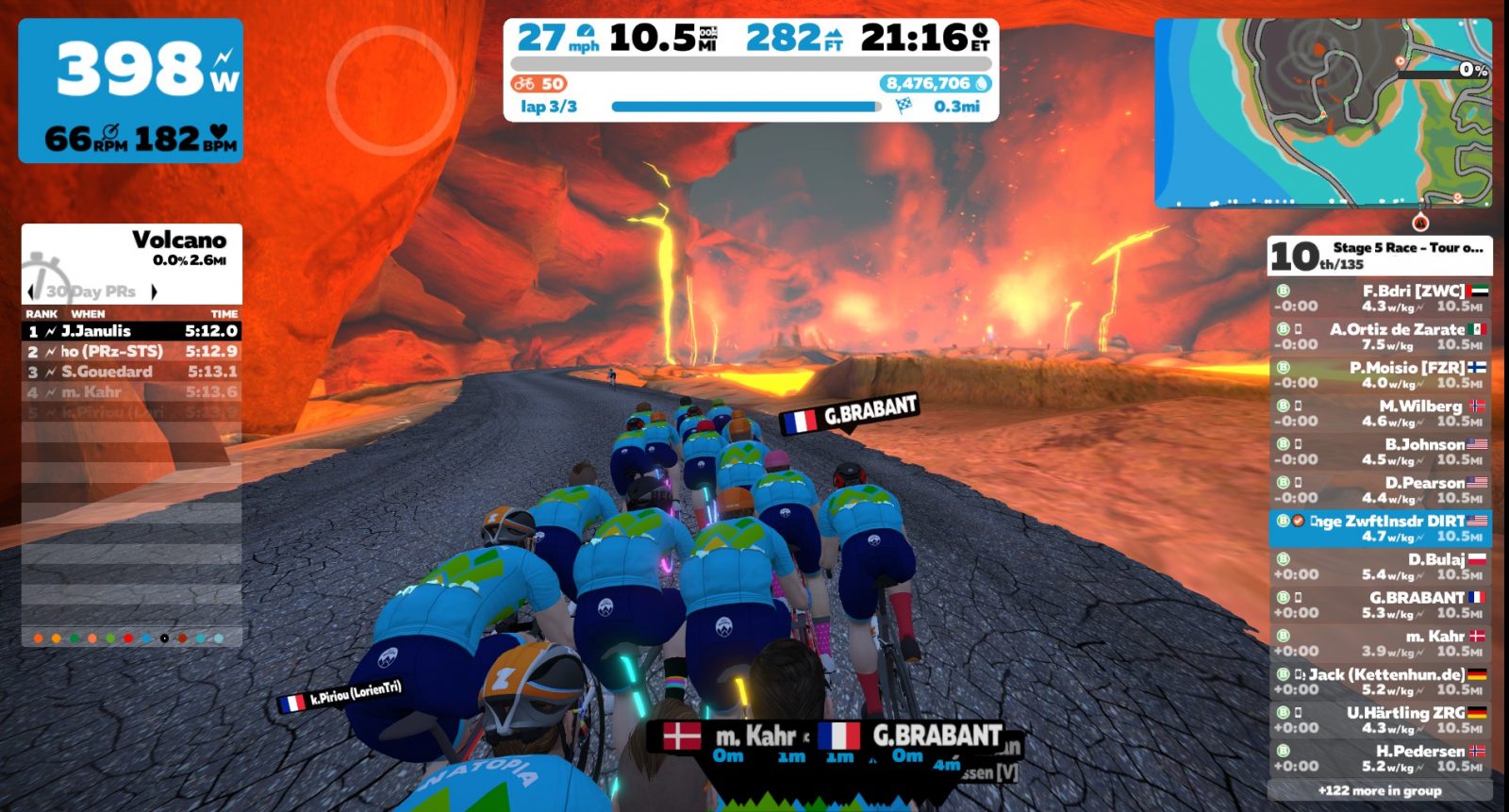
The group begins to charge into the final meters…
When the road turned to the right I shifted and got out of the saddle. Then it turned left onto the slight rise, and it was time to go all-in and hammer to the finish. I passed several riders in those final meters, probably because they had started their sprints too early. But I was far from the podium, finishing 2 seconds back, 12th according to Zwift, 6th according to ZwiftPower.
I averaged 377 watts for the final 3 minutes of the race, and our average speed for that section was 31.1 mph. Continuing our run of negative splits, our final lap was the fastest of the race – and a new Strava PR on that segment for me, by a significant margin! We finished the lap in a smoking 5:04, with an average wattage of 342 watts.
Takeaways
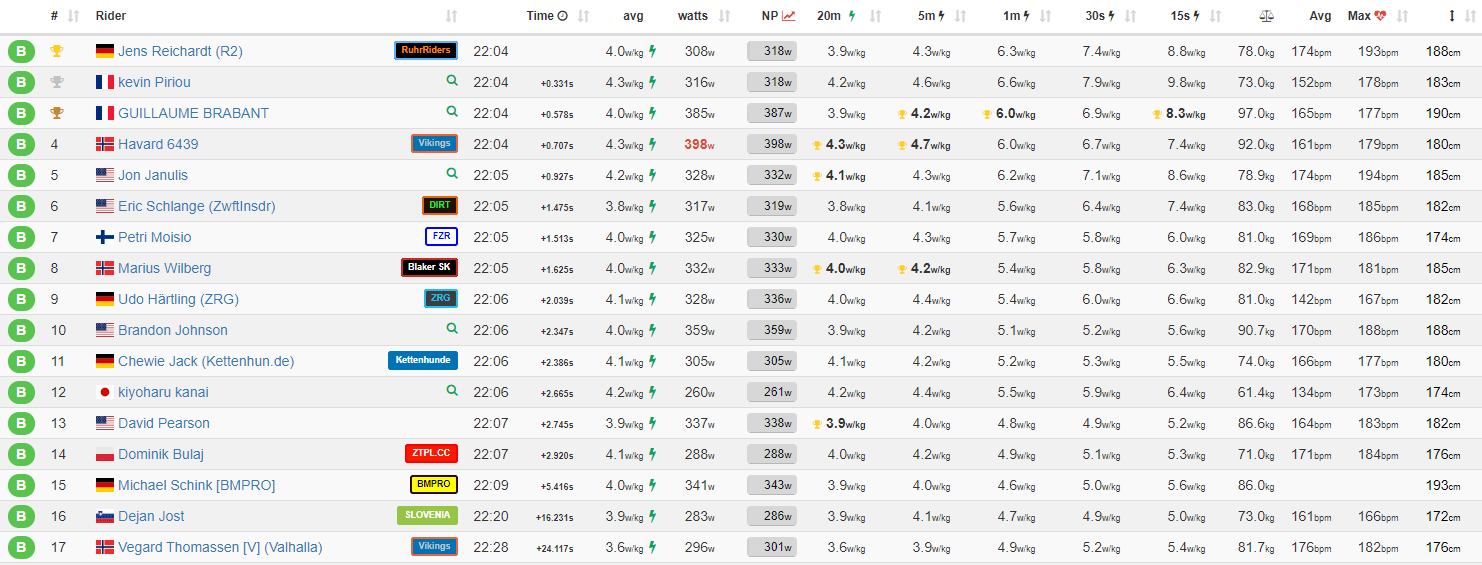
The only interesting takeaway for me from today’s race was that I definitely race more efficiently when my legs are a bit tired. Somehow, when I know in my mind that I’m not at 100%, I race a bit smarter. Looking at the ZwiftPower results, my 3.8 w/kg average was the lowest of anyone in the front group – and we had some heavier riders in the mix, so (at least this time) my lower w/kg wasn’t due to my weight!
ZwiftPower numbers
That’s a wrap!
Riding efficiently involves more than just keeping my nose out of the wind while always holding a wheel. It’s also about keeping the effort as even as possible. One example: on the little bump heading out of the Volcano, I found if I stood up ~100m before the bump and moved toward the front of the group, I could easily stay in the pack without hitting the power so hard on the actual incline.
Keeping the overall effort more even makes the race easier for me. There’s actually a metric to measure how evenly-paced an effort is: it’s called “variability index” or VI. According to TrainingPeaks, “A properly paced time trial should have a VI value of 1.05 or less while a road race or criterium may have a VI as high as 1.1 or more.”
My VI for this race was 1.04, which I guess means I did well in terms of keeping it even.
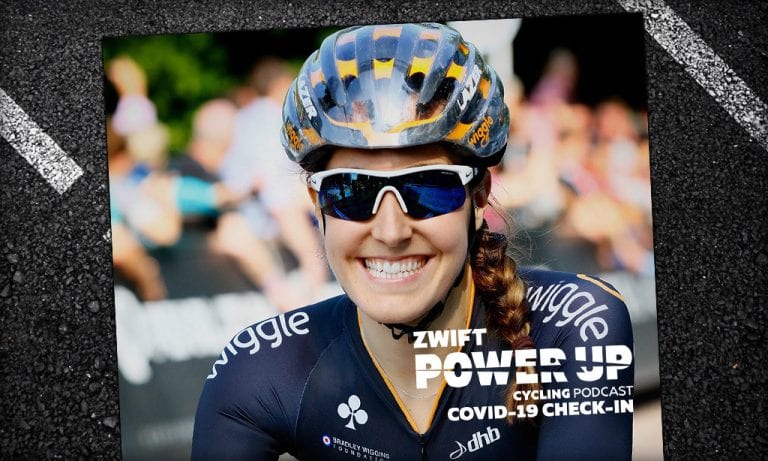
Covid-19 Host Check-In With Dani Rowe (Zwift PowerUp Cycling Podcast)
The COVID-19 pandemic has touched nearly every aspect of life, from travel to dining to finance to fitness. PowerUp host Matt Rowe speaks about the impact of the coronavirus with his wife, Olympic Champion Dani Rowe. They touch on the 2020 Tokyo Olympic Games, speculating on what the pandemic might mean for athletes.
Disclaimer: the UK was not in lockdown nor had the Olympics been postponed when this episode was recorded.
I joined Zwift in December 2018, after getting a Wahoo Kickr Snap as an early Christmas gift from my wife (best Christmas gift ever). At the time I felt I was a decent biker… well, really a decent triathlete with a good bike leg. I had raced in all kinds of triathlons from sprint distance up to full distance, including some of the Age Group National Championships races run by USA Triathlon.
All this is to say that I felt fairly good about my bike. I knew I wasn’t the best biker, but I felt like I could generally hang with most anyone. I joined a random Category D race in January 2019 and was totally dusted. I didn’t know how to race, I wasn’t fit enough and finished probably in the bottom 10%.
In triathlon having ~190 watt FTP (2.4 w/kg) is good enough to keep you at the front end of most local races, but apparently it wasn’t even enough to keep up in the lowest category on Zwift! To say it was disheartening was an understatement. About a month later I tore my ACL and although I got back on the bike within a few months, I felt very hesitant to even think about a Zwift race, even after feeling like I was fully recovered from my injury.
For basically all of 2019, whenever I entered a race it was just to ride whatever course the race was on and never really to try for a placing. However, reading Eric’s “How the Race was Lost” post about racing with the Cat A’s inspired me to get a Zwift Power account and give racing a shot again.
Route and Bike Choice
I chose a Crit City “Bell Lap” Category D race. I chose it because I feel like Crit City is the place where people go to race, not just get a good ride in under the guise of a race event. Up until this point, I had never even ridden in Crit City before (I’m now a level 18 Zwifter) because I had been too shy about racing.
Additionally, I don’t have a ton of virtual bikes to choose from. My only real aero bike is my TT bike, so I went with my Chapter 2 Rere bike which has 3 stars each for Aero and Weight (so I guess that’s good?) with my Zip 808s.
The Beginning
I knew from reading Eric’s posts that I could count on two things in this race: 1) a fast start, and 2) a bunch of sandbaggers. More on #2 later, but I decided to go all out to make the front group no matter how much it cost me later, hoping the pace would eventually calm down.
I knew it was important to get a good warmup in and get to the pens early. Too bad I have no idea what I’m doing in terms of how to really warm up for a bike race! Instead of heading to Watopia or some other world to warm up, I just headed to the pens “early”. I got there 11 minutes before the race and was probably the 5th person in the pens so I got a “good” warmup in and got a good starting position. I mostly just soft-pedaled except for one strong 30-second effort, but I knew immediately I was having a good day.
By the time the gate opened there were about 55 D Category racers heading out on the Bell Lap course. I knew the start was going to be fast, but OMG, it was so fast! My Zwift FTP heading into the race was 191 Watts and I weigh 78.2 Kg for an FTP of 2.42 w/Kg, but I had to go massively into the red just to make the front group.
I had 1-minute power of over 280 watts and although I did make the front group of about 25 riders, my heart rate was already 180+. I knew I wasn’t going to make it through 8 laps in the front group. However, I also knew that probably a decent number of the people in this front group weren’t truly Cat D racers.
I was finally unhinged at the beginning of the 3rd lap.
The Middle
I ended up in no-mans-land for a bit before joining up with 2 other racers and then being caught by a larger chase pack to form a rather large “group 2” on the road. During the next 3 or 4 laps we caught a few more people that had been spit out the back of the front group.
My group ended up consisting of places 17-27 in the race when it was all said and done. It looked like most everyone in the group was on the limit, so I started thinking about a sprint because I knew I didn’t have the energy for a sustained attack. I don’t even know if I’m a good sprinter and I felt a bit weird thinking about sprinting for 17th place but hey, I was here for a race, wasn’t I? So starting in the 5th lap I began thinking about the last few corners and when I would use my aero powerup (praise the random number generators).
The Finish
In the last lap a few people went off the front on “attacks.” Really, they upped the power just a bit and nobody (I guess really just me since I was on the front of the pack at this point) had the energy to chase. A few of them ended up coming back to the group in the end, but a few also stayed away.
As we hit 1 km to go, I dropped to the back of what was left of the pack in about 24th place and began to wind up a sprint. I ended up hitting almost 600 watts (my highest ever on Zwift) and passed most of what was left of the second pack to finish in 20th place.
It may seem silly to say, but I was pumped about the result. I have never gone so hard or so deep on my bike. I thought I was going to pass out as soon as I hit the finish line. I averaged a heart rate of 184 for 25 minutes and had a max heart rate of 195. I felt like I raced the best plan I could given my legs. I got in the front group, held on as long as I could, waited for a large chase pack and then took a good placing out of that pack. I also increased my Zwift FTP from 191 to 201 Watts, proving that sometimes you need a race to get the best performance out of you.
I also totally underestimated how much I would enjoy actually racing. Because I knew that there were a bunch of sandbaggers ahead of me, I was able to pretend I was racing for first, even though I was in 20th place. I was able to think about racecraft and strategy when my heart was about the explode. Trying to manage when to use powerups, when to attack or cover other attacks, and where to start my final sprint was thrilling. It made biking as much of a mental exercise as a physical one and added a whole new dimension to indoor riding.
Now returning to the point of sandbaggers… I placed 20th in a category D race with about 55 riders. I averaged 2.7 watts/Kg for 25 minutes during the race for an estimated FTP of 2.545 w/Kg. So technically I was marginally over the category D threshold even though I finished in 20th, 2 minutes behind the winner!
Now, I will say that Zwift Power does a nice job of cleaning up these deficiencies. There were 13 of us in the race registered on Zwift Power and in the unfiltered results I was 6th place, however in the official results I was 2nd of 8 official racers because 5 were filtered out (I’m guessing for being above categorization limits, but honestly I’m not sure how Zwift Power does that).
But sandbagging is a big issue. There are a lot of people on Zwift who are between 1.75 and 2.25 w/kg FTP, but if they race in Cat D, they might as well just ride for enjoyment, because they are going to end up dropped in the first 5 minutes. Eric mentions this problem a lot from the Cat B perspective, but I think the problem has even more impact for category D riders because like me a year ago, many first-time racers think they are racing against a field of peers when they are not, so when they finish in the bottom half many will just decide not to race seriously ever again.
I think the best way to sum up the problem is: in order to feel like I could participate in Cat D races, I had to be able to put out Cat C power.
Takeaways
Three takeaways from this race:
Get a Zwift Power account. It can totally change your mentality about racing in Zwift and make you feel like you have a chance, which makes the experience so much more fun.
Go like hell from the gun, you can’t win the race if you don’t make the front group so you might as well give it everything you have. It’s not like you have to save energy for the ride home!
Racing on Zwift is a ton of fun. If you have tried it in the past and had a bad experience or don’t feel like you are strong enough, give it another shot. You may surprise yourself.
What About You?
Are you a Cat D racer? How have your Zwift race experiences lined up with mine? Share below!
Last Saturday we hit a new Peak Zwift of 19,720, then early Sunday while I was fast asleep we hit a new peak around 21,500.
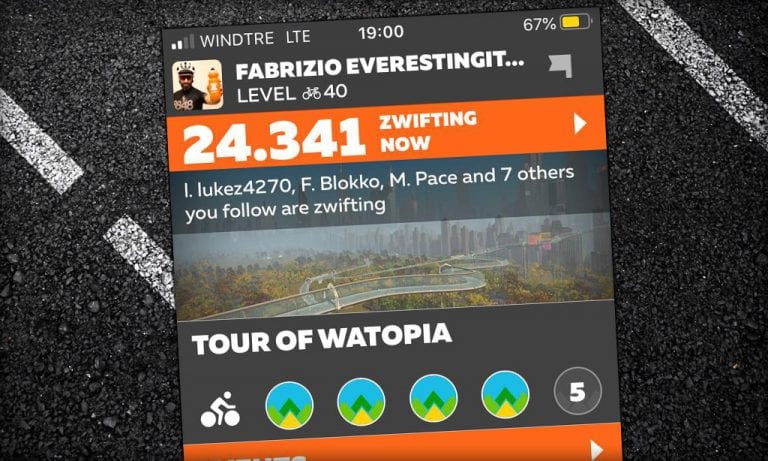
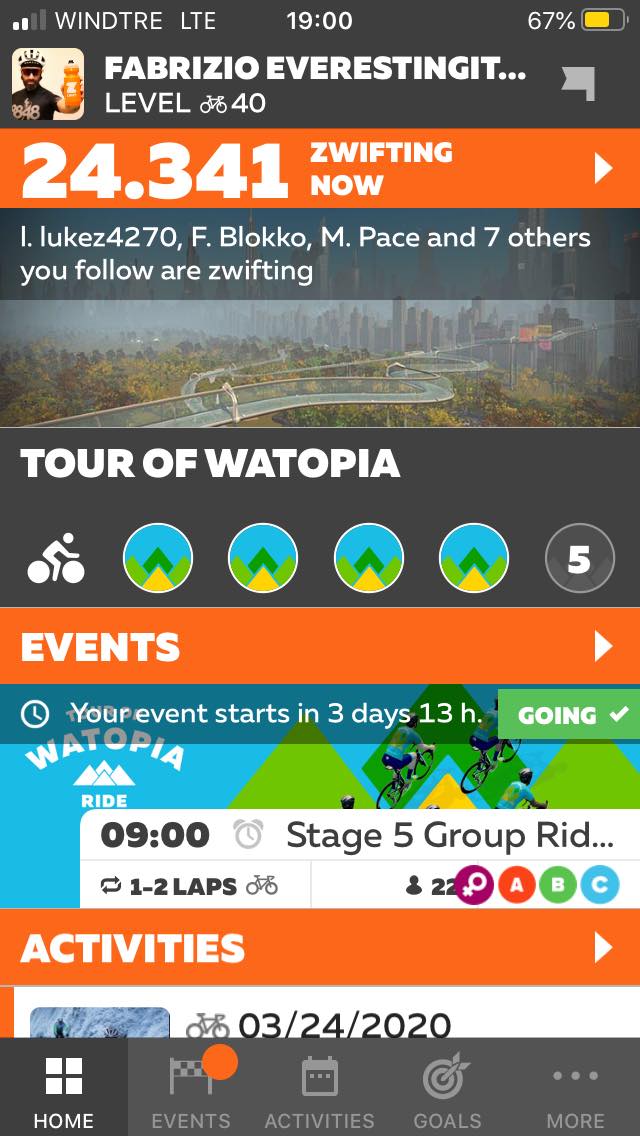
But today we blew away the previous record with a new high concurrent Zwifter count of 24,341!
The peak was reached right around 11am Pacific time, which is the traditional day and time for peak traffic on Zwift. (Astute Italian Zwifter Fabrizio Dolce sent me this screenshot with a number just slightly higher than the 24,333 I captured.)
Will it go higher? Yes. Temporary laws governing outdoor cycling are becoming more restrictive, pushing more cyclists than ever to begin riding in Zwift’s welcoming and open virtual worlds.
Where will it peak? Obviously no one knows. But I registered my guess of 26,500 with Simon at The Zwiftcast yesterday, and that number is already looking too low.
Stay healthy, take care of one another, and Ride On!
In August of 2018, I used Zwift’s free trial period to do my very first FTP test, which resulted in 178 watts, or 2 w/kg with my weight at the time. A few days ago – 20 months later and 16 kg lighter – I averaged 298 watts in the first 20 minutes of a Tempus Fugit time trial, which resulted in a new FTP of 283 watts, or 4 w/kg. This is the story of my improvement, and how Zwift has been a key part of it.
August 2018
The Final Wakeup Call
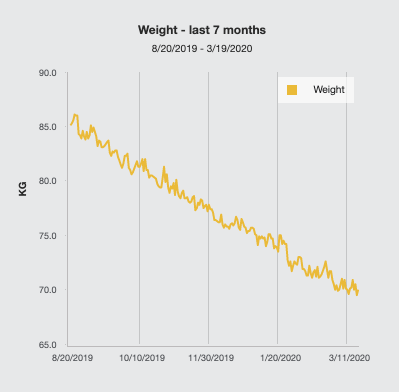
Around two years ago, on an otherwise regular morning, I was stepping down from the scales after looking at the highest number I had ever obtained: 89.9 kg. At my height of 169 cm, my BMI of 31.5 put me in the obesity category. Although there had been plenty of alarm bells before, this was the final wakeup call that made me re-evaluate my sedentary lifestyle in which I paid very little attention to my dietary and exercising habits.
First Steps
The first action I took was to add some walking to my daily routine. When going to work, I would get off the bus one or two stops before mine, to add a few blocks of movement. On weekends, I started riding my bike, no longer than 30 minutes at first, though I soon ventured to the 520 trail from Redmond to Seattle, which provides some short climbs that proved to be a good challenge for my weak legs (in other words, I was destroyed after some of them).
I began to discover the world of road cycling. I had seen the Tour de France on TV for years, but the fact that it existed was pretty much the extent of my cycling knowledge. I was also using a road bike for the first time, a very basic and cheap model that satisfied all of my needs. It moved. It shifted. The brakes worked.
In modern fashion, I turned to the Web to find some info on how to care for my bicycle, what trails were good in the area and what kind of bike exercise I should try in order to lose weight. From what I gathered, a power meter was the way to go for taking training to the next level, even if I had no hopes of reaching a high level. I invested in some Garmin Vector pedals and did my first few rides with power.
Rolling Forward with Zwift
The numbers told me little, however, as I had no idea of my FTP. In another investment, I got a basic fluid trainer, started a Zwift trial and did my first FTP test on August 3, 2018. With a result of 178 watts and a weight of 86.3 kg, I was just below the level of an untrained novice, with a power-to-weight ratio of 2.06 w/kg.
During the next few months, I combined outdoor rides with some of Zwift’s training sessions. My only goals were to have a good time and to improve my fitness, and I succeeded in both. I lost around 10 kg while steadily increasing my power to 200+ watts. I was approaching 3 w/kg.
Hitting a Pothole
Then life got in the way. I won’t make any excuses, but I had a tough month in which I was entirely focused on something else, and I stopped exercising. Anxiety-induced eating certainly didn’t help, and I quickly recovered almost all of the lost weight. By the middle of May 2019, I was back at 87 kg, though fortunately I hadn’t lost much of the strength my legs had gained.
Remembering the previous wakeup call, I had a stern conversation with myself in which I acknowledged the situation and decided that I wasn’t going to get close to my previous “record” again. I went back to the bottom of the hill and starting pushing the stone upwards again.
Knowing that the benefits of exercise are seen over the long term is one of the toughest things that go through your mind while you suffer through the climbs and the Zone 5 efforts. But I had made up my mind and I was adamant, so I pushed through. Perhaps a key motivator was the knowledge that I had done it before, both the weight loss and the fitness gain, so I would be able to do it again.
Badges and Incentives
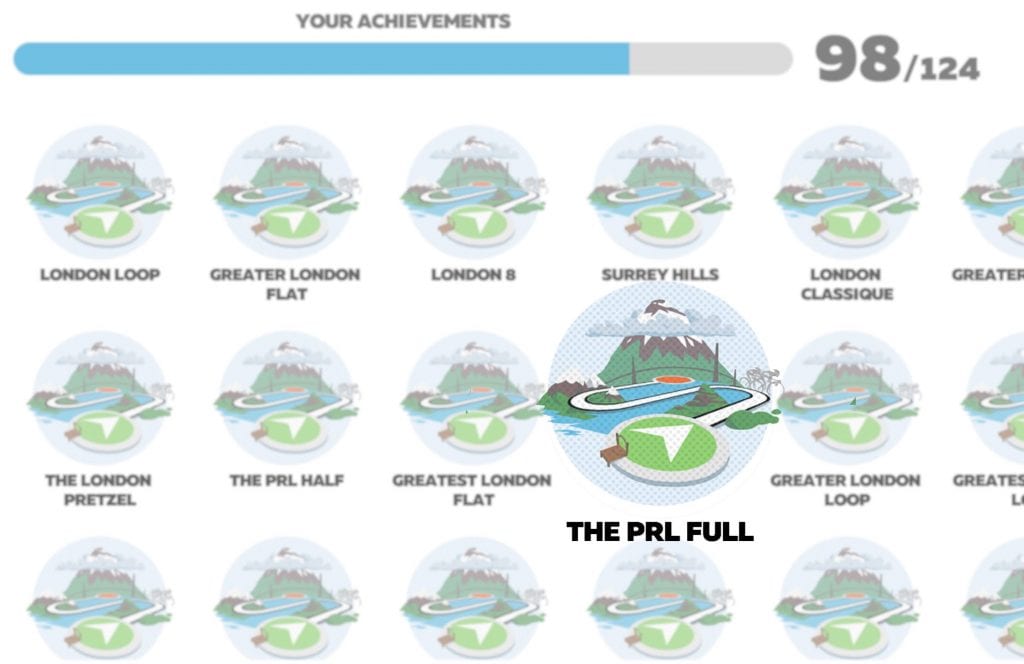
Another motivator, mundane as it might be, was the many badges and incentives within Zwift itself. As I write this, I’ve done all but 3 routes: the Mega Pretzel, the Uber Pretzel, and the Tour of Fire and Ice. The latter I’ve skipped not because of its difficulty, but because I want to make it coincide with my 25th ascent to the Alpe du Zwift, so I can get that badge as well. As part of this journey, I’ve done the full prudential, 25 laps to the volcano, and an imperial century courtesy of the Vegan Cyclist.
As for other incentives, you have all the levels and unlocks and the Tron bike to look forward to. I’m one level shy of getting the aero helmet for a proper time trial setup, in which I shall tackle Tempus Fugit once again for a fresh attempt at a new FTP.
Weighing Down, Powering Up!
Badge after badge, my weight started to decrease. The daily differences can be discouraging at times, but the overall trend started to become apparent.
In the meantime, my power was building up again. I had an internal milestone every 10 watts, so I went from 220 to 230, then looking forward to 240, and so on. In my mind, the goal was to reach 70 kg with 280 W, which would give me 4 w/kg.
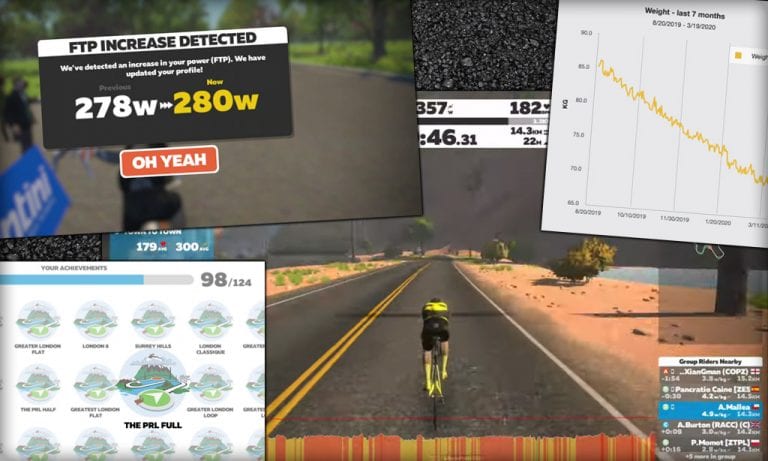
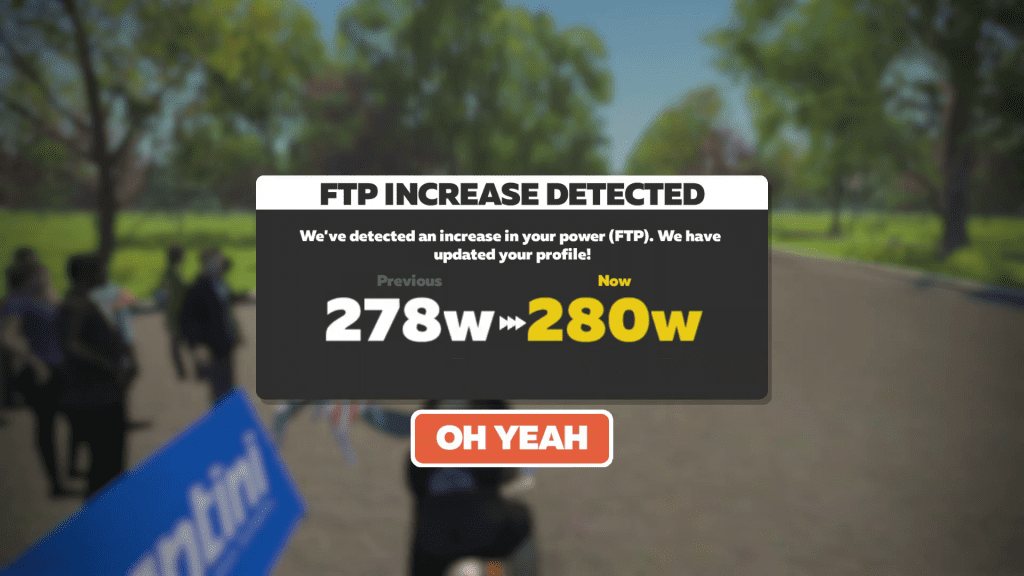
The power came first, during stage 7 of the 2020 Tour de Zwift. I averaged 294 W over 20 minutes, which gave me the next FTP milestone of 280 W. I was still 2 kg over my weight target, but as I had been losing 1 kg every two weeks for a while, it was only a matter of giving it another month.
Right on cue, on March 2nd I marked 69.9 kg, which made it the first time I’ve seen a sub-70 number in more than a decade of struggling with my weight. Four days later I would also improve my FTP by 3 watts, when I averaged 298 W on the first 20 minutes of a Tempus Fugit time trial:
What’s Next?
As I’m now within the normal range of BMI for my height, I don’t expect to continue losing weight at the same pace as before, but I do expect to lose a few more kilograms. My next big milestone is 65 kg and 293 W of FTP, for 4.5 W/kg, and my target date is 3 months from now. Is it possible? I think so, and I’m already working to get there.
Now that I find myself at 4 w/kg for the first time, I should soon be racing with the A category on Zwift. It’s a scary prospect, but one that I’m sure will push me even closer to my limits.
See you all in Watopia, and keep riding on!
What About You?
Have you seen big fitness gains thanks in part to Zwift? Share your story below – or better yet, submit an article to [email protected] for publication here on Zwift Insider!