Home Blog Page 352

How the Race Was Lost: ZRL Week 4 TTT on the Magnificent 8

23

This was the fourth week of Zwift’s groundbreaking Zwift Racing League, and the second team time trial of the series. Since this was our first TTT after being seeded into our division (Men’s EMEA East 2 Division 1B), we weren’t sure how we’d stack up against the competition. But we knew we were up against some very strong teams, and it would take every bit of power, technique, and strategy to come up with a good result on Watopia’s Magnificent 8.

The Warmup

My race prep followed the usual pattern – chewing some caffeine gum and applying PR lotion to the legs. Drank some beet juice as well, because I’m a glutton for punishment (that stuff tastes terrible). Then it was time to suit up and warm up.

My team (DIRTy Beasts Hellhounds) has members based in the USA, UK, South Africa, UAE, and Australia, so we’ve struggled to get together and practice apart from our pre-race warmups. On top of that, none of us have raced together prior to ZRL! But we’ve gotten along swimmingly and come to agreement on each week’s strategies via Discord text chat throughout the week.

Snowy Pruett, our team manager, had organized a Meetup on Tempus Fugit which began 35 minutes before we had to be in the start pens. Our plan was to chat on Zoom during this Meetup, to practice our rotations, and talk strategy. This worked out well, although our rotations were anything but smooth during these practice rounds. More practice is clearly needed, but we had no more time – to the pens!

The Start

We’d decided to try the start “launch” technique explained in a recent No Breakaways TTT Master Class video. Basically, you stay on the pairing screen (which prevents you from moving), rev up the watts as the final seconds count down, then hit Escape to close the pairing screen when the countdown hits “1”. This lets you jump up to full speed very quickly, as opposed to starting your pedaling when the clock hits zero.

It worked well, and we jumped off the Watopia pier and into formation quickly. I was to be behind Paul Robertson, and each of us had agreed to don a unique piece of headware so our avatars would be distinctive. Paul was in the a blue hat, then other team members had black, green, white, orange, and me with red.

Justin Wild took the first pull, then Paul, then I was up. I was feeling good so early in the race, so I let everyone know I’d take a 1-minute pull. My speed at the front, though, seemed stuck at 45kph, and we were shooting for 46-47 on the flats. I pushed harder, trying to hold 425W+ for the duration.

We quickly made our way through the Volcano and over the land bridge, then we encountered our first challenge: the twisty dirt climb to the Italian Villas. First the dirt slows you down, then the incline slows you even more! By the time I reached the top I was wondering if I’d overcooked it already. But I pushed to stay on Paul’s wheel and breathed deep, trying to recover a bit before the big climb.

Hilly KOM Reverse

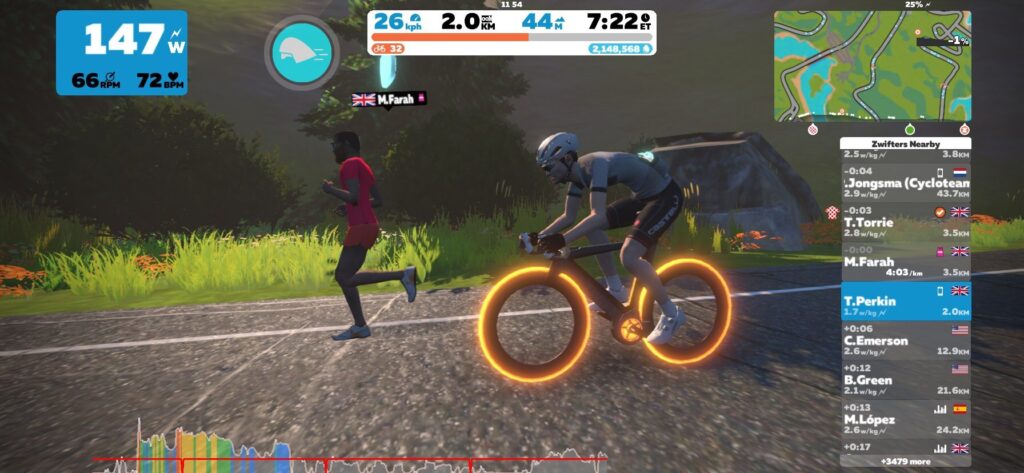
Our plan on the climb was to push hard on the steep initial section, regroup on the flat, then ride as a blog to the top, letting stronger climbers pull at the front. Our strong climber Scott led us outup the climb as we caught and passed our first rider, then it was a hard effort up around the statues and back into blob formation. We kept pushing, then I went hard on the final straightaway, trying to pull keep our speed up, knowing recovery waited just around the bend:

We supertucked down the descent, made the neck-breaking turn onto Ocean Boulevard, then got back into formation. Fuego Flats was just up the road.

Fuego Flats

I made my worst rotation mistake of the race on the false flat leading into the desert. As I eased off to sink to the back of the group, Justin and Paul got stuck on my wheel, and no matter how much I eased they didn’t come around! A 20-30m gap opened ahead of me, forcing Justin and Paul to put in a harder dig once they got around my wheel.

This is definitely an area where I need more practice – timing my power so I quickly slide back after taking my pull, without taking any teammates with me or dropping off the back to far.

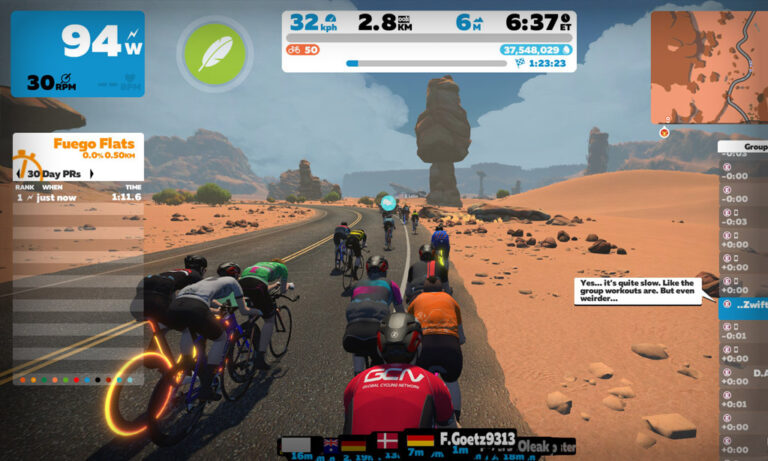
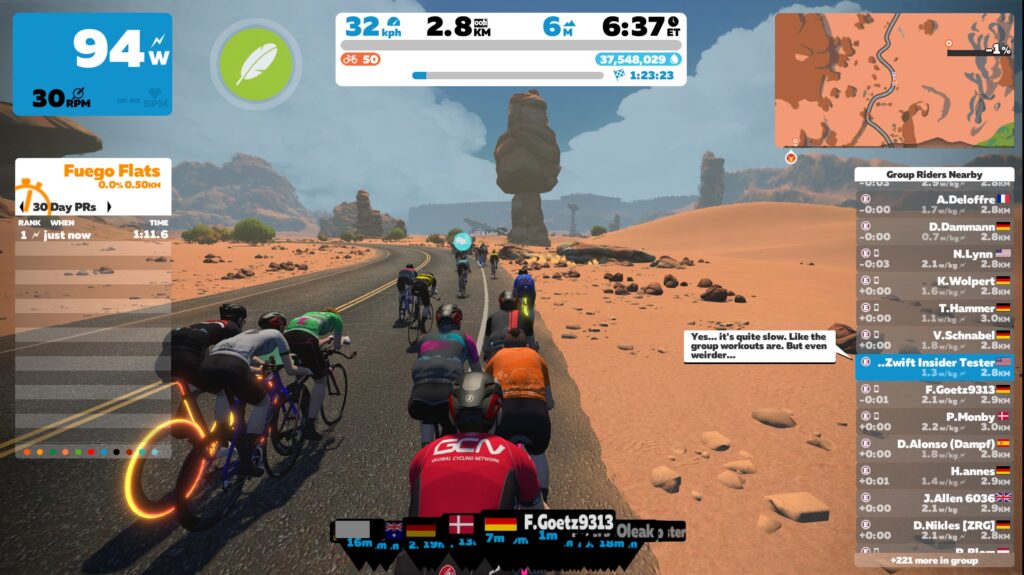
My poor technique aside, we arrived in Fuego Flats intact, with all 6 riders chugging along. We had already discussed the fact that the flat final section of this route would require efficient rotations and high wattage in front in order to maintain top speed, so we all settled in to make that happen. The desert kilometers went by quickly, and soon enough we were in the Ocean Boulevard tube, ready for the final push.

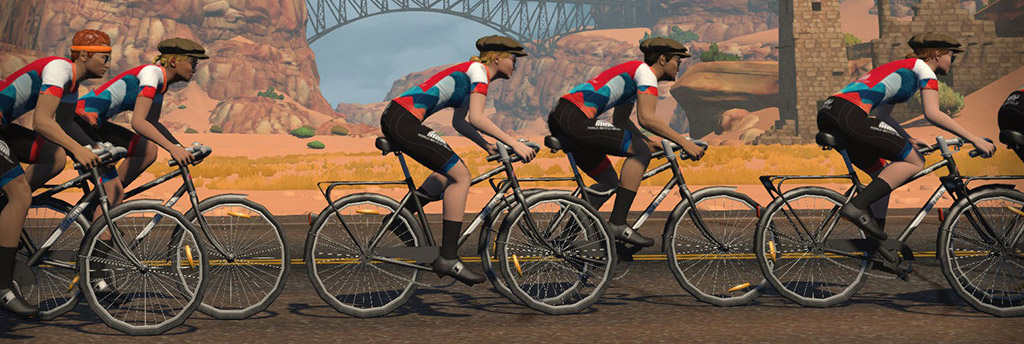
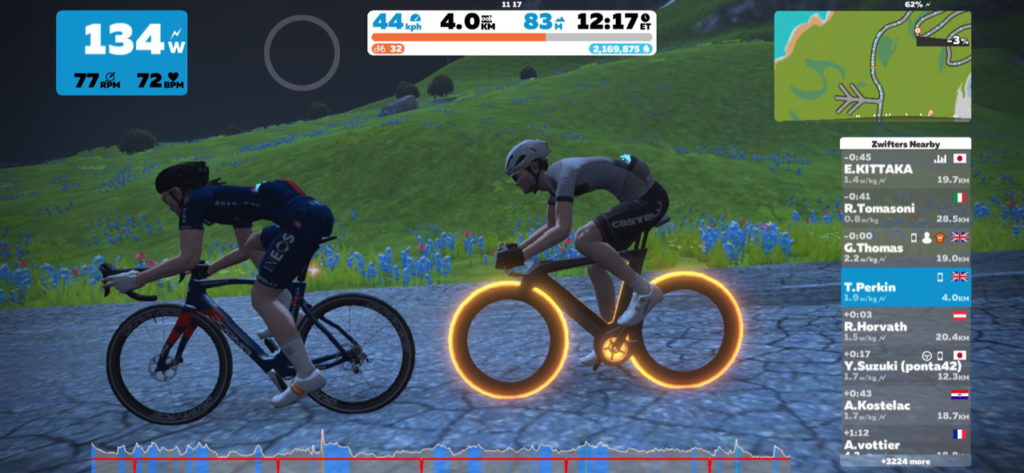
Here’s what a rotation through the desert looked like in the Zwift Insider Pain Lab:

The Finish

Our beautiful single-file formation had devolved into a blob starting on the Col du Saddle Springs ramp, and our speed seemed sluggish now as we made our way through the underwater tunnels. I voiced some encouragement over Zoom: “Just a few more minutes guys! We’ve got to push harder!” Justin Wild, the voice of experience on our team, said “If you’ve got power, move to the front.” Oh yeah – that makes sense!

I put in a dig as we neared the ramp out of the tunnel, and Scott let us know he’d be pushing hard up the ramp then dropping off, since we only needed 4 riders across the line. With just 1km to go, it was time to go all in. I gritted my teeth and pushed with all I had. “Push push push” Justin was saying from his pain cave in early-morning Australia as my wife cheered and teammate Alex from the UAE crossed the line first. I came in just behind him, totally spent!

Our final time was 40:30.837 according to WTRL – good enough for 5th place in our division.

See activity on Zwift >
See ride on Strava >
See results on ZwiftPower >

Watch the Full Race Video

This was my first time including Zoom audio in the recording, but I realized afterward that my own voice didn’t get recorded. Still, you may find our chatter interesting…

Takeaways

I set a few power PBs in the 36-38 minute range during this effort, so I’m happy with that. 5th place in our division (which, along with the EMEA East 1 Division 1B, is the toughest division in our timezone) is a solid result for the Hellhounds, moving us into 10th place out of 22 teams. And while it was nice to have a little extra to pull the team along in some of the final meters, I was toast by the time we hit the line – so I think I paced myself well.

Justin Wild is our strongest TT rider, and he’d been forced to drop out early in our first TTT event. It was very good to have him along for this effort – his watts helped enormously. It’s amazing what a difference a strong (or weak!) team member can make in a TTT.

As a team, we agree there’s still plenty of room for improvement in our TTT efforts. Keeping our rotation tighter is a big thing, and knowing just how hard to pull is another. We’re shooting for particular speed targets on flat sections, and will continue to hone our “sink and sprint” rotation method.

Your Thoughts

How did your TTT race go? Got any tips for me? Share below!

Zwiftcast Episode 91: Pace Partner Insights from HQ, Ray Maker on indoor cycling, and the gigantic success of WTRL

1

As the world waits – and much of Europe closes its doors – Simon, Shane, and Nathan try to be upbeat in trying times and consider the Two Big Hits in Zwift right now.

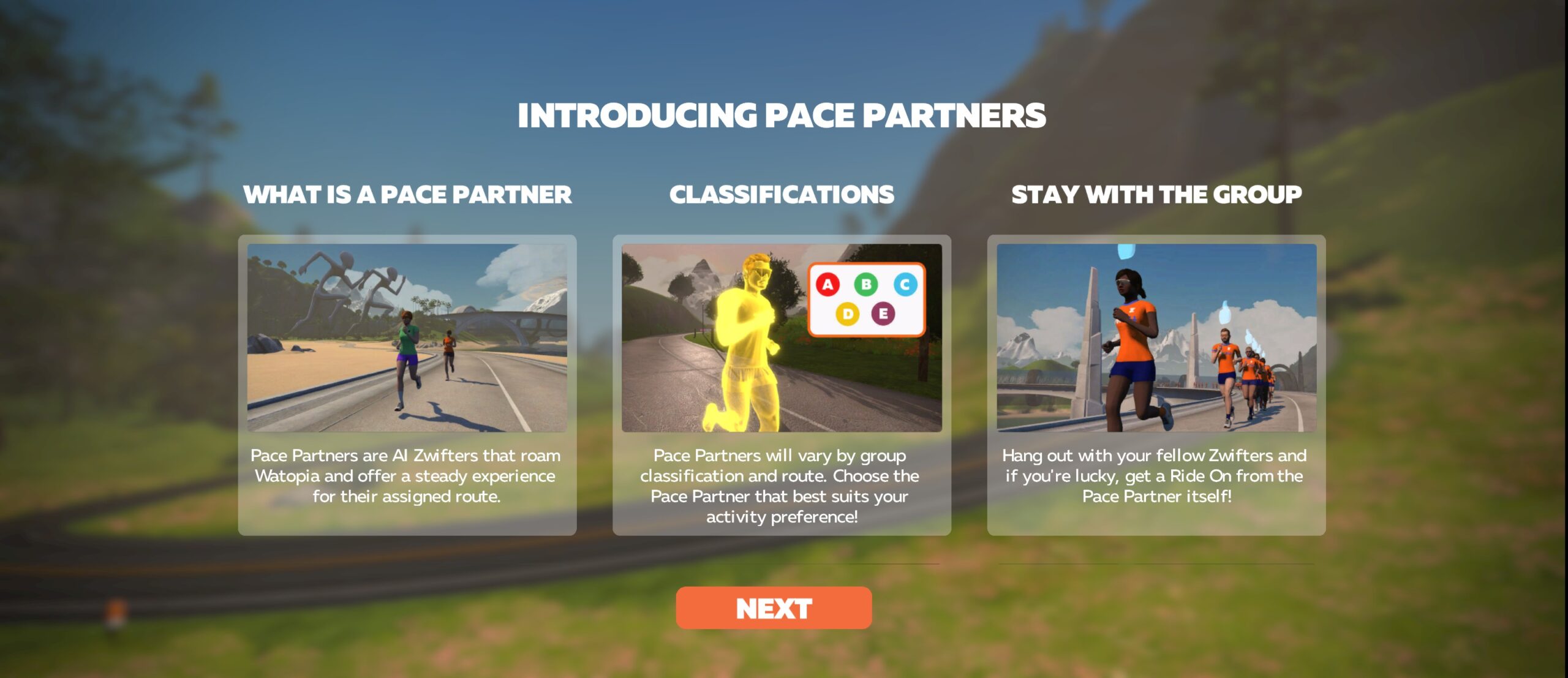
Pace Partners, or pacer bots, are a big success with Zwifters. Senior games guy Wes Salmon from ZHQ talks to Simon about scope for development and some ideas being tossed around to make Coco, Dan, and their pals even more bestie friends for Zwifters. The podcasters chuck in a few of their thoughts.

Ray Maker, or DC Rainmaker, is one of the most respected voices in sports tech. Simon pulls out two big indoor cycling talking points from Ray’s annual keynote address to the industry. The Zwftcasters have their say too.

And whilst the success of the WTRL TTT series may have been predictable, it’s made it no less overwhelming for the organisers. Simon talks to part of the leadership team, Martin Carew, about the headaches as well as the benefits of the TTT event that’s taking Zwift racing by storm.

There’s just time for a bit of Zwift-related banter and as ever, the Zwiftcasters take up the challenge. We hope you enjoy listening!

Zwift Academy RoadShow, Episode 6

Gemma Wilks and her 10-year-old son Tom tell us about their Zwift Academy journey, Dan and Stephen are back to let you know all about workout six, Leah shows off some impressive ZA Halloween costumes, and Matt Stephens is back to talk about the road to the finals.

Find the Zwift Academy Roadshow archives at zwift.com/video/za-roadshow

How Does Zwift Calculate Rider Speed?

Your riding speed in Zwift’s virtual world is determined by several factors:

  1. Watts: this is the main factor determining your speed. The more power you’re putting into the pedals, the faster you will go.
  2. World: road gradient, draft effects, road surfaces, and air density values in Zwift’s virtual worlds all affect the speed of your avatar.
  3. Weight: lighter riders will go faster on flats and climbs than heavier riders if both are putting out the same wattage. Heavier riders will descend faster. Just like outdoors! Read “How Rider Weight Affects Speed” for specifics.
  4. Height: taller riders are less aerodynamic than short riders, so the shorter rider will go faster if two riders are holding the same wattage and everything else is equal (weight, frame/wheels, etc). Read “How Rider Height Affects Speed” for specifics.
  5. Virtual Bike Choice: the frame and wheelset you choose affects your speed, as each frame and wheelset has a weight and aero (CdA) value assigned to it. See our frame and wheel charts for a detailed breakdown of the performance of each frame and wheelset on Zwift.

So How Do I Get Faster?

You can’t exactly alter Zwift’s physics or your height, but here’s the fun part: you have control over the other factors listed above!

Are you overweight? You’ve come to the right place. Cycling is an incredibly effective low-impact exercise that lets you burn calories without beating up your body. Couple daily rides with a smart diet and you can shed weight safely and quickly while gaining fitness. (Ride Your Way Lean is a good read covering the fundamentals of weight loss for cyclists.)

Want the fastest virtual bike setup possible? We’ve got all the info you need, and then some.

The biggest speed factor, of course, is power. What kind of wattage can you put out, and for how long? Every body is unique, and we’re not going to dig into training plans and philosophies here. What we will do, though, is recommend the “Build Me Up” training plan in Zwift for anyone looking to gain fitness via a proven training program designed by an experienced coach.

And we’ll recommend these two books – the very best resources available for cyclists looking to train smart with power:

Notes on Speed Mismatches

Zwift speed doesn’t match your Garmin speed? Since Zwift uses a variety of factors to mirror real-world physics, pairing your bike computer to your power meter or smart trainer will return a very different distance number than Zwift’s – and that’s as it should be.

Zwift speed doesn’t match your outdoor speed? Zwift simulates outdoor cycling quite well, but no system can factor in every single outdoor riding variable (think potholes, rider posture, and group dynamics for starters). Because of this, some riders have observed that their speed on Zwift doesn’t match their outdoor speed. But there are plenty of sensible explanations for this!

“Keep Everyone Together” feeling slow? The physics of group workouts on Zwift are modified in order to keep all riders together. For most riders, this results in a Zwift ride that feels slower than normal. Similarly, the “Keep Everyone Together” option in Meetups uses some black magic to keep your group together, often resulting in some riders moving faster than normal, while others move slower.

Questions or Comments?

Share below!

Garmin Never Stop Cycling Tour Announced

5

A new multi-day event series starts next week on Zwift! The Garmin Never Stop Cycling Tour is a “celebration of all cyclists, no matter your discipline.”

Four stages will be held from November 9-20, and you’ll have three days to complete each one. They represent four different types of cycling experiences – road cycling, time trialing, gravel riding, and mountain biking. Each route is a “signature course” for its category, with terrain that different types of riders will love! These Zwift events will be led by expert-level ride leaders.

Open and Women’s Groups

The Garmin Never Stop Cycling events are listed as group rides, but they do not use the ride fence and you will get results at the end. Some people might choose to race them, while others will cruise around for a social ride.

There’s an open category (A), where both men and women are welcome to participate, and a category for women only (B). Both ride the same routes for the same distance, and both are listed at “1-5 w/kg.” This usually means that riders are free to go at their own pace. When there is a ride leader, that person may announce a specific pace at the start, or she or he might just ride with the general flow of the group.

Ride Schedule

Nov 9-11 – Stage 1: Watopia’s Figure 8 – A Haven for Road Cyclists

  • Laps: 1
  • Length: 29.8 km (18.5 miles) Elevation: 234 m (768‘)
  • Description: “One of the most famous routes for road cyclists: the Figure 8. This ride covers the entire route, in both directions. This is perfect for an hour-long cruise with some short climbs and a nice mix of flats and rollers.”
  • Equipment: You’ll want a road bike and wheelset for this one, because the road is all tarmac. This route features a mix of flat roads and hills, so aerodynamics will be more important than weight.

Nov 12-14 – Stage 2: France’s Douce France – A Dream for Time Trialists

  • Laps: 1
  • Length: 24.1 km (15.0 miles) Elevation: 108 m (354‘)
  • Description: “This route was created for the first-ever Virtual Tour de France and is perfect for fast TT efforts through the upper portion of Zwift’s France map.”
  • Equipment: Be careful if you choose a TT bike for this one, because time trial bikes can’t draft in Zwift! Currently the event settings show drafting enabled, and they do allow you to ride the bike of your choice, whether it’s a time trial or road bike. This may change before the events actually happen.

Nov 15-17 – Stage 3: Watopia’s Road to Ruins – A Gravel Rider’s Wonderland

  • Laps: 1
  • Length: 29.6 km (18.4 miles) Elevation: 268 m (879‘)
  • Description: “Road to Ruins is where you’ll find a solid mix of both tarmac and gravel. The course is flat and all about maximizing your speed output. You won’t get bored, though. We’ve added a bit of elevation to keep things spicy. Clip in and have fun as you explore this course!”
  • Equipment: A gravel bike will ensure you don’t slow down too much on the gravel and dirt, while still keeping pace on the tarmac. Here’s our guide to how the different gravel bikes perform in-game.

Nov 18-20 – Stage 4: Watopia’s Jungle Circuit – A Shredder’s Paradise

  • Laps: 2
  • Length: 7.9 km (4.9 miles) Elevation: 79 m (259‘) Lead-In: 5.7 km (3.5 miles)
  • Description: “This all-dirt route is widely used for MTB riders who have a serious need for speed. Feeling competitive? Awesome. Swap your bike to get a faster record.”
  • Equipment: Mountain bikes go fastest on dirt roads, so if you want to ride one, take a look at our Zwift MTB performance guide.

Jersey Unlock

When you complete any stage, you’ll unlock a new Garmin kit to wear in-game.

How to Watch Another Rider In a Zwift Race

As Zwift racing’s popularity grows, more and more people are interested in watching their favorite Zwifters race. But how can that be done?

Here are your options for Zwift spectating, with notes on each.

#1: Fan View via Companion

If you are currently signed into Zwift and ready to ride/run (that is, your avatar is actually on a particular map) you can use the Companion app to look up other Zwifters and “fan view” them.

This will change your Zwifting view from watching yourself to watching the Zwifter you’re fan viewing. Here’s the 3-step sequence:

This seems simple enough – but there are a few caveats which can throw a hitch in your fan viewing:

  1. What World? Your avatar must already be located in the same world as the Zwifter you’re attempting to fan view. If not, tapping the “Fan View” button in Companion won’t do anything.
    1. This makes it really tough to fan view people on event-only maps (Crit City and Bologna). Since you can’t just click into these maps from the start screen, you’ll only be able to fan view another rider on these maps if you’re in an event on that same map.
    2. If you’re trying to fan view a rider who is on a map that isn’t the current day’s guest world, you may be out of luck unless you want to hassle with some form of world hacking.
  2. Private Problems: You can’t fan view a user who has their profile set to Private, unless you follow the user first. (They must manually approve your follow request.)
  3. On-Screen Info: If you’re fan viewing a Zwifter who is part of an event, you won’t see the event-specific info that the event participants are seeing. The person you’re fan viewing probably sees what place they’re in, and all non-event participants are hidden from their view. But in your view, you don’t see race placings, and you see all other Zwifters in that world. This is a bummer when you’re watching someone race, because you don’t know what place they’re currently in, if the group up the road is part of their event, etc.

Pros

  • Easy to do, if you already follow the rider and are in the right world yourself
  • Allows “late join” – can fan view a rider in the middle of an event

Cons

  • Only works in whatever world you’re in
  • Doesn’t show event-specific view
  • Can’t fan view private profiles
  • Requires you to be running Zwift

Fan view is a workable option if you’re wanting to watch another rider who is in the same world as you, but it needs a few key improvements in order to be really useful.

#2: Fake Joining

This trick has been used by race teams for years because it provides a better view of the actual event than the fan view option above. The idea is quite simple: just sign up for event you want to spectate. Join the start pens as if you’re taking part. But when the event begins, don’t go anywhere! Instead, just click on the rider list to “fan view” the rider you want to watch.

The lonely life of the DS!

This method requires you to sign up for the event before it begins, and you’re not able to jump in late. But if you manage to get signed up and in the pens before start time, you’ll have the ability to watch the race and see the same view as the other riders, complete with current placing, distance to go, and non-event riders being hidden from view.

Pros

  • Proper view of event, with current rider placing and non-event riders hidden from view

Cons

  • Must sign up and join the event start pens before start time
  • Requires you to be running Zwift

This is the best option for virtual team cars who generally plan ahead and need current event information to properly support their riders.

#3: Watching a Community Broadcast

Big Zwift events are often live streamed by Zwift Community Live or Zwift themselves, on Facebook and YouTube. This can be a really fun way for friends and family to watch your race!

There are a couple of downsides to this approach – one is that the live stream won’t be following you specifically, so your spectators may not enjoy it much since they won’t know where you’re at in the pack. Also, it’s usually just the A races which are featured in streams, so if you’re a B or lower you’re out of luck.

Pros

  • Slick production feels more like an exciting sporting event
  • Easy to watch – just need the link
  • The dulcet tones of Matt Stephens and Nathan Guerra
  • Stream is archived for future viewing

Cons

  • Only makes sense if you’re a high-level racer (A+)
  • Only 1-2 events per day are broadcasted, so you need to choose your races wisely
  • Hard to pick out an individual racer from the crowd

This is a good option for high-level racers who want to let non-Zwifters (Hi mom!) easily watch their event.

#4: Hosting a Live Stream

One option more and more Zwifters are turning to is hosting your own live stream. If you run Zwift on Windows or Mac and have a decently beefy system you can run free OBS software to live-stream your Zwifting to the world. Add a decent webcam and mic and you can even overlay an image of yourself on the stream so people can see and hear your IRL pain!

This is still my favorite live stream ever – Justin Wagner of Team ODZ taking the win in the 2017 Team Worlds race, with lots of teammates on Discord:

Pros

  • Easy to watch – just need the link
  • Ability to customize your stream for team branding, etc
  • Lets you build a following as a Zwift racer

Cons

  • Up-front hardware costs
  • Requires some tech know-how

This is a smart option for tech-savvy racers with more powerful systems.

Conclusion

There are several ways to view other riders in Zwift events, but each comes with its own niggles. Someday I hope we’ll see the Companion Fan View feature improved, allowing us to view any active Zwifter on any map, and to see their actual event view. Wouldn’t it be great if we could look up a rider on Companion, tap to view them, and be popped over to the Zwift app on our phone, live-viewing that rider in their event?

But I’m not holding my breath. ZwiftHQ has told me in the past that there just isn’t enough demand for this feature, so they haven’t invested additional resources into it. And I suppose they’re right – Zwift racers are a small part of the overall Zwift community, and those wanting to spectate Zwift races constitute an even smaller group. So at least in the near future, I don’t expect any changes or improvements to our ability to view others in races.

Questions or Comments?

Share below!

Team Time Trial Master Class with Matt Gardiner of Saris + The Pro’s Closet (No Breakaways Video)

0

Hey Zwifters! With the success of the last video I asked Matt Gardiner from Saris + The Pro’s Closet to come back and give us his next-level TTT tips.

There are some great ones in here including:

  • Using alternative camera views mid-race
  • Relying on momentum to dictate pull changes
  • Practicing with Meetups
  • What to target during your pull
  • When to begin your sprint in the “sink and sprint”
  • The Launch (with Johnny Rocket of the Finesse Wahoo team)

Stay tuned to the channel for more content coming soon. We have some really cool stuff planned. Leave a comment on what you would like to see next!

Every Thursday we are also releasing WTRL Course Previews for the following week.

Good Luck everyone and Ride On!

This Week’s Top 5 Zwift Videos

This week in the best of Zwift videos, professional cyclist Jack Haig speaks his mind on Zwift racing, and two vEveresters document their efforts to climb the height of Mount Everest in a single ride. We also share two videos from expert Zwifters who break down a ZRL race and take us through the ins and outs of ZwiftPower.

What Does a Pro Cyclist REALLY Think about Zwift Racing?

Jack Haig, of the Mitchelton-Scott team, shares his thoughts on Zwift racing with Lanterne Rouge.

Smashing myself to Virtual Everest on Zwift

Ben from This Messy Happy explains vEveresting, talks about the importance of planning, hydration, and nutrition, and records himself throughout his own grueling attempt.

vEveresting on Alpe du Zwift

MonstrMinion, a new YouTuber, also just completed a vEveresting attempt on Alpe du Zwift! See how it went for him.

Points Racing & Team Tactics at Zwift Racing League #1

Jonathan Crain plays back key moments of his first week in the Zwift Racing League in this race breakdown video, giving commentary and advice so that others can learn from his experience.

This is the ZwiftPower Breakdown You’ve Been Waiting For

Confused about what you’re seeing on ZwiftPower.com? Crit Whit is here to help! He’ll walk you through virtually all of the menus, tabs, pages, and icons and explains what they mean.

Got a Great Zwift Video?

Share the link below and we may feature it in an upcoming post!

A Simple Way to Fight FPS Dropping and Rubber Banding in Zwift

You may have plenty of available CPU and GPU power in your Windows computer and still experience problems with dropping FPS (frames per second), stuttering, and rubber banding because of the way Zwift is written.

What can be done about that? Read on to find out more (some of the nerdier stuff is in the footnotes).

The problems

  • Zwift is very vulnerable to other programs running, often with a very visible drop in frames per second (FPS) if you launch another program.
  • Rubber banding can occur when the CPU is processing stuff for other programs. Zwift cannot get its calculation of position and screen updates done fluidly in this case, and especially in views 1 and 2 you may experience that odd back and forth rubber band effect.1
  • Another odd behavior is how Zwift freezes when it is processing screenshots.

A simple fix

A simple and easy fix for many of these problems is to increase the process priority for the ZwiftApp.exe process.2 By doing that Zwift simply gets higher priority for its data processing than most other processes on your computer. It is all it takes to make Zwift run visibly smoother!3

I’ve tested this repeatedly.4 A simple thing such as launching a browser or just switching to a browser with some animated SVG graphics would cause visible stuttering in Zwift at the normal process priority. Raising the process priority to ‘Above normal’ made Zwift run smoothly through the same scenarios, even when launching other applications in rapid succession.5 6

Set up once and worry no more

You can do it manually every time you have launched Zwift via the Windows Task Manager, but I’m going to explain how to set it up to be the standard whenever you launch Zwift.

It’s a three-step procedure:

  1. Download and install Process Hacker
  2. Launch Zwift and configure the process priority
  3. Zwift

Let’s do it!

Step 1: Download and install Process Hacker

You have to download and install a free, open source program called ‘Process Hacker’. It’s a replacement for the normal Windows Task Manager with a lot of extra functionality.

One of the many features is that it lets you save which priority a process (think ZwiftApp.exe) should run with whenever it runs. When ‘Process Hacker’ itself is running it monitors the other processes on your computer and can make your saved changes to process priority.

So, download Process Hacker (version 2.3.9) here: https://processhacker.sourceforge.io/

Run the setup program you downloaded. Just make a full installation, but if you want to customize the installation definitely remember to include the ‘User notes’ plugin in your installation.

I recommend you also choose the following options during install:

  • Start Process Hacker on system startup (otherwise you will have to start ‘Process Hacker’ manually)
  • Minimized on system tray

You can let ‘Process Hacker’ run all the time. To keep it hidden in the Taskbar tray when it is not used and to prevent you accidentally exiting it, the following options are very useful (set them via the ‘Options’ menu in the ‘Process Hacker’ program after installation):

  • Hide when closed
  • Hide when minimized

Step 2: Launch Zwift and configure the process priority

Now, launch Zwift. When the main game window opens after login and pressing ‘Lets go’, it’s time to make the configuration in ‘Process Hacker’ which we want.

Launch ‘Process Hacker’ if it’s not already opened.

In ‘Process Hacker’, search for ‘ZwiftApp’ in the search field top right.

Right click the line with ZwiftApp.exe, choose ‘Priority’, then ‘Above normal’.

Now comes the most important part: Right click the line with ZwiftApp.exe, choose ‘Priority’, then ‘Save for ZwiftApp.exe’ option at the bottom of the right click menu.

That’s it!

Step 3: Zwift

Well, just ride on.

As long as ‘Process Hacker’ is running (remember that you set it up to launch with Windows and to hide itself in the taskbar tray) it will set the process priority to ‘Above normal’ every time you launch Zwift.

Final remarks

This is definitely not the solution to all problems with stuttering, FPS drops, and rubber banding. It won’t make a slow computer more powerful, and it won’t dramatically increase the performance of Zwift. It just can help a bit in making Zwift run more smoothly. The effect you see can vary a lot, depending on your computer configuration, Zwift version etc.

Note: this post was originally published on ZwiftHacks

World of Zwift – Episode 3

0

Welcome to episode three of World of Zwift, the weekly show bringing you all that is great and good in Zwift Racing.

In this episode, host OJ Borg delivers:

  • Highlights and results from week 3 of the Zwift Racing League premier division
  • Matt Stephens and Dave Towle swing by to chat all things ZRL
  • Matt Gardiner gives us the inside scoop on his team Saris + The Pro’s Closet
  • APAC ZRL divisions update from Anna Russell down under
  • Triple Olympic gold medalist Kristin Armstrong looks at how the TTT is won and lost
  • Canyon-SRAM’s Ella Harris gives us a sneak peek at next week’s TTT course