

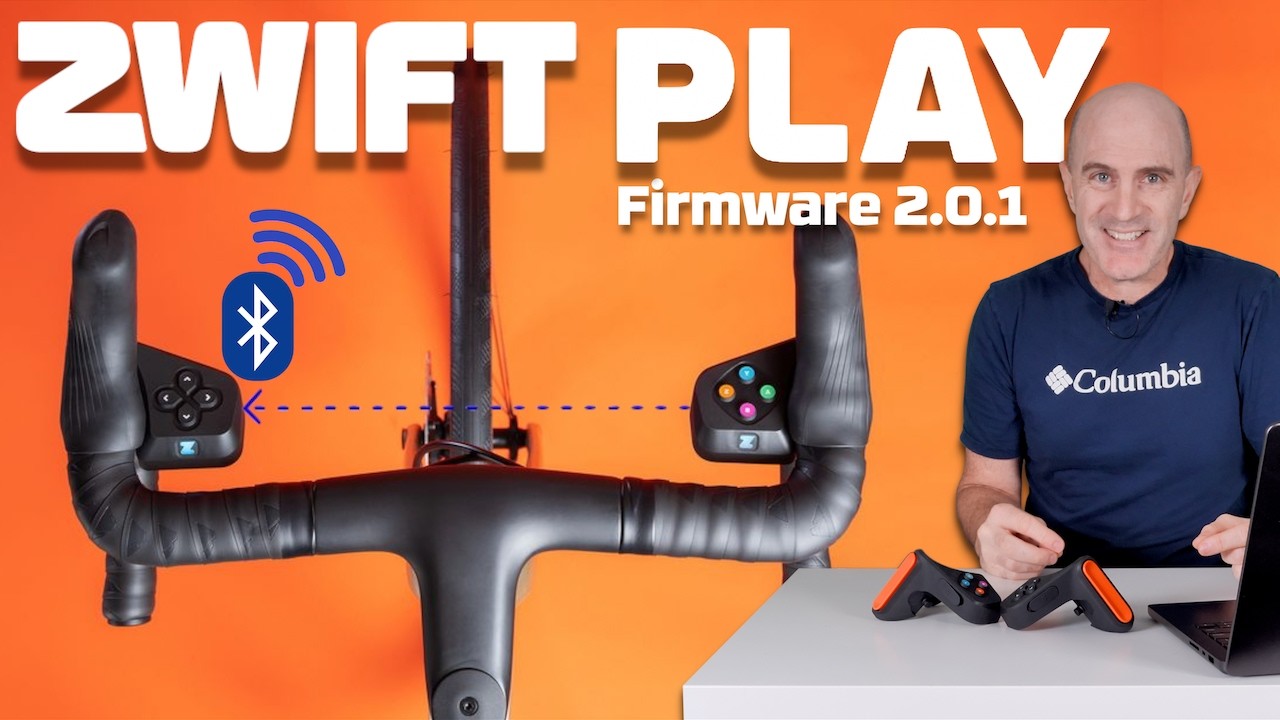
This week, Zwift released a firmware update for their Play controllers – the original Zwift controllers, which were launched in June 2023 and discontinued in September 2025.
The update will be welcome to Apple TV users in particular, as it combines the two controllers into a single Bluetooth connection. The update essentially brings the Play controllers in line with the latest Click v2 and Zwift Ride controllers’ capabilities, meaning the Play should soon be able to work with KICKR CORE v2 and JetBlack Victory sensor bridging, and should soon be supported in Rouvy.
Shane covers it all in his excellent video:
Updating Your Firmware
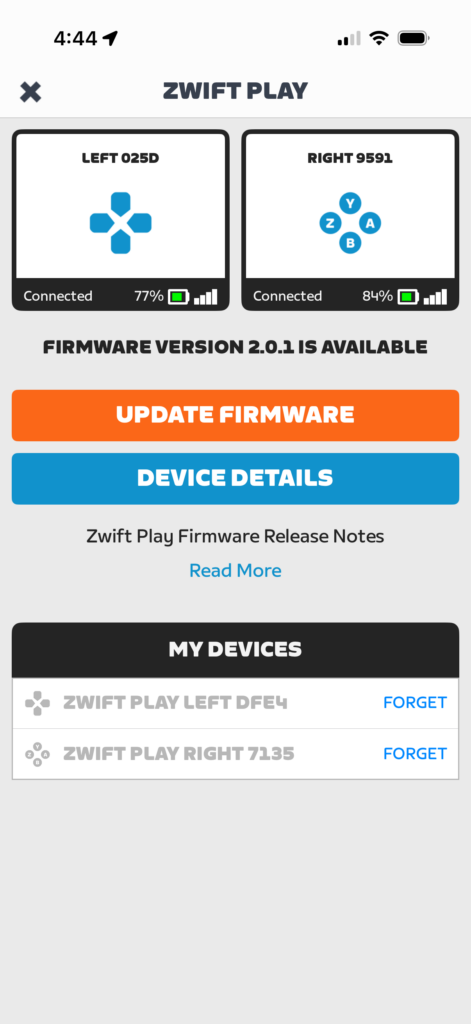
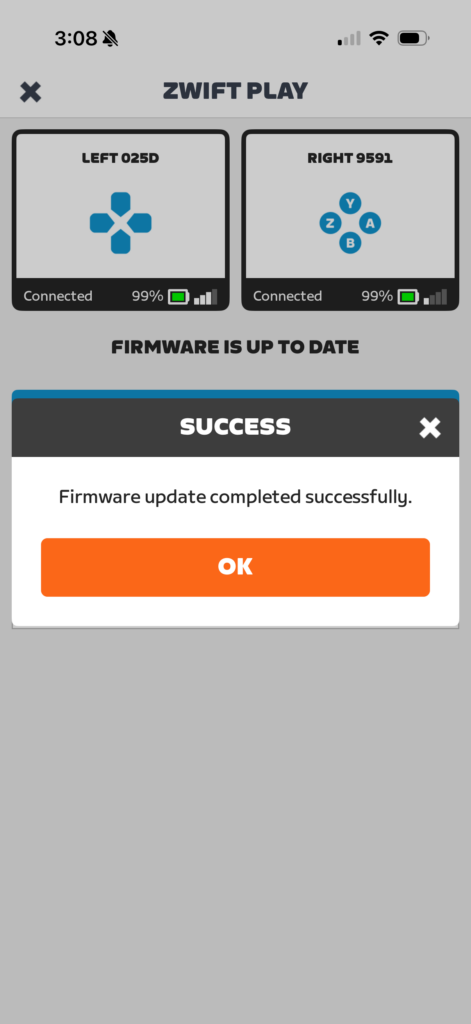
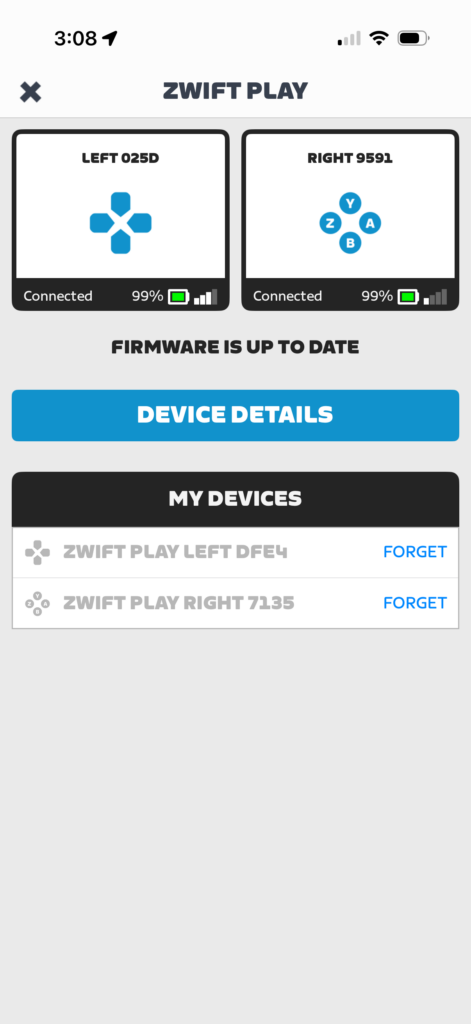
Updating your Play firmware is easy. First, make sure they aren’t connected to a Zwift game session, since Companion can’t connect and update them if they’re active in game.
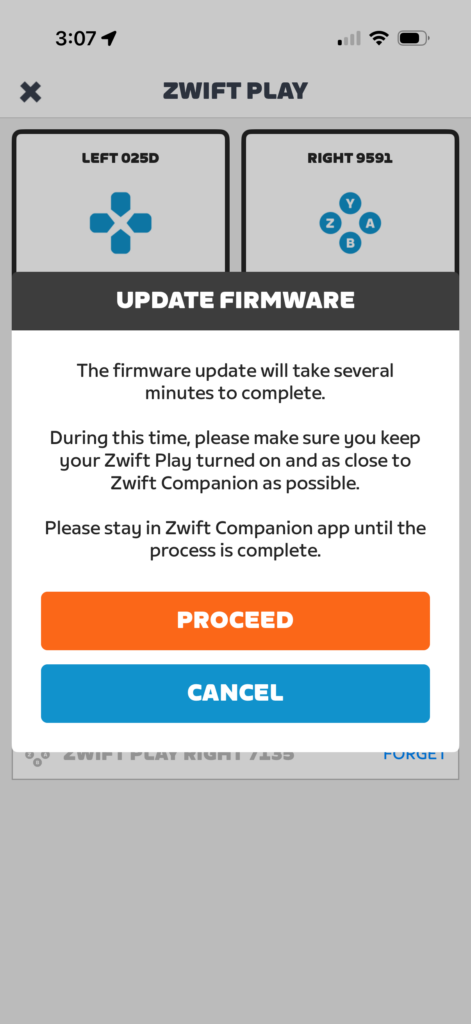
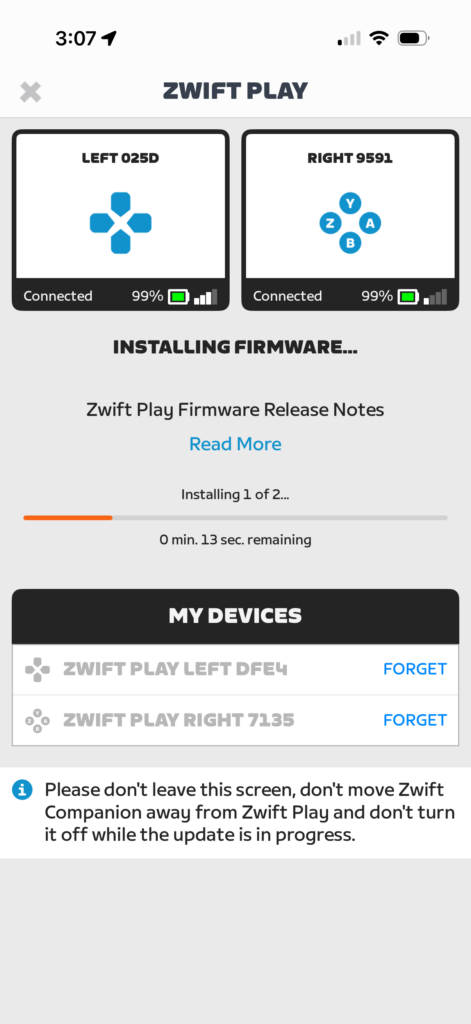
Then, from the Companion app, tap the homescreen firmware update notice or go to More>Equipment. The steps then look like this:
Questions or comments?
Share below!


I’m very critical of Zwift lately but this is finally something useful. Was afraid they completely abandoned these controllers so happy to see they will soon be supported in Rouvy. I’m almost exclusively using LeCoach now for my workouts and training plan and would love to use Rouvy more for change of scenery.
I think they discontinued because of the release of Zwift click which is essentially I guess the same thing but drop bars aren’t required
do wonder how to steer with them though (I have Zwift play so I don’t need to worry but just it I did wonder how will click steer as I understand it’s just the control buttons as far as I know)
Some users need to do another “Linking” step to get the controllers to pair together after the update this is at the bottom of “Device details” and can take a few goes to work.
Bricked 1 right controller, it’s been stuck with a yellowish light for 30+ hours. 🤣
J Marx and I both had the same issue. There’s an extra step that’s not in this article yet but it’s here in the comments. Good luck!
Yip my one is bricked for good after the update 😔 zwift was good and came to the party just need to get the new controllers in NZ where they don’t ship too 🤔
I think linking the controllers together is supposed to be automatic after the firmware update because in the video he never had to link them. It took me many many tries before they linked together. I was convinced I bricked my left controller for a while.
One small complaint. After the update the response time from when you hit a button to when you see the action is sluggish. I’ll have to get used to it.
My left play controler has died. It charges and the Z turns green.
However pressing the button does nothing.
Not even the hard reset of 30 sec hold does anything.
So I’ve now got the click on a reduced price bargain, only issue, NO BRAKES unlike the plays. 😁
theres an extra step not described in the article, but I’ve tried explaining in another comment above. There’s a way to un-brick that controller.
Eric, it might be worth updating the article that once the firmware updates, you also have to go in and “link” your left and right Zwift play controllers in the companion app, or one of them will effectively be “bricked” as a couple people below have pointed out. It took me about 20 minutes and 5 system restarts to figure this out but once you click through that extra step everything should work again as it should, with one less BT connection of course.
I had to click through the “Device Details” button after the update was complete, then click through and link my controllers.
If only we could turn off auto steer now
Since the update I have suffered full Bluetooth disconnect during rides, necessitating a jump to the menu and res establishing connection. This includes Garmin NEO2, Garmin Heart Monitor along with the Zwift Play controllers. It’s rather frustrating particularly while riding in banded group rides. In the past week I’ve lost connections 4 times, yesterday twice in 60 minutes
Hello, i have the same issue: since updating to Zwift Play firmware 2.0.1 (May 19), I’m getting repeated Bluetooth dropouts during rides. My trainer and both Zwift Play controllers disconnect for a few seconds, while ANT+ sensors (HR) remain stable and Zwift keeps running normally.
I tested with two different Bluetooth adapters (internal + external) and even with a second pair of Zwift Play controllers not updated to the latest firmware — the issue still occurs.
If I connect my trainer via Wi‑Fi, only the Zwift Play controllers drop and reconnect automatically after a few seconds. (no virtual gear during this time)
This behavior started only after the May 19 update.
I am on PC Windows 11 pro, Zwift v1.114
Just check my equipement but no firmware V2.01 available. Please help what to do
since i ipgraded and linked my zwift play devices my win pc can not connect the play anymore. it is visable in the painring screen but no connection will be established.
if i use the companion app as pairing device to windows it works, but i do not want to use the companion app while zwift riding.
anyone has a solution ?
Zwift support only provides ai junk support
Same Problem. After updating, Zwift Play does not connect with Zwift Game (Windows 10, Bluetooth connected) anymore. I see the new Play-Icon in the Game but it doesnt’ work. Blue ligths of both Zwift Play devices glow continuesly.
Try this solution as I had the same problem when trying to connect to my android phone and Win PC.
After updating the Zwift Play Controllers and ensuring that they are now linked in the Companion app, turn off the Play Controllers.On your android phone and/or Win PC, find the bluetooth settings and delete the device for the Zwift Play Controllers.Then turn on the now updated Play Controllers and find the new bluetooth device for the Play Controllers and then all should be good.I believe that the new (updated) linked controllers are seen as another device but as you already have the (pre updated) Play Controllers device in your settings it doesn’t add a new device with the same details.
Hope this helps.
Hmm, left controller won’t turn off after a Zwift session now. I just had to wait for it to turn off after a few minutes inactivity.
Hi i need technical support on my zwift play controllers, didn’t find a Zwift technical group , i did the latest update and it froze on red. I did a 30 sec hard reset but now it doesn’t want to come on anymore even trying with power and the 30sec restart… just dead please need help