Home Blog Page 206

Zwift Update Version 1.29.0 (105233) Released

The latest Zwift update is now available on all platforms: Mac, PC, Android, iOS, and AppleTV.

Not sure if your Zwift install is up-to-date? Here’s how to check >

This update includes a sizeable list of fun features and additions, and some of what’s included we can’t even talk about yet! Kudos to Zwift for putting together a strong update. While it doesn’t include new roads (those will come in November), it includes more new stuff than we’ve seen in the past several months, and that’s great news.

Zwift Handcycle
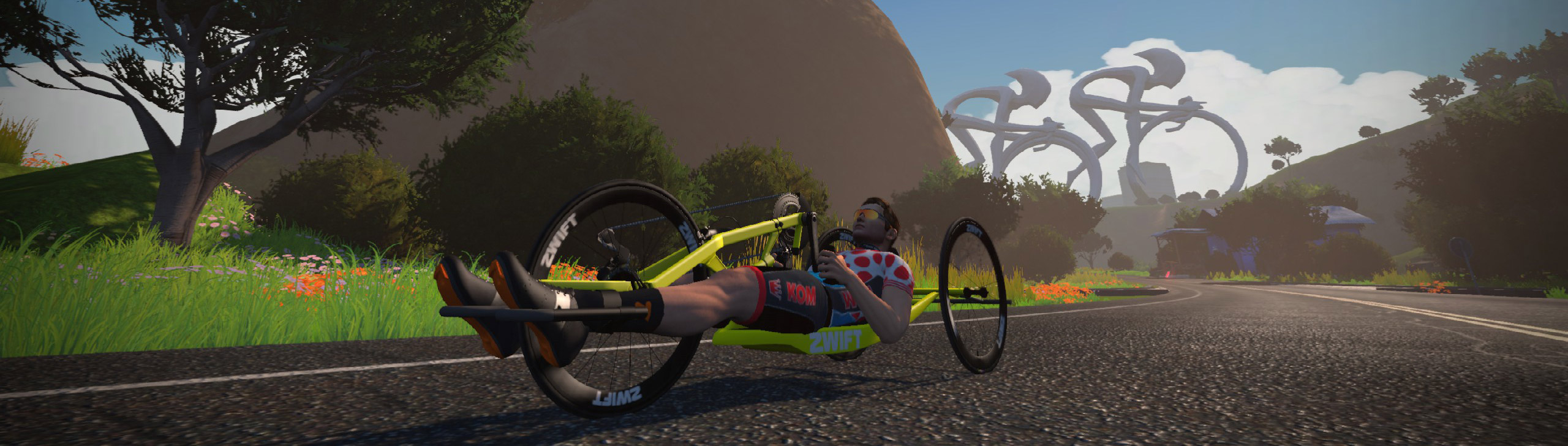
Back in March Zwift announced that they were partnering with the Challenged Athletes Foundation (CAF) to conduct research into disabled athlete accessibility, inclusion, and representation. Along with hand cyclists, the research focused on other disabilities (such as visual impairment) to determine how all adaptive athletes would use the platform.

This week’s Zwift released the “Zwift Handcycle” as the first tangible fruits of that research.

The handcycle has some unique attributes when it comes to drafting in Zwift:

  • An upright bike cannot draft a handcycle
  • A handcycle can draft another handcycle
  • A handcycle will get half the drafting effect when drafting an upright bike

Our speed tests so far show that it behaves how you would expect a handcycle to behave outside: it’s decently aero, but quite heavy. It only has one wheelset, and with those wheels it completes our flat test in 50:16.5, which essentially matches the fastest road bike frame paired with the fastest wheels.

(Keep in mind the handcycle only gets a half draft off of an upright bike, so using it in a race would be a huge disadvantage compared to a standard road bike which can draft fully.)

The handcycle completes our Alpe du Zwift test in 56:07, making it the slowest climber in Zwift. But it descends like a dream!

Handcycling Events

The Zwift handcycle is accessible to all Zwifters, whether they pedal with their arms or not. To celebrate this moment, Challenged Athletes Foundation will be hosting rides from September 16-23 that include a Pace Partner on a handcycle. These events may also be joined by Challenged Athlete Foundation athletes, and event unlocks include Challenged Athletes Foundation kit and sunglasses.

Wanting to regularly ride with other riders who use a handcycle setup? Join “The Handcycling Club” which is a community-run club of handcyclists. Find them in the Companion app!

More Garage and Drop Shop Additions

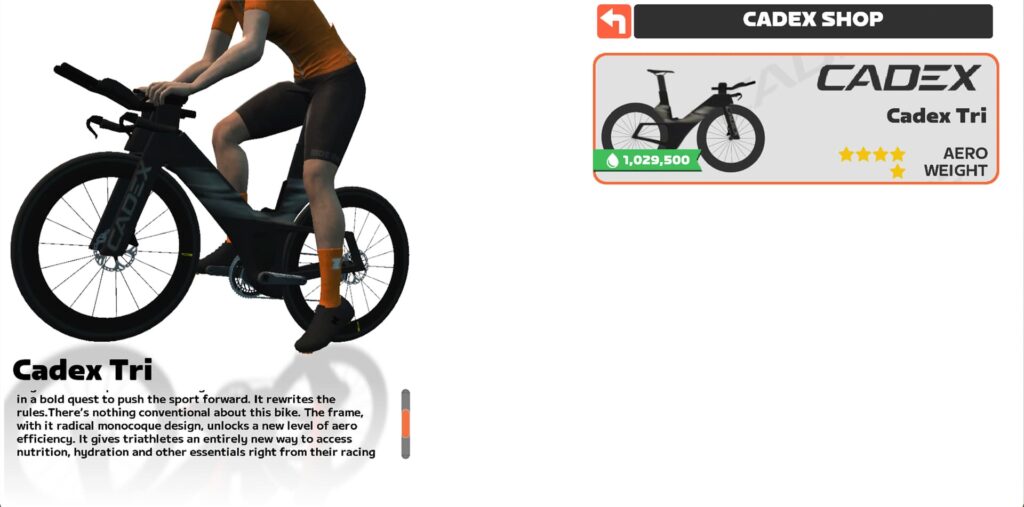
The Cadex TT bike frame has been added to the Drop Shop. Watch this space for the results of our standard speed tests on this bike.
Zwift says they’ve also added the Zwift Lederhosen kit to garage. Wunderbar! (We arent seeing it in the garage, so we think this may be an event unlock for something in the future.)

Levels 51-60

We wrote about Zwift adding levels 51-60 last week. Visit that post for details on unlocks for levels 50-60, plus details on how accelerated leveling works!

Level 50 riders should unlock fresh “fire socks” when they sign in. Word is these socks are hot hot hot!

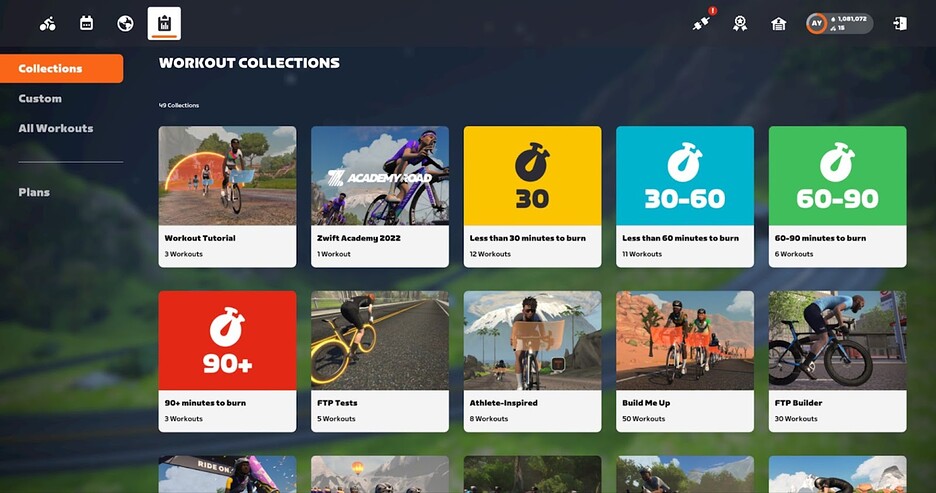
Workout Menu UI Improvements

We wrote about this recently, and you can view that post here. Zwift says these improvements are rolling out starting now to Mac, PC, and iPad users, with AppleTV following “very shortly after”.
Homescreen UI Improvements: Recommendations

With this update, Zwift is rolling out the first of what will eventually be much more intelligent activity recommendations on the new Homescreen UI. Zwift is learning that what they put front and center on the Homescreen drives the activities of Zwifters in a big way, so they have a big, multi-month project underway to serve up very smart activity recommendations.

Until then, they’re taking a “quick and dirty” approach to offering simple but smart recommendations. Here’s how these will work:

  • Events: this will show upcoming (or late join) events you’re already signed up for, plus additional upcoming events
  • Pace Partners: the first two Pace Partner cards in the list will be the most recent Pace Partners you joined
  • Routes: the first two route cards in the list will be based on your recent activity length
  • Workouts: the first two workout cards in the list will be based on your recent activity length

Note: you’ll need to do a few activities after Zwift updates before the recommendations begin kicking in.

Ride On Bombs Return to Events

Hurray! We can now tap in the Companion app to give Ride Ons to the nearest 5 Zwifters when we’re in events!
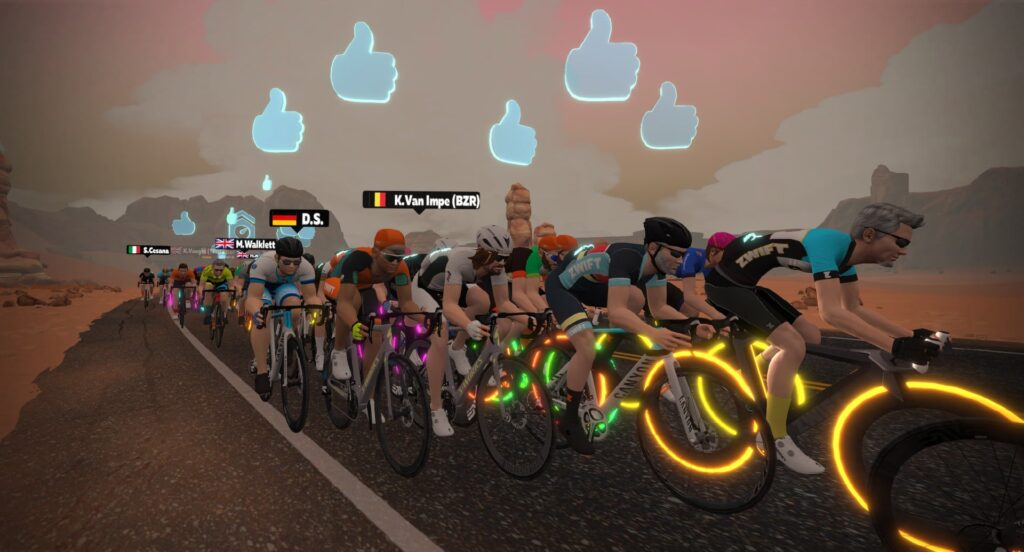
This is something we requested back in January, and Zwift says Pace Partners have effectively tested their system’s ability to handle lots of concurrent Rides Ons. Nice work, Pace Partners. Ride on!

Smart Anvils
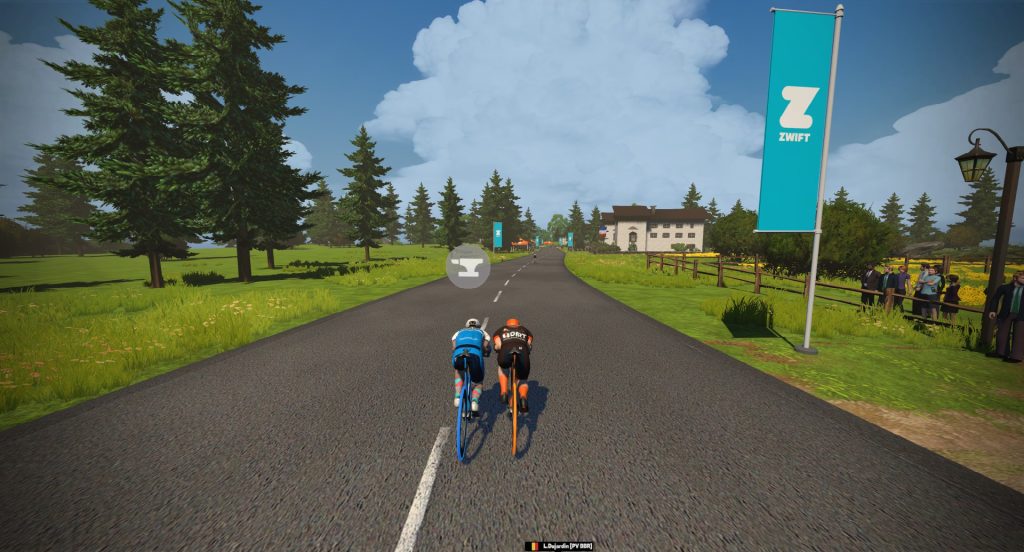
The anvil powerup adds 50kg to your body weight, for 30 seconds. It has been famously misused since its arrival in game by users activating it on flats or (worse) climbs. And at 30 seconds long, sometimes Zwifters would activate the anvil on a short descent, but carry it into the next gradient change, which wasn’t always helpful.

Today’s release updates the anvil so it only adds 50kg while the gradient is -1.5% or greater, effectively making it a “smart anvil”. You can activate it whenever you’d like, and rest assured that it’s not going to hurt you, only help. A helpful, smart anvil. What will they think of next?

AppleTV Remote Improvements

AppleTV users should notice some improvements in how they interact with Zwift’s UI using the AppleTV remote. You can now slowly slide across the remote to “pan” the entire homescreen (if you’re on the new homescreen UI). Various menus have been improved for use with the remote as well.

Increased Club Membership Limit

Zwift is increasing the Club membership limit from 10,000 to 25,000 this week as well. And that’s just in time, since Zwift Insider’s Club (the largest club on Zwift) has been hitting that limit!

We thought we were well under the limit, then found out the hard way that invited members count toward your club membership total, even if they haven’t joined the club. So we’ve been manually deleting scads of stale member invites to allow more people to join.

Haven’t joined the Zwift Insider Club yet? Do so here >

More On the Way

Some features in this update are “feature flagged”, meaning they will roll out in the coming weeks to batches of users until everyone has access. This includes AppleTV improvements which should please a lot of ATV users, plus the workout library UI upgrades we wrote about recently.

Bug Fixes and Misc Improvements

Here’s Zwift’s list of fixes and improvements included in this update, with our notes in italics:

  • Fixed a few issues with automatic screenshots: auto-screenshots arrived in last month’s update, but some were being timed incorrectly, resulting in dark screens or blank results screens. We assume this is the fix.
  • Fixed bug where critical power curve graph was often scaled incorrectly: this is a long-standing bug, and as power curve nerds we’re happy to see it fixed. Now you’ll be able to tell at a glance whether you improved your power curve at the end of a ride!
  • Runners’ footsteps have been made quieter
  • Various other fixes and improvements

See notes on this update release in the Zwift forum >

Questions or Comments?

If you spotted any other changes or bugs in the update, please comment below!
Tiny Race Series – September 17 Route Details and Last Week’s Results

11

Tiny Race Series – September 17 Route Details and Last Week’s Results

Our Tiny Race series continues to grow in numbers, which means the competition is just getting fiercer each week! This Saturday is our first-ever DIRT DAY, where all four courses include significant stretches of dirt.

Congrats to Last Week’s Winners

Overall Podiums

Zone 1 (8am UTC)

A: Niall Treacy (BNE ice)*
B: Simon Matros (WattFabrik)
C: Paul Smith (ART)
D: John Richardson (HBF)

Zone 2 (2pm UTC)

A: Adrian Alvarado (Wahoo Le Col)
B: Rainer Beckers (WattFabrik)
C: Greg Alexander
D: Michael L10

Zone 3 (8pm UTC)

A: Tim Bradley (BL13)
B: Sam Atkinson (TBR)
C: Steve Schilling (CRYO-GEN)
D: David White (EVO)

*Niall is a speed skater who competed in the 2022 Winter Olympics for Great Britain!

Women’s Podiums

Zone 1 (8am UTC)

A: none
B: Karoline Straßer (CrushPod)
C: Julia Volkmann (Crushpod)
D: Marion Berner (PETA-Z)

Zone 2 (2pm UTC)

A: Gabriela Schumann (Beastmode)
B: Kate Lascelles (CrushPod)
C: Maggie Carden (Drafting Dinos)
D: Linn Björgvik (SZR)

Zone 3 (8pm UTC)

A: Sarah Bishop (OTR)
B: Teleri Rees (NZBRO)
C: Jane Cannan
D: Carrie McBride (HERD)

Watch Zone 2 A winner Adrian Alvarado’s race recording:

Dirt Day’s Routes

This week we’re doing four mostly-dirt routes already raced in past Tiny Races.

Big hint: if you don’t pick a gravel or MTB you’ll be left in the dust. (Extra hint: spend a few extra Drops to get some name-brand gravel wheels. Read this post for details.)

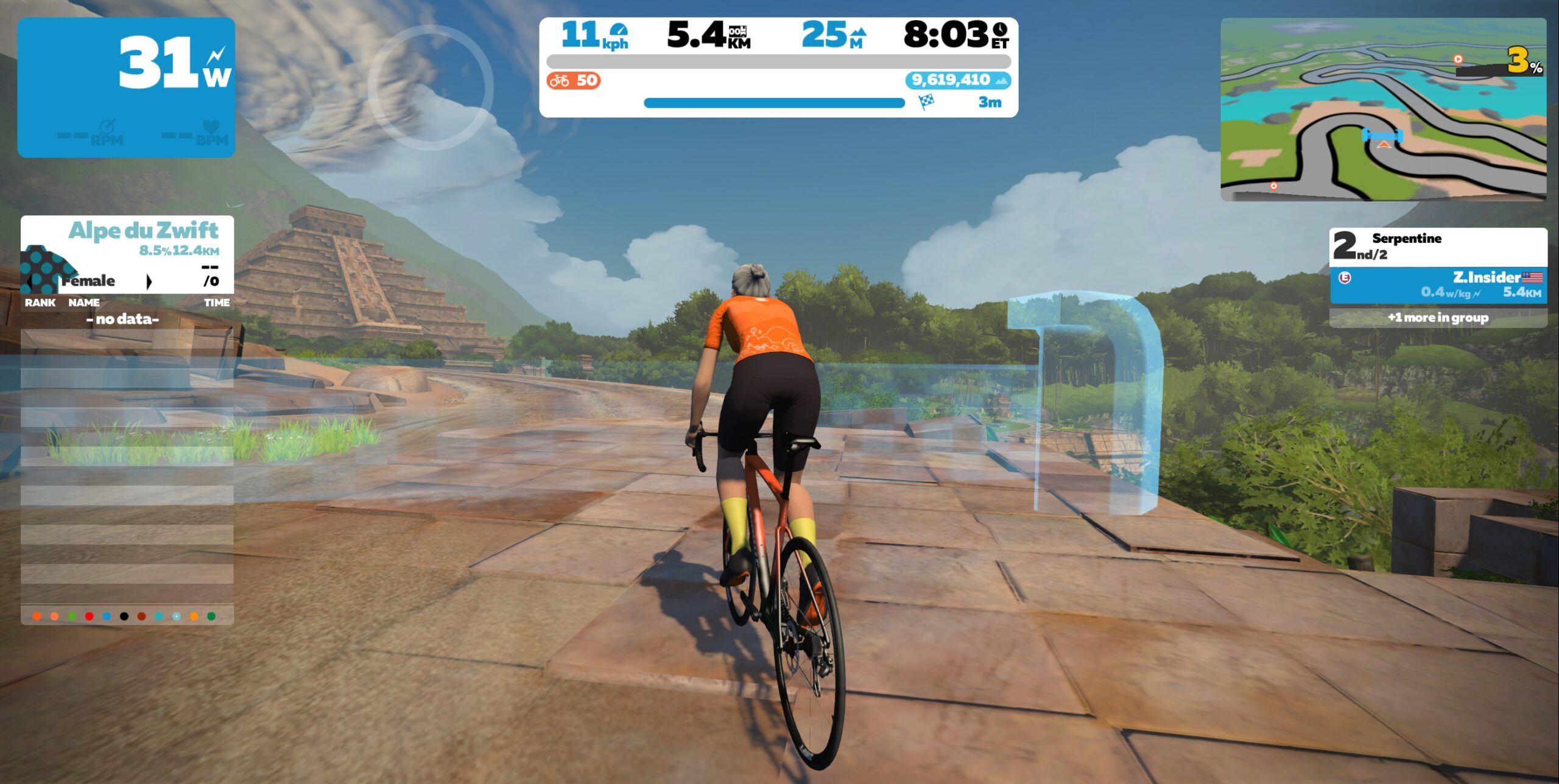
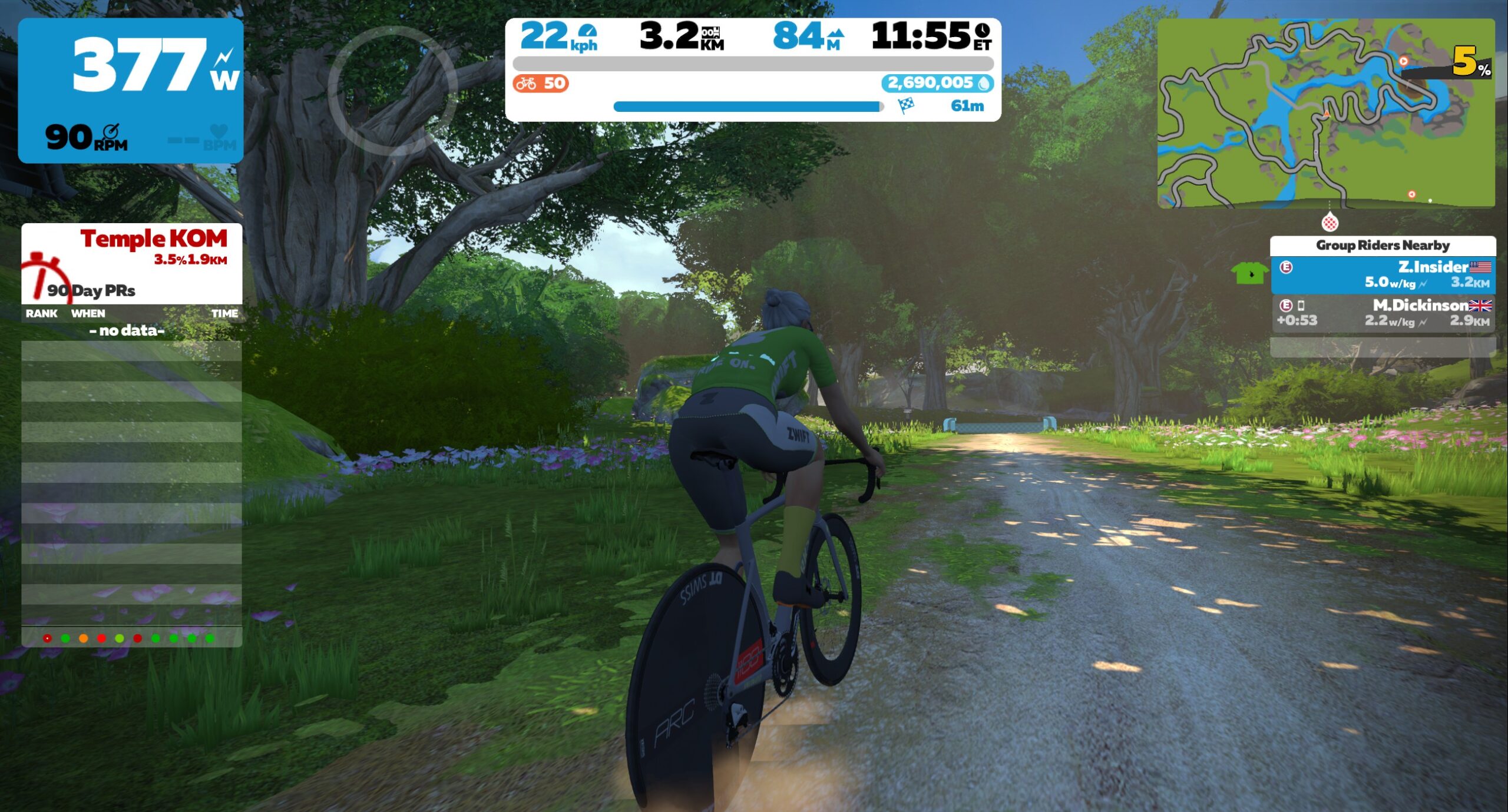
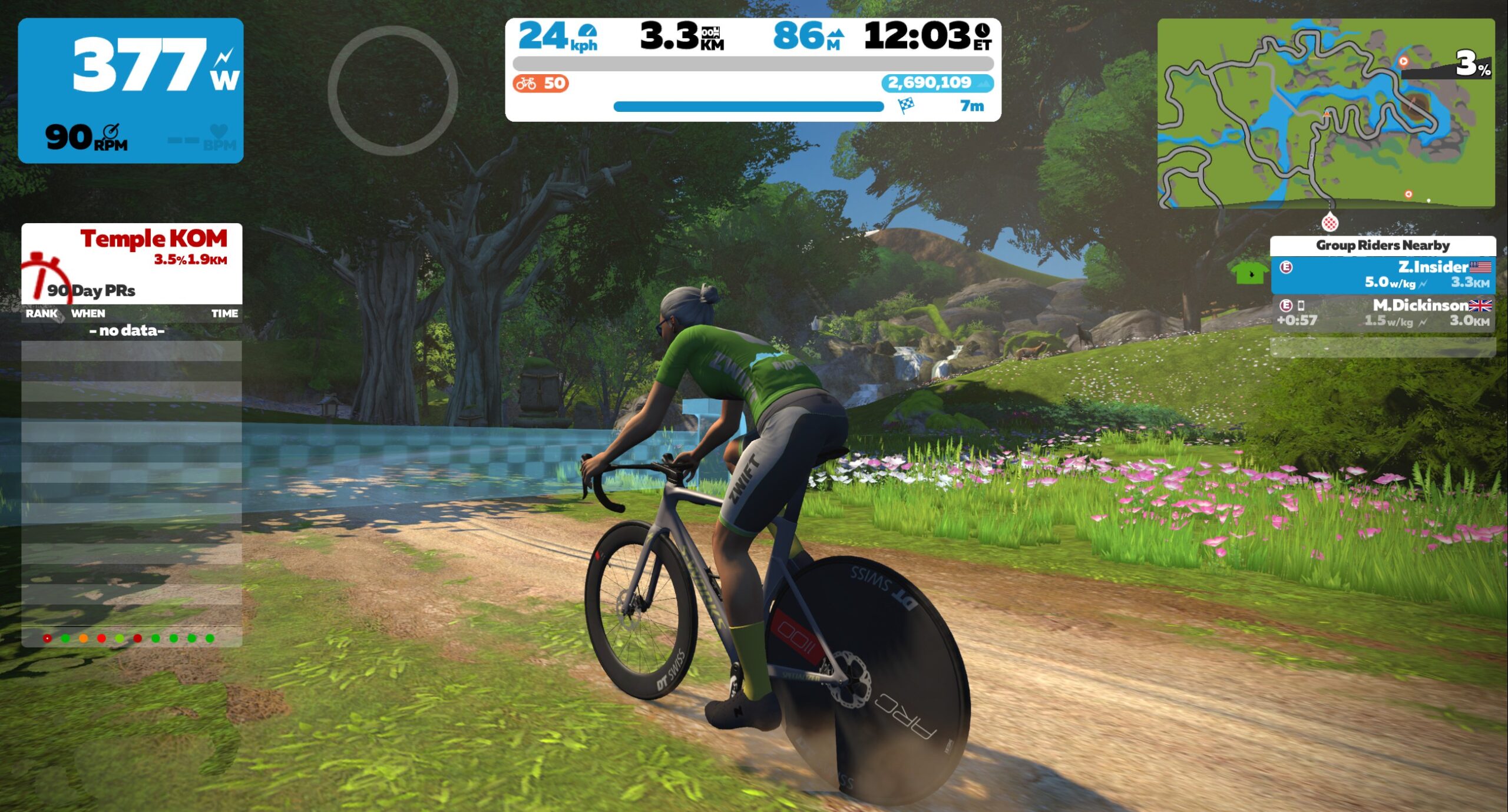
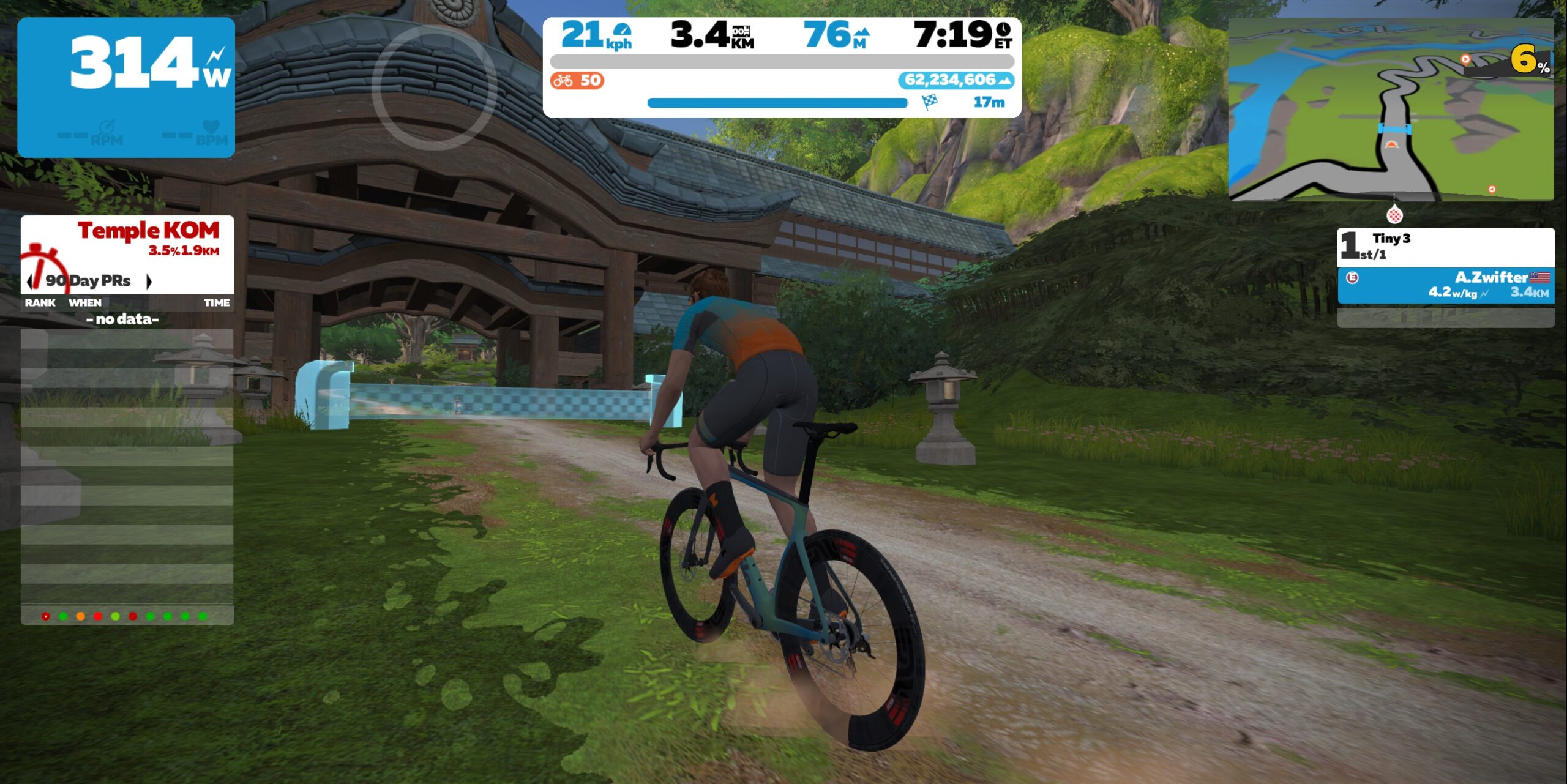
Here are photos so you can see the precise location of the custom finish lines:

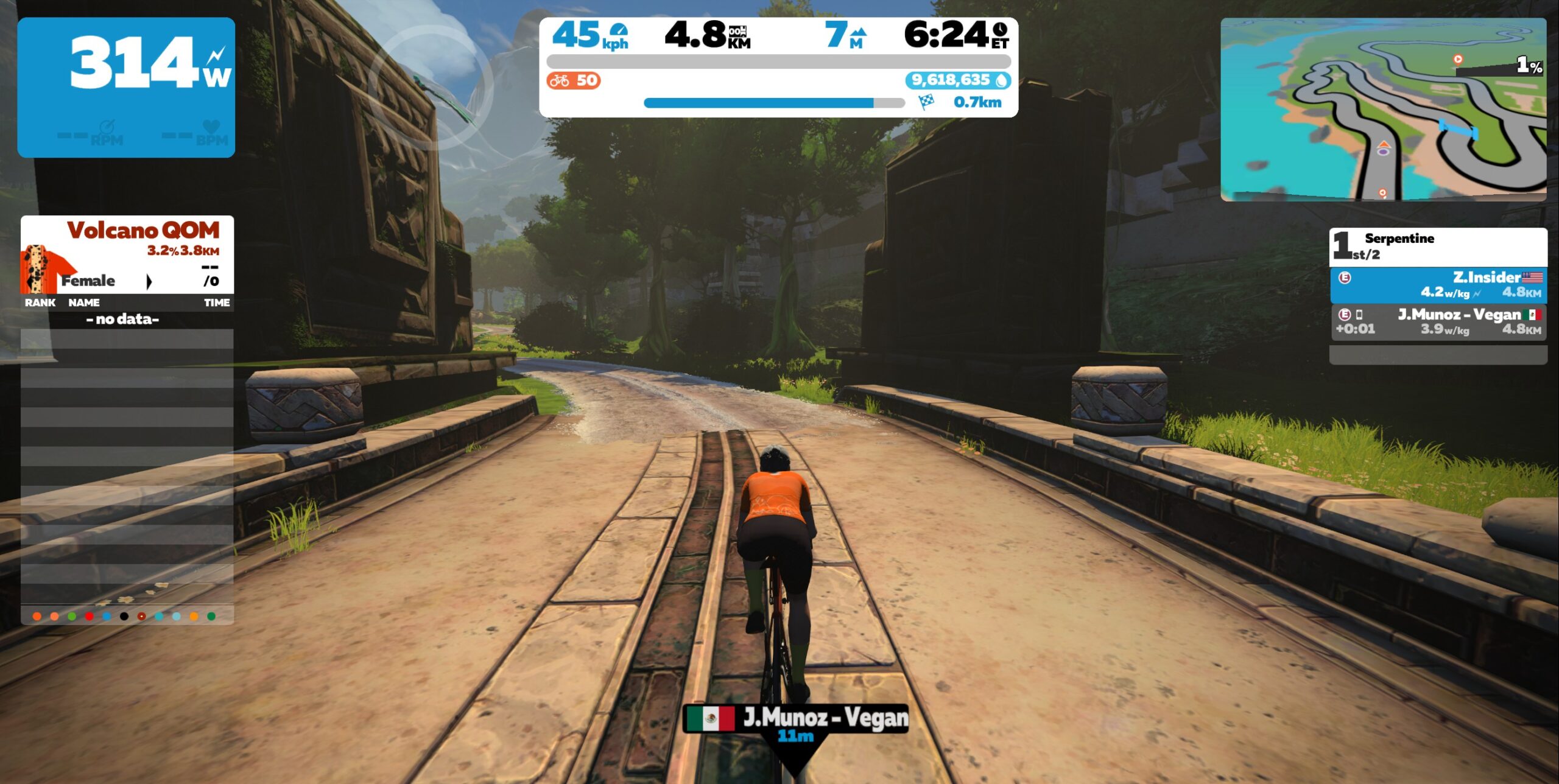
  • Race 1: Valley to Mountaintop (3.5km, ends at Temple entrance partway up KOM)
    • This route’s key climbs are dirt, beginning with the beautiful Golden Forest which will stretch the pack out and create gaps, then ending partway up the Temple KOM after a bit of pavement in between.
    • Powerup: none
  • Race 2: Serpentine 8 (5.5km, ends on rise climbing out of Mayan cutoff)
    • Hint: this route is tricky in terms of bike choice, because it begins on pavement, is mostly dirt, but finishes on bricks! And there’s a bit of wood thrown in for good measure. Each of these surfaces rolls differently on different bikes, so you need to decide where you want your advantage. Read more about Crr on Zwift for details.
    • Powerup: none
  • Race 3: Spirit Forest (3.35km, ends partway up Temple KOM)
    • This dirty, mostly-uphill route takes us on the rarely-ridden cross trail that connects both sides of the Temple KOM partway up their respective climbs. Then we’ll turn left off that cross trail and continue the Temple KOM for a bit, ending at a custom finish.
    • Powerup: none
  • Race 4: Jungle Circuit Reverse (6.289km, ends at Jungle arch)
    • This mostly downhill race covers just the lead-in of the Jungle Circuit Reverse route, which includes the rope bridge.
    • Powerup: none

Sign up at zwift.com/events/tag/tinyraces

Join a Chat & Chill Cooldown

Immediately following each hour’s racing, we’ve scheduled 30-minute “Chat & Chill” events where riders from all categories can spin out their legs together and have some fun chatting about how it all went down. Find them at zwift.com/events/tag/tinyraces.

ZwiftPower Results

Zwift displays preliminary race results in game when you cross the line, but points are computed after all four races finish, with final results on ZwiftPower. (We have to press a ZwiftPower button to compute results manually, so if your rankings don’t show up right away, just be patient.)

Riders will earn points based on finish position in each of the 4 Tiny Races. The category winner of each week’s series is the rider with the most points across their timezone’s 4 races. Here are the links for each timezone’s results on ZwiftPower:

Questions or Comments

Post below!


Zwift Racing League 2022/23 Round 1 Week 2 Guide: Park Perimeter Loop

3

The second race of Zwift Racing League 2022/23 Round 1 happens Tuesday, September 20th. We’re back in New York City on a rolling course we’ve raced before, but this time around it’s a bit shorter (3 laps instead of 4).

Let’s dig into the race, including tips for bike choice, powerups, strategy, and crucial segments.

Looking at the Route: Park Perimeter Loop

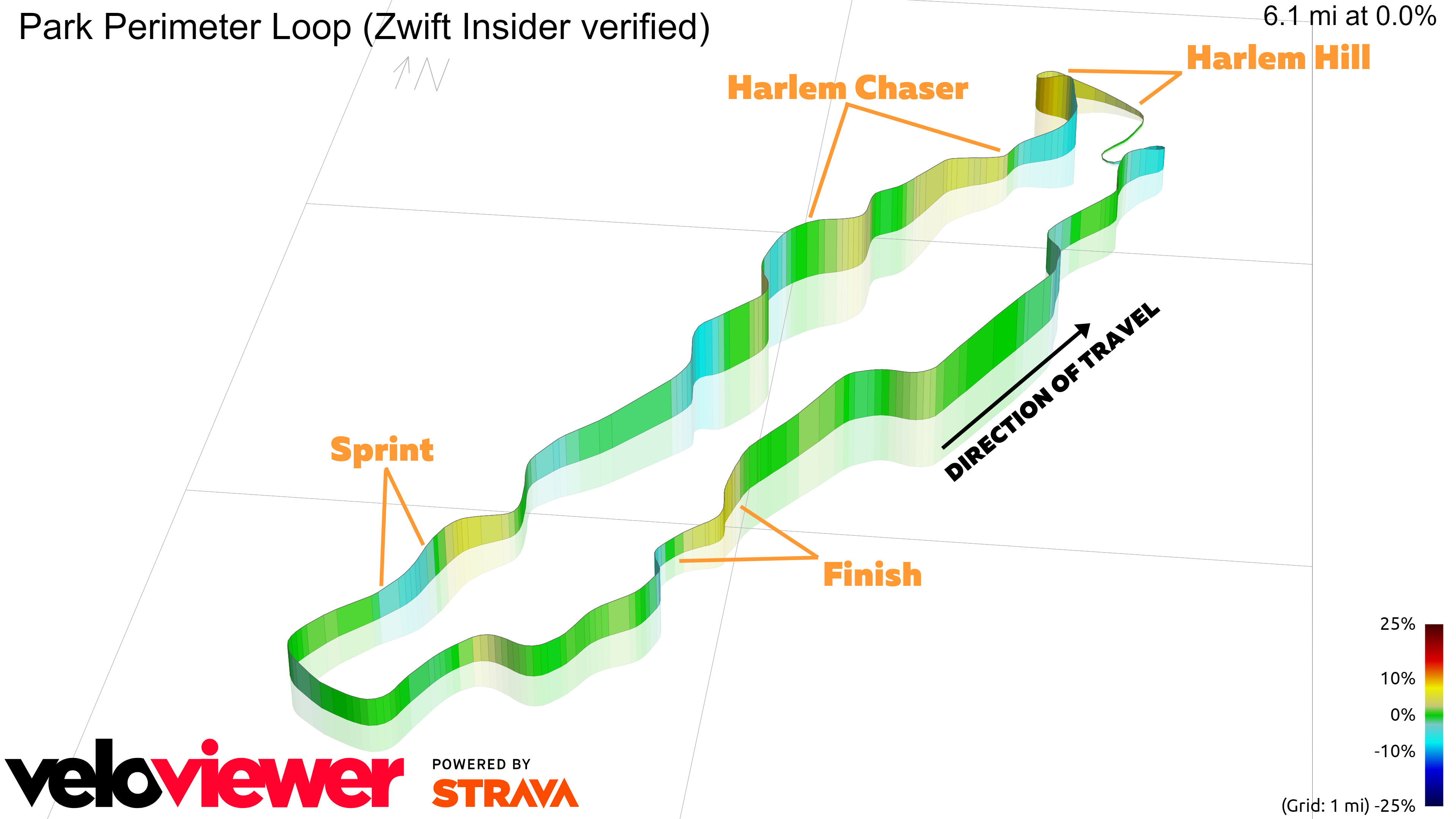
NYC’s Park Perimeter Loop covers the outer portion of the ground-level tarmac which is a GPS-accurate re-creation of Central Park’s real roads. The loop itself is 9.8km (6.1 miles) long, with 126m (413′) of elevation per lap.

All categories will be racing 3 laps for a total distance of 29.4km with 378m of climbing.

While it doesn’t contain any long climbs, this course is never flat. You will need to pay attention constantly to make sure you’re maintaining an ideal pack position, as power levels and pack speeds will fluctuate with the ever-changing gradient.

Rather than taking you through a turn-by-turn, let’s just discuss the four key sections of the course:

First, the Harlem Hill climb. This is the toughest climb on the loop, ~700m long at 5%. This is where the first selection will happen, on lap 1. Maintain pack position for the slack first portion, but as the road turns left at the intersection it pitches up steep (9-10%). This is where you really need to put out the watts to hang with the front!

Be sure to kick a bit over the top to get back up to speed and onto a friendly wheel, as the pack will be stretching and gaps will open up as riders gain speed down the descent that follows.

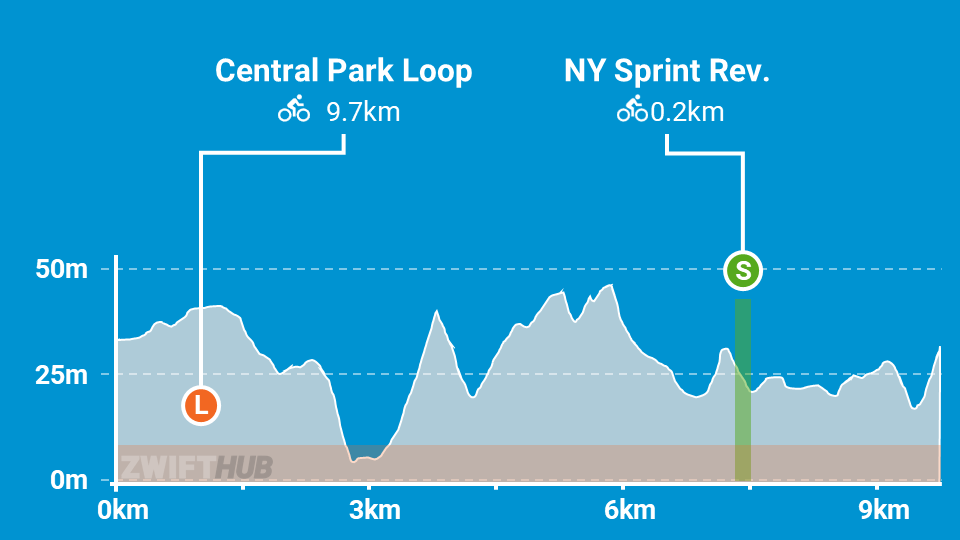
Second, the climb which follows. After the short descent from the Harlem Hill climb, you’ve got a longer, less steep climb (1.1km at 2.2%) where stronger riders may push to keep the pack stretched and create gaps as riders are struggling after the Harlem Hill effort. We’ve called it the “Harlem Chaser” in the image below.

Make it over the top in touch with the front pack and you can enjoy a nice descent to the sprint section.

Third, the sprint, which is one of the most technical in Zwift. Before the sprint start line you’ve got a short kicker climb, and if you don’t go hard on that kicker, you won’t hit maximum speed heading into the sprint. The sprint segment itself is short (some riders will do it under 8 seconds), but plan on 10-15 seconds of effort leading into the sprint if you want to perform well. A feather powerup on the kicker will help you keep your speed up.

Fourth, the finish line kicker. The loop ends with a short, steep climb to the lap/finish line. Carry speed into this section on the less steep lead-in, but save some watts per kilo for that final 10-15 seconds. A feather powerup is a big help here as well.

Read more about the Park Perimeter Loop route >

PowerUp Notes

Riders will be awarded a powerup at each arch (Sprint Arch and Lap/Finish Arch), which means we’ll each receive five powerups in this race.

Every rider will receive one of these powerups:

Anvil (40%): makes you 50kg heavier for 30 seconds, so you can descend faster.
Use this on downhills. Pair it with a supertuck to go extra fast with zero effort!

Cloaking (ghost) (20%): makes you invisible to other riders for 10 seconds. Disabled within 200m of the finish line.
Use when you want to get away from one or more riders. Deploy then hammer, in hopes that you will create enough of a gap that your opponents can’t grab your wheel.

Feather (40%): reduces your weight by 10% for 15 seconds.
Best used on climbs, when weight matters the most.

Bike Frame + Wheel Choice

Bike Frame + Wheel Choice

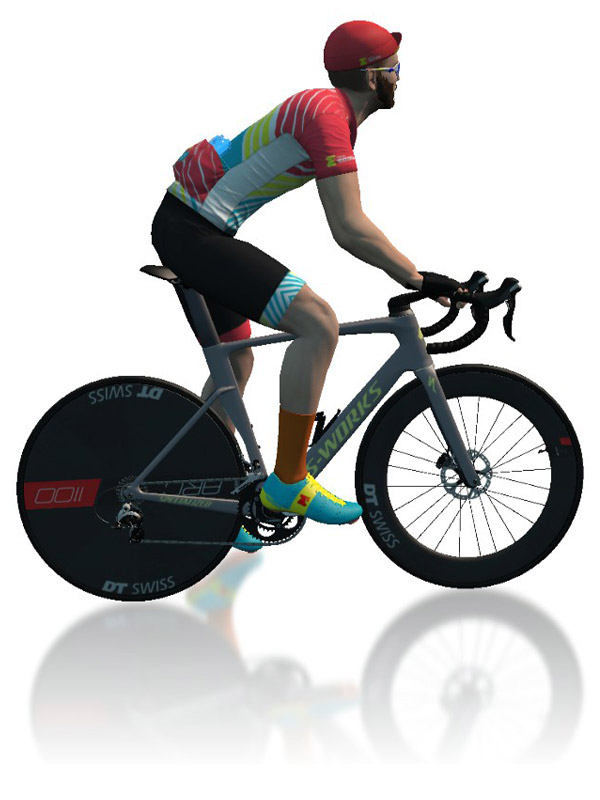
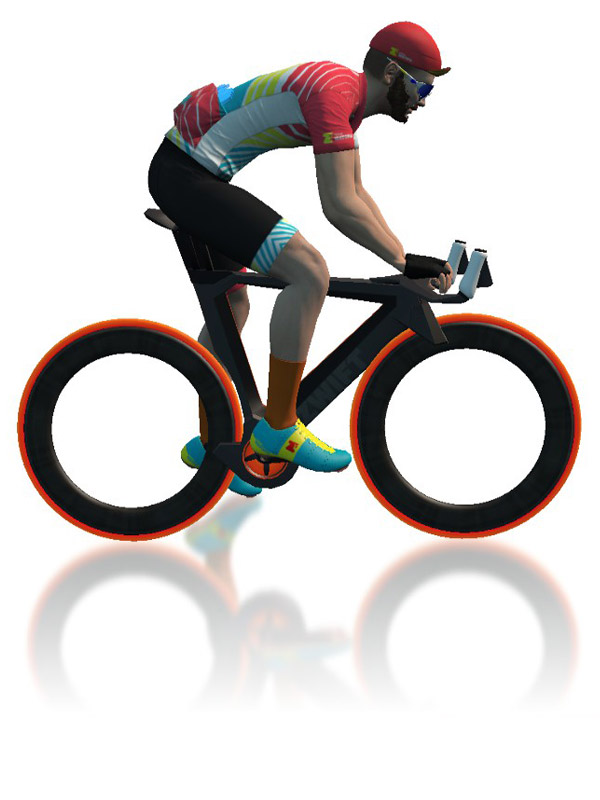
Aero trumps lightweight in Central Park, because while the loop is lumpy, none of the climbs are long or steep enough for a lighter rig to make a measurable difference. Go with the Tron bike if you’re concerned about staying in touch on the climbs, but choose the disc wheel setup if you want to be just a bit faster on your sprints.

Read Fastest Bikes + Wheels at each Zwift Level to learn the fastest setup available to you.

More Route Recons

Many events are now being planned each weekend on the upcoming ZRL route. If you’re not familiar with this course, jump into an event and do some recon! Here’s a list of upcoming Park Perimeter Loop events.

Looking for a video recon, with lovely British commentary to boot? Check out Si’s recon below:

Si Bradeley

Oli Chi

Strategic Options

Points Distribution, Park Perimeter Loop

This chart shows the maximum points a team of 6 could earn in this race, broken down by point types.

What strategies will riders employ in race 2? Here’s what we predict:

  • Save It For the Sprint: ZRL racers are learning that competition is tight in their divisions, making it hard to split up the pack on flat and rolling routes. Why burn matches attacking on short climbs if it’s not going to drop or hurt anyone sufficiently? Most riders will do the minimum work required to stay in the front pack.
  • All In On Harlem Hill: if you aren’t a sprinter, but have strong 1-3 minute power, the best place to animate the race would be an attack on Harlem Hill followed by sustained pressure on the climb which follows. Non-sprinter teams would be wise to use this approach as a group in order to “thin the herd”. Solo non-sprinters might consider attacking here so their teammates can sit in while the rest of the group works hard to pull back the attack.
  • Ghost FAL: the invisibility powerup will prove useful to some riders attempting to grab FAL points through the sprint. Watch for disappearing sprinters as you crest the kicker before the sprint!
  • Push Through the Final Sprint: with the last sprint ending just 2.4km from the finish, a small group of brave team riders who don’t fancy a pack finish might just counterattack after the sprint and attempt a breakaway to the finish line. (The short rise 1.2km from the line could help this effort, or serve as another potential jump point.)
  • Feather Finish: the feather powerup is useful in the uphill finish, and many riders will hold onto their feathers, waiting to activate until the final <200 meters.

Your Thoughts

Any insights or further thoughts on this race? Share below!
The Wrap, Episode 8

0

The Wrap, Episode 8

This week Anna and Nathan talk to the guru of all things Zwift, Zwift Insider’s own Eric Schlange!  Chat focused on the new Zwift Hub hardware offering and how this strategically makes sense in a competitive smart trainer market. 

Meanwhile Anna’s trip to the dentist has her questioning her on-bike nutrition choices which turns out to be a triggering topic for Nathan (alongside TTT tactical errors). 

Should you buy things from your Zwift garage IRL? Anna almost did this with the Adidas indoor bike shoes, but turns out they’re a bit rubbish for sprinting.  Fashion pick of the week is an homage to the Level 50 rainbow kit, get to wearing it now before 60 becomes the new 50.

The Wrap is all about showcasing the awesome Zwift community, from upcoming events to must-have tech to community guests to the all-important avatar fashion segment.  The live nature of the show means that hosts Nathan Guerra and Anna Russell can interact directly with those watching, gaining valuable insights and opinions across a wide range of topics.

The podcast is available on all podcast platforms.  Subscribe to Zwift Community Live on YouTube to see the latest episode or tune in live 2pm CDT | 8pm UTC every Thursday.


First Look: Completing Your Zwift Academy 2022 Baseline Ride

First Look: Completing Your Zwift Academy 2022 Baseline Ride

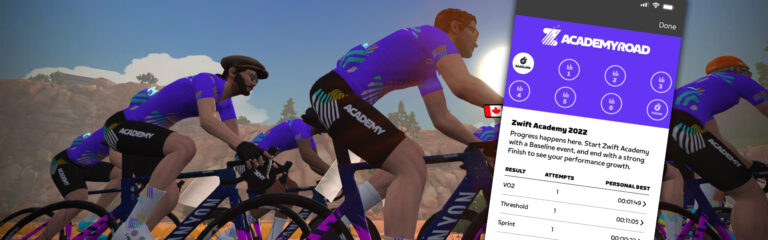
Zwift Academy Road 2022 officially began yesterday, with Baseline Rides as well as Workout #1 available as group events.

This is the second year Zwift has used Baseline and Finish Line rides to help Zwifters determine their phenotype and measure improvements made during the ZA program. Last year’s introduction of Baseline and Finish Line rides was a welcome one, but the experience was fairly basic.

This year Zwift promised a much-improved UI as well as magical bike switches to ensure riders knew when segments were coming, and segment times were measured consistently.

So what is the 2022 Baseline ride experience like? I was going to participate in the first Baseline ride of the year yesterday, then realized that was a terrible idea given I was racing the next day in the first Zwift Race League event of the season. So instead, I observed and recorded the ride via Zwift Insider’s test bot.

Turns out, it’s a good thing I did…

Intro to Baseline and Finish Line Rides

This year’s ZA program includes a required Baseline and Finish Line ride. The idea here is to test your fitness over three different intervals:

  • Sprint
  • VO2
  • Threshold

Riders will do that by hitting particular timed segments during the ride at maximum effort. In between those segments you can ride at whatever pace you’d like, but the idea is to recover and ride fairly easy so you’re ready to go full gas on the next segment.

These rides are held on Watopia’s Legends and Lava route, which means your efforts come in this order and map to these segments:

  • Titans Grove KOM Reverse: VO2
  • JWB Sprint: Sprint
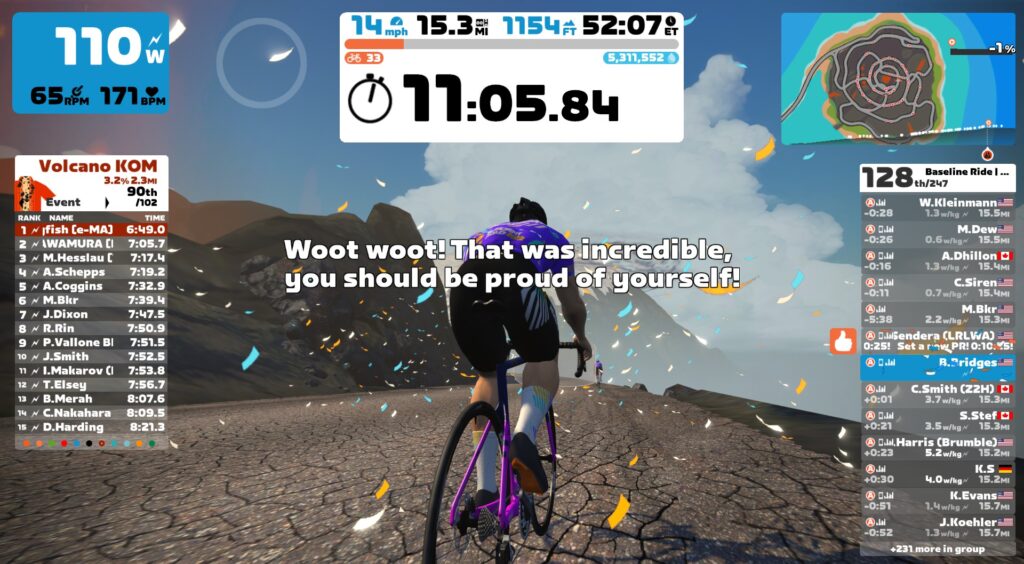
  • Volcano KOM: Threshold

Baseline Rides are only available as group rides, and they are scheduled hourly through the end of Zwift Academy (October 10).

A Rough Start

The first Baseline ride of ZA 2022 kicked off at 9am PST (4pm UTC) Monday. I wasn’t riding, just watching, so I was able to closely observe the messaging and other changes Zwift had made to the Baseline ride experience.

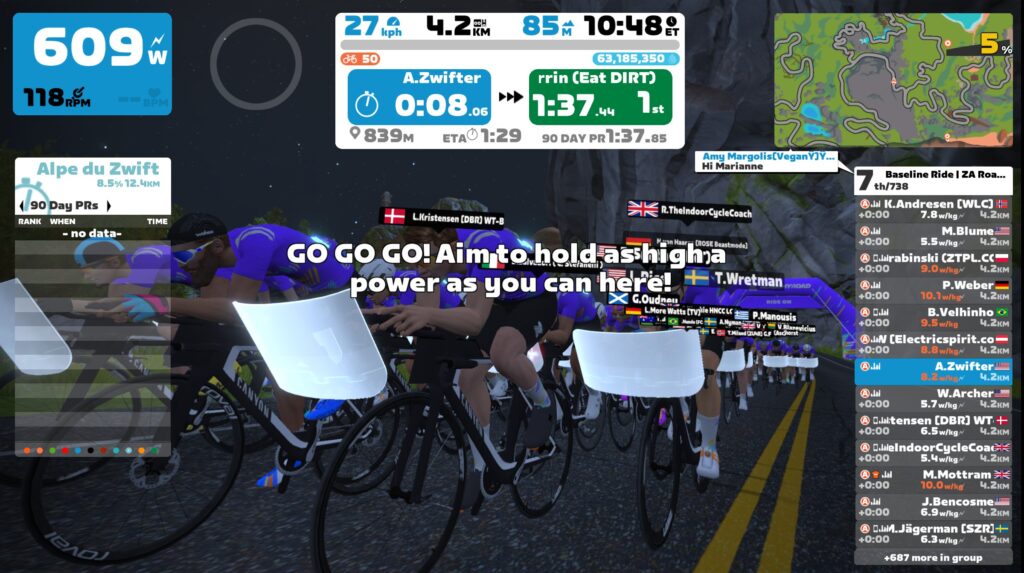
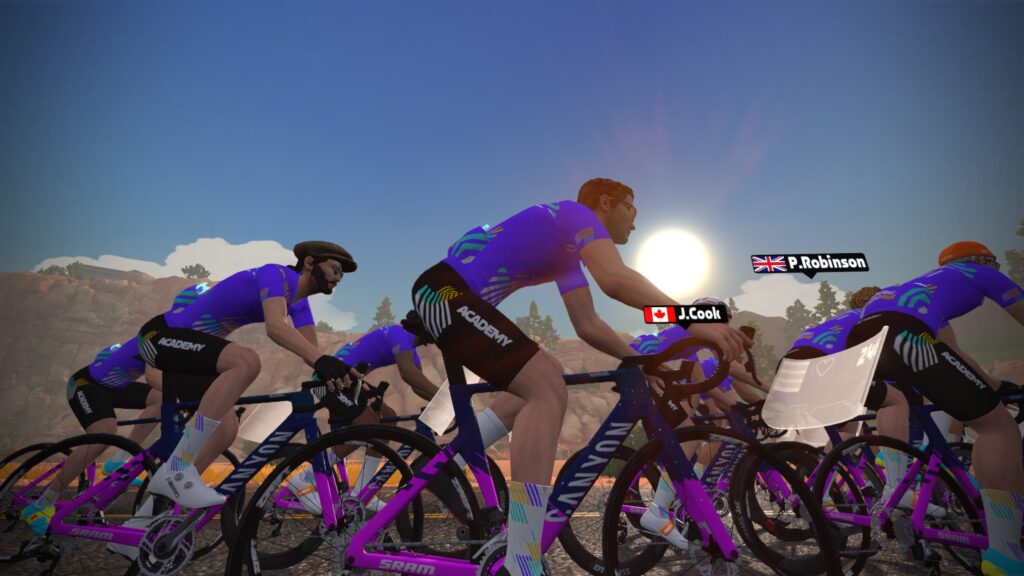
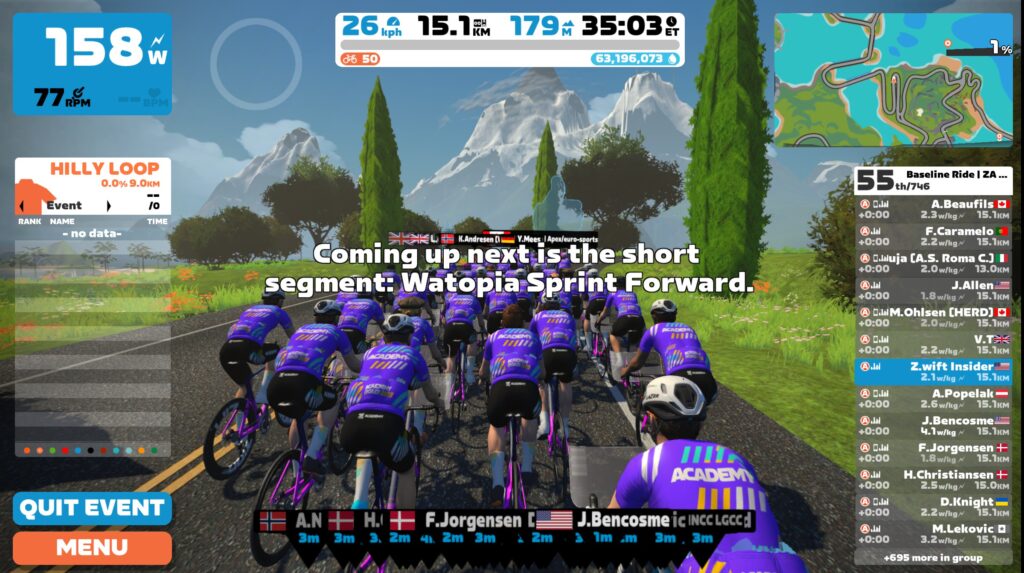
We had 743 riders in the A group (more on category selection below), and as we left the start pens everyone’s bikes switched to a ZA-themed Canyon Aeroad frame. Slick!

All riders had workout screens in front of their handlebars, which was different from last year. And I immediately noticed that the pack was very slow. Clearly “keep together” mode (aka “rubberbanding”) was enabled, which seemed a bit strange, but I thought perhaps Zwift wanted it that way between the segments so groups would stay together.

Unfortunately, that wasn’t the case. The rubberbanding was an event configuration bug, and it stayed enabled even as riders put in max efforts over the three key segments! This was bad, bad, bad, because rubberbanding artificially slows the group, which meant segment times wouldn’t be accurate.

I messaged my contacts at ZwiftHQ as soon as I confirmed what was going on. To their credit they were already on it, working to find the cause of the problem and get it fixed. Here’s my full video recording of the event:

The terrible slowness of the rubberbanded groups meant the ride crawled along, which frustrated some riders. But the real frustrations would come later when riders realized that this was a throwaway event because none of their segment times were valid.

Zwift compounded the problem by automatically sending out emails to tell riders their phenotypes once the event finished. But all of those emails had a blank space for phenotype – another bug.

The Fix Is In

Two more messed up Baseline ride events (10am and 11am PST) happened before Zwift applied a temporary fix by removing rubberbanding and the entire workout UI from the 12pm and 1pm PST events. (Unfortunately this meant they effectively operated like last year’s Baseline rides, which means times for these events won’t compare well with times for the Finish line events, because riders weren’t switched to TT bikes during the segments.)

Then Zwift fixed the events for good, starting at 2pm PST (9pm UTC) Monday. I used Boone as my guinea pig and he completed the event to make sure everything was good. And it worked great! Here’s the video of his ride (he set personal bests in the 30s – 3:30 range, incidentally):

Let’s talk about the fully-functional Baseline experience now that the events are working properly.

Categories

When signing up for your Baseline ride, you have to select a category. Your selected category simply determines the language used throughout the ride:

  • A: English
  • B: French
  • C: German
  • D: Spanish
  • E: Japanese

Bike Swap

When you hit the start arch of each of your three segments Zwift will automatically swap you onto a Canyon TT bike (the Speedmax) and keep you on that frame for the duration of your effort. This is done to disable drafting, so your effort can be compared with your finish line ride without draft effects affecting your segment times.

Once you cross the finish arch, you are placed back on your Canyon Aeroad road bike, and you will be drafting other riders until the next segment. It worked flawlessly in our event.

Text Instructions

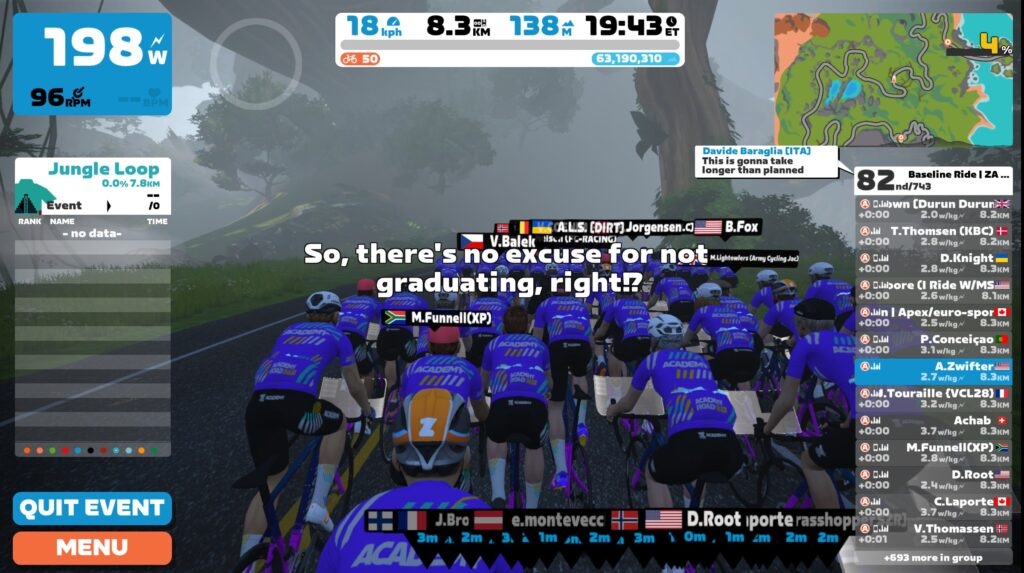
One big upgrade from last year’s Baseline ride experience is the on-screen messaging throughout the event. It explains what the ride is for, tells you when a segment is coming up, cheers you on during the segments, and virtually pats you on the back when you’re done.

Results

The “results” of your ride are communicated in two different ways:

  1. The Companion app shows your times for the three segments and shows that you completed the Baseline ride requirement
  2. You will receive an email telling you what your phenotype is, with links to more info. Note: these emails were paused yesterday due to the bug mentioned above, but they will go out by noon Wednesday, Sept 14th, according to Zwift.

Suggested Improvements

Now that Zwift has fixed the initial event bugs, the Baseline ride experience is much improved over last year’s. Still, there are three improvements I would recommend Zwift make.

1: Wheel Bad Timing

The one hitch in this fancy bike swapping is the wheels. When switching bikes, Zwift keeps whatever wheels began your ride with. This can potentially cause a problem, because remember the entire goal here is to set a max effort segment time which you can compare to your Finish Line ride’s max effort time.

If the times aren’t accurate, the comparison is useless. And if you begin your Baseline ride with a different set of wheels than your Finish line ride, your segment times could be drastically impacted!

On top of that, Tron riders (who don’t have a selected wheelset) are placed on the stock Zwift 32mm carbon wheels, which just looks silly.

The takeaway here is: if you want your segment times to be comparable, make sure you start your Baseline and Finish line rides on the same wheelset.

2: How Much Longer?

There is no indication of the length of the Baseline ride once it begins. I assume this is because the ride is sort of an experimental format – it’s a workout that behaves sort of like a group ride. Workouts show your time to go in the left-hand interval bar, while group rides show the distance or time left in the middle window.

These events are 26km long, which means they end just a few hundred meters after the Volcano KOM (which is where Legends and Lava actually ends). Having a distance meter in that top middle bar seems sensible.

3: Am I Winning Yet?

Your current overall placing shows at the top of the right-hand rider list bar, like you would see in a race. This goes against the purpose of the ride, which has nothing to do with finishing higher or lower. This should be turned off, to encourage riders to take it easy between the segments and reduce confusion.

Do I need to redo my Baseline ride?

I’m seeing this question a lot, and around 9am Pacific on Tuesday Zwift sent an email to (presumably) all affected riders which said “We know that you’re excited to see the data associated with your baseline ride, so if you would like the most accurate data, we encourage you to complete the baseline ride again.”

The banding messed up segment times, so the answer is: if you want your Baseline ride to accomplish its goals (setting proper segment times and determining your phenotype) then yes, you will need to redo your ride if you participated in any of the first 5 Baseline rides yesterday. These would be the rides that began at 4pm, 5pm, 6pm, 7pm, or 8pm UTC.

If you’re on the Pro Contender track you are required to complete the Baseline ride a second time, to ensure data is accurate.

If, however, you just wanted to get the Baseline ride crossed off the list so you can graduate from Zwift Academy Road 2022, you don’t need to redo the event.

Questions or Comments?

Share below!

Wahoo KICKR V6 and Updated KICKR Bike Released

31

Wahoo KICKR V6 and Updated KICKR Bike Released

Did you know that 2022 is the 10th anniversary of the Wahoo KICKR? Time flies. While it wasn’t technically the first smart trainer, we have the KICKR to thank for really kick(r)ing off the smart trainer revolution which turned into a smart trainer explosion when Zwift arrived on the scene.

Wahoo’s KICKR has always been a solid product, but steady iterations since 2012 have earned it a reputation as an accurate, powerful, reliable trainer. Couple that with Wahoo’s reputation for stellar customer support and it’s no surprise that this is the most popular trainer on Zwift.

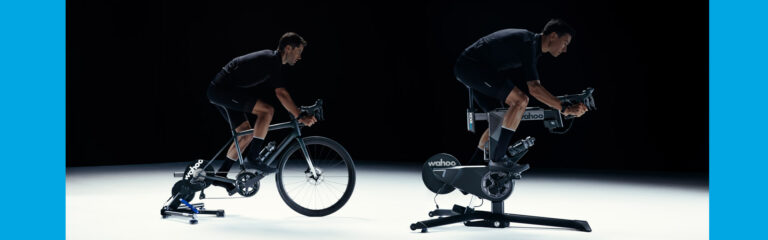
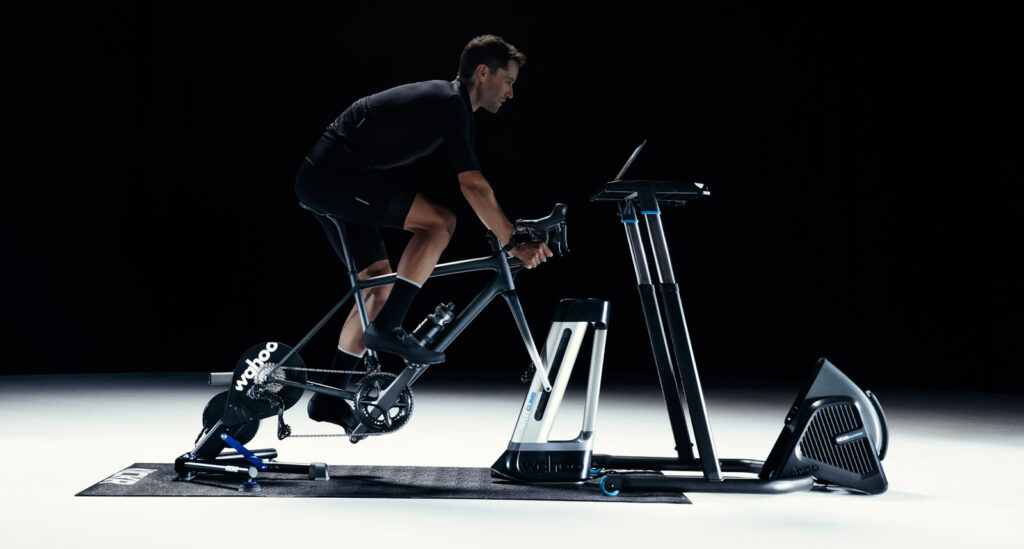
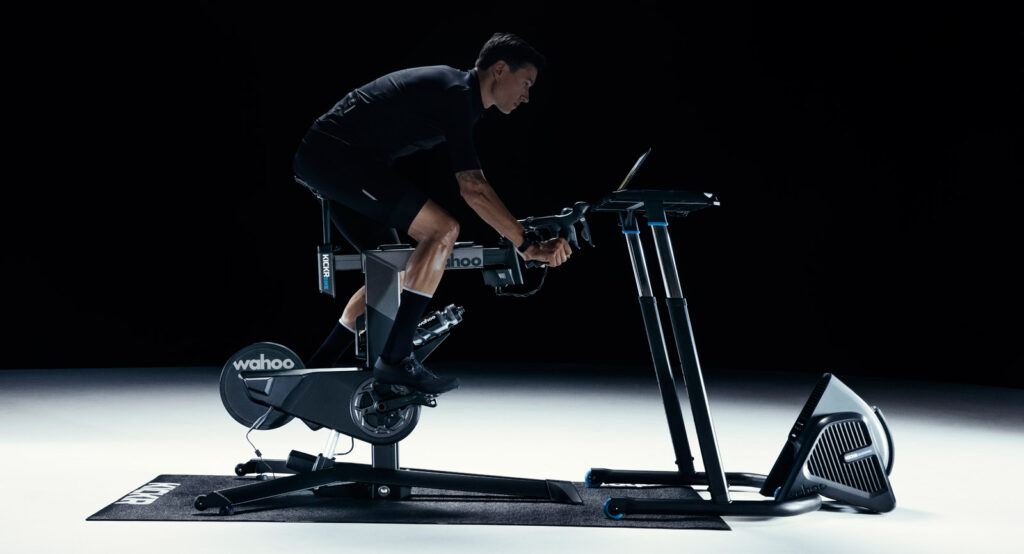
Today Wahoo announced the latest version of the KICKR, which we’ll simply call the KICKR V6 since it’s the sixth generation. Wahoo has also announced the new version of their KICKR Bike, which will be KICKR Bike V2. Both devices are receiving the same three upgrades: wifi connectivity, ERG easy ramp, and an internal odometer. There are also some price changes and other tweaks worth mentioning.

Last week I sat down with Tyler Harris, Product Manager of Indoor at Wahoo, to discuss all things KICKR. Let’s dive into today’s freshly announced KICKR updates, with some insights from Tyler.

WiFi Connectivity

This is arguably the biggest feature upgrade for the new KICKR and bike.

A bit of history: Wahoo rolled out direct connect capability with the KICKR V5, giving us the ability to have our KICKR connection via a “hard wire” instead of ANT+ or Bluetooth. This feature has proved rock-solid and is also supported by all major indoor cycling platforms.

What Wahoo has done with wifi connectivity on today’s newly-announced KICKR and Bike essentially removes the need for a Direct Connect dongle, at least in most situations. The data protocol used by the KICKR and Bike for wifi communication is the same as the direct connect protocol, so it works out of the box with any platform that supports direct connect.

That means stable wifi connections from your trainer to Zwift, without the need for a direct connect box or ethernet cable.

Wahoo says connecting via wifi delivers data to your software 65% faster than Bluetooth or ANT+. (This will be partially dependent on the quality of your wifi connection, but wifi does generally have lower latency than Bluetooth, so it makes sense.)

Related: Automatic Firmware Updates

One side benefit of wifi connectivity is the ability to deliver firmware updates automatically to your KICKR or KICKR Bike. Tyler explained that, if your trainer/bike stays powered on, Wahoo simply pings their server every 11 hours or so to check for firmware updates. If one is found, it can be automatically installed. The same check will be done within the first few seconds of powering on your KICKR or Bike.

ERG Easy Ramp

If you’ve done many ERG workouts, you’ve probably experienced that awkward moment when you needed to stop/pause your workout, then resume it. This can be a painful experience, especially if you’re in the middle of a high-wattage interval.

Wahoo’s ERG Easy Ramp feature ramps you up to the target wattage over an interval of approximately 10 seconds, letting you build your pedal power from zero to target wattage instead of trying to “box jump” straight to 600 watts.

Odometer

Both the new KICKR and Bike will now track usage via an internal odometer which can be read using the Wahoo app. When we spoke to Tyler, he said this feature will be especially useful when buying or selling a used KICKR or KICKR Bike. He compared it to buying a used car. If it has 400 miles on it – it’s basically new! But if it has 20,000 miles on it, that will significantly impact the value.

Wahoo KICKR V6 Feature Highlights

Items in bold are new features/upgrades from the previous gen 5 model:

  • WiFi connectivity
  • ERG Easy Ramp
  • Odometer
  • MSRP: $1299 USD (increased from $1199 USD)
    • £1,099.99 GBP, €1,299.99 EURO, $1,879.99 CAD, $1,799.95 AUD, ¥175,550 JPN
  • Power Accuracy: +/- 1%
  • Maximum Wattage: 2200W
  • Max Incline: 20%
  • Flywheel: 16lb
  • Axle Compatibility: 130/135mm quick release, 12×142 and 12×148 thru-axle
  • Additional communication protocols: ANT+ and multi-channel Bluetooth
  • Cassette: 11-speed included
  • Direct Connect capability
  • Compatibility with the Wahoo ecosystem including KICKR Climb and Headwind

Wahoo KICKR Bike Feature Highlights

Items in bold are new features/upgrades from the previous gen 1 model:

  • WiFi connectivity
  • ERG Easy Ramp
  • Odometer
  • Direct Connect capability
  • MSRP: $3999 USD (increased from $3499 USD)
    • £3,499.99 GBP, €3,999.99 EURO, $5,299.99 CAD, $6,299.95 AUD, ¥495,000 JPN
  • Maximum Wattage: 2500W (increased from 2200W)
  • Power Accuracy: +/- 1%
  • Max Incline: 20%
  • Integrated gradient simulation (20% incline/15% decline)
  • Flywheel: 13lb
  • Additional communication protocols: ANT+ and multi-channel Bluetooth
  • Compatibility with the Wahoo ecosystem including the Headwind fan

In addition to the list above, we spoke with Tyler about two other issues in the original KICKR Bike which have been addressed in the new model:

  • Motor redesign: resonant frequency noises in the 68-72 rpm range have been addressed
  • Seat and handlebar height adjusting: steering tube and seat tube tolerances have been tightened and quick release bushings improved in order to address the issue of people breaking quick release skewers while trying to tighten down their handlebars and seat.

Pricing & Availability

Astute observers will note that USD pricing (see above) has increased by $100 for the KICKR and $500 for the KICKR Bike. Tyler explained that this was due to well-known challenges relating to supply chain, logistics, and general inflation.

The KICKR V6 is available today at wahoofitness.com, while the new KICKR Bike will be available for purchase in 2-3 weeks.

Full Review Coming Soon

I’ve got the KICKR V6 here in the Zwift Insider Pain Lab, and I’m putting it through its paces. Preliminary results are showing exactly what I would expect after riding thousands of miles on the V5: accurate power, that splendid KICKR road feel, and now a solid connection via wifi to Zwift.

Watch for a full review in the coming weeks.

Questions or Comments?

Post below!

Return to Zwift’s Old Font with this Hack (PC/Mac)

18

Return to Zwift’s Old Font with this Hack (PC/Mac)

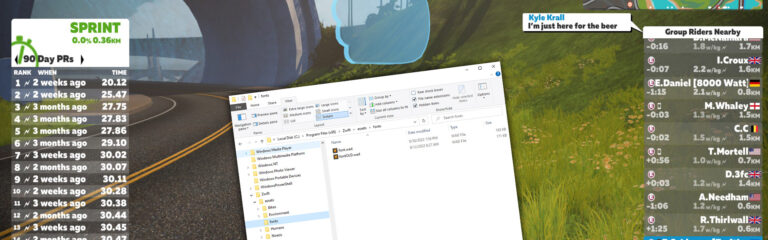
Last week’s update rolled out a new font face across all of Zwift. And while it’s grown on me, I’m also seeing a lot of Zwifters saying they prefer the old font.

If you’d like the old font back, here’s a simple hack for Mac and PC users, from Zwifter Youry_Pershin. (This was originally shared in the Zwift forum.)

Disclaimer: this hack involves replacing some of the files in your Zwift install, much like some Zwifters did back in 2018 to pave New York’s glass roads. This means that future Zwift updates could overwrite your workaround, forcing you to do it again. It also means if you do it wrong, you could mess up your Zwift install and be forced to reinstall the program.

First, you’ll need the old fonts and related files. You can grab those from Youry’s Google drive here.

Mac Instructions

Make sure Zwift is not currently open, then do the following:

  • In Library/Application Support/Zwift/assets/fonts
    make a backup of the font.wad file in this folder
    replace the file with font.wad from the Google drive linked above
  • In Library/Application Support/Zwift/assets/Noesis/Blend_Data
    make a backup of the noesis.wad file in this folder
    replace the file with noesis.wad from the Google drive linked above
  • In Library/Application Support/Zwift/data/fonts
    make a backup of all .ztx files in there (8 in total)
    replace all files with the .ztx files from the Google drive linked above

Open Zwift and you should have the old font back.

PC Instructions

Same as above, except Zwift is installed in a different folder on PC.

Make sure Zwift is not currently open, then do the following:

  • In Program Files (x86)/Zwift/assets/fonts
    make a backup of the font.wad file in this folder
    replace the file with font.wad from the Google drive linked above
  • In Program Files (x86)/Zwift/assets/Noesis/Blend_Data
    make a backup of the noesis.wad file in this folder
    replace the file with noesis.wad from the Google drive linked above
  • In Program Files (x86)/Zwift/data/fonts
    make a backup of all .ztx files in there (8 in total)
    replace all files with the .ztx files from the Google drive linked above

Open Zwift and you should have the old font back.

Questions or Comments?

Post below!

Watopia Map Poster v2.15 Now Shipping

10

Watopia Map Poster v2.15 Now Shipping

The original version of Zwift Insider’s Watopia map poster was published in March of 2016. Since then it has been updated and enhanced with each Watopia update.

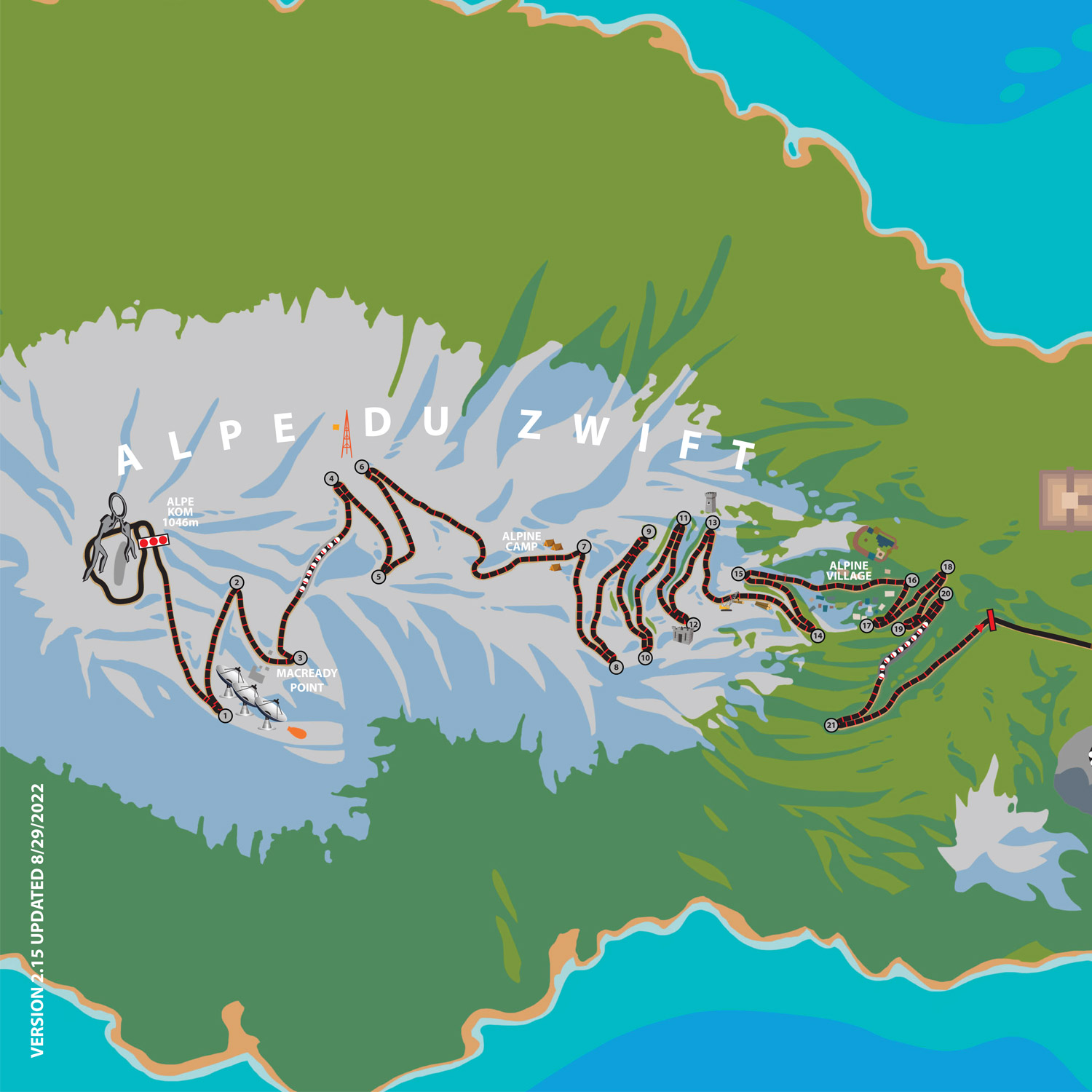
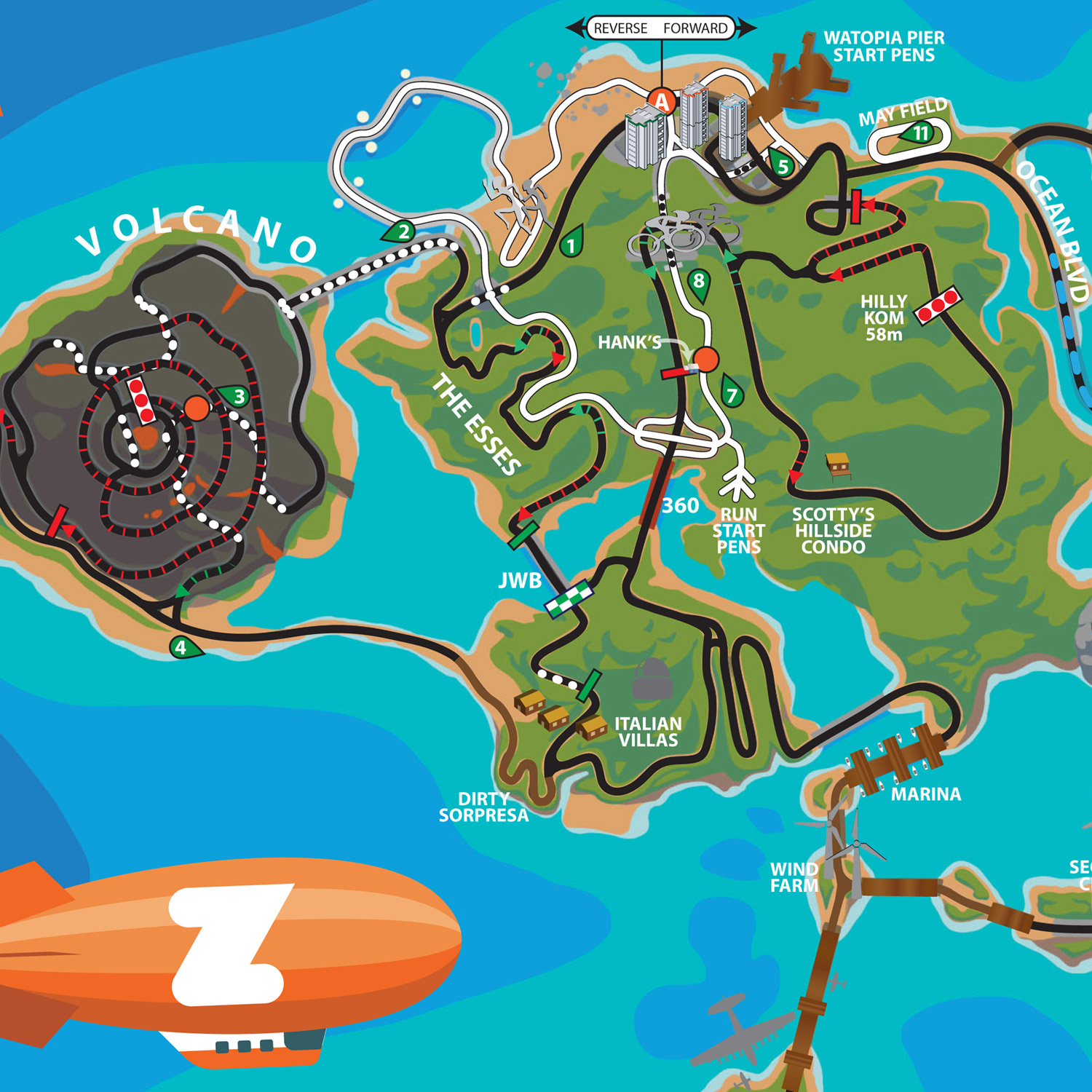
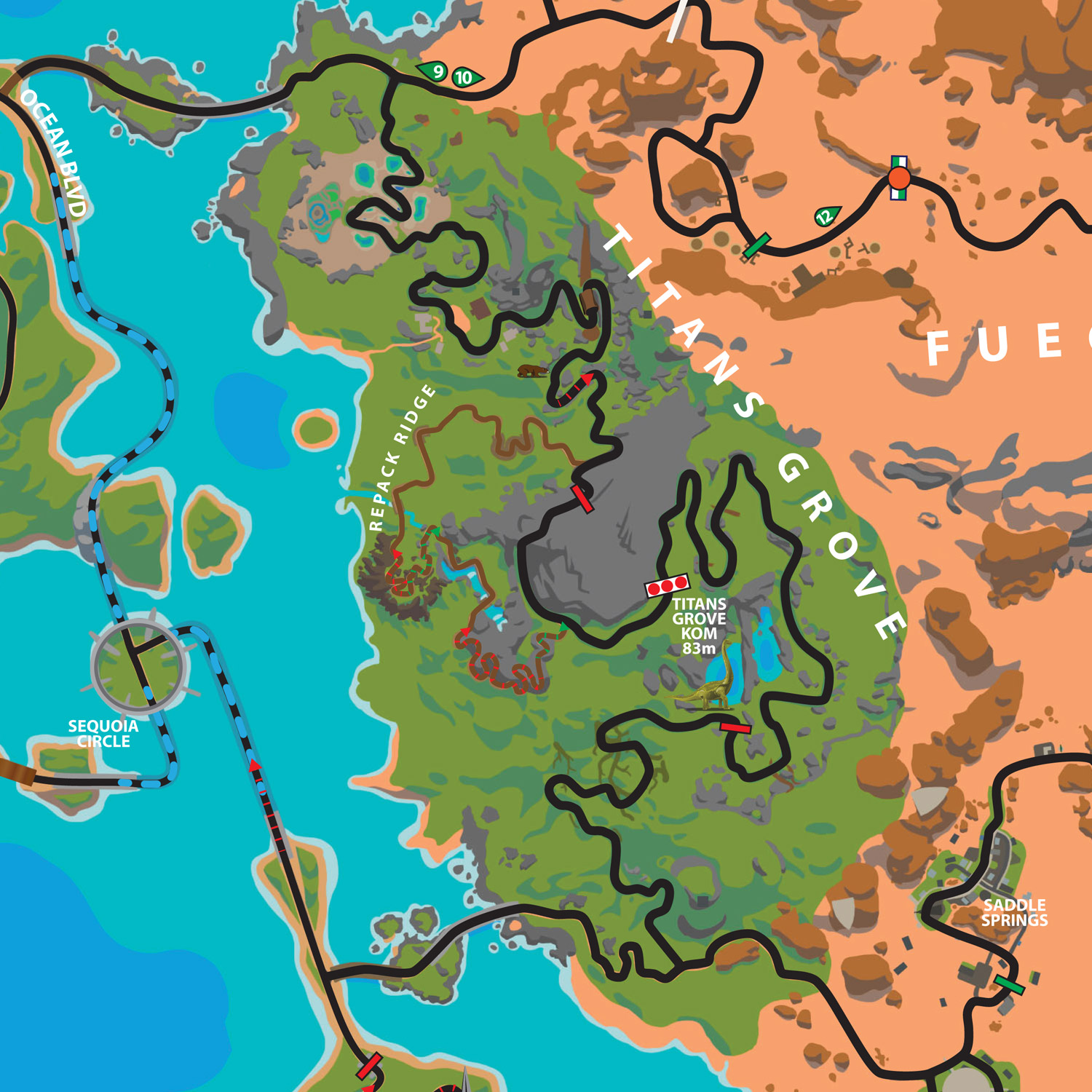
As of today, we are making available for free download (as always) a PDF of the new version 2.15 map. If you’d like to support this site (and get a sweet poster at a good price) you can buy a poster print of the map and we’ll ship it to you, anywhere in the world.


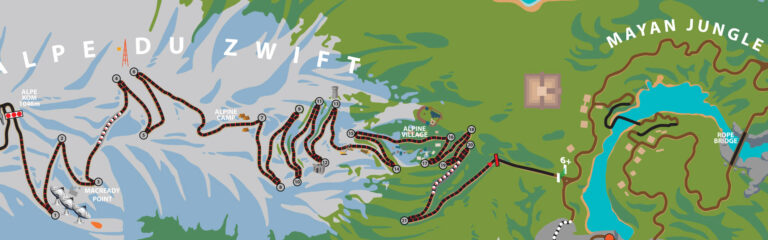
Here are some closeups of the map art:

The roads on this latest version are the same as the previous version (Zwift hasn’t added new roads to Watopia since December 2020). Therefore, we consider this a minor update.

Version 2.15 has an updated routes list with all current routes, corrected spawn point locations, and a label on the Dirty Sorpresa climb up to the Italian Villas.


Note: order fulfillment in Australia and New Zealand will be delayed 1-2 weeks, as our shipper down under is waiting on receiving the new poster stock.


Top 5 Zwift Videos: Race Mishaps, New TTTs, and 100 kph

Our Top 5 Zwift Videos this week include several racing videos, an overview of new changes to some Team Time Trials, and an attempt at the 100 kph achievement on the Bologna TT course.

Snatching Defeat from the Jaws of Victory – Class C Zwift Racing + Zwiftpower analysis

Jarrod Mower was having a good race until everything started to go wrong!
Big improvements while roasting to death in the Zwift Insider Tiny Races

After his first attempt at the Zwift Insider Tiny Races didn’t go the way he wanted, Trevor Holdsworth (The Musette) tries again.

Road to Category A Ep. 4 // Zwift Classics (A)

A good way to get faster is to ride with people who are faster than you! Oli Chi (ZRace Central) continues his efforts as a B racer to keep up with A racers in the Zwift Classics.

Zwift TTT FEATURE ANNOUNCED?!? // Everything We Know So Far

Zwift is testing some new changes to the Team Time Trial feature, which are available in WTRL TTTs now. Oli Chi (ZRace Central) reviews the announcement of those changes.

CCC Training: Zwift 100 km/h attempt on Bologna descent

Duncan McRae-Spencer goes for a speed of 100 kilometers per hour on the descent of the Bologna hill.

Got a Great Zwift Video?

Share the link below and we may feature it in an upcoming post!

Mountain Massif New Events and Evolution

9

Mountain Massif New Events and Evolution

As I opened the Companion app 1.5 years ago and scrolled through the list of events, I realized it would make an interesting article to explore how these events were created.  It was through this process that I connected in March 2021 with Mark Cote, then Zwift’s Director of Content Programming, but now VP of Content. 

Mark offered me the opportunity to host my own event, so that I would have the end-to-end process to report on. And on 29th March 2021, I hosted my first-ever event, called “Monday’s Mountain Massif TT.” I wrote a post about the process.

This is how the “Mountain Massif” racing series on Zwift was born.   

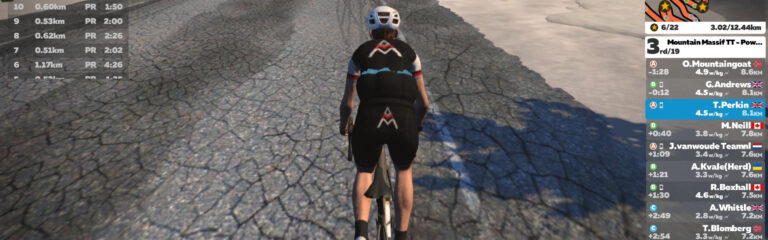
18 months later, “Mountain Massif” now hosts different mountain races on Zwift each day.  If you like climbing, these are the events for you!

Newest Event – The Mountain Massif

To coincide with what people consider to be the start of the indoor cycling season, I have just launched the latest event, simply called “The Mountain Massif.” This is a weekly Sunday race that alternates between a 60.1km version of the “Four Horsemen” route (finishing atop Alpe du Zwift) and the “Quatch Quest” route, which also finishes on top of the Alpe. 

The race is scheduled for multiple times on Sunday, to cater for the global audience: 9:30am CEST/8:30am BST/4:30am EST and 4pm CEST/3PM BST/11am EDT/8am PDT.

This is the longest race offered by “Mountain Massif.”

Micro Mountain Massif

The new Sunday race follows closely on the heels of the “Micro Mountain Massif”. The “Micro Mountain Massif TT” was first launched in April 2022 and sees riders time trialing their way to the summit of the 3.1km “Sea to Tree” route.  This event has now evolved into a doubleheader, with a second race scheduled 30 minutes after the start of the first.  Don’t be fooled by the short distance, because you will find yourself pushing to your maximum!

This second race is hosted on Watopia’s “Hilly Route” and sees riders tackle the Zwift KOM, finishing 100 meters past the KOM banner, another short ride at only 2.1km.

These two races are designed to be tackled consecutively and target not only your 5-minute and 2-minute power range but also your ability to recover.  These short efforts are seriously intense. 

Monday’s Mountain Massif TT

These two new events are built on the success of the “Monday’s Mountain Massif TT”.   This is a tough, no draft time trial up the reverse route of the Epic KOM. Hosted on Mondays, this was the very first offering of “Mountain Massif.”

Its first running in March 2021 had 460 riders sign up and the inaugural race was won by former British Hill Climb champion, Ed Laverack.   

The feedback from the community was extremely positive and due to the high attendance, I was offered the opportunity of hosting the event on a weekly basis.  It is from this unique and special event that the entire series of races has developed.    

As attendance remained strong over the proceeding months, it became clear that I needed to address the issue of time zones.  The feedback I received was that the time of the event was not suitable for people in the southern hemisphere.  When I approached Zwift about this, they were more than happy to accommodate and an extra timeslot for “Monday’s Mountain Massif TT” was granted.

Mountain Massif TT – Powered by Muc-Off

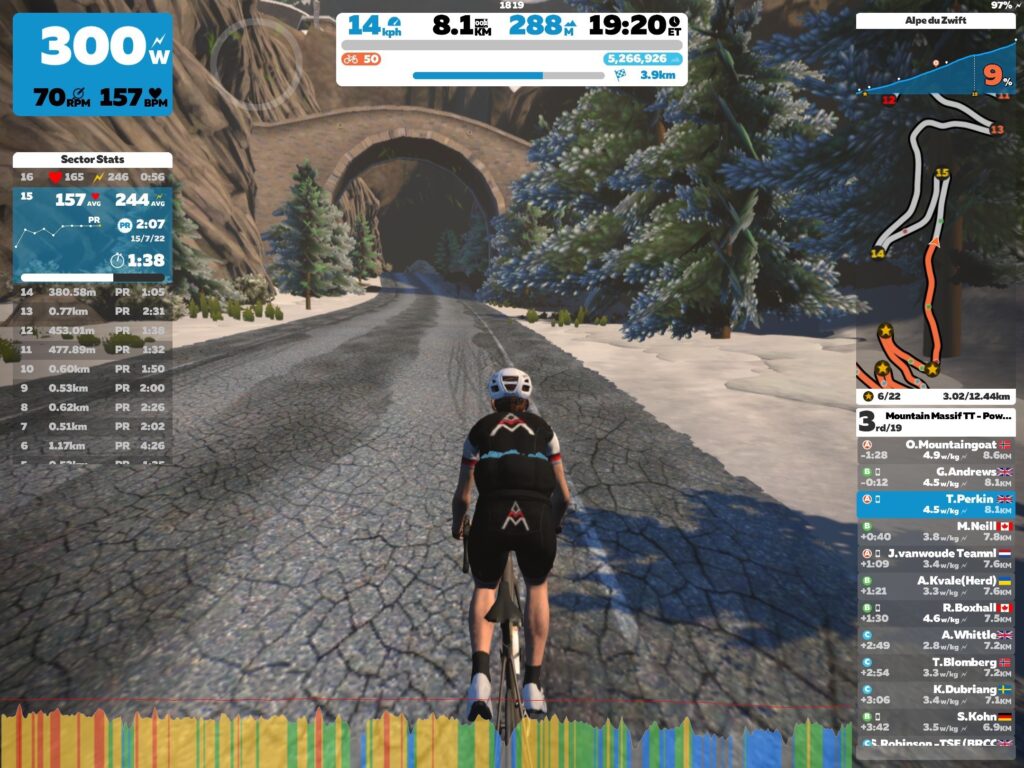
Strong rider participation in “Monday’s Mountain Massif TT” gave me the confidence to introduce something new and give Zwifters an extra event to tackle on Fridays.  I timed the release of my second event (which replicated the race format from “Monday’s Mountain Massif TT” and applied it to the Alpe du Zwift, including the distance of 12.1km) for September 2021, the date that many consider to be the start of the indoor cycling season. 

So, in September 2021, I launched my second event, simply called “Mountain Massif TT.”  I had linked up with Muc-Off and appropriately included their slogan of “Powered by Muc-Off” in the event title.  Soon this new Friday event matched the popularity of my Monday offering. 

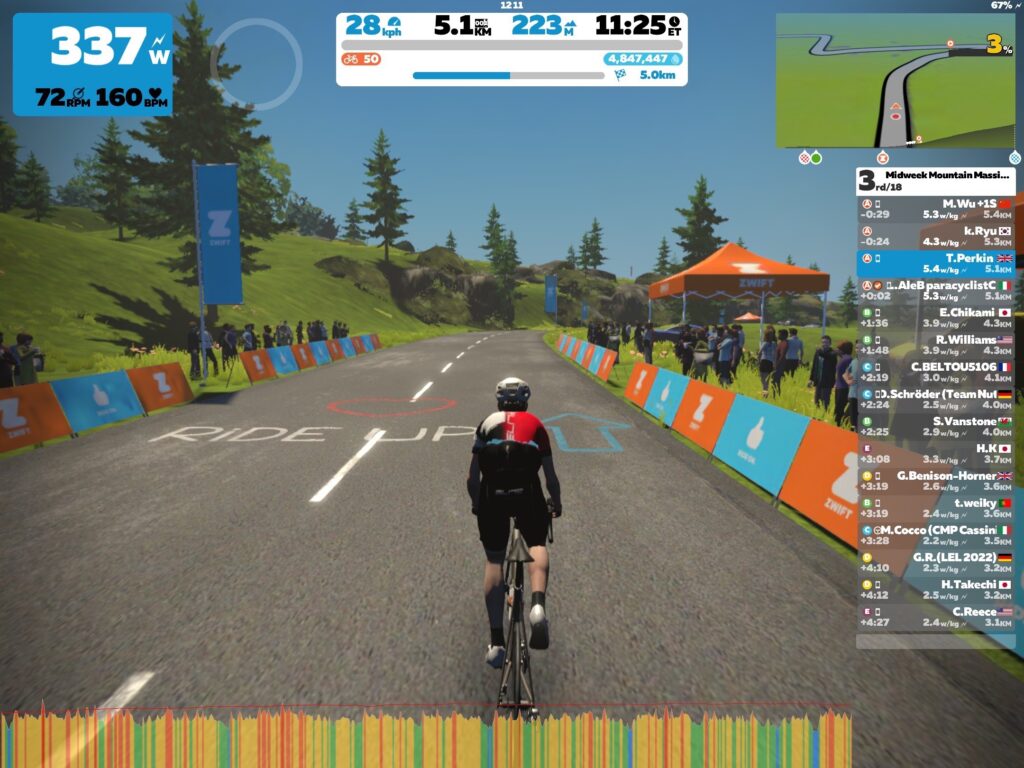
New Relationships and the Midweek Mountain Massif TT – Sponsored by Elite’s RIZER

In November 2021, I connected with Elite to review their new offering of the RIZER, a combined steering and gradient control device for your indoor trainer.  We teamed up to celebrate its launch by creating a new event to showcase the device.

This event, hosted on Wednesdays, is a 10.1km time trial on the Ven-Top route.  Due to its difficulty, I had to shorten the race compared to my other offerings by 2km because it would be simply too hard to complete.

The launch of this race was headlined by pro cyclist Wout Poels.

Following the success of this event (which saw 500 people attend), Elite and I teamed up to launch the Elite Pro Series, a unique concept that saw pro cyclists race Zwifters in a series of monthly races.

The Mini Mountain Massif

Realising that my events were bordering on the high end of difficulty, and after a very successful period where I had worked with Matt Rowe from “Rowe and King Training,” we worked together to launch an event that was more accessible to the wider community.  Taking the same format of my previous races, we applied it to the Bologna course, and a new style of TT race was introduced in January 2022.  Being a shorter race distance, this was appropriately named the “Mini Mountain Massif.”

Mountain Massif – The Race

Two months later, I launched my first non-time trial event, a race on the “Climbers Gambit” course.  This is hosted on Saturdays and provides variety to the events that are offered. It has resulted in some hotly contested races!

Mantra of the Events – Multiple Races in One

A feature that I have tried to include in all my events is that there is more than one race in the event.  For example, the longer time trial events on the big mountains not only give you chance to race for the category win, but also target specific power ranges.  The longer climbs are ideal for riding if you are looking at improving your 20-minute power. 

In contrast, the shorter races are best suited for targeting your 5-minute and 1-minute power.  If you include looking to set new personal best times in the events, there are many races in one event!

In summary, these events are ideal as they can be raced or simply ridden for training and they are fully inclusive with category racing to encourage all abilities and ensure racing is fair.  Furthermore, the events start at the same time so you can go shoulder to shoulder with your fellow competitors, pushing yourself to new levels.

Extras – Clubs and New Jersey

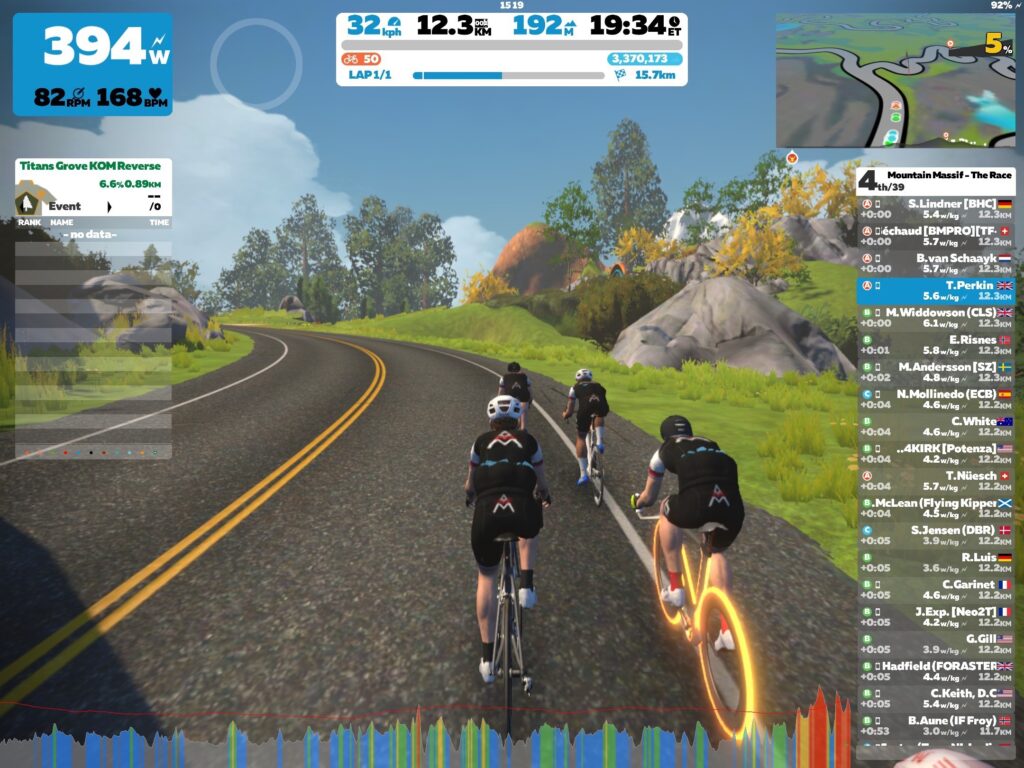
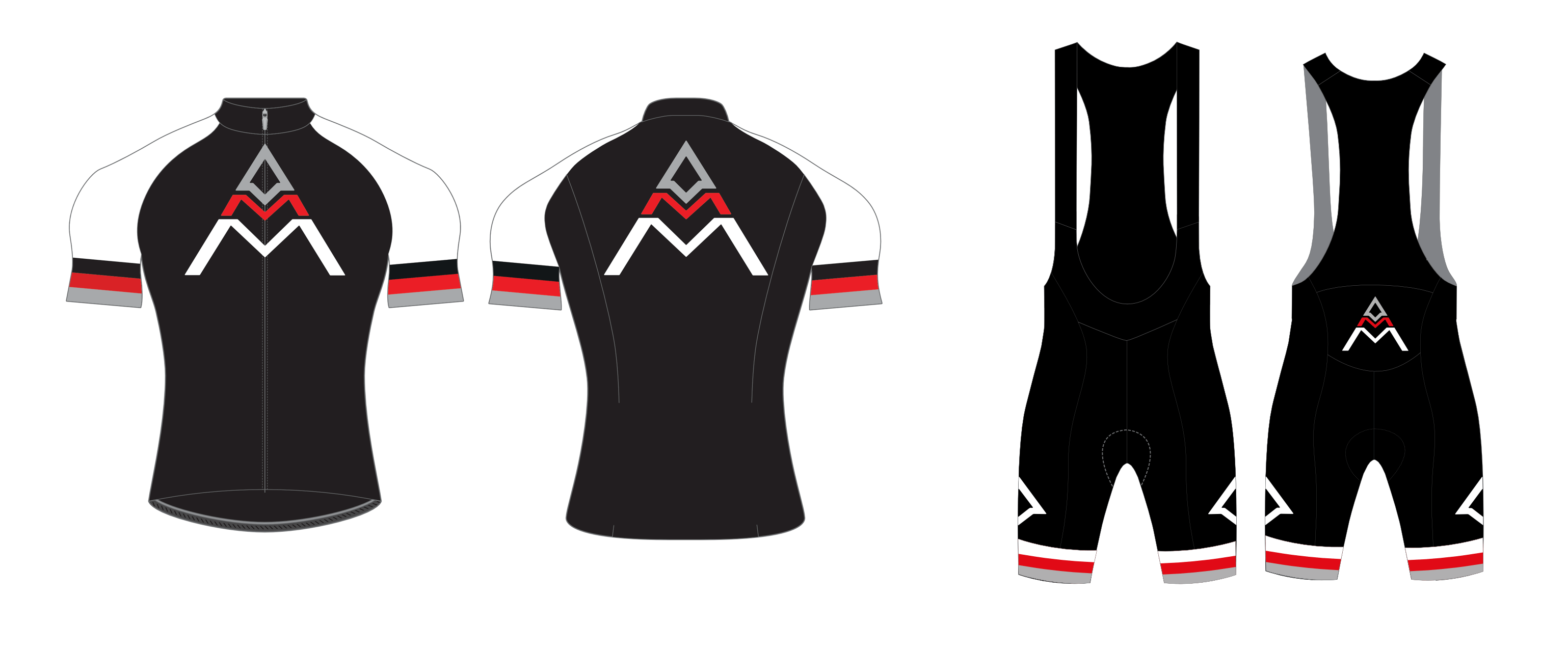
Given the fact that now my races were operating in multiple time zones, including an extra timeslot to cover North America, and after waiting patiently for 18 months, I was finally able to get a jersey designed which could be worn in game and is unlocked by completing one of the events.

The jersey complements the “Mountain Massif” club that I have set up using Zwift’s Club feature.  I plan to utilise this in the future, so if climbing is what you are interested in, then consider joining the club.

What’s next? 

Tomorrow, Saturday 10th September at 3pm CEST/2PM BST/10am EDT/7am PDT I am going to be hosting a special event called “Mountain Massif All Star Ride” and you can sign up here.  I will be hosting these sporadically and the purpose of this ride is to enthuse people about cycling indoors again. 

This is not a race, but a social ride.  We will be riding the “Legends and Lava” route with Ed Clancy.  For those not familiar with Ed, he is a legend himself.  He is the most successful Team Pursuit cyclist in history, and won gold with Team GB at three successive Olympics!

We are just going to be cycling the route and chatting, so come and join us.  I’m not going to be leading the event like traditionally led rides, but will simply let people exercise self-control and enjoy the ride.

As I am a firm believer in structured training, I am currently exploring options in that department, so look out for structured training events in the near future.

Summing Up

As you can see, it has been a busy 18 months, but it has been an enjoyable process.  It goes without saying that I am grateful for the help provided by Mark Cote, who was gracious enough to help me with my article that led to the creation of this event series. I’m also grateful to Zwift’s events team who have supported the expansion of the “Mountain Massif,” in particular Emily Ormond and James Baily.

If you are interested in taking part in any of the events, the schedule is as follows:

  • Monday: Monday’s Mountain Massif TT
    Time: 12:00PM BST & 6:00PM BST & 11:00PM BST
  • Tuesday: Mini Mountain Massif TT – In association with Rowe & King
    Time: 12:00PM BST & 6:15PM BST & 11:00PM BST
  • Wednesday: Midweek Mountain Massif TT – Sponsored by Elite’s RIZER
    Time: 12:00PM BST & 6:15PM BST & 11:00PM BST
  • Thursday: Micro Mountain Massif TT – Race 1
    Time: 12:00PM BST & 6:15PM BST & 11:00PM BST
  • Micro Mountain Massif TT – Race 2
    Time: 12:30PM BST & 6:45PM BST & 11:30PM BST
  • Friday: Mountain Massif TT – Powered by Muc-Off 
    Time: 12:00PM BST & 6:00PM BST & 11:00PM BST
  • Saturday: Mountain Massif – The Race
    Time: 8:30AM BST & 3:00PM
  • Sunday: The Mountain Massif
    Time: 8:30AM BST & 3:00PM

See all upcoming Mountain Massif events at zwift.com/events/tag/mountainmassif >