

UPDATE: Zwift re-enabled this feature in September 2022’s 1.29.0 update.
Zwift’s DNA is social. Sure, some people prefer to ride alone, and that’s perfectly fine. But Zwift’s special sauce is the way it brings people together, forging relationships in the heat of workouts, group rides, and races.
Nearly every Zwift activity I do these days is either with a Pace Partner group or in an organized event. Because I find that riding with others is much more engaging and motivating than riding by myself!
But there’s one feature I find myself wishing for on nearly every group ride I do, and that’s the ability to easily give a Ride On to those around me. Let’s talk about this…
Missing Where It’s Needed Most
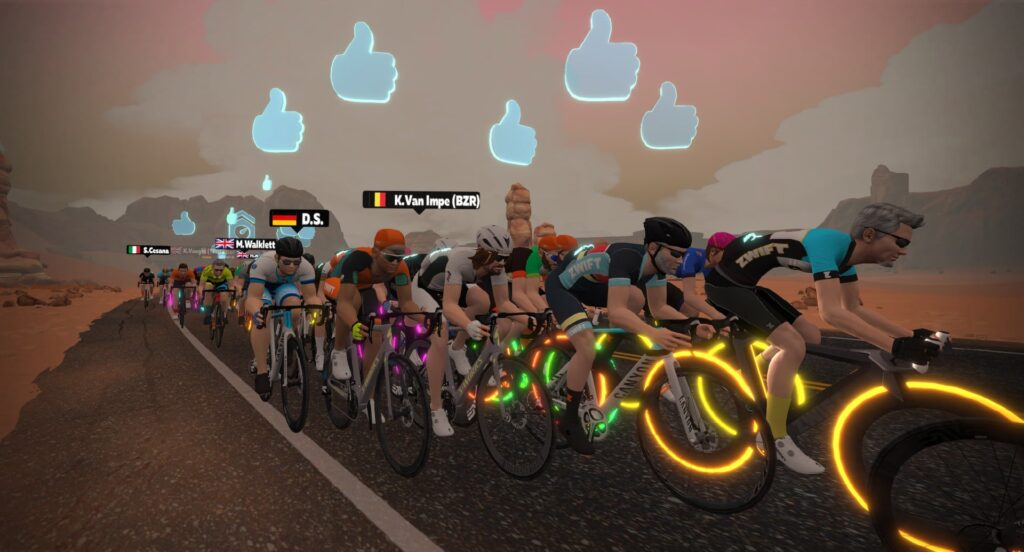
In April 2018, Zwift rolled out the ability to tap your location arrow in Companion and give Ride Ons to 5 nearby riders. This worked in free rides as well as events… until it didn’t.
Around December 2018, Zwift disabled the feature in events, so only ride leaders (those with a beacon) could give out group Ride Ons during events. I don’t know why it was disabled – I can only assume it was because of some server issue where too many Ride Ons were being given and it was messing something up.
Whatever the reason for the change, I think there were unintended consequences. Because now we’re left with an odd situation where we’re able to give group Ride Ons when free riding (a place where Ride Ons aren’t much needed, since we don’t really get to know the riders around us very well), but we aren’t able to do that in group rides (where we do get to know other riders, and would want to give them a Ride On).
The Group Ride On feature functions today, but not where it’s needed most.
A Convoluted Process
Today, if I want to give someone a Ride On during an event, here’s what I have to do:
- Via the game (on my PC): click their name in the rider list on the right. (This changes the point of view from mine to theirs.) Click the thumbs up icon next to their name. Then click the “Back to me” button at the bottom-left to go back to my view. Note: this returns me to camera view 1. If I was using a different camera view before, I have to switch to it again.
- Via Companion app: click “Zwifters” then tap the rider’s name in the ever-refreshing list of nearby riders. Click the “Ride On” icon under their profile, then click to exit back to a Companion screen that is useful.
Neither of these processes is terribly complex, but often when I’m in the heat of a hard ride and/or wanting to give a thumbs up to multiple people, it feels like too much hassle. So my group Ride Ons typically don’t happen, and instead I do my best to click the little icon to reciprocate a Ride On someone else nearby gives.
Case Study: Pace Partners
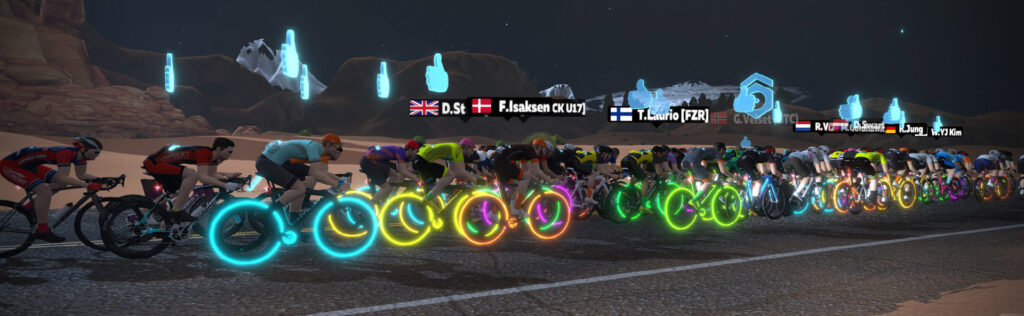
If you’re wondering, “Do people who ride together really want to give out Ride Ons?” just look to Pace Partners as a case in point. Hop into the C. Cadence group for a few minutes and you’ll be hard pressed to find a time when there aren’t at least a few blue thumbs floating over the group’s heads.
People love to give out Ride Ons to those they ride with. And that’s easy to do in a Pace Partner group, since it’s not an event. Just tap your arrow in Companion. Boom! Five Ride Ons given.
Two Solutions
I see two simple solutions to the group Ride On conundrum:
- Bring back the ability to tap my location in Companion and give 5 Ride Ons to nearby riders during an event and/or
- Add a Ride On button to the list of nearby Zwifters in Companion (and maybe don’t refresh that list quite so often, so I can be sure to give a Ride On to the riders I choose).

Your Thoughts
Would you like to be able to give group Ride Ons in events? Share your thoughts below, and upvote this Feature Request if it’s something you support!


Yes agreed!! I’ve been in several group rides as part of the Rapha 500 and it’s in high demand! People kepy saying go to the pace partners if you want ride on’s, the lack of this really detracts from the quality of group rides.
Yesterday I was doing the Fondo ride, whilst going through the desert I was trying to give ride on via my mouse beside me and the names on the screen. Then on looking up, I saw that I was no detached from the group and had to sprint like mad to get back on at 44kph.
I love giving out ride ons to others, especially if I see a strong effort or long rides over 50km.
Nice to get a badge for giving out 1 million thumbs. 👍👍👍
Learn to use your mouse with your hands.
Leave your feet on the pedals.
No need to thank me. 🙂
OK. That made me giggle.
Yes to all this!
I did my first big group ride with ZHR yesterday, and while trying to give back to the community, I really felt like I was spending more time with the Companion, than I was with my head up. Group Ride-Ons would definitely be helpful in encouraging community, and on an individual basis, would increase focus on the game rather than the interface.
Agreed.
That one really is a no brainer.
i couldnt care less to be honest
Fair enough. Be insular and don’t bother encouraging others. It’s all about you
But you cared enough to come into the article and leave a useless negative comment.
I think a dedicated button is the answer. I can’t tell you how many times I’ve accidentally selected a different rider instead of tapping my rider’s location.
Yeah a ‘back at ya’ button would be good, so you can reciprocate really easily too. The companion app could replace those awful voice buttons such as ‘I’m toast’ etc and instead replace with these.
I like that idea!
Yes, a bug bear for years.
Would be nice to have a ride on thumb next to the name in the companion app so you don’t have to go into the profile.
Definitely needs to return. In a grupetto on a group ride/event I always like to give thumbs ups to surrounding riders. It is a pain to find the riders as a group shifts position. The 5ride ons per time solution would allow all to be done much more easily. Also less hassle to do when blowing hard up a ateep slope/blasting along on the flat!
This needs to come back now!
A “Ride On” to this article Eric!
I do long for the days when this was available during events. I give hundreds of ride ons a day via the companion app when I’m not riding just cause I want my friends and those I follow to know I appreciate their efforts.
Thanks @eric for asking Zwift to consider this change.
Just install redis and store those kudos fgs
Love me some redis!
I had a worse case scenario happen during a race last week. I had another event lined up for after the current one was over and during the race I went to click on a fellow racer to give them a ride on as we had a nice group and when I clicked “back to me” button I accidentally clicked “join next event” where I got instantly transported to the holding pen of the next event. Both button are so close together. Having the ride on in companion app would have prevented this totally
Nooooo!
Tip: just learned today you can hit Esc instead of having to click the Back to Me button.
That is useful to know! TY
I’m missing the ability to give ride-ons in races when the group is working good together. If I could be able to send group messages only to riders close to me, that would be even better. That way we could talk tactics in e.g. chaise races. And think if we could give ride-ons and send messages only to club members!
Agree this will be nice. While at it… Have there been suggestions to incentivize good group behavior? For example, if you’re more than 50 m off the front of the group, you don’t accumulate points? If you’re within 20 m either side of the yellow, you get 1.5 x points? Something like that?
Yes this! Been talking about this for years to help keep the blob together in a group ride and maybe incentivize staying closer to the leader: give accelerated drops rate for those within a certain radius of the ride leader and the sweeper.
At the very least, I wish there was a way in an event to easily return a Ride On to someone who has given me one. Even if it’s later in my ride when I am catching my breath and have a moment or two to return Ride Ons.
i really would want a simple way to return a ride on.
now it’s too much hassle
Dan I couldn’t agree more. I also think having to use two apps isn’t the answer either. With a bit of design adding the ability to give a ride on to those around you should be simple to do.
Yep! That’s why I usually roll an extra mile or two on my group rides, to hit people with ride ons that I just rode with…otherwise I only seek out the ride leader, people who PR segments and people who give me a ride on first.
I also agree. One other idea is that it would be nice to have a button to give a ride on to a person that just gave you one. Too hard to do in group rides.
Yup. A keyboard and Companion shortcut to reciprocate the latest Ride On would be welcome!
R for Reciprocate appears to be available….
This would be great. A keyboard button to give 5 ride ons as well would be nice. Those 2 additions together would be exceptional.
Agreed!
What about using the existing in-game Ride On! Button on the bottom bar that just makes the sound to share directly with those around you? I’m fine to not hear the sound with it as it could be annoying with big changing groups like pace partner rides. Otherwise, do people actually use that button as-is?
Just the other day, we were discussing this exact same solution!! The audible “Ride On!” is lame. Make that button drop thumbs and give a little tangible reward to a few nearby riders.
What does the blue thumb in the companion app do?
I ride on Apple TV with companion, I wish I easily return a ride on, or give a thumb up too Theron’s who gets a PR onna segment or get their weekly goals done. This is a pain worhnapplw tv. But very easy with an iPad, which I almost never use….
Even more importantly than a method to make more Ride Ons, give us the option to mute Ride On and the associated dinging without turning all of the other sounds off. Pace partners already have to be done on mute to be tolerable. No need to turn every group ride into a never ending cacophony of Ride On Ride On Ride On Ride On…
Bang on! And get rid of the thumb, bell, toast etc. in the companion app so that the toolbar doesn’t keep scrolling at every junction.
The reason I don’t ever give out Ride Ons during a ride. The functionality is convoluted and gimped especially considering how fast everything is happening on screen. I would like to extend the feature request:
PS – I always go out of my way and Ride On the rider who’s doing an FTP test or massive effort.
Rides on from the summary screen would be great. More than once I’ve wished that button to follow someone was actually a ride on button after a ride!
Can you click the thumb on the other side of their name on the summary screen? It used to be that it made some sort of sound when you did that. Was never sure if it was giving the rider a ride on or not. It doesn’t gray out or whatever after you do, so I just figured I’d follow them and the next time I gave a batch ride on to everyone I followed, it would make it even.
Yes, I would love to have an easier way to give a ride on. I’m always hitting the thumb icon which only says ride on…I think 🙂 as I never hear it with headphones on.
Thank you for bringing this up. These rides and even races are very social and you want to give credit on hard efforts or pulls etc.
I agree totally with this! I’ve had the same issue and never understood why it is so hard to give ride ons on events… Many times I’ve been dropped of a group because instead of watching my riding and the group dynamics I was looking at the companion app going through the list to [click name – give ride on – go back to list – search for next name – etc].
So yes, I think any one of your two suggestions (or even better, both!) would be a great improvement to group rides!
Also, I find it great when people spontaneously form small groups in races (aka grupetto) and help each other. Especially in this scenario I would love to take half a second out of my attention to hit my arrow in the companion app and give Ride Ons to my current grupetto, but no why I will have the energy or focus to do it the current way.
I agree with this 100%! I would LOVE to be able to give the 5 automatic ride-ons during group rides. When the ride leader calls for a “thumbderstorm” I would love to participate without risking getting dropped from the pack, which is what invariably happens when I get into the complex process of individually giving ride-ons…
definitley want this, especially as one of our group leaders who are not necessarily leading but maybe there to support our group
Yes!! Agreed! I upvoted the thread in Zwift Forums (thanks for linking). This is so important and I also would love to be able to give multiple ride-ons to the same rider, they can add a minimum time lapse if need be but when I rode the zFondo yesterday, I wanted to give thanks to the small group of riders I rode most of the bambino together with double draft, I was so grateful and had to click their names one by one with my trackpad and then change back the view to me, such a pain. You’re article is spot on (the pain point)! Let’s hope they prioritize this to keep the community encouragement high! Because with many indoor months ahead and with COVID raging, this is the most social thing I’ve got these days! Lol (joking not joking 😉
I would like to be to giver ride ons, but I want to be able to turn off the the on screen blue thumb as well as the names. They take up to much of the screen.
Agree completely!! Ride on!!
Yes, this is what we need! And also badges for an amount of thumbs-up given. At the moment I only know the existence of a badge when receiving 100 of those blue thumbs in one ride.
Yes please! This would help make group events feel more social, especially when you’re in a group of people working together in a big event like the Tour de Zwift.
Oui j’aimerais beaucoup
You can also give a ride on from the map in the companion app. Click on the white dot and a ride on button appears that you can tap. Two problems. One: When the group is close together, can be tough to isolate a specific rider. They can also be covered by your arrow. Second: Doing this centers the map on them, and you will ride off the view if you do not re center.
Yes, agreed.
A quick way to do this for all your friends in the group ride… If you’re companion app is on Andriod you can click on the menu button and go back to the home screen and then click on zwifters currently riding select the following list and then simply click the thumbs up button by the side of eac person in the list. And then from the menu button go back to the game.
Hell yeah. 😀 I was never sure why this group Ride On button was mot there for events. I love giving out Ride Ons in groups.
Ride on!!!
Yes I would! After zwifting for a few years, I’ve just started to explore the cool things I can do in-game and noticed recently that I couldn’t give group ride-ons the usual way. I would love to see this be easier and as you’ve suggested, Eric. Thanks for bringing this up!
I run an Autokey macro script to give out the rideons to those around me. It takes a number of seconds to execute but it works. The script iterates down the screen clicking on each person’s name just like you would manually. It is a little slower than I would like because switching perspectives on screen takes a few hundred milliseconds for each one. Also the many quick fire screen perspective changes can be confusing in a race.
Care you share your script?
If there is a better way to share this then let me know.
Some caveats:
Instructions:
Here is the script:
#NoEnv ; Recommended for performance and compatibility with future AutoHotkey releases.
; #Warn ; Enable warnings to assist with detecting common errors.
SendMode Input ; Recommended for new scripts due to its superior speed and reliability.
SetWorkingDir %A_ScriptDir% ; Ensures a consistent starting directory.
;##############################################
;Use WindowSpy.ahk to work out the following variables C:\Program Files\AutoHotkey\WindowSpy.ahk
;if you are on a single monitor and zwift is on the full screen just position the mouse cursor and alt-tab to window spy and read off the Window mouse positions
zwifterNearbyTopY := 540 ;y coord for the top pixel of the first fully visible zwifter nearby button area
zwifterNearbyBottomY := 1521 ;y coord for the last pixel of the last fully visible zwifter nearby button area
zwifterNearbyX := 2247 ;x coord for the centre of the zwifter nearby selection buttons
zwifterNearbyMax := 13 ;number of fully visible zwifters nearby (don’t count the partial ones at the top and bottom if there are some)
maxRideons := zwifterNearbyMax ;number of zwifters to give ride ons. you can make this higher than the number nearby and it will continue on giving them out behind you too. It might piss-off zwift if you make this too big
rideOnSelectedY := 1024 ;y coord for the ride on icon next to the zwifter nearby once they are clicked and selected
rideOnSelectedX := 2109 ;x coord for the ride on icon next to the zwifter nearby once they are clicked and selected
;not sure if this needs to be adjusted. Maybe if it is not a faster (or slower) pc?
timeToSwitchRiders := 1300
timeForRideOn := 100
;##############################################
zwifterNearbyHeight := Floor((zwifterNearbyBottomY – zwifterNearbyTopY) / zwifterNearbyMax)
fristZwifterNearbyY := Floor(zwifterNearbyTopY + (zwifterNearbyHeight / 2))
nextZwifterY := rideOnSelectedY + zwifterNearbyHeight
yCoord := fristZwifterNearbyY
loop %maxRideons%
{
;no idea why this won’t work with left click!
Click, %zwifterNearbyX% %yCoord% Right
Sleep, %timeToSwitchRiders%
Click, %rideOnSelectedX% %rideOnSelectedY% Right
Sleep, %timeForRideOn%
yCoord := nextZwifterY
}
;return back to me
Send {Esc}
return
I was just lamenting this in an event yesterday. You’re so right. There are dozens of little annoying things about Zwift, but this one is near the top for me. I love receiving Ride Ons so I try to give them out as liberally as I can within reason. Make it easier on us, Zwift!
If zwift is about sharing the love, then group ride ons is the way to go. Nothing more frustrating than trying to ride and find people you want to give a ride on to.
I totally agree, it would be awesome if we were able to give Ride Ons to people during events, in the heat of the moment – we should be able to give a big thumbs up to the one that won the kom or the sprint. It´s hard and it should be possible to be “rewarded” with a Ride On.
It is however possible to give multiple Ride Ons to people during events/rides if you have them on your “favorite” list, it´s a bit of a hassle and demands that you have more than 2 devices connected to Zwift/companion.
I run Zwift via laptop, Companion on my Ipad, during rides –
Then I can enter companion via my phone and get to front page of companion, which gives me the option to give Ride Ons to all my friends/favorites on Zwift, that without a limitation on how many. In whatever world they are located.
I actually get the option, people are asking for, the persons´ name with a thumb up beside the name – making it easy to tap the thumb.
But it only works with people I follow/ have on my favorite list.
Here it would be nice with the same option, for “strangers” surrounding me.
*My opinion on pace partner – Especially the lovely C. Cadence.
It might start with you just being there to get that steady pace- but won´t take long before you get to know people – I rarely have a ride with Coco- where there aren´t one, two, or more people I know either from my own team or one of the multiple rides throughout the week. The different teams might be competitive towards each other in races, but after crossing the finish line we are still just people with a shared passion for riding, racing, and challenging ourselves on Zwift.
So I don´t find that giving Ride Ons to people on the Coco Cruise isn´t needed, it´s more that it ain´t that important or giving as it would be in an event.
*Another thing that would be awesome in racing, both ZRL and the TTT if we had the option to chat via companion with the team that you´ve signed into WRTL. – instead of the entire “timezone” can see the chat in the teams.
It would make it easier for tactics and changes during race.
I like to give RideOns, too! And I always support riders on their hunt for the Jensie-Badge!
I have read somewhere (here on zwiftinsiders?) that giving RideOns have an impact on getting more drops , don’t know if it’s right or not. If it is right, it is just one more reason to give RideOn.
I ride since October 2021 on Zwift and from the beginning /first event/groupride I wonder about this thing…so please, Zwift – bring it back!
This would be a complete nightmare. Think about 50 people riding together and everyone can give everyone a ride on at any time. Why on Earth would anyone want to see nothing but blue thumbs on their screen?
This should be a no brainer for Z HQ. Given that you are “ Zwift Insider” it would be good to understand why this function was removed 🤔. If there is a reason, maybe it is b/c Z want the ride-on to be personally ta to rted (then why have it randomized in free riding?). I prefer option 2, b/c it allows to give RO exactly to whom you want. There are times in which the thumbs up icons appear in the list, so it would just be a question of activating a feature that is already there. While at this, there could also be a badge for giving out ROs. And the 100 ROs badge is nowadays very easy to achieve when riding with yuka the bots.
Yes! I appreciate the Ride Ons and really like giving them out. I’m always at the back of the pack for events so I appreciate the encouragement but I’m working too hard to go through the rigamarole to return it.
100%. You have exactly said what I have been thinking for months.