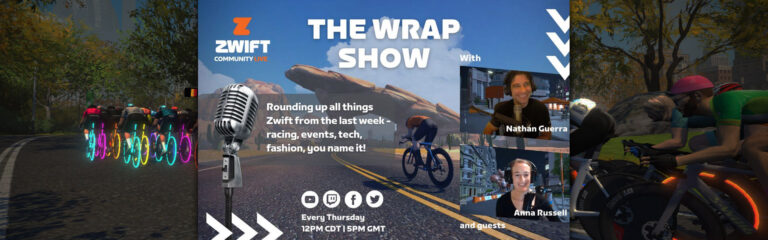
The Wrap, Episode 22: Eric Schlange Zwift Insider Update Roundup
It was the last round of ZRL and what a CRACKER it was. Nathan talks through his race and why he’s the master at Libby Hill.
Zwift has had many updates announced, and special guest Eric Schlange of ZwiftInsider comes on to deep dive with the team. From new roads in Scotland to holoreplays on routes to PR rankings on Companion app… there’s a lot to unpack.
Jersey of the week is the Pushing Limits skinsuit, and the garage pick is the always in favour Zipp Superfly disc wheelset.
The Wrap is all about showcasing the awesome Zwift community, from upcoming events to must-have tech to community guests to the all-important avatar fashion segment. The live nature of the show means that hosts Nathan Guerra and Anna Russell can interact directly with those watching, gaining valuable insights and opinions across a wide range of topics.
Zwift Racing League (ZRL) has taken racing to the next level on Zwift. It’s well-organized bike racing on an unprecedented scale, a multi-week team points competition held across all timezones and catering to thousands of teams. And that’s why serious Zwift racers show up week after week: because everyone knows ZRL is where Zwift racing is at its highest level.
With eight successful rounds completed, ZRL organizers WTRL continue to evolve their systems and tighten rulesets to provide a fair, engaging, and competitive platform for Zwift racing.
The next ZRL round begins January 10th, and it’s officially named 2022/23 Season – Round 3. We’ll use this page to display all the key info in one place, and update it as more info becomes available.
If you’re new to ZRL, you’ll definitely want to get familiar with the ruleset and scoring structures, as these will inform strategic decisions made as a team.
Segment Battle Points
New this round, “Segment Battle Points” (SBP) are being awarded along with the points we all know and love (finish points, FAL, and FTS).
What exactly are SBP? Only WTRL knows, currently. The scoring page just says “…all riders will score Segment Battle Points. More details to follow.” Once updated info is released, we’ll post it here.
(Our theory is, SBP are points every rider earns based on their efforts on intermediate segments. WTRL may be instituting this additional scoring to give riders an incentive to push hard on segments, even when they’re dropped from the front pack and/or don’t have hopes of being fastest through the segment. Something to keep everything battling to the end!)
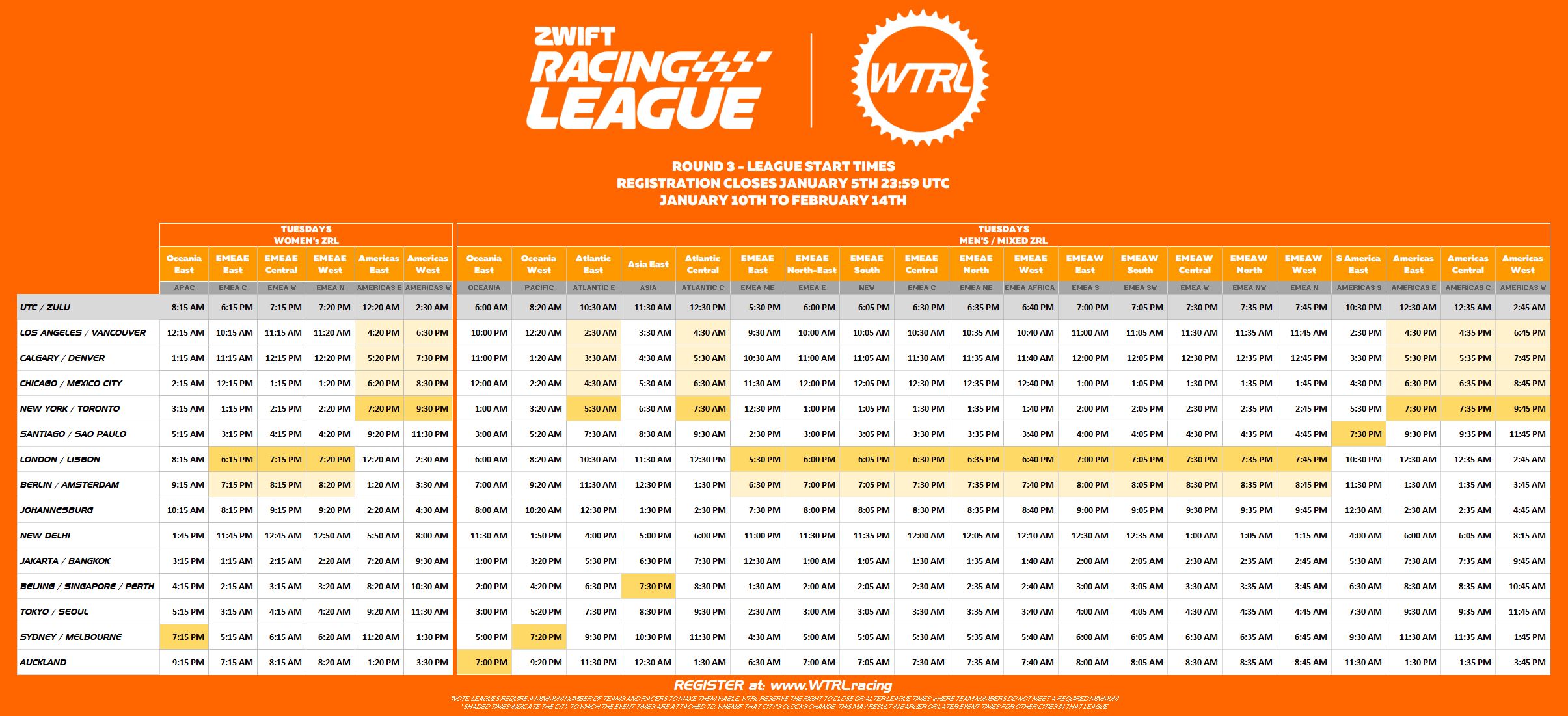
Timeslots and Divisions
The number of divisions is the same as last round, although some names have been modified. Start times for certain divisions have also been adjusted. See below:
Teams and Registration
New teams can register now at wtrl.racing/zrl-registration. Team registration closes midnight UTC on Thursday, Jan 5. You can have up to 12 riders nominated for your team. Again, see the ruleset for details.
Existing teams with 3 or more round 2 races are automatically reregistered.
Want to race, but don’t have a team? You can find a list of teams recruiting riders by visiting wtrl.racing/zwift-racing-league/#teams (“All Teams” in the ZRL menu). WTRL says an inquiry form will be available soon on that page, so you can click and ask to join a team that is recruiting.
Until then, you can track down the team’s contact info and message them, or simply post your info on the Facebook group to have teams contact you. Use tags so your post can easily be found by others using “popular topics”:
If you are looking for a team, tag your post with the topic #zrlteamhunt
If you are recruiting, tag your post with #zrlrecruiting
Tips for First-Timers
If this is your first time racing on Zwift, here are a few tips and links to get you started fast:
The category you’ll race is determined by your FTP in watts per kilogram. Talk to your team manager if you have any questions on where you should race, or read this post from Zwift.
Riders must use a power sensor to transmit power to the game – this would be a smart trainer, smartbike, or power meter. (You’re allowed to race C and D categories with a “classic” trainer and virtual power, but your points are cut in half.)
Heart rate monitors are required. (You’re allowed to race without a HRM, but your points are cut in half.)
It’s really best that you have at least a few races under your belt before you try to join a team, so you know what sort of power numbers you can hold in a race.
Race Routes and Dates
Each ZRL round is made up of weekly races which are either points races or team time trials (TTT). Points race winners are the teams who amass the most total points by the end of the race, while TTT winners are the teams who complete the racecourse fastest (team time is taken from the fourth rider across the line).
“Intermediates” are sections on the course where riders compete for points. Intermediates may count for Fastest-Through-Segment (FTS), First-Across-Line (FAL) points, and/or the new Segment Battle Points (SBP). See the scoring page for details.
Race #1: Chain Chomper January 10, 2023 (Points Race)
This route begins easily enough, but quickly begins to hurt as you hit the short Castle KOM then head straight into the dirty Temple KOM Reverse. We’ve got a custom finish line for this race, too, meaning it ends atop our second run up the Temple KOM Reverse. Bike choice is going to be an interesting challenge!
We’ve raced this one before, as a TTT. It’s a fairly flat affair, except for the trip of the Hilly KOM Reverse where proper pacing will be essential so you can keep your team together for the long flats that follow!
PowerUps: (Draft Boost listed, but powerups have yet to work in TTT events) 🛈
Race #3: Innsbruckring January 24, 2023 (Points Race)
Prime your 1-minute power, racers. Every trip up the Leg Snapper is going to force a selection, and those at the front will have access to piles of sprint points!
A/B: 4 Laps of Innsbruckring (35.4km, 308m elevation)
C/D: 3 Laps of Innsbruckring (26.6km, 231m elevation)
Our second TTT of Round 3 is on a course familiar to ZRL racers. R.G.V. is quite flat, so your team’s performance will come down to efficient formations and maximizing each rider’s contributions as you rotate pulls.
PowerUps:(Draft Boost listed, but powerups have yet to work in TTT events) 🛈
Race #6: Rolling Highlands February 14, 2023 (Points Race)
The first-ever ZRL race on Zwift’s new Scotland map takes riders on repeated figure 8s of the rolling Scottish Highlands. Lots of places for small attacks plus a punchy KOM at the end of each lap will keep these races animated!
After the three rounds of the 2022/23 season, WTRL is planning a championship based on this season’s rounds. This will happen between March 7 and 21, but we don’t have any further details.
Improving Zwift PC/Mac Load Times: Hard Disk Drives, Solid State Drives, and RAM
One comment I often see from PC-based Zwifters is that Zwift loads too slowly. Typically, if I do a bit of digging, I’ll learn that this Zwifter is not a PC gamer, and often on an older machine.
(Both of these traits are worth noting. First, complex PC games often take 30-60 seconds to load, but if you’re used to just loading basic software like Microsoft Word or your web browser, you may think Zwift loads quite slowly. Secondly, the speed of your PC is a major factor in how quickly Zwift will load.)
Today, I want to look at typical load times for Zwift on a PC with a hard disk drive (HDD) vs a solid state drive (SSD). We’ll also talk a bit about the importance of disk defragging and RAM in the speed equation. Let’s get going!
Primer: HDD vs SSD
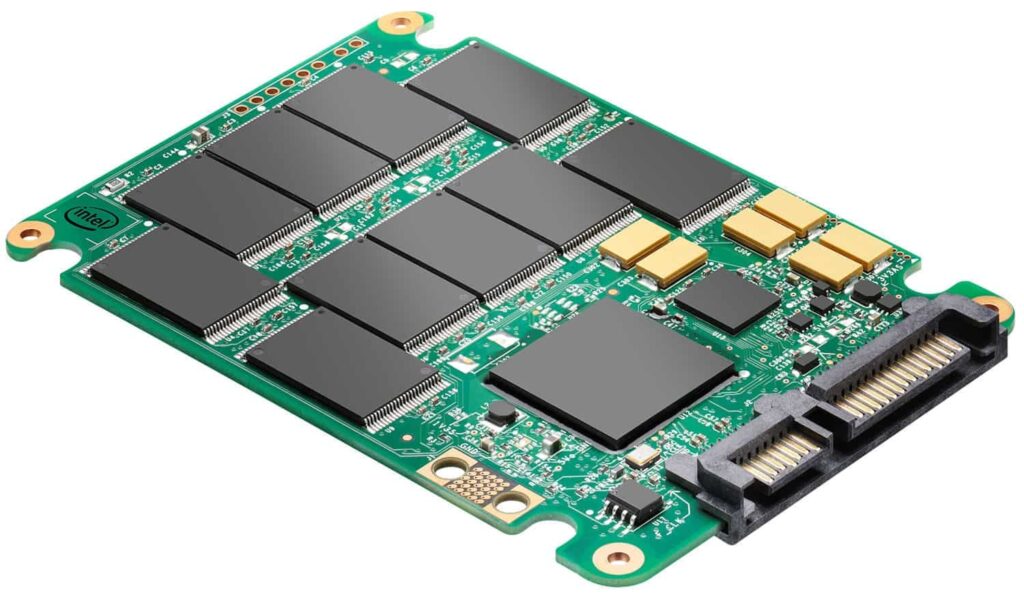
Hard Disc Drive internalsSolid State Drive internals
A hard disk drive is made up of spinning platters (the “hard disks”) containing data that is read (and written) using moving arms with a read/write head on the end. A solid state drive, in contrast, has no moving parts. It stores data on chips, basically working like the “thumb drives” we’re all familiar with.
HDDs were the standard way computers stored data for many years, but as SSDs have dropped in price, they’ve begun replacing many spinning HDDs because SSDs have the following advantages:
Faster
Shock-resistant (important for laptops which may get dropped)
Non-mechanical (therefore less prone to failure)
HDDs are still cheaper when you’re talking about larger drives (2 terabytes and up), but SSDs are very affordable nowadays (here’s a great one I’ve used: 500GB for $50). Many PCs now ship with a smaller SSD for storing the operating system and program files, and a larger HDD for long-term file storage.
Zwift Load Times
I ran some Zwift load time tests on my office PC, which has the following specs:
Solid State Drive – Fresh Install and Loading Into Zwift
Zwift Install
3:34
Load to Pairing Screen
41s
Spawning into Watopia
20s
Spawning into Makuri
24s
Spawning into NYC
7s
Hard Disk Drive – Fresh Install and Loading Into Zwift
Zwift Install
3:53
Load to Pairing Screen
49s
Spawning into Watopia
30s
Spawning into Makuri
34s
Spawning into NYC
8s
You can see the SSD outperforms the HDD in every test, which isn’t surprising. In order to load Zwift and its particular maps, my computer has to find the data stored on the drive and load it into memory. That data is found and read faster on the SSD than the HDD: 30-33% faster when loading large maps like Watopia and Makuri Islands.
I was actually surprised there wasn’t more of a difference between the SSD and HDD load times. But I think that’s because my HDD is fairly fast and not fragmented. (We’ll get into that below.)
After running some initial tests on each drive, I also closed Zwift and booted into it again, to see if it was faster since some or all of the data would already be loaded into my system memory (RAM). Here are those load times:
Solid State Drive – Restarting Zwift
Load to Pairing Screen
22s
Spawning into Watopia
10s
Spawning into Makuri
12s
Spawning into NYC
5s
Hard Disk Drive – Restarting Zwift
Load to Pairing Screen
23s
Spawning into Watopia
11s
Spawning into Makuri
12s
Spawning into NYC
5s
This is interesting, especially if you’re new to understanding how computers work. Your disk drives are “slower” storage – that is, it takes longer to read data from a drive than it does from your system memory (aka “RAM”). So when your computer needs to use data stored on a drive, it will read it from the drive and place it into RAM, where it can be accessed quickly.
RAM is erased when your computer turns off. Your SSD and HDD drives, on the other hand, retain their information even when the computer is off.
When you enter a Zwift map, your PC looks for the map data in RAM first. If it’s not there, it’ll have to get it off your hard drive, reading all the world data (hundreds of megabytes) from your SSD or HDD drive and placed into RAM for quick access. That’s why Watopia took me 41s to load the first time using my SSD, but only 10s to load the next time – because it was read from my SSD the first time, but from my RAM the second time.
You’ll notice the load times for SSD and HDD are almost identical when restarting Zwift. That’s because my computer isn’t really needing to access the SSD or HDD to load the map data, since it’s already stored in RAM. Which brings me to my first point…
More RAM Is a Good Thing
Zwift’s minimum PC requirements state that 8GB of RAM is required in order to run the game, but it’s actually possible to run it on 4GB. That said, if you’ve only got 4GB of system memory, it’s time to upgrade.
8GB should be sufficient, but if you’re popping back and forth between different maps, or running other software in the background, you may want to bump your RAM up to 16GB.
A single stick of 16GB PC RAM is only ~$50 on Amazon, so this isn’t a big investment. Of course, you’ll want to make sure you buy memory that works with your system. If you’re unsure, Crucial does a good job of helping you pick the right RAM for your system.
When Zwift On Your HDD is REALLY Slow
I’ve heard plenty of complaints from Zwifters who say it takes several minutes to load Zwift. That’s too long. What’s going on there?
This is likely due to a combination of factors:
Using a HDD instead of an SSD
The HDD may be an especially slow one (5400 RPM instead of 7200 RPM, for example)
The PC may not have much RAM, requiring more data to be read from the HDD repeatedly instead of simply being read into RAM once
A graphics processor (GPU) with little or no dedicated memory which, when combined with not enough RAM, causes lots of unnecessary reads of your slow HDD
Other slow system components (CPU, RAM, GPU)
The HDD may be fragmented, slowing down read times (but disk defragmenting is automatic and built into Windows 7 and up, so this shouldn’t be an issue)
Each of the issues above has a solution, of course. But digging into those solutions is outside the scope of this post.
Wrapping It Up: The Zwift Speed Boost 1-2
In conclusion, there are two things I recommend if you want to improve your Zwift loading speed:
Update your HDD to an SSD
Make sure you’ve got at least 8GB of RAM (16GB recommended)
Last week’s Tiny Races saw some very close competition for the podium, including Zone 2 C category where the two top riders tied for points! Here’s a recording from one of those riders, Austrian Berthold Wimmer:
Once again, apologies for powerup bugs (random powerups instead of the specific one we want)in races 1 and 2. We’ve talked to Zwift about it, we know what causes the problem – now it’s just down to making sure weekly event edits by Zwift staff don’t break the setting again.
A: none B: Haley Gill (Vixen) C: Anne Vincent (Optimum) D: Jana Parsons (REVO)
This Week’s Route(s): Variations on a Loop
This week we’re trying something different. Every race is on the same route, but different lengths. We start off short, getting progressively longer and finishing each race at a strategic point on the course.
Also: there was a sale on anvils, so that’s all you’re getting for Christmas. (Is this what naughty Zwifters get instead of coal?)
Race 1: Two Bridges Loop (2.832km, to JWB Sprint Reverse banner) This will be a super-short race. Who’s going to attack on the first climb, and will they stay away?
Powerup: Anvil
Race 2: Two Bridges Loop (4.6km, to start of 360 Bridge) Stretching it out a bit further, we add a couple of lumps to the course and finish the race on the bridge just before the key climb.
Powerup: Anvil x2
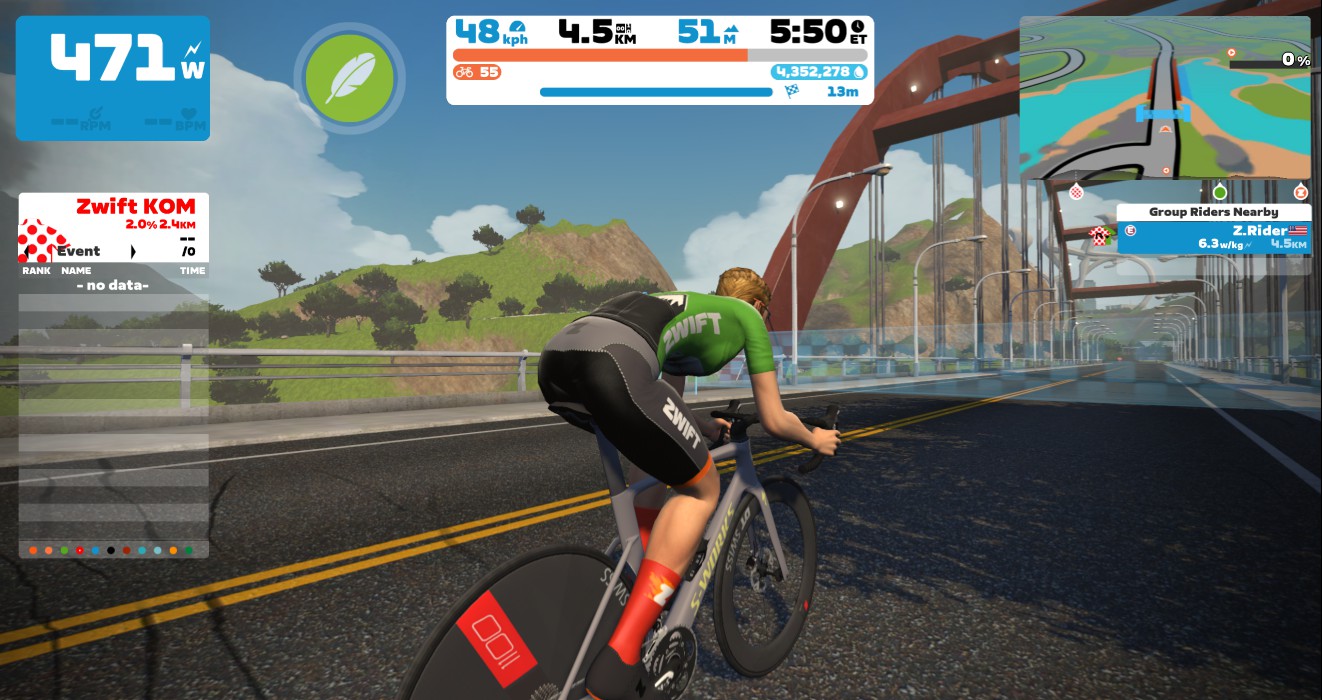
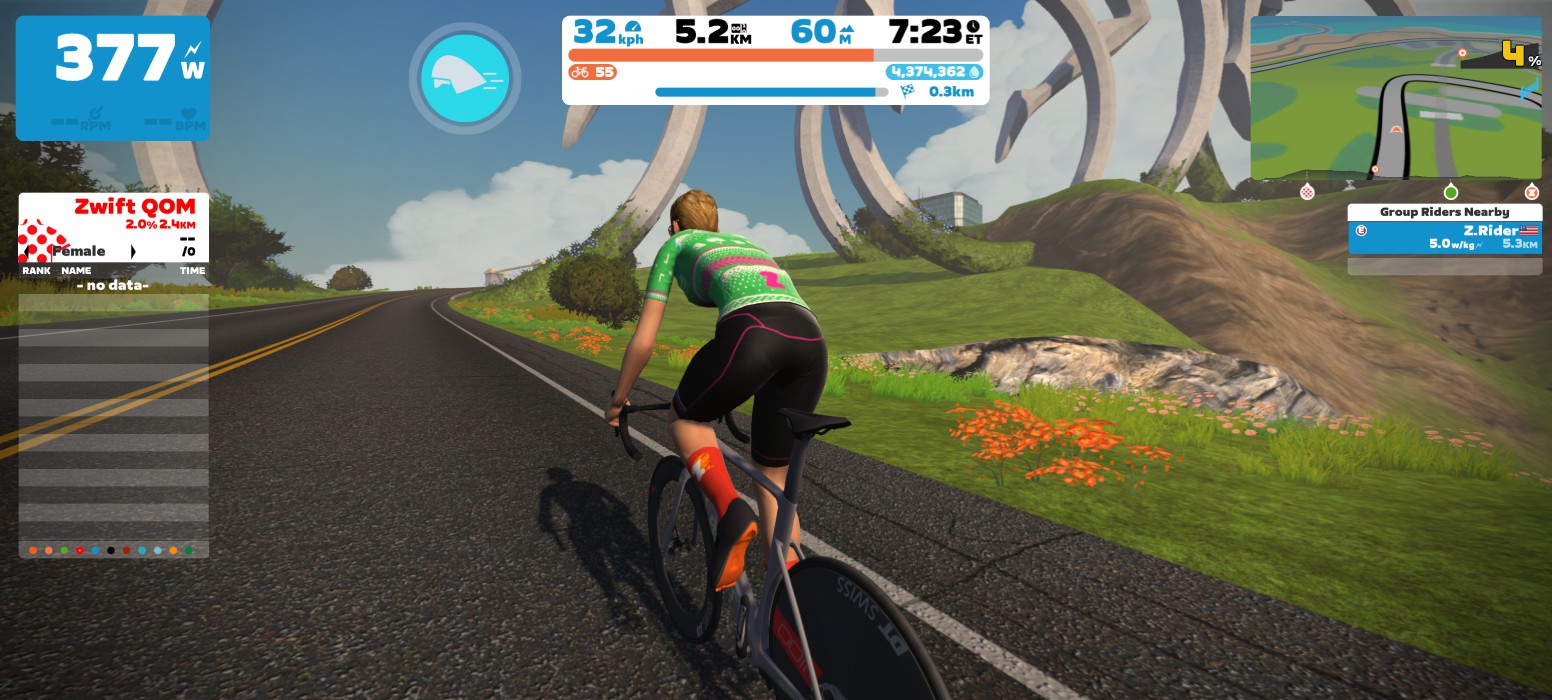
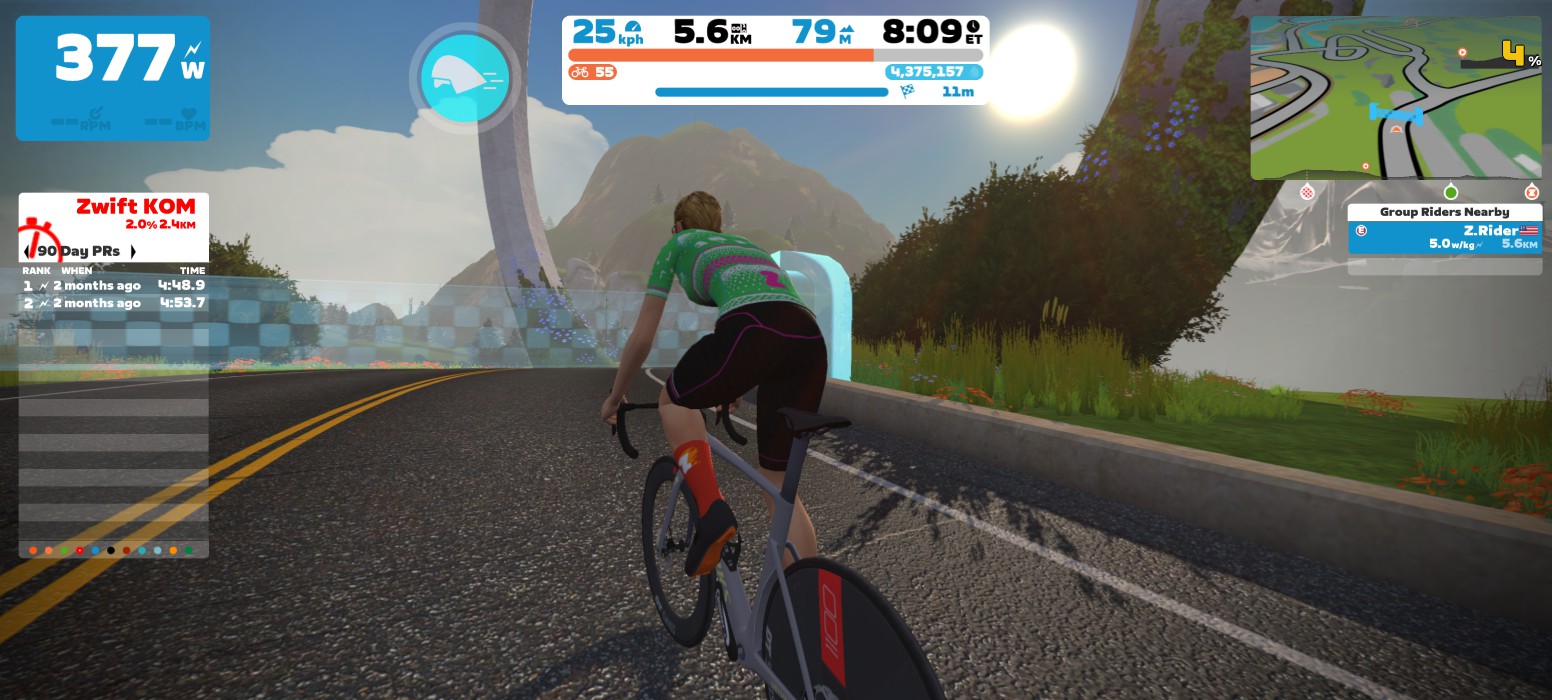
Race 3:Two Bridges Loop (5.62km, to top of climb) Ah, the uphill finish. Loved by some, hated by most. Do you have the w/kg punch to take the win at the highest point on this course?
Powerup: Anvil x2
Race 4: Two Bridges Loop (1 lap) Finally, we’ll complete a full lap of the course. Survive up the climb, don’t get gapped on the descent, and time your sprint just right. You may just have a chance!
Zwift displays preliminary race results in game when you cross the line, but points are computed after all four races are finished, with final results on ZwiftPower. (We have to do some data processing on our side to compute results, so if your rankings don’t show up right away, be patient.)
Riders will earn points based on finish position in each of the 4 Tiny Races. The category winner of each week’s series is the rider with the most points across their timezone’s 4 races. Here are the links for each timezone’s results on ZwiftPower:
Tiny Race rules are simple. Four races, four rules:
You must have a ZwiftPower account, because final results are processed by ZwiftPower (learn how to sign up)
No skipping then returning. These races are meant to be raced as a set of 4. If you need to leave early, that’s fine… but once you miss a race in your hour’s set of 4, don’t come back and race another or you’ll be disqualified from that race since you rested while others were racing! (Example: racing only races 1 and 2 is fine. Racing 1, 2, and 4 is not – you will be DQ from race 4. And if you race 2, 3, and 4, you’ll be DQ from all those races, since you skipped race 1!)
Heart rate monitors are required for podium finishers
ZPower/Virtual power is not allowed. Smart trainer/smart bike or power meter required.
Join a Chat & Chill Cooldown
Immediately following each hour’s racing, we’ve scheduled 30-minute “Chat & Chill” events where riders from all categories can spin out their legs together and have some fun chatting about how it all went down. Find them at zwift.com/events/tag/tinyraces.
First launched in 2017, Tour de Zwift is the biggest annual tour on the platform – a celebration of discovery across all Zwift worlds!
This year’s tour has just been announced. Beginning January 9, it consists of eight stages, each hosted in one of Zwift’s worlds. Each stage has three route options based on how far you want to run.
So grab a friend and join the biggest party of the year! Here’s everything runners need to know about this year’s TdZ.
The recently-launched Surfin’ Safari route badge will be available on stage 6. Also, TdZ’s stage 8 will be the first chance anyone gets to unlock the “Rolling Highlands” route on Zwift’s new Scotland map!
Zwift Runpod On Sale
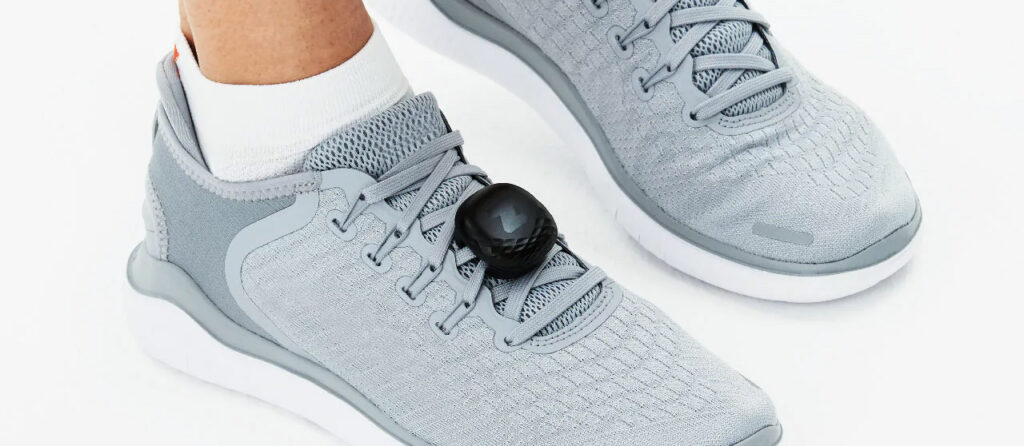
Looking to get on Zwift run, but don’t have a footpod or any other way to transmit your running speed to Zwift? Zwift is selling their Runpod for 50% off for the duration of Tour de Zwift. That’s just $19.99USD/£18.99/21,99 €… sweet deal!
We all love Ride-Ons (run-ons?)! During TdZ events, participants will be able to give new TdZ branded Ride-On bombs.
Speaking of branding, Zwift is partnering with Pedal Mafia to bring the Tour de Zwift collection to life, including cycling kit, run shirt, towels, socks, and more. (Hot tip: an early bird sale will be happening Dec 20-Dec 31 where Zwifters can get 20% off the entire collection and an additional 5% off bundle purchases.)
Run Categories
TdZ events are group runs, not official races*. The category you join determines which route you will run:
A: Long Run
B: Standard Run
*Some runners will race the stages, while others will treat them as social events. Everyone is free to go as easy or push as hard as they’d like. Just have fun!
First launched in 2017, Tour de Zwift is the biggest annual tour on the platform – a celebration of discovery across all Zwift worlds!
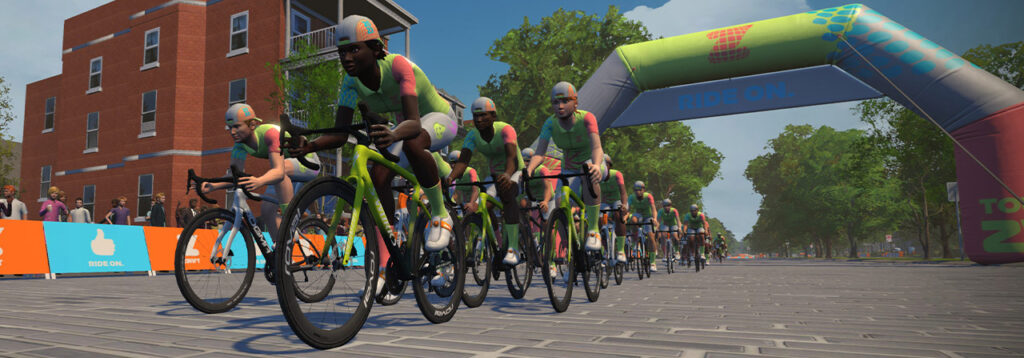
This year’s tour has just been announced. Beginning January 9, it consists of eight stages, each hosted in one of Zwift’s worlds. Each stage has three route options based on how far you want to ride.
So grab a friend and join the biggest party of the year! Here’s everything riders need to know about this year’s TdZ.
TdZ will be the first chance anyone gets to unlock one particular route badge, though. On stage 8, we’ll be able to ride the “Rolling Highlands” route on Zwift’s new Scotland map!
Pacer Groups
This year, multiple Robopacers will be in each event, riding at different paces. Join the category riding the route you want, then find a RoboPacer to group with once the pack gets rolling, so you can ride at your pace with others!
Note: Robopacers will be at the starting line when you join an event and can be identified by the beacon next to their name on the leaderboard. Only one Robopacer per event will have a beacon atop their avatar and be visible on the minimap.
And More
We all love Ride-Ons! During TdZ events, participants will be able to give new TdZ branded Ride-On bombs.
Speaking of branding, Zwift is partnering with Pedal Mafia to bring the Tour de Zwift collection to life, including cycling kit, run shirt, towels, socks, and more. (Hot tip: an early bird sale will be happening Dec 20-Dec 31 where Zwifters can get 20% off the entire collection and an additional 5% off bundle purchases.)
Ride Categories
TdZ events are group rides, not official races*. The ride category you join determines which route you will ride:
A: Long Ride
B: Standard Ride
C: Short Ride
D: Women-Only Ride (uses the Standard route)
Category groups will leave the pens two minutes apart, with A starting first. Late join will be enabled for TdZ events beginning January 25th.
*Some riders will race the stages, while others will treat them as social rides. Events do not count for ranking points on ZwiftPower, but everyone is free to go as easy or push as hard as they’d like. Just have fun!
This is your chance to experience the thrill of fast laps on a route designed to test the mettle of the athletes competing in the 2023 UCI Esports World Championship. Welcome to Zwift’s new Scotland map!
Lucianotes: Aidan Goes Epic For the Good Cause Episode 2: Challenges
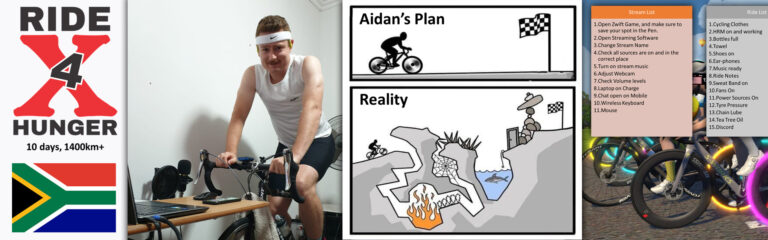
In the first episode of “Aidan Goes Epic for the Good Cause”, Aidan told us about his venture and the reasons he is fundraising for Extreme Ride 4 Hunger, a 1400km, 10-day Epic Ride.
However, what seemed like a fairytale at the beginning has had its first challenges popping up. Mate, what did you think?
As Much Aidan’s Epic Ride as His Family’s
Aidan’s wife was the one trying to convince him to take on the challenge in the first place. “One would think I’d be stupid not to immediately accept, how often does something like this happen?” says Aidan.
Many of us can relate to the fact that when we enter in such ridiculously time consuming projects, most of the time our family and relatives are even more affected than we are.
“It wasn’t an easy choice, however. In my case we have two small children of 1 and 3, not the easiest of ages, and leaving my wife to fend for herself for 10 plus days, while she works a full-time stressful job and manages the responsibilities which we usually split. I think if we didn’t have a support structure with my in-laws always helping us, my wife may have not been as open to the idea.”
Very quickly Aidan came to realize that the real difficulty is not so much the ten days of the Epic Ride itself, but the year of preparation before, during which the routines of the entire family are impacted.
“Preparation for the tour, started with getting back into cycling IRL and building some endurance, then with the introduction of Zwift in late January 2022 my fitness starting increasing from a D rider, and moving up into C and B. I focused my training on a traditional approach of riding long Zone 2 base rides for the first few months, then slowly transitioning into different phases of training. In November I moved towards peak, where I was hoping to take a short break during early December, before I started to increase my endurance training gearing up towards the ER4H tour to enable me to cope with the high mileage required each day.”
Such dedication implied both AIdan and his wife became experts in time management.
“Having small children has not made the daily routine of training easy, but I’ve been able to adapt and schedule accordingly, as not to disrupt their routines which are tricky at this stage.
My day usually starts with coffee of course then with helping to get the children ready, taking them to school or Nenna’s day care for our youngest of one years old.
Then when I arrive home I try to get as much work done as possible and where possible slip in some training. Depending of course on the type of ride, I try to keep abreast of work while riding especially if I’m trying to do more mileage.
I try to schedule evening rides from around 20:30 to give enough time for their bedtime routine (we’re strict with it). Weekends are tough, as the kids do not go to school so on these days I usually cycle only once they are asleep. Though as my training progresses back to endurance I will need to spend more hours on the bike and this will require some further sacrifices, and many foot rubs.”
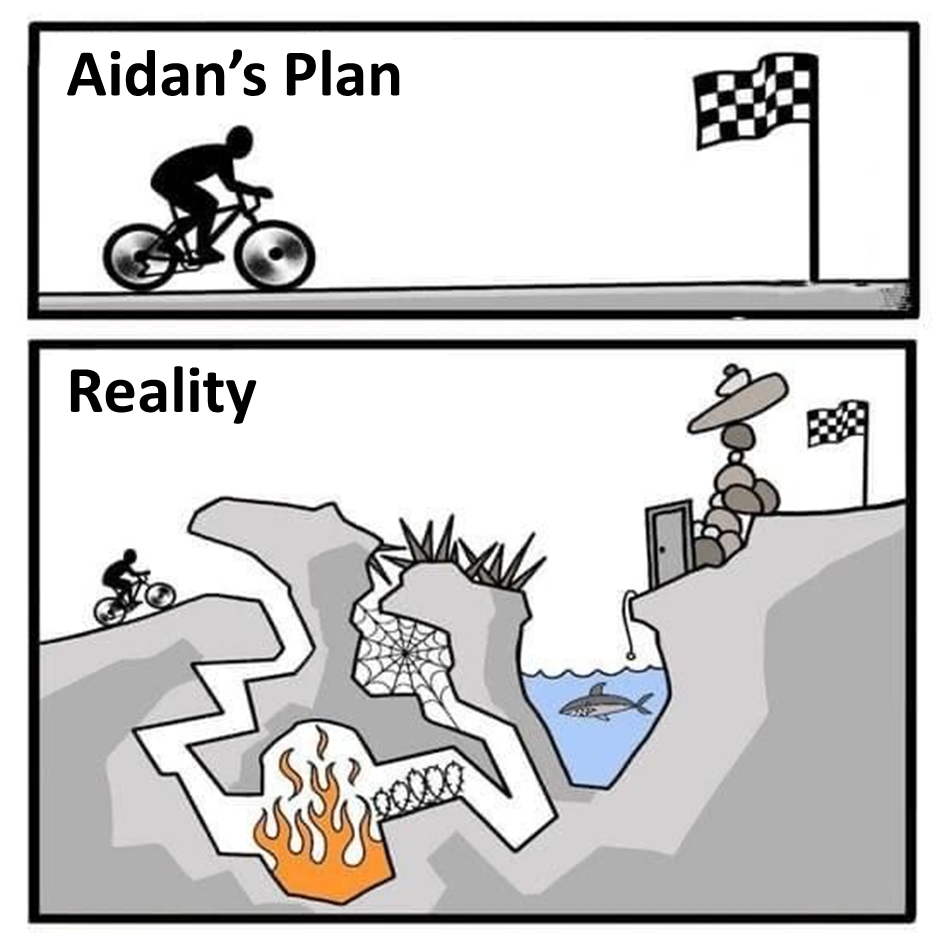
Challenge Number One: Aidan’s Butt Will Suffer Big Time
I believe there is almost nothing more ungrateful than being a cyclist butt. Being the butt of a Zwifter who does not own a rocker plate and is preparing for an Epic Ride might be one of the most disgraceful curses in humankind history.
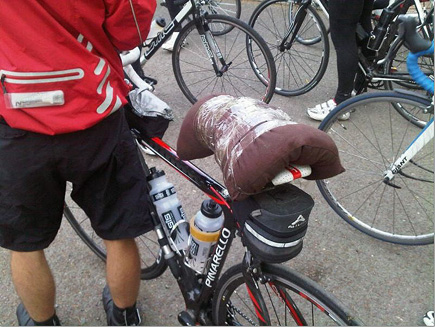
“Overcoming the reality that my butt will need to be on a saddle for multiple days for prolonged periods, your legs being sore and tired is one thing, mind you I’ve learnt the preventative and healing powers of Tea Tree Oil, and some good “burning” your butt off anti-inflammatory creams can help lessen the pain.”
The Discipline of an Epic Ride Preparation
Preparing an Epic Ride requires the rigor of a Tibetan Monk in his learning journey to eternal enlightment.
Step One: Time Management
“Finding enough time during our busy schedules and day-to-day routines to train, and trying to do quality over quantity where possible.”
Step 2: Food
“Eat right, a major challenge for any foodie especially if you are trying to cut-down and lose some weight, and when your mother in-law makes the most delicious dishes followed by dessert. I tell myself, ‘going to have to put in another 3 hours this week…'”
Step 3: Sleep
“Sleep right, well when you have just finished a late evening Zwift race, the adrenaline still pumping, results pending, who can sleep? Then to wake up early and confirm that your kids are morning people. Sleeping has been kind of a fail.”
Why not streaming? Another super good idea, right?
Trying to get more exposure to his fundraising efforts, Aidan believed it would be a good idea to start streaming his Zwift sessions and workouts. As a newbie streamer, Aidan thought it would be a piece of cake…NOT!!!
“First you need to learn how to use a good streaming software, most use either OBS or Streamlabs. Found there to be quite a learning curve, fortunately there are lots of YouTube videos to help figure out the basics.”
Guys, if there is something I have learnt about Youtube, it is that most tutorials are fake. I learnt it the hard way with bike mechanics. Aidan got his own challenge with streaming.
“Streaming however seems to have many obstacles. As soon as you figure something out you notice that you are missing something else, and come across all sorts of technical issues you need to try and figure out. For someone who is not very IT savvy, it can be quite frustrating. Trying to figure out what rendering lag is, and why my stream keeps lagging, is very confusing when you read that rending lag refers to CPU capacity but OBS says your CPU is operating at less than 2%, which is good…”
Can you perceive the frustration growing between the lines? Wait for it…
“’Might it be my network?” is the next question, as I’ve been running everything on Wi-Fi, but read that a direct Ethernet connection is far better, but my laptop has no Ethernet port?
Started off using my laptop camera but after only a week or two of using my laptop camera it all of a sudden doesn’t work any longer.
Had to then order a web camera, the same day I had just received a microphone and wireless keyboard. AND NO I CAN’T WAIT FOR THE NORMAL DELIVERY LEAD TIME, IT MUST BE EXPRESS TO KEEP UP WITH MY PLANNED STREAMS!!! AND ALL THIS SO PEOPLE CAN WATCH YOU SWEAT AND SUFFER LIVE!!!”
The learning curve is not only technical, you have also to start branding your channel and be attractive.
“If you really want to be fancy you start adding Tip Jars, Emotes that pop up when you get new followers, stickers that viewers can stick on your stream, examples “Fart” “Wow” etc.. The Streamers start raiding your stream, where they redirect their viewers to your channel. But at first when you get raided and have no idea what this means, you are pretty worried that something bad has just happened to you and you have no idea what this thing is!”
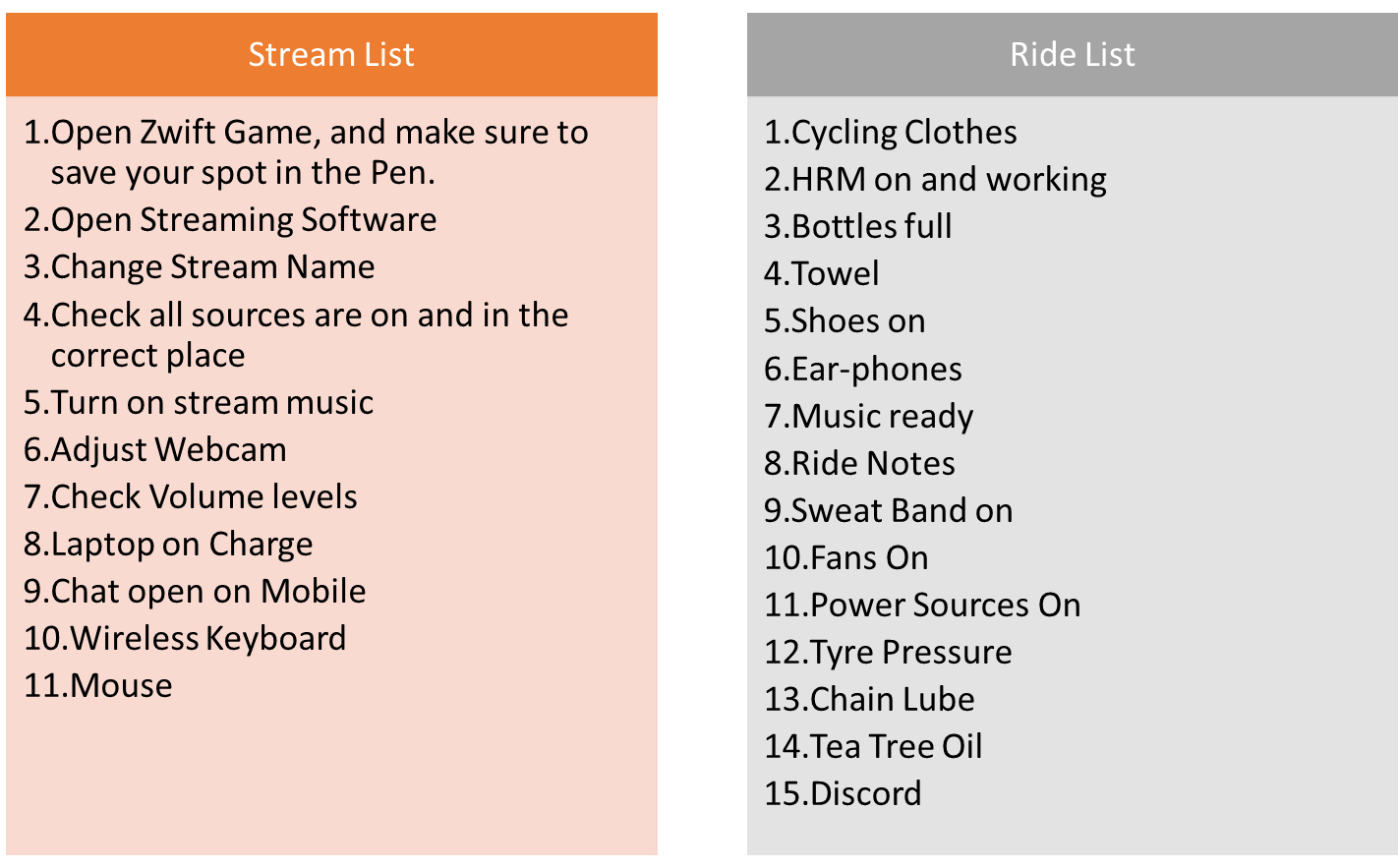
Last thing, there is always something you are forgetting in the path of streaming, the same way we always forget things in the path of riding. Therefore Aidan created not one but two checklists. Aidan is hands-down the “Manic List World Champion”! I guess it takes him close to two hours to get through the list before even starting to pedal!
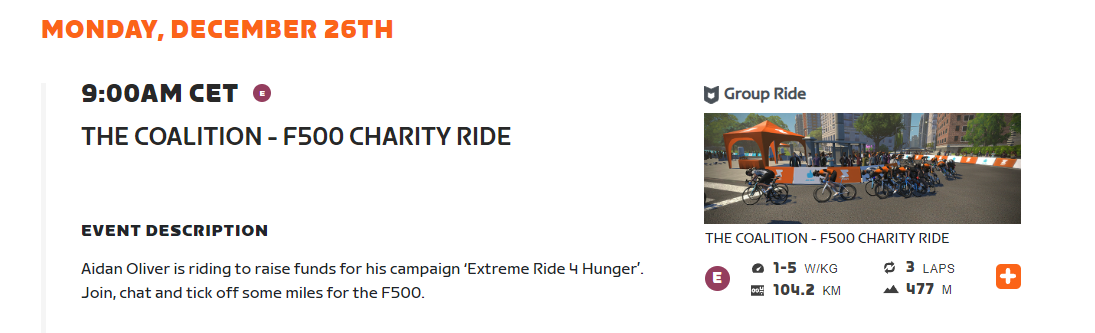
Join us on 26th December!
While Aidan is still checking on his Stream List, allow me to invite you to the event.
Join us to learn more about him, about South Africa, even about streaming now that he became an expert. Coincidentally, you’ll burn off some of the calories from Xmas dinner!
Community-Organized 2022 Rapha Festive 500 Events on Zwift
We’ve already written all about the Rapha Festive 500 on Zwift, so many of you already know about this week-long celebration of bad weather and long rides. (If you’re not yet feeling it and need to get in the Festive 500 spirit, check out this collection of articles from Rapha.)
Zwift has a whole slate of Robopacer-led Festive 500 events on the calendar which will surely be well-attended (finishing one of these events unlock’s this year’s Festive 500 kit). But today, we want to share some of the community-organized Festive 500 events, because these add variety and help you rack up miles in fun and/or challenging ways!
Festive 500 Events from Community Organizers
We should note that there are plenty of community-organized rides being held during Festive 500 week which aren’t listed below, but are still wonderful events if you’re looking for a long group ride! This includes popular weekly events from organizers like ZSUN, BMTR, and Cycle Nation.
The events listed below aren’t just typical weekly long rides – they are special events just for the Festive 500. Ride organizers: if you’re holding a special Festive 500 event that isn’t yet listed, comment on this post and we’ll add it to the list!
RuhrRiders Festive500: December 26-30
5 days, 5 races, 500km! Ride the Festive 500 in races with the Rund um die Krippe 500 series from RuhrRiders. All categories start together, but category enforcement is used. Learn more/sign up >
3R Ukraine Fundraiser: December 30
3R always does a massive fundraiser ride on the 30th (read about last year’s ride here), with many riders attempting to ride 500km in one go! These are not official Zwift events – rather, participating riders hang with RoboPacer groups so others can pop in and out to join the fundraisers whenever they please. If you want to participate by riding and raising funds you can sign up on this spreadsheet, and join the fundraising team for the event by creating your own page. Fundraiser Details >
Rhino Migration: December 24
The Rhino Migration is a weekly series of long races, and Christmas Eve’s event will be held across 50 laps of Crit City’s Bell Lap, for a total race length of 100km. That’s a lotta laps! Learn more/sign up >
ZZRC Festive Fun Group Rides: December 24-31
ZZRC is a longstanding Zwift squad known for their well-paced group rides. As their slogan says, “We pace – not race”. If you’re looking for a nicely paced long group ride, ZZRC has a pile of them planned during the Festive 500! Learn more/sign up >
GXY Winter 100: December 27 & 30
100km group rides paced at 2.3-3W/kg. These rides are fenced, and it’s a zapping fence, so flyers will be booted from the ride! Learn more/sign up >
TBR hosts a regular “Sub-2.5 Tuesday Bunchie” ride (75 mins) but on the Tuesday of Festive 500 they bump it up to 100km. Last year’s ride had over 400 riders! Learn more/sign up >
500km – The AEO Way: December 28
500 km. In one ride! Team Aeonian is taking to Watopia’s Waistband at a pace of 2-2.5W/kg. “As the ride will need at least 15 hours, make sure you are well prepared with enough food and bidons, and a change of clothes. There will be comfort breaks of 10 mins each 100 km.” Learn more/sign up >
Join hosts of The Wrap Podcast Anna Russell and Nathan Guerra for a festive ride around the Makuri Islands. The first 30km will be a relaxed pace (2-3w/kg) with a chance for the Community to connect and catch up. But beware: the last 10km will be an all-out race to the line! Learn more/sign up >
Mountain Massif Seasonal Special 3-Race Series: December 24, 26, 28
This is a 3-stage event using the Fondo courses. Races happen on Dec 24, 26, and 28, with two time zones available. Everyone rides together in the “E” category, so you can race it if you’d like (these are officially races) or just do your best and finish the route! Learn more/sign up >
Eric Min’s Werkdodger Group Ride: December 28
Join Zwift co-CEO Eric Min and others on 4 laps of Richmond’s UCI Reverse. Our guess is it’ll get a bit spicy! Learn more/sign up >
How to Adjust Your Workout Nutrition for Riding Indoors on Zwift
Indoor cycling is hot and sweaty, there’s no doubt about that. Even if you bring your setup into a cold winter garage, you could be dripping sweat in just 15 minutes.
The heat and humidity are only part of the challenge of riding indoors on Zwift. Many cyclists enjoy high-intensity interval training (HIIT) or racing indoors. One of the biggest reasons cyclists ride the indoor trainer is the ability to complete structured workouts uninterrupted.
But fueling for a 45-minute HIIT session is much different from fueling for a 3-hour endurance ride. Add the heat and humidity of riding indoors, and your workout nutrition should look completely different.
Here’s how to adjust your workout nutrition for riding indoors on Zwift.
Tip #1: Fuel your high-intensity workouts with carbohydrates
More often than not, we ride at high intensities on the indoor trainer. If you’re sticking to Zones 1 and 2, then fueling with fats and a moderate amount of carbs will get you through your workout. Try fueling with nuts, protein and low-carb bars, some real fruit, or sports nutrition (10-20 grams per hour) during low-intensity training rides.
Before a HIIT session or Zwift race, have a balanced meal 3-4 hours before your ride, then top it off with a small amount of carbohydrates 15-30 minutes before the session. This pre-ride snack can be a banana, energy gel, sports drink, or electrolyte drink (more on electrolytes below).
For those who ride early in the morning before breakfast, have a carbohydrate-filled snack before your ride, such as toast with honey, granola clusters, or an energy gel.
Tip #2: Drink more
When riding the indoor trainer, you are surrounded by air that sits. Instead of blowing across your face like a refreshing breeze, the air around you is basically motionless. This leads to more heat and humidity, a higher sweat rate, and a higher core temperature.
One study found that adding a fan to your indoor cycling setup can increase cycling endurance by 109%. Just by adding airflow, the study participants were able to last more than twice as long during an indoor cycling ramp test!
With less airflow, your core temperature increases while your performance plummets. This is why fans are the #1 cooling device for indoor cyclists. Fans keep the air around us moving, allowing sweat to evaporate from our bodies rather than collecting on our skin like we’re in a sauna.
You can also combat these effects by drinking more and drinking cool liquids. Aim to drink at least 18-26 oz of fluid every hour. A standard cycling water bottle is 20 oz, so aim to drink at least one bottle per hour and 1-1.3 bottles per hour if you are riding at high intensities.
Tip #3: More heat = more carbohydrates
In high heat conditions, our bodies burn more carbohydrates relative to ambient conditions. One study showed that cyclists burned significantly more carbs than fat in hot, dry conditions (36° C; 25% relative humidity).
This emphasizes the importance of carbohydrate intake when riding indoors on Zwift. Your body’s carbohydrate needs may be higher than you think!
Most cyclists should consume 30-60 grams of carbohydrates per hour during a hard workout or race, but this number can vary. You have to train your gut to process >30 grams of carbohydrates per hour, so don’t jump into the deep end right away. Professional cyclists can process over 100g/hr, but that takes years of gut training.
On the indoor trainer, aim to consume at least 30g/hr of carbohydrates during rides longer than an hour. As you feel confident that you can stomach 30g of carbs per hour without stomach discomfort, increase your carb intake week by week until you reach as much as 50-100g of carbs per hour.
Just like training your legs and lungs, you need to train your gut in an organized and progressive manner. The best way to train efficiently and effectively is to use a structured training plan, both for your gut and for your cardiovascular fitness.
Carbohydrate consumption is most important for rides or workouts longer than an hour. Inside of 60 minutes, your body will have plenty of carbohydrates on board from the meal 3-4 hours before your ride. But if you’re riding before breakfast, make sure to fuel with carbohydrates every 30 minutes since your glycogen stores are not topped off.
Tip #4: Take in electrolytes before your ride, if possible
Sweat contains a certain amount of sodium and salt that often crusts our cycling kit with starchy white streaks. Some of us have very high concentrations of sodium in our sweat, while others have very little. While sweat composition varies significantly from person to person, it is generally consistent across workouts for each individual. In other words, your unique sweat rate and composition should remain consistent across workouts.
Regardless of your individual sweat composition, you should be taking in electrolytes before and during your workouts, if possible. Electrolytes are even more important on the indoor trainer when your sweat rate is at its maximum.
Start with consuming one small serving of sports drink electrolyte mix or tablets before an indoor trainer workout on Zwift. See how your stomach reacts and how you feel during your workout.
If you are a heavy sweater or have a high amount of salt in your sweat, try moderately increasing your pre-Zwift electrolyte intake over time. Heavy sweaters may have one serving of electrolytes before their ride and two servings during their workout. Remember that sweat rates and concentration are highly individual, so take time to experiment with different amounts of carbohydrates and electrolytes to see what works best for you.
Takeaways for Indoor Zwift Workouts vs. Outdoor Workouts
Hydrate more, targeting 1-1.3 bottles per hour
Consume more carbohydrates, trying to achieve 50-100g of carbs per hour
Take some pre-workout electrolytes to top up before the ride
Always consume carbohydrates prior to intense Zwift workouts and races
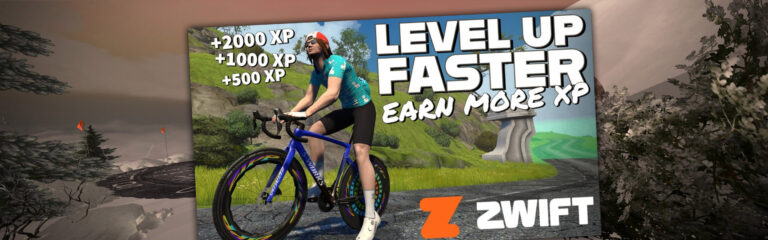
Recently I chatted with our favorite Lama from down under, Shane Miller. Inspired by a recent Reddit post, we discussed ways to earn more XP. With a rough plan in place, Shane retreated to his pain cave to work his magic… and here’s the result, put together with Shane’s trademark precision and attention to detail:
Video Summary
Shane dives into the basics of how XP works, then unpacks his plan for ultimate XP farming: a workout up Alpe du Zwift!
He creates the workout, then takes it for a test ride. The results?
Free-ride first 5km to base of Alpe +100XP
70 mins @ 12XP/min +840XP
Free-ride last km to arch +20XP
Arch crossing +10XP
Won the wheels +1000XP
Ride the 1km top loop +20XP
Coast the 12km to the base of the Alpe +240XP
Other randomness +20XP
Total gain: 2250XP in 96 minutes, or 1406XP per hour.
As a comparison, you can expect around 820XP/hour riding with the Coco RoboPacer, and 720XP/hour doing just a standard workout with similar blocks as Shane used.
Keep in mind, if you’re earning double XP like Shane and many other level 50+ riders, all the numbers above will be doubled.
Questions or Comments
Is Shane’s method the most time-effective way to earn XP on Zwift? Share your questions and comments below!