Home Blog Page 181

How the Race Was Lost: The Muckle Yin

14

How the Race Was Lost: The Muckle Yin

Today’s story comes from my first attempt racing Scotland’s “The Muckle Yin” (Scottish for “Big One”). At only 23.4km it’s not exactly a long route. But it’s a pitchy one, so there is rarely a dull moment!

I raced it for stage 3 of Zwift’s “Race Scotland” series against a large B field. I knew between the challenging parcours and the strong field this race would push me to the limit. Could I hang onto the front pack and contest the sprint finish? There was only one way to find out…

The Warmup

The night before I devised my ride plan for the next morning: I would wake up at 5:30, join Team Twenty24 for their 6am Road to Paris ride and do a group ride on Loch Loop to earn my last route badge on the new Scotland map.

Then it would be time for a quick banana and Malt-o Meal breakfast before hopping on to spin the legs up for the race.

Throw in my typical race prep (two pieces of caffeine gum about an hour before the race, and PR lotion on the legs) and it would be a solid morning with a long warmup and a hard race.

My plans went off without a hitch. I even got a bit of free coaching during the Road to Paris ride from Wanda Archer, a keen Zwifter who always seems to be riding when I am. I had remarked that I was heading off to The Muckle Yin to get my butt kicked after the ride, and she said something along the lines of, “If that’s the way you’re thinking then you’ve already lost the race!”

Ouch. And so true. I promised everyone I’d think more positively… which wasn’t easy, with the Sgurr looming large in my mind.

The Plan

I had only ridden The Muckle Yin once before, but I’m pretty familiar with Scotland’s roads at this point. The toughest part of the ride, I knew, would be the two climbs up the Sgurr:

Having raced up the Sgurr in past weeks’ Zwift Insider Worlds Experience events, I wasn’t at all convinced I’d be able to hang onto the front of the pack up and over that rocky crag in both directions. I hadn’t managed to do it yet, at least!

My plan was to conserve energy everywhere possible, so my legs were as fresh as possible for the Sgurr climbs. Then I would give all I had to stay with the front on those climbs, blowing up if needed, just to see if it was even possible for me to stay with the pack.

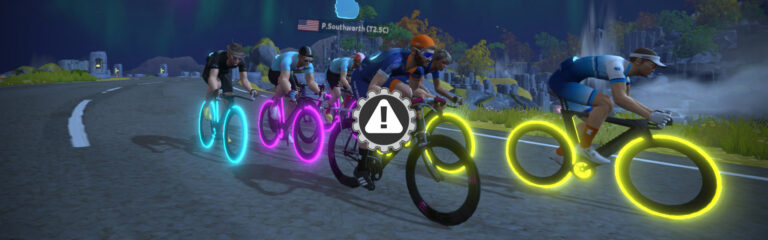
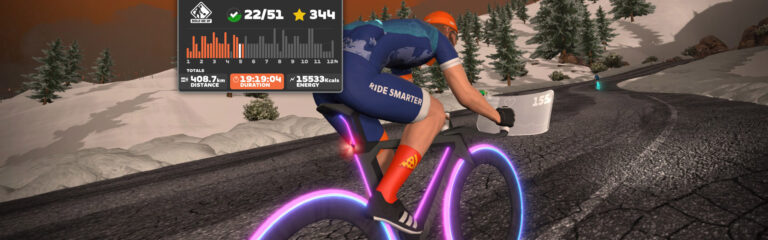
Armed with my trusty Tron bike, I joined the B starting pen with 138 others. Let’s race!

Part 1: Start to Base of the Sgurr North

The first 1/3 of the course is fairly uneventful, but that doesn’t mean it’s flat! Nothing in Scotland is flat. The first 8km of The Muckle Yin is basically rollers and short climbs. You leave Glasgow and take the Loch Loop in the reverse (clockwise) direction, climbing up past the Cliffs, up the Corkscrew Castle climb and Breakaway Brae Reverse, then come back to the Mystical Roundabout to start the gravel climb up to Sgurr Summit North.

Breakaway Brae Reverse PR

The pack was moving along at a good clip: we averaged 47.1kph for that first 8km, and I averaged 279W. Still, I felt I was riding conservatively and keeping my powder dry. I just hoped I had enough powder…

Part 2: Sgurr Summit North

Starting the first Sgurr climb

We had 80 riders remaining from our starting group of 139 as we hit the base of the Sgurr, then the work began. I just tried to hold a good position in the front group, not worrying about solo riders attacking off the front.

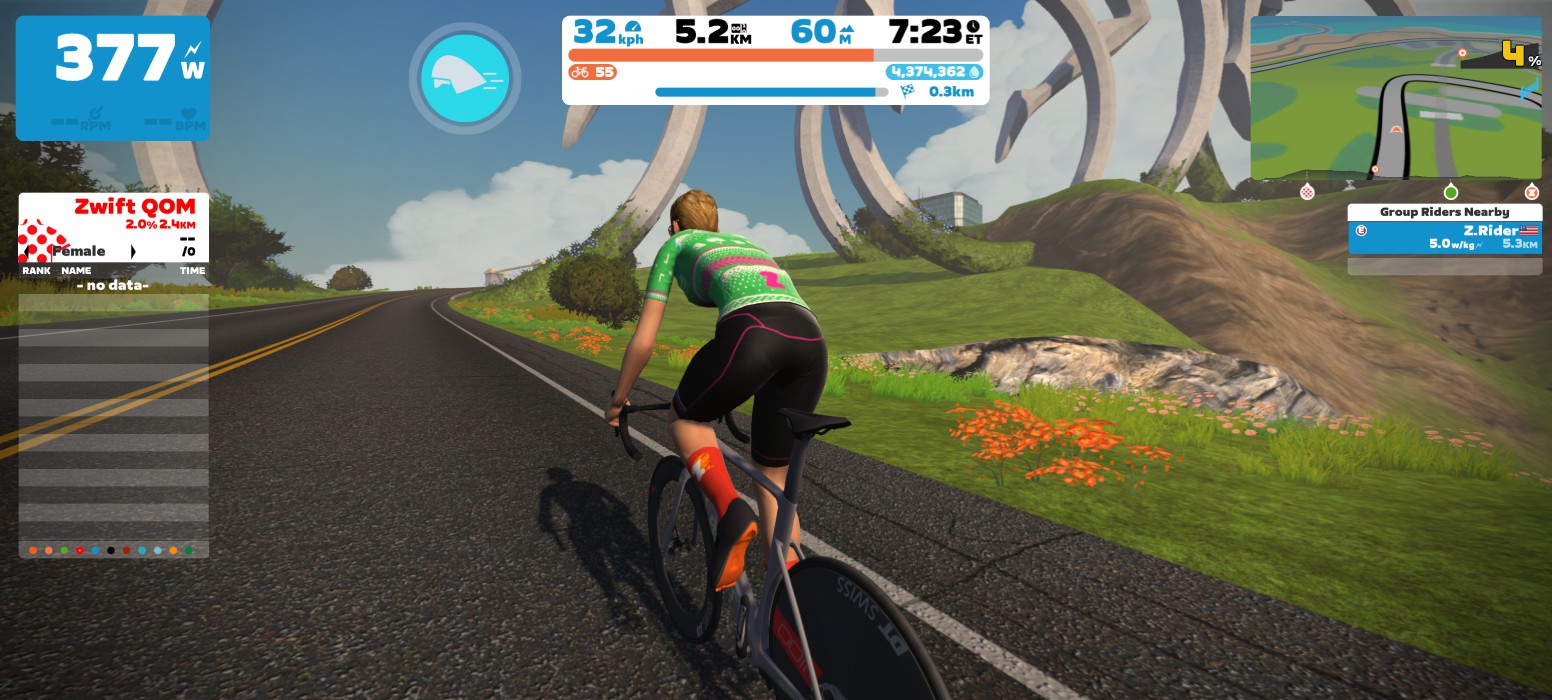
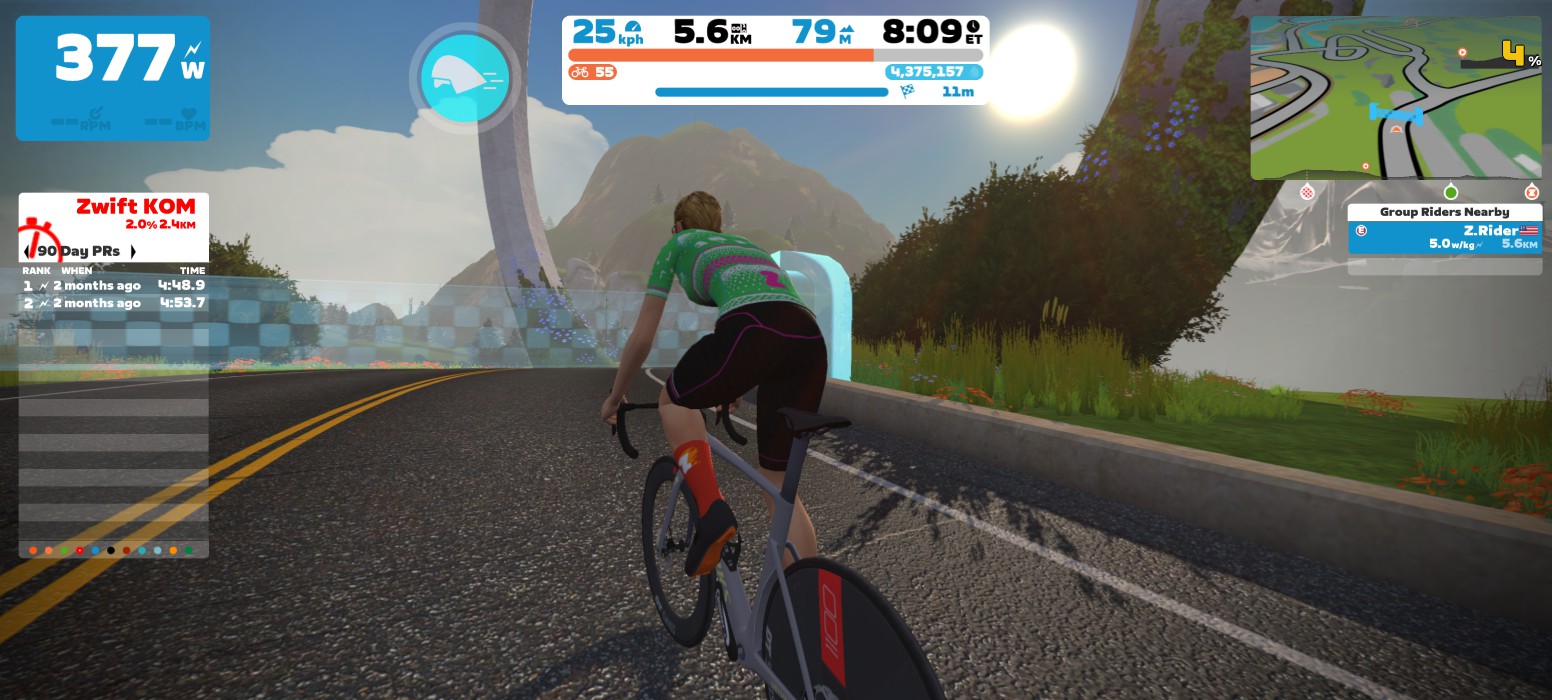
It wasn’t easy but I also didn’t blow up trying to hold the wheel. 3:33 at 384W kept me in the front group, and as we crossed the KOM arch I triggered my aero powerup and switched my mind to recovery mode.

Finishing Sgurr Summit North… in the front pack!

(Interestingly, my previous PR was 3:50, on a gravel bike in the Zwift Insider Worlds Experience race. I only averaged 316W for that effort, though, because the pace was so high heading into it!)

Just as expected, the first Sgurr climb forced a big selection. Our front group of 80 had been whittled down to 34.

Part 3: Sgurr Descent to Base of Sgurr South

Descending the paved side of the Sgurr was a pretty chill experience – I even got a cheeky supertuck in, for a moment. Then it was time to head back to the Corkscrew Castle climb, up Breakaway Brae (forward this time) and back to the lap banner for the start of the shorter, paved Sgurr Summit South climb.

There are a lot of powerups given out on this route, and the race was set to only give out aero boosts and feathers. During this portion, I just tried to use my powerups smartly while staying out of the wind to save my legs as much as possible.

Part 4: Sgurr Summit South

We hit the base of the Sgurr, this time on the shorter paved side. At just 1km in length this is a much shorter climb than the gravel side, plus it’s not quite as steep. It felt like we were flying up the climb, but I think that’s just because I had only raced it on a gravel bike previously, which feels like a real slog, especially when riders on road bikes are dropping you left and right.

I averaged 383W for an average speed of 33kph up the climb, and once again managed to stay in touch with the front pack. A new PR, too: 1:48 (my previous PR was 2:15, on a gravel bike).

Sgurr Summit South PR

Part 5: Sgurr Descent to Finish

With 29 riders left in the front pack we descended the gravel side of the Sgurr and turned right at the Mystical Roundabout to make our way back to Glasgow. I used my aero powerup before we arrived in Glasgow, knowing there was a hidden grant location just up the road before The Clyde Kicker.

I’d been dropped on The Clyde Kicker in previous races, but I hung in today, thankful the group hadn’t been pushing the pace heading into Glasgow. Two riders attacked off the front and the pace in the peloton stayed high as we descended from The Clyde and gave chase.

Everything nearly came back together with a big push up the last little bump with ~500 meters to go, but then attacks started flying and the pack exploded! Before I knew it we turned left onto the finishing straightaway. I was a ways back in the messy string of riders, but I hit my aero boost and gave whatever watts I had left, coming over the line in 10th (8 on ZwiftPower).

See activity on Strava >
See results on ZwiftPower >

Watch the Race

Takeaways

I didn’t win, or even podium – but I was pretty stoked with my result. Was it the power of positive thinking (thanks, Wanda!), or the difference between hitting the Sgurr with fresh vs tired legs? I’m not sure, but I absolutely believe what Henry Ford famously said:

“Whether you think you can, or you think you can’t – you’re right.”

My 8th place wasn’t good enough for a ranking upgrade on ZwiftPower, but I was happy I survived in the front group.

One thing definitely worth noting for The Muckle Yin: it’s really helpful to know key road features and all the banner locations for this route, because there are a pile of powerups handed out (10!), and you need to decide when to use them best!

Your Thoughts

Have you raced The Muckle Yin yet? How’d it go? Share below!


Setting Up a Reliable PowerUp Trigger for Zwift on PC/Mac

Setting Up a Reliable PowerUp Trigger for Zwift on PC/Mac

Zwift racers have a bit of a love-hate relationship with powerups. Some wish powerups would go away entirely, while others think they add a fun bit of strategy and randomness to racing.

I fall squarely into the second camp. I think if powerups are set up properly by organizers they help animate the race, add a layer of strategy, and reward riders who have a bit of course knowledge over those who don’t.

Triggering powerups can be a bit of a pain, though. While Zwift provides a variety of methods to activate a powerup, none of those is convenient when you’re sprinting for your life. Who wants to reach for a keyboard, try to tap their phone screen, or (worst of all) click their AppleTV remote when they’re on the rivet?

I’ve messed with Bluetooth controllers as powerup triggers in the past, but found them unreliable. (My theory is they go to sleep after X minutes of no use, then it takes multiple clicks to wake them up.) I’m not interested in faffing about with multiple clicks, or having to re-pair the controller via Windows’ wonky Bluetooth support, or worrying if the controller’s battery will die right when I need it most.

So I devised a hardwired, reliable, single-button powerup trigger for my Windows PC setup. It’s easy to set up and works consistently and instantly while staying perfectly within reach as I hammer out the watts in a sprint or hard climb. Here’s how it works…

Hardware Required

You’ll need a one-button programmable keyboard. I bought this one on Amazon for $17.99. There are lots of options for these types of keyboards, including a more stylish black one or the big red button. (Zwift themselves use a big silver button version for their roadshow bike setups.)

You’ll probably need a USB extension cable as well since the cord on the keyboard isn’t very long. Amazon Basics to the rescue!

Setting It Up

The configuration software for the particular keyboard I purchased is pretty basic – it looks like a programming project from a freshman Computer Science major. That said, it’s a standalone program that runs quickly (no installation needed), and it worked just fine!

Important note for Mac users: the configuration software for this particular keyboard only runs on Windows, so if you want your keyboard to work on your Mac, you’ll need access to a Windows PC to do the configuring first.

Step 1: Plug your new 1-key keyboard into your PC.

Step 2: Download the configuration software at https://key.itytsoft.com/, extract the files to your PC, then run “run-me.exe”.

Step 3: Click “SearchDevice” and the keypad should pop up. Then click “Configure”:

Step 4: Click the image of your keyboard on the left (above the “Save to keyboard” button)

Step 5: Click the button next to “Keys” to bring up a keyboard, then click on the spacebar of the keyboard to set that as the button for your 1-key keyboard. Click “OK”, then “OK” again.

Step 6: Click “Save to keyboard”. You’re all done!

Step 7 (optional): change the LED Mode to whatever you’d like. I like “Colorful gradient”, which slowly cycles between various colors.

Now whenever your 1-key keyboard is plugged into your computer, hitting the key will be just like hitting the spacebar on your main keyboard. You can even test it out yourself – open up a document and start typing. Click your keyboard and see a space typed!

The keyboard also has a really solid click action, which is quite satisfying. So satisfying, in fact, that I made an Instagram reel the day it arrived:

Mounting to Your Bike

Now we have to install the keyboard on your bike. A few things to consider:

  • You want it within easy reach when you’re sprinting or climbing hard
  • You don’t want it to obstruct your typical hand positions
  • If you drip sweat onto your bars or stem, you may want to take that into consideration when selecting a location
  • You may want it to be easily removed if your Zwift bike doubles as your outdoor bike
  • You may want it to be easily moveable until you settle on the best location

It could easily be mounted on your stem with a rubberband or bit of double-sided tape. But I decided to place mine within closer reach, right where a sprint shifter would be located, under my right thumb:

For now it’s attached via a heavy-duty rubberband, which seems to do the trick quite nicely while leaving me with a flexible setup.

Wrapping It Up

I’m really enjoying my new powerup trigger. No more releasing the handlebars to reach for the spacebar on the keyboard sitting on the desk in front of me, or trying to tap the powerup button in the Companion app.

Just a quick, mechanical click using my right thumb. It’s worked instantaneously and flawlessly every time!

Questions or Comments?

Post below!


Notable Zwift Events for the Weekend of February 25-26

4

This weekend features the return of Zwift Insider Tiny Races and the finale of the Rapha Rising series… but there’s much more happening on Zwift. Our notable event picks include long races, a group ride for the ladies, and even a long workout!


🥇 Team SZ Crit iTT

✅ Innovative Format⁣⁣  ✅ Women-Only Option

The Team SZ Crit iTT takes an innovative approach to Zwift racing, and it’s a bit of a combination of a time trial and the Zwift Insider Tiny Races. Something that is very interesting about this series is that it contains the shortest Zwift race on the event calendar. The fourth race of this series is less than half a kilometer long and it is mostly downhill! This series uses a time-based GC, so the rider with the shortest total time is the winner of the event.

The set of 5 back-to-back races takes place in Zwift’s futuristic New York route, with the first 4 races on the Laguardia Loop and Laguardia Loop Reverse. Note: the men’s version of this series begins on the 5th of March.

Special settings: women-only, drafting disabled, no power-ups

Sunday, Feb 26  @ 4pm UTC/11am EST/8am PST
See all Crit iTT events on ZwiftHacks


🥇 A Sunday in Hell with DZR

✅ Innovative Format⁣⁣  ✅ Extra Tough

This set of four back-to-back races put on by DZR is designed to create a very hard race series. Each of the races favors a different type of rider: time trial, sprint, after party, and climb. All of these races add up to ~60 kilometers and ~1000 meters of climbing, making it a very tough series. The team DZR website does have information about points, which is how the series is scored. This series happens once every month.

This week’s series takes riders through four different courses in four different worlds, with the final race taking place on the Big Loop course. Ouch!

Sunday, Feb 26  @ 8:45am UTC/3:45am EST
See all A Sunday in Hell with DZR events on ZwiftHacks


🥇 Norseman Race Series / NORSEMAN

✅ Unlocks/Prizes ✅ Popular Event⁣⁣  ✅ Extra Tough

The Norseman Race Series features a pretty tough format on Sundays, with two endurance courses to choose from. The Norseman race takes place later on in the year IRL, and this is an exclusive opportunity to win an entry to the iconic Norseman Xtreme race—a race that is often regarded as the ultimate triathlon. Completing a “longer” race (category A) this weekend will unlock the exclusive Norseman Black Jersey. One male and female winner will be chosen at the end of the series. 

This weekend’s longer race takes place on the Four Horseman course, with the Ven-Top route being used for the shorter race.

Multiple time slots throughout the weekend
Browse all Norseman events at zwift.com/events/tag/norseman


🤝Catrina’s Endurance 100k

✅ Women-Only Option⁣⁣  ✅ Extra Tough

Join longtime Zwifter Catrina Weiss for a women-only endurance group ride. The goal of this event is to provide a supportive ride to help ladies build their endurance. Riders are encouraged to socialize and have fun while ticking off the kilometers. The organizers will aim to ensure that riders do not get dropped from the group, and if they are notified in time, the organizers will try to help them get back to the peloton.

This group ride takes place on the Triple Flat Loops course in Watopia. Over the course of the 100 kilometers (62.1 miles), riders will complete nearly three laps of this route.

Saturday, Feb 25 @ 2pm UTC/8am PST/6am PST
Sign up at zwift.com/events/view/3527616


📊 Triathletes on Zwift Saturday Endurance Workout

✅ Innovative Format⁣⁣  ✅ Extra Tough

Looking to start the weekend off strong? The Triathletes on Zwift group workout is part of a 30-week series to help riders build their strength and endurance, ultimately leading to stronger bike/run time in a long-distance triathlon. Even better, the workouts are designed by a very experienced professional triathlete, AJ Baucco. AJ coaches lots of athletes, manages triathlon teams, and is part of a very accomplished triathlon team. Several leaders will be present in the ride to make the experience more fun for everyone.

This is a pretty long workout, as it is aimed toward endurance athletes. The 138-minute workout will take place on the Makuri 40 course. This ride does have workout mode on, so riders will stick together no matter how many watts/wkg they are putting out.

Saturday, Feb 25 @ 1:35pm UTC/8:35am PST/5:35am PST
Sign up at zwift.com/events/view/3546033

How We Make Our Picks

We choose each weekend’s Notable Events based on a variety of factors including:

  • Is the event unique/innovative in some way?
  • Are celebrities (pro riders, etc) attending/leading?
  • Are signup counts already high, meaning the event is extra-popular?
  • Does the ride include desirable unlocks or prizes?
  • Does the event appeal to ladies on Zwift? (We like to support this under-represented group!)
  • Is it for a good cause?
  • Is it just plain crazy (extra long races, world record attempts, etc)?
  • Is it a long-running, popular weekly event with a dedicated leader who deserves a shout out?

In the end, we want to call attention to events that are extra-special and therefore extra-appealing to Zwifters. If you think your event qualifies, comment below with a link/details and we may just include it in an upcoming post!

Your Thoughts

Got other events that stand out this weekend? Share below in the comments!

“Fiving and Thriving” Mission Announced for March

16

“Fiving and Thriving” Mission Announced for March

Zwift has rolled out a fresh Mission for March, and it’s all about participating in group events. Note: signups opened today in game, but the Mission doesn’t begin until March 1st.

Getting Started

To begin the Mission, select the mission card on your homescreen and click to register:

Once you’ve registered, clicking the mission card will show your progress for the Mission.

Completing the Mission

To complete the mission and earn the achievement badge, complete 5 events between March 1-31, 2023.

Events on Zwift’s public calendar count toward the mission, as do Club events. Meetups do not count.

Looking for a fun, rewarding event? Check out the Tour of Watopia beginning March 6, since this series awards double XP! Complete 5 ToW events and you’ll earn a pile of XP, finish this Mission, and be close to finishing the ToW!

Questions or Comments?

Post below!


Zwift Referral Program Launched: Give a Month, Get a Month

3

Zwift Referral Program Launched: Give a Month, Get a Month

This week Zwift officially launched a worldwide referral program, making it easy for Zwifters to refer their friends to the platform and receive a small reward for doing so.

Referral Basics

Zwift calls it “Give a month, get a month.” The big idea is, if you refer a friend and they sign up through your referral link, they’ll get a full month of free Zwift (instead of the standard 14-day trial).

Then once they sign up and become a paying customer, you get a free month of Zwift!

How to Refer a Friend

Referring a friend is as simple as sharing your unique referral link.

To find that link in Zwift Companion, go to More>Refer a Friend. You may also find it online by visiting zwift.com/referrals and logging into your Zwift account.

Once you have your link, share it with your friend(s)! (To really go the extra mile, help them get set up on Zwift and make sure their experience is a great one. Because the more happy Zwifters we have, the better the overall platform will become.)

You will receive a confirmation email when a friend creates a Zwift account through your link, and another email if your friend becomes a paying Zwifter.

Limitations

5 Per Year

You are limited to 5 free months from referrals per calendar year. You can tell if you’ve hit your referral limit by checking out the Referrals tab on your account page.

Note for Apple and Direct Debit Subscribers

If you currently pay your Zwift subscription through your Apple App Store or iTunes, or you pay via Direct Debit (an option for some EU-based Zwifters), Zwift cannot automatically grant your free month when you refer a friend. Free months will still be stored in your account, but they can’t be applied because Zwift isn’t able to edit your Apple or Direct Debit subscription.

In this case, to receive your free month(s) you must change your Zwift payment method from an Apple/Direct Debit subscription to paying Zwift directly via credit card or Paypal. See “Switching Membership Payment Type” for more info.

Questions or Comments?

Share below!


Personal Leaderboards Arrive In Zwift Companion

Personal Leaderboards Arrive In Zwift Companion

Back in December we reported that Zwift was planning to release “Personalized Leaderboards” on the Companion app in February 2023. And today, they delivered!

An updated version of Zwift Companion is now available on iOS and Android, and it includes a complete history of your performance on in-game segments. Let’s dive in and see how this works…

The Basics

This first release of Leaderboards gives you easy access to lots of fresh info that has never been available in Zwift Companion before:

  • A complete history of your quarterly and daily PRs on all Zwift leaderboard segments (KQOMs, sprints, and certain laps)
  • A complete list of all free-ridable routes, organized by world
  • Route badge status for all listed routes

How It Works

Leaderboards are currently available under the “More” menu of the Companion app. From there you click to select a World, then a Route, then a Segment in that route:

This then displays your quarterly PR view for that segment. A chart at the top visually shows these PRs, while the table below shows the data, including how many attempts you made each quarter. Tapping an entry in that table brings you to a daily PR view for that quarter:

You can’t currently drill down to see more detail if, for example, you attempted a segment multiple times in one day. The daily view simply displays your PR on the segment for that day and the number of attempts made that day. If you tap the right arrow on a daily view entry it will take you to the activity where that entry was recorded.

Bonus Feature: Route and Badge Info!

The stealth bonus of the Leaderboards release that Zwifters will love is the ability to access route details in Zwift Companion. All routes in Zwift (including event-only routes) can now be found in the Leaderboards UI, so you can see the basics of each world’s route (length, elevation, and an overhead map).

Perhaps Zwift’s inclusion of a checkbox next to each route is even more compelling, indicating whether it has a route completion badge and whether you’ve earned that badge. Now you can easily find routes you haven’t completed, so you can knock them out and grab that XP bonus!

A Few Gotchas

We’ve spotted a few bugs/oddities in the Leaderboards so far:

  • Some Android devices are experiencing problems navigating the Worlds/Routes list. Zwift has temporarily disabled the Leaderboards feature for some Android users because of this.
  • Route completion badge indicator isn’t perfect (Neokyo Crit Course indicates there is no badge available, but there actually is…) and badge counts aren’t perfect either
  • Clicking to view older activities (prior to December 2018) isn’t working, although the data from those activities is being displayed
  • Quarterly results listed in the table below the chart aren’t sorted in any meaningful way, as far as we can tell. They aren’t sorted by time, by date, or by number of attempts. Daily Results appear to be sorted by date.
  • These segments are populated programmatically based on in-game segments/endpoints, and this release has exposed the messiness of what’s in game. Segment names are incorrect (often forward/reverse versions are swapped), some segment data (length, elevation) is incorrect, various segments are listed under routes even though that route doesn’t actually cover the full segment, and some key segments are not listed under routes where they should be. Examples:
    • “Box Hill” is called “Box Hill Reverse”
    • There’s no Alpe du Zwift segment under Road to Sky, Tour of Fire and Ice, or Quatch Quest routes. But it does show under “Four Horsemen”!
    • Ven-Top doesn’t show the Ven-Top climb segment
    • Jungle Loop and Jungle Loop Reverse are swapped.
    • Titans Grove Reverse is listed as 378m, but should be around 900m. Also incorrect lengths for Fuego Flats Reverse and (Watopia) Sprint Reverse.
    • Flatland Loop” shows up as a segment under the “Castle to Castle” route, but you don’t actually cover that segment in Castle to Castle.
    • “Tidepool Sprint Reverse” under “Fine and Sandy” route should be “Tidepool Sprint”.
    • Road to Ruins shows the Jungle Loop Reverse and Hilly Loop as segments, but neither of these segments are completed on the Road to Ruins route.

Comment below if you spot any other bugs, and we’ll make sure Zwift sees the report!

What’s Next?

In chatting with Zwift, they’ve made it clear this is just the first version of Leaderboards. There’s a lot more that could be done with this feature, and Zwift has plans to build it out.

In typical Zwifter “we love this new feature, please give us more” fashion, here are some Leaderboard upgrades we’d love to see:

  • Leaderboards vs Others: it’s not really a “leader” board if it’s just your data, right? We’d love to see the ability to chart your results against favorites, followers, Club members, other riders in your category enforcement group, and the entire Zwift community. (Zwift will probably need to filter some results from these leaderboards, though – like any result that took advantage of the Meetup keep-together bug, any result using virtual power, etc.)
  • Club Leaderboards: already sort of mentioned above, but a nice Club upgrade would be Club leaderboards, charting PRs for all members within your particular Club, as well as a view that shows your Club’s PRs vs other Clubs on Zwift.
  • More Precise Results: an easy fix. Currently, sprint PRs show no decimal places, but these should really display down to the hundredth or thousandth of a second, since 1 second is a huge difference on a 10 or 20-second sprint!
  • Web-Based Leaderboards: it would be nice if leaderboards could be available on Zwift’s website, much like Strava and their segment leaderboards.
  • Route Details Linked from Events: when browing events in Companion, we could click a link that takes us to the route “detail” view in Leaderboards, so we could see our PR history for the route and any segments it contains.
  • Support for Runners: poor runners don’t get a lot of love from Zwift, but hey, you get what you pay for, right? 😜 While runners would care more about their 5k, 10k, 1 mile, etc PRs, it might be nice for Zwift to at least show route PRs if specific distance PRs aren’t doable.
  • Support for All Routes: much like the HoloReplays started out by supporting only segments with leaderboards, then expanded to include all routes, we’d love to see Leaderboards include our PRs history on all routes in Zwift.
  • Remove Activity from Leaderboard: it appears there’s currently no way to hide an activity from the Leaderboards, but this is something Zwifters will want to do if they had wonky power numbers or some other issue. This may be an easy fix for Zwift, too – perhaps if an activity is marked as Private, it could be removed from Leaderboards?

Questions or Comments?

Lots of discussion happening in the Zwift forum regarding this update, so chime in there if you spot bugs or want Zwift to see your feedback. Also, Zwift has added a Leaderboards FAQ section on their support portal, so check that if you’re looking for more info.

Got comments, improvement suggestions, or other thoughts on the new Leaderboards feature? Post below!


Tiny Race Series Returns – February 25 Routes

Tiny Race Series Returns – February 25 Routes

After two weekends of the Zwift Insider Worlds Experience races, we’re back to our regular Tiny Race schedule. Four races on a flattish set of routes… and not a burrito in sight. Let’s race!

Last Week’s Results

Looking for the full results of last weekend’s Worlds Experience races? See them on ZwiftPower:

This Week’s Route(s): Throwback Saturday

We going back to where it all began: the original 4 routes chosen for our first-ever Tiny Race weekend on July 30, 2022. It’s a fun set of flatter courses, with each on a different Zwift map and each delivering two powerups.

  • Race 1: Neokyo Crit Course (1 lap, 4.7km)
    We start off with a flat route, just to get the legs churning and hearts pumping. Will you go early on the Castle Park rise, or save it for the finish?
    • Powerup: Aero Boost 2x
  • Race 2: Bell Lap (3 laps, 5.7km)
    Most racers know Crit City well, but have you ever raced just 3 laps? Hopefully somebody will go long on the final twisty climb and really make it interesting.
    • Powerup: Ghost 2x
  • Race 3: LaGuardia Loop Reverse (1 lap, 5.3km)
    A quick lead-in followed by one short loop, this is a fast circuit with a bit of a rise just before the lap banner. Will anyone be brave enough to go long, or will it be left to a pack sprint?
    • Powerup: Anvil 2x
  • Race 4: Volcano Circuit (1 lap, 6.9km)
    After a lead-in from downtown Watopia we’ll hit one hot lap of the Volcano, finishing at the banner. This finish is always an interesting one, timing-wise. Use your feathers wisely!
    • Powerup: Feather 2x

Sign up at zwift.com/events/tag/tinyraces

ZwiftPower Results

Zwift displays preliminary race results in game when you cross the line, but points are computed after all four races are finished, with final results on ZwiftPower. (We have to do some data processing on our side to compute results, so if your rankings don’t show up right away, be patient.)

Riders will earn points based on finish position in each of the 4 Tiny Races. The category winner of each week’s series is the rider with the most points across their timezone’s 4 races. Here are the links for each timezone’s results on ZwiftPower:

Rules

Tiny Race rules are simple. Four races, four rules:

  • You must have a ZwiftPower account, because final results are processed by ZwiftPower (learn how to sign up)
  • No skipping then returning. These races are meant to be raced as a set of 4. If you need to leave early, that’s fine… but once you miss a race in your hour’s set of 4, don’t come back and race another or you’ll be disqualified from that race since you rested while others were racing! (Example: racing only races 1 and 2 is fine. Racing 1, 2, and 4 is not – you will be DQ from race 4. And if you race 2, 3, and 4, you’ll be DQ from all those races, since you skipped race 1!)
  • Heart rate monitors are required for podium finishers
  • ZPower/Virtual power is not allowed. Smart trainer/smart bike or power meter required.

Join a Chat & Chill Cooldown

Immediately following each hour’s racing, we’ve scheduled 30-minute “Chat & Chill” events where riders from all categories can spin out their legs together and have some fun chatting about how it all went down. Find them at zwift.com/events/tag/tinyraces.

Questions or Comments

Post below!


Top 5 Zwift Videos: FTP Tests, Group Riding, and Better Racing

This week’s Top 5 Zwift Videos deliver tips on taking an FTP test, joining a group ride, and getting better at racing.

Unlock Your Cycling Potential: FTP Tests on Zwift

Breakaway B explains the different FTP tests available on Zwift and gives you helpful tips on completing them.

My First FTP Test EVER – Ramp Test vs FTP Test on Zwift

Not sure which FTP test to take? Benji Naesen does a ramp test and a 20-minute test to compare.

Zwift Social Cycling: Riding With the Pack

Breakaway B gives instructions on how to ride with a Pace Partner – also known as RoboPacers.

Is This The Best Workout For Better Zwift Racing? | Crit City All Cat Race

John Buckman makes the case that the best workout for Zwift racing is… Zwift racing! Specifically, an event in Crit City, where you focus on staying in the draft and making a hard effort on the small kicker every single lap.

Zwift Race: Can Shane Miller GP Lama’s advice help me in CAT A?

Before entering an A-category race, SeeSmithTV takes Shane Miller’s advice about which Zwift bike is the fastest. (You can find more details about bike and wheel speeds right here on Zwift Insider!) How did the race go? Watch and see.

Got a Great Zwift Video?

Share the link below and we may feature it in an upcoming post!

How the Race Was Lost: Broken on the Brae

8

How the Race Was Lost: Broken on the Brae

If you’re a Zwift racer who has been active at all in the past few weeks, chances are good you’ve raced Scotland’s Rolling Highlands route. It hosted ZRL’s final race, was stage 1 of this month’s ZRacing Series, and of course was the first race of the UCI Cycling Esports Worlds (and the Zwift Insider Worlds Experience races which replicated the Worlds setup).

By the time I joined the pens for last Saturday’s Worlds Experience races I had already raced Rolling Highlands three times, on top of leading a few group rides over multiple laps. So while the Scotland course had only been on Zwift less than three weeks, I felt pretty familiar with the Rolling Highlands route.

The Warmup

The race began at 7am, so I was on the bike by 6:30 to spin up the legs with Coco. I’d eaten a banana for a quick breakfast, and of course chewed my caffeine gum and applied PR lotion to the legs… my typical race prep. I put in a few hard, shorter efforts to get the heart rate up and break the ice, then I headed for the start pens on my trusty Venge + Disc combo.

The Plan

Having raced the Worlds Experience triplet the previous weekend, I knew I didn’t have the legs to compete for the overall podium. (The previous weekend I had been dropped hard on the Sgurr, then dropped again in Glasgow). So I set my sights on trying to get the best finish possible on the first race of the three-race set, because this was the course that suited me best of the three. My goal? To finish high enough that my ZwiftPower ranking got a bit of an upgrade.

How would I reach that goal? By sitting in and conserving so I was as fresh as possible for the final effort up Breakaway Brae.

It’s been less than three weeks, but Breakaway Brae is already my new nemesis. I’ve found I perform reasonably well on this short climb (620m, 2.4%), but never good enough to be a winner. I generally go through the KOM banner in the top 1/3 of the pack, but doesn’t do you much good when you’re contesting points in ZRL or trying to get on the podium in a scratch race!

In fact, performing decently well on the Brae has only served to make me a little crazy. Because I feel like I’m so close to unlocking the secret of this segment. Why is it that I hang in so easily up through the steep section, then get dropped on the flatter lead-in? What could I do differently?

This time around I resolved to try and stay out of the wind, a bike length or two from the front up through the steep portion of the climb. Then hopefully I would have something left to keep pushing to the line across the flatter section where I’ve been repeatedly gapped in past races.

Recalibrating My Burrito Usage

Just a few days earlier I had learned that the burrito powerup didn’t work like I thought it did. To be specific: I always thought it disabled drafting for riders nearby. I never once thought it also disabled drafting for the person who used the powerup!

But that’s exactly how it works. So when you pull that burrito trigger in the middle of a pack, you’re making yourself work harder, as well as all riders within a 2.5 meter radius, because none of you are receiving a draft benefit for the next 10 seconds.

Given this info, I had rewritten Misused Zwift Powerups: the Breakaway Burrito and published it just hours before this race. And I had changed my approach to using the burrito, because now I knew it was only really useful if I was in the front and wanted to make it harder to follow my wheel. So my plan was to use my burrito the final time up the Brae, but only if I wasn’t benefiting from the draft. Otherwise, the burrito would go unused.

The Lead-In

Rolling Highlands has the longest lead-in of any Scotland route – 5.1 kilometers. It’s a pretty easy lead-in, though… down along the Cliffs, rolling through the Mystical Roundabout, then a hard kick up Breakaway Brae to the KOM banner that signals the start of the actual route.

Today’s lead-in was uneventful, apart from some poor non-Zwift Insider readers who used their burritos to shoot themselves in the foot midpack. This lead to lots of fun banter from folks saying things like, “If only there was a website that taught us how to use these things…”

There were 142 Bs in the pack, and everyone seemed to know that attacking early wasn’t the smart move. So we descended as a pack past inflatable Nessie, catching our breath from the Brae effort, and began our trek back to the Cliffs.

Rolling Through the Highlands

On paper, the Cliffs section is the longest climb on the route. So you would think you’d see more attacks happening here – but no! Racers have learned that it’s hard to stay away to the finish if you attack this early (the climb ends 4km from the line) so they generally just pace themselves up this draftable hill, saving their legs for the two kicks that lie ahead.

Through the roundabout and the lap banner, a picturesque descent delivered us to the foot of the Corkscrew Castle – a surprising little kick that can get you dropped 2km from the finish if you’re not paying attention!

With ~80 riders still in the pack, nobody was brave enough to attack this far from the line. So I stuck to the plan – conserve. Keep those legs as fresh as possible. Breakaway Brae is just up the road!

The Finish

We descended from the Corkscrew, took a right through the Loch, then a left onto the main loop. Breakaway Brae’s start line arrived in short order, and the pack revved up.

On past attempts I’ve found myself pushing a bit too hard in the early part of this climb, floating to the front. So I let the pack surge around me, holding ~400W and trying to conserve a bit of energy in the final 45 seconds of the race.

As the road turned left and pitched up the rider list turned orange with big power numbers, and I found myself near the front of the pack. This is part 2 of the Brae – the steep climb where I have to push big watts to maintain position. Now I was pushing ~750W!

The road turned right and flattened to 1-2%, and I was in 4th with a pile of riders breathing down my neck. This final 250 meters is where so many riders had come around me in past efforts, so I steeled myself and tried to keep the power high.

The riders list was still entirely orange, and I was getting passed on both sides, repeatedly.

14th place. I looked up with less than 100m to go and realized I was getting dropped by the pack of strong riders surging around me, but more were just behind. So I did it – I deployed the burrito. My thought was, I wasn’t catching the riders up the road, and I didn’t want the riders just behind to benefit from sitting in my draft.

Looking at the video replay, I may have been a bit to quick on the burrito draw. Perhaps if I hadn’t used it I could have followed the wheels a bit longer and stayed away from a few more chasing riders. Perhaps.

In the end, I was pipped at the line by a handful of chasers, dropping from 16th to 21st with just a few meters to go. The difference between 21st and 16th? 0.13 seconds.

See activity on Strava >
See results on ZwiftPower >

Watch the Video

Apologies for the lack of voice – I had the wrong mic selected. But you can enjoy the music!

Sometimes a Loss is a Win

With a big field of strong Bs and a finish that didn’t suit me, I never really expected to win this race. But I had hoped to finish higher than 21st.

Happily, the field was so strong that even 21st place resulted in a slight points upgrade for me. The ranking result was 146.67, giving me 4.12 point gain. Goal achieved!

Takeaways

From Corkscrew Castle to the end of the race I essentially tied my power PR for 2023:

Could I have finished higher, or was 21st the best result I could squeeze out?

I’m still convinced I can do better on Breakaway Brae. First, I need to make sure I try to go easy on the Corkscrew Castle climb, because that can sap the legs early. I’m thinking drift to the front on the lead-in descent, then sag-climb it, knowing the pack always seems to come back together well before Breakaway Brae begins.

Then I need to take the middle steep bit of Breakaway Brae a bit easier, so I have more for the flat finish.

Lastly, I should stay away from the burritos entirely, because I need all the drafting help I can get in that fast final bit. In the heat of the moment I thought I wasn’t really benefiting from the draft anymore, so I hit my burrito. But my Sauce overlay’s draft meter says differently (see video above). Maybe I should make a sticker for my TV…

Interestingly, looking at the ZwiftPower rankings of the riders who finished ahead of me, I actually finished right around the spot the rankings would have placed me. The guy who won is a strong ZwiftPower A (category enforcement missed a beat on him, apparently), and 15 of the 20 riders who beat me also outrank me on ZwiftPower. So that helps me feel a bit better… maybe.

Your Thoughts

Have you raced Rolling Highlands? How’d you do on Breakaway Brae? Share below!

Tour of Watopia Spring 2023 – Stage Details, New Features + More

72

Zwift has just announced its next major event series, and it’s a crowd favorite: the Tour of Watopia featuring double XP!
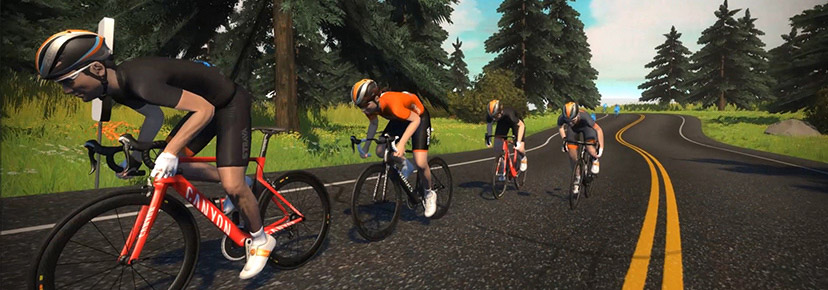
The 5-stage tour begins March 6 and runs through April 16. With double XP on tap, powerups doubled in duration, and a fresh kit to earn, you can bet Zwifters will be putting in the work to complete stages, earn points, and level up. Because everyone wants those fast bikes, fire socks, and level 60 status!

Registration

Registration is now open at zwift.com/tour-of-watopia/.

Note: registering really just sets you up to get some email reminders of upcoming stages – you will still need to sign up for specific events in order to ride or run the ToW.

Double Up: XP, PowerUps, and Drafting

Typically riders are awarded 20XP per kilometer or 30XP per mile, depending on whether you have units set to metric or imperial. In ToW events, riders receive 40XP per kilometer/60XP per mile. Learn all about ride XP and unlocks >

Runners typically receive 10XP per .25km or 15XP per .25 mile. You will receive 20XP per .25km or 30XP per .25 mile in ToW events. Learn all about run XP and unlocks >

Additionally, powerups will last twice as long during ToW events. Here’s a list of powerups and their doubled lengths:

  • Lightweight (feather): reduces your weight by 10% for 30 seconds.
    Use on climbs, when weight matters the most.
  • Draft Boost (van): increases the draft effect you are experiencing by 50% for 60 seconds. In a double draft event like ToW, this powerup will give you 3x the standard draft effect.
    Use at higher speeds (flats and descents) when you are already drafting off another rider (since this powerup only helps when you are drafting.)
  • Aero Boost (helmet): makes you more aerodynamic (reduces your CdA by 25%) for 30 seconds.
    Use at higher speeds (flats and descents), especially when no draft is available (although it is still useful when drafting.)

All ToW rides will use double draft mode as well, making it easier to sit in the pack so you can hang with friends.

New This Year

Zwift is rolling out a pile of fun new event features for riders in ToW! Here’s what you can expect:

  • Ride in dino and Kaiju costumes in special locations! If your route takes you over Fuego Flats you’ll be automatically dressed in a Kaiju costume. Riding through Titans Grove? You’ll be placed in a dino outfit.
  • Automatic bike swaps to the Big Wheel on certain KOM descents, and Zwift Mountain bike on the Jungle Circuit.
  • Double-duration powerups are strategically placed to give you an extra boost to level up faster.

See stage details below for more information on where to expect these features.

Ride Stages

Cycling events for ToW use the following category/group setup:

  • Group A: Longer Ride
  • Group B: Standard Ride
  • Group C: Shorter Ride
  • Group D: Women Only (same route as Group B)

Late join will be enabled for all rides, but Zwift encourages everyone to get into the pens before the event begins in order to maximize the fun.

Stage 1: March 6-12 “The Flats”

Put your head down and clock a lot of distance and more XP in a hurry on this fun, flat, and fast inaugural stage!

  • Longer: Triple Flat Loops – 33.9 km (21.1 miles), 134 m (440′), Lead-In: 2.4 km (1.5 miles)
    • Draft powerup assigned during selected long flat stretches of road.
    • Aero powerup heading into the finishing sprint.
  • Standard: The Magnificent 8 – 28.6 km (17.8 miles), 131 m (430′)
    • Feather powerup assigned as the road turns up the Zwift KOM.
    • Draft powerup assigned during selected long flat stretches of road.
    • Aero powerup assigned heading into the finishing sprint. 
  • Shorter: Tempus Fugit – 17.3 km (10.7 miles), 16 m (52′), Lead-In: 2.4 km (1.5 miles)
    • Draft powerup assigned during selected long flat stretches of road.
    • Aero powerup assigned heading into the finishing sprint.

Stage 2: March 13-19 “Long Haul”

Pacing is key because this is the longest stage of the Tour. Make sure you’ve got plenty of food and water!

  • Longer: Big Foot Hills – 67.5 km (41.9 miles), 707 m (2320′), Lead-In: 2.4 km (1.5 miles)
    • Bike Swap: automatic bike swap to Big Wheel on the Volcano KOM descent.
    • Draft powerup assigned during selected long flat stretches of road.
    • Multiple feather powerups assigned up the Volcano to make the climb easier.
    • Aero powerup heading into the finishing sprint.
  • Standard: Out and Back Again – 39.8 km (24.7 miles), 303 m (994′), Lead-In: 2.4 km (1.5 miles)
    • Draft powerup assigned during selected long flat stretches of road.
    • Multiple feather powerups assigned up the Volcano to make the climb easier.
    • Aero powerup assigned heading into the finishing sprint. 
  • Shorter: Watopias Waistband – 25.5 km (15.8 miles), 95 m (312′), Lead-In: 2.4 km (1.5 miles)
    • Draft powerup assigned during selected long flat stretches of road.
    • Aero powerup assigned heading into the finishing sprint.

Stage 3: March 20-26 “Queen Stage”

Like any tour’s Queen Stage, it’s the most challenging stage you’ll face!

  • Longer: Quatch Quest – 45.9 km (28.5 miles), 1683 m (5522′), Lead-In: 2.4 km (1.5 miles)
    • Bike Swap: automatic bike swap to Big Wheel on the Epic KOM descents, and automatic bike swap to Zwift Mountain bike as you ride through the Jungle Circuit.
    • Draft powerup assigned during selected long flat stretches of road.
    • Multiple feather powerups assigned up the Alpe to break up the long climb.
  • Standard: Mountain Route – 29.5 km (18.3 miles), 682 m (2238′)
    • Bike Swap: automatic bike swap to Big Wheel on the Epic KOM descent.
    • Draft powerup assigned during selected long flat stretches of road.
    • Multiple feathers powerups assigned up the Epic KOM. 
  • Shorter: Volcano Climb – 22.8 km (14.2 miles), 192 m (630′)
    • Bike Swap: automatic bike swap to Big Wheel on the Volcano KOM descent.
    • Draft powerup assigned during selected long flat stretches of road.
    • Multiple feather powerups assigned up the Volcano to make the climb easier.

Stage 4: March 27-April 2 “Jungle Love”

Keep your eyes peeled and your safari hat at the ready! You’ll see plenty of wildlife under the cover of the jungle canopies, plus more XP!

  • Longer: Dust in the Wind – 52.1 km (32.4 miles), 529 m (1736′)
    • Bike Swap: automatic bike swap to Zwift Mountain bike on Jungle Circuit.
    • Draft powerup assigned during selected long flat stretches of road.
  • Standard: Road to Ruins – 29.6 km (18.4 miles), 268 m (879′)
    • Bike Swap: automatic bike swap to Zwift Mountain bike on Jungle Circuit.
    • Draft powerup assigned during selected long flat stretches of road.
  • Shorter: Serpentine 8 – 17 km (10.6 miles), 133 m (436′) – custom route length
    • Bike Swap: automatic bike swap to Zwift Mountain bike on Jungle Circuit.
    • Draft powerup assigned during selected long flat stretches of road.
    • Aero powerup assigned heading into the finishing sprint.

Stage 5: April 3-9 “Victory Lane”

Call it the bell lap of the Tour of Watopia: you made it! All that effort brings us to the last stage and the last chance to unlock your next level. Choose your route, then do your victory dance.

  • Longer: Big Loop – 42.4 km (26.3 miles), 651 m (2136′)
    • Bike Swap: automatic bike swap to Big Wheel on Epic KOM descent and Zwift Mountain bike on Jungle Circuit.
    • Draft powerup assigned during selected long flat stretches of road.
    • Feather powerups assigned to help up the steep Epic KOM.
  • Standard: Three Little Sisters – 37.7 km (23.4 miles), 401 m (1316′)
    • Bike Swap: automatic bike swap to Big Wheel on Volcano KOM descent.
    • Draft powerup assigned during selected long flat stretches of road.
    • Multiple feathers powerups assigned up the Volcano to decrease weight and make the climb easier.
  • Shorter: Sand and Sequoias – 20.2 km (12.6 miles), 146 m (479′), Lead-In: 2.4 km (1.5 miles)
    • Draft powerup assigned during selected long flat stretches of road.
    • Aero powerup assigned heading into the finishing sprint.

See stage details and sign up at zwift.com/tour-of-watopia/ride

Run Stages

Stage 1: March 6-12 “Splash and Dash”

This stage sounds like it’s Watopia’s own water park. It’s not, but just as fun!

Splash and Dash – 6.2km (3.9 miles)

Stage 2: March 13-19 “Two Bridges Loop”

More Watopia fun on this abbreviated version of the Hilly Route Reverse.

Two Bridges Loop – 7.1 km (4.4 miles)

Stage 3: March 20-26 “Dust In the Wind”

Classic rock fans will start humming when they read the name of this route. It’s as flat as Kansas!

Dust in the Wind – 5.1 km (3.17 miles)

Stage 4: March 27-April 2 “Jungle Circuit”

Keep your eyes peeled and your safari hat at the ready! Get ready to see lots of wildlife, no bushwhacking required.

Jungle Circuit – 5.63 km (3.5 miles)

Stage 5: April 3-9 “Volcano Circuit”

All that effort brings us to the last stage and the last chance to unlock your highest level.

Volcano Circuit – 6.9 km (4.2 miles)

See stage details and sign up at zwift.com/tour-of-watopia/run

Make-Up Stages

Missed a stage or two? Or maybe you just want more of that sweet double XP? Make-up stages will be held from April 10-16. During those 7 days, Zwift will host multiple events covering all 5 stages.

Kit Unlocks

There are both cycling and running kits to unlock during the ToW! Kit unlocks are progressive as you complete stages:

  • Complete 1 Stage: cap
  • Complete 3 Stages: shoes
  • Complete 5 Stages: 2023 Tour of Watopia kit

Questions or Comments?

We’ve shared everything we know above, and will update this post with new info as it becomes available.

Still got questions? Post below and we’ll try to get them answered.