Home Blog Page 142

Zwift Update Version 1.56 (124332) Released

The first Zwift update of 2024 begins its phased rollout today. This is a minor update which fixes various bugs and makes some small quality of life changes. See details below…

Drop Shop Adjustments
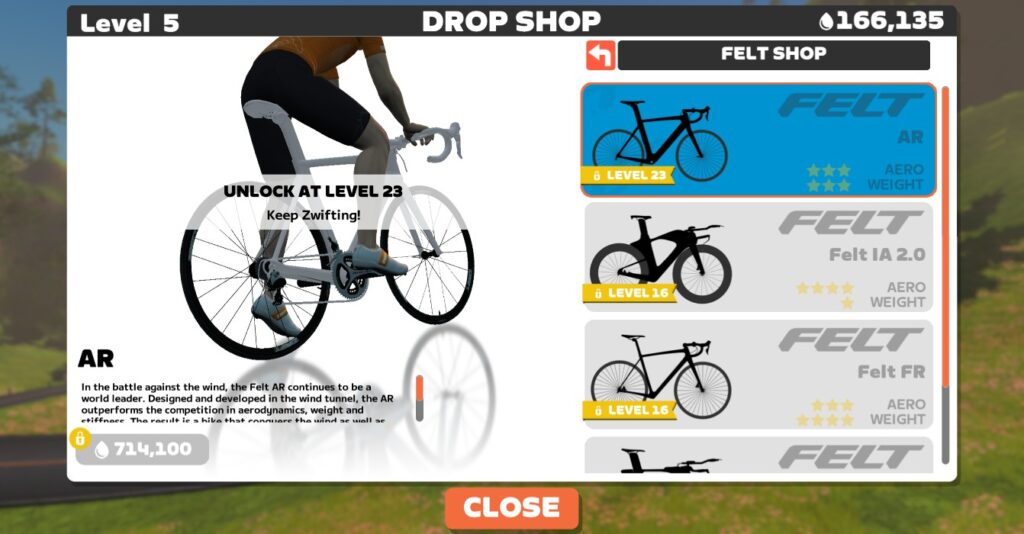
Zwift made a massive set of changes to levels and the Drop Shop in early December, and this update includes a few more changes/adjustments:

  • Felt FR frame (down to Level 16): this frame was previously at level 23, but it’s not a top performer, so it makes sense Zwift would have it unlock before the faster Felt AR.
  • Felt AR frame (up to Level 23): this frame was previously at level 16, so today’s change makes it harder to get. This is probably how it should have been anyway since the Felt AR is one of the four fastest frames in Zwift!
  • Allied Able frame (up to Level 23; down to 550,000 Drops): this frame didn’t get modified in the initial round of Drop Shop changes.
  • HED Vanquish RC6 Pro wheelset (up to Level 17; down to 120,000 Drops): this wheelset didn’t get modified in the initial round of Drop Shop changes.

Steering Fix

Zwift’s update notes say, “Fixed an issue that could affect drafting when riding in non-steering events with Play controllers paired.” This issue was probably experienced mostly by Play Controller users racing in Zwift Racing League, where steering/braking were disabled.

Personally, I’d been racing in ZRL using the Zwift Hub trainer and Play Controllers because I love the feel of virtual shifting. (Easy Ride On bombs and powerups at my fingertips were nice bonuses, too.) But I found my avatar was often poorly positioned (left to right), giving me less than optimal draft benefit. And with steering disabled, I had no way to fix it!

You can see this happen below off and on in a recent ZRL TTT. I even powered off my Play Controllers partway through the race, hoping that would fix things! (It didn’t. So for the next TTT I joined without my Play Controllers paired, and my avatar’s positioning was much better.)

Eventually I found myself on a Zoom call with Nathan Guerra and a Zwift game engineer where we explained and demonstrated the problem. And now… it appears it’s been fixed!

We haven’t been able to test it to confirm – it’s a rather difficult thing to test, since you need to set up a custom event with steering disabled, and have enough riders in the event to test pack positioning. But we’ll know soon enough if it’s fixed, as ZRL fires back up in a couple of weeks.

Streaks Screen Changes
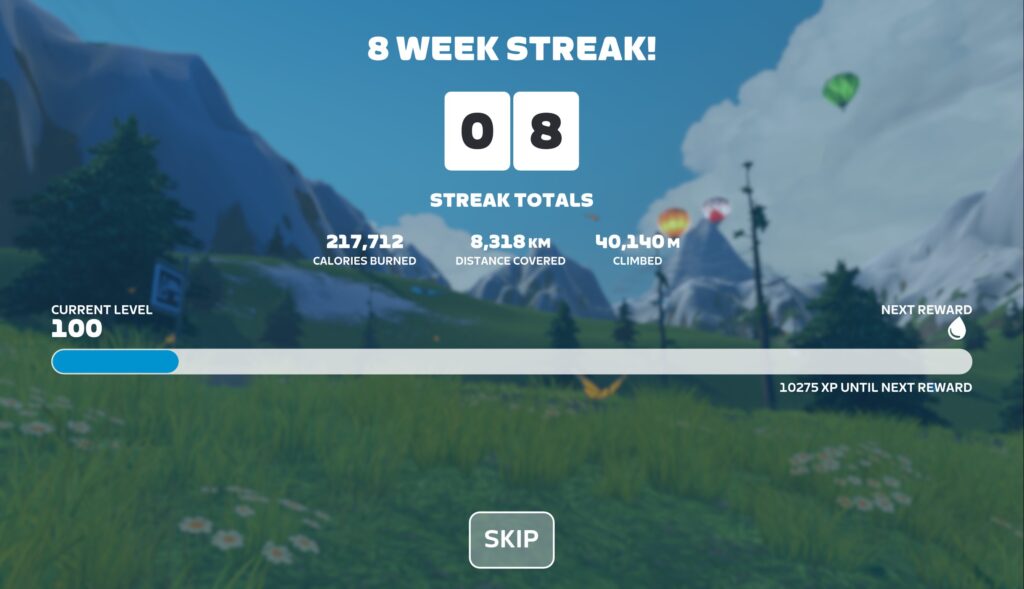
Ride Streaks were introduced in early December, and today’s update fine-tunes the Streak summary screen in two ways:

  • Skip button added: press it to quickly skip through the results animations. Skip can also be activated via the Escape (Esc) key on keyboards, “B” button on Zwift Play controllers, and the “Back” button on Apple TV remotes.
  • See latest changes: the screen now shows how your accumulated streak stats (distance, calories, elevation climbed) changed as a result of your most recent activity.

Note: some Zwifters, including myself, have reported that some of the accumulated streak stats are not accurate. Specifically, they’re showing lower numbers than they should, given that these numbers should reflect our stats since our week 1 streak began. Zwift knows about this bug and will release a fix soon.

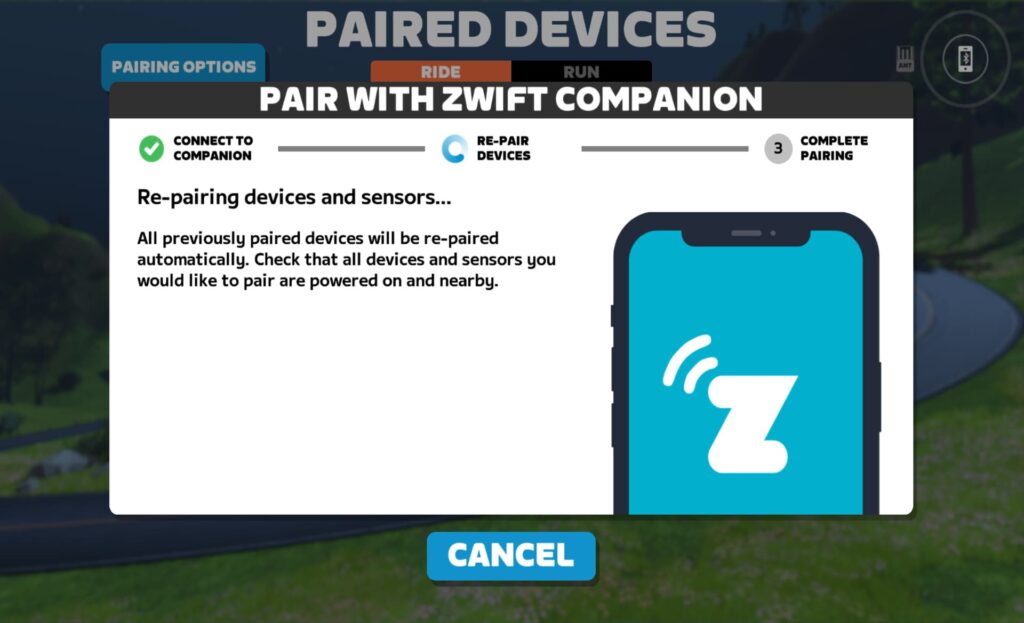
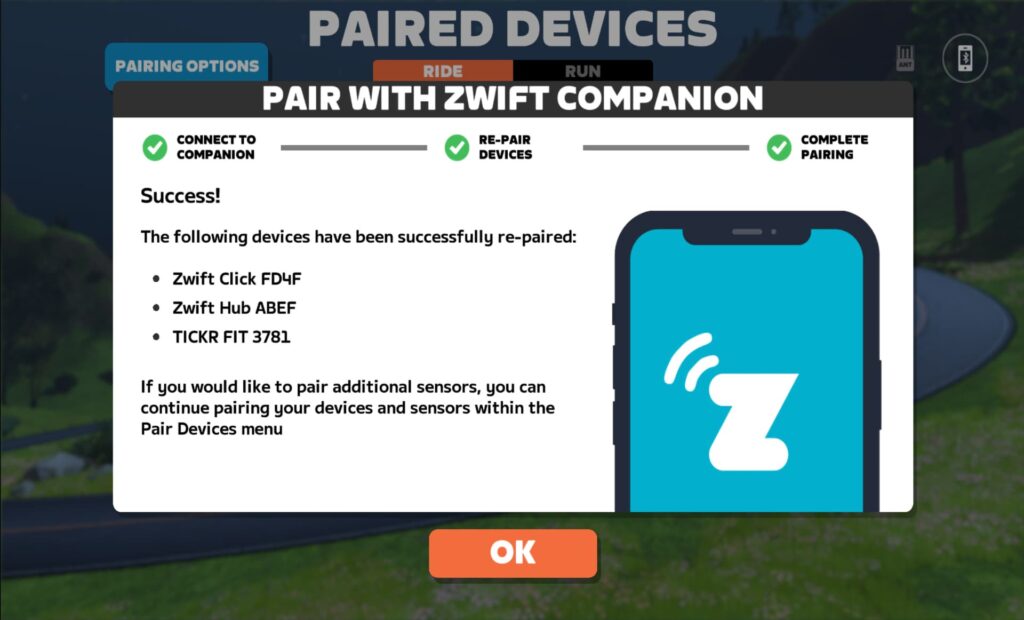
New Apple TV Pairing Wizard

Apple TV users are getting an updated pairing screen that simplifies Bluetooth pairing using the Companion app:
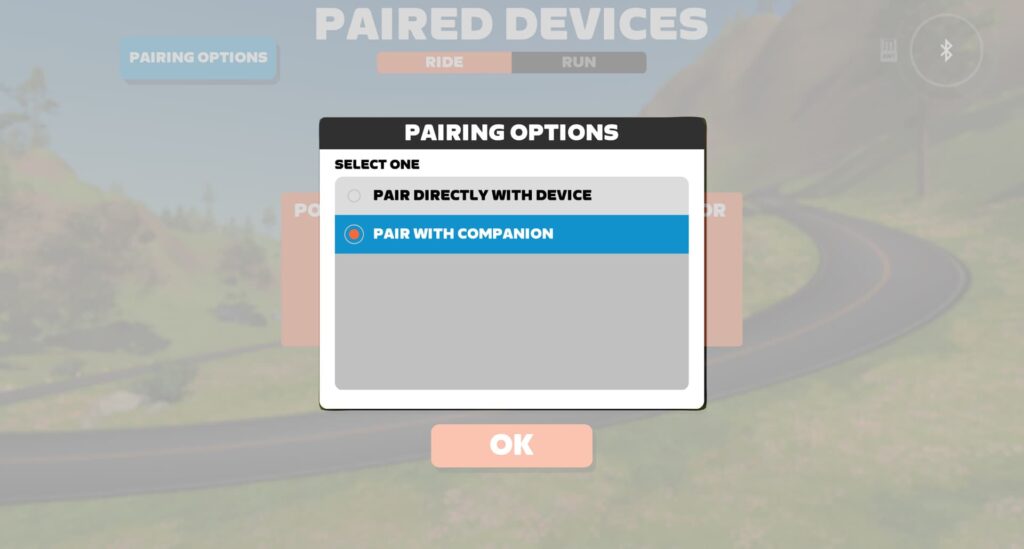
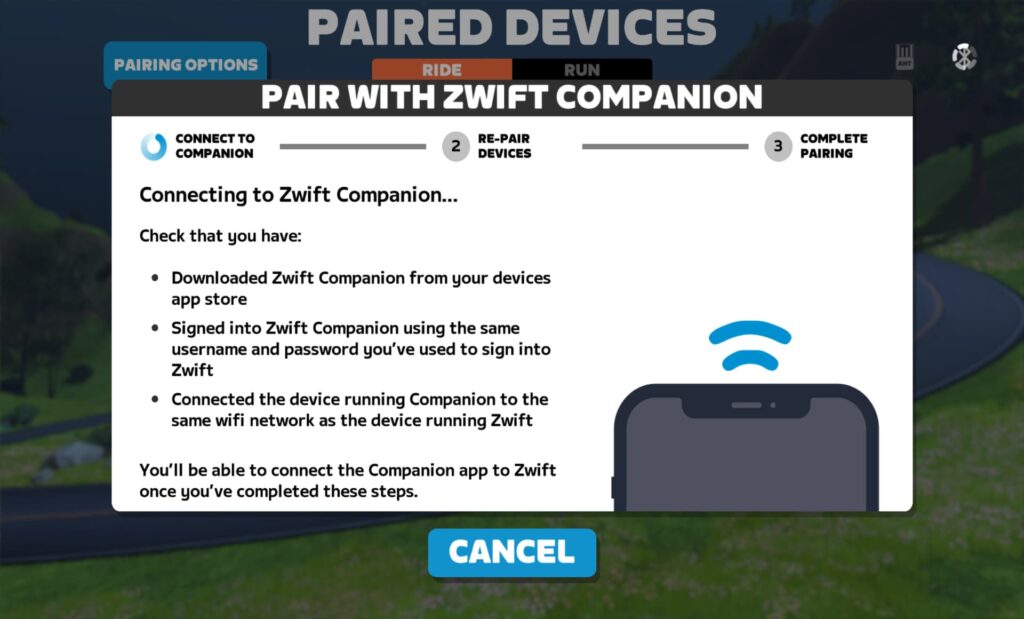
This isn’t specifically a part of the 1.56 update, but we threw it in here since it’s rolling out at the same time.

Read details on this forum topic >

Launcher Update to Version 1.1.11

Zwift says, “Windows and macOS: updated Zwift Launcher to version 1.1.11 with improved error messages and error handling.” This version of the Zwift Launcher was actually released in November, but today’s update forces everyone to update to this version if they haven’t already.

What fixes/changes does version 1.1.11 include?

  • A new function takes Zwifters to a specific error code article on support.zwift.com.
  • Windows: fixed an issue where the Launcher didn’t retain username/password between sessions for some Zwifters.
  • macOS: fixed an error message about not being able to launch Zwift, even though it launched successfully.

Read details on this forum topic >

More Release Notes

Zwift provided notes on additional tweaks and bug fixes in this update:

  • Added the ability to dismiss event results from Zwift Companion. This one’s for those of you running Zwift on a device that’s out of reach.
  • It is once again possible to mix-and-match the Zwift Buffalo and Zwift Safety bike frames and wheels. 
  • Power-up tuning and balance adjustments in the Crit City gamified event.
  • Fixed an issue where incorrect PowerUps could be granted in Climb Portal routes.
  • Adjusted the order of workouts in some workout collections.
  • Fixed a potential crash that could occur when using the Teleport feature in the Action Bar.
  • Fixed a crash that could occur when riding the Repack Rush route.
  • Fixed some items in the Garage showing incorrect unlock level requirements.
  • Fixed a potential crash that could occur after logging in to Zwift.
  • Fixed a visual issue where Climb Portal difficulty scaling options appeared incorrect when entering Climb Portal while doing a workout.
  • Fixed an issue where if you received a second power-up while the first power-up was still active, the second power-up animation was not displayed.
  • Fixed an issue where bright lights (e.g. lava, Zwift Concept bike wheels) could spill over to the opposite side of the screen.
  • Fixed a potential crash that could occur on the Tour de Zwift Stage 1 Harrogate Circuit route.
  • iOS: fixed a crash that could occur when ending a ride before reaching the finish line in an event.

Discuss this release on Zwift’s forum >

Questions or Comments?

If you spotted any other changes or bugs in the update, please comment below!
Women’s Racing Videos

0

Women’s Racing Videos

Here’s our complete archive of great Women’s Racing videos. Got a video that should be included? Email the link to [email protected].

FCC Hot Summer Nights Mini 3


FCC Hot Summer Nights Mini 2


FCC Hot Summer Nights Mini Race 1


ZWIFT Tiny Race Disaster: How many things can go wrong?


Zwift Insider Tiny Races – Can I keep up with the men?


Krakens v Hooligals


Zwift Tiny Races with Synergy this morning

Tiny Races this morning with team Synergy. This is a short race every 15 minutes really working on your sprint and attacking efforts. Always difficult. I love that race 3 and 4 start with the same 1km. Race 3 we were motoring along at 250W and Race 4 the same section at 200W but it felt harder! All part of Tiny Races! Thank you Ryan Granger for DSing us!!


Women’s Ladder Commentary: SZ Mane v. Coalition


ZRL Danger Noodle Recon


LIVE: Zwift Tiny Races || Feb. 15, 2025

Caitlin from #TeamSaundersTri takes on the Zone 2 Tiny Races with simple goals—push watts, survive the suffering, and rack up points! Who will come out on top? Stick around to find out!


Roads to Ruins Rev FCC ZRL Recon


ZRL Douce France Recon


Tour de Boudicca 6 – Stage 3

Get ready for the ultimate thrill! The Queen’s stage is here—the grand finale of the weekend. We’re taking you to the Big Apple for an unforgettable race. Pick the perfect bike and wheels, and let’s hit the road! Good luck, everyone!


Tour de Boudicca 6 – Stage 2

In the Sprint race, teams of warriors will collaborate to earn valuable Sprint points for their Team GC. Some segments will offer First Through Segment (FTS) and Fastest Across Line (FAL) points. Plus, there are bonus points waiting at the Finish line!


Tour de Boudicca 6 – Stage 1

We kick off the Tour de Boudicca with an exciting scratch race to get you geared up for the journey ahead! Race to the finish as fast as you can to secure an early lead in the Individual General Classification.


The Ultimate Women’s Mini Races


Zwift 4 tiny races + Oh hill no!

Gabi takes on Zone 3, A cat. Then does hill repeats of The Grade!


Anvil powerup fail: how to NOT use this power up on Zwift Tiny Races

Top racer Gabi Guerra raced the Zone 2 A category and says, “I’m so glad i got to race Tiny Races again, it’s been good training! This week was super fun courses but I TOTALLY screwed up the anvil powerups…”


Zwift Racing League // Race 2 – Sugar Cookie Points Race – EMEA-E Western Division A1


Zwift Women’s Racing Series – Beautiful Bologna

The final race in this Series – a TT in Bologna.


FEMMECYCLE COLLAB


Zwift Tiny Races: Four Races in One Hour || Will We Survive to the Finish?


Gravel Bike Win Up the Alpe


ICENI – Challenge Four


ICENI – Challenge Three


Zwift Games – Women’s Climb Championship and Overall Finale


INTERNATIONAL WOMEN’S DAY – CHASING THE DREAM


Chasing the Dream Chase Race – A Category


International Women’s Day Chase Race – C Category


Zwift Games Women’s Sprint Race 2


Zwift Games Women’s Sprint Race 1


BMTR Checkered Lillies ZRL Round 3 Race 5

ZRL 2023/2024 American East Womens Div C
February 20, 2024
Chasing the Sun 35km


ZRL 2023/2024 Round 3 Race 5 EMEA Central Womens A2

Chasing the Sun 35 km RIOT House Party


ICENI – Challenge Two


Zwift Games – Women’s Epic Championship


Zwift Race Tactics in the Zwift Games Sprint Championships

“My race didn’t go as planned, but I was still able to watch my Movistar teammate, Mika, get on the podium and join the community race instead. Which let me tell you… is still a tough time!”


ICENI – Challenge One


Karen vd Rakt (Team NL) – Island Hopper ZRL (C1) Win!


Gina van Rossum (Team NL) – Island Hopper ZRL (B1) Win!


LEG SNAPPER I HATE YOU! ZRL Round 3 Race 3 Innsbruckring

“My best ZRL race yet,” from KJ Phillips.


ZRL Crit Delirium ZRL 11.21


RIOT Ladies ZRL EMEA Div A Round 3 Race 2 Island Hopper

Featuring Em Nyquist.


First race FRR Tour France Stage 1


WIN SPRINT after great battle with KK – Echelon Racing League #1


What’s Harder – Zwift Racing League or Zwift Grand Prix?


Zwift Grand Prix // Round 4 Women ZRL – Scratch Race


Winning a Zwift A cat. Points race – the Muckle Yin Scotland – Women’s racing series

“Wasn’t sure how my legs would do today but went into warmup and race with good mindset, decided to enjoy and have fun and give all i have. Turned out really well.”


How Fast Are Female Tour De France Pros? We Find Out!


How to Race Like a PRO on ZWIFT


WRTL Women’s Empowerment Series 3 – Z2 Lizzy & Tracy final sprint to podiums


Announcing the Tour de Zwift Chase Challenge

Announcing the Tour de Zwift Chase Challenge

Tour de Zwift 2024 is fully underway, with hundreds (sometimes thousands) of riders jumping into group rides and races. It’s Zwift’s biggest annual party on wheels!

The vast majority of TdZ events are group rides, not official races. But of course, that doesn’t stop some riders from going all-out and treating them as a race!

Other riders treat them as easy recovery rides, while others choose a longer-than-comfortable route for the challenge of completing it. Lots of riders. Lots of goals.

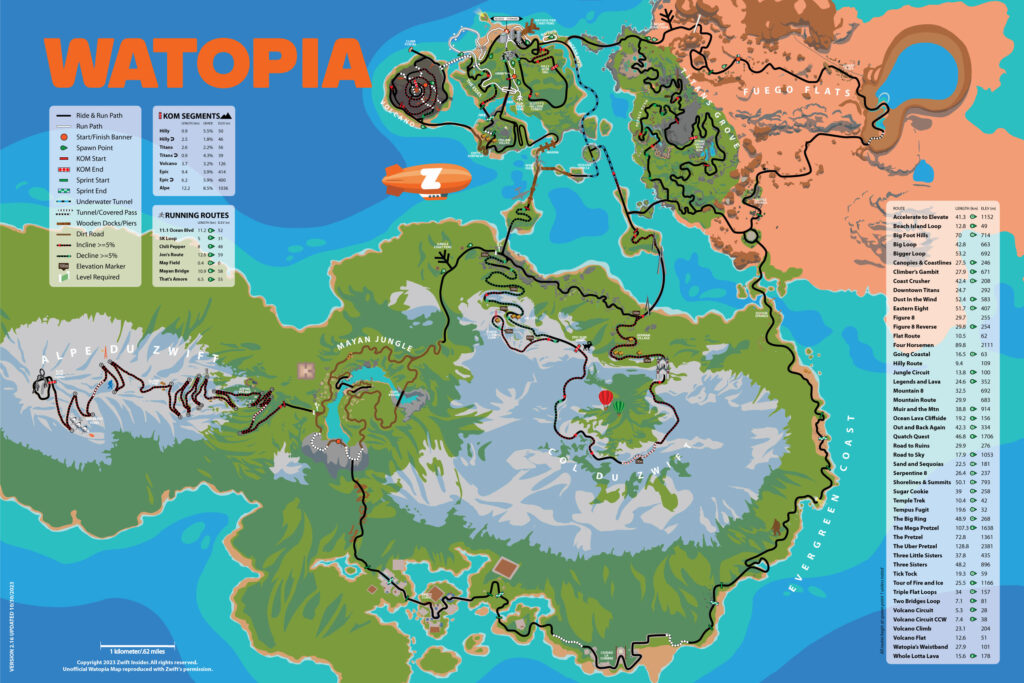
Today we’re announcing a fun little challenge to add another dimension to your TdZ group rides: the Tour de Zwift Chase Challenge! The idea is simple: catch as many riders as possible during your TdZ group ride, record your numbers, and share them on this page. The two top chasers will receive our Watopia map poster as a prize.

One Challenge, Two Contests

The big idea of this challenge is to catch riders up the road during your Tour de Zwift group ride. But group sizes can vary a lot from event to event and category to category, so we’re actually awarding two winners in the challenge:

  1. Overtaker Award: for the rider who passes the most people, as documented by their screenshots.
  2. Pack Gobbler Award: for the rider who passes the highest percentage of the group, as documented by their screenshots.

Challenge Rules

  1. To document your TdZ Chase Challenge, you must post screenshots or video(s) showing your full Zwift screen. Two screenshots are required:
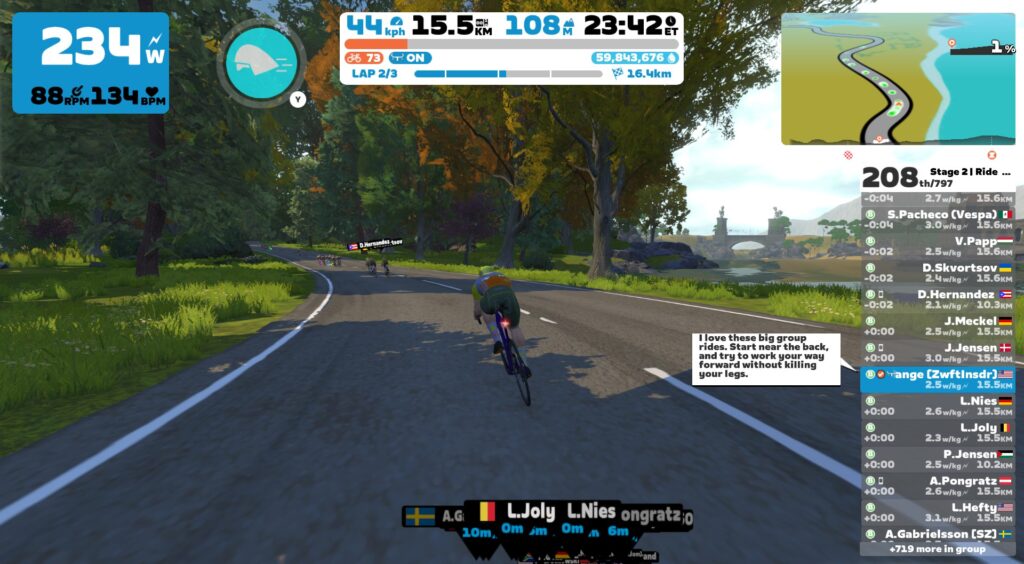
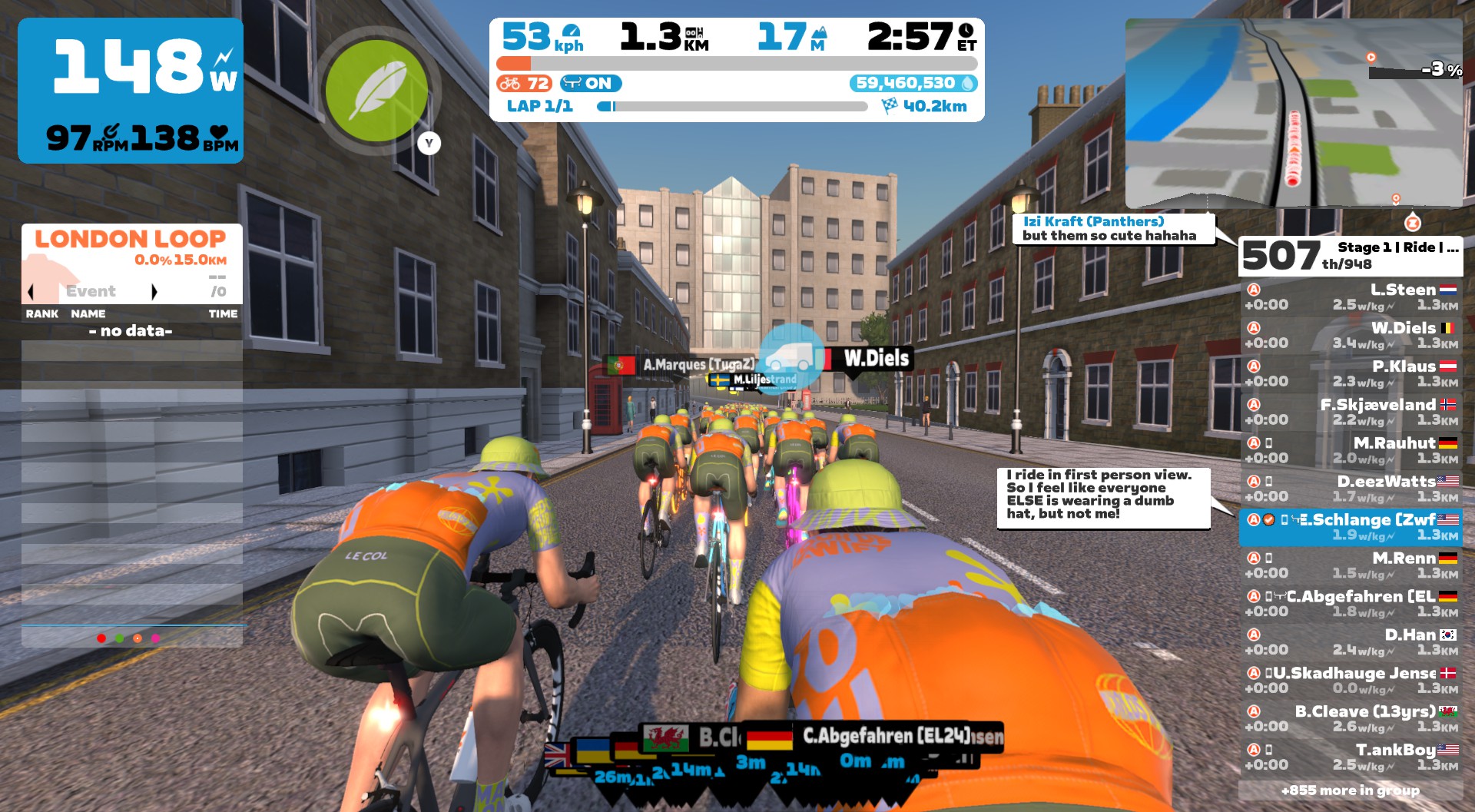
    • Starting Shot: your starting position is the position shown at the top of the rider list on your screenshot/video at least 1km into the ride. (The 1km requirement is in place so you can’t just sit in the pens for a few seconds to let everyone ride away before taking your first screenshot.) If you’re sharing via video, the starting number is what’s shown when your distance ticks over to 1km (or 0.6 miles).
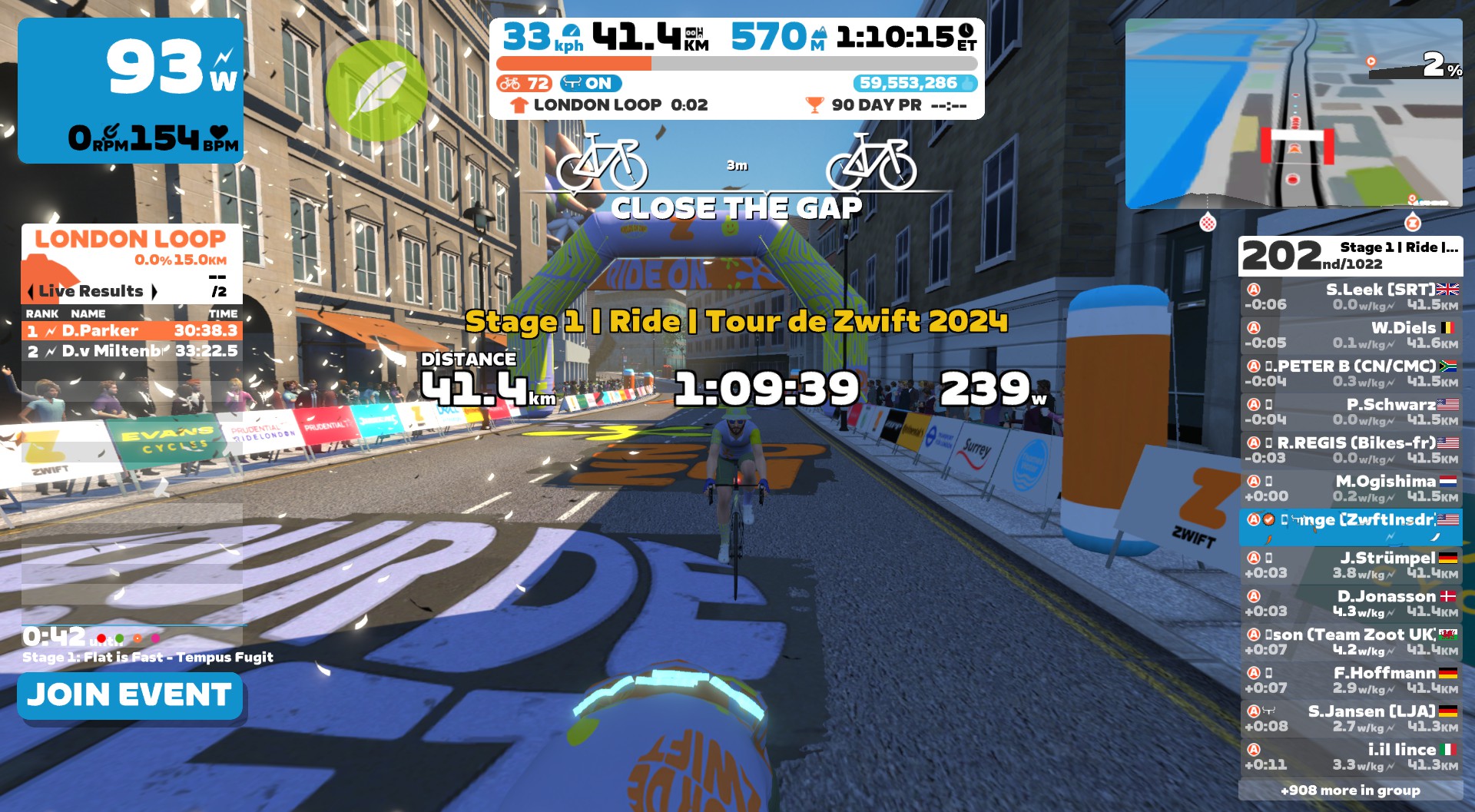
    • Ending Shot: your ending numbers screenshot can be from any location within the final kilometer (final 0.6 miles) of the event. Most riders will just use the screenshot automatically taken when you cross the finish line.
  2. After getting your screenshots, you must share them as a comment on this post. Three sharing methods are allowed:
    • Upload your screenshots as part of your comment on this Zwift Insider post. Only one image is allowed per comment, so you’ll need to post two comments.
    • Video links to YouTube or Twitch are allowed.
    • Links to public Strava activities including the necessary screenshots and/or videos are allowed.
  3. Your comment on this Zwift Insider post is your official entry. Along with the necessary photos/videos/links, your comment must include a summary of the final numbers, so we don’t have to do the math on our end and people can scan comments to see how others did:
    • You’ll need three numbers: your Starting Position (S), Finishing Positioning (F), and Total Riders In Event (T). Note that total riders in event is the second number showed at the top of the rider list on your ending shot.
    • Your comment/entry can just be something simple like this: “S-F riders overtaken, which was (S-F)/T percent of the group.” See example below…
  4. You can enter as many times as you’d like.
  5. Poster prize (see below) is only offered for smart trainer/power meter users. (Simply put, the lightning bolt must be visible next to your power number in screenshots.)

Entry Example

From the screenshots above, I can get the following numbers:

  • Starting Position: 507
  • Finishing Position: 202
  • Total Riders in Event: 1022 (from ending shot)

I would then share those two screenshots in comments on this post, along with the following summary:

305 riders overtaken, which was 29.8% of the group.

Poster Prizes!

We will ship a Watopia map poster to the “Overtaker” and “Pack Gobbler” award winners once TdZ ends.

We assume someone (or multiple someones) will probably gobble the entire group. If there is a tie of any sort, the win will go to whoever rode in the largest event (highest total rider count in the ending shot) because gobbling up a pack of 100 riders is easier than gobbling up a pack of 300!

Alternative Contests

Along with the official Chase Challenge contest, consider making your TdZ group rides more interesting by taking on a few alternative personal challenges:

  • HR Efficiency: can you overtake many riders while keeping your average heart rate down in zone 2? This pushes you to ride as efficiently as possible.
  • Power Efficiency: similar to HR efficiency but based on power. Keep your overall average power low, while overtaking as many riders as possible.
  • Most Improved: you may have difficulty competing with the Chase Challenge numbers of super strong riders. But you can still compare your own personal numbers and try to improve them as TdZ goes on.

Ride Smarter (and Harder?)

To perform your best in the Chase Challenge, you’ll have to ride efficiently and make lots of strategic decisions:

  • Know the course
  • Use steering to cut corners
  • Use powerups at the perfect time
  • Put in a well-timed dig to bridge up to the next pack of riders. Or don’t put in the dig, because you know your pack will reel in the riders ahead within a few minutes!

Good luck, and Ride On!

Up for It?

Let’s go! Post your entries below!

Notable Zwift Events for the Weekend of January 6-7

1

Happy New Year, Zwifters! Our first weekend of the year finds us right in the middle of peak Zwift season, with lots of interesting events to choose from. Here are my favorites for the weekend…


🥇🤝 Tour de Zwift Races (and Rides)

✅ Popular Event  ✅ Kit Unlock  ✅ Highly Competitive

Tour de Zwift 2024 kicked off this week, and the group rides so far have been packed! This weekend we have the first TdZ “Epic” races, which are a fresh addition to the standard TdZ group ride format. Choose from stage 1’s race on London’s Triple Loops (41.3km, 567m elevation), or stage 2 on two laps of Scotland’s The Muckle Yin (47.1km, 562m elevation).

If you don’t want to race or are just looking for a shorter TdZ route, check out the TdZ group rides happening this weekend. You can choose from three length options.

Multiple time slots all weekend
Tour de Zwift: Ride details and event signup at zwift.com/tour-de-zwift/ride


🤝 Scott’s 100,000km ZSUN Base Builder 2

✅ Popular Event  ✅ Legacy Leader

Scott McVeigh has been organizing ZSUN’s popular multi-category 100km Base Builder 2 ride for years. But this week is a special one! Scott will be hitting the 100,000 kilometer mark on Zwift during the ride, and he wants everyone to come celebrate with him!

(Scott tells us, “In that time, I have also climbed 610,000m, the equivalent of 69 times up Mt. Everest.” Wow!)

Scott will be leading the B category, but A, C, and D category groups are also available. All categories will be riding the Douce France route. Be sure to read the event description for details, including a link to the active Discord voice chat used during the ride.

Saturday, January 6 @ 2pm UTC/9am EST/6am PST
Sign up at zwift.com/events/view/4028749


🤝 Team ZTO World Record Challenge Fuego Flats

✅ Max Effort  ✅ Unique Event

Team ZTO (Zwift Tri Oz) are making an attempt to set a new world record on the Fuego Flats Reverse segment. Six different events have been organized, so riders around the world can give it a go.

This will require riders working together in a sort of mass TTT fashion. The events are set up for maximum speed: the fastest bike in game (Cadex Tri) is automatically assigned to all riders, drafting is enabled, and fast powerups as well. Can anyone break the 7:39 mark set on ZwiftPower last year?

Multiple events this weekend
See events at zwift.com/events/tag/zto


🤝 Innovation Cycling Fights Bowel Cancer

✅ Good Cause

Innovation Cycling team member Glenn Utteridge was diagnosed with stage 4 colon cancer in early 2023 and by June 2023 had had 5 fractures to back, neck, and jaw plus two major surgeries. Still, he is back on his bike and back on Zwift!

This is a 60-minute event on Watopia’s Waistband at 1-3W/kg. During this ride, leaders will share information about the disease and raise awareness about prevention. After the ride, some INC riders will continue for an additional 23 hours to gather donations for Glenn’s overseas treatments.

Friday, January 5 @ 7pm UTC/2pm EST/11am PST
Sign up at zwift.com/events/view/4059877


🥇 E-Fondo Florida

✅ Endurance Challenge  ✅ Unique Event

We’re highlighting this event because it’s interesting on several levels. This is the first of eight e-fondos organized by the Suarez Gran Fondo National Series, and riders can qualify for the USA Gran Fondo National Championships through these Zwift events!

This weekend’s event is on Watopia’s The Big Ring (51.1km, 273m). You earn points based on your segment times on sprints and KOMs, as well as your finishing position, and those points are what qualify you for the IRL Gran Fondo Nats. Read more about the series >

Sunday, January 7th @ 2pm UTC/9am EST/6am PST
Sign up at zwift.com/events/view/3936918

How We Make Our Picks

We choose each weekend’s Notable Events based on a variety of factors including:

  • Is the event unique/innovative in some way?
  • Are celebrities (pro riders, etc) attending/leading?
  • Are signup counts already high, meaning the event is extra-popular?
  • Does the ride include desirable unlocks or prizes?
  • Does the event appeal to ladies on Zwift? (We like to support this under-represented group!)
  • Is it for a good cause?
  • Is it just plain crazy (extra long races, world record attempts, etc)?
  • Is it a long-running, popular weekly event with a dedicated leader who deserves a shout out?

In the end, we want to call attention to events that are extra-special and therefore extra-appealing to Zwifters. If you think your event qualifies, comment below with a link/details and we may just include it in an upcoming post!

Your Thoughts

Do other events stand out this weekend? Share below in the comments!

All About Coffee Stops in Zwift

All About Coffee Stops in Zwift

The coffee stop is a time-honored tradition in road cycling, and in May 2023 Zwift brought it into the game. You may have noticed it: a circular coffee mug icon floating over riders’ heads in the group.

What’s it all about, and how does it work? You’ve come to the right place…

What is Coffee Stop?

Taking a “coffee stop” in Zwift doesn’t inject caffeine into your veins, but it does let your avatar keep pace with your current group while you take a short break! Here’s a quick demo:

Why take a Coffee Stop?

Have you ever been riding with a great group on Zwift, but you need to hop off the bike to grab a towel, refill a water bottle, or take a nature break?

Coffee Stop lets you stop pedaling and do what you need to do without getting dropped from the group you’re in. Camaraderie often develops in packs of Zwift riders, and the Coffee Stop is Zwift’s method of preserving that special social aspect even when nature calls.

How To Take Coffee Stop

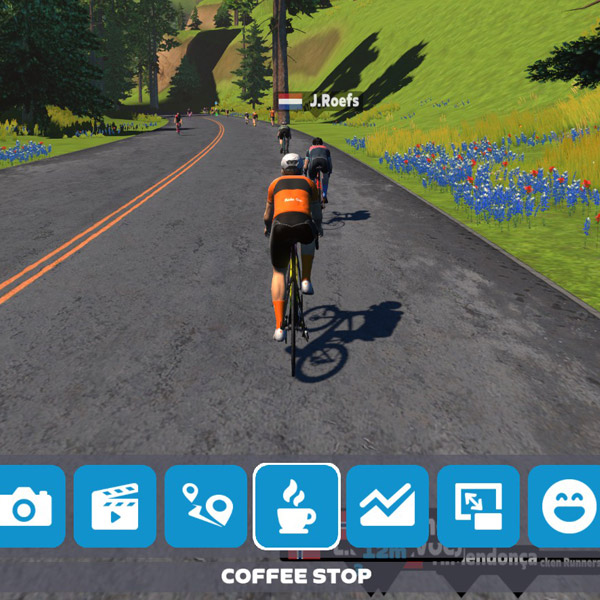
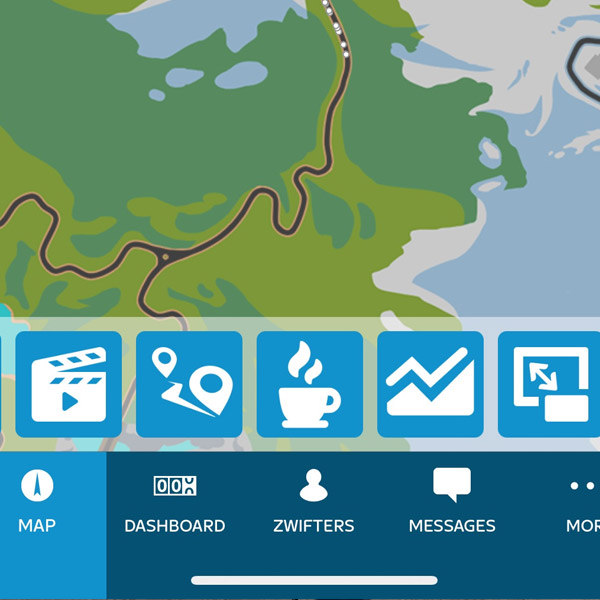
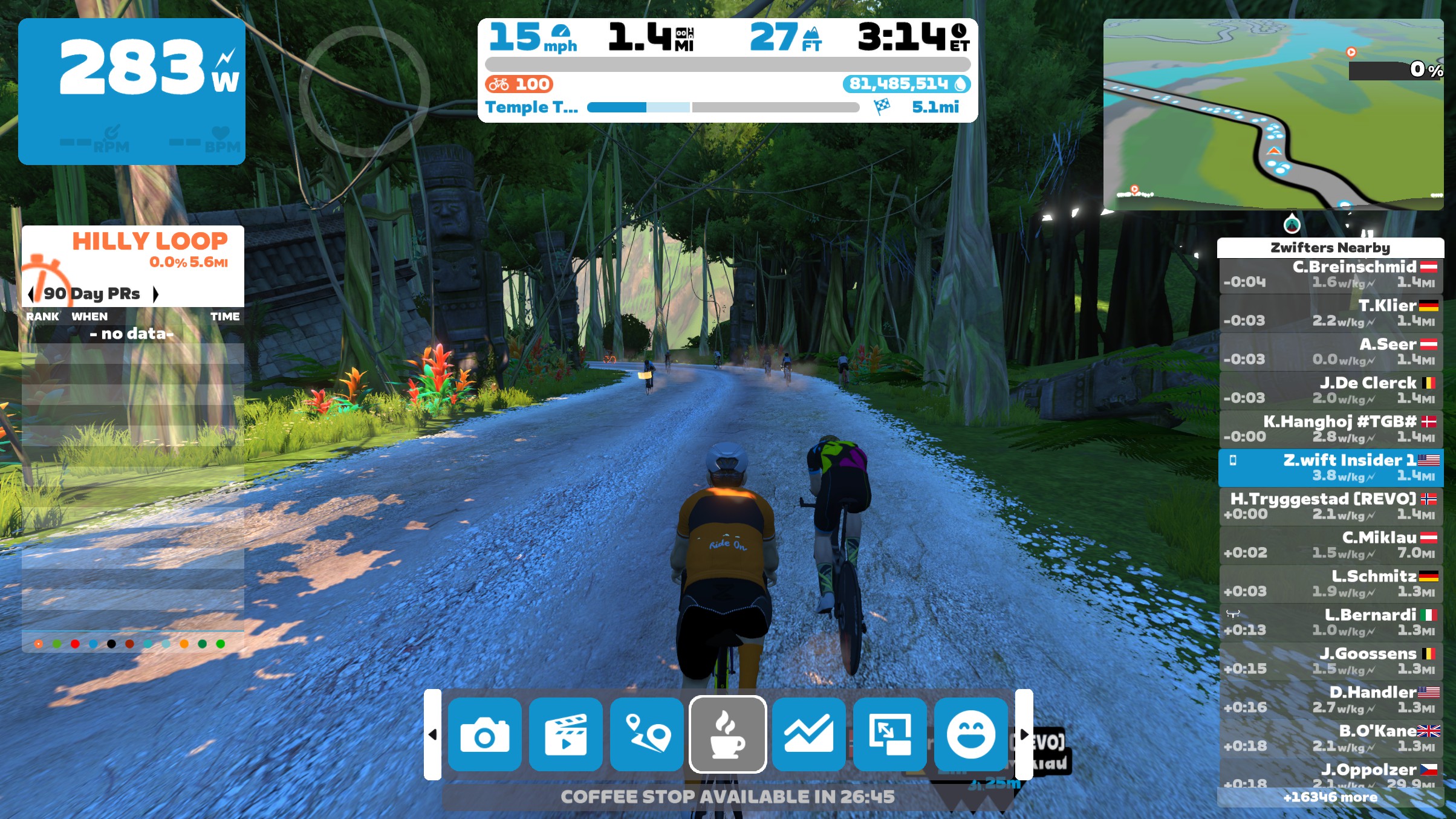
Need a coffee break? Simply tap the Coffee Stop icon (coffee mug) from the action bar or within the Companion app:

What? No Coffee?!

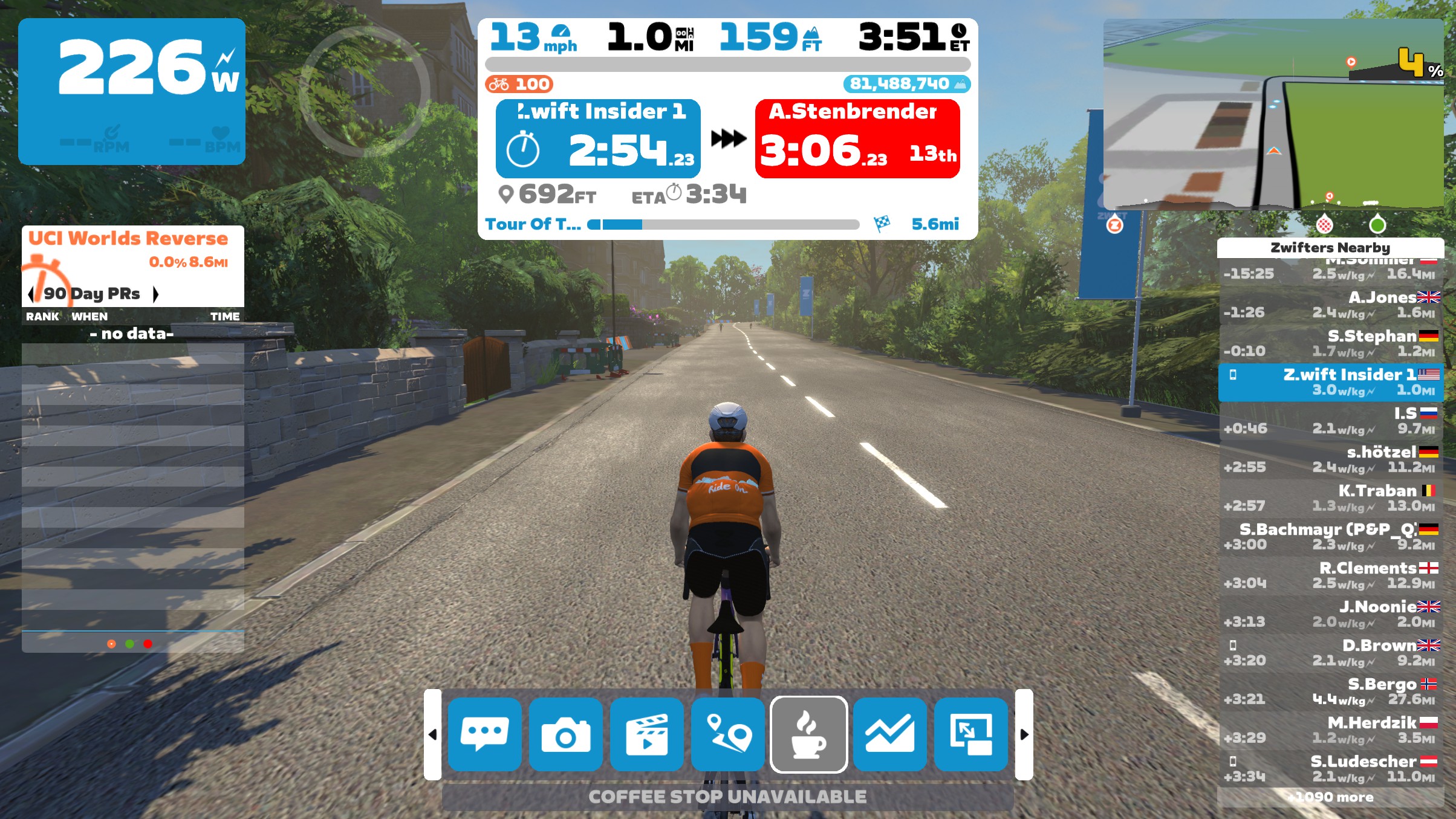
If the Coffee Stop button is greyed out, it may be that you recently used a Coffee Stop. Mousing over the Coffee Stop icon should tell you why it’s not activated or how long you have to wait before it will be active again:

If no riders are nearby, you aren’t moving, or you’re near the end of a group ride event (see usage limits below), Coffee Stop will automatically be disabled:

If the Coffee Stop button isn’t visible, that means you’re in a race event, group workout, or individual workout. None of these allow Coffee Stops.

Coffee Stop Usage Limits

  • You can take one 30-second Coffee Stop in the first 5 minutes of your ride
  • Once you pass the 5-minute mark of a ride, you can activate a 3-minute Coffee Stop
  • Once you end a 3-minute Coffee Stop, a 30-minute timer begins. Only after these 30 minutes elapse can you trigger another 3-minute Coffee Stop.
  • Coffee Stop is available on all routes in Zwift, but is automatically disabled in race events, group workouts, and individual workouts. Tip: during individual workouts you can just hit the “Pause” button in Companion or the Action Bar if you need to take a break for any reason.
  • Coffee Stop is available in group rides, except it cannot be triggered in the last 5km of distance-based group rides or the last 15 minutes of time-based group rides.
  • Coffee Stop is disabled if you aren’t moving or are riding alone (no nearby riders moving in the same direction).

Zwift Coffee Stop Minutiae

A few more bits for the Coffee-curious:

  • It Keeps Adding Up: Yes, you will continue to accrue distance (and XP) during your Coffee Stop.
  • Segments Count: You can complete all or part of a timed Zwift or Strava segment while taking a Coffee Stop.
  • Strava Visibility: Your power, heart rate, and cadence continue to record during a Coffee Stop. So while your Coffee Stop won’t be super-obvious when looking at your ride on Strava or Zwift, it will show as a time block where you had zero power and zero cadence.
  • Cutting It Short: If you want to end your coffee break early, just click “Done” on screen or in the Companion app.
  • Riders Only: Coffee Stop is only available for cyclists on Zwift. No coffee for runners!
  • Ending Early by Pedaling: Once your watts hit 0 after starting your Coffee Stop, if you begin pedaling again so your watts go to 40W+ for 5+ seconds, the Coffee Stop will automatically end. So make sure you’re ready to get going once you start pedaling!

Coffee Controversy

You may see some Zwifters complain about other riders “abusing” Coffee Stops. This is especially prevalent in group rides because yes, more coffee mugs tend to pop up on climbs than on flats or descents.

While we’re not here to tell you how to think, keep in mind that Coffee Stop is disabled in races. So while Coffee Stop users get a free ride for a few minutes, it’s a free ride in a social event where there are no winners.

Questions or Comments?

What do you think of Zwift’s Coffee Stop feature? Got questions about how it works? Share below!
Changelog


Tiny Race Series – January 6 Routes and Last Week’s Results

0

Tiny Race Series – January 6 Routes and Last Week’s Results

See zwiftinsider.com/tiny for current Tiny Race details.


All About Teleporting in Zwift

All About Teleporting in Zwift

Zwift released their teleport feature in a June 2023 update, but you may have missed it if you were busy riding outside and haven’t dug into the updated action bar. This is a really handy feature, though – one that perhaps you didn’t know you needed until you tried it – so let’s dig into how it works.

What Teleporting Does

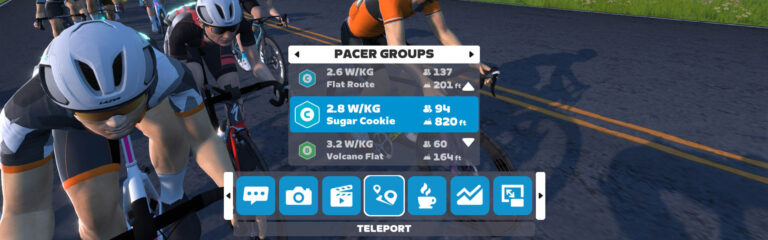
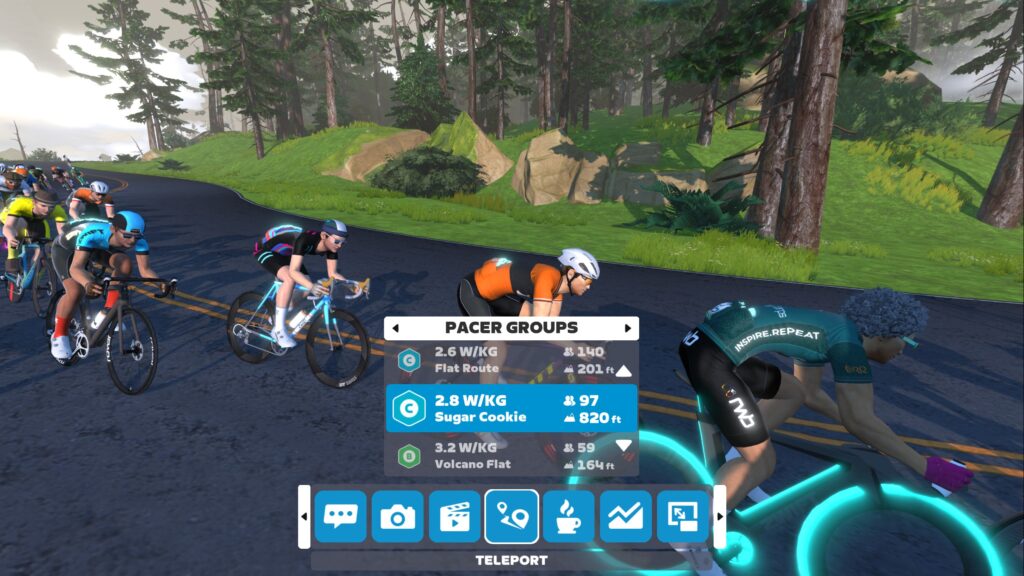
Teleport lets you seamlessly move between RoboPacers or active friends currently riding or running in the same world as you. Crucially, Zwift doesn’t start a new activity when you teleport. This allows you to bounce around between RoboPacers or friends while keeping your workout in one single file.

How To Teleport

It’s easy! Access teleporting via the in-game action bar or via the Companion app. Here’s a quick video showing how it works using the action bar:

Why Teleport?

Teleporting lets you do fun things in a single activity that weren’t previously possible, like:

  • Gentler Warmups: spin your legs up with a slower RoboPacer before popping over to a faster pace group for the main part of your workout
  • Tour de Amigos: feeling social on a day with no set workout plan? Bounce around the map to ride or run with friends who are currently online. Pop into each of their activities to say hello and wish them well.
  • TeleSweeper: if you drop off the back of a RoboPacer group for any reason, it’s easy to teleport back in whenever you’d like.

There are also more “advanced” use cases we’ve seen from some community members:

  • RoboPacer Intervals: replace a structured workout by bouncing between RoboPacers holding particular w/kg. (for example, a B rider might bounce between Jaques and Constance for an Over-Under workout.)
  • RoboPacer Ladder Challenge: start with an easy RoboPacer, then move to the next hardest after 5 minutes. Keep going until you can’t keep up! (Stronger riders may need to increase the interval to 10 minutes or more.)
  • Post-Race Cooldown: racing in Watopia or Makuri Islands? Once your race ends, you don’t need to end your activity and start a new one to cooldown with a group. Just teleport to a RoboPacer to spin out your legs and cool down.
  • Endless Everesting: turn any climb into endless elevation by parking a friend at the bottom so you can Teleport down to them once you reach the top. (Note: we don’t see anything in the official vEveresting rules prohibiting this, but it could lead to faster vEveresting times, so we may see those rules get updated.)
  • Get Bigger Than Jensie: still haven’t earned your achievement badge for getting 100 Ride Ons in a single ride? Teleport to a busy RoboPacer, ride in the pack for 15 minutes… then teleport to a different busy pacer. Keep doing this until you’ve got all 100.

Activity Maps

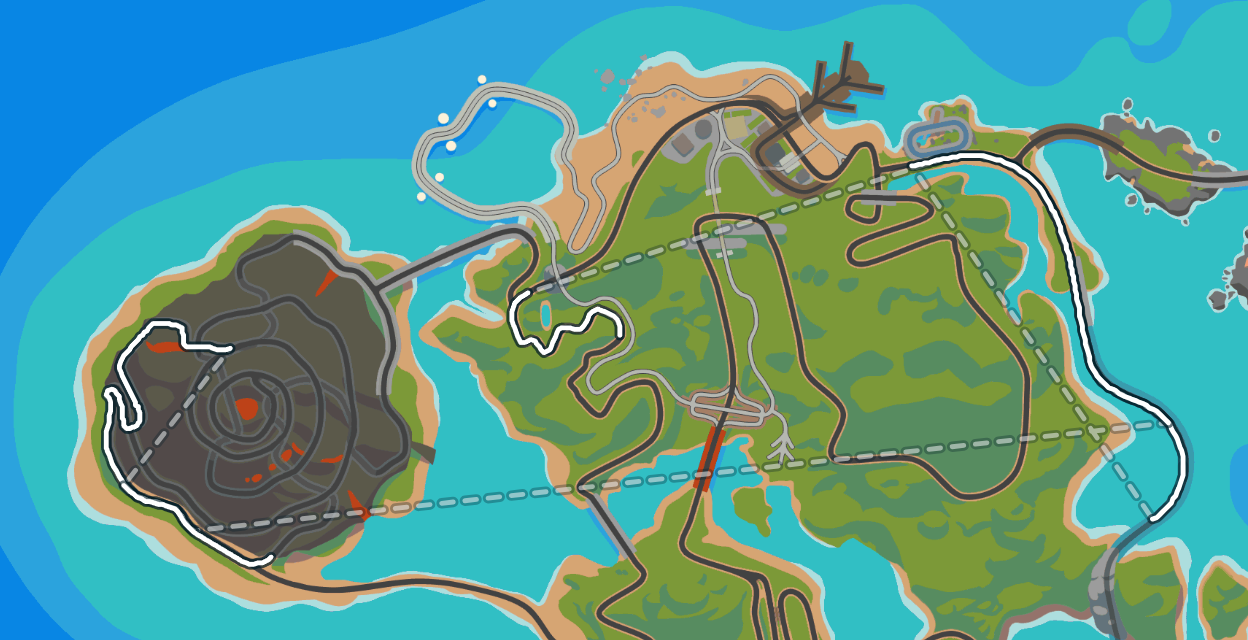
What do your activity maps look like after teleporting? Zwift has done a very nice job when viewing the activity on Zwift.com:

In the Companion app, teleportation just shows as a solid white line, like the rest of your activity.

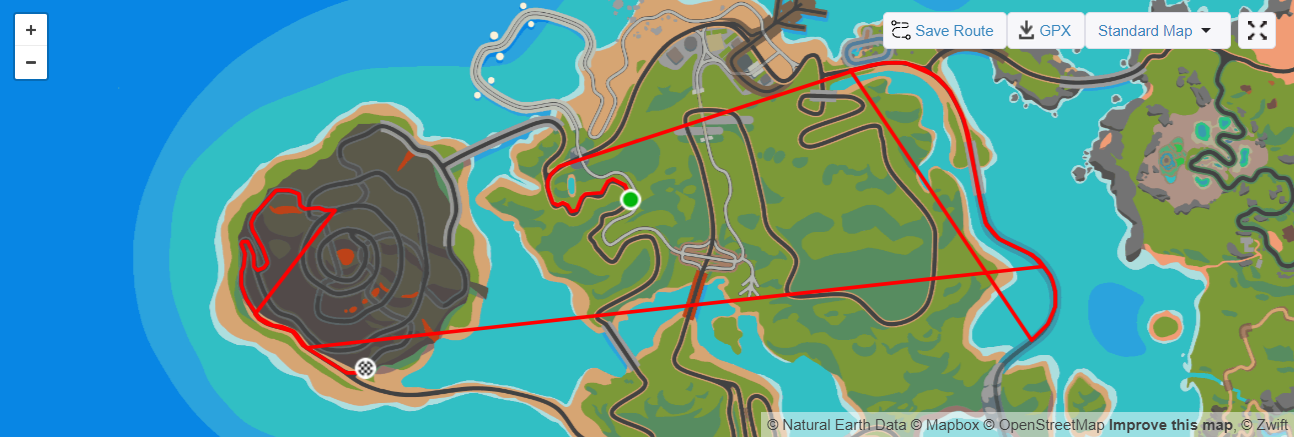
Strava (shown here using the ZwiftMap for Strava Chrome extension) charts all the lines the same way (like Zwift Companion, but not as pretty as Zwift.com).

It’s important to note that the teleporting portions aren’t figured into your overall activity distance, speed, etc on Strava or in Zwift.

Rules of Teleportation

Zwift’s teleportation feature includes some necessary rules/limitations:

  • You don’t get distance credit or XP for the distance covered while teleporting.
  • You will get credit for any routes or segments completed during your activity, as long as you don’t teleport in or out during that route or segment.
  • You cannot teleport into or out of events.
  • You cannot teleport during a workout.
  • You can only teleport to Zwifters you follow who also follow you back.
  • The Drops multiplier game restarts whenever you teleport to a RoboPacer… even if it’s the RoboPacer you were already with.

Questions or Comments?

What do you think of Zwift’s teleport feature? Any uses you’ve found that we didn’t cover above? Any questions? Share below!


Zwift Racing League 2023/24 Round 3 Details

Zwift Racing League 2023/24 Round 3 Details

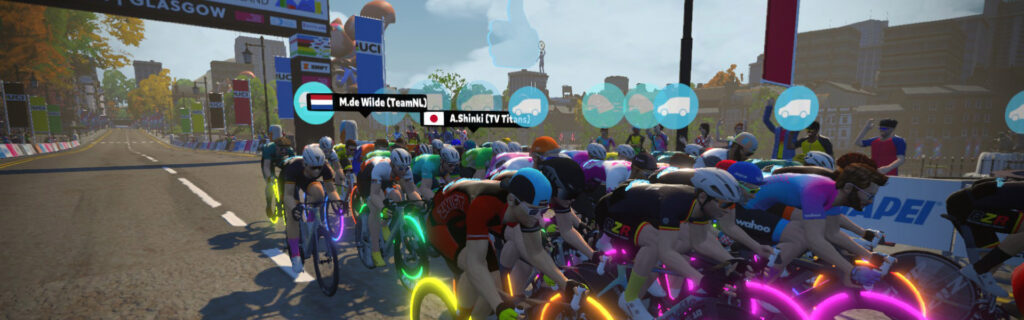
Now in its 12th round, Zwift Racing League continues to take racing to the next level on Zwift! With the first two rounds of the 2023/24 season wrapped up, team signups for the third and final round are now open.

Here’s everything you need to know about what’s coming next for Zwift Racing League…

Intro to Zwift Racing League (ZRL)

ZRL is the world’s largest virtual cycling competition. How big is it? Over 26,000 riders have participated so far in the 2023/24 season, making it the biggest season on record!

Organized by WTRL, this is a team-based points competition spread across multiple weeks, with teams organized into divisions based on time zones and ability. Races happen every Tuesday, and the season is broken into three 6-week rounds with short breaks in between.

ZRL is Zwift racing at its highest level. Its unique structure and varied race formats drive serious Zwift racers to show up week after week while providing a place for new racers who jump in and find their first team home.

This page contains the latest info about the current ZRL round, and is updated as WTRL announces new details.

Ruleset Updates

If you’re new to ZRL, you’ll definitely want to get familiar with the ruleset and scoring structure, as these inform strategic team decisions.

There are no rule updates for round 3.

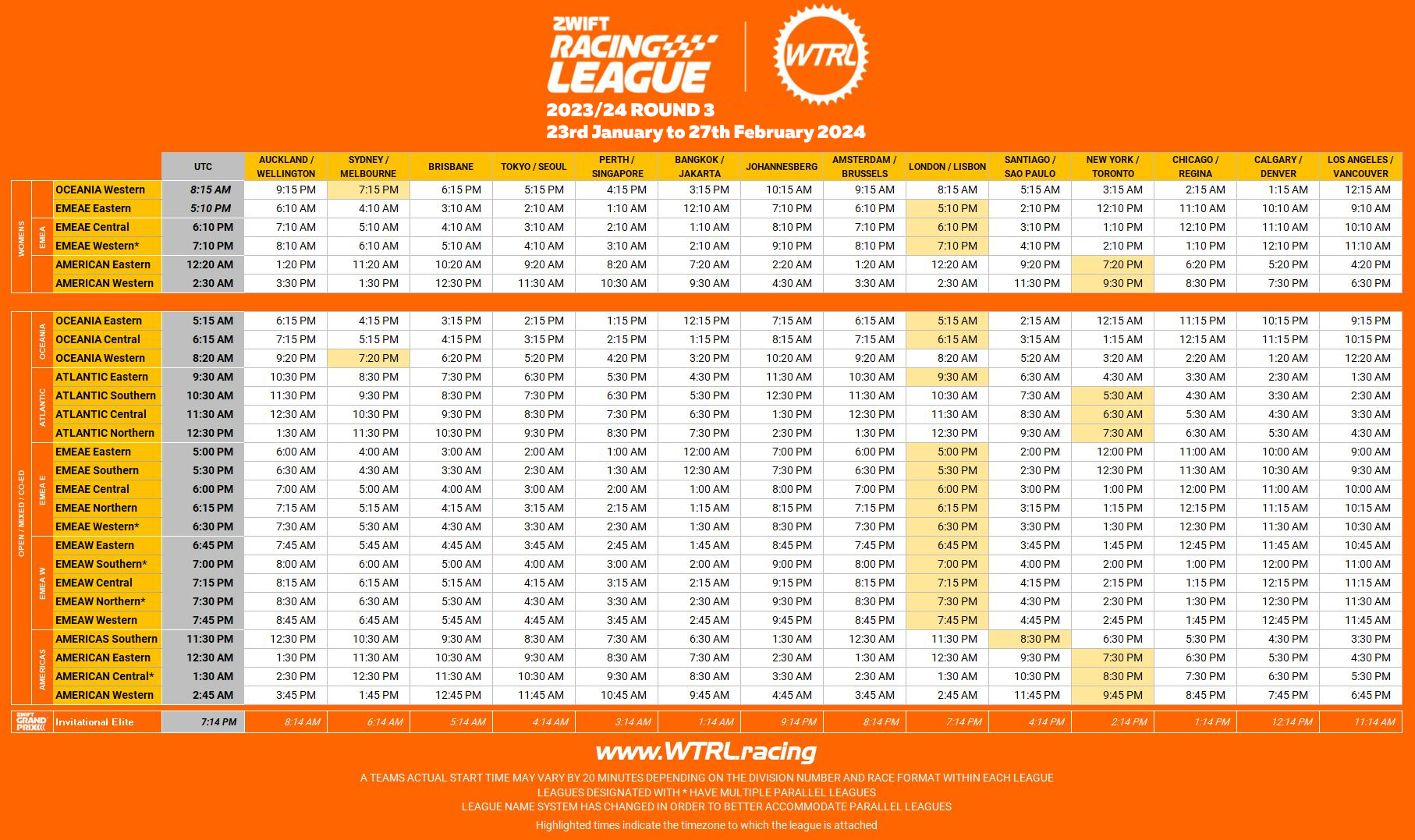
Timeslots and Divisions

Some divisions and start times get tweaked between each round, so make sure you pick the time slot that works for your team. Here are the divisions and time slots for 2023/24 round 3:

Teams and Registration

ZRL is a team-based competition – you cannot sign up as an individual rider. Teams can have up to 12 racers rostered, but only 6 can race in each event. Teams must have at least 4 riders on their roster, and a rider can be rostered on no more than 2 teams per round.

Team registration opened December 22 wtrl.racing/zrl-registration. Teams signed up for Round 2 will be automatically registered for Round 3.

Want to race, but don’t have a team? Here are six ways to find a team:

  1. Recruit friends and family onto a new ZRL team, then sign up your team at wtrl.racing/zrl-registration/.
  2. If you’re already a member of a larger Zwift Club, contact a senior Club representative to see if you can join one of your Club’s ZRL teams.
  3. Join an official team-lead ZRL Group Recon Ride where several teams can be found looking for more riders. These run several times a day starting two weeks before the first race. Learn more >
  4. Join the ZRL Facebook Group and post preferred race times/league, Pace Group Category, and any other preferences under the #zrlteamhunt tag where many teams are eagerly waiting.
  5. Reply to one of the #zrlrecruiting posts that teams make in the ZRL Facebook Group if you don’t want to post your own request.
  6. Reach out directly to WTRL and they can match you to a team based on race times, category, and team preferences.

Race Routes and Dates

Each ZRL round comprises weekly races which are either scratch races, points races, or team time trials (TTT). Scratch Races and Points Races are both actually points-based in terms of final results, but Points races include intermediate segments while Scratch Race points are all earned at the finish line. TTT winners are the teams who complete the race course fastest, with team time taken from the fourth rider across the line.

Race #1: Ocean Lava Cliffside Loop
January 23, 2024 (Scratch Race)

We start with the shortest race of the round, on a route we’ve never raced before in ZRL. Be ready for fireworks on the climb up from the marina!

Race #2: Island Hopper
January 30, 2024 (Points Race)

Another new route for ZRL, Island Hopper is quite flat apart from the two punchy climbs within a 3.5-kilometer window in the middle of the race.

Race #3: R.G.V.
February 6, 2024 (TTT)

Our first TTT of Round 3 is on a familiar route. Flat and fast, R.G.V. lets you focus on smooth rotations and pushing your team to the edge of its capabilities. Save a bit for Les Intestins near the end!

Race #4: Innsbruckring
February 13 (Scratch Race)

A favorite circuit of many racers, Innsbruckring is all about the Leg Snapper climb in the middle of each lap. Do you have the punch to survive it three times?

  • 3 Laps of Innsbruckring (26.6km, 232m elevation)
  • PowerUps: Ghost (33%), Feather (33%), Aero Boost (34%) 🛈
  • Intermediate Segments: none

Race #5: Chasing the Sun
February 20, 2024 (Points Race)

Raced in previous ZRL seasons, Chasing the Sun has something for everyone, with three flat sprints before the big Temple KOM that will surely force a big selection.

Race #6: Out and Back Again
February 27, 2024 (TTT)

We finish this round with a TTT course that is very unlike what we typically see in ZRL. Not only is this the longest race of round 3, but it takes us up the Volcano KOM and the Hilly KOM Reverse! Teams will need to optimize for longer climbs, which can look very different from flat road rotations.

Tips for First-Timers

If this is your first time racing on Zwift, here are a few tips to get you started fast:

  1. You have to be signed up for ZwiftPower to participate. Instructions >
  2. You must create a WTRL account as well – do so at wtrl.racing/registration
  3. The minimum category you’ll race is determined by your power history on Zwift. See this post for details.
  4. Riders must use a power sensor to transmit power to the game – this would be a smart trainer, smartbike, or power meter. (You’re allowed to race C and D categories with a “classic” trainer and virtual power, but your points are cut in half.)
  5. Heart rate monitors are required. (You’re allowed to race without a HRM, but your points are cut in half.)
  6. Cadence monitors are required (new rule for Round 2).
  7. You’ll want to have at least a few races under your belt before you try to join a team, so you are confident that you’re in the correct category. It causes a lot of hassle if you join a team, and then are forced to upgrade to a new category mid-round.

Recons and Broadcasts

Official Recon Rides

If you’re unfamiliar with a particular week’s race course, join a ZRL recon ride! These happen multiple times per day and are led by experienced racers who may share route info and racing tips as you ride.

You can find a list of upcoming ZRL recon rides at zwift.com/events/tag/zrlrecon.

Live ZRL Broadcasts

Select ZRL races will be broadcast with commentary by Zwift Community Live. See their scheduled YouTube playlist.

2023/24 ZRL Season Dates

  • Round 1: Sept 12-Oct 17, 2023
  • Round 2: Nov 14-Dec 19, 2023
  • Round 3: Jan 23-Feb 27, 2024
  • Finals: April 9/16/23 2024

Questions or Comments?

We recommend checking out WTRL’s Zwift Racing League page for rules, team registration, results, and more. They also have a Help Center with lots of useful info, and their Facebook page is the place to go for discussion of all things ZRL.

You may also share questions or comments below!