Home Blog Page 159

Top 5 Zwift Videos: Tron Bike, Zwift Gear, and Racing Pros

For this week’s top Zwift videos, we’ve selected a rider documenting their journey unlocking the Tron Bike, a Zwifter talking about Zwift and some new gear, GCN racing Ashleigh Moolman Pasio’s RoboPacer, a Zwifter’s race analysis, and a young Zwifter’s review of Zwift’s training plans.

Finally Getting the Tron Bike on Zwift

Gareth Button recently unlocked the coveted Tron Bike. In this video, he talks through the journey of unlocking the bike and the complications when editing the video.

New Stuff from Zwift and #watchthefemmes

Louise Vardeman recently received new gear from Zwift. She briefly takes a look at the Play Controllers before heading off to France to watch the Tour de France Femmes.

How Fast Are Female Tour De France Pros?

In a recent GCN video, Ollie Bridgewood went head-to-head with Ashleigh Moolman Pasio in the form of a RoboPacer. How long could Ollie keep up?

Zwift Race | Shorter Faster Higher W/kg

Max from The Watt Life takes on the first stage of the Race the Worlds ZRacing series. Throughout this video, he provides commentary and tips for this race.

Top 3 Zwift Training Plans

Ryan Wain, a young content creator, goes over what he thinks are the top 3 training plans available on Zwift.

Got a Great Zwift Video?

Share the link below and we may feature it in an upcoming post!

Strava segments not matching on Zwift? Check “Map Visibility” privacy controls.

Strava segments not matching on Zwift? Check “Map Visibility” privacy controls.

UPDATE November 14, 2024: this issue appears to have been fixed by Strava. Hurray!

Recently a Zwifter contacted me, confused because they had ridden a route but couldn’t find themselves on the segment leaderboard in Strava. Since Zwift Insider is (oddly enough) the keeper of Zwift’s Strava segment library and the VeloViewer Route Hunter Leaderboards, they came to me.

After doing a bit of digging, I discovered that this particular Zwifter had enabled a privacy setting in Strava which effectively hid their activity on the segment in question.

Since this rider probably isn’t the only one in the world encountering this issue, I’m sharing the details of how Strava’s Privacy Controls work with Zwift segments and activities. Let’s dive in!

Accessing Your Strava Privacy Controls

Strava has a pile of Privacy Controls which can be accessed via their app or the web version by going to Settings>Privacy Controls.

Under “Additional Controls” you’ll see “Map Visibility” – this is the setting which can affect Zwift segment matching/leaderboards. In the web version of Strava it looks like this:

The first option, “Hide the start and end points of activities that happen at a specific address,” is a sensible one if you don’t want people to see where you live.

The second option, “Hide the start and end points of activities no matter where they happen”, is the one that affects Zwift segments.

Click “Edit” for this setting and you can customize how many meters are hidden from the start/end of your activity:

A Thorough Test

I did some testing to confirm that Strava’s “Hide the start and end points of activities no matter where they happen” works the way we thought. I set it to hide 800 meters of the start/end of our activities, then sent our bot out to ride a lap of Watopia’s Hilly Route.

The game spawns you approximately 250m from the start line, which means my bot account’s Strava privacy setting would chop off the first ~550 meters of the route. I also ended the bot’s ride just after crossing the finish line, which means the last ~800 meters of the route would be chopped off.

You can see this in the Strava map of the activity, which uses a grey line to indicate “hidden” portions of the activity and a red line for visible portions:

Note: we’re using the cool ZwiftMap for Strava extension to overlay Zwift’s map onto Strava’s

When I (the account owner) viewed the activity, the Hilly Route segment showed up. But if someone else viewed the activity, that segment wasn’t shown at all.

When viewing it as the account owner, the segment included this note:

This effort doesn’t appear on leaderboards because the segment is within an area you have hidden using your Map Visibility controls.

Adjusting Map Visibility for Individual Activities

When I went back in and removed the privacy setting (setting it from 800 meters to “Off”), nothing changed on the existing activity. I tried clicking “Refresh Activity Achievements,” but that didn’t change anything, either.

Fortunately, Strava has built a tool to make the hidden portions of your activity visible (or alter the map visibility of your activity in any other way). The text below is from their support page


On either the Strava mobile app or website, open the activity you wish to adjust and select the ellipses icon (from the upper right-hand corner of the app and left-hand side on the website).

  • Select Edit Map Visibility.
  • Use the sliders to specify the portion you want to hide or enable the option to Hide the Entire Map.

Editing the map visibility on an individual activity will override any default map visibility preferences. In other words, you can hide more or less of your map than was automatically hidden by your default preferences.

Enabled for All

After doing a bit of poking around online, it appears that Strava enabled “Hide the start and end points of activities no matter where they happen” for everyone around June of 2022. So even if you think this setting isn’t enabled on your account, it may be.

This page from Strava says, “Once you’ve had a Strava account for at least seven days and uploaded one activity, the first and last 200 meters of your activity maps will be hidden by default.”

A Request for Strava

I’m sure the “Hide the start and end points of activities no matter where they happen” is useful for athletes who want to keep their start/end points private. But it seems silly to apply this to virtual rides, right? What’s the use of hiding the first and last X meters of a virtual ride? We’d love to see Strava have this setting only apply to outdoor activities.

Questions or Comments?

Share below!

Tiny Race Series – August 5 Routes and Last Week’s Results

6

Tiny Race Series – August 5 Routes and Last Week’s Results

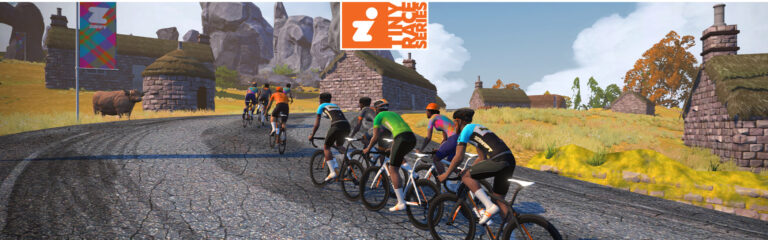
This Saturday we’re officially into our second year of Tiny Races. It’s been a fun year as we’ve dialed in the format, and we’re looking forward to things getting busier (and faster, and more competitive) in the next few months!

We’re celebrating UCI Worlds this week by holding all our races on Worlds-related routes. But first, let’s look at last week’s winners…

Last Week’s Results

Overall Winners

Zone 1 (9am UTC)

A: Mads Buster (Dragons)
B: Allan Myhré (OUT)
C: VV Wang (RZFC)
D: Georg Sauer

Zone 2 (3pm UTC)

A: Pedro Errecart (OTR)
B: Thongchai Paalao (WPJR)
C: Dean Peddle (CRYO-GEN)
D: Steve C

Zone 3 (9pm UTC)

A: Stu Turner (AHDR)
B: Sam Evans (DIRT)*
C: Sam Findlater
D: Nicholas Dye

*Sam and his DIRT teammate Ryan Day tied for points, but Sam got the win because he had more 1st place finishes.

Women’s Winners

Zone 1 (9am UTC)

A: Nini (Pyro)
B: Mikiton Nakaji (EVO)
C: VV Wang (RZFC)
D: Ali H

Zone 2 (3pm UTC)

A: –
B: Jen Buckley (BellaVelo)
C: Jesse Whitaker (REVO)
D: Jane Bacon (COALITION)

Zone 3 (9pm UTC)

A: –
B:
C: Amy Touzell
D: –

This Week’s Routes: World Champs Roads

With the UCI “super Worlds” happening in Scotland this month, we’re celebrating all things Worlds by featuring some of Zwift’s Worlds-related routes (in chronological order). It’s a pitchy week… get out there and smash it!

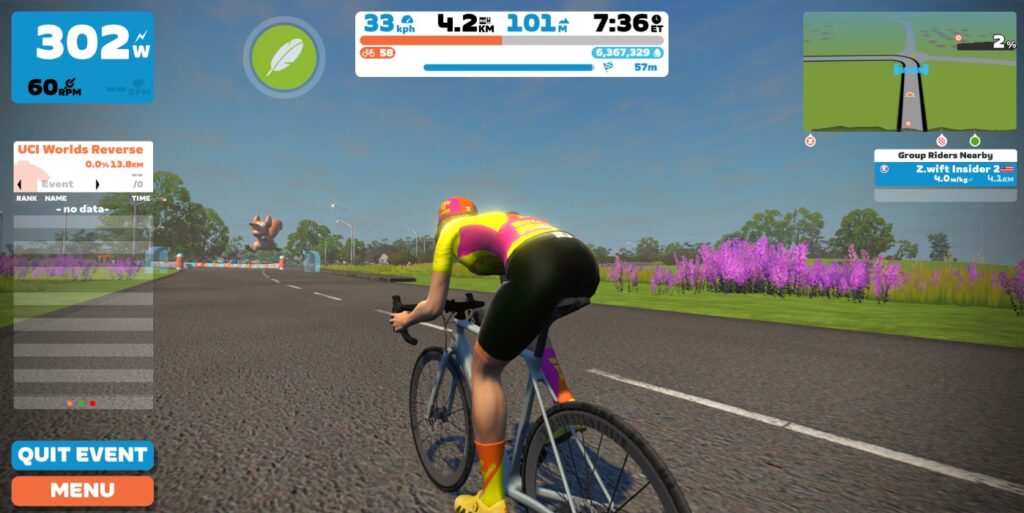
  • Race 1: Richmond UCI Reverse (4km, ends on straightaway after Libby Hill descent)
    We kick it off with a tough route with two gut-punching climbs. Start with a descent, then a longish climb. Grab a powerup at the banner, then it’s a quick descent into a steep (20%+!), short kicker. Grab another powerup at the Libby Hill KOM banner, then descend Libby’s cobbles and end on the paved, straight downhill that follows. Punchy climbers will get away on the last kicker, but bigger riders may just be able to chase them back!
    • Powerup: Burrito (2x)
  • Race 2: Lutscher (4.7km, ends after first hairpin)
    Get a flat lead-in from the start pens, then turn left and hit the Innsbruck KOM and go all-in for 2km. Race ends just after the first hairpin turn.
    • Powerup: Feather (1x)
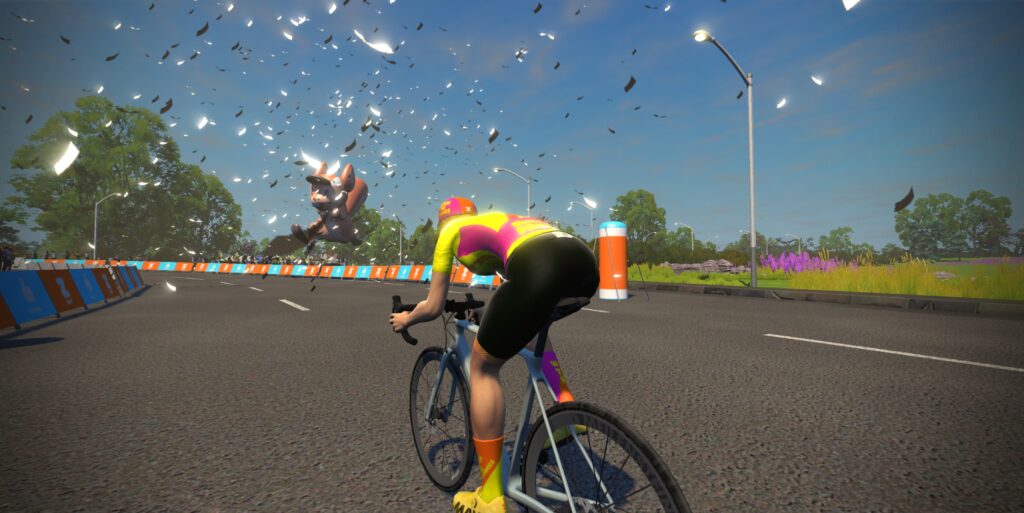
  • Race 3: 2019 UCI Worlds Harrogate Circuit (6.2km, ends after Pot Bank descent)
    This round ends on the straight false flat following the super-steep Pot Bank descent (see photos above for location). Do you use your anvil on an early downhill to chase back on, or save it for Pot Bank so you can hit crazy fast speeds?
    • Powerup: Anvil (1x)
  • Race 4: City and the Sgurr (5.188km, ends at top of paved climb)
    We wrap up our set of 4 races in Scotland, where this year’s Worlds are being held. You’ll be climbing the Sgurr twice – first on the gravel side, then back up the paved side for the finish. Use a gravel bike for an advantage on the first climb, or a road bike for an advantage on the second.
    • Powerup: Feather (1x)

Sign up at zwift.com/events/tag/tinyraces

Pack Dynamics 4.1

All Tiny Races are currently using Zwift’s experimental Pack Dynamics 4.1.

Read more about PD4.1 on this forum thread, and chime in there after your races to share your experience and help Zwift improve their pack dynamics!

ZwiftPower Results

Zwift displays preliminary race results in game when you cross the line, but points are computed after all four races are finished, with final results on ZwiftPower. (We have to do some data processing on our side to compute results, so if your rankings don’t show up right away, be patient.)

Riders will earn points based on finish position in each of the 4 Tiny Races. The category winner of each week’s series is the rider with the most points across their timezone’s 4 races. Here are the links for each timezone’s results on ZwiftPower:

Rules

Tiny Race rules are simple, but still every week 6-8% of registered ZwiftPower racers get disqualified and removed from the final results. Don’t let that be you! Four races, four rules:

  • You must have a ZwiftPower account, because final results are processed by ZwiftPower (learn how to sign up)
  • No skipping then returning. These races are meant to be raced as a set of 4. If you need to leave early, that’s fine… but once you miss a race in your hour’s set of 4, don’t come back and race another or you’ll be disqualified from that race since you rested while others were racing! (Example: racing only races 1 and 2 is fine. Racing 1, 2, and 4 is not – you will be DQ from race 4. And if you race 2, 3, and 4, you’ll be DQ from all those races, since you skipped race 1!)
  • Heart rate monitors are required.
  • Smart trainer/smart bike or power meter required. ZPower/Virtual power is not allowed.

Join a Chat & Chill Cooldown

Immediately following each hour’s racing, we’ve scheduled 30-minute “Chat & Chill” events where riders from all categories can spin their legs together and chat about how it all went down. Find them at zwift.com/events/tag/tinyraces.

Zwift Insider Kit Unlock

Finish any Tiny Race or a Chat & Chill ride and unlock the Zwift Insider “Ride Smarter // Ride Harder” in-game kit.

Questions or Comments

Post below!


Zwift Racing League 2023/24 Round 1 Details

Zwift Racing League 2023/24 Round 1 Details

Registration for the 2023/24 Season opened today (August 1, 2023).

Now in its tenth round, Zwift Racing League (ZRL) has taken racing to the next level on Zwift. It’s well-organized bike racing on an unprecedented scale; a multi-week team points competition held across all timezones and catering to thousands of teams. And that’s why serious Zwift racers show up week after week: because everyone knows ZRL is where Zwift racing is at its highest level.

ZRL organizers WTRL continue to evolve their systems and tighten rulesets to provide a fair, engaging, and competitive platform for Zwift racing. This year they’ve set a goal of seeing 30,000 unique racers participating in ZRL!

The next ZRL round begins September 12, and it’s officially named 2023/24 Season – Round 1. We’ll use this page to display all the key info in one place, updating it as more info becomes available.

Ruleset Updates

If you’re new to ZRL, you’ll definitely want to get familiar with the ruleset and scoring structures, as these inform strategic decisions made as a team.

For Round 1 we have two key ruleset changes that will be of interest to all racers:

  1. Zwift Pace Groups Used for Categorization: Zwift’s “Pace Groups” are the automatically-determined categories used for category enforcement in most Zwift races. For the first time ever, ZRL will be using these Pace Groups to determine minimum racer categories. Important: riders with no category or who have less than 2 competitive races in the 2 weeks prior may be denied entry to ZRL races.
  2. Steering and Braking Disabled: there’s been a lot of talk around steering with the recent release of Zwift’s Play Controllers, but steering and braking will be disabled for standard ZRL divisions. Special “steering allowed” divisions will be created “where there is demand” according to WTRL.

Timeslots and Divisions

Divisions and start times have been tweaked, so make sure you pick the time slot that works for you and your team:

Teams and Registration

With a new category system in play, all teams must register as new! No teams will be automatically carried over. Teams can register now at wtrl.racing/zrl-registration. Team registration for Round 1 closes once the round begins. Your team must have at least 4 members.

Want to race, but don’t have a team? You can find a list of teams recruiting riders by visiting wtrl.racing/zwift-racing-league/#teams (“All Teams” in the ZRL menu). WTRL says an inquiry form will be available soon on that page, so you can click and ask to join a team that is recruiting.

Until then, you can track down the team’s contact info and message them, or simply post your info on the Facebook group to have teams contact you. Use tags so your post can easily be found by others using “popular topics”:

  • If you are looking for a team, tag your post with the topic #zrlteamhunt
  • If you are recruiting, tag your post with #zrlrecruiting

Race Routes and Dates

Each ZRL round comprises weekly races which are either scratch races, points races, or team time trials (TTT). Scratch Races and Points Races are both actually points-based in terms of final results, but Points races include intermediate segments while Scratch race points are all earned at the finish line. TTT winners are the teams who complete the racecourse fastest (team time is taken from the fourth rider across the line).

“Intermediates” are sections on the course where riders compete for points. Intermediates may count for Fastest-Through-Segment (FTS) or First-Across-Line (FAL) points. See the scoring page for details.

Race #1: Rolling Highlands
September 12, 2023 (Scratch Race)

Welcome to our first-ever ZRL scratch race! This is one of the newest routes on Zwif, but its popularity as a race route means most riders will be familiar with its rolling parcours and the crucial Breakaway Brae finish. This race also features specific powerups at specific banners – another ZRL first!

Race #2: Makuri 40
September 19, 2023 (Points Race)

The longest race of Round 1 finds us in the Makuri Islands, taking on roads in all three parts of the map: first Yumezi, then Neokyo, then Urukazi. Most of this race is quite flat, but watch out for that final haul up through the Slot Canyon with only ~6km to go!

Race #3: Roule Ma Poule
September 26, 2023 (TTT)

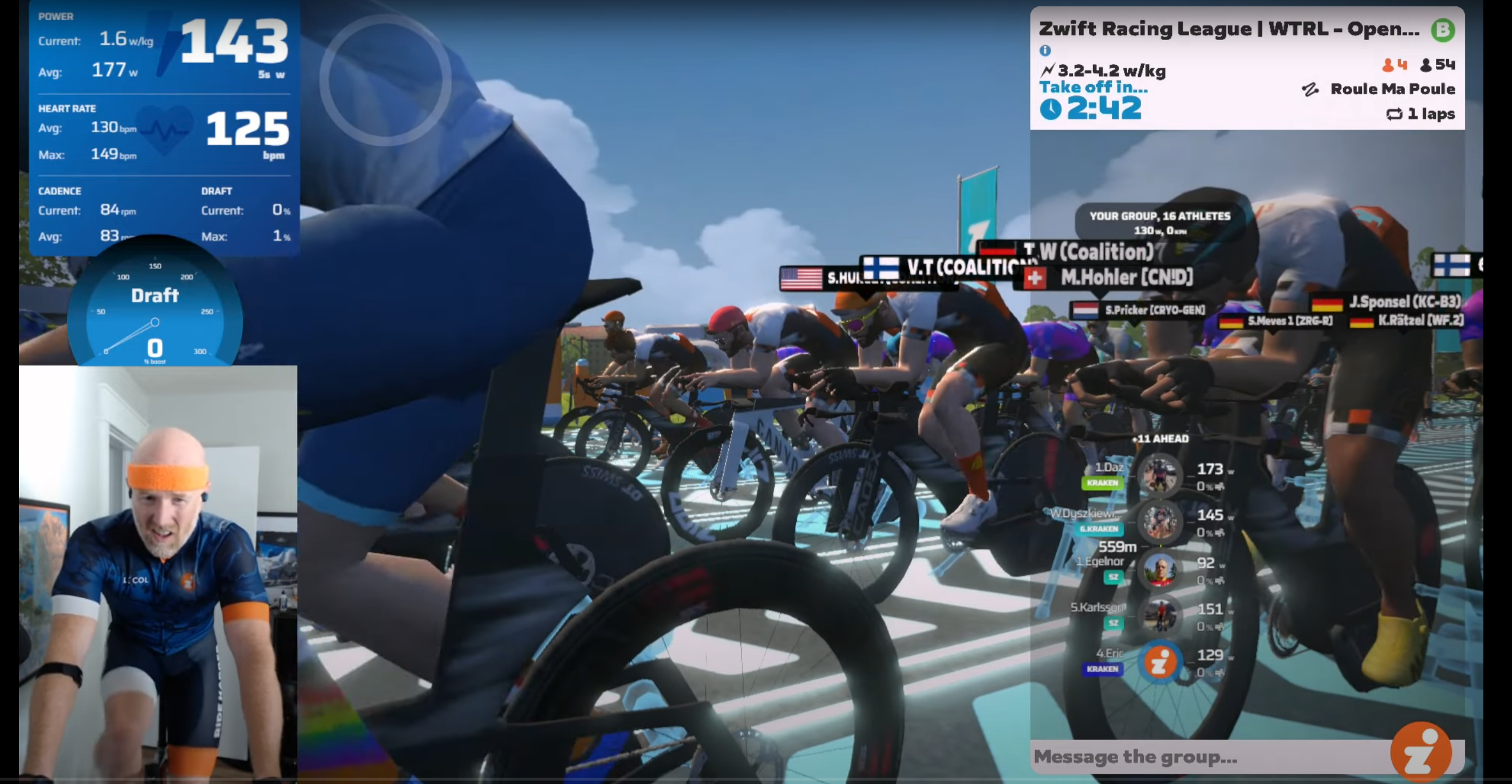
Our first TTT of Round 1 starts off with a team challenge: getting up the backside of the Petit KOM as quickly as possible, without losing the riders you’ll need if you want to put in a fast time on the flats that follow! You’ll need to do the climb once more at the end of the race as well, so strategy and pacing will be crucial this week.

Race #4: Tour of Tewit Well
October 3, 2023 (Scratch Race)

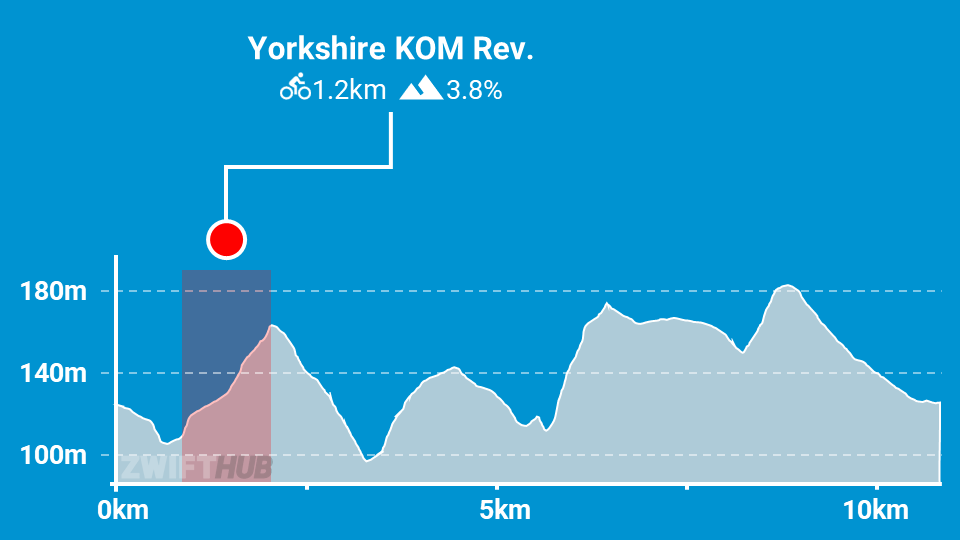
Our second scratch race of Round 1 finds us in pitchy Yorkshire for two laps of Tour of Tewit Well. Watch for big attacks up the reverse KOM and Pot Bank’s pitchy backside.

Race #5: Temples and Towers
October 10, 2023 (Points Race)

Riders will tackle three KQOM climbs in this race, with the gravel-bike-friendly Temple KOM being the last one the list. Who will survive to contest the finish in Neokyo?

Race #6: Greatest London Flat
October 17, 2023 (TTT)

Winning on this flattish TTT route requires working knowledge of how to optimize TTT pacelines. Can you keep your speed high without dropping valuable teammates on the false flats?

Tips for First-Timers

If this is your first time racing on Zwift, here are a few tips and links to get you started fast:

  1. You have to be signed up for ZwiftPower in order to participate. Instructions
  2. You must create a WTRL account as well – do so at wtrl.racing/registration
  3. The minimum category you’ll race is determined by your power history on Zwift. See this post for details.
  4. Riders must use a power sensor to transmit power to the game – this would be a smart trainer, smartbike, or power meter. (You’re allowed to race C and D categories with a “classic” trainer and virtual power, but your points are cut in half.)
  5. Heart rate monitors are required. (You’re allowed to race without a HRM, but your points are cut in half.)
  6. You’ll want to have at least a few races under your belt before you try to join a team. WTRL says riders with no category or who have less than 2 competitive races in the 2 weeks prior may be denied entry to ZRL races.

Official Recon Rides

Various community organizers have set up ZRL route recon events in the past, but for Round 1 WTRL is taking the bull by the horns and organizing official recon rides. The recon ride schedule isn’t out yet, but if you’re a Zwift Club interested in hosting some of these official rides, contact WTRL.

Is your Zwift Club interested in hosting an official Zwift Racing League Recon Ride? We’re looking for Zwift Clubs willing to offer racing tips, lead and sweep OFFICIAL ZRL public Recon Rides in the lead-up to each ZRL race. If your club is interested, please reach out to us at [email protected].

WTRL

You can find a list of upcoming ZRL recon rides at zwift.com/events/tag/zrlrecon.

Watch the Live Stream

Zwift Community Live is broadcasting two of each week’s races – see their scheduled YouTube playlist, or watch below:

2023 Season Dates

  • Round 1: Sept 12-Oct 24, 2023
  • Round 2: Nov 14-Dec 18, 2023
  • Round 3: Jan 16-Feb 20, 2024
  • Finals: March/April 2024

Questions or Comments?

We recommend checking out WTRL’s Zwift Racing League page for rules, team registration, results, and more. They also have a new Help Center with lots of useful info, and their Facebook page is the place to go for discussion of all things ZRL.

Feel free to share questions or comments below!


How to Ensure Reliable Companion App Connection when Zwifting

How to Ensure Reliable Companion App Connection when Zwifting

Zwift’s Companion app (available for iOS and Android) is a super-handy addition to the Zwift experience. When you’re riding or running it lets you interact with other Zwifters, connect your devices, manage your workout, and drop Ride On bombs. And when you’re not actively zwifting (because everyone needs a break, right?) it lets you browse upcoming events, clubs, and more.

With the recent release of Zwift’s Play Controllers, the Companion app is being used more than ever as a Bluetooth bridge between your devices (smart trainer, HRM, Play Controllers, etc) and your Zwift machine (especially Apple TV). This has resulted in more chatter in the community from Zwifters struggling to keep the Companion app firmly connected to their game session.

Let’s look at how Companion connects to your Zwift session, and some simple troubleshooting/settings tweaks to ensure your Companion connection is stable.

The Basics

While Zwift (the game itself) is running (on your PC, Mac, phone, tablet, or Apple TV) it is putting out a “signal” on your local network, so any device running the Companion app under the same login will “hear” that signal and automatically pair with your game session.

Many Zwifters use Companion while they ride or run simply to interact with other riders, or perhaps to manage their active workout. If you want to use Companion as a Bluetooth bridge, though, you’ll need to have Bluetooth enabled on your phone.

Pairing Bluetooth Devices Through Companion

Connecting Bluetooth devices via the Companion app should be very simple, but it can be confusing if you don’t understand how the system works, or if your devices are already connected elsewhere. To get started:

  • Make sure Bluetooth is enabled on your phone.
  • Do not open your phone’s Bluetooth settings and attempt to pair your smart trainer or HRM there. You don’t need to access this screen at all.
  • Most hardware only allows one Bluetooth connection at a time, so if you think your smart trainer or HRM may already be connected to another device, break that connection by disabling the device or rebooting your hardware.

Open up Zwift Companion on your phone, and start up the Zwift game on your Zwift device. (Make sure you’re signed into the same Zwift account in Companion and in the game!) You’ll soon arrive at the pairing screen, which is where all the magic happens.

To use Companion as a Bluetooth bridge, make sure phone-based pairing is the selected Bluetooth connection option on the Zwift pairing screen. (You’ll know it is if you see a phone icon at the top-right, instead of a simple Bluetooth icon).

Not seeing the phone icon? Click “Pair Through Phone” at the top-left.

Connection screen where native Bluetooth is being used, instead of the Companion app. Click “Pair Through Phone” to connect to Bluetooth devices via the Companion app on your phone.
Connection screen with Companion app selected as Bluetooth connection method.
If you see a phone icon with a hazard symbol that means Zwift sees your Companion app session, but Bluetooth is disabled on your phone. You should get a prompt on your phone to enable Bluetooth.
If you see a white hazard sign next to the phone, that means Zwift isn’t seeing the Companion app on your network. Make sure your phone is on the same local network (WiFi) as your Zwifting device.
Once your Zwift session sees Companion app on your phone with Bluetooth enabled, it will let you connect to devices through your phone, like the Zwift Hub connection highlighted above.

Companion Isn’t Seeing My Zwift Session!

The most common Companion complaint is that the app isn’t “seeing” your Zwift session. There are a handful of causes (and fixes) for this, but it all boils down to the Companion app not “hearing” the network signals being put out by the game. Two basic things to check:

  • Same Network: your phone running Companion must be on the same local network as the Zwift device. For many Zwifters, that means both devices are on the same WiFi. Depending on your network setup you may have a hardwired connection to your Zwift device and a WiFi connection on your phone. Just make sure they’re the same network.
  • Same Login: make sure you’re signed into Companion with the same login as the Zwift game.

More Troubleshooting Tips

  • Mac and iPad “Local Network Privacy”: running Zwift on a Mac or iPad? The Zwift application needs to have “Local Network Privacy” enabled in order for it to be seen by Companion. Read more >
  • Turn on Airplane Mode: if you find that Companion sometimes sees your active Zwift session, and other times it does not, you’ve probably got “WiFi assist” enabled on your phone. If you have WiFi connected as well as a cell signal (which is how most of us have our phones set up at home), your phone may swap between WiFi and cell signal for its data connection depending on which one it thinks will perform best. If it decides to use your cell signal you won’t be connected to your local Zwift game session. To avoid this, put your phone in airplane mode, so only WiFi and Bluetooth are enabled. (You can also turn the “WiFi Assist” option off entirely. This article explains how.)
  • Try a Reboot or Reinstall: when all else fails, right? If Companion won’t connect to your Zwift session, try rebooting the Companion app, rebooting your phone, or even deleting and reinstalling Companion.
  • Get the Most Recent Companion Version: make sure you’re running the latest version of Companion by going to your list of app updates.
  • Firewalls/VPN/Proxy: got a non-standard network setup? You may need to open some firewall ports or make other exceptions so Zwift can function correctly. Learn more on Zwift’s support page.

Weak WiFi? Try Mesh.

Some Zwifters have setups where their WiFi signal is weak, which can mess up your actual Zwift session and/or your Companion connection to Zwift. If you’re willing to invest some cash into improving your home network, we highly recommend getting a mesh system, which should greatly boost your WiFi coverage and speed compared to a typical single-router WiFi setup.

Read more about mesh networks for Zwifting >

Using a Personal Hotspot?

Some Zwifters who lack a strong local network simply use their phone’s cellular signal as a personal hotspot, running their Zwift session over that connection. This should work fine in terms of the Zwift game experience, although game updates may be a bit slow and could eat into limited data.

But in our experience, with this setup your Companion app won’t “see” your Zwift game session even though both would seem to be on the same “local network”. Your experience may vary – if it does, share below!

A Few More Notes

The Companion app doesn’t need to stay in focus on your phone in order for it to stay paired to your Zwift session. But it does need to stay open, so don’t force close the app!

This means you need to keep your phone powered on for any Bluetooth devices paired through Companion to remain connected. So make sure your phone has sufficient battery power to last the duration of your workout.

Questions or Comments?

Check out Zwift’s Companion app support page, or post below!


Zwift’s Video Screenshots Feature Rolls Out to Windows Users

Zwift’s Video Screenshots Feature Rolls Out to Windows Users

Last week Zwift announced via a forum post that the Video Screenshots feature has begun rolling out to some Windows users. Let’s look at what this feature does, and how it works on Windows!

What are “Video Screenshots”?

Video Screenshots is a feature that records 15-second video snippets of Zwift gameplay. You can trigger the recording manually via the Action Bar or Companion app, or videos will also be automatically recorded for “notable moments” like setting a segment PR, finishing an event, etc.

Here’s one that was automatically saved from a recent ride of mine:

These videos can be uploaded to Strava easily when you save your Zwift activity, or used wherever else you’d like.

Initially rolled out to iOS users in February, Video Screenshots are now available on Mac and Apple TV, leaving PC and Android as the last two unsupported platforms.

Finding Your Videos on Windows

Your videos are saved to Videos/Zwift on your Windows PC. If you manually record a Video Screenshot using the Companion app, that video will also be saved to your phone.

Limited Rollout

Zwift’s initial rollout to Windows users is restricted to those with particular processors, although my guess is this list covers the majority of Windows users:

  • Intel Core i5
  • Intel Core i7
  • Intel Core i9
  • AMD Ryzen 5
  • AMD Ryzen 7

(Notably missing from the list are AMD’s high-end Ryzen 9 and the ZPCMR-popular Intel Core i3.)

Zwift says, “Please also note that this is a gradual rollout, so even if you have a CPU listed above, you may not have the feature just yet. The total duration of the rollout will depend on a variety of factors, including performance metrics and feedback, but in general we’re targeting having this feature available for all of the above devices over a period of one-to-two weeks.”

Update: at 11am Pacific on July 31st, Zwift announced that video capture ability is moving from 10% to 25% of Windows machines with the following processors:

  • Intel Core i5 (9th Generation and newer)
  • Intel Core i7 (9th Generation and newer)
  • Intel Core i9 (9th Generation and newer)
  • AMD Ryzen 5
  • AMD Ryzen 7
  • AMD Ryzen 9

A Note about CPU Usage

It’s worth mentioning that, in tests on multiple PCs, we’ve seen Zwift’s CPU usage increase by 15-20% when the Video Screenshots feature is enabled:

If you have a strong enough PC this shouldn’t impact your game experience, since the Video Screenshots feature is multi-threaded and won’t use the same CPU core that Zwift heavily uses for gameplay.

That said, riders on weak or overloaded systems may see an impact. If you notice your system performs poorly with Video Screenshots enabled, simply disable it via the main Settings menu:

Zwift says they are watching performance metrics closely and will further refine the list of systems included or excluded from the Video Screenshots feature. Still, if you notice any negative impacts from the feature, I recommend sharing your experience and system specs on the forum thread.

More Questions?

See the forum post, which includes helpful links to support pages and a note for Windows N or KN users.

Your Comments

Share below!

Notable Zwift Events for the Weekend of July 29-30

4

For this weekend’s notable Zwift events we’ve highlighted a popular endurance ride, a beginner-friendly group ride, a century ride, a special jersey unlock ride, and Robo-Paced Alpe events.


🤝SZR Endurance Ride

✅ Popular Event  ✅ Beginner-Friendly

For those located outside of North America, the SZR Endurance Ride is a great way to start off the weekend strong. This ride has three different pace categories to choose from: Category C @2.5-3 w/kg, Category D @2-2.4 w/kg, and Category E @1.6-1.9 w/kg. Sweepers will be present in the ride to assist those off the back.

The group ride takes place on the Wandering Flats course for C, Big Foot Hills for D, and Greater London Flat for E.

Saturday, July 29 @ 6 am UTC
Sign up at zwift.com/events/view/3778379


🤝 Zwift Beginners Ride with Project Sloth

✅ Popular Event  ✅ Beginner-Friendly

The first Zwift Beginners Ride was introduced a couple of months ago. Since then, it has gained significant traction and is among the most popular weekly group rides. The ride is banded, so riders stick together regardless of pace.

This event takes place over 60 minutes on the Richmond UCI Worlds course.

Sunday @ 12 pm UTC/8 am EDT/5 am PDT
Sign up at zwift.com/events/view/3779439


🤝 USMES Monthly Century Ride

✅ Endurance Ride  ✅ Popular Event

The USMES Monthly Century ride is a great opportunity for riders to complete an imperial century with the company of others. This ride will have two beacons riding, one at 2.5 w/kg and one at 3 w/kg. 

The ride will take place over 100 miles of the Rolling Highlands course in Scotland. That’s a whole lotta laps!

Saturday, July 22 @ 1 pm UTC/9 am EDT/6 am
Sign up at zwift.com/events/view/3705224


🤝 Jersey Highlight // CANYON//SRAM Racing Watch the Femmes Kit Unlock Ride!

✅ Popular Event  ✅ Sweet Unlocks

CANYON//SRAM is offering an opportunity for riders to unlock the exclusive racing kit worn by the team IRL for the Tour de France Femmes! Some rides will have leaders present; however, most will be open-paced. Learn all about the events >

This jersey unlock ride takes place over 30 minutes on the R.G.V. course in France.

Multiple time slots throughout this weekend
Sign up at zwift.com/events/tag/wtfcsr2023


🤝 Summit Seeker – with Robo Pacers!

✅Popular Event  ✅Robo-Paced

The monthly Summit Seeker events are back! Join these group rides and have a RoboPacer there to pace you every step of the way up the Alpe. These RoboPacers are specifically paced to help riders meet a certain time goal. The goal times are the following: 49, 59, 69, 89, and 119 minutes. 

These rides take place over one lap of the Road to Sky course. Best of luck!

Multiple time slots this weekend
Sign up at zwift.com/events/tag/alpepacer

How We Make Our Picks

We choose each weekend’s Notable Events based on a variety of factors including:

  • Is the event unique/innovative in some way?
  • Are celebrities (pro riders, etc) attending/leading?
  • Are signup counts already high, meaning the event is extra-popular?
  • Does the ride include desirable unlocks or prizes?
  • Does the event appeal to ladies on Zwift? (We like to support this under-represented group!)
  • Is it for a good cause?
  • Is it just plain crazy (extra long races, world record attempts, etc)?
  • Is it a long-running, popular weekly event with a dedicated leader who deserves a shout out?

In the end, we want to call attention to events that are extra-special and therefore extra-appealing to Zwifters. If you think your event qualifies, comment below with a link/details and we may just include it in an upcoming post!

Your Thoughts

Got other events that stand out this weekend? Share below in the comments!

“Chasing Rainbows” Mission Announced for August

“Chasing Rainbows” Mission Announced for August

Zwift has rolled out a fresh Mission for August, and it’s all about riding in Zwift’s Scotland. Home of the 2023 UCI Esports World Championships, Zwift’s map is a nod toward real-life Glasgow, which is hosting the UCI World Championships for 14 different cycling disciplines in August.

Note: signups opened July 24 in game, but the Mission doesn’t begin until July 31.

Getting Started

To begin the Mission, select the mission card on your homescreen and click to register:

Once you’ve registered, clicking the mission card will show your Mission progress.

Completing the Mission

To complete the mission and earn the achievement badge and gloves, ride three of Scotland’s routes by September 3. Here’s a list of Scotland routes so you can pick your favorites >

UCI Rainbow-Inspired Gloves

Complete the mission to unlock the mission badge and gloves to go with the new UCI rainbow-inspired kit available in game! (How do you get the kit? Complete all stages of August’s ZRacing series or Zwift Ride Series.)

Questions or Comments?

Post below!


Zwift Ride Series “Podium Rides” Events Announced

18

Zwift Ride Series “Podium Rides” Events Announced

August’s Zwift Ride Series is focused on the UCI World Championships in Glasgow, Scotland. This is the first time the UCI has done a “super worlds” where (nearly) all cycling disciplines have their events hosted in the same place, during the same week. It’s going to be amazing!

Zwift says, “In honor of the 14 unique cycling disciplines showcased in Glasgow at Worlds, ZRS: Podium Rides will test your mettle on an array of machines from TT and Road Bikes to Mountain Bikes and Handcycles.”

Route and Schedule Details

Rides are scheduled five minutes past the top of each hour throughout the week.

  • Stage 1 (Jul 31-Aug 6) – TT Bikes
    • Loch Loop – 2 laps (16.1km, 142m)
      The Loch Loop has it all—descend through a castle, navigate the mystical roundabout, and conquer the Breakaway Brae KQOM on your speedy TT bike.
  • Stage 2 (Aug 7-13) – Road Bikes
    • Rolling Highlands– 2 laps (23km, 182m)
      A scenic route from the country paddocks, along the Cliffs, through the mystical roundabout, and up Breakaway Brae, the Rolling Highlands route is a fan favorite.
  • Stage 3 (Aug 14-20) – Handcycle & Open Bike Selection Options
    • Glasgow Crit Circuit – 5 laps (15.3km, 165m)
    • Grab your handcycle and take on this punchy circuit that showcases the streets of Glasgow—the host of the 2023 UCI Cycling World Championships’ finishing circuit.
  • Stage 4 (Aug 21-27) – Mountain Bikes
    • City and the Sgurr – 2 laps (14.6km, 267m)
      Grab your MTB and conquer “The Sgurr” on the City and the Sgurr route. Named after the Gaelic word for “high, sharp-pointed hill,” this climb is the highest point on the Scotland map.
  • Make Up Week (Aug 28-Sep 3)
    Missed a stage or two? Make up rides are available all week long!

See all upcoming ZRS: Podium Rides events >

Signing Up

To sign up for the series, click the card at the top of the homescreen and click “Register”. You’re all done! Clicking the card will now show your progress as you complete each stage.

Badge Unlocks

Complete all four stages this month to unlock the Zwift Ride Series: Podium Rides badge!

Kit Unlock

Complete all four stages this month to unlock the new UCI rainbow-stripes-inspired in-game kit.

You can unlock the same kit by finishing all five stages of the “Race the Worlds” Zwift Racing Series.

Questions or Comments?

Share below!


Top 5 Zwift Videos: Tour De France Femmes, Getting Dropped, Zwift Play

This week marks the start of the second edition of the Tour De France Femmes avec Zwift (TDFF). To celebrate the start of this tour, we’ve selected one avid Zwifter’s experience riding part of the course of the TDFF. Additionally, we’ve selected a race analysis video, a review of the Play Controllers, tips for how not to get dropped, and a recap of the Chasing Yellow series.

Riding in France for the Tour De France Femmes

In her latest video, Katie Kookaburra is at the TDFF. She rode 40 kilometers of Stage 1 with a few of her friends!

Dropped on a Hard Bridge

For anyone looking for Zwift race analysis/commentary, I would highly recommend The Watt Life’s YouTube channel. He has new videos quite often and they are very well-made and fun to watch. In his latest analysis, he looks at a race on the Mech Isle Loop course and discusses the hill that ultimately led to the end of his race.

Zwift Play Review – Is It Worth It?

Jaden Feddock has just received his set of Play Controllers. He does an unboxing, goes over the setup, and ultimately answers whether he thinks they are worth it.

How To Not Get Dropped in Zwift Races!

After racing quite a few times on Zwift, Leonard Goh shares his tips and tricks for how you can avoid getting dropped in Zwift races.

Chasing Yellow Sub-60 Second Recaps

Shawn McAfee managed to pack each Chasing Yellow stage into a YouTube short. In each of these videos, he goes over the major parts of the race and provides commentary on those events.

Got a Great Zwift Video?

Share the link below and we may feature it in an upcoming post!