

Zwifters have been uploading their rides to Strava for over 7 years now. So why does Strava still show real-world maps that put our Watopia activities somewhere in the Solomon Islands, instead of overlaying Zwift’s virtual geography onto the maps?
Who knows.
Eventually Zwifter Andi Pätzold stepped in and created his own solution, as software developers tend to do.
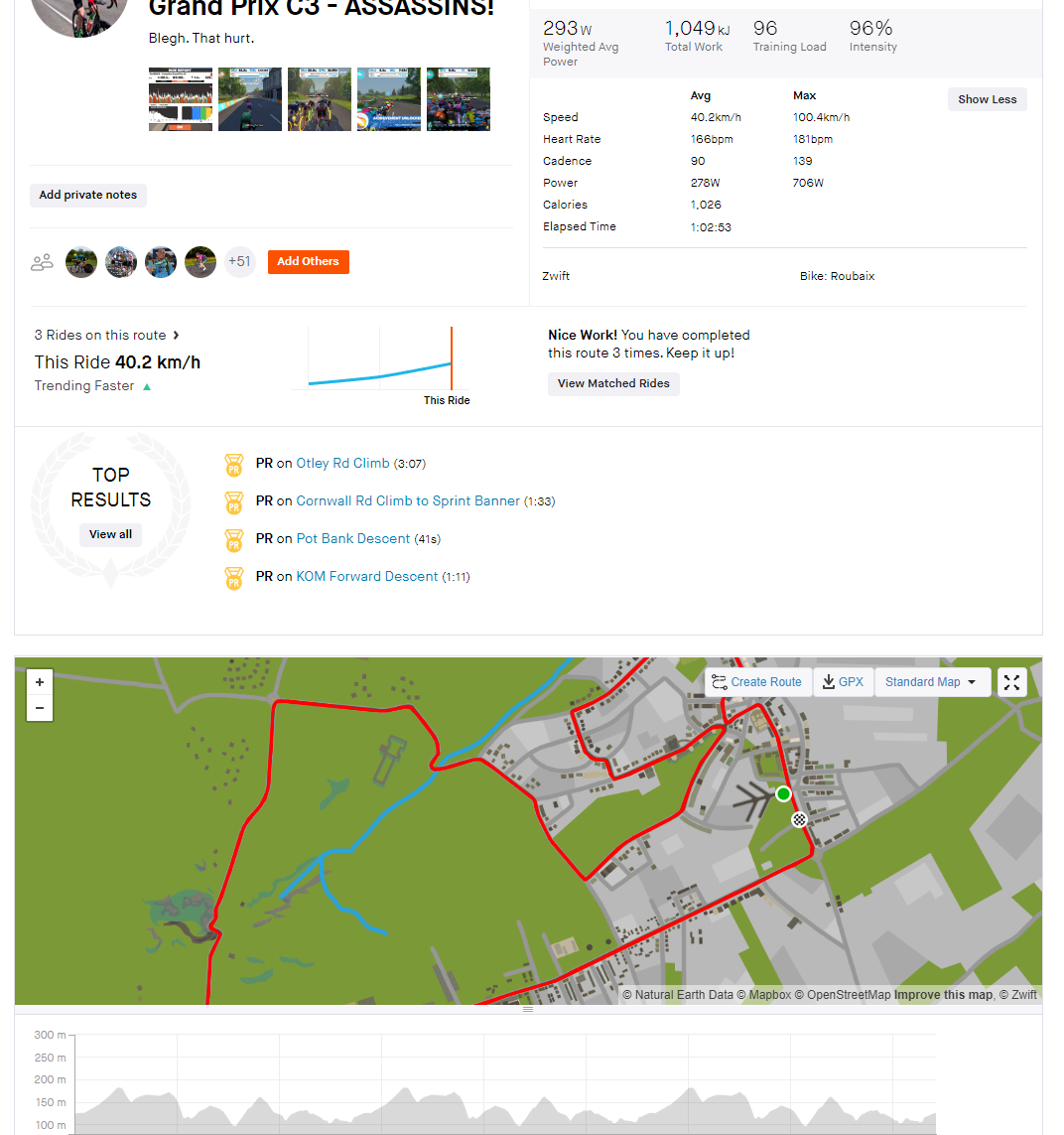
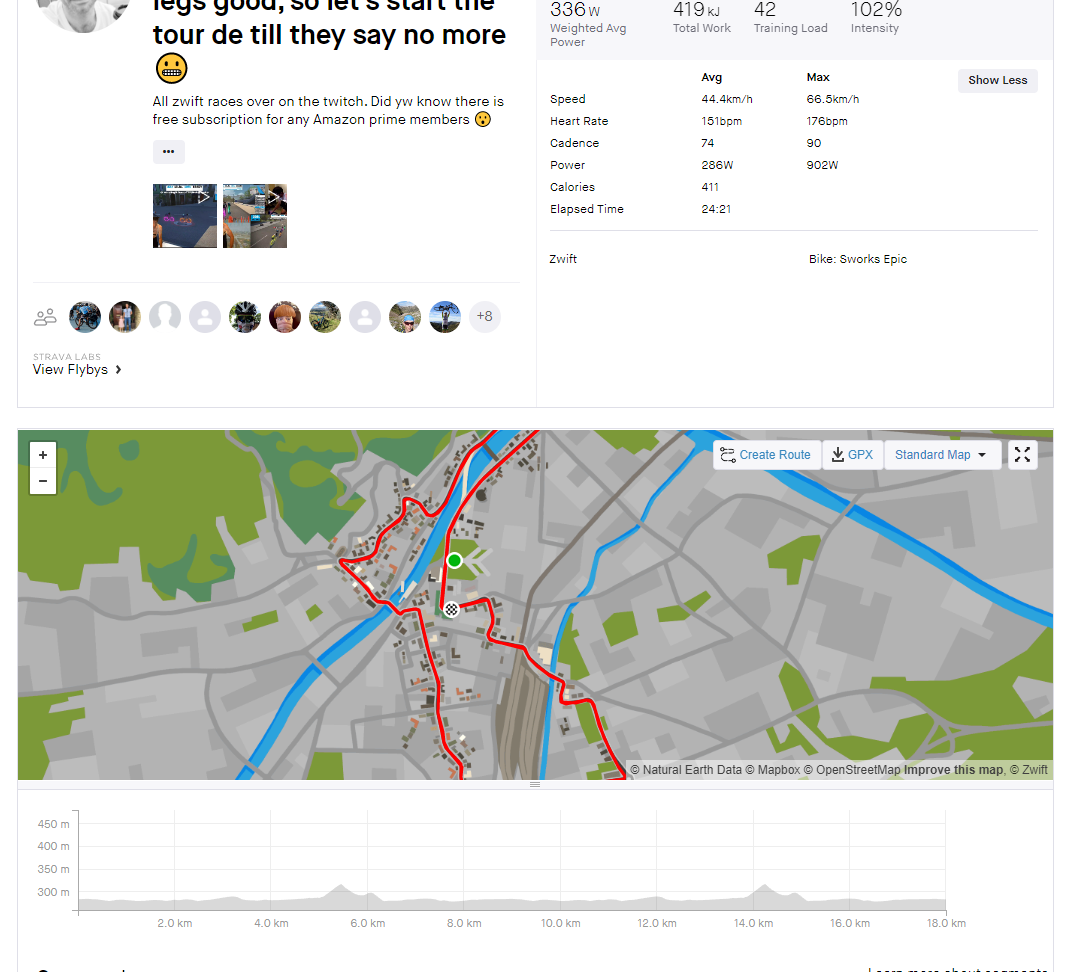
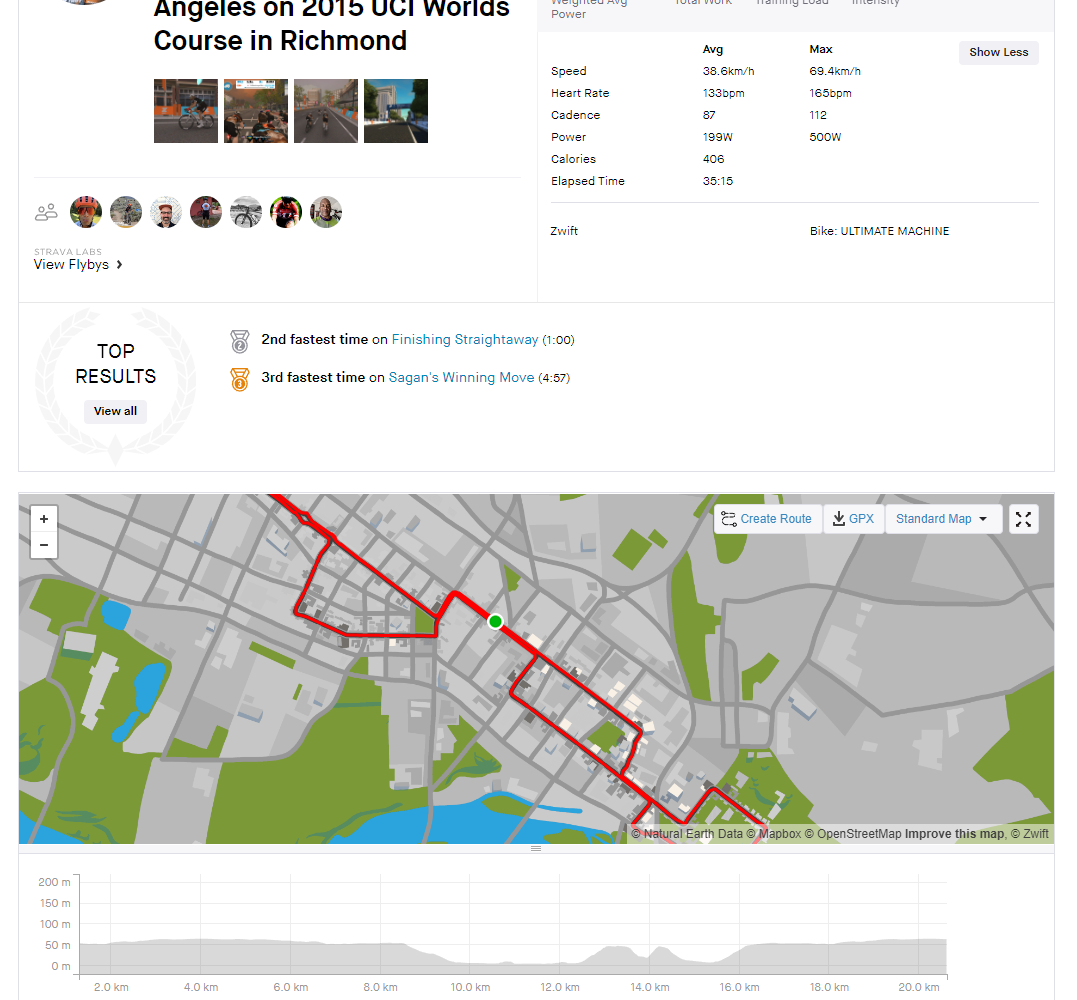
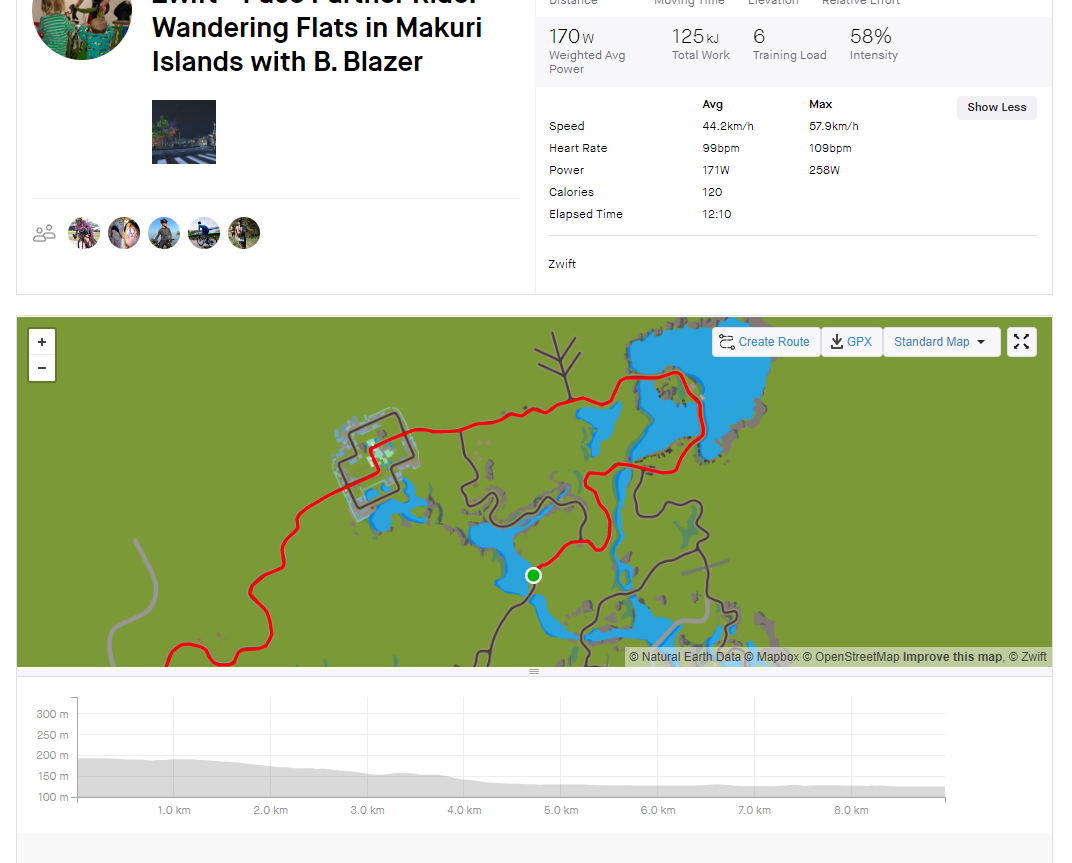
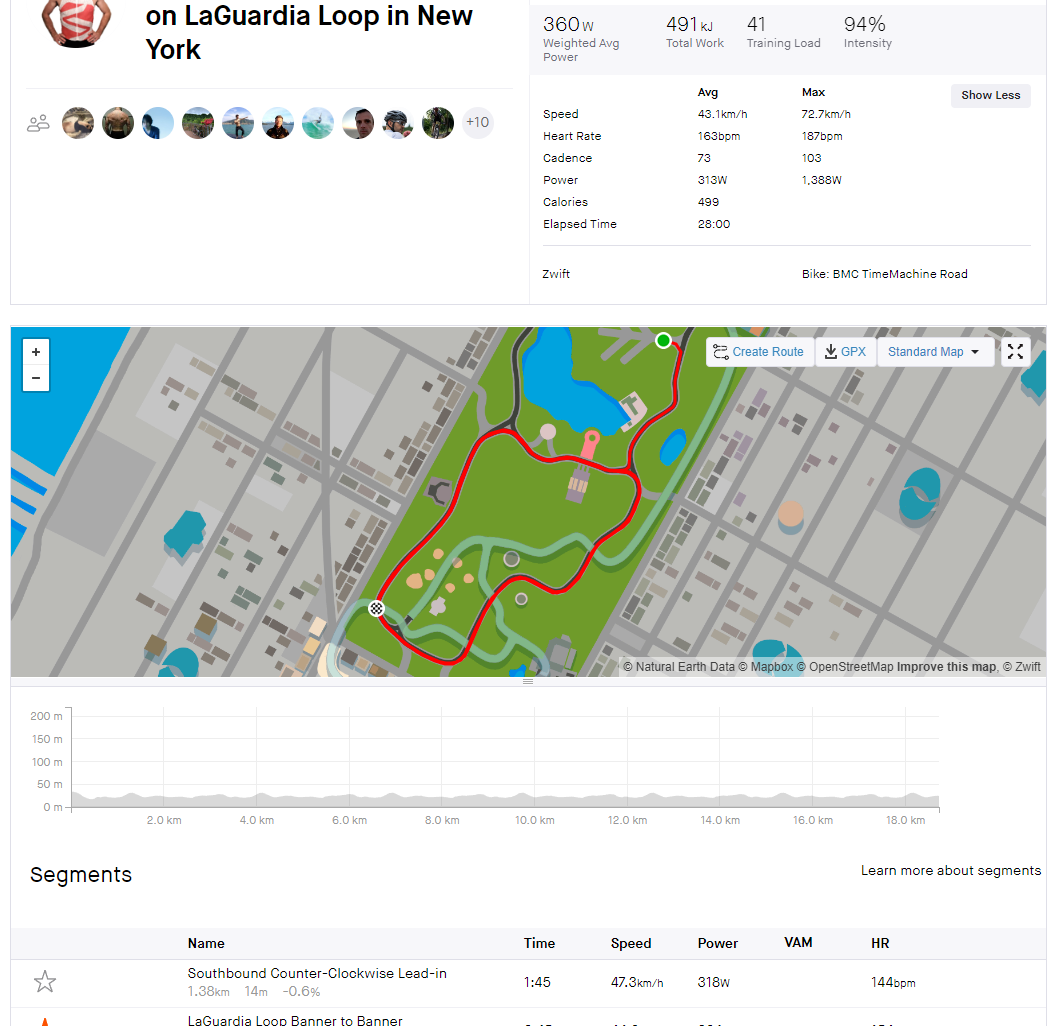
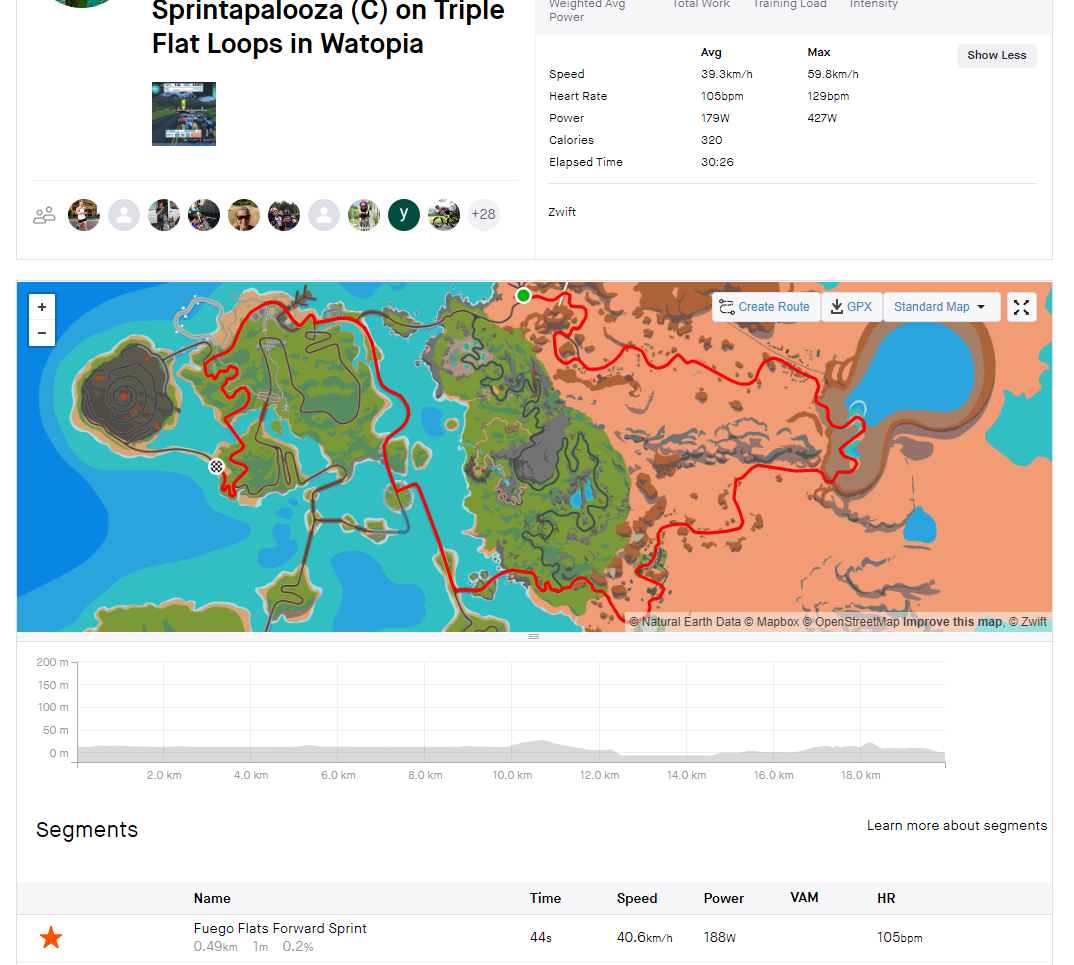
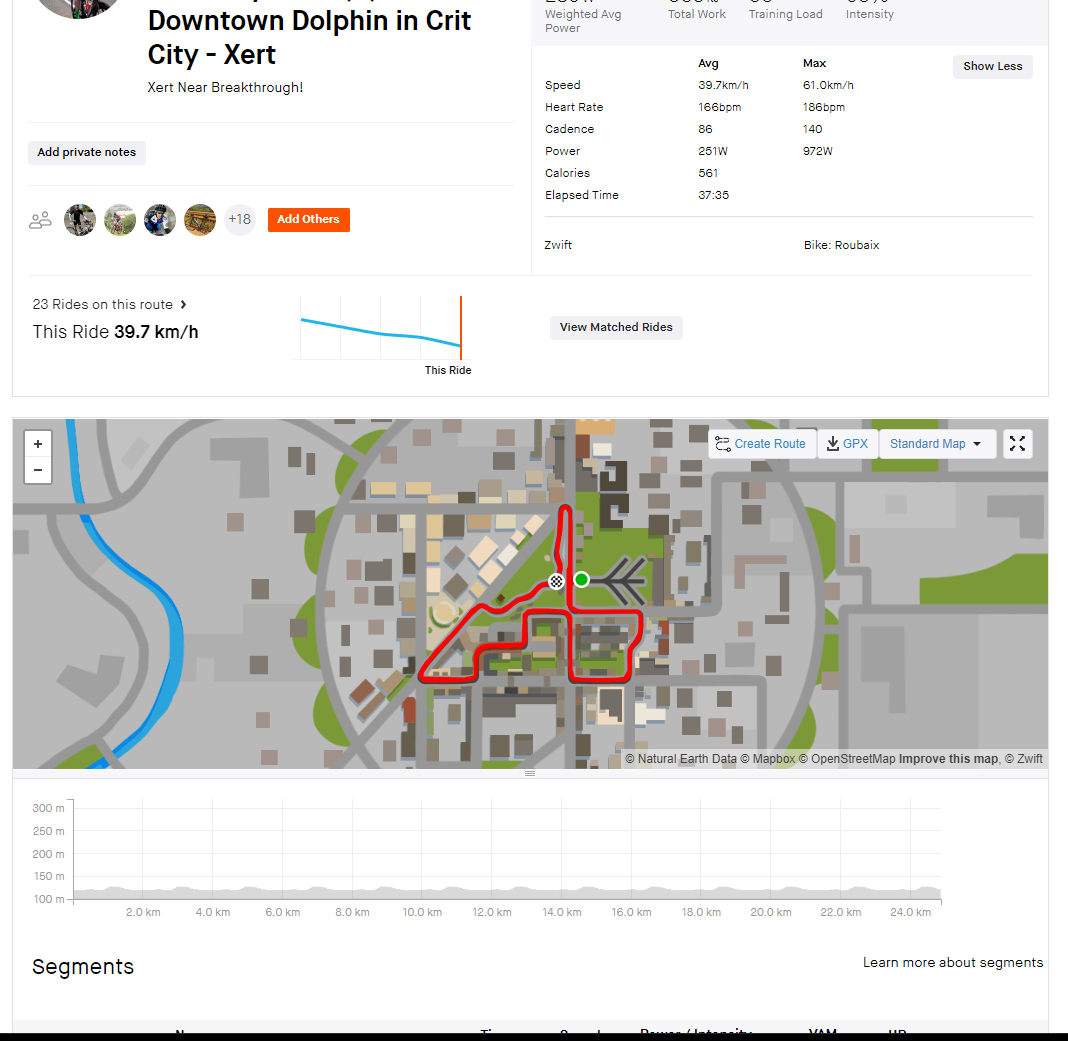
He created the Zwiftmap for Strava Chrome extension to “replace real-world maps with Zwift maps when visiting Strava”. Install it and Zwift’s maps are overlayed accurately onto Strava’s maps when you use strava.com via your browser to view Zwift activities.
Here are screenshots of the extension in action. It seems to work perfectly in all Zwift worlds:


It’s worth noting that Andi also created zwiftmap.com – a beautiful web app containing pertinent details of all Zwift routes. Check it out, install his Chrome extension, and make your Strava usage a bit more Zwifty!
Questions or Comments?
Do you use the Zwiftmap for Strava extension, or any others that play nicely with Zwift? Share below!


This is the sort of extension you didn’t know you needed but once you try it you won’t want to go back.
Add-on is also for Firefox, luckily, as Chrome is not really a thing you would want to install on your system: https://addons.mozilla.org/en-US/firefox/addon/zwiftmap/
Great find Marco thanks.
Can you please explain what you mean by “not really a thing you would want to install on your system”?
Google owns Chrome. The browser, therefore, includes all kinds of tracking. The extension is available for firefox and chromium browsers. If you want to avoid Google, you can use Edge, Chromium, or Brave (what I use) which are built on top of the same browser engine.
A Safari extension is currently unavailable as you need to be part of the Apple Developer Program which costs 100$/year (or I didn’t find the right buttons yet).
would the pretty map appear in strava just when looking at one’s own activities or would your followers see your activity on the nice map too?
Andi (the developer) here.
Only people with the extension installed will see the Zwift maps. Everyone else will still see you riding through the ocean/forests. The extension doesn’t change the activity stored on the Strava servers. It only changes the visuals in your current browser.
If you sign in on zwiftmap.com you can automatically share a ZwiftMap link to all your activities. That way everybody who can’t or doesn’t want to install the extension can use the link to see your ride through Watopia.
This is beautiful, well done!
@Andi Pätzold: Do you have a way to “support” you, as in buying you a beer or something like that?
On zwiftmap.com in the Menu -> Info, you can find a link to my PayPal. Thanks for your support!
looking at all these maps makes me want new roads in zwift 🙂
I have downloaded the Chrome extension (super easy to install) and I really like the result in Strava. Thank you for developing this handy tool Andi and thanks for bring this to our attention Eric.
Also works on microsoft edge / windows 10 for me.
How did you get it to work for Edge? I was able to add the add-on/Extension to both Chrome and Firefox. But couldn’t find it to add to Edge.
I downloaded it from the chrome store (using edge). I got a popup asking if I wanted to use it on edge. I clicked yes, and it added itself as an edge extension.
Andi publishing more features in his spare time than Zwift and Strava combined 😂
Great work, well done!
i’ve not tried this yet but am I reading the article correctly that this only works when you view Strava on its website, but won’t work when looking at the app? Or have I got that wrong?
Andi (the developer) here
That’s correct. The extension only changes the website. The app and the actual activities on Strava are not changed.
I built a workaround to see Zwift maps within the app: With zwiftmap.com you can automatically share a link to your Zwift activities’ description. When clicking on that link, the in-app browser opens and renders your ride on the Zwift map. It’s not perfect, but better than riding through the ocean.
aaaaaaaaaaand it’s gone 😀
Blow up the minds by creating trails on virtual cities, mars and moon, somewheres never existed before. Let us deliberately race over oceans. Thanks.
I think it can potentially create 1M jobs if you create a kind of global virtual world by Zwiftmaps. Name of the virtual cities require global surveys and big campaigns. You can receive ads and billboards over the virtual trails created. To reduce the traffic needed and facilitate it’s usage for everyone even in remote areas of the world, makes the informing process while racing by voices instead of images and videos, so not like games, racers receives the essential info where in the trail they are, how much remained and where they are passing by currently through their headphones. Sorry a long comment but just popped up in mind.
FINALLY!!!!!! Thank you sooooooo much, Andi Pätzold! This works great!
Now the only thing I can think of in terms of Zwift connecting to Strava is to get an actual heatmap of Zwift activities on Strava – and thanks to Andi’s extension it would even make more sense now…
That’s a great idea! I’ve added it to my to-do list.
I plan to add some bigger features to zwiftmap.com this fall and this might be one of them.
Works like a charm for Firefox—thanks for the heads-up.
Just to clarify, I added it to both Chrome and Firefox. For both, when I open my activity feed in Strava, I am still seeing the old Solomon Island thing. But then when I actually open my activity, the map is now of the actual Zwift map. Am I missing something?
Strava released an update to its website on June 24. That update breaks the extension in the feed and profile view. I started working on a fix today and hope to get things released within a week.
Once released, the maps for all activities with a zwiftmap.com link in their description will automatically be replaced. Your browser should update the extension automatically.
The extension has been updated and you should see Zwift maps in your feed and profile.
Very interesting and great to see zwiftmap.com. I immediately started building routes in zwiftmap like on Komoot. I exported them as .gpx files. Is there a way to launch these routes from Zwift (using a laptop) so that you’re actually spawning at the startpunt of your route and subsequently riding this route in Zwift? Or would this require for the files to be turned into a different format first?
Starting from a self chosen spot in a Zwift world and subsequently riding a route without having to constantly think about all the manual turns would be tremendous plus, especially when riding with a small group.
Turn off start/end point privacy when on Zwift. It’s pretty silly in the virtual world.
Truth. I wrote this post about that: https://zwiftinsider.com/strava-map-visibility/
Just ‘stumbled’ upon this article…and wondered does this work on the mobile app versions of the browsers and the strava or just the desktop versions?