This Season on Zwift – Crit City Gamification and Repack Rush Multiplayer
Zwift just shared “This Season On Zwift” – a roadmap of upcoming features releasing before the year ends. Their plans include multiplayer gamification for two existing Zwift courses: Crit City and Repack Rush.
Let’s dig into what we know about these Play Beta features…
Play Beta: Crit City Gamification
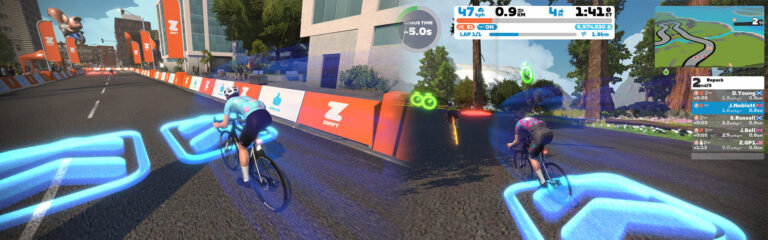
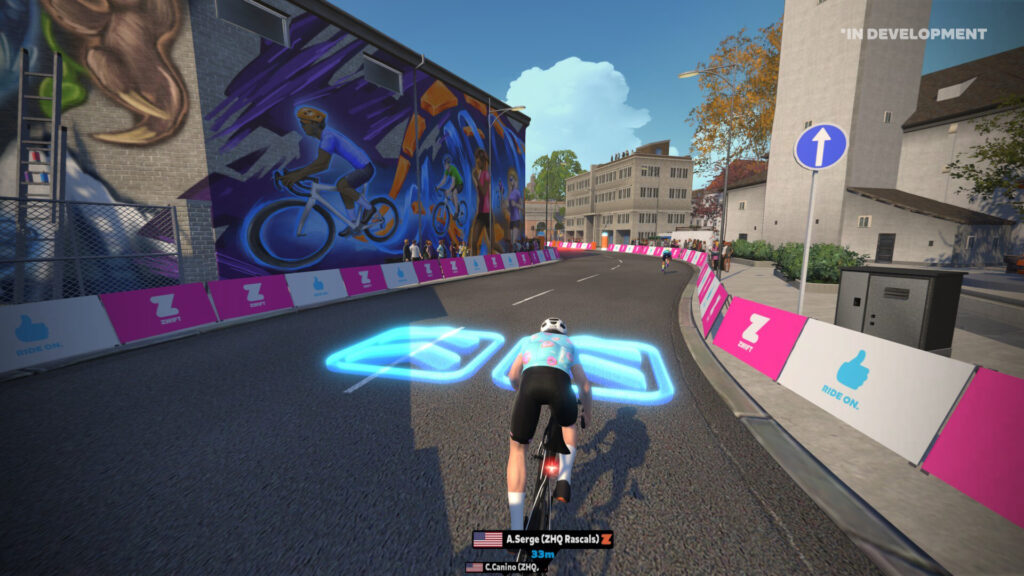
Zwift is launching an optional gamified event mode for Crit City. When enabled, it will modify the popular race course in a few ways:
Blue “boost pads” are added – ride over them for a speed boost
Red hazards are added – ride over them and you’ll slow down
Riders can navigate the full width of the road
I’m particularly excited about getting to use the full width of the road, as this has been something I’ve asked for since Crit City launched! It’s always seemed silly to only have one lane open on a route that only hosts events. Full lanes should be used all the time in Crit City, and particularly when steering is enabled, so riders have more options when it choosing their lines.
This gamified mode is considered a further evolution of the Zwift Play Beta experience, although any Zwift-compatible steering device can be used.
Here’s a video preview from Zwift:
Play Beta: Repack Rush Multiplayer Mode
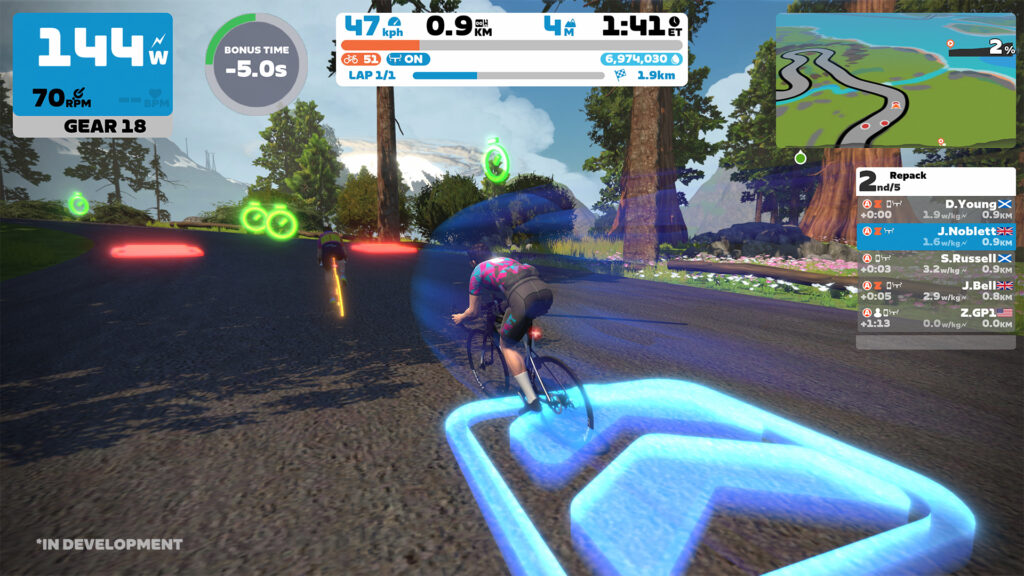
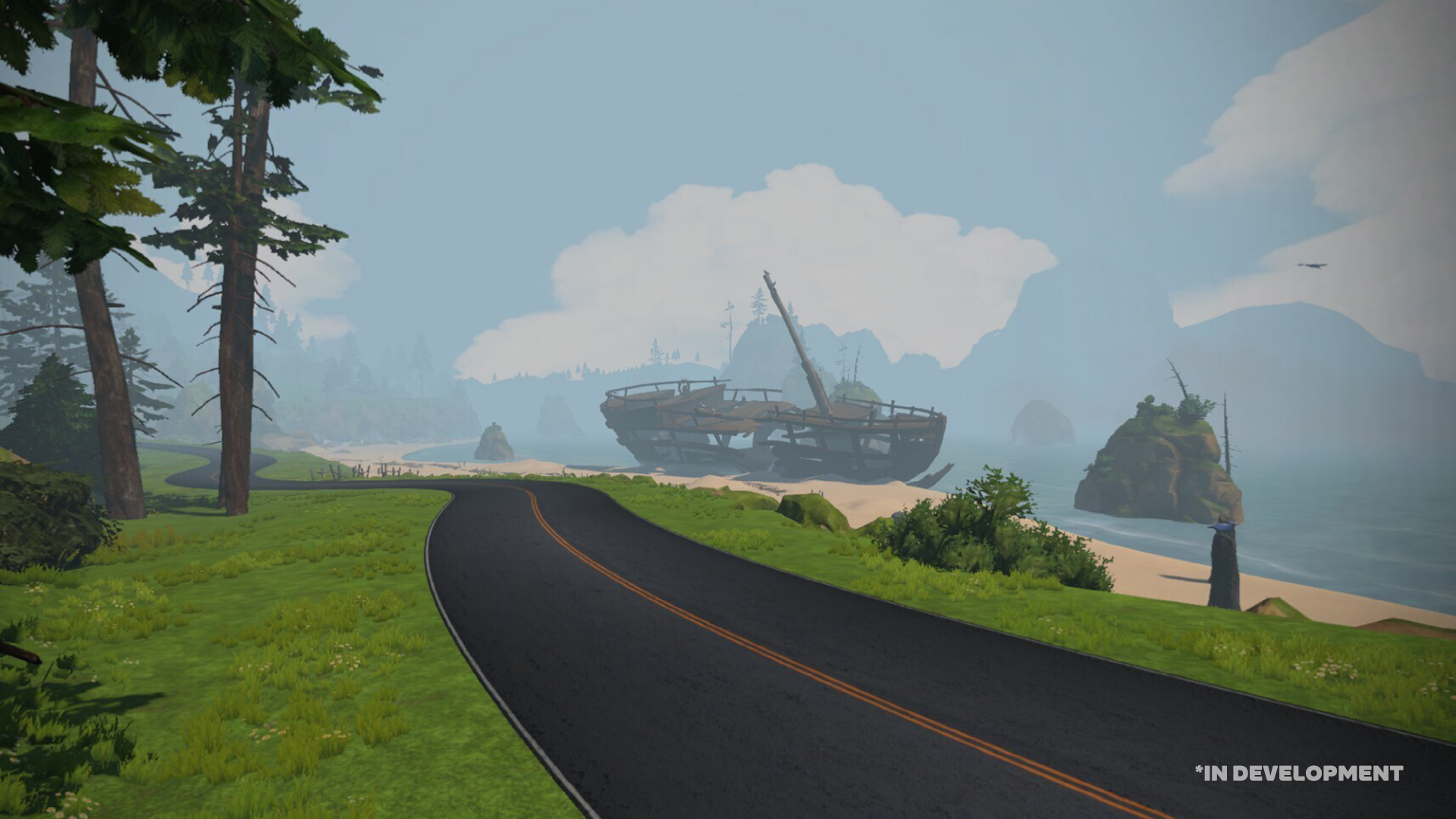
Many Zwifters have already ridden the new Repack Rush route with its boost pads, hazards, and time bonuses. But it’s has only been available as a free-ridable route thus far.
Soon, Zwift will launch multiplayer event capabilities on Repack Rush, allowing riders to compete across the route, with the winner being the rider with the shortest overall time after time deductions are factored in.
You’ll need a steering device such as Zwift Play, and you’ll need to make strategic decisions on the fly about steering, braking, and balancing taking the shortest lines while chasing time bonuses.
It’s unclear how the multiplayer events will be scheduled… we’ll just have to wait and see. Here’s a video preview from Zwift:
Random or Regular?
At this point, Repack Rush always uses the same layout of boost pads, hazards, and time bonuses. If Zwift wants to take gamification to the next level, they may need to mix up the layouts so riders can’t memorize the course.
Or perhaps riders should be rewarded for learning the route? What do you think?
When Can We Ride It?
Zwift says gamified Crit City mode and multiplayer Repack Rush are arriving “this fall.”
Share Your Thoughts
What do you think of Zwift’s multiplayer+gamified route plans? Share your thoughts below!
The third race of Zwift Racing League 2023/24 Round 1 happens Tuesday, September 26, and it’s the first team time trial of the season. We’ll be in France for the Roule Ma Poule route, which carries a sting in the head (and tail).
Let’s dig into crucial segments along with bike choice and pacing options!
Looking at the Route: Roule Ma Poule
We’ve never raced Roule Ma Poule as a TTT in ZRL, but riders will be familiar with these roads since this loop is the reverse version of the more often raced Casse-Pattes route.
The route totals 26.1km including the lead-in, and all categories will race the same distance. It is largely flat, apart from the climb up the backside of the Petit KOM, which will be done twice (once on the lead-in and once at the end of the race).
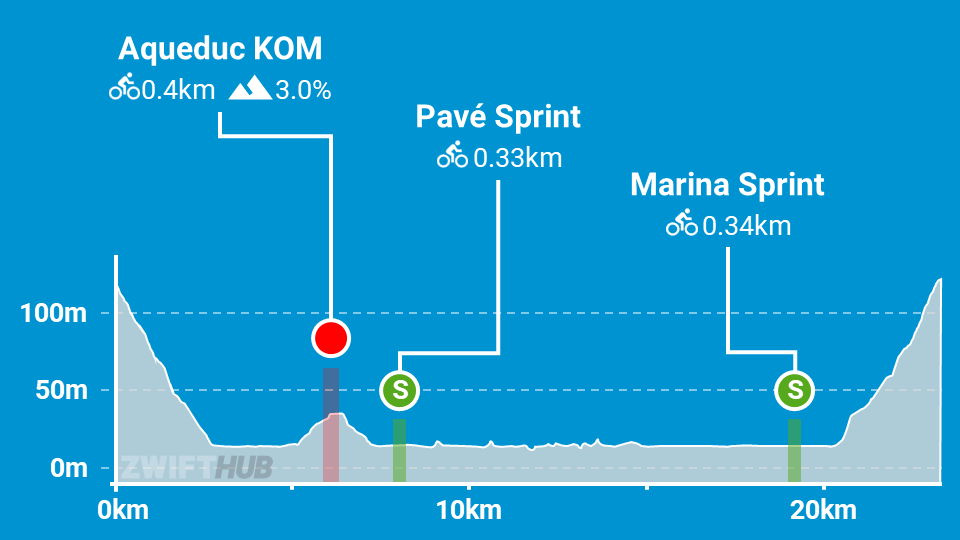
Here’s the route profile of Roule Ma Poule:
This profile doesn’t tell the whole story, though, because it doesn’t include the lead-in! The lead-in is almost entirely uphill, and in fact we made a Strava segment for it:
The lead-in is 3.11km long, averaging 3.4%. It takes you from the start pens up the backside of the Petit KOM (or the foot of Ventoux, if you want to think of it that way) and dumps you off at the Petit KOM banner, which is the official start and finish line for Roule Ma Poule.
After finishing the climb for the first time, you get a bit of recovery on the Petit KOM descent before settling into your TTTrain for the flat portion of the event. Yes, you’ve got the Aqueduc KOM (0.42 km, 0.9%) to tackle, but it’s more of a sprint than a climb, with only a ~200-meter length of uphill road.
Following 17.4 flat kilometers, you will pass the start pens and arrive at the foot of the final climb. This is where teams may wisely choose to drop slower climbers as the four fastest go all-out for the line. But don’t drop your riders too soon – this is a very draftable climb, so it may make sense for them to do one last “suicide pull” before falling off.
Of this race’s 27.2km, only ~5.4km is legit climbing (twice up the ~2.7km reverse Petit KOM). And that climb is short enough that a faster climbing bike only gains 1-2 seconds on an aero bike.
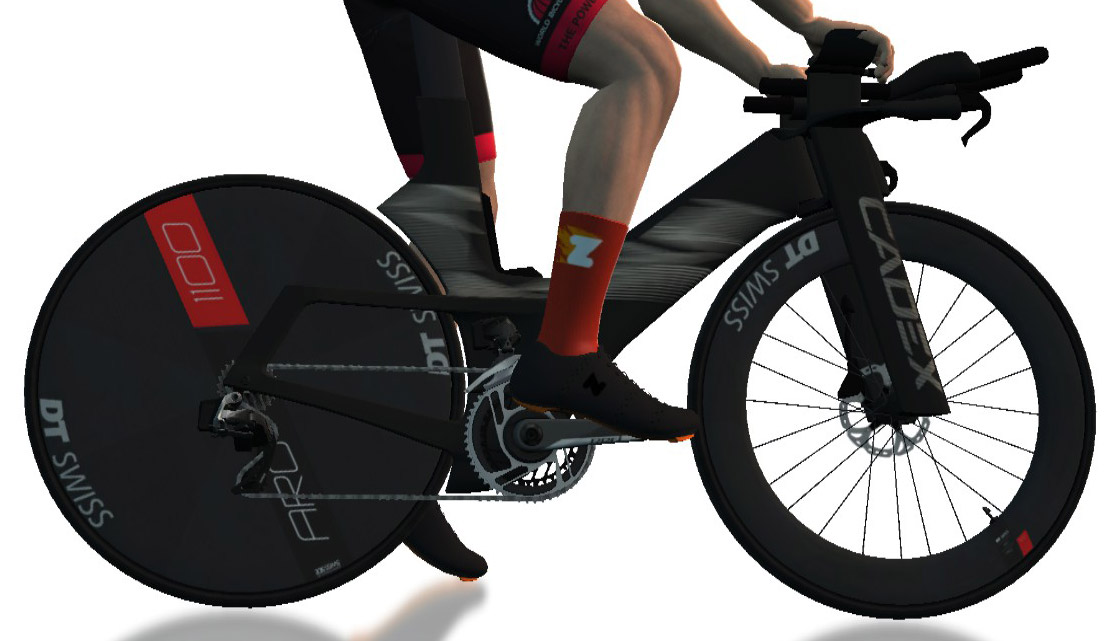
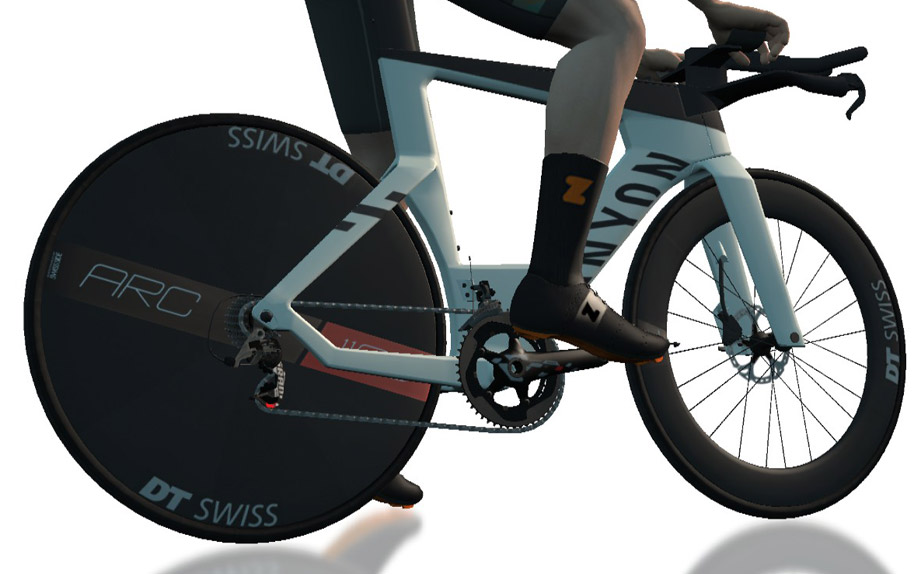
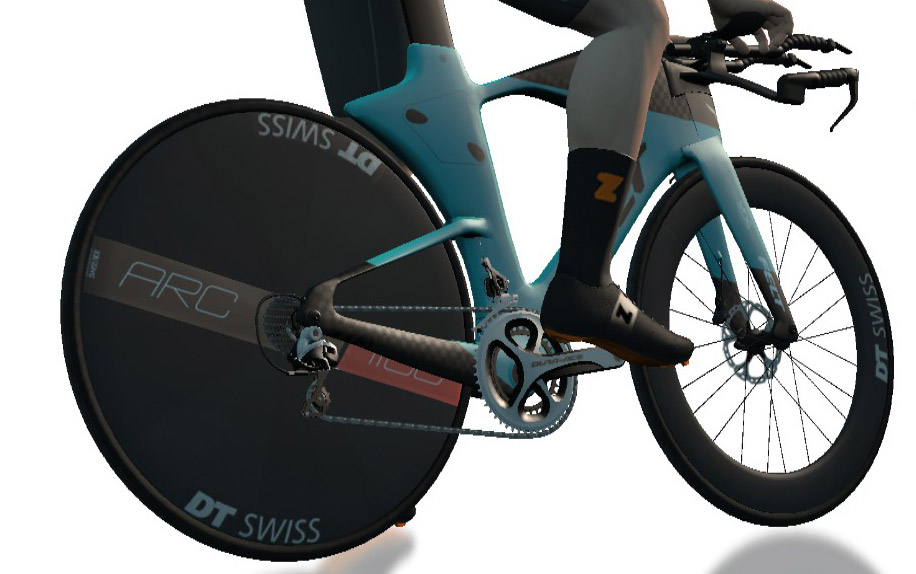
To put it simply: go aero. Here are the 4 fastest TT setups in game:
CADEX Tri + DT Swiss Disc wheelsCanyon Speedmax CF SLX DiscFelt IA 2.0Scott Plasma RC Ultimate
Team Time Trialing on Zwift is a challenging mixture of teamwork, physical strength, proper pacing, and Zwift minutiae like picking a fast bike and understanding drafting (particularly with the nuances of Pack Dynamics 4.1).
Flatter courses with key climbs like this week’s are a balancing act between pushing hard on the climbs without burning out the legs and hurting your speed in the flats.
With the key climb happening at the start and end of the race, teams may consider a “keep everyone together” strategy for the first climb, while the second climb should be attacked as hard as the team’s 4 best climbers can manage since your time is based on when your 4th rider crosses the line.
Your goal in a ZRL TTT is to get four riders across the line in the shortest time possible. That means every team’s pace plan will be different, based on the abilities of each rider. We highly recommend having an experienced DS on Discord directing your team, especially if your team contains some inexperienced TTT riders.
Wobble Cycling Club has announced a new edition of the popular Wobble Sprint Series beginning this Saturday, September 23. It’s called a “sprint series” because each course includes a selection of sprint sections that award points toward your overall result. Read on for details!
League Structure and Categorization
This is a 10-stage series, with events each Saturday beginning September 23.
There are two leagues:
Mixed races at 9:00, 14:15, and 18:00 GMT
Ladies-only races at 18:00 GMT
Each race has categories A, B, C, and D starting separately and using category enforcement.
This is an individual competition, but there is also a team-based competition within the results.
Points and Primes
These are points races, so the winners of each race are determined by the total points earned during the race. Points are earned at sprints (primes) and the finish line as follows:
All sprint sections will count even if they appear on a lead–in.
First over the line – points 10 for 1st down to 1 for 10th.
Fastest through section – points 10 for 1st down to 1 for 10th.
Finishing position points awarded: 50 for 1st down to 1 for 50th. All others will be awarded 1 point.
After the points are calculated each rider will be awarded points for the league: 20 for 1st down to 1 for 20th.
The best 7 races will be taken for the overall league winners at the end of the season.
This Season on Zwift – Climb Portal Updates Coming this Fall
Zwift just shared “This Season On Zwift” – a roadmap of upcoming features releasing before the year ends. One item on the list that grabbed my attention shared planned Climb Portal changes… and some Portal usage stats.
Let’s dig into what’s coming this fall to the Climb Portal!
Climb Portal Stats
Zwift opened the Climb Portal in July, and since then one in five Zwifters have tackled at least one of the Portal’s gamified versions of real-world climbs. 88% of Zwifters who started a climb made it to the summit, and that’s no small thing considering the list of available climbs includes challenging summits like Col du Tourmalet (17.2km, 1213m) and Col d’Aspin (13.5km, 807m).
Scaling Your Difficulty
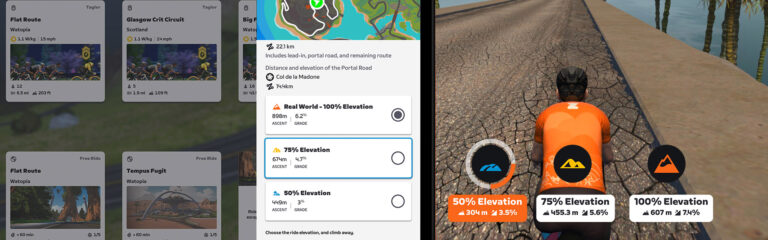
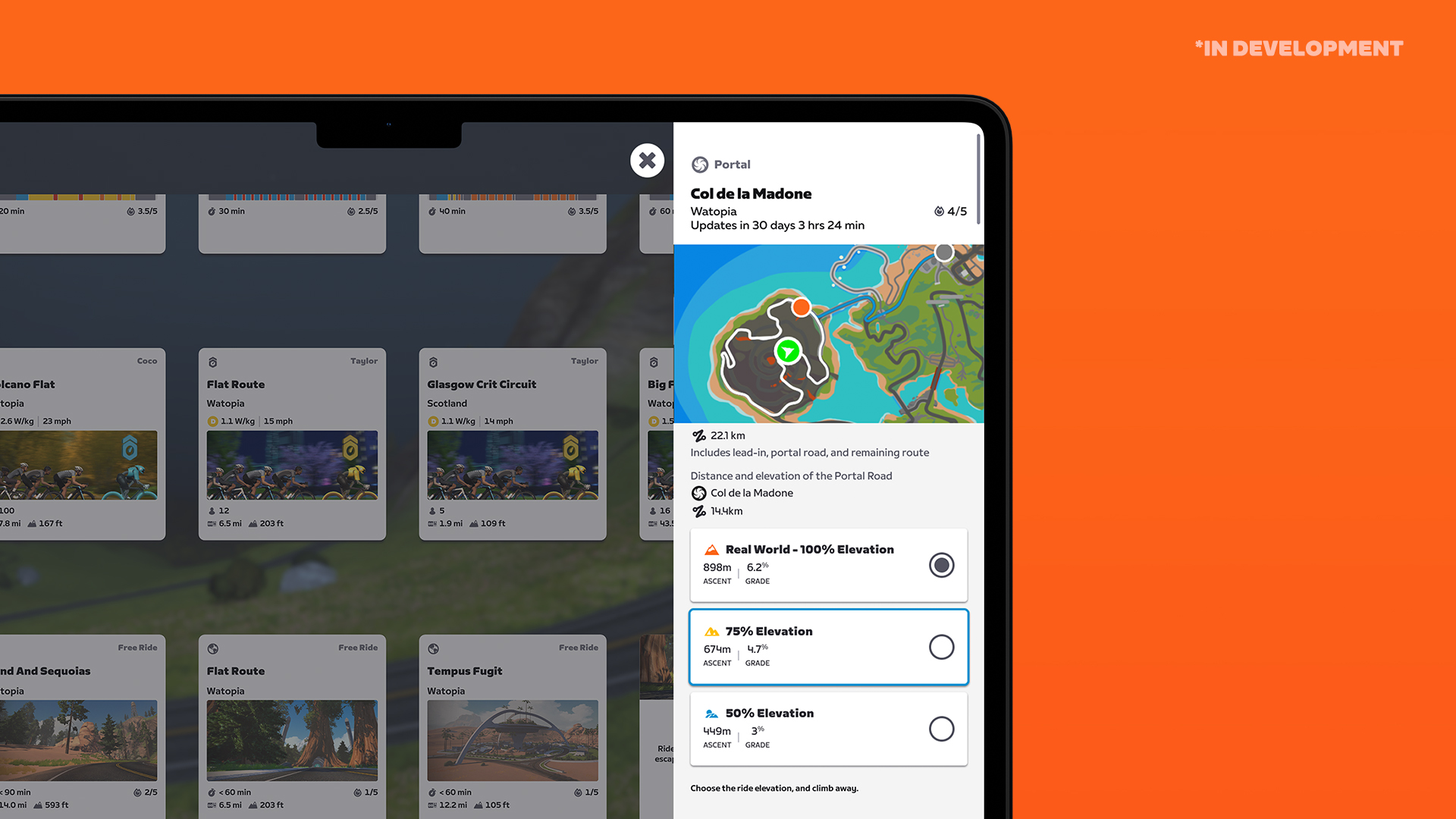
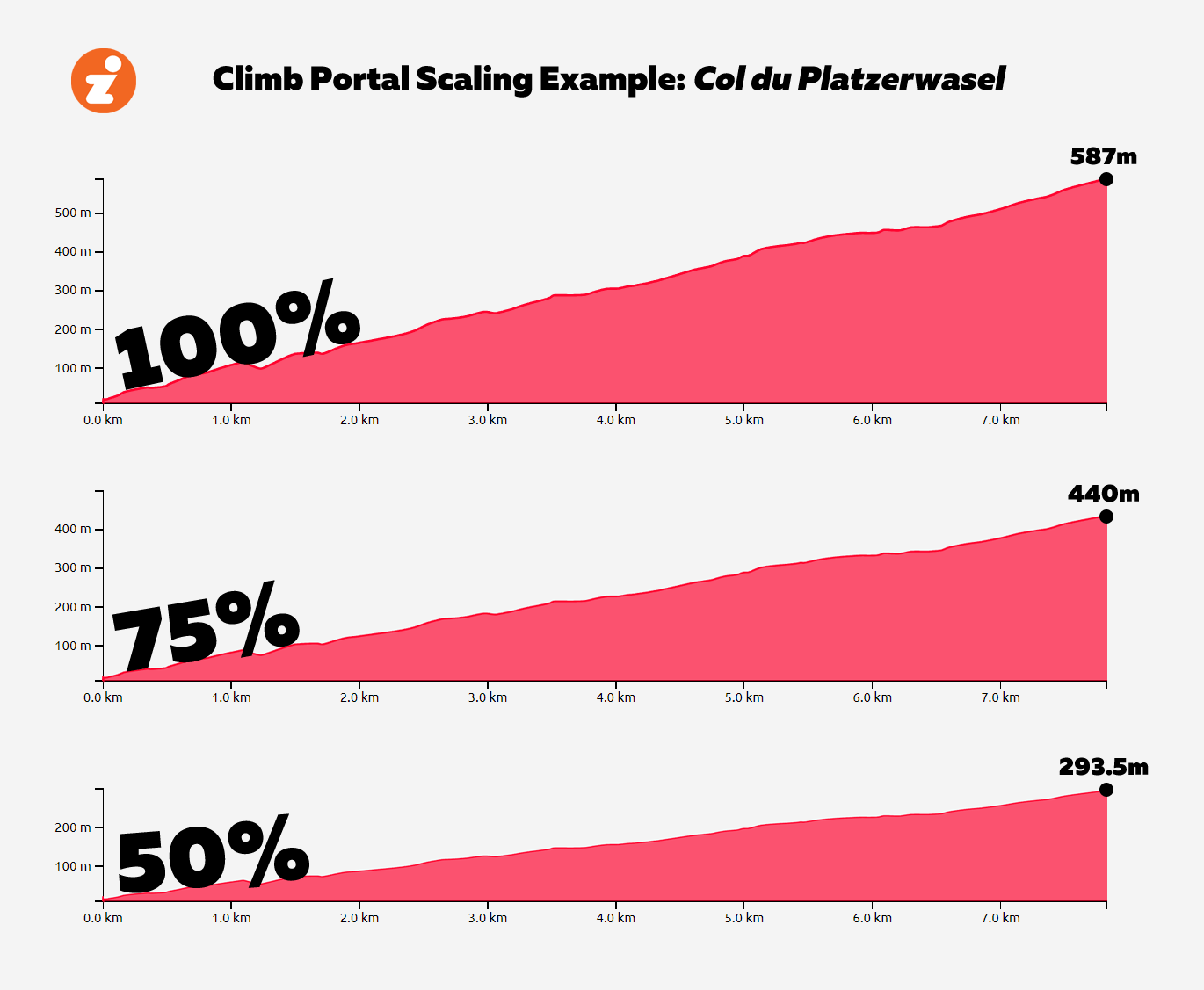
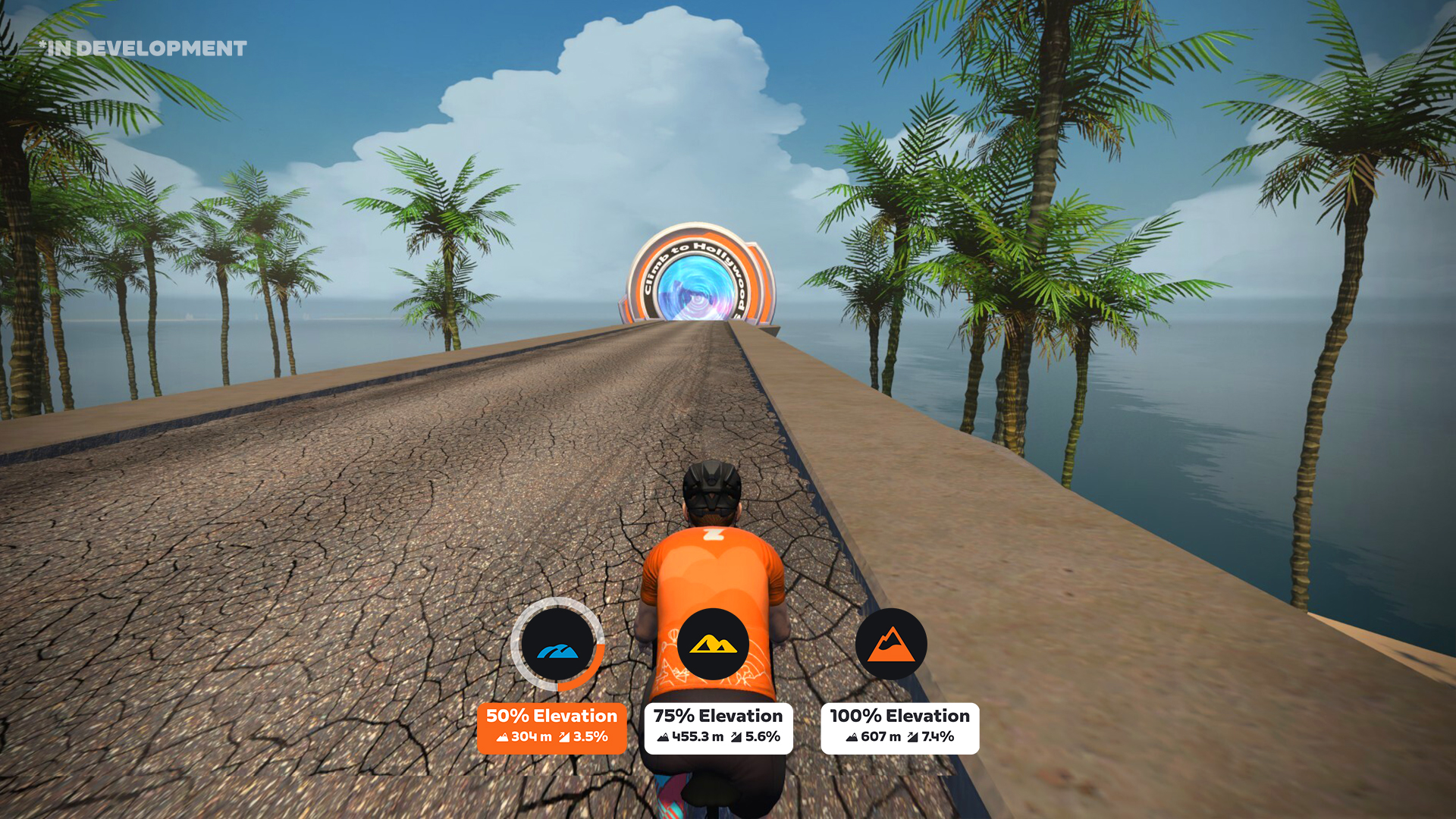
Starting this fall, Zwifters will be able to scale the difficulty of the Portal climbs they’re tackling. When entering the Climb Portal, Zwifters will be offered the choice to tackle a realistic replica of the climb, as they do today, or scale the climb to 75% or 50% of the original’s elevation.
This scaling is different from Zwift’s “Trainer Difficulty” setting, which changes how much resistance your trainer delivers while still requiring you to do the same amount of work to complete the climb. With Climb Portal scaling you’re actually changing the pitches of in-game roads, meaning you’ll complete the climb much faster at 50% than at 100%.
The beauty of climb scaling is it gives riders more flexibility. Want to tackle a climb you haven’t ridden yet, but don’t have the time or fitness to complete it at 100%? Scale it down and Ride On!
So Many Questions
The Portal scaling idea is an interesting one for sure, but it raises some questions:
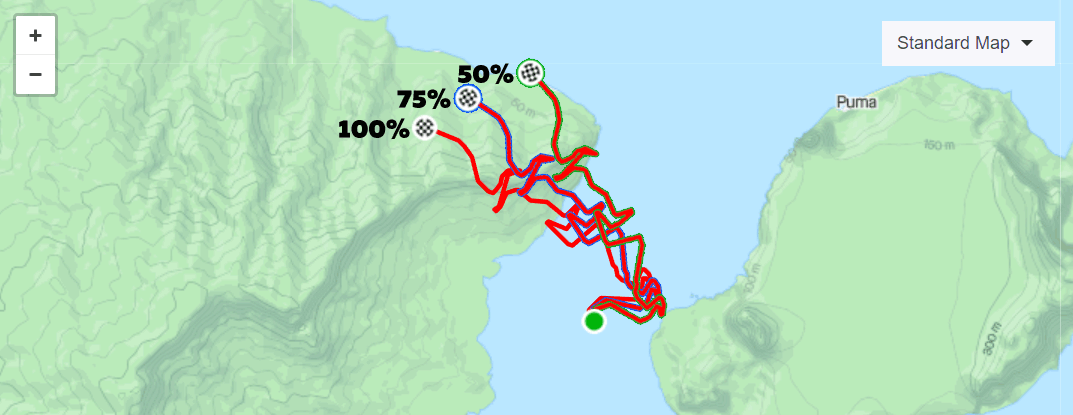
How will this work on Strava? Currently, Strava would see everyone as having finished the same segment, whether they rode it at 100%, 75%, or 50%. Everyone would be on the same leaderboard, and even your own multiple efforts wouldn’t be separated in an obvious way.
Zwift tells me they’re working with Strava to separate the leaderboards, but given my past interactions with Strava I’m not bullish that will be done. Zwift may need to implement a different solution, like “rotating” the 75% and 50% versions of the climbs so their segments are seen separately from the others. Here’s an ugly illustration of what that might look like:
Who will you see on the climbs? Zwift has preserved the social feel of the app in the Portal by having all riders visible on the climb, whether they entered from the France of Watopia portal. It’s like magic!
Zwift tells me you’ll still see all riders on the climb, whether they’re riding a scaled-down version or not. An indicator on screen will show which version each rider is on.
What about the in-game leaderboards? Will they only show riders who have completed the 100% version? Or just the version you’re on? The latter would seem to make the most sense.
Can you still unlock the Portal badges on scaled-down climbs? Zwift added achievement badges for completing 1, 10, and 25 Portal climbs. Will you be able to earn those badges when climbing scaled-down versions? I bet the answer is “yes,” but we’ll have to wait and see.
Portal Schedule Changes
After a brief launch period where we could choose to ride any of the initial 8 Portal climbs, Zwift locked the climbs into a schedule where only one climb is available on any given day, and each climb is featured for approximately 1-2 weeks (see Climb Portal schedule).
This was done largely to ensure each climb has enough riders to keep it feeling “social.” But many Zwifters have asked for access to more climbs! It’s hard to blame them. It’s frustrating knowing Zwift has a pile of epic climbs in the library, but you’re only allowed to ride one.
Zwift says starting October 2 there will now be two climbs live at the same time. Digging a bit deeper, they tell me there will be a “climb of the month” available via both France and Watopia with some sort of leaderboard where Zwifters can compete for the fastest time. The second climb will rotate on a much shorter schedule, and only be available via Watopia’s Climb Portal.
Climb Portal scheduling is far from written in stone, of course. This is just the next iteration, but I’m sure Zwift will continue to listen for feedback and tweak things as time passes.
Digging Deeper – Climb of the Month
The “climb of the month” concept is a fun one with real potential to motivate more people to do more climbing, more often.
A quality leaderboard setup will be important. The climb of the month leaderboards should be available outside of the game (in Companion and/or on the web) and will have to include lots of filtering options (climb scale factor, gender, age, date range, hide virtual power users, etc).
I’ll never top the leaderboard on a big climb, but if I could see how I stack up against other dudes in their mid-40s who are using actual smart trainers, I would do that… and maybe do it more than once if I was feeling extra competitive!
When Can We Ride It?
Zwift says the schedule changes will begin October 2. As for the scaling changes, Zwift has only promised “this fall.”
Share Your Thoughts
What do you think of Zwift’s plans to scale the Portal climbs? How about their schedule changes? Share your thoughts below!
Road racing fans have followed a dramatic Vuelta a España for the past few weeks. It began with a rain-slicked TTT starting block in waning daylight, and it ended with American Sepp Kuss of Team Jumbo-Visma as the surprise winner!
Kuss began the race as a super domestique, having completed this year’s Giro d’Italia and Tour de France where teammates Primoz Roglic and Jonas Vingegaard took home respective wins. Roglic and Vingegaard were both in the Vuelta, and both were considered top podium contenders.
Nobody expected an overall win from Sepp, “The Eagle of Durango.” But many fans had suspected “GC Kuss” was capable of such an achievement.
Once he got into the breakaway and took the red jersey, the world wanted to see him keep it. (When have we last seen cycling fans was so galvanized around a single rider?) Despite some strategic snafus, Jumbo-Visma eventually boarded the unstoppable GC Kuss train, supporting him to victory and becoming the first team in history to win all three grand tours in one year.
Kuss is the first American in 10 years to win a grand tour (Chris Horner won the Vuelta in 2013).
Tomorrow, he’ll will be doing a victory lap (several, actually) on Zwift. Join in and message him your congratulations! The ride takes place at 12:30pm UTC (7:30am EDT/4:30am PDT).
This is a 45-minute ride at a social pace (1-2.5W/kg). We’ll be on the Volcano Circuit route in Watopia.
While I’m still with the DIRT team overall, I’ve jumped from the DIRT Roosters team to the DIRT Kraken, moving my race time a couple of hours earlier and giving me the opportunity to race with a fresh set of guys.
The Warmup
The race began at 9:30am, so I ate breakfast well beforehand then chewed some caffeine gum and applied PR lotion to the legs before kitting up and heading to the warmup.
My goal for the warmup was to ride ~30 minutes with Coco, but I ended up faffing about with my Zwift/Trainer/Discord/Video setup and cutting my warmup a bit short. First I wanted to swap trainers and get back on my familiar Wahoo KICKR + rocker plate setup after testing other trainers in past weeks. Then I needed to get Sauce for Zwift set up to display nicely in my video recording. Oh, and let’s not forget trying to dial in audio (Discord comms + music) for the video and my earbuds!
It was all a bit of a mess. On top of that, in-game I needed to update my name to reflect my ZRL team, and change my kit. So many things! But I still managed to get into the start pens early and reserve a good spot.
Lead-In + Lap 1
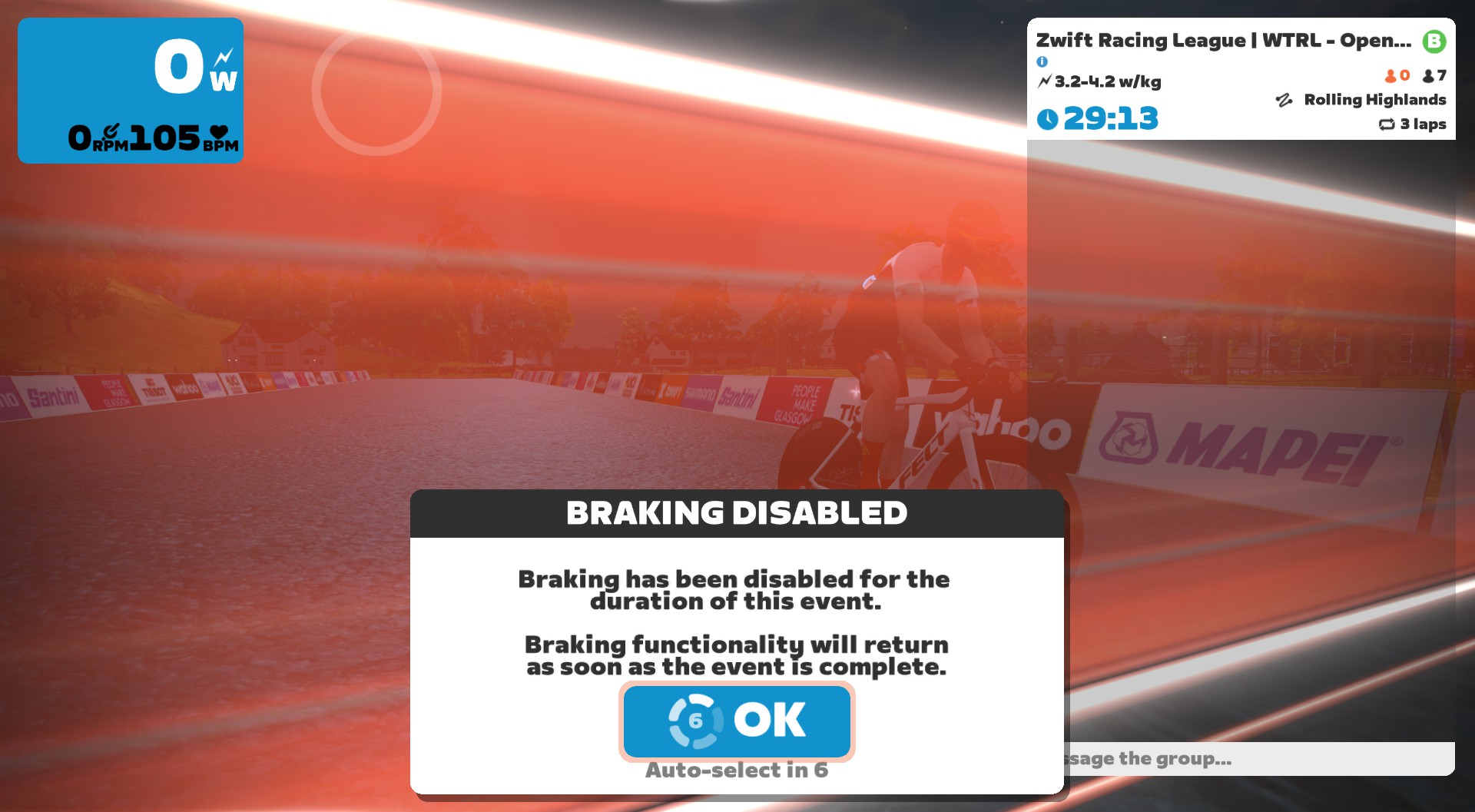
Steering and braking were disabled, but Zwift Play still worked for powerups, Ride Ons, etc
My team had been messaging on Discord for a couple of weeks, but this was the first time the Kraken had voice-chatted together. We didn’t exactly have a firm race plan as a team. (That is hard to set up, it turns out, when you’re racing against unfamiliar riders, with a new team, using revamped Pack Dynamics. Some of our riders wanted to go for breakaways, some of us planned to sit in and conserve to the finish.)
There wasn’t much time to chat, though – the clock hit zero, and we were off!
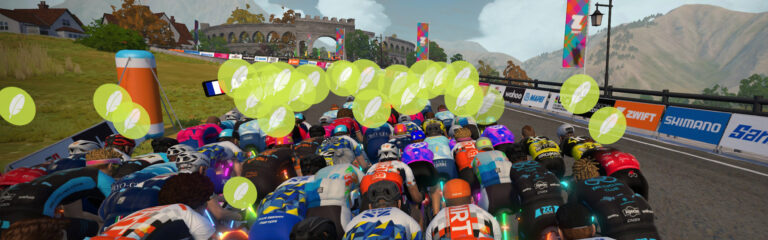
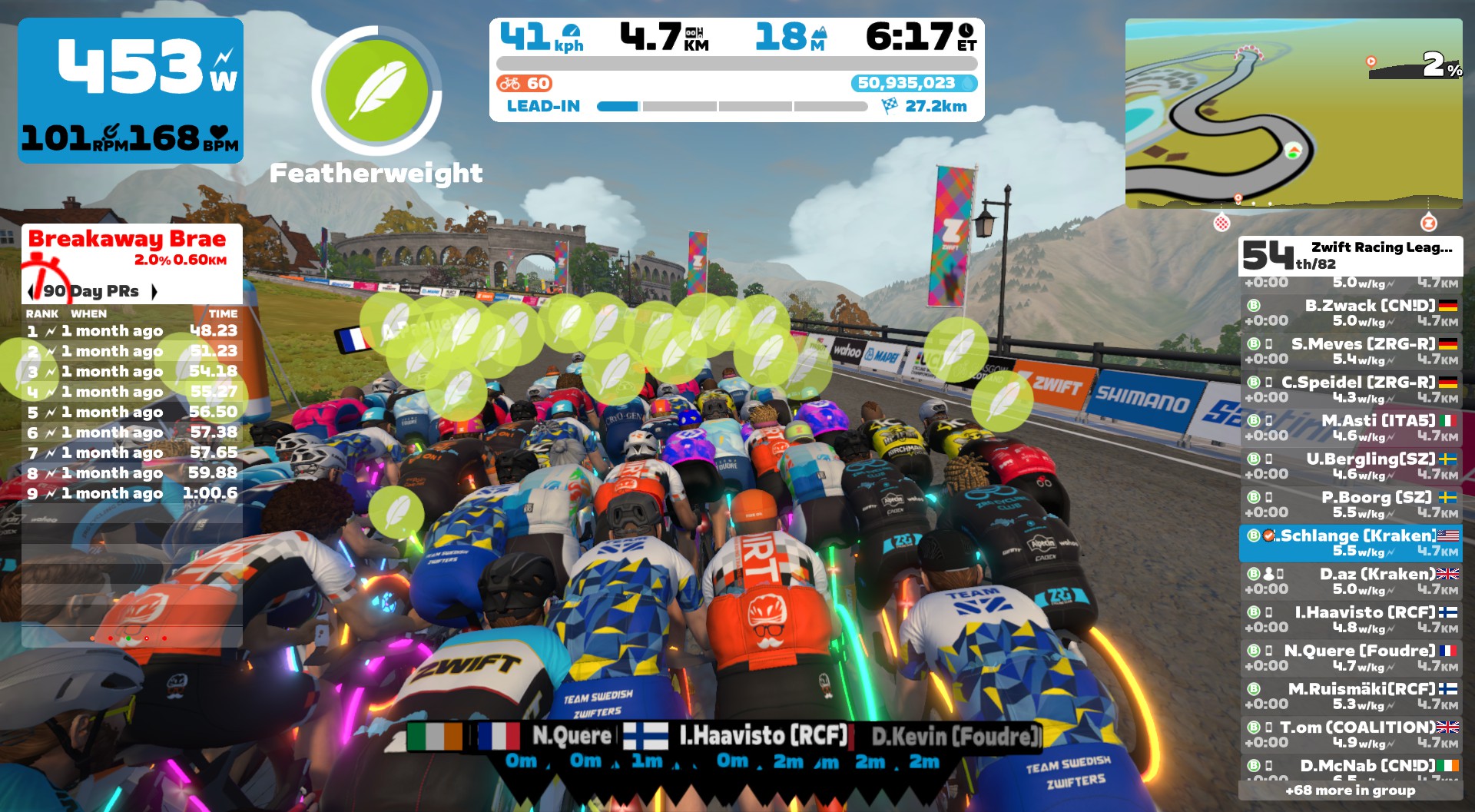
The start was pretty gentle, since it was slightly downhill. No early attacks, and our effort didn’t ramp up until we hit the Breakaway Brae. Feathers flew, watts spiked, and we powered our way through the banner!
84 racers had started. 82 hit the Brae in the front pack. 69 survived to start the first lap together.
Fresh burritos flew just after the Brae, forcing many riders (including myself) to push extra hard since we were receiving zero draft. Curses! I saved my burrito for the climb up through the Cliffs, figuring it might do a little more damage at that time.
Back through the mystical roundabout and up The Cliffs, Kraken captain Diogo activated his breakaway burrito just before the roundabout and powered away from the group in a strong attack!
We went through the lap banner and got more feathers. Kraken riders stayed off the front, making the other teams pull the pack back to Diogo, who only managed to gain a 6s gap.
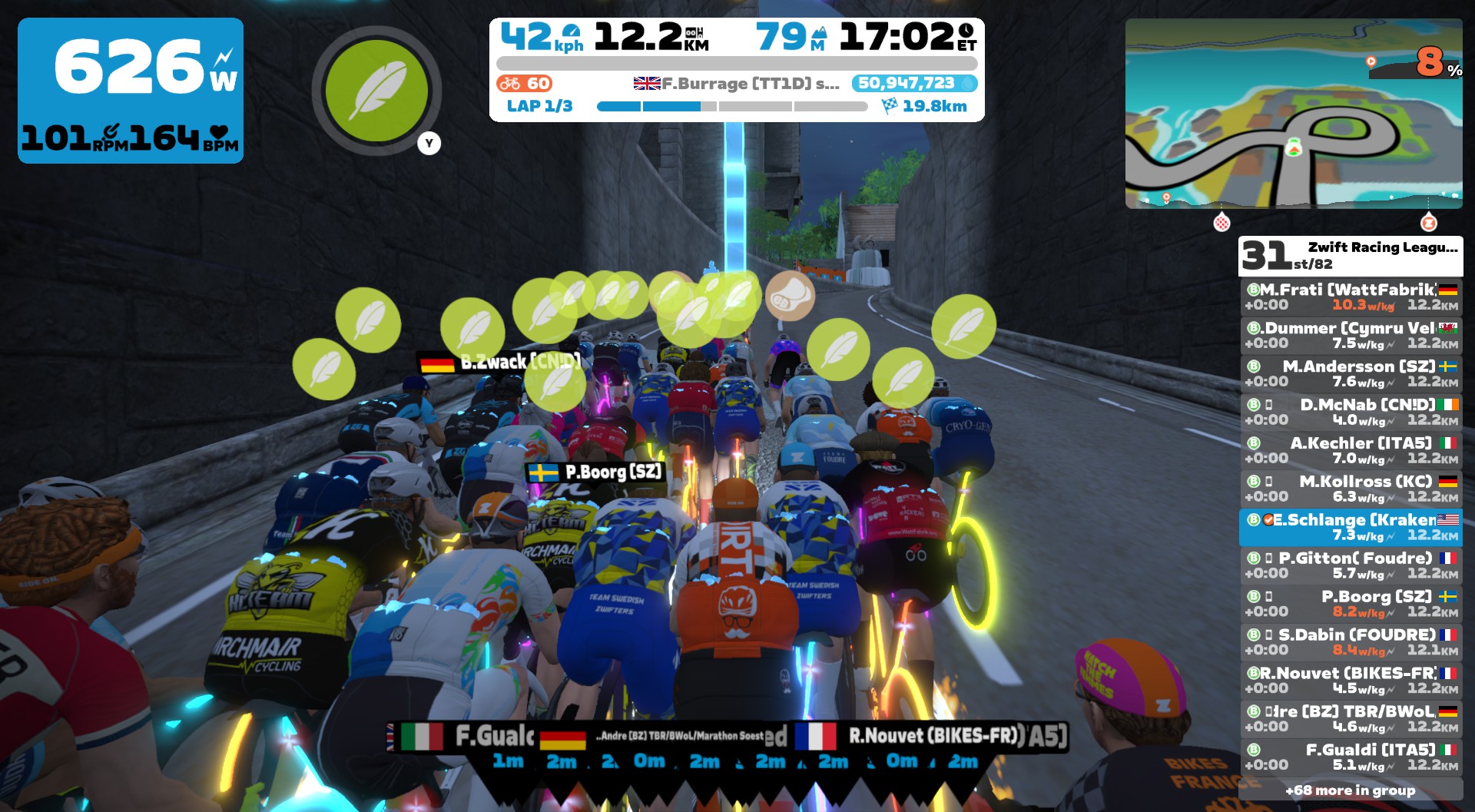
The descent to Corkscrew Castle let us catch a bit of recovery, but also helped the pack catch Diogo. It’s hard to stay away on a descent! Then it was hammertime up the corkscrew. Many riders used their feathers – I opted to save mine for the upcoming Breakaway Brae.
The Corkscrew Climb booted another batch of riders from the front group, bringing our pack down to 55.
Lap 2
I dropped my fresh burrito right after I got it, figuring riders would be struggling to hold on. The packed regrouped, recovered, and we tackled lap 2, which felt like a replay of lap 1.
Another team’s rider attacked at the end of The Cliffs, right where Diogo attacked on lap 1. He got about the same gap as Diogo, too, but got reeled in just after the Corkscrew Climb. This would prove to be a more selective climb than Breakaway Brae each lap, with riders being dropped in the seconds following the climb as the pack stretched out.
We entered Corkscrew Castle with 54 riders, but before starting Breakaway Brae we were down to 43. An attritional race, for sure. At this point attacking was way out of the question for me. All I could do was try to hold on!
Lap 3 + Finish
The start of the final lap was the first time in the race where I was gapped a bit off the back. We’d just finished Breakaway Brae, the burritos had flown, and ~30 of the front pack were ~20 meters ahead.
But one beauty of Pack Dynamics 4.1 is that the pack moves slower – which means you can chase on more easily! I was able to get right back in. But I wasn’t feeling good.
I tried to hold my position in the pack at minimum wattage, recovering as much as possible before The Cliffs began. Attacks started early on The Cliffs this time, and I was tailgunning it around 35th place. I bumped up my power to move forward, then near the top several riders put in fresh attacks!
The pack started stretching out, and I was drifting back. When we went through the lap banner we had 3.3km to go and I was in 40th place, fighting to get back into the draft and the safety of the pack. I managed to do it (again, Pack Dynamics 4.1 makes this much more possible than it used to be), then tried to catch my breath before what was sure to be a difficult push up the Corkscrew and onto Breakaway Brae.
One rider attacked just before the roundabout (this was a popular place to attack!) and was 6s away as we entered Corkscrew Castle. He was quickly reeled in, though, and I had to dig deep to hold onto the wheels and rejoin the group, captain Diogo on my wheel.
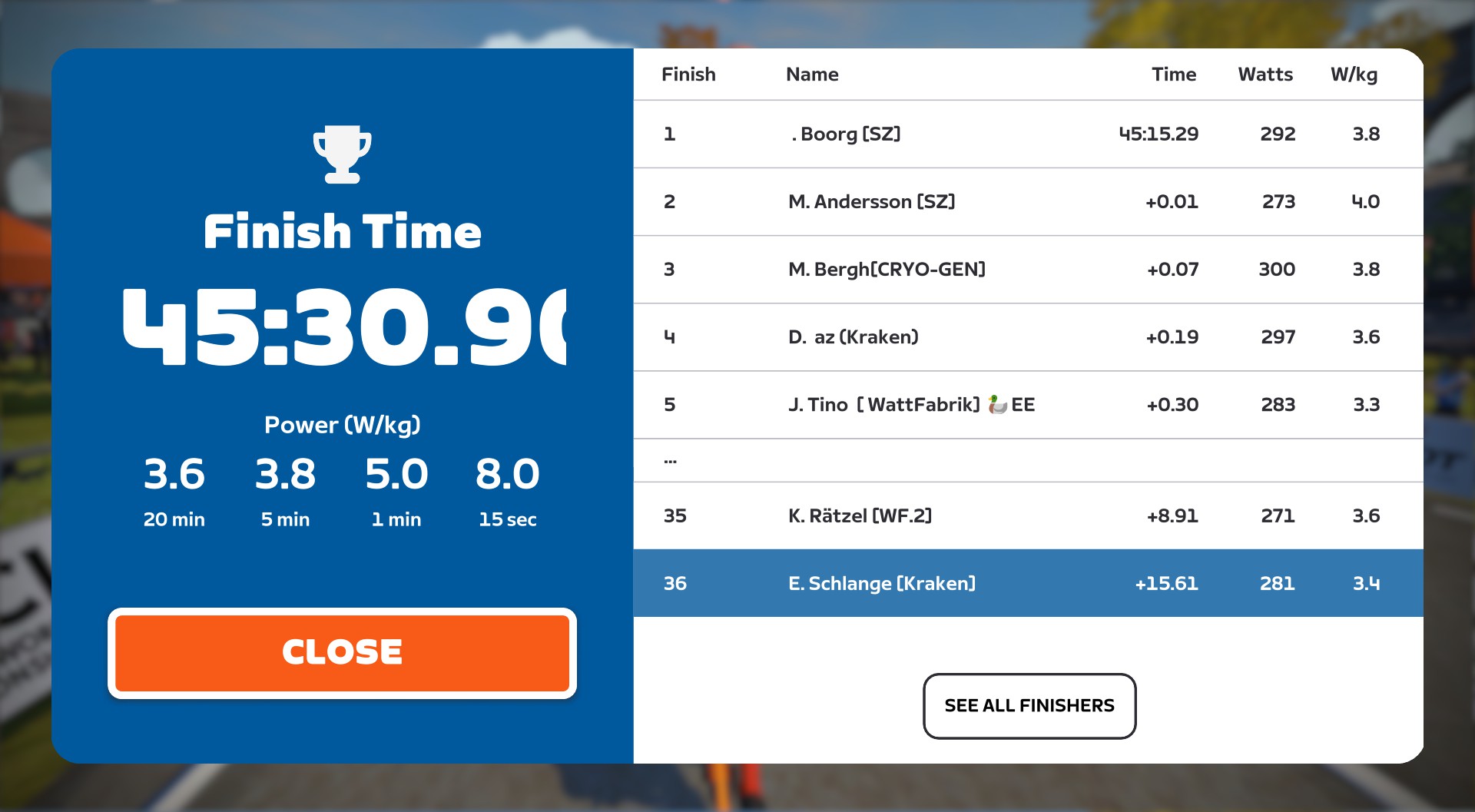
Soon afterward, 36 riders began Breakaway Brae. Diogo had dropped off my wheel, and with 300 meters to go I was in no-man’s land, dropped by the front pack, with other riders a safe distance behind. I had nothing left, but nobody contesting my finishing spot either. I coasted in, finishing 36th.
Apologies for the sound quality – gotta dial that in for future ZRL recordings with Discord:
Team Result
DIRT Kraken finished with 5 riders in the front pack (although myself and Diogo were the last riders in that pack). Our best result was from Daz, who finished just off the podium in 4th.
But the “pack” you finish in isn’t important in a points race. This isn’t about time; it’s about finishing order. Every place counts.
Team SZ Sleipner took 1st overall thanks to their top three riders finishing 1st, 2nd, and 7th (well done). Kraken came in 2nd. Not the result we wanted, but one we’re satisfied with for now.
Takeaways
My legs weren’t great for this race, and I’m not sure why. Hopefully I can ride stronger in the coming weeks.
Three big takeaways for me:
B1 is still a super competitive division. I’m not ashamed to admit that, in changing teams, I was hoping to be placed on a B3 or B2 squad where I could contest some segments and finishes. As it is, in B1 I’m doing all I can to just hold onto the front group. Why is B1 so tough? Because it’s where all the top B riders and teams end up, and while the worst teams get relegated, strong riders only leave if they cat up, meaning the teams just keep getting stronger as the season goes on.
Pack Dynamics 4.1 lets you chase back onto the pack like never before. So don’t give up! There were three spots in this race where I may have been dropped if we were using the old Pack Dynamics. But I managed to chase back on, and what it took, more than physical strength, was just the mental ability to stay “It’s possible. Push a bit.”
Although attacks are much more doable in PD4.1, they’re going to be really tough to pull off against larger ZRL fields. I expected more attacks in this race. While I think we’ll still see more attacking than past ZRL seasons, it’s very difficult to make it stick in larger, stronger fields (cat A and B, especially).
Questions and Comments
How did your first ZRL race of the season go? Share below!
Zwift just shared “This Season On Zwift” – a roadmap of upcoming features releasing before the year ends. At the top of the list was the big-ticket item that always grabs our attention: new roads. And not just any new roads: new Watopian roads!
Let’s dig into what we know about this planned expansion of our favorite virtual cycling paradise.
Watopia’s New “Coastal Expressway”
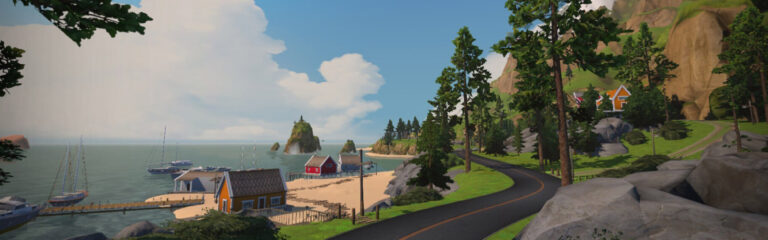
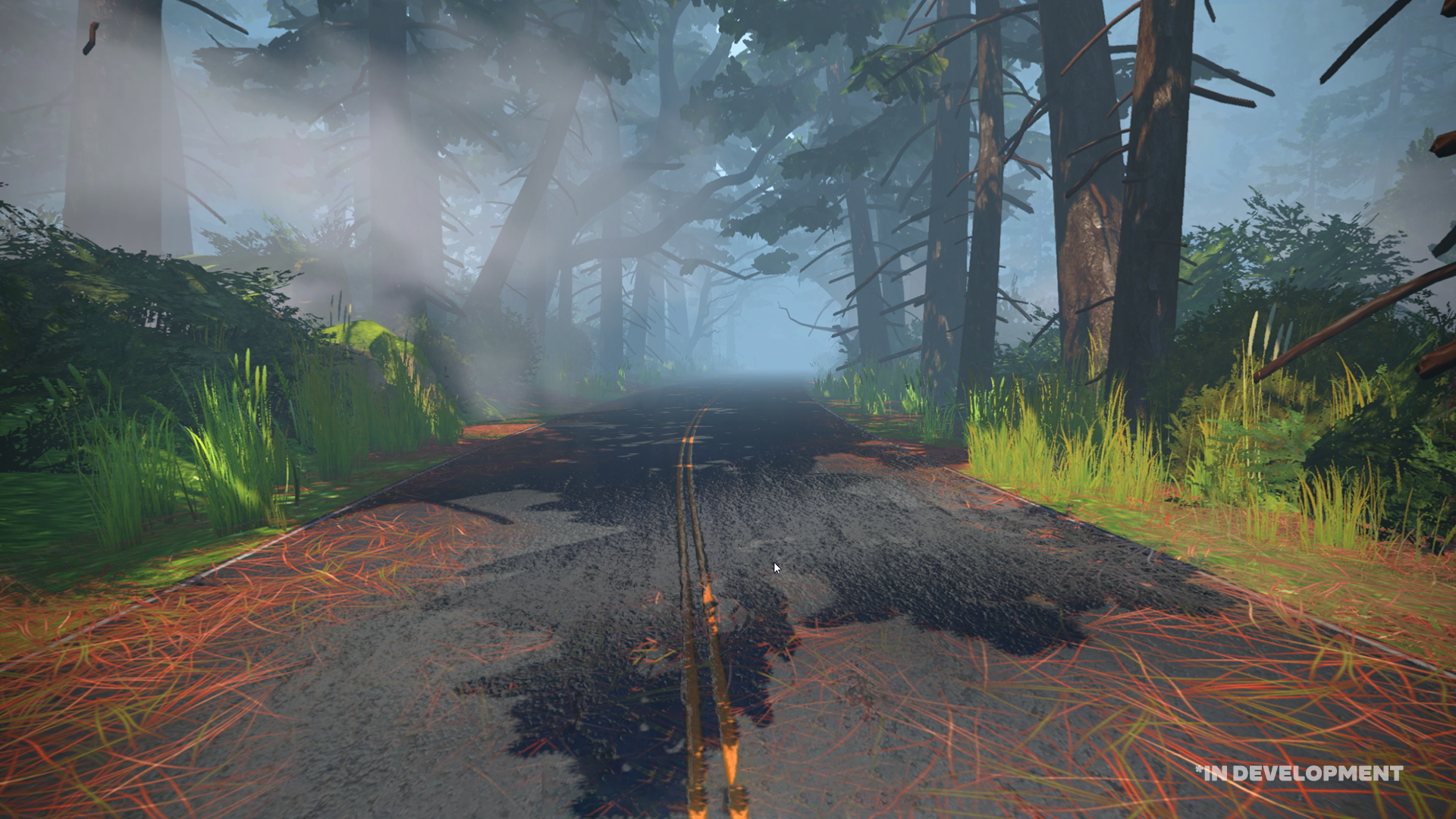
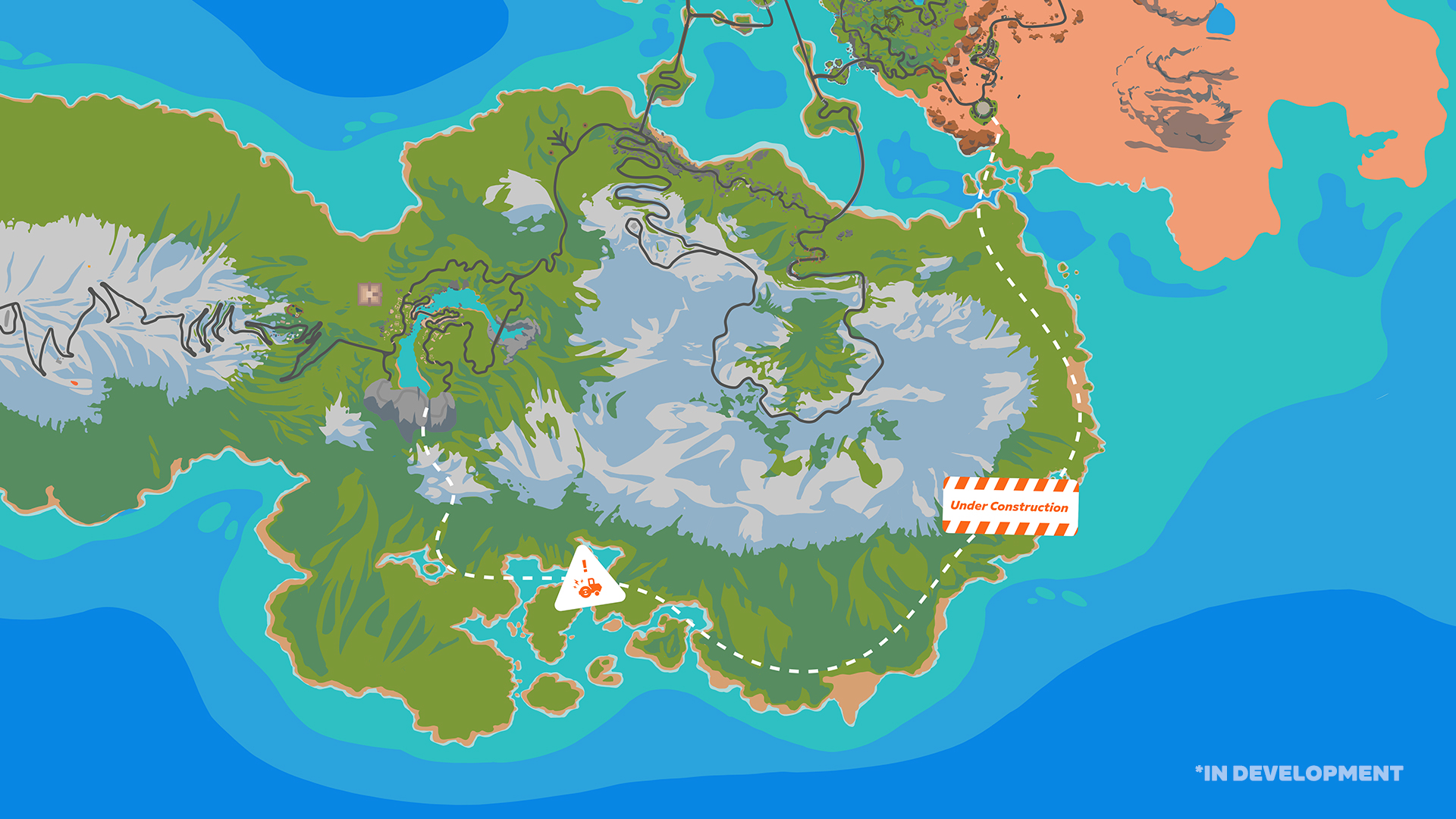
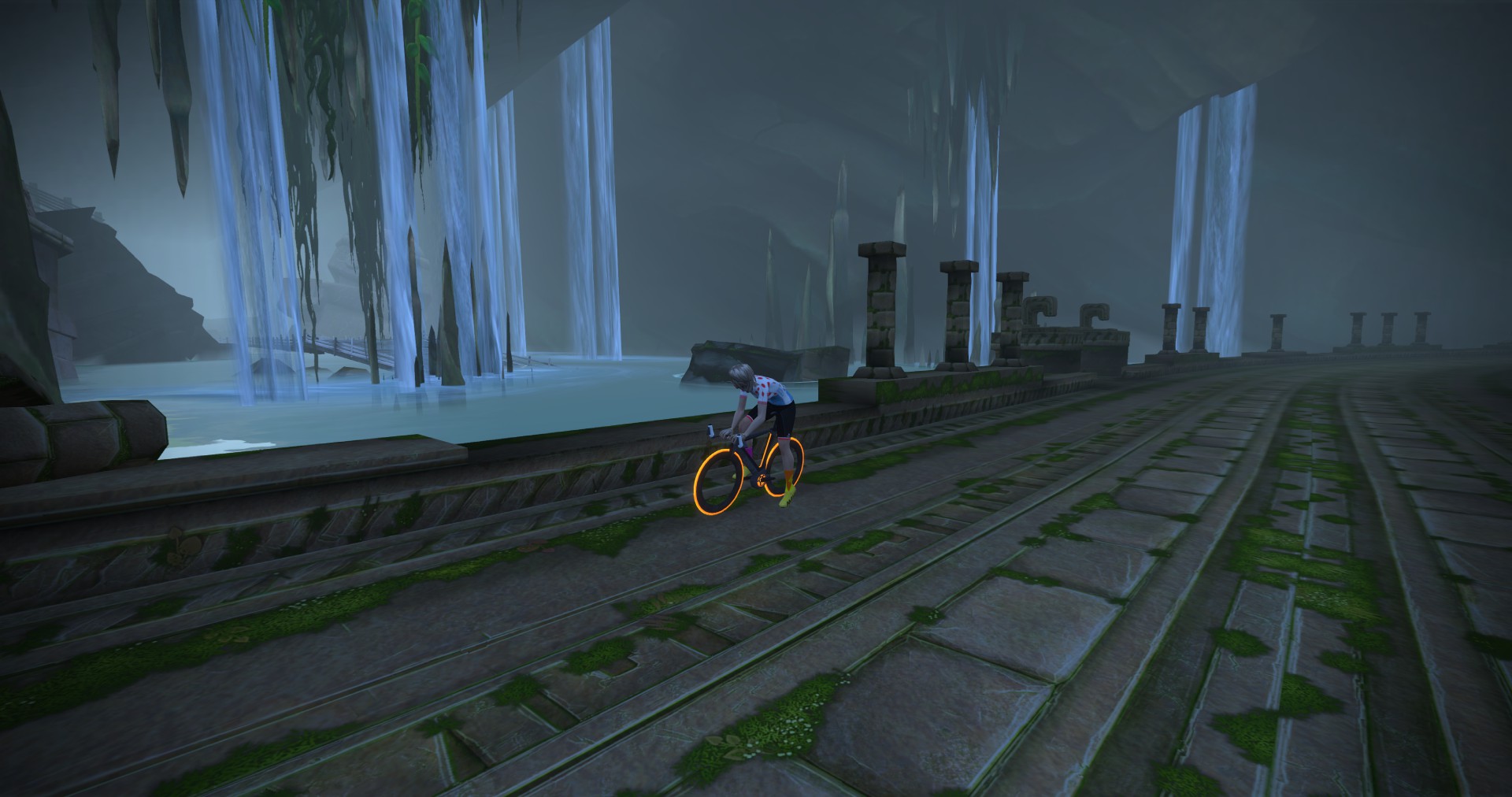
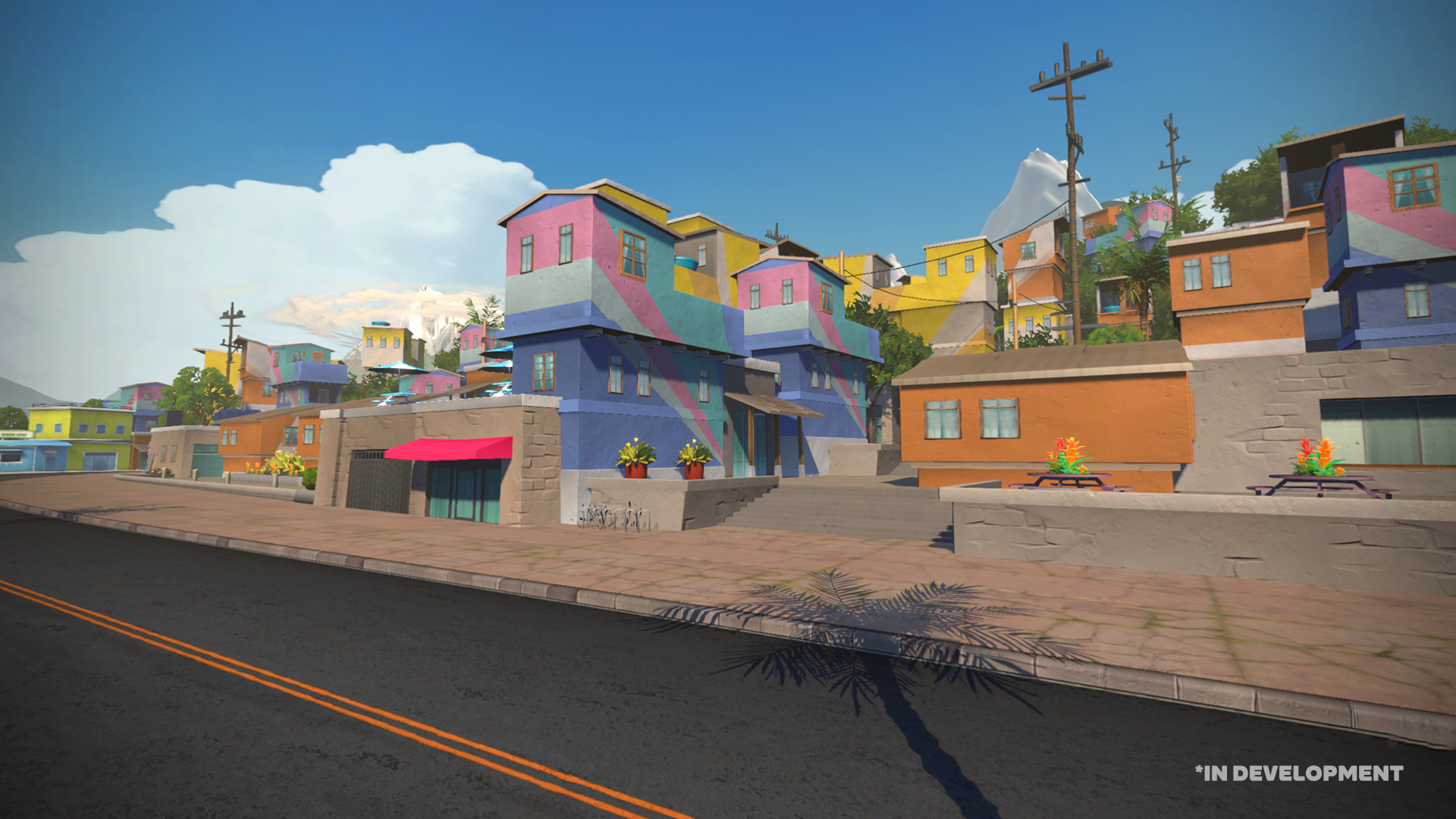
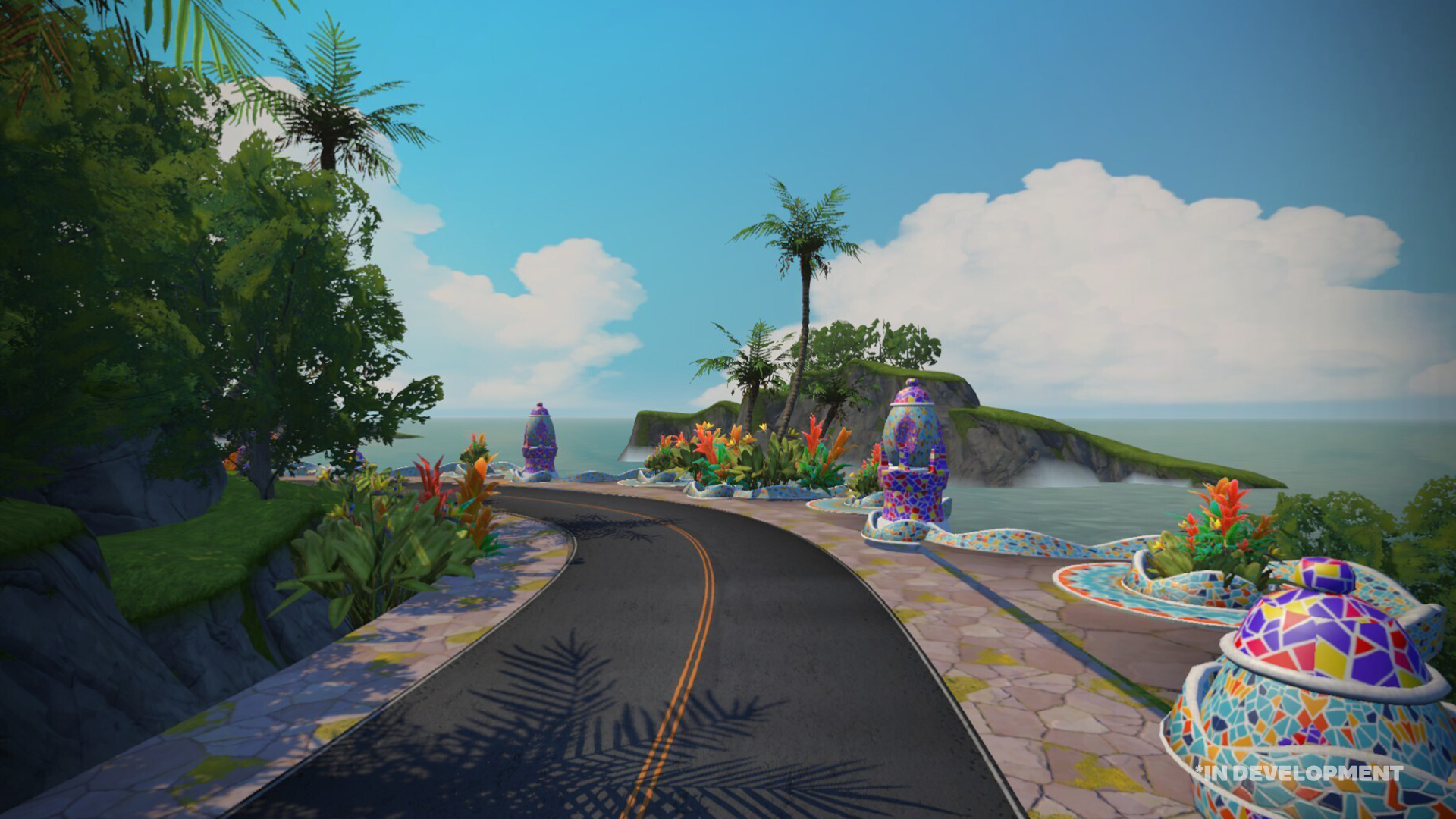
Watopia’s new tarmac is being described by Zwift as a “coastal expressway” since it runs next to the ocean and is, as Zwift describes, “flat and fast.” It “brings cyclists from Fuego Flats to the Mayan Jungle, bypassing the Epic KOM” and adds 19km of new tarmac to Watopia.
It may not seem like much, but Watopia is hugely popular, so any new roads here are big news. And with so many roads already in Watopia, any substantial addition brings with it many opportunities for fresh connections and challenging new routes!
Note: while Zwift says this is the first Watopia expansion since 2019, I’d say the last expansion actually happened in December 2020 when several connector roads and 4 fresh routes were added.
Zwift shared this map showing a simplified version of the new road:
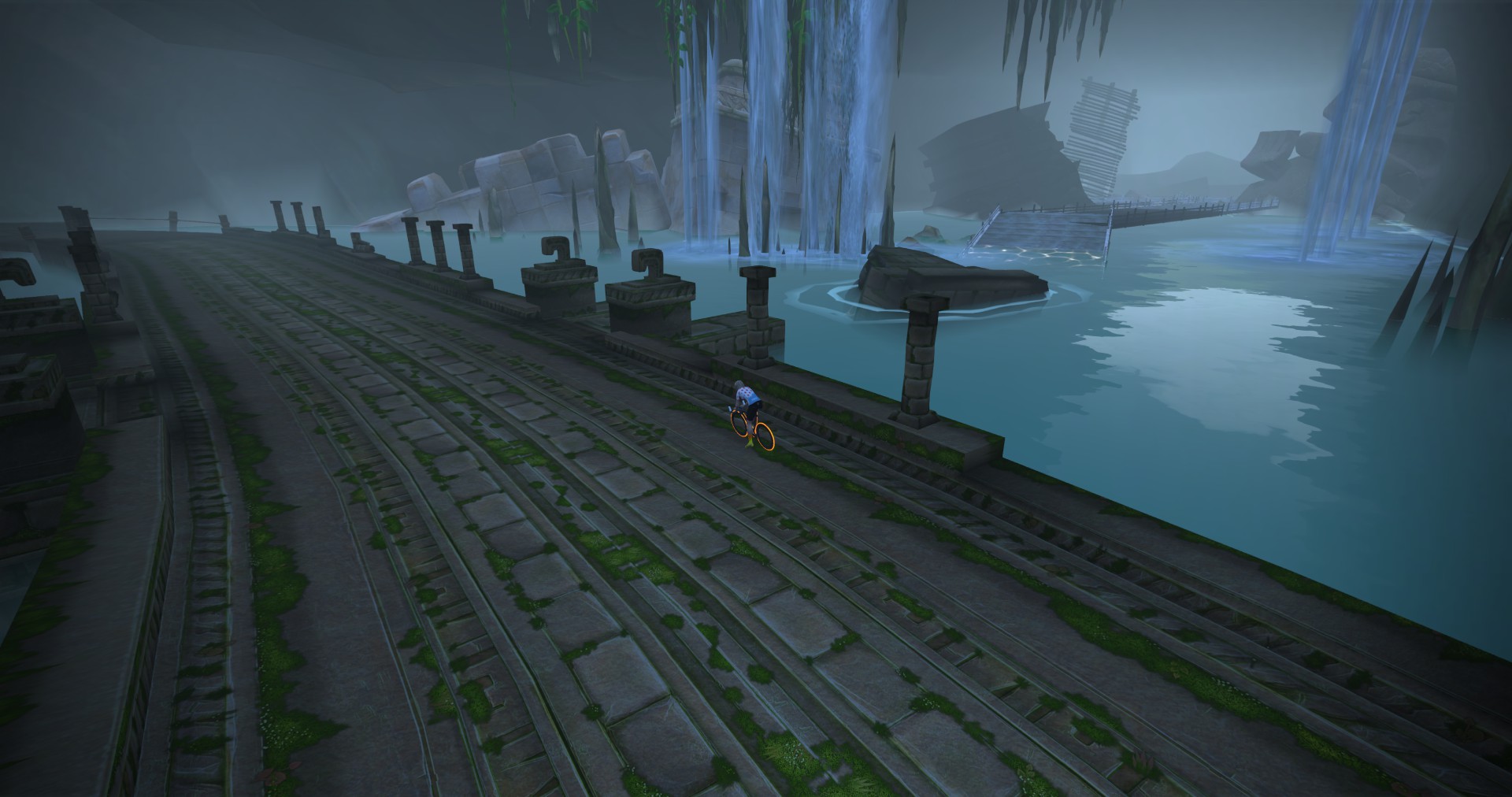
Indeed, if you visit the Jungle Circuit tunnel you will see where the new road (perhaps) will soon join up with the existing Jungle Circuit:
No sign of such a road on Fuego Flats, though.
The new roads are flat and fast, and make several key connections, enabling more Zwifters to enjoy the varied scenery in several distinct environments along Watopia’s coast.
Hurray for New Routes!
This expansion road will bring 8 new routes to the game, the longest being 48km long.
Before this expansion, Watopia had a total of 75 routes. Remove the 14 run-only routes, the 19 event-only routes, and the Repack Rush oddball, and you’re left with 41 free-ridable routes. Adding 8 more to that list increases the number of free ridable Watopia routes by almost 20%, which is a solid jump!
Here’s a wild idea: Zwift says the new roads “make several key connections.” So maybe we’ll see more than just a single road from Fuego Flats to the Mayan Jungle… perhaps an alternate route for climbing to (or descending from) the radio tower?
When Can We Ride It?
From what Zwift has said, it sounds like October’s Tour of Watopia will be our first chance to ride the new roads. Zwift says, “This year, Stage 5 will give Zwifters a chance to experience the latest Watopia expansion!”
We haven’t seen a ToW schedule yet, so we’re not sure when stage 5 will happen. But ToW begins Oct 2, so our guess is stage 5 won’t roll around until the end of October.
Share Your Thoughts
Are you excited about Watopia’s new “coastal expressway?” What other connections or cool routes could a road like this open up? Share your thoughts below!
In this week’s top 5 Zwift videos we look at how to get started with indoor cycling, creating the ultimate drink for Zwift races, the accuracy of Zwift’s estimated FTP, and more!
Getting Started With Indoor Cycling
As indoor cycling season approaches, GCN has put together a video on how to get everything set up to ride.
Create The Ultimate Zwift Drink From Your Kitchen! How To Fuel Zwift Racing
For athletes of all types, fueling is extremely important if you want to succeed in races and training. Nutrition Triathlon goes over his suggestions for fueling for Zwift races.
Zwift’s Estimated FTP: Fact or Fiction (yet another FTP ramp test)
Eric Barnett from Eric Barnett Cycling has been racing on Zwift for the past two weeks. In this video, he tackles a ramp test to see how the estimated value compares to the ramp test’s value.
Training Alone
Lachlan Earnshaw is hard at work with his triathlon training. In this video he takes viewers through another week in his life, featuring lots of Zwifting for his cycling workouts!
Zwift Race | Cat B Legs Torn Off
With tired legs, Max from The Watt Life raced in the first stage of the Get Rolling series. Can he finish with the lead group in this fast-paced event?
Got a Great Zwift Video?
Share the link below and we may feature it in an upcoming post!
This weekend’s notable events shine a spotlight on a popular group ride for the Rapha Women’s 100, a Bike MS event led by top e-sport cyclists, the start of a mini tour, a ride for Organ Donation Week, and a Zwift Racing League recon race.
🥇The Pink Cheetahs Celebrate the Rapha Women’s 100km 🚴♀️💕🐆
✅ Popular Event ✅ Women-Led
The Pink Cheetahs are here with a pretty big event to celebrate the Rapha Women’s 100! Additionally, this ride is banded, meaning riders will automatically stick together regardless of pace.
This ride takes place over 25 laps of the Volcano Circuit. For many riders, this is an opportunity to unlock several badges: 5, 10, and 25 laps of Volcano Circuit plus the 100km badge. Additionally, the women in the event will unlock the Rapha Women’s 100 badge on Strava.
✅ Popular Event ✅ Legacy Leaders ✅ Feel Good Factor
This weekend will be Bike MS’ last two-day global event. To end the season strong, a few riders from NeXT p/b Enshored will be leading the group rides. At the moment, NeXT is one of the most dominant teams in the world of virtual cycling! Leaders will be sharing their connection to the organization and helping to spread awareness for the cause. Note: Bike MS will continue to host rides throughout the year, just not these specific events.
The ride on Saturday will have a 1-5 w/kg pace range, 4 different distances, and will take place on the Beach Island Loop course. Sunday will be the same, except on the Volcano Flat course.
Looking to get some racing in over the weekend? Look no further than the HISP Minitour. This is a simple 4-week race series where riders accumulate time each week to make up their final GC time – no need to worry about points or categories!
The first race will take place over 1.5 laps of the Douce France course. For most, this race will take ~45 minutes to 1 hour.
In the UK it is currently Organ Donation Week, a week that celebrates donors and those who have been helped by these donors. The NHS Blood and Transplant organization is running the “Race for Recipients” fundraiser to help raise money for the 7,000 people awaiting an organ transplant. Teams are coming together to ride 7000 kilometers for the cause.
In this event, riders will be riding on The Muckle Yin course in Scotland.
We hope that everyone had a blast in the first race of the 2023-24 Zwift Racing League season. One of the best ways to get an edge over competitors is through recons. Team Italy is hosting a recon race that aims to simulate and help riders prepare for race #2 on Tuesday!
The second race of the Zwift Racing League is on one lap of the Makuri 40 course – this recon follows the same course and covers the same distance.
We choose each weekend’s Notable Events based on a variety of factors including:
Is the event unique/innovative in some way?
Are celebrities (pro riders, etc) attending/leading?
Are signup counts already high, meaning the event is extra-popular?
Does the ride include desirable unlocks or prizes?
Does the event appeal to ladies on Zwift? (We like to support this under-represented group!)
Is it for a good cause?
Is it just plain crazy (extra long races, world record attempts, etc)?
Is it a long-running, popular weekly event with a dedicated leader who deserves a shout out?
In the end, we want to call attention to events that are extra-special and therefore extra-appealing to Zwifters. If you think your event qualifies, comment below with a link/details and we may just include it in an upcoming post!
Your Thoughts
Got other events that stand out this weekend? Share below in the comments!
Tiny Race Series – September 16 Routes and Last Week’s Results
The Tiny Races happen every Saturday, and they’re all about getting a hard, fun effort done in 1 hour. You race all 4 races back-to-back, with each lasting just 5-10 minutes, giving you a short break in between.
C racer Stephen Read took his first-ever win in race 4 last week. It was his 217th Zwift race (now that’s perseverance) – but he also took the overall thanks to consistent high placings. Chapeau, sir.
His friend Warwick was fan viewing the event – see the finish and hear Warwick cheering Stephen on below. Hold on after the finish to hear Stephen trying to breathe while being thrilled with the win!
Got a great YouTube video of your Tiny Race experience? Post it in the comments and we may feature it on Zwift Insider!
This week’s races start off climby, but get progressively flatter. Watch as the advantage shifts from the W/kg climbers to the pure wattage bazookas over the span of four races!
This one’s for the climbers. Begin on NYC’s paved roads then quickly transition to the glass roads and attack the NYC KQOM Reverse. First to the top wins!
Powerup: Burrito
Race 2: Hilly Route Reverse(5.6km, ends atop first bit of the Hilly KQOM Reverse)
This twisty route will take riders through the Esses, over the reverse sprint and the cobbles of the Italian Villas, then over the rollers that follow. Catch a quick breath if you can, because it ends just up the road a few hundred meters after the start of the Hilly KQOM Reverse!
Powerup: Feather (2x)
Race 3: Champs-Élysées (4.52km, ends at Lutece Sprint banner)
We’re racing in Paris, but we won’t be here for long as we don’t even complete a full lap in this effort. Just the lead-in around Jardin des Tuileries, then it’s gonna be a hard drag up Montée des Champs Elysées to the sprint banner for the finish. Remember – the ghost powerup stops working once you’re within 400m of the finish line!
Powerup: Ghost
Race 4: Countryside Tour (5.261km, ends at Country Sprint banner)
The flattest race of the week, this one starts with a slight downhill, then it’s essentially pan-flat to the finish. Who will wait for a pack sprint, and who will attack early?
Zwift displays preliminary race results in game when you cross the line, but points are computed after all four races are finished, with final results on ZwiftPower. (We have to do some data processing on our side to compute results, so if your rankings don’t show up right away, be patient.)
Riders will earn points based on finish position in each of the 4 Tiny Races. The category winner of each week’s series is the rider with the most points across their timezone’s 4 races. Here are the links for each timezone’s results on ZwiftPower:
Tiny Race rules are simple, but still every week 6-8% of registered ZwiftPower racers get disqualified and removed from the final results. Don’t let that be you! Four races, four rules:
You must have a ZwiftPower account, because final results are processed by ZwiftPower (learn how to sign up)
No skipping then returning. These races are meant to be raced as a set of 4. If you need to leave early, that’s fine… but once you miss a race in your hour’s set of 4, don’t come back and race another or you’ll be disqualified from that race since you rested while others were racing! (Example: racing only races 1 and 2 is fine. Racing 1, 2, and 4 is not – you will be DQ from race 4. And if you race 2, 3, and 4, you’ll be DQ from all those races, since you skipped race 1!)
Heart rate monitors are required.
Smart trainer/smart bike or power meter required. ZPower/Virtual power is not allowed.
Join a Chat & Chill Cooldown
Immediately following each hour’s racing, we’ve scheduled 30-minute “Chat & Chill” events where riders from all categories can spin their legs together and chat about how it all went down. Find them at zwift.com/events/tag/tinyraces.
Zwift Insider Kit Unlock
Finish any Tiny Race or a Chat & Chill ride and unlock the Zwift Insider “Ride Smarter // Ride Harder” in-game kit.