

While I’ve used Zwift intermittently on Apple TV, it hasn’t been my platform of choice for daily Zwifting. I’ve mostly used it to test new Zwift features or fanview friends so I could watch them race live from the comfort of my living room.
But recently my purpose-built Zwifting PC has been misbehaving. I’m not sure if it’s a problem on Zwift’s side, or a problem with my PC, but until I get it fixed I’ve been using Apple TV (the latest, cheapest model: 4K 2022 64GB Wi-Fi only) for most of my riding.
What have I learned from a few weeks of near-daily Apple TV Zwifting? Mostly, I’ve learned why so many Zwifters like Apple TV. I’ve also learned why PC users are annoyed by it. And I’ve found a few niggles that Zwift could fix that would improve the Apple TV experience for all.
Without further ado, here’s my list of Apple TV pros and cons for Zwifters.
Pros
- Stable: I haven’t had it crash or lock up yet. It just works.
- Quick booting: it goes from the startup screen (login/user selection) to the pairing screen faster than Windows, and it loads me into specific maps just a bit faster as well.
- Quick access for multi-user households: Zwift on Apple TV keeps your most recent two logged-in users signed into the game, so when you start a session you just pick a user and go. Much more efficient than Zwift’s single-login setup for PC, and really handy if you have two Zwifters in the house!
- Low price: Apple TV is the most affordable device for running Zwift, hands down. The latest Apple TV 4K actually dropped in price compared to the previous model, which is unheard of these days. I got the 64GB Wi-Fi only version from Apple for just $129USD. You simply won’t find a Zwift-friendly PC or iPad at that price.
- Auto updates: while Zwift updates typically roll out a bit slower to Apple TV (think 24-48 hours after PC), the updates install automatically. So if you don’t care about getting the latest update as soon as it drops, Apple TV is the set-it-and-forget-it winner.
- Small size: the newest Apple TV is even smaller than the previous versions, which could be held in the palm of your hand (try to do that with a PC). If space is at a premium or you just want a really clean look, the Apple TV can easily be hidden away on the back of your TV using velcro tape.
Cons
- Basic graphics: Zwift runs at 30FPS at 1080 resolution on Apple TV. On top of that, the detail level is low, so the environment doesn’t show shadows or sharper detail on certain objects like trees, rocks, and in-game kits.
See if you can spot the differences in these videos: here’s a recent race on AppleTV, and another in London on my Zwift PC.
It looks sharp and smooth enough if you’re not used to higher-quality visuals on a PC, but here’s the thing: Zwift could do better. The latest Apple TV has the A15 Bionic chip, which boasts 50% improved overall performance and 30% increased GPU performance over the previous model’s A12 chip. Surely Zwift could bump up the visuals without any negative effects, at least on the latest Apple TV! - Bluetooth connection limit: Apple TV only allows 2 Bluetooth device connections in the Zwift game, so if you want to connect (for example) your trainer and heart rate monitor, that’s all you can do. If you need to pair up more Bluetooth devices (like Zwift’s Play Controllers, or perhaps a cadence or power meter) the common solution is to connect using Zwift Companion on your phone instead.
I’ve found this to work reliably so far, but some Zwifters with poor WiFi connections haven’t been so lucky. (See this post for advice on getting a reliable Companion app connection to Zwift.) Being able to connect everything directly to Apple TV would simply be smoother, but I’m afraid the ball is in Apple’s court on this one.
One bit of good news here: the Zwift Ride Smart Frame‘s controllers are set up in such a way that they only use one Bluetooth connection. So if you have a trainer that can connect using WiFi or a network cable, you can pair the trainer over WiFi, plus your controllers and a heart rate monitor, and Apple TV only sees this as two Bluetooth connections.
(You can also get a Bluetooth aggregator like North Pole Engineering‘s CÔRD or WYÛR, but these don’t yet work with the Play Controllers).
Quirks
The items below didn’t quite qualify as “cons” because each one is either quite minor or has a workaround. Still, they’re worth mentioning since Zwifting on an Apple TV has some hangups in certain situations compared to Zwifting on a PC.
- No built-in workout editor: you can’t create or edit custom workouts on Apple TV, so the only way to get them there is to create and save them elsewhere (say, on a PC running Zwift). They will then auto-sync to your Zwift cloud account.
- Starting new activity requires re-pairing: whenever you end/save your activity on Zwift for Apple TV, it takes you all the way back to the login screen, instead of the homescreen where PC users are taken. The annoying thing here is that you have to re-pair your devices before you can get to the homescreen and into a new activity. On top of that, there’s currently a Play bug that makes re-pairing take an extra few clicks. Speaking of which…
- Play Controllers must disconnect and reconnect: there’s a bug with Zwift’s new Play Controllers which requires you to disconnect the controllers and re-pair them each time you go into Zwift on Apple TV.
- Messaging via Companion is a hassle: if you’ve never had a PC setup with a well-positioned table and keyboard, you may not realize what you’re missing when it comes to messaging in game. But I find messaging with Apple TV to be cumbersome and annoying, since I have to type it out on my phone instead of tapping it out on my keyboard.
- No drone camera: yeah, this may seem picky to some Zwifters, but I take a lot of in-game shots, and the vast majority of those have been taken on a PC using Zwift’s controllable drone camera view. There is no controllable drone camera on Apple TV. While we’re on the subject of Zwift pics…
- No photo/video storage unless you use Companion: photos and videos snapped in game while on Apple TV aren’t stored somewhere on your TV for future use, unless you use the Companion app to take those pics or videos, in which case they’re stored on your phone. This is officially just an “annoyance” because there’s a workaround (using Companion).
- No menu screenshots: you can only take screenshots while in an actual Zwift map – there is no way to snap one (via Companion or the Apple remote) when you’re on the homescreen or pairing screen.
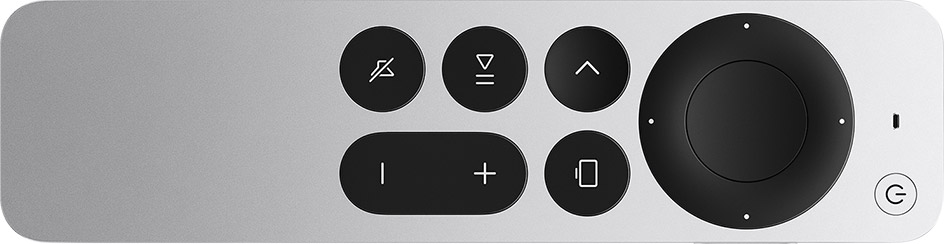
- No keyboard shortcuts: this annoyance is mostly erased with the new Play Controllers, but if you don’t have those yet, getting around Zwift using only the Apple TV remote feels cumbersome and slow compared to a PC mouse/keyboard. It’s certainly doable… it’s just annoying.
Conclusions
Is Apple TV the device you should be using for your Zwift sessions? I can’t answer that. But I can say that many thousands of Zwifters are quite satisfied with their Zwift experience on Apple TV (more Zwifters use Apple TV than PC, after all). The release of Zwift’s Play Controllers has made it an even more appealing Zwifting device since Play can handle most of the in-game navigation once paired.
When Zwift optimizes the visuals for the new A15 bionic chipset, Apple TV on Zwift will be even more attractive. (In talking to contacts within Zwift, this is in their plans. But they’re not sharing any delivery dates.)
For now, if you aren’t fussed about having the highest framerate or sharpest graphics, don’t need to build custom workouts in game, and aren’t looking to generate hi-end photos or videos of your Zwifting, Apple TV may be the solution for you.
If you’re looking to stream/record video at higher framerates, like to create custom workouts, and want to be able to get around the game super quick (bike swap, anyone?) you may want to Zwift with a decent gaming PC instead.
Your Thoughts
Are you an Apple TV fan, or part of the PC gamer crowd? What are your thoughts on Apple TV as a Zwift platform – got any pros, cons, or quirks to add? Share below!


I’ve been using APPLE TV for years of ZWIFTing. I’ve logged many hundreds of hours. It’s so simple and smooth.
However, one CON that you left out is that if there is a problem uploading your activity to the ZWIFT servers (wifi issue etc.), you can’t go into the PC and find the file. The ride is lost permanently. This has happened to me twice.
Zwift support tells you how to do this. You need to go into the Apple TV settings and Privacy screen. There’s a log file selection you can select and Apple TV will let you share it or drop it to your iCloud account for sharing.
Same comment here: long term ATV user, very happy there is a power blip and Zwift on ATV pretends to upload to Strava but really doesn’t.
Worse: the .fit file you can still download from Zwift.com is corrupted and won’t upload to Strava either. Zwift support then says “Sorry, on ATV you are out of options if that happens.”
My solution will have to be to run an extension cord to power the Apple TV box from the little battery UPS that keeps my Internet running through power blips to avoid the problem.
Before ATV, I ran Zwift on a too slow PC and then on an iPad and have found ATV the best.
I pair a keyboard (Apple Magic Keyboard) to my phone and use that to type messages in Companion. It makes chat much easier. Text replacement also helps, especially for ride leads.
My biggest gripe about ATV would be the connections. If you just have your trainer and an HR, you just turn it on and go. Now that I have the Play controllers, I have to do the Bluetooth dance and use companion to connect everything. I really don’t want to have to use my phone to Zwift. Why I bought Apple TV. Hopefully there will be a Bluetooth bridge for ATV that will remove the need to have companion for connecting to Zwift. Overall, I think you summed it up pretty good. ..and Yeah, I don’t see how you can build a PC for cheaper than an ATV. I just picked up last years model ATV4K for $50 for my wife to use.
I believed with the companion bridge you could still use the 2 Bluetooth connections from Atv for your trainer and HR, and only use the companion app for the plays only?
No, you have to pair everything via one method or the other.
This is my issue and I have been unable to pair zwift play as my ZC app does not allow me to pair from within the app. I can pair 1 zwift play but not 2. The zwift home screen has me going in circles and even an hour chat with zwift support has not fixed it. Even tried a new mobile phone but no better. So returning to zwift.
Have this exact same problem – Zwift play continually dropping out on ATV. Talking to Zwift Amabassador they are suggesting a wired connection to Apple TV – will test this weekend and let you know.
@Eric Schlange what do recommend as as HR monitor when using ATV and connecting via the companion app. I realize I need one with a blue tooth connection. Thank you
If you’re OK with an armband monitor (it’s what I use because I’ve found they’re plenty accurate, cheaper, and longer-lasting) then I recommend the Scosche Rhythm: https://amzn.to/47uywIH
If you want a chest strap, I’d go with the Wahoo TICKR: https://amzn.to/48CIHMo
I was able to connect 4 bluetooth devices
It’s interesting to read that more Zwifters use ATV’s than PC’s. In which case it’s a pity that ZwiftHQ doesn’t service the ATV platform as it’s primary delivery mode. Perception is reality for many and the perception is that ZwiftHQ defaults to the easiest to service platform first – the PC.
I started zwift on a gaming laptop a few years ago. Worked great , after around 4 years things started to go really slow, log ins and power drops become a daily problem. Tried ATV a couple of years ago . 98% of the time it’s great , quick to log in . But the remote is a problem. To sensitive/ a mind of its own. Can’t make a new workout. Bluetooth connection is wanting. I could use companion app to bridge for a extra connection but I think this interferes with other connections.so I don’t use option. ATV is good for Zwift but could be Awesome!!
Best solution I’ve found for the controller is… to use an iPad instead!
I know I know, that’s cheating, but an iPad can output to a monitor easily now and the touchscreen really makes up for that worst weakness of the Apple TV.
I have a gaming laptop (with a dedicated GPU) that I use occasionally, and it is higher res, but the simplicity of riding on iPad wins out easily for me.
Yeah I use my Samsung tablet, as you say HDMI output to TV and while not as high res as PC I think it’s higher the ATV. Also no Bluetooth limits and have the 2 logins too which was my main gripe on the PC version.
Hi Ruffin – can you help me understand how you output your iPad to a monitor please? Having trouble with ATV and Zwift play so keen to explore other ideas. Many thanks.
Could you let me know what you mean by the play bug. Mine keep losing connection (in fact all Bluetooth connections) is that the bug?
Couple of possibly relevant/useful thoughts:
For devices like AppleTV I have to imagine that at some point cooling is going to be the issue, especially with GPU chips running full tilt for a few hours at a time and at least one side taped to the back of a display, and lots of data flying over the airwaves. So the chip rating matters maybe less than you think. Most people with an AppleTV probably don’t mind aging the electronics of it and their screen faster tbf.
I think, personally, I’d still want Zwift to prioritise stability — a full overheat crash say 3.5hrs into PRL full or something would suck pretty hard.
(I’m also intrigued re: Zwift on PC issues you’re experiencing, and kind of amazed Zwift hasn’t clarified that for you as close to 100% as they could before this article)
Those updated-graphics promises got me to buy an AppleTV over 6 months ago. Still waiting. :/ That said, the reliability has been so much better than any PC before. I’ve had a couple of crashes, but nothing like the mid-race dropouts that plagued me for years prior. The biggest issue I’ve had was the twitchiness of the ATV remote. Now I turn it on and put that thing as far away from me as possible and drive with Companion and the Play controllers.
Twitchy remote? I set the click pad to click only.
ATV4K has an ethernet port on the back. Could someone clever build an ethernet dongle that would allow more bluetooth channels as a low-cost add-on? With Zwift Play and a multi-channel BT, the remote issue would be solved.
Or could Zwift co-market (with Apple) a Zwift Orange badged version of the ATV4K with more built in BT channels for this specific use?
Never had an issue with ATV until I got the Zwift Plays. Now have pairing issues as mentioned and sometimes despite everything showing as paired the Plays don’t work or I get no watts when I pedal. There also seems to be an issue when racing I have had connection issues twice part way through a race (I have excellent Wi-Fi signal strength)
Same here, wifi6, 700mb/s speed. Get dropouts when connecting through companion my phone or tablet, pretty much makes the zwift play a waste of money. Pairing can be a right pain in the butt.
Same here, ATV on wired ethernet, wifi access point next to my mobile running companion app for pairing – still dropouts, so annoying!
Curiously, I’ve had little to no issue with the Plays. I seem to get just as many drops as I did previously…. It also seems to have to do with one Zwift update more than another. Also, I run everything through the Companion App…. then the Plays come onboard when everything syncs.
I only zwift on ATV, and agree with pretty much everything. It is cheap and reliable, but they should improve the graphics.
For me the main pain point though is the bike swap. In races (e.g. ZRL) where a bike swap is the right strategy you’re lost with ATV. It takes ages, and I once managed to put on gloves instead of swapping bike …
Another point regarding the NPE Cord / WYUR. They don’t support the broadcasted HR from Garmin watches.
I’ve had lots of issues with Zwift crashing when trying to start a ride. Zwift loads and I can select a course/race but then it simply exits to the ATV home screen. Most of the time rebooting the ATV solves the issue but I have missed a few races because of it. Zwift also seems to log out a lot. Really annoying having to enter passwords with the remote.
How do people possibly use the ATV to do live stream or recorded broadcasts? HDMI out to OBS?
Yeah, HDMI to something like an Elgato box to OBS on a PC.
so you still need a pc LOL
Reading that crashes or lock ups are common when using Zwift on PC is a common thread on ZI. However, as a PC Zwift user in Australia, I very seldom experience these issues. I have done close to 300 races on Zwift and have experienced issues in about 3. Two were likely wifi connectivity issues, rather than Zwift issues. Being Down Under, I use Zwift mainly off-peak. Just wondering whether anyone has looked into when these crashes and lock-ups happen.
I used an ipad for years but two seasons ago I switched to ATV…I have then the newest version and its been flawless. My only complaint even with the little cons listed is the use of the remote really is a PIA until you understand its quirks. Using the companion app in ride is almost a must while doing events and group rides. But I still feel is the best way to Zwift. pairs with my Garmin smart trainer perfectly and with a big screen in my wattage cottage its just a great workout set up.
Thank you Eric for addressing this. I’ve always used ATV since I started Zwift in 2018 so I can’t compare to other devices and I had the original Kickr. I now have the Kickr V5 2020 & I bought the new ATV hoping it might fix the delay I encounter in timing in group rides but I now realize that it is more likely my internet service. They tout themselves as the best but not in my opinion. I don’t do racing any longer due to this issue. When an event is 60 min and stops I can be up front and yet I will be listed as finishing halfway down the list of riders behind riders I was in front of. I thought it was the ATV per infor I read but this makes me realize it’s probably my service provider. I want the Play but will hold off to see what the future brings however buying now at $99 is certainly better than $149. I connect through ATV with remote ( way way better than older model) then turn on HRM. After I’m in ready to choose ride I connect my Bluetooth headset. I use Companion App on my iPhone to chat and give multiple ride on’s, screen shots and coffee breaks etc.
i have been using apple tv for years (latest version now) and have always had cadence and a heart rate monitor.
Love ATV but haven’t been able to sync Companion app with Zwift in probably over three months. Really annoying because it’s my mode of communication with other riders and the only way to give “Ride On” bombs to fellow Zwifters. Probably not a ATV problem but rather an issue with latest IOS of my phone/iPad. Also have difficulty getting my Tickr to pair sometimes too. Neither of these issues keeps me from playing though, and with the weather conducive to outdoor riding, hopefully they’ll have things fixed by the time I move back inside. Wondering if anyone else is experiencing same.
I choose to use Apple TV even though I have a gaming laptop I can also use. The main reasons are the amount of time it takes the PC app to load up and be ready to play, and occasional interface freezes on the PC. My biggest complaint is the one you mentioned about having to go back through the pairing screen to start a new ride. That’s mitigated somewhat now by the ability to jump between pacer bots.
Getting all the Bluetooth connections errors myself through using companion app irt Zwift play. I simply stopt trying to get it function. That said i never heard of Wyur, if i buy this does it automatically gets a update for play controllers or does i need to wait buying it until they do support them –> (You can also get a Bluetooth aggregator like North Pole Engineering‘s CÔRD or WYÛR, but these don’t yet work with the Play Controllers).
I have always used ATV on Zwift, mainly for economy, it does work well but there are many annoyances…….My partner and I ride together, me on ATV, she on IPad, both use Companion, we have had to devise a protocol to get everything connected!, she has to log on first, then I switch my trainer on and log on!, we have tried every other way and none except this one works without each connecting to each others items!, then when my TickrX heart strap connects, usually after the warmup, I am dropped out and have to reconnect!, if a notification comes through on my phone I often get dropped out!……but we muddle through!, still think Zwift on ATV is great value for money!
as for the ATV remote!…….well that’s another post altogether!
My son and I had this exact same problem. Me on ATV and him on PC with 2 Wahoo direct drive trainers. The solution is to delete the app on both devices and delete companion on both devices. Then, with one trainer unplugged, reinstall both the app and the companion app. Fire up one trainer and pair everything for that one user. Then, do the same for the other trainer and user. It’s flawless after that and as recommended by Zwift support.
i loved apple tv until i got the zwift play controllers. i simply cannot connect everything through companion app– specifically my polar HR monitor. it connects and then drops out every time. I’ve switched back to my apple laptop with ant+ and then connect my play controllers through companion. it’s quirky but stable. if i didn’t like zwift play so much i’d probably go back to just apple tv
I’ve used “all the devices” to Zwift – from a big smartphone, to iPad, to gaming PC. I keep coming back to the ATV4k for the convenience.
A few points.
* while it’s 1080P for general world graphics, the menus, rider lists etc are rendered at 4K (if your screen is 4K) IMO, this is more critical than general world graphics as it makes text very readable.
* speech to text via Companion app makes typing easier, as does a small BLE keyboard connected to the smartphone you’re running the Companion app on.
* There are super inexpensive ATV mounts available that are cleaner and more secure than velcro for attaching to the back of a TV.
I Zwift on Apple TV. Easy and no signal drops, compared to PC. An Apple a day . . .
Using the latest ATV with a very old TV. Store down the street has a great sale going on TV’s right now which has peaked my curiosity. I realize I probably won’t see any changes now, but when zwift finally updates the system to take advantage of the ATV, I’d like to have a TV that can show it. It seems that OLED and QLED are the two biggest contenders at this store. From what I’m reading, OLED is geared for gaming but suffers from potential burn in. Looking for some advice from people more knowledgeable than me. I appreciate your thoughts in advance!
In regard to Messaging via Companion, if you are wearing earphones with a mic (eg AirPods) you can use the voice typing feature, which is super convenient.
I love the Apple TV set up. I’ve been Zwifting for over 5 years and it is super easy. As Eric stated, it just works..
Except for Apple’s limitation of maximum 2 additional Bluetooth connections (technically it allows 3, but you need one for the remote), I have no complaints. So I have to choose between my in game steering or my heart rate monitor.
I check the do not show again box for join Zwift emails but it ignores that I don’t want the annoying pop up. I’m a subscriber. Please make the pop up stop.
Hey Eric, love the review. I’m looking to go from using my iPhone 14 using a USBC cord connected to my big screen to going with Apple TV. My question is, any difference between Apple TV from 2021, 2022 or 2023? Does it make any sense to get the newest version?
Yes, get the newest version. It’s often the cheapest version, but it will also be more future proof than old versions.
What the differences? Is it worth upgrading if your apple tv 1st gen works perfectly fine
When selecting a route in Watopia it is not possible to scroll all the way down with the remote. Cant reach them. annoying
I love the ‘simplicity’ of the AppleTV and without getting into a Windows vs Apple argument (I happen to have an Apple household), I find the lack of shadows distracting…. especially when I watch peoples videos and everyone else has shadows and high quality graphics. Oddly, as of late, I’ve even noticed the 3D framework showing up more often in game. It’s almost like they’re going backward, instead of forward. Ugh!
It is November 2023, did Zwift ever improve the graphics from the ATV 4K 2022? I know it rumored to come some months after the Apple hardware release, but never saw any articles that an improvement was released. Thanks.
I’m assuming the answer is – no graphics improvements were made for ATV 4K 2022 since there were no replies and it is more than a year after that hardware release. Seems that it is not high enough on the backlog list for Zwift to get into production.
Thanks für the great review. Is an iPhone needed to connect or properly setup apple tv on your tv? I heard someone mention this.
Does apple tv work with simple pc-monitors or does it have to be connected to a smart tv?
ATV has an HDMI output, so as long as your monitor supports that it’ll work. You don’t have to have an iPhone to set up an ATV.
When are we going to get the update on the graphics for Apple TV I think with the increase in price it would be nice to have.