Home Blog Page 325

Running Zwift and TrainerRoad Together

UPDATE February 10, 2025: TrainerRoad x Zwift rolled out Training API integration today, so Zwifters no longer need to use the more hacky method explained below to ride a TrainerRoad workout in Zwift. (That said, the method explained here may be handy if you want to do something a bit unorthodox like riding a TrainerRoad workout while also riding a Zwift event.)

Many cyclists like myself love TrainerRoad for its plan builder, calendar, and massive library of progressive plans. But these same cyclists are often Zwifters who want to rack up Zwift miles while training! Additionally, Zwift’s virtual worlds are more engaging than TrainerRoad’s charts, often proving a welcome distraction from the suffering of a tough interval session.

Because of this, many cyclists go with the “best of both worlds” approach: letting TrainerRoad control the workout, while riding in Zwift for a more engaging and interesting visual experience.

But how is that done? Here are complete instructions for accomplishing this dual platform feat using a Windows PC.

These instructions have been tested and proven with a Wahoo KICKR v1 and also a Wahoo KICKR v5.

How to Run Zwift and TrainerRoad Together on a Windows 10 PC

Two ANT+ adapters

Using ANT+

Assuming you already have a PC running Zwift and an ANT+ USB adapter, you simply need to buy a second ANT+ USB adapter. Ensure both are plugged in at the same time.

(I use this Anself USB ANT+ Stick and two of the Syncwire USB Extension Cables to get the ANT+ USB sticks closer to my KICKR. Read “Recommended ANT+ Sticks for Zwift” if you’d like further recommendations.)

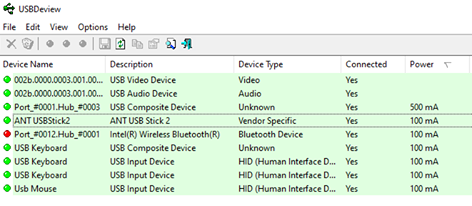
Next, double-check that both ANT+ sticks are working and identified in Windows. Open device manager and check you have two devices shown under libusb-win32 devices.

You also need to run Zwift in Windowed mode, not full screen mode. This option is found under the main settings screen in Zwift:


Now that both ANT+ USB sticks are plugged in and working, start Zwift first and pair your devices. If you want to use TrainerRoad in Erg mode for the workout (the standard setup) do not select anything in Zwift for controllable power:

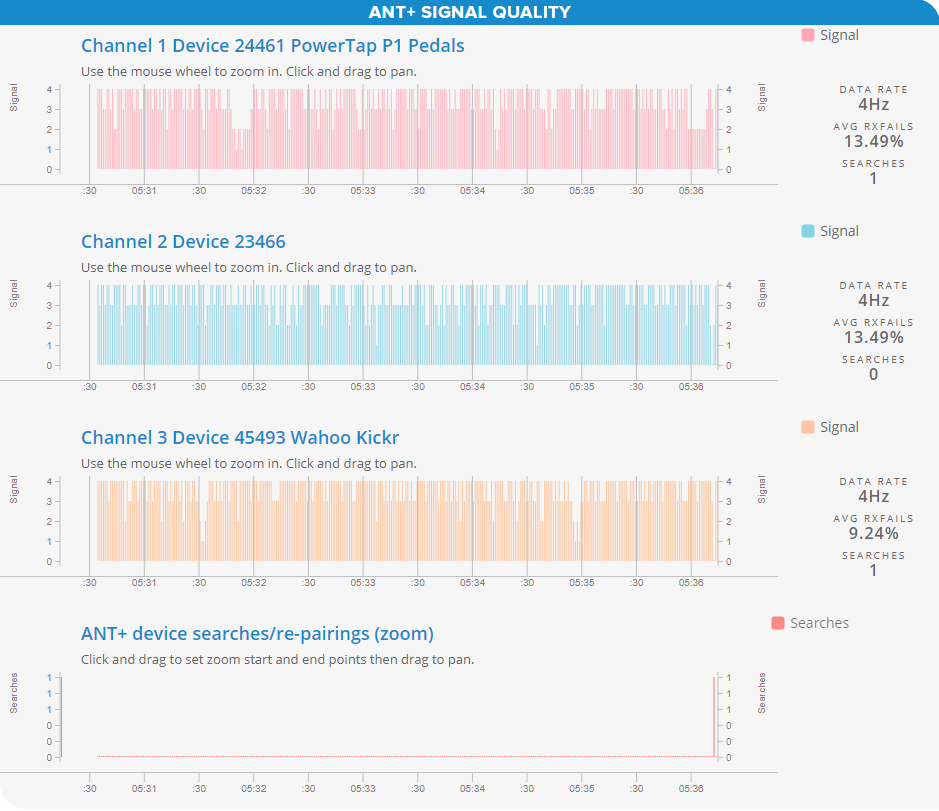
Next, start up TrainerRoad and pair your trainer and heart rate monitor. (I usually press the Windows key and then choose TrainerRoad from the start menu.) What is happening is that Zwift is paired to one ANT+ stick, then TrainerRoad is pairing to the second stick:

Once TrainerRoad is paired, open up your desired workout and click the small icon on the bottom right, the one with the four arrows all pointing inwards. You should then have Zwift taking up most of the screen, with your TrainerRoad workout shown at the bottom.

Ready to ride!

Now just start pedaling! The TrainerRoad workout will start and your Zwift avatar will start pedaling. The TrainerRoad workout instructions will appear in the center of your screen if they are provided and you have switched them on, as the video below shows:

Using Bluetooth

You can run Zwift + TrainerRoad side by side in Windows 10 using Bluetooth, with two caveats: your computer must support Bluetooth 4.0, and that your trainer must support multi-channel Bluetooth.

The Wahoo KICKR 18 onwards and KICKR Core support this with the latest firmware. My Polar OH1 heart rate monitor does not support multi-channel, so in my testing, I could only get it connected to either TrainerRoad or Zwift. (These tests were carried out on an HP Envy 13 running Windows 10 20H2.)

I’ve not tried this out for extended periods, so please share in the comments if (and how) you’re able to run both apps on the same computer using Bluetooth.

So to run both, start up TrainerRoad and pair your trainer and HRM (if desired):

Now launch Zwift on your Windows laptop/desktop and also launch the Zwift companion app on your phone. Within Zwift ensure the settings are as follows to pair using Companion:

On the Companion app you need to wait until you see this screen with the orange bluetooth icon. From there you can then pair your trainer. If it doesn’t show at this point, jump into your phone’s Bluetooth settings and make sure it is seen and connected there.

You can now pair your devices from the main Zwift screen. In this example my HRM is paired as I didn’t pair it with TrainerRoad. Again, assuming you are doing a TrainerRoad workout, ensure nothing is selected for Controllable Trainer within Zwift. This allows TrainerRoad to control the resistance on your trainer.

Now open up your desired workout within TrainerRoad and click the small icon on the bottom right, the one with the four arrows all pointing inwards. You should then have Zwift taking up most of the screen, with your TrainerRoad workout shown at the bottom:

Now just start pedaling! The TrainerRoad workout will start and your Zwift avatar will start pedaling. The TrainerRoad workout instructions will appear in the center of your screen if they are provided and you have switched them on, as the video below shows:

How to Run Zwift on a Windows 10 PC and TrainerRoad on a Second Device

The other option is continue to run Zwift as you do today and use a second device to run TrainerRoad. The specific instructions below are for a PC running Zwift over ANT+ and an iPad running TrainerRoad using Bluetooth. I have also used this method to run TrainerRoad on an iPhone as well as a Macbook.

First, pair your devices within Zwift, but do not select anything in Zwift for controllable power:

Then start up TrainerRoad on your iPad and pair your trainer and heart rate device.

then chose the workout on TrainerRoad on your iPad and simply start riding!

That’s it! Any questions? Ask in the comments and I will help if I can.

Questions or Comments?

Share below!
Zwift Academy Road 2020 Winners Announced

2

Australians Neve Bradbury and Jay Vine were announced as the winners of Zwift Academy Road 2020 Saturday following a week of intense finals competition and a live-streamed finale.

It’s life-changing news for both riders, as they’ve earned contracts with UCI Pro teams for the 2021 season: Neve with CANYON//SRAM, and Jay with Alpecin-Fenix.

Jay and Neve riding their local roads

About the Finals

This year’s finals were very different from past years, since the finalists were unable to travel to team camps due to COVID restrictions. All competition took place from each finalist’s home location, with each finalist completing ramp tests and demanding workouts both on Zwift and outdoors.

Contenders faced daily challenges, including the unenviable challenge of trying to chase down Kasia Newiadoma and Mathieu van der Poel on Zwift and ‘speed dating’ with their prospective new teams. The finals culminated in Saturday’s live show hosted by Matt Stephens, in which the finalists competed in two separate races – a points race in Yorkshire and a TT in Bologna.

Watch the live show:

While Zwift was careful to say that Saturday’s live finale’s race results wouldn’t be the final decision maker for the pro contracts, both Jay (25 years old) and Neve (18 years old) won their Bologna TT races in commanding fashion. (Technically Jay didn’t win, since his trainer lost connection just seconds from the line. But he was well ahead when it happened.)

In the men’s points race, community veteran Lionel Vujasin’s commanding performance put Jay in 2nd place, while Neve took first place by the smallest of margins, beating Kate McCarthy by one point.

Quotable Quotes

“I was stoked to make it to the finals in the first place,” said Bradbury from her home in Melbourne. “After the first day I wasn’t sure how I was going to go, but as the week went on I started to feel more positive. It’s so exciting. I’m stoked to have a coach, to use all of the equipment, and just to experience as much as I can. I know there’s a lot to learn and improve on but I’ll just try to help the team as much as I can”.

“I’m ecstatic!” says Vine. “I didn’t think it was going to happen this year, this is just incredible. I just had to focus on giving as good as I could and make no mistakes. I can’t wait to get over there to Europe – when do I start?! It’s incredible. I don’t know what I can say… when can I start?”

CANYON//SRAM Racing Team Manager, Ronny Lauke: “The Zwift Academy has proven over the last years that it identifies raw talent that has the ability to become one of the best in the sport. The recent winners have shown with their impact on road cycling and results⁠—Women’s World Tour top ten performances, podiums at UCI races, national champion titles⁠—how much credibility the program has. In 2020, the Zwift Academy finals were extremely challenging. We had five finalists and all had their own strengths. The level of competitiveness amongst them was very demanding. Neve stood out with her very consistent results and best performances throughout the week. We are looking forward to working with her in the team environment.”

An Active Approach to Cycling Injuries

If you are reading this, then I don’t have to tell you of the myriad benefits of cycling. But I will anyway! They include:

  • improving cardiovascular fitness
  • strengthening the immune system
  • promoting weight loss
  • decreasing heart disease and cancer risk
  • improving sleep
  • enhancing mental well-being

While the pedal stroke is low-impact and joint-friendly, over time the postural demands of cycling and its repetitive nature can lead to muscular imbalances which may limit the body’s ability to perform at peak level and dramatically increase the chance of overuse injury and chronic pain. 

What Causes Virtual Cycling Injuries?

Most indoor cycling injuries are due to muscle imbalances and overuse. Hours of cycling in the bent-over position create tightness in the quadriceps and the psoas (hip flexors), which acts to pull the pelvis into a forward tilt, overloading the muscles of the lumbar spine while at the same time weakening the abdominals. This also causes the opposing hamstrings and glutes to be weakened and calves tightened. 

Additionally, there’s the neck and upper back soreness we all feel as we hunch over the bars with rounded shoulders and head raised.  The stationary nature of virtual cycling makes this soreness even worse.

What Can We Do To Actively Treat And Prevent Common Cycling Injuries? 

As a Physical Therapist in Sports Medicine private practice for over 25 years, I have seen the deleterious effects of hours in the saddle. As a competitive amateur cyclist for the majority of that time, my experience provides a unique perspective.  I have suffered from most injuries myself and am perhaps my own worst patient. 

Despite this, I have always practiced by a simple edict: “As a Physical Therapist it is not my job to tell you to stop doing what you love to do, rather to treat and teach so that you don’t have to!”  Because I know quite well that I wouldn’t stop riding either, despite injuries!

The Treatment 

In this Zwift Insider series, I intend to utilize my experience to provide a basic understanding of common cycling injuries, including their treatment and prevention. Hopefully, this will keep you riding optimally or get you back on the bike quickly without pain.

We will address each injury through the following active approach:

  • Identifying the Injury (Pain Symptoms and Location)
  • Acute Treatment
  • Flexibility and Mobility Exercise (Long-Term Treatment and Prevention)
  • Strengthening Exercise (Long-Term Treatment and Prevention)
  • Basic Bike Fit Recommendations
  • Recovery

We’ll look at injuries related to problem areas common to cyclists: knees, hips, low back, and feet… amongst others.

The Follow-Up Appointment

Stay tuned, as in the next edition of this series I will address cycling pathology of the knee, including patellar and quadriceps tendinitis, iliotibial band friction syndrome, and other disorders. We will examine active intervention measures to keep you riding, training, and racing at your best!

What About You?

Comment below if you suffer from any of the cycling “aches and pains” mentioned, or if you have a few of your own. That way I can be sure to address them in upcoming installments.


Ride All Zwift Routes and Get All the Badges in 12 Weeks

Early in 2020, Monica (my wife) and I were chatting about fitness goals for the new year. After setting a goal of riding 5 days a week for the first three months of the year, Monica upped the stakes even more: she asked me to create a plan for her to ride all of Zwift’s routes in 90 days.

It sounded like a fun challenge, so I dove in. And what you see here is the result, although it’s been updated since its initial release to account for new routes.

The route list can be found here.
The schedule was last updated August 25, 2021, but is no longer being maintained, since it’s a pain to re-juggle the schedule each time Zwift releases a new route.

How It Works

The schedule is now outdated, since we haven’t been updating it to account for new route releases.

When it was last updated, there were 92 “free-ridable” routes on Zwift. (There are many other “event-only” routes available, but we’re leaving these off the list since they are event-dependant, don’t give you a route completion badge, and are not included in the Zwift Insider Route Hunter Leaderboards.)

I broke the routes into 5 groups, roughly based on difficulty as described by the number of water bottles (bidons) you may need to finish the route:

Once we had that list, I organized it into a progressive schedule of 60 rides. (That is 12 weeks of 5 rides per week, or you can complete it in under 9 weeks if you ride every day.)

The schedule doesn’t tell you specifically which route to ride, until the very end when we’re on the hardest routes Zwift has to offer. Instead, it will have you choose a route from the list based on bidon count – so you may need to select a 2-bidon route for the day, or a 4-bidon route, or perhaps 2 different 1-bidon routes.

This gives you the flexibility to choose routes you want to ride, especially since some won’t be available based on the guest world calendar if you’re not interested in world hacking.

Recovery Is Essential

The schedule begins with easy efforts, having you ride just one or two of the easy 1 bidon routes per day. The idea here is that even a beginning cyclist could take on this challenge.

But as it builds to the 3 bidon routes, we intersperse difficult rides with recovery rides, so your body can properly recover. Remember: you don’t get stronger while you ride, you get stronger afterward when your body recovers! So take it easy on the recovery days so your body can be ready for the harder rides.

The Final Five

The final 5 hard rides of the schedule are Zwift’s toughest routes:

Make sure you are well-hydrated and stocked with necessary nutrition before you take these rides on, as they will take you anywhere from 3-6+ hours to complete.

Get the Files

Here are two printable PDFs to help you with this challenge. You’ll need them both!

  • List of Zwift Routes by Difficulty: check off each route as you complete it, so you don’t double up your efforts!
  • 60-Ride Schedule: work your up from easier rides to tougher challenges with this schedule of 60 rides. That’s 5 rides a week for 12 weeks!


She Did It!

On April 10, 2020, Monica completed the the Couch to Route Hero challenge! She began on January 5th.

Read her weekly progress posts >

Questions or Comments?

Thoughts on the schedule? Thinking of taking on the challenge? Comment below!

Zwift Update Version 1.0.60239 Released

123

The latest Zwift update is now available on PC, Mac, and Android. It will appear for iOS and AppleTV soon.

Not sure if your Zwift install is up-to-date? Here’s how to check >

This one is especially exciting because we’ve got new roads and routes! Let’s dig into the details…

Sea lions at the new sprint intersection near the JWB

Four New Watopia Routes!

Zwift has added less than 4km of new road to Watopia, but in doing so they’ve opened up a whole pile of route possibilities! These are the first new Watopia roads since August 2019’s Titans Grove expansion, so Watopians will certainly be rejoicing.

Zwift has added (mostly) short connections between existing roads:

  • Mayan Bridge: crosses the Jungle water, thus bisecting the Jungle loop
  • Bridge/Islands Bypass: Connecting the JWB and 360 bridges near downtown
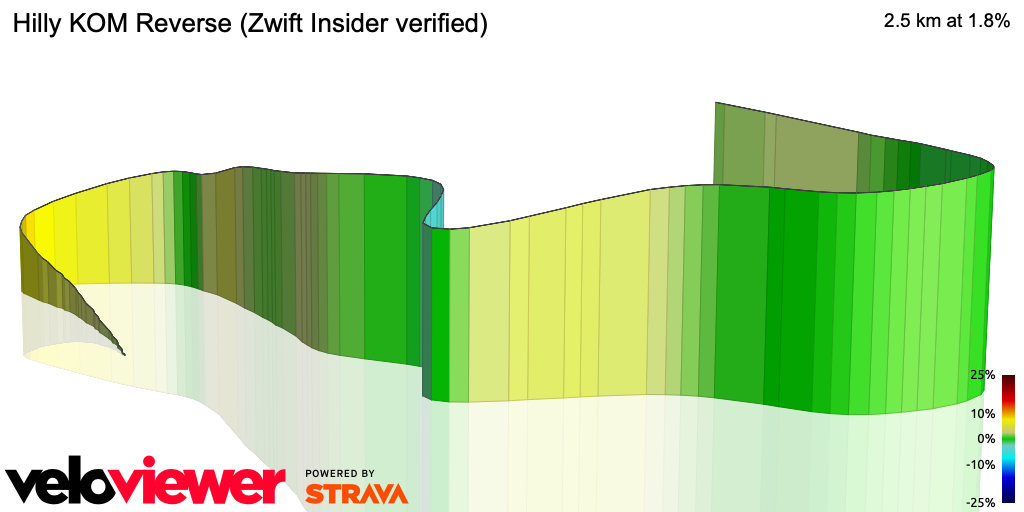
  • KOM Bypass: connects the road near the Hilly KOM reverse statues to the halfway mark of the Hilly KOM forward
  • Epic KOM Bypass: connects the bottom of the Epic KOM forward to the bottom of the Epic KOM reverse

And yes: each route has a route badge you can earn:

IMPORTANT STRAVA SEGMENT NOTE: spawn points for these new routes aren’t quite right, currently. They all begin just in front of a start arch or pen, while they should be starting behind those objects, so the Strava segment can begin and end at the arch or pen exit. For our Strava segments, we used the downtown start/finish banner as the starting line, except for the Serpentine 8, which uses the Jungle Pens as the start. In order to finish the segment, you will need to do a u-turn at the start of your ride to go back to the starting line, until Zwift adjusts these start points.

Beach Island Loop

At 12.8km long with 48m elevation, this is a fairly flat loop is almost identical to the existing Volcano Flat Reverse route. The only difference is we take the Bridge/Islands Bypass which takes us north of the Italian Villas. Seems like a silly route to add with one so similar already in-game, but Volcano Flat Reverse is event-only, so this route should feel somewhat fresh.

See Route Details >

Ocean Lava Cliffside Loop

19km long with 156m of climbing, this is the most exciting of the new routes, because it includes the longest stretch of new road! Zwift has the added the “Epic KOM Bypass”: ~2.7km of fresh road which connects the bottom of the Epic KOM Reverse (near the Jungle entrance) so the bottom of the Epic KOM Forward (after crossing the suspension bridge).

It’s a rolling, twisty road, and even includes a tiny dirt detour.

See Route Details >

Serpentine 8

Probably the second-most exciting of the new routes, Serpentine 8 is a Jungle-based figure 8 route which uses the new twisting, rolling “Mayan Bridge” road that bisects the Jungle Circuit. This road is full of eye-popping sites like torches, temples, and tile (which we assume rolls faster than dirt).

Coming in at 19.3km with 206m of climbing, this is the longest of the new routes… especially when you consider it also has a 7.3km lead-in from the Jungle pens!

See Route Details >

Two Bridges Loop

The shortest of the new routes, Two Bridges loops keeps you near downtown Watopia thanks to the new “KOM Bypass” road which connects the Hilly KOM Forward with the Hilly KOM Reverse, shortening the climbs. At 6.8km with 80m of elevation it’s actually the “climbiest” of the new routes. Visualize this as an abbreviated Hilly Route.

See Route Details >

Enjoying the scenic Epic KOM Bypass

FutureWorks Run Pace Partners

On the heels of the very popular riding Pace Partners, Zwift is going to be releasing four Pace Partners for runners next week! We don’t have any screenshots since they’re not yet in-game, but here’s what the release notes say:

  • Alton Able is an A category runner who will keep a spirited pace of 14.6kph/9.1mph (4:07/km, 6:36/mi) around the Dust in the Wind route.
  • Billie Benoit is a B category runner and loves the Big Loop route, targeting a speed of 11.9kph/7.4mph (05:03/km, 08:06/mi).
  • Cara Cadence is a C category runner holding a speed of 9kph/5.6mph (06:40/km, 10:43/mi) around the Sands & Sequoias route.
  • Dax Diesel is a D category runner who feels most at home on Jon’s Route at a conversational 7.2kph/4.5mph (08:20/km, 13:24/mi).

Bug Fixes/Improvements

This release also includes a pile of minor fixes… here’s the list, with a few comments where appropriate:

  • Numerous cycling and running assets (kits, shirts) have been added or updated.
  • Made adjustments to how shadows are rendered in game to improve performance for high attendance events: this may fix the framerate issues Zwifters have seen when running the game in windowed mode on PC since the last update. Fingers crossed!
  • ANT+ library updated to version 3.5 on MacOS.
  • New telemetry added for MacOS bluetooth disconnect/reconnect events to help track down bugs.
  • Improved Bluetooth pairing for the Elite Sterzo across all platforms.
  • The Elite Sterzo Smart will now attempt to reconnect if the signal is lost without the user needing to enter the pairing screen.
  • Added support for the Tacx Boost trainer.
  • Fixed a bug that would sometimes cause the rider to appear to be flying when the rider came into view: #sad. This was a fun one!
  • Fixed a crash caused at the end of a Meetup.
  • Fixed a bug that would sometimes allow for users to do a u-turn in events.
  • Fixed a bug that would cause the Elite Sterzo Smart to fail to pair.
  • Fixed a bug that would cause the app to freeze on MacOS if the user went idle while in the pairing screen.
  • Fixed a bug on Android which would cause pairing issues on the Wahoo Kickr Smart over ANT+.
  • Fixed a crash for Apple Watch connected users running iOS 13.
Riding across the Mayan Bridge

Wrapping It Up

We’re stoked to see some new roads and routes added to Watopia, and runners will certainly be happy to have always-on Pace Partners to join.

While it’s hard to fault ZHQ for focusing their efforts toward onboarding new Zwifters and getting them plugged into the game, long-time Zwifters are looking for fresh stuff to help us stay engaged. Simple new routes and achievements seem like an easy win for Zwift in this regard. So our humble request is… more carrots, please!

See/discuss release notes on Zwift’s forum >

If you spotted any other changes in today’s update, please comment below!

Review: Favero Assioma Duo Power Meter Pedals

I’ve been a fan of pedal-based power meters for several years ,because they can be easily swapped to another bike, and they’re measuring power right where it’s happening.

Garmin Vector 2 pedals were the first power meter I ever owned, and I used them for a few years, both indoors and out. And while they worked decently well, they were far from perfect – prone to accuracy problems if not properly torqued, chain clearance problems, and those annoying little plastic pods stick out weirdly and like to get bumped, which can affect accuracy as well.

So I went looking for a new set of power pedals in early 2020 – and the first place I looked was Favero. Their Assioma pedals seemed to have the best reputation of any in the Zwift Community, and they are also the most affordable. Here’s how the pricing shakes out for dual-sided power pedals currently on the market:

  • SRM Look Exakt: $1700 USD (included just for grins – who is paying $1700 for power pedals?)
  • Garmin Vector 3: $1000 USD
  • Powertap P2: $900 USD
  • Favero Assioma: $696 USD

Like the Garmin and Powertap offerings, Assioma isn’t a first-generation product. Favero’s initial power pedals were called the bePRO. Assioma is the next-generation product, released in 2017. And it’s clear this isn’t Favero’s first power pedal rodeo.

After spending hundreds of hours riding the Assioma both indoors and out, I figured it was time to write up a review post. I hope you find it useful!

Favero Assioma Specs

  • Weight: 151.5 grams per pedal*
  • Q Factor: +54mm
  • Stack Height: 10.5mm
  • Accuracy: +-1%
  • Battery Life: ~500 recharge cycles at 50+ hours per charge

* At 303 grams per pair, the Assioma is the lightest power meter pedal on the market, beating out the Garmin Vector 3 (324 grams) and Powertap P2 (432 grams).

What’s In the Box?

Whether you buy the single or dual-sided version, the pedals ship with all you need:

  • The pedal(s) (of course)
  • A USB charging cord for each pedal – with a cool magnetic connection (more on that later)
  • A dual USB adapter to power the charger(s)
  • A pedal wrench
  • New cleats for your shoes: these are Xpedo-based cleats. Very similar to Look Keo cleats (which I already use) – but slightly different.
  • Pedal washers
  • Instruction booklets
  • Adapters for various world outlet types

Getting Set Up

Set up is easy, provided you have a smart phone and the tool needed to remove your current pedals.

First, activate the pedals via the Assioma app on iOS or Android. This is easily done – you click to search for the pedals (wiggle them a bit if they aren’t awake), then click to activate each pedal. (Your pedals won’t broadcast power until activated, which I assume is Favero’s way of tracking/enforcing warranty periods.)

Next it’s time to install the pedals. First remove your current pedals – depending on your current pedals you may need a pedal wrench for the job, or you can use the 8mm allen wrench included with the Assioma pedals.

I like to apply a bit of grease to my pedals whenever I install them, just to keep things smooth and happy. Then use any washers needed in order to offset the pedal body from your crank, and twist the pedals on using the included allen wrench. Easy peasy!

Once the pedals are installed you’ll want to do a zero offset in the app. Super easy – just connect to the pedals, then click “Settings” the arrow on “Zero offset”.

Unlike the Garmin Vector 2 pedals, Assiomas aren’t super picky about being torqued to a precise setting. So just snug them up like you would any other pedal, perform the zero offset, and ride.

Bedding In

With any power pedal, I recommend performing a zero offset before each ride, for the first several rides. Some riders will install the pedals and perform a few max effort sprints, then do the offset. Basically, what you’re wanting is to get the pedals “bedded in” – sometimes they move microscopically after being installed, and that affects the power readings. But typically after a few decent rides and hard sprints, pedals settle in and perform in a stable fashion moving forward.

Pairing in Zwift

Pairing in Zwift is super-simple as well. Just click “search” in the “Power Meter” box, and the Assioma will come up as an option. These pedals broadcast on both ANT+ and Bluetooth, so if your Zwift device supports both protocols, you’ll have the option of connecting via either method.

Many riders pair their power meter as the Power Source, and their smart trainer as “Controllable”. This is what I’ve done for years on Zwift, only recently switching to using my smart trainer’s power (more on that later). Riders do this for a few reasons:

  1. Because they use the same bike indoors and out, and want the same power meter used for all their efforts
  2. Because they trust the accuracy of their power meter over their smart trainer
  3. Because they want the extra watts of a pedal, crank, or spider-based power meter which reads wattage before drivetrain losses

Increasingly, though, we’re seeing racers dual-record their power, using their direct drive smart trainer as the power source in Zwift, and their power meter as the backup source, recorded on their bike computer. High-end Zwift Esports races now require that the direct-drive trainer as the primary power source, in fact, so we’ll probably see this practice continue to trickle down to the community racing level.

Charging

The pedals use a rechargeable built-in battery, unlike the Garmin and Powertap offerings which use replaceable batteries. Which is better? While there is something comfortable about the idea of being able to easily swap in fresh batteries, I lean toward built-in rechargeable batteries, for these reasons:

  • Since the manufacturer knows the characteristics of their batteries, they can provide accurate battery charging readouts
  • You don’t have to worry about “battery door” problems including water intrusion or oxidation which have plagued other pedal models
  • No need to buy batteries

A full charge cycle takes about 6 hours. Hooking the pedals up to charge has become one of my simple pleasures in life, thanks to Favero’s magnetic charger design. Check it out:

Battery Life

Favero says the batteries will last approximately 50 hours on a charge. I find it’s even more than that – closer to 60 hours.

One valid concern with a built-in battery is: what happens if it goes bad? The good news is, it’s a replaceable part – Favero can send you a new sensor unit. But you should never need it, because according to Favero the batteries are good for ~500 recharge cycles. And that’s 500 cycles at 50+ hours per charge, before it may decrease by up to 20% below that 50 hour mark!

If you do the math, 500 recharges at 50 hours per charge is 25000 hours of riding. If you ride 10 hours a week, that’s 25000/10/52=48 years of battery life.

User Experience

The pedals have performed flawlessly across hundreds of hours of Zwifting and outdoor riding.

I’ve used them mostly in conjunction with my Wahoo KICKR v4 (2018 model), then with my Wahoo KICKR v5 (2020 model). I also used them a bit on Monica’s OG Tacx NEO, as well as outdoor rides. Across all setups, they never failed to broadcast reliably and accurately.

Power Accuracy

Here are two sample rides that show the sort of data I’m typically seeing when riding with my KICKR 5 on Zwift while recording the Assioma data via my Wahoo ELEMNT bike computer:

I generally see the Assioma average power being 1.5-2.5% higher than the KICKR v5 power. Given the Assioma’s +-1% accuracy and the KICKR 5’s 1% accuracy, we’re well within spec given that drivetrain losses can easily amount to 2%.

One nice thing about the Assioma hardware is it uses Instantaneous Angular Velocity to computer power – which means they are accurate on oval chainrings. That’s something Garmin Vectors cannot do, although Powertap says their pedals are capable of it.

If you want to dig into power accuracy more you can always check out GPLama’s review or DC Rainmaker’s review.

Sticky Watts

One thing worth mentioning is Zwift’s sticky watts issue which affects anyone using an event-based power meter as their Zwift power source.

The summarize the issue: if you’re using an event-based power meter as your power source in Zwift (this would be any pedal, crank, or spider-based power meter) you’ll find your watts “stick” for 2-4 seconds when you suddenly stop pedaling. For the details on why this is and how it affects the Zwift experience, read Sticky Watts: Why They Exist, and How They Affect the Zwift Experience.

To be clear, this isn’t a weakness of the Assioma – but it is an issue Zwifters will encounter due to how Zwift works. For me, it’s annoying enough that I’ve moved to using my KICKR v5 as my main power source, with the Assioma as my backup source.

Cycling Dynamics

If you have certain Garmin head units (I don’t), the IAV Cycling Dynamics supported by the Assioma may interest you. Specifically, the Assioma detects and transmits two advanced metrics:

  • IAV Power Phase: detects where in your pedal stroke the power is being applied
  • IAV Rider Position: shows often often you are seated or standing

To the following Garmin head units: Edge 520 Plus, 530, 820, 830, 1030; Forerunner 935, 945; Fenix 5 Series, 5 Plus Series, MARQ Series.

These metrics are ANT+ only, and (as far as I know) only available on Garmin head units. It’s up to the creators of the head units to support these metrics. For more on this topic, here’s an in-depth post from DC Rainmaker.

More on the Assioma App

Favero’s iOS/Android app for the pedals works great, which is a welcome thing in a world where cycling apps are often sub-par (I’m looking at you, Tacx Utility!)

Along with allowing you to activate and zero offset your pedals, the app also lets you configure crank length and perform a static-weight calibration, which I tried just for the fun of it. This involves hanging a known weight from each pedal, which overrides the factory calibration.

Serviceability

Pedals, like other moving bike parts, can wear out. Favero has designed the Assioma so the pedal body is separate from the (much more expensive) electrical parts, so you can purchase an entire replacement pedal body (bearings, oil seal and closing parts) for €59.90.

You can also replace or lubricate the pedal bearings, just like other high-end pedals.

Two Negatives

There are just two negatives in my experience with the Assioma, and both feel a bit silly and minor. Still, here they are:

  • Xpedo? Really? Assioma uses the Xpedo cleat instead of Look, which is just different enough that you can feel a bit of tightness when riding the Xpedo cleat on Look pedals. This won’t matter at all for people with only one road bike. If you’re like me (with an indoor bike and outdoor bike), I’ve found that using the Xpedo cleats on my Look pedals just feels a bit tighter than I’m used to – but not a big enough deal for me to fuss about. Still, it would be nice if the pedals used a more common standard.
  • No Cycling Dynamics for Wahoo Head Units: this is a Wahoo problem and not a Favero one… but I’m still annoyed that I can’t get IAV Cycling Dynamics on my Wahoo ELEMNT head unit! If anyone knows a way for me to access the Assioma cycling dynamics via a PC, iOS app, or my ELEMNT, I’m all ears. Comment below!

Concluding Thoughts

With impressive accuracy and the best price of any pedal power meter on the market, it’s no surprise that Zwifters love the Assioma. I wouldn’t hesitate to recommend them as my first choice for anyone looking for a pedal-based power meter.

Where to Buy

The Favero Assioma can be purchased direct from Favero (based in Italy) or at these Zwift Insider affiliate partners:

Questions or Comments?

Share below!
Christine O’Connell’s Zwift Story of Perseverance and Philanthropy

A transplant from Maryland, USA, Christine O’Connell has lived in the UK for nearly 25 years, working and consulting for a media company and living an active lifestyle traveling and enjoying sport in London.  Christine says she “grew up riding bikes and my father collects vintage Raleigh bicycles, but I would never have called myself a cyclist.”  But she was inspired to ride after watching the 2012 Olympic road race “come through my local park in London.” 

As it seems with most things Christine puts her mind to, cycling quickly became a healthy obsession fueled by an evolving passion, until life presented her with a pothole to bunnyhop.

First Diagnosis (the Fight Begins)

“I had booked a ride across Cambodia, but instead found myself facing a cancer diagnosis, followed by 9 months of treatment – chemotherapy, surgery, and radiotherapy.”  Christine went to the gym every day during treatment, and her friends challenged her with the goal of riding from London to Paris in 2014 to maintain her focus on recovery. 

Treatment completed, Christine’s passion for cycling flourished, and with a rejuvenated body and spirit, she started clocking 200-300k per week, became active in the local cycling club, and completed several endurance challenges. 

“The London to Paris trip, this time in 24 hours rather than 3 days, was a celebration of 5 years clear from cancer, and my team of four raised funds for a local breast cancer support center.”  Again, as with most things in her life, Christine’s dedication to the philanthropic support of cancer victims is extraordinary, and she is presently the director of One More City, a charity she founded that raises funds for research into Secondary Breast Cancer.  Work, cycling, and charity… that’s what kept Christine going! Then another crack in the road, but this one was a chasm the likes of the English Channel.

Yet Another Curve In the Road

“On the 1st of February, 2018, I was cycling to central London to attend a Rapha/Wahoo promotional event to live demo some new turbo trainers, no doubt involving Zwift.” That was the last thing she remembered before awakening in the A&E department of a London Hospital.  Christine was notified she had suffered a seizure and a scan revealed a brain tumor. 

“I do not remember anything about the seizure, nor do I know to this day who called the ambulance, but I am grateful to whomever did so, and made sure that I still had my bag… and my bike.” 

Christine required emergency brain surgery to remove a tumor, the result of advanced ‘Secondary’ Metastatic Stage 4 Breast Cancer, which afflicts 20-30% of breast cancer victims. It comes with another grim statistic: the average lifespan of an individual with this devastating incurable disease is only three years.

An Indomitable Spirit

Christine began Zwifting only a few days after discharge from the hospital and slowly transitioned back to the road.  With remarkable resolve, she regained her premorbid level of fitness by 2019, and completed the Etape du Tour and the Rapha to London challenge, riding 200 miles in a day for charity. 

Christine’s insatiable desire to ride is rivaled only by her quest for knowledge of secondary breast cancer, a misunderstood disease killing women and men daily throughout the world. 

Many miles and conversations later with her mates and Simon Mottram (founder and CEO of Rapha) and One More City was born.  One More City is an annual cycling campaign with a simple ethos, Christine explains, “The journey is never over; we are always progressing towards the next city, there are always more kilometers to travel, more climbs to conquer and more challenges to face.  This is akin to the reality of anyone living with cancer, especially secondary cancer, for whom the challenge is never over; there are always more treatments to endure, more scans to face, more side effects to manage.”

Coping by Giving

One More City has raised hundreds of thousands of dollars, with each event starting in the exact location where the previous year’s ride ended, with the aim of funding the education of students pursuing a Ph.D at Imperial College London.  In collaboration with The Institute of Cancer Research, the goal is to create and develop treatment options for secondary breast cancer patients by combining the resources of the UK’s foremost research centers.  The 2020 flagship event was to take Christine’s team 750km in 4 days from Strasbourg to Salzburg.  

Just like that the momentum of Christine’s indomitable fortitude was slowed to a grind, the wind was now in the face of Christine’s uphill ride of life in the form of the global COVID pandemic.  The UK went into lockdown in March and group riding was banned, leaving the future of One More City in jeopardy and confining the immuno-compromised to their homes. “Not being able to cycle outdoors,” Christine laments, ‘the very thing that helps me live with my advanced cancer and the key part of my social life, was extremely hard to accept.”

Enter Zwift – This Time It Was a Savior!

With the help of her fellow RCC ride leaders, Christine set up Zwift Meetups and strived to replicate the social nature of group rides by communicating via Discord.  Within a few days, Christine had organized regular Zwift club rides and One More City training sessions, allowing her and her mates to keep their sights set on Salzburg.  “A number of us also started racing, and we now have over 20 women racing each week in the Zwift Racing League, many of whom have never raced in real life and never would have considered it.”

“I can honestly say Zwift has been a lifesaver for me during this challenging year.  There are many studies suggesting a strong link between exercise and better outcomes for cancer patients, and although it can’t be definitely proven, I feel strongly that cycling has played a key role in helping me live well with my disease.” And Zwift has been an integral part. 

“When people not well-versed in Watopia ask, they often assume it’s something deeply anti-social, when in fact it’s just the opposite.”

Riding On

With every pedal stroke, Christine is widening the gap on the devastating disease which she has dedicated her life to defeating, and forming a break for those afflicted in the future.

“While I don’t think Zwift will ever replace for me the magic of riding in the mountains or discovering new routes, it’s given me a way to connect with the global community and maintain my physical and mental health, which has been invaluable in this most challenging of years.”  

That is saying a lot for this courageous and hero of the breast cancer community, considering she has overcome her fair share of adversity with dignity.  Ride On, Christine.  Ride On!

Share Your Comments

Post below!


Tour de Zwift 2021: Details for Riders

126

Zwift has announced plans for its 3rd Tour de Zwift (TdZ). Launched in 2019 as Zwift’s most ambitious tour at that time, 2020’s TdZ outdid it with even more options for riders and runners. Now in 2021 Zwift is raising the bar even higher with an 8-stage, 40-day tour that covers more routes than any Zwift event to date!

This year’s Tour de Zwift is all about embarking on the journey. A “Tour de Zwift Passport” will allow us to collect stamps by traveling to one or more destinations in each stage.

Here’s everything we know about TdZ 2021 for cyclists. We’ll publish a separate post for runners, and update each of these posts if/when more information is released.

Signing Up

You can sign up now at zwift.com/tour-de-zwift/ride, or in-game.

Stage Details

This year, all TdZ ride events are designated as group rides (not races). Does that mean people won’t race them? Of course not. Some will go all-out, others will just be there for the socializing and sightseeing. Find a group riding at your pace and accomplish your goal, whatever it is! Just know these events don’t count for ranking points on ZwiftPower, and categories (A-D) have nothing to do with w/kg.

There are 8 stages, and each stage lasts 5 days.

Each stage has four different signup options: a longer ride, a “standard length” ride, and a shorter ride. There is also a women’s only event option, which uses the same route as the standard ride. Of course, you can take part in multiple versions of each stage: for example by riding in Group A for a Stage 1 event, then joining Group C for another Stage 1 event.

Stage 1 (Jan 4-8): Favorite Flat Routes

Stage 2 (Jan 9-13): World Champ Routes

Stage 3 (Jan 14-18): Serious Mountain Routes

Stage 4 (Jan 19-23): Scenic Views

Stage 5 (Jan 24-28): Favorite After-Party Routes

Stage 6 (Jan 29-Feb 2): Rolling Hills

Stage 7 (Feb 3-7): Jungle + Gravel

Stage 8 (Feb 8-12): Urban Routes

Make Up Days

If you miss a stage but want to complete the full Tour, never fear! There will be make up events scheduled from Feb 13-20.

Stage Unlocks

There are various kit unlocks available, but Zwift isn’t being terribly specific about what gets unlocked when. We do know there are TdZ socks, hat, and a jersey for both riders and runners!

Special Events

In addition to the 8 stages described above, riders will be able to join two different types of special TdZ 2021 events:

  • Special Guest Rides: Group rides with a special guest leader. Past special guests have included TdF champs, Ironman winners, and sports legends.
  • Rookie Rides: For those who have never done a group ride before, these events will be led by some of Zwift’s most experienced riders to help educate participants about group rides and make their first experience enjoyable. These events will take place every Tuesday and Saturday during the regular tour dates: Jan 4 – Feb 12

Zwift + Le Col Merch and Colnago Giveaway

Zwift has teamed up with Le Col to develop some TdZ 2021 merch which can be purchased through Le Col.

Complete any stage and you’ll get an email offer for $65 USD // £50 GBP off your purchase as well as an entry in a giveaway for a limited-edition Le Col + Colnago C64 road bike ($10K USD // £7.5K GBP value). (See giveaway terms and conditions for details.)

Questions or Comments?

Share below!
The View from the Back – TTR Mini Race (December 9)

7

Fast.  Frantic.  Full-on.  Fantastically fun.  These words all describe the TTR Mini race I recently rode. 

At 5.9km in length, on the Bologna circuit, it’s not the longest race you will ever take part in. But it will probably be the most fun you will have whilst cycling indoors, because the race evokes those childhood memories when you would simply just get on your bike and ride as fast as could, for as long as you could, without ever worrying about heart rate, power, or watts per kilo. 

Custom race route on Bologna map

This event was simply racing in its purest form. I loved it and everyone needs to try it at least once.

Failure to Start (Not a TT)

This was my second attempt at this race. I had tried to do it the previous week, but failed.  The reason for my failure was that I had somehow confused this race with being a Time Trial, perhaps because it is run on the Bologna course or I had simply misread the description when joining up. Whatever the reasons, my first attempt at the race lasted only 10 seconds as I soon realised that my Specialized Shiv TT bike was the wrong choice and the bunch swarmed past me, I was left pedaling solo, resulting in a DNF.

Full-On and Frantic

This time around I was determined to last longer, so whilst waiting to start I double checked I was on the correct bike.  Not having access to the quickest bike frames and wheelsets, I had opted for the Canyon Aeroad and DT Swiss wheels, and hoped that would be sufficient.

We all know that the start of races in Zwift are intense, but usually within a minute or two the race settles into a rhythm.  The difference with this one was that because it was so short, there was no time or opportunity for this to happen.  Basically, the intensity of the start of the race continued until the end and it was simply exhilarating but exhausting.

The bunch start

Racing on Instinct

Usually in races, there are opportunities to think and plan what you are going to do. But in this race that was simply not possible and I found myself racing on instinct.  For example, I had an absolutely brilliant start and was at the front of the bunch and was pulling away, so I kept pushing. It wasn’t planned, I just reacted.  I was doing over 400 watts, but as soon as I had opened this gap the romantic notion of time trialing away was instantly dashed as the group reacted and reeled me in.

The group was one frantic mass, a mixture of all category riders, where your position was constantly in motion. This was in part due to the changing gradient of the course.  The slight dips and inclines, though only minor, did affect the group as on the slight descents, certain riders surged ahead, resulting in the pack immediately reacting and closing any gap.

Due to the intensity of the race, I was unable to concentrate on the usual numbers we all pay close attention to. I was literally in ‘the zone’ concentrating only on the race. However, I did catch a glimpse at the speed and it registered 55kph.  From memory, I can’t recall too many races being done at that speed!

A Frenzied Finish

By 3km my lungs were bursting. By 4km, I could feel the lactic in my legs and they were starting to tire. By 5km, the finish line could not come soon enough, but there was still 900 frantic meters to go. 

At 5km to go, one opportunistic rider zipped off the front of the group, I recognised this as a speculative attempt and sat in the pack as we pulled them back into our ranks as the speed of the bunch increased a notch.  With 400 meters to go, I was getting tense, this was going to be an epic bunch sprint.

All-in for the final sprint

Having been fortunate enough to see many live professional cycling races, I am always amazed at the speeds riders can generate in a mass sprint finish and how frenzied and energetic the final few hundred meters are.  Today’s sprint would probably be the closest I would ever get to that ‘mass bunch sprint finish experience’ I have so often witnessed. 

With 200 meters people started sprinting.  This was it.  Just like in real life, one rider started the move, then the next reacted instantly and then the next and in a split second, we were all sprinting like our lives depended on it. I say ‘sprinting’, but my performance was poor compared to the riders around me who simply had far more power.  I wrestled with the bike to squeeze out every watt I could, but I ultimately watched in vain as better sprinters edged past. Just before the finish line, the legs failed completely. 

Reflections

This sprint finish was easily the fiercest I have experienced whilst racing on Zwift. It was simply severe, so competitive, such an adrenalin rush, and yet so much fun.  After the finish, I was left with a feeling like I had just come off some crazy theme park ride. It was all thoroughly exhilarating and I loved it.

I finished in 7 minutes 37 seconds, 4 seconds off the lead, 10th overall on the road, 8th on Zwift Power, with 3 of us separated by milliseconds.  The top 3 had a 15-second power rating of 11.7 w/kg, 10.4, and 10.7, compared to my 6.6 watts per kilo.  Clearly I had worked too hard in the bunch and needed to save myself for the finish – lesson learned for next time.

And there would be a next time, as this was genuine entertainment. I have already signed up for next week’s crazy ride!

This is certainly one race you have to experience to believe and all you need is a spare 8 minutes.

Questions or Comments

Have you tried out a Zwift sprint race yet? Thinking of giving it a go? Share your thoughts below!
Ben & Josh’s Xmas Everesting Challenge Begins December 19th

10

10 and 11-year-old brothers Ben and Josh Cleave from South Wales are taking on a big challenge for a great cause. And they’re doing it all on Zwift, during their Christmas holiday!
The plan: complete an Everesting challenge of accumulating 8,848m of climbing during their school Christmas holidays (December 19th-January 4th), all to raise funds for brain tumor research. They were inspired to take on this challenge after hearing that their 7-year-old cousin Jessica is undergoing her second fight against an aggressive brain tumor:

“We were told by Mum and Dad that Jessica has to start chemotherapy again to try and shrink the brain tumor she has. We wanted to do something to help and both love cycling, so thought we’d try and set a tough challenge in order to raise some money to help.

We heard about pro cyclists ‘Everesting’ throughout 2020, but didn’t think our parents would let us do this, so with the Xmas Holidays coming up, thought we could do it over the Xmas holidays instead…”

Ben and Josh Cleave

Their epic journey will involve cycling more than 400km in total distance and climbing more than 500m per day on their smart trainers using Zwift. Using a variety of mountainous courses, the boys will cycle every day in order to accumulate the 8,848m of altitude gain required to reach the summit. Given the boys’ young age this will be a real challenge!

The challenge will start on Saturday Dec 19th 2020 and end on Sunday January 3rd 2021.

Join Ben and Josh

The boys will be raising money for the Brain Tumour Research charity, in hopes of funding 1 day of research into brain tumors, which currently costs £2740 (~$3650US). They’ve already almost met that goal, but that doesn’t mean the giving should stop! (Zwift CEO Eric Min already donated, and the boys wanted us to make sure Eric knows they’re very thankful for his support!)

If you’d like to donate, visit their Just Giving page >

You can also follow their Facebook page, where status updates will be posted. If you’d like to ride along with the boys during any part of their challenge you can simply follow them on Zwift then click to Ride With them in-game. Even better, from their Facebook page, find a post explaining how to join the organized Meetup for a particular day! Here’s a post where you can sign up to join them on December 20th, the 2nd day of their challenge.

They recently received this video from Geraint Thomas himself, who looks to be joining the boys for some portion of their journey:

We love Ben and Josh’s willingness to work hard for a great cause, and we’re sure the Zwift community will come out and support them as well. Ride on, boys! See you on course!