Home Blog Page 167

Zwift Update Version 1.41 (112387) Released

The latest Zwift update has been announced and will be released in phases over the next few days. This is a minor update, but it includes some fun new HoloReplay functionality. Let’s dig into the details…

Leaderboard HoloReplays

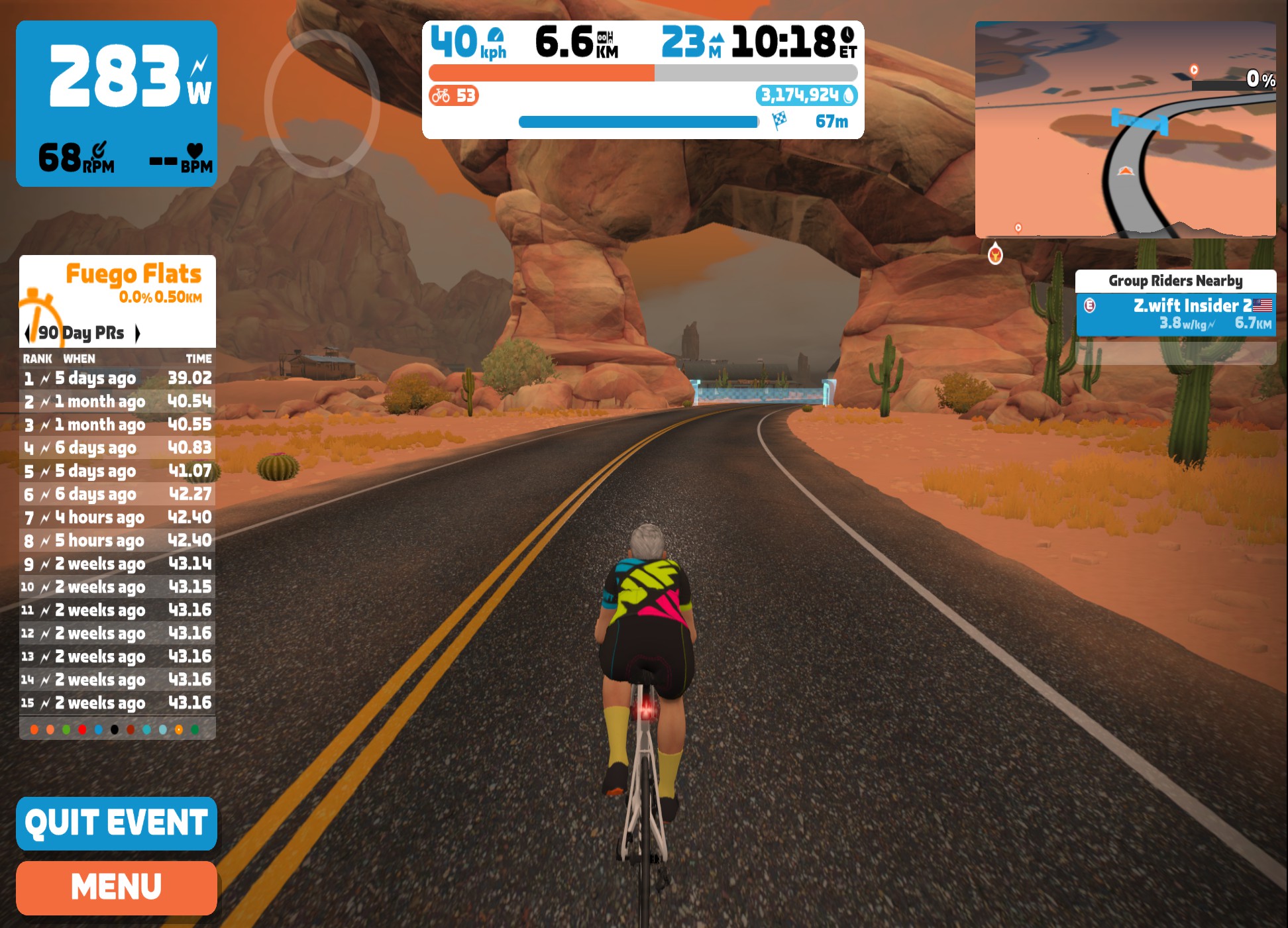
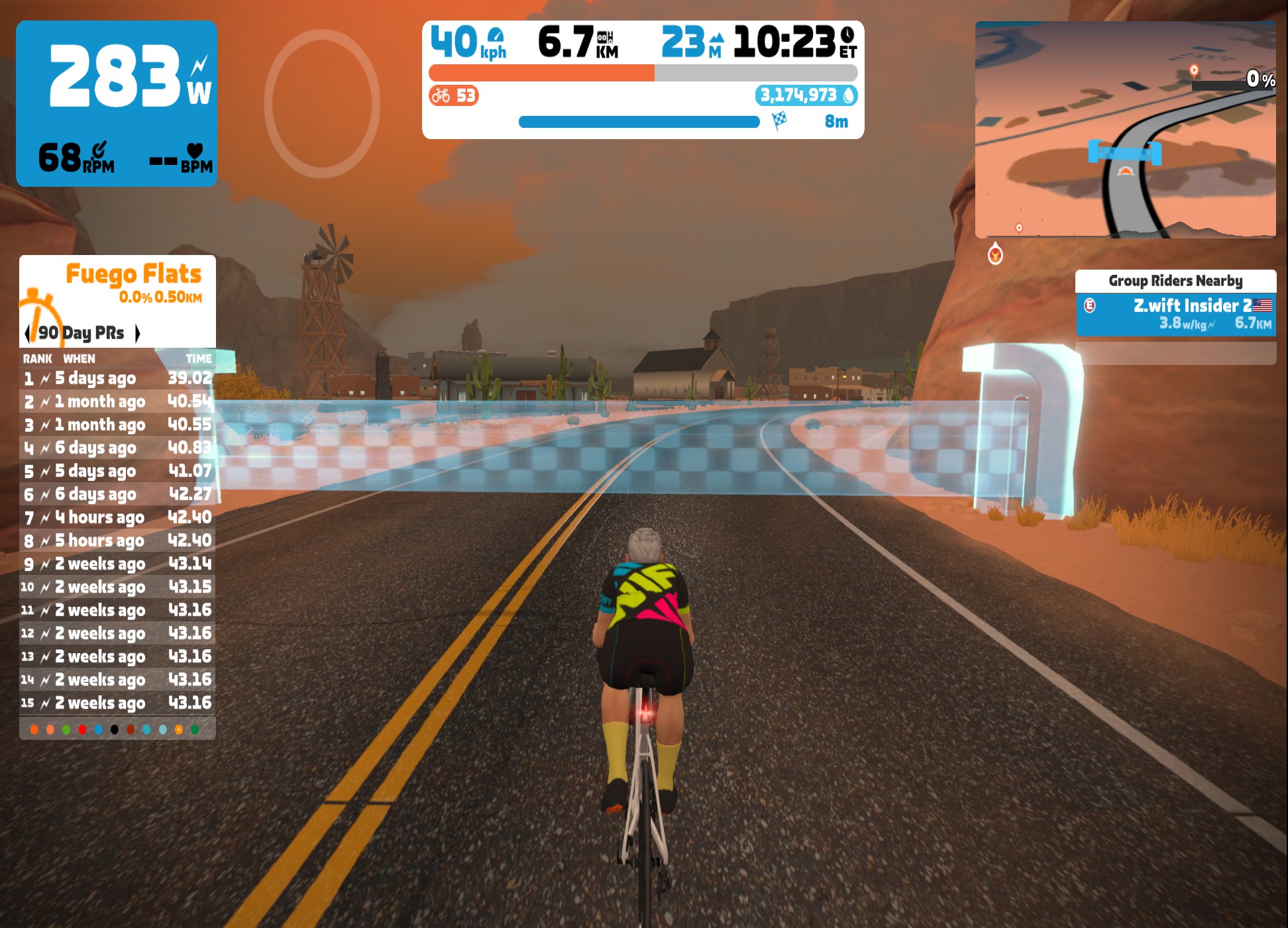
Zwift’s HoloReplay feature launched as a FutureWorks project back in October 2022. Since then they’ve been tweaked and upgraded steadily, and many Zwifters now use them to play training games as they try to match or beat their previous segment times.

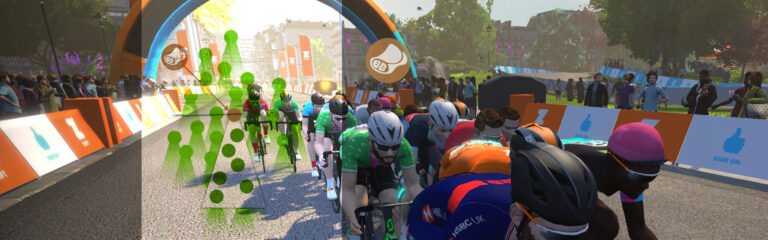
Today, Zwift launches Leaderboard HoloReplays – a feature that lets you compete against someone else’s HoloReplay!

This is how it works in basic terms: if you enable “Leaderboard HoloReplay” in your settings, then whenever you start a segment with a leaderboard, the game will pick an entry from the leaderboard that feels “just challenging enough for you to chase down.” You will see this HoloReplay and can chase it for the duration of the segment.

To be a bit more precise: the game selects a leaderboard entry that is slightly faster than your predicted finish time for the segment. Zwift predicts your time based on your 60-day power curve and current speed into the segment.

Don’t want other riders to see your segment efforts in a Leaderboard HoloReplay? Set “HoloReplay Privacy” to “Private” in your settings. (By default, everyone is set to public.)

Learn all about Leaderboard HoloReplays in this forum topic >

Note: currently you must have at least one type of HoloReplay enabled via the “Segment HoloReplay” setting in order to see Leaderboard HoloReplays. Zwift tells us this is a bug that will be fixed soon.

Coffee Stop Tweak

The Coffee Stop feature was introduced on May 10th, and today’s update modifies it a bit for events. Where the Coffee Stop’s 30-minute timer previously began when you joined the event start pens, it now begins when the event starts… as it should!

PC & Mac Launcher Update

Zwift updated their launcher on PC and Mac to v1.1.8 a few weeks back. While it doesn’t provide any new features you’ll notice, it includes “Incremental updates and performance improvements for macOS” and “Minor bug fixes for the PC launcher”.

For whatever reason, the launcher doesn’t get updated forcibly with today’s Zwift update. While it’s unclear what parts of the game the launcher handles vs the actual game code, our advice is to always have the latest Zwift launcher version. If you don’t have the latest version (on PC, right-click the Zwift icon in your system tray to find your current version), you can download the latest launcher from Zwift to force the upgrade.

Windows system tray icon details, showing today’s Zwift update and the newest launcher version

Zwift Companion Deprecation on iOS 12

While not strictly a part of today’s game update, it’s worth noting that Zwift is deprecating iOS 12 for Zwift Companion starting today (May 31). That means if you’ve been running Companion on an older iPhone or iPad running iOS 12, it will no longer work as of today.

More Fixes and Tweaks

Here is the list of fixes/tweaks Zwift included in their release notes:

  • Fixed issue that impacted navigation within certain text fields with mouse or keyboard (including garage scrolling and workout editing).
  • Fixed an issue where other riders occasionally weren’t shown in the “Zwifted With” list after an activity.
  • Fixed an issue where black boxes occasionally appeared in dusty conditions.
  • Apple TV: Fixed an issue with Apple TV remotes not being able to use ride leader fence controls.
  • Apple TV: Fixed an issue with Apple TV remotes not selecting the game menu button when the Back button was pressed.
  • Apple TV: Fixed an issue with Apple TV remotes not being able to navigate up and select power-ups.
  • Android: Fixed a crash on the Android pairing screen.
  • Android: Fixed an issue where RunPods and smart treadmills failed to connect.
  • Android: Fixed a potential crash when using an external keyboard.
  • PC & Mac: Fixed not being able to paste text within in-game chat.

See notes on this update release in the Zwift forum >

Known Bugs/Undocumented Changes In This Release

  • Popup detail text not showing on ride summary power curve chart (carried over from v1.39)
  • Riders nearby list not scrolling reliably (your listing is often at the top of the list, and sometimes not even on the list) (carried over from v1.39)
  • KICKR Bikes lose steering ability after taking a Coffee Break (carried over from v1.39)
  • FTP no longer editable via text box on workout picker/detail screen (slider still works)
  • You must have at least one type of HoloReplay enabled via the “Segment HoloReplay” setting in order to see Leaderboard HoloReplays. Zwift tells us this is a bug that will be fixed soon.
  • Clicking to join a RoboPacer occasionally places you incorrectly (carried over from v1.39)

Questions or Comments?

If you spotted any other changes or bugs in the update, please comment below!

“OG Racing” ZRacing June 2023 Series Details

“OG Racing” ZRacing June 2023 Series Details

Zwift’s “ZRacing” has developed into a popular monthly race series, and June’s event details have just been shared. Titled “OG Racing”, the events are held on classic Zwift race routes in Watopia, London, and Richmond.

OG Racing – June’s Route Schedule

  • Stage 1 (June 5-11): Watopia Hilly Route
    • 2 laps (18.85, 216m elevation)
    • Powerups: Aero Boost, Feather, Draft Boost
  • Stage 2 (June 12-18): London Classique
    • 3 laps (22.02km, 75m elevation)
    • Powerups: Aero Boost, Feather, Draft Boost
  • Stage 3 (June 19-25): Richmond 2015 UCI Worlds Course
    • 1 lap (16.44km, 129m)
    • Powerups: Aero Boost, Anvil, Steamroller
  • Stage 4 (June 26-July 2): London Loop
    • 1 lap (15.36km, 230m)
    • Powerups: Aero Boost, Feather, Draft Boost

See upcoming OG Racing events >

Series Structure

The ZRacing series consists of monthly sets of weekly races. Each race is scheduled for seven days (beginning 1:10am UTC on Monday and running through to the next Sunday). Timeslots are consistent week to week and month to month.

Races are scheduled ~15 times each day, so there are plenty of available times to find a race.

See upcoming events at zwift.com/events/tag/zracingjun2023

Monthly GC on ZwiftPower

Each monthly set of races has a time-based GC (general classification) tracking riders’ best finishing times for each week’s race. The overall winners in each category for the month will be the riders with the lowest overall time for that month’s set of races.

See June’s GC on ZwiftPower >

With over 100 weekly timeslots available, riders can race each week’s event multiple times and try to better their finishing time. Tip: the fastest times usually come from the largest race fields!

Note: you must use a heart rate monitor and be on a smart trainer, smart bike, or power meter to show up in ZwiftPower results for this series.

If you aren’t signed up for ZwiftPower, check out our post How to Sign Up for ZwiftPower (and Why Every Zwifter Should Do It).

Get the Badge

Each month’s series has a unique achievement badge, which you can unlock by finishing every stage for the month.

One and Done

Zwift has planned these events around the idea of a solid 1-hour workout, so each race should only take around 1 hour to complete, including your warmup and cooldown.

Past Rounds

June is the tenth round of the ZRacing series, which began in September 2022 with Get Rolling. This was followed by October’s Race Like a Champ, November’s Race Makuri, and December’s Race Like a Pro.

For 2023 we’ve had January’s Flat is Fast, February’s Race Scotland, March’s Race London, April’s Cobble Crusher, and May’s Crit Club.

Questions or Comments?

Post below! 


Zwift Ride Series “Coastal Cruise” Events Announced for June

Zwift Ride Series “Coastal Cruise” Events Announced for June

While Zwift’s big tours such as Tour of Watopia and Tour de Zwift are quite popular, they only come once a year. So Zwift has announced the first round of a new monthly group ride series, saying, “These rides are designed to mirror the experiences that zwifters have come to expect with our larger Tours, but at a shorter, scaled-back level.”

Like Zwift’s ZRacing series, each month of the Zwift Ride Series will feature weekly stages planned around a monthly theme. But these are group rides, not races. As Zwift says, “It’s not about speed—it’s all about having fun and finding your pack.”

The series kicks off in June with a “Coastal Cruise” theme with selected routes in tropical and coastal locations. So even if you aren’t able to swing that family trip to Maui this year, you can always escape into Zwift!

Route and Schedule Details

Rides are scheduled at the top of each hour throughout the week. Each stage offers two subgroups (A & B), the only difference being that A is a longer ride than B (approximately 45 minutes vs 30 minutes).

Sign up at zwift.com/events/series/zwift-ride-series

Badge Unlocks

Complete all stages each month to unlock a badge!

Note: there are no makeup events. If you miss a stage, it’s gone forever!

Questions or Comments?

Share below!

Pride On 2023 Events and Mission Announced for June

Pride On 2023 Events and Mission Announced for June

June is Pride month on Zwift, and a slate of events plus a fresh mission have just been announced. Here are all the details…

“Ride with Pride” Mission

Getting Started

To begin the Mission, select the mission card on your homescreen and click to register:

Once you’ve registered, clicking the mission card will show your progress for the Mission.

Note: signups opened last week in game, but the Mission doesn’t begin until June 1st.

Completing the Mission

To complete the mission and earn the achievement badge, ride at least 250km total on Zwift during the month of June. You’ll earn the “Ride with Pride 2023” badge upon completing the mission!

Pride On Events

Pride on Zwift is all about riding together, so Zwift has scheduled social Pride On rides and runs throughout the month. Rides and runs happen 4x daily at the following times: 1:30pm UTC/6:30am PDT, 6:30pm UTC/11:30am PDT, 12:30am UTC/5:30pm PDT, 6:30am UTC/11:30pm PDT.

This year’s Pride events will be hosted on Zwift’s Makuri Islands map, with events rotating between routes daily.

See all upcoming Pride On events at zwift.com/events/tag/prideon

AIDS/LifeCycle Rides

For over 30 years, AIDS/LifeCycle has worked to raise awareness to end the stigma surrounding HIV/AIDS and fund the fight against this global pandemic. Every spring, the organization hosts a 7-day bicycle trek from San Francisco to Los Angeles.

In addition, this year Zwift is hosting 3 days of social rides on Zwift to support their mission! These 45-minute rides happen on June 4, 8, and 10th at 3pm UTC/8am PDT.

Donate to support AIDS/LifeCycle >

Kit Unlock

Complete any Pride On event and unlock the Pride On 2023 kit and socks:

Questions or Comments?

See Zwift’s Pride On homepage for more information, or you can always post your questions or comments below.


Rebel Route: Sgurr 8

Zwift’s Scotland map has beautiful views and purpose-built racing segments including the Sgurr climb, Glasgow Crit Circuit, and of course Breakaway Brae.

But there are only 5 official Scotland routes, so we decided it was time to create some thoughtful new Rebel Routes.

The Sgurr is a super-cool part of Scotland’s map, but official Zwift routes that include this climb either have you doing nothing but hill repeats (City and the Sgurr) or they force you to ride all of Scotland in order to ride the Sgurr (The Muckle Yin).

As the last in our series of Scotland Rebel Routes, “Sgurr 8” finds some middle ground. It’s a figure-8 route that takes you up and over the Sgurr’s gravel climb twice, but also lets you enjoy some of Scotland’s best visuals including The Cliffs, the postcard, the Loch (with Nessie?), and the constellations visible atop the Sgurr at night.

Climbing the Sgurr’s gravel side

About Rebel Routes

“Rebel Routes” are Zwift rides not available on Zwift’s routes list, thus requiring manual navigation.

See all Rebel Routes >

The reward for your rebel ride? Exploring a new route, knowing you’ve gone where few Zwifters have gone before. And a Strava segment rank in the tens or hundreds instead of the thousands! Rebel Routes are also included as a separate category on our Veloviewer Route Hunter leaderboard.

Route Description

We begin by selecting the Rolling Highlands route and riding through the lap banner before flipping a u-turn. (Sgurr 8 begins and ends at this lap banner.)

Descend and take in the “postcard view” before climbing up the corkscrew in the castle. Soon after leaving the castle we’ll turn right to take the Loch bypass road (look for Nessie on the right!), then another right to head back toward the Sgurr climb.

Another right at the mystical roundabout and we’re at the base of the Sgurr’s gravel climb. Up up up we go, descending the paved side and turning left to descend The Cliffs.

Two more lefts and we’re back on the same gravely Sgurr climb. Up and over, take a right at the bottom and ride through the lap banner to finish the route. Nice work!

Profile

The two Sgurr climbs are the big standouts here, with most of the road apart from those climbs being downhill.

Getting Started + Lead-In

The easiest way to get started is to choose “Rolling Highlands” from your Scotland route options. Ride through the lap banner just ahead, then flip a u-turn to begin the route.

Turn by Turn

Here are the turns you’ll need to make to successfully complete Sgurr 8 after starting from the Rolling Highlands route and flipping a u-turn after the lap banner:

  • Right to Glasgow
  • Right to Glasgow
  • Right to Sgurr Summit
  • Left to Cliffs
  • Left to Sgurr Summit
  • Left to Sgurr Summit
  • Right to Tower

Route details:
Distance: 12.62km (7.84 miles)
Elevation Gain: 150m (492′)
Strava Segment

Rebel Route Suggestions

Got an idea for a great Rebel Route? Share it below and maybe we’ll publish a post about it!

Top 5 Zwift Videos: Race Fails, Starting Zwift, and First Races

The top five videos this week include videos about a failed crit race in New York, must-haves for Zwift setups, a 50-year-old’s first attempt at a Zwift race, using Zwift’s rebalanced power-ups, and a recon of the Neokyo Crit Course.

Zwift Crit Race in New York – Fails and Lessons

Not all races go as planned. In this race, Max from The Watt Life looks at one of his recent races, providing commentary on the race and sharing the lessons he learned from his mistakes.

Journey into Zwift: Bike, Sweat, and FTP

The Silver Lining on YouTube talks about Zwift, covering what it is, how you can get set up, and some must-haves for indoor training. He also covers some details of the often-dreaded FTP test.

50-Year-Old Takes on First Zwift Race

A friend of Oliver Moore, aka Not Tadej Pogacar, recently took on his first Zwift race. Oliver looks at the race and provides commentary on his friend’s performance, giving tips and tricks to other Zwifters along the way.

Using Zwift’s Updated Feather in a Race

In this video from Jake of SNOWMAN Cycling, he takes a look at a recent Zwift race where he takes advantage of Zwift’s rebalanced powerups and sees if he can take the win. Is the increased duration of the feather powerup enough to take him to the line in first?

Recon of the Neokyo Crit Course

Looking to prep for the next stage of the Crit Club series? As a bite-sized episode of the In The Drops podcast on YouTube, our host looks at the Neokyo Crit Course to give Zwifters some insight into how they can get their best possible result on this stage.

Got a Great Zwift Video?

Share the link below and we may feature it in an upcoming post!

Training Log: Build Me Up, Week 10

Training Log: Build Me Up, Week 10

Welcome to my week 10 “Build Me Up” (BMU) training log.

About this Series:
I’m journaling my way weekly through Zwift’s “Build Me Up” training plan and calling out tough workouts, minor bugs, and Zwift feature suggestions along the way. For your reference, my FTP is set to 321W, as detected by Zwift’s ramp test at the start of the plan.
Past weeks: Week 1 // Week 2 // Week 3 // Week 4 // Week 5 // Week 6 // Week 7 // Week 8 // Week 9

After a challenging Week 9, I was just hoping to survive Week 10’s workouts without needing to repeat anything. I also knew Week 11 is the toughest one in BMU, and the weeks leading up to it would be building crucial fitness so I could survive the challenging final workouts.

Could I survive my highest TSS week so far? Read on to find out…

Workout Journal – Week 10

Saturday, May 20: Serrated

See activity on Strava

I’ve developed a bad habit of tackling the toughest workout of the week on Saturday, so I jumped into “Serrated” – a 90-minute effort that can be broken into two sections:

  • 6 VO2+ efforts: 2 minutes ramping up from 355 to 415W, with 2 minutes of easy pedaling between
  • 40 minutes alternating between 3 minutes of 380W (88% FTP) and 1 minute of 320W (100% FTP).

None of this was easy, but none of it had me on the rivet, either. Definitely easier than last week’s “Mosaic”.

Monday, May 22: Baffling Beau

See activity on Strava

After last week’s “Circus” microburst workout (60 microbursts!), this workout’s 30 efforts seemed quite doable.

This workout is designed in a rather ingenious fashion:

  • Set 1: 10x 40s at 120% FTP (385W), 20s recovery
  • Set 2: 10x 30s at 130% FTP (415W), 30s recovery
  • Set 3: 10x 20s at 140% FTP (450W), 40s recovery

As the power increases with each set, the sprints are shortened and you get a bit more recovery. Looking at the workout beforehand, I figured the first set would be the toughest, just because 40 seconds on and 20 seconds off felt like insufficient recovery time. And I was right!

This workout involved some solid work, for sure, but it actually felt like one of the easiest workouts thus far. I guess (I hope) that’s a good sign.

Tuesday, May 23: Exemplar

See activity on Strava

Described in game as “one of the most challenging workouts in the plan,” Exemplar felt a bit mysterious to me. Was I mis-reading the workout, or was the caption wrong? Because based on what I was seeing, this was just a sweet spot workout:

  • Block 1: 2x 8 minutes at 300W (93% FTP), 2 minutes at 280W (88% FTP)
  • Block 2: 5x 2 minutes at 300W (93% FTP), 2 minutes at 280W (88% FTP)

So 2 20-minute blocks, separated by 3 minutes of recovery. Not easy, but far from the being super-challenging, too… I was doing workouts like this early in the plan.

As it turned out, this workout was a bit tougher than I had anticipated, because he had me standing up for the 2-minute, 280W intervals in the second block. That’s a lot of standing – more than we’ve done in any previous workout (previous workouts had me stand for 1 minute at a time, at the most).

But I also like to stand, and I’ve got a rocker plate, so it wasn’t too bad. Just kept the heartrate elevated higher than it would have been if I was seated. A solid, but not super-tough, workout.

Wednesday, May 24: Potpourri

See activity on Strava

This 60-minute sweetspot workout looked like the easiest one of the week, so I scheduled it the day before doing one of the hardest workouts of the week.

Potpourri comprises 3 intervals:

  • 10 minutes at 88% FTP (280W), alternating between 100RPM and 60RPM every minute
  • 3x 2 minutes at 94% FTP (300W), 3 minutes at 86% FTP (275W) at a comfortable cadence
  • 12-minute ramp up from 75-90% FTP (240 to 290W) at a comfortable cadence

This was, in fact, the easiest workout of the week. But my legs were definitely feeling a bit tired from the previous two workouts, so I made sure I did all the right things to recover as much as possible heading into the next day’s hard effort.

Thursday, May 25: Exigent

See activity on Strava

The caption of this 90-minute workout says “One of the hardest workouts in this plan…”, but I thought that would be a bit of an exaggeration based on the intervals it contained:

  • 4x 5 minutes at 103% FTP (330W), 1 minute 115% FTP (370W) with 2 minute Z2 rests in between each, making this block a total of 40 minutes long
  • 2x 15-minute blocks of 85% FTP (275W)

I wasn’t sure how that first block would feel, since I hadn’t done 5-minute intervals at that power level yet in this plan. As it turned out, that first block was tough but doable, and it really just sapped my legs so the 2 15-minute blocks were extra tough.

Coach Shayne said to do a significant portion of the final set in the drops, but I didn’t really do that. Just kept chugging away with my heart rate slightly over threshold. Ouch!

Is this actually one of the toughest workouts in this plan? I’m not sure I’d say that, although maybe it would be if you stayed in the drops as much as Shayne advised. It did set some new power PRs in the 60-70 minute window, so this workout certainly has you doing plenty of work.

Whine of the Week: Workout Order

When Training Plans were launched, they were quite rigid in terms of scheduling. (This was ironic, since Zwift was calling them “Flexible Training Plans” at the initial launch.) It wasn’t until years later that the schedule was opened up, allowing Zwifters to do any workout at any time.

Zwift is caught between a rock and a hard place here: some users want flexibility, while others want to be told more precisely when to do which workouts. It’s not easy walking that thin line between flexibility and structure.

Throughout BMU, I’ve had to look at each week’s workouts and plan which ones will work on which days. Doing this requires knowing which days I can ride, how many workouts we’ve got on tap, and the difficulty of each workout. It’s not easy, and it’s certainly more hassle than having the program say “Do these workouts on these days”.

I’m not against planning out each week, but I think Zwift needs to fix two things if this is what they expect of their users:

  1. Zwift needs to make it clear when people start the program that each person is expected to plan out their week and slot workouts into their schedule in a way that works for them. Just doing the workouts in the way they’re listed may not work for everyone – it certainly hasn’t for me.
  2. Zwift needs to remove the language in some workouts that reference a particular schedule the Zwifter may not be following. Just this week I’ve seen a couple of references like “After yesterday’s Baffling Beau workout, your legs will be happy to take a break…”

Summing Up Week 10

This week actually felt a bit easier than week 9. I’m not sure if that’s because I’m getting fitter, or because I had to repeat a hard workout in week 9. Probably the latter!

  • Week 1: 274 TSS
  • Week 2: 343 TSS
  • Week 3: 363 TSS
  • Week 4: 212 TSS
  • Week 5: 312 TSS
  • Week 6: 358 TSS
  • Week 7: 430 TSS
  • Week 8: 217 TSS (not counting my outdoor rides)
  • Week 9: 388 TSS (not counting the failed Mosaic workout)
  • Week 10: 441 TSS

One to Keep, One to Throw Away

I think each week of BMU features a key “cornerstone workout” and another which doesn’t really need to be done, so I thought it might be useful to call those out each week, in case your schedule is tight. For week 9, here are my picks:

  • Key Workout – Baffling Beau: Hard to choose just one key workout this week, but I settled on Baffling Beau since it’s the only one this week focusing on sharp sprint efforts that will be featured next week, too. If you don’t do this workout, you’ll probably fail on Week 11’s “Breakfast Returns”.
  • Throw Away – Potpourri: This is just a sweetspot workout that’s a bit easier than Exemplar, the other dedicated sweetspot workout included in this week. If you had to skip a workout this week, this is the one I’d skip, since there is so much sweetspot work being done in other workouts this week.

Coming Up Next Week

Week 11, our last big week, is next. Its 5 workouts add up to 521 TSS, making it the biggest week so far, by a large margin!

Questions or Comments?

Share below!

Notable Zwift Events for the Weekend of May 27-28

0

This weekend’s notable events feature the return of the RoboPaced Alpe events, an individual race series by Flamme Rouge Racing, a base ride featuring some legacy leaders, and two events that feature a hefty amount of climbing.


🤝 Summit Seeker – with Robo Pacers!

✅ Popular Event  ✅ Innovative Format

Yep, they’re back! In the new Summit Seeker series, RoboPacers’ availability in events will be alternating between Alpe Du Zwift and Ventoux on the final weekend of each month. These RoboPacers are set up to pace you in achieving a new personal best on these daunting climbs with five different categories, each set to a different goal time.

This month riders will be tackling the Road to Sky course, which gives a nice couple of miles before the suffering begins.

Events every 3 hours this weekend
Browse Summit Seeker events at zwift.com/events/tag/alpepacer


🥇 FRR World Order

✅ Popular Event  ✅ Highly Competitive

The latest series from FRR (Flamme Rouge Racing) is beginning this weekend, titled
“FRR World Order”. Unlike most of FRR’s events, these events are public and open for any riders to join. However, to be included in the results on the FRR website, riders must register with their FRR accounts. There are quite a few rules in place for this series, so for those looking to be included in the final results on the FRR website, I would highly recommend checking out the rulebook.

This weekend’s race takes riders through the Tire Bouchon course in France. However, the race has a set distance of ~40km (24.8 mi), so it will not complete a full lap.

Multiple Time Slots This Weekend
Browse FRR World Order Races on Zwift Hacks


🤝 ZSUN Base Builder 2

✅ Legacy Leaders

Looking for a more training-oriented ride? The ZSUN Base Builder event is a great opportunity to get a structured base ride in while still taking part in a group event. To accommodate different riders’ needs, there will be several categories available, each featuring a notable legacy leader. This is an event that has been taking place since Zwift’s beta days. These riders know how to lead!

The distances and routes will be the same for all of the categories, except for the shorter distance in category E. Throughout the 100km or 70km, riders will tackle several laps of the Wandering Flats course in the Makuri Islands.

Saturday, May 27 @ 1 pm UTC/9 am EDT/6 am PDT
Sign up at zwift.com/events/view/3712998


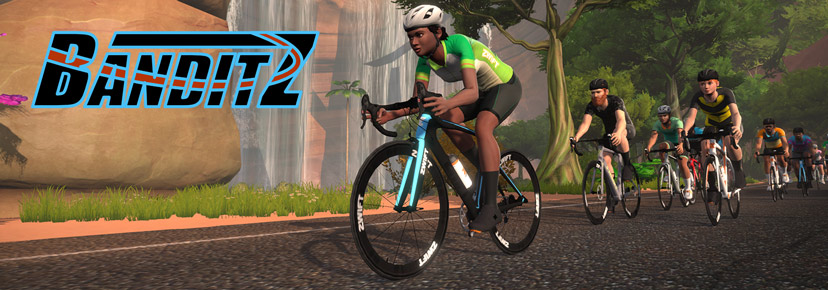
🤝 BanditZ Tronathon (Banded)

✅ Beginner Friendly

As a coveted achievement in Zwift, unlocking the Concept Z1 (or Tron bike) is quite tough. For those looking to speed up the process, the team at BanditZ hosts a weekly banded group ride to help riders accumulate elevation toward the Climb Mt Everest Challenge. All riders are welcome on this ride, no matter the pace. 

This week’s course is Quatch Quest, arguably one of the most elevation-heavy courses in Zwift. Expect this ride to take a couple of hours as rubberbanding typically slows the groups.

Sunday, May 28 @ 1:15 pm UTC/9:15 am EDT/6:15 am PDT
Sign up at zwift.com/events/view/3713902


🥇 Mt. Fuji HC Dojo 2023

✅ Popular Event  ✅ Innovative Format

The Mt. Fuji Hill Climb series on Zwift is coming to a close. For the past three months, the club has been hosting training sessions to help riders prepare for both the IRL and virtual events. This is the final ride of the series, and it is a dash up either Ventoux or Alpe Du Zwift. Can you beat your PR?

Category A will be taking place on the Ven-Top course while Category B takes place on the Road to Sky course. Neither of the categories has any correlation to pace, it is all down to personal preferences.

Two-time slots are available this weekend
Browse Mt. Fuji Hill Climb Events on Zwift Hacks

How We Make Our Picks

We choose each weekend’s Notable Events based on a variety of factors including:

  • Is the event unique/innovative in some way?
  • Are celebrities (pro riders, etc) attending/leading?
  • Are signup counts already high, meaning the event is extra-popular?
  • Does the ride include desirable unlocks or prizes?
  • Does the event appeal to ladies on Zwift? (We like to support this under-represented group!)
  • Is it for a good cause?
  • Is it just plain crazy (extra long races, world record attempts, etc)?
  • Is it a long-running, popular weekly event with a dedicated leader who deserves a shout out?

In the end, we want to call attention to events that are extra-special and therefore extra-appealing to Zwifters. If you think your event qualifies, comment below with a link/details and we may just include it in an upcoming post!

Your Thoughts

Got other events that stand out this weekend? Share below in the comments!

Our Favorite Tools for Searching+Browsing Zwift Events

Our Favorite Tools for Searching+Browsing Zwift Events

Events are a big part of what makes Zwift special. Yes, you can use it for solo training efforts, but many Zwifters find that working in a group is more motivating and engaging.

And while events are a blast, they vary widely in terms of pace, route, and group size… and thousands of events happen every week. How do you find the right event – one that ticks all the boxes for you?

Here’s an introduction to six tools Zwifters commonly use to browse upcoming Zwift events, including quick summaries of each tools’ key features.

Zwift Companion App

✅ Basic Filters
✅ Full Event Desc
✅ Route Details
✅ Signup Count

✅ Signup List

✅ 1-Click Signup
✅ Calendar Reminders
✅ Shows All Events
✅ Workout Details

The most popular tool for browsing and joining Zwift events, the Zwift Companion app for iOS and Android includes some basic event filters, easy event signups, and detailed signup lists so you can see who else is in your group.

When combined with all the in-ride functionality it provides, Zwift Companion is a must-have app on every Zwifter’s phone.

Zwift.com/events

✅ Basic Filters
✅ Full Event Desc
✅ Signup Count

✅ 1-Click Signup
✅ Shows All Events

If you’re on a large computer screen, zwift.com/events provides a useful way to view an event’s basic info and share a link with a friend. It includes similar filters as the Companion app (plus a few more), but there’s a lot of crucial info it doesn’t show, including workout details and signup lists.

Pro tip: the #zTags listed on ZwiftHacks (see below) can be added to zwift.com/events URLs to create a custom events listing. For example, see all Zwift Insider-tagged events at zwift.com/events/tag/zwiftinsider

In-Game List

✅ Basic Filters
✅ Full Event Desc
✅ Signup Count

✅ Signup List
✅ 1-Click Signup

The in-game events listing is a really easy place to sign up for events, and it got a big upgrade with the launch of the new homescreen last year, which gave us basic filters and the ability to click and read event details. But it could still be much better!

What’s it missing? Route details and workout details are what we’d like to see, plus the ability to see events more than 60 minutes in the future.

ZwiftHacks Events

✅ Basic Filters
✅ Advanced Filters
✅ Saved Searches
✅ Full Event Desc

✅ Route Details
✅ Signup Count
✅ Shows All Events

✅ Advanced Event Info

The first website to offer truly powerful Zwift event filtering/searching, ZwiftHacks Events makes it easy to find what you’re looking for with filters for event type, world, organizer, time of day, and much more.

Creator Jesper Rosenlunch Nielsen updates the site with new features regularly. It’s super-powerful, and we’ve used it daily for years!

ZwiftHacks shows event details no other tools share, like custom powerup mixes for races and the event tags Zwift uses to define how the event behaves.

The only downside to community tools like ZwiftHacks and ZwiftPower is that they’re not integrated directly into Zwift’s systems, so you can’t click to sign up for an event or see the signup list. But they do both include links to Zwift.com, where you can sign up for the event. So it’s just two clicks away!

Pro tip: if you find the ZwiftHacks events search to be moving a bit slowly, it’s probably because you’re loading the entire list of Zwift events. Change the number of days you’re seeing at the bottom-right of the filter bar to 7 days or less and you’ll find the site performs much more quickly.

ZwiftPower

✅ Basic Filters
✅ Advanced Filters
✅ Saved Searches
✅ Full Event Desc

✅ Route Details
✅ Signup Count
✅ Signup List

ZwiftPower’s events list has some of the same filtering abilities as ZwiftHacks, although there are some upgrades: filters are focused on racing, you can save multiple searches which stay just a click away, and you can view the list of registrants (provided they are signed up for ZwiftPower).

ZwiftPower isn’t as quick/simple as ZwiftHacks, but it provides more in-depth signup data. Therefore, we tend to use it when we want to really drill down into a race – especially when we’re curious about the competition!

WhatsOnZwift Group Workouts Listing

✅ Basic Filters
✅ Route Details

✅ Signup Count
✅ Workout Details

If you love group workouts on Zwift, WhatsOnZwift’s Group Workouts page shows upcoming events and includes the TSS of each workout – a feature we haven’t found in any of the tools listed above.

Additionally, clicking an event gives you the detailed view of the workout – a view that is better than any other tool listed above!

Pro tip: not seeing TSS on your phone? Rotate it to landscape mode.

Your Comments

What tools do you use to browse or join Zwift events? How could those tools be improved? Share your thoughts below.


Tiny Race Series – May 27 Routes and Last Week’s Results

Tiny Race Series – May 27 Routes and Last Week’s Results

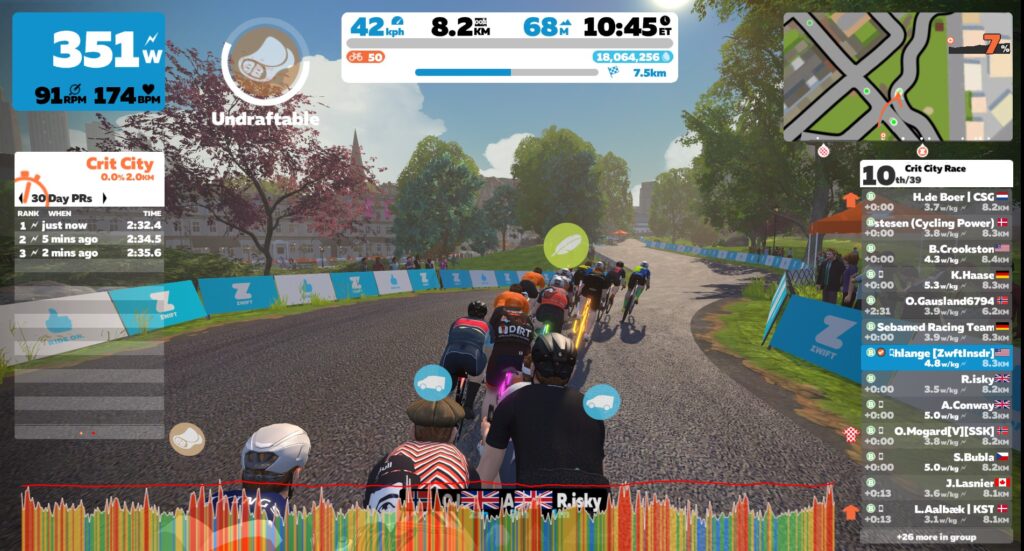
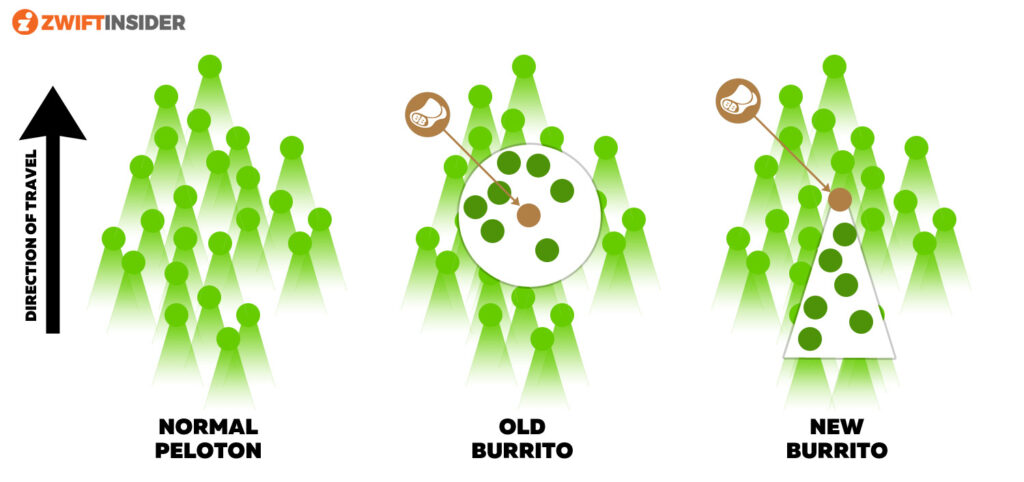
Last week’s Tiny Races were all on the same route, but each race featured a different powerup. Riders seemed to agree on just one thing: nobody likes the Burrito.

This week we’ve got a lot more variety in our routes, with each race held in a different world and each route featuring a steeper finish than the one before.

But before we get to this week’s routes, we want to give a big congrats to Ruth Stapleton (GXY), who won the overall D podium in zone 1 last week, becoming the second woman in Tiny Race history to grab an overall podium!

Last Week’s Results

Overall Winners

Zone 1 (9am UTC)

A: Christian Kaldbar (GRIT)
B: Marc Swatton (NoPinzR3R)
C: Arne Jorgensen (DBR)
D: Ruth Stapleton (GXY)

Zone 2 (3pm UTC)

A: Pedro Errecart (OTR)
B: Scott Mossop (eSRT)
C: Per Bäckström (SZ)
D: Paulin Z. CJ (TT1)

Zone 3 (9pm UTC)

A: Sam Crofts (DIRT)
B: Are Ribe (Race3R)
C: AJ Isaacs (TFC)
D: R Strachan (Team Electricspirit.co)

Women’s Winners

Zone 1 (9am UTC)

A: –
B:
C: Sara G
D: Ruth Stapleton (GXY)

Zone 2 (3pm UTC)

A: Claire Stringer-Phillips (BBB)
B: Marina Arce (AEO)
C: Majcen (Slovenia)
D: Sarah Hoffmann (Herd)

Zone 3 (9pm UTC)

A: –
B:
C: Leanne Dalley (CrushPod)
D: Karena Flett (CrushPod)

This Week’s Races: Getting Pitchy

This week’s races are progressive, starting with a downhill finish, moving to a flat finish, then a slightly uphill finish, and finally a true climbing finish.

  • Race 1: Rooftop Rendezvous (1 lap, 6.7km)
    The pack will get stretched and snap up the Rooftop KOM, but it’s the descent afterward, and riders’ sense of timing, which will determine who crosses the finish line first.
    • Powerup: Aero Boost (1x)
  • Race 2: Classique (5.638km, ends at Mall Sprint banner)
    This race ends with the iconic Classique sprint, in view of Buckingham Palace. This sprint is all about timing. You can see the banner from a long way out, but when do you go go go?!
    • Powerup: Draft Boost (1x)
  • Race 3: Champs-Elysees (4.52km, ends at Lutece Sprint banner)
    The Tiny Races head to Paris, but we won’t even complete a full lap in this effort! Just the lead-in around Jardin des Tuileries, then it’s gonna be a hard drag up Montée des Champs Elysées to the sprint banner for the finish.
    • Powerup: Aero Boost (1x)
  • Race 4: Everything Bagel (4.076km, ends at KOM banner)
    This one’s for the punchy climbers. Begin on NYC’s paved roads then quickly transition to the glass roads and attack the NYC KQOM Reverse. First person to the top wins!
    • Powerup: Feather (1x)

Sign up at zwift.com/events/tag/tinyraces

ZwiftPower Results

Zwift displays preliminary race results in game when you cross the line, but points are computed after all four races are finished, with final results on ZwiftPower. (We have to do some data processing on our side to compute results, so if your rankings don’t show up right away, be patient.)

Riders will earn points based on finish position in each of the 4 Tiny Races. The category winner of each week’s series is the rider with the most points across their timezone’s 4 races. Here are the links for each timezone’s results on ZwiftPower:

Rules

Tiny Race rules are simple, but still every week 7-10% of registered ZwiftPower racers get disqualified and removed from the final results. Don’t let that be you! Four races, four rules:

  • You must have a ZwiftPower account, because final results are processed by ZwiftPower (learn how to sign up)
  • No skipping then returning. These races are meant to be raced as a set of 4. If you need to leave early, that’s fine… but once you miss a race in your hour’s set of 4, don’t come back and race another or you’ll be disqualified from that race since you rested while others were racing! (Example: racing only races 1 and 2 is fine. Racing 1, 2, and 4 is not – you will be DQ from race 4. And if you race 2, 3, and 4, you’ll be DQ from all those races, since you skipped race 1!)
  • Heart rate monitors are required for podium finishers
  • ZPower/Virtual power is not allowed. Smart trainer/smart bike or power meter required.

Join a Chat & Chill Cooldown

Immediately following each hour’s racing, we’ve scheduled 30-minute “Chat & Chill” events where riders from all categories can spin their legs together and chat about how it all went down. Find them at zwift.com/events/tag/tinyraces.

Zwift Insider Kit Unlock

Finish any Tiny Race or a Chat & Chill ride and unlock the Zwift Insider “Ride Smarter // Ride Harder” in-game kit.

Questions or Comments

Post below!