Home Blog Page 84

Woman Racer Spotlight: Alison Kerr

Woman Racer Spotlight: Alison Kerr

Name: Alison Kerr

Hometown: Glasgow, Scotland

How did you get into cycling? I used to run marathons and a friend said they thought I’d also be good on a bike, so when my ancient commuting bike needed replaced I bought a road bike in September 2019. But the traffic on the Glasgow roads I commuted on scared me, so the bike never got much use.

Fast forward to empty lockdown roads in April 2020 and I loved the freedom to escape the daily grind of lockdown/homeschooling/still working full time that the bike brought. I gained confidence on the bike and when traffic reappeared I held my road position and felt safe enough to ride IRL.

How many years have you been racing on Zwift? Since October 2020. I was concerned that lockdown would become a total lockdown/no leaving the house situation. So I bought a smart turbo in September 2020, discovered Zwift, and then the Zwift Riders Scotland team. I got utterly hooked on the social aspect, the ability to meet new people and make friends. Feeling like I was leaving the house mentally if not physically was a huge thing.

I saw a post about ZRL season 2 and took part with Zwift Riders Scotland January 2021 and loved racing as part of a team. It was perfect for childcare whilst my son was younger. I could still ride for several hours but be in the house, even helping him with homework and dictating spelling words at him to write down!

Are you part of a Virtual team? I’m in several and do different things with each. I now mainly ride WTRL TTT with Zwift Riders Scotland, I mainly race ZRL and some TTTs with Wahoo Esports ladies A, and love taking part in ladies team events, ZRL recons and mixed ladder with Level Velo.

What do you love most about racing? Racing in a team event. Especially cross category events where all categories add points. Knowing you are contributing to a team really makes me work harder. Hearing teammates’ voices as we ride makes me smile… although what the DS is telling me to do does not always make me smile! The friendly chat and banter in races is also great. Even in ladies A races, the riders can post jokes and have a laugh during it. Overall the Zwift racing world is an awesome, supportive community to be part of. 

What is your favourite style of race (e.g. points, scratch, iTT, TTT, Chase, duathlon)? I adore TTTs, knowing each pull you do helps, or even when you have given your all and just have to sit in and be part of the momentum. I think it is because I’m calmer, knowing none of my teammates are actively trying to drop me, not like in a standard race where competitors are. I can simply focus on my rotations and pulls. 

What is your favourite Zwift women’s race series? Current active series has to be Tour de Boudicca, Karla and the Warrior Games do so much to encourage all categories of ladies to try their hardest and push themselves to discover just what they can achieve whilst being in a super supportive setting. When Zwift Riders Scotland had no other A cat ladies able to take part, Karla helped find me a team for 2 years in a row. That’s how I first met Mim and some of the Level Velo ladies.

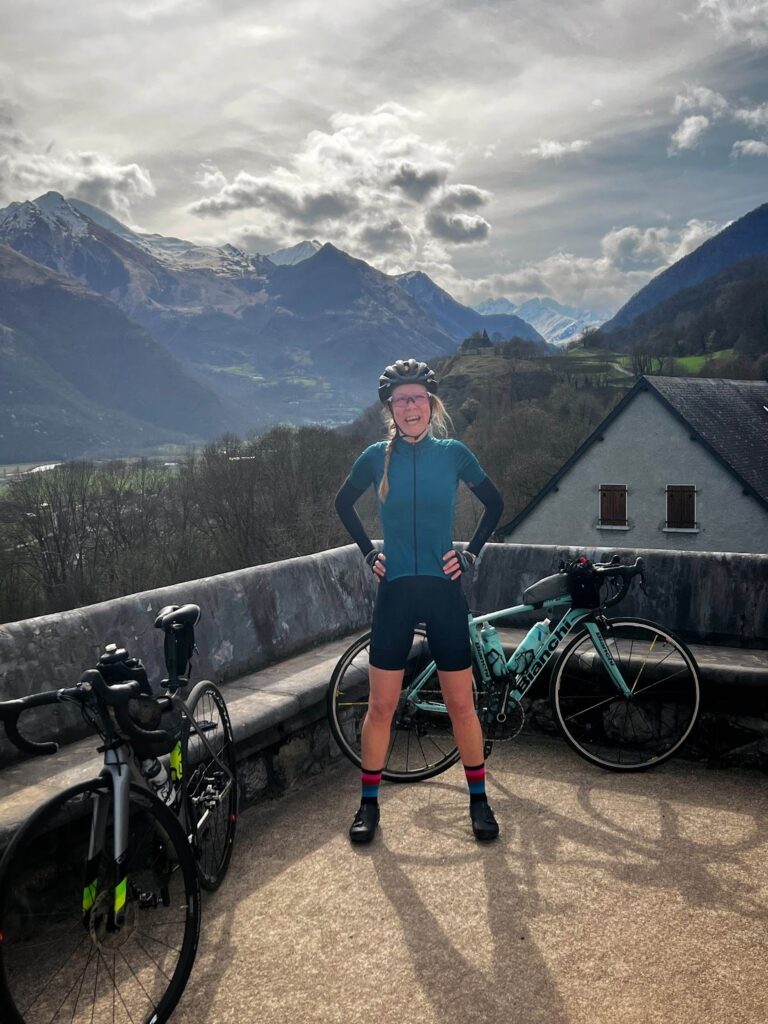
What is your most memorable racing experience, inside or outside or BOTH? In a Herd ladies series from back in 2021 I was dropped on the Legsnapper alongside one other rider I did not know. We gave each other a thumbs up and 2-up TT’d it to the finish line. We commented on each other’s activities in the app and that was the start of a hugely supportive friendship with my wonderful friend Bella (of the inspiring SeekTravelRide podcast) whom I’ve been lucky enough to visit twice in the Pyrenees and ride IRL.

She introduced me to other brilliant female riders Kirsty and Brandi, and for 4 years we’ve been a wonderful virtual and IRL support to each other despite us at times being in Oregon, Australia and UK. All from working with an unknown rider after getting dropped in a race. I don’t have a memorable outside race experience… yet. My 2025 resolution was to try an IRL race and I’ve just signed up to a hilly irl iTT in Scotland in March.

What is your favourite food to eat post race? Tuesday night is burger night in our house, so post ZRL it is usually a burger.

What advice would you give to a woman entering her first Zwift race? Message to say hi/good luck in the pen and I bet others reply to you and just that wee act will make you feel part of a community. Don’t be nervous, it is just 1 race, there are plenty of different styles of them on plenty of different types of routes. I’m sure you’ll find one that you enjoy. 

Any upcoming race you are looking forward to? The Rhino team have a really interesting mixed gender 2-up TT race starting in March. And I really, really hope that Herd do their “no spring chicken” race series March/April again. They held it last year with a ladies category and I adored the fact that my added years gave me some sort of bonus/payback.


Learn About Upcoming Frame and Wheelset Performance Changes on Zwift

Learn About Upcoming Frame and Wheelset Performance Changes on Zwift

Update: if you’re looking for more complete charts and even a Google sheet of raw test data, see our latest post, “Zwift Bike Upgrade Performance: New Charts + Public Test Data“.

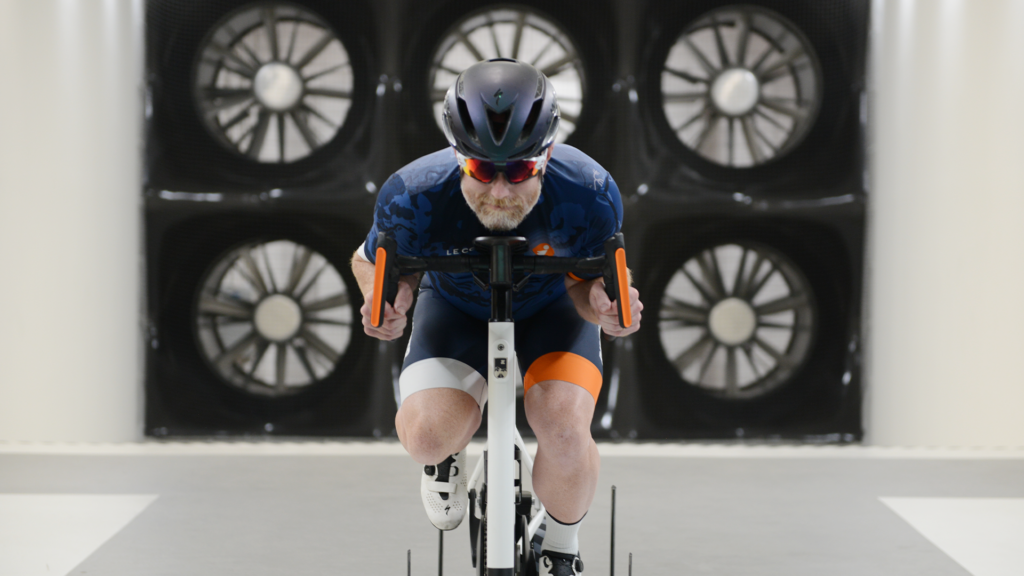
Early one morning back in October 2024, I drove down to Morgan Hill, California to join a small team from Zwift at the Specialized Win Tunnel. The goal? To spend two days testing various frames and wheelsets in the tunnel in order to establish a realistic delta between the slowest and fastest frames and wheels in Zwift.

You can read all about our tunnel time if you’d like, but you’ll get to experience the result of those tests soon enough: Zwift is rolling out performance changes to frames and wheels in next week’s big update!

Zwift Insider has published mountains of speed tests over the years, so Zwift was nice enough to send over a pre-release game build that allowed us to run our standard tests and publish the results a few days before the release. That’s the post you’re reading now. Let’s dive in!

Why the Change?

Zwifters might wonder: why tweak the performance of all the frames and wheels now, 10+ years into the Zwift journey? It’s a fair question. There are two key reasons why this is happening now:

  1. Those wind tunnel tests in October showed that the aero performance delta between the slowest and fastest road frames on Zwift was too small, while the delta between the slowest and fastest wheels was too large. This change will make the universe of bikes perform more in line with real-world physics (more on this below).
  2. With the Bike Upgrades feature releasing soon, Zwift’s game team wanted to make sure they avoided the unrealistic situation of an upgraded slow frame like the Zwift Steel outperforming a fast frame like the Specialized Venge S-Works.

With that out of the way, let’s dive into fresh speed test data for all the road bike frames in Zwift. (We’ll publish separate posts about TT, mountain, and gravel frames in the near future.)

Test Methodology Notes

The following results are from tests done using our standard parameters: a 75kg rider, 183cm tall, without drafting, riding at 300 watts (4 W/kg) steady. If you ride at lower power (and most do!), the time gaps you’ll experience between different frames and wheels will typically be larger than what is shown below.

Flat tests were done on Watopia’s Tempus Fugit since it’s Zwift’s flattest route, while Climbing tests were done on Alpe du Zwift since it’s a long-steady climb.

If you’re interested in comparing these new performance numbers to what’s currently in game, check out our Frame and Wheel data chart pages.

Lastly, an important note about the accuracy of these results. While we present time data with tenths-of-a-second precision, it’s important to understand there is a 1-second margin of error in these results, so it’s probably not worth obsessing over fractional seconds.

How many seconds does a frame save over an hour of riding compared to the basic Zwift Carbon frame? (Astute observers may notice that this is a different way of presenting data than our old style of simply displaying raw test results. We think showing the 1-hour time gap is more intuitive.)

Charts are sorted from the best-performing frames to the worst, and you can sort based on flat performance or climb performance.

Sort Chart By:

Flat Performance
Climb Performance

The following bikes are not included in this chart, because they performed worse than the baseline Zwift Carbon frame: Zwift Steel, Zwift Safety, Zwift Atomic Cruiser, Zwift Buffalo Fahrrad.

The following bikes are not included in this chart, because they performed significantly worse than the baseline Zwift Carbon frame: Zwift Steel, Zwift Safety, Zwift Atomic Cruiser, Zwift Buffalo Fahrrad.

This format lets you easily see how frames comparatively perform across both flats and climb. This is useful for selecting the best bike frame for a given race course.

The difference between basic and fast frames has increased dramatically in our flat tests with this performance update. Previously (see data here) the fastest frames gained around 19 seconds spread out over an hour. Now, they gain around 75 seconds!

This isn’t because the most aero frames have gotten faster. Rather, Zwift kept the fast frames around the same performance level, but slowed down the mid-range and slower frames.

The performance gap between the basic and best climbing frames, on the other hand, has narrowed a bit. The fastest climbers used to gain about 70 seconds over an hour of climbing, but now they gain 54 seconds.

While most frames didn’t move dramatically in terms of percentile ranking, you may notice a few that did. Two of these are especially notable:

  • The Specialized Tarmac SL7 is now a much faster climber, in keeping with the frame’s real-world performance
  • The Uranium Nuclear has dropped out of the “fast four” grouping of top aero frames

How many seconds does a wheelset save over an hour of riding compared to the basic Zwift 32mm Carbon wheels?

Charts are sorted from the best-performing wheels to the worst, and you can sort based on flat performance or climb performance.

Sort Chart By:

Flat Performance
Climb Performance

This format lets you easily see how wheels comparatively perform across both flats and climb. This is useful for selecting the best wheelset for a given race course.

In terms of aero performance, the difference between basic and fast wheels has narrowed a bit, from around 72 seconds over an hour (see previous data) to 52 seconds. One big reason for this is Zwift’s new treatment of disc wheels on road bikes, which leads to an interesting performance change you can’t easily spot in the charts above.

Zwift has decided to make all disc wheelsets perform worse on road bikes than they do on TT bikes. They’re still pretty fast on road bikes, as long as climbing isn’t involved. But they are faster on TT bikes. (We’ll unpack this more in future posts.) It’s Zwift’s way of encouraging roadies to use more traditional wheels, while leaving the discs to the time trialists. As it should be.

When it comes to climbing, the difference between basic and fast climbing wheels has halved, from around 16 seconds over an hour to just 8. Zwift has adjusted wheelset weights based on manufacturer’s specifications, so this time gap should be a better reflection of what you’d see IRL.

While most wheels didn’t move dramatically in terms of percentile ranking, you may notice a few that did. Here are the wheelsets we caught that moved up in rank significantly (winners) and down (losers):

  • Winners:
    • Mavic Cosmic Ultimate UST
    • ROVAL CLX64
    • ENVE SES 6.7
    • Shimano C40
    • Shimano C60
    • Zwift Tri Spoke
  • Losers:
    • DTSwiss ARC 62

Next week’s big update includes a raft of price changes, and most of those are price increases. Frame prices are holding steady for the most part, but many wheelsets are going up in price.

So if you’ve had your eye on a particular wheelset, you may want to purchase it now – especially if its performance looks strong in the updated charts above.

(On the other hand, there are some new, fast frames being released next week. So you may just want to hold onto your Drops!)

Whew… that’s a lot to digest, right?

There are two things I like about these performance changes. First, I like that we have several high-end bikes to choose from, and their performance varies just enough to make it interesting. Zwift clearly doesn’t want “one bike to rule them all,” and these changes show that.

Secondly, I love that the performance of in-game frames and wheels was modified based on the results of the team’s findings at the Win Tunnel. That means Zwift frames and wheels are performing more in line with their IRL counterparts, which I think is generally what Zwifters want to experience.

We’ll be working on additional posts that dig into the performance of top racing frames and wheels (including their comparison to the Tron bike) in the coming days. Stay tuned, because there’s a lot of news just up the road in regards to bike performance and upgrades.

What do you think of all these performance changes? Got questions or comments? Share below!


Notable Zwift Events for the Weekend of March 15-16

1

Our top two picks this weekend are epic in their own completely different ways. See the details below, along with three additional notable picks…

✅ Popular  ✅ Special Guests  ✅ Alpe PR Party

The biggest event this weekend isn’t from Zwift, but from YouTuber Ryan Condon who has organized a race up Alpe du Zwift. He’ll be shooting for a new Alpe PR, and so can you! (Or just enjoy a leisurely jaunt and chat). Watch his announcement video >

Five different Zwifters have been lined up to work as pacesetters toward a particular Alpe finishing time, and they’ll lead each pen group out. (See event description for pace details.)

Sunday, March 16 @ 11:05am UTC/7:05am EDT/4:05am PDT
Sign up at zwift.com/events/view/4877365

✅ Good Cause  ✅ Epic Distance

We had to feature this Canadian fundraiser fondo, because the race lengths are a bit crazy, and it’s a good cause! Five different lengths to choose from, all starting at separate times: 300km, 225km, 150km, 75km, 35km. Everyone will be on Watopia’s Big Flat 8 route.

Some may just ride this for a challenging effort, but it’s also a fundraiser. See event description for details (scroll down for English version). Get started by signing up to fundraise here.

Saturday, March 15 @ 12:30pm UTC/8:30am EDT/5:30am PDT
Sign up at zwift.com/events/view/4725263

✅ Punchy Race  ✅ Unique Event

Women’s Mini Races (3 races in an hour) happen each Sunday, but the ULTIMATE Mini Races are a bigger monthly event organized by Vinnette Powell of Team eSRT. If you’re looking for some punchy women-only racing, check out these events.

This Sunday’s races are crit-themed and held on custom-length versions of the The Bell Lap, Glasgow Reverse, and Neokyo Crit Course routes. Two time zones are available.

Sunday, March 16 @ 7pm UTC/3pm ET/12am PT and @ 3pm UTC/11am ET/8am PDT
Sign up at zwift.com/events/tag/esrt

✅ Popular  ✅ Fun Unlocks

The Big Spin series is underway, and riders are showing up en masse for fun group rides with a prize spinner at the end! Have you won the BMX bike yet?

Learn all about the Big Spin >

Stage 2 is 80’s themed and held on Watopia’s Jurassic Coast route (19.5km, 212m).

Hourly events this weekend
Sign up at zwift.com/the-zwift-big-spin

✅ New Route  ✅ Competitive Fields  ✅ Kit Unlock

The Zwift Games race series is now in stage 4 of 5, and racers everywhere are taking part thanks to various categorization options, free routes, and big competition.

Learn all about the Zwift Games >

This weekend is stage 4 on the new London Uprising route (20.9km, 356m). Are you ready to race up the Fox and Box Hills?

Hourly events this weekend
Sign up at zwift.com/events/tag/zwiftgames2025stage4

How We Make Our Picks

We choose each weekend’s Notable Events based on a variety of factors including:

  • Is the event unique/innovative in some way?
  • Are celebrities (pro riders, etc) attending/leading?
  • Are signup counts already high, meaning the event is extra-popular?
  • Does the ride include desirable unlocks or prizes?
  • Does the event appeal to ladies on Zwift? (We like to support this under-represented group!)
  • Is it for a good cause?
  • Is it just plain crazy (extra long races, world record attempts, etc)?
  • Is it a long-running, popular weekly event with a dedicated leader who deserves a shout out?

In the end, we want to call attention to events that are extra-special and therefore extra-appealing to Zwifters. If you think your event qualifies, comment below with a link/details and we may just include it in an upcoming post!

Tiny Race Series – March 15 Routes and Last Week’s Results

0

Tiny Race Series – March 15 Routes and Last Week’s Results

See zwiftinsider.com/tiny for current Tiny Race details.


Top 5 Zwift Videos: The 4th Challenge, Climb Portals, and Home Gyms

Zwift’s latest game release launched the long-awaited 4th challenge, so this week’s top video breaks down everything you need to know about the Factory Tour challenge.

We’ve also selected videos about Hardknott Pass on Zwift, building a home gym in a barn, an exciting new Zwift event, and team time trial tips.

Shane Miller, GPLama, shares all the latest Zwift news including information on the 4th challenge, Zwift v.1.85, The Big Spin, and more.
After Zwift recently added Hardknott Pass to the climb portal, Cycle the Nation decided to create a comparison of the real-life climb and Zwift’s climb portal replica.
While most cyclists follow the conventional path of setting up their pain caves in their garages, corners of their houses, or living rooms, Mark Lewis is doing things a little bit differently. In this video, watch as Mark sets up his home gym in his barn.
Ryan Condon is back with another epic event. Hear from Ryan as he shares the details of his next event: an epic race up the legendary Alpe du Zwift (sign up here).
Looking to do a team time trial on Zwift? The Musette breaks down his top tips for having a successful team time trial on Zwift.

Got a Great Zwift Video?

Share the link below and we may feature it in an upcoming post!

Using the QZ App with Zwift Running

6

Using the QZ App with Zwift Running

In a recent article, Eric touched upon auto incline within Zwift and at the end of the article touched up how getting incline simulation was possible using a 3rd party app called QZ. 

The incline simulation topic using QZ has caused a fair amount of confusion with some misinformation being published, so I thought I would clear up any confusion with an in-depth piece on QZ and all you can do with it within the running arena of Zwift.

What is QZ? 

QZ is a 3rd party app developed by Roberto Viola (download in the Apple Store for $4.99 or Google Play for $5.99).  Frustrated after purchasing a treadmill only to find it wouldn’t connect to Zwift, Roberto designed an app that would bridge the BT signal being transmitted by his treadmill and send it to Zwift. 

For an in-depth interview with Roberto, click here to listen to his interview with Ian Hannah where he shares his background and the history of QZ, including where the name comes from.

QZ has evolved massively over the years.  From its humble beginnings of connecting Roberto’s treadmill, it now covers a range of exercise equipment including turbo trainers, x-trainers, and rowing machines to name but a few.  Recent innovations include Virtual Gearing, which has caused excitement in the cycling world since it opens up this feature to many indoor trainers not capable of doing it natively in game (such as the entire Garmin/Tacx range).

But let’s get back to running and look at the main features that QZ can bring to your running.

Auto Incline

Going by many other names such as gradient simulation, incline control, etc, the ability to have the treadmill adjust the incline to match the in-game course was and still is to some extent the number 1 requested feature.  Until the release of the Wahoo Kickr Run this was a feature that couldn’t be done natively.  However, it’s a little-known fact that every time the gradient changes whilst running in game, that gradient is transmitted via Bluetooth!  This is where QZ is able to capture that data and send it to your treadmill for it to adjust its incline.

There are two ways to do this and which method you use depends on your equipment and whether you have an active Zwift subscription.

Method 1

To use this method, you need an Android device and an active Zwift subscription.  There’s no difference between a running or cycling subscription, it’s simply a Zwift subscription.  So if you currently have a subscription that you use for cycling, you’re good to go. 

Currently this version only works on Android, and has to be a different device to what you are running Zwift on.  The device on which you run Zwift can be Apple, Android, Windows, etc, but QZ must be run on an Android device.  I’m sure this will change over time but Roberto spins multiple plates and receives over 400 emails daily for support and prioritises helping users over development of new features. 

What this method does is simulate your treadmill being the Wahoo Kickr Run, fooling Zwift into thinking your treadmill has the ability to be controlled natively.  This opens up a new box on the pairing screen to pair gradient control.  Using this method, you get the popup gradient display under the central HUD which displays the current gradient and you can see how far you’ve progressed up that hill!

The full user guide can be seen here.  Skip to the line in bold titled only on Android with version 2.18.4 and above.

Method 2

Other than the cost of the QZ app, this method is free, as you don’t need an active Zwift subscription.  And if you are an iOS user only, then you’re in luck as you can run QZ on your device for this method.  This method also runs on Windows and Mac.  In fact, you don’t need a spare device as using this method you can run QZ on the same device on which you are running Zwift.  (You’ll probably want to run it on a separate device however so you can see both QZ and Zwift at the same time.)  This method requires you to enter your username and password into QZ so that the app can access the API’s of Zwift in order to gather the incline data.  Rest assured, however, that this login information along with every piece of data collected by QZ is only stored locally.  No user data is sent to a server or anywhere in fact. 

This version of auto incline comes with a couple of minor issues, the first being that it can only poll for the current gradient every 5 seconds.  Any less and it causes major issues.  What this means is that as you hit the base of a hill there’s a slight delay before the treadmill reacts.  Likewise, when you crest the hill you get up to 5 seconds longer before it turns downwards.  This means it’s slightly less accurate than method 1, but it’s barely noticeable.

Another minor issue is that because Zwift doesn’t know you have auto incline, you don’t get the gradient display in the HUD. 

Heart Rate Controlled Speed

A little known and vastly underused feature of QZ is the ability for it to control your treadmill speed and incline based on your heart rate.  Many of you will use zones for your training, often running to keep your heart rate in a specific zone.  QZ can do this for you.  By telling the app your max HR you can then ask the app to control the speed and elevation so that you stay in this zone.  You can adjust the % of your heart rate max so that the QZ zones match the coloured zones of Zwift, too. 

When testing this feature with Roberto many months ago I found that when I hit a decent gradient my HR would rocket through the zones quicker than QZ could slow the speed and instead of keeping me in Zone 2 I would sail through to Zone 4.  The net effect would be QZ would then slow the treadmill down to almost a walk to compensate so it felt like I was forever speeding up and slowing down.  Roberto then developed the app so that it responds much quicker and now when you hit a gradient it slows the treadmill down before waiting for your HR to go outside of your zone.  And then as you crest the hill it speeds back up again.  This feels not too dissimilar to how the Wahoo Kickr Run controls speed based on your position on the treadmill.

This gives a far more stable experience where your HR remains fairly constant throughout.  You can of course turn auto incline off so that your treadmill doesn’t simulate hills, in which case QZ will control the speed only.  Perfect for those who need to do that long zone 2 run.   

Workout Simulation

Another hotly requested feature is the ability to have Zwift control speed and incline based on a workout you are doing.  Currently it doesn’t do this as when Zwift displays the target speed and incline on screen it doesn’t actually transmit this information, it displays it only.

However, you can ask QZ to do this for you.  As Zwift has no run workout editor, you’ll need to create a workout using a workout editor. Here is a link to one which gives you instructions on creating a workout and how to import it to Zwift.

If you import this workout to Zwift and also upload it to QZ you can then simultaneously start both.  Your workout is then running on Zwift with displays for speed and incline, but when each block changes QZ will adjust the speed and/or incline to match.  Obviously things such as pausing, skipping a block and adjusting the bias of the workout add a layer of complication.

But in the absence of a native workout editor this is as good as it gets.

Wrapping It Up

So that is all things QZ and running.  I’ve been using QZ since 2021, having had the same issue as Roberto in that I bought a treadmill that would only talk to its own app.  I’ve also used auto incline since then, back when it was so hard to get working. After knowing Roberto for 4 years, I know how hard he works and how much time he dedicates to helping users get their equipment working.  You will not get this level of support from any other developer, and the app costs the price of a coffee!

But please please consider a monthly subscription or a one-off donation.  It all helps to support Roberto in developing the app and supporting end users.  He isn’t the head of a multi-person team of app developers working on QZ, it’s him alone. 

Lastly: there is a very active Facebook group here where you can ask questions, get support and even thank Roberto personally. 

Questions or Comments?

Do you use the QZ app? Got questions or comments? Share below!


The Ultimate Zwift Games 2025 Elite Championships Preview

3

The Ultimate Zwift Games 2025 Elite Championships Preview

The following article is adapted from the Pro E Cycling preview of the elite Zwift Games. Pro E Cycling maintains a website with pro virtual cycling race results and a ranking system for pro riders. It also publishes a blog every Tuesday morning on all things virtual cycling. You can sign up for the blog (for free) on Substack here.

Well, here we are! Zwift Games started Saturday, March 8. At Pro E Cycling, we’ve decided to greet the biggest race series of the season with the longest most ambitious blog post of our existence.[efn_note]Though, if you missed it, our in-depth piece on the demise of the Zwift Grand Prix was also probably way too long and detailed.[/efn_note]

Below is the table of contents for what you’ll find in this post. Feel free to use the links jump between sections, skip the boring bits, and leave your thoughts in the comment section below.

How to Watch and Official Resources

Starting with the simple stuff. Zwift Games will take place on three consecutive Saturdays in March:

  • March 8 – Sprint Championships
  • March 15 – Climb Championships
  • March 22 – Epic Championships

All three championships will be broadcast on YouTube, and Zwift has set up an official Zwift Games Elite Hub where you can find all the YouTube links, start lists, results, and the fan guide.

The men and women will race consecutively for each championship, starting at 17:00 UTC each Saturday. Just to cater to our subscriber list, that translates to noon EST.

Got that? Good. Now the interesting stuff.

Format

Last year, the format was simple: the Sprint Championship used the well-trodden and easy-to-follow format of the 2023 UCI World Championships.[efn_note]For Zwift Games, the top 30 riders in the first race (Watopia’s Loop de Loop; 24.9 km/289m) advanced to the second race. The top 10 riders in the second race (Watopia’s Jurassic Coast; 19.5 km/212m) then advanced to the final race. First across the line in the final race (Scotland’s Glasgow Crit Circuit; 15.3 km/166m) won the Sprint Championship.[/efn_note] The Epic and Climb Championships were straight scratch races.

This year, Zwift has gotten a bit more creative. Most of the format I like.[efn_note]From a community perspective, Zwift has five new routes for Zwift Games. Good stuff.[/efn_note] But some aspects are too cute by half.

Sprint Championship

Format

The Sprint Championship is divided up into three separate races.

  • The first race is 16.1 km/88m around Makuri Madness. Zwift calls this “Stage 1.”
  • The second is 18.1 km/167m through Scotland Smash. Zwift calls this “Stage 2.”

Both of these races are scratch races. Riders will be awarded points based on their position at the finish, starting at 70 and descending by one until last place (so second gets 69 points, third 68, etc.). Each race also has an intermediate sprint location where the top three riders receive points (10-5-3).

After the first two races, the five riders with the most accumulated points will advance to what Zwift calls the “Sprint Showdown.” Importantly (you’ll see why later), this is not a “stage.”

Whoever crosses the finish line first wins the Sprint Championship and the $3,000 that comes along with it.

Analysis

One of the critiques of last year’s Sprint Championship was that, well, it arguably wasn’t really a sprint championship. In particular, the second race (where riders needed to finish in the top 10 out of 30 to advance to the third and final race) included a climb of the Titan’s Grove Reverse KOM, a 0.9 km segment at 6.6% that (in the eyes of some) turned the stage into a bit more of a puncheur’s championship than a sprinter’s.

I think that concern was overblown – Titan’s Grove Reverse isn’t much longer than a one minute effort for the top men. To the extent that was an issue though, it’s been largely been fixed this year, but to be honest it’s a difficult balance to strike. Zwift can’t just put on a long, flat race: that’s boring. There needs to be some punchy segments to give the non-pure sprinters some hope, but not to the point where the nomenclature of a sprint championship no longer makes sense.[efn_note]Another option is a flat, longer route with a bunch of intermediate points sprints so that the Sprint Championship is just a fury of constant sprinting every few kilometers. Just an idea.[/efn_note]

I think they’ve done a good job striking the right balance this year. Stage 1 has a bit of a punch about two kilometers before the finish line, but it’s not really enough to drop the stronger sprinters – it’ll just mean the fireworks start earlier. Stage 2 includes the Clyde Kicker twice, Breakaway Brae once, and finishes with a slight uphill for the last 1.5 km. Advantage: puncheurs. Maybe? Slightly? It’s a good balance.

Glasgow Sprint Circuit is the perfect course for the final. Give the puncheurs a chance to attack at the Clyde Kicker, but for the sprinters who are able to hang on, they’ll be able to cross the line at the Champion’s Sprint with their hands raised above their heads (well, IRL, Zwift hasn’t programed avatars to do that… yet).

Climb Championship

Format

The Climb Championship will have the same structure as the Sprint Championship:

  • The first race is Watopia’s Downtown Eruption (19.9 km/275m). This is “Stage 3.”
  • The second is London Uprising (20.9 km/357m). This is “Stage 4.”
    • Just like with the Sprint Championship, each of these two stages will have an intermediate climb (Stage 3) or sprint (Stage 4) where additional points are awarded to the first three riders. Points at the finish line are the same as they were for the sprint.
  • The “Climb Showdown” will feature the top 5 riders with the most points in Stages 3 and 4, and be on the new ZG25 Climb Champs course (5 km/156m). First across the line wins the Climb Championship and $3,000.

Analysis

This is a very different Climb Championship than last year, a scratch race up Alpe du Zwift. And as challenging and iconic as the Alpe is, I think it’s fair to say it doesn’t always produce the best racing. The women’s race last year was a bit of a snoozefest. Illi Gardner just sat at a slightly higher w/kg threshold for the entirety of the climb and finished 1:35 ahead of Emma Belfoth (who herself was 1:18 up on Gabriela Guerra in third).[efn_note]Of course, the Climb Championship was the final stage last year, and so the race for the Overall Championship – as opposed to the Sprint Championship – as the women went up the Alpe was awesome. Kulchinsky stopping and waiting for her teammate Fuhrer is an all-time moment.[/efn_note]

But if the question you are trying to answer is “who’s the best climber,” well, the Alpe is the right place to do it. And while I think this year’s format will produce more exciting racing, it certainly gives more room for puncheurs to shine.

Take Stage 3 for instance. There are two climbs in the stage. The first is the Volcano KOM. It’s a pretty quick 3.8 km at only 3.2% – a 5:30-6:00 minute effort for the top men. The stage ends with the Hilly KOM (0.9 km at 5.5%). This was the end of last year’s Epic Championship, where Neal Fryett completed the segment in a blistering 1:20 to win.

This is… not a climbing stage. It’s a 5 minute power test halfway through and a one minute power test to end. The same is true for Stage 4, which features the Fox Hill and Box Hill KOMs, both 5-minute power tests. Johan Norén has done the former in 4:36, and Lennert Teugels the latter in 5:11. The Climb Showdown final goes up Fox Hill again, and that’s that.

So all in all, I think calling this a “Climb Championship” isn’t really right. Matthieu van der Poel holds the record up the Poggio in 5:40. This format and these courses favor that style of rider.

Epic Championship

Format

Ironically, the Epic Championship is arguably more of a climbing test than the Climbing Championship. The format here is simple. It’s a scratch race, and here’s the course:

  • ZG25 Queen. First off, great name right?[efn_note]For a climbing stage!!![/efn_note] Zwift calls this “Stage 5.”
    • The route is 44.8 km/894m. There are two intermediate KOMs with the same first-three-across-the-line scoring system as the earlier stages.

Analysis

Not a ton to say here. I like the route, and overall the Epic is my favorite championship. It’s the closest we have in the virtual world to an IRL road race, and while I definitely don’t want the whole sport to trend this way, there is something nostalgic about settling in for a longer race that takes time to develop.

It also produced the biggest upset of the inaugural Zwift Games last year, Fryett’s win over Teugels and Ollie Jones. I think there’s something about the longer races that puts virtual specialists justtt a little out of their comfort zones and creates space for these kind of results.[efn_note]Though obviously this has diminished with the rise of Sunday Race Club. The Epic course is basically an easy SRC route.[/efn_note] I’m hoping we get something similar again.

Overall Championship

Format

The winner of the Overall Championship will take home $5,000, but no golden KICKR bike this year. Heartbreaking. That thing was sick. The top 30 riders will also be in the money this year, so there’s a bit more “spreading the wealth” and incentives to fight for positions even outside the top ten.

Overall standings will be calculated based on the points riders score across all five stages – both finish line points and intermediate sprint and KOM points. But because the Sprint and Climb “Showdowns” aren’t considered stages, those won’t count for anything for the Overall.

Analysis

A few thoughts here:

  • It’s sort of dumb that the Sprint and Climb Showdowns don’t mean anything for the Overall. Sorry, but it should matter for the Overall which rider finishes first vs. fifth there.
  • I love giving points for intermediate locations though. So smart. The “primes” last year – where riders won money rather than points – were never that exciting from a fan perspective. It was mostly riders who didn’t have a chance to win money at the finish line going for the primes, so they never mattered much for the overall race. But when the points matter for overall (and stage) standings? Game onnnnn.
  • I also don’t like how undervalued the Epic becomes in this system. It’s literally worth half the sprint and climb races, since both of those are split into two stages and therefore award twice as many points. I’d prefer to see each championship count the same.

Qualification Criteria and Start List

When the initial start list came out, I published the full list and a detailed explanation of the qualification criteria.

You can check out that link for a more in-depth explanation, but in short at the time we thought there were two ways to qualify:

But, it turns out, there was another way!

  • Wild cards (I think. But I don’t really know, since as far as I can tell, Zwift doesn’t make any of this public.)

When I published the above post, I noted that the main takeaways were that Freddy Ovett, the defending champion on the men’s side, and Kate McCarthy, the reigning world champion on the women’s side, hadn’t qualified. They did not qualify through the second chance race either. Yet… both are on the official start list published by Zwift. The same is true for U.S. national champion Hayden Pucker, who was 51st in the World Series standings after the third stage and on the outside looking in for Zwift Games.

So, what to make of this? Especially with Ovett and McCarthy, it seems like Zwift has exercised its discretion to issue wild cards to some higher-profile names, even if they didn’t meet the strict qualification criteria. In the above post, I noted that Zwift had never really closed the door on this possibility:

To qualify for the Zwift Games, riders would have to finish in the top 50 in the World Series overall standings. Zwift didn’t shut the door on additional riders beyond those 50 qualifying, but (again, as reported by Chris [Schwenker]) did say that “racing will be limited to 50-60 riders, with the aim of balancing entertaining racing, high field quality and access for riders.”

I strongly support this decision. As an initial matter, it makes sense to make some concessions after the fiasco of the World Series trainer malfunctions and cancellation of the final two stages, which some top riders had been relying on to qualify for Zwift Games. This is most true for McCarthy, who had a win taken away from her in Stage 2 because of a trainer issue outside of her control.

But even setting that aside, I’m sympathetic to reserving spots for top names even if they fell short of qualifying. The defending Zwift Games champion should be on the start line. So should the reigning world champion. If Ashleigh Moolman Pasio – who PCS has ranked as the 31st best female road cyclist ever – wants to show up for Zwift Games, by god let her in.[efn_note]We have her ranked 12th all time on the virtual road, thanks mainly to her win at the inaugural UCI World Championship in 2020.[/efn_note]

(As an interesting side note, when Zwift officially announced the return of Zwift Games for this year, they promised us Moolman Pasio would be participating. They also promised us current men’s world champion Jason Osborne. But neither is on the official start list. Bummer.)

Anyway, platforms or race organizers retaining discretion to invite bigger names through wild card spots is nothing new. The UCI did something similar for the most recent esports world championship. And… it’s smart? If you care about growing the sport, there needs to be a sober recognition that some of the top names are not going to be able to prioritize minor virtual races – i.e., qualifiers – in their calendars. And that’s okay. We still want them there for the big races.

That being said: Zwift, can you at least be open about what you are doing?!? The above list I published was completely correct based on the announced qualification criteria,[efn_note]I should also note that current and all-time rankings of riders have shifted slightly since I published that post based on February Sunday Race Club finals results. Updated rankings are on our website.[/efn_note] but as you’ll see below it seems like there have been a decent amount of discretionary tweaks. I’m assuming that, in addition to just making sure the biggest names were racing, some riders dropped out and Zwift filled the gaps with additional wild cards. Which they should do. But… it would be nice if there was some transparency here? Otherwise, we are just left guessing.

So with all that said, the start lists I published previously are correct, with the following changes when compared to the official Sprint Championship start lists:

Men

  • + Freddy Ovett
  • + Lennert Teugels
  • + Hayden Pucker
  • + Holden Comeau
  • + Brian Duffy Jr.
  • + Thomas Perren
  • – Stefan Van Aelst
  • – Pim van Diemen
  • – Matthias Deroose
  • – Moritz Ritter
  • – Luke Elton

Women

  • + Kate McCarthy
  • + Emma Belforth
  • + Illi Gardner
  • + Tilly Field
  • – Arielle Verhaaren
  • – Jacquie Godbe
  • – Lucy Harris
  • – Rachel Brown
  • – Sara Lundin
  • – Marine Maugé
  • – Lara Meyer

In addition, the following riders have (provisionally) qualified through the second chance race since I published the initial start list post:

Men

  • Krzysztof Król
  • Thomas Gobert
  • Timothy Rugg
  • Rob Devlin
  • Thomas Sørensen

Women

  • Selene Colombi
  • Camilla Ahlberg
  • Ellexi Snover
  • Leonie Harper
  • Kate Trdin

Prediction Game

Now the fun stuff!

Here’s the game: I’m going to rank the top ten riders, both men and women, based on the total number of points I think they’ll score in Zwift Games. So for example, last year Kathrin Fuhrer won on the women’s side with 295 points, followed by Gabriela Guerra in second with 293; Lou Bates in third with 290; and all the way down to Kristen Kulchinsky in sixth with 283 points.

On the men’s side, Ovett won with 280 points. So in this prediction game, the correct bingo card last year would’ve had Ovett – the men’s champion and proud owner of a freaking golden KICKR bike – in seventh.

I don’t know if this is the best way to “predict” Zwift Games. Or that I’ll do particularly well at it. But it’s certainly a little quirky, and that’s our niche. So let’s do it (bracketed numbers are the rider’s [current ranking/all-time ranking]):[efn_note]I’ll probably publish something after the Zwift Games laughing at myself for how bad these predictions turn out. But I do want to make one thing clear ex-ante: I won’t punish myself if predictions turn out to be wrong because riders bow out. There’s so much more money in Sunday Race Club right now, and it’s completely plausible that a couple of these riders might skip a stage or drop out if they don’t do well in the sprint. Definitely don’t blame them for that – but it’s impossible to predict.[/efn_note]

1) Kate McCarthy [3/11]

To start, I’m fairly confident that it’ll be a female rider at the top of this list. At the moment, the women’s virtual peloton is pretty top heavy. There are some incredible riders, but the top eight or so are a tier above the rest of the field. In contrast, the men’s peloton is a bit deeper, with maybe 15-20 riders in a similar tier.

The upshot of this is that the top women are more likely to consistently be in the top spots in each stage, whereas the men will shuffle around a bit more and score less points. This is precisely what happened this year, and I think it will happen again.

But to McCarthy specifically: she’s my pick to win Zwift Games on the women’s side. Her season thus far has been insane – she’s won the UCI World Championship, four of the five Sunday Race Club monthly finals in which she’s participated, and the only Zwift World Series race she entered she won but had the result annulled due to a trainer malfunction. Another way of saying all this is that, if you count the World Series win, McCarthy has won six of the seven pro races she’s entered this year.

That’s a crazy win rate, the likes of which we’ve never really seen since Freddy Ovett won four of five individual stages and the overall GC in the second season of the 2020-2021 Zwift Premier Division. Because our current ranking system accounts for results over the past two years, and her run has only started this season, McCarthy is still currently only ranked third in the world. But she’s by far and away been the best rider this season, and is the Pro E Cycling pick to win Zwift Games.

2) Gabriela Guerra [2/9]

3) Kathrin Fuhrer [1/1]

McCarthy has some intense competition. I’ve written previously about how much fun the rivalry between her, Guerra, and Fuhrer has been this season.

I won’t fully rehash that article here – this post is already way too long – but it’s worth explaining why I’ve got Guerra second and Fuhrer, the defending champion and current world #1, in third. The truth is… who the heck knows. These three are so, so close to each other. Of the ten pro races that have happened so far this season, one of this trio has won every one.

Recently though, Guerra has been slightly better than Fuhrer. In the past five Sunday Race Club monthly finals, Fuhrer has done okay: she’s finished in the top 10 each time, but she hasn’t managed to podium. Guerra, on the other hand, has been on the podium for each of those races. So I think right now Guerra is riding slightly better. But again, I could be totally wrong here.

4) Lou Bates [4/5]

And then there’s Lou Bates. I’m going to be honest here: Bates is my favorite rider to watch in the women’s peloton. She’s got the sort of “idgaf, I’m just gonna go for it” style of racing that is wildly entertaining, even if maybe not optimal from a strategic perspective.

There was a time not so long ago where Bates had a legitimate argument as the best rider in the world. She won Zwift Grand Prix last year, along with 3/4 of the individual stages in which she raced (and oh yeah, she finished second in the other one).

But recently, she’s been a step behind McCarthy, Guerra, and Fuhrer. I’m rooting for that to change here – Bates is one of the few pro riders that hasn’t really made her way over to MyWhoosh yet, so maybe racing on home turf will help – but realistically I have her finishing fourth on the women’s side.

5) Lennert Teugels [6/5]

And finally we get to the men. Last year, Teugels finished 29th in Zwift Games. But leading with that is pretty deceptive: he finished second in both the Epic and the Climb. But he didn’t race in the Sprint, and so was effectively eliminated from GC before the racing began.

This year, Pro E Cycling has Teugels as our pick for men’s Zwift Games champion. He hasn’t raced much this year – he was absent from the Zwift World Series, and is only on the start line because Zwift gave him a wild card – but he’s been on the podium in the only two Sunday Race Club finals he’s entered. And, critically, the only riders he’s lost to in those races were Michael Vink [3/8] and Jason Osborne [1/2], neither of whom are racing here. His non-monthly final Sunday Race Club results haven’t been that compelling, and I realize picking Teugels here over Ovett, Jones, and Lionel Vujasin is probably a bit of an upset pick, but hey this is all for fun so who cares if I’m wrong 😁

6) Freddy Ovett [9/4]

It’s difficult to rank Ovett. He’s dominated when he’s raced professionally on Zwift, but he really doesn’t do so that often. Indeed, we haven’t seen him in a pro race this year – or at all since he was crossing the finish line at the top of the Alpe last year as winner of the inaugural Zwift Games.

Ovett recently won a KISS Racing 100 community race (sitting at a silly 5.1 w/kg for the entirety of the 100 km), so his form seems pretty good. But it’s tough to say for sure. What I do know is that when Ovett races on Zwift, he tends to win. So I’ve got him high up in the rankings again this year.

7) Mika Söderström [5/21]

8) Merle Brunnee [9/23]

This is where it gets really tough. I’m grouping these two together, and don’t actually feel like there is much distance between Söderström and Brunnee and Jones and Kulchinsky below (or the riders I list as “notable omissions,” for that matter). But Söderström has looked strong in Zwift World Series, and currently sits in third behind Fuhrer and Kulchinsky after three stages. Brunnee, for her part, has been one of the only riders really able to challenge the trio of McCarthy, Guerra, and Fuhrer in Sunday Race Club, finishing on the podium in five of the six monthly finals so far this season. So I’ve got them here, but it’s close.

9) Ollie Jones [8/3]

Jones is a virtual racing trailblazer. Most folks introduce him as the first Zwift Academy male winner. But a cooler fun fact (okay, not actually), is that in Zwift Games he is likely to become the fifth rider ever – male or female – to eclipse 1,000 career PEC Points. He’s at 998 right now, so any top 10 finish will do it. And if he does, he would join Vujasin and Osborne on the men’s side, and Fuhrer and Cecilia Hansen on the women’s side, as the only riders to ever hit that milestone.

But Jones has been riding well this season. I expect him to be consistently in the top ten, and predict that will be good enough for a podium finish in the men’s Overall competition. This is essentially what he did through the first three stages of the Zwift World series, where his three top-10 finishes have placed him first in GC.

10) Kristen Kulchinsky [6/6]

Consistency. For a rider of her stature, Kulchinsky hasn’t actually won a lot of professional races. Only three to be exact (two Zwift Grand Prix stages and a Sunday Race Club finals). But she really doesn’t have bad days either. Do I think Kulchinsky will win a Zwift Games stage? To be honest, I don’t. Do I think she will be in the top 10 in each one, or close to it? Yeah, it feels inevitable. And consistency goes a long way in the Overall competition. Last year, she finished 8th, 5th, and 7th[efn_note]Though would’ve been higher in the Climb had she not stopped to wait for and help her teammate, Fuhrer, who was neck and neck with Guerra for the Overall championship.[/efn_note] in the three stages, good for 6th overall. I expect something similar this year.

Notable Omissions

There are lots. It’s a deep field! Leaving all-time #1 and current #2 Lionel Vujasin off this list was hard. Same with Cecilia Hansen, the second best female virtual cyclist… ever. Other riders like Marlene Bjärehed [13/22], Lucy Charles-Barclay (she’s a triathlete who hasn’t raced much virtually, so our rankings don’t reflect her skill), Illi Gardner [18/15], Emma Belforth [27/28], Michał Kamiński [4/11], Martin Maertens [7/16], Daniel Turek [11/28], Mickael Plantureux [13/39], and Hayden Pucker [NR/150][efn_note]But Pucker is the reigning U.S. champion, won the Echelon Racing League GC this year, and has looked dominant all season.[/efn_note] could also make me look like an idiot. The list goes on and on, though it’s mainly men since 7 of my top 10 are already women.

But I wanted to throw out a bunch of these names so that when one of them wins the darn thing, I can at least say I mentioned them in the preview 😂

Enjoy Zwift Games all – we will be here for you the whole way through!


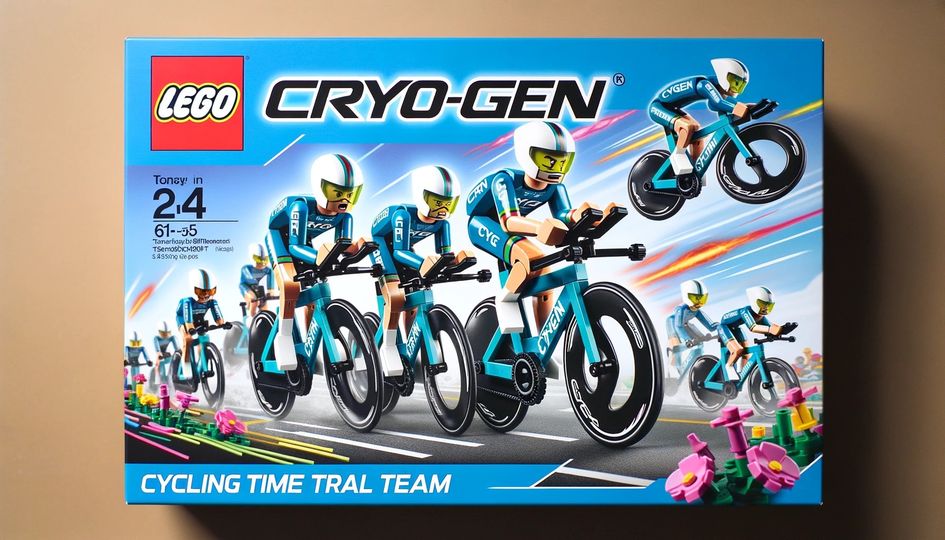
Team CRYO-GEN: 2024/2025 ZRL Season Highlights and the Power of Community

0

Team CRYO-GEN: 2024/2025 ZRL Season Highlights and the Power of Community

Intro to Team CRYO-GEN

Founded in 2018, Team CRYO-GEN is a global Zwift community team known for its friendly atmosphere and formidable racing prowess. The name CRYO-GEN stands for “Competitive Riders Young & Old – Groups for Experienced or New,” reflecting the team’s inclusive ethos. Under the leadership of team manager Rick Bowman, the team has grown to over 1000 members worldwide, ranging from complete novices to elite A+ racers.

Team CRYO-GEN prides itself on a strong community spirit, striving to ensure every member feels like an important part of the group and “not just another name or number”. This welcoming culture, combined with a drive for excellence, has helped the team become a force on the virtual roads – even fielding men’s and women’s squads in the elite Premier Division of the Zwift Racing League.

2024/2025 ZRL Season Highlights

The 2024/2025 Zwift Racing League (ZRL) season was an outstanding one for Team CRYO-GEN, marked by strong podium finishes, key promotions, and consistent performances across all divisions. Below we recap the season’s high points, from championship victories to gritty efforts in tough leagues, showcasing the depth and determination of Team CRYO-GEN.

Promotions & Achievements

Team CRYO-GEN dominated many league standings this season. Eight CRYO-GEN squads finished in the top two of their divisions, with four teams earning promotion to higher tiers:

  • Team CRYO-GEN Haleakala (AMERICAS E, Div 2) – League champions, earning promotion to A1 (the top A division).
  • Team CRYO-GEN Stelvio (EMEA W, Div 2) – Dominant division win and promoted to A1 after an undefeated season.
  • Team CRYO-GEN Hautacam (AMERICAS E, Div 2) – Finished strong with a Week 6 victory to clinch the division title and promotion to A1.
  • Team CRYO-GEN Tourmalet (EMEA E, Div 2) – Consistently on the podium (three podium finishes) and promoted to B1.

Additionally, several other squads – Team CRYO-GEN Galibier, Mt. Evans, Iseran, and Grand-Colombier – finished as runners-up in their leagues, underlining the team’s competitive depth across regions. Impressively, no CRYO-GEN teams were relegated this season, a testament to the strength and consistency of the team’s performances.

One notable highlight: in the Americas Eastern A2 division, CRYO-GEN’s Haleakala and Hautacam finished 1st and 2nd respectively, showcasing Team CRYO-GEN’s depth by sweeping the top two spots in that league!

Top-Performing Teams

Several Team CRYO-GEN teams consistently fought at the front of the pack, demonstrating exceptional form and race IQ throughout the season:

  • Team CRYO-GEN Iseran (EMEA East, Div 1) – Runner-up overall for the third straight season, constantly dueling with their rivals from DZR. (Best moments: managing to beat DZR in multiple races. Looking ahead: preparing for the ZRL Finals in April to cement themselves as one of the top C category squads.)
  • Team CRYO-GEN Stelvio (EMEA W, Div 2) – Never finished below 4th place and took two outright wins during the season.
  • Team CRYO-GEN Hautacam (AMERICAS E, Div 2) – Capped the season with a clutch Week 6 win, securing their promotion as division runners-up.
  • Team CRYO-GEN Tourmalet (EMEA E, Div 2) – Earned three podium finishes and consistently placed in the top 4 each race.
  • Team CRYO-GEN Galibier (EMEA W, Div 3) – Scored three outright wins, dominating their division from start to finish.
  • Team CRYO-GEN Haleakala (AMERICAS E, Div 2) – Logged three first-place finishes over the season, showing remarkable strength in every race.
  • Team CRYO-GEN Grand-Colombier (AMERICAS E, Div 1) – Ended the season with back-to-back wins, proving themselves as one of the top teams in their division.

These top-performing squads solidified CRYO-GEN’s status as a leading force in ZRL, regularly battling at the highest level of competition.

Mid-Table Consistency

Team CRYO-GEN’s mid-table teams also held their own in challenging divisions, ensuring a strong club presence even when not contending for the title:

  • Team CRYO-GEN Mur-de-Huy (EMEA W, Div 1) – Hard-fought season with finishes ranging from 7th to 11th in a very competitive top division.
  • Team CRYO-GEN Ventoux (EMEA E, Div 1) – Steady performer, consistently coming in 8th or 9th each week in a tough league.
  • Team CRYO-GEN Santis (EMEA W, Div 2) – Balanced campaign with finishes between 5th and 9th place, showing reliable performance.
  • Team CRYO-GEN Val-Thorens (EMEA E, Div 2) – A model of consistency, finishing 3rd overall in the league. Notably, Val-Thorens never placed lower than 6th in any race, with top points scorers Nick Hird (355 pts) and Philip Helfenberger (311 pts) leading the charge.
  • Team CRYO-GEN Koppenberg (EMEA W, Div 1) – Mixed results; managed a couple of 2nd-place finishes but struggled with inconsistency in other races.
  • Team CRYO-GEN Mortirolo (EMEA W, Div 1) – A solid presence, regularly finishing 4th or 5th in a very strong division.

Battling in Tough Leagues

A few CRYO-GEN teams faced especially fierce competition in top divisions, showing tremendous grit and determination despite the odds:

  • Team CRYO-GEN Mauna-Kea (Oceania W, Div 1) – Achieved two superb 3rd place finishes, but a DNQ (did not qualify in one race) hurt their final standing.
  • Team CRYO-GEN Etna (Oceania W, Div 1) – Consistently finished around 8th–11th in an extremely competitive B1 league, holding their own in a brutal field.
  • Team CRYO-GEN Mount Aspiring (Oceania W, Div 1) – Displayed fighting spirit by avoiding any bottom-place finishes (never lower than 14th in a 16-team league).

These teams showed true grit against elite competition, and their efforts were nothing short of impressive.

Special Recognitions

Throughout the season, certain Team CRYO-GEN squads earned special shout-outs for exceptional performances:

Teams of the Week

  • Week 3 – Team CRYO-GEN Stelvio for a superb win in EMEA-W Southern A2.
  • Week 4 – Team CRYO-GEN Iseran for beating DZR in the Team Time Trial by just 3 seconds.
  • Week 5 – Team CRYO-GEN Mt. Evans (Americas Central C1) and CRYO-GEN Galibier for their dominant victories that week.
  • Week 6 – Team CRYO-GEN Hautacam for its first win in AMERICAS Eastern A2 and CRYO-GEN Mauna-Kea for securing another 3rd place in Oceania W Div1.

Team of the Season

Team CRYO-GEN Haleakala was recognised as the standout team of the season for their dominant title-winning campaign in Americas Eastern A2. Haleakala’s consistent excellence set the bar for the entire team.

Looking Ahead

With the ZRL format expected to evolve next season (moving to a new Zwift Racing Score system), Team CRYO-GEN is ready to adapt and continue competing at the highest level. The team has already set key targets for the upcoming season:

  • Team CRYO-GEN Iseran – Preparing for the ZRL Finals in April, aiming to establish themselves as one of the top Category C squads.
  • Team CRYO-GEN Stelvio & CRYO-GEN Tourmalet – Both pushing for yet another promotion to even higher divisions after coming so close this season.
  • Team CRYO-GEN Mur-de-Huy (and other mid-pack teams) – Looking to build on their chemistry and climb further up the rankings in their leagues.

With incredible depth, teamwork, and a hunger for results, Team CRYO-GEN appears poised for another dominant season ahead. Congratulations to all CRYO-GEN riders, captains, and support crew on an unforgettable ZRL season – let’s come back stronger, faster, and ready for the next challenge!

The Power of Volunteers and Automation

None of these achievements would be possible without the dedicated volunteers working behind the scenes. Team CRYO-GEN’s day-to-day operations are supported by a strong admin team of volunteers who handle everything from social media and website management to graphic design, data analytics, and team captain duties for each racing category. This robust support structure allows the racing squads to focus on performing their best, knowing that planning and community management are in capable hands. The team’s leadership includes three team managers and numerous admins who devote countless hours to keeping the community running smoothly – truly the unsung heroes of CRYO-GEN’s success.

To manage a community of this size and complexity, Team CRYO-GEN also embraces automation and technological tools. For example, the team leverages ZwiftPower, a community-built platform that automatically tracks race results and rider data across Zwift events. Tools like ZwiftPower (now an official part of Zwift’s ecosystem) and the WTRL scoring system for ZRL help eliminate tedious manual data crunching. This means volunteer organisers can quickly get accurate standings, monitor performance, and even enforce fair racing rules (like category limits and disqualifications) without doing it all by hand. Additionally, Team CRYO-GEN coordinates via Discord and other apps to automate event scheduling and communications, ensuring that members around the world stay informed and engaged.

In short, dedicated volunteers are the backbone of Team CRYO-GEN, and smart automation ensures their efforts scale effectively. This combination of passionate people and helpful technology creates a well-oiled machine — a community that runs efficiently and delivers a top-notch experience for all its members.

Join Team CRYO-GEN – Ride and Race with Us!

The Team CRYO-GEN community is always excited to welcome new riders into the fold. Whether you’re a seasoned Zwift racer or brand new to virtual cycling, Team CRYO-GEN has a place for you. Our team spans all experience levels and focuses on fostering a supportive, fun environment as well as offering competitive racing to test your skills. If you’re looking for camaraderie, encouragement, and the thrill of online racing, now is the perfect time to get involved.

Together we ride, together we race, and together we win! Team CRYO-GEN is more than just a racing team – it’s a family of riders who push and uplift each other. If you’re ready to start your next cycling adventure with us, you can sign up on our website cryogen.team. Come be a part of this vibrant community and share in the excitement of the Zwift Racing League and beyond. We can’t wait to see you on the virtual roads – Ride On!


All About Zwift’s New Groovy Time Trial Wheels

All About Zwift’s New Groovy Time Trial Wheels

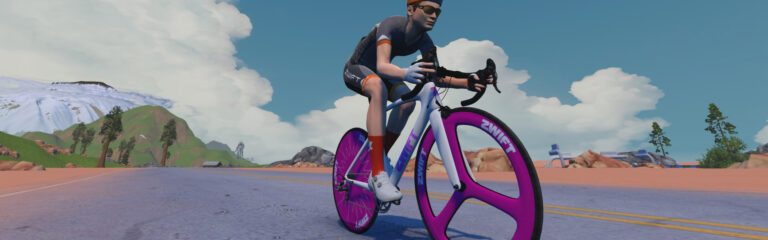
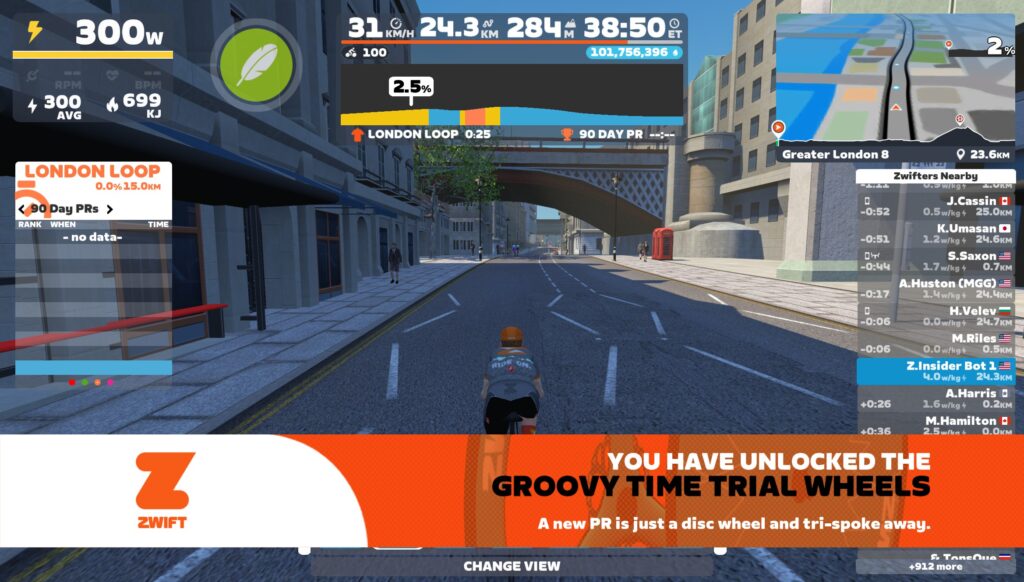
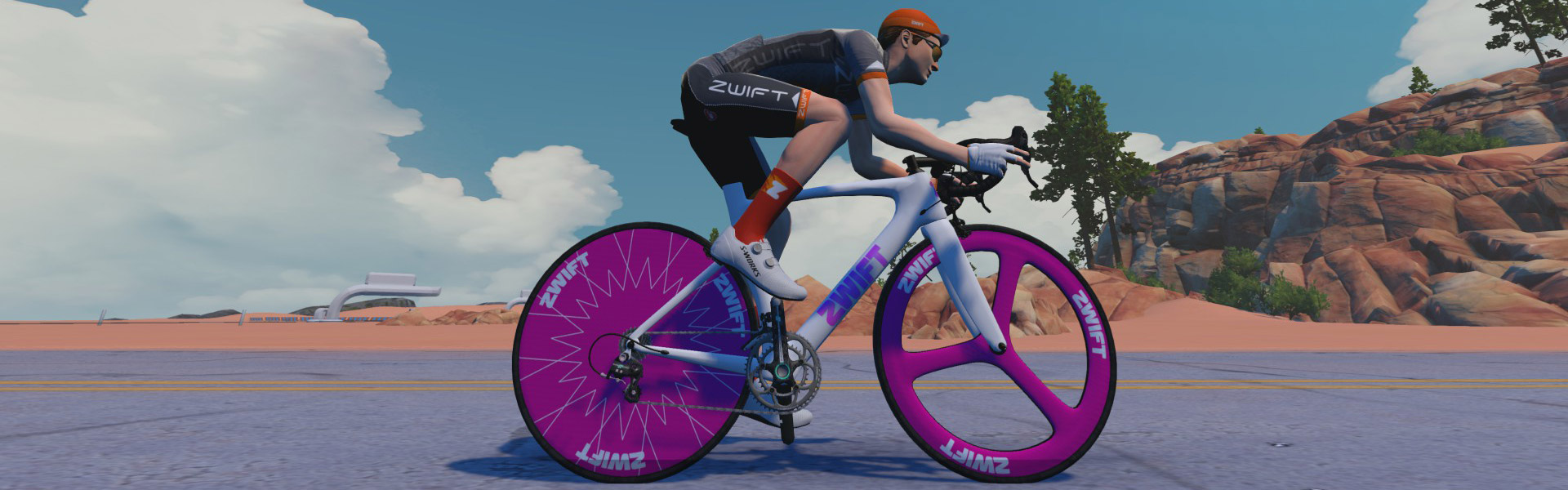
Zwift’s Big Spin 2025 kicked off March 3rd, and with it the much-loved prize spinner. One of this year’s big prizes is the “Groovy Time Trial” wheelset, the second tri-spoke wheelset in game.

Here’s how these wheels are described in the Drop Shop:
“Stiff and responsive, the tri-spoke flies in calm weather, while the disc wheel cuts through the air and minimizes turbulence – perfect for time trials and longer rides.”

The Groovy Time Trial wheels are rated 4 stars for aero and 1 for weight, just like the other disc wheelsets in Zwift. This indicates that their climbing performance will be poor, but their aero performance will be strong. Just like disc wheels IRL!

But as with any new piece of Zwift equipment, we ran them through our normal tests to learn exactly how they perform. Because we like precision. So here’s everything you need to know about the performance of the new Zwift Groovy Time Trial Wheels…

Aero (Flat/Rolling) Performance

A cyclist wearing a helmet and Zwift kit rides a white and purple road bike with distinctive magenta wheels on a wide, flat road under a blue sky with scattered clouds and rock formations in the background.

The Groovy’s aero performance is strong, putting them in the 81st percentile and ahead of all but the fastest non-disc wheels in game. To be precise: while the three name-brand disc wheels (DT Swiss, Zipp 858, and Zipp 808) beat these handily, the Groovy wheels are also outpaced by the non-disc Zipp 858, Zipp 808, ENVE 7.8, and ENVE 8.9.

Their test time of 50:47 is 22 seconds slower than the current fastest road wheels (DT Swiss ARC 1100 DICUT DISC) on our test course, which is two laps of Tempus Fugit totaling 34.6km.

Climb Performance

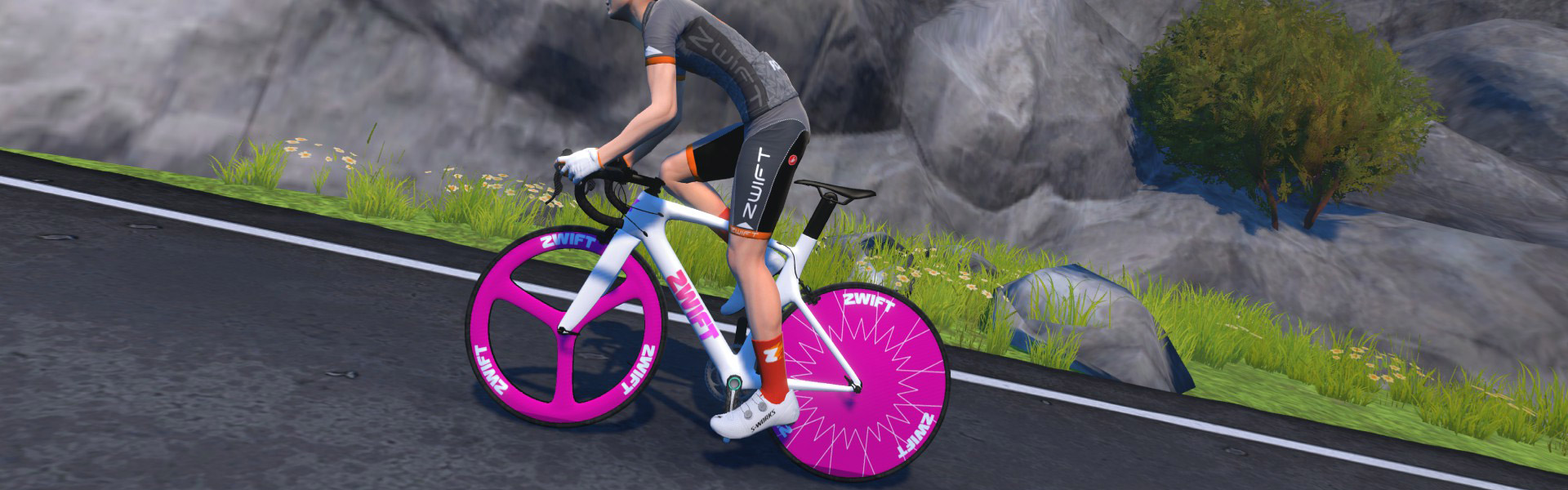
A cyclist in a gray outfit rides a white bike with bright pink disc wheels on a paved road, passing grass, rocks, and a tree, with gray mountains in the background.

Rated just 1 star for weight, we didn’t expect much in terms of climbing performance from the Groovy Time Trial wheels! They came in second-to-last in the overall list of road wheels, faster only than the Zwift Tri Spoke // Disc Wheel.

To be fair, these wheels turn in an Alpe time of 49:44, which isn’t much slower than the other disc wheels in game. (The fastest climbing disc wheelset, the DT Swiss, clocked in at 49:37). If you’re racing up a long climb, disc wheels are probably not your best best. The fastest overall climbers in game (Lightweight Meilensteins and Roval Alpinist CLX) complete the test 30 seconds faster than the Groovy Time Trial wheels.

Note: all test results above are from a 75kg, 183cm rider holding 300W steady using the Zwift Aero frame.

Conclusions

The Zwift Groovy Time Trial Wheels are a fun unlock, and not only because you can change their color to match your frame:

While their performance isn’t going to impress anyone who already has one of the top-level disc or non-disc wheelsets, Zwifters below level 25 without access to more aero wheels may see these as a much-desired garage addition for use in flat and rolling races!

This wheelset will be added to the following posts, and it can also be found on our Master Zwift Wheels List:

Questions or Comments?

Share below!

Important note: this post contains speed test results for Zwift frames or wheels. These results may change over time, and a bike's performance relative to others may also change. We don't always revise posts when performance rankings change, but we do keep current, master versions of our speed test results which are always available. See the frame charts, wheel charts, and Tron vs Top Performers for current performance data.


How the Race Was Lost: Zwift Games Stage 2 on Scotland Smash

How the Race Was Lost: Zwift Games Stage 2 on Scotland Smash

The Zwift Games are upon us, and with them big race packs on fresh routes. Having finished third in stage 1 (read about that here), I had to keep chasing the podium for stage 2, so I entered the 450-570 group once again…

The Warmup

It was Saturday, my long ride day, so I was on the bike early for a 1-hour spin with Coco and friends to loosen up the legs. I dusted off the ol’ Safety Bike, too, wanting to have a little fun since equipment was neutralized for Zwift Games races:

Soon enough, I found myself in the pens, with the countdown clock nearing zero. Let’s race!

Start In Glasgow

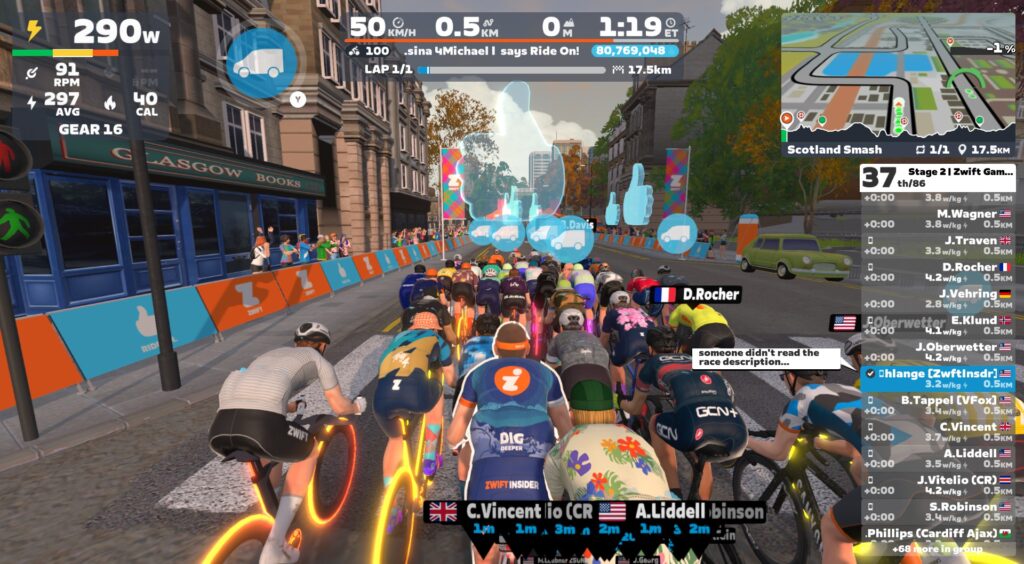
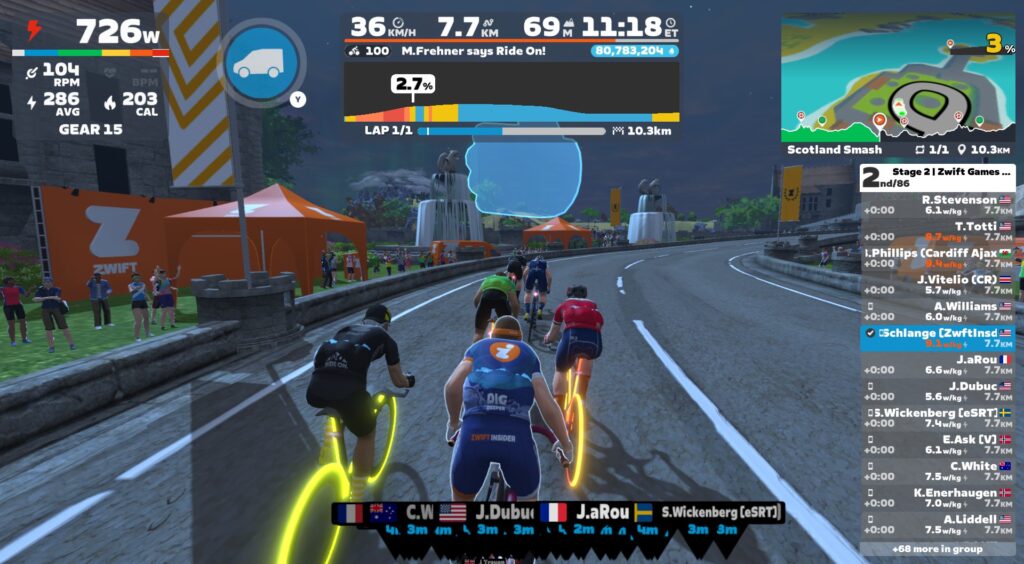
Scotland Smash begins with a lap of the Glasgow Crit Circuit, so out of the pens 86 of us headed through the Champion’s Sprint banner and around to the Clyde Kicker, our first incline of the day.

So many riders used their draft boost powerup in the opening minutes of the race, apparently unaware that they wouldn’t get another powerup. Ouch! Gotta read that event description, folks…

I’m not a strong climber, but I can usually punch my way to survival over shorter kickers like the Clyde. 32 seconds at 446W saw me finishing this segment near the front of the group, so I eased up and recovered in the draft as we finished the circuit and headed out to greater Scotland for a big lap.

60 riders left in the front pack.

The Middle Bit In Greater Scotland

The bulk of this route takes place outside of Glasgow as you go around the greater Scotland loop in a (mostly) clockwise direction. We began with the slack ~1.2km climb up “The Cliffs” toward the lap banner, the same climb and banner that would host the finish of the race.

While a few riders went off the front for a bit, this first time up The Cliffs was pretty tame, and I sat in the draft, betting on our group’s ability to pull back any small breakaways. I was trying to race smarter, not harder. To save what energy I could, so I could have maximum energy when I needed it.

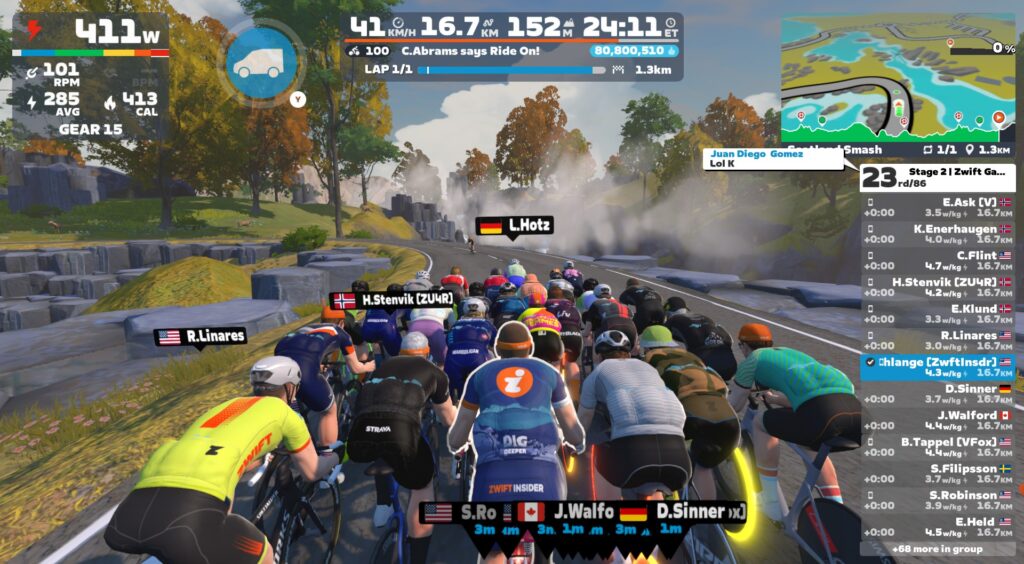
Through the lap banner and down “The Postcard” descent, I grabbed a bit of recovery before we hit the Corkscrew Castle climb, where I knew another dig was imminent. Fortunately, this climb is a short one too, only requiring around 20 seconds of well-timed but hard effort:

After a bit of descending and recovery near Nessie’s pond, we hit Breakaway Brae, our next timed climb. Another ramp up in effort, but not hitting the redline. This race was feeling punchy, and not easy, but I definitely wasn’t on the rivet either. (As a point of reference, I averaged 282W in the first 17 minutes of Stage 2 vs 256W in the first 17 minutes of Stage 1.)

48 riders remained as we entered Glasgow again.

Return to Glasgow

With only 5km left in the race, we entered Glasgow for another lap. Would anyone try a serious attack up the Clyde Kicker? I doubted it, as anyone who could go long from there could also go long from The Cliffs climb a few kilometers up the road.

Sure enough, nobody went, and an almost identical effort landed me near the front of the group as we created Clyde.

Descending the Clyde, one “M Robbins” attacked in earnest. It looked like we were going to reel him in, but then he pushed again on the way out of Glasgow, stretching the gap out to 4 seconds before nervous riders began swarming to the front of the peloton as we headed out of Glasgow for the final climb to the line.

There were 43 riders left in the peloton and 1 up the road as we entered our finishing climb. The field had shrunk by 50% since the start of the race.

The Finish

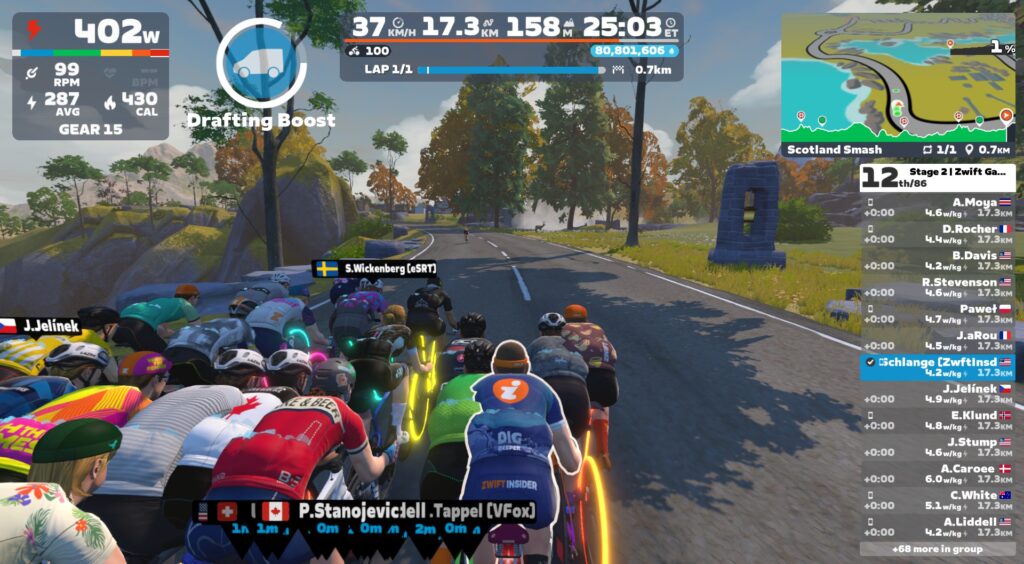
With 2km left, we began the climb up The Cliffs. Robbins was 4s ahead, and one rider (JaRou) jumped off the front to give chase, followed by another (T Totti). I upped my watts a bit when I saw Totti jump, figuring I could grab his wheel for a possible free tow up to Robbins. But JaRou and Totti didn’t put in enough work to fully close it to Robbins, so instead we all blobbed up again, with Robbins holding a 3-4 second gap.

With 800 meters to go, I triggered my draft boost powerup, executing the first step in my grand race-winning plan:

My thinking was this: most riders would hold their draft boost for the final sprint of the race, so I would do something different, using the boost earlier so my legs were fresher heading into the final 15-30 seconds of the race. Then as my draft boost ran out, I would go all-in, rocketing through the pack and off the front, to ultimate glory!

But I soon realized I’d activated my powerup a bit early, and my draft boost ran out with 400 meters to go. I didn’t up my power to rocket through the peloton with the draft boost still active, because I didn’t think I could hold out in the wind for that long. Instead, I sat behind a couple of wheels, waiting for someone to attack hard so I could follow their wheel to get off the front with a bit less work.

One “L Rabound” jumped hard and came around with orange numbers, so I revved it up as well, benefiting from their draft even though I was 5 meters back. We quickly caught M Robbins on the front, and with 30 meters left I passed Rabound… but a the same time I was passed by a hard-charging E Held!

Second place. First loser!

See my ride on Zwift.com >
See my ride on Strava >

Watch the Video

Takeaways

This race felt a lot more like a typical Zwift race, versus stage 1‘s odd “super easy until the final 2km” feel. Scotland is a rolling, pitching place, so there’s always a bit of work to do just up the road, and plenty of places to attack and drop weaker riders.

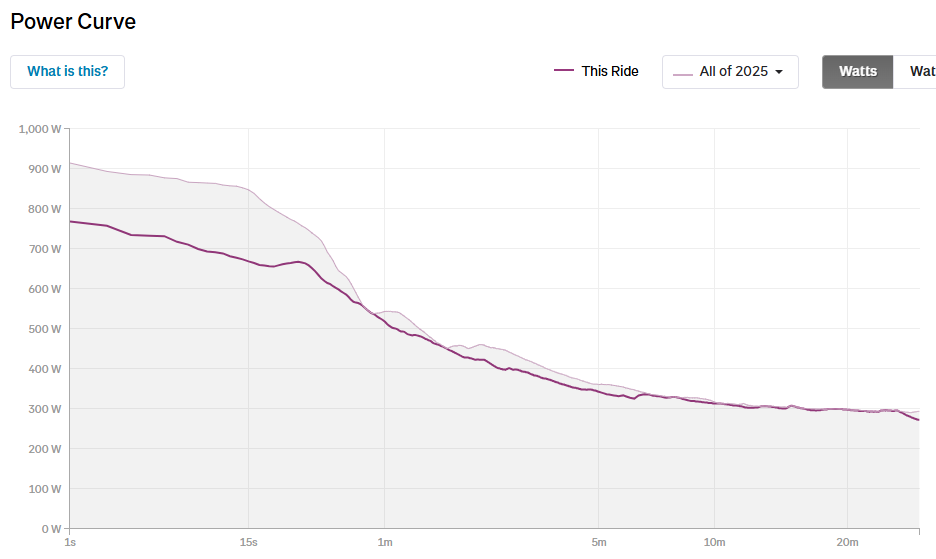
My Strava power curve showed me hitting lots of new PRs for 2025 in this race, so I was happy with that:

Could I have played the finish differently, for a better result? Perhaps. But it was fun to be a bit contrarian with my powerup usage, and attack early. (Elle Held definitely timed it perfectly, holding those orange numbers for quite a while and slingshotting to victory in the final 30 meters. Well done!)

My 2nd place finish earned me a racing score upgrade from 543 to 550, and a finishing time for the Zwift Games GC of 26:06. That puts me at (wait for it) 1,456 out of 44,598 in the Sprint Classification. Almost on the podium…

Your Thoughts

Did you race Zwift Games stage 2? How did it go? Share your experience below!