

Last week’s Fall 2025 This Season on Zwift press release included, as the first item of business, news that a fresh version of the Zwift Click begins shipping today, September 9th. Let’s take a good look at Zwift’s newest piece of hardware, including a full hands-on review!
Click v2, as we’ll call it, is replacing two different controllers for Zwift. First, it replaces the original Click, a simple device with a + and – button for shifting up or down. This comes as no surprise. But the bigger news is that Click v2 is also replacing the Zwift Play controllers. (To be clear: while Zwift Play can still be used in-game, it will no longer be sold.)
Here are some images from Zwift showing the Click v2 and how they mount easily to multiple locations on drop bars, as well as flat bars and TT bars:
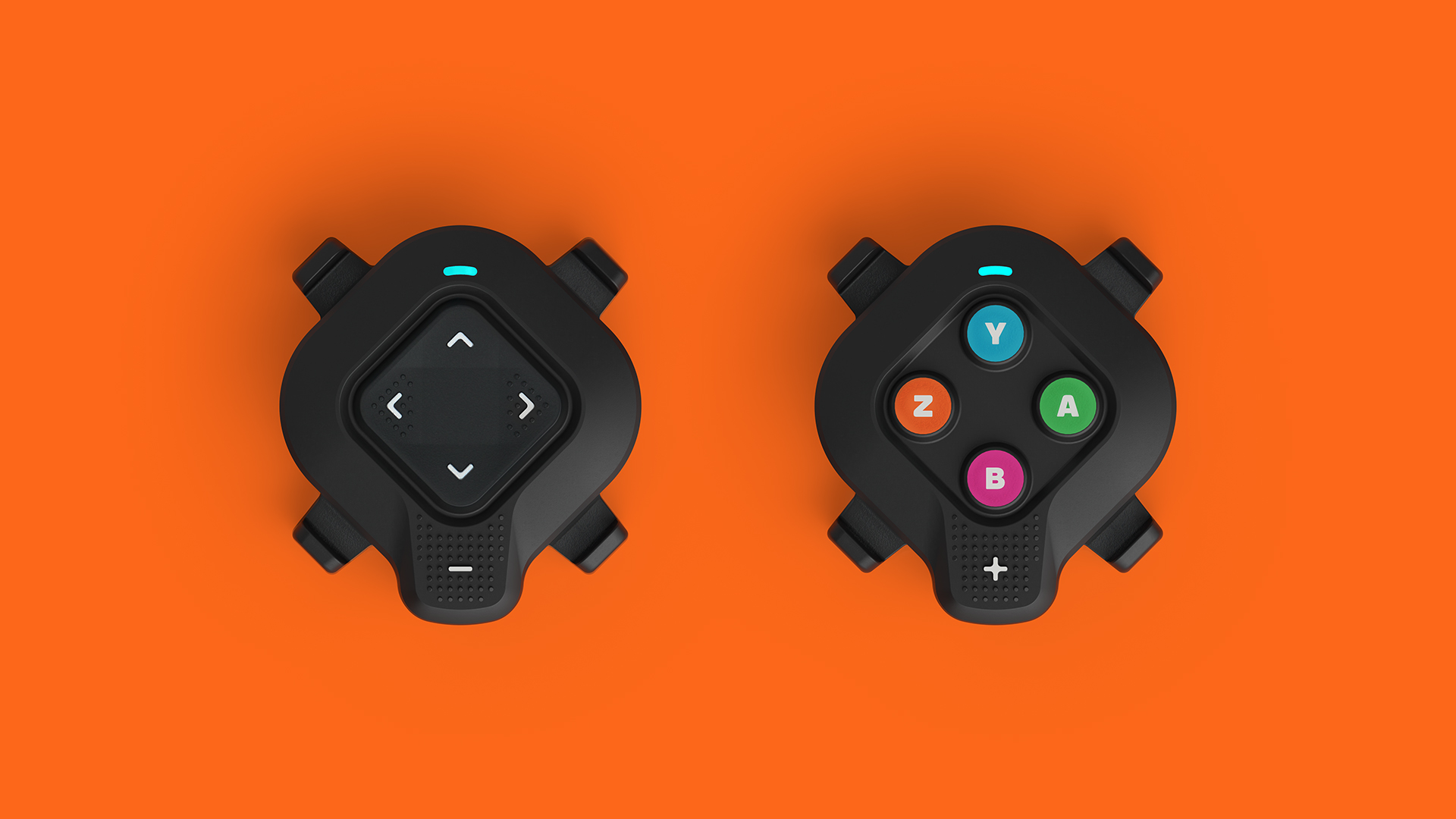
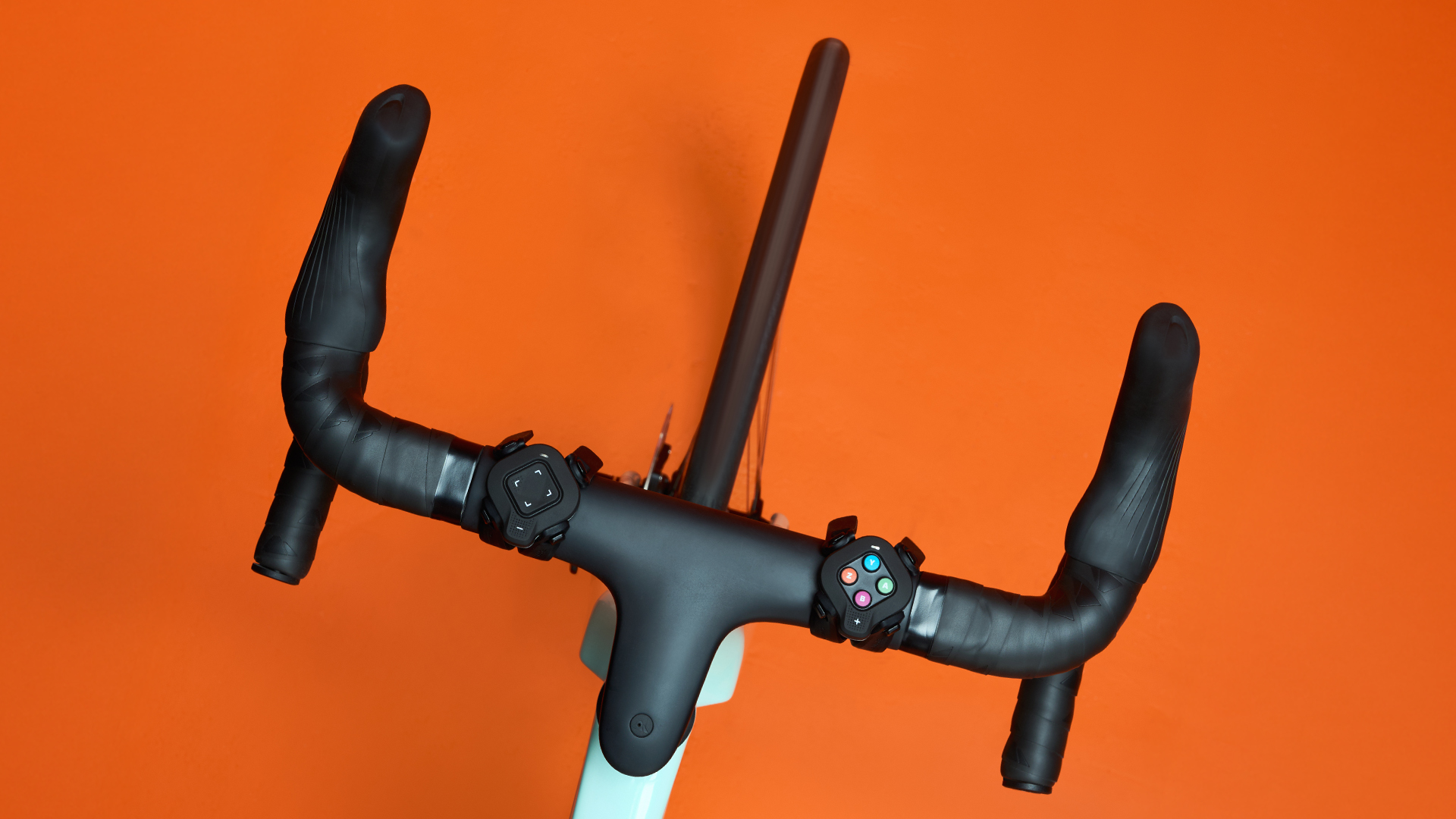
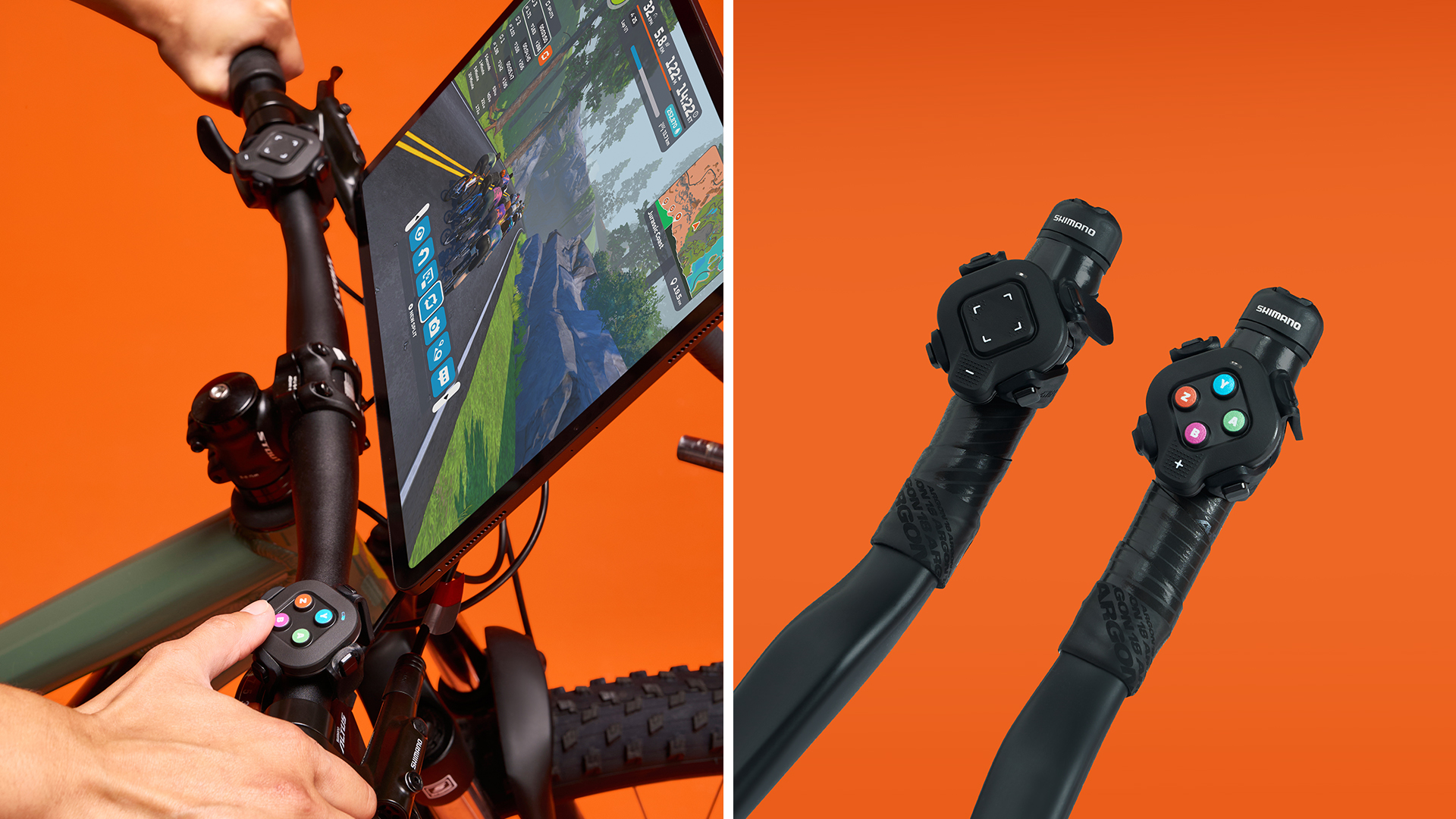
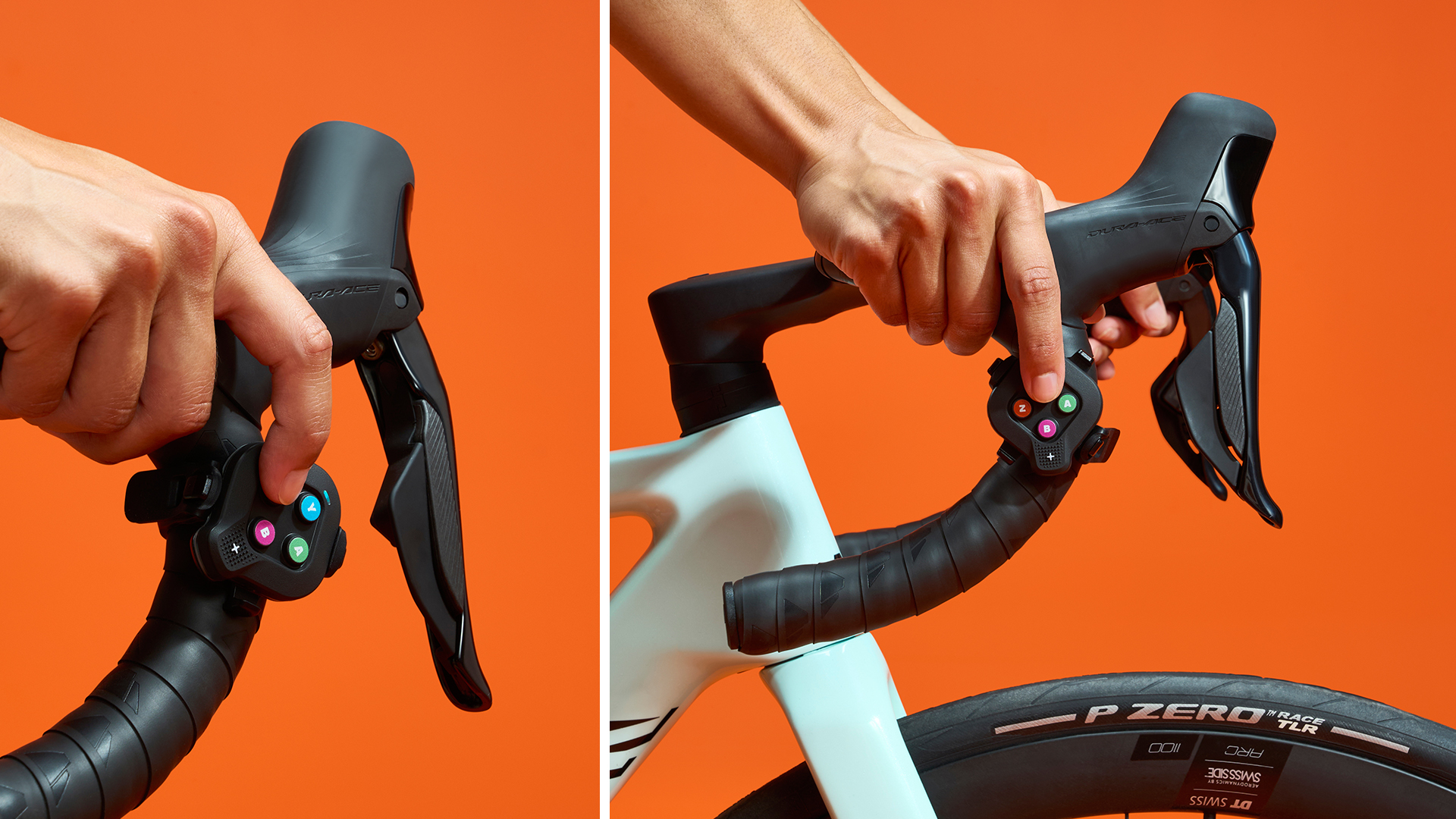
Zwift is not currently selling Click v2 as a standalone item, but Zwift Cog and Click upgrade kits for all Zwift Cog-compatible trainers are available at Zwift.com now for £49.99/€49.99/$49.99:
Additionally, the Click v2 is now being bundled with all Zwift Ready trainer shipments (see full list).
Click v2 Capabilities and Specs
Simply put, the new Click does everything Zwift Play does, apart from braking. That includes:
- Virtual shifting (for compatible trainers)
- Steering
- Game menu navigation
- U-turns
- Rearview camera in events
- Power up triggering
- Ride On bombs/returns
In terms of specifications, the list is short:
- Bluetooth connectivity only
- The two units are bridged together, so they use only 1 Bluetooth connection (good news for Apple TV users)
- Claimed 100-hour battery life (CR2032 coin cell)
Hands-On Experience
Setup and Onboarding
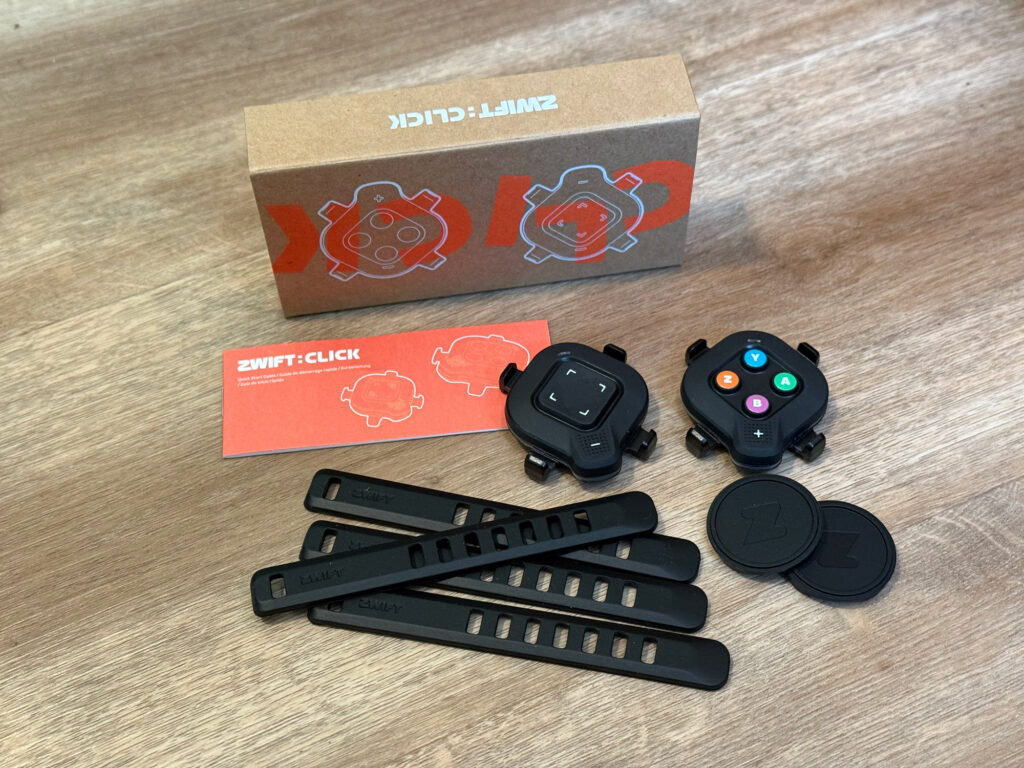
Click v2 is quick and easy to set up. In addition to the two Click controllers, the package includes four straps and two soft pads you can place beneath the controllers to more secure mounting on rounded bars:
Clicking any button on a controller activates it, and an LED at the top of the controller will begin flashing blue. It turns solid blue once connected.
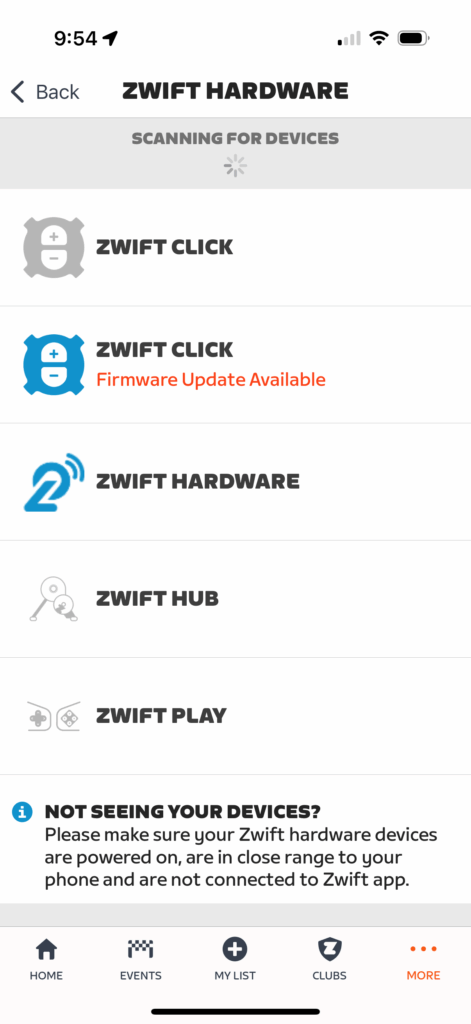
The first thing I did was open up Zwift’s Companion app and go to Zwift Hardware, where the app automatically detected the Click v2 controllers. The app then prompted me to perform a firmware update to version 1.1.0:
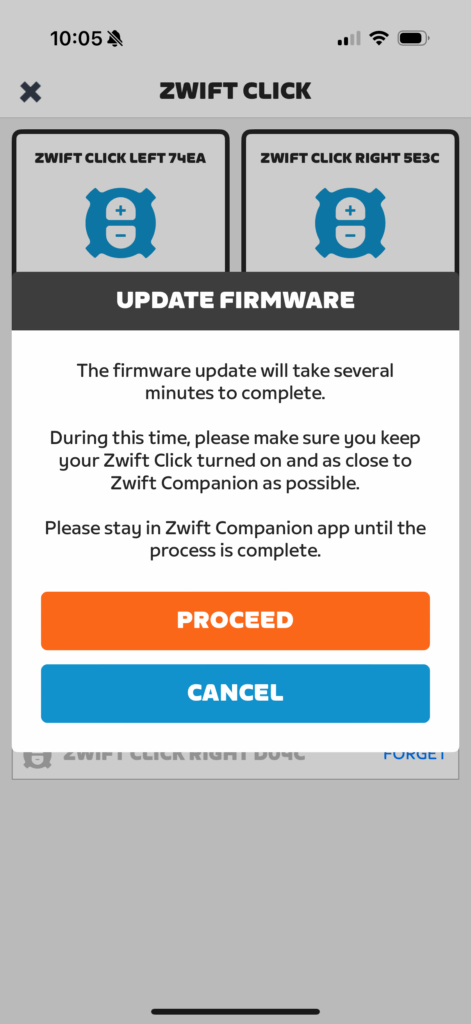
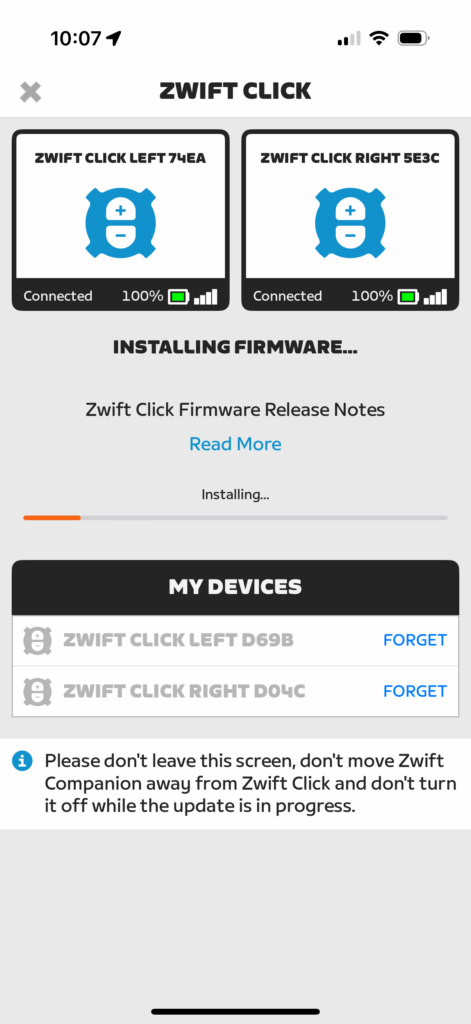
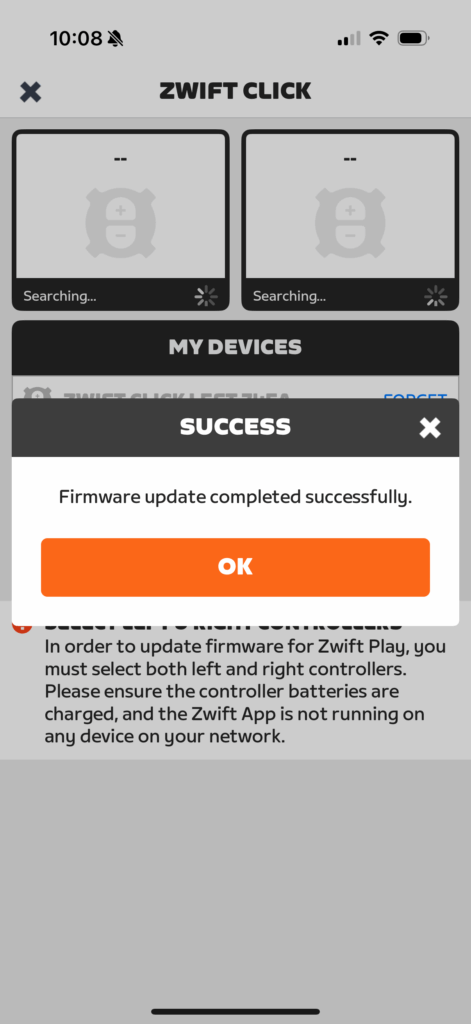
Once the Clicks were updated to the latest firmware, I started my Zwift session and paired the Click v2 (reminder: these are Bluetooth only):
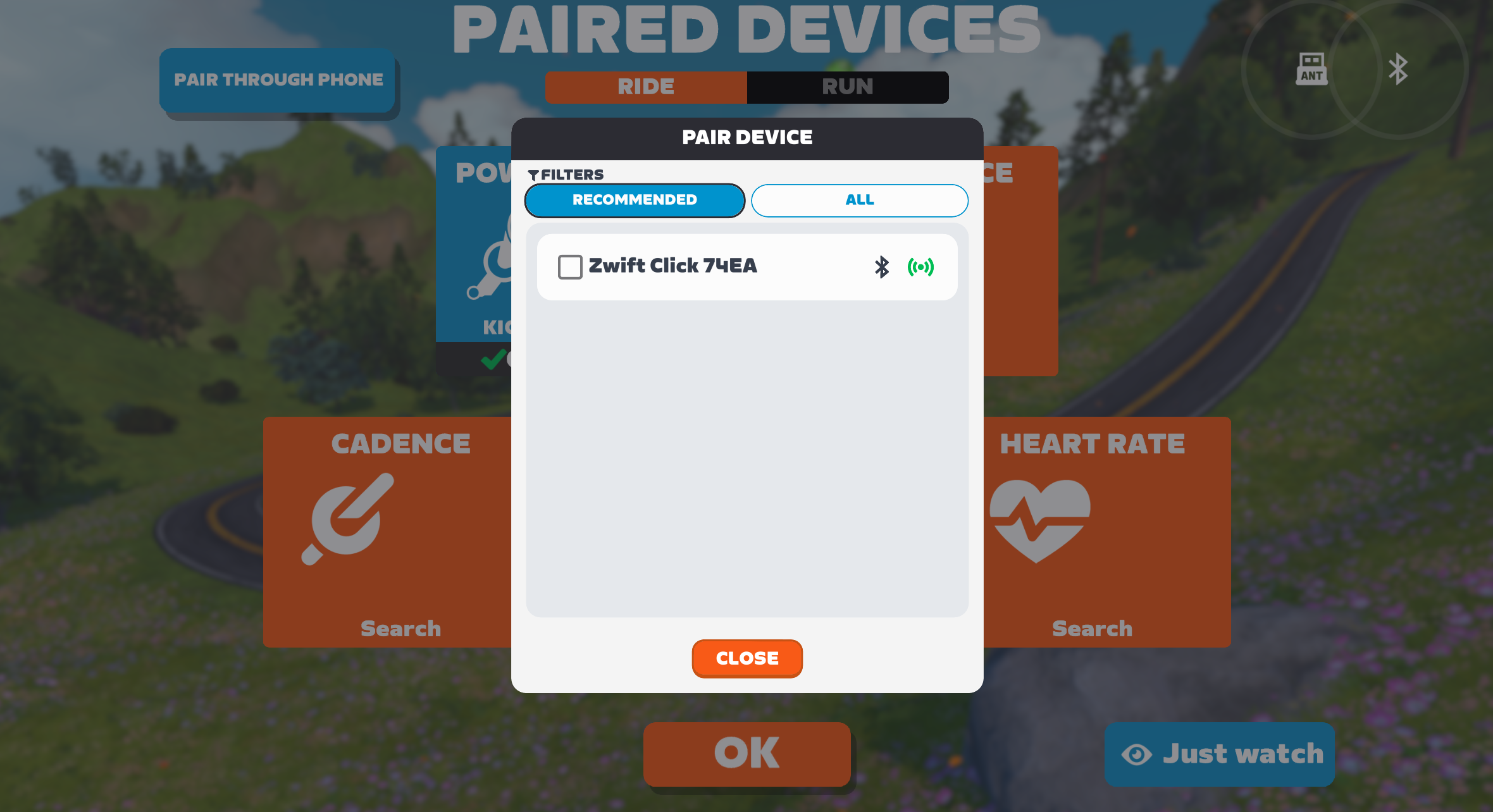
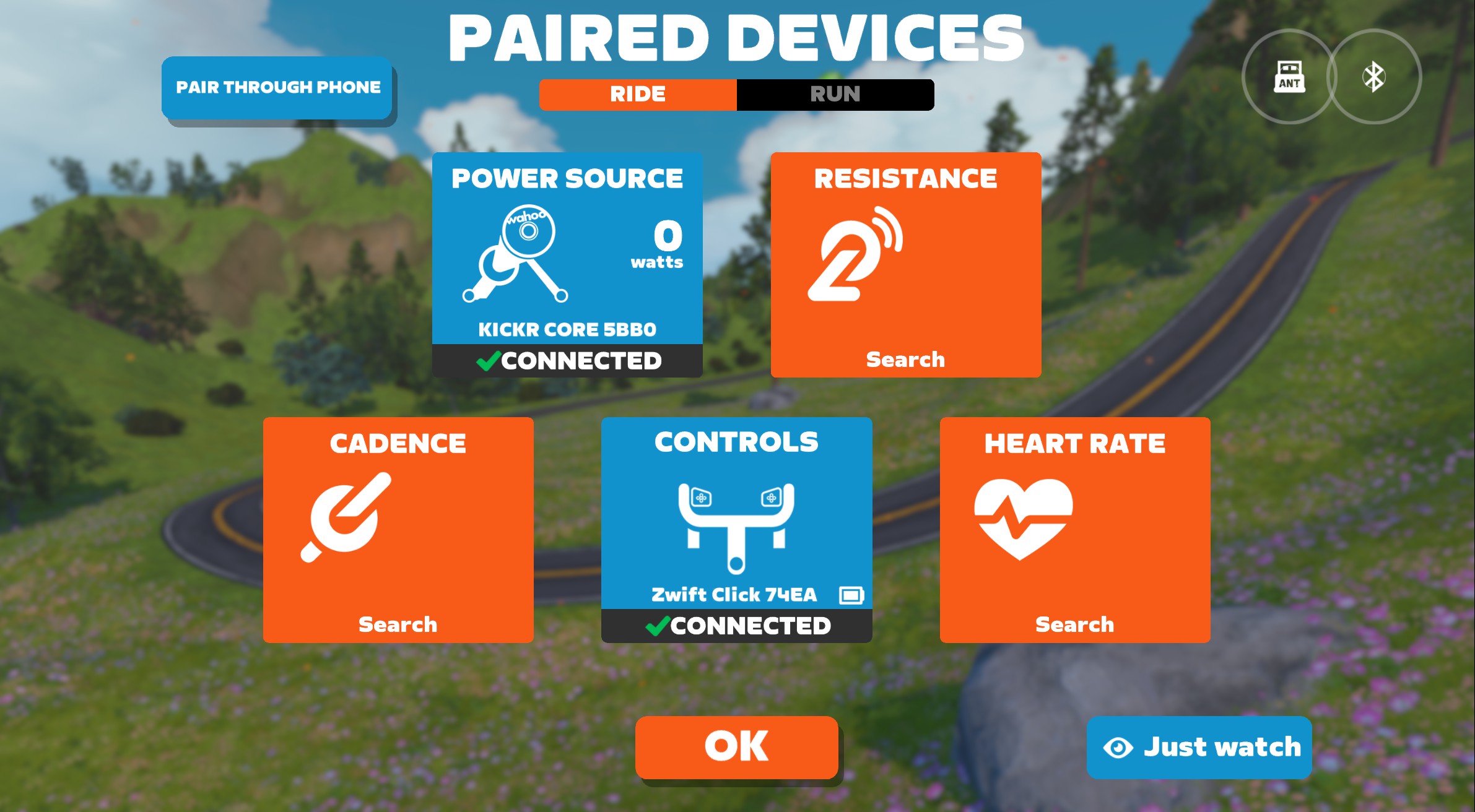
Before riding, I was greeted with a simple tutorial walking me through their capabilities:
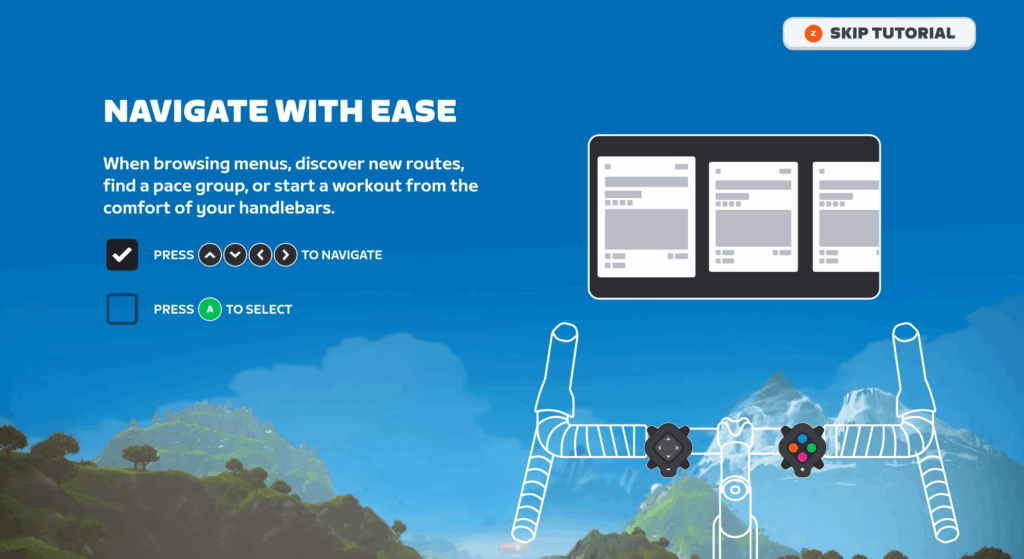
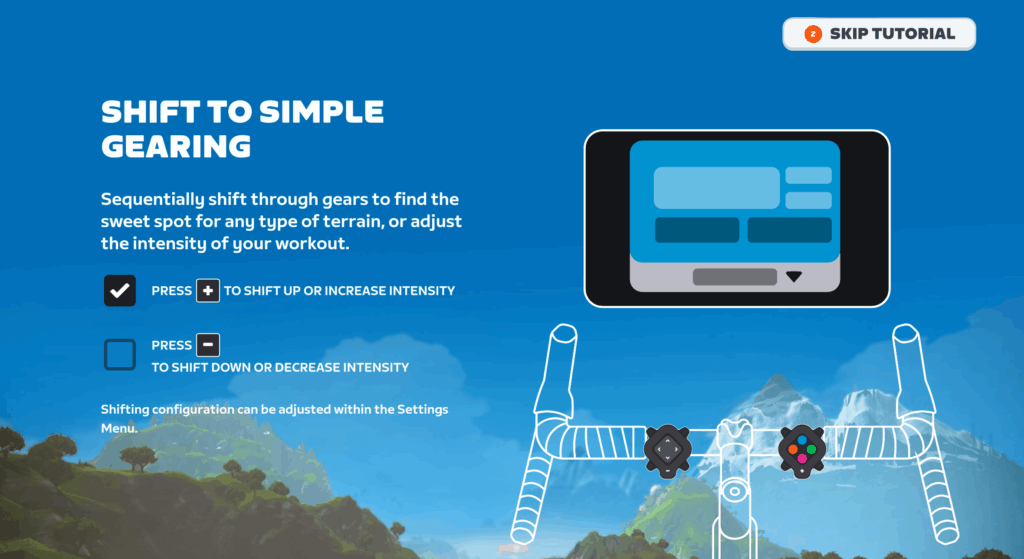
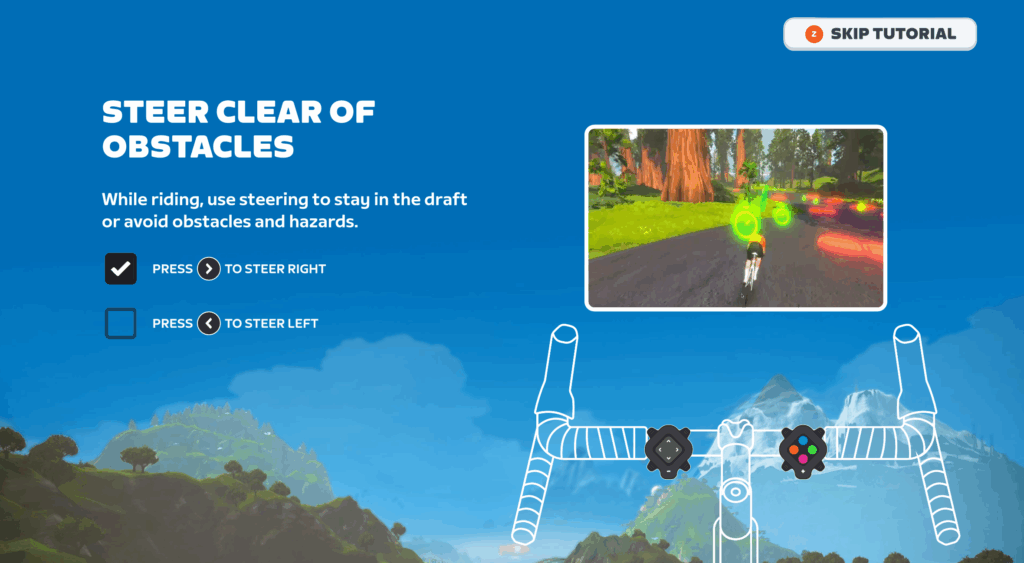
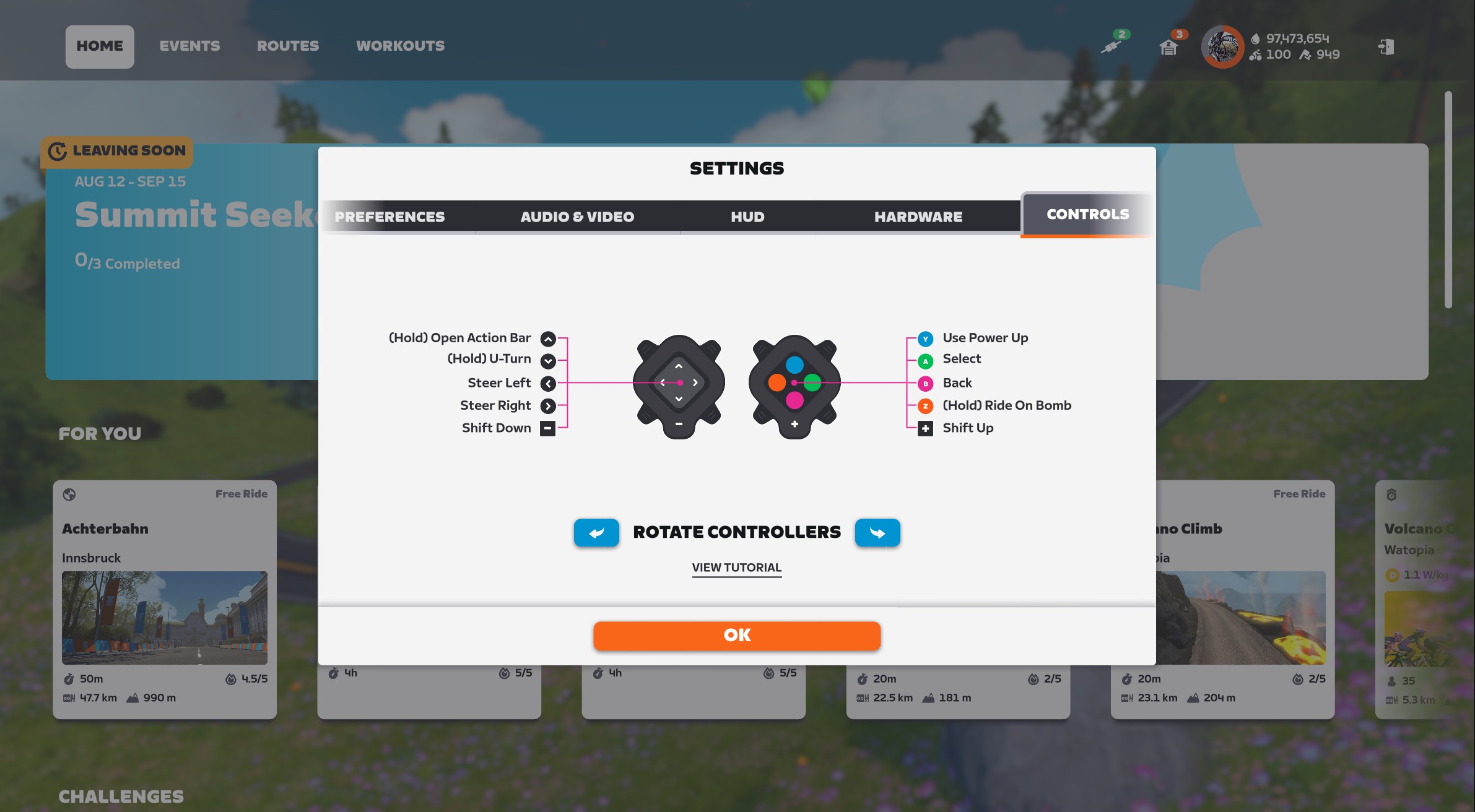
After finishing (or skipping) the tutorial, you’re ready to go! If you’d like, you can go to Settings>Controls and rotate the controllers, which may prove useful depending on mounting location:
Virtual Shifting
If you have a smart trainer that supports Zwift’s virtual shifting (see list of compatible trainers), Click v2 can handle the shifting duties. The – button on the left controller shifts down to an easier gear, while the + on the right controller shifts up to a harder gear. These also modify FTP bias in ERG workouts when shifting is disabled.
Shifting with Click v2 is just as responsive as with Zwift Play and the original Zwift Click, happening quickly and reliably.
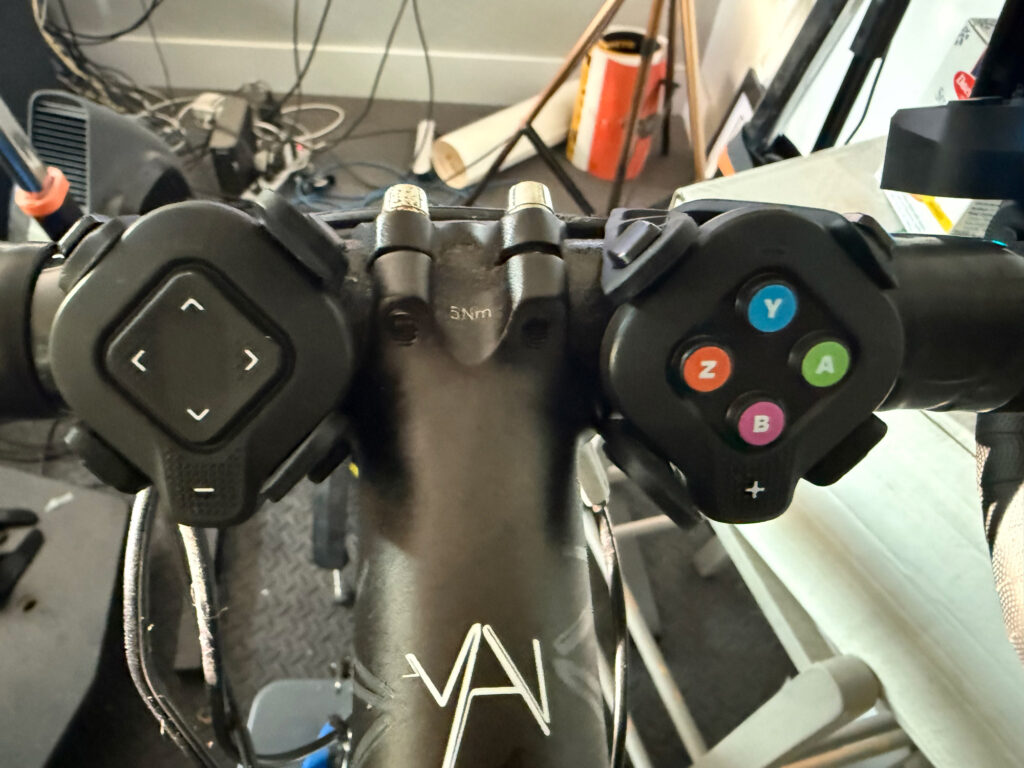
I had the Zwift Plays installed on my bike, and added the Click v2 on the flats of my bars as shown above. I found I enjoyed pairing both the Plays and the Click v2 to my Zwift session, as the Clicks came in handy as satellite shifters and steering when I was riding on my bar tops.
Steering vs Intersection Selection
While the Click v2 does everything Zwift Play did (apart from braking), Zwift had to get a bit creative to squeeze all that functionality out of a pair of simple controllers.
Specifically, if you want to manually choose a turn at an intersection, you have to press A when the intersection option pops up, then choose your desired intersection with left/right arrows. (On-screen text reminds you how this works.)
Apart from this little quirk, steering is simple using the left/right arrows on the left controller.
Other Notes
I’ve been using the Click v2 on my main Zwift setup since May, which means I’ve logged over 100 hours of use. I changed the battery on one controller in my “pre-release” set early on, but they haven’t needed a battery change since.
Overall, I’ve been pleased with the feel and functionality of Click v2. The buttons are a bit easier to press than the Zwift Play, which is noticeable when you’re a Ride On bomber like myself.
Zwift has packed a lot of functionality into the new Click, and in a format that works on flat and tri bars, not just dropbars like the Zwift Play. While it doesn’t matter much to me personally (I’m a roadie), that’s a smart and inclusive move on Zwift’s part for sure. Plus, like I said above, even if you currently own Zwift Play and like their location, you’ll probably find Zwift Click v2 quite handy as satellite controllers.
(I even tested them on our in-house KICKR BIKE, adding them as satellite controllers. They worked just fine paired concurrently with the KICKR BIKE’s steering, allowing me to steering using the bike’s controls or the Click v2, as well as use all the Click’s buttons for navigating game menus, etc.)
Even though they’re only being sold with the Zwift Cog at this time, the price point is so low that I’d recommend them to any Zwifter with Bluetooth capabilities in their setup, as they put all the in-game menus and steering at your fingertips, even if you can’t do virtual shifting. They’re handy, reliable, and quite bomb-proof. My bet is they’ll quickly become this season’s most popular hardware add-on for Zwifters.
Buy Zwift Click v2
As already mentioned, Zwift is not currently selling Click v2 as a standalone item. Hopefully that will happen soon.
Until then, Zwift Cog + Click upgrade kits for all Zwift Cog-compatible trainers are available directly from Zwift for £49.99/€49.99/$49.99:
(Note: buying through the affiliate links above helps support this site.)
Questions or Comments?
Got questions about the new Zwift Click? Comments about Zwift hardware? Share below…


How does it coexist with the Elite Rizer steering ?
I haven’t tested it with the Rizer (don’t want to pull it out of storage and set it up again)… but I did test it with the KICKR BIKE steering, and Click v2 worked concurrently with the KICKR BIKE. Which is what I expected.
So I would bet money Click v2 will work fine even if you have the Elite Rizer paired also. I think both will work alongside each other.
I’ll test as soon as I receive my order 🙂
I confirm, steering on Rizer and steering with Zwift Click v2 work alongside together!
Hi Eric – just to confirm, you are able to pair the Click controls and the Kickr bike controls at the same time? So you can shift with either the bike levers or the Click buttons?
If so, that’s great to hear. I love my Kickr bike controls for steering and shifting, but I miss being able to navigate the menus like I was with the Play controllers.
YES, you can pair both the KICKR BIKE controls and Click v2 at the same time.
But NO, the Click v2 cannot shift the KICKR BIKE. The bike uses Wahoo’s proprietary shifting tech, not Zwift’s shifting, so the Click doesn’t talk to it.
Steering works on both. Shifting does not.
I actually developed a mild strain in my finger from press-holding the Ride On button too many times at a bad angle on my Play controllers, so I’m glad these are easier to press.
I wish Zwift would remove the “hold” requirement for Ride On Bombs. It’s not like I’m going to regret accidentally giving someone a Ride On!
Can you buy them in Australia?
Not as a standalone item… only bundled with a Zwift Ready trainer, through traditional retail channels (not Zwift).
Have they given any justification for not shipping to other markets @Eric Schlange
Do you know if the waterproofing is better on these than the play controllers that caused them to steer one direction?
My guess would be yes, since the units are entirely sealed… there are no gaps between the buttons and the body like Play had on the steering…
DC RAinmaker did a waterproofing test and they performed well
Hi Eric, where do Australians purchase the new hardware? Nothing on the wahoo site as yet. Cheers
The new click and cog are showing on the FE Sports site, they’re the Australian distributor. Coming on September 15th, $129.95. I expect that will flow through to the wahoo site shortly
It always confused me why play didn’t work with flat bars. This is what it should’ve been from the beginning.
Can u switch between all camera views and hide/display the hud ? Or can u setup the buttons to different functions?
Can’t do either of those things, as far as I know.
Will they do a similar offer for the Click V2 controller that they did for the Play controller for the level 85+ riders?
Haven’t heard anything.
Doubtful, it’s pretty clear they were trying to clear out stock of a dead end product.
I bought the Play Controllers as I wanted to have more naturally placed shifters than using the Click v1. By that I mean having the shifters located in a similar position to the regular mechanical shifters on my bars (road bike). It also made more sense to me having the shift up / shift down on the right and left side of the bars. What I didn’t like was that the buttons could not be remapped as I would have preferred to use the orange steering buttons for shifting as they are much more responsive to press and I have zero interest in steering my avatar. I understand that this is just a personal preference though. It is good that the Play Controllers are still being supported and I hope this doesn’t change. I see the Click v2 as a huge improvement over the Click v1 but a downgrade over the functionality of the Play Controllers. If Zwift see the Click v2 as an improvement over the Play Controllers I guess they will be redesigning the Zwift Ride to have Click v2 controllers instead of the current design?
Haven’t heard any plans from Zwift to change the Ride’s controllers.
Hi what will happen on Zwift Ride do they will move to click instead of play controller ?
No, they will continue to use their fancy controllers. (Similar format to the Play, but also quite different and with extra buttons.)
Hi @Eric Schlange Do you know what would happen with the offer of Zwift Play for riders reaching level 85? -i’ve got the Zwift Play controllers before, so I won’t be asking for a second pair, but It would be interesting if we could get the click 2.
I would bet that offer only existed because they knew zwift play was end of line and they were getting rid of stock.
Probably right. I remember that initial price was too high, they tried to convince people with a launch offer of 50 € less. Then, the launch offer never disappeared, until they decided to sell it for 50 €. Then the offer of only paying for postage and packing. Not a very popular item, or not as they expected. I bet that is why the introduce the Click V1 with the cog, and now we got the got the clock v2 to substitute the Zwift Play.
Anyone knows the reason for this:
All compatible trainers will receive a 14-tooth Cog, except Elite smart trainer users will receive a 18-tooth Cog.
I got the “old” one with +/- and it shipped with a 14-tooth Cog.
It’s because of the way Elite trainers handle low power (below130W).
The 18-tooth cog helps. But i feel it’s easier to hit high powers with the 14-teeth…
Thanks for your explanation
Hi @Eric Schlange ,
Can Click v2 and v1 be both used at the same time?
Added functionality would fill a gap for me, yet I’m MTBer and Click v1 buttons match my IRL Sram AXS Eagle flatbar right shifer. I would like to use v1 for shifting and v2 for all other stuff.
Yup.
Definitely sounds/looks like an improvement over the Zwift Play controllers. I avoided those due to worries about them affecting my hold/grip position on my road bars, but these should be far easier to position where they won’t have any impact on my hand positions.
Will be great to finally be able to add Steering capability to my zwifting, particularly since the latest Pack Dynamics seems to have a habit (unless it’s just me, lol!) of dumping me out to the far right/left side of packs with a significant loss of drafting, definitely going on my order list when I get paid!
Also, I like the implication (if I understand correctly) that if you position them at a rotated angle that you can rotate the function of the buttons in setup, that sounds very useful!
I’m curious @Eric Schlange, do you happen know whether Zwift are going to be giving up on the Braking function in Zwift? Given that they are discontinuing the Zwift Plays, and haven’t included Braking as a function in these new Click V2, it suggests that perhaps they are. I had thought they might expand it over time and make it into a function that riders needed to use in races when approaching corners or something along those lines, but perhaps they couldn’t figure out how to implement it without getting confusing?
I haven’t heard anything about it going away, but you’re right that Zwift certainly doesn’t seem to be developing braking as a core game dynamic.
I’d like to see it, actually. And I know they’ve worked on “autobraking” in corners. I’d like to see that implemented, so cornering speeds are more realistic, at least in races.
One last thought: at least on an event only basis, the new Click’s down arrow could be used for braking, methinks, if Zwift wanted it to work that way. We’ll see!
Yeah, I was kinda assuming that “if they really wanted to” they could’ve found a way to implement braking on the Click V2, and that was what made me wonder if they’re going to be giving up on it.
Riding on a hilly route with a robopacer at Z2 braking is needed downhill. I can’t get my head around why Zwift decided “no braking”?
I hope they don’t give it up. Braking is quite useful when: (1) You’re riding with a robopacer or in a fenced group ride and you’ve overcooked it, (2) You want to stop quickly for a bike change/update.
Eric says the controls can activate “Rearview camera in events”. Please could someone explain exactly how that works? E.g. one press to switch, and one to switch back? Or you have to hold it? Or something else? I’m particularly interested for sweeping, when easily switching back and forth between rear and forward cameras would be super helpful. Thanks!
If it works like with the Zwift Play (which I assume) the down arrow of the left controller simply triggers a change to the rear view camera for 5 seconds.
Correct, Tom!
Can I use the Zwift Click v1 in parallel with Zwift Click v2 at the same time?
This would allow me to shift at different grip positions.
Yes.
Yes. I have my Click v2 on the flats of my bars and I mounted the Click v1 to the end of my right-side aero bar. Now I can shift from either position.
It’s very frustrating that it is not available in Canada. Is there a work around (like a Canadian reseller)?
I’m curious why they use a battery instead of being rechargeable like the Zwift play controllers?
My guess is they’re cheaper to make, and it’s one less spot (the charging point) that can fail or allow sweat incursion.
I’m curious whether the flashing LED battery warning gives a few hours’ advance notice of need to replace? Be a shame to lose shifting (“surprise!’”) during a long group tide event.
Very tempted to finally try virtual shifting with the Click v2.
There’s a battery level readout on the pairing screen after you connect the Click. You also get that if you connect to the Click v2 in the Companion app. So you can at least see your battery level easily!
Now, if it shows low, how much time you’ve got left… that I don’t know.
Thanks, Eric 👍
That’s good to know, definitely should help avoid that unwanted “surprise!”. I hadn’t spotted anything about level being displayed (apols if I missed that here) 🙂
After my third set of Zwift Plays died recently with the constant hard steering left and always vibrate fault (to be fair all replaced free of charge) I’ve taken the plunge, thanks!
In the box of my Cicks v2 (Elite version), I found this tool. Is it an accident ?
I reply to myself : the Elite version now includes the freewheel.
Will it be still possible to purchase Zwift Play controllers? I find them extremely comfortable and no need to replace batteries, just charging them once in month.
one thing would be great is to make the virtual gears buttons more bulkier and add couple more buttons for shortcuts
Not directly from Zwift, completely gone from their store page and the Core V2 has the new clicks. I’d start checking eBay.
Am I the only one who is annoyed that scrolling through the Zwift menu (on Windows) with the controllers is annoying because at some point the mouse cursor takes pecedence over the controllers and the selected item is somewhere on the screen, where you dont expect it?
Omg I was going crazy thinking it was my computer. Yes it can be annoying when your trying to find a pacer bot and hitting right arrow on the controller moves you 1-3 rows upward.
im glad it is not just me.
I can’t say that I’m surprised that they discontinued the play. It was simply such a poorly designed product
– IP33 is mildly splash proof. Not fit for purpose in a sweat factory. The amount of threads that were complaining about the steering on the left (in particular) controller failing was staggering. The high in warranty return/repair/replacement rate will have massively increased cost.
– convoluted design: 2 PCBAs per controller which increases cost. The wiring and connectors to interface the board makes for a more manual assembly which again increases cost.
– analogue controller for the steering: just why? It’s expensive, the flappy pedals are difficult to sweat proof (as in, they aren’t sweat proof) and they fail easily
– lithium ion batteries increase cost
– charging electronics increases cost. USB-C connector increases cost. The special charging cable increases cost.
They were charging £100 because they had to. It is an expensive product. The new click makes much more sense. Cheap and robust design. Icing on the cake would be if they offer it standalone for say £30. Let’s see what happens.
It still bothers me that they refuse to add virtual shifting to the V.4 Kickr.
The idea to press A at an intersection option is pretty clever since no Zwifter can approach an intersection while carrying a Power Up at the same time.
Not sure what you mean? Powerup trigger is Y, not A…
Oh nevermind! You’re right!
Is there any plan to sell Click v2 without the cog?
First impression is really positive, things like ride on bombs, powerup usage and u-turns are a vast impovement. Switching between pacers a little bit more cumbersome than in the companion app. But at the price point a nice value add even without the shifting (incompable Stages SB20 bike)
My Zwift play controllers have started acting up in the last few weeks just as this new product becomes available. I’m sure it’s just a coincidence….
If I buy these, can I use them with the smart hub that I already have or do I have to switch it out for the new hub that comes in the box?
By “smart hub” are you refering to the Zwift Cog?
If so–you can just use the one you already have. Although this one may be quieter, if your current Zwift Cog is the black one…
Yes, sorry Zwift cog. I have an orange one already. This new one is the same thing I presume.
Contact Zwift support if your Play controllers are faulty, probably get a new set for nothing, and buy the Click as well if you want insurance against failure.
Can I use wahoo wifi and BT Bridge over Companion at the same time?
I mean… The Kicker Bike trainer is connected over Wifi, and the Zwift Click is connected via Companion Bridge ?
So the battery life has not improved? 100 hours is lousy battery life for a device like this. My cadence and speed sensors routinely last a year, over 400 hours, and they have to run continuously to track motion. Click can be in nanowatt standby until user pushes a button, so its battery should last at least twice as long.
I purchased the Zwift Cog v2 back in August. After hearing about Click v2 I sent Zwift an email and they agreed to send me the Click v2 as a courtesy! Thanks Zwift!
Love mine after first 2 rides with them. Need to reorient to where the +/- are down, I put them on the inside of the shifters so in each of thumbs.
Didn’t think I would miss Play braking but did get out in front of fence a couple of times and could used them to get back rather than coasting slowly to a stop. Plays were ok but difficult to position where it was easy to reach buttons.
I don’t see a Zwift for Canada 🇨🇦. So do we purchase items from the UK shop?
apparently doesn’t ship to Canada ..Everything moves through Live to Play in Canada which is Norco my guess is they are sitting on lots of the old Cog and click..
How do I order the click version 2
Go here: https://zwiftinc.sjv.io/c/2607378/1772639/20902?u=https%3A%2F%2Fus.zwift.com%2Fproducts%2Fzwift-cog-and-click-upgrade-kit
At first I was skeptical about these, as I love my Zwift Plays. However these do make more sense. Not as bulky, and don’t ruin the hand placement on the drop bar. The only thing I hope they bring back is braking as it’s quite useful when wanting to fine-tune your position in a group, or want to stop to change bike. (Maybe they could add a long-press on one of the buttons to activate braking?)
Is the Click compatible with trainers that don’t allow for shifting? Apparently the sales interface rejects at least some of those trainers.
If a trainer doesn’t allow for Zwift virtual shifting, that means it doesn’t speak Zwift Protocol, which is what the Click uses. So no, they won’t talk to each other.
You could still use the Click v2 for steering, in-game menu navigation, etc. You just won’t be able to do virtual shifting with it.
So Zwift isn’t offering Zwift Play when we reach Level 85 anymore?
Nope.
Is there a way to use the click v2 (or only only the right-hand unit) so that steering isn’t enabled? I picked up a pair of Zwift Play controllers a while ago, but I didn’t actually like steering so I don’t use them. It would be nice to add powerup triggers and ride-on bombs to my handlebars without having to use steering.
I have problems with the steering. I have the feeling there is no effect. Is there any possibility to adjust the steering buttons? The right controler is working well. but the left one with steering is not working. Thanks
The batteries can be a bit of a challenge to change on these. The little screws on the back on the units are very tight and you need a good-quality precision Philipps head (PH#00) driver to get them loose. They also do not seem very substantial so they might not survive through multiple rounds of battery changes and/or mangling from a low-quality screwdriver. I’ve seen elsewhere that M2 x 6mm screws will work as replacements but I haven’t actually tried that yet. I got nearly 6 months of steady almost-daily use out of the original batteries. I don’t know if that’s considered “good” or not. I’ve had other coin-cell battery operated devices that have gone much longer between changes. Overall, it’s a pretty good product and it has enhanced my enjoyment of Zwift a lot…but if they ever come out with a “Click v3” and it has simple no-tool battery “doors” instead of these frustrating screws I will definitely upgrade.