

Virtual shifting is arguably the biggest innovation Zwift has brought to the indoor cycling scene in recent years.
What’s so great about it, how does it work, and what hardware is required? Let’s dive in…
Virtual Shifting Basics
Unless you ride a single-speed bike, you’re using physical gears to make your riding more enjoyable. You’ll typically shift to an easier (lower) gear when riding uphill so you aren’t grinding away, and you may shift to a higher gear on a descent so you don’t spin out.
With virtual shifting, your chain doesn’t move between different front chainrings or rear cassette cogs when you shift. Instead, when you make a virtual shift, the resistance of your smart trainer changes so it feels like you’ve changed gears.
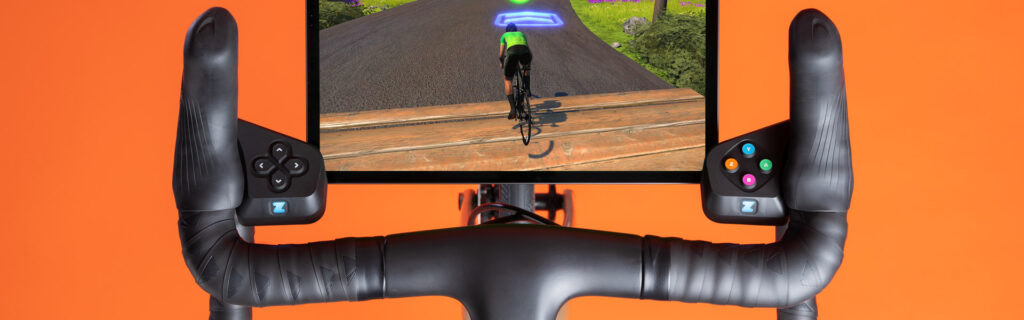
Virtual Shifting Benefits
Why do Zwifters like virtual shifting? Because it beats mechanical shifting in many ways:
- Smooth and quiet: with no chains skipping between cogs, your shifts are completely silent, perfectly smooth, and fast.
- Reduced drivetrain wear: your chain won’t wear out as quickly, and neither will your chainrings or cassette, since you’re reducing the damaging stresses of shifting.
- Shift under full load: no need to ease off the pedals when shifting under big power, as your chain isn’t going to “skip” with virtual shifting like it can with mechanical shifting.
- Shift under zero load: have you ever stopped riding, especially on a climb, then found it really hard to get going again because you’re in the wrong gear? With virtual shifting, you can shift to an easier gear without pedaling.
- Compatible across many bikes: no more spinning out on your low-geared mountain bike, or wanting to swap trainer cassettes when you swap bikes. Virtual shifting works with almost any 8-12 speed bike and auto-calibrates to your physical gearing (more on this below).
- Expanded gear range: Zwift’s virtual shifting currently supports a virtual 24-speed setup, which is more gears than most riders have on their outdoor setups. Additionally, the gear ratio range is very wide (from .75 to 5.49), meaning virtual shifting offers more high and low gears than your mechanical setup.
- In-game visualization: with Zwift’s virtual shifting, you can always see what gear you’re in on screen.
- No more fine-tuning: many riders have to adjust their physical shifting when moving between outdoor and indoor riding, since the cassette on their trainer isn’t positioned exactly like the cassette on their rear wheel. If you’re using the Zwift Cog (see below) you don’t need to do any such fine-tuning… just shift to a physical gear that has your chain lined up straight on the Cog and you’re ready to ride.
In-Game Usage and Settings
Watch a quick video showing how Zwift’s virtual shifting works in game using the Play or Click controllers:
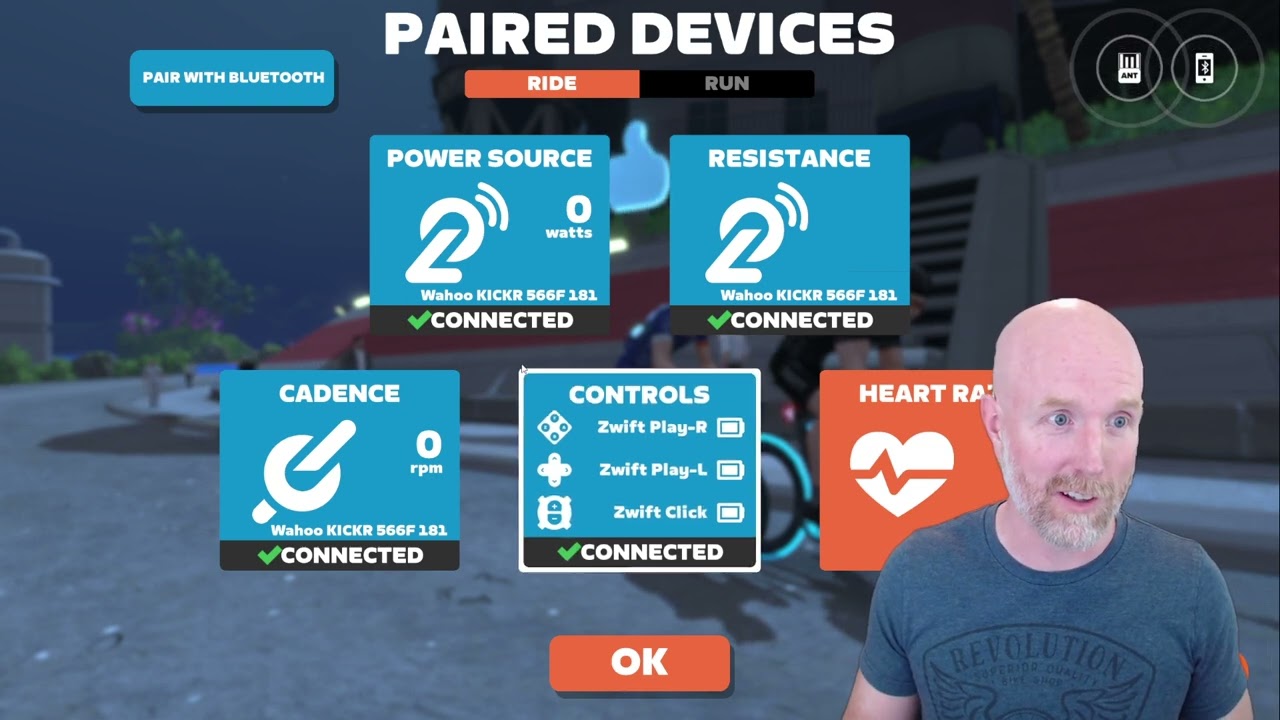
This video is a bit outdated here in 2025, but it gives you a basic idea of how virtual shifting works in game, so we’ve included it here…
Virtual Shifting Hardware: Smart Trainers
Thanks to the popularity of Zwift’s virtual shifting, basically all new trainer models since 2024 have supported it, and some companies have updated firmware for older trainers to roll out virtual shifting support.
Currently, the following smart trainer models support virtual shifting:
- Elite Avanti
- Elite Avanti with Zwift Cog and Click
- Elite Direto
- Elite Direto X
- Elite Direto XR
- Elite Direto XR with Zwift Cog and Click
- Elite Direto XR-T
- Elite Justo
- Elite Justo 2
- Elite Rivo
- Elite Rivo with Zwift Cog and Click
- Elite Suito
- Elite Suito T
- JetBlack Victory
- JetBlack Volt V2
- Stages SB200
- Tacx NEO 2
- Tacx NEO 2T
- Tacx NEO 3M
- VAN RYSEL D100
- Wahoo KICKR CORE
- Wahoo KICKR CORE 2
- Wahoo KICKR CORE Zwift One
- Wahoo KICKR Gen 6 (2022)
- Wahoo KICKR Move
- Zwift Hub Classic
- Zwift Hub One
Note: you must connect your trainer via Bluetooth, WiFi, or a direct ethernet connection in order to use Zwift’s virtual shifting. It is not supported over ANT+.
Virtual Shifting Hardware: Play vs Ride vs Click
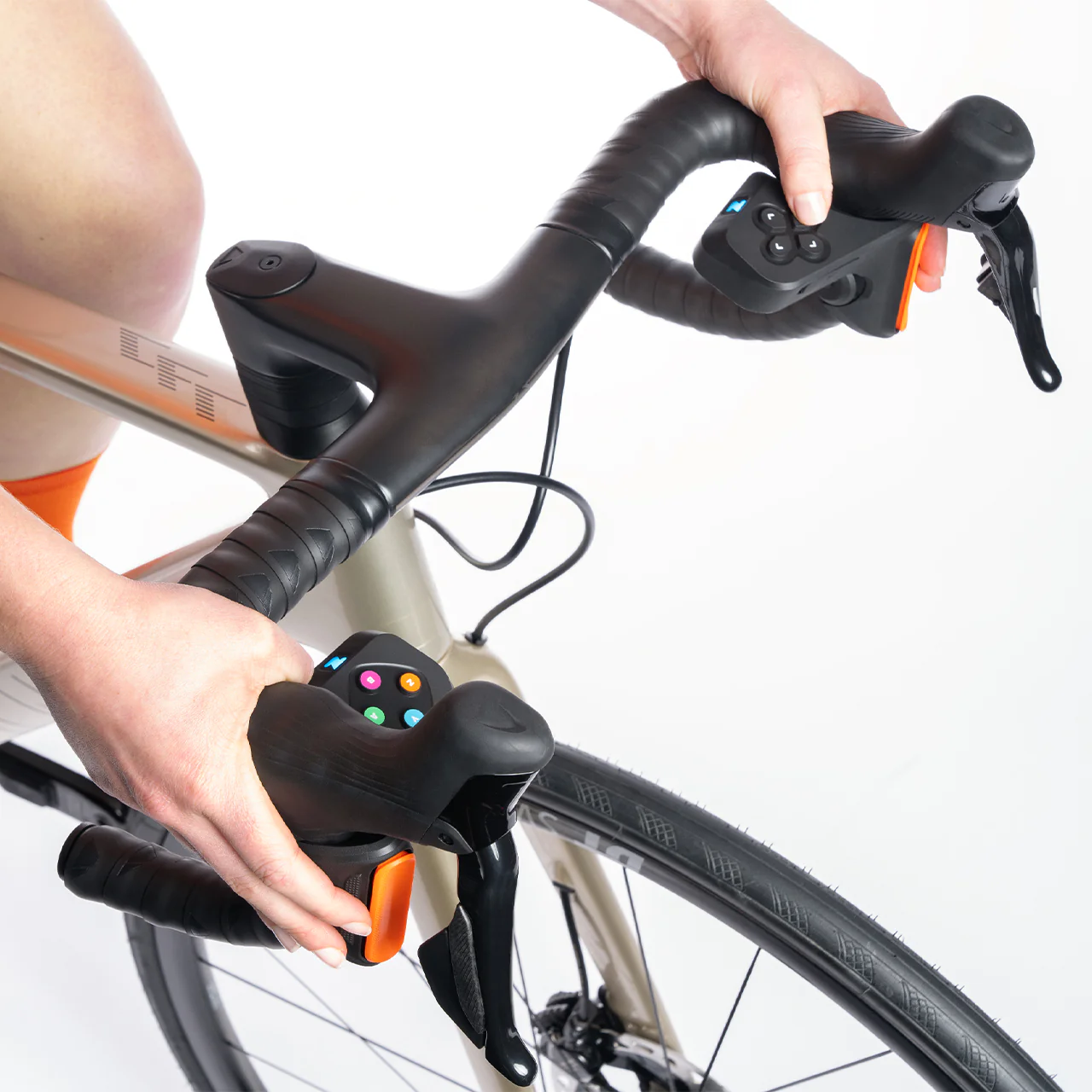
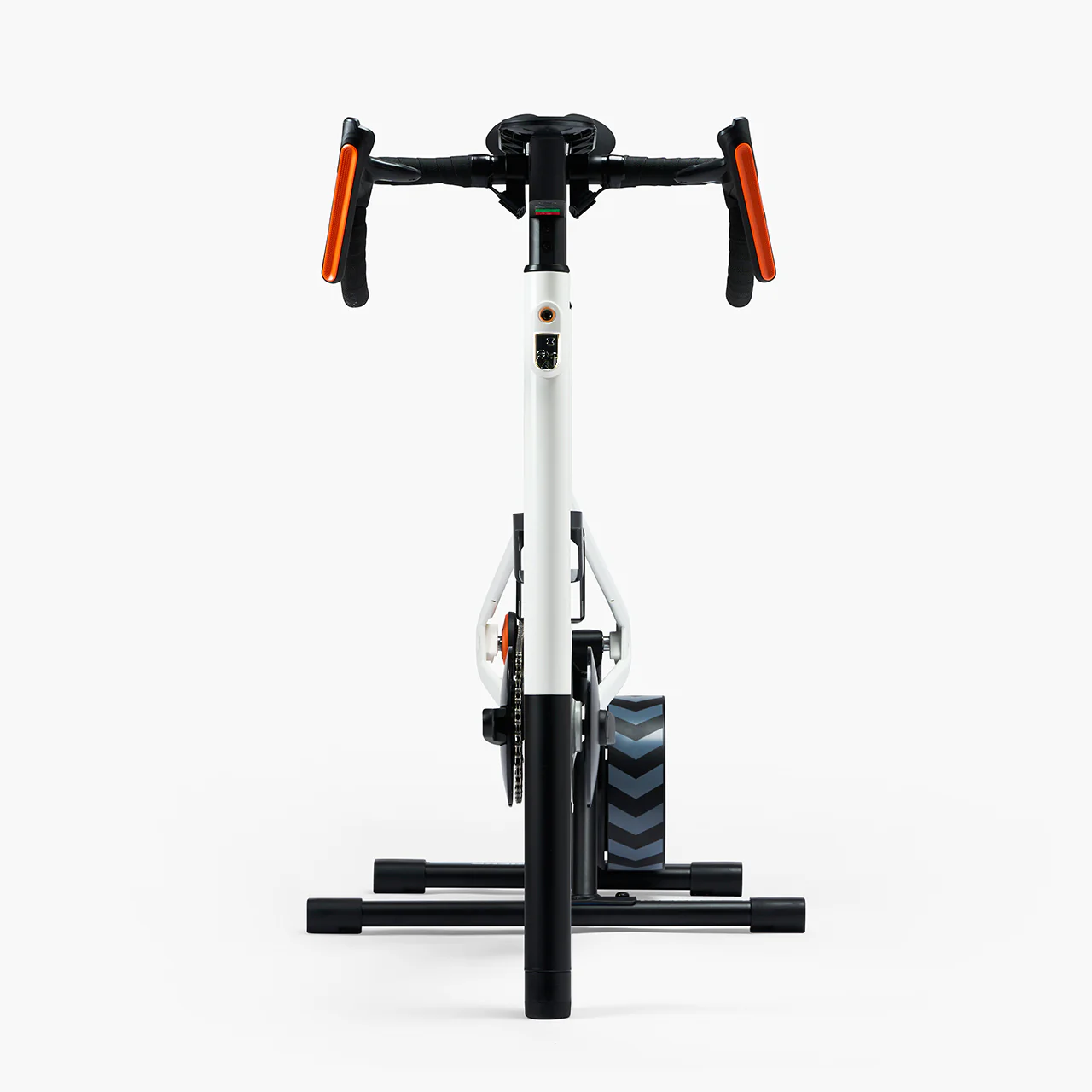
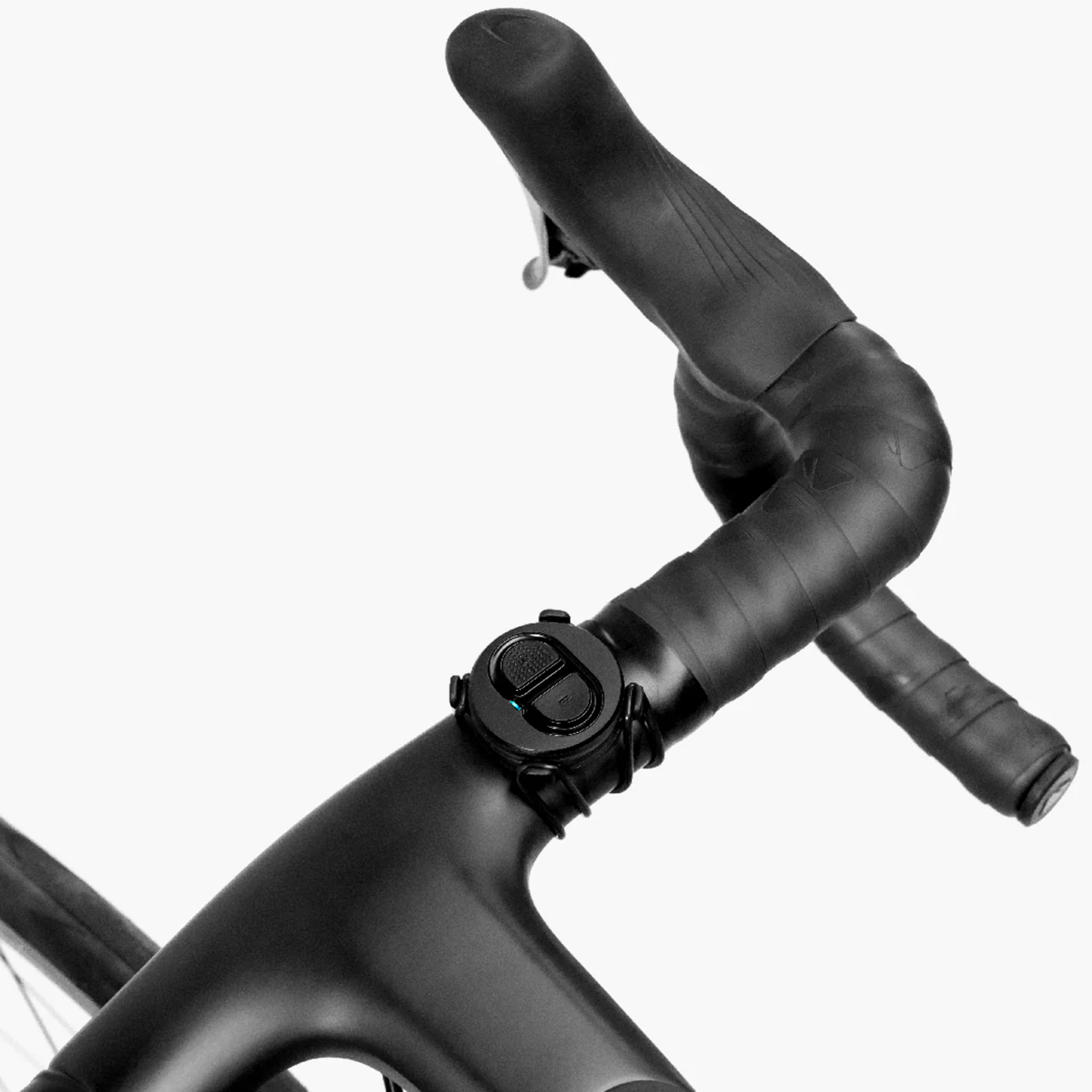
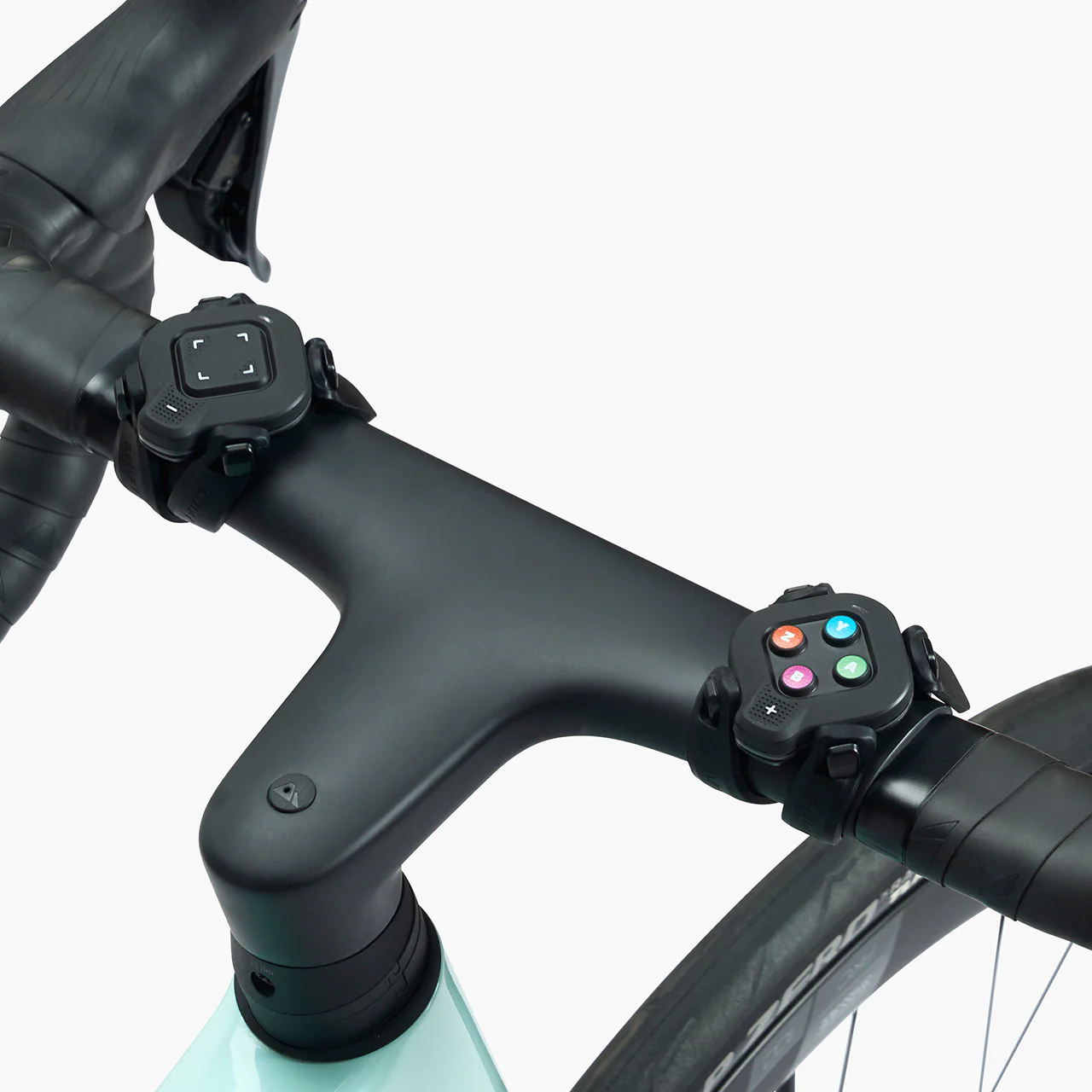
Interested in getting virtual shifting, but aren’t sure if you should buy the affordable Click v2, get a whole Zwift Ride Smart Bike, or something else? Here’s a rundown of features and specs for all the virtual shifting hardware Zwift has ever made:
| Play | Ride | Click | Click v2 | |
| Virtual Shifting | ✅ | ✅ | ✅ | ✅ |
| Steering | ✅ | ✅ | ❌ | ✅ |
| Braking | ✅ | ✅ | ❌ | ❌ |
| Powerup Trigger | ✅ | ✅ | ❌ | ✅ |
| Ride On Bomb button | ✅ | ✅ | ❌ | ✅ |
| Game Navigation buttons | ✅ | ✅ | ❌ | ✅ |
| Drop bar compatible | ✅ | ✅ | ✅ | ✅ |
| Flat bar compatible | ❌ | n/a | ✅ | ✅ |
| TT bar compatible | ❌ | n/a | ✅ | ✅ |
| Sequential Shifting | ✅ | ✅ | ✅ | ✅ |
| SRAM-Style Shifting | ✅ | ✅ | ✅ | ✅ |
| Shimano-Style Shifting | ❌ | ✅ | ❌ | ❌ |
| Cog Included | ❌ | ✅ | ✅ | ✅ |
| Power Source | USB Rechargeable | USB Rechargeable | Coin cell (CR2032) | Coin cell (CR2032) |
| Battery Life | ~20 hours | ~20 hours | >100 hours | >100 hours |
| BLE Connections* | 2 | 1 | 1 | 1 |
| Price | Discontinued | $1300 (frame + trainer) or $800 (frame only) | Discontinued | $50US |
*If you’re an Apple TV user, it’s worth noting that the Click and Ride controllers use just one Bluetooth connection, while Play requires two. Apple TV limits users to two Bluetooth connections, which means Play users on Apple TV must pair all devices through the Companion app (since you must also connect your smart trainer, which would make three connections if you add Play into the mix). The only way around this is via a smart trainer that can connect using WiFi (read more).
But if you use Click or Ride, you may still be able to pair directly through Apple TV, as long as you aren’t pairing a heart rate monitor as a separate device.
Virtual Shifting Hardware: Zwift Cog
First released in October 2023, the Zwift Cog is a single-cog replacement for a standard rear cassette. It was initially sold with the Zwift Hub One smart trainer, and the latest version is now sold with various trainers, the Zwift Ride, and as a package with the Click v2.
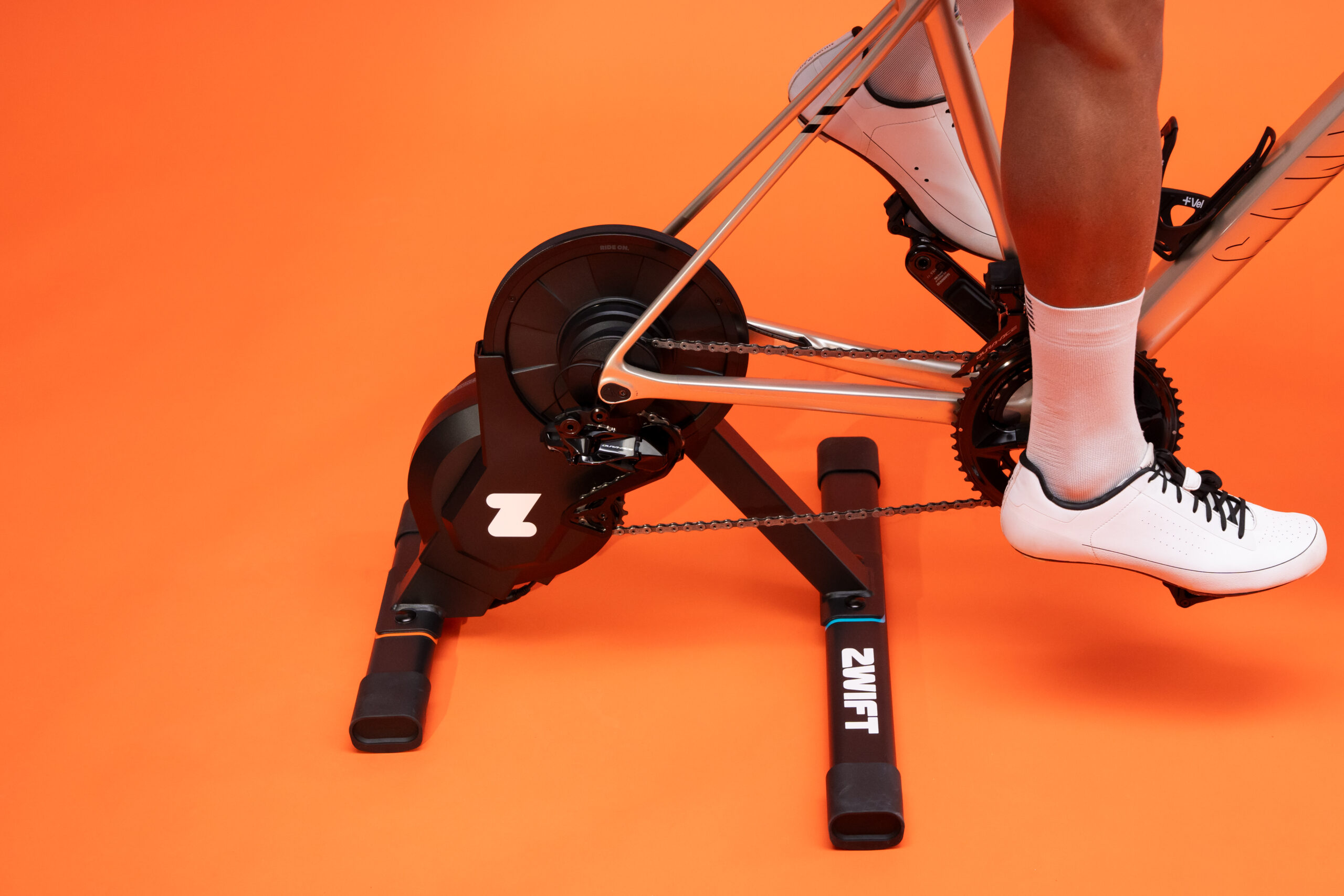
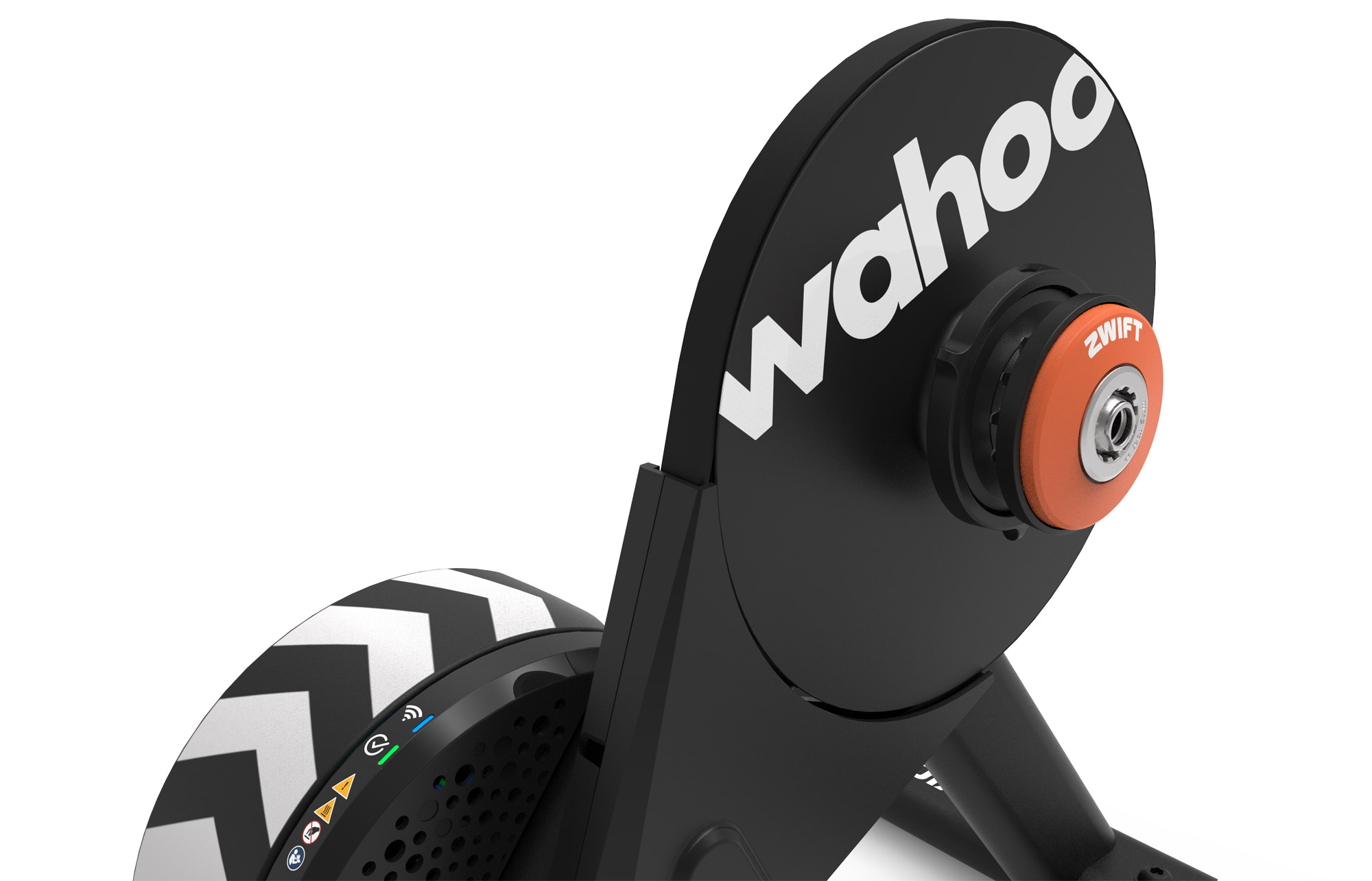
While you’ll need virtual shifting to use the Cog, you definitely do not need to have the Cog in order to use virtual shifting! Virtual shifting works just fine on a standard bike drivetrain with multiple front chainrings and a standard rear cassette.
The Cog was created by Zwift to simplify setups, as it eliminates the need to adjust your trainer’s cassette or fine-tune your bike’s shifting when placing your bike on the trainer. Just shift to a gear where your chain is lined up nicely on the Cog, and you’re ready to go!
If you have a trainer that supports virtual shifting, you can buy the Zwift Cog + Click Upgrade Kit ($49.99 US) and get the easy compatibility of the Cog with the simple shifting of the Click.
Gearing Details
By default, Zwift gives you 24 virtual gears ranging from a gear ratio of 0.75 to 5.49:
| Gear | Ratio |
| 1 | 0.75 |
| 2 | 0.87 |
| 3 | 0.99 |
| 4 | 1.11 |
| 5 | 1.23 |
| 6 | 1.38 |
| 7 | 1.53 |
| 8 | 1.68 |
| 9 | 1.86 |
| 10 | 2.04 |
| 11 | 2.22 |
| 12 | 2.40 |
| Gear | Ratio |
| 13 | 2.61 |
| 14 | 2.82 |
| 15 | 3.03 |
| 16 | 3.24 |
| 17 | 3.49 |
| 18 | 3.74 |
| 19 | 3.99 |
| 20 | 4.24 |
| 21 | 4.54 |
| 22 | 4.84 |
| 23 | 5.14 |
| 24 | 5.49 |
This is more than enough gears for any rider. By comparison, typical mid-compact road bike gearing with an 11-28 cassette offers a much narrower range of gear ratios (1.29 to 4.73), and some of those gears will overlap. In fact, using bike gear calculators, we can see that you’d have to run 30t and 60t chainrings paired with an 11-40 cassette to match the gear ratio range of Zwift’s virtual shifting!
Because Zwift’s virtual gears don’t overlap, the gear ratios can be spaced so the resistance change between each gear is never very large. For us, it feels just right.
Customizing Your Shifting
If you’d like your shifting to better mimic mechanical shifting on your IRL bike, there are shift style options available:
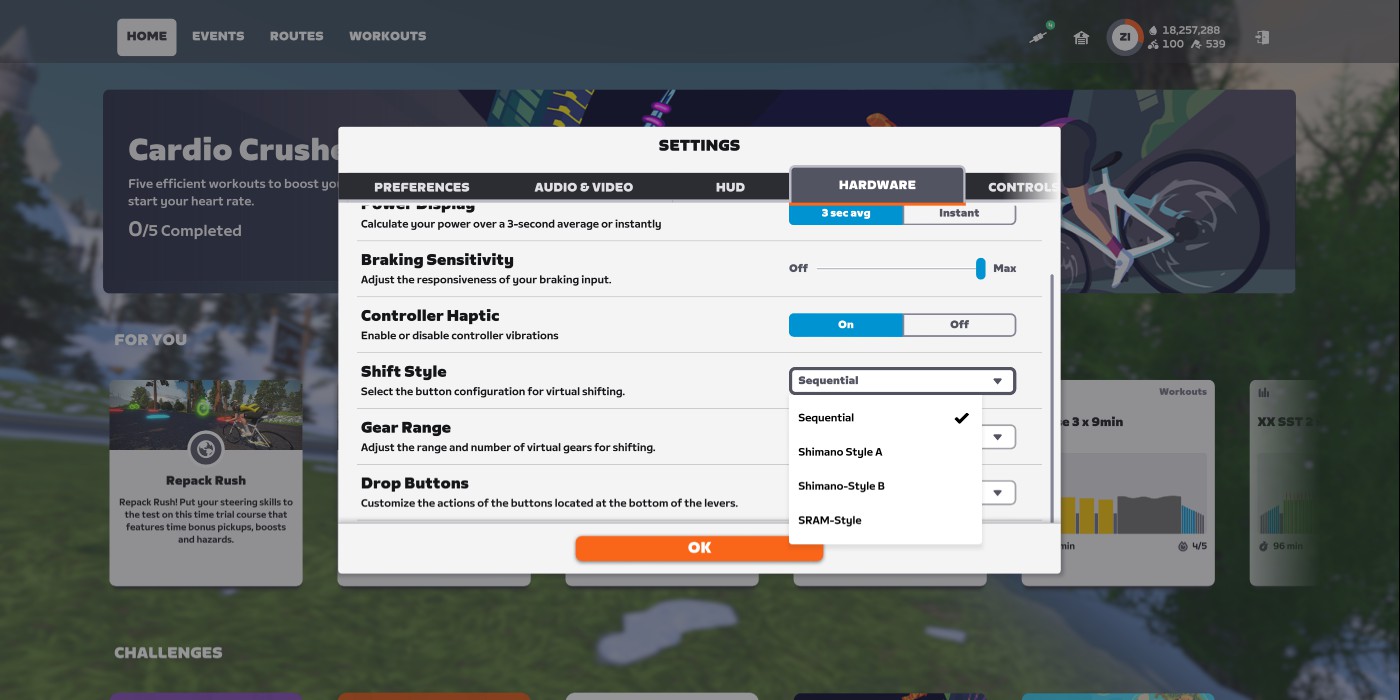
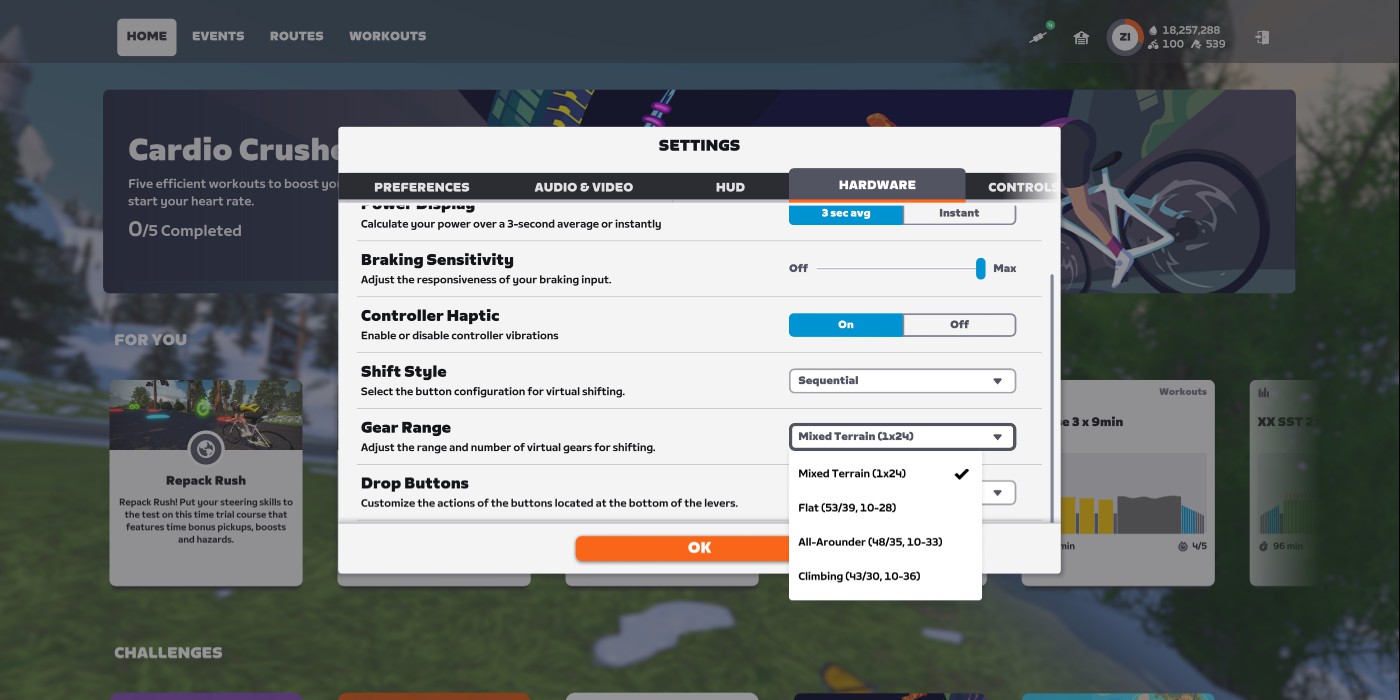
Under Settings>Hardware, there are two settings to modify your virtual shifting experience:
- Shift Style: choose how your shifting buttons behave. Options are Sequential, Shimano Style A, Shimano Style B, and SRAM Style. (Shimano styles are only available for Zwift Ride users, since you need two shift buttons on each controller.)
- Gear Range: change the gearing range of your virtual shifting. Options are Mixed Terrain (1×24), Flat (53/39, 10-28), All-Arounder (43-35, 10-33), and Climbing (43/30, 10-36).
You can also completely disable virtual shifting from this same settings screen.
Virtual Gearing Meets Physical Bikes
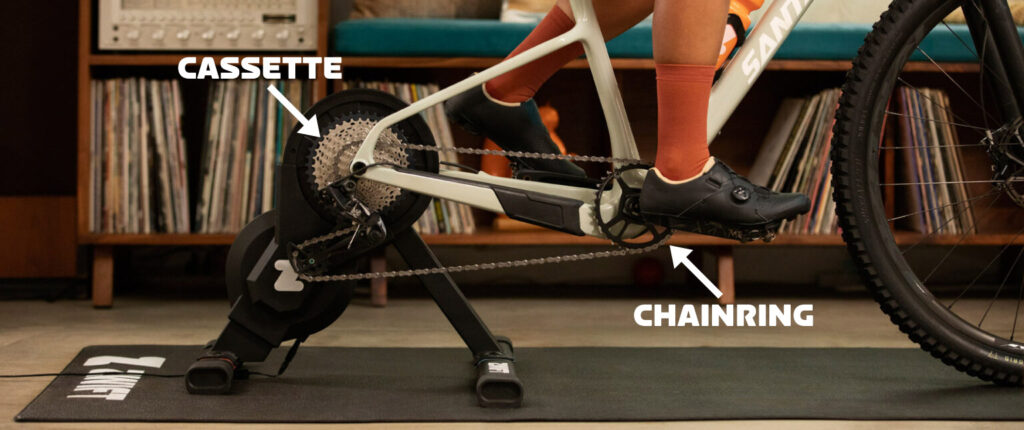
One of the beautiful things about virtual shifting is that it works with whatever physical gearing your bike has. Are you on a road bike with a wide range of gears? A mountain bike with a lower gear range? A city bike with a limited gear range? No matter. If you have virtual shifting enabled, Zwift automatically detects your physical gearing in the first few seconds of pedaling after you enter the game. It then sets up your virtual gearing to match the table above, using whatever physical gear you are currently in.
Because of this, you’ll want to be in the right physical gear before you start riding in game. Which gear should you be in? Zwift recommends the small ring in front, and a lower gear on your cassette (perhaps 3rd or 4th) which gives you a decently straight chain line.
(Of course, if you have the single-cog Zwift Cog, you don’t need to worry about which gear you’re in on the back.)
Personally, we prefer the inertial feel of the big ring in front, and 4th gear or thereabouts on the cassette. This feels more like riding on flat ground – where you don’t have to push across the top and bottom of the pedal stroke – vs climbing in the small ring. And it puts less of a strain on your trainer.
Try different physical gears and see which feels best to you. If you want to force Zwift to re-detect your physical gearing and thus recompute the feel of virtual shifting, you’ll need to do one of the following:
- Disconnect and reconnect your trainer
- Power cycle your trainer
- Restart the Zwift game
Questions or Comments?
Are you using Zwift’s virtual shifting? What do you think of it? Got questions? Share below!


I’ve just installed the Click v2 on my Tacx Neo 2T. Important to remember that only works on Bluetooth (Not on Ant+)
Ah, good call! Just added a note about Bluetooth (or Wifi or ethernet) above.
I used an ethernet connection on my Justo and it does not work with virtual shifting. Seems to ONLY work with Bluetooth.
Same for my Justo 2. Was a bit disappointing perhaps it is Elite’s implementation and it does work on wifi for other trainers.
For future reference. If you have this as well Justo 2 works with wifi. But I had the doesn’t work with virtual shifting message because I connected it before without. You have to reset your game preferences:
https://support.zwift.com/en_us/resetting-your-game-preferences-Syem2NvlP
I have Justo 2 and prblems with Bluetooth dropouts. I can’t get virtual shiftng with wifi
Hello, I want to know if they have a bike without shifters, I have the wahoo with that, and I only want to change the basic bike. The Zwift bike.
I’m not sure what you’re asking…?
Regarding the comparison table, as far as I know, there is no braking on click v2, and SRAM shifting is possible, no ?
Correct, no braking on Click v2 (I just split those up above for clarity).
SRAM shifting is possible in theory on Click v2, yes. Fixed that as well!
You wrote an article in February that said SRAM style is supported with the Click v1, which seems to be contradicted by the information in this piece
Ah, good catch. Confirmed and fixed above.
I’ve been using since getting Zwift Plays way back when, it’s a great quality of life upgrade. I have just moved to the Click v2 as a result of my 3 sets of Plays all failing after 6-9 months with a constant vibrate and hard steer one direction fault. To be fair they were all previously replaced free of charge but obviously not an option now. Looking forward to having it back again with the Click, I’ve actually really missed it.
I heard from one person recently who was offered replacement Play controllers within the last few days, after the Click v2 was released. Perhaps they still have some stock on hand for warranty purposes.
Thanks for the info. Experience tells me the Plays will be fine for a few months then fail again in the same way x 4. Decided to get on board with the new tech while there’s stock and don’t feel too hard done by, given my 3 sets have lasted a couple of years and were warranty replaced each time.
They were selling Play sets for the cost of shipping. I wouldn’t think they have many sets left, unless no one was buying them. (I got a pair, for backups)
There’s also the QZ Fitness app, which allows you to bridge your “unsupported” trainer and play controllers together! Helpful if you have, say, a Wahoo Kickr V5.
Does QZ Fitness work with the new click V2?
I see no reason why it wouldn’t, but I’d contact the app developer to confirm if you want to be safe.
Also can just use QZ with big buttons on phone screen – no additional hardware to try virtual shifting. It also does automatic virtual shifting (in Beta) using sprint/climb/cruise profiles with configurable cadence triggers. Clip on youtube is pretty cool.
Interesting – not heard of that and will look into it. Does it work seamlessly or is it a bit glitchy?
I think it’s about time I finally upgrade to virtual shifting. Click v2 doesn’t have braking, right? May want to separate “Steering & Braking” into two separate categories in the chart.
Just did that… thanks for the suggestion! Yeah, no braking on Click v2.
When using the big plate in the front, I cant go under 150 watts with a 80’ish RPM, even when using gear #1 which is the easiest. Do you guys see this as well?
What gear range are you using when going sequential type, do we must use the 1×24 or the others as well? Does it move by gear ratio or one by one, small plate then big plate like in real life? Thanks!
The recommended gear ratio is determined by the type of trainer you have. That’s why there are different sized Cog products for Elite trainers vs other brands. Wahoo also publishes a table of recommended gear ratios for virtual shifting.
Thank you. I was’nt aware of that. Im using an Elite trainer with the Zwift cog. I couldn’t find the combination that will allow me to warm up at 100 watts and 90 rpm while using the front big ring.
If you’re already using the 18 tooth Elite Cog then maybe that chainring is just too large. You need an easier gear one way or another because the Elite trainers have more resistance than others at low power levels. That isn’t a problem with most other brands of trainer.
I have the neo 2t + zwift play all connected with the comp. App . All works fine in the free ride mode but when i start a workout in ERG Mode the Wattage is no more changing wether up or down . Maybe someone has the same problem ?!
Yes I have exactly the same problem. Are you using ant+? I was and switched to BT which solves the problem. Unfortunately BT is not as stable as ANT+ and the cadence can skip around sometimes !
Yeah thx mate , had all connected now with BT all works fine 👌🤟 thought it would be worse over BT but is all fine
I can’t say that I’m surprised that they discontinued the play. It was simply such a poorly designed product
– IP33 is mildly splash proof. Not fit for purpose in a sweat factory. The amount of threads that were complaining about the steering on the left (in particular) controller failing was staggering. The high in warranty return/repair/replacement rate will have massively increased cost.
– convoluted design: 2 PCBAs per controller which increases cost. The wiring and connectors to interface the board makes for a more manual assembly which again increases cost.
– analogue controller for the steering: just why? It’s expensive, the flappy pedals are difficult to sweat proof (as in, they aren’t sweat proof) and they fail easily
– lithium ion batteries increase cost
– charging electronics increases cost. USB-C connector increases cost. The special charging cable increases cost.
They were charging £100 because they had to. It is an expensive product. The new click makes much more sense. Cheap and robust design. Icing on the cake would be if they offer it standalone for say £30. Let’s see what happens.
Is there any virtual shifting solution for Wahoo Kickr v5?
Yes, see my comment above!
Still no word from Saris on compatibility?
Correct. 😡
Thanks Eric. It is disappointing though.
Is there any known issue with macOS and the new Zwift Cog & Click upgrade?
I have the cog installed on my Elite Suito T. Both the trainer and the click controls are paired with Bluetooth but the “Hardware” settings are not displaying anything related to virtual shifting.
Firmware of the trainer is up-to-date, as I do have virtual shifting enabled when I use Zwift on my iPhone.
I’m having the same problem on an iPad, the Plays I previously had worked the click v2s aren’t.
Odd. Have you checked the Clicks in Companion to make sure firmware is up to date?
Otherwise, I’d reach out to Zwift support.
I reached out to support and they acknowledge it is an issue, what worked was resetting the devices and preferences as per https://support.zwift.com/en_us/resetting-your-game-preferences-Syem2NvlP.
Shifting while sprinting or climbing and just having jt work is just so nice
The ability to climb with a virtual cog set and then change to “all around” is really great.
I will note you can swap virtual cogs while loving unlike frames and wheels.
Just got a Kickr Bike Shift and I’m kind of dissapointed with virtual shifting. Anyone else think the road feel with virtual shifting is kind of bad? Even though the resistance changes with the gradient, it just goes back to feeling just the same when you “shift”. Flats and descents just get the exact pedal feeling as uphill. Flywheelspeed and inertia is just the same all the time.
Zwift hasn’t brought virtual shifting “to the indoor cycling scene”. It has brought it to Zwift, exclusively. Abusing their dominant position, rather than creating a standard that everyone can use. The same sort of standards that allowed Zwift to get off the ground in the first place. They are now pulling the ladder up behind them and trying to make sure others can’t benefit in the same way.
And it’s only going to get worse. Bad for competition, bad for consumers.
Yes! Someone needed to balance out Eric’s aggressively pro-zwift stance with some reality.
Well, I DID say it was an arguable point. 😜
Clicks and virtual shifting work in Rouvy. Rouvy figured it out. Just a matter of time before other apps figure them out as well.
BikeTerra in their last update now offers virtual shifting through Zwift Clicks
Earth is not de facto open-source.
It would be great if Zwift sold the cog without having to buy a Click with it.
Got the Click v2 and in Zwift running on the iPad there’s no option in settings to enable virtual shifting :(. Ain’t under preferences or hardware or any of the menus. There is a new submenu with the clicks listed but it’s just for configuring them.
I’ve used virtual shifting previously with the Plays but they never fit my handlebars right.
In case anyone else has this, zwift support told me to delete prefs.xml from Documents/Zwift folder. Can’t do that on iPad but deleting the app and reinstalling worked.
I have an Elite Suito T. Are there two different types of Click v2 and which one would suit my trainer. I live in New Zealand and there seems to be only the standard Click v2 available. Will this work on my trainer
Cog-n-Click
The V1 cog didn’t have adjustment. V2 has a built in adjuster so you don’t need to adjust the derailleur back and forth between the wheel and the trainer.
The Click part of the name refers to the controllers that come in the kit.
If your trainer supports virtual shifting (most Elite do plus yours is on the list in the article) it can be shifted with Play or Click controllers or even the QZ app.
“The “QZ app” refers to the qDomyos-Zwift or QZ Fitness app, a third-party application for iOS and Android that connects compatible indoor exercise equipment like treadmills and bikes to virtual training platforms such as Zwift and Peloton”. Can be found on your devices app store.
If you don’t have the Cog-n’-Click you can just use an appropriate sized cog (18 tooth for Elite trainers, 14 for other brands). The Zwift Cog has nothing to do with the virtual shifting. It simply replaces the cassette with a single cog that has some adjustment and avoids wearing out one cog on a full cassette. The other advantage is if two people share the trainer and the bikes have a different number of gears there is no need to constantly swap cassettes.
Just tried virtual shifting with my Neo 3M and the Zwift app says that the Smart trainer is not compatible with virtual shifting. Do you know why ?
Maybe you haven’t updated the trainer’s
firmware, or you are connecting via ANT instead of Bluetooth?
This is definitely the case. My Neo 2T (purchased this month) didn’t come with the latest firmware and gave me the same complaint until I upgraded.
I was not able to find the menu for Virtual Shifting under the Preferences or Hardware tabs under Settings when I recently installed Zwift Click v2 and Cog on my Wahoo Move trainer. What I have determined after experimenting is that…
1) It appears that the Off/On “Virtual Shifting” menu is not necessary with the Zwift Cog since it is always Virtual Shifting and therefore that menu is not under Preferences or Hardware.
2) When pairing the Wahoo Trainer you MUST pair under Power not just Resistance. In other words, you cannot pair a different power source (pedals or cranks) in the Power section of the Pairing menu. I originally paired the trainer under Resistance and paired my Stages crank power under the Power pairing section – Virtual shifting will not work. Before virtual shifting I would use my trainer for resistance and my Stages power cranks in the power section to keep my indoor and outdoor rides consistent with the same power source. I do not believe that can be done using virtual shifting in Zwift. Not a tremendous difference between the two sources but there is a difference.
All is good now that I have a clearer understanding of how all works. Hope this may help someone in the future. Stay safe.
If you’re on a workout. How do you change virtual gear? If I hit + or – the intensity changes and not the gear. Am I missing something simple?
You can’t change your virtual gear during a workout, unless it’s a free ride section or you turn off ERG mode.
I have been switching bikes onto my one hub to replace bottom brackets. I felt a big difference between using the 36 front chainring verse the 46 chainring. The 46 seemed like it had more momentum. I will keep experimenting, but am I dreaming?
Hi everyone,
I’m experiencing persistent Bluetooth dropouts between my Elite Justo 2 trainer (latest firmware) and Zwift when used with the Zwift Ride Smart Frame in virtual shifting mode. Tested both direct Bluetooth and Companion in bridging. Initial pairing works perfectly but during rides, Zwift intermittently loses connection to Justo 2 and Zwift Ride Handlebars and HRM stay connected. Dropouts are less frequent with Companion bridging, but still occur.
I’ve tried to install/reinstall Bluetooth drivers, I removed all paired devices from Windows and clean reinstall of Zwift (including files in Documents, Program Files, AppData)
Also I tried to disabled the internal Bluetooth adapter and tested with an external USB Bluetooth dongle with a USB extension cable to position the dongle closer to the trainer and away from potential interference sources.
No solution for dropouts 😭
I guess I didn’t know this was a tech support forum …
You’re thinking really smart, how did I not think of that?
p.s. I don’t know why you are commenting, if you have nothing smart to say
Okay, so I set up Zwift controller for 50/36 10-28 and while riding I see 1-6, 1-5, etc. and I’m guessing that is small ring gear n, but how do I get the controller to shift to emulate the big ring (2) 50t. Or can I?
I believe you have selected SRAM-style shifting and then to move the virtual chain to the virtual big ring, you need to hit *BOTH* shift buttons at the same time.
See https://zwiftinsider.com/sram-style-update/ for the full story but the paragraph you want is: SRAM Style: shifting up or down will move the chain on your virtual rear cassette from the 1st gear up to the 12 gear (since it’s a virtual 12-speed cassette). “Double tapping” – hitting both shift buttons at the same time – shifts your virtual chainring between the large and small rings.
I have used virtual shifting for a year and my opinion is that you’d likely be most happy choosing “sequential” in the “Shift Style” dropdown, but it is of course personal preference.
Hi, Installed Click V2 but dont have virtual shifting in free ride or group rides, and the clicker does not come up in the hardware menu. Using a HP Elitebook. However I do have increase and decrease of power via the shifting buttons during workout sessions. Using my iPhone or tablet I have virtual shifting on free rides and races. I tested on another laptop, and with that i have virtual shifting. but its not mine so cant use that.
This is really fustrating. why is one function not working when the others are. just not gear shifting in free rides and races?
Sounds like you don’t have your trainer paired via Bluetooth in the “Resistance” box. Gotta do that in order for virtual shifting to work. Along with pairing the virtual shifters, of course. Which are bluetooth only….
I’ve just got the k core v2 and click v2. I’ve not got the gear ratios/shifting options That you show above. Is that limited to ride and play ?
I can’t use Virtual Shifting on iPad (Zwift iOS 1.103.0) with Tacx Neo 2T + Zwift Cog + Click. Zwift reports “Trainer does not support Virtual Shifting” and the Click only changes workout intensity. Any solution?
Thanks – I was looking for the gear ratios, and they are linear, no over lap. Well-done.
For some reason I find a pretty big jump between gears, especially while climbing. It can be a 50w difference from one gear to the next. The virtual shifting range is massive, but the jump between gears is also larger than my outdoor bike.
Am I right that virtual shifting requires a Zwift Click/Play controller and can’t be controlled via the Companion app, keyboard, or mouse?
Correct.