

Today Zwift unveiled the new version of their popular Zwift Hub trainer, dubbed the Zwift Hub One. Shipping with the new Zwift Cog and Zwift Click, the Hub One offers virtual shifting and expanded bike compatibility, making it easier for more riders to have more fun on Zwift.
I’ve been using the Hub One for several weeks, so today let’s dive into the Hub One, Zwift Cog, Zwift Click, virtual shifting, and all the other details of today’s release!
Hub One vs Hub Classic
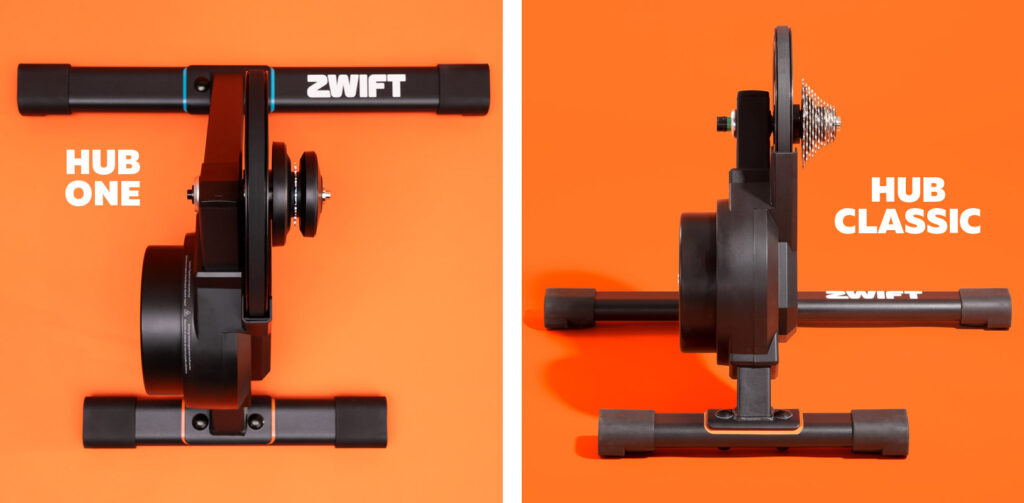
Zwift is now offering two versions of the Zwift Hub trainer. Both have the same smart trainer specs the Zwift Hub has always had: +-2.5% accuracy, 1800W max power, 16% max incline, 4.7kg flywheel, etc. The difference is the rear cassette and virtual vs mechanical shifting:
- Zwift Hub Classic: the same Zwift Hub we all know and love, including a preinstalled standard cassette (your choice of 8-12 speed).
- Zwift Hub One: the same smart trainer as the Zwift Hub Classic, but with a Zwift Cog installed instead of a standard cassette. It also includes the wireless Zwift Click device for easy handlebar-mounted virtual shifting.
Both trainers include 1 year of Zwift and sell for $599/€599/£549 at zwift.com.
Virtual Shifting Basics and Benefits
Hub One is built for virtual shifting. What is that exactly, and is it even something you want?
Virtual shifting means your chain isn’t moving between different physical cassette cogs when you shift. Instead, a virtual shift changes the resistance of your smart trainer so it feels like you’ve changed cogs. This is how smart bikes like the Wahoo KICKR Bike, Wattbike, StagesBike, and Tacx NEO Bike have always worked.
There are many benefits to virtual shifting, including:
- Fast, smooth, quiet: with no chains skipping between cogs, your shifts are completely silent, perfectly smooth, and lightning-fast.
- Less wear and tear: your chain won’t wear out as quickly, and neither will the Zwift Cog, since it is built beefy because weight is not a concern.
- Shift under full load: no need to ease off the pedal when shifting under power, as your chain isn’t going to “skip” when virtual shifting like it can with mechanical shifting.
- Compatible across many bikes: no more spinning out on your low-geared mountain bike, or needing to swap cassettes if you swap bikes. The Hub One works with virtually any 8-12 speed bike and auto-calibrates to your physical gearing.
- No more fine-tuning: many riders find they have to fine-tune their physical shifting when they move between outdoor riding and a direct-drive trainer, since the cassettes aren’t lined up exactly the same. The Zwift Cog doesn’t require any such fine-tuning… just shift to a physical gear that has your chain lined up straight on the Cog and you’re ready to ride.
- Expanded shifting: at launch the Hub One supports a virtual 24-speed setup, which is more gears than most riders have on their outdoor setups. Additionally, the gear ratio range is very wide (from .75 to 5.49), meaning everyone should find that virtual shifting offers more easy gears and more hard gears than your mechanical gearing.
- In-game gear visualization: with Zwift’s virtual shifting, you can always see what gear you’re in on screen.
Click or Play? You choose.
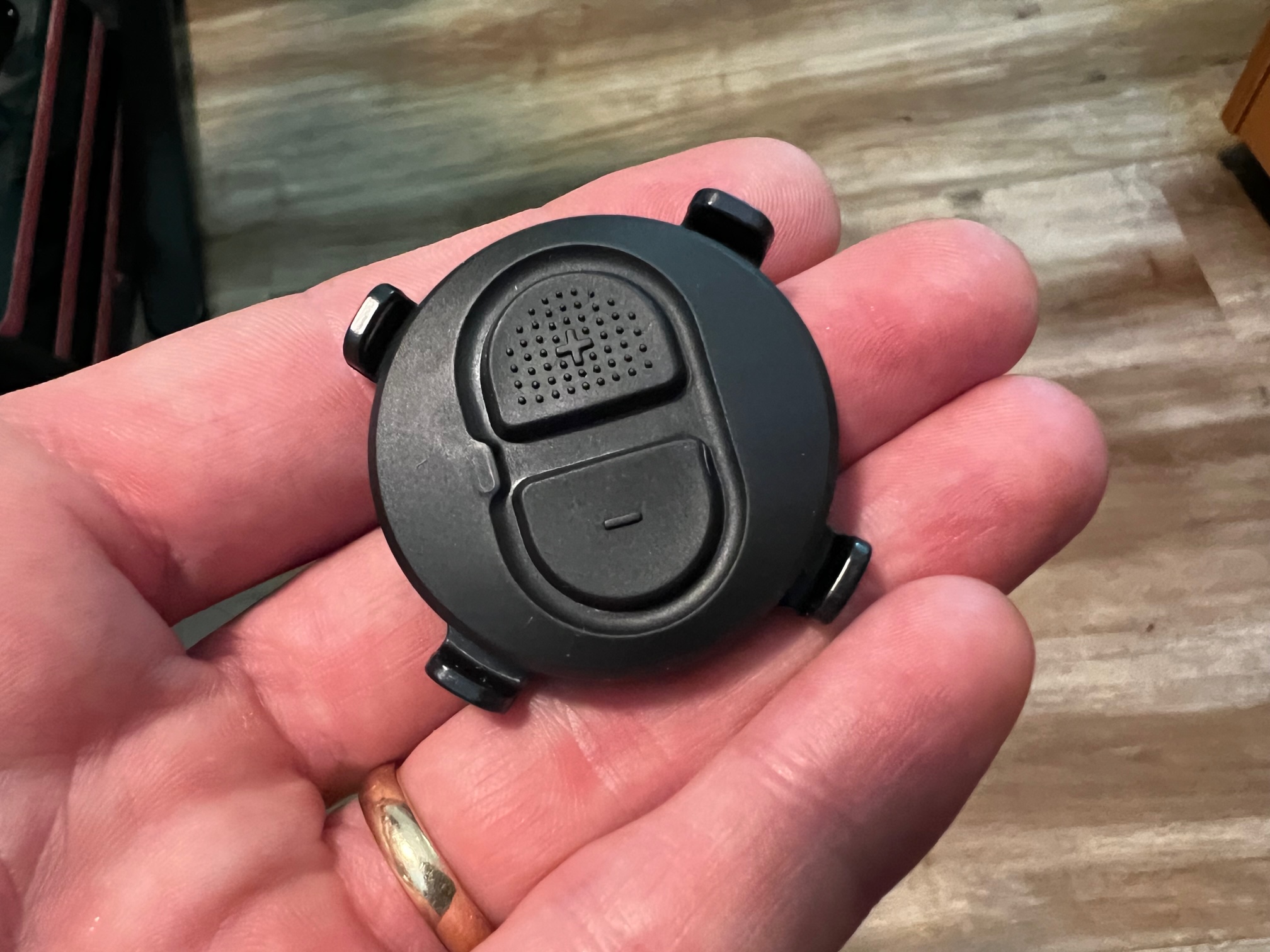
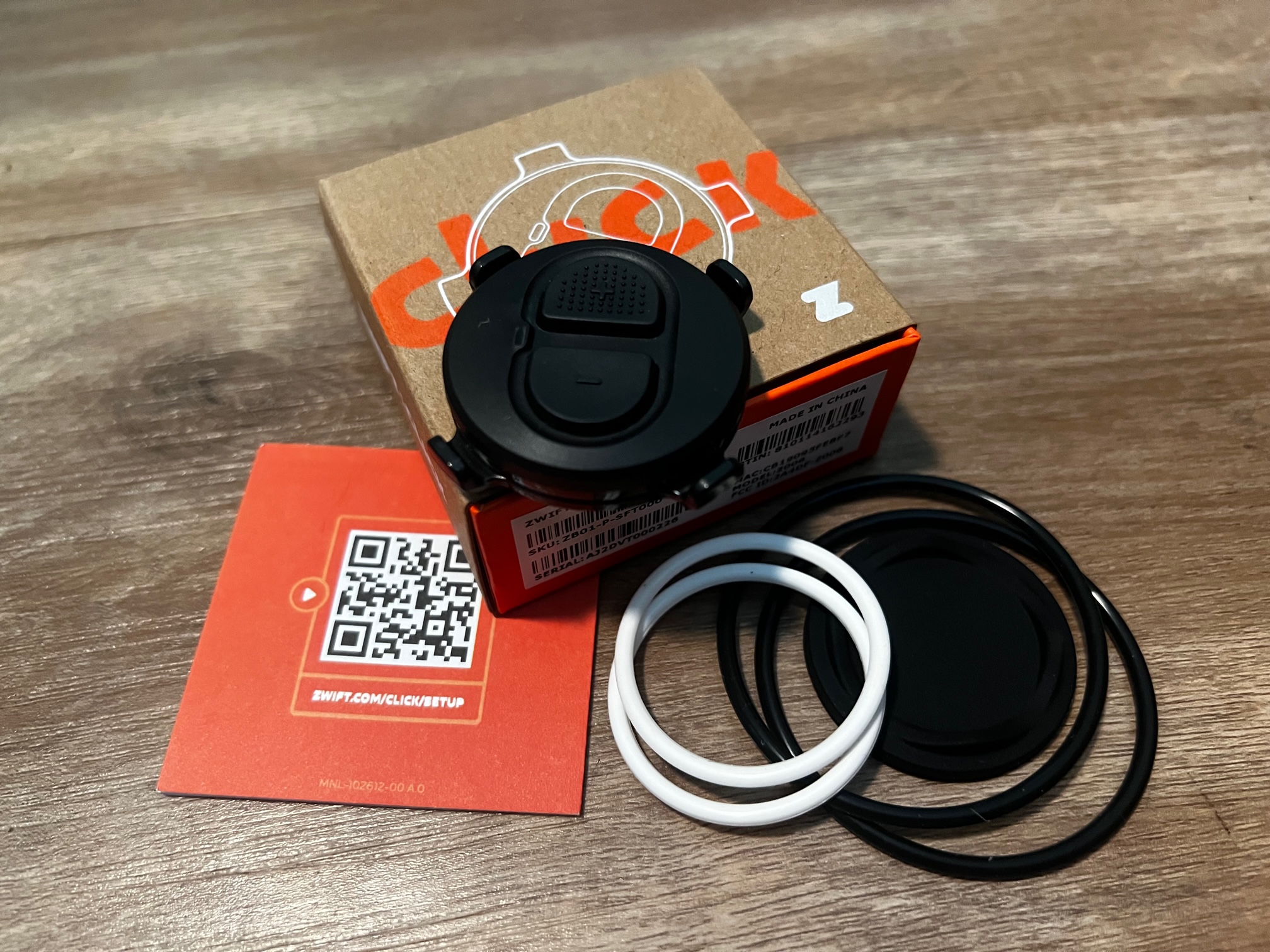
Virtual shifting with any Zwift Hub is controlled by the new Zwift Click or the Zwift Play controllers. You can even pair and use them both simultaneously. Here’s a look at the Zwift Click, which uses a simple 2032 battery for power and two rubber o-rings to mount onto any handlebar:
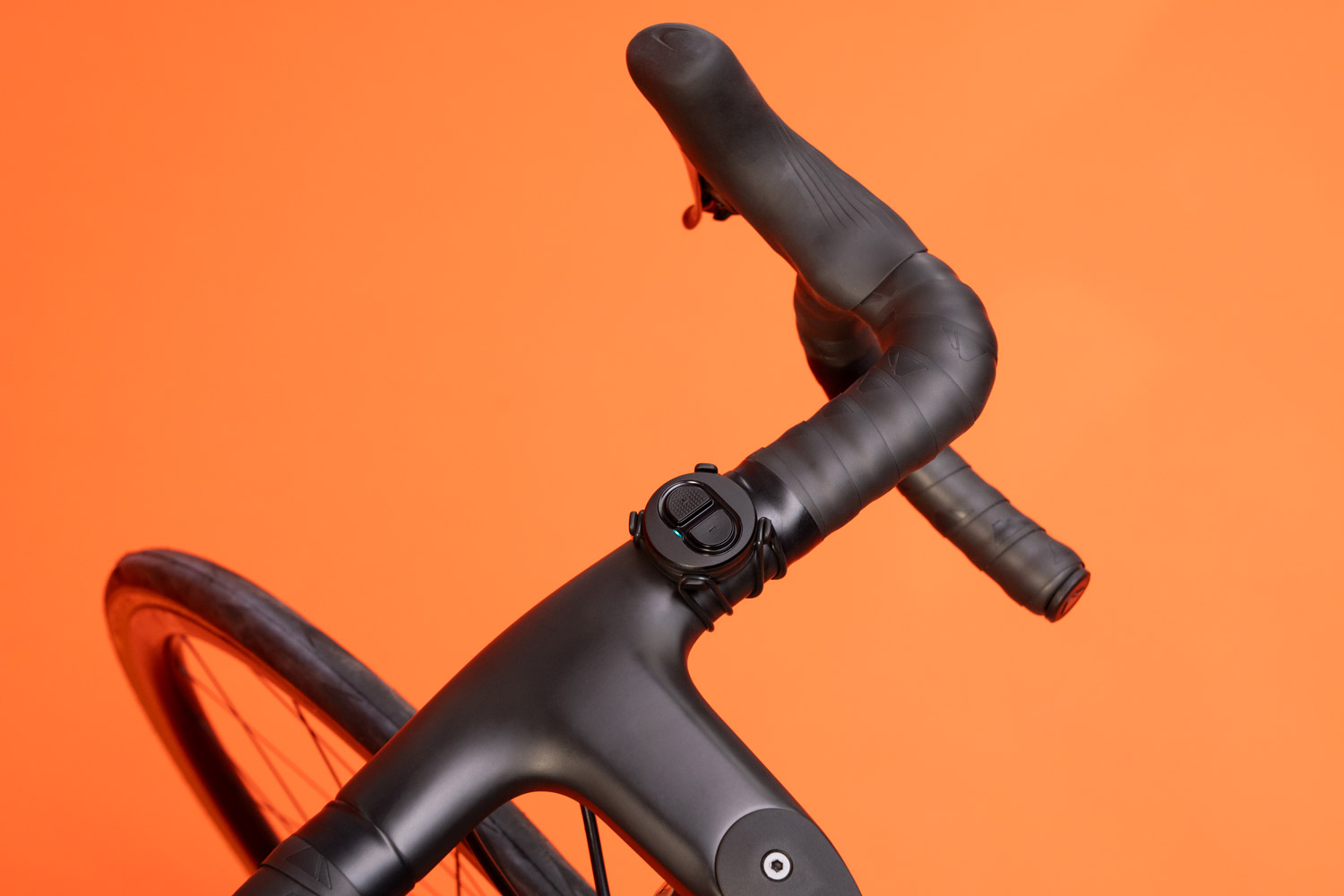
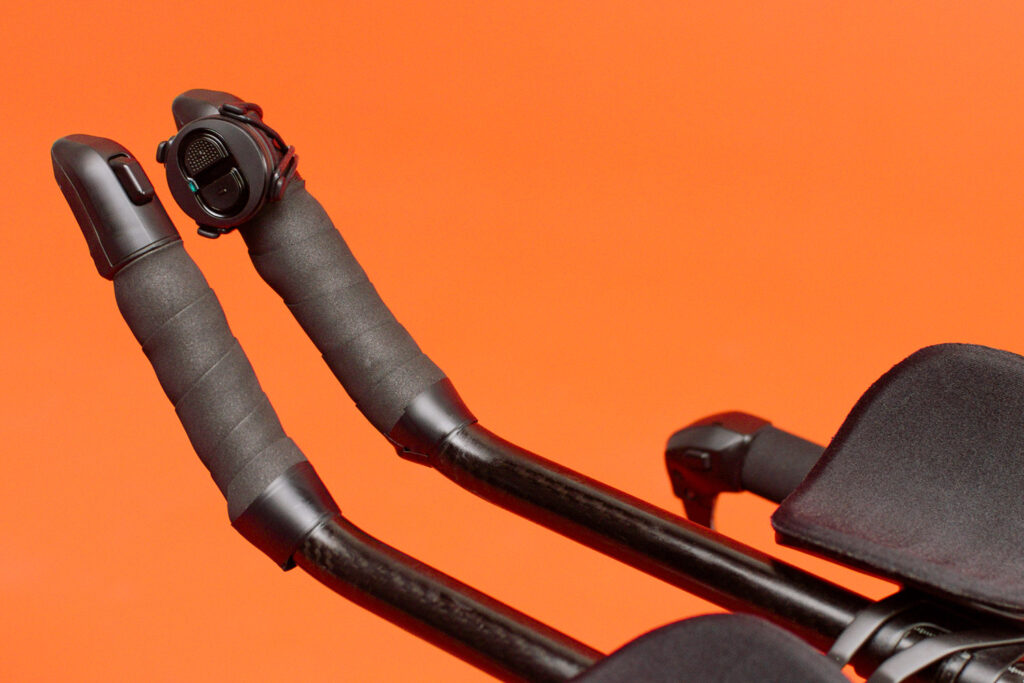
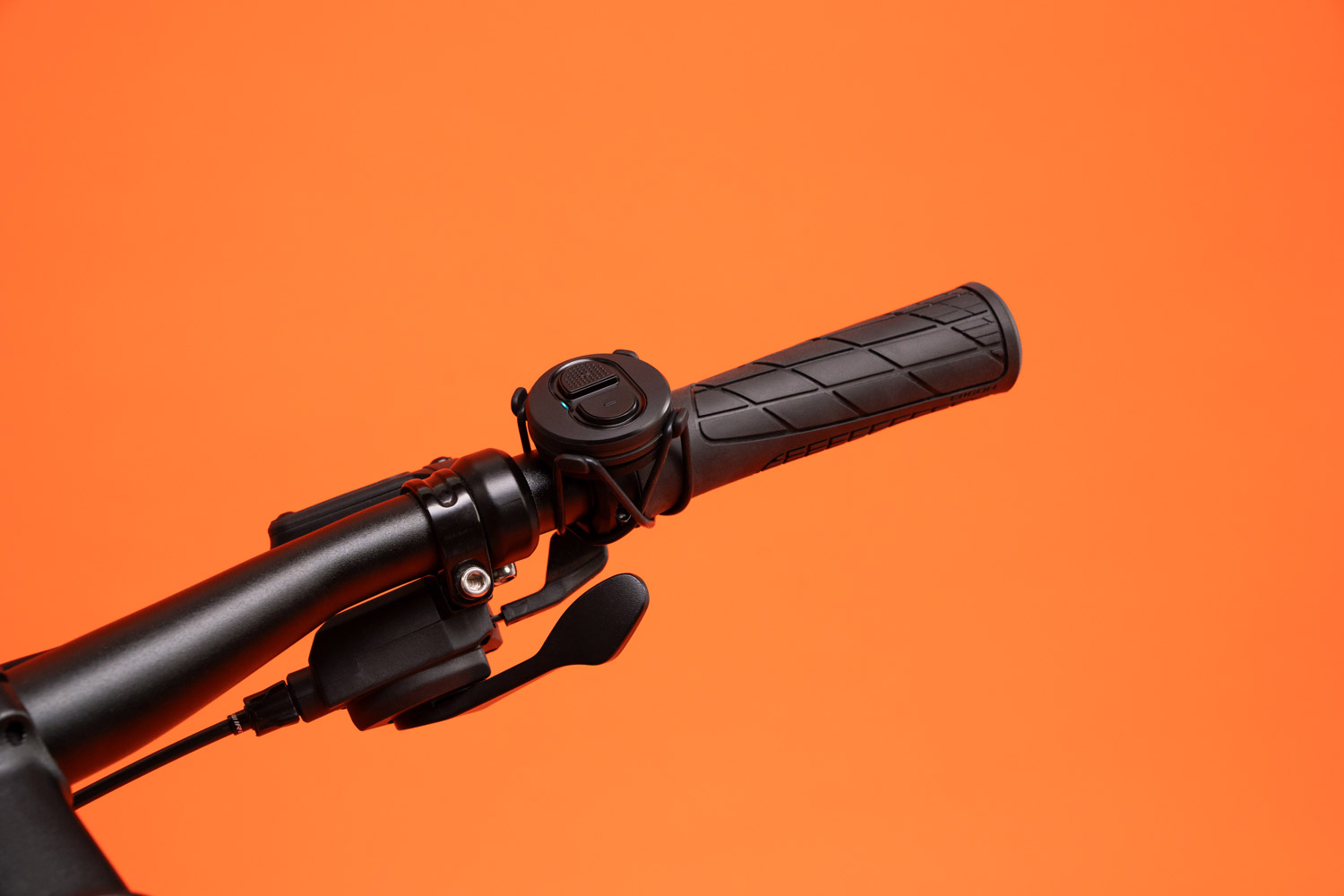
Zwift Click is super simple: it has up and down buttons to control your virtual gear.
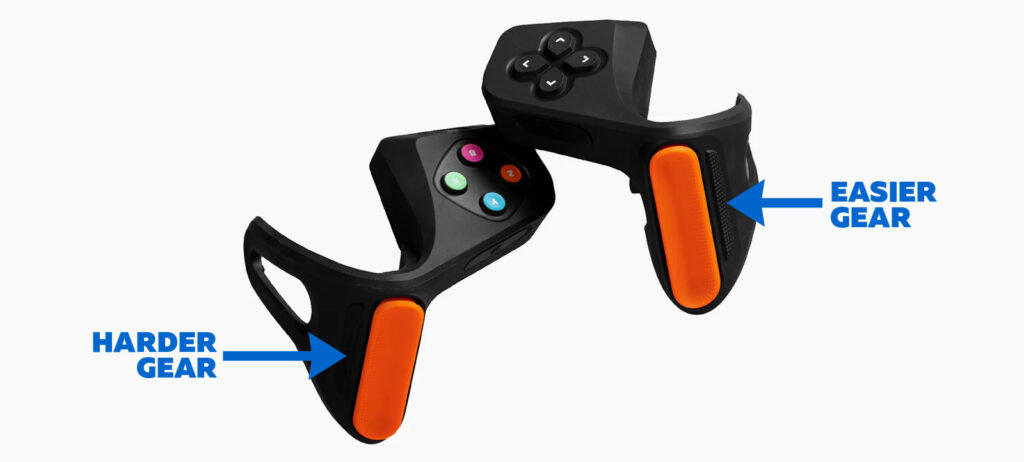
Zwift Play uses the buttons next to the orange paddles – your left-hand button shifts to an easier gear, your right-hand button shifts to a harder gear:
Review of Virtual Shifting with Zwift Hub/Cog/Click/Play
I’ve ridden with virtual shifting on Zwift for over two months (thousands of virtual miles), and it hasn’t skipped a beat. Shifts are quick and never missed, and I’ve never run out of gears on steep climbs or in the middle of hard sprints.
As of today, Zwifters are unable to customize virtual gearing setups. Instead, the Hub auto-detects your gear ratio when you start pedaling (Zwift calls it “‘real gear ratio calibration”), then sets your virtual gearing accordingly. While I wasn’t convinced this was the best approach initially, it has proven to work flawlessly, whether I start in a super-easy gear like a mountain biker, a super-hard gear, somewhere in between, or on the Zwift Cog. It just works.
Want to shift multiple gears quickly? Just hold down the appropriate shift button on the Click or Play.
I’ve ridden many miles on my standard rear cassette using virtual shifting. I’ve also ridden a fair amount using the Zwift Cog in place of the cassette. Both setups work great for me. The Zwift Cog is a bit noisier than my standard cassette, but that makes sense since it is built to be compatible with a wider range of chains. It’s also possible that the housing amplifies chain noise a bit.
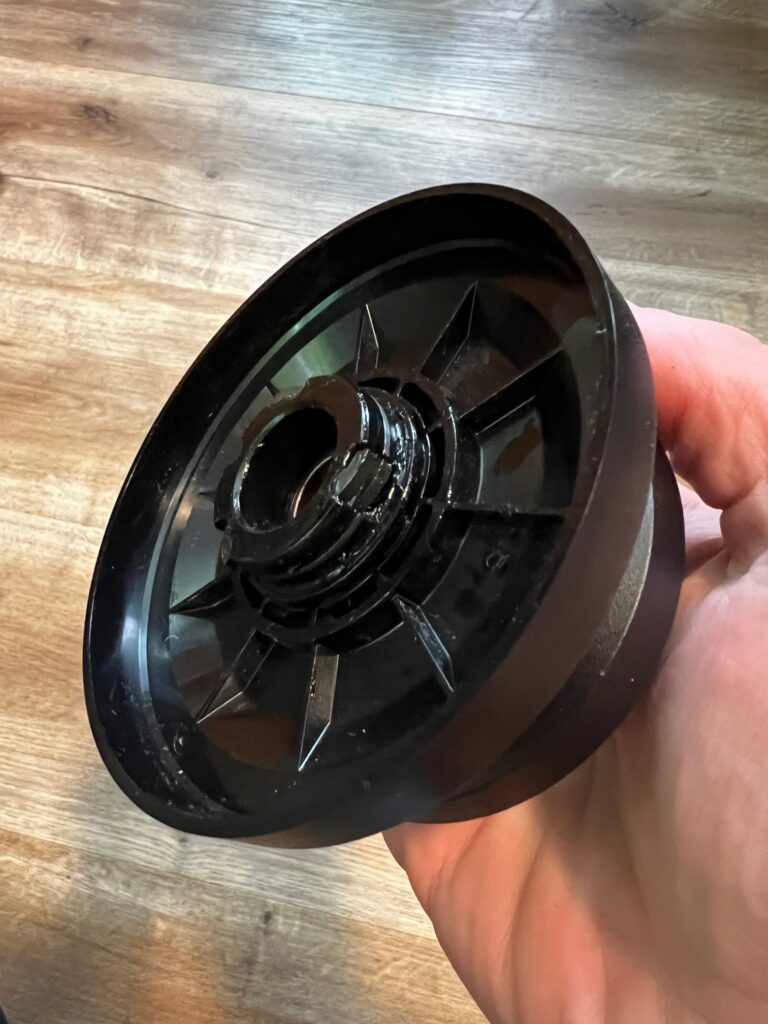
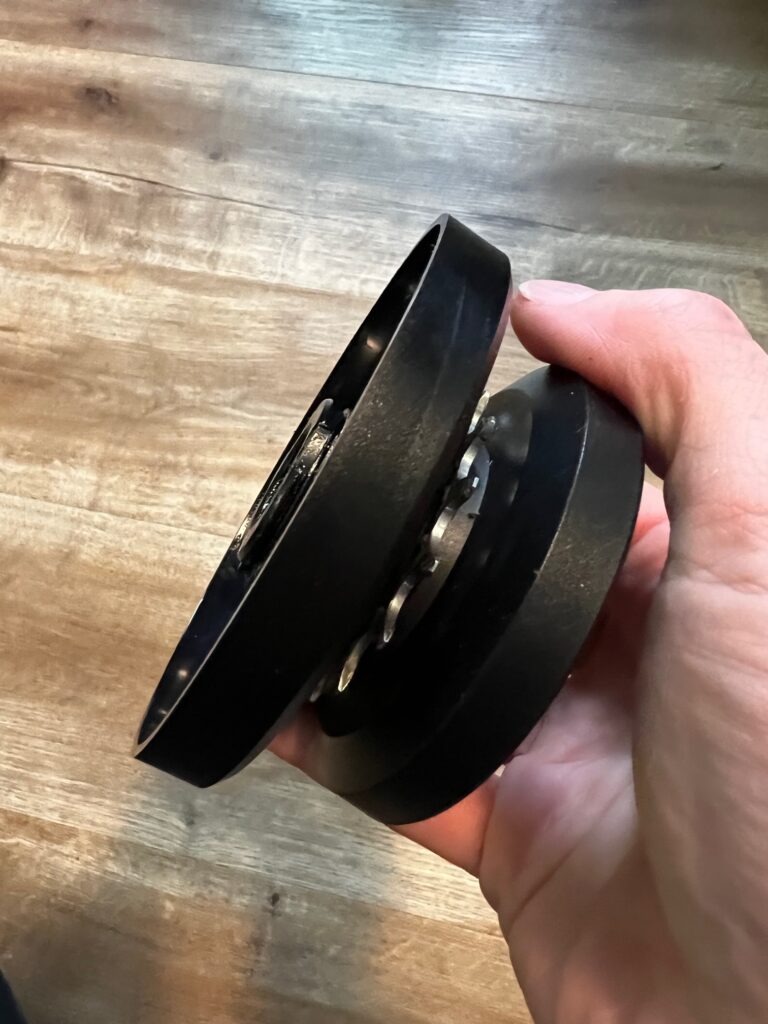
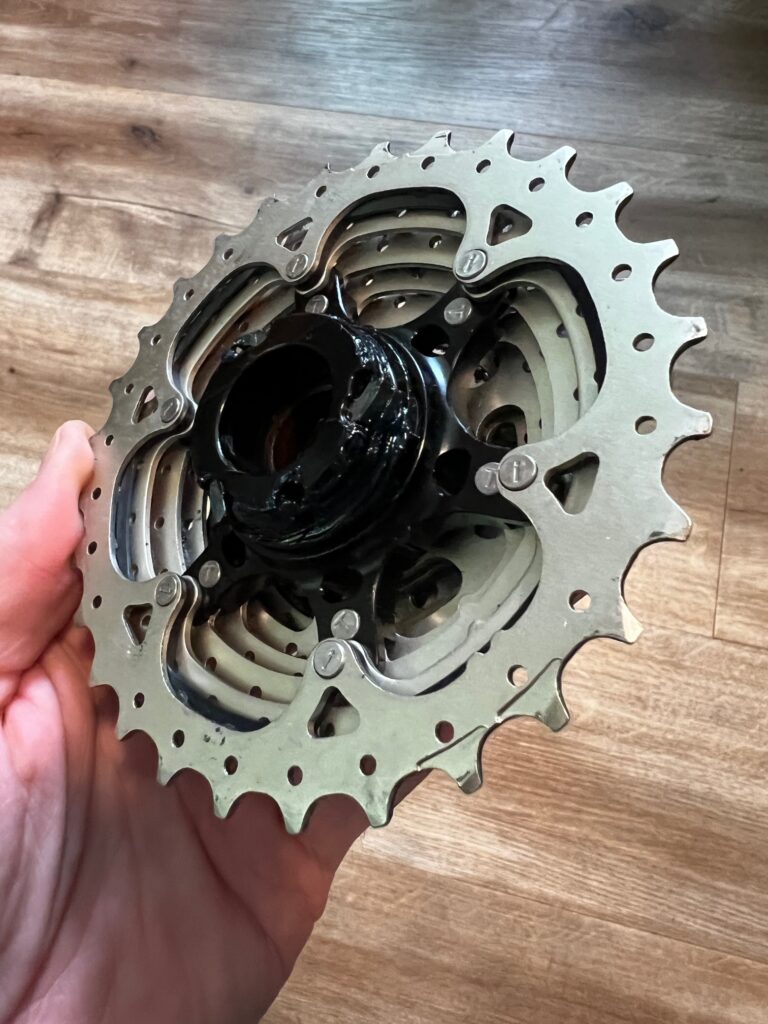
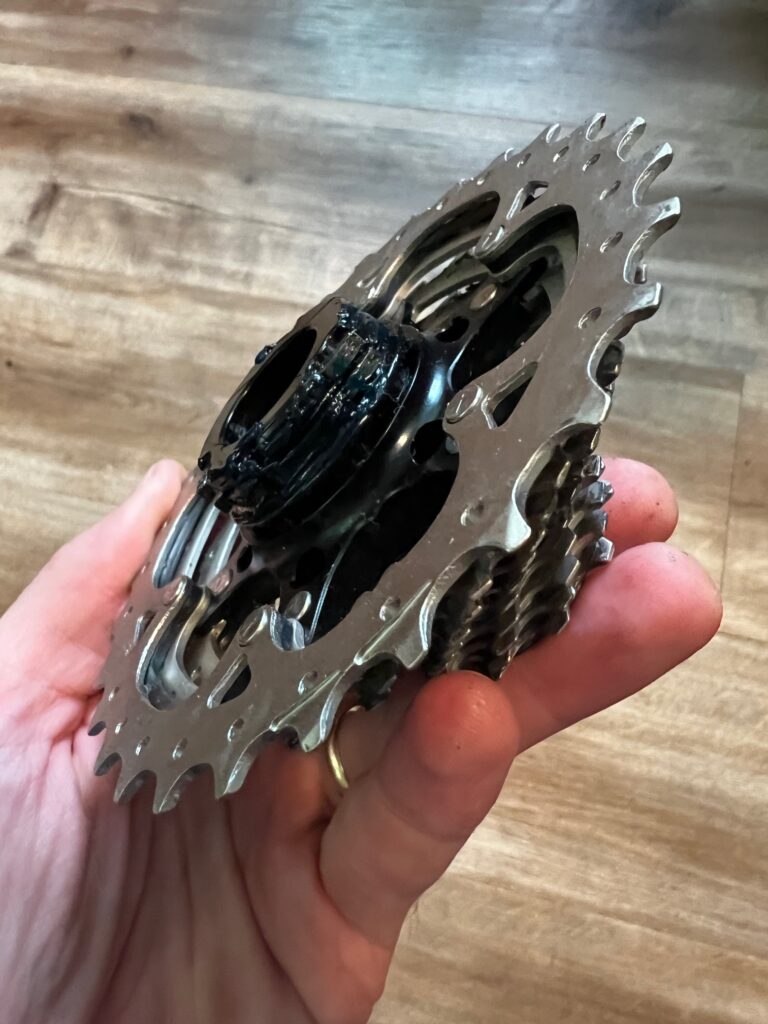
It’s easy to swap between a cassette and the Zwift Cog since you only need a simple wrench to remove them from the Hub. (Both the cassette that ships with the Hub and the Zwift Cog come attached to the freehub body, so when you’re swapping between them you’re actually swapping out the entire freehub as well.)
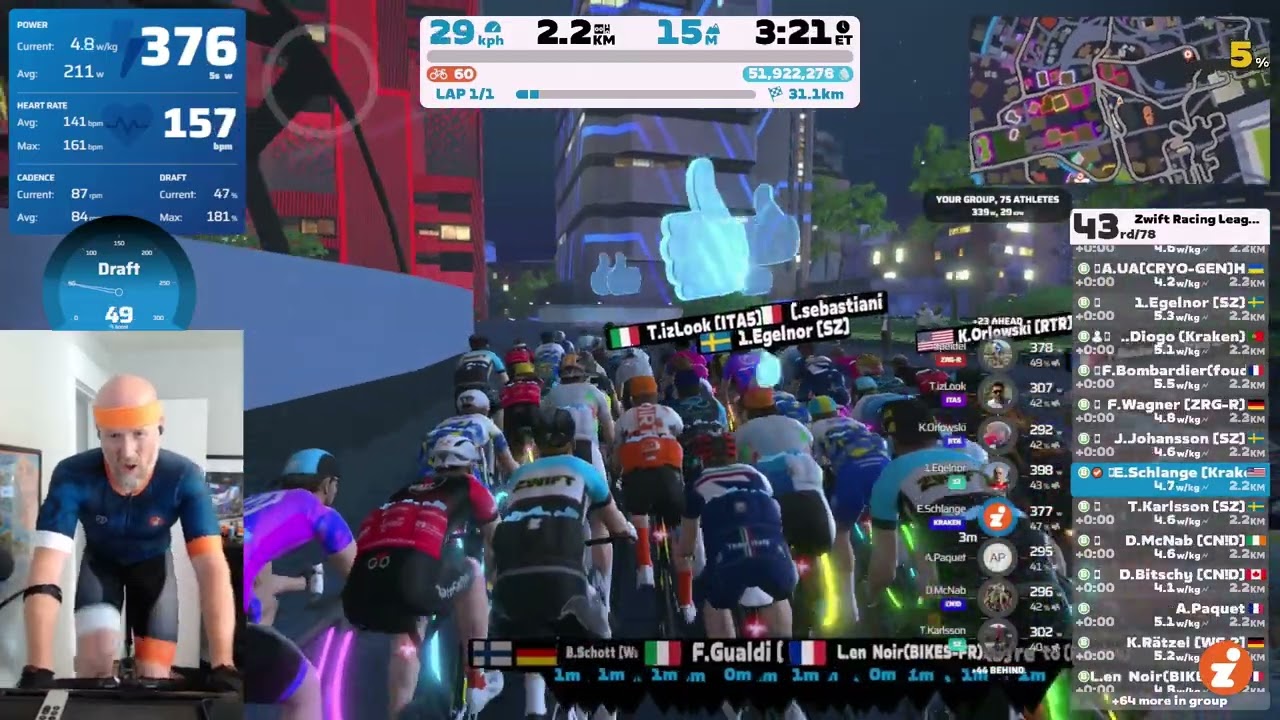
Unfortunately, despite its benefits, virtual shifting hasn’t won me any races. (I guess I need a leg upgrade for that!) Here’s a recent race using virtual shifting via Play controllers which I lost quite handily. (You won’t see the virtual gearing UI, though, since I’ve covered it up with a Sauce overlay for several weeks to keep it under wraps.)
Already own a Zwift Hub? Enable virtual shifting!
If you own a Zwift Hub and want to try virtual shifting, I have good news: it’s easy.
If you have Zwift Play controllers, virtual shifting is already available (or will be once you update your Zwift game and Hub firmware). As long as you have Zwift version 1.50 or higher (releasing today) and Zwift Hub firmware version 5.2 or higher (already rolling out, check your Companion app) you can shift virtually using your Play controllers. Just pair your Hub and Play, then enable virtual shifting in your settings:
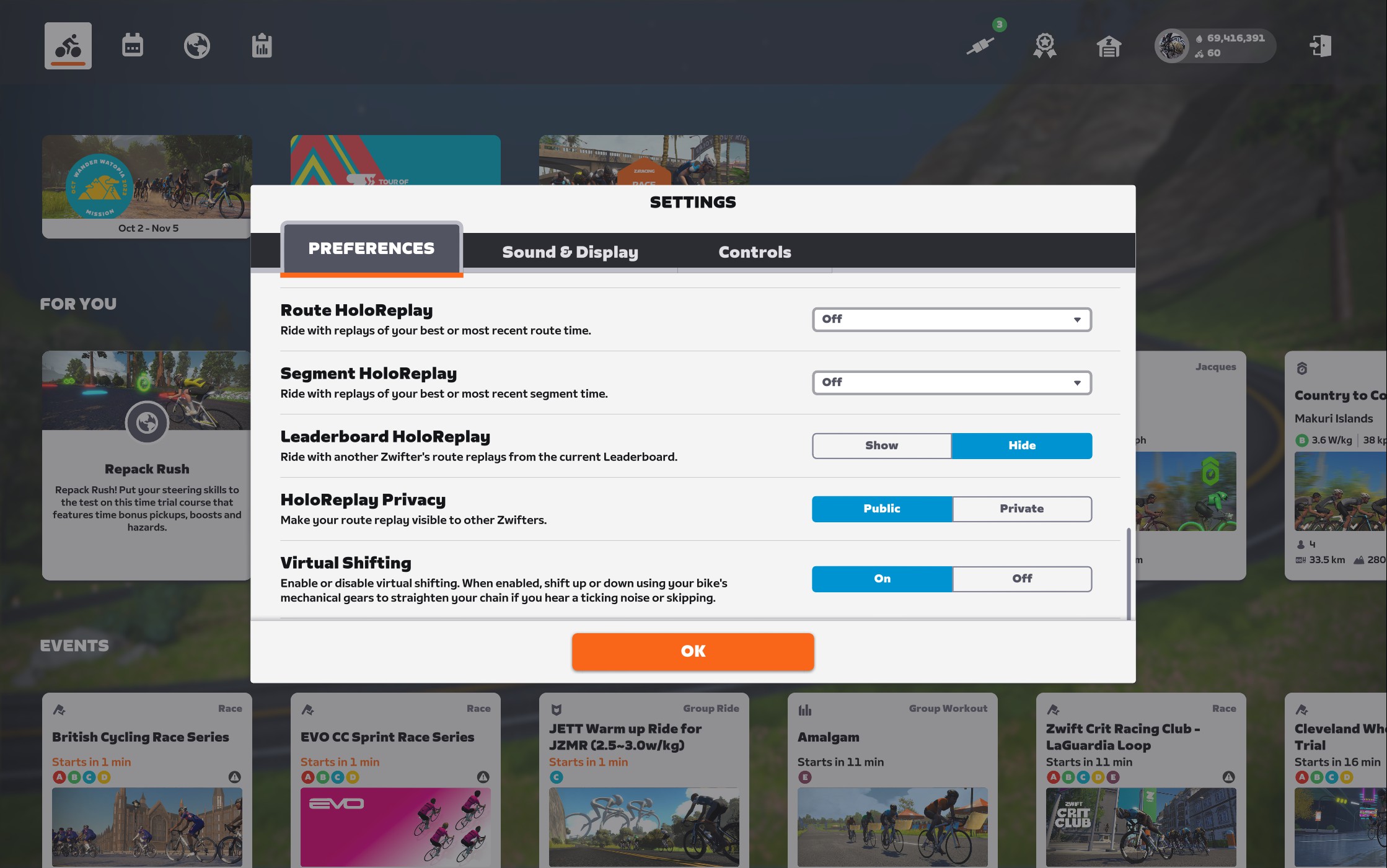
(Zwift Hub’s 5.2+ firmware also enables 10Hz power reporting over Bluetooth and 4Hz over ANT+, like Wahoo KICKR’s race mode. More on that in another post…)
With virtual shifting enabled, your bike will still have its normal rear cassette and mechanical shifting abilities, but you won’t need to do any mechanical shifting. Just put it into a mid-range gear where your chain is straight and smooth, then use the Play controllers to shift virtually. Easy!
Upgrade to Zwift Cog + Click
If you own a Hub but no Play controllers, you can buy the Zwift Cog + Click combo pack for $59 starting today (regular price $79). This is a good option if you like the compatibility and ease of the Zwift Cog design. (Installing the Zwift Cog is quite easy, requiring only a simple wrench to remove your existing cassette.)
Getting into the weeds a bit, if you’re on Apple TV the Zwift Click option may be preferable to Play controllers because it only uses one Bluetooth channel, meaning you can pair your Zwift Hub, Zwift Click, and HRM (as long as it’s run through the Zwift Hub) directly to your Apple TV without needing to go through the Companion app.
Upgrade to Zwift Play Controllers
Alternatively, if you’re happy with your current rear cassette and don’t plan on swapping trainer bikes regularly you might consider purchasing Play controllers ($99), since they’ll give you virtual shifting on your mechanical setup plus lots of other handy controls like steering, a quick powerup button, in-game menu navigation at your fingertips, etc.
Virtual Shifting for Non-Hub Trainers
All this news is great for Zwift Hub owners, but is Zwift going to support virtual shifting on third-party trainers like the Wahoo KICKR or Tacx NEO?
The answer I’m hearing internally is yes, this is planned. But Zwift isn’t giving any timelines, and some of the implementation will be up to the third-party companies.
Hub One Now On Sale
With the benefits of virtual shifting combined with wide bike compatibility thanks to Zwift Cog, the new Hub One is leading the industry in terms of price/performance. If you’re looking to upgrade your existing smart trainer, I recommend giving serious considering to Zwift’s Hub One.
The Zwift Hub One is now on sale at zwift.com for $599/€599/£549 and shipping to customers in the US, UK, and EU. Price includes 1 year of Zwift (a $180 value).
Use discount code ZWIFTHUB for free shipping!
Questions or Comments?
Have you tried virtual shifting on the Zwift Hub yet? Got questions about how it all works? Share below!


Now, if they would of upgraded the spacing on the new trainer to accommodate track bike spacing they would of knocked it out of the park, but sigh…not yet I see…
I’m in total agreement. At least with my wheel on Saris I can kludge on a track wheel.
But I do like my Hub trainer for the road bike.
Is there a way for Canadians to get these items? Been wanting the Play controllers for a a while now.
Is the shifting independent of the APP? if it isn’t then all the other platforms (wahoo system, trainerroad, etc.)will have to somehow implement this. I like the idea of being able to change bikes without changing cassettes but I don’t want to have to change the hub when I use another platform.
It is NOT. The app pairs to your shifter(s) (Play or Click) and the Hub, then they’re able to talk to each other to shift virtually. But Zwift has to be running for all that to happen.
So you wouldn’t want to go the Hub One route if you’re wanting to ride other platforms, at least not at this point, since the other platforms haven’t built support for it.
Ray and Shane both show it working with TrainerRoad
Only in erg mode though.
Yes Cassidy – it’ll work in ERG mode anywhere, of course. Because you don’t need to shift in ERG!
Hub One works fine with Zwift and also with any other app that does not require gear shifting, ie ERG based apps like TrainerRoad, TrainerDay, Kudo Coach, Sufferfest/SYSTM, Flux, Xert, etc would all work fine. It is only with other sim apps where there is currently an issue, ie Rouvy, MyWoosh. Since indieVelo has virtual shifting I guess that is the only sim app besides Zwift that would work today.
I just borrowed a friend’s hub one to try out (I have tacx neo) and was surprised to find that it shifted without zwift app or companion running. I’d also just installed a hub update, maybe that was related? I didn’t try it in other apps (I don’t use any).
I’m really hoping Garmin brings support for virtual shifting to the Tacx.
Bonus points if someone makes a belt conversion kit. I’d love a dedicated trainer that doesn’t use derailleur, has a nice, quiet, maintenance free Gates belt and virtual shifting. “;^)
You can still use ERG mode with something like TrainerRoad
Have they said how much it’ll cost to get the Zwift Cog alone for people who already have the Zwift Hub trainer?
It’s on the Zwift shop already for $59.99 USD for the Cog+Click.
Aha, cheers for the response
$59 now going to $79 from the article.
There is already a kit available on the website. $59.99 USD introductiory price.
https://us.zwift.com/collections/all/products/zwift-cog-click-upgrade-kit?variant=43845806260480
There’s no benefit in getting the cog alone…if you remove the plastic cover it’s just a cog on the standard cassette hub ie just use the cassette
the click or Zwift play is the bit that makes the virtual shifting happens
I know this because I bought the cog, dismantled it, and then returned. I just use the cassette and never use the mechanical gear
Oh man, I wish the Cog was compatible on non-Hub trainers. I’d love to slap this on the KICKR to make changing bikes easier (I have a 10 and 11 speed I use) and to keep the chain wear down. Really hope that they can make this work on more than just Hub.
It’s not just the Cog that would have to be compatible… the trainer itself would need to talk to Zwift to handle virtual shifts. The Cog is just a hunk of metal…
I mean, aren’t all trainers in some way talking to Zwift and also receiving information? When the incline goes up in the game, the trainer resistance goes up, etc., and vice versa on descents. I have to assume that communication is baked into just about everything on the market trainer-wise at this point, no?
Sure. The communication capabilities are there… that’s not the issue. The issue is that Zwift would have to send the right communications to get the trainer to respond properly to virtual shifts.
Zwift could “fake it” by sending fake gradient changes when riders shift virtually, but that’s not what they’re doing with the Hub. And it’s probably not as good of a user experience doing it the fake way, as opposed to working with trainer makers to get some real high-quality virtual shifting functioning…
I’m not tech savvy enough to know the nuance of it all, but I was imagining it could theoretically even be done via something like a firmware on Wahoo trainers, etc. I guess I don’t understand why the fake way (virtual gradients or power shifts in ERG mode, for example) is functionally different than whatever proprietary protocols the Hub has. Either way, this is a great leap forward in trainer tech for sure and a far more economical entrance to virtual shifting than what smart bikes offer price-wise. It’s exciting stuff. Thanks for covering it!
> In-game gear visualization: with Zwift’s virtual shifting, you can always see what gear you’re in on screen.
where is this information displayed? i don’t see it in the race video above – my stages sb20 smart bike doesn’t have a real-world indicator of what gear it’s in, so i’ve been wanting to see my bike’s gear in the zwift app for ages – does zwift support showing the current gear in-app now?
whoops, just noticed the “(You won’t see the virtual gearing UI, though, since I’ve covered it up with a Sauce overlay for several weeks to keep it under wraps.)” part. i’m still curious about whether this virtual gearing UI will be available for other devices such as smartbikes though – thanks!
Here’s what it looks like – from a ride this morning.
So, virtual shifting without the cog means putting the chain on a generally middle-ish cassette gear relative to the front gear and use the play controllers?
Yup. And I’ve ridden like this a LOT already. Works great! (You can have the chain on any gear you’d like, actually… but yeah, having a straight chainline would make the most sense.)
You could actually mix shifting mechanically and virtually if you’d like, too. Feels a bit odd though.
How does zwift hub virtual shifting + having a gradient differ from just having a dumb trainer – is the road feel actually different in the different inertial situations of say 39×28 on 5% vs 53×14 on the flat?
Yeah, inertial feel is totally different, since the Hub has a flywheel that is spinning faster in those “flat” situations.
But wouldn’t the virtual shifting mean the flywheel is now spinning the same speed in those situations. e.g. say you maintain 85rpm both on flats and on the hills. You use the virtual shifting so that you’re putting out 300w in both cases, but the flywheel speed will be the same in each since mechanically you’re riding a single speed. So if you close your eyes it should feel exactly the same?
On the trainer, a certain power at a given cadence should feel exactly the same regardless of your real or virtual gear combination whether or not you close your eyes.
Yep, the closing eyes bit was me trying to be clever to eliminate the placebo effect. i.e. If I see that I’m going up a hill it will feel different to when I see I’m on the flat even though there might be no physical difference.
So unless they can do something extra clever with the braking force, you would expect virtual gearing to improve convenience, but at the cost of a less realistic “road feel” as you lose the different flywheel speed at different game bike speeds. Flywheel speed (and hence road feel) will simply correlate to cadence.
@Eric Schlange – from using it, do you think 300w 85rpm (or any set watt/cadence combo) feels any different on a hill vs flat with virtual gearing? Or a another test might be, try 300w 85rpm with virtual gearing and without and compare between them, does virtual gearing fell less “hill-like” or “flat-like” than without.
If it does then I presume the same applies for the kickr bike any any other trainer that uses virtual gearing – and given that there’s not loads of people complaining about it – it’s probably not a big deal.
Great thoughts, Stuart. I misunderstood the original question, I think – because yes, I’m pretty sure pushing 300W at 90RPM feels the same (same flywheel inertia) with the Hub using virtual shifting whether you’re on a 10% climb or the flats. I’m not sure how it could be any different.
The Hub’s flywheel isn’t very large at 4.7kg, either, so you don’t have as much inertia there compared to, say, the KICKR’s flywheel (7.25kg). So people might not notice it as much. On top of that, Zwift has told me they advise people to ride in the little ring in front (GPLama mentions this in his video) to keep things quiet and smooth – but that results in even less flywheel spinning/inertia.
For me, I naturally reduce cadence when I hit hills, so I naturally get less inertia anyway. But with this virtual gearing one could certainly keep the same cadence on hills as they do on flat ground and descents.
For a given flywheel, the flywheel speed doesn’t have very much to do with the way the simulation feels. The flywheel mass moment of inertia affects the way that the simulation feels, but only when you are trying to accelerate the flywheel. The resistance that the flywheel provides against acceleration is the same whether you are accelerating it from a low speed or from a high speed. Just the same way that your body mass provides resistance against acceleration in the real world.
You can prove that flywheel speed has little to no effect on simulation feel using ERG mode. Set up a constant power workout interval in ERG mode. Start riding that constant power interval in a fairly high gear. Then part way through, shift to a fairly low gear and keep riding at the same cadence while letting the trainer adjust resistance so that the power returns to the set value. Both circumstances should feel very much the same, even though the flywheel speed is very different in each case.
I think it depends on the flywheel, Rocket Scientist. I feel a big difference between riding in my small ring up a climb at, say, 300W and 85RPM on my Wahoo KICKR, vs riding in the big ring on flats at 300W and 85RPM. Small ring, like outdoors, requires you to push harder across the top and bottom of the pedal stroke.
But that’s with the KICKR. Many trainers have flywheels (even virtual ones) that aren’t very heavy or impressive (NEO, for example, has always felt like I’m riding in mud). So it’s pretty trainer-dependant, in my view.
Yes, as I said above, it depends on the flywheel, but not the flywheel speed. Specifically the flywheel mass moment of inertia, which is related to the flywheel mass, but is also a function of the flywheel mass distribution (distance of the mass from the axis of rotation). Basically, the flywheel inertia is a fixed property of the flywheel. It corresponds to your body mass in the real world. Increasing flywheel speed increases flywheel angular momentum, but does not change flywheel inertia. Just like increasing your speed outdoors increases your linear momentum, but does not increase your mass (unless you approach relativistic speeds).
I suspect that the difference you feel on grades vs. flats on a given trainer has much more to do with the way the trainer produces resistance apart from the flywheel. I base this on the definition of power in a rotating machine, which is power=torque x rpm. For a bicyclist, this relates to pedaling torque and pedaling cadence. On a trainer, especially, where steady pedaling torque is almost entirely determined by the resistance unit, not by the flywheel, generation of a certain amount of power at a fixed cadence requires exactly the same pedaling torque input regardless of the gear, either physical or virtual.
I cannot argue these points very much beyond my understanding of the physics, as I only have experience with one particular make and model of trainer. I cannot speak to others experiences with other trainers, and I would not suggest that others experiences are wrong, only that they may be misinterpretations of the somewhat subjective “ride feel.” My suspicion is that making this comparison based on free-riding over varying terrain while shifting gears to keep cadence and power constant is likely confounded by other factors of particular trainer design. Namely, the design and functioning of the resistance unit. In other words, it is a somewhat uncontrolled experiment. If you were to conduct the experiment in a more controlled way using the ERG mode/fixed power/gear shifting scenario that I suggested, it might provide greater insight. In my experience with my trainer, I cannot tell the difference in any material way between a fixed wattage at a fixed cadence when controlled by ERG mode if I change mechanical gears.
I was fortunate to get Plays (which I love) when a friend was on vacation in US. It’s rather frustrating knowing these products are available but only to a selected market. Zwift really needs to jack up their worldwide distribution.
When the Zwift Cog wears out you’ll replace the whole thing? Or can you get a replacement for the cog itself and re-use the guide brackets?
It looks like there’s only the bundle incl. Click available at the moment, though… 🤔
At this point they don’t sell Cog parts – just the whole Cog. I’m not sure you’re going to wear it out any time soon, though. With no shifting being done, and it being pretty beefy (because it can be, since weight isn’t an issue) I think the Cog’s teeth won’t wear easily. But time will tell…
So the “Zwift cog” is just a standard Shimano HG spline freehub with the single cog and plastic guides in place – eg you could remove them and fit a normal cassette?
Yes, Nemesis.
GPLama said in the comments of his YouTube review that he successfully replaced the 14t cog in the Zwift Cog with a standard 14t cog he had laying around in an old cassette and everything worked fine.
Possibly a silly question… If you don’t have a 14t cog on your cassette (mine goes 11-13-15…), do you need to make adjustments to your rear derailleur to accommodate this?
You shouldn’t need to, Matt.
Does (or when will) the virtual shifting allow you to emulate a particular set of teeth on a cassette. Fir example Shimano 11-34 is typical for road set up yet Shimano 11-28 is typical for racing rad st up. If the user can pick the number of teeth one could emulate particular cassettes. This would be a very powerful feature.
No – as mentioned above, Zwift doesn’t let you do customized gearing… not yet, at least. They’re looking to do that in the future, but honestly, the current auto-detected 24-speed setup should give more than enough gears for everyone. Setting up some customized gearing just feels like a waste of time, unless you wanted to perfectly simulate a particular meatspace bike setup you’re using in a race or something crazy like that…
I hope this virtual shifting comes to other trainers using the Zwift Play. On another platform (indieVelo), I love putting my chain in gears to have the most efficient chainline and then using the up and down arrows to control shifting. So fast and easy; clean, immediate shifts with no noise even when I’m laying down a lot of power going up a hill or sprinting. Extra gears that I don’t have to allow me to sprint while descending to catch back onto a pack where I would otherwise be spinning out. If I could do all that using the pads on my play and not have to move my hands over to the keyboard while using my Direto XRT on Zwift, I’d be a very happy camper.
Finally! And the pricing is very nice.
One question, can you have Zwift Play and Click paired at the same time? I am not particularly happu about the responsiveness of the Play side buttons (they are kind of mushy) so I’d like to shift using click (but at the same time, still use Play for the other features).
Yes, I’ve used both at the same time. You can shift with both at the same time, in fact, if you’d like.
If this has a max gradient of 16% but Zwift has many ramps of around 20%, how does this manifest? Have you noticed this at all Eric, we are similar in Category/power?
You’d think Zwift would at least make their hardware able to match their software’s max!?!?
Trainer difficulty is set to 50% by default in Zwift, so a 20% ramp is only 10% on the trainer (https://zwiftinsider.com/using-the-trainer-difficulty-setting-in-zwift/).
Zwift COULD have made the Hub able to simulate higher gradients – but that would require a beefier brake/resistance unit… which means a higher price.
In theory, hitting an overly-steep incline would just mean that the in-game grade would get steeper, but you wouldn’t feel an increase in resistance. That said, I’ve never hit an incline in Zwift with the Hub and thought “The resistance should have gone up but it didn’t.” (But I also ride at 30-50% trainer difficulty.)
Want to go further down this rabbit hole? Read: https://zwiftinsider.com/how-much-trainer-resistance-do-you-really-need/
That’s great Eric, thanks for the info. If you are not noticing an issue then neither should I. I am also in the 50ish% “difficulty” camp, but I also only have a big chainring 😁
since you can use the play controllers with a standard cassette, can you use the Click shifter with one too?
Yup.
I read this as the solution to using virtual shifting in Zwift and mech. shifting with other platforms. Am I correct?
Yes, Vincenzo. You could do virtual shifting in Zwift using Play controllers and your standard cassette, then switch to another platform and just use mechanical shifting.
Can you still adjust trainer difficulty if you have virtual shifting? I have a traditional set up (elite suito), but like to dial down the trainer difficult so I shift less. Just curious if that works with the virtual set up as well or if trainer difficulty is not really an issue with virtual shifting….
You can still adjust trainer difficulty when using virtual shifting, yes. They’re two totally separate things.
@Eric Schlange Have you tried virtual shifting with Trainer Difficulty set at 100%? I’m curious about whether that would see you running out of gears because if you never run out of gears, could Virtual Shifting could eliminate the need for Trainer Difficulty?
Getting pretty tired of Zwift’s inability to care about the majority of the world’s country’s and population.
I assume that whatever chain length I’m using with my regular cassette, work with the Zwift single cog, but do I need to set the RD to a specific gear for the chain to align?
i wouldn’t say you need to set the RD to a specific single gear, but you’ll wanna shift it to somewhere in the middle.
You’ll want to shift it to the spot where it’s most lined up with the single cog. You can hear when you get there!
Is the trainer delevered with both the cog and a cassette.
This in case you want to go on a other platform.
No. You either order the Zwift Hub with a cassette (that’s the Zwift Hub Classic) or the Zwift Hub One, which comes with the Zwift Cog.
Basically they are releasing what the Zwift Wheel trainer had but in parts for a lower spec trainer.Hope that one day the Zwift Wheel trainer come out because it had everything of the top trainers 1% accuracy so ZADA approved (all pro racers can use their trainers) , downhill simulation ,virtual shifting and road surface simulation and virtual flywheel so basically best trainer on the market in terms of specs
If you’re using a standard cassette, can you effectively get 24 “virtual” gears per actual gear (appreciating there will be a lot of overlap)? Basically could I turn a 52×11 into a virtual 54×11 for example in a sprint?
Yes, you could!
Interesting. I’d 100% pick too big a gear and go slower! 🤣
With the play controllers, I have to connect through my phone to get a reliable connection but occasionally, if the phone loses connection to Zwift and then reconnects, the play controllers don’t reconnect – not a critical issue though annoying.
Now, if the same happens using a One and virtual gears, I expect that would lose you the ability to shift (assuming that the Click would disconnect and not reconnect, same as the Play controllers) – have you experienced that at all?
If that is the case and it happened in a race, you couldn’t really stop to reconnect and so you’d be stuck racing singlespeed…
I haven’t had that happen. Oddly enough, I HAVE seen a temporary message here and there that says “Steering device disconnected” – and steering stopped working. But I could still shift!
Zwift has been putting a lot of work into improving Play connectivity in the last couple months… I think most of those issues are ironed out at this point.
Thanks – I think it’s more that I had an issue with my phone losing wifi which caused the disconnect from Zwift, rather than an issue with the controllers or Zwift itself.
The problem was that when the phone reconnected, the play controllers didn’t automatically reconnect to the game (even though CA was connected back up – eg I could trigger power ups, etc) – so the only way to reconnect them would have been to bring up the pairing screen. In that situation, I guess that I’d lose the ability to shift gears if I was on the One.
are there any issues with connecting the cog and click to Apple TV? It wouldn’t replace an HRM connection as Apple TV has a limited amount of bluetooth connections?
The Click takes one connection. The Cog is just a hunk of metal and plastic – it doesn’t connect to anything.
If you pair your HRM through the Hub, then you can run your Hub, Click, and HRM through Apple TV without using Companion, since it would only count as 2 connections.
Maybe a dull question. How Works virtual shifting when you have two gearwheels in front.
If you’re using virtual shifting, you don’t need to do any mechanical shifting. So whether you have 2 or 3 or 1 chainrings in front doesn’t matter… just stay in what you’re in, and do all your shifting virtually.
This could not have come at a better time. I’m currently procrastinating switching my bike to my Zwift Hub for the winter because my shifting on my outdoor tire is per-fect, and my trainer is one full cog off of that, so it’s really hard to get it even remotely correct (and just as hard to adjust it back for outdoor use). Just having one gear with virtual shifting answers the mail in a big way, and I can more easily jump back and forth to my outdoor tire. I can’t wait!
Did you try to put the one hub on any other DD trainers? Or is a proprietary fit to the HUB?
This is a very cool product but I am worried that it gives an advantage over non Zwift Cog users as you don’t loose power thru cross chaining friction with it – which is great if you can buy it in your country which we cannot here – we can ship to a forwarder and then get them sent to us though.
But smartbike riders have had this same advantage for years, Wayne. I agree it’s a slight advantage, but I’m not sure that means Zwift should do things differently!
I think it’s a great innovation, I have nothing against it. If you use an eccentric BB or even a track bike frame so you don’t need a derailleur or tensioner on the chain it will be even better. And a chain has lower friction than a belt – I definitely want one!
Presumably the single cog will wear out fairly quickly compared to a cassette and will need replacing maybe every 6 months or so if used heavily?
Shouldn’t be too bad. I ride and race single speed MTB in the mud etc and the cogs wear well (as in lasting years). The teeth are wider and don’t have the side loading you get when changing gears.
Probable need to think about getting a good strong single speed chain though.
I have the play controllers and the original hub but the virtual shifting doesn’t work.
What do you mean “it doesn’t work”?
Is is possible to run a different cog size? I have three single speed bikes with 17 tooth cogs. Each bike has sliding dropouts so tensioning is not a problem. The issue would be having to change the existing chain to account for the 14 tooth cog included since most sliding dropouts range of adjustment is typically 1 or 2 gears.
Seems like you could install the 17-tooth cog in place of the 14. Haven’t tried it, of course. Shane Miller did a teardown video of the Zwift Cog, though… pretty straightforward to take apart.
Like the classic hub, impossible to find an “exact” answer about the compatibility with a SRAM (RIVAL) chain. The best I can find is “probably, but not smoothly”. If I knew it would have been this complicated I would have spent a few more bucks to afford an Ultegra bike 😅
Each chain has the same link length. It will fit.
It looks like the ZWIFTHUB discount code is no longer valid 🙁
I have just received my Hub one but can’t connect to the click device in zwift all other parks connect ok my phone can see it but the app doesn’t
Just added the cog and click. Works great with Zwift on my laptop. Using Apple TV, when I add my heart monitor, Zwift quickly disconnects the trainer and I have to start over. I have only gotten it to work with Apple TV once and I wasted more time trying to get it working than I would have spent on my workout. I have toggled the companion app to link the heart rate monitor, but the whole thing doesn’t want to play well together.
My click won’t shift anymore. Updated firmware, battery at 93%, leds are working, sometimes shifts down, most of the time won’t shift at all. Connection fails, so I didn’t use companion or zwift play (which also won’t shift either). Heart monitor goes through the hub, so should be enough bluetooth available. Giving up and putting the cassette back on the original hub.
Hey Eric! Can you tell me if it makes a difference if I use a 17, 18, 20 or whatever teeth cog at the back? I think on my cassette I don‘t have 14t and it should be straight on bigger rings if I‘m on the small one at the front like suggested from zwift. Will that cause accuracy problems? I consider changing back to a cassette because it’s less noisy + I have the possibility to switch gears if something happens (like battery drain of the Click). Would be happy about an answer. Cheers!
What is biggest gear on zwift hub one trainer with 53 front chainring and 10 speed bike.