Zwift Racing League Season 3 Division Winner’s Helmet Released
On July 23rd, Charlie Issendorf (Director of Events at Zwift) announced on Facebook that, for the first time ever, division winners from the previous ZRL season would be getting a prize!
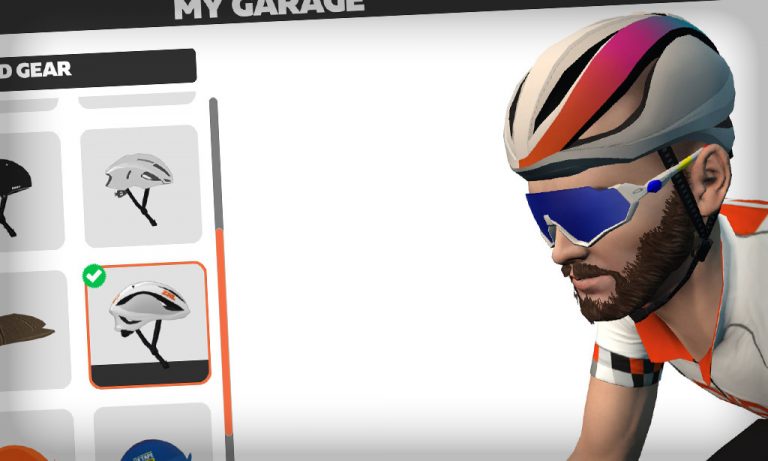
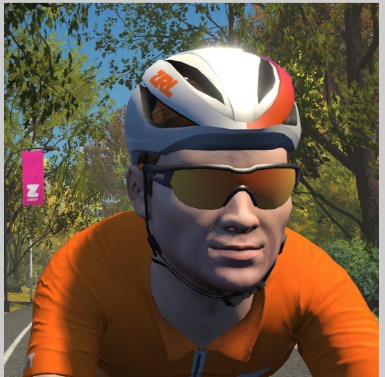
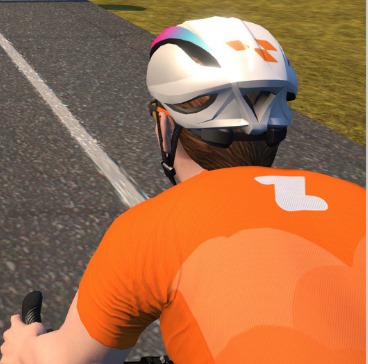
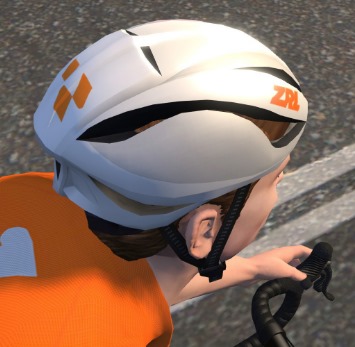
To honor the division winning teams from Season 3 of the Zwift Racing League, we have designed a custom ZRL virtual winner’s helmet. Each rider who competed on the winning team will have this unique helmet entitled. It’s our way of saying congratulations on a job well done. This helmet will also be awarded to all future winners of each season so if you see a Zwifter wearing this helmet, you’ll know they are a champion.
It’s a small prize, but a cool idea.
Today I signed onto Zwift and checked my garage to see if the helmet had arrived. And it had… ahead of schedule! (Charlie had promised they would show up in game by August 1.)
It’s a rare thing for Zwift to entitle exclusive in-game kit to race winners, although it’s been done in the past for a few big top-tier races including nationals. But this is the first large-scale release of such a prize.
How large? Well, ZRL season 3 was huge, with thousands of teams racing each week. There are 123 teams receiving the prize helmet. That’s a minimum of 738 riders, but keep in mind the vast majority of these teams had extra riders to sub in when needed. So we’re probably looking at over 1000 riders who now have this helmet in their garage.
I was sort of a “utility racer” in season 3, riding for two different DIRT teams (the Hellhounds and the Roosters). Both of these teams won their respective divisions (despite my best efforts 🤣), so I guess I won the helmet two times over!
Don’t expect the ZRL Winner’s Helmet to make you faster in-game, though – it’s just a reskin of the default Zwift helmet (and even Zwift’s most “aero” helmets don’t make a measurable difference).
As Charlie explained in his post, the plan is for this helmet to be given to future season winners as well. Seems easy enough, but what I’d love to see is a different piece of kit given for each season’s winners, perhaps with the season number indicated on the kit. Season 4 socks, season 5 glasses… maybe a season 6 Safety Bike! So many options…
Off the MAAP Series Announced for August 3-23, 2021
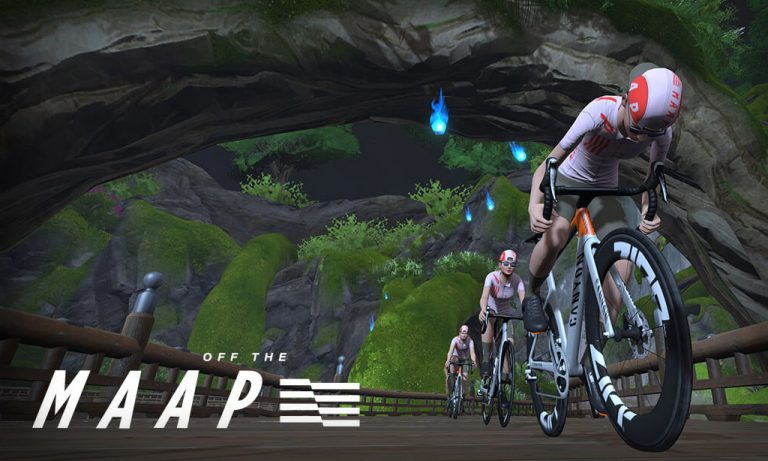
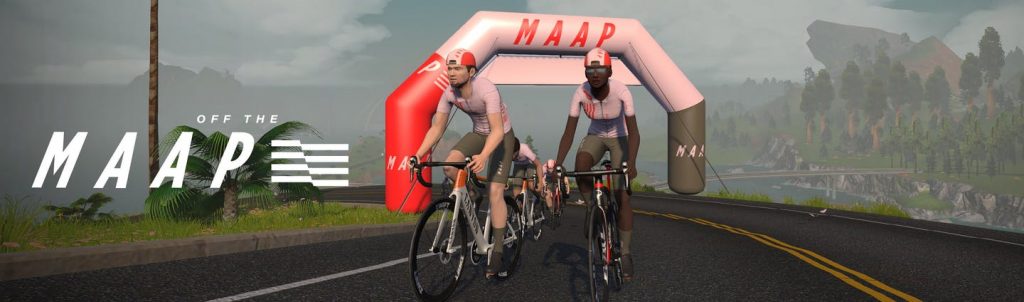
Zwift has just announced the Off the MAAP series, a multi-stage cycling tour returning for its third year to the platform. This series targets Australia (where MAAP is based), but caters to riders worldwide. It has proven to be very popular, with nearly 200,000 riders participating in last year’s events.
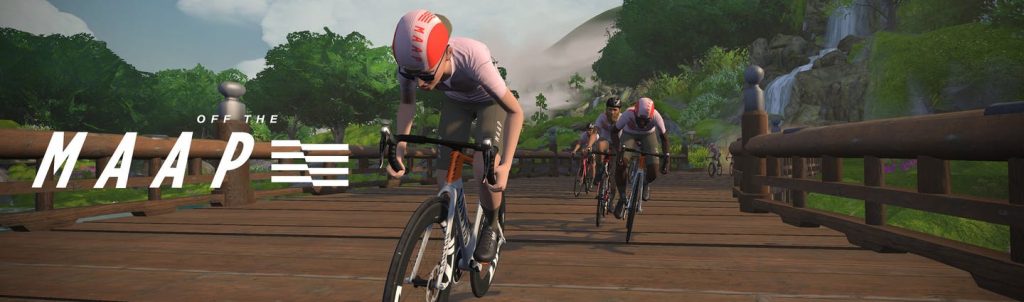
This year the tour is challenging Zwifters to take the road less traveled. Each stage is based in a different world and features three different routes to choose from.
Each of the 4 stages lasts 4 days. Events are scheduled hourly throughout the duration of each stage, so you’ll certainly be able to find a ride that fits your schedule. Each stage gives you the option of three different routes, with A being the more difficult route, B a bit easier, C easier still, and D being the same as B except it’s for ladies only.
Stage 1: Watopia Wildlands (Aug 3-6)
“Warm up the legs in Watopia for the first stage. Turn off the display by pulling up the Action Bar on Zwift and toggling the display icon. Soak in the scenery and find your moment of zen.”
“Ride the future and soar high above the ground for the third stage. The concrete jungle springs to life when you turn off the display. Light up the sky and throw Ride Ons to all your friends pedaling with you.”
Not officially – Off the MAAP events are set up as group rides on the Zwift event calendar, and in fact Zwift is encouraging riders to go HUDless so you can fully enjoy the scenery without worrying about all the numbers.
Since they aren’t races, these events won’t count toward ZwiftPower ranking points. That said, plenty of riders will be racing these events, so if you want to go hard, have at it! Categories are for course selection only, and have no w/kg boundaries.
Kit Unlocks
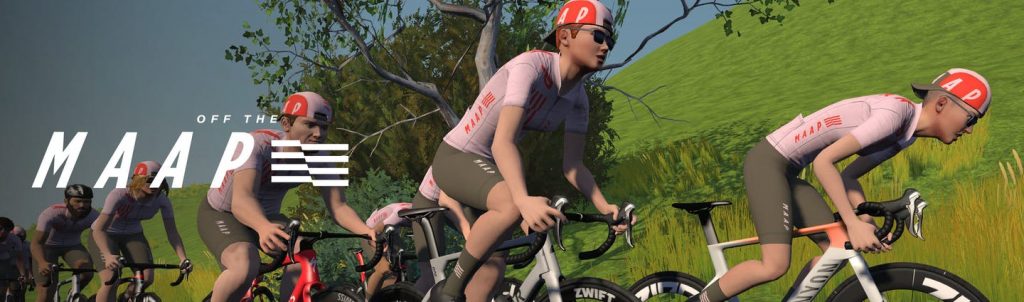
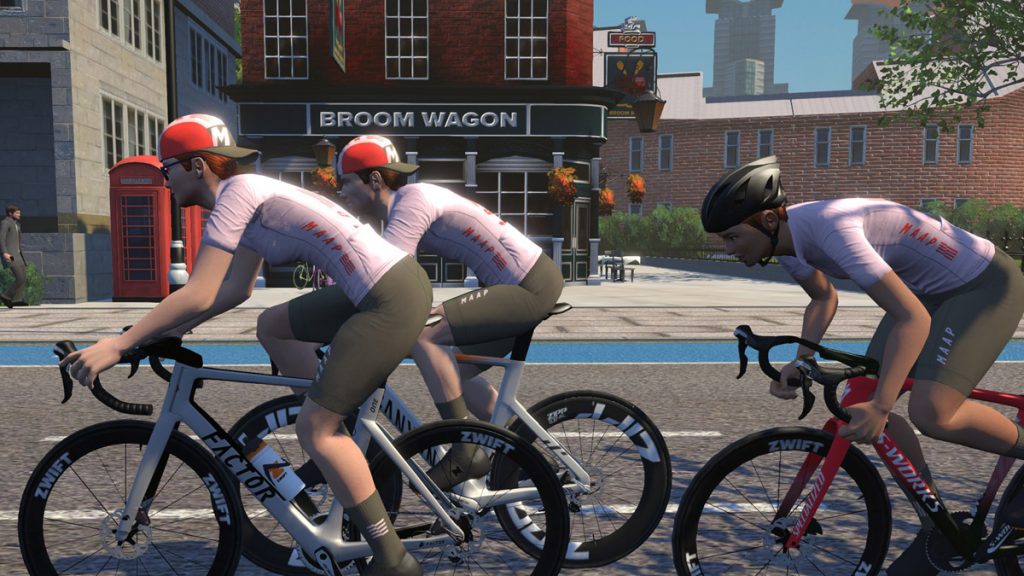
There are three separate unlocks for this series: a cap, socks, and MAAP kit. Check out that cap – the one and only backwards cap available in game!
It appears that you unlock the socks and cap after completing just one stage. Finish at least one event in each of the four stages to unlock the MAAP kit.
Like the in-game kit? Series finishers will be sent a link where they can purchase the exclusive IRL kit once they complete the series.
With the Tokyo Olympics starting, Kristin Armstrong dives into what training for the prestigious event looks like, what it’s like to be in the Olympic Village, and what it takes to win.
About the Podcast
The Zwift PowerUp Cycling Podcast features training tips from host Matt Rowe (Rowe & King), with regular co-hosts Greg Henderson, Rahsaan Bahati, Dani Rowe, and Kristin Armstrong.
Details and Workarounds for 5 Bugs in Zwift’s July Release
Update for Tuesday, July 27th: Zwift released a patch today with the following notes:
Fixed an issue which would cause FIT files to not be saved correctly in some cases.
Fixed an issue which would cause a crash when saving an activity if you started your Zwift session by fan viewing another Zwifter.
Fixed an issue with workouts that would cause power targets to appear higher than they should during rest intervals.
Fixed an issue which would cause a paired smart trainer or power meter to prevent other devices from being successfully paired.
Additionally, Shuji posted the following on the thread about avatars weaving: “Pack Dynamics were rolled back to the 1.14 version late yesterday on the server end.”
Based on these notes, we’re hoping that at least four of the five issues discussed below have been resolved with this patch. That’s great news!
Not long after Zwift released their latest update, Zwifters began reporting significant bugs in the release.
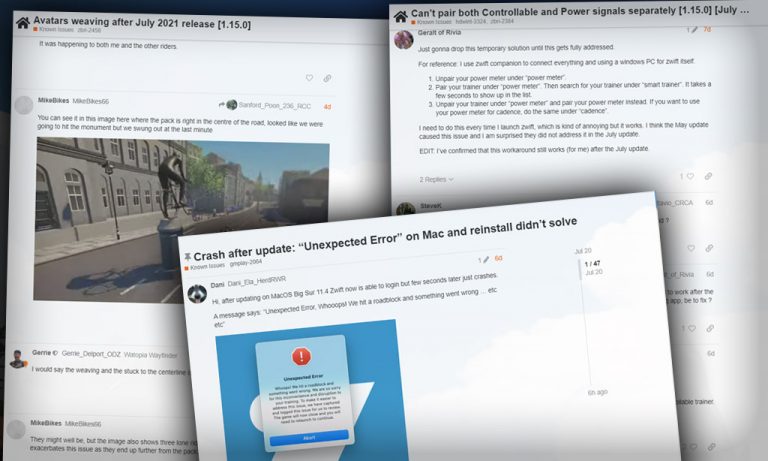
Today, a week after the release, specifics about what each bug does, who it affects, and any possible workarounds are becoming quite clear. But that info is buried in forum topics on Zwift’s site, some with over 300 replies! So we’ve put together this summary of the bugs, along with any information we could gather on workarounds and planned fixes from Zwift.
.fit File Data Problems
Zwift’s release notes said they “Fixed an issue that would cause an activity map to show an incorrect path (very long line) when Zwifters moved between events, meetups and free rides in the same game session.” But in doing so, they have introduced a bug for Apple TV, iOS, and Android users which breaks the .fit files for certain activities.
It appears what is happening is, if you do one activity, then jump into an event of any sort, the fit file saved for that event is a duplicate of your previous activity. So, for example, if you warmed up for a race, then joined the race, the resulting race activity’s fit file data would simply contain your warmup. But the .fit file is also corrupted in some way on top of this.
This is a serious bug, as the .fit files are lost forever when the bug bites. Your activity isn’t uploaded to Strava, TrainingPeaks, etc, and it’s not retrievable from Zwift’s servers or your local machine.
Platforms affected: AppleTV, iOS, Android
Workaround: there is a fairly simple workaround which seems to be get around the bug. Simply force-close the Zwift app before starting each event. Then re-open the app and join your event. This makes sure your previous session is terminated fully.
Status: Shuji posted in the forums 5 days ago that “Everyone – this bug has the highest priority. I’ll update this thread as we make progress toward the patch to fix it.” ZHQ is telling us this will be fixed in a patch which will hopefully be released in the next day or two.
Zwift updated pack dynamics in the latest update in an attempt to keep us in a more consistent lateral position in the pack, and to avoid losing speed when colliding with others. And it seems to work fine… except on maps where we ride on the left side of the road! That includes Makuri Islands, London, and Yorkshire.
Riders in these worlds are complaining that when they overtake another rider, they swerve way too far to the right to ride around the rider. Multiply this by every rider in a pack and races get messy quickly! Additionally, riders are being placed on the center line of the road, meaning they’re playing “chicken” with oncoming traffic.
Group ride participants are complaining that this is making sweeping impossible, and racers are saying it dramatically changes the dynamics of the race pack. Some riders have quit events because they can’t watch the screen without getting motion sickness.
Here’s a video showing the behavior in London:
Platforms affected: all
Workaround: none, except for avoiding riding in the affected worlds
Status: Zwift is still investigating this bug, so a fix is unlikely to appear in the upcoming patch.
Can’t Pair a Power Meter + Controllable Smart Trainer
Many Zwifters use a dedicated power meter such as the Assioma pedals as their power source, while also connecting to a controllable smart trainer for an immersive experience. After the latest update, Zwifters are finding they cannot pair a power meter, then a controllable smart trainer when using Bluetooth for all connections.
Platforms affected: all using Bluetooth connections
Workaround: there are multiple workarounds which should get you up and riding:
Use this specific sequence to connect your hardware: first, connect your smart trainer as the power, cadence, and controllable device. Then disconnect it as the power source. Then click to connect a new power source – your power meter should show up.
Some Zwifters have changed to connecting their power meter and smart trainer using the Companion app instead of direct-connecting their Zwift device.
Another approach available to Zwifters with ANT+ capabilities on their Zwift device is to connect using ANT+ for either or both the power and controllable connections.
Lastly, you can simply connect your smart trainer as your power source.
Status: Zwift is still investigating this bug, so a fix is unlikely to appear in the upcoming pat ZHQ is telling us this will be fixed in a patch which will hopefully be released in the next day or two.
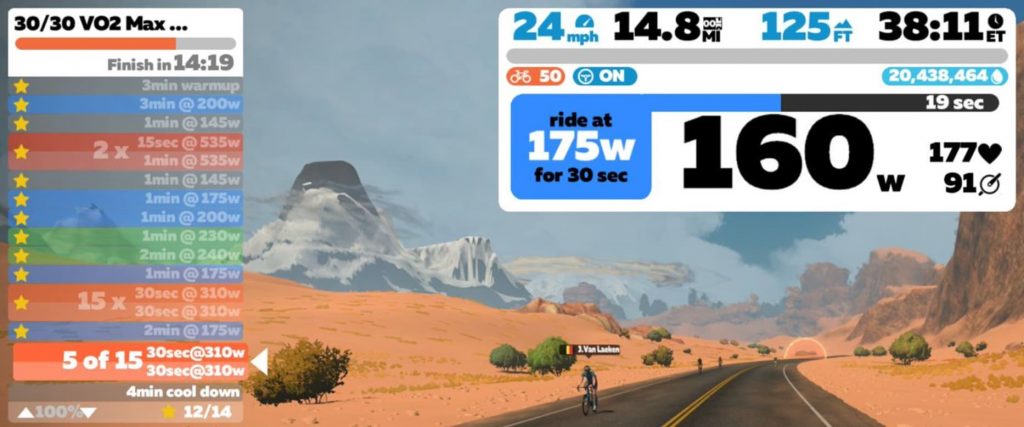
The latest update included this bug fix note: “Fixed an issue during a workout where multiple watts values were displayed incorrectly.”
Unfortunately, Zwift’s “fix” introduced a new and obvious bug, in which on/off intervals are showed as using the “on” power for both intervals. That makes for a painful-looking workout! Is Zwift pranking us? Here’s one example (the 2x and 15x blocks should have a hard interval followed by an easy one.)
Fortunately, this is just a display issue – you can still do the workout and it will have you hold the correct wattage intervals. But it sure looks scary in that left-hand bar.
Platforms affected: all
Workaround: the Companion app still shows the intervals correctly, so run that with your ERG sessions to see what’s coming up.
Status: Shuji said, “Yes, we are working on it!” in the forum topic. This looks to be a quick fix, so hopefully it’ll be included in the next patch.
Zwifters have long joked that when Zwift releases an update, they create more bugs than they fix. And while this hasn’t generally been true, Zwift’s latest update clearly included some big bugs that severely impacted Zwifters’ experience.
We can forgive silly small bugs like missing pedals or piggyback riding in spawn points, but when you’re unable to complete or save your planned activity it’s a super-frustrating experience. These issues should have Zwift’s full attention because let’s face it: big bugs are bad for business.
Hopefully, ZHQ learns some lessons here and releases more stable updates in the future. But first… we hope they can quick-fix the bugs above!
Tips, Questions, or Comments?
Got other workarounds for the bugs above? Share below!
(Questions or comments for issues you’ve encountered with the latest update can also be posted below, but will probably do more good posted on their respective Zwift forum topics.)
This week’s Top 5 Zwift Videos start out with some mind tricks to help you get through your next tough workout, ride, or race. Then get a glimpse of a new system that automatically assigns race categories, which you’ll get to try out in the 2021 Zwift Classics. Finally, watch some race analysis to help you sprint better and get back after being dropped!
5 Mental Tricks to get you through the toughest Zwift sessions
Sometimes, getting through a hard workout is more about what’s going on in your head than your body. Peter Meffan (Pedalling Squares) gives some handy mental tricks to keep you riding to the finish!
Zwift Racing – Auto Assigned 6 Category System Testing. Is this the end of sandbagging?
Cycling Boss takes a look at the test races for a new auto-assigned category system, which will be used in the Zwift Classics. (Click here for more information about this system, developed by WTRL and Zwift.)
Zwift Racing’s Hard!
Karl Lawton was skeptical of Zwift racing but finally tried it. What did he think of it, and what did he learn?
Analyzing Zwift Sprint Finishes // Tips and Breakdown of 7 Sprints at Crit City
Caedmon Cycling analyzes seven sprint finishes from his Zwift C-category races to pick out tips for himself and for you.
How to get dropped in Zwift race and still get back to leaders
Getting dropped in Zwift races is never a good sign, but sometimes you can come back to the group with the help of the terrain, other riders, and smart use of energy. Si Bradeley breaks down one of his Season 3 races from the Zwift Racing League as an example.
Got a Great Zwift Video?
Share the link below and we may feature it in an upcoming post!
A short interview with Callum McQueen, the next generation of Zwift Racing
Zwift is a powerful training platform. It’s also a shop window to showcase your talents as an athlete, and Callum McQueen has done just that.
I caught up with Callum on Zwift, after he had just completed a 5 hour, 163km ride around the English countryside, near Windsor, (the residence of the Queen). We discussed how he has taken advantage of Zwift to secure a contract with the prestigious Canyon Development Team.
At 21 years old, age is on his side. And Callum is well-placed to be at the forefront of the Esports revolution Zwift is leading!
Callum’s Story
After meeting Callum for a ride on Watopia’s Tick Tock route, he told me that for the last 2 to 3 years, he has been training seriously to break into the ranks of professional cycling and his involvement in Zwift was accidental. Prior to that, Callum began racing on the road in 2019, secured a guest ride with British Team Active Edge, and raced in a 3-day event in Ireland. After a strong display, he was invited to join their roster for the 2020 season.
With the global pandemic wiping out the 2020 cycling season, Callum turned to Zwift as a way of training.
By September 2020, Callum had secured a dream contract to ride with a Pro-Continental team. Despite the lack of racing, the team was impressed with his stats: a 368 watt FTP at 63 kilograms, making his watts per kilo of 5.8 close to hitting the magic 6 watts per kilos of the professionals.
This dream soon turned into a nightmare. As a result of the global pandemic the sponsor of the team withdrew within weeks of him signing, meaning the team had no financial backing and folded.
Callum did not have a team to ride for, and all other teams he was in contact with had secured their rosters. So he continued training and racing on Zwift.
Cycling Weekly
Callum’s good friend David Bradford (Fitness Editor at UK cycling magazine Cycling Weekly) invited him to participate in the Cycling Weekly events that are hosted on Zwift. Callum found the racing to be fun and different to that on the road. He and David would treat the races as fun and would try different tactics to win, including attacking with 2km to, which didn’t work. (They got pipped on the line, reminiscent of Stage 6 of the 2009 Tour de France when Britain’s David Millar was denied victory after he was caught by the bunch as he approached the finish.)
Zwift to the rescue
David highlighted to him that the Canyon Under-23 Development team were accepting applications for their roster, and Callum applied. The team looked at his results and power data and interviewed him. Callum explained it was as much an interview about how you were as a person, as it was about your ability as a rider. The team was wanting people who were a “good fit”.
Callum was delighted to receive the invitation to join the team with a 1-year contract. And thus began a new chapter in his story.
Canyon Esports Team
In case you’re not aware, Canyon fielded the first “pro” Esports team. According to their website “The Canyon Esports are the world’s first professional eRacing team with one goal in mind: pushing the envelope for physical Esports. The team operates both MEN’s and WMN’s squads who both compete at the highest level of racing on Zwift. The team can regularly be found racing drop-in and invitationals throughout the winter season.”
So Callum securing a contract is an incredible achievement in itself.
Callum explained that racing for Canyon meant there were lots of rules to follow, very different from doing just the occasional Zwift race. This includes regular weight checks and dual power recordings.
He explained that the team environment is unique, with riders based all around the world. Yet despite this, there is a real social aspect with people regularly meeting for team rides, via the “Meetup” function. The background of the team is very diverse, with some riders being part of the team whilst simultaneously studying full-time at University, allowing them to pursue not only their cycling career but also get a formal education – a useful thing to have, should the opportunity to progress into the professional ranks not materialise. In Callum’s case, he works as a model for various well-known sporting companies.
Callum continues to use his own coach, but his training plans are reviewed by team management and regular meetings take place to ensure that all the riders are not over training and that their general well-being is being catered for. As he stated “it’s a supportive environment.”
Callum’s Zwift setup includes the KICKR Core, which he connects his race bike to, operating Zwift off his laptop which is connected to a TV. In addition, Callum must do dual recording and uses the Wahoo Bolt coupled with the Rotor 3D+ Cranks.
Oh to be young again!
It’s clear that the next generation of cyclists are well-placed to take advantage of the new technology and platform available to them in Zwift. If you are serious about racing, Zwift is the place to be and the sporting world is taking verified results seriously.
Through Callum’s race results and documented power output, he has managed to secure himself a 1 year contract with the impressive Canyon Team. If I was 20 years younger, I would be following his lead… and I’m sure many others would do the same!
Callum’s team regularly race in the major events such as the Zwift Race League, so keep your eyes open and give him a Ride On if you see him on course!
Racing on Zwift is absolutely the most thrilling and challenging thing you can do on a bike trainer. If you’ve never tried it, you owe it to yourself to give it a go, no matter your abilities!
While Zwift racing is heart-pumping, leg-burning fun, getting set up properly can be a bit confusing. The reason for this is simple enough: racing was largely brought into Zwift through the grassroots efforts of the community. While ZwiftHQ has added many race-friendly features over time, getting set up to race properly on Zwift is still not an intuitive “one-click” task.
But we’re here to help. Here’s a guide covering essential tips to begin racing on Zwift.
Getting Set Up
Step 1: Share Your Data with ZwiftPower and Strava
The vast majority of Zwift races use the community-driven ZwiftPower site to generate final race results. You must opt-in to share your ride data with ZwiftPower to be included in official race results. This is a very important startup step many Zwifters miss!
Log into your account at my.zwift.com, click My Profile>Connections, and click to enable sharing with ZwiftPower.
While you’re on the connections page, double-check to make sure you’ve connected your Zwift account to Strava, as this is helpful if ride organizers need to verify your numbers.
Step 2: Create and Validate Your ZwiftPower Account
Visit ZwiftPower and create an account. Log in then click “Connect” and follow the instructions closely to validate your Zwift account and connect it to ZwiftPower (you will need to know your ZwiftID).
After entering the correct ZwiftID you will need to verify account ownership by adding a 4-digit code to your Zwift surname (easy to do via Companion app), then waiting a minute before clicking “Connect my account” on ZwiftPower.
Once your account is connected, you’re all set!
Step 3: Get a Heart Rate Monitor
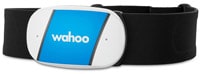
Most races require you to transmit heart rate data, as this helps organizers spot cheaters. If you don’t already own a heart rate monitor, we highly recommend the Wahoo Tickr line due to its durability and connectivity.
Once you’ve chosen a race, read the race description. It should contain everything you need to know about that race’s rules, route, etc. Reading the race details completely will help you perform well and not get disqualified.
Choose Your Category
Just like real-life racing, most Zwift races organize riders into categories so more people have a shot at the “podium.” Different races use different categorization schemes, but most use Zwift Racing Score to group riders, while some use Zwift’s Category Enforcement setup.
Some races have no categories at all, while others base their categorization on other criteria. This should be made clear in the event description.
Join the Race
Joining most races is just like joining any other group ride on Zwift: simply join the event in game and go! But be sure to read the event description as some races may have a different registration process or other rules you must follow in order to show up in the final results.
After Your Race
Save Your Ride
Save your ride in Zwift, which will keep the data on Zwift’s systems and send it to Strava as well. This allows ZwiftPower to pull your segment times and other race data.
View Results at ZwiftPower.com
Head over to ZwiftPower.com to see how you placed against fellow racers. Races will show provisional results immediately after the event, and these are usually the final results as well.
For some races, organizers may go through and manually alter the provisional results, so you may need to check back a few hours after your event for the final results.
Strategic Tips
Much could be written about race strategy, but here are a few important tips specific to Zwift racing:
Expect a fast start: the first few minutes of most Zwift races are tough, with riders pushing hard to break off weaker riders and establish a selection. Be warmed up before the race, time your start so you’re pushing big watts when the clock hits 0, and be ready to dig deep to avoid being dropped right away from the faster groups. It should settle down after a minute or two.
Stay out of the wind: the draft effect in Zwift is strong, and you won’t come close to winning unless you take advantage of it for most of the race. Just like the real world, drafting lets you conserve energy so you’ve got something left in the tank when you need it. Learn more here >
Know your course and plan your attacks: different races are different lengths on different routes. Get familiar with the route so you can properly pace yourself and attack your group at just the right times if you’ve still got legs.
Be prepared: if you have to stop riding to grab water or turn on the fan, you’ve lost. Make sure you’re prepared before the race starts! Check out this Pre-Ride Checklist.
Upgrade your ride: as you hit higher levels and achievements in Zwift you unlock faster bikes and wheels. Use them, because the time difference between the “basic” and fastest Zwift setups in a 1-hour race is over 60 seconds! See our fastest frames and wheels guides for simple lists of the fastest equipment.) Also, once you’ve got a fast frame, work toward upgrading it to its maximum capabilities (read more on bike upgrades).
Use powerups strategically: powerups give you a slight edge when used smartly, and most races include powerups. Read the guide to powerups in Zwift >
How To Get Your 12-Speed SRAM Eagle MTB/Gravel Bike Onto a Smart Trainer
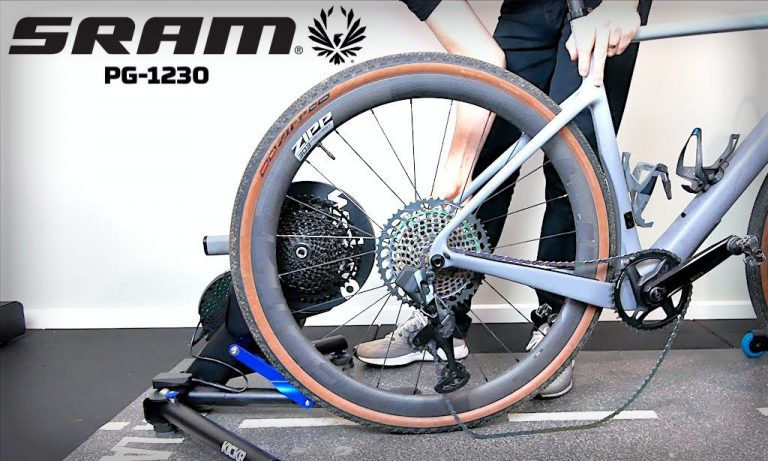
All direct-drive smart trainers on the market today ship with a Shimano HG (hyperglide)-compatible freehub, because this meets the needs of many cyclists, especially roadies.
But what if you have a mountain or gravel bike using one of the increasingly popular 1x 12-speed SRAM Eagle groupsets? In that case, you have two options:
The more complex and expensive option: purchase an XD/XDR freehub body from your trainer manufacturer (here’s one for Wahoo KICKR, and here’s one for Tacx NEO), and install it. Then purchase and install a 12-speed cassette to mount on that new freehub body.
The simpler option: purchase and install a lower-spec cassette like the SRAM NX Eagle PG-1230 which can mount on your existing HG-compatible freehub. This lower-spec cassette is heavier than the high-end counterpart, but that doesn’t matter indoors. (It’s also worth noting that the smallest cog on the PG-12320 is 11 tooth instead of the 10-tooth of the higher-end cassettes, which may affect your ability to push hard in sprints or on descents in Zwift.)
Shane Miller, our favorite Zwifting Aussie, talks us through it:
Questions or Comments?
Are you running a 12-speed setup on your direct-drive trainer? How did you do it? Share below!
But what about climbing? Any cyclist worth their chamois knows the fastest bike on the flats isn’t the fastest bike on the climbs. It’s just physics: when the road is flat, most of your resistance comes from the air, so aero is everything. But when the road tilts up, gravity kicks in and weight matters.
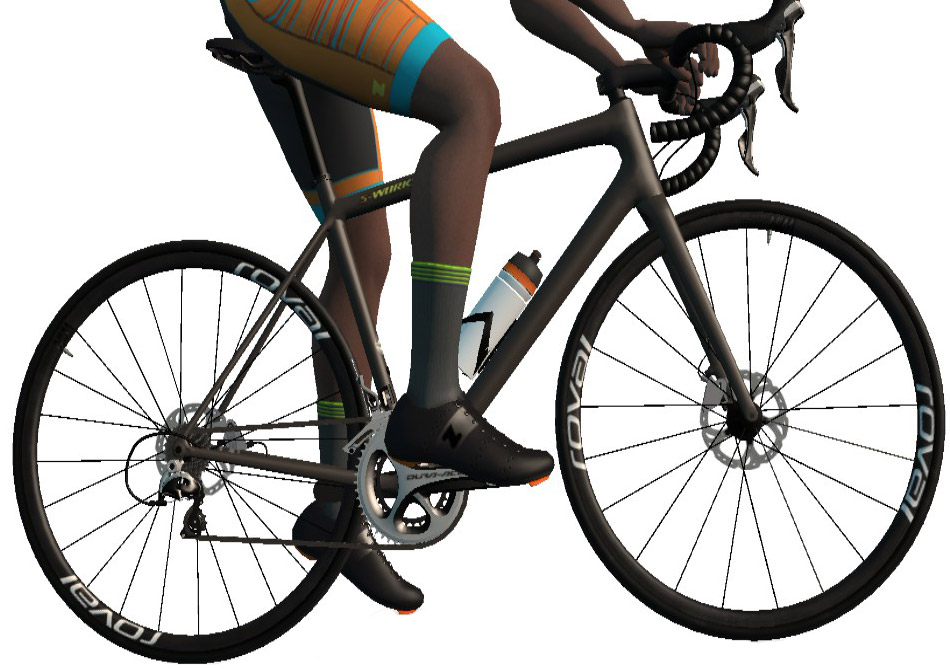
Watopia’s magnificent Alpe du Zwift provides a perfect testing ground for climbing rigs, since it’s a fairly steep and long grade. With 30+ wheelsets and 85+ bike frames in Zwift’s Drop Shop, we’ve done hundreds of Alpe test climbs to answer the question: what is the fastest bike+wheelset combination up Alpe du Zwift?
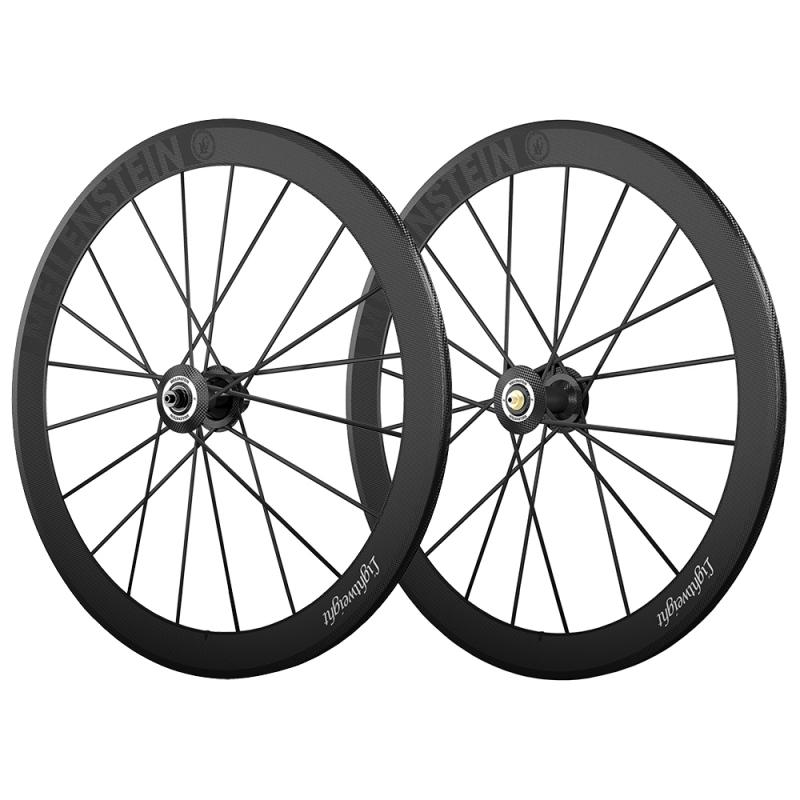
Wheels: Lightweight Meilenstein or Roval Alpinist CLX
The Lightweight Meilensteins held the title of best climbing wheels for a few years, but the new Roval Alpinist CLX wheels match their performance (same climb test time, and just 0.5s slower on our flat test.)
The Lightweight Meilensteins aren’t easy to acquire, since you can only get them via the prize spinner at the top of Alpe du Zwift. So you have to ride the whole Alpe climb just for a chance at the wheels. Some riders get them on the first try. Others get them on the 25th! Chances are you’ll be somewhere in between.
The Roval Alpinix CLX wheels are the lightest clincher wheelset Roval has ever produced, so it’s no surprise that they’d strong climbers on Zwift. And they only cost 135,300 Drops (but you must be level 32+ to unlock!)
This frame coupled with the Lightweight Meilenstein or Roval Alpinist CLX wheels beats all other combinations, whether you ride up the Alpe at 1 w/kg or 5 w/kg.
If you don’t yet have the Lightweight Meilensteins or Roval Alpinist CLX wheels, the ENVE 3.4 or Zipp 353 NSW are tied for the next best climbers (although the Zipp 353 NSW perform better in our flat test). Both wheelsets climb the Alpe 8 seconds slower than the Meilensteins and Alpinists.
The time gaps given above are based on our standard test rider who weighs 75kg, is 183cm tall, and rides at 300 watts steady (4 w/kg). If you ride at a lower w/kg, time gaps between different pieces of virtual kit will be larger. Think of it this way: if your time up the Alpe is 25% longer than our test time, then the time gaps will increase by 25% as well.
For stronger riders, time gaps will be smaller than what we state above. Riding up the Alpe at 5 w/kg will produce a much faster time than our 4 w/kg test rider, and time gaps between different wheels and frames will be reduced proportionally.
Hopefully this information helps you earn a PR next time you hit the Alpe. Of course, equipment changes help a bit, but it’s our fitness and willingness to suffer that really make the difference. So climb on!
Questions or Comments?
Share below!
Important note: this post contains speed test results for Zwift frames or wheels. These results may change over time, and a bike's performance relative to others may also change. We don't always revise posts when performance rankings change, but we do keep current, master versions of our speed test results which are always available. See the frame charts, wheel charts, and Tron vs Top Performers for current performance data.