Home Blog Page 174

Notable Zwift Events for the Weekend of April 15-16

2

Oli is on vacation this week, so I get to pick my top 5 notable events for the weekend. After much internal debate I’ve settled on the Tour of Watopia (who, besides level 60 riders, can so “no” to double XP?), two endurance group rides, and two innovative multi-stage races. Hup hup!


🤝 Tour of Watopia Make-Up Stages

✅ Beginner Friendly  ✅ Sweet Unlock ✅ Innovative format ✅ Women-Only Option

This weekend is your last chance to finish any missed Tour of Watopia stages and level up with that sweet double XP! Read all about the Tour of Watopia here, and if you’re really feeling brave, see if you can bang out all 5 stages over the weekend.

Saturday and Sunday Apr 15-16, multiple timeslots
Sign up at zwift.com/events/series/tour-of-watopia-ride


🥇 HERD Omnium

✅ Women-Only Option⁣⁣ ✅ Innovative Format⁣⁣ ⁣⁣✅ Popular Event⁣⁣ ⁣⁣✅ Extra Tough

Back for its second edition, The Head Omnium 2023 happens this weekend! The Omnium consists of 6 short races spaced out over 2 days (Saturday and Sunday). It’s run as three different leagues in ZwiftPower, each covering a different timezone.

  • APAC (races start at 01:00 UTC/11:00 AETC/13:00 NZST both days)
  • EMEA (races start at 09:00 UTC/10:00 BST/11:00 CEST both days)
  • AMER (races start at 17:00 UTC/10:00 PDT/13:00 EDT both days)

Each league has mixed and women-only races available.

Saturday and Sunday Apr 15-16, multiple timeslots
See events on ZwiftHacks


🤝 BMTR Flat 100 (Miles)

✅ Popular Event⁣⁣ ✅ Extra Tough ✅ Sweet Unlock

We’ve featured the BMTR Flat 100 multiple times… for good reason! It’s a well-led, long-running, popular ride with three different category options based on your desired pace:

If you’re looking to put in big miles with a solid group, this is the place to be this weekend.

Saturday, Apr 15 @ 12:10pm UTC/8:10am EDT/5:10am PDT
Sign up at zwift.com/events/view/3655197


🥇 Team SZ Multi-Stage TT

✅ Innovative Format⁣⁣ ✅ Women-Only ✅ Extra Tough

It’s an iTT extravaganza, just for the ladies! 7 small back-to-back iTT races, and the winners in each category will be the ladies with the lowest overall times. Be sure to use a TT frame, as these are non-drafting races! See fastest TT frames by level >

Sunday, Apr 16 @ 3pm UTC/11am EDT/8am PDT
See events on ZwiftHacks


🤝 Team Italy Endurance Ride w/Saverio Addante

✅ Extra Tough ✅ Celebrity Sighting ✅ Sweet Unlock

Ride leader Saverio Addante is a Zwift legend, having completed a 25-hour, 1000km ride back in December 2020. And now he’s leading this epic endurance ride: 180km on Yorkshire’s pitchy 2019 UCI Worlds Harrogate Circuit. Wow!

This ride is open-paced, and you’ll unlock the Team Italy jersey if you complete it.

Sunday, Apr 16 @ 5am UTC/1am EDT/Saturday 10pm PDT
Sign up at zwift.com/events/view/3656236

How We Make Our Picks

We choose each weekend’s Notable Events based on a variety of factors including:

  • Is the event unique/innovative in some way?
  • Are celebrities (pro riders, etc) attending/leading?
  • Are signup counts already high, meaning the event is extra-popular?
  • Does the ride include desirable unlocks or prizes?
  • Does the event appeal to ladies on Zwift? (We like to support this under-represented group!)
  • Is it for a good cause?
  • Is it just plain crazy (extra long races, world record attempts, etc)?
  • Is it a long-running, popular weekly event with a dedicated leader who deserves a shout out?

In the end, we want to call attention to events that are extra-special and therefore extra-appealing to Zwifters. If you think your event qualifies, comment below with a link/details and we may just include it in an upcoming post!

Your Thoughts

Got other events that stand out this weekend? Share below in the comments!

Beam Me Up, Scotty: Rider Teleport Arrives this Summer

Beam Me Up, Scotty: Rider Teleport Arrives this Summer

Riding with friends is one of the best things about Zwift, and an upcoming feature Zwift announced this week aims to make it even easier. “Rider Teleport” lets you magically join friends or RoboPacer groups who are riding in the same world as you, whenever and as often as you’d like.

How does it work exactly? I’m glad you asked…

How Rider Teleport Works

Rider Teleport lets you instantly move within your current world to join a friend or particular RoboPacer.

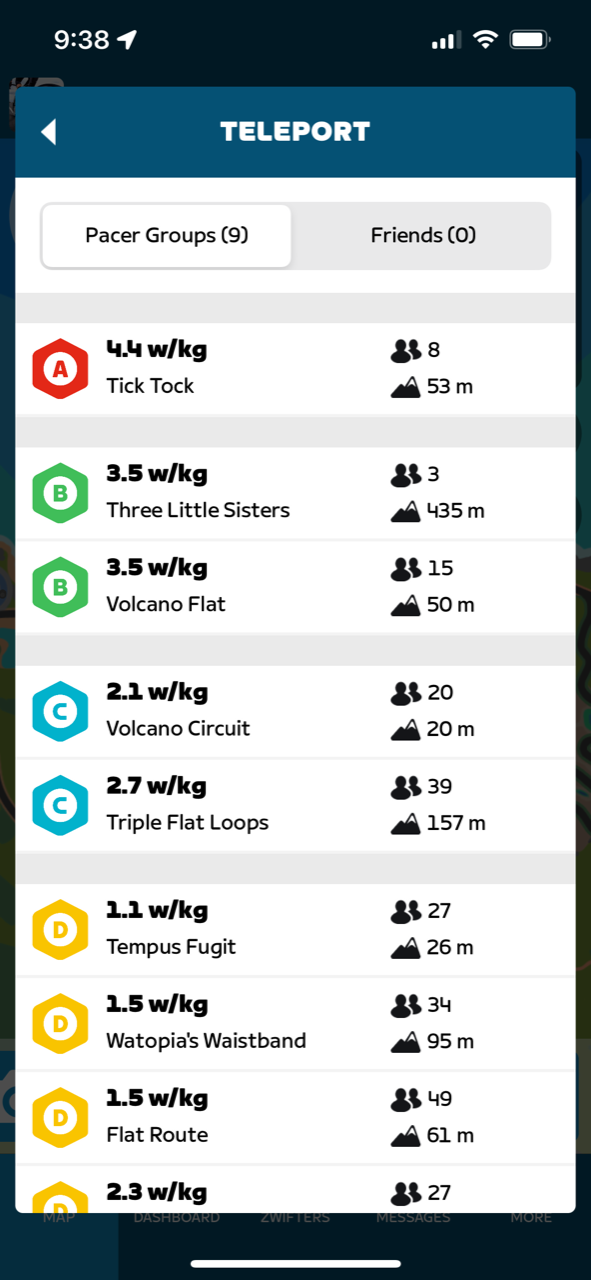
To teleport, bring up the action bar and navigate to the new teleport icon. You can choose between a list of online friends or Pacer Groups. Select a friend or RoboPacer and the game will relocate you to their side. Easy!

(Don’t worry – the game will confirm your teleport command so you aren’t surprised by a sudden change of locale.)

Your current activity will continue when teleporting – you could teleport multiple times in a session and it will all be recorded as one activity.

Pacer Groups show the route, route lap elevation, pack size, and pace in w/kg. Arrow left or right to see your friends list instead of Pacer Groups.

Rider Teleport Rules

  • Zwifters don’t get distance credit or XP for the distance covered while teleporting.
  • Zwifters will get credit for any routes or segments completed during their ride, as long as they don’t Teleport in or out during that route or segment.
  • Zwifters cannot Teleport into or out of events.
  • You can only Teleport to Zwifters you follow who also follow you back.

Use Cases

How will riders use Rider Teleport? I’m sure we’ll see lots of creativity from the community. Here are six ideas:

  1. RoboPacer Intervals: replace a structured workout by bouncing between RoboPacers holding particular w/kg. (I, for example, could bounce between Jaques and Constance for an Over-Under workout.)
  2. RoboPacer Ladder Challenge: start with an easy RoboPacer, then move to the next hardest after 5 minutes. Keep going until you can’t keep up! (Stronger riders may need to increase the interval length to 10 minutes or more.)
  3. Visiting Friends: it’s an easy day. Make some social calls! Go down your list of joinable friends and pop into each of their rides to say hello and wish them well.
  4. Easy Rejoin: ever joined a friend or RoboPacer only to realize you are on the wrong bike, or need to fill your water bottles or grab a towel? Coffee Stop may help, or you could simply stop riding, do what you need to do, then use Teleport to re-join the friend or Pacer Group you were in.
  5. Post-Race Cooldown: racing in Watopia or Makuri Islands? Once your race ends, you don’t need to end your activity and start a new one to cooldown. Just pick a RoboPacer group and teleport in to spin out your legs and cool down.
  6. Endless Everesting: turn any climb into endless elevation by parking a friend at the bottom so you can Teleport down to them once you reach the top. (Note: I don’t see anything in the official vEveresting rules prohibiting this, but it could lead to faster vEveresting times, so we may see those rules get updated.)

The Activity Map (and Strava) Question

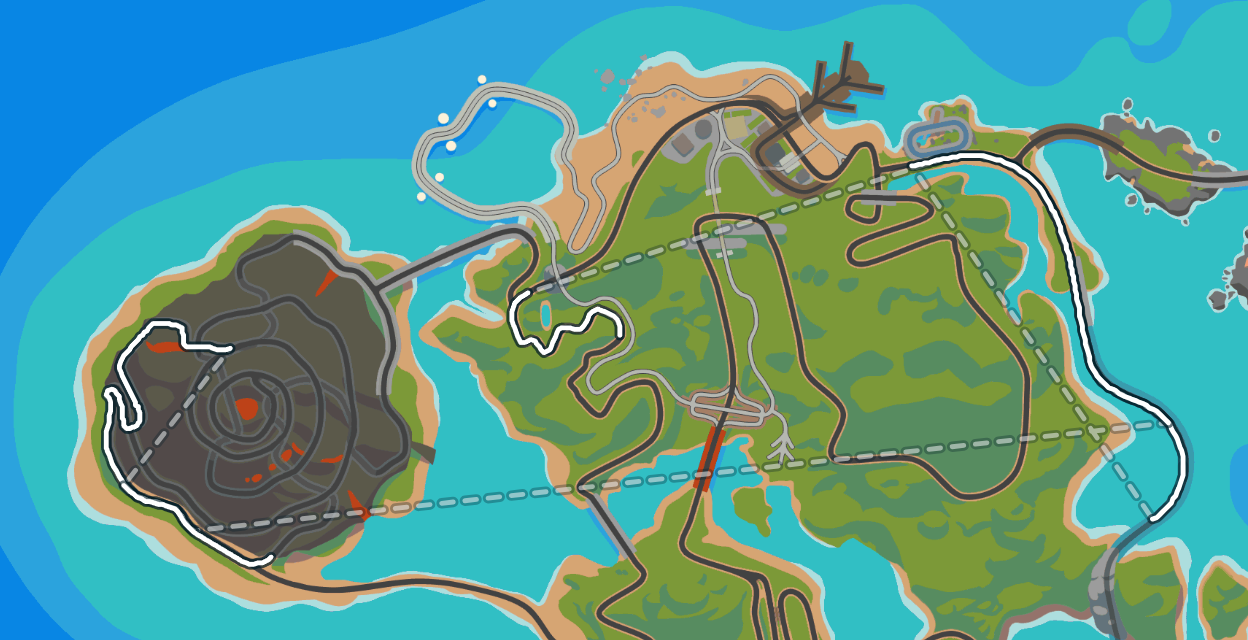
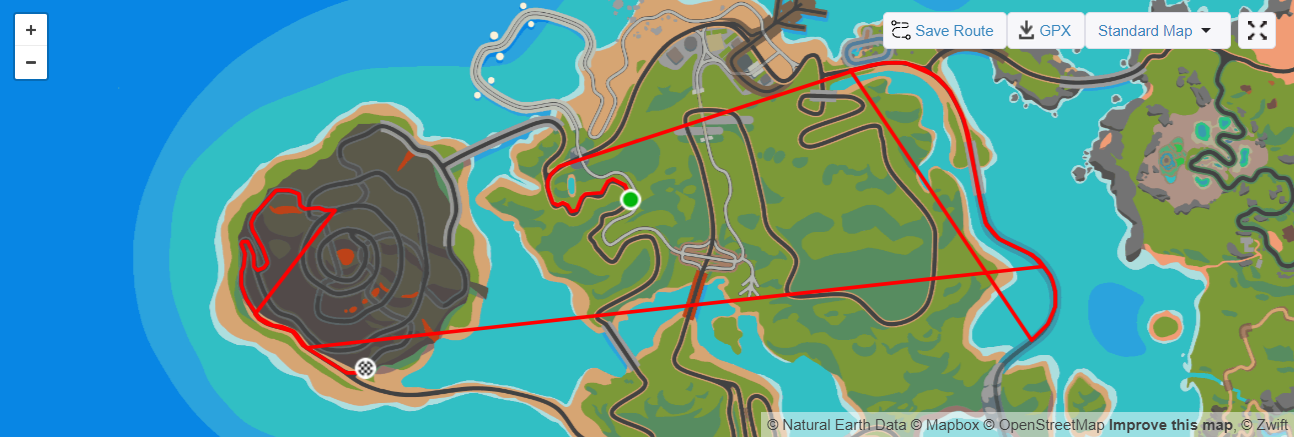
After finishing the ride, your avatar’s movement during a Teleport will appear as a straight line on your post-activity map. Zwift has customized their maps (in Companion and on the web) so the line is more obviously a teleportation, but what about Strava?

My sources in Zwift say that, while they’ve talked to Strava about implementing some updates to make teleportations a bit clearer, they don’t anticipate Strava rolling out changes in time to support this update. So Zwift is moving ahead anyway.

Sounds like a smart move to me. Teleportation travel shouldn’t count toward your Strava activity distance anyway, so it’s really just a visual improvement we’d like to see.

Availability

Zwift says Rider Teleport is coming “this summer.” I bet it will launch between June and August 2023.

Questions or Comments?

How would you use Rider Teleport today? Got questions about this feature? Share it all below!


Coming Soon to Zwift: Take a Quick Break with “Coffee Stop”

Coming Soon to Zwift: Take a Quick Break with “Coffee Stop”

Editor’s note (May 10, 2023): Coffee Stop is now live on Zwift. Read all about it >

One feature from yesterday’s Zwift announcement arriving soon is the “Coffee Stop” – a way to stay with a pack of riders on screen while you take a quick break.

How exactly does it work? Here’s what I know!

How Coffee Stops Will Work

We’ve all been there. I remember riding the Vegan Century one Saturday when I had to pee so bad I used my own bidon on a short descent so I wouldn’t get dropped from my fast-moving pack.

The idea behind Zwift’s Coffee Stop feature is simple: click a button in the Companion app or action bar and your rider will continue moving at the speed of your group for a specified amount of time. Your avatar keeps pace with the group while you hop off the bike to take care of something quickly.

Here’s a video showing how it works:

In some ways it’s not a coffee stop at all, since your rider keeps moving and the break isn’t long enough to enjoy a coffee anyway. But think of it as a Zwifty version of a quick cafe stop: it lets you hit the loo, grab a snack, shed a few pieces of clothing, etc, without losing your virtual packmates.

Concept image of the Coffee Stop UI

Coffee Stop Rules

  • In the first 5 minutes of your ride, you can only take one 30-second coffee stop.
  • You can take one 3-minute Coffee Stop every 30 minutes during the rest of your ride.
  • Coffee Stop is disabled in the last 5 kilometers of distance-based events and the last 15 minutes of time-based events.
  • Coffee Stops are not available in any competitive events or workouts.
  • Finally, to use it, you have to have at least 1 other Zwifter near you going in the same direction.

XP and Distance

Zwift says riders will continue accumulating distance and XP during a Coffee Stop. While this may seem odd at first glance, consider the alternatives:

  • If you didn’t keep accumulating distance, your Strava activity wouldn’t match your Zwift activity, and perhaps you wouldn’t get credit for finishing the route/segment in Strava or Zwift.
  • If XP accumulation was paused during your break, you would return to the ride and probably begin accumulating XP at weird increments (portions of km or miles), which would be confusing.

In the end, I don’t see a 3-minute break’s worth of “free” distance or XP being a big deal, considering the rules Zwift has put in place.

Note: since you’re not putting out any watts, you won’t accumulate Drops while on break.

About the Visuals

As shown in Zwift’s image below, riders taking a Coffee Stop will display the icon over their avatars so other riders know who is on break.

Presumably there’s also a timer somewhere on screen which lets you know how much time you’ve got left before you need to start pedaling again!

Launch Date

Zwift says the Coffee Stop feature is arriving this May.

Wrapping It Up

We’ve all forgot our sweat towel, or been left with empty bidons 2 hours into a long ride. The Coffee Stop provides a nice quality-of-life upgrade that eliminates those bumps in our virtual road.

Will it be abused? Sure. Some riders will use it just to take a break, even in more competitive group rides like the recent Tour of Watopia. But in the end, those riders are only affecting their own fitness, plus they must weigh the luxury of taking a break with the bitter pill of public humiliation for “Coffee Stop Doping” on Zwift.

Questions or Comments?

Let’s be honest: this is really a pee break. Zwift just didn’t want to call it as such.

But what do you think? Will it be handy? Got questions or other comments? Share below!


What We Know About Zwift’s Upcoming “Climb Portal” Feature

What We Know About Zwift’s Upcoming “Climb Portal” Feature

Update (July 2023): the Climb Portal has launched! Read all about it >

One “coming soon” feature from today’s Zwift announcement that has Zwifters talking is the “Climb Portal” – a new way to experience new climbs on Zwift.

While we don’t have detailed screenshots or gameplay videos, I’ve spoken to sources within Zwift to learn more about this exciting feature. Here’s what I know, along with some speculation and fun ideas!

How Climb Portals Will Work

Two portals will be available when the feature launches: one in Watopia (near the Volcano), the other in France (near the Castle).

You can access the portal as a route option from the home screen or navigate to the portal yourself while riding on the map. Once you begin your portal climb you’ll get a short warmup on flat ground before heading uphill.

A Curated Climb Collection

Zwift says the famous Col du Tourmalet and Col d’Aspin will be featured climbs in the portal, “both storied for their prominence in some of history’s most exciting bike races.”

Other climbs will be available as well, but it sounds like just one climb will be available in each portal (so two climbs total) at any given time. Zwift says this “will give the Zwift community the chance to enjoy the segments together.”

So Zwift is developing a curated library of famous climbs, then rotating them as the featured portal climbs on some sort of defined schedule.

About the Visuals

Zwift is doing something very different with the visuals for these climbs… but I’m not altogether sure what that is! Zwift’s Climb Portal FAQ includes this:

Q: What will the environment inside the portal look like? Will the climbs look like what they look like in real life?

A: Zwift has created a completely new visual experience that gives you the chance to focus on the climb, and enjoy the company of other Zwifters. We can’t wait for you to see it!

Clearly, Zwift are choosing their words carefully:

  • New visual experience
  • Gives you the chance to focus on the climb
  • Enjoy the company of other Zwifters

Because Zwift’s current methods of creating new worlds/maps/roads seems to be quite time-intensive, my guess is that portal climbs won’t have the custom, detailed environmental visuals we’re used to seeing on climbs like Alpe du Zwift or the Epic KOM. While the climbs will be GPS-accurate, I bet the surrounding environment will be programmatically generated so Zwift’s art team doesn’t have to place each building, rock, tree, etc.

Zwift calls it a “new visual experience”, which may indicate something even more radical, like a Mario Cart’s Rainbow Roads!

Launch Date

Zwift is saying “this summer.” My guess is we’ll see Climb Portals roll out between June and August.

More Tidbits, Ideas, and Questions

The portal segments will not be available for club events or races, probably because of the way Zwift wants to curate the schedule.

There will certainly be some sort of in-game leaderboard for the featured portal climbs. But it would be really fun to have a web and/or Companion-based leaderboard for the featured climbs that any Zwifter could access.

Giving the current leader a virtual jersey would be a nice touch, and I assume that will happen.

How will this work on Strava? Will all the portal climbs originate from the same place in Watopia or France, then “spider” off from there if you were to overlay multiple climb activities on one Strava map? Or will entering the portal start a new activity, which then records using the IRL climb’s GPS coordinates?

Will we be able to turn around at the top and descend the climb, or is this one way? Are there turnarounds at the top and bottom so you can do hill repeats (vEveresting, anyone)?

I’d love to be able to spawn my own RoboPacer at the start of the climb, at a defined w/kg. Chasing a bot on screen is more fun than watching my wattage and trying to hold target power, so if I could just choose Col du Tourmalet, set my bot at 3.5w/kg, then start the climb that would be a fun challenge!

Questions or Comments?

Those are the details I know, and the questions I have. But what about you?

What climb(s) would you love to see on the Climb Portal? Got questions or other comments? Share below!


Zwift Announces New Products and Experiences for Spring and Summer 2023

Zwift Announces New Products and Experiences for Spring and Summer 2023

Zwift has just sent out a press release highlighting upcoming game improvements and key events for the spring and summer months (April thru August 2023).

There is much to discuss here, so we will begin by publishing Zwift’s full press release, which introduces several new game features we haven’t yet covered due to Zwift media embargoes. We plan to release more in-depth posts focused on these topics in the coming hours and days, digging into the details you won’t find in a press release. Watch this space.

Some of the content in the PR has already been covered in detailed posts here on Zwift Insider, including:

Without further ado: here’s Zwift’s entire (albeit slightly edited) “This Season on Zwift” Spring/Summer 2023 press release.


It’s a poorly kept secret that the fittest, fastest, and most capable riders complement their outdoor rides with focused indoor sessions to refine fitness, even when the weather outside is perfect. Mixing Zwift sessions into an outdoor ride schedule gives cyclists the fitness edge needed to confidently ride further, meet challenging goals, and climb hills more easily – just what’s needed for a fun and exciting summer of riding!

Zwift is excited to roll into the Northern Hemisphere Spring and Summer with a full slate of new in-game features and events. Everything Zwift is announcing today – and other features being built – are designed to make indoor rides more fun and engaging, while ensuring cyclists have the right fitness to tackle their summer riding goals, whatever those might be. 

Highlighted New Features Rolling Out This Summer

(all images represent the current state of features still in development)

Coffee Stop

Coming in May

We’ve all started a ride, only to realize that we forgot an essential, like a water bottle or sweat towel. Or sometimes you’re halfway through a ride and need to take a nature break, or get a caffeine hit to finish your last few miles.  

With Coffee Stop, Zwift is adding a much-requested feature. Created during a recent Zwift Hackathon, Coffee Stop lets you take a short break – up to three minutes – without falling behind the group you’re riding with, whether that’s friends in a meet-up, a Pacer Group, or other Zwifters you happen to be riding with in free ride.

All Zwifters will have access to the feature. To take a Coffee Stop, Zwifters will select the option from the Action Bar or Zwift Companion App. Once activated, you can take care of whatever you need to do – make an espresso, sign for a delivery, or refill your bottle. Your avatar will keep pace with whatever group you’re riding with while you’re off the bike. You’ll even keep accumulating distance and XP. 

But don’t let the dreaded café legs catch up with you! After three minutes, your Coffee Stop expires, so act fast or get ready to catch up.

Rider Teleport

Coming this summer

Riding with friends is one of the best things about cycling. With Rider Teleport, it’s now easier to do on Zwift.

Now, when you’re mid-ride, and one of your friends decides to hop into the same Zwift world, you can teleport directly to them without exiting your current activity. You can also use Teleport with RoboPacers by starting with an easy pacer group and teleporting to a harder one once you’re warmed up. Looking to complete more miles after an event finishes with a group? Simply teleport to a RoboPacer going your speed! 

You can initiate a teleport from your action bar, and your avatar’s movement will appear as a straight line on your post-activity map.  

Action Bar Update

Coming this summer

Zwifters will still access the Action Bar the same way they always have – with the up arrow on their keyboard, or via Companion App – but everything else about this important interactive feature has changed. Action Bar has always been the one place where Zwifters control all in-game features, and it’s now easier to use. 

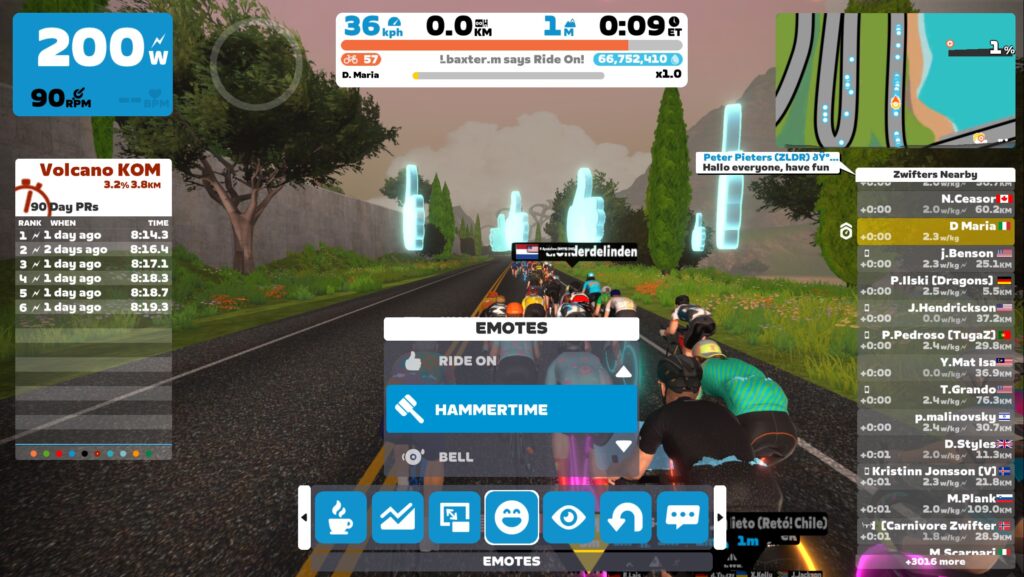
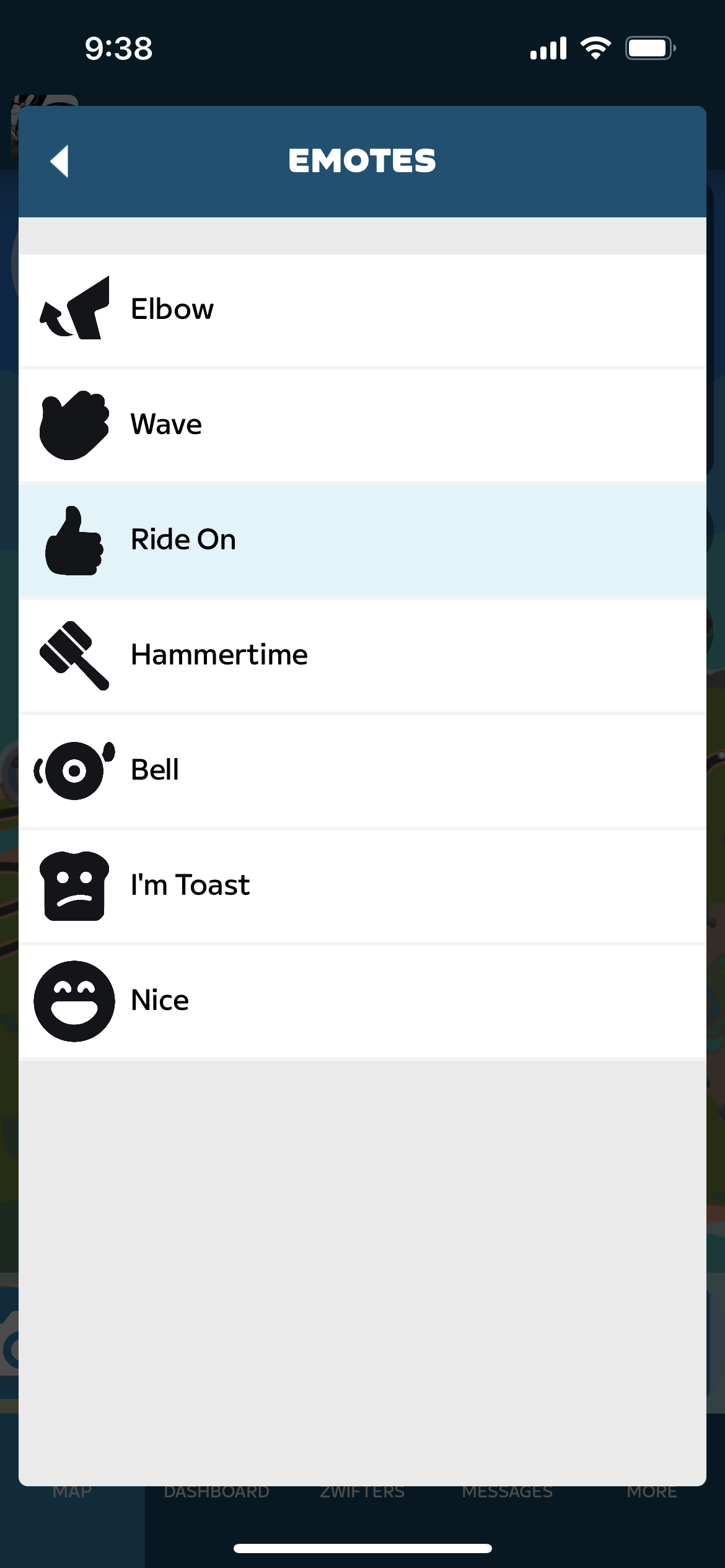
Instead of having to scroll far to the left or right to give a Ride On, change camera angle, or make a u-turn, actions have now been organized into easily navigated submenus. Click into the submenu for emotes to access all the reactions in one place – Ride On, elbow flick, toast, and wave. A different submenu will give you options for Rider Teleport, showing you Zwifters you follow and RoboPacers in the same world as you. Zwifters will also be able to access Coffee Stop from Action Bar.   

Climb Portal

Coming this summer

Join other Zwifters and ride through these two new portals to experience some of the real world’s most famous climbs. This new addition to Zwift will put you in a totally new Zwift environment with a completely new visual experience, but which still replicates real world places. Zwifters will get to test themselves on legendary grades and iconic switchbacks with other riders. 

At launch, two of the climbs available through the portal will be Col du Tourmalet and Col d’Aspin, both storied for their prominence in some of history’s most exciting bike races. Other climbs will be available as well.

Keep Everyone Together

Coming this summer

By turning on Keep Everyone Together in club events, it’s easy for Zwifters to plan no-drop rides for their clubs, making it easier to spend time with friends and socialize while you pedal, even if your group has a wide span of fitness levels. This favorite feature has previously only been available in select events. Now, any Zwifter who is an administrator of a club can turn this feature on for their club’s events. With Keep Everyone Together enabled, all participants in club rides will ride together, no matter their power output. 

Club Notification Control

Coming this summer

Use Club Notification Control to decide which Club Chats and Club Events you want notifications from. You can now turn on notifications from your favorite clubs without being bombarded with chatter from the rest. 

Pack Dynamics V.4

Live now! 

Get ready for a smoother ride on Zwift with the latest updates to Pack Dynamics. This update makes riding in a peloton more realistic; you won’t be overtaken as easily, and won’t get sucked up into a peloton while riding solo. Plus, the new in-game dynamics make it easier to float from the front to the back of the pack, if you want. Group too slow? It’s also easier to break away if you want. If you aren’t trying to move up, your avatar will mostly stay in the same position relative to other Zwifters, as you would if you were riding in a pack in real life.  

Player Highlight

Coming this summer

Player Highlight makes it easy to see your avatar, pick out friends, and spot ride leaders on Zwift. The Player Highlight shrouds your avatar, as well as those of Zwifters you follow and ride leaders in a glowing halo when you’re riding in a dense pack. The highlight fades in smaller packs and when you’re riding solo. This dynamic enhancement is especially helpful in events when everyone is wearing the same jersey.

Select New Content for This Season On Zwift

Zwift Spring Training Series

April-May

Year-round training on Zwift is a great way to boost your outdoor fitness—and the Zwift Spring Training Series is the perfect program to get you ready for summer. With this series, we’ve developed six effective, efficient, achievable workouts that will get you ready for all your summer goals. Indoor Work = Outdoor Fun.

Conquer A Classics Mission

Join Now! 

Ride the distance of Paris-Roubaix Femmes avec Zwift, 145.5 km, to celebrate the speedy women of the World Tour. Conquer those kilometers and unlock a sweet Watch the Femmes kit for your avatar and a unique Mission badge! The mission started April 3, but there’s still plenty of time to join and complete the kilometers before the end of the month. 

Ride With Pride!

Registration Opens on May 22

Pride month is right around the corner, and we’ve got the perfect way to celebrate—June’s Ride with Pride Mission. Sign up and keep your Monthly Mission streak rolling. 

Tour de France // Tour de France Femmes Avec Zwift Mission

Join in July

The Zwift Watch the Femmes campaign will take over the month of July with an on-demand mission that challenges Zwifters to complete four stages, with different course options provided with the new Segment Portal. Stay tuned for more details!  


Questions or Comments?

Zwift just added an FAQ which may answer many of your questions.

Got other comments or questions? Post below!


Zwift Announces Spring Training 2023 Workout Series

Zwift Announces Spring Training 2023 Workout Series

This week Zwift announced Spring Training – a weekly workout series featuring “6 effective, efficient, achievable workouts that perfectly complement your indoor and outdoor training.”

The series begins April 17 and runs through May 31. Zwift says, “These workouts were built to push you and help you realize your fitness potential —so whether you’re a seasoned pro or kickstarting your fitness journey, you will surely see a fitness boost! Because Indoor Work = Outdoor Results.”

How to Register

If you want to finish the series and earn the achievement badge, start by registering. Just click the Spring Training banner on your homescreen, then click “Register”:

Workout Details & Schedule

Group workout events are scheduled hourly each week. (See the list of upcoming events at zwift.com/events/series/zwift-spring-training-2023.) You can also complete the workouts on your own as on-demand workouts.

April 17-23: Aerobic Rev Up (40 min)

It’s time to rev up your aerobic system for some upcoming intensity! In Stage 1, you’ll complete 20 minutes of “work.” The “work” is split into 2 x 10-minute segments, with 2 x 1-minute surges in each block. You got this!

April 24-30: FTP Booster (40 min)

Stage 2 is all about boosting your ability to ride harder for longer. This workout quickly builds fitness by mixing a tough but controlled effort with 15-second bursts of intensity. Get ready to feel the burn!

May 1-7: Hairpin Wizard (44 min)

Want to get better at short accelerations? Surgey climbs, covering attacks, accelerating out of corners—Stage 3 is here to prepare you to tackle them with ease. This session consists of 2 x 16-minute tempo efforts with a 30-second surge every 3.5 minutes. By incorporating 30-second high-intensity efforts into tempo blocks, you’ll improve your ability to work aerobically for longer periods of time.

May 8-14: Over, Under, and Beyond! (50 min)

Stage 4 is on with one of our favorite workout styles: over-unders! Over-under workouts provide a serious fitness boost by teaching the body to tolerate and clear lactic acid buildup. Your legs might be sizzling, but know that you’re making some profound, positive changes!

May 15-21: VO2 Blast (43 min)

Alright, alright. Stage 5 is here to test your mettle, so before you proceed, take a deep breath and get ready to push your limits. This workout consists of 6 (3 minutes on, 2 minutes off) intervals that progressively get harder.

VO2 max intervals like these are one of the best ways to develop the ability to go harder for longer with less fatigue. But these gains come with a price—some seriously hard sets. Get after it!

May 22-28: Final Send (45 min)

Get ready: Stage 6 lives up to its name! In the Final Send, you’ll work to better your sprint. You can improve your power output and overall speed by training the body to produce energy anaerobically—and this is precisely what stage 6 does. But, similar to VO2 sets, sprint training is no walk in the park. Be ready to suffer in the final stage—your summer self will thank you for the fitness!

Make-Up Days May 29-31

If you missed one or more workouts but want to make sure you complete all six stages, there are 3 make-up days scheduled at the end of the series. During this time, stages will rotate every 30 minutes.

On-Demand Workouts

If you can’t fit a group workout into your schedule, or just prefer to do the workout on your own, all Spring Training workouts are available as “on-demand” workouts from the workout folder. Completing the workout as an on-demand workout counts as completing the stage.

Earn the Badge

Finish all six stages and earn the Spring Training 2023 badge:

Learn More

See all upcoming events and other details at zwift.com/events/series/zwift-spring-training-2023

Questions or Comments?

Post below!

Tiny Race Series – April 15 Routes and Last Week’s Results

6

Tiny Race Series – April 15 Routes and Last Week’s Results

We stayed in Britain for all of last week’s races, and it resulted in some really close competition for podium spots! Here’s friend of the site and Zwift community racing legend Nathan Guerra battling to a tie for 1st place in the Zone 3 A category:

Not bad for a guy recuperating from a broken collarbone!

Here are last week’s winners:

Last Week’s Results

Overall Winners

Zone 1 (9am UTC)

A: Ryota Yamazaki (NeXT pb Enshored)
B: Andrew Neville-ross (WMZ)*
C: Chris Chugg
D: Ron Simonis (TeamNLD)

Zone 2 (3pm UTC)

A: Michael Podzaline (Wahoo Le Col)
B: Seth Hotvet (Terror)
C: Uli Doeker (RurhRiders)
D: Cody Chandler (DraftingDinos)

Zone 3 (9pm UTC)

A: Stu Turner (AHDR)*
B: Brian Domecus 🐡(CRYO-GEN)
C: Neil Goodridge (DIRT)
D: Soren Nielsen (GXY)

*In Zone 1 Andrew tied with Jack Somerset on points, but Andrew had more 1st-place finishes to takes the overall win. Similarly, in Zone 3 Stu tied with Nathan Guerra on points, but Stu had more 1st-place finishes to takes the overall win.

Women’s Winners

Zone 1 (9am UTC)

A: Maria Marb (Beastmode pb ROSE)
B: Meylina (DIRT)
C: Tanya Hunt (GXY)
D: Pannara Chirariyakul (OUT)

Zone 2 (3pm UTC)

A: Rebecca Larson (DDC)
B: Amanda Wendorff (IRaceLikeAGirl)
C: Susanne Freidberg (Vixen/Fox)
D: Antje Janke (RCP)

Zone 3 (9pm UTC)

A: –
B: Cristina Pires (AEO)
C: Carly Graham (CrushPod)
D: Helen White

This Week’s Routes: Roller, Climb, Roller, Climb

Our courses this week alternate between flatter rolling routes and routes with key climbs. A battle between pure wattage and w/kg!

  • Race 1: Douce France (7.047km, end at Ballon sprint banner)
    This rolling, twisty route will take you flying through Les Intestins and over a few rollers before sprinting for the Ballon Sprint arch.
    • Powerup: none
  • Race 2: Valley to Mountaintop (3.5km, ends at Temple entrance partway up KOM)
    This route’s key climbs are dirt, beginning with the beautiful Golden Forest which will stretch the pack out and create gaps, then ending partway up the Temple KOM after a bit of pavement in between.
    • Powerup: none
  • Race 3: The 6 Train Reverse (6.9km, 1 lap)
    A rolling counterclockwise circuit of Central Park’s inner loop, this route has an uphill finish up Cat’s Paw Hill that requires timing and punch for the win.
    • Powerup: none
  • Race 4: Mountain Route (5.27km, ending at first bridge tower)
    Your lead in is fairly tame, but this race ends in an all-out, 700-meter slugfest up the foot of the Epic KOM to the first bridge tower.
    • Powerup: none

Sign up at zwift.com/events/tag/tinyraces

ZwiftPower Results

Zwift displays preliminary race results in game when you cross the line, but points are computed after all four races are finished, with final results on ZwiftPower. (We have to do some data processing on our side to compute results, so if your rankings don’t show up right away, be patient.)

Riders will earn points based on finish position in each of the 4 Tiny Races. The category winner of each week’s series is the rider with the most points across their timezone’s 4 races. Here are the links for each timezone’s results on ZwiftPower:

Rules

Tiny Race rules are simple, but still every week 7-10% of registered ZwiftPower racers get disqualified and removed from the final results. Don’t let that be you! Four races, four rules:

  • You must have a ZwiftPower account, because final results are processed by ZwiftPower (learn how to sign up)
  • No skipping then returning. These races are meant to be raced as a set of 4. If you need to leave early, that’s fine… but once you miss a race in your hour’s set of 4, don’t come back and race another or you’ll be disqualified from that race since you rested while others were racing! (Example: racing only races 1 and 2 is fine. Racing 1, 2, and 4 is not – you will be DQ from race 4. And if you race 2, 3, and 4, you’ll be DQ from all those races, since you skipped race 1!)
  • Heart rate monitors are required for podium finishers
  • ZPower/Virtual power is not allowed. Smart trainer/smart bike or power meter required.

Join a Chat & Chill Cooldown

Immediately following each hour’s racing, we’ve scheduled 30-minute “Chat & Chill” events where riders from all categories can spin their legs together and chat about how it all went down. Find them at zwift.com/events/tag/tinyraces.

Zwift Insider Kit Unlock

Finish any of the Tiny Races or a Chat & Chill ride and unlock the Zwift Insider “Ride Smarter//Ride Harder” in-game kit.

Questions or Comments

Post below!


JetBlack Updates Volt Firmware to Support 10Hz Reporting, Dual Bluetooth, ANT+ Spindown

JetBlack Updates Volt Firmware to Support 10Hz Reporting, Dual Bluetooth, ANT+ Spindown

Last week, JetBlack released updated firmware supporting new features for their Volt trainer. While the number of Volt users worldwide is relatively low, this firmware update is good news to Zwift Hub owners as well.

Why? Because the Hub was developed in partnership with JetBlack, so the Zwift Hub is essentially the same hardware as JetBlack’s Volt V2. They are “dressed” differently and sold with varying cassette options, but the hardware is the same.

As for the firmware – well, that’s where it gets interesting. JetBlack and Zwift manage the firmware for their respective trainers separately, but they’ve also worked together on firmware upgrades. So far this has led to JetBlack releasing firmware updates for the Volt first, with Zwift releasing similar updates weeks or months later.

As an example: JetBlack released autocalibration for the Volt back in December 2022, while Zwift just released this upgrade for the Hub last week.

New Feature Details

Version 3.1 of JetBlack’s Volt firmware includes three upgrades which apply to both the V1 and V2 versions of the Volt:

  • Dual Bluetooth Connection
  • ANT+ Spin Downs
  • Trainer Reporting at 10Hz over BLE

Dual Bluetooth Connection 

Supporting more than one Bluetooth connection to the trainer just makes life easier for owners. When a trainer only supports one Bluetooth connection you may be connected to it on your phone (for example), which means you can’t connect to it at the same time via Bluetooth on your PC when running Zwift.

Or you may want to run TrainerRoad alongside Zwift on the same Mac, using Bluetooth for both pieces of software. This isn’t possible if your trainer only supports one Bluetooth connection, but with two it’s a snap.

Manual ANT+ Spin Down Calibration 

Previously a manual spin down was only possible using Bluetooth. Users with an ANT+ connections can now perform a manual spin down using the ANT+ FE-C protocol.

(This is a fairly minor upgrade, considering the Volt and Hub now have firmware that auto calibrates the trainer whenever you stop pedaling. It’s always having the option to do a manual calibration, though.)

Reporting at 10Hz over BLE

This may be the biggest new feature in JetBlack’s release – especially if you’re a Zwift racer!

The new Volt firmware supports reporting at 10Hz over Bluetooth connections, much like Wahoo’s “Race Mode” recently released for their KICKR trainer. This increases how often your power numbers are sent to Zwift, from once per second to ten times per second.

Is this actually advantageous for racing? Shane Miller certainly thinks so…

JetBlack says, “To make your training more efficient, we have turned this feature off while in Erg mode as the rate of reporting makes it very difficult to control a steady ERG session.”

Wrapping It Up

I reached out to Zwift for comment on JetBlack’s release, but they weren’t willing to offer anything official.

My guess, though, is that Zwift has the firmware code for these updates in hand, and is testing it extensively before releasing it on the Hub, possibly with Companion app or in-game integration to support toggling 10Hz reporting on or off.

So good news today for Volt owners… and probably good news soon for Hub owners.

Questions or Comments?

Share below!


Pack Dynamics v4 Speed Tests: 4-Rider TTT Drafting with TT Bikes

UPDATE: the test results below are now outdated, due to Zwift modifying their Pack Dynamics. See the latest version of these tests for accurate data.

Our original TTT speed test post from 2020 gave team time trial riders some very welcome guidance about how to most efficiently ride their races. Then in 2021, Zwift rolled out Pack Dynamics 3, and we ran a second test to see what, if anything, had changed in regard to TTT dynamics. (We found speeds hadn’t changed, it was just harder to hold an efficient single-file formation due to a lack of sticky draft.)

In August 2022, Zwift+WTRL announced enhanced TTT features, including the ability for TT frames to draft in TTT events. So we ran our tests using TTT frames.

Last week, Zwift announced the rollout of Pack Dynamics 4.0 game-wide. How would this impact TTT races? There was only one way to find out, so we set up a private test event, booted up 4 Zwift PCs, pulled the TT frames out of the garage, and did several test laps of Tempus Fugit. The results of these tests are summarized below.

Test Goals

We set out to answer three questions with these tests:

  1. Is the power savings in the draft with Pack Dynamics v4 different than the savings with Pack Dyamics v3?
  2. Is the game’s positioning of TTT riders noticeably different with PD4 compared to PD3?
  3. Do PD4’s modified pack dynamics result in different overall speeds in small churning packs?

Test Parameters and Methodology

All test riders were set to 183cm height, 75kg weight, and rode Zwift TT frames with ZIPP 808 wheels.

Tests were done in an isolated event on Watopia’s Tempus Fugit route because it’s the flattest on Zwift and has a timed section (Fuego Flats Reverse, 4.4 miles long) which could be used to measure the speeds of each test formation precisely.

The ever-helpful James Bailey at Zwift HQ flipped the switch on our event so our TT bikes could draft each other.

All of the tests were done with four riders.

Tests and Results

Test 1: the Churn

For our first test, we put all riders at the same 300W power setting. This resulted in a disorganized group of riders, where some would rotate to the front then drop back after being in the wind for a few seconds. There was churn, but not as much as we saw with previous versions of pack dynamics.

  • All riders @ 300W
  • Segment time 9:40.5
  • Speed: 43.8 kph

Notably, the segment time with Pack Dynamics v3 was 9:53! So even though there’s less churning happening in PD4, somehow this pack moved faster.


Test 2: Single File @300W

The second test had the lead rider holding 300W, with the other three riders in single file behind, holding the minimum wattage possible to stay in formation. This is what you would see in an outdoor team time trial:

  • Rider 1 @ 300W, Rider 2 @230W, Rider 3 @ 210W, Rider 4 @ 190W
  • Segment time: 10:08.9
  • Speed: 41.7 kph

Notes:

  • The “minimum wattages” stated for riders 2-4 on this test and other tests below should be considered approximations, as it is impossible to figure out the precise wattage required to hold formation due to Zwift’s dynamic physics engine and very small undulations in terrain, even on Fuego Flats.
  • Riders received power savings of 23.3%, 30%, and 36.6% – significantly higher power savings than we saw in our PD3 tests. As expected, the further back you are, the bigger the draft effect.
  • In a TTT situation with all riders taking equal pulls on the front at these wattages, each rider would average 232.5W. With PD3, the average wattage for the same group speed was 247W!
  • Test 2’s segment time was almost 29 seconds slower than Test 1’s, despite riders holding no higher than 300W in both tests. This may seem odd at first, but it’s a result of the “churn”. Riders are speeding up while in the draft, then shooting ahead into the wind, only to be slowed and have another rider shoot past them. This little speed boost accounts for a significant time difference, as we see here.
  • It’s worth noting here that we did a solo rider test at 300W steady, because we were curious if there was any advantage to the front rider if there were riders behind. There is not. Our solo rider turned in the same time as this 4-rider group.

Test 3: Single File @350W

This test is similar to Test 2, except we bumped up the front rider’s wattage to 350W to make sure the group would be faster than the churning pack in Test 1.

  • Rider 1 @ 350W, Rider 2 @266W, Rider 3 @ 247W, Rider 4 @ 229W
  • Segment time: 9:36.9
  • Speed: 44.1 kph

Notes:

  • Riders received power savings of 24%, 29.5%, and 34.9% (2nd, 3rd, and 4th rider respectively). Almost identical to the power savings seen in the 300W single file test.
  • In a TTT situation with all riders taking equal pulls on the front at these wattages, each rider would average 273 (compared to 290W with PD3).
  • This is the crux of why TTT formation is so important: even with Zwift’s “speed churning” from test 1, the four riders in this test beat test 1’s time by riding efficiently in single file formation at a lower average wattage.

Test 4: Single File @400W

This test was very similar to Tests 2 and 3, we just bumped the front rider up to 400W.

  • Rider 1 @ 400W, Rider 2 @299W, Rider 3 @ 273W, Rider 4 @ 256W
  • Segment time: 9:08.2
  • Speed: 46.4 kph

Notes:

  • Riders received power savings of 25.3%, 31.8%, and 35% (2nd, 3rd, and 4th rider respectively). Very similar to the power savings seen in the 300W and 350W single file tests.
  • In a TTT situation with all riders taking equal pulls on the front at these wattages, each rider would average 307 (compared to 325W with PD3).

Test 5: Hybrid

Lastly, we tested a strategy that many TTT teams use, wherein there is one designated rider in front, and the riders behind simply churn in the front rider’s draft. This reduces the hassle of trying to maintain single-file positioning while receiving some of the benefits. But how does it impact efficiency?

  • Rider 1 @ 400W, Riders 2, 3, and 4 at @274W steady
  • Segment time: 9:06
  • Speed: 46.6 kph

Notes:

  • The wattage required to sit behind the front rider is much lower in PD4. PD3 required 319W, while PD4 only required 274W!
  • In a TTT situation with all riders taking equal pulls on the front, each rider would average 306W (compared to 339W with PD3). That means the hybrid format results in (essentially) the same average wattage as the 400W single file test, while being a much easier formation to hold!

Conclusions

Let’s answer the two questions we stated at the top of the page:

Is the power savings in the draft with Pack Dynamics v4 different than the savings with Pack Dyamics v3?

Absolutely! Here’s a table showing approximate power savings with PD3 and PD4 based on your position in a TTT group of 4 riders:

PositionPD3PD4
217%24%
325%30%
430%35%

Why is there so much more savings with PD4? Because PD4 uses double-draft, so the draft effect is stronger than PD3.

Is the game’s positioning of TTT riders noticeably different with PD4 compared to PD3?

Yes. This doesn’t really show up in our test numbers, but what we saw is a lot less forward/backward movement of riders, and less of the “slingshot” effect of boosting your speed by coming around the front rider and heading to the front of the group.

Riders doing lower power numbers than the front rider would sometimes start to come around the front rider, but once they hit the wind (with their front wheel roughly equal to the pulling rider’s front wheel) their speed would decrease and they would drop back without ever being fully on the front.

Do PD4’s modified pack dynamics result in different overall speeds in small churning packs?

Also yes! Our first test of 4 riders holding 300W resulted in a significantly faster time than the same test with PD3. This is surprising, given PD4’s reduced churn on the front. We have two theories as to why this is happening:

  • One of the stated goals of PD4 is to “Make breakaways have a slightly better chance of sticking if the attackers work well together.” Perhaps Zwift is giving a speed boost to smaller packs of riders? UPDATE: Zwift HQ assures us this is not the case.
  • Somehow the increased “double-draft” effect is still causing small speed boosts as riders rotate to the front.

Single File or Hybrid Formation?

Clearly “The Churn” is not a good TTT formation. So what’s better – the single file formation, or the “hybrid” approach? With PD3, our 400W tests showed that single file was the most efficient approach since the average power needed was 14W lower compared to hybrid.

But with PD4, the single file and hybrid approaches delivered the same average wattage in our 400W tests! So go with either formation – the important thing is that your front rider hits their power/speed targets.

The good news is, with PD4 it’s easier than ever to hold your desired position in the pack. So whether you’re shooting for the single file or hybrid approach, your TTT team will be able to stay in formation more than ever.

Let’s Break Records!

Released in September 2022, the Cadex Tri frame trimmed 4.5s off a 50-minute flat course compared to the previous fastest frame. Now PD4 appears to give even more speed advantages to small churning groups while increasing the draft so riders can rest more between pulls.

This means Zwifters should be able to set TTT records now, more than ever. Ride on!

Your Comments

Got comments or questions? Share below!

Top 5 Zwift Videos: Scotland Racing, Challenging Pros, and ChatGPT Workouts

Included in this week’s top 5 are videos about racing the Glasgow Crit Circuit, attempting a GCN challenge, trying and reviewing ChatGPT-created workouts, getting dropped while racing up a category, and creating an Alpe Du Zwift souvenir.

Racing Glasgow Crit Circuit – Tackling the Clyde Kicker!
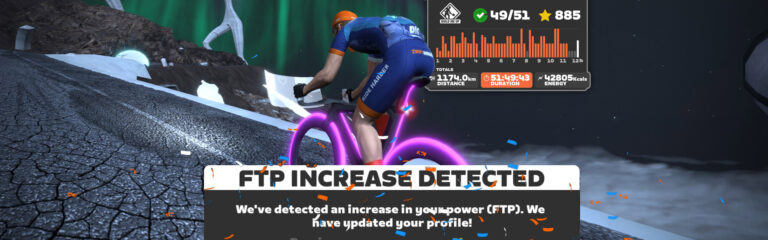
Matt King from Target 2.5 races on the Glasgow Crit Course and provides some commentary on his race. He also gives an update on his cycling journey with news on what’s going on next week.

How Fast is a PRO Cyclist, PRO Rower, and GCN Presenter?

GCN recently held a challenge between a professional cyclist, rower, and a GCN presenter. Mark Lewis takes on the challenge to see how far or how close he is to their times.

ChatGPT-Created Workouts – Are They Any Good?

The recent shifts to AI have begun shaking up numerous industries—but will AI such as ChatGPT work for cycling? In this video, Tariq Ali from Smart Bike Trainers puts a workout created by ChatGPT to the test.

Getting Dropped in a Zwift Race

As a category C Zwift racer, Max from The Watt Life takes a look at a recent Zwift race where he chose to race up a category in category B.

How to Make Your Own Alpe du Zwift Souvenir

An achievement like completing the Alpe Du Zwift climb is definitely one to be celebrated! The Musette provides a video on how to create your own Alpe Du Zwift milestone souvenir. Pretty cool!

Got a Great Zwift Video?

Share the link below and we may feature it in an upcoming post!