Home Blog Page 173

How Accelerated Leveling Works on Zwift

How Accelerated Leveling Works on Zwift

UPDATE: accelerated leveling has changed once again. Read the “Accelerated Leveling” section on this post for details.

When Zwift released levels 51-60 back in September 2022 they included “accelerated leveling” for Zwifters who had accumulated additional XP above the 500,000 required to hit level 50.

Related: XP, Levels, and Unlocks for Zwift Cyclists

The Big Idea

Your level in Zwift is based purely on how much XP you’ve earned.

Well, sort of.

Both times Zwift increased its level cap (from 25 to 50 in December 2018, then from 50 to 60 in September 2022) many Zwifters had already earned enough XP to level up to the new cap.

Example: John Doe Zwifter had earned 760,000XP by August 2022,ut he was stuck at level 50 because that was the highest possible level. Then Zwift released levels 51-60, with 60 requiring 750,000 XP.

The goal of “accelerated leveling” is to give high-level Zwifters like John Doe the fun of working to level up, even if they’ve already earned the XP required to hit higher levels. Otherwise he would just log into Zwift and see 10 new level achievements immediately pop up!

So Zwift devised a scheme whereby these high-level Zwifters would still have to earn some XP to level up, but their leveling up would be accelerated using XP the Zwifter had already earned.

Acceleration Rates and Indicator

With levels 26-50 that acceleration was at a rate of 8x. So for every 1XP earned, Zwift used an additional 7XP that the Zwifter had already earned, meaning you went through the levels 8x faster than usual.

With levels 51-60, Zwift slowed the acceleration to 2x.

If you’re on the accelerated track, you’ll see an indicator on your pause screen showing your current level with an arrow pointing to the level you will be accelerated to.

A Recent Visual Change

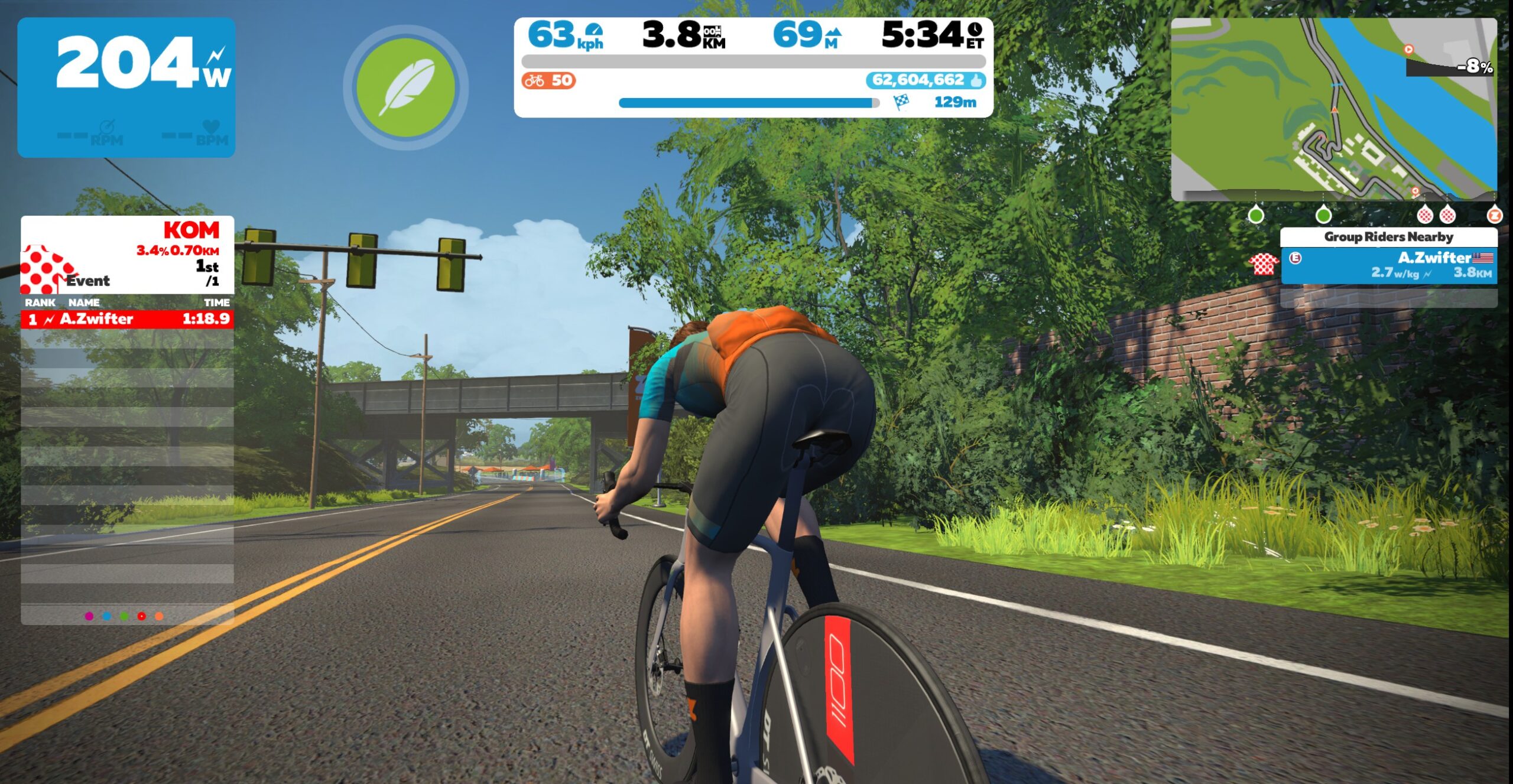
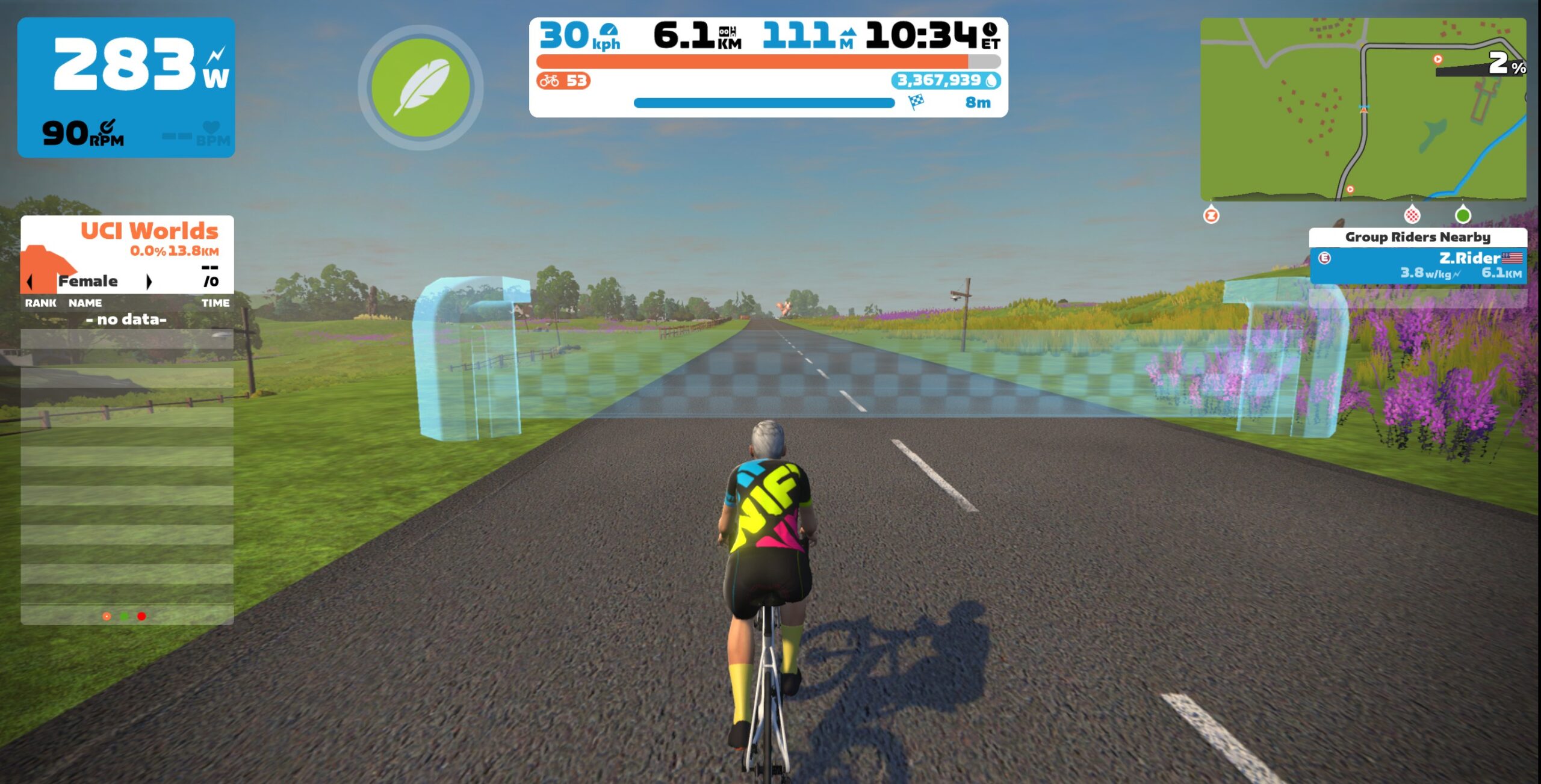
Until recently, Zwifters on the accelerated track would see a doubled XP number whenever Xp was earned. (I, for example, saw 40xp with each new km. This was Zwift giving me the standard 20xp per km, plus adding another 20xp that I had already earned.)

The pause screen also showed the current XP count Zwift was using to calculate my level. Even though I had earned well over the 750,000XP required to hit level 60, the main menu showed a lower value (say, 525,540) while I was working from Level 51 (520,000XP) to 52 (540,000XP).

This UI presented a few problems. First, the +40XP popup made it look like I was earning double XP when I really wasn’t. Secondly, there was no place where I could see how much XP I had actually earned.

In early April, Zwift changed the UI to clarify accelerated leveling. Recently they made a second change to how the game displays newly-earned XP. But there was one problem: nobody announced it, and now it’s causing some confusion for astute Zwifters who knew how it looked previously!

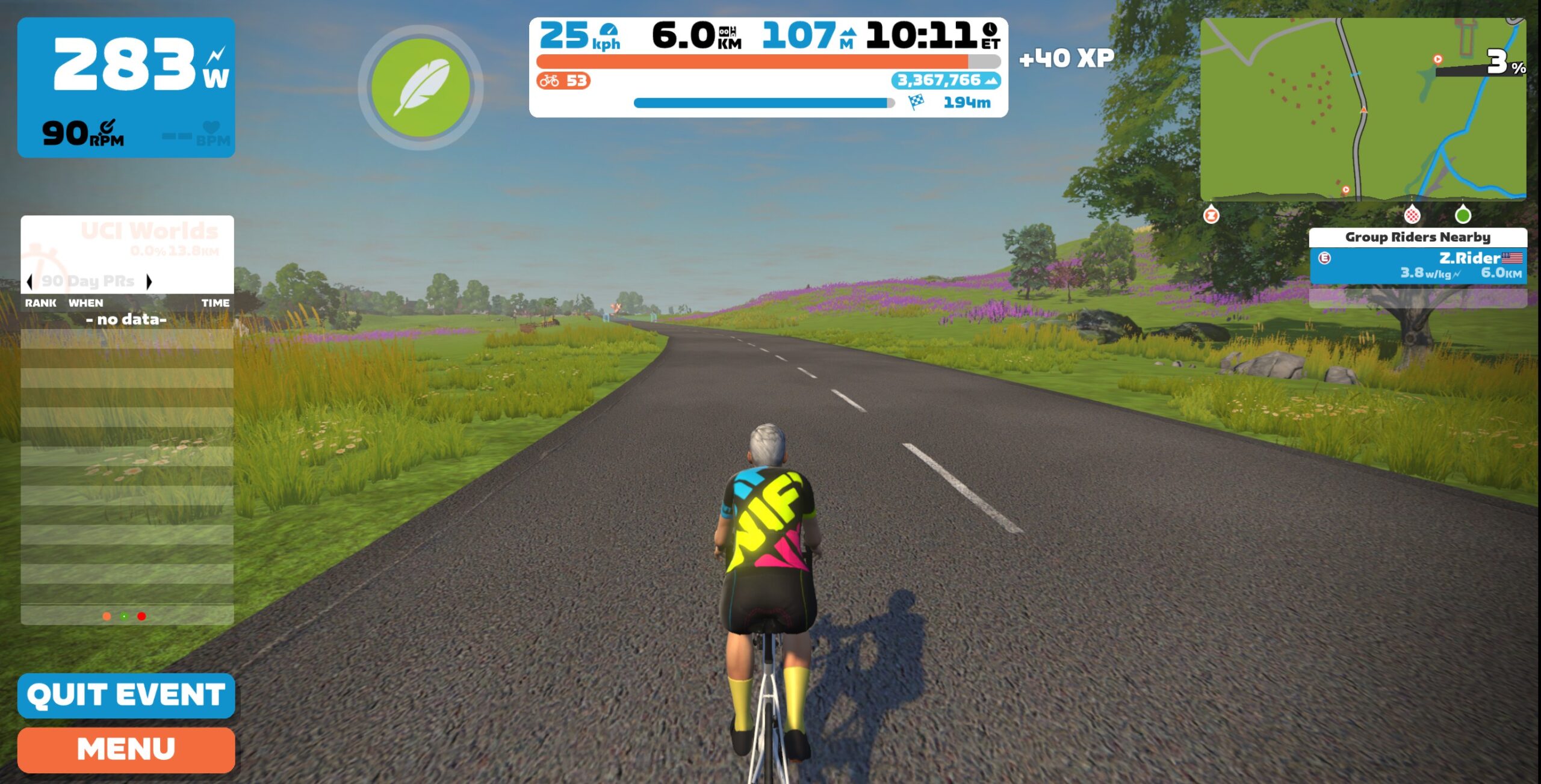
This is how it works now:

So Zwift has made two key changes in recent weeks:

  1. The pause screen now shows your total earned XP.
  2. A doubled XP number is no longer shown. All you see is the actual new XP you’ve earned.

Questions or Comments?

Post below!


Top 5 Zwift Videos: Gaining Fitness, ZRL Podiums, and FTP Accuracies

This week’s picks shine the spotlight on fitness gained after two months, attempting to podium in a ZRL race, the accuracies of Zwift’s FTP detection, a burrito power-up infested race, and a flat Zwift race.

How Much Faster After 2 Months Of Cycling?

Benji Naesen of the Lanterne Rouge Cycling Podcast has been training for the past two months. In this video, he puts his fitness to the test with a ramp test—watch to see how much he improved in the span of two months!
Can I Podium in This ZRL Race?

Jake Sanderson from SNOWMAN CYCLING is back with another analysis of one of his ZRL races where he goes all in, aiming for a spot on the podium.

Automatic FTP detection in Zwift: is it correct?

In his latest race, Nick Basmanov received a new FTP through Zwift’s automatic FTP detection tool. However, in order to see how accurate this measurement is, he tackles a ramp test and compares the results.

What the Burrito Power-Up Really Does

Oftentimes, people use the burrito power-up in Zwift incorrectly and fail to understand the repercussions of this power-up. Oli Chi from ZRace Central takes a look at one of his burrito-infested races and provides some commentary and analysis about the race and the usage of the burrito power-up.

Flat Zwift races are the BEST! | T2.5 Chase Race Tempus Fugit
After a long, busy week, Matt King from Target 2.5 looks back at a recent Target 2.5 race on the pan-flat Tempus Fugit course and discusses how the race went.

Got a Great Zwift Video?

Share the link below and we may feature it in an upcoming post!

Zwift Pack Dynamics: Where It’s At, Where It’s Going

Zwift Pack Dynamics: Where It’s At, Where It’s Going

Zwift took their latest pack physics version (Pack Dynamics v4 or PD4) live on April 4. PD4 was developed to meet the following goals:

  1. Reduce pack speed somewhat for large packs
  2. Make it less punishing if you’re dropped/easier to bridge back up
  3. Make breakaways have a slightly better chance of sticking if the attackers work well together
  4. Reduce the number of bunch sprint finishes in races
  5. Reduce churn and rider movement in large packs

Now that it’s been live for 2 weeks, I thought it would be helpful to dig in and see if each of those goals was attained.

But first, a disclaimer: figuring out precisely how PD4 has actually affected Zwift pack dynamics is no easy task! Yes, precise tests can be done to show certain effects, but they don’t show the whole picture. There are many, many variables at play. So what you see below is a mix of conclusions from Zwift Insider tests, my own experience riding on Zwift, and feedback I’ve seen from many other Zwifters. I believe my conclusions are mostly right, but given the lack of solid analytics data, I won’t claim they’re perfect. And I would love to hear if you disagree with any of what I wrote below!

#1: Reduce Pack Speed

This is sort of the linchpin goal in the list, isn’t it? If Zwift can reduce the speed of large packs it would make it easier to bridge back if you’re dropped, it would give breakaways a chance, and it would reduce the number of bunch finishes.

There’s just one problem: it doesn’t seem to have happened.

It’s hard to find empirical evidence showing that packs are now faster with PD4 than they were with PD3. There are many variables in play, and I don’t have access to the full universe of Zwift data. But if you look up category-separated races that consistently run on the same route, you notice a trend.

Example: Team DRAFT Races

Look at the times for B and C categories (the largest categories, so most comparable across events) of Team DRAFT’s Thursday Races just prior to PD4’s release (Mar 23 and Mar 30) compared to the race using PD4 (Apr 6). PD4 times are faster for both categories, despite fields being larger in most of the pre-PD4 events.

Similar results can be seen for Team DRAFT’s Monday Races. Mar 27 and Apr 3 show significantly slower times than Apr 10 and Apr 17.

Why are pack speeds higher with PD4? It’s not because Zwift’s fundamental individual rider physics have changed – we still have the same wind resistance, Crr, CDA, etc. Tests with a solo rider at constant power produced the same results before and after PD4’s release. A single rider sitting on the front of a pack still turns in the same times as well.

The big change is the stronger draft. Double-draft is now used game-wide, so riders sitting in can now hold lower power yet maintain the same speed as before. (See our recent TTT speed tests for details.)

The stronger draft does two things that affect overall pack speeds:

  1. Riders get more rest in the draft. Putting it another way: the combined power of the group is now lower for the same speed. This means a race group holding the same power as it did pre-PD4 will now move faster than it did pre-PD4.
  2. The slingshot is stronger. When you slingshot around the front rider and into the wind, double-draft shoots you out into the wind stronger than the old draft did. This increases your speed just a bit more, which lets the pack move a bit faster. Multiply that over hundreds of “slingshot events” in a race and you’ll have a slightly faster pack.

The RoboPacer Question

Many Zwifters are saying PD4 has slightly changed their RoboPacer experience, making it harder to hang with the pack and increasing the speed of the group. This makes sense if you consider that many Zwifters have learned to try to stay ahead of the RoboPacer in the pack. This means the RoboPacer isn’t on the front setting the pace – rather, the bot is in the draft.

Increase that draft while keeping the bot’s power the same, and now the bot is moving faster than before. This means riders will need to put out 5-10% more power than before to stay on the front of the RoboPacer group, while sitting in the pack draft shouldn’t feel much different even though you’re going a bit faster.

#2: Easier to Bridge Up

Zwift wanted to make it a bit easier to bridge back to a group if you’re dropped. Has this happened with PD4? I would say yes… and no!

Yes: if you drop just a bit off the back of the group, the stronger draft gives you a bit more “cover” than before, so you can chase back on.

But if you drop too far back, the increased pack speed (see above) means you’ll be chasing an even faster pack, without any help from the draft. This means bridging from one group to the next (say, a group 20 seconds up the road) is now harder than before.

#3: Give Breakaways a Chance

Jordan Cheyne attacking the pack in the 2020 UCI Esports Worlds

Before PD4, seeing a small breakaway win in a flattish Zwift race against a pack of 30+ was a rare thing indeed. This is because the pack would churn on the front, driving its speed up, while the small breakaway wasn’t churning nearly as much.

PD4 doesn’t help solo breakaways – in fact, it hurts their chances, since pack speeds are higher, but solo speeds are not.

But PD4 does give small bunch breakaways a better chance, since double-draft lets a well-organized breakaway work together TTT-style to efficiently keep speeds high. If a small bunch can rotate in TTT formation, using the double-draft slingshot to boost speeds each time a new rider goes to the front, they stand a better chance now than they did pre-PD4.

#4: Reduce the Number of Bunch Finishes

Are we seeing fewer bunch finishes with PD4? I’m not sure. It’s another hard thing to test given the data and analytics tools I have on-hand.

But my gut (and recent Tiny Race stories) say we’re seeing a slight increase in bunch finishes, and we’ll see more as breakaways learn to work together with Zwift’s updated physics.

#5: Reduce Churn

The goal of reducing forward/backward movement of riders in the pack is, I think, the one PD4 goal in Zwift’s list which has most clearly been met. You only have to hop into a RoboPacer group to see there’s less of that churn, and a more realistic feel of needing to modulate your power to move forward/backward in the group.

But there’s a problem: we’ve still got too much churn, and it’s driving up pack speeds (see above).

The good news is, Zwift knows this, and they’re working on it…

Pack Dynamics 4.1

There’s a massive forum thread on PD4, and David P. from Zwift, who headed up the development of PD4, has been chiming in. Here are some excerpts from what he said in a post just yesterday:

I guess it was already said and explained, and I can confirm, the so called “churn” is responsible for the higher speeds of the packs, and with PD4, like the ZI tests demonstrated because of increased draft if riders keep a constant pace the speed will increase.

I’m currently exploring what Dejan previously suggested, of implementing a more aggressive type of churn prevention, by only allowing to overtake to the front (someone not drafting), if you overcome the power to maintain the same speed if not drafting. So… if you want to go to the front of the group you need to put out more power (net power, not absolute w or w/kg) than the person in front.

So I can confirm I’m working on a possible set of PD 4.1 improvements, only testable on racing events, at least initially. ETA unknown.

Summing It Up

So what does it all mean?

I’d say Pack Dynamics v4 is an improvement to Zwift, but there’s more that could be done. The work David P. is doing seems to be exactly what’s needed in order to tighten pack physics even more, so Zwift’s stated PD4 goals can be emphatically met.

Your Thoughts

Share below!


Upcoming Club Updates on Zwift: “Keep Everyone Together” and Notification Controls

Upcoming Club Updates on Zwift: “Keep Everyone Together” and Notification Controls

Last week’s announcement of upcoming features from Zwift included lots of welcome in-game updates. But it also included two key Club-related features coming to the Companion app! Let’s dig into what Zwift is promising, and what it means for Club members and admins…

Keep Everyone Together

Zwift has had “Keep Everyone Together” (aka “rubberbanding”) capabilities for years. (In a rubberbanded ride, all participants stay together, regardless of their power output, as long as they pedal.)

Rubberbanding was first used in group workouts, then expanded to Meetups and made available as a custom, by-request setting for group rides.

Zwift’s code for keeping riders together hasn’t always worked optimally, though. First, group workouts feel super slow for stronger riders. Secondly, and perhaps a bigger issue, a longtime bug has led to Meetups sometimes getting stuck at unrealistically high speeds, which is why you see Strava climb segments topped by riders holding over 45kph doing very low power (see Box Hill, for example).

The great news is, Zwift has been working to improve their algorithm for keeping riders together, and it appears they’re ready to roll that out. This should greatly improve the experience for group workouts, Meetups, and banded group rides.

This update will add a “Keep Everyone Together” toggle to the event settings screen when creating/editing Club events. Zwift says this “makes it easier to spend time with friends and socialize while you pedal, even if your group has a wide span of fitness levels.”

Notification Customization

The addition of Clubs to Zwift was very welcome, but without any ability to dial in your Club notifications, being a member of more than one Club can be frustrating.

If you’re a member of a large Club (like Zwift Insider’s, the largest on Zwift!) as well as one or more smaller Clubs, you probably want to see notifications from your small Club, but not the much busier large Club. The problem is, right now Companion only lets you turn off notifications for all Clubs, instead of specific ones.

That will all change when this feature rolls out, as it lets you toggle chat and event creation notifications on a per-Club basis. Easy peasy!

Availability Date

Zwift is saying these Club upgrades will ship “this summer.” My guess is we’ll see it sooner rather than later – probably in the next major Companion update.

A Few More Ideas…

It’s good to see Zwift rolling out some helpful Club upgrades. Of course, I’ve got a few more I’d love to see! Here are three basic chatroom enhancements my Club members would use today:

  • Member tagging: let me tag other Club members and customize my notifications so I’m only notified of Club messages where I’m tagged.
  • Clickable URLs: let me insert clickable URLs into chat messages.
  • Profile links: let me click on a member’s name or profile pic in chat to be taken to their profile (this one drives me a bit crazy).

Questions or Comments?

What do you think of these Club updates, and what additional Club feature enhancements would you like to see next? Post below!


Tiny Race Series – April 22 Routes and Last Week’s Results

3

Tiny Race Series – April 22 Routes and Last Week’s Results

Last week’s “Roller, Climb, Roller, Climb” theme made it tougher for one type of rider to dominate, forcing everyone to stretch outside their comfort zones. We’ll be revisiting this theme for future races.

But first we have this week, where it’s all about climbs. That’s right… it’s time for some solid VO2 training as we push to the max on longer (but still tiny) climbs. Allez allez!

Here are last week’s winners:

Last Week’s Results

Overall Winners

Zone 1 (9am UTC)

A: Joakim Lisson (POAuto-CeramicSpeed)
B: Gökhan Özbay (BZR)
C: Jesper Brandi (DBR)
D: Christian Matthaeus

Zone 2 (3pm UTC)

A: Daniel Jamrozik (Restart)
B: Martin Ehmoser (Talent:frei)
C: Daniel Lundberg (SZ)
D: Cody Chandler (DraftingDinos)

Zone 3 (9pm UTC)

A: Kyle Marwood (AERO)
B: Francois Beaulieu
C: Martino (Sydney Art School)
D: Soren Nielsen (GXY)

*In Zone 1, Jammers beat 2nd place Andrea Pendini by just 1 point! Also, in Zone 3 Francois tied with Akihiro Shinki in points, but Francois gets 1st due to higher podium finishes.

Women’s Winners

Zone 1 (9am UTC)

A: –
B: Lam KONG (SISU)
C: Sandra Kugelberga (WCC)
D: Mina S(ZSUNR)

Zone 2 (3pm UTC)

A: Rebecca Larson (DDC)
B: Anna Rogers (REVO)
C: Cj Boyenger (DDC)
D: Tracey Begg (WCC)

Zone 3 (9pm UTC)

A: –
B: Amanda Wendorff (IRACELIKEAGIRL)
C: Carly Graham (CrushPod)
D: –

This Week’s Routes: Up Up Up!

All four routes this week finish on sizeable climbs. Bring your VO2max power to the party, equip a lightweight frame and wheels, and “give it the beans.” Fun fact: three of this week’s routes have never been raced as Tiny Races.

  • Race 1: Ven-Top (3.1km, 115m, ends just past Petit KOM road intersection)
    We begin with the longest climb of the day, turning right from the pens and heading straight up France’s Ventoux KOM.
    • Powerup: Feather (1x)
  • Race 2: London Loop Reverse (3.43km, 90m, ending partway up Fox Hill climb)
    Enjoy the flat lead in over Tower Bridge and down through the Underground station before the real work begins! You’ve got ~1.5km of Fox Hill to climb for the finish.
    • Powerup: none
  • Race 3: Lutscher (4.7km, 85m, ends partway up Innsbruck KOM)
    Get a flat lead-in from the start pens, then turn left and hit the Innsbruck KOM and go all-in for 2km. Race ends just after the first hairpin turn.
    • Powerup: Feather (1x)
  • Race 4: Tour of Tewit Well (4.26km, 102m, ends atop second climb)
    We finish our races with a 1-2 gut punch! Descend from the start pens straight onto the first climb – Yorkshire’s KOM Reverse. But you’re not done yet. Descend, then hit the second climb. Our route ends at the top, as the road turns sharply left.
    • Powerup: Feather (1x)

Sign up at zwift.com/events/tag/tinyraces

ZwiftPower Results

Zwift displays preliminary race results in game when you cross the line, but points are computed after all four races are finished, with final results on ZwiftPower. (We have to do some data processing on our side to compute results, so if your rankings don’t show up right away, be patient.)

Riders will earn points based on finish position in each of the 4 Tiny Races. The category winner of each week’s series is the rider with the most points across their timezone’s 4 races. Here are the links for each timezone’s results on ZwiftPower:

Rules

Tiny Race rules are simple, but still every week 7-10% of registered ZwiftPower racers get disqualified and removed from the final results. Don’t let that be you! Four races, four rules:

  • You must have a ZwiftPower account, because final results are processed by ZwiftPower (learn how to sign up)
  • No skipping then returning. These races are meant to be raced as a set of 4. If you need to leave early, that’s fine… but once you miss a race in your hour’s set of 4, don’t come back and race another or you’ll be disqualified from that race since you rested while others were racing! (Example: racing only races 1 and 2 is fine. Racing 1, 2, and 4 is not – you will be DQ from race 4. And if you race 2, 3, and 4, you’ll be DQ from all those races, since you skipped race 1!)
  • Heart rate monitors are required for podium finishers
  • ZPower/Virtual power is not allowed. Smart trainer/smart bike or power meter required.

Join a Chat & Chill Cooldown

Immediately following each hour’s racing, we’ve scheduled 30-minute “Chat & Chill” events where riders from all categories can spin their legs together and chat about how it all went down. Find them at zwift.com/events/tag/tinyraces.

Zwift Insider Kit Unlock

Finish any Tiny Race or a Chat & Chill ride and unlock the Zwift Insider “Ride Smarter // Ride Harder” in-game kit.

Questions or Comments

Post below!


How to Fix Bluetooth Dropouts and Other Connection Problems in Zwift

How to Fix Bluetooth Dropouts and Other Connection Problems in Zwift

Zwift connects to your sensors (smart trainer, power meter, heart rate monitor, cadence, speed) wirelessly using Bluetooth or ANT+. Usually this works well, but you may encounter a connection problem where Zwift stops receiving data from your sensor. What causes Bluetooth dropouts, and how can you avoid them?

Bluetooth or ANT+?

First, let’s make sure you’re using Bluetooth. You can tell what type of connection you’re on by the icon in the device list on your pairing screen:

If you’re on a phone, tablet, or AppleTV, you’ll use Bluetooth for all connections (with some rare exceptions). On a Mac or PC? You can use both Bluetooth and ANT+ at the same time if you’d like.

If you have problems with your ANT+ connection, see How to Fix ANT+ Dropouts and Other Connection Problems in Zwift.

Already Paired To Another Device/App (the #1 Culprit)

Bluetooth, unlike ANT+, is a one-to-one connection. When you connect a Bluetooth device like your smart trainer to another device like your iPad, a connection “pairing” is negotiated back and forth between the two devices.

Once your trainer or other device is paired/connected to Zwift or some other app, it no longer broadcasts that it is available for connections. At that point, your trainer or other device won’t be available to connect to anything else until it is disconnected from whatever it is connected to.

It’s like being in an exclusive dating relationship. You can’t date someone else until you break up. (ANT+, on the other hand, is much more… promiscuous.)

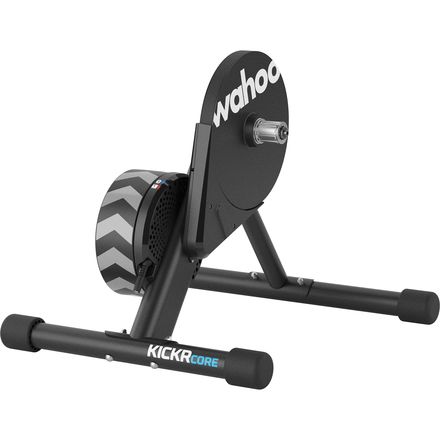
Most Zwift-related hardware (trainers, heart rate monitors, etc) allows only one Bluetooth connection at a time, just like earbuds or those fancy little Bluetooth speakers that fit into your water bottle cage. (A few Zwifty devices allow multiple Bluetooth connections, including the Wahoo KICKR, KICKR Core, and their TICKR heartrate monitors. But those are currently the exception to the rule.)

So if you’re unable to connect to your Bluetooth device from the Zwift pairing screen, the first thing to do is to make sure your Bluetooth device isn’t connected to anything else.

Make sure it isn’t connected to another phone, tablet, or computer. Also, make sure it isn’t connected to an app other than Zwift on the device you’re currently using for Zwift! Because you could (for example) open TrainerRoad on your iPad, connect to your trainer, then be unable to connect to the trainer to Zwift on the same iPad.

Straightforward steps to troubleshoot “diverted pairing”:

  1. Turn Bluetooth off on all nearby devices that has ever been paired to your trainer (phones, tablets, computers, AppleTVs…)
  2. Close all apps on your Zwifting device other than Zwift, to make sure it’s not paired to another app
  3. Pull up the pairing screen in Zwift and connect your Bluetooth device

Zwift Companion App Not “Seeing” Your Game Session

If you run Zwift on a device that doesn’t support Bluetooth (like many Windows PCs) or perhaps supports only a limited number of Bluetooth connections (AppleTV), you may choose to use Zwift’s Companion app on your mobile device as a Bluetooth “bridge”. When this connection method is working properly, all of your Bluetooth devices are connected to the Companion app on your mobile device, then the Zwift game running on a separate device “sees” those connections.

Toggling between using built-in Bluetooth on a Windows PC, and using Zwift Companion as the Bluetooth bridge

For this to work, though, the Companion app must be connected to the same local network as your Zwift device, allowing Companion to “see” your Zwift game activity. This will put the Companion app in “game mode”, where it shows a live map of your location in the game.

If your Companion app isn’t swapping over to game mode once you’ve got Zwift running, check out this comprehensive post from Zwift to troubleshoot why Companion isn’t seeing your Zwift session.

Physical Distance or Barriers

This isn’t a common problem for Bluetooth, since Zwifters generally have their hardware and the device running Zwift in close proximity. But it’s worth mentioning that Bluetooth, like any other wireless protocol, is weakened by distance and physical barriers.

The closer you can get your hardware (trainer, heart rate monitor, etc) to your Zwift device (PC, iPad, AppleTV, etc) the better. And if you can remove any physical barriers between the two, that’s a good thing too!

The pairing screen includes a signal strength meter for Bluetooth connections for this very reason. If it’s not showing full bars, try moving things around to improve signal strength.

Dying Battery

This is a recurring problem with devices like heart rate monitors, speed sensors, cadence sensors, and power meters. Many of these devices don’t include any sort of low-battery indicator, so you don’t know the battery is low until they simply stop working!

If you experience Bluetooth connection problems with a battery-powered device and haven’t put fresh batteries in recently, try swapping in fresh batteries for a quick fix.

Windows Bluetooth Issues

While mobile devices, AppleTV, and MacOS do a great job with Bluetooth, Windows is less consistent. The good news is, if you’re running Zwift on a PC and your PC shipped with Bluetooth capabilities, you’re probably not going to have any issues.

But if your PC didn’t ship with Bluetooth, and you want to add Bluetooth capabilities, you’ll need to buy a Bluetooth dongle or expansion card. This is where we’ve seen Bluetooth performance stumble on Windows, as these add-on devices don’t always perform consistently, sometimes requiring driver re-installation.

Troubleshooting these devices is outside the scope of this post, but one recommendation we will make is to buy devices from well-known brands so you can access reliable support/documentation if needed.

Wireless Signal Interference

Still having Bluetooth connection problems that aren’t caused by the abovementioned issues? Your problem may fall under the general heading of “signal interference”. It may be that other nearby devices are transmitting wireless signals or generating electromagnetic fields which interfere with your Bluetooth signals.

Examples include: 

  • Other active Bluetooth devices (headphones, speakers, hearing aids, etc)
  • WiFi routers on the 2.4GHz spectrum (these interfere with ANT+ more than Bluetooth, but can still cause problems for Bluetooth)
  • Fans
  • Other USB Bluetooth dongles (for wireless keyboard, mouse, etc)
  • Microwave ovens
  • Direct Satellite Services
  • Power sources
  • Cordless telephones
  • Wireless video transmitters (e.g. Chromecast, AirPlay, etc.)
  • Wireless speakers
  • Certain external monitors and LCD displays
  • Any devices that use a cable to connect to a computer or power source
  • Anything else that transmits a wireless signal

More Resources

Questions or Comments?

Post below!


Hi-Vis… on Zwift? Player Highlight arrives this summer!

Hi-Vis… on Zwift? Player Highlight arrives this summer!

One of my favorite memories here in the ZI Pain Cave with my cousin Boone was when I saw him working extra hard for several minutes. Eventually I asked, “Are you trying to stay off the front of your Pace Partner group, or what?”

“No!” he said. “I’m trying to pass this guy!” And he pointed to a rider’s avatar in the middle of his screen.

His avatar. Boone had been chasing himself and, sadly, had made very little progress.

This points to a bit of a UI issue that Zwift hopes to fix with a new feature they’re calling “Player Highlight”. Announced with a raft of other upcoming features last week, it’s a small quality-of-life upgrade that may have some fun spinoff applications in future versions. Let’s dive in!

Player Highlight: How It Works

It “does what it says on the tin”, as my UK friends like to say. Player Highlight encircles a Zwifter’s avatar body with light so they’re easy to spot on screen.

Who will be highlighted? Well, that’s the big question. Zwift says it will highlight your own avatar, avatars of Zwifters you follow, and avatars of ride leaders.

The highlighting is smart, too: it fades as the pack gets smaller, since you don’t need it when there are just a few riders on screen.

Is It Needed?

This update is very needed on Zwift, especially in three specific situations.

First, you’ve got Boone’s situation. If you’re a newer (or glycogen-depleted) Zwifter riding on a busy road, you may be confused about which avatar on screen is yours.

Second, crowded races and group rides can be really confusing. For example, look at this screenshot of a race I did just last week, with over 200 riders:

Can you spot my avatar in this recent race? Hint: I’m wearing the Zwift Insider kit…

It’s even worse in events where everyone is placed in the same kit. The recent Tour of Watopia, for example… can you spot my avatar below?

Finding yourself in a busy event where everyone wears the same kit is nearly impossible. I usually just change to camera 3!

Put a highlight around your avatar, and suddenly it’s very clear who you are:

But what if your avatar was highlighted? Suddenly, it’s easy peasy to pick yourself out of the crowd…

Third, players with visual impairments can have a hard time picking out their avatar on screen. I personally know visually-impaired Zwifters who wear particular headwear or kits so they can more easily pick themselves out on screen. Simple highlighting will improve the group ride experience for these riders.

Taking It Further

It may be a good idea to let players toggle highlighting on and off. While I think it’s generally a useful feature, players may prefer the more realistic appearance of no highlight.

This highlighting idea opens up a whole conversation related to racing. Highlighting riders I follow is a good start – this would let me easily spot my teammates in a race situation. But what if I could highlight particular riders in a race, literally marking them? What if I could mark my teammates with a green highlight, and mark the key bad guys with a red highlight?

Taking it one step further, what if the closest X highlighted riders ahead and behind stayed visible in the rider bar on the right, so I could always see their stats and distance from me?

Arrival Date

Zwift is saying Player Highlight will arrive “this summer.” My guess is it’ll launch between June and August 2023.

Questions or Comments?

Share below!


Pack Dynamics v4 Speed Tests: 4-Rider Drafting with Road Bikes

UPDATE: the test results below are now outdated, due to Zwift modifying their Pack Dynamics. See the latest version of these tests for accurate data.

Our original TTT speed test post from 2020 gave team time trial riders some very welcome guidance about how to most efficiently ride their races. Then in 2021, Zwift rolled out Pack Dynamics 3, and we ran a second test to see what, if anything, had changed regarding TTT dynamics. (We found speeds hadn’t changed, it was just harder to hold an efficient single-file formation due to a lack of sticky draft.)

In August 2022, Zwift+WTRL announced enhanced TTT features, including the ability for TT frames to draft in TTT events. So we ran our tests using TTT frames.

Recently, Zwift announced the rollout of Pack Dynamics 4.0 game-wide. How would this impact TTT races? We tested TTT formations with TT frames and PD4, publishing the results in this post.

But we weren’t quite done! Desiring to test PD4 with road bikes and to confirm the TT frame test results, we ran similar tests using road frames. These results are summarized below.

Test Goals

We set out to answer two questions with these tests:

  1. Is road bike power savings in the draft with Pack Dynamics v4 different than the savings with Pack Dyamics v3?
  2. Do our findings with PD4 tests using road bikes back up our findings with TT frames and PD4?

Test Parameters and Methodology

All test riders were set to 183cm height, 75kg weight, and rode Zwift Carbon road bike frames with Zwift 32mm carbon wheels.

Tests were done in an isolated event on Watopia’s Tempus Fugit route because it’s the flattest on Zwift and has a timed section (Fuego Flats Reverse, 7.1km long) which could be used to measure the speeds of each test formation precisely.

All of the tests were done with four riders.

Tests and Results

Test 1: the Churn

For our first test, we put all riders at the same 300W power setting. This resulted in a disorganized group of riders, where some would rotate to the front then drop back after being in the wind for a few seconds. There was churn, but not as much as we saw with previous versions of pack dynamics.

  • All riders @ 300W
  • Segment time 10:04.5
  • Speed: 42.08 kph

Notably, the segment time with Pack Dynamics v3 was 10:13.4! So even though there’s less churning happening in PD4, somehow this pack moved faster. (This is the same unexpected result we saw with our PD4 TT frame test.)


Test 2: Single File @300W

The second test had the lead rider holding 300W, with the other three riders in single file behind, holding the minimum wattage possible to stay in formation. This is what you would see in an outdoor team time trial:

  • Rider 1 @ 300W, Rider 2 @ 212W, Rider 3 @ 196W, Rider 4 @ 191W
  • Segment time: 10:36.7
  • Speed: 39.9 kph

Notes:

  • The “minimum wattages” stated for riders 2-4 on this test and other tests below should be considered approximations, as it is impossible to figure out the precise wattage required to hold formation due to Zwift’s dynamic physics engine and very small undulations in terrain, even on Fuego Flats.
  • Riders received power savings of 29.3%, 34.6%, and 36.3% – significantly higher power savings than we saw in our PD3 tests. As expected, the further back you are, the bigger the draft effect.
  • In a TTT situation with all riders taking equal pulls on the front at these wattages, each rider would average 224.8W. (With PD3, the average wattage for the same group speed was 246W.)
  • Test 2’s segment time was over 32 seconds slower than Test 1’s, despite riders holding no higher than 300W in both tests. This may seem odd at first, but it’s a result of the “churn”. Riders are speeding up while in the draft, then shooting ahead into the wind, only to be slowed and have another rider shoot past them. This little speed boost accounts for a significant time difference, as we see here.
  • It’s worth noting here that we did a solo rider test at 300W steady, because we were curious if there was any advantage to the front rider if there were riders behind. There is not. Our solo rider turned in the same time as this 4-rider group.

Test 3: Single File @350W

This test is similar to Test 2, except we bumped up the front rider’s wattage to 350W to make sure the group would be faster than the churning pack in Test 1.

  • Rider 1 @ 350W, Rider 2 @ 252W, Rider 3 @ 236W, Rider 4 @ 217W
  • Segment time: 10:02.2
  • Speed: 42.2 kph

Notes:

  • Riders received power savings of 28%, 32.6%, and 38% (2nd, 3rd, and 4th rider respectively). Almost identical to the power savings seen in the 300W single file test.
  • In a TTT situation with all riders taking equal pulls on the front at these wattages, each rider would average 263.8W (compared to 290W with PD3).
  • This is the crux of why TTT formation is so important: even with Zwift’s “speed churning” from test 1, the four riders in this test beat test 1’s time by riding efficiently in single file formation at a much lower average wattage.

Test 4: Single File @400W

This test was very similar to Tests 2 and 3, we just bumped the front rider up to 400W.

  • Rider 1 @ 400W, Rider 2 @ 290W, Rider 3 @ 261W, Rider 4 @ 255W
  • Segment time: 9:32.1
  • Speed: 44.4 kph

Notes:

  • Riders received power savings of 27.5%, 34.8%, and 36.2% (2nd, 3rd, and 4th rider respectively). Very similar to the power savings seen in the 300W and 350W single file tests.
  • In a TTT situation with all riders taking equal pulls on the front at these wattages, each rider would average 301.5W (compared to 326W with PD3).

Test 5: Hybrid

Lastly, we tested a strategy that many TTT teams use, wherein there is one designated rider in front, and the riders behind simply churn in the front rider’s draft. This reduces the hassle of trying to maintain single-file positioning while receiving some of the benefits. But how does it impact efficiency?

  • Rider 1 @ 400W, Riders 2, 3, and 4 at @ 273W steady
  • Segment time: 9:32.1
  • Speed: 44.4 kph

Notes:

  • The wattage required to sit behind the front rider is much lower in PD4. PD3 required 313W, while PD4 only required 273W!
  • In a TTT situation with all riders taking equal pulls on the front, each rider would average 304.8W (compared to 335W with PD3). That means the hybrid format results in nearly the same average wattage as the 400W single file test, while being a much easier formation to hold!

Conclusions

Let’s answer the two questions we stated at the top of the page:

Is road bike power savings in the draft with Pack Dynamics v4 different than the savings with Pack Dyamics v3?

Absolutely! Here’s a table showing approximate power savings with PD3 and PD4 based on your position in a TTT group of 4 riders:

PositionPD3PD4
217%28%
325%33%
430%37%

Why is there so much more savings with PD4? Because PD4 uses double-draft, so the draft effect is stronger than PD3.

Do our findings with PD4 tests using road bikes back up our findings with TT frames and PD4?

Yes. The power savings table above very closely matches what we found for TT frames with PD4.

Additionally, we saw the same anomaly with the “churn” (test 1) being faster in PD4 than it was in PD3, both with road bikes and TT bikes.

While PD4’s auto-braking is supposed to help stop riders from accidentally moving up and into the wind, our churning pack of 300W riders held steady power, so auto-braking never kicked in. That meant they got a bit of a double-draft slingshot from behind the front rider, then shot into the wind momentarily before slowing and being replaced by the next slingshotting rider. We believe this accounts for the faster speed of the churn group in PD4.

What It All Means

For road racers on Zwift (vs TT), Zwift’s new pack dynamics should result in races that more closely reflect IRL racing.

Double-draft is enabled for all races (since it’s built into PD4), so the draft is delivering more power savings than before.

Additionally, with autobraking and other changes accidental churn is decreased on the front of packs, keeping pack speeds a bit lower and forcing riders to be more intentional if they want to take a turn on the front.

These changes should lead to more breakaway possibilities, as smart breakaway-loving riders can get more rest in the draft, and work together to stay away from the slightly slowed pack once a breakaway is established.

Your Comments

Got comments or questions? Share below!

Top 5 Zwift Videos: Ascending Ven-Top, Racing Advice, and Breakaway Wins

This week’s top 5 Zwift videos include a variety of racing-focused selections. This includes a beginner’s guide to racing, breakaway wins with Pack Dynamics v4, Zwift’s Race London series, and an ascent up Ven-Top.

A Beginner’s Guide to Zwift Racing

Learning the ins and outs of Zwift racing can be pretty tough. However, this video from Cycling818 gives some tips for Zwift racing as he looks through one of his races.

Winning Through a Breakaway

It is not very often that you come across a breakaway-based win on Zwift. Erik Lee from Don’t Get Dropped Cycling takes on the first stage of the Cobble Crusher series and with a little help from Pack Dynamics v4, is able to pull off a win!

Taking on Zwift’s Race London 4a and 4b

Eric Barefell gives his thoughts on the final two races of the Race London series as he looks back at his personal race recording.

True Beginners Guide to Zwift Racing

After receiving questions about how you actually race on Zwift, Eric Abbott has created a video going over some equipment that riders should have, how to sign up for a race, and some basic tips for racing strategically.

Ascending Ven-Top

Dwayne from Dwayne Pedals provides a vlog-style video highlighting his ascent up the virtual Mount Ventoux climb on Zwift. He also gives insight into his fueling for a tough ride like this.

Got a Great Zwift Video?

Share the link below and we may feature it in an upcoming post!

Training Log: Build Me Up, Week 4

Training Log: Build Me Up, Week 4

Welcome to this week’s “Build Me Up” (BMU) training log. This was the end of the first 4-week training block, so it was a recovery/regeneration/rest week.

Past weeks: Week 1 // Week 2 // Week 3

Daily recovery is important, of course. Because it’s during the rest that you get stronger! But letting your body rest over the period of several days is also very smart, and most training plans build in rest weeks every 4-6 weeks.

During rest weeks I focus on having fun on and off the bike, without working too hard. I also make sure my body is adequately equipped for recovery, so I try to continue eating right and sleeping well.

If I do it right, by the end of the rest week I’m looking forward to getting back to work.

Workout Journal – Week 4

Saturday, April 8: Purple Unicorn

See activity on Strava

The last Unicorn of BMU!

This was the toughest workout yet. Last week‘s Amalgam was close, but this one was just so tough at the end, having to hold high power at lower cadences, then finishing with a high powered, high cadence effort.

Here’s a summary of the full progression of the four Unicorn workouts in BMU, so you can see how the over-under (OU) sections build each week:

  • Week 1 – Red Unicorn: 4x 6 OU of 1 minute @ 255W, 30s @ 335W
  • Week 2 – Orange Unicorn: 4x 6 OU of 2 minute @ 275W, 30s @ 335W
  • Week 3 – Yellow Unicorn: 3x 6 OU of 2 minute @ 265W, 1 minute @ 335W
  • Week 4 – Purple Unicorn: (basically) 4x 4 OU of 3 minute @ 275W, 1 minute @ 335W, 30s at 370W

I gave up following the position instructions partway through that third interval, when I couldn’t sit in the aero position and do high power. But I hit the power targets and most of the cadence targets throughout the workout, so that’ll have to be good enough!

Set a new PR on Ventoux, too, finally breaking 90 minutes. One of these days I’ll need to do a race effort up this climb and see what I can really do! It’s just soooo loooong….

Thursday, April 13: Sneaky

See activity on Strava

Apart from the Pedaling Drills workouts, this was the easiest one of BMU so far. 8 sets of 3 minutes at 255W, 1 minute at 305W, 1 minute of rest at 175W. Sort of tempo-range over-unders, they never got my heart rate above tempo range.

Which I suppose is about right, for a recovery week!

Whine of the Week: Wahoo’s Weakness

This week here in Lake County (Northern California) the weather finally broke. It stopped raining, the sun came out, and temps went from the low 50’s to high 60’s. Perfect riding weather!

I wanted to try doing a workout outside for the first time in the program – but couldn’t figure out how to get the workout file onto my Wahoo head unit(s). As far as I can tell, the only way to get a structured workout onto a Wahoo Elemnt, Bolt, or Roam is to:

  1. Have the workout in my TrainingPeaks account, where it will sync over. But this requires a paid TrainingPeaks account, and even then I would have to transfer the Zwift workouts to TrainingPeaks before they could sync over (not hard to do, but a silly hassle).
    OR
  2. Use Outdoor Structured Workouts from Wahoo’s SYSTM – but that doesn’t do me any good, since I need Zwift’s Build Me Up workouts.
Looks great, right? Wish I could get my Zwift workouts onto my Wahoo Bolt!

I’m still going to do one or more of the plan’s workouts outside, but I’ll have to just manually ride it without much help from my head unit.

(Notably, this is possible with Garmin head units. I’m just not a big fan of Garmin head units… I much prefer Wahoo’s clear and simple UI.)

Summing Up Week 4

This was a very easy week, as you can see from the BMU workout TSS numbers:

  • Week 1: 274 TSS
  • Week 2: 343 TSS
  • Week 3: 363 TSS
  • Week 4: 212 TSS (that includes the pedaling drills workout I skipped, which is only 24 TSS)

I did a short Zwift race on Tuesday, just because I’ve missed racing. It was a pretty tough race (huge pack of 200+ Bs) and I didn’t finish anywhere special, but it was fun anyway and I hit some power curve bests for 2023 so that’s a good sign.

Also rode my MTB up the local volcano, where I broke a spoke nipple on my front wheel while doing a track stand waiting for my buddy.

While I was planning on doing the “Pedaling Drills” workout, I decided to skip it. As I write this it’s Friday morning, and I’ve decided to head outside on the road bike for a casual ~20 miles in the sunshine before BMU Week 5 begins tomorrow. I’ll probably do some high cadence work in a nod to the missed workout, but mostly I’ll just enjoy the sunshine and spring air.

One to Keep, One to Throw Away

I think each week of BMU features a key “cornerstone workout” and another which doesn’t really need to be done, so I thought it might be useful to call those out each week, in case your schedule is tight. For week 4, here are my picks:

  • Key Workout – Purple Unicorn: I felt like this final unicorn was sort of the crowning achievement of the first training block. You gotta do it. And it won’t be easy.
  • Throw Away – Sneaky OR Pedaling Drills: honestly, you could skip either of these workouts and be OK heading into week 5… but only as long as you keep riding on this recovery week, keeping those legs spinning and letting them rebuild for the next block.

Coming Up Next Week

Week 5 is the start of the next 4-week block, which looks to be focused on VO2 training. Four workouts totalling 5 hours and 312 TSS.

Questions or Comments?

Have you ever done the Purple Unicorn workout? What did you think? Share below!