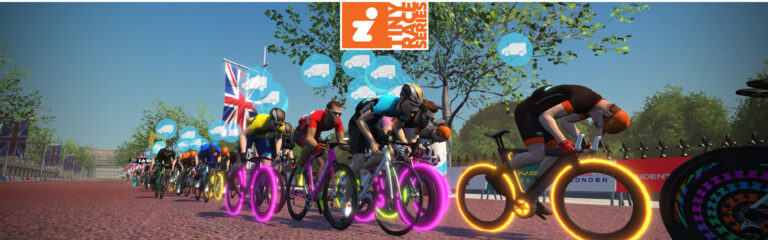
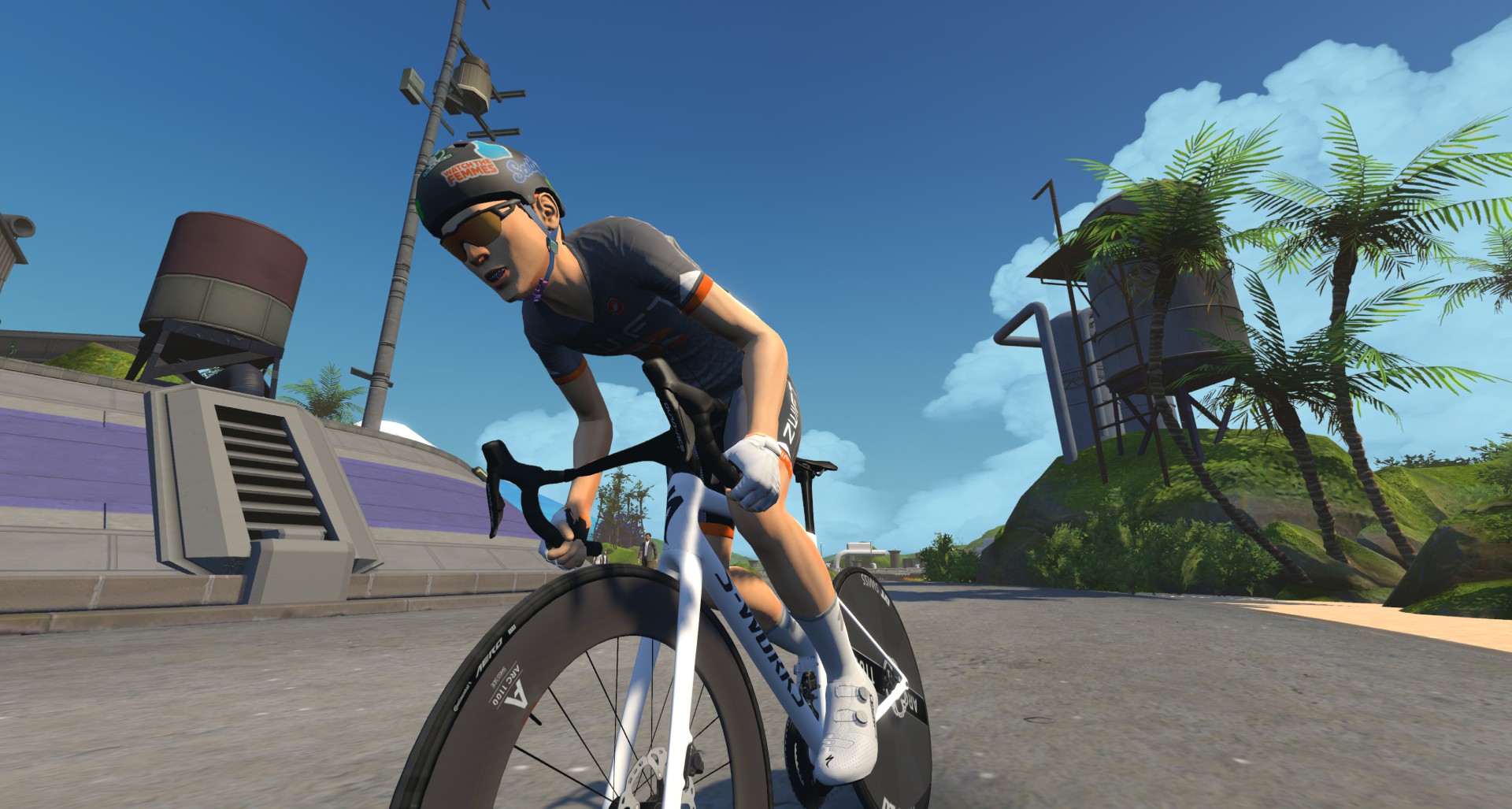
Zwift Racing is one of the best ways to stay engaged and challenge yourself indoors. In this week’s top video, hear from one Zwifter as she shares tips for those just getting started!
Also included in this week’s post are videos about weight loss, benchmark FTP tests, and the Wahoo KICKR Core 2.
Avoid These Zwift Racing Mistakes!
Looking to improve your Zwift racing skills? Jessica Strange shares everything she has learned from her recent races.
I Lost 3.1kg in 7 Days – Week 1 Challenge Results
Chad Rides shares an update after the first week of his weight loss challenge. How much progress has he made in the first week?
Indoor FTP Test After Crit Season: How Accurate Is My Zwift FTP?
After a long summer of training and racing outdoors, Cranks & Sprints puts his fitness to the test with an FTP test.
Wahoo KICKR CORE 2 In-Depth Review: Worth It?
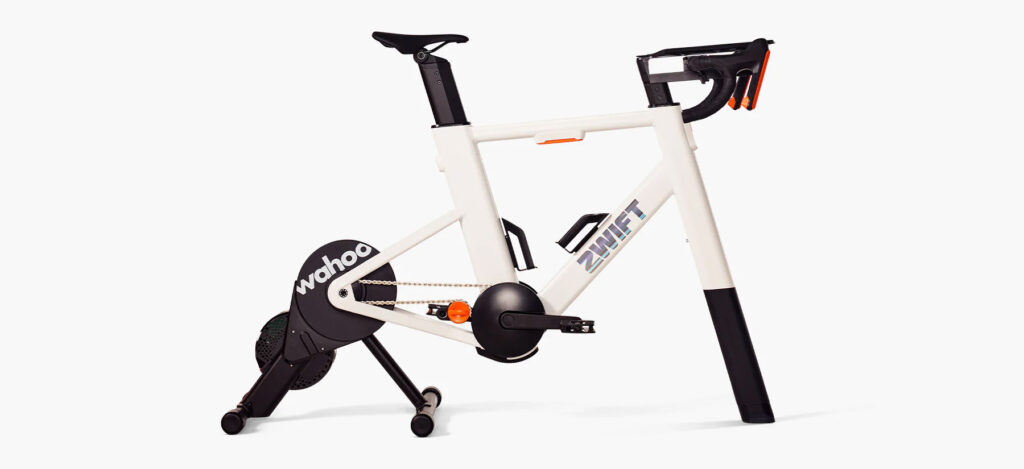
Ray, aka DCRainmaker, shares an in-depth review of the Wahoo KICKR Core 2. Is it the best budget direct drive trainer?
Brutal First Race Back On Zwift… But One Of The Best!
Ed Laverack shares a recap and commentary on his first Zwift races back and shares why these first races were some of his best.
Got a Great Zwift Video?
Share the link below and we may feature it in an upcoming post!
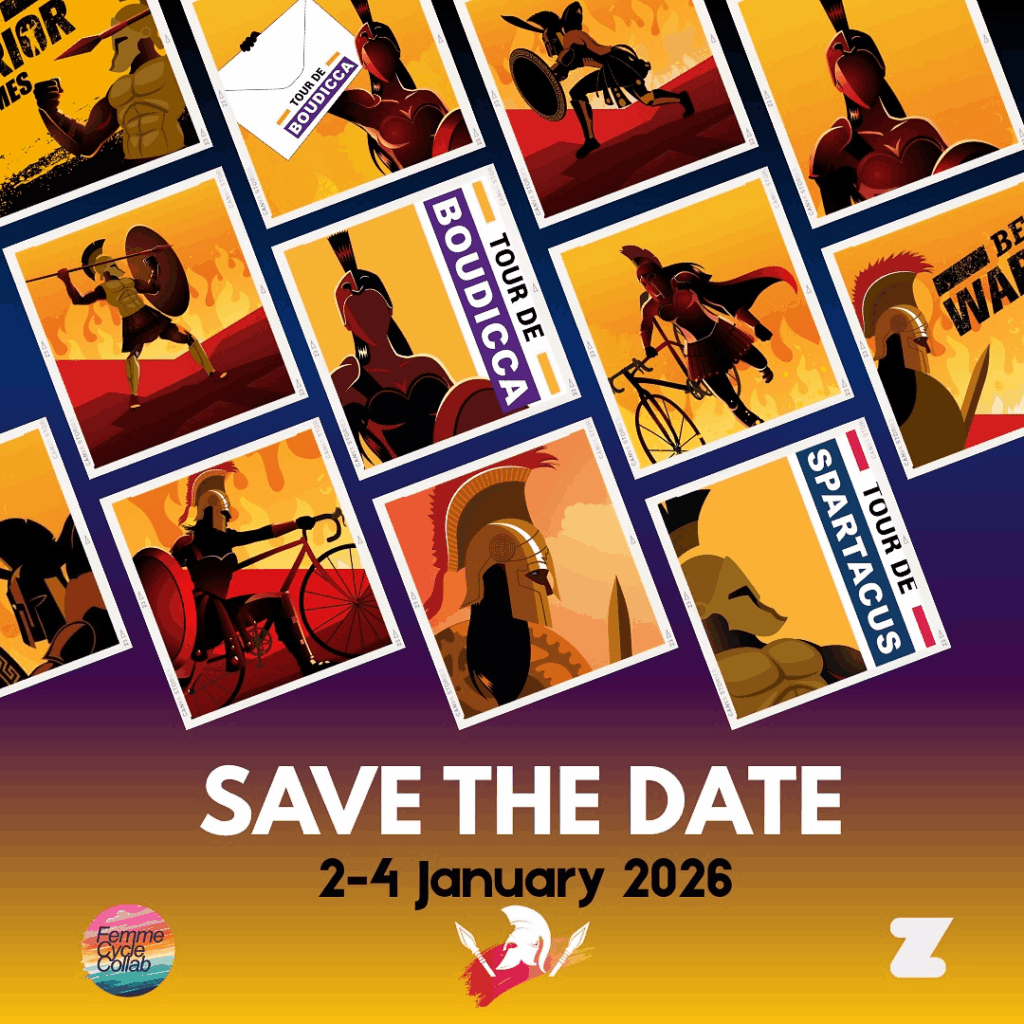
Tour de Boudicca 7.0 3-Day Women’s Stage Race Announced
“Boudicca was the Queen of the Iceni who led a revolt against Roman rule in ancient Britain around 60-61 AD. A warrior queen, she was a true inspiration to women and a hero to her people. She might have failed in her quest but she gave it everything she had. The Warrior Games has created a three-day stage race in her honour open to all female Zwifting warriors.”
The Warrior Games has announced the seventh edition of Tour de Boudicca, perhaps the most popular women’s stage race held on Zwift. Registration deadline is December 27, with stage 1 kicking off January 2. See below for our summary of the event, and read the full race document for details.
Schedule and Route Details
Stage 1: Friday, January 2, 19:00 GMT/ 14:00 ET/ 11:00 PT/ 06:00 +1 AUS
Extra time slot for this race only, starting at 16:00 PT/19:00 ET
“We’re launching the Tour de Boudicca with a high-energy scratch race to get you fired up for the ride ahead! Feel those coastal beach vibes as you sprint to the finish and grab an early lead in the Individual General Classification.”
Stage 2: Saturday, January 3, 19:00 GMT/ 14:00 ET/ 11:00 PT/ 06:00 +1 AUS
“Get ready for three mini races through the heart of the Big Apple, a thrilling mix of sweat, grit, and pure fun! Teams of warriors will join forces to rack up valuable points for the Team GC, while the Individual GC heats up, based on cumulative time from Stage 1 + Stage 2. Can you survive the chaos and come out on top?”
Mini Race 1 ( 19:00 GMT) Avon Flyer (1 Lap) Total distance: 5.2 km
Mini Race 2 (19:15GMT) The 6 Train (1 Lap) Total distance: 6.6 km
Mini Race 3 (19:35 GMT) Spinfinity (1 Lap) Total distance: 20.1km
Stage 3: Sunday, January 4, 19:00 GMT/ 14:00 ET/ 11:00 PT/ 06:00+1 AUS
“Get ready for the ultimate showdown! The Queen’s Stage has arrived—the grand finale of the weekend! We’re taking you on an unforgettable journey through the Makuri Islands in pursuit of towering climbs. Pick your ideal bike and wheels, step up to the line, and prepare to dominate the streets.
You’ll take on one intense lap of Temple and Towers, pushing your limits as you battle alongside the fiercest competitors. Feel the electric atmosphere, soak in the city vibes, and leave it all on the course. Good luck, warriors—the crown is yours to claim!”
Individual GC winners will be awarded in each category based on each individual’s cumulative time across all three stages.
The Team GC will be based on points earned in each stage by the top three riders from each team. Team GC winners will be named for each category.
Prize Drawing
Here’s what’s up for grabs this year:
Overall Winners (Categories A–D): The champions will receive a commemorative Tour de Boudicca Badge and 2 months of Zwift subscription!
Grand Prize Draw: All riders who complete every event will be entered into a Grand Prize Drawing to win a Zwift Ride (frame and trainer!)
More Details + How to Enter
As explained in the race doc, “Interested, established teams must submit an entry form of team roster by 27th December 2025 to The Warrior Games at [email protected].“
Interested riders should read the full race document, which explains full entry requirements, including the Warrior Games weigh-in protocol.
With two intermediates per lap, including one just seconds after the race begins, there’s much to discuss along with our usual topics of bike choice, strategic options, and crucial segments. Let’s go!
A/B categories are racing 10 laps of the Glasgow Crit Circuit route for a total race length of 30.4km with 331 meters of elevation, while C/D categories will race 7 laps for a total of 21.3km with 232m of elevation.
Here’s a 3D view of the route:
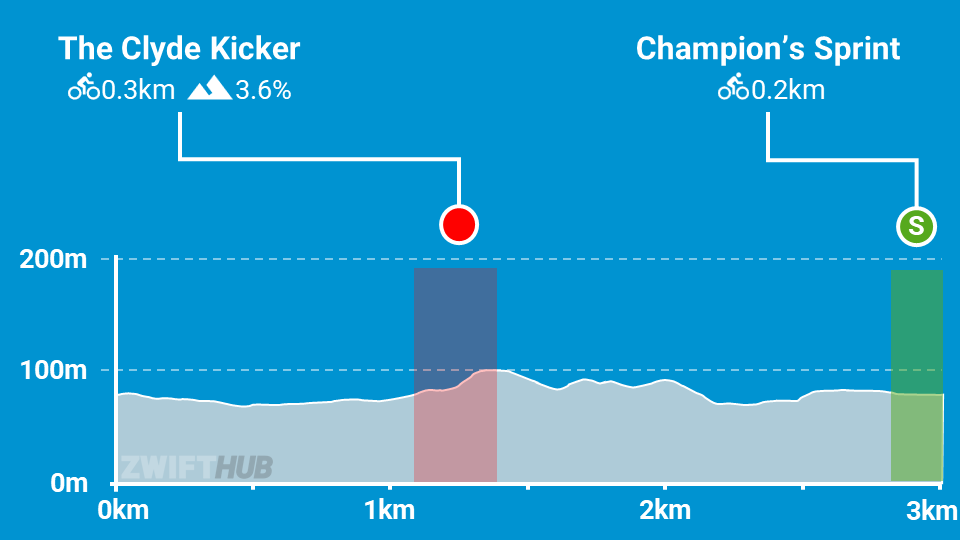
And here’s a simple route profile:
I won’t give you a turn-by-turn tour of the circuit, as that would make things more complex than they need to be. I’ll just walk you through the key sections.
Champion’s Sprint
The first points segment on this circuit will be contested straight out of the gate, so be ready for a hard start! You’ll need to be sprinting (or close to it) for the first 40 seconds to stay with the group through the Champion’s Sprint banner, which is also the Glasgow Crit Circuit finish line.
The Champion’s Sprint is only 200 meters long and slightly downhill. Expect the pace to pick up before that each lap as the group turns left and hits the sprint’s straightaway. Use your aero powerups just before the start line for maximum effect. My guess is the Champion’s Sprint at the end of lap 1 will turn in the fastest FTS times, because the pack size will still be large, and riders will have aero powerups at the ready.
The final time through the sprint is also the race finish, so those FAL sprint points are effectively finish points.
The Clyde Kicker
Our second points segment, and the key “selection section” each lap, is The Clyde Kicker. This 300-meter, two-part KOM begins about 1km after the Champion’s Sprint. Punch, rest slightly, then punch again. The big push tends to be up the second, longer, steeper bit, which is approximately 100 meters at 8%.
Most riders will use their feather powerup on this segment each lap. Feathers last for 30 seconds, so if you trigger it just as you cross the start line, it should stay activated until the arch. (A category riders may want to trigger it a bit sooner, and D category riders may want to trigger it a bit later.)
Descent from the Clyde
You’ll turn a hard right just after riding through the Clyde Kicker banner, then head downhill, picking up speed quickly, especially now that Zwift has improved drafting on inclines. You are descending to “ground level,” but the descent has some ups mixed into the downs. Since this is a points race, you probably won’t see many attacks in this section, as riders will take the opportunity to grab some much-needed recovery. But pay close attention and mind your pack position. You don’t want to fall off the back of the pack flying down the descent!
Once you finish descending, you’ve got around ~500 meters of road before the Champion’s Sprint begins. Watch for riders going early on the final lap, but try to stay in the wheels as long as possible, because wind resistance plays a massive role in high-speed sprints like Champions!
Riders will receive the lightweight (feather) powerups each time through the Champion’s Sprint arch, and the aero boost (helmet) powerup each time through the Clyde Kicker arch.
Aero Boost (helmet) at Clyde Kicker arch: makes you more aerodynamic (reduces your CdA by 25%) for 15 seconds. Use at higher speeds (flats and descents), especially when no draft is available (although it is still useful when drafting.) Riders will be saving their aero powerups for use on the Champion’s Sprint each and every lap.
Lightweight (feather) at Champion’s Sprint arch: reduces your weight by 10% for 30 seconds. Use on The Clyde Kicker, which is the route’s longest climb plus a hotly-contested points segment.
Bike Recommendations
An aero bike is the way to go on the Glasgow Crit Course, because the only climb (The Clyde Kicker) is so short and fast that aerodynamics matter more than bike weight. So we recommend any of the newer “aero all-arounders” paired with the newer DT Swiss Disc wheels.
Lots of recon events are scheduled on upcoming ZRL routes, led by various teams. See upcoming ZRL recons for this race at zwift.com/events/tag/zrlrecon.
Additionally, riders in the Zwift community do a great job every week creating recon videos that preview the courses and offer tips to help you perform your best on the day. Here are the recons I’ve found (comment if you find another!)
J Dirom
John Rice
Nathan Krake
Strategic Options
Points Distributions, Glasgow Crit Circuit
10 Laps (A/B)
7 Laps (C/D)
These charts show the maximum points a team of 6 could earn in a race with 60 participants. To learn how ZRL points races work, see this post.
How will the race unfold, and what strategies will riders employ in the final points race of round 2? Here’s what I predict:
First Blood Sprint: As mentioned above, the first 40 seconds of the race will be hectic, as riders go all-out to grab the first points through the Champion’s Sprint.
Powerup-Powered Segment Efforts: WTRL has structured this race so that particular powerups are given at particular arches to be used in a particular section on each lap. Everyone is essentially forced to use their powerups at the same time, because if you don’t, you’ll have to burn a match to keep up, while also taking yourself out of the running for intermediate points.
Strengths-Finder: With so many laps, most riders will contest just one of the intermediates (the climb or the sprint) based on their strengths. Got lots of W/kg? Go with the Clyde Kicker. Got pure watts? Go with the sprint. This is where a team with balanced strengths is a huge benefit. The trick for every rider employing this strategy is to conserve energy by sitting in on the segments you aren’t contesting, without getting dropped!
Breakaway Glory: The Glasgow Crit Circuit is nicely suited to breakaways. Perhaps an aero powerup attack down from the Clyde Kicker? It wouldn’t be easy, but if you stay away, you’ll grab max FAL points!
I Will Survive: Some riders will simply try to survive in the front group to the finish. But be warned: this is a losing strategy. The sprint and KOM points constitute ~90% of the race’s total points, so if your team isn’t chasing intermediates, you will lose.
Your Thoughts
Any insights or questions for this race? Share below!
Zwift has just replaced the achievement badges you could formerly earn for completing every race in a ZRacing series with XP bonuses. You will now earn a 1000 XP bonus for completing stage 1, then additional bonuses for each stage thereafter.
Zwift says you will “earn up to 1500 XP in a four-week series or 2000 XP in a five-week series.”
GC Leaderboards
Zwift’s web-based leaderboards are used for tracking the monthly GC competition for the ZRacing series. Unlike past years, no ZwiftPower registration or use is necessary.
Your GC ranking is based on your best finishing time for each stage, and you can race each stage more than once to try for a better time.
Category Options
Zwift schedules three different flavors of ZRacing events in order to encourage “Fairer, more competitive racing for everyone.” They each use different racing score ranges for categorization and are titled Advanced, Range 1, and Range 2. Click banners below to see upcoming events for each:
Will tomorrow’s Thanksgiving Day Ride be Zwift’s biggest ever?
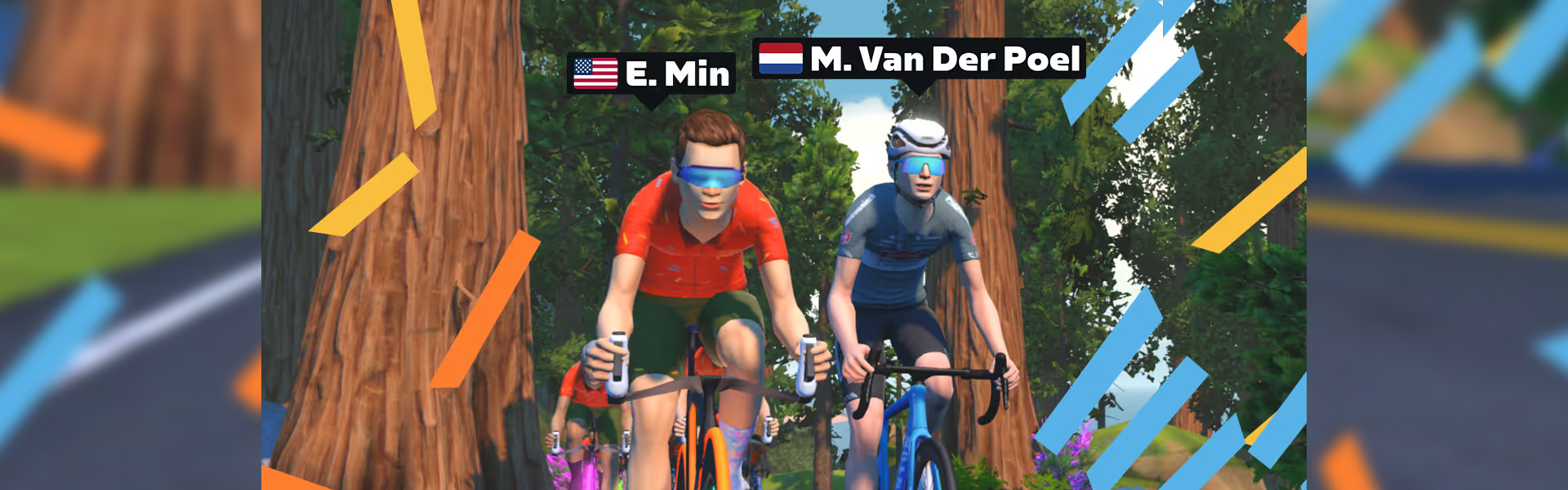
As I write this, tomorrow’s Thanksgiving Day Ride (hosted by Zwift CEO Eric Min, with special guest Mathieu van der Poel) has 5,406 riders signed up.
The ride is scheduled for 4pm UTC/11am EST/8am PST, and you can sign up here.
I haven’t seen this many riders on a single ride in quite a while, and was curious how this compared to past events. So I reached out to Zwift and asked for the 5 largest events ever held on Zwift. Here’s that list:
Participants
Event Name
Event Date/Time
10584
TDZ Stage 1: Group Ride
2021-01-04 17:00:00
9489
TdZ Stage 1: Flat is Fast
2022-01-10 17:00:00
8204
TDZ Stage 1: Group Ride
2021-01-05 18:00:00
7044
Stage 1 | Ride | Tour de Zwift 2024
2024-01-03 17:00:00
6864
Team INEOS Group Ride
2020-04-12 14:00:00
A few things worth noting about this list:
It’s based on actual ride participants, which differs from a signup count or a finisher count.
Two of the events were in January 2021, the busiest month in Zwift’s history due to the COVID-driven subscriber influx. In fact, the highest Peak Zwift number ever would be set just two weeks later: 49,114 concurrent riders on January 19, 2021!
The first 4 events all happened in early January, which is always each year’s “peak Zwift” time.
All the events happened within a 4-hour time window (14:00-18:00 UTC), which makes sense, because this is a time when riders in Europe/UK and the Americas can often ride. In fact, if you remove the last event, the first four all happened within an hour of each other (17:00-18:00 UTC)!
The INEOS Group Ride is the outlier here, since it happened in April instead of January, and at a slightly earlier time of day than the others. This particular event was actually one of three INEOS Group Rides that day, and if you combined all of those events, my guess is they hosted well north of 10,000 riders. Why were these rides so popular?
Team INEOS’ Egan Bernal had won the Tour de France in 2019
COVID lockdowns were in effect all over the world
The event was well-advertised across cycling media
How Big Will It Get?
Last year’s Thanksgiving Day ride had 3,562 participants, but no headline guest. This year’s ride features MvdP, a generational phenom who, among other achievements, is the only rider in history to be the Men’s World Champion in three disciplines (Cyclocross, Road, and Gravel). So it’s no surprise that we’re already at (checks signups list) 5,436 signups, 24 hours before the event.
With signup counts often doubling in the last 24 hours before an event, will tomorrow’s Thanksgiving Day celebration be the biggest group ride ever on Zwift?
We’ll know soon enough. I’ll be there, along with lots of friends and big names in the world of Zwift. (So far, the signup list includes 58 riders I follow… but the Companion app only lets me see the first 20 names on that list. When events get this big, it becomes clear that Zwift’s UI isn’t tailored for 5,000-rider events!)
Join Us!
The ride is 60 minutes long and held on the new Spinfinity route in New York. This route begins and ends on the new Times Square Circuit, taking riders down to Brooklyn via the Brooklyn and Manhattan Bridges. Since the route is only 19.3km long and quite flat, we’ll complete close to 2 laps in an hour.
Rollers on Zwift? Why? There are a few older articles here on Zwift Insider, along with some videos on YouTube, but I wanted to chronicle my thoughts and experiences on the subject.
TLDR:
Pros:
Much more like riding outdoors than a fixed trainer
Encourages smooth pedaling and higher cadence
Your “seated sprint” will get worked on
Very easy to switch bikes
No coasting or stopping means you burn more kj/hour
Cons:
Reaching maximum out-of-the-saddle sprint power is almost impossible
Cost is higher than most smart trainers
Requires a power meter to avoid rolling resistance losses
Need to pay attention, typing and handlebar-mounted tablets are not practical
Takes up more space
Getting Started
I never enjoyed riding fixed trainers. The unnatural feel of a bike that didn’t rock when you stood up annoyed me. Learning to ride rollers was a rite of passage for beginning bike racers back in the 80s, so of course I got a set.
The problem with ordinary rollers is that they have almost no resistance. You pretty much have to be riding a big gear at a high cadence to get much over 300 watts. Which is fine for us mortals to do threshold and sub-threshold training, but not anything beyond.
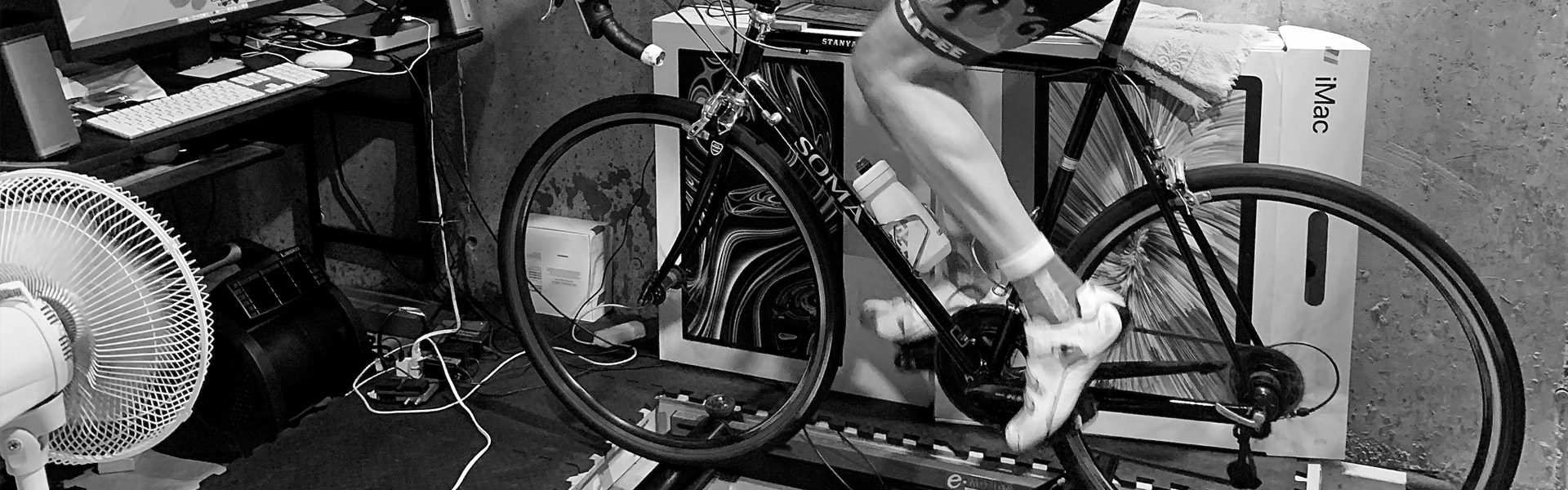
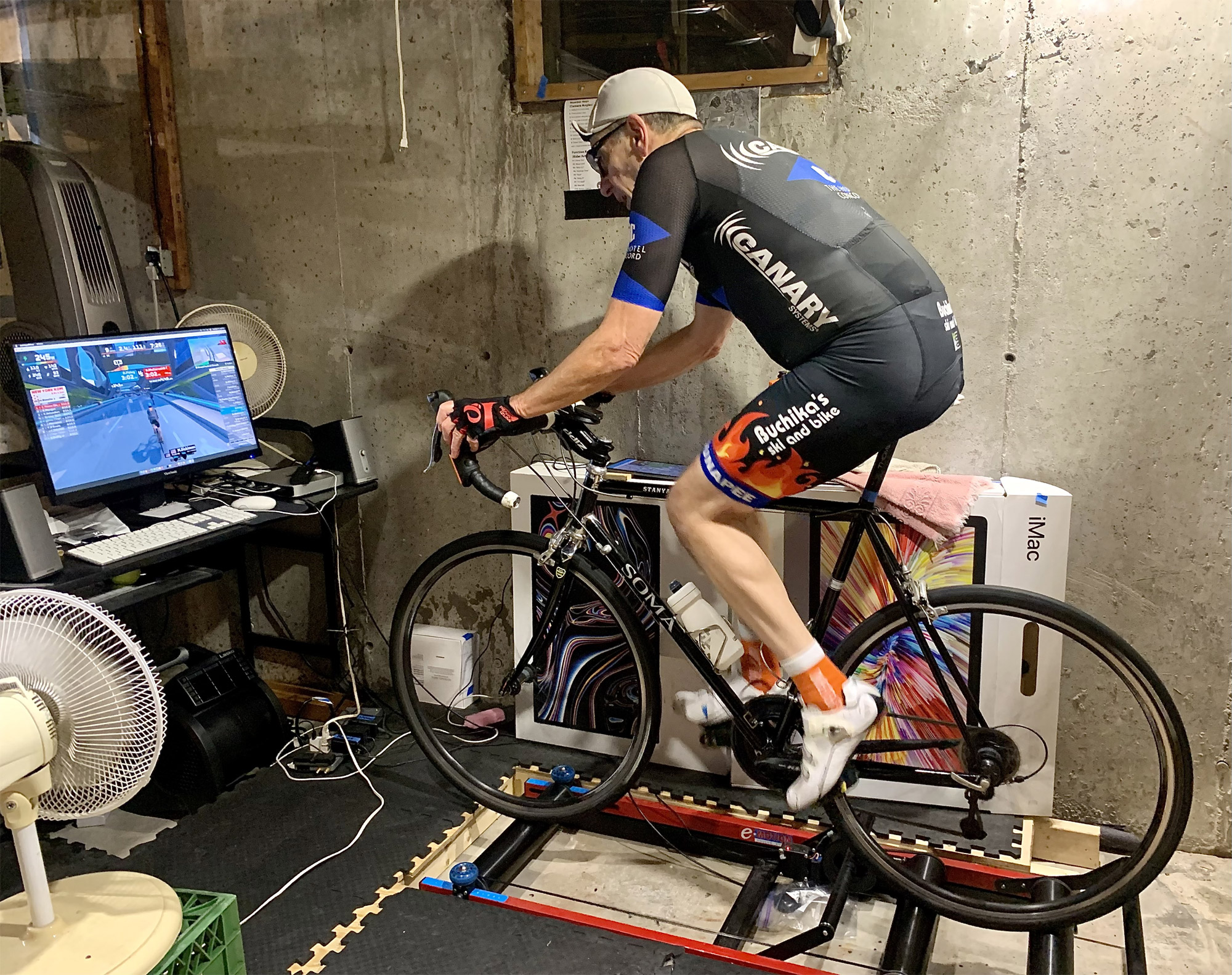
Fast forward to 2021. I saw an ad for Inside Ride rollers. If you’ve never seen them, these are like regular rollers, except the entire roller assembly is mounted on a carriage, sitting on a couple of small idlers that look like skateboard wheels. The top assembly can move back and forth a few inches/cm, and is mounted with springs so it is self-centering. They also have an electric resistance unit like a regular smart trainer, along with a pair of smaller supplementary rollers to keep you from driving right off if the resistance is too high.
The price was pretty steep, over $1000 USD. But I went for it. And I am so glad I did.
These rollers are amazing. For starters, they are so much easier to ride than regular rollers. Just hop on and go. You do not have to pedal perfectly smoothly. Standing up is a piece of cake, as is riding no hands, taking off your jacket, any of it. If you can do it outdoors, then you’ll have no problems doing it on these.
Of course, it’s still more stable the faster the wheels are turning. And like all rollers, if you start to wobble, the solution is to pedal faster. That is the one single tip I’d give anyone riding rollers for the first time. The last thing you want to do is slow down or stop pedaling. Once you condition yourself to spin faster, not slower, balancing is no problem. This is where the Trainer Difficulty setting in Zwift is a blessing. Without it, riding these rollers would not be practical on some of the hillier courses. I have mine set at 20% vs the default 50%. This way, even on the steeper courses, I can keep the wheels turning fast enough to keep the bike stable.
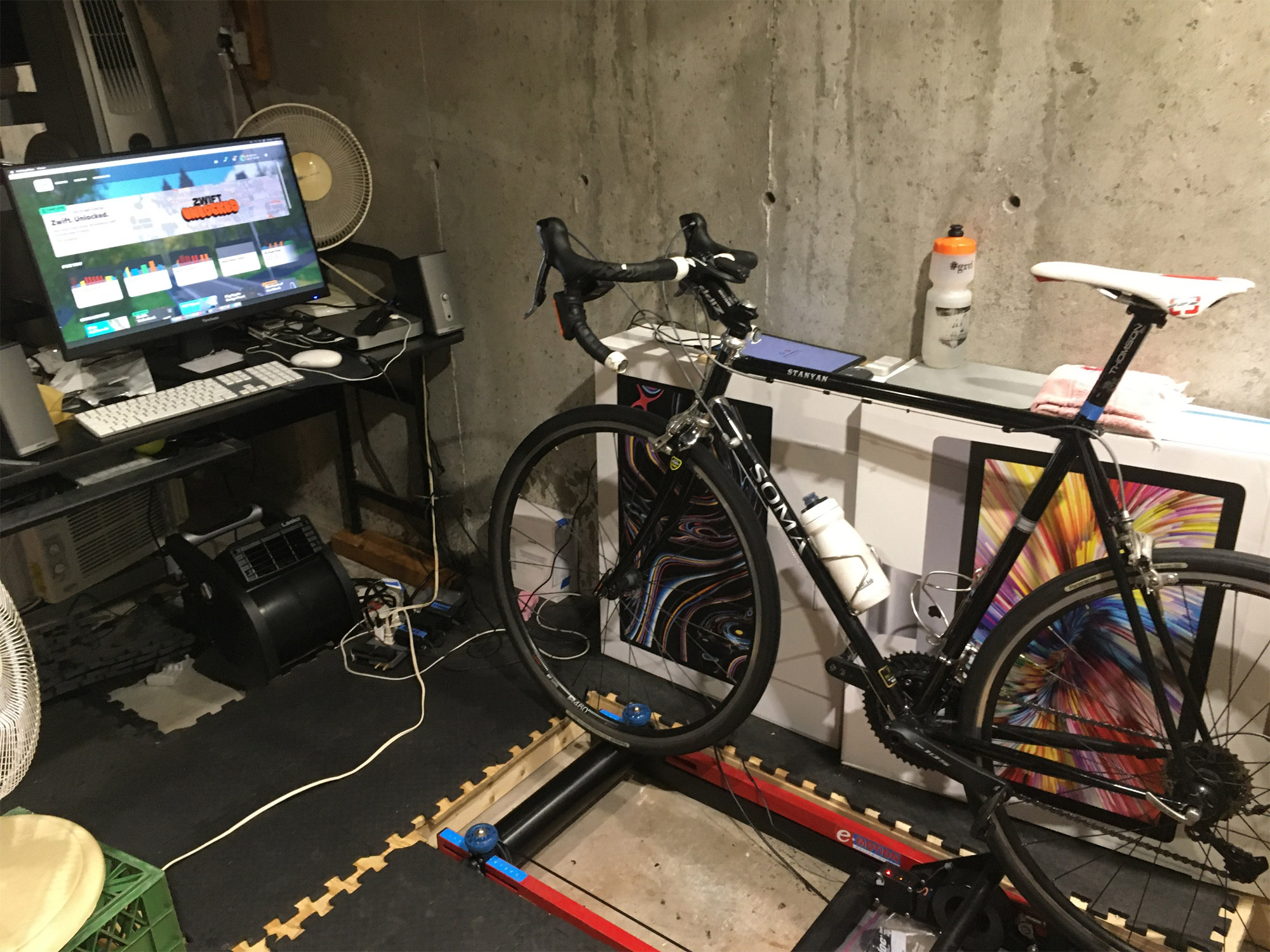
Getting on and off can be a challenge because the wheels of your bike are up on the rollers, somewhat above the floor. Most riders put their rollers next to a wall for support, and I’m no exception. I went a step further and recessed mine into a wooden subfloor platform in my basement. But you could get by with a stool, or ideally, an aerobic step platform set next to the rollers.
The Race Experience
So what is it really like to race Zwift on rollers? First, I’ll be honest – it’s the only way I’ve ever ridden Zwift. I have never tried a modern smart trainer at all, let alone one of the newer ones with all the bells and whistles such as a rocker plate and fork elevator. I can see some definite advantages to direct-drive, which I’ll touch on below. But I really hope that racing is never restricted to specific trainer models, as I’m not giving up my rollers.
Rollers inherently have some resistance from the two tires rolling on them. There is also the air resistance of spoked wheels spinning. And the belt that connects the front and rear rollers adds a bit as well. For these reasons, connecting the rollers to Zwift as your power source is going to shortchange you quite a bit compared to someone with a power meter or a direct-drive trainer. The solution is, of course, to use a pedal/crank/spider-based power meter as your power source.
The Inside Ride rollers are nominally rated at 800w maximum. Mine are from 2021, and I believe the resistance unit is made by Elite. Outdoors, I’m still capable of hitting 1000w for a few seconds, and >800w for the duration of a sprint. Contrary to what you might see in the IR promo video, sprinting with the same torque and vigor I might have outside is too sketchy for me to pull off on the rollers at the end of a Zwift race when I’m already in oxygen debt.
Is this a major deal-breaker for Zwift racing? Not for me. In the 50 races I have done on Zwift, I stayed in the saddle and wound up my “sprint” from a little further out than one would do outside on the road.
I’m willing to give up the ability to sprint at over 11w/kg in order to do my training on rollers, as I feel the trade-off is worth it for me. But if you are a powerful pure sprinter who likes to really thrash out of the saddle, these rollers are probably not for you.
Accessories
I am fortunate to have space in my basement for a dedicated riding/exercise studio. I set up three large fans connected to power strips with remote control, so that I can turn them on and off without leaving the saddle. I use a large computer monitor on a desk a few feet in front of me, as a handlebar-mounted tablet would (I suspect) make riding no hands difficult. I have a wireless mouse within reach on a shelf next to me, along with a cheap tablet to run the Companion app and to control my music. I also use Zwift controllers.
These things all make the rollers experience that much better. I do not use a keyboard and don’t chat during Zwift, as on rollers, you do need to pay attention in order to avoid riding off the edge and falling over.
What About You?
I would love to hear about anyone else’s experience with rollers on Zwift, Inside Ride or not. Thanks for reading, Ride On!
Yesterday, Zwift enabled an adjustment/fix for drafting which will be particularly noticeable on descents. Here’s what was posted on their forum:
We’ve made an adjustment/fix to the drafting effect that’s now enabled for game version 1.102 and newer. Here’s how you can check what version you’re using.
Up until now our drafting algorithm didn’t properly use road incline/decline percentage in the equations and this change will fix the issue. The steeper the climb or descent, the more the change will be noticeable.
The end result is:
You’ll be able to stay with riders just ahead on steep climbs with slightly less effort than before.
Staying in the draft behind a rider while going downhill will be much easier than before – you should be able to draft supertucked riders easily now.
Pack speeds on the downhills will be slightly higher than before in general, on the order of 10-15% on steeper descents.
Drafting on flat roads is unchanged, and speeds while riding solo are also unaffected.
For group rides and races making it to the top of a climb with the group is more important than before because of the points above
What Was Fixed?
Zwift says, “Up until now our drafting algorithm didn’t properly use road incline/decline percentage in the equations and this change will fix the issue.” So what was actually broken (and fixed)?
It’s an interesting little bug that is easy to understand. In Zwift, as in real life, every rider casts a draft “shadow” behind them as they cut through the wind. If you’re in another rider’s draft shadow, you’re hitting less air resistance, making it easier to move forward. Cycling 101.
But Zwift’s algorithm was calculating perfectly horizontal draft shadows regardless of road pitch. This works fine on flattish roads, but as the gradients get steeper, horizontal draft shadows will impact riders behind less and less! Zwift confirmed with me that the draft shadows now now extend parallel to the slope of the draft-giving rider.
How Does It Feel?
In my tests, the results of Zwift’s draft update are exactly as described above. It’s particularly noticeable on descents, where the draft is simply stronger than it used to be. Riders used to have to put out some power to hold the wheel of a supertucking rider, but you can now sit on that wheel at 0W, because the draft off that supertucking rider is stronger.
So while supertuck is still a fast and easy way to descend steeper hills, its utility as a weapon of attack has been blunted.
One important result of this change is that it’s now easier for lightweight riders to hold a good pack position on descents, as they sit in the stronger draft.
Coming Soon: More Tests
It’s time for me to run fresh tests and update this post, which showed how much power it took to sit on another rider’s wheel while they were descending in the supertuck or at certain wattage, in race events or group rides.
Questions or Comments?
Go do a test ride or two, then report back your thoughts on the updated draft for climbing and descending. Chime in on the Zwift forum topic, or comment below!
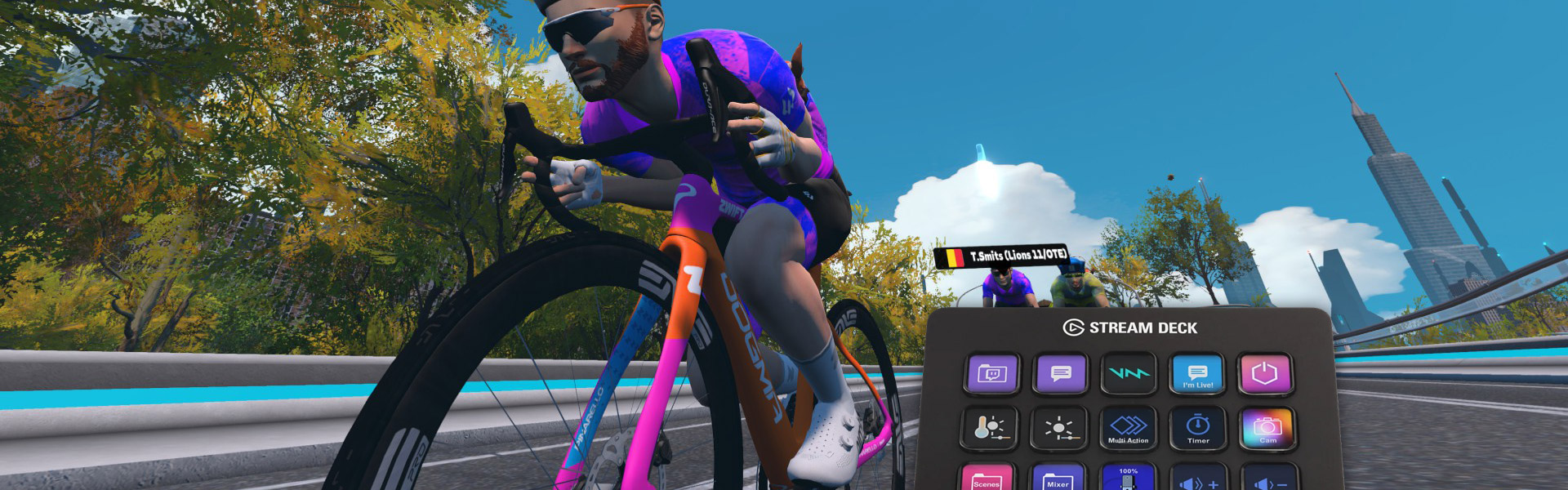
Pedaling, Clicking, and the Search for a Better Way: Stream Deck as a Zwift Accessory
If there’s anything my time on Zwift has taught me, it’s that trying to pedal while juggling a keyboard and mouse is awkward. A while back, I picked up a Stream Deck hoping for a better way to interact with Zwift, and I haven’t looked back since.
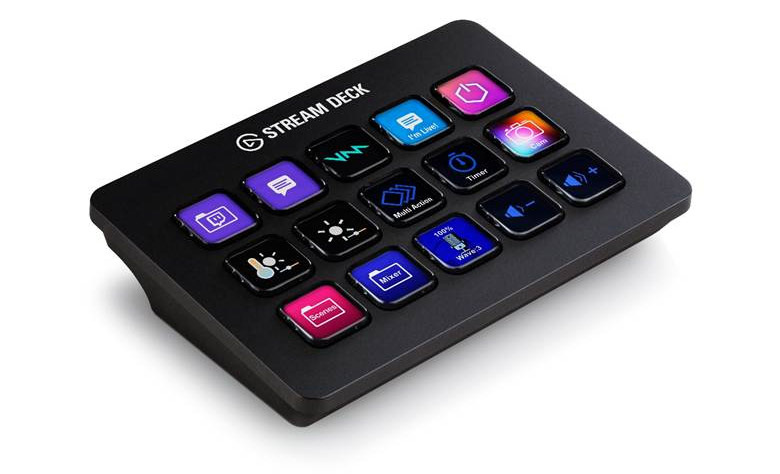
For the unfamiliar, the Elgato Stream Deck is a customizable set of programmable macro buttons that comes in several sizes. Since adding it to my setup, my keyboard and mouse have been collecting dust. It’s been a game-changer for convenience, immersion, and overall enjoyment.
What’s Wrong With the Usual Setup
As a frequent racer, group rider, and occasional ride leader, there’s always a lot happening during a ride. For what the Companion App does, it does well, but it doesn’t do much. Keyboard shortcuts help a bit but are still limited. And using a mouse or trackball? Forget it. Unless you’re willing to stop pedaling, you’re not clicking anything.
That just covers Zwift. If you’re also managing music, voice chat, or other apps, you can quickly find yourself off the back.
For me, the Stream Deck solved all of these problems. It gives me control of Zwift and every other app I need from one interface, all at the push of a button… or several. Between its built-in functionality and the add-ons available through the Elgato Marketplace, the possibilities are practically endless.
Making Zwift Control Effortless
Before diving into the cool functionality I’ve uncovered, I want to give a quick shout-out to a few developers whose tools have been key to my setup:
While I’ve done some fun customization with my deck, it’s people like this who have the real skills and are providing genuine benefits to the Zwift community.
With that out of the way, here are the controls I’ve found most useful:
Ride Controls – Directional arrows, select, back, Ride On (including a continuous “Ride On bomb”), powerup, U-turn, skip workout block, and a camera toggle for TTT events.
Communications – Push-to-talk for Discord (no more heavy breathing into the mic), Spotify controls, and in-game chat using voice input.
Ride Leader Controls – Announcements at the start of a ride, a random dad-joke generator, and route info pulled dynamically from the Sauce API.
Sauce Controls – Lap button, toggle windows on/off, and change profiles.
System Controls – Launch Zwift (one button starts all apps and logs in), shut down PC, reload apps, and access my audio mixer so I can play music during team events without drowning out voice chat.
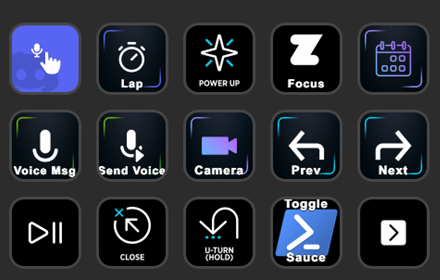
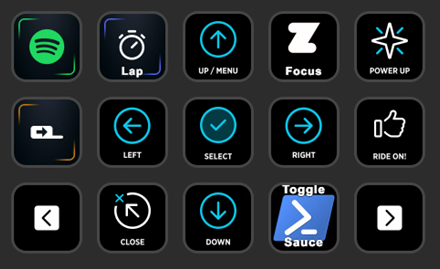
Below are a few screenshots of how I have my primary pages configured. It’s not perfect, a bit of a mess of subfolders, but with time and muscle memory, I’ve made it work. For something that works well right out of the box, the Zwift Stream Deck profile (linked above) is an excellent starting point that will get you 95% of the way there.
My primary Stream Deck pages:
I’m sure there’s still plenty of potential I haven’t unlocked yet. The Sauce API is easy to work with and opens up tons of possibilities. With a few simple scripts, it’s possible to pull in and use ride data creatively, something I’d like to spend more time exploring.
As great as it is, there are still a few things the Stream Deck can’t quite handle. Pressing buttons within the Zwift interface is… well, a bit meh. There aren’t hotkeys for common actions like joining events or ending a ride, which I’ve tried to work around with macros, with limited success. I’ve mostly resigned to navigating the UI manually.
There’s also no steering, shifting, or braking like the Zwift Click or Play controllers offer. While the deck wouldn’t be ideal for those functions, it would definitely be a neat alternative.
Why I Can’t Ride Without It Now
After more than a year of using it full-time as my only way to control Zwift, I don’t think there’s any going back. Once I fine-tuned my layout and built the exact functions I needed, the experience just clicked. Now everything feels natural… smooth, consistent, and ready for any kind of ride.
The biggest difference is how it lets me stay focused on the ride instead of fumbling for the right key. It doesn’t necessarily make me faster, but it does make Zwift feel more immersive, like I’ve found a hidden upgrade most people overlook. At this point, it’s as essential to my setup as my trainer or fan.
Going Beyond the Basics
Even after all this time, I’m still finding new ways the Stream Deck could evolve with Zwift. I haven’t yet tried PedalGames, an add-on that ties gameplay elements to ride data, but there’s a lot of potential there. Being able to trigger in-game actions or mini-game events directly from the Stream Deck could make for a fun and interactive experience. It’s on my list to explore when I have some tinkering time.
That said, the Stream Deck isn’t exactly cheap. Between the hardware cost, time investment, and a bit of technical know-how, it’s not for everyone. If you’re curious but hesitant to spend the money, there are a few alternatives worth considering:
Stream Deck Mobile– Elgato’s app version gives you nearly all the same functionality on your phone or tablet. It’s freemium, and the free tier is great for testing.
Touch Portal or Deckboard – Software alternatives for phones or tablets that offer similar customization, often for free or a small one-time cost.
Alternative hardware decks – Off-brand macro pads can offer much of the same functionality. They’re a bit more DIY but great if you want physical buttons on a budget.
No matter which route you take, the key is finding something that reduces friction between you and the ride. There are plenty of approaches depending on your setup, budget, and how much you like to experiment.
Final Thoughts from the Pain Cave
Looking back, this little project has become one of my favorite tweaks to my Zwift setup. What started as curiosity has turned into something I now use every single ride without even thinking about it. The Stream Deck might not make me faster, but it makes every session smoother, more immersive, and more fun.
It’s not a perfect solution, and it’s definitely not the cheapest, but for anyone who enjoys tinkering, automating, or just personalizing their indoor setup, it’s hard to beat. The best part is that it grows with you: whether you’re just using it to launch Zwift or diving deep into APIs and scripting, there’s always something new to try.
Anything that helps you spend less time fiddling with menus and more time riding is a win. And for me, that’s exactly what this setup delivers.
What About You?
Do you use Stream Deck with Zwift? What are your favorite features? Got questions? Comment below!