Home Blog Page 44

Woman Racer Spotlight: Deb Hodson

Woman Racer Spotlight: Deb Hodson

Name: Deb Hodson

Hometown: Alamo, CA

How did you get into cycling?  About 25 years I met my partner who raced track. She taught me how to ride track and not kill myself! I learned how to paceline and do leadouts for her as she was a pure sprinter. We also did a lot of road cycling when we were not close to a track. I fell in love with the track bike. Felt like I was one with the bike!

How many years have you been racing on Zwift? I started Zwifting right before the pandemic because my partner was injured. Instead of riding outside alone, I felt safer riding indoors. To be honest, I was running more at the time, and used cycling as my rest days. It’s quite the opposite now. 

Are you part of a Virtual team? OTR (On the Rivet racing) 

What do you love most about racing? I started racing about 2 years ago because my friend signed up and I wanted to ride with her. We joined OTR as a Cat D. I swore I was not going to get addicted to racing, but that soon changed and I love pushing myself. I soon found myself in women’s Cat C. Racing has given me way more confidence in myself. I am now trying to sprint even though climbing for me is much easier. Having a team like OTR has challenged me to be a better cyclist and a better teammate. The other cyclists believing in me encourages me to push myself when I don’t think I can. The support from the team has allowed me to become a faster, smarter racer. It’s truly all about teamwork and an encouraging environment to go like crazy on the bike!

What is your favourite style of race (e.g. points, scratch, iTT, TTT, Chase, duathlon)?  Ladder racing is absolutely my favorite. Bringing different levels of riders to race against another team is like putting together a puzzle. Deciding strategy before and during the race is rewarding. A fantastic way to meet other women cyclists too! Truly a team effort to win a race!

What is your favourite Zwift women’s race series? ZRL women’s division is my main race I have participated in. Being team captain for the women’s team has been such a gift. Watching the teammates support and cheer each other on is so uplifting! Meeting cyclists from other teams while we compete with each other at the back of the pack is so rewarding. I have met the nicest riders racing with me!

What is your most memorable racing experience, inside or outside or BOTH? My most memorable racing experience is when I raced with my friend, and a few of us dropped back and helped and cheered them up the mountains and across the finish. There is nothing better than helping a friend race.

What is your favourite food to eat post-race? My favorite food is peanut butter. I quit sugar years ago, so peanut butter is a treat!! Ok, I will admit to eating chips occasionally… I cherish those chips!

What advice would you give to a woman entering her first Zwift race? If you are entering your first race, warm up first, go hard out of the pen, and celebrate the finish! Jump up and down! We race for fun!

Where can people follow your racing adventures? I post my races on Strava and my races and banjo videos on YouTube. I do have a YouTube channel under my name.


Notable Zwift Events for the Weekend of June 14-15

0

Still trying to earn that 60-minute Alpe badge? Our first featured event this week may help you out. See it below, plus four other fun picks!

✅ Unique Event ✅ Achievement Badge

The USMES Torturefest and Giant are collaborating to bring a weekly series of paced Alpe du Zwift rides to the community. The pace changes each week of the month, and this week the two ride paces are 60 minutes and 75 minutes. (We’re just featuring the 60-minute ride here).

If you’ve ever wanted help hitting that fabled 60-minute Alpe target (and the Liftoff! achievement badge that comes with it), here’s a motivating way to make it happen!

Saturday, June 14 @ 1pm UTC/9am EDT/6am PDT
Sign up at zwift.com/events/view/4984971

✅ Beginner Friendly  ✅ Legacy Leaders

Looking for a fun social ride? Join the experienced DBR time for 60 minutes on Watopia’s Big Flat 8 route. The ride leader will keep a pace at 30-35kph, but you aren’t limited to that speed – the ride description says “… it’s ok to ride ahead and join other riders in front – just remember to be social.”

Sunday, June 15 @ 7:55am UTC/3:55am EDT/12:55am PDT
Sign up at zwift.com/events/view/5015548

✅ Mass Start ✅ Popular Series

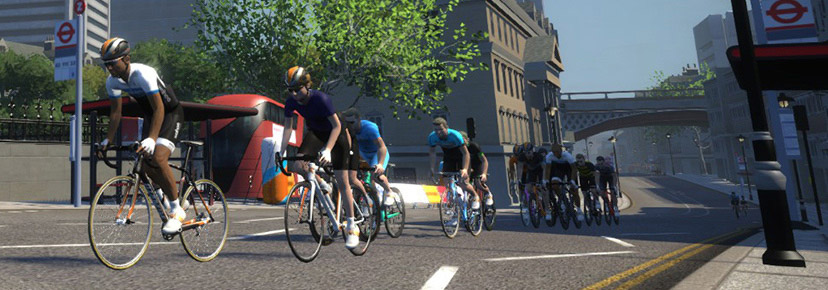
The twice-a-week SISU Scramble series is now underway, and this weekend’s race is on London’s Triple Loops (41km, 564m).

Read all about the SISU Scramble >

One thing that makes these races extra interesting is that they are mass start, with all riders visible on the course.

Multiple events this weekend
See all upcoming SISU events at zwift.com/events/tag/sisu

✅ Punchy Race  ✅ Unique Event

Women’s Mini Races (3 races in an hour) happen each Sunday, but the ULTIMATE Mini Races are a bigger monthly event organized by Vinnette Powell of Team eSRT. If you’re looking for some punchy women-only racing, check out these events.

This Sunday’s races are city-themed and held on custom-length versions of the 6 Train Reverse, Lutece Express, and Classique Reverse routes. Two time zones are available.

Sunday, June 15 @ 3pm UTC/11am ET/8am PT and @ 6pm UTC/2pm ET/11am PT
Sign up at zwift.com/events/tag/esrt

✅ Endurance Challenge ✅ Pace Options

Here’s a popular long ride with two pace options: B group at 3-3.3 W/kg, or C at 2.5-2.9 W/kg. Both groups will be riding The London Pretzel route for 100km, with optional efforts on some of the intermediate segments if you’d like.

Choose your desired pace, listen to the ride leader, and get that endurance work done! Both categories have a leader (yellow beacon) and sweepers.

Saturday, June 14 at 8:05pm UTC/4:05pm ET/1:05pm PT
Sign up at zwift.com/events/view/5014842

How We Make Our Picks

We choose each weekend’s Notable Events based on a variety of factors including:

  • Is the event unique/innovative in some way?
  • Are celebrities (pro riders, etc) attending/leading?
  • Are signup counts already high, meaning the event is extra-popular?
  • Does the ride include desirable unlocks or prizes?
  • Does the event appeal to ladies on Zwift? (We like to support this under-represented group!)
  • Is it for a good cause?
  • Is it just plain crazy (extra long races, world record attempts, etc)?
  • Is it a long-running, popular weekly event with a dedicated leader who deserves a shout out?

In the end, we want to call attention to events that are extra-special and therefore extra-appealing to Zwifters. If you think your event qualifies, comment below with a link/details and we may just include it in an upcoming post!

Tiny Race Series – June 14 Routes – Loops and Mash

0

Tiny Race Series – June 14 Routes – Loops and Mash

See zwiftinsider.com/tiny for current Tiny Race details.


Introducing ZwiftFit: Personalized Zwift Workouts Powered by AI

Introducing ZwiftFit: Personalized Zwift Workouts Powered by AI

Ever finish a Zwift workout and think, “That was good, but not quite what I needed today?” Or maybe you’ve scrolled endlessly through the workout library, wishing for something perfectly tailored to your current goal or how your legs are really feeling?

Zwift offers a strong library of workouts and flexible training plans, and many riders find real value in them. But sometimes you want a workout that reflects your current goals, recovery state, and fitness — something that adapts to you in the moment. That’s where ZwiftFit comes in.

Every ZwiftFit workout is dynamically generated based on your profile and inputs, meaning even if you request the same workout type twice, you’ll get a different version each time — always targeting the same goal, but never repeating exactly. It’s about keeping your training fresh and specific, every time you ride.

That’s the idea behind ZwiftFit, a new AI-powered web app that creates truly personalized ZWO-format workouts based on your profile, goals, and how you’re feeling today. As an avid Zwifter and independent developer, I built ZwiftFit to solve a problem I personally felt. Now I’m sharing it with the community.

Why ZwiftFit?

While there’s no shortage of workouts on Zwift, finding the right one to match your immediate goals and energy can feel like guesswork. And let’s be honest, repeating the same old sessions can quickly lead to boredom. We’ve all been there: scrolling through lists, picking a workout that looked good on paper, only to find it didn’t quite hit the mark for that specific day.

ZwiftFit solves this by generating workouts tailored to:

  • Your FTP, gender, age, and training load
  • Your training goals (e.g., improve climbing ability late in long rides, increase flatland power, sharpen race finish)
  • Strengths and weaknesses defined in your user profile
  • Physical limitations or injuries you’ve specified
  • An upcoming race or event
  • Daily readiness, HRV, and resting HR
  • Even how you feel that day — from “Very Tired” to “Excellent”

It’s not about scrolling through a library. It’s about telling ZwiftFit who you are and what you need — and letting it create the session.

Two Ways to Create a Workout

ZwiftFit supports two core paths:

1. Quick Workouts

Choose from 9 workout types including:

  • Endurance Ride
  • HIIT Session
  • Sprint Session
  • Climbing Challenge
  • Threshold Intervals
  • Race Warm-Up
  • Event Cooldown

With one click, you get a workout tailored to your current profile settings and duration preferences.

2. Custom Workouts

Need more control? Go custom. Custom Workouts give you a much deeper level of customization than Quick Workouts. There are seven main workout categories — like Recovery & Endurance, High-Intensity Intervals, and Strength & Skill Development — and within those, over two dozen specific workout types to choose from.

Once you’ve selected a type, ZwiftFit adapts it further based on your current profile and the specific workout options shown on the Custom Workout screen. Unlike your profile settings — which tend to remain stable over time — these session-specific options allow you to adjust key variables for the ride you’re about to do. You can specify:

  • Workout duration (fixed or range) – so you can fit in the perfect session whether you have 30 minutes or two hours.
  • Current feeling (Very Tired to Excellent) – ensuring your workout matches your actual recovery state, not just a pre-set plan.
  • Resting heart rate and heart rate variability (HRV)
  • 3-day and 7-day training load
  • Warm-up and cool-down length (Short, Normal, Long)

You can even add custom instructions — whether you want motivational tips, fun cycling trivia, or a focus on specific aspects of execution like cadence, pacing, or technique. ZwiftFit incorporates this input to further personalize your session in real time.

Event Prep & AI Flexibility

Beyond crafting the core of your session, ZwiftFit offers some useful additions designed to seamlessly integrate with your Zwift life and give you even more control.

One of ZwiftFit’s standout practical features, especially for the racing Zwifter, is its event-specific warm-ups. These are invaluable not only for races (which often start hard right from the gun) but also for a variety of other Zwift activities. To meet these diverse needs, ZwiftFit provides a range of targeted warm-up types, including: Race Warm-Up, Climb Preparation, Group Ride Primer, TT Preparation, Sprint Activation, Long Ride Preparation, and Hard Start Readiness. Each is designed to address the specific physical demands you’ll encounter in those events.

To complement the warm-ups, ZwiftFit also offers targeted Zwift Event Cooldowns to enhance recovery immediately following your rides or competitive efforts. These short routines are carefully structured to gradually lower intensity, aiding in the removal of metabolic byproducts and easing muscle tension. Options include Race Recovery, Climbing Recovery, Sprint Recovery, and Endurance Ride Recovery.

You can also choose the duration of these warm-up and cooldown sessions based on your available time and personal preference. For the best experience, generate both the warm-up and cooldown sessions ahead of time. That way, you can smoothly transition from race prep to recovery without needing to leave Zwift or revisit the app. It’s a convenient and practical addition that supports readiness and recovery across a wide range of Zwift activities.

Multiple AI models are available, each offering a distinct style for generating workouts. Some models might emphasize structured intervals, while others introduce more variety or different types of challenges. You’ll also find variations in the verbosity of instructions—some are more concise, others more detailed—and subtle differences in tone. For example, one model might suggest a straightforward “2×20 at threshold,” while another adds pacing cues, motivational prompts, or mental focus tips throughout the session. This variety allows you to select a model that aligns with your personal preference for a particular session or to simply change models periodically to keep your training stimulating and engaging. Whether you want to stick with your favorite or switch it up to explore different approaches, having multiple models gives ZwiftFit a unique adaptability.

Simple and Affordable

There’s no subscription. Just a credit system:

  • New users get 30 free credits after signing up and verifying email.
  • Earn 30 more credits by generating one Quick Workout, one Custom Workout, and then downloading either of those workout files.
  • A 300-credit package costs just $2.99 — typically enough for 30–40 workouts (that’s less than 10 cents a session!)

For now, credit purchases are limited to the U.S., Australia, Japan and Switzerland due to international tax complexity, but other international users can still use the free credits and the FIT to CSV tool.

Bonus Tool: FIT to CSV Conversion

For data-driven riders who like digging into their workout files, ZwiftFit includes a free utility that converts your FIT files into CSV format. This makes it easy to import your Zwift workout data into spreadsheets or other analysis tools. There’s no cost and no credits required — just upload your FIT file and download the structured data. It’s a small but powerful addition for those who want more control over how they visualize and track performance.

Try It + Promo Video

ZwiftFit is available now at zwiftfit.com. You can also watch a short 30-second promo video below:

Final Thoughts

ZwiftFit is still evolving, but I hope it fills a real need in the Zwift training ecosystem — helping riders at every level get more out of their workouts with less friction.

If you give it a try, I’d love your feedback! Share your experiences or suggestions via my contact form or tag me @ZwiftFit on Instagram. Your feedback will help shape its future!


Zwift Speed Tests: TT Frame Ranking Charts

Your chosen bike frame and wheelset both affect speed in Zwift, so it makes sense for racers to do a little research and choose the best tool for the job. This is especially important in a time trial (TT) race, since there is no drafting and all your speed is entirely dependent on you and your bike!

While Zwift’s 4-star rating system for weight and aero is simple and easy to understand, performance varies even among frames with the same star ratings, because the stars are just an approximation. On top of that, Zwift’s addition of bike upgrades means racers need to take into account how a frame will perform when fully upgraded, not only when it’s first purchased.

Therefore, we’ve created several charts ranking all the TT bike frames based on their performance on flat roads and climbs, in un-upgraded and fully-upgraded states.

If you’re just looking for recommendations on what to buy, here are some helpful posts:


Charts last updated June 10, 2025


We begin with a simple chart showing how much time a particular frame will save you across 1 hour of riding at 300W (4 W/kg) compared to the most basic TT frame in game (the Zwift TT). These are “stage 0” frames, meaning no performance upgrades have been applied.

The chart is sorted from the best-performing frames to the worst, and you can sort based on flat performance or climb performance.

Sort Chart By:

Flat Performance
Climb Performance

Takeaways

When sorted by flat performance, you can easily see that the bottom ~10 frames have similar CdA (aero) settings in Zwift.

If you sort by climb performance, the speed falloff from one bike to the next is more even across the board. (This applies to road bike frames as well.) While Cadex Tri is far and away the winner on flat ground, it drops down in the list when it comes to climbs, meaning a pure climb TT needs a different weapon than a mixed or flat race on Zwift.

This chart is just like the one above, except these are “stage 5” frames, meaning all possible performance upgrades have been applied.

Read all about Bike Upgrades here >

Use the toggle to sort based on flat performance or climb performance.

Sort Chart By:

Flat Performance
Climb Performance

Takeaways

We shouldn’t see any major rankings changes here in terms of flat or climb performance, since all frames receive the same upgrades between stages 0 and 5.

Except there’s a bug (see “Misconfigured Frames” below), which means the Cervelo PX-Series and Ventum One both drop several slots between stage 0 and 5 in terms of flat performance, while improving more than the other frames in climb performance.

Apart from the misconfigured frames, all other frames gain roughly the same performance improvements between stage 0 and 5. (This test data has a margin of error of approximately 1 second, so you’ll see the frames reshuffled a bit due to this.) That performance improvement is almost 50 seconds on the flats, which is huge in a TT!

Next, we have one of our favorite charts, ranking frames based on total time savings across our flat and climbing tests. This chart lets you easily see the best all-around performers, and whether their performance leans to the aero or climbing side.

Use the toggle to see data for stage 0 frames, or fully-upgraded stage 5 frames.

Show Chart For:

Stage 0
Stage 5

Takeaways

There are clearly four top TT frames in terms of all-around performance: the Cadex Tri, Scott Plasma RC Ultimate, Felt IA 2.0, and Canyon Speedmax CF SLX Disc.

Some readers have asked us to compute time gaps at lower power numbers, which is a perfectly reasonable request. Making this change has the interesting effect on climb times of making lightweight bikes move up the rankings while the more aero-focused bikes drop.

This is because, as you reduce your climbing speed, having an aero bike delivers less benefit.

Below we’ve charted climb time gaps for both 2 W/kg and 4 W/kg, and you can toggle between those two power levels to see how the rankings change. (The 2 W/kg time gap is compared to the Zwift TT frame at 2 W/kg, while the 4 W/kg time gap is compared to the Zwift Carbon frame at 4 W/kg). Times given are for stage 0 (un-upgraded) frames.

Show Chart For:

2 W/kg
4 W/kg

Takeaways

The top 5 climbers remain the top 5 climbers whether you’re riding at 2 W/kg or 4 W/kg… but they get reshuffled a bit.

Misconfigured Frames

All of the TT frames on Zwift are supposed to be using the duration-based upgrade scheme. But for whatever reason (we assume it’s a misconfiguration), Zwift has configured the Cervelo PX-Series and Ventum One as distance-based upgrades, like standard road bikes.

This means that the upgrades applied to these frames as you progress from stage 0 to 5 are different than the upgrades applied to other TT frames. The end result? As mentioned above, the Cervelo PX-Series and Ventum One improve a bit more than their peers in flat performance between stage 0 and 5, while losing a bit in climb performance.

What About the Espada?

Pinarello Espada

The Pinarello Espada is the only TT Halo Bike currently in Zwift. It is not listed above because it’s impossible to test the Espada frame without also testing the Espada wheels, since they are inseparable.

The Espada, it could be said, performs like a top-quality TT frame from the 1990’s. It loses ~20 seconds to the fastest TT frame in game (the Cadex Tri paired with Zipp 858/Super9 wheels) across an hour of flat riding, while losing around 15 seconds on an hour-long climb to the Cadex (which isn’t even close to the fastest climbing frame in game).

Testing Methodology

The data above was generated using our standard bot testing procedure. Our bot rides alone on Zwift, set to 75kg weight, 183cm height, using the Zwift 32mm Carbon wheels. The aero (flat) test route is Tempus Fugit, the flattest course on Zwift, while the weight (climbing) test is done on Alpe du Zwift since it’s a long, steep, and fairly steady climb.

All of the data used by these charts comes from our public Google sheet of test data.

Questions or Comments?

We’d love to know what you think of these charts, including suggestions for improvements. Share your comments below.

Top 5 Zwift Videos: FTP Tests, Zwift Racing Tips, and Zwift HQ

One of the best ways to monitor progress in cycling is through FTP Tests. In this week’s top video, one Zwifter tackles an FTP test to see how much he has improved since his first ramp test nearly 2 years ago.

Also featured in this post are videos about tips for winning Zwift races, a tour of Zwift HQ, a brutal Zwift race, and the Zwift Insider Tiny Races.

After almost 2 years of training with Zwift, Adam from Road to A shares how the training has impacted his FTP.

Looking to win your next Zwift race? Ryan Condon shares his top tips and tricks on how you can improve your chances of winning a Zwift race.

In Puck’s latest vlog, she visits Zwift HQ and rides the local roads of SoCal.

Watch as Benji Naesen battles through the Zwift Insider Tiny Race series.

Caryl Granville tackles the Zwift Insider Tiny Races with a few goals in mind, with one of them being finishing in the top ten overall in her category.

Got a Great Zwift Video?

Share the link below and we may feature it in an upcoming post!

Zwift Update Version 1.91 (147909) Released

Zwift version 1.91 begins its phased rollout today. As far as we know, it’s really just a bug fix release. Here are the release notes from Zwift:

  • Improved display of your current Split (Lap Timer) after teleporting while using Pedal Assist.
  • Various visual improvements to roadways and bystanders in France.
  • Apple TV: Improved navigation of the Splits sidebar when using an Apple TV remote.
  • Windows & Android: Fixed a crash that could occur when opening Zwift.
  • Android: Fixed an issue that could prevent sending chat messages when in an event paddock.
  • General stability improvements.

Discuss this update in Zwift’s forum >

Questions or Comments?

If you spotted any other changes or bugs in the update, please comment below!
“Cardio Crusher” and “Heat Check” Summer Challenges Launched

“Cardio Crusher” and “Heat Check” Summer Challenges Launched

Last week, Zwift launched two summer mini challenges named “Cardio Crusher” and “Heat Check”. Each consists of 5 workouts, and completing them earns you an XP bonus.

Cardio Crusher Workouts

“Get ready to sweat! Cardio Crusher is your ticket to staying fit, fast, and fired up all season. With five targeted workouts built to boost endurance, power, and speed, this challenge keeps your summer training locked in—so you show up stronger for every ride, indoors or out.”

Heat Check Workouts

“Summer’s here—are you ready to bring the heat? Heat Check is all about staying sharp, fast, and race-ready, even when outdoor riding is in full swing. With structured workouts designed to maximize your time and build power, this challenge proves that the smartest riders don’t just ride more—they ride better.”

Joining a Challenge

To sign up for one of these Challenges, just click its card on the home screen under “Challenges”, pick a workout, and go!

Mini challenges are typically available for 3 months. These two challenges both expire on August 12.

Challenge Rewards

Your reward for completing all five workouts in one of these challenges? Boosted fitness, of course. B

But you’ll also earn a total of 2000XP as you progress through the 5 workouts.

Tip: do one of these workouts each week on the Route of the Week to earn a 500XP bonus!


Digging Into Zwift Bike Upgrades: Performance Improvements and Power Savings at Each Stage

Digging Into Zwift Bike Upgrades: Performance Improvements and Power Savings at Each Stage

Zwift launched bike upgrade functionality in March, and Zwifters have been busy putting in the work to upgrade various frames ever since.

While some people are content with just riding their bike and purchasing upgrades as they become available, others (like myself) are asking questions like, “Just how much faster will this upgrade make me?”

That’s what this post seeks to answer. But before I go there, let me link to two posts that fully explain the bike upgrades feature, in case you don’t yet understand it:

All About Zwift’s New “Bike Upgrades” Functionality
What is required to fully upgrade a particular bike in Zwift?

Below, you’ll find charts that answer two questions: how much faster does each upgrade stage make a particular bike, and how much power does that upgrade save?

Every bike frame in Zwift is assigned a particular upgrade scheme that defines what riders must do to achieve each upgrade stage, and what those upgrades are. I’ve created charts below for each of the 9 upgrade schemes, since each scheme is unique.

Performance improvements vary from scheme to scheme but are essentially the same for bikes within a scheme. That is, two different Distance-Based, Entry-Level bike frames will see the same time improvements at each upgrade stage. But a Distance-Based, Entry-Level bike will not see the same time improvements from stage to stage as, say, a Duration-Based Entry-Level bike. (For more on the upgrade schemes, and a table listing which scheme each frame uses, see this post.)

About the Charts

The Time Savings charts illustrate how much time is saved across 1 hour of riding for each upgrade stage. These numbers are based on our tests at 300W (4 W/kg) and may vary slightly if you are riding at higher or lower power levels, but within typical race pace levels (150-375W) the data should remain quite accurate.

The Power Savings charts show how, since your bike is now faster after upgrading, you can put out a little less power but still maintain the same speed as before the upgrade. You may be surprised to see that you’re saving less power on the climbs than on the flats, even though your time savings at that same upgrade stage is greater on the climbs than the flats. But that’s just physics! Power changes have a larger impact on speed when climbing than on flats.

There are a few caveats to mention before we dig into the data:

  • The time savings data below is representative of each type of bike. Speeds will vary a bit from bike to bike, but for most bikes, the data below is accurate within 1-2 seconds.
  • The power savings data below is an estimate based on our test rider holding 300W (4 W/kg). If that’s close to the power you race at, then these power savings numbers will be good estimates. But if you are riding, at, say, half that power (150W), the power savings drops (approximately) half as well.

Alright, let’s dive in!

Distance-Based Upgrades

Riders must put in a certain number of kilometers/miles before upgrading a distance-based bike (for details, see this post). Almost all road and gravel frames in Zwift fall into this category, so it’s the largest by far.

Distance-Based, Entry-Level Frames

Time Savings
Power Savings

You can clearly see above that entry-level frames get all of their performance upgrades in the first 3 stages. (Stage 4 gets you a 5% Drops earning bonus, and stage 5 is a 5% XP bonus.)

You can also see how each type of upgrade affects the overall performance: stage 1 is an aero upgrade, so speed on the flats is boosted the most. Stage 2 is a weight upgrade, so climb speed improves massively. And stage 3 is a drivetrain upgrade, so performance on both flats and climbs is boosted.

Distance-Based, Mid-Range Frames

Time Savings
Power Savings

Mid-Range frames get 4 stages of performance upgrades (stage 5 is a 5% Drops bonus), and you can see that the overall performance improvements (time savings at stages 4 and 5) end up matching the improvements to Entry-Level bikes at stages 3/4/5.

Distance-Based, High-End and Halo Frames

Time Savings
Power Savings

Distance-based High-End and Halo bikes have their performance upgrades spread across all 5 stages, but you can see the final time improvement (stage 5) matches the final time improvements for Entry-Level and Mid-Range frames.

(When I say it “matches” I mean the time savings is within ~1 second, since the data plotted above is from actual tests of actual frames, so the numbers won’t match perfectly.)

Again, you can clearly see what is being upgraded in each stage: stage 1 is an aero upgrade, stage 2 is a weight reduction, stage 3 is a drivetrain upgrade, stage 4 is a small aero upgrade, and stage 5 is a weight reduction.

Duration-Based Upgrades

Riders must put in a certain number of hours before upgrading a duration-based bike (for details, see this post). This category is exclusively for time trial frames.

Duration-Based, Entry-Level Frames

Time Savings
Power Savings

Whew, that stage 1 aero upgrade makes a huge difference! And again, we see that only the first three stages offer performance upgrades for Duration-Based Entry-Level Frames.

Duration-Based, Mid-Range Frames

Time Savings
Power Savings

The major upgrade for Mid-Range frames comes at stage 4, when aero performance greatly increases.

Duration-Based, High-End and Halo Frames

Time Savings
Power Savings

Again, High-End and Halo frames have their performance upgrades spread across all 5 stages. And the big stage is the final one with its major aero upgrade, which should save you around 6W on flat races. That’s no joke in a time trial.

Elevation-Based Upgrades

Riders must climb a certain amount before upgrading an elevation-based bike (for details, see this post). This category is made up of mountain bikes and a handful of climbing-specific road bikes.

Elevation-Based, Entry-Level Frames

Time Savings
Power Savings

The big upgrade here happens in stage 2, when the bikes get significantly lighter. Notice also how the upgrades are very climb-focused, with most of the improvement coming on the climb side of things.

Elevation-Based, Mid-Range Frames

Time Savings
Power Savings

The total time savings charted above differs a bit more than usual compared to the Entry-Level and Low-End Elevation-based frames because our sample frame used for the Mid-Range chart is a mountain bike frame (our only option), while the others are road bikes.

Elevation-Based, High-End Frames

Time Savings
Power Savings

Questions or Comments?

Share below!

Woman Racer Spotlight: Alexandra Kay

Woman Racer Spotlight: Alexandra Kay

Name: Alexandra Kay 

Hometown: Novato, CA 

How did you get into cycling? I come from the running world – mid-distance and long-distance. I sustained an overuse injury early last year, and physical therapy encouraged me to seek out other means of exercise while I recovered. I joined Zwift in October ‘24 and was instantly hooked! 

How many years have you been racing on Zwift? 6 months

Are you part of a Virtual team? Yes, Coalition 

What do you love most about racing? Being surrounded by highly talented, strong women is really inspiring. 

What is your favourite style of race (e.g. points, scratch, iTT, TTT, Chase, duathlon)? Duathlon 

What is your favourite Zwift women’s race series? Warrior Games 

What is your most memorable racing experience, inside or outside or BOTH? It was a co-ed Zwift race where I took the lead on a hill climb and held it, meters ahead of the peloton. I finished 15 seconds ahead of 2nd place.

What is your favourite food to eat post race? Avocado toast 

What advice would you give to a woman entering her first Zwift race? You can do hard things. 

Any upcoming race you are looking forward to? Iceni 

Where can people follow your racing adventures? @runnowrestlater on Instagram.