

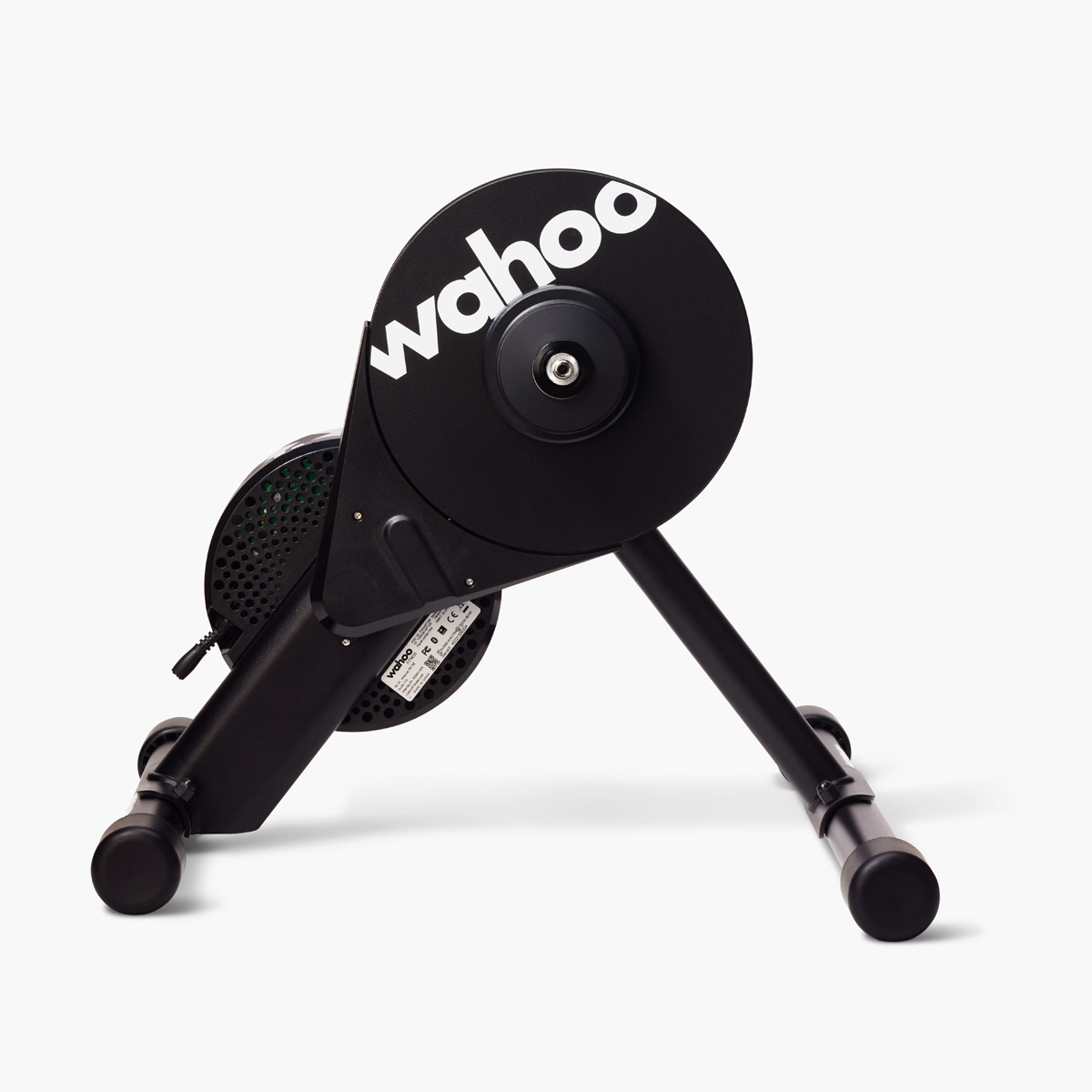
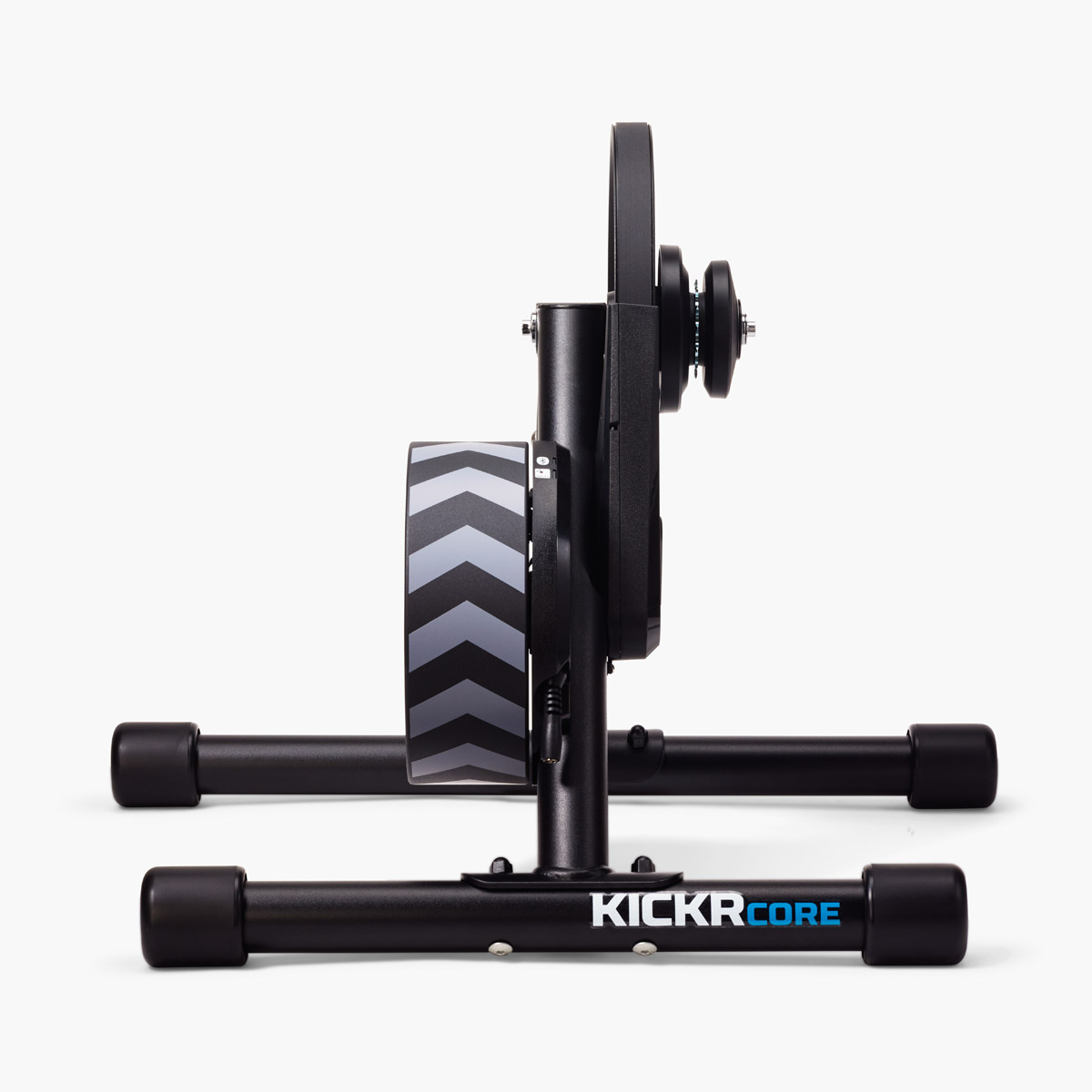
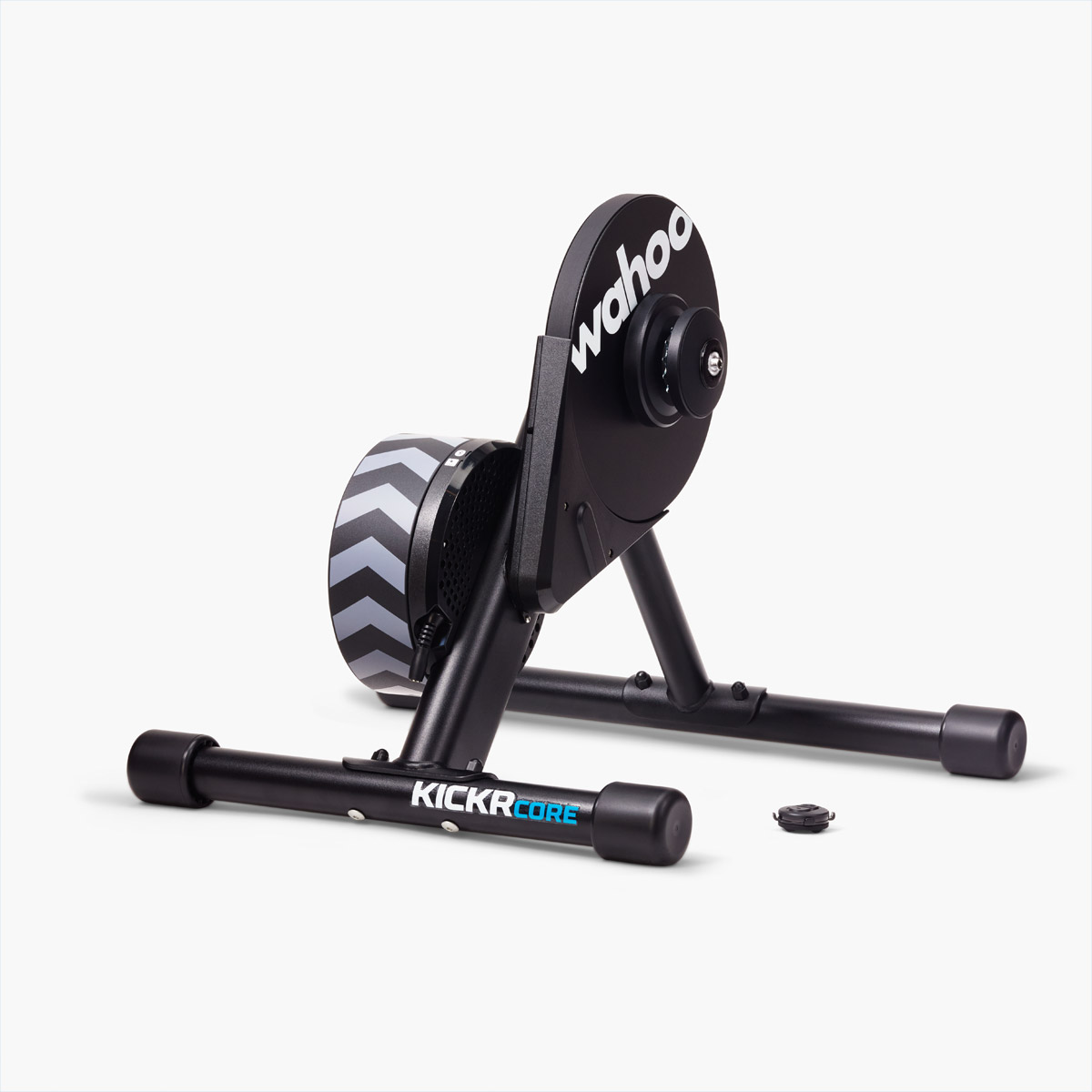
Last week, Wahoo and Zwift announced their first-ever trainer collab: the KICKR CORE Zwift One.
It’s the KICKR Core we know and love from Wahoo, with a Zwift Cog installed in place of a cassette, and a Zwift Click included for virtual shifting.
I’ve had the CORE One (yes, I’m shortening the name) in the Zwift Insider Pain Lab for a few weeks, running it through its paces. And today I’ll be sharing my experience, along with key specs and other details. Let’s go!
Features and Specs
The CORE One is priced a full $1000 below Wahoo’s newest KICKR, the KICKR MOVE. And the CORE One comes with a full year of Zwift membership, while the KICKR MOVE does not!
So how do the two trainers compare?
| KICKR CORE Zwift One | KICKR MOVE | |
| Price | $599/£549/€599 | $1,599/€1,599/£1399 |
| Max Power | 1800W | 2200W |
| Accuracy | +/-2% | +/-1% |
| Calibration | Automatic | Automatic |
| Cadence | Built In | Built In |
| Brake/Drive Type | Electromagnetic | Electromagnetic |
| Max Gradient | 16% | 20% |
| Weight | 40lb/18kg | 64lb/29kg |
| CLIMB Compatible | Yes | With base adapter |
| ANT+ and Bluetooth Connectivity | ✅ | ✅ |
| Multiperipheral Bluetooth | Up to 3 connections | Up to 3 connections |
| Axle Compatibility | 130/135mm quick release, 12×142/12×148 thru-axle | 130/135mm quick release, 12×142/12×148 thru-axle |
| Pre-Installed Cassette | Zwift Cog | 11-Speed |
| Virtual Shifting | ✅ | Coming soon |
| Direct Connect | ❌ | ✅ |
| WiFi Connectivity | ❌ | ✅ |
| ERG Easy Ramp | ❌ | ✅ |
| Odometer | ❌ | ✅ |
| 10Hz Race Mode | ❌ | ✅ |
| Fore-Aft Motion | ❌ | ✅ |
| Includes 1 Year of Zwift | ✅ | ❌ |
Unboxing/Setup
CORE One setup is very easy. It can be done by just about anyone, even if you’re not an experienced cyclist.
Unboxing and Assembly
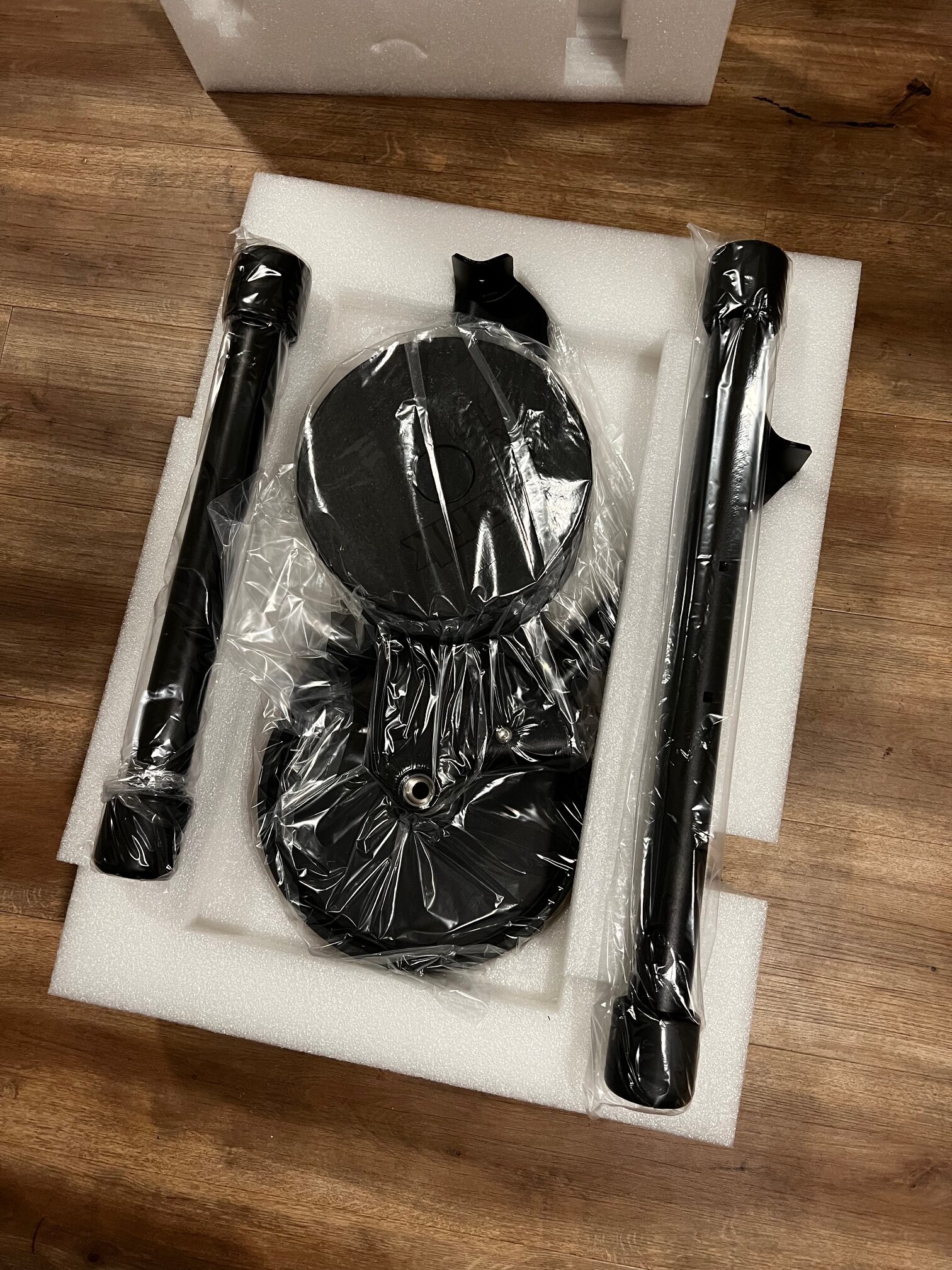
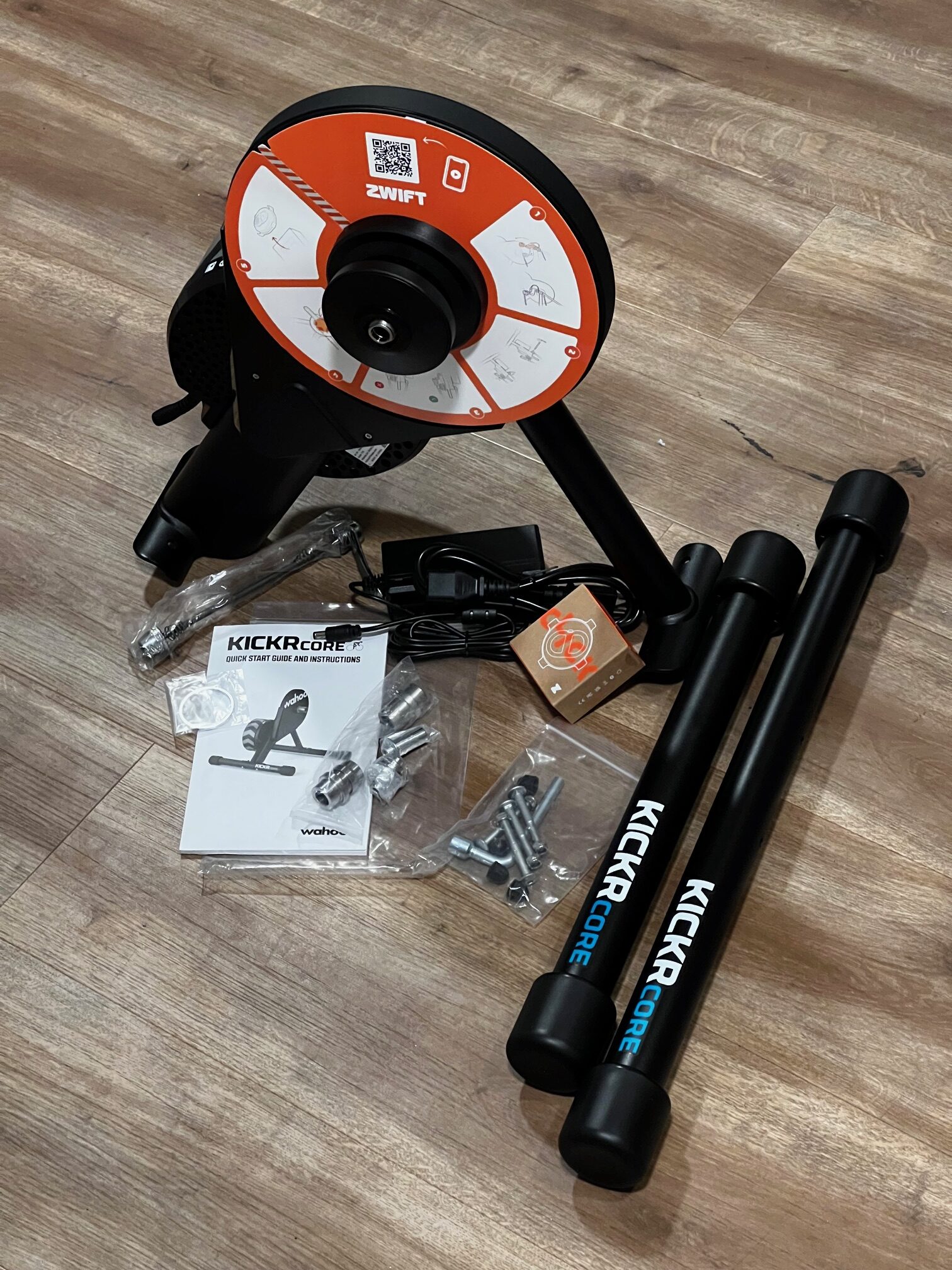
My CORE One arrived in the same box as a standard KICKR Core, but Wahoo says this will be changed soon. Assembly was quite easy:
- Open up the collapsable front arm
- Install both legs using the enclosed hex tool
- Install the correct axle adapters for my bike (135mm quick release) – if you aren’t sure which adapters to use, read this post

Firmware Updates
Checking for firmware updates whenever you get new hardware is always a good idea. This is especially true with the CORE One, since it’s shipping with older firmware that doesn’t support virtual shifting or auto-calibration!
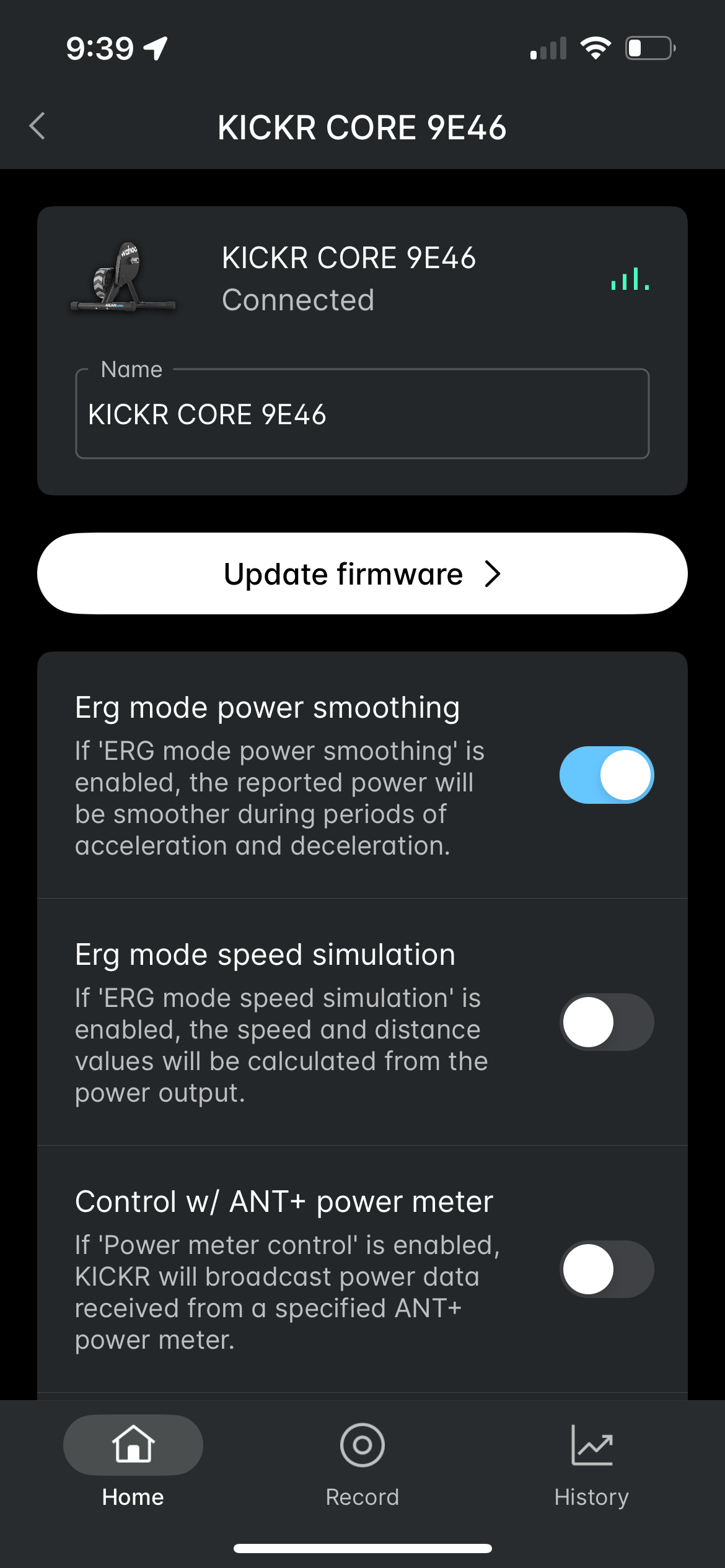
Installing the new firmware is easy using the Wahoo app (available for iOS and Android). I added the CORE One to my list of sensors, clicked it for details, then clicked the “Update Firmware” button and followed the instructions:
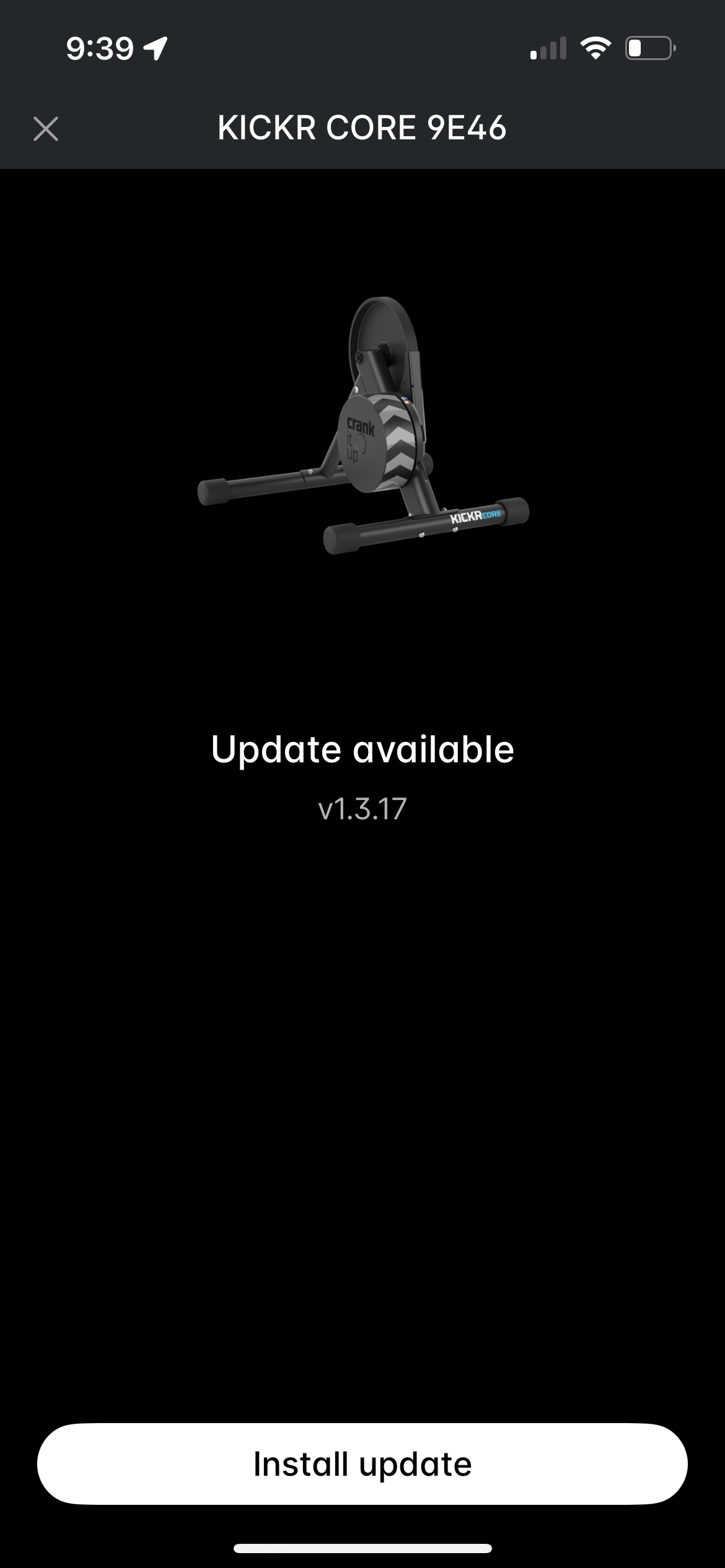
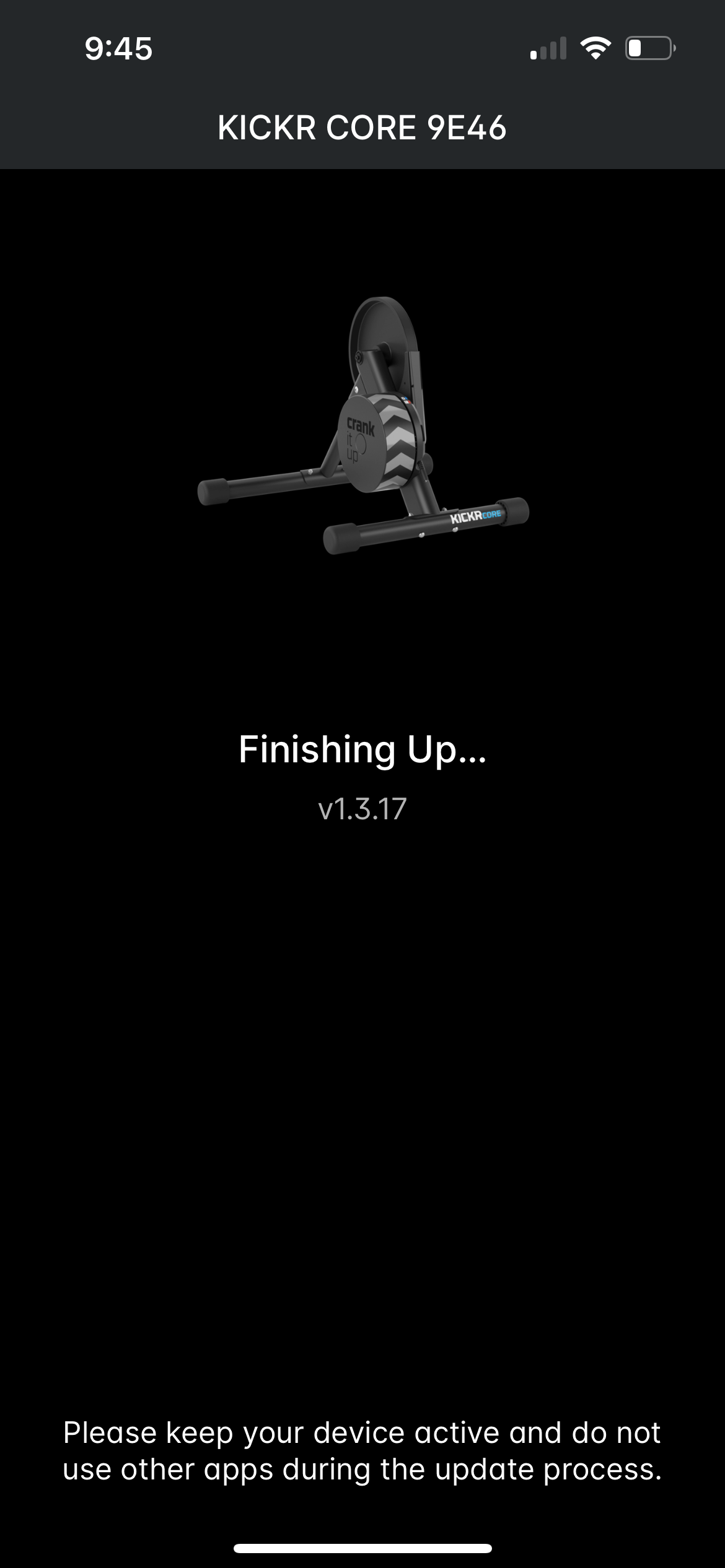
Note: when I installed the update, the app hung on the “Finishing up…” screen. After waiting for around 10 minutes, I restarted the app (which is a scary thing to do in the middle of a firmware update) and it showed the firmware as installed. The CORE One has been working fine ever since.
Bike Setup
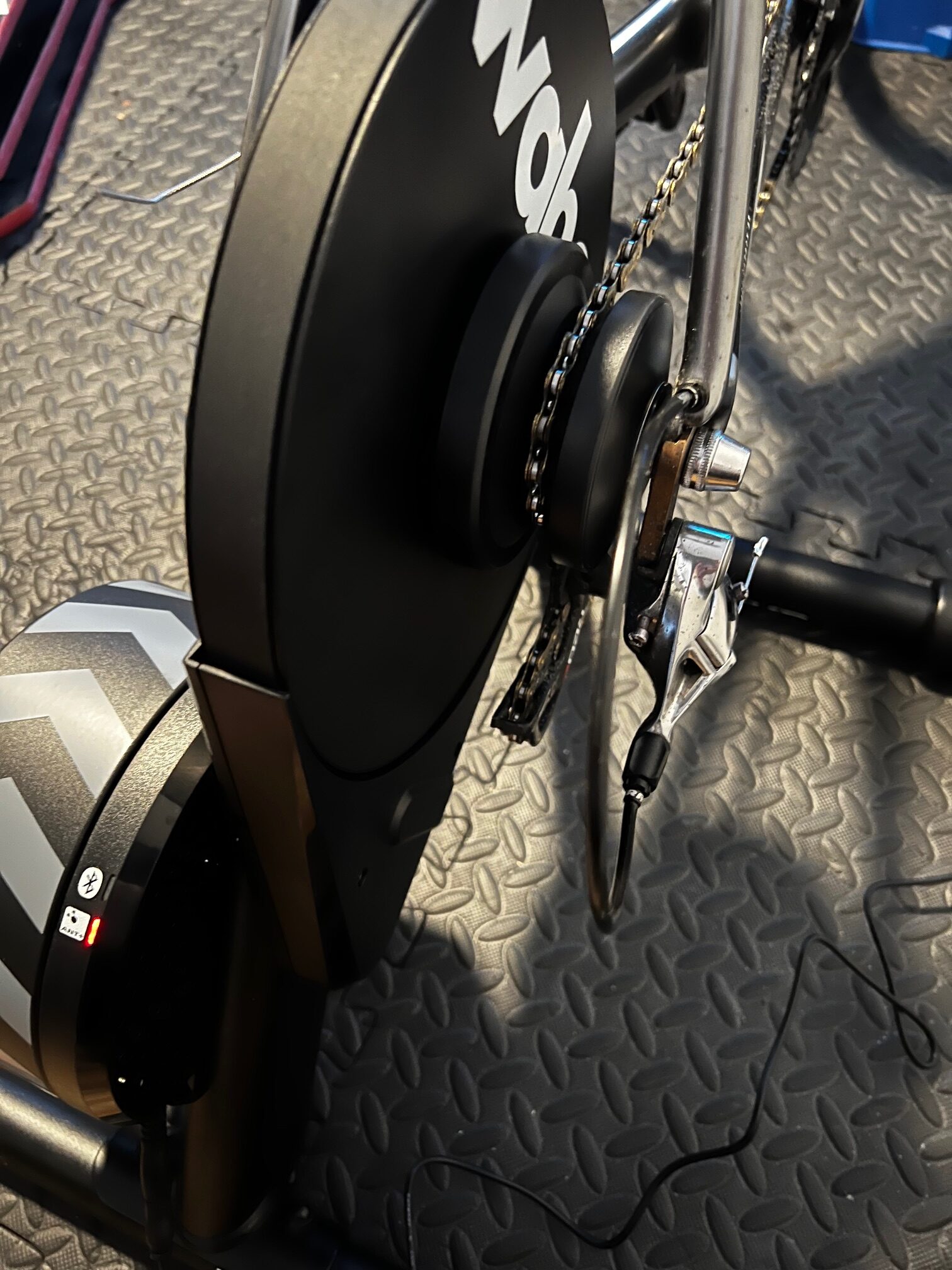
I left my bike in a middle gear on the rear cassette, and it installed easily on the CORE One. After shifting up and down a few times I found the gear that was smoothest, and visually checked to see if it was lined up nicely on the cog. Good to go!
Ride Experience
Virtual Shifting
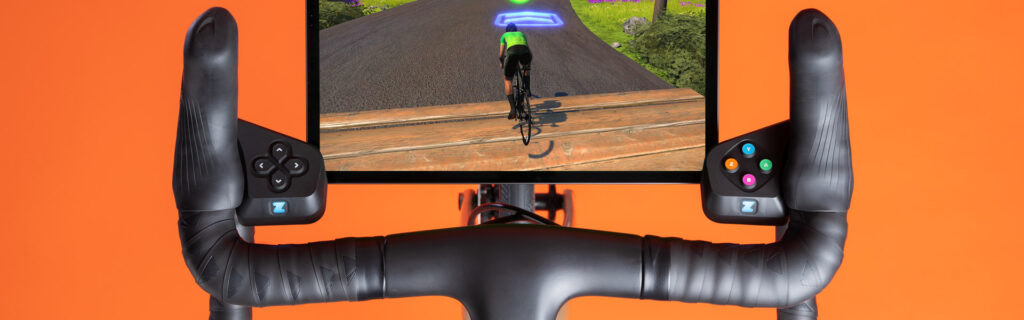
Of course, the big news with the CORE One is that it’s the first non-Zwift trainer to support virtual shifting. With virtual shifting, your chain doesn’t move between different rear cassette cogs when you shift. Instead, a virtual shift changes the resistance on your KICKR Core so it feels like you’ve changed cogs.
So how well does virtual shifting work on the CORE One? It works great! I tested it using the included Zwift Click and also the Zwift Play Controllers I already had installed on my Zwift bike. Both worked perfectly, without hiccups.
I will say the shift “curve” on the CORE One feels a bit different from the Zwift Hub – like a steady ramp up in resistance vs a quicker spike. But that’s not a bad thing… just different. Both trainers shift very quickly and smoothly.
One thing that isn’t mentioned much is that you must pair the CORE One via Bluetooth for virtual shifting to work. Then just pair the Zwift Click and/or Zwift Plays as well, and you’re good to go. The trainer automatically senses your gearing in the first few seconds of riding, then sets up your base resistance and puts you in 12th gear (you have a total of 24). And that’s it! Just use the Click’s +/- buttons, or the shift buttons on the Zwift Plays, to shift whenever you’d like.
I prefer the location of the Zwift Play shift buttons to the Click, because it’s reachable when my hands are in their default position on my hoods. Of course, if you’re on flat bars or some other setup, the Click may be better for you.
Noise Level
When it comes to noise levels, the CORE One is… cantankerous. It’s not the trainer’s fault – the actual KICKR Core trainer (flywheel, freehub, etc) is very quiet.
The issue is the Zwift Cog. I experienced the same noise issues with the Zwift Cog on the KICKR Core as I did with the Zwift Cog on the Zwift Hub. Specifically, there’s more chain/cog noise than I’d like.
But the noise level depends on your chain. And also your gearing.
I’ve tested the Zwift Cog with three different chains:
- The chain I’ve used for (literally) years on my Zwift bike (a YBN 11-speed chain)
- A nearly-new Dura-Ace 12-speed chain on my outdoor bike
- A new KMC 11-speed chain on my Zwift bike
All three chains received the same Molten Speedwax treatment, and all three have been tested to run near-silent on a standard cassette. None of them show as needing replacement when tested using Park Tool’s Chain Wear Indicator, although my well-used YBN chain is, logically, a bit stretched compared to the other two nearly new chains.
The Dura-Ace chain was the quietest of the three (+1 for expensive hardware, eh?), while my well-used YBN chain was the loudest. The KMC was somewhere in the middle.
I would characterize the noise level of the Dura-Ace chain as acceptable, while the other two are not. But I’m also fairly picky since I’m used to near-silent trainer setups!
As any cyclist knows, a noisy bike is an inefficient bike. When you hear drivetrain noise, you’re losing watts. So it hurts my cyclist heart to have a noisy chain/cog interface. It’s rough enough, in fact, that I can actually feel the teeth of the cog interfacing with my chain. That feeling is amplified the faster I turn my cranks.
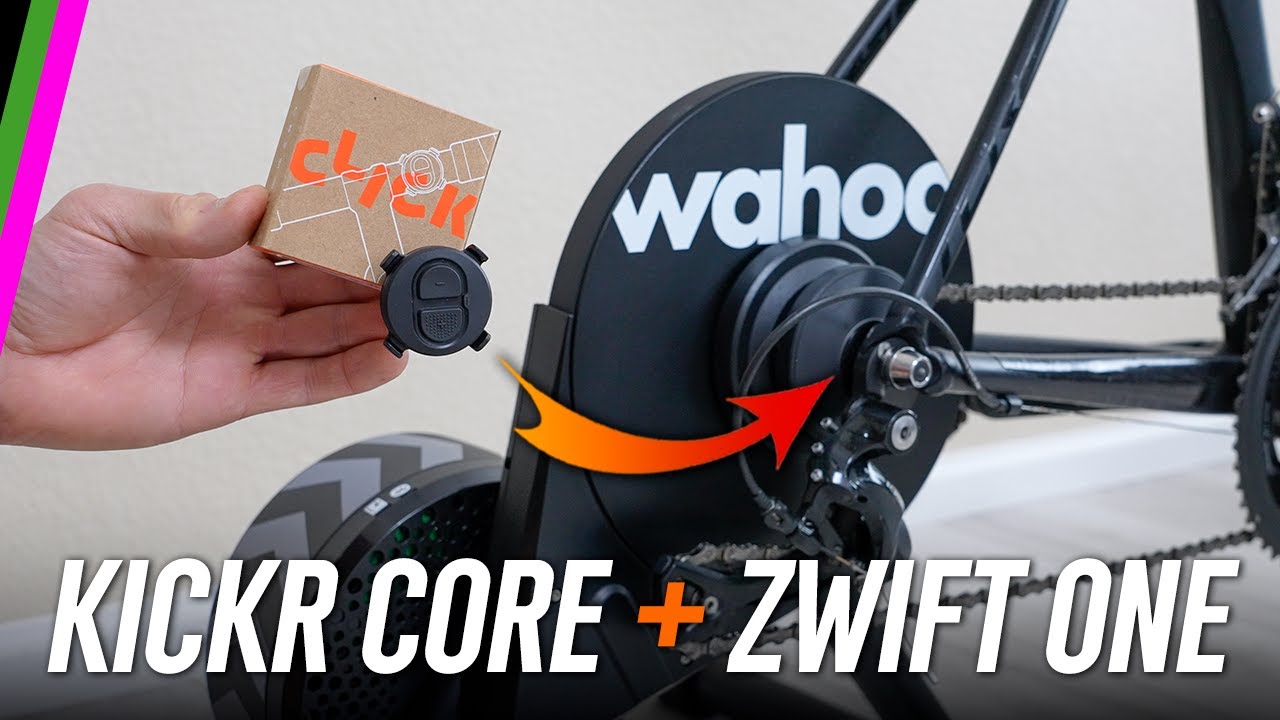
This noise issue has been mentioned by other reviewers, too. Listen to DesFit do a nice comparison of the Zwift Cog vs cassette sound volume on the CORE One:
Zwift has always recommended riding in the little chainring when using the Zwift Cog + virtual shifting, and although they don’t say it, I can’t help but think part of the reasoning is because the Zwift Cog is quieter in the little ring. It’s quieter simply because the chain isn’t moving over the cog as rapidly. The faster the chain moves along the cog, the noisier it will be.
I may put together an article soon focused on taking apart the Zwift Cog and trying various things to make it quieter. What I’d really like to try is installing a cog from one of my spare cassettes, in place of the beefier steel cog used in the Zwift Cog, to see how that affects noise levels. Removing the plastic guides on either side of the cog will also reduce sound, but the truth is, Zwift needs to change something to make the Cog quieter.
The good news for KICKR Core owners is, you don’t need the Zwift Cog in order to enjoy virtual shifting. Just buy the Zwift Play Controllers, update your firmware, and you’re good to go on your existing cassette… which will be quieter than the Zwift Cog.
Power Accuracy
The KICKR Core’s new firmware brings what Wahoo calls “auto spindown calibration” to the trainer. This is just a wordy way of saying the trainer automatically calibrates itself for accurate power readings, so you don’t need to worry about doing it. Excellent news for KICKR Core owners!
Having completed several workouts, rides, and races with power dual recorded from the CORE One and my Favero Assioma pedals, I’d say my CORE One with its new auto-calibration is fairly accurate and close to being within spec… but it could use a bit of improvement.
First, as some other reviewers have already mentioned, you’ll need to put a hard ride or two into the CORE One before the auto calibration run enough to really dial in the accuracy. But that’s no big deal, and not unlike some other trainers.
My only real disappointment with power accuracy is that the CORE One seems to suffer from a bit of thermal drift, similar to the Zwift Hub. (Which is odd, since the CORE One has a thermal sensor, so Wahoo’s engineers should be able to compensate for temperature changes during a ride.)
Here’s an example (click to interact with the data):
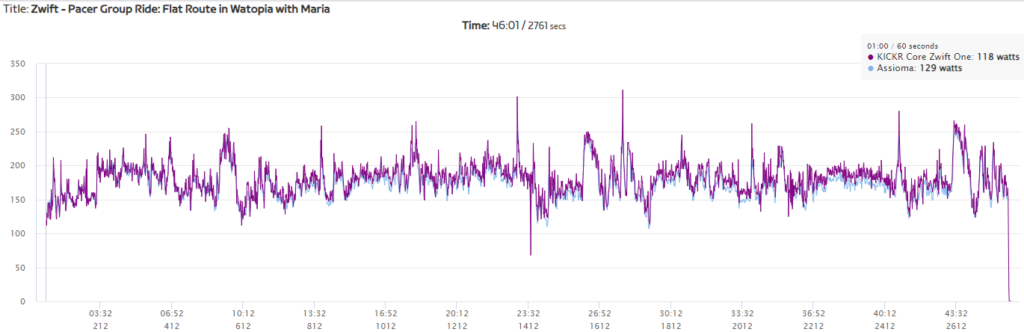
My pedals were right with the CORE One when the ride began, but by the end the CORE One was reading around 5% higher. This is classic thermal drift, where a cold trainer reads higher the warmer it gets.
I’ve seen this on multiple rides, including sessions that began with the trainer already warm. Here’s a 90-minute ride that started with the trainer already warmed up. It’s reading a bit high to start, but even higher when the ride ends.
In these examples, if I’d stopped pedaling midride the CORE One would have recalibrated and probably improved in accuracy. But that shouldn’t be needed if the only issue is temperature.
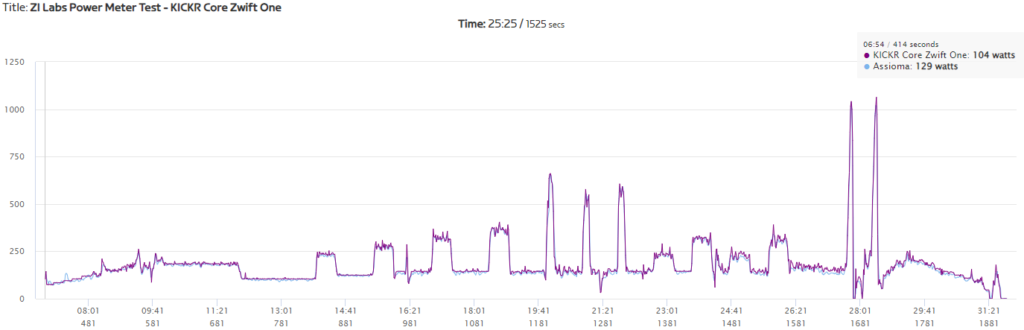
You can see thermal drift again in my ZI Labs Power Meter test, where the CORE One reads a bit higher at the end than at the beginning:
That said, thermal drift isn’t apparent on all rides. Here’s a 40-minute race done just before the 90-minute ride linked above, and the CORE One is tracking nicely with my Assiomas throughout.
Oddly, I didn’t see the small-ring sprint issues that GPLama noted in his review, where his CORE One was rewarding him for being in the big ring (high flywheel speed) on sprints. The two sprints at the end of the workout above were done big ring (first sprint) little ring (second sprint).
Is the CORE One woefully inaccurate? Nah. It just appears that Wahoo’s engineers could tune the auto-calibration and/or temperature compensation algorithms to keep the trainer more firmly within the +/-2% accuracy specification.
Let’s be clear, though: compared to the days of manual KICKR CORE calibration, the auto-spindown feature is light years ahead, especially for the many Zwifters who rarely calibrate their CORE. My firm hunch is that this new auto spindown calibration will result in much more accurate power on average throughout the universe of CORE riders.
Inertial Feel
The CORE One’s 12lb flywheel is the same size as older KICKR trainers (generations 1-3). Many people say they can’t tell the difference between various physical or simulated flywheels, but I find the differences quite apparent, especially when accelerating my cadence or doing workout intervals.
The CORE One’s flywheel feels a bit better than the Zwift Hub, which makes sense since the Hub’s flywheel is a bit smaller. Still, the standard KICKR’s larger 18lb flywheel feels even better, which is partly why that trainer demands a higher price.
Wrapping It Up
Wahoo’s KICKR Core has the best reputation of any mid-range direct-drive trainer, which is why it commanded a price of $900 without a cassette for the first 5 years of its existence. Then Zwift entered the market with the bargain-priced Zwift Hub, a lawsuit happened, then a settlement… and here we are, with the KICKR CORE Zwift One available for $599 including a year of Zwift.
That’s a sweet deal, even if the Zwift Cog is noisy on some chains and power accuracy isn’t perfect.
With the CORE One replacing the Zwift Hub One moving forward, this is simply the best trainer for the money on the market today.
Questions or Comments?
Share below!


Would be great if current Kickr Core owners could just buy a Click button for a respectable price, and gain virtual shifting, rather than going the whole hog and buying Zwift play or the Cog & Click (which many do not need the whole functionality of).
This comment on Wahoo KICKR Core Firmware Update Delivers Auto Calibration, Virtual Shifting | Zwift Insider was the most voted but unfortunately much silence around these questions:
Tim
February 8, 2024 11:45 am
Will the single little shifter unit be made available for purchase without cog?
Will shift buttons be integrated into companion app?
Is the shift button protocol open via Bluetooth so it maybe could be reverse engineered into a custom solution (keith wakeham comes to mind)?
“With the CORE One replacing the Zwift Hub One moving forward, this is simply the best trainer for the money on the market today.”
Whoa, I’d missed that somehow. Zwift is getting back out of the trainer business already? What’s the Cliff’s Notes version? /goes to search for an article I’ve missed
We talk about it some here: https://zwiftinsider.com/wahoo-kickr-core-zwift-one-announced/
But also DCRainmaker, GPLama, etc have mentioned it, all last week, in connection with the KICKR CORE Zwift One’s release.
Hi Eric, nice review! You talk about the positive impact of a heavier physical flywheel on inertial feel (I agree!!). I am wondering how virtual shifting changes this vs regular shifting. With regular shifting, the inertial feel markedly changes based on your speed because the flywheel spins at dramatically different rates as you shift – just like outside. However, with virtual shifting, the flywheel always spins at a constant speed assuming cadence is constant. How does this impact pedal realism feel, especially over terrain like Titans Grove? Thanks !!!
It is noticeable, but also, I think you just get used to it. When I switch from the Zwift Hub or Core with virtual shifting to my good ol’ KICKR with mechanical shifting, I definitely notice the different inertial feel. And definitely prefer it.
But virtual shifting is so quiet and smooth… I would probably stick with it on my KICKR given the option.
Thanks for the feedback!
How about virtual shifting for every trainer by using ERG + terrain adjustment:
Maybe offer let’s say 60 gears with gear 1 starting at setting ERG at 30 watt and increase ERG by 10 watt for each gear (in this example gear 31 = ERG at 330 watt).
Then add some terrain adjustment for each percent of gradient, like 1% uphill = setting ERG + 10 watt. So in the example above gear 31 at 10% uphill would set ERG at 430 watt. As a result you would shift down to make it easier.
This is just a simple example for the concept. Obviously you need to fine tune the parameters for gear and terrain adjustments (probably making these progressivly instead of linear) but you get the idea.
Would that be possible? Or maybe is this the way it’s actually implemented by Zwift?
Definitely not how it’s implemented by Zwift.
I don’t see how using ERG would work for virtual shifting, since the resistance drop as you increased your cadence. That’s not a natural pedaling experience.
Please forgive if this has been covered… But if I’m coming from 11 speed Shimano drive train with 11 speed chain and have a Shimano 14t 11 speed cog, maybe I can use it with the Zwift Hub and reduce chain noise?
I have the Play Controllers and love them! I like the idea of using the shift “click” controller on the bar tops and use my Play Controllers for shifting when in the hoods/drops.
When you say “Zwift Hub” do you mean the trainer? Or “Zwift Cog”? I’m confused what you’re proposing…
Oops, so sorry… “Cog”
I was thinking of trying the same with a spare Cog. We’ll see if it works.
Cool. Of course between the high ambient dB of my fans and the fact that I have my earbuds blaring, I would never know anyway. Although I suppose if it does work that perhaps might lessen chain wear? Either way, it was more for curiosity sake. 😅
So will we see this as an add on perhaps removing re free hub on the kickr v3,45,6 etc? Or will be shifting our 11/12 speeds?
The same Zwift Cog that fits on the KICKR Core should fit just fine on a standard KICKR, so I don’t see why Zwift wouldn’t sell it.
Personally, though, I’d just stick with my cassette and virtual shifting. It’s quieter. And one less thing to buy! (But if you want the Cog so the trainer can be used with multiple bikes, then that would make sense.)
At some point along the 9-12 gears isn’t the pitch / spacing between cassettes going to the same? find the happy gear on each bike you switch and write it down. Seems like a slam dunk.
I’m stoked about the kickr update as my young son’s 9 speed rear would hunt in all but one gear on my 11 speed cassette driving him to insane cadence high and low. All good now.
the silent change takes a minute to get used to as you don’t have the split second easing of power and click of a real derailleur so the “change” seems to hit hard and feel artificial, but I would bet in a couple of more weeks it will become normal.
to future proof on other platforms or to protect against connectivity issues, I think a standard cassette on a kickr is a smarter choice than the zwift cog.
Thanks for the Review. Are there any Discount Codes for the zwift shop right now?
Not that I know of.
This review is a little more grounding for me than others had been. I was already calculating if it is worth it to purchase one and see whether it works with my kid’s bike.
But now … The noise part, which I noticed in review videos but it wasn’t talked about it too much there, and auto-calibration and thermal drift. Also not sure I agree about the autocalibration part. Sure, if people hardly ever calibrate, then there might be an incremental value, but for one, let’s be honest — how often do we stop pedaling for a substantial period that triggers auto-calibration –, and then that auto-calibration is also very much dependent on the circumstances (particularly, temperature) at the given time (e.g., calibration early during warm-up compared to after doing the Alpe). We already knew it’d be beneficial to additionally have the option to trigger a normal spindown, e.g., prior to races, and I don’t quite get it why Wahoo hides this in their app’s developer/advanced mode.
And regarding the magnitude of the thermal drift, I think at least for the duals you shared “a bit” might be a little understated with a delta of ~10W after 30min?
And that you’re stuck with Zwift for the time being until they open the new protocol is also a bit odd.
So … Bit disappointed here after I was already close to counting the money in my pocket 😉
Re: auto calibration… what I was trying to say was, if you take the whole universe of Core owners and look at their power accuracy before auto calibration and after, I think we’d find that overall, accuracy is improved.
Because many people rarely calibrate their trainers.
Sure, and would agree that this might be the incremental value part (no idea how large that share actually is). However, at the same time, it might be good to also educate people that auto-calibration doesn’t mean everyone should let the trainer do its stuff, but be aware of how it’s working and how to actually use it (even ideally using the manual calibration still). Not saying it’s your part to do that education, no worries =)
I am very much enjoying virtual shifting on my existing cassette as an unexpected bonus (on top of the expected steering and functionality) on my Core using Zwift Play I got for Christmas. I’ve found using ANT+ to continue to connect my Assioma Duos the best bet for power but I found this Zwiftalizer video very useful in getting a solid Bluetooth connection to the Play and trainer, particularly the last section on the importance of line of sight/positioning https://youtu.be/YW69ts_fvMA?si=bcjKdpQRXcEeXGYf
experience with power drift:
Calibrate the roller cold with very little heating.
If you calibrate with the trainer hot, such as after a climb, the calibration will not be accurate.
note: that the first installation calibration requires only 3 minutes of heating without resistance.
😀
Question: How does it work on longer rides, like 3h, 4h, 5h and more? And does the cog hold out on doing intensive climbing or would a cassette be preferable?
My post was removed 😦
Oh no it wasn’t, didn’t scroll down 😊😂
I’ve just recently had cause to use the power on my Core after using my Favero Assioma Duo’s for years out and inside, as the pedals were in for a bearing replacement. I’ve been surprised how high the Core can read, even after making repeated efforts to calibrate it.
I thought I had finally got thereabouts after doing a factory spindown (thanks for the guidance article!) and getting within 2-3% of the (newly refurbed) Favero’s but then it went absolutely loopy after finishing a sprint at the finish of that Tour de Zwift stage whereby it suddenly started reading +10-15%!
I’m very (well mostly) glad to be going back to the Favero’s as my power source but considering the lengths I’ve gone to to try and get consistent, accurate power on the Core it does make me wonder about the thousands out there.
That said, other than this belatedly apparent power inflation, I otherwise love the functionality and ride feel of the Core. I guess it’s all a good workout at the end of the day.