
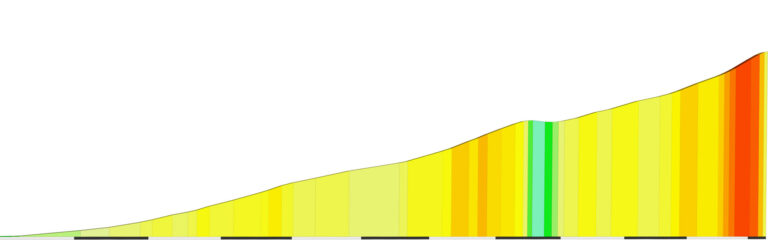
“La Laguna Negra” Climb Portal Details
See zwiftinsider.com/portal/la-laguna-negra/
As this weekend’s highlight, we’ve got the Zwift Insider Mini Epic Race. We’ve also selected the annual Tour De HISP, a ride for a good cause, a women-only group ride, and a RoboPaced Alpe event.
✅ Popular Event ✅ Highly Competitive ✅ Innovative Format
This weekend marks the first Zwift Insider Epic Race. Last week, riders had the opportunity to join a group ride on this course. Now that riders have had a chance to preview the course, it’s time to race it! For those who don’t know, this series aims to help riders build up to completing the toughest courses on Zwift (read more here).
Riders will be racing the Mountain 8 course, and for those who are wondering, yes: this course does tackle the Radio Tower.
Multiple time slots this weekend
Sign up at zwift.com/events/tag/epicseries
✅ Popular Event ✅ Highly Competitive
The Tour De HISP is back for 2023! Much like tours IRL, stages take place each day. However, what makes this series unique is that there are multiple start times for each of the stages each day, making it easier for people to compete. This weekend, stages 6 and 7 will be taking place.
Stage 6 will take place on 1.5 laps of the Bologna TT course – watch out for those steep pitches! Stage 7 will take place on the Greater London Flat course.
Multiple time slots this weekend
Sign up at zwift.com/events/tag/hisp
✅ Fresh Event ✅ Women-Only ✅ Beginner-Friendly
This event from Owl Bike is a banded women-only group ride. The ride targets women over the age of 55 and is guaranteed to have a slower pace. As riders complete this ride in Z1 (grey), some trivia questions from the 50s, 60s, and 70s will be asked!
This 45-minute group ride takes place on the City and the Sgurr course in Scotland.
Saturday, August 26th @ 4:30pm UTC/12:30pm EDT/9:30am PDT
Sign up at zwift.com/events/view/3808659
✅ Popular Event ✅ Feel-Good Factor
The monthly Bike MS Zwift Community Challenge is here, giving riders the chance to ride together for a good cause. Currently, the Bike MS Foundation is the largest charity cycling event, raising over $50 million in 2022!
Still needing to earn your Volcano Circuit achievement badge(s)? Four different distance options are available for this event. Each category covers a varying amount of laps around the Volcano Circuit CCW. This ranges from 25 laps for category A all the way to 7 laps in category D.
Sunday, August 27th @ 1:15am UTC/9:15am EDT/6:15am PDT
Sign up at zwift.com/events/view/3808615
✅ Popular Event ✅ Innovative Format
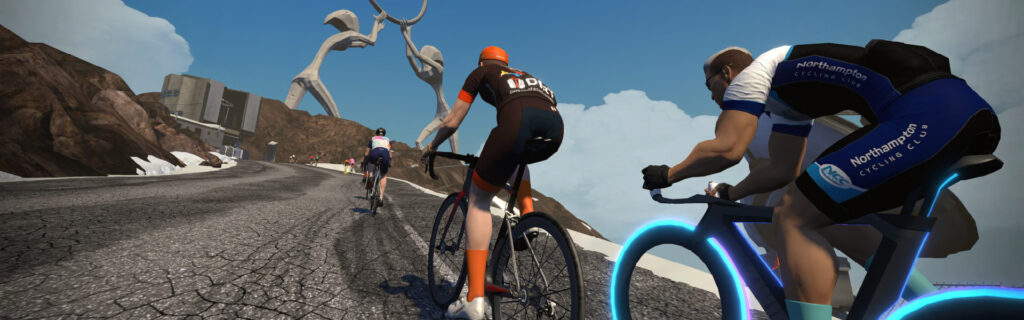
Because we are in the final weekend of August, the Summit Seeker event is back. If you’re just coming back to indoor cycling, climbing Alpe du Zwift is a great fitness benchmark. The RoboPacers are here to help you pace yourself to some of the most popular time goals: 49 minutes, 59 minutes, 69 minutes, 89 minutes, and 119 minutes.
The event takes place on the Road to Sky course in Watopia – the most efficient way to ride Alpe du Zwift.
Multiple time slots this weekend
Browse Summit Seeker events at zwift.com/events/tag/alpepacer
We choose each weekend’s Notable Events based on a variety of factors including:
In the end, we want to call attention to events that are extra-special and therefore extra-appealing to Zwifters. If you think your event qualifies, comment below with a link/details and we may just include it in an upcoming post!
Got other events that stand out this weekend? Share below in the comments!
After months of testing, this week Zwift rolled out their latest version of Pack Dynamics (v4.1) to all worlds. We’ve already summarized how PD4.1 differs from PD4 in this post, but now it’s time to measure those changes and learn how they affect the everyday Zwift experience!
Below you’ll find the results of our standard 4-rider drafting tests using PD4.1 and TT frames. (We also published test findings for road frames, which line up nicely with our TT frame results below.) Let’s dig in!
Our original TTT speed test post from 2020 gave team time trial riders some very welcome guidance about how to ride their races most efficiently. Then in 2021, Zwift rolled out Pack Dynamics 3, and we ran a second test to see what, if anything, had changed. (We found speeds hadn’t changed, it was just harder to hold an efficient single-file formation due the lack of sticky draft.)
In August 2022, Zwift+WTRL announced enhanced TTT features, including the ability for TT frames to draft in TTT events. So we ran our tests using TTT frames. Then several months later in April 2023, Zwift announced the rollout of Pack Dynamics 4 game-wide. So we ran our standard tests with PD4.
This week, Zwift rolled out Pack Dynamics 4.1 gamewide. We tested it with road frames first, but this post is all about TT frames. Let’s go!
We set out to answer three questions with these tests:
All test riders were set to 183cm height, 75kg weight, and rode Zwift TT frames with Zipp 808 wheels.
Tests were done in an isolated event on Watopia’s Tempus Fugit route because it’s the flattest on Zwift and has a timed section (Fuego Flats Reverse, 7.1km long) which could be used to measure the speeds of each test formation precisely.
All tests were done with four riders.
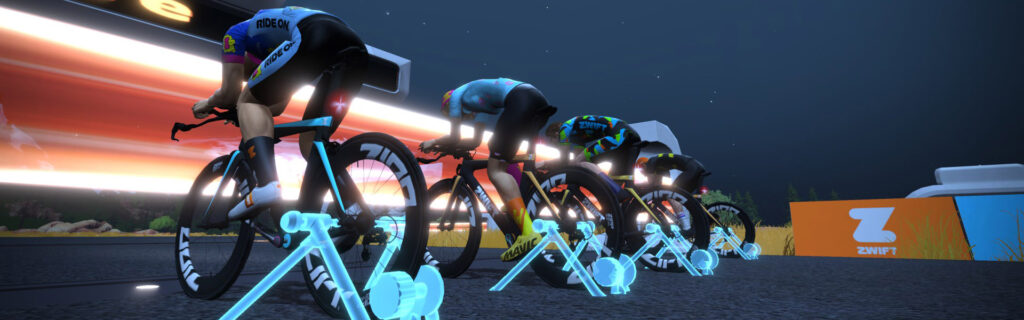
For our first test, we put all riders at the same 300W power setting. This resulted in a rather disorganized group of riders, but crucially, there was much less churn than with Pack Dynamics 4. The riders would often be 3-4 abreast across the road, with no rider taking the “pull” and no riders benefiting from a significant draft.
Segment time with Pack Dynamics v3 was 9:53, which dropped to 9:40.5 with Pack Dynamics v4. Pack Dynamics v4.1 makes a huge difference with this particular formation of riders, dropping the average speed by almost 2 kph!
The second test had the lead rider holding 300W, with the other three riders in single file behind, holding the minimum wattage possible to stay in formation. This is what you would see in an outdoor team time trial:
Notes:
This test was similar to Test 2, we just bumped the front rider up to 400W, then increased the power of the riders behind accordingly.
Notes:
Lastly, we tested a formation that many Zwift TTT teams have used, wherein there is one designated rider in front, and the riders behind simply churn in the front rider’s draft. This reduces the hassle of trying to maintain single-file positioning while receiving some of the benefits. But how does it impact efficiency?
Notes:
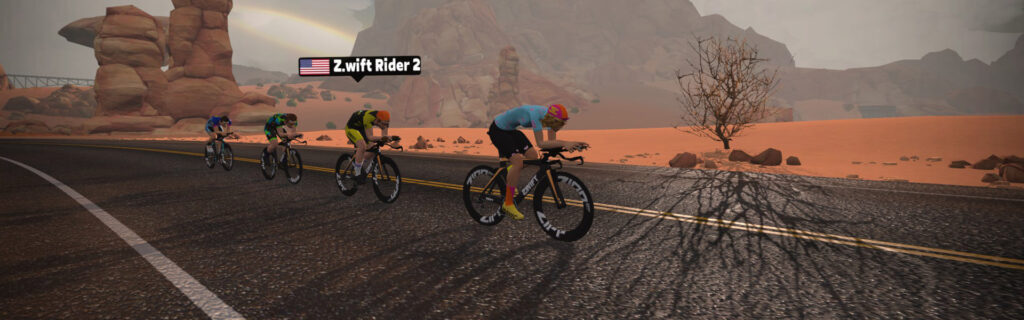
Let’s answer the two questions we stated at the top of the page:
Is power savings in the draft with Pack Dynamics v4.1 different than the savings with Pack Dyamics v4?
Yes, but the difference is smaller on TT frames than road bike frames. Here’s a table showing approximate power savingswith TT frames on PD3, PD4, and PD4.1 based on your position in a TTT group of 4 riders:
| Position | PD3 | PD4 | PD4.1 |
| 2 | 17% | 24% | 22% |
| 3 | 25% | 30% | 30% |
| 4 | 30% | 35% | 33% |
Does Pack Dynamics v4.1 alter pack speeds, and if so, how?
Our first test seeks to emulate the front of a hard-charging race, and that test returned a significantly slower result (2kph) with PD4.1. So yes, we can confidently say that PD4.1 slows overall pack speeds because it reduces the churn/slingshot effect that drove pack speeds up previously. We predict that TTT teams will find it very challenging to break their past course records now that PD4.1 is in play.
Are there any other observable differences between PD4 and PD4.1?
Yes. The four tests above showed marked differences from PD4 in two areas not already mentioned: the “shape” of the draft, and the potential for wasted watts.
Zwift altered the “shape” of the draft cone (the draft “shadow” behind each rider) with PD4.1. These changes could be clearly seen during our tests, in two ways:
What you don’t see above is something interesting we observed while wrangling our bots into single-file pacelines: PD4.1’s modified overtaking algorithm has, in some sense, created a new “sticky draft”.
In a single-file scenario like test 2 above, it’s now possible to have one rider (say, the 4th in the line) holding 30 more watts than the 3rd rider, without overtaking the 3rd rider. This wouldn’t have happened with PD4, but it definitely happens with PD4.1. It’s not the same as the old sticky draft, but the result is similar, if not more pronounced. In fact, when we were running our hybrid formation test (test 4 above) we often found our riders strung out single file, even though the back 3 were all holding 300W steady!
We assume this is due to whatever algorithms Zwift uses to reduce forward/backward movement in the pack. Especially in a single-file scenario, it now takes much more intentional ramping up of power to overtake the rider ahead, even if that rider isn’t the front rider in your group.
What does this mean for racers? It means PD4.1 makes it much easier to waste power in the pack. Similar to how the old sticky draft might have stuck you on someone’s wheel whether you’re doing 250W or 270W, you may now find yourself able to maintain a pack position whether you’re doing 300W or 340W!
So when you’re sitting in the pack, try easing off your power to see how it affects your position. Learning how to ride most efficiently with PD4.1 may take some trial-and-error practice, but you’ll probably find you can save watts by riding smarter.
With Pack Dynamics 4, the Single File and Hybrid formations were nearly identical in terms of efficiency. But this is not the case with PD4.1, where Hybrid is now much less efficient.
Along with everything noted above, TTT riders may notice two more things about PD4.1:
Got comments or questions about Pack Dynamics v4.1? Share below!
On July 6, 2023, the US Patent and Trademark Office published two patent applications from Zwift:
The two patent applications are closely related. Not only were they published on the same date, but the technology they describe is meant to work together as one “system”, as described in the patent filings themselves.
This isn’t the first time we’ve heard of this system, either. It was first leaked by Zwift in December 2021, when the company said, “Z Cog: Zwift Wheel is built around a single cog design with virtual shifting, unlocking compatibility with all bikes from the box.”
What is this “Z Cog”, and why does virtual shifting matter? Let’s dig into what Zwift is developing.
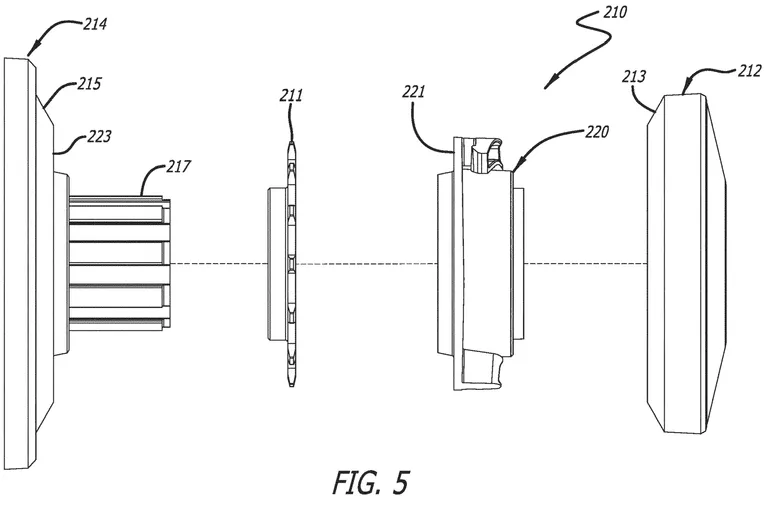
The “Z Cog” is a single sprocket that replaces the rear cassette on a trainer, effectively creating a single-speed setup (physically, at least). See the Z Cog in Figures 2 and 3 below:
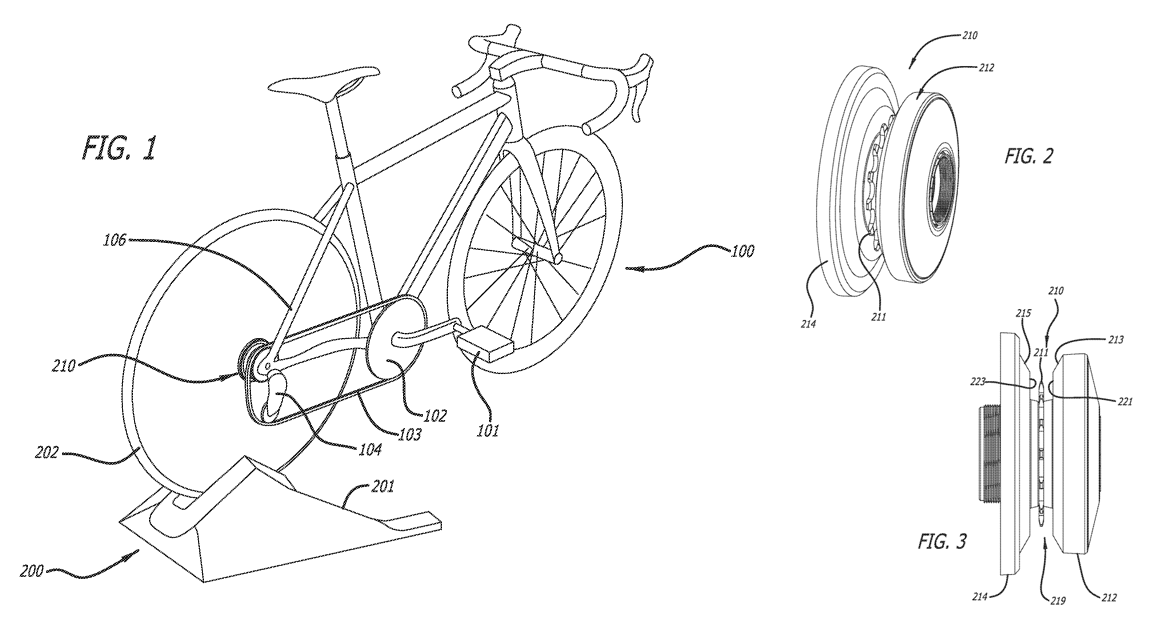
The Z Cog has angled sides to direct the chain onto the single sprocket even if it isn’t aligned perfectly. (A misaligned chain would probably be a bit noisy with this setup, but it would still function.)
To really understand how the Z Cog works, though, we have to understand its sister technology: virtual shifting.
“Virtual shifting” may seem like a strange concept to cyclists who have only used “physical” shifting. If you’ve ever ridden a smart bike like the Wahoo KICKR Bike or Tacx NEO Bike, though, you’ve used virtual shifting whether you realized it or not.
Virtual shifting uses some a shifter/controller/button to control the resistance unit on the smart bike. Shift to a harder gear and resistance increases, giving you the same feeling as shifting to a physically smaller cog on a rear cassette. Shift to an easier gear and resistance eases up, like shifting to a larger cog on your cassette. As Zwift’s patent application says, “In such a system, the sensation of shifting gears is provided entirely through an electronic adjustment in the resistance of the flywheel.”
One nice thing about virtual shifting is it allows you to customize your gearing, as clearly seen in this in-game shot uncovered a few months back and discussed in our Zwift Leaks post in May 2023:
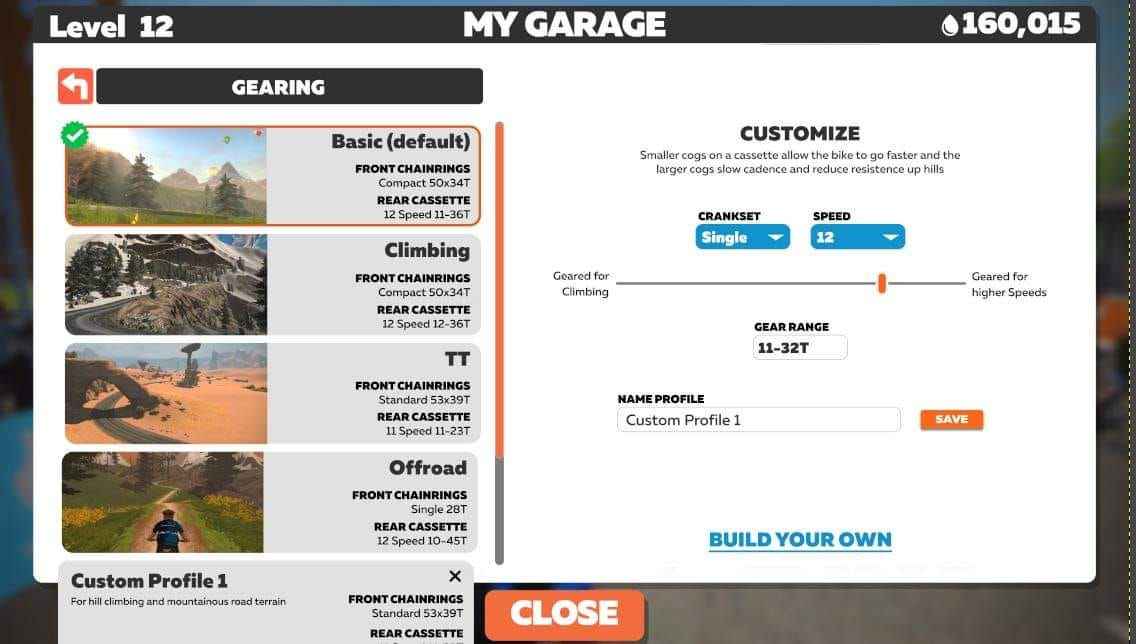
Most smart bikes today offer custom gearing configurations. Run a triple chainring in front, or a double, or a single, with whatever tooth count you desire! How many cogs would you like on your rear cassette, and how big would you like them? It’s all virtual, so the possibilities are nearly limitless.
Zwift’s patent application isn’t talking about smart bikes, though. It refers to a virtual shifting system that consists of a shifting controller interacting with a smart trainer, saying: “The control device and the associated trainer acting together may enable virtual shifting…”
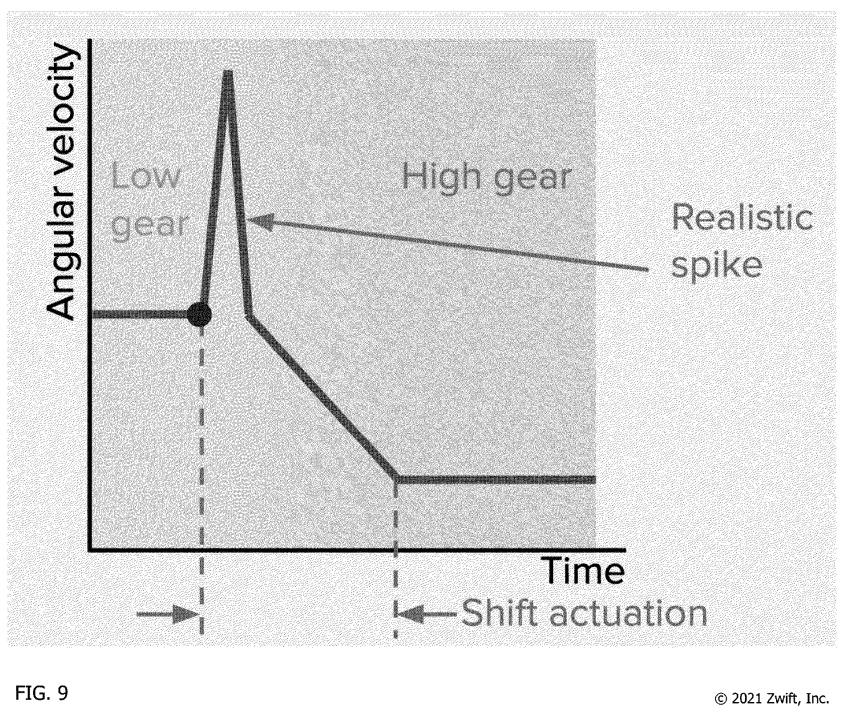
The patent application even delves into the “feel” of virtual shifting.
That shifting may simulate the “Feel” of shifting as discussed more fully below. In particular, that simulation may be both for (1) the different levels of resistance associated with higher or lower gears on a bicycle in different situations and (2) the quick loss of power and resumption of power at a different rate, often with some clicks and snaps in between, while shifting gears.
Zwift also discusses auto-shifting in its virtual shifting patent application, which is a novel concept in the virtual cycling realm but quite common in auto racing games. Zwift says auto-shifting may be particularly necessary if a rider doesn’t have shifters, but it may also make sense for riders who simply don’t want to mess around with shifting. Zwift says it could also be used to help riders maintain a target metric like power, heart rate, or cadence.
(Auto-shifting to maintain a particular power output sounds a lot like Erg mode, although in this case riders would still feel the change in resistance on inclines and declines.)
What are the benefits of Zwift’s proposed single cog + virtual shifting system, compared to a standard cassette with physical shifting?
Zwift’s Z Cog patent application states that the design is “compatible with most direct drive trainers”. Their virtual shifting application seems to indicate that the virtual shifting would be done by the game software itself, meaning that both the smart trainer and shifting controller would be paired to the game software, and all virtual shifting signals would run through the game software.
This means that, in theory, Zwift’s virtual shifting system could be made to work with any smart trainer. It could be generically set up to simply add/remove trainer resistance with each virtual shift, or perhaps a more trainer-specific implementation could be put into place by each trainer manufacturer, utilizing a Zwift API and the manufacturer’s knowledge of their own product’s abilities.
Our guess is virtual shifting will roll out on the Zwift Hub trainer first, but Zwift will share the virtual shifting API so other brands can implement it if desired.
When will we see it? That’s the question everyone asks whenever we see leaks from Zwift.
The truth is, we don’t know. Zwift’s official statement doesn’t clarify timelines:
Zwift remains at the forefront of innovating the indoor space. We are continually developing new products and features designed to benefit the indoor cyclist. We will only comment on new innovations when we are ready and therefore will not be commenting further on these patent filings.
With Zwift’s Play controllers now released, we wouldn’t be surprised if virtual shifting was added to their capabilities before the year is out.
Share below!
After months of testing, this week Zwift rolled out their latest version of Pack Dynamics (v4.1) to all worlds. We’ve already summarized how PD4.1 differs from PD4 in this post, but now it’s time to measure those changes and learn how they affect the everyday Zwift experience!
Below you’ll find the results of our standard 4-rider drafting tests using PD4.1 and road bikes. We will follow up with a test using TT frames in a drafting TTT scenario, but we believe the same conclusions will be drawn from both sets of tests. Let’s dig in!
Our original TTT speed test post from 2020 gave team time trial riders some very welcome guidance about how to ride their races most efficiently. Then in 2021, Zwift rolled out Pack Dynamics 3, and we ran a second test to see what, if anything, had changed. (We found speeds hadn’t changed, it was just harder to hold an efficient single-file formation due the lack of sticky draft.)
In August 2022, Zwift+WTRL announced enhanced TTT features, including the ability for TT frames to draft in TTT events. So we ran our tests using TTT frames. Then several months later in April 2023, Zwift announced the rollout of Pack Dynamics 4 game-wide. So we ran our standard tests with PD4.
This week, Zwift rolled out Pack Dynamics 4.1 gamewide. You know what that means… time for more tests!
We set out to answer three questions with these tests:
All test riders were set to 183cm height, 75kg weight, and rode Zwift Carbon road bike frames with Zwift 32mm carbon wheels.
Tests were done in an isolated event on Watopia’s Tempus Fugit route because it’s the flattest on Zwift and has a timed section (Fuego Flats Reverse, 7.1km long) which could be used to measure the speeds of each test formation precisely.
All tests were done with four riders.
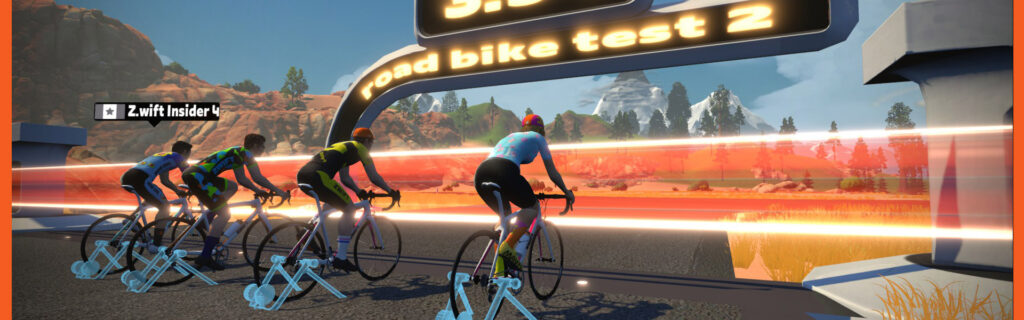
For our first test, we put all riders at the same 300W power setting. This resulted in a rather disorganized group of riders, but crucially, there was much less churn than with Pack Dynamics 4. The difference was so remarkable, in fact, that we made a quick video to show it:
The riders would often be 3-4 abreast across the road, with no rider taking the “pull” and no riders benefiting from a significant draft.
Segment time with Pack Dynamics v3 was 10:13.4, which dropped to 10:04.5 with Pack Dynamics v4. Pack Dynamics v4.1 makes a huge difference with this particular formation of riders, dropping the average speed by over 1.5 kph!
The second test had the lead rider holding 300W, with the other three riders in single file behind, holding the minimum wattage possible to stay in formation. This is what you would see in an outdoor team time trial:
Notes:
This test was similar to Test 2, we just bumped the front rider up to 400W, then increased the power of the riders behind accordingly.
Notes:
Lastly, we tested a formation that many Zwift TTT teams have used, wherein there is one designated rider in front, and the riders behind simply churn in the front rider’s draft. This reduces the hassle of trying to maintain single-file positioning while receiving some of the benefits. But how does it impact efficiency?
Notes:
Let’s answer the three questions we stated at the top of the page:
Is road bike power savings in the draft with Pack Dynamics v4.1 different than the savings with Pack Dyamics v4?
Absolutely! Here’s a table showing approximate power savings with PD3, PD4, and PD4.1 based on your position in a TTT group of 4 riders:
| Position | PD3 | PD4 | PD4.1 |
| 2 | 17% | 28% | 24% |
| 3 | 25% | 33% | 33% |
| 4 | 30% | 37% | 34% |
As you can see, the difference in savings between PD4 and PD4.1 is smaller than the difference between PD3 and PD4. Clearly, Zwift is dialing in their Pack Dynamics.
Does Pack Dynamics v4.1 alter pack speeds, and if so, how?
Our first test seeks to emulate the front of a hard-charging race, and that test returned a significantly slower result (1.5kph) with PD4.1. So yes, we can confidently say that PD4.1 slows overall pack speeds because it reduces the churn/slingshot effect that drove pack speeds up previously.
Are there any other observable differences between PD4 and PD4.1?
Yes. The four tests above showed marked differences from PD4 in two areas not already mentioned: the “shape” of the draft, and the potential for wasted watts.
Zwift altered the “shape” of the draft cone (the draft “shadow” behind each rider) with PD4.1. These changes could be clearly seen during our tests, in two ways:
What you don’t see above is something interesting we observed while wrangling our bots into single-file pacelines: PD4.1’s modified overtaking algorithm has, in some sense, created a new “sticky draft”.
In a single-file scenario like test 2 above, it’s now possible to have one rider (say, the 4th in the line) holding 30 more watts than the 3rd rider, without overtaking the 3rd rider. This wouldn’t have happened with PD4, but it definitely happens with PD4.1. It’s not the same as the old sticky draft, but the result is similar, if not more pronounced.
We assume this is due to whatever algorithms Zwift uses to reduce forward/backward movement in the pack. Especially in a single-file scenario, it now takes much more intentional ramping up of power to overtake the rider ahead, even if that rider isn’t the front rider in your group.
What does this mean for racers? It means PD4.1 makes it much easier to waste power in the pack. Similar to how the old sticky draft might have stuck you on someone’s wheel whether you’re doing 250W or 270W, you may now find yourself able to maintain a pack position whether you’re doing 300W or 340W!
So when you’re sitting in the pack, try easing off your power to see how it affects your position. Learning how to ride most efficiently with PD4.1 may take some trial-and-error practice, but you’ll probably find you can save watts by riding smarter.
While not a part of the tests above, PD4.1’s dynamic CdA changes are worth mentioning. Zwift tells us “the current setting in regular races give only a 3% benefit if your power goes above 20% or more of your last 10 sec. power.”
The goal here is to give a slight “boost” to attackers. Notably, though, dynamic CdA changes are not enabled for individual or team time trials, according to a knowledgeable source within Zwift.
For road racers on Zwift (vs TT), we believe Zwift’s new pack dynamics will result in races that more closely reflect IRL racing in 3 ways:
Got comments or questions about Pack Dynamics v4.1? Share below!
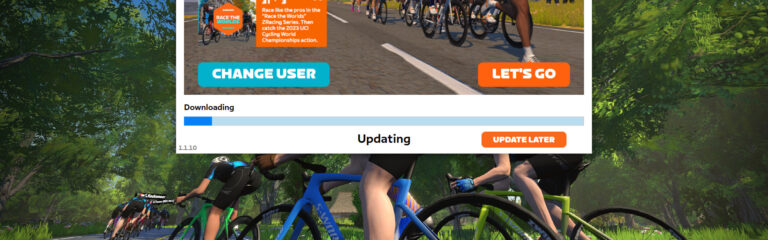
If you Zwift on Mac or PC and love participating in group rides and/or races, you’ve probably had it happen: running late to your event, clicking to boot Zwift, and the “Updating” dialog pops up. Noooo!!!
Zwift, it seems, feels our pain. So after some testing in limited releases, yesterday Zwift announced the rollout of their new “defer update” feature to the Zwift launcher. (The Zwift launcher is the small program that handles authenticating your account, starting up the Zwift game, and updating the Zwift game, among other things.)
Here’s what the feature looks like on Mac and PC (note: only logged-in users will see the “Update Later” option):
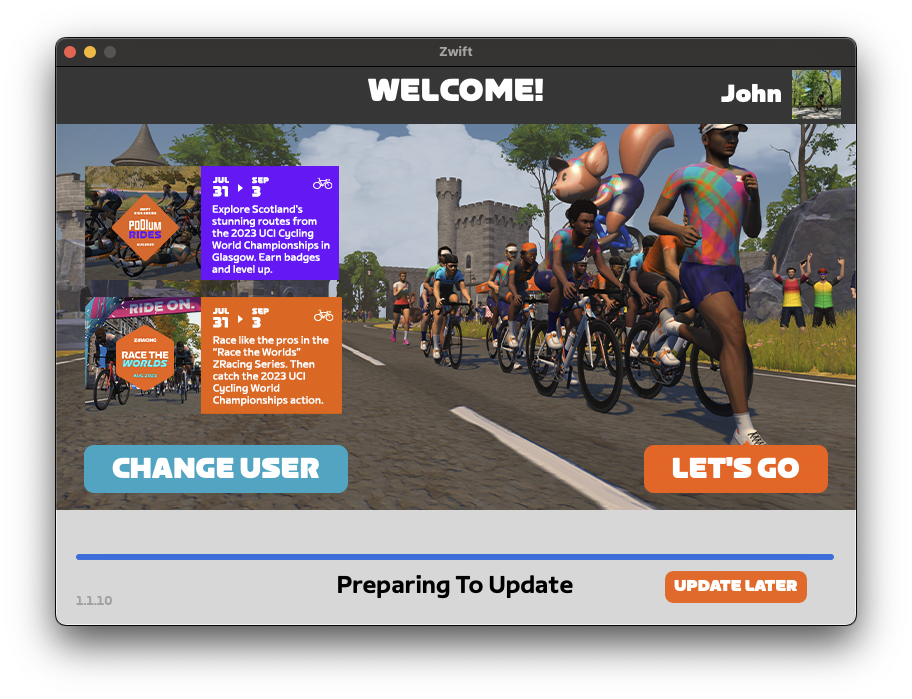
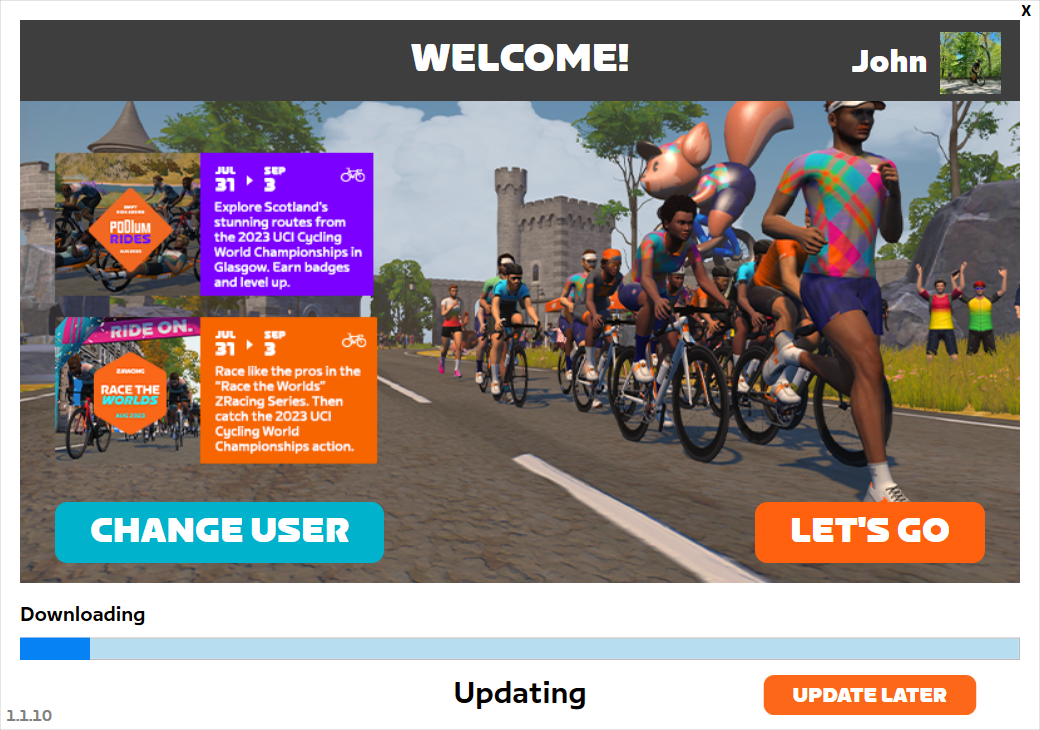
If you click “Update Later”, the update will begin once you finish your Zwift session.
To get deferred updates on your Zwift setup, you’ll need two things:
These platforms don’t force a game update like Windows and macOS, although many Zwifters have updates set to install automatically. You can opt out of auto-updates in App Store settings for iOS/tvOS/Android at the cost of missing improvements if you don’t update manually. In that case, you may eventually get a message in-game telling you to install the latest update.
Read more about this update in the Zwift forum, or share your comments and questions below!
The Tiny Races happen every Saturday and they’re are all about getting a hard, fun effort done in 1 hour. You’re meant to race all 4 races back-to-back, with each lasting just 5-10 minutes, giving you a short break in between.
We’re not sure what was in the water last week, but there were lots of attacks and even wins from the breakaway. Watch “Titanium” Ben Pitt’s beautiful live stream of all four races below. It includes fun stuff like him making the break in race 1 and weirdly white Watopian roads in race 3! (He finished 8th overall.)
Got a great YouTube video of your Tiny Race experience? Post it in the comments and we may feature it on Zwift Insider!
A: Kato Paul (MASAKA)*
B: Allan Myhré (OUT)
C: René Petersen (DBR)
D: B B (NTS³)
A: Joakim Lisson (POAUTO – CeramicSpeed)
B: Freddie Hick (EVO)
C: Pauly (TBR)
D: 小 白 (RZFC)
A: Thomas Berry (BL13)
B: Carl Smith (Innovation)
C: Carlos Méndez (MOTORES HINO)
D: leroy’s dogg
*Kato’s results are considered provisional while we await performance verification.
A: Nini (Pyro)
B: Iris Smyth
C: Liz T (S4W)
D: Angela de Heer
A: –
B: Moirin Nelson (FC RACING)
C: Debbie Woods-Turner (AEO)
D: Patty O’Shea
A: –
B: –
C: –
D: Emily Brown (BMTR)
This week’s routes all end with a quick uphill punch. Will you go early and try to win from the breakaway now that Pack Dynamics 4.1 makes that more doable? Or will you sit in before going all-in during those final seconds?
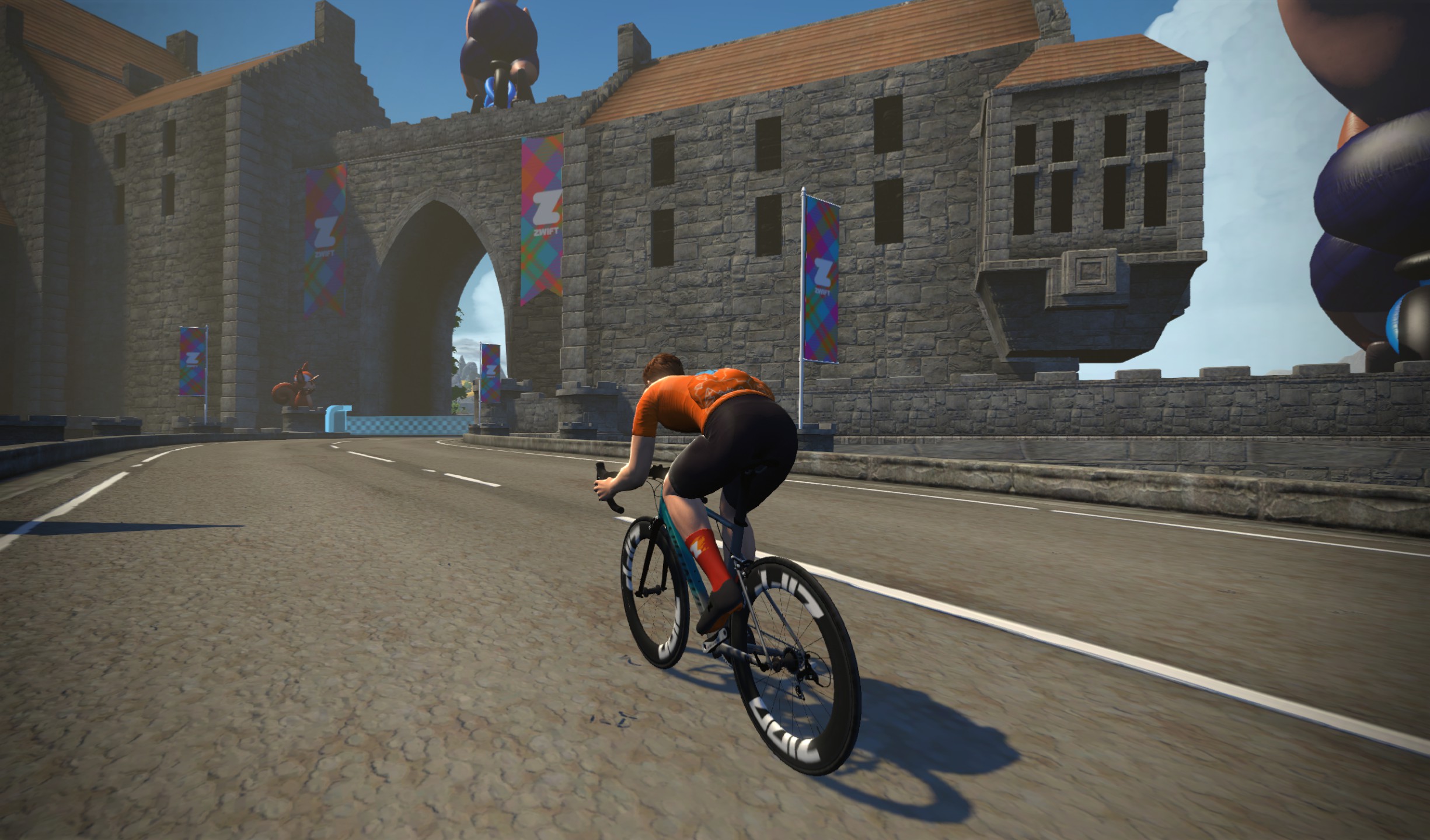
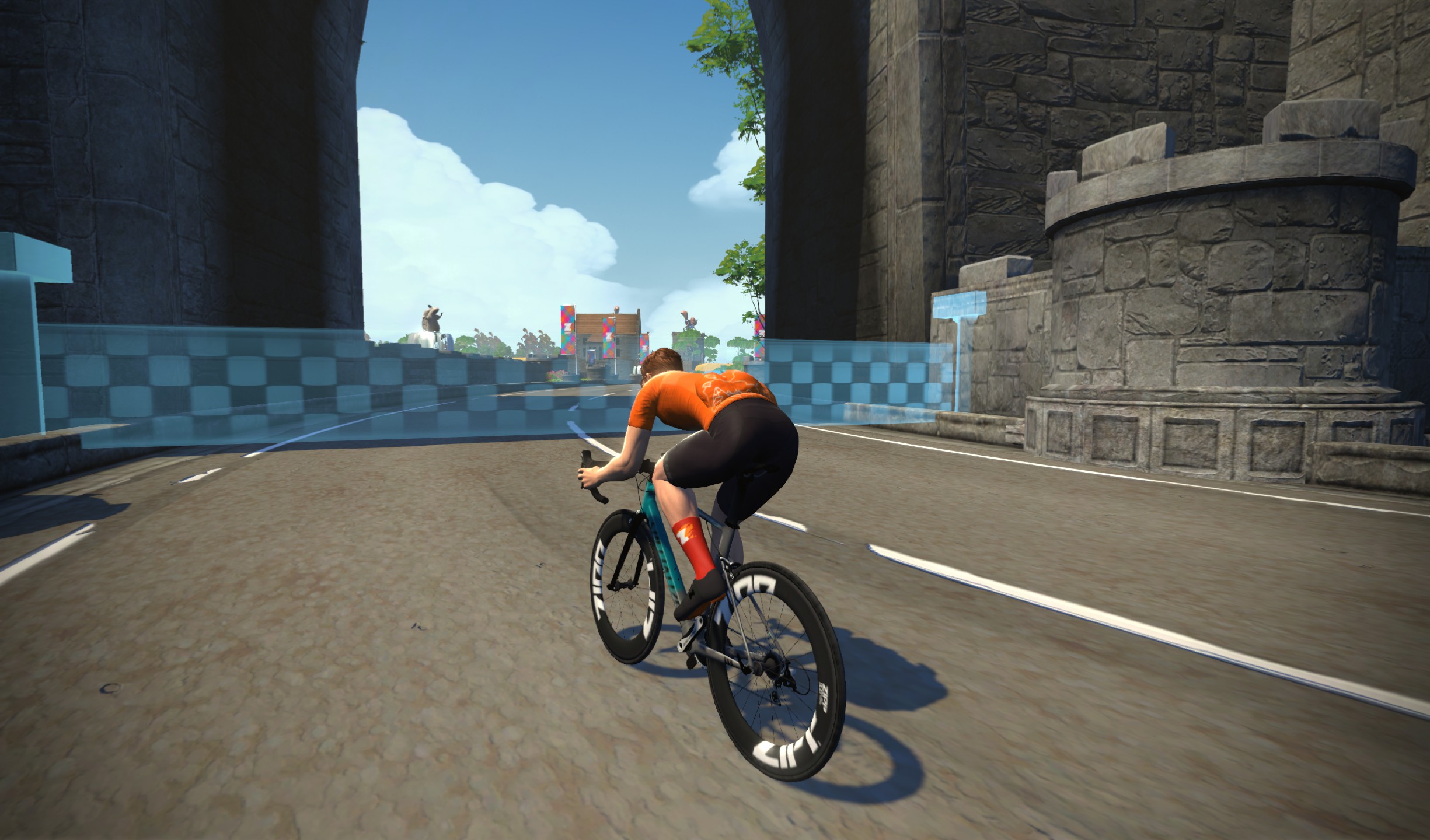
Here are photos so you can see the precise location of the custom finish lines for races 1, 3, and 4:


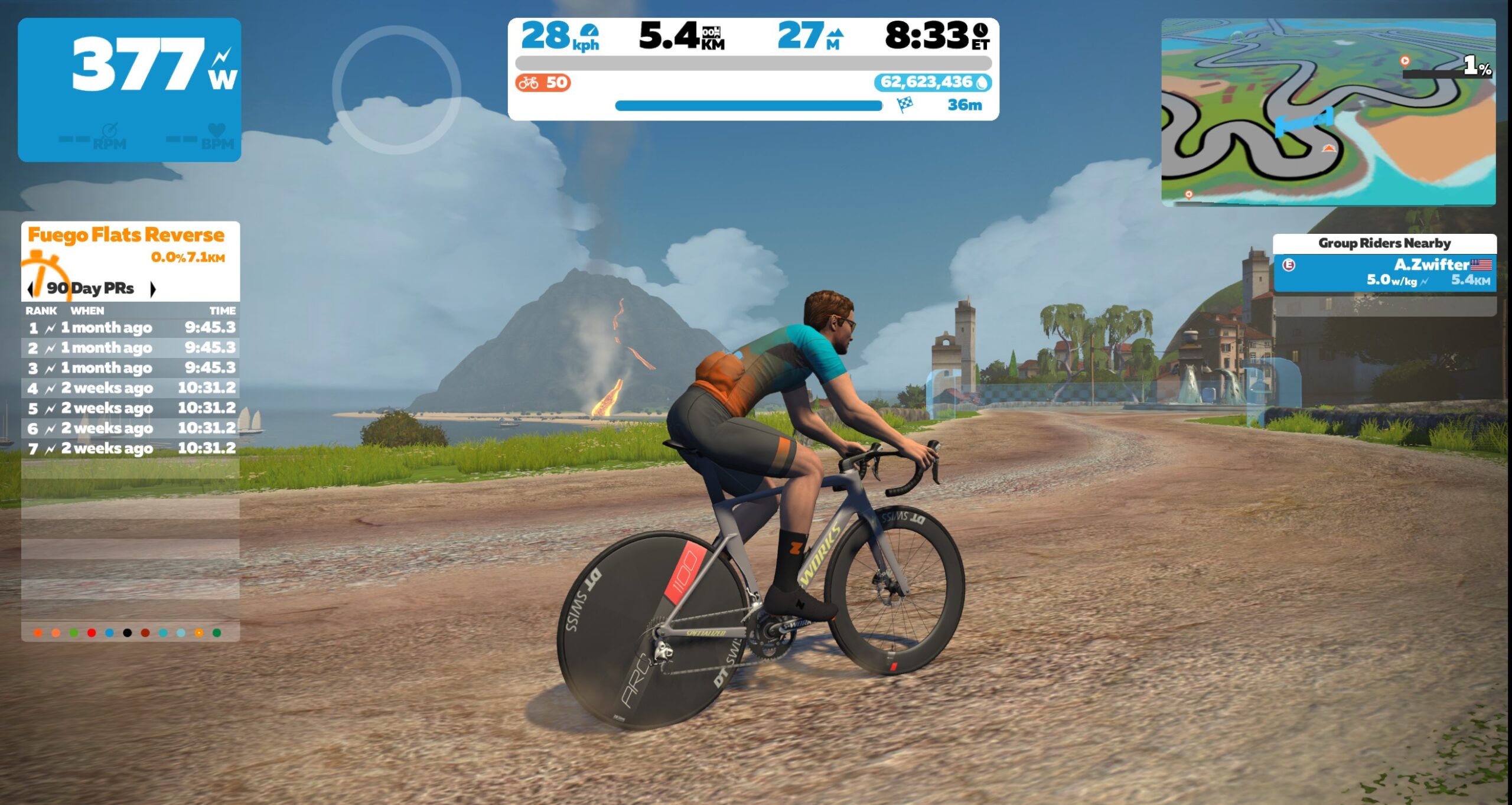
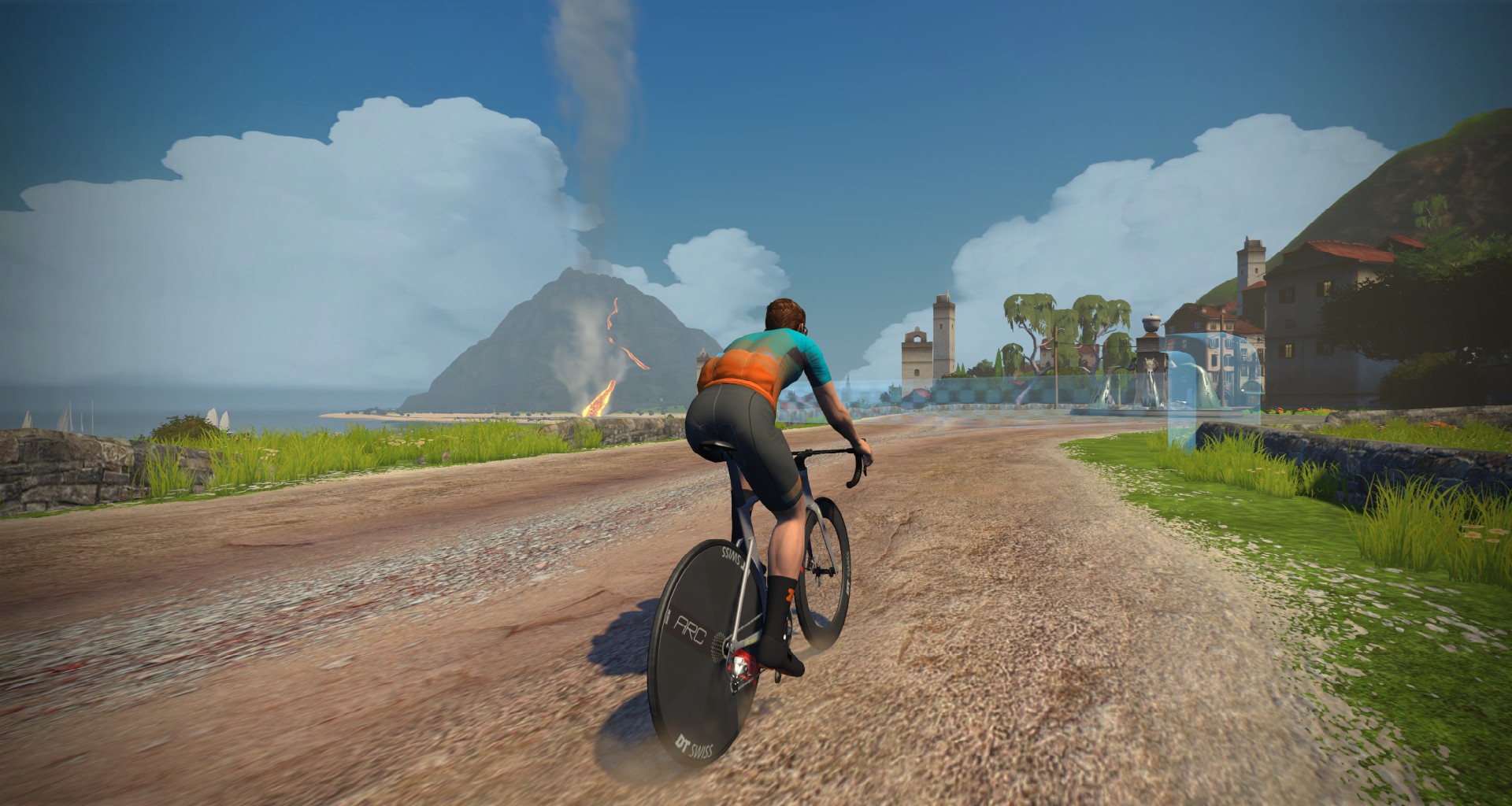
Sign up at zwift.com/events/tag/tinyraces
Zwift displays preliminary race results in game when you cross the line, but points are computed after all four races are finished, with final results on ZwiftPower. (We have to do some data processing on our side to compute results, so if your rankings don’t show up right away, be patient.)
Riders will earn points based on finish position in each of the 4 Tiny Races. The category winner of each week’s series is the rider with the most points across their timezone’s 4 races. Here are the links for each timezone’s results on ZwiftPower:
Tiny Race rules are simple, but still every week 6-8% of registered ZwiftPower racers get disqualified and removed from the final results. Don’t let that be you! Four races, four rules:
Immediately following each hour’s racing, we’ve scheduled 30-minute “Chat & Chill” events where riders from all categories can spin their legs together and chat about how it all went down. Find them at zwift.com/events/tag/tinyraces.
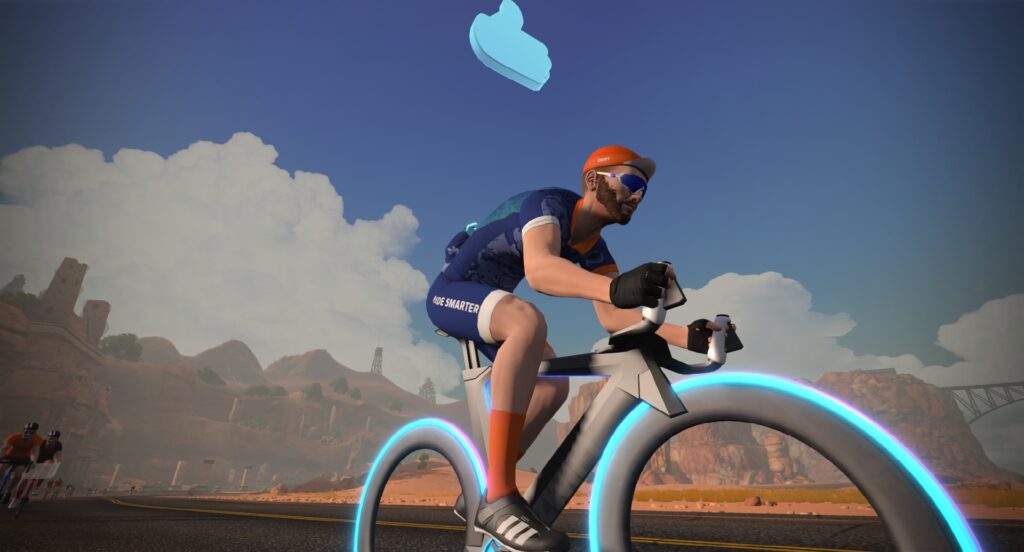
Finish any Tiny Race or a Chat & Chill ride and unlock the Zwift Insider “Ride Smarter // Ride Harder” in-game kit.
Post below!
As indoor cycling season slowly approaches us, many will likely want to unlock the Tron Bike to give them those marginal gains. Starting off this week’s top 5 Zwift videos is one full of tips on unlocking Zwift’s Tron Bike. Additionally, we’ve selected a video about FTP gains, an interview with Ashleigh Moolman-Pasio, an overview of the upcoming ZRL season, and a race analysis.
Leonard Goh reviews all the details for the upcoming Zwift Racing League season. Additionally, he covers some of his favorite moments from the 2022-2023 season!
Lee C Cycling provides commentary for his recent Zwift race, where he nearly got his first-ever win in category B!
Share the link below and we may feature it in an upcoming post!
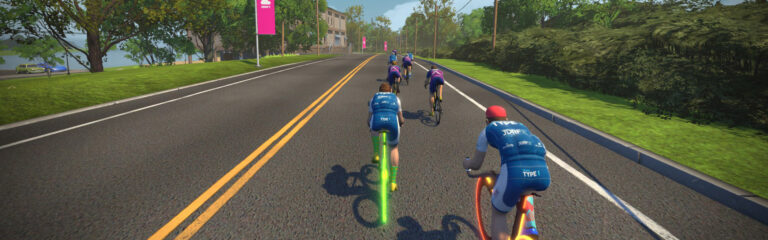
After a season where 77 teams and over a thousand riders participated in the Zwift Club Ladder, we are gearing up for the autumn and winter season. But what of the season that is now just wrapping up?
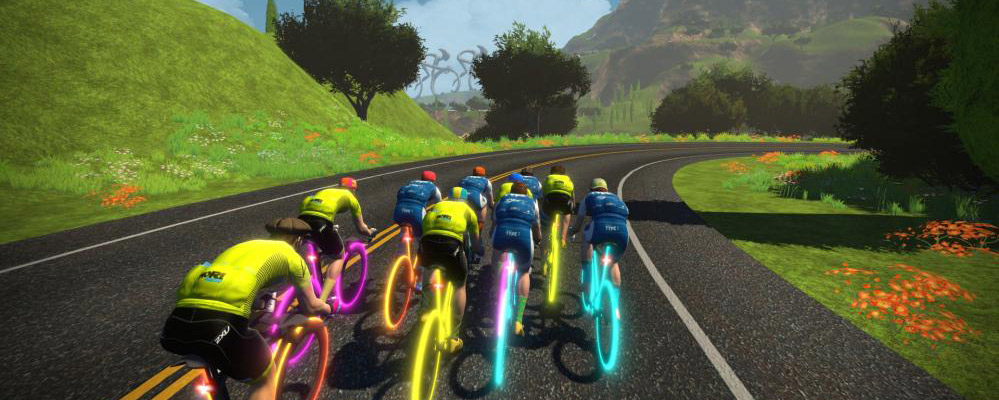
One of the biggest changes over the season was the introduction of a “global league”, so rather than segregating teams strictly by region, everyone has a global and regional rank, and can choose to race cross-timezone if they wish. For many, this is the first opportunity to see how they compare against competition from other continents after being kept separated in other Zwift competitions.
It’s been an exciting battle all through the table, with many teams taking scalps of significantly higher-ranked teams, showing that ranks are “just a number.”
As we move into the final week of the summer competition, Team SZ are sitting pretty atop the Global and EMEA rankings while Eat DIRT Nonstop are top in APAC. Further down the rankings we’ve got to give a shout-out to SRT Stockholm who, as a Ruby-ranked team, have beaten several top Diamond-ranked teams. Meanwhile, Rhinos continue to dominate the middle rankings, with Rampaging sitting way above their Platinum-ranked competition and White Rhinos smashing all comers in Gold. In APAC, the positions have stayed more in line with the original ranks, aside from WMZ Bees, who have found themselves in 2nd place despite their much lower Emerald ranking.
(If you don’t know your Emeralds from your Diamonds then head on over to zwiftracing.app to read a little bit more about the results-based category system that we have used for ladder.)
For the last week of this season we have some even more exciting racing in store, with teams doing a double header of races: two short, sharp races in an hour to give the ladder a final shake-up before we head into a short break before autumn season starts.
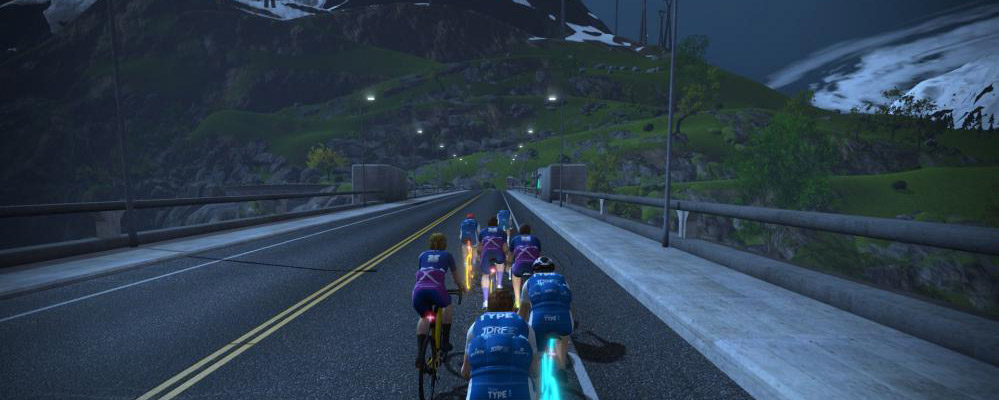
Talking of autumn, what do we have in store?
The ladder will run continuously through autumn/winter, but will be broken up into 3 seasons with a very short break between each for team admin. Each season will start and end on a Tuesday, with each of these start and end dates being mandatory race dates and teams having a free choice of races at other times:
The flexible nature of ladder racing means clubs should be able to fit this racing quite nicely alongside other races they want to do, or go full-on with ladder focus and race multiple times a week.
What else is new for next season? The biggest news is that we finally have an American league up and running! Currently, we have 10 teams signed up on an EST time zone, but room for plenty more. It’s great to finally see us spreading out to the Americas.
We are also working on some exciting opportunities around race streaming and race formats, which aren’t quite ready for announcement yet but hopefully help the league go from strength to strength as the season progresses.
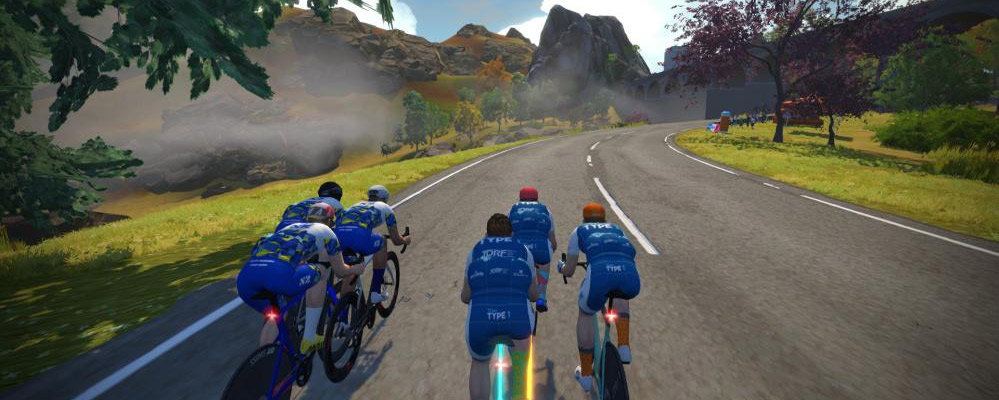
To give you more of a flavor of the ladder, why not check out a couple of races in action?
You can also head over to the league website (ladder.cycleracing.club) to check out the current standings and upcoming fixtures.
Think you fancy it for yourself? Entry for the upcoming season is now open. We’re not going to lie, the series does put an onus on team captains for admin and organization, so first please do read the race book to find out what’s involved.
Read all that and want to come to battle? The deadline to get involved for the start of this coming season is 29th August, so please get signed up. If you miss this date then we’ll place you on a waiting list for inclusion partway through the season.
Post below!
It’s been a busy week in the world of cycling esports, so here’s a quick post to catch you up on anything you may have missed.
Let’s discuss four pieces of recent noteworthy news for Zwift racers, in chronological order:

Zwift retooled its elite racing series in 2022, rolling out the “Grand Prix” series and its suite of unique race formats. On July 31 Zwift’s competition team notified top teams’ managers that the next Grand Prix series is happening, and Zwift is now accepting applications for teams.
The Grand Prix will comprise 7 rounds, starting October 19 and ending mid-January 2024. Selected teams will be announced on or around September 8.
What’s different for the Grand Prix this year?
I’m happy to see the Grand Prix being linked into ZRL a bit more, like Zwift’s Premier League (predecessor to the Grand Prix) was in the past. It encourages community racers to watch Grand Prix events, and helps unite the entire Zwift racing community.
Zwift’s ZADA has, for years, been responsible for verifying performances in high-level Zwift events. Originally a community-powered initiative, it was dissolved due to privacy issues, then returned in 2019 as an official Zwift governing body. It is referenced throughout Zwift’s official Cycling Esports Ruleset.
I’ve been wondering what was happening with ZADA for the past few months, after learning that ZADA’s former chairman (George Gilbert) had launched indieVelo, a race-focused indoor cycling platform. Who would take the reins at ZADA moving forward?
Turns out, it’s still going to be George Gilbert, as well as former ZADA team leader Bjoern Ossenbrink. Zwift told elite Team Managers on August 11:
“For 2023/24, we will continue to work with Dr. George Gilbert and Bjoern Ossenbrink from indievelo (previously part of ZADA), who will provide an independent governance and performance verification service for the ZGP on Zwift. This service will be delivering PV and governance solutions only.“
As I understand it, the indieVelo platform itself won’t be used for performance verification. Rather, Zwift is simply contracting with Gilbert and Ossenbrink, through the indieVelo corporate entity, to continue to do similar work as they’ve done in the past in verifying Zwift race performances.
Interesting times, indeed.
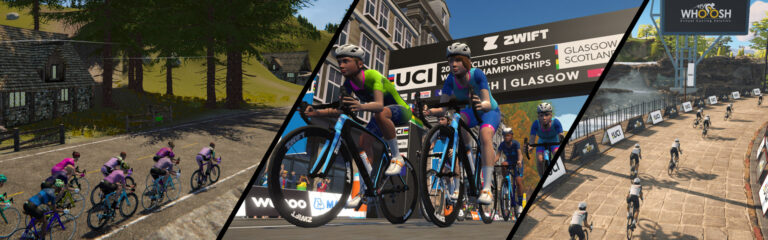
The biggest news in cycling esports this week is the UCI’s announcement that they’ve selected MyWhoosh as their partner for the next three Esports World Championships (2024, 2025, 2026).
This may come as a surprise to Zwifters (and Zwift itself), given that Zwift has been the only platform to host Esports Worlds thus far, having hosted it for three years. I reached out to Zwift for an official statement, and they said:
Naturally, we are disappointed by this outcome but we are extremely proud of the three great World Championships we have delivered with the UCI to date.
Our commitment to grow the sport of cycling esports from community racing upwards and to further develop our elite racing product remains unchanged. We will continue to innovate and drive this new sport forward.
The Zwift community is the bedrock of cycling esports and we will continue to create top-level elite events, including a Zwift Championship, that showcase racing on Zwift and celebrate the best Zwift racers in the world. Stay tuned for more details to come!
Is this a major setback for Zwift? A sign that they’ve fallen from their lofty perch atop indoor cycling virtual mountain? Probably not. As DCRainmaker said in today’s post, “The point here being, everything about these selections are driven by money (and connections), not functionality or user bases.”
Zwift still possesses a pile of investor cash, but MyWhoosh, based in United Arab Emirates (UAE), is linked/backed by the government of UAE itself. And that government is not short on cash. Comparing the features and user bases of Zwift and MyWhoosh, one can only assume that the UCI made its decision based on financial motives.
Who knows? Three years from now we may find that MyWhoosh hosting Esports Worlds was a good thing for Zwift. First, it holds their feet to the fire. It may also allow Zwift to invest in other crucial projects that keep growing its user base, feature set, and hardware offerings, so the platform can continue dominating the indoor space.
Hidden in Zwift’s statement above re: Esports Worlds is a new event announcement: a “Zwift Championship”! What exactly is this? I have no idea, and Zwift isn’t sharing any info just yet. But my guess is, it will be a sort of “Esports Worlds” without all the UCI attachments.
Zwift, more than any other indoor cycling platform, knows how to organize a high-end racing event. With ZRL bigger than ever and the next Grand Prix series announced, we’ll probably see everything culminate in a Zwift Championship in early 2024.
Thoughts on anything above? Share below!