Special Guest Tyler Pearce, AKA The Vegan Cyclist – Never Going Pro Podcast S2 E1
In this episode, Ken interviews Tyler Pearce, AKA The Vegan Cyclist.
Show Transcript
Speaker 1: 00:00:00 Welcome to season two of the never going pro podcast by dad’s inside riding trainers featuring GC coaching. It’s a podcast about riding bikes and Parenthood and trying really, really hard at both. I’m your host Ken the Badger novel, so Shane and Chris are not with me tonight. Typically we do a topic and dig into the nuts and bolts of the topic and then we’ll follow what with a guest interview towards the end. Tonight we have a really cool interview with Tyler Pierce, the vegan cyclist and I just sort of let the interview run its course and it ended up being a great standalone episode and interview and I hope that you’ll enjoy it. Come back and catch us for season two, episode two where we will discuss base-building and for now enjoy the interview with Tyler Pierce, the beacon cyclists, and here we go. This week we have a special guest that I’ve been a fan of for several years. Tyler Pierce, also known as the vegan cyclist, has a very popular YouTube channel currently with 112,000 subscribers and over 400 videos, which range from race recaps and product reviews and some lifestyle related videos. So Tyler, how are you this evening?
Speaker 2: 00:01:15 I’m fantastic. Thank you very much for having me on your show, man. You recently did one with, with my former teammate and friend Timmy, correct?
Speaker 1: 00:01:26 Yes, we did. Yeah. Yeah. And we loved him. He was actually really early on when we started a dad’s inside riding trainers. He was one of the first guys to jump on our squad and was very helpful in helping put together the indoor specialist race.
Speaker 2: 00:01:44 Yeah. He, I mean, he is definitely a dad trying to just get as much out of this sport as possible and it’s, it’s inspiring for sure. You know, and so anyway, yeah, he’s, he’s really cool. I, I didn’t, you know, we kind of always sorta kind of knew each other and then last year he was I had an opportunity to race with them and that was really, really cool.
Speaker 1: 00:02:05 Yeah, that’s awesome. And I know you also know Jeremiah Bishop, I’ve seen you guys hanging out in his videos. I got to interview with him too. And he’s like a super cool guy. Way laid back,
Speaker 2: 00:02:17 Dude. He’s the coolest when you get to a certain level of, you know, talent sometimes, like he just goes to your head, you know, so crazy. Because when I first met him, I met him in Vermont and I didn’t know who we was at all. I just, I didn’t have a bike to race there at the Ross patoot SIA or however you say it. And I just saw Canyon and I was like, I just went up to eight a Canyon van and was like, I need a bike. And so then when I posted that video, I got a lot, like, not a lot, but some hate being like, I can’t believe you didn’t even know that guy. Like, you know, how dare you, like you, you need to the legends of the sport. And even then I kind of started following him and want to, even when I went to his Fondo, I still didn’t really know the scope of his career.
Speaker 2: 00:03:09 Right. We were eating dinner after he took me on this just insane, like private ride, like it was one of the greatest moments of my life. And we’re just eating dinner and he’s, he’s telling me all about like Lance Armstrong and like that whole thing and like his whole career. And I was like, Whoa dude, I’ve been in the presence of greatness and I, and but that’s like the Testament to how chill of a dude he is. Yeah. You know, he never brings it up or he never like reminds you how great he is. We were riding on the last day I was there. He, we just kind of went on this ride and he stopped it. This car is bike shop and the, it’s so hard to explain, but the bike shop had this huge ledge out in front. A almost like a loading dock. Okay. Dude, it’s like five feet tall and somehow he just, bunny hops up this loading. And I was like, what did you do? Is it crazy? So crazy. I mean, he is a world class athlete and so, you know, but his attitude is, is so is so chill that man, I, I, I strive to be like that, you know, where it’s just, it doesn’t matter what you’re known for or like whatever is going on in your life, like just be a cool dude. And he just exhibits that to the fullest.
Speaker 1: 00:04:32 Yeah, he totally does. I got to meet him. He was just standing on the street at the world championships in Richmond a couple of years ago and just hanging out, just shooting with people and having a good time. And then, you know, he kind of lives in my region. Like I’m here in North Carolina, he’s in Virginia and we, we were at some mountain bike trail and went up this ridiculous Hill, me and a buddy and we are just hammering it as hard as we could. And then later on we looked on Strava and our times were like double [inaudible]. He had the K O M and w R his time was literally half of what ours was. So he’s, he’s the real thing.
Speaker 2: 00:05:09 But he was probably like cheering you on the whole time or like, man, you know, that was such a good effort. Like he would, he would like relate to you as if you almost took his KLM even though,
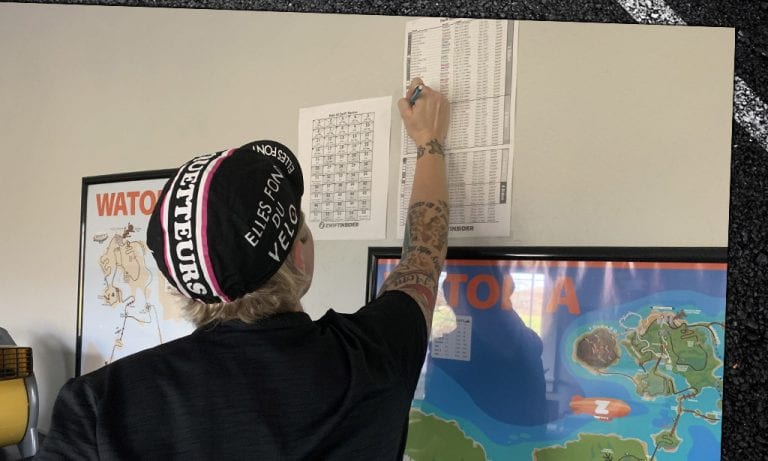
Speaker 1: 00:05:20 You know what I mean? Yeah, yeah, for sure. So this is season one, episode two of the never gone pro podcast. And we are talking about building a strong base. And so what I’ve been seeing in your social media feed is you’ve been doing the 20 hour a week challenge, which is crazy. And so we wanted to hear a little bit about what your goals are for doing the 20 hour week challenge. Is this more like of a base building thing for later on in the season and how’s it playing out?
Speaker 2: 00:05:52 Yeah. Well, so it’s going to be something I want to do every year. This like changed my life. And, and it wasn’t December 1st I was coming back from [inaudible] the coast with my family. And, and my motivation is, was like at an all time low to ride bikes. I just, you know, the thing is, do the more you get fit the higher the peak you climb, the fall, the, the, the greater the fall. Every year you know, you, you want to make new gains and new improvements, right? And so in may of 2019 I did 380 Watts for 20 minutes at 155 pounds. Like wow. Unreal. Right? And like every year I keep like bumping that 20 minute power up. But the, but when you’re not on form, you now know, like when 250 Watts for 20 minutes, it’s like difficult. In the off season.
Speaker 2: 00:06:52 You’re just like, dude, I don’t want to climb this mountain again. I don’t want to put in the intervals I don’t like. It’s going to take me so much work to get back up to that, that, that peak and then surpass. It was very difficult. And so just December 1st he was just like, no motivation. All I wanna do is noodle around and go for adventures, which is cool, which is fine, but I’ve got this race season coming up and I, it’s, it’s like when I go out and do events, I don’t want to just be the dude off the back, you know, making videos. Like I want to be in the hunt. Right. So so anyway, so I was listening to Chris Deleah crowding, congratulations podcasts. I could just silly goose time only, but he said something Durney where he said, if you’ve ever done anything in your life, it’s because you decided to do it.
Speaker 2: 00:07:42 Sounds so simple, but anything you’ve ever done, it’s because you just mentally said, I’ve decided to do this. If you don’t do it, it’s because you’re like, Oh, well maybe there’s excuses and you’re hemming and hon. So I was like, dude, I’m just going to decide to do something crazy in December and, and I’m just going to decide to do it and it will be done. And so I in the car driving home, I was like, I’m going to train like a pro. I’m going to do 20 hours a week with structure. You know, I’m gonna have my coach dial me in and we’re going to do a three week build, one week recover. And we’re just going to see what happens. Cause I’ve only done 20 hours in a week one time before. And that was, you know, my whole training program always goes maybe like 15 hours, then like six, then like 12, and then eight, you know, it’s like, well, to ramp it up for a week, but then I got to go back to the responsibilities, you know, and when I do 20 hours in a week, it’s cause I’m neglecting my family, I’m neglecting my responsibilities.
Speaker 2: 00:08:43 I’m, I’m just waxed and you just can’t, it’s not sustainable. Right. So I was like, I’m gonna, I’m gonna focus super hard on doing this for three weeks. And so got home after this drive. Didn’t want to ride. Right. It was like a four hour drive. I’m tired. It’s like six o’clock at night. And without this challenge, I’m going to bed and eating, you know, with this challenge I was like well shit dude, it’s day one I got was day zero cause I was, I had to do an FTP test, I did an FTP test so that I could get some sort of gauge of where I was and where I’m going to end up being. Even though this wasn’t about building an FTP, this was just it. Just to see what my body can do. Like what if I just crushed myself for three weeks? Do I fail? Do I crack or do I set up my year to have the biggest peak I’ve ever had? Right. And so did you need an FTP number to base your, your intervals and your power and your training? Like was that sort of going into December? You know, my FTP for my training peaks and Swift was still set from my peak in may. You know, so it’s like your FTP is 340 Watts. I’m like no, no, no, no.
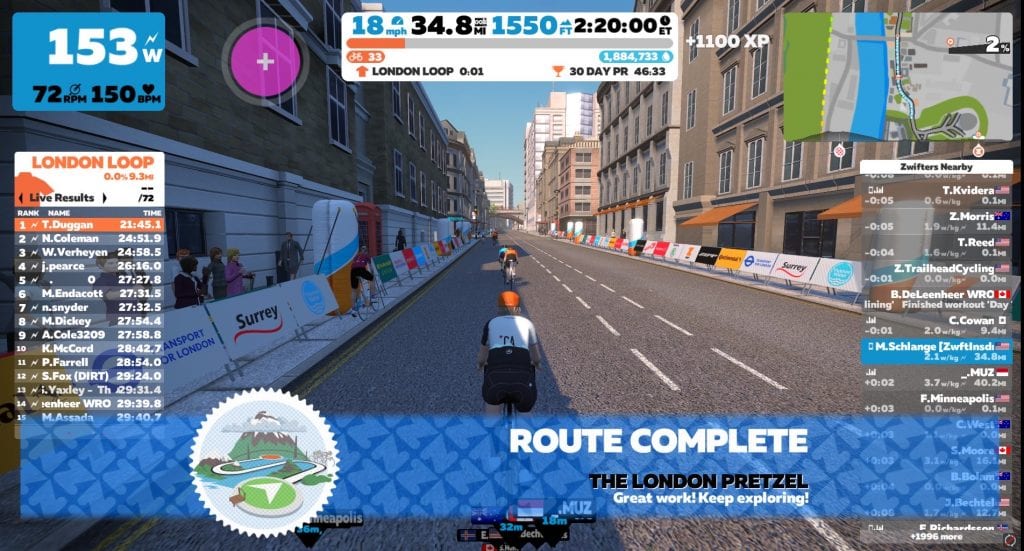
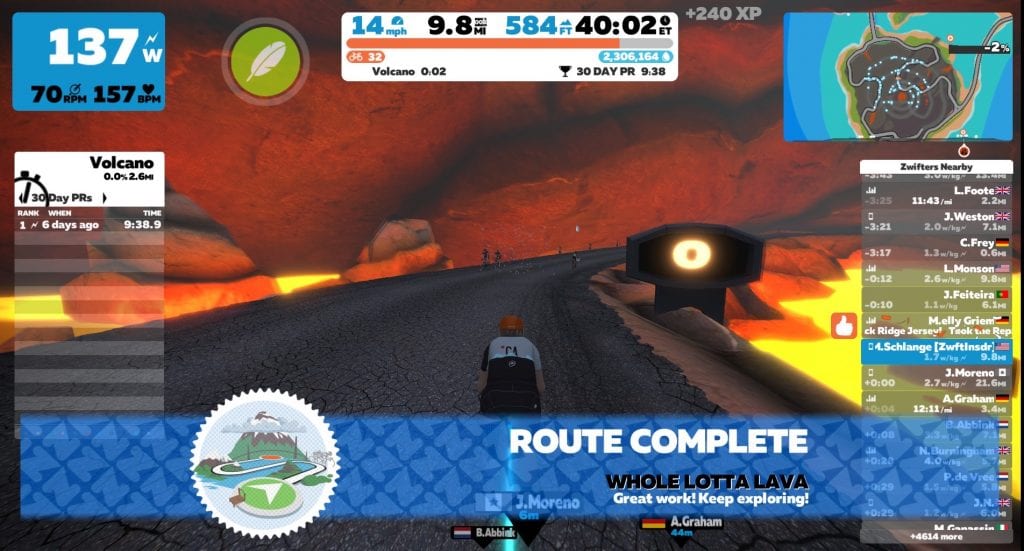
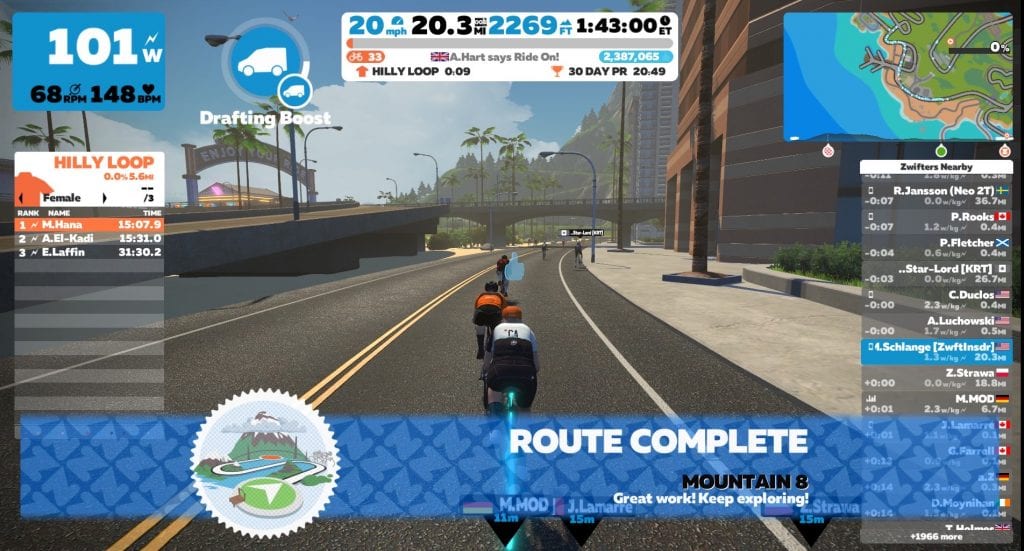
Speaker 2: 00:10:01 We reset it. And you know, it was the first week I did 20 hours all indoors. I mean, yeah. And, and I mean, you know, Swift when you’re on Swift on 100% of the time you’re on the bike is, is, is effective. Right? And so if you go out on the road for a four hour ride, you know, there’s a good 30 minutes of you probably doing nothing. You know, you’re doing your soft peddling, you’re turning if not even more than that. I think a lot of times, like out of a four hour ride, two hours of it is what you were really there to do. So when I was looking at their stats off of that first week, I had less than one minute out of 20 hours that I wasn’t pedaling. That is crazy. So if you want to say like 20 hours on the road, this, it fell more like what would 30 hours would feel like, you know, and then you’re not moving.
Speaker 2: 00:11:03 And so it’s just like my brain was melting. But anyway you know, CRA crushed the first week. My coach designed a program that wasn’t going to just take me cause I’m doubling my volume. My average week volume until that point was like 10 hours or like it was like nine hours, 58 minutes. Okay, we’re doubling my volume. I can’t also then throw in intensity [inaudible] it’s not gonna, it’s not gonna work. So we kept it pretty low. Intensity is like tempo was, was probably the biggest piece of that, you know, the most intense. So it wasn’t, I wasn’t like doing VO two max intervals or anything like that. It was just, even though there were intervals and there was over unders, you know, it’s like 180 Watts under and 20 over. Okay. Yeah. Just to keep it like from my brain, not jumping out of my skull.
Speaker 2: 00:12:00 Like I, I’m not going to just ride four hours constant, you know, like, yeah. Yeah, that would be terrible. And so so also during this, it wasn’t just like, Oh, I’m going to quit my job. I’m going to quit everything and just do 20 hours on the bike. Like I had to focus on my nutrition a ton. That was a big aspect of it. Even though my nutrition is pretty clean, like I’ve never done this kind of volume before. So then then also, so cow bike, PT, my physical therapist, I don’t want to then get injured going into 20, 20. So like I really focused on stretching and rolling and you know, the whole core work, like everything, like the whole, it was like a pro. I mean, I had, I had everything mapped out. And so when you, when you step back and you say, not only did I ride 20 hours of objectively a week, there were the all the hours into nutrition and, and stretching and rolling and just getting on the bike and off the bike, getting ready, showering, all this stuff was probably something like 35 hours in the week, dedicated solely to cycling, which is extremely irresponsible for a man who owns two companies and has two kids and a wife.
Speaker 2: 00:13:19 You know what I mean? Like, yeah, yeah, yeah. So I had to juggle my day job, which is web development and, and e-commerce data distribution. I had to manage, you know, my wife’s sanity, right? Like, so what is she, cause she’s watching my, I have a two year old daughter and then a nine year old son, which, you know, he’s like at, at school a lot of the time. So it wasn’t like that. But anyway, yeah. But a two year old is tough. I mean they, they demand a lot of attention and you know, you can’t tell them no. Like they don’t get that, you know, like when they, they want their daddy, they want their daddy and there’s nothing you can do about that. Well, and again, I can’t, I can’t go spend four hours in the dungeon and then, and go lay in bed. Like it’s, that doesn’t, my wife’s going to be like, Hey, you just got, you just got four hours you time. It’s, it’s now me time.
Speaker 2: 00:14:18 You know what I mean? Like, yeah, I have four hours by myself, but I’m waxed. So so I had to just manage all of this. And you know, I, I’m, I’m still developing the video to, to tell this whole story, but I live, I basically did a, a daily vlog on Instagram story. And I’ve saved all those, you know, so you can actually go to my Instagram page and under the Instagram highlights there’s like 11 of them, but it goes through the my daily schedule. I mean what I was doing like conference calls with, with clients you know, what the program will look like. I tried to really go through my mental struggles of just that. I didn’t want to do this, you know, cause sometimes people on Instagram, they’re just so motive motivational, like the rock. He’s just like always, you know, like live reps but it doesn’t, you know what I mean?
Speaker 2: 00:15:14 You like everyone has difficulty getting themselves motivated to do stuff. And so it was really kind of like an inception, like this weird thing where I set this goal and I put it out there and I, and I posted about it and then the community forced me to continue the project right there. What was watching all that. I was like checking out your daily feeds and updates. And there’s, there’s one story that really got me, man, you know, it’s that, you know, it’s one, it is, it’s the one where you accidentally drank your own piss. You got to bring that up man. You, you told us I was through, I think that was the third week maybe or towards the end of the second week. But I was just, I was, I was riding the struggle bus mentally, right? Like my body actually, like I was doing good on the bike.
Speaker 2: 00:16:14 I was doing good power. But just how many podcasts can you listen to? How many songs can you listen to? How many videos can you watch? How, what can you do to entertain your mind during all of this, this, this time? Cause you’re not out on the real road and do it. But I will say though, what’s, what’s oddly strange is that it, it didn’t taste bad. Like you think pisses get a taste. One would suspect. Yeah. Yeah. But it was, and the thing was that it was like week old piss, right? So it wasn’t that hot. It was actually cold. You know, I’m drinking my monster hydro and then I, and like the, I guess I was dehydrated cause it looked like it looked like orange monster hydro. And so then I drink it and I’m thinking, why is this not sweet? You know, but that was second man.
Speaker 2: 00:17:07 I’m about to cry right now, man. It’s all good. It’s, I mean, look, it happened and you know, but it was like my first initial thought was like, where did the sugar go? Did I get like a zero sugar one? And then I was like, Aw, I’m pissed. And it just more, more tasted like alkaline water, like a battery had been left in water. Anyway, dude, I immensely, my brain was, was falling apart during this whole thing. But other than that, I was actually extremely happy with how my physical body held up. How, you know, just with the nutrition and, and all the focus that went into off the bike stuff was, dude, it, it, we, I crushed it. It was great. And one of the biggest takeaways was because I had to manage all of the other stuff, was how much time in the day I spend doing nothing.
Speaker 2: 00:18:16 You know, like in through Instagram or you know, it might, I might write one email in 15 minutes and be like, yo, I’m working hard. You know what I mean? Like, yeah, to be able to fit in 20 hours a week of pure writing and then all and handle all of this stuff. I mean, there were days where I was running at 100% efficiency. The second I woke up to the second I fell asleep. Literally there was, there was no downtime. It was always doing something or, or even sometimes multitasking, right? I’m writing an email a while watching my daughter while stretching, you know what I mean? And so, but that’s not sustainable at all, you know? But what was really cool was that I, I took away from kind of throwing my life into like chaos was all these different places that I could improve my life.
Speaker 2: 00:19:10 And so it’s going to be something I’m going to do every year and, and next time I want it to be this, this challenge that we get the community involved with and whatever that may be 20 hours a week was just for me. You know, like that’s, that was a big challenge for me. But you could have people that 10 hours a week could be the same equivalent, you know, or 40 hours a week or whatever, whatever it is. There should be a moment where you take one month out of the, out of the year and just max out. Just see how hard can I go, how far can I push my life and see what kind of gains that I can make. Because it, it really, it made me, made everything in my life very more efficient. Knowing how much time I spend waking up and just laying in bed and kind of doing nothing, you know?
Speaker 2: 00:20:05 But I did, I lost two clients during this. I didn’t reply to emails quick enough and I had a client that had an issue and I was just too drained. I was too drained to mentally get on top of it. I, I ignored her email and, and it costs me, it costs me money. You know, and that, that, you know, so that’s not great. But Eamon Lucas is he’s a, he’s a pro cyclist from my area that actually races in Europe and you know, he’d kinda been chatting with me during this and he asked me, he said, is this something you would want to do often? And I straight up was like, dude, I don’t have the mental strength to be a pro cyclist. Okay. This is what he does. He does 25 to 30 hours a week, every week. You know what I mean?
Speaker 2: 00:21:00 I know like you always, I think we always think, Oh, do it. We be so sick to be a pro cyclist, to be so sick, to get paid money and ride your bike. But man, it doesn’t matter what if you’re getting paid for it or not. Just the ability to like flog your mind, you know, day in and day out. I, I don’t have it. And at one point, I think it was like right in the middle of week two, I got really worried that I was going to not like bikes anymore. I’m not having fun. This, this is not fun. And so I was like, I’m going to get out of this and never want to ride again. And so I don’t know if I had to do 20 hours a week, month after month after month after month, dude, I’m like going to take up fishing or something.
Speaker 2: 00:21:47 Well, so let me ask you this. You mean because like to be training, you were averaging like 10 hours a week all year. You had this killer FTP and great body weight. Do you think that if you had started at the age of like 16, 17 years old, that that would have been a route that you would have taken before you had all these obligations because you discovered this? I mean, you were still in your 20s but kinda missed the pro cyclists window 100%. So when I did my VO two max test, I was 82.6, which puts me at it an extremely high level, like Lance Armstrong’s like 84. Okay. Genetically speaking. I have a, have a motor, but when I was a kid, I was eating my, my favorite afterschool snack was Doritos take like nacho cheese, Doritos spread, sharp cheddar cheese over the top of that, do another layer of Doritos, another layer of sharp cheddar trees, put it in the microwave, take it out and just eat it.
Speaker 2: 00:22:55 And so like all I’m doing is chips and cheese. You know, as a kid, like I, I never really a stressed that motor. I, I never stressed the anaerobic side or it just didn’t, you know what I mean? So, yeah, I definitely think I missed the boat on, on what I could do because when you’re a junior, it’s, you’re, you’re basically doping, you know, your, your, your age, you know what I mean? Like you, you improve so quick, you know, my son, what he will be able to do one week to the next week is like, what the hell? You know what I mean? I, and as the older you get, obviously the, or the, the time it takes you to make gains and the time that it makes, it takes you to make losses. You know, they, they go like, it’s so much longer to make gains and so quick to lose them. But when you’re a kid, you know, you could ride your bike once a month and still make it
Speaker 1: 00:23:52 Gaines. Oh, it’s so fresh and, well, not frustrating, but it’s, it’s, it’s interesting to watch. I’m 44 years old and I coach a high school mountain bike team and these kids, they hang their bikes up in may and they don’t get on them again until like November the first. And within weeks there they’ve doubled their fitness. And that’s only riding like, you know, four hours a week because they’re not riding in between practices. Like they show up, they arrive for 90 minutes of practice on two days a week, and then they’ll ride on Saturday or Sunday with us. And they just, they just recover so fast, they can take so much, you know, and, and just hold on to all of it. And they don’t lose it fast either.
Speaker 2: 00:24:37 It’s age, doping, dude, it’s my man. It’s a, yeah, it’s really, really crazy. And so you know, but that kind of, it’s a bit of an excuse. Say, I mean, I don’t know if I could have ever done anything really special. I don’t, I don’t feel like I’m an athlete, you know? But but immediate, either way. I mean, I do have a genetic potential to be neat. You know, but again, like, so the thing is 10 hours a week has been my average for, you know, since I’ve been taking this seriously, you know, I’ll have, I’ll have some weeks where I’ll do 15 hours, but then I have some weeks that I’m doing three. And it’s that inconsistency that I think is, is hurting me a lot. But in 2018 towards the end of 2018 really when Swift really when I embraced this as whiffed is when I was able to keep consistent because for 2019 I did 140 hours on Swift.
Speaker 2: 00:25:36 Wow. That’s a lot. I would say a hundred of those hours I would never have done otherwise. Hmm. That’s pretty, I’m pretty confident. Like it’s raining outside, it’s snowing outside, it’s dark outside, whatever. Like the conditions were that at least out of a hundred hours, I’m not riding and so to, for Swift to be able to be a platform that just one, it’s, I honestly a lot of times just love getting on Swift, even if it’s like warm outside or nice outside do I want to do, is whipped race? Like that’s fun. Like I really enjoy it. And so that has kept me pretty consistent. And so like, you know, one thing I think is a couple of people have asked me is, do you think 20 training 20 hours a week is, is necessary? And I don’t, I don’t think it is. I don’t think it’s necessary. I think that if you train smart, you can get so much out of 10 a week.
Speaker 2: 00:26:37 You know, the 20 definitely, I mean, it helps, right? It helps a lot. You know, when I’m, if I’m going to go try to compete against Legion, whether the big team and, and California and Corey Williams is not only the greatest sprinter in maybe the world but he’s also then training 25 hours a week. How can you ever even expect yourself to come close to that? Right. So tell me what was the, how, how does your body respond to this? Like what, what changed through the training? Like what can you do now that you couldn’t before? What benefits did you read? So I think the benefits are still are still coming out because it takes a little while for your body to completely recover from that level of, of stress. But you know, it is, it’s being able to put out power at four hours versus one hour.
Speaker 2: 00:27:38 So, you know, you do 10 hours a week, a one hour crit, not that big a deal. You know what I mean? Like you, you’ll survive, you’ll be fine. It’s the four hour road race that you’ve already been, you know, bleeding out of your eyeballs for the first three and a half hours and now you got to make the move. Like it’s, it’s that that makes the difference. I, I was in a road race one time with a jelly belly rider who had, he was training for the tour of California. He was going to be in the tour of California and it was, so I got to race with them. I made a break with him and he would attack and they were such weak attacks. And I was like, bro, what are you a pro? Like what is this? But he could do that same attack at the beginning of the race.
Speaker 2: 00:28:25 And he did that same exact attack, that same amount of power at the end of four hours. And he’d drawn, you know, okay, I guess so here’s just chipping away at everybody’s matchsticks. And well, it’s just, it’s, it’s that when you have so much volume in your legs, you know, you’re able to have, you’re able to do closer to your maximum power output you know, at, at a longer stage of, of a ride. And so, you know, I think my last, the second to last ride that I did during this, so I was, you know, whatever, 55 hours and and I went and rode to Yosemite and it was a, from my house to Yosemite and back, I actually had to do a little extra loop to make it be a hundred miles or something like that. But anyway, it was about a six hour ride and man, I was doing, you know, 200 to 250 Watts.
Speaker 2: 00:29:23 Like I w I mean, I, I wasn’t noodling. But it was so enjoyable because I was going decently fast. I was feeling good that 10,000 feet of climbing that I did in the day, like, no big deal. Never at any point was like, Oh my goodness, here comes this next climb, Cod, this is going to suck you. Just, I just did it like it was, no, I was enjoying the ride all six hours. Never, never did I think amen. You know, this is gonna, this is gonna I’m going to pay for this effort later. I just felt invincible. And so when you, that was one of the biggest things is because we’ll also, I, I trained so much in those zones. I didn’t do a whole lot of high end during that. It was a lot of zone one design three. So my, my zone one is zone one, zone two, zone three were just like, I felt like I could ride that without burning any energy, if that makes any sense.
Speaker 2: 00:30:22 And so to, to sort of give you a followup on it, so I, I F in may of 2019, I did three 83 83 for 20 minutes, which I think put my FTP at like three 50 or something like that. It was like 350 Watts I think was my FTP. I weigh 155 pounds. So I think it was like the FTP was just under five Watts or like right at five Watts per kilo. And then, and I did, I did 350 Watts for an hour twice in 2019. So so anyway, then December 1st I did an FTP test and I did a three 11, so it was not very good for 20 minutes. So my DP was like two 98. So then when I was done with the so I did three weeks, 20 hours a week, so 60 hours. And then I did a recovery week at like 10 hours.
Speaker 2: 00:31:23 And then I didn’t FTPs and I did three 32 for 20 minutes, which put me my FTP at three 11 or three 12. But then in January, so far I’ve been doing a lot more high intensity. Okay. what is, I mean, what is the dates like this? The 27th. Okay. So just Saturday I did, I was leading out, one of my teammates were doing a lead out practice for a climb and I did three 80 for 15 minutes. Okay. So you’re, and then just pull, I just pulled off cause that was, that was, I wasn’t pacing for 20 minutes and then I kind of noodled for the next five, but I ended up doing three 51. I still manage an average of three 51 for 20 minutes. So now my FTP is like three 20 or three 25 or something like that. But I could have done three 65 on Saturday.
Speaker 2: 00:32:15 Like if I had paced for that. So already in like what, like a two month span, I’ve taken my FTP from two 98. You know, probably realistically it’s like three 30 right now. Sure. So, you know, that’s a big leap and not a very long period of time. But I expect, I expect to get back to an FTP of three 50 and more. But like the training that I’m doing now, the high intensity that I’m doing now, when, when, when I have an a two hour workout compared to the two hour workout plus ride for another two hours, I’m just like, Oh, do two hours and no big deal, you know? And then also the fact that so much of the time of the 20 hours a week was done on Swift, the amount of pedal revolutions and muscle contractions you’re doing. Like it was so efficient that now when I’m in a crit and I get to coast for 0.0 seconds, you know, in a turn I’m like recovered.
Speaker 2: 00:33:18 You don’t even like there’s, yeah, it’s so crazy that just the fact that you can soft pedal or do you know, or coast for a few seconds, you, you know, with, with all that volume in my legs, like I, I just recover instantly. And so it was again for cycling great for my whole life. Terrible. You know what I mean? So I don’t know how other people are able to manage so much and you know it during one of the Instagram stories, I, I’d kinda touched on this about having a priority B priority and C priority in your life. And I sort of run my life as like an an unbalanced balanced life is what I say. So on the year and everything is balanced. I think I, I shine equal amount of time and energy on my family, my job, my hobby, you know, health, diet, it’s all pretty equal.
Speaker 2: 00:34:16 But when you zoom in, you might say, okay, well this week he spent 20 hours a week riding his bike, you know, plus plus another 15 hours cycling related. But then, you know, so the week, so I did the three weeks, my week off, I was full gas with my family. So my a priority for the first three weeks of December was was cycling. And B priority was my family and C priority was my work. And, but then I, then you’re going to flip that, then you’re going to change that around. And so then the last week in December, obviously a for my family, you know, probably be for work and then C for riding, you know and then I just kind of move that around and, and try to fluctuate that. And for me that works. But there’s no way that I could say, Hey, you know what? I’m going to do 15 hours a week, every week, always. Without having to sacrifice something else in my life. Like I have too much else going on. And, and maybe for like a young book in college, like, what do you have going on? Ride your bike a hundred hours a week, like whatever. You don’t have all these other responsibilities, but as you get older and you start picking up these responsibilities, you know, you gotta manage them. Yeah. Isn’t that the truth, man? Tell me about it. And that’s really speaks
Speaker 1: 00:35:37 To the whole, the whole story of like how our Swift team came together to begin with. And you know, a lot of people are like, well, I prefer to ride my bike outside. I’m like, well, we can’t, we can’t. It’s like, it’s like, eh, you know, if you look at the, the, the rides that I did this year on Swift, those are just hours that wouldn’t have been done otherwise. Period. You know, it’s like I have to get my daughter to school every morning, which means in my wife, she’s a personal trainer. So she’s out that out the door by 6:00 AM and you know if I’m going to get any exercise that day it’s going to be in my shed, you know? And then I’ll get outside on the weekends and whenever I can and it works out.
Speaker 2: 00:36:22 What would I say dude is, and I said this is that the fitter you are, the more enjoyable cycling becomes. And so if, if staying fit means that you ride, you know, five days a week indoors, that weekend ride, that Saturday ride, how dope is that Saturday are going to be so much better. It’s so much better because you get to enjoy it cause you’re not bleeding out your, your ears and huffing and puffing and having all these guys drop you. If you are like well I only want to ride outdoors and so then you only ride outdoors once a week. Well then you’re going to get to the BIA point of like who you even riding with. Cause now all your friends are like, Oh bro, this guy likes, you know you’re, you’re slowing us all down. And so it’s, I mean, not that you have to be super fit to enjoy cycling, but you go and ride, you go and do a a a 3000 foot climb if you’re fit, you know, you could have a great conversation with guys up that climb. You’re not fit and you’re dreading it the whole time you’re standing, you’re, you’re sloshing side to side and like, so I man the indoor aspect of everything and either get it or you don’t get it. Yeah. Obviously I think there’s like a hardcore like aura around cycling, which is just like man up and get outside and, and ride in the dark and ride in the snow. And it’s like, bro, that’s unsafe. You know, like three in the morning while it snow on the ground. Like you go ahead dude, but I’m not doing that.
Speaker 1: 00:37:57 Yeah, yeah. No, I 100% agree. And you know, it’s like you get that beautiful spring day and you and your buddies take a two hour trip to go to your favorite mountain bike trail and then you’re waiting for your friends cause they’re terribly out of shape or you know, you’re the one that’s out of shape like you said. But now there’s no, no more of that, you know, like no matter what time of year it is, if it’s a beautiful day, it’s like, you know, wheels down in the dirt and let’s go.
Speaker 2: 00:38:24 And then I feel like you enjoy you, you appreciate it more when you go outside because sometimes OK, so like there’s been weeks I’ve done 17 hours outdoors and I dunno, like come Sunday and it’s like, God, I gotta do another two hour ride. You’re just sort of jaded about it. And no matter where you’re riding, if you’re riding through Yosemite, you might just be looking at your power meter being like, Ugh. You know, you’re not even looking at the sites, but when you’re indoors all the time and then you get outdoors, you’re like, Ooh, real trees. You know, I seem to appreciate outdoors more because that was one big thing. When I got my power meter and I started to take this serious, it happens to everyone, which is that you go hyperfocused on that number, no matter where you are in the world, you, you lose sight of what riding a bike really is, which is just getting you out in the world and enjoying it.
Speaker 2: 00:39:26 And you know, there’s a lot of different things people take away from riding, but it’s, it’s not about are you making this computer on your bike, say three 50 or two 50? Like that’s not really, that doesn’t really matter. But when you get, when you dive into that power world, it’s sort of kind of ruins everything around you. And, but with Lyft, I get to be the power douche on Swift. And then when I go outside, you know, sometimes I just put my, my Carmen or my, my wahoo in my pocket and I don’t even look at it, but I’m feeling great, you know?
Speaker 1: 00:40:03 Yeah, definitely. Well, thanks for sharing your insight on that. Also really quickly before, before we head out you know, obviously you are the vegan cyclist and I know that that has been a big part of how you got healthy. Like you said. I was reading your, your website earlier and you said you were eating fast food three times a day and you had a business prior, I believe, motorcycle
Speaker 2: 00:40:28 Shop, is that right? Yeah, I owned it, owned a motorcycle shops. So when I was young, my my grandma got me into riding motorcycles and my mom worked like two jobs and so on the weekends, you know, she couldn’t, there was no daycare or anything like that. So I’d stay with my grandma and my grandma would take me out riding motos EV every weekend. And we ride bikes as well, like we’d ride along the Creek. Anyway, my grandma really, she really was the one that kinda got me, sparked into the love of, of two wheels. And so always motos have kind of been a part of my life and just bikes in general. And in 2004 when I saw I was 18 I didn’t graduate high school. I dropped out of high school like, like a couple of months before I supposed to graduate just cause I wanted to make money, I wanted to chase the American dream and, and I wanted to wanted to drive Ferrari’s and like have chicks on my arm and like, I don’t know, just being 18, like that’s what I, and so I was like, dude, I’m school is dumb.
Speaker 2: 00:41:38 I’m going to go start selling cars, is what I was going to do. And, and I actually ended up getting a job. Like I was like, I got a job when I was 17. I was kind of lying to him. But I started like the day I turned 18, I started selling cars and like night, like not some PO dunk. Like it was a really nice dealership you made. They guaranteed you a lot of my, it was a really good job actually. And then, I don’t know, like my second month I made like five grand and I was like, bro, like life is so easy.
Speaker 2: 00:42:10 So I was, I just was kinda got wrapped up into this like chasing of money type thing. This was in 2004, 2005, which the economy in America was like [inaudible] literally you just said pretty pleased and people would give you money like for housing and stuff like that. So I ended up refinancing a house and pulling out 50 grand and starting a a motorcycle shop at 18 years old. And that’s, it’s trust crazy. But so, so anyways, so I did that for a little while, had no idea what I was doing, ran that business into the ground. And then, and, but while doing that business for three years, I would literally, we would get to the shop, I would have Carl’s jr fast food, like whatever. Then for lunch, McDonald’s, then for dinner, taco bell, you know, I mean, it was just like fast food three times a day.
Speaker 2: 00:43:09 And then maybe on the weekends we’d go out to a restaurant and eat just, you know, and so but I was kinda staying active and I was young so I wasn’t like super duper fat. It just, I wasn’t eating healthy at all. And then when my business failed, which the economy crashed and many businesses failed, so like, you know what I mean? Yeah. But so I went from just be in this like ball or like I had it, I had the American dream to then I lost everything within 30 days. I was trying to expand my motorcycle shop. I had a cash drawer full of cash. Like I just [inaudible] I was just an idiot. Like I was like, what, 21 and I’m just thinking, dude, life rips, you know, like it is so easy. I dropped out of high school and now I have this F-150 like a $50,000 truck with like, it was like a monster truck.
Speaker 2: 00:44:03 I had a toy hauler, I had like four motorcycles at the time, my, my wife now, but at the time girlfriend, you know, like I didn’t appreciate her at all. She just like kind of worked for free and dude, I was just a piece of, and so when I lost everything I continued to eat that way and, and then I had, I did nothing. And so then I lost my complete ego and every, my personal identity was wrapped up in, in mode and being a business owner with money and being young and, and then now I’m fat. I have no business. I’m like basically homeless. We’re staying in a foreclosed home, you know, like I had nothing and [inaudible] but it was the end. It’s cliche to say like, Oh, the thing that happened in my life is what made me, me. It’s always us trying to justify stuff.
Speaker 2: 00:44:53 But like, honestly, I was a terrible person with terrible goals. And then when all that was stripped away, it’s like money doesn’t mean anything. Materialistic possessions, that doesn’t mean anything. Like there’s no value in that. Like, yeah, it’s super sick. If you have a Ferrari in your driveway, but it doesn’t really mean anything. It’s like relationships and health are what, you can’t buy that with money. I can’t buy my wife’s love. I can’t, I can’t buy myself a six pack, you know, that’s like work that’s, that’s like real. And so you know, I, it took me a while to kind of even consider changing my diet. Like going vegan for one, if you were to tell me, Oh, you’re going to be a vegan cyclist, like bro, get out like no way. Like vegans are the hippiest, weirdest people and there’s no way I’m putting tights on. You know what I mean?
Speaker 2: 00:45:58 You know, like it’s not going to happen. And so I had this complete fallout. I, I was working in like a cubicle doing debt settlement. Like it was a struggle to even make any money whatsoever. But my girlfriend stood by me at the time and like I told her, I was like, you should just go, go back to your like, do like, leave me like, what are you doing? Like I’ve gotten nothing. And she hung up. She stayed with me. And so like that’s a whole life story. And so we’ll just keep it about the diet. But so eventually I saw a picture of myself at a wedding. And just in your mind when you look in the mirror, I dunno for me, I’m just, I see like a Greek God. I’m just like, bro, this, this guy’s good. You know, I saw a picture and I was like, I am terribly fat, but I didn’t think that.
Speaker 2: 00:46:49 And when I looked in the mirror, I didn’t see myself fat. And I saw this picture, I was like, dude, I’m, I’m disgusting. And I was, I got up to like 210 pounds, which wasn’t like some people, 200, 10 pounds, they’ll, they’ll look good. I didn’t look like it was not God. I look terrible. And I think you’re building mine are very similar, like you know, mid one 56 feet tall. And at one point I had gotten, you know, almost 200 and it was not muscle. No. Yeah, just all fat changed to like, anyway, it was, it was no good. And so, you know, I tried to, I started working out a little bit. I was doing Brazilian Jiu during this time as well. There was, it was a big part of my life and, and so then I got really into jujitsu and I was training for the worlds and jujitsu you have to weigh in you have to weigh in right before you fight.
Speaker 2: 00:47:47 And so there’s no rehydration like you, you get that, that has to be your weight and it’s cause you’re gonna now go fight. So if you’re just starved and dehydrated, like you’re going to lose, you know, so you got to go in. So anyway, so I’m trying to lose weight and it, I think I was 24, 25 and I had eaten my first salad ever, right? I was like, okay, I gotta, I gotta lose weight. And it wasn’t about health. It was just about how can I lose weight. So I like went on a liquid diet. I ate a salad for the first time. And what was crazy is that like during this I got my weight super low. I think I got down to like one 60, from like one 90 very unhealthy though. Like I was starving myself and then I went to worlds and I lost the first match.
Speaker 2: 00:48:35 I lost within five minutes and I was like, Oh my God. So then I, I, I, you know, it’s like rubber band, right? Like I, I bounded back the other way. Like I was like, I been trying to be super healthy or lose weight and then it was like for nothing. So then I went back to eating just, and my wife and I, we got pregnant, we got prepped, she got pregnant, we planned it. But, so then I was, we were kinda talking like, you’re going to make a baby out of food. You’re going to eat and you’re going to make a leg, you know, in you, are we going to make our baby out of big Macs and French fries or are we going to make our baby, you know, out of broccoli and whatever. Like, right. Like, we want our kid to be super healthy.
Speaker 2: 00:49:22 You want them to be, have the best chance at life you can get. And so that sort of clip that, that flipped the switch towards just health conscious. And so this is both of you though, it’s not just your decision, but now you and your wife are both kind of taking this journey together. Yeah. Okay. Without her, by my side. I, I mean, I’ve leaned on her so much like she is, she is my rock. And so, so yeah. So we did this, we watched a documentary where Michael Poland said, eat whatever you want, just cook it yourself. And so that’s what we did. And so we did bacon cheeseburgers, but we cooked at ourselves. And so then when you start getting into that, you start sourcing better ingredients. We’ll do I want Kraft singles cheese or do I want to go to the farmer’s market and get some like, you know, locally sourced high quality milk cheese that’s like, you know, and then the grass fed beef.
Speaker 2: 00:50:18 And like you get into these, you start going down this path where you, since you’re touching the food, you’re going to put it in your mouth. It makes a difference. You start making this connection between what you’re actually putting in your body versus like when you go to a restaurant, some magic happens in the back and then, and then there’s something on your plate and then you’re full, right? Like you don’t actually put this between how that food got into your stomach in the first place. So so then we just slowly started this ball rolling towards health. And that was the goal. Health was, was the goal. And you start to see improvements. Your weight starts to come down, you know, you feel better. You like what you’re eating because you’re cooking it. And so then my son was born and we, we moved up to the foothills like we were living in a suburban area and I just wanted him to grow up, like in nature.
Speaker 2: 00:51:22 And so we moved up into the foothills and that’s where my hippiness level just skyrocketed. Right? I mean like if we’re, if we’re investing in hippie levels that’s you wanted to get in before I moved to the foothills cause like it was, we got chickens, we started having, we had our own chickens, we had like five acres. You know, that that was such a cool relationship with these chickens. Like one, they were silkies and I’ve told this story before, but they’re not ugly chickens. They’re like high quality fancy ass chickens. Like look up the silky, but are there adult chickens? Okay. You know, they would, they would come to our like patio door and like in a flower pot, like lay an egg and squawk and leave and, and it was just like, you know, so now we’re doing our own eggs and we slowly, like if you looked at the plate you know it in 2004 it was, the plate was, was not a plate.
Speaker 2: 00:52:19 It was a bag from a fast food restaurant. And then I would say maybe like 2010 the plate was, was spaghetti with bacon and some like bread rolls, maybe like more like 2008, then 2010, I would say it’s like a grass fed steak, maybe with some asparagus and some mashed potatoes with like butter and stuff and cheese. And then you start moving that plate into wild caught salmon and broccoli and Brussels sprouts. And then eventually the, the protein or the meat on the plate is so small, like the mower that you’re getting calories from the vegetables and the plants than you are, they mean. And so then I just, I dunno, I watched juror and rider, like as a cyclist at this time, and as I was trying to cyclist, you want to be better, you want to be faster. Yeah, of course.
Speaker 2: 00:53:14 I was watching during writer and he was just promoting this vegan lifestyle, very negative way to promote a vegan lifestyle. Like he’s, he’s not, he’s not the he’s a little divisive. Yeah, yeah, for sure. But he, he was showing you can eat plants and not die. And, and that was just like foreign to me. I was like, well, no, you have to have meat or else he would die. And since so watching him, it’s like, well that’s weird, you know, if he’s, if he’s seeing so many benefits from it, I wonder what that would be like. And I had bacon, eggs and yogurt for breakfast and I was vegan by lunch. It was so strange. So I came down from my office was upstairs. I told my wife, I was like, babe, I watched the wrong YouTube video and I’m vegan now.
Speaker 2: 00:54:05 And she’s like, what? And he know like, what are you talking about? Like you’re the most unlikely person to ever be vegan because of how meat heavy my whole life had been. And, and just how much of a a man’s guy that I was like trying to be early on in my life. Like just, this was just not in character, but it was, I don’t know. I don’t know why. I was like, it was just a flip of a switch and yeah, it was very strange how, like with, from breakfast to lunch, I was vegan and I’ve never looked back at all. And so then my wife, she was like, well sure, I’ll, I’ll do that with you. And, and so it’s kind of just been that way for about seven years now. But my son is, and my daughter, actually all my family other than me, I’m the only one’s a hundred percent vegan.
Speaker 2: 00:55:00 They’re plant-based. And I don’t, when I, when I made this decision, it’s like my son is too young to be able to make this decision himself. So I’m gonna, I’m going to try to not be like spazz tastic about this and force him to eat a way that then he’s going to revolt against when he becomes older. Right. So I’ve always said this, 90% plants for life is better than 100% plants for a month. And then you burn out. Like it’s longevity is the goal. You know what I mean? It’s not like, Hey, I’m going to make my son be the healthiest he can be from five to six. You know, I want him to have, I want him to be 25, 30, 40 years old and have healthy components to his life. And, and seeds that, you know, make it to where it’s his decision when he’s older. And so I mean, we don’t eat, we don’t eat, they don’t eat meat. They’ll eat some fish every once in a while. So I guess that’s me, but like, they’ll eat a little bit of fish every once in awhile. Cheese occasionally, but like, if he has a cookie and it has milk in it, like that’s not the battle. That’s not what, what I’m trying to fight. You know what I mean? It’s just what is your overall IOT look like? And if it’s mainly plants, you’re solid. Dude. I like,
Speaker 1: 00:56:23 That’s I think that’s really useful, you know, for people to hear what your story is, what your journey was like. And it was one about health and it was never about, you know, some sorta ideology really, you know, and I’m sure there’s ethical components to why you do what you do, but just seeing where it started and where it’s become, I think that’s really cool. And
Speaker 2: 00:56:45 Well, the ethical side of it is, you know, I think people lead with that and it’s just difficult, man. We’ve been, and I don’t want to, I don’t want to S I don’t want to say indoctrinated, but it’s just you grow up a certain way, thinking a certain way and it’s very hard to change those, those patterns, whatever that is. Diet, politics, do you know, I get whatever it is that you believe in. It’s very hard when you’ve have solidified those beliefs and those thoughts. It’s hard to change that. And so if you haven’t been exposed to cycling right or riding bikes and you’re just some guy drinking coffee, driving down the road, you hate those people riding bikes. Right? You don’t even know. You know what I mean? You haven’t even experienced that part of your life. You could be missing out on something.
Speaker 2: 00:57:35 And so I kinda try to live by like, you know, if you introduce new information to assist them, it’s either going to strengthen your standpoint or change your standpoint. And both of those things are great. So if you’re like, veganism is the dumbest thing ever, we’ll try it and it, and then you might try it and go, Hey, it didn’t work for me. I felt like a total turd, you know? And so then great, you’ve now strengthened your standpoint and you can now say with a fact, Hey, I tried eating plants and I couldn’t, they tasted gross. I felt horrible. Which isn’t the case. Not going to happen. But you know what I’m saying? A lot of times people, they, they’ll throw stones at an idea or, or lifestyle without even trying it. And so, you know, I mean it’s, it’s just with this on everything, all things in life within cycling, this is what I find is crazy is people are like bro gravel, so stupid gravel riding within groups.
Speaker 2: 00:58:32 This kind of indoor training that’s not riding bikes like bro, right. All the bikes. Like, it don’t matter if you, if I tried riding track bikes, I hated it. I hate track bikes, fixed gears, they try to kill you. But that’s okay. I can understand how some people enjoy that. It’s not my thing, but I tried it. So I introduced new information to the system. And I’ve strengthened my standpoint that that’s a death trap. But that’s okay. Like you go do whatever you want to do and, but now, you know, I don’t need to poopoo on, on track cyclists. Like that’s a, it’s a great sport. But what’s crazy is I now can understand them better because I’ve, I’ve written fixed gear and so now I appreciate when I see someone weaving in and out of New York. It’s like, dude, you don’t have breaks.
Speaker 2: 00:59:25 Like it’s one thing to say that it’s another to like actually be riding it and being like, Oh dude, 20 miles an hour with no brakes is actually very difficult. You know? And so you can appreciate that. So if someone was like tried going plant based for, you know, a month, even if it wasn’t sustainable for their life or they didn’t enjoy it or whatever the case, whatever their excuses for not, you know, eating a carrot every once in a while they might go, okay, I get it. Like I, I did feel somewhat good, but I actually just really liked Carney asada tacos and I like it too much to give that up. Sure. You know, now, you know.
Speaker 1: 01:00:06 Yup. Definitely. Well, Tyler, this has been a really fascinating conversation. I’ve really enjoyed it. Like I said, I’ve been watching your videos for years and I’ve seen you make all these progressions and I’ve, you know, to this day there’s two videos that are my favorite and that’s breathe and the one where you were telling the story about your wife and how you know, your, I think you asked her to marry you and she said no, and then she ended up marrying you anyway, which is awesome. But yeah. Before we go, I want to give you a chance to give a plug for your sponsors and your social media. So if you want to just tell us how we can find you and who’s supporting you, we’d love to hear about it.
Speaker 2: 01:00:47 Yeah, man. I mean, you can find me on YouTube for sure. It’s, it’s the vegan cyclist and I, I’ll say that dude, I kind of slightly regret naming my channel to vegan cyclists. It was it was just one of those things, man, that I didn’t know where this was going to go. And it was, it was a SEO tactic to try to whatever is, it’s the vegan cycles. I won’t yell at you about plants. I literally have never said the word go vegan. I’ve never encouraged anyone to go vegan. I just eat plants and I try to compete at the highest level that I can while maintaining adult responsibilities. And I tried to tell those stories. I try to be relatable and, and and that, and so then also Instagram is where I, I put a lot of focus and, and, and time and energy into my stories and, and Instagram posts and stuff like that as a sponsors.
Speaker 2: 01:01:40 I’m not trying to be one of them sponsored bros. I mean I do have a lot of support from a lot of, a lot of companies, but it’s, I’m not trying to make this into an ad. And I think that the people that have supported me all, they support me because I’m not always, Hey, brought to you by, you know, I’m not wearing a a wahoo fitness t-shirt right all the time. Or like a Swift hat. Like to me, dude, that’s just kind of like, ah, this isn’t, YouTube isn’t my full time job. If it was my full time job, of course I’d read you off the list of, of, of sponsors. But it’s not, and so it’s just me trying to tell cool stories. And in the videos, you know, you’ll, some of these videos are made solely because of the spa, the support and the sponsors. But they are so cool that it’s, they allow me to not have to be obnoxious about it and it should be in the background and some know sponsor plus. Oh, ride bikes, bro. I will, I’ll, I will, I will. I will put my my clothing company, ride bikes, bro. And that’s a, a casual t-shirt clothing company that’s all about riding all the bikes and I’m super proud of that, so I will plug that. All right, cool. Well, Hey, let’s do it, man.
Speaker 2: 01:02:56 Thanks bro.
About the Podcast
Never Going Pro is a new podcast about riding bikes, being parents… and trying super hard at both. Hosted by Shayne Gaffney, Ken Nowell, and Chris Gorney. See all episodes on Soundcloud. Also available on Sticher and iTunes.