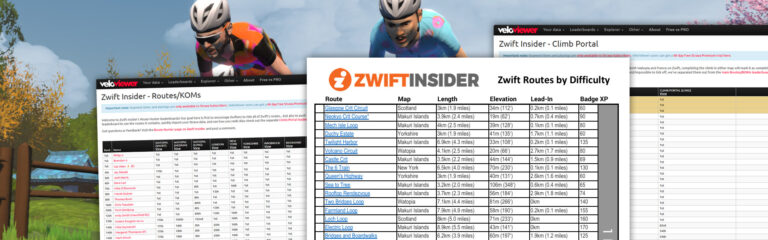
Updated: Veloviewer Route Hunter Leaderboards and Printable Route List
Zwift has been busy adding new routes and climb portals to the game, with ~20 new routes added since January and several climb portals as well.
As of today, our lists are all caught up to what’s in game. This includes:
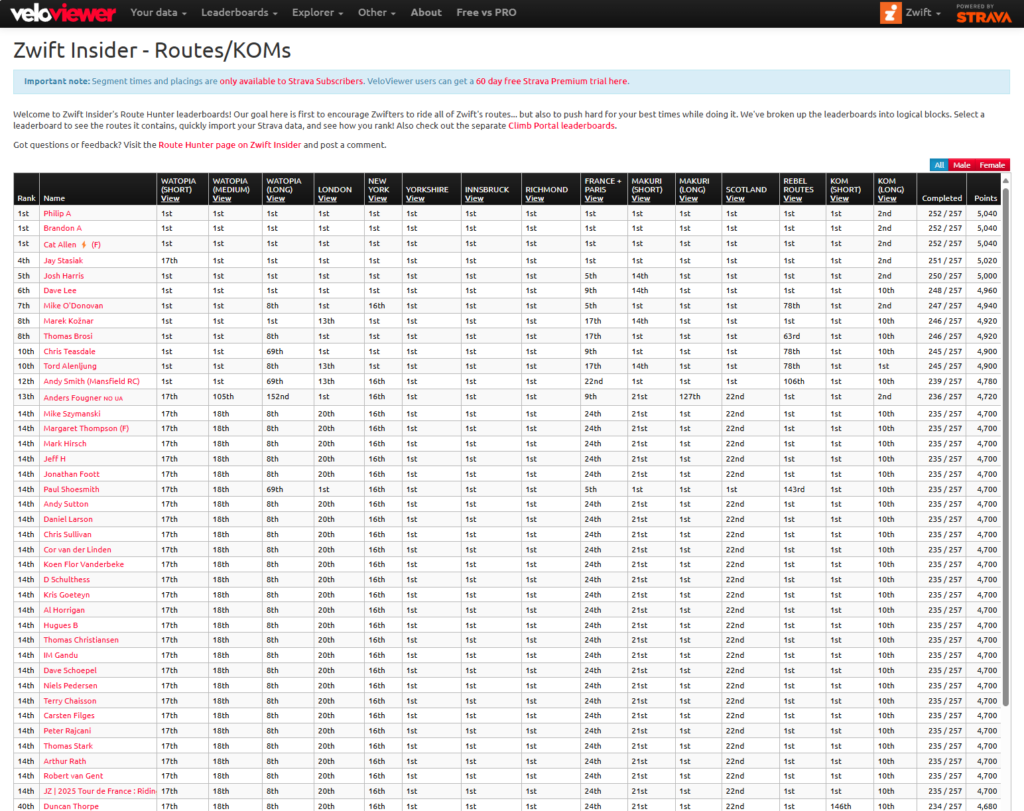
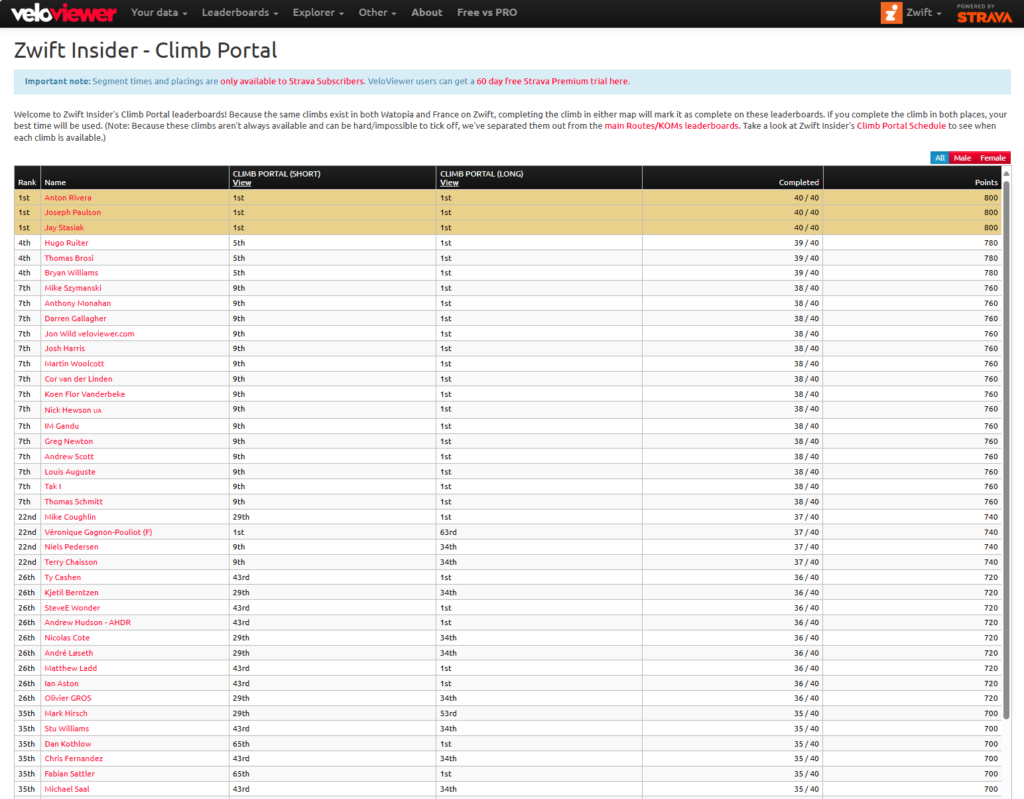
Veloviewer Route Hunter Leaderboards: contains all the badged routes in game, plus all the KOM segments. Compete with others or just yourself – you move up the leaderboard by completing all the segments (20 points per segment) but also score points based on finishing time.
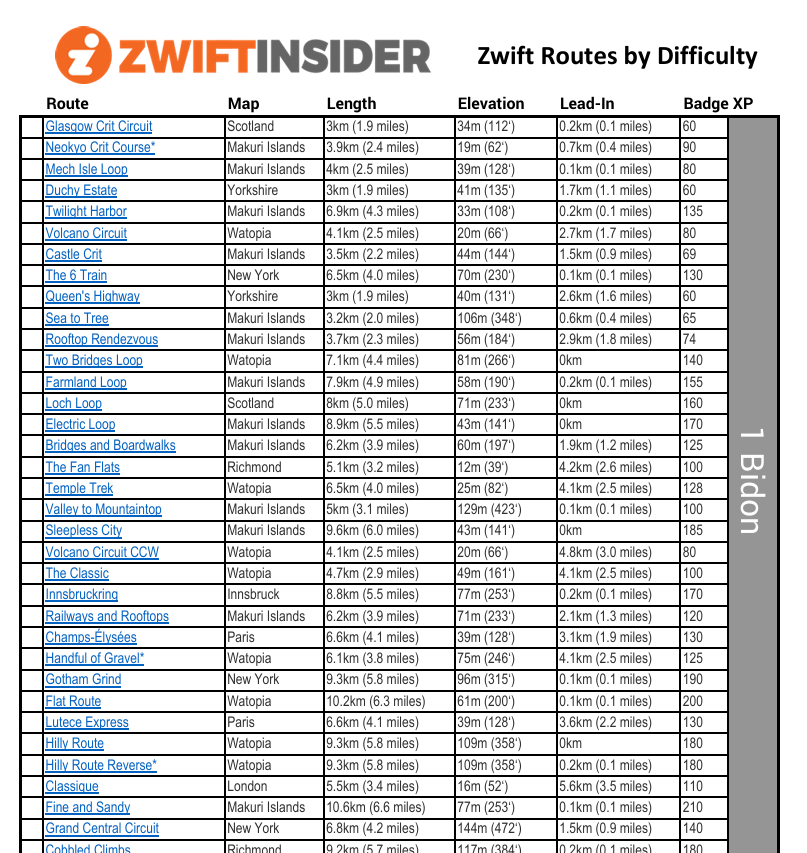
Printable List of Zwift Routes by Difficulty: a list of all badged routes in game, sorted by difficulty based on our ZIMetrics and grouped by the approximate number of bidons you’ll need to drink to finish each route.
Master Route List: this is always the first list to be updated (often before routes are publicly released). If you ever need route info, go here!
Strava Segment Matching Bug
On a related note: many Zwifters have noticed that, for the past year or so, Strava hasn’t been matching certain activities to certain segments. It’s an odd bug, because it doesn’t seem to apply to older segments. But newer ones – at least those created after April 2024, although we don’t have a precise date – are affected. It seems to apply to segments that include multiple loops of a circuit, or repeated sections of road.
The following segments/routes are affected by this bug, and have thus been removed from the Veloviewer leaderboards until Strava fixes the issue:
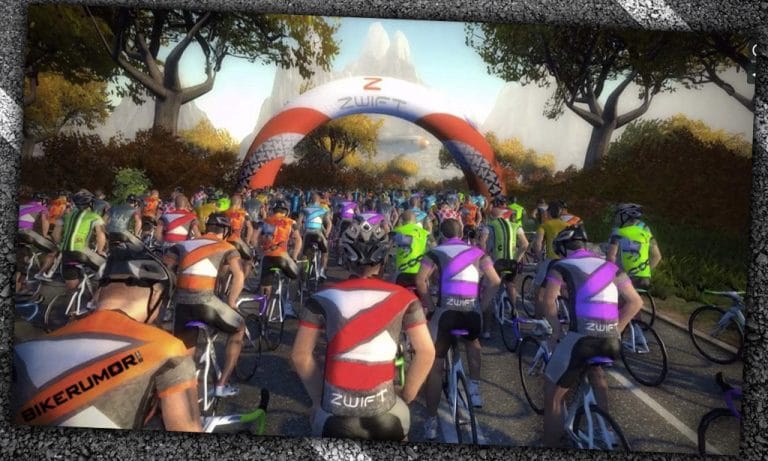
We’re featuring a well-rounded mix of community-hosted events this weekend, including a super-short race in France, a very long group ride in London, two ladies-only events, and a beginner-friendly banded ride on a new France route. See our picks below!
Zwift recently added several routes to their France map, including the super-short, one-way Macaron. Why create such a route? We aren’t sure, but you know we’re going to race it!
Join the Rhino Racing squad for what may be the shortest race of your Zwift career.
Here’s a new ladies-only ride from the popular Galaxy Cycling Club. Led by experienced Zwifter and endurance coach Beth Greenaway, this weekly ride will vary between 60-100 minutes “to allow for a variety of routes and occasional badge hunting.” Beth’s beacon pace will be 1.6-2 w/kg.
On-screen and Discord chat are encouraged. Beth says this is an opportunity for ladies of all levels to ask questions and seek support in reaching their health, fitness, and performance goals.
This week’s kickoff ride is on 1 lap of Waisted 8 (30.9km, 144m).
We’re featuring a ride on one of Zwift’s shortest routes, so why not feature this group ride on Zwift’s longest route? The Velos squad is hosting a series of rides on Zwift’s infamous pretzels and other epic rides. This ride officially stops after 2 hours, but riders can continue if they want to knock out London’s PRL Full, the longest route on Zwift (173.5km, 2634m).
The ride includes a yellow beacon who will ride at 2.5 w/kg, and a red beacon riding at 2 w/kg. Choose your pace!
I love a good chase race, and while I can’t join this one (it’s ladies only, after all) I want to support it for two reasons:
Signup numbers are already looking really good
Chase racing is a cool format I’d like to see more of on Zwift
Riders are on France’s new Gentil 8 route (25.8km, 258). Pick your category based on racing score, then work together to catch the groups up the road without getting caught by riders chasing from behind!
Join the HISP team on a banded ride around France’s new Knights of the Roundabout route (54.4km, 411m). As long as you keep pedaling, you’ll stay in the pack and knock out this route badge, grabbing some extra XP along the way!
We choose each weekend’s Notable Events based on a variety of factors including:
Is the event unique/innovative in some way?
Are celebrities (pro riders, etc) attending/leading?
Are signup counts already high, meaning the event is extra-popular?
Does the ride include desirable unlocks or prizes?
Does the event appeal to ladies on Zwift? (We like to support this under-represented group!)
Is it for a good cause?
Is it just plain crazy (extra long races, world record attempts, etc)?
Is it a long-running, popular weekly event with a dedicated leader who deserves a shout out?
In the end, we want to call attention to events that are extra-special and therefore extra-appealing to Zwifters. If you think your event qualifies, comment below with a link/details and we may just include it in an upcoming post!
On April 24, 2015, Zwift launched Watopia. Here was their message to the small community of beta testers:
Together we’ve ridden 1 million miles (@1.6M km), 333K laps and climbed a total of 44M feet (@13.4M meters) on Zwift Island. That’s like climbing Mt Everest 1.5K times! We think that’s a big deal, so today we’ve launched our new course on the next isle to celebrate. Welcome to Watopia, your new home on Zwift!
As you can see, we’ve successfully moved and we’re ready for everyone to conquer our 10k course filled with fabulous vistas, bridges, and all new terrain. We’re still under construction so please be patient as we work to bring you the best ride possible (helmets encouraged!)…
It took the beta testers 5 months to ride 1 million miles, while in December 2017 the community rode over 700,000 miles in just 24 hours in a major fundraiser event. But in 2024, Zwifters rode/ran 1.02 billion miles on the platform – that’s an average of 2.8 million miles per day!
The “Zwift Island” referenced is Jarvis Island, the first Zwift course. The honey-hunting bear in Titans Grove is named Jarvis in honor of this original Zwift map, which relaunched in 2024 as part of Watopia.
When first launched, Watopia had only one 9.1km route, known today as the Hilly Route. The next Watopia expansion was Ocean Boulevard on December 30, 2015. Today, Watopia is home to 116 routes (including some running-only routes).
Today Zwift hosts 262 routes spread across 12 maps (in order of release): Watopia, Richmond, London, Innsbruck, New York, Bologna, Yorkshire, Crit City, France, Paris, Makuri Islands, and Scotland.
Perhaps the coolest thing about Zwift Community Live was that it offered the chance to meet members of the Zwift community in real life. In this week’s top video, Kaite Kookaburra does just that!
We’ve also selected videos about using Zwift for weight loss, feature requests, the Elite Zwift Games, and the new Zwift Companion Fitness Tracker.
Meeting Mark Cavendish and Riding Sa Calobra!! // Zwift Community Live Day 3
Join Katie Kookaburra as she rides up the iconic Sa Salobra climb in Mallorca and meets with Mark Cavendish at Zwift Community Live.
The Zwift Ride Actually Helps You Lose Weight!
Over the last 6 months, Biker Campervan has lost 15 kilograms riding on the Zwift Ride. In this video, he shares the reasons why using Zwift and the Zwift Ride has helped him stay consistent.
Please add these 2 things
In this short video, Titanium Ben shares two features that he hopes Zwift will add, and explains why the features would be helpful!
Uphill Zwift Sprints are Brutal
Looking to improve your Zwift racing skills (or your Zwiftcraft, as we like to call it)? Jeff from Norcal Cycling talks to Brian Duffy Jr. as they analyze Brian’s recent performance in the Zwift Games.
Zwift Fitness Tracker: All You Need to Know in 3 Minutes
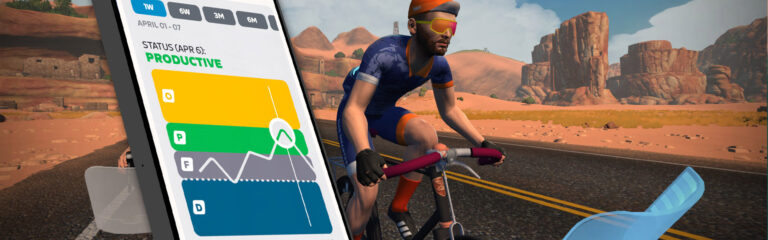
Road to A briefly explains Zwift’s new Fitness Tracker feature on the Zwift Companion App.
Got a Great Zwift Video?
Share the link below and we may feature it in an upcoming post!
All About Zwift’s New Fitness Tracker (Outdoor Rides Included!)
Over the past few weeks, Zwift has rolled out an important, powerful set of fitness tracking and reporting features. These tools expand the activity data Zwift consumes, allowing us to feed our outdoor rides into the platform for the first time ever. This, in turn, enables Zwift to build a more accurate profile of our current fitness to help us train smarter.
Let’s dive into Zwift’s new Fitness Tracker and all the moving parts that make it function…
Outdoors… On Zwift?
You may be wondering why would I even want Zwift to track my outdoor riding? It’s a fair question, especially if you see Zwift as simply an indoor cycling platform.
The big reason Zwift needs to track your riding outdoors as well as indoors is so Zwift can put together an accurate, current profile of your fitness. Zwift wants to help its users choose appropriate workouts, but they can’t do that unless they know a person’s training load. How fresh are their legs? How fit are they overall?
Secondly, on a customer retention level, tracking outdoor riding (and letting outdoor rides extend our week streak and earn XP) is a smart move from Zwift. It won’t change the minds of every “winter-only Zwifter”, but it will surely convince a few to keep their monthly subscription going.
Eric Min, Zwift’s CEO, has said for years that Zwift’s goal is to get more people more active more often. Tracking outdoor rides falls perfectly in line with this goal, helping Zwift better position itself as a year-round fitness platform.
Getting your outdoor rides into Zwift is easy, assuming you’re recording those rides on a head unit/app from Wahoo or Garmin. All you need to do is connect your Zwift account to your Wahoo and/or Garmin account.
You can do this via the Companion app under Settings>Connections, or by logging into your account at zwift.com and going to Account>Connections.
Wahoo requires a simple login to your Wahoo account, and if you already had Wahoo connected, there’s nothing more you need to do.
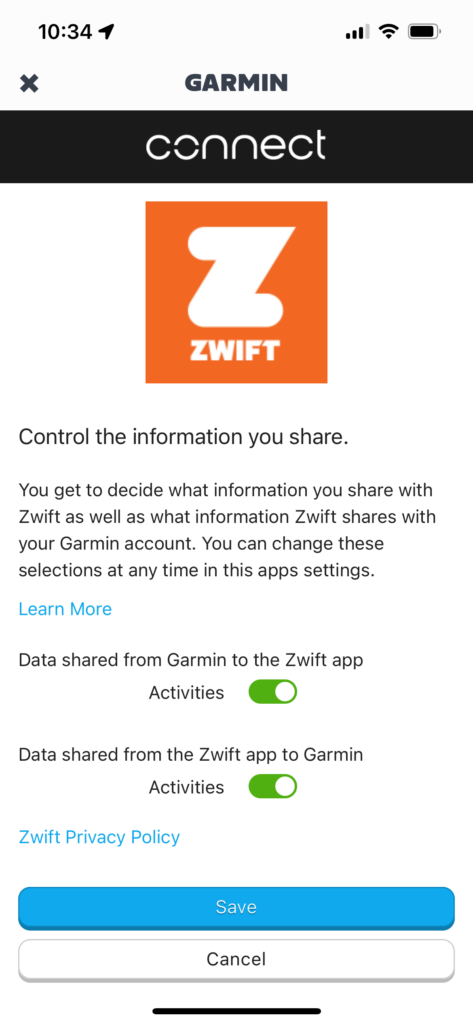
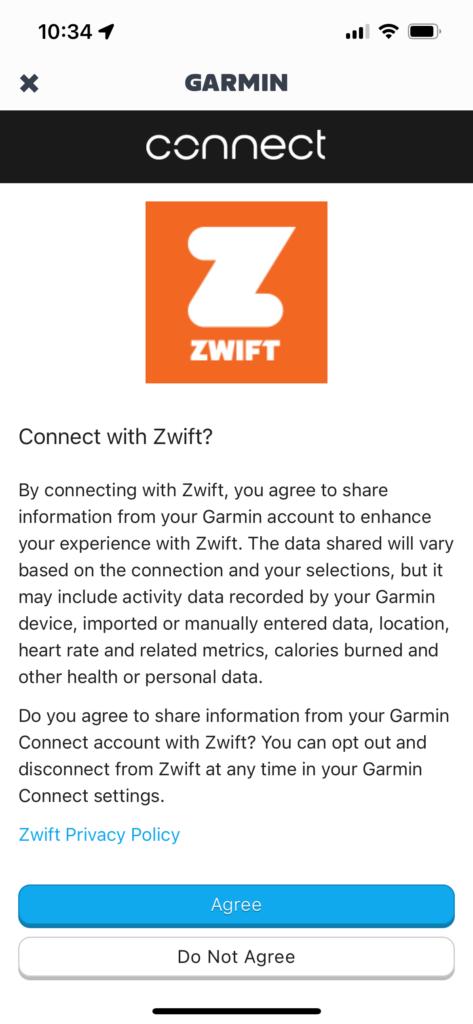
Garmin will require a reconnection even if you already had your Garmin account connected, because there’s a new level of permission you need to authorize so Garmin can send data to Zwift. (Previously, you could only authorize Zwift sending data to Garmin.)
Simply enable both toggles, click “Save”, then “Agree” on the next screen:
Zwift tells me that when you first connect your Wahoo account, it should import the last 90 days of activities into Zwift. Garmin should import the last 30 days of activities. It may take up to a week for old activities to show up on Zwift.
Fitness Tracking
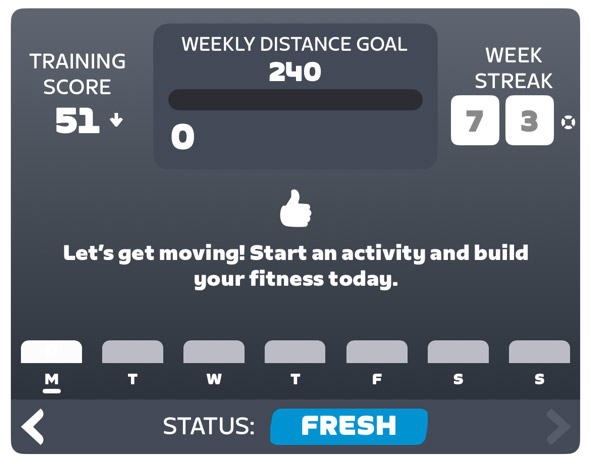
The Companion app has a new section at the top of the homepage that Zwift has dubbed the Fitness Tracker:
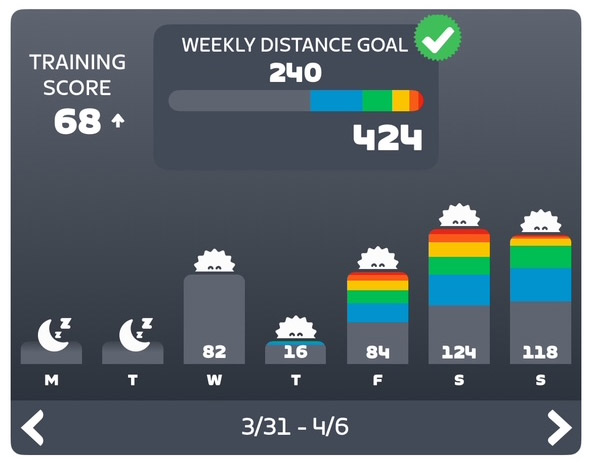
That screenshot is a bit boring, though, since it was taken on Monday morning when I haven’t ridden yet! Scrolling back a few weeks, you can get a better idea of what the Fitness Tracker shows:
There’s a lot of information packed into this little box, including:
Training Score: Zwift’s version of chronic training load (CTL), a commonly-used metric that summarizes the amount of training you’ve been doing. Your Training Score is the weighted average of daily Stress Points over the past 42 days, which means if you rode at your FTP for 1 hour every day (which equals 100 Stress Points on the day) for 42 days, your Training Score would be 100. (In practice, most riders who train regularly are probably in the ~60-80 range for Training Score). Read more about Stress Points >
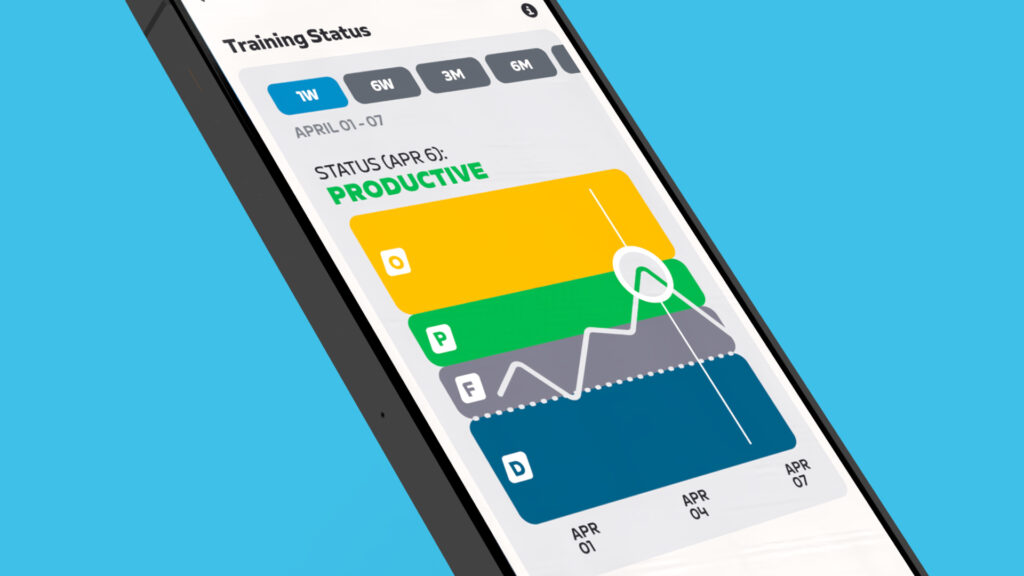
Training Status: this is only shown when viewing the current week, so in the first screenshot, you can see my status is “Fresh”. Training Status is determined by comparing your long-term fitness (over 42 days) and short-term fatigue (over 7 days) to place you in one of these categories:
Ready: New to training.
Fresh: Active and ready for challenges.
Productive: Consistently challenging yourself and recovering well.
Overreaching: Training heavily.
Detraining: Loss of fitness due to reduced training.
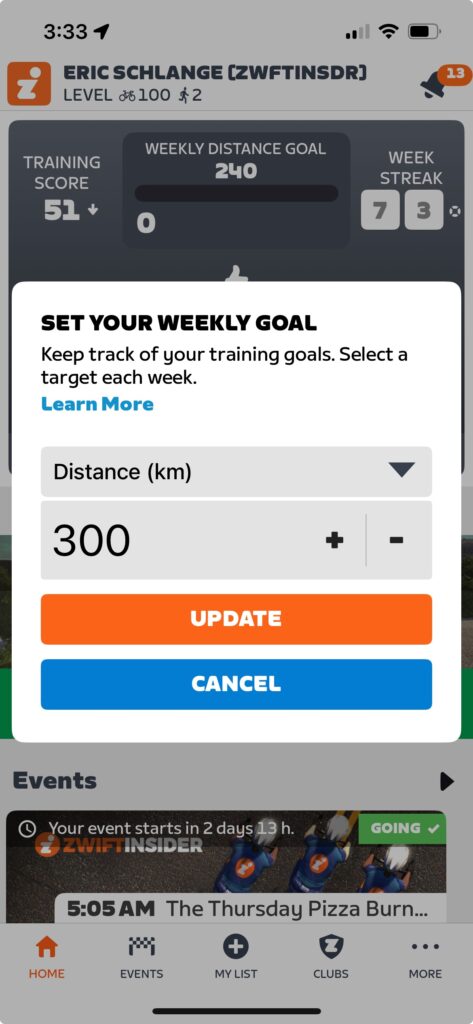
Weekly Goal Progress: the top-center section shows your weekly goal (which can be based on Time, Distance, Calories, Stress points, or Kilojoules) and your progress toward that goal. You can tap to easily modify your goal as well (more on this below).
Daily Activity Summary: each day’s activities are summarized with a few visuals. First, you have a color bar chart showing how much relative time you spent in each power zone (learn about Zwift’s power zone colors here). You’ll see a sun at the top if the day includes an outdoor ride that earned XP (touch a day and it will expand a bit to show how many XP you earned on the day). Lastly, each day shows how that day moved you toward your selected goal (time, distance, Stress Points, etc).
Weekly Activity Zone Summary: At the top-center, in the goals section, is a bar showing the amount of relative time you’ve spent in each power zone.
Current Week Streak: when viewing your current week, your Week Streak is shown on the right.
Streak Savers: if you’ve earned any Streak Savers, these are shown next to your Week Streak on the right.
Recommendation #1: Set an Accurate FTP
It’s worth noting here that your Training Score and Status are computed based on your daily Stress Points, and those Stress Points are calculated based on your FTP setting in Zwift. If your FTP isn’t set accurately, your Training Score and Status won’t be accurate, either. Zwift will automatically detect FTP increases based on an internal algorithm, but you might consider taking an FTP test or even setting your FTP manually in game to ensure it’s accurate.
When it comes to fitness tracking of any sort, your data out will only be as good as the data coming in. Now that Zwift is tracking your outdoor rides, you might consider purchasing a power meter for your outdoor bike if you don’t already have one, because otherwise, Zwift will infer power based on other ride metrics, leading to inaccuracies (see: Strava’s power estimates).
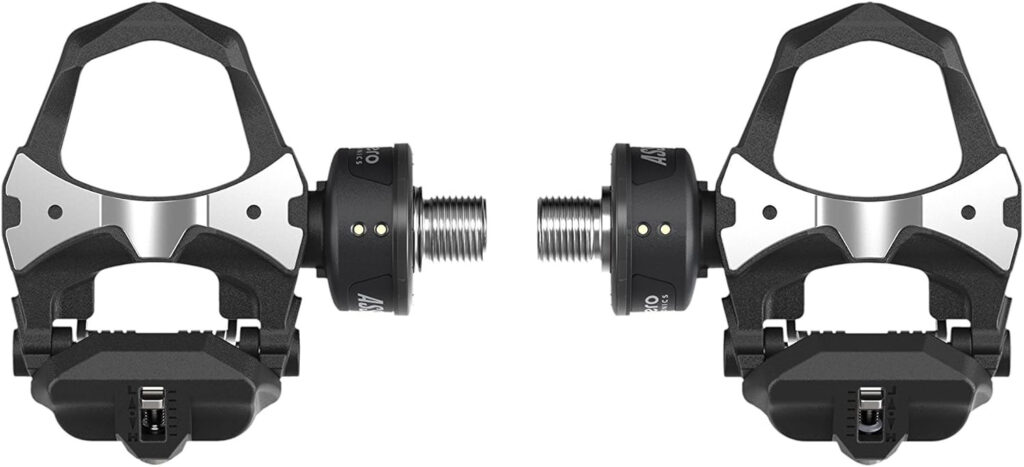
Looking for a power meter recommendation? For most road riders, I recommend the Favero Assioma pedals. They’re generally the most respected in the industry, they’re more affordable than the competition, and easy to install (unlock crank or spider-based power meters).
This big fitness tracking release includes an expansion of what used to be very limited goal-setting/tracking capabilities in the Companion app. The app used to support only basic weekly time or distance goals, but now supports the weekly goals based on:
Time
Distance (KM/Miles)
Calories (kCal)
Stress points (SP)
Kilojoules
Pro tip: as you change your goal between one of these 5 metrics, you’ll see the daily summaries changing to show your progress using your chosen metric. Even if you don’t change your overall goal, this little hack is a cool way to see your weekly efforts through different lenses.
Additionally, now that Zwift can see your outdoor rides, your goals can be based on what you want to accomplish overall in your weekly cycling, instead of what you think you’ll accomplish on Zwift. (It always felt clunky in the past to have a weekly Zwift time or distance goal, especially when the weather changed and your ratio of indoor to outdoor riding changed with it.)
As before, the in-game ride report will show your goal progress at the end of each ride, and you’ll get a notification in game if you hit your goal while riding on Zwift.
Level Up, Outside
Apart from better tracking of our fitness, this new functionality from Zwift also means we can continue to level up while riding outside.
Outside rides now earn 5XP for each kilometer, up to a maximum of 200KM/1000XP per ride. Yes, this is significantly less than the 20XP per km you earn for Zwifting. But it’s still something.
You won’t get XP for past activities that are imported when you first connect to Wahoo/Garmin, but they will be imported and count toward your fitness tracking.
Time/distance/elevation accumulated outdoors will not apply to in-game bike upgrades.
Only paying subscribers earn XP from outdoor rides.
You will not earn your 300/400/500XP week streak extension bonus for an outdoor ride. But the first Zwift ride you finish for the week will award you that XP bonus. (So if you want the week streak XP bonuses, ride on Zwift at least once a week.)
What’s Next?
This is just the initial launch of fitness tracking on Zwift, and they’ve assured me that there is more to come.
First, while these new features only apply to cycling right now, Zwift says they’ll be rolling out support for running later this year.
Second, support for importing activities from Hammerhead is coming this summer. Zwift says other platforms may be added (DC Rainmaker mentions Polar/Suunto/COROS/Apple as the likely candidates). Why doesn’t Zwift just import activities from Strava, you may ask? Zwift isn’t saying, but my guess is that Strava’s API terms of service changes over the past year made Zwift nervous. On top of that, this move into outdoor ride tracking is a move into Strava’s territory, so Zwift may be steering clear for that reason as well.
Third, duplicate activities are a concern for some users based on their current setup (which devices/services they use to record which activities). Zwift says automatic de-duplication is coming soon, but for now you can delete activities manually if you’d like, using the Companion app. We also know Zwift has been testing in-game dual recording, which would eliminate the need to record your power data on a head unit (something that could lead to more duplicate activities).
Fourth, “Smart Goals” are coming, where the game will automatically recommend a goal based on your current fitness, to help you get started. Great for beginners.
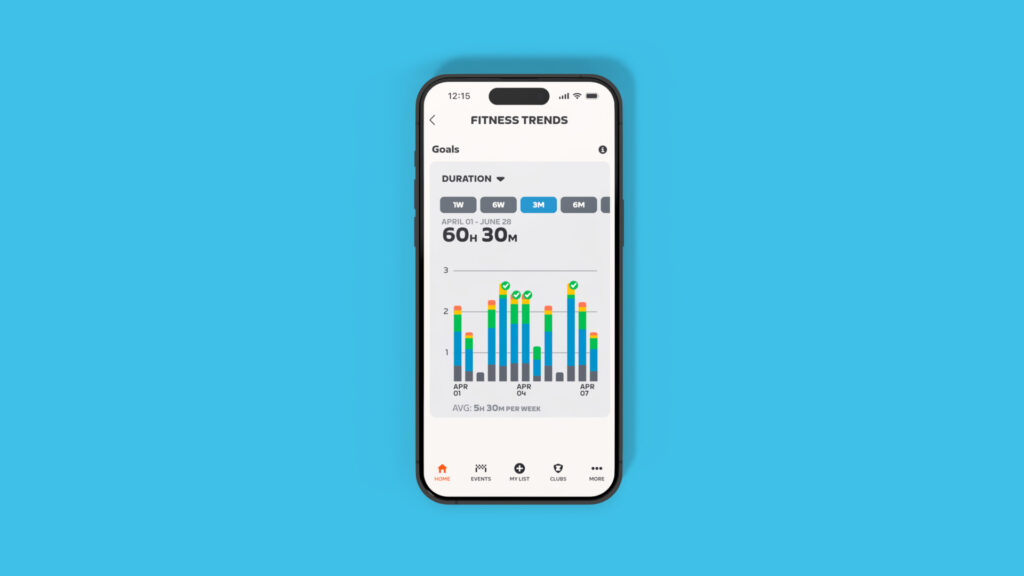
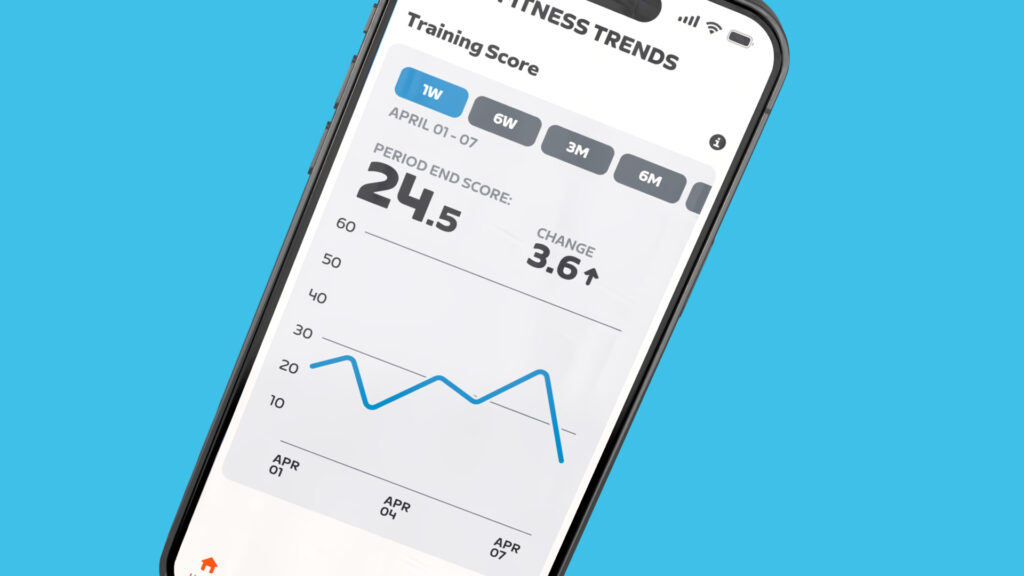
Fitness Trends
Lastly, Zwift knows we don’t just want a snapshot of data… we want charts! So they have promised a “fitness trends” feature, and even delivered screenshots of it:
What else?
The items above are what we know Zwift is working on. But what else could these fitness tracking changes lead to? The answer is: so much.
You may not realize this, but solo structured workouts are the most popular activity done on Zwift. At Zwift Community Live, Zwift staffers shared the following activity stats from the last 30 days on Zwift:
2.2M free rides
2.3M solo structured workouts completed
632K group rides
483K Robopacer rides
282K races
106K climb portal rides
That’s a bit wild when you think about it, especially considering the popularity of Robopacers and all the focus Zwift puts on events.
Given Zwifters’ obvious interest in structured training, I believe the holy grail for Zwift would be some sort of AI-based coaching built into the app, not unlike third parties such as TrainerRoad, XERT, and FasCat currently offer.
Imagine if you could set some simple goals (“I want to perform better in Zwift races” or “I want to lose some weight”) and the app could recommend daily activities for you based on your training history, including outdoor rides. For extra credit, Zwift could recommend more than just boring ol’ structured workouts. What about a race or group ride that fits the bill?
So many possibilities.
Questions or Comments?
What do you think of Zwift taking in our outdoor rides and delivering fitness tracking? What sort of functionality would you like to see Zwift build on top of these new capabilities? Share your thoughts below, along with any questions you may have about these new features…
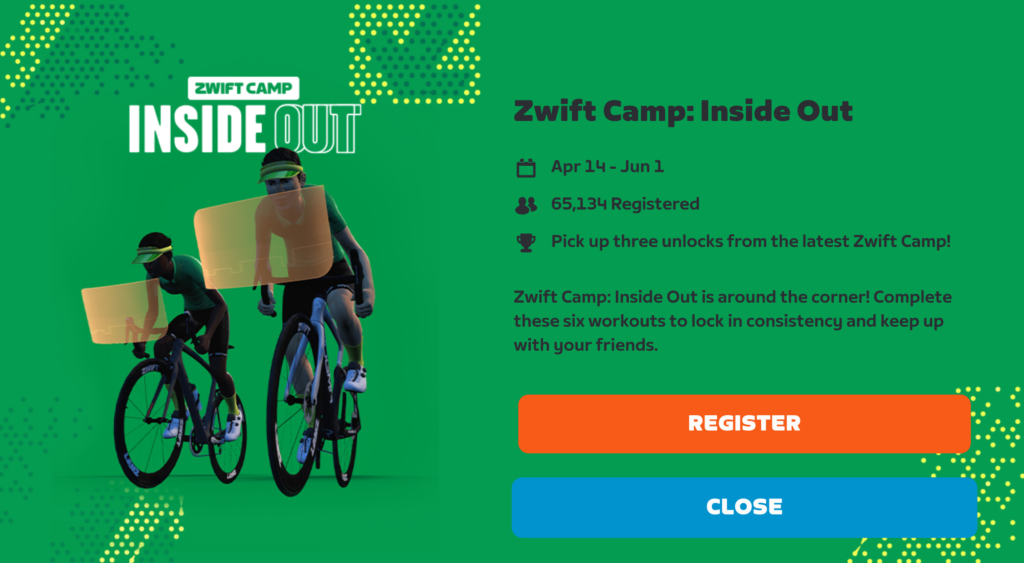
Last week, Zwift launched a 6-week workout series featuring one fresh workout each week to help us “lock in consistency and keep up with your friends.” Dubbed Zwift Camp: Inside Out, this is effectively an updated version of the Spring Training series Zwift ran in 2024 and 2023.
The big idea, Zwift tells us, is to help Zwifters build fitness with effective indoor workouts so they’re stronger than ever as they head outdoors.
Here are all the details of this short series…
Getting Started
To register for Zwift Camp: Inside Out, click the large banner on the homescreen or the smaller card in the “Challenges” row. Then click “Register”, and you’re all set!
Workout Details & Schedule
Zwift Camp: Inside Out can be completed “on demand”, meaning you do the workouts and Hilltop Hustle route by yourself, whenever you’d like. Keep in mind the workouts scheduled for future weeks won’t be available until that week arrives.
The other option is to join the group workout events scheduled hourly each day at the top of the hour.
Regardless of how you choose to execute the workouts, you get your choice between the standard workouts (around an hour long) or “lite” versions (around 30 minutes long).
Stage 1 – Ramp It Up (April 14-20)
“This first session of Zwift Camp: Inside Out sets the tone for building a strong endurance base.”
Stage 2 – The Endurance Groove (April 21-27)
“With progressive blocks that challenge your ability to sustain effort, this session builds muscular endurance and mental focus.”
Stage 3 – Cadence In Control (April 28-May 4)
“Time to tackle intervals at varying cadences, training your body to adapt to different terrain and riding styles.”
Stage 4 – Surge Protector (May 5-11)
“Workout 4 is all about real-world challenges like breakaways and hill sprints—helping you build strength, resilience, and faster recovery.”
Stage 5 – Climb On (May 12-18)
“Get ready to alternate between steady efforts and surges, building strength and endurance while learning to handle varying gradients.”
Stage 6 – Hilltop Hustle (May 19-25)
“Wrap it up and put all your hard work to the test on Hilltop Hustle, a route featuring The Grade!”
Make-Up Days: May 26-June 1
If you missed a stage but want to make sure you complete all six, there is a make-up week at the end of the series. (Again, you can also do the workouts on your own whenever you’d like.)
Kit Unlocks
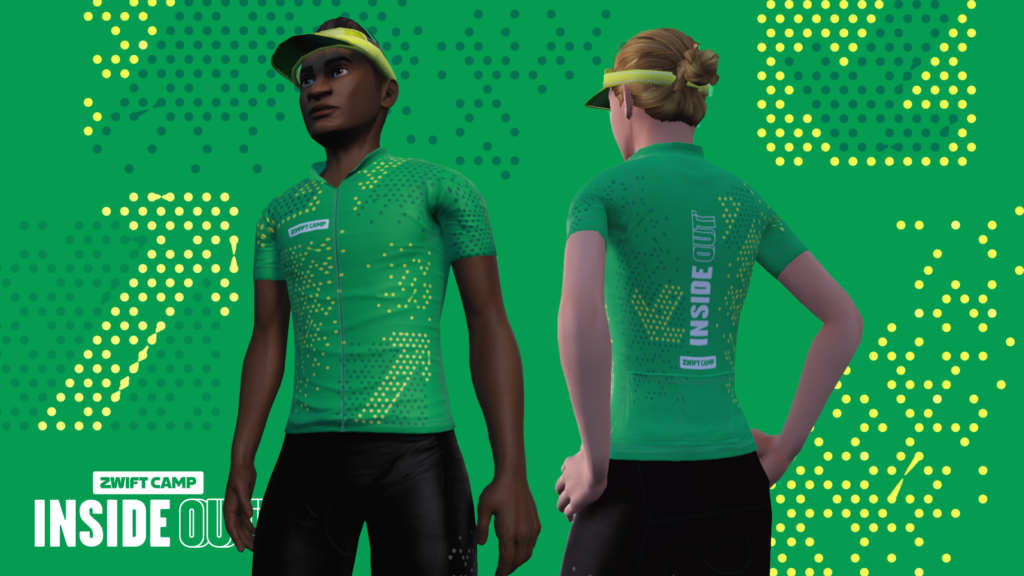
Riders will receive the Inside Out socks after completing one stage, the visor after completing three stages, and the 2024 Zwift Camp: Inside Out kit after completing all six stages.
Printable Worksheet
Zwift created a printable worksheet to guide you through this series. It includes tips for getting some outdoor riding in alongside the workout series.
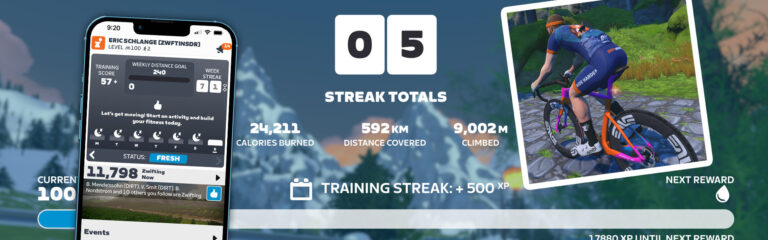
First introduced to Zwifters in December 2023, Week Streaks is a game feature designed to encourage consistency in training. Zwifters build up their streak by logging at least one ride or run per week, and as your streak grows, you unlock some in-game rewards.
Here’s how it all works…
Week Streak Basics
Your Zwift Week Streak is counted in weeks (not days), and you earn certain rewards each week your streak is extended.
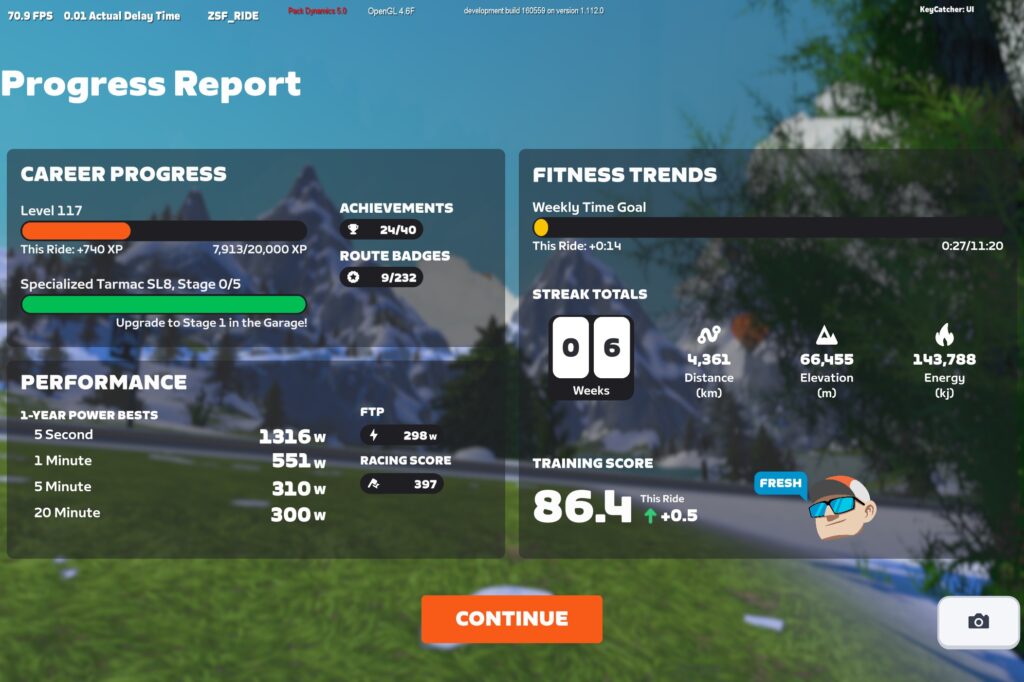
When you save a Zwift ride or run, you’ll see Progress Report screen, which includes your current Week Streak:
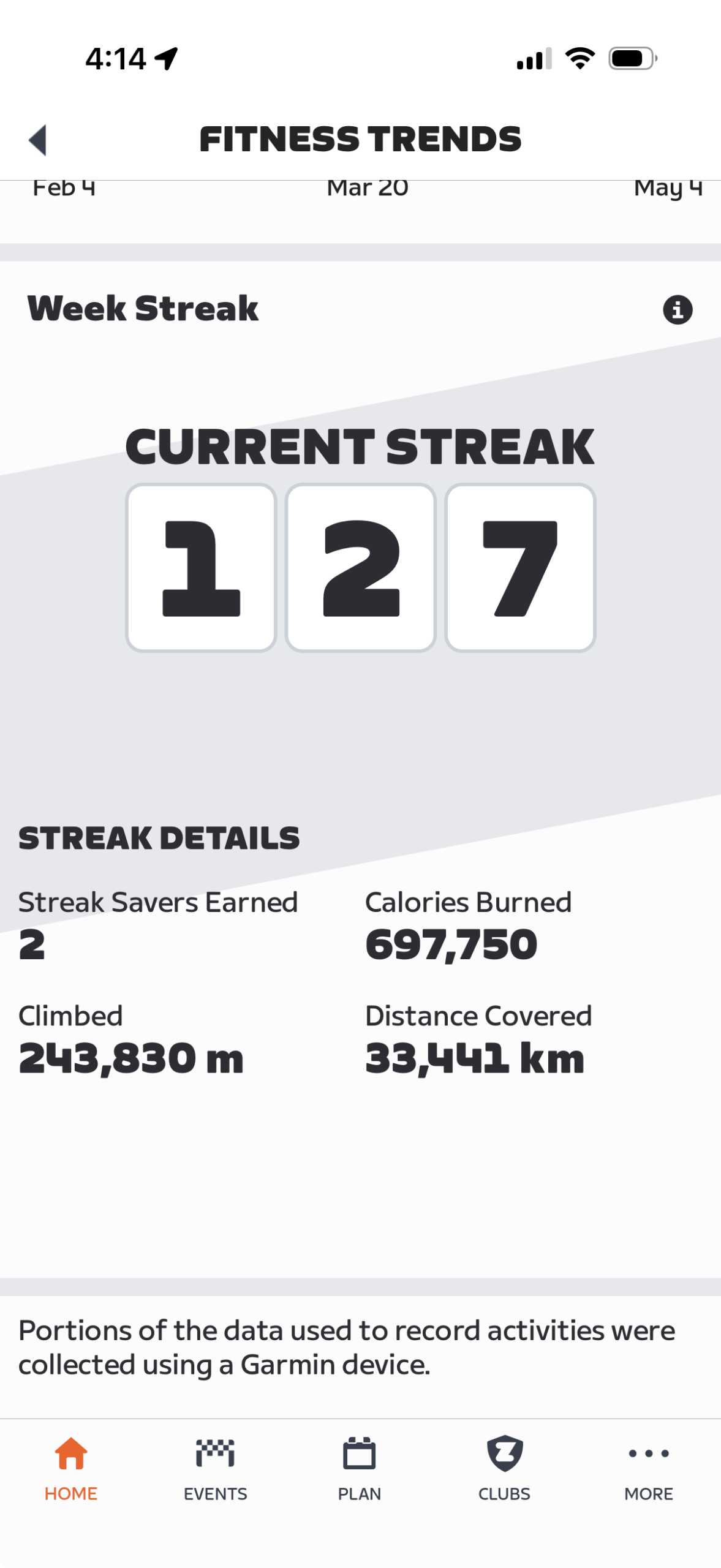
You can also tap the “Fitness Trends” title in the Companion app and scroll down to see your Week Streaks summary. This shows several streak details, including:
Your Streak length (number of weeks)
How many streak savers you’re holding
Total calories burned during your streak
Total distance covered during your streak
Total elevation climbed during your streak
Starting and Extending Your Streak
Starting your streak is easy: just record a ride at least 2km (1.25 miles) in length, or a run at least 0.8km (0.5 miles) long! This can take place on Zwift, or outside if you have your Wahoo, Garmin, or Hammerhead account connected to Zwift (learn how to do that here).
Extending your streak is just as easy: record a ride or run, indoors or out, and your streak will be extended for that week.
Streak Savers
Since Zwifters may be unable to ride or run for a week or more due to vacation, injury, or other factors. Zwift introduced Streak Savers, which are automatically used to extend your streak if you have a week with no qualifying activities.
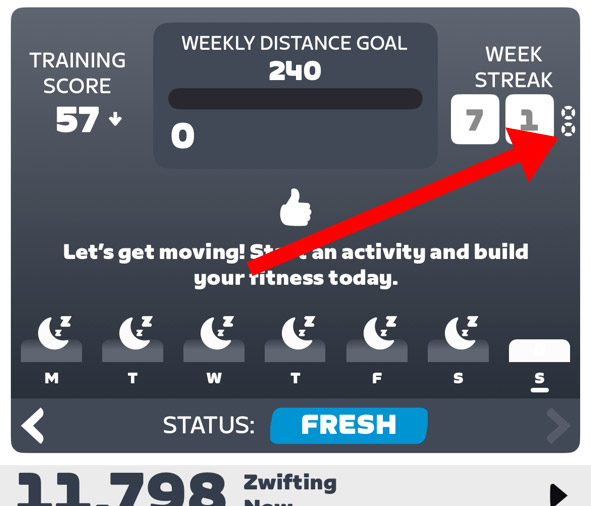
Streak Savers are displayed in the Companion app, next to your Week Streak score:
You earn a Streak Saver by accumulating 12 consecutive weeks of riding, and you can hold up to two Streak Savers at any given time.
Streak Rewards
Seeing your weekly streak count continue to climb is certainly a reward in itself, which is why so many apps use daily streaks to encourage consistent use (looking at you, Duolingo!)
Zwift sweetens the deal even further, though, by giving us bonus XP every time our streak is extended via a Zwift session:
Week 1: You’ll earn 300 bonus XP just for starting your streak.
Week 2: Extended your streak to 2 weeks? You’ll earn 400 bonus XP.
Week 3+: Every time you extend your streak past week 2, you’ll earn 500 bonus XP.
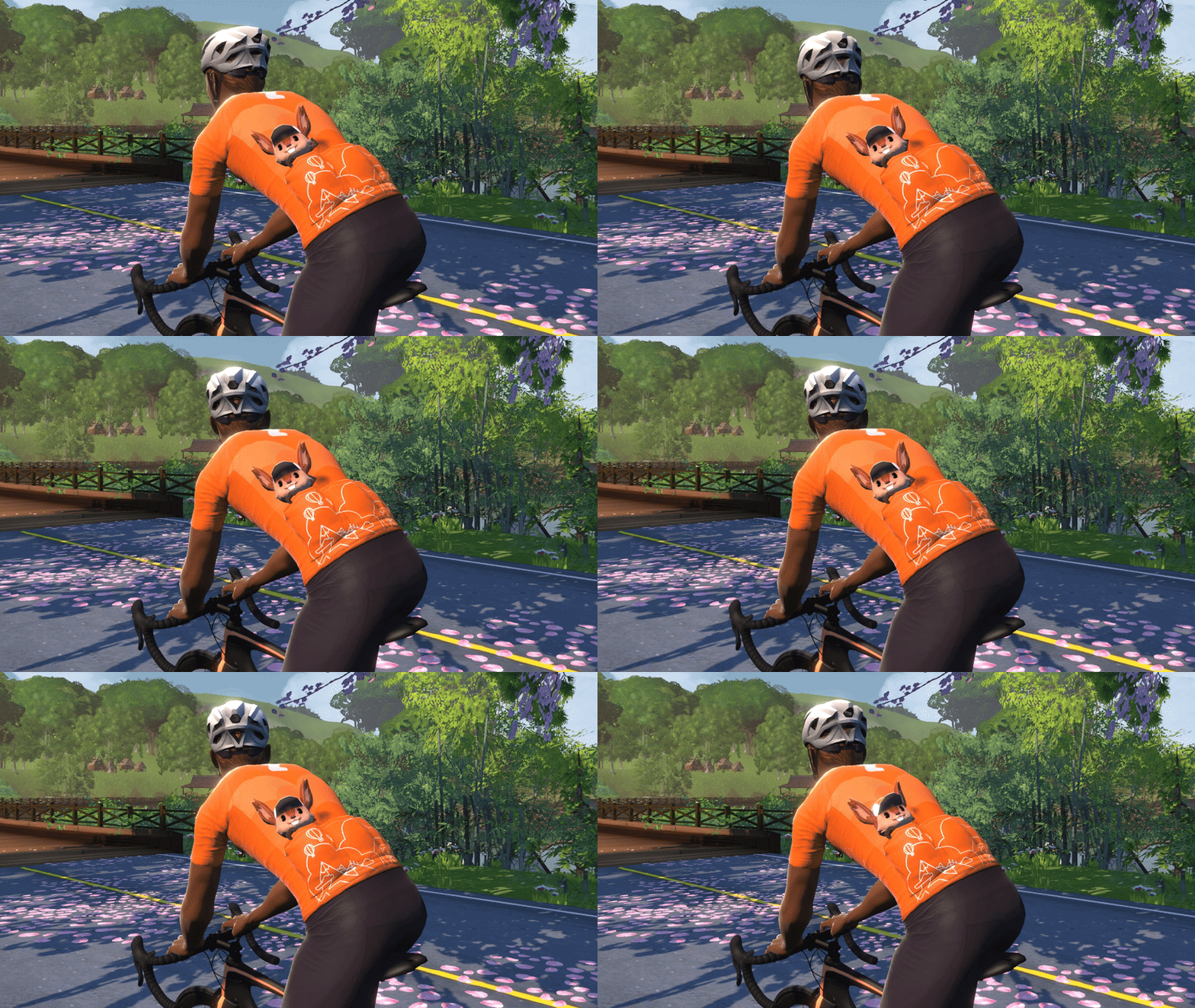
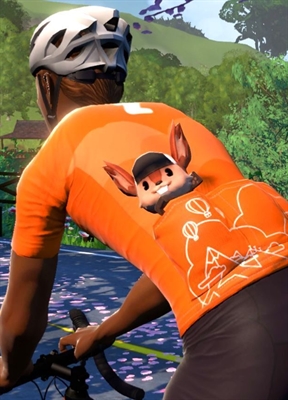
On top of the bonus XP, in April 2025 Zwift introduced the concept of Streak Flair: a visual upgrade to our avatars that changes based on the length of your streak. Right now, Streak Flair is simply different versions of “pocket Scotty”, Zwift’s squirrel mascot. There are three levels of Streak Flair available:
Level 1 (4 weeks): a pocket Scotty medal
Level 2 (12 weeks): medal is upgraded to a keychain Scotty
Level 3 (24 weeks): keychain Scotty is upgraded to a larger, animated Scotty! This Scotty will stay with you as long as you hold onto your streak.
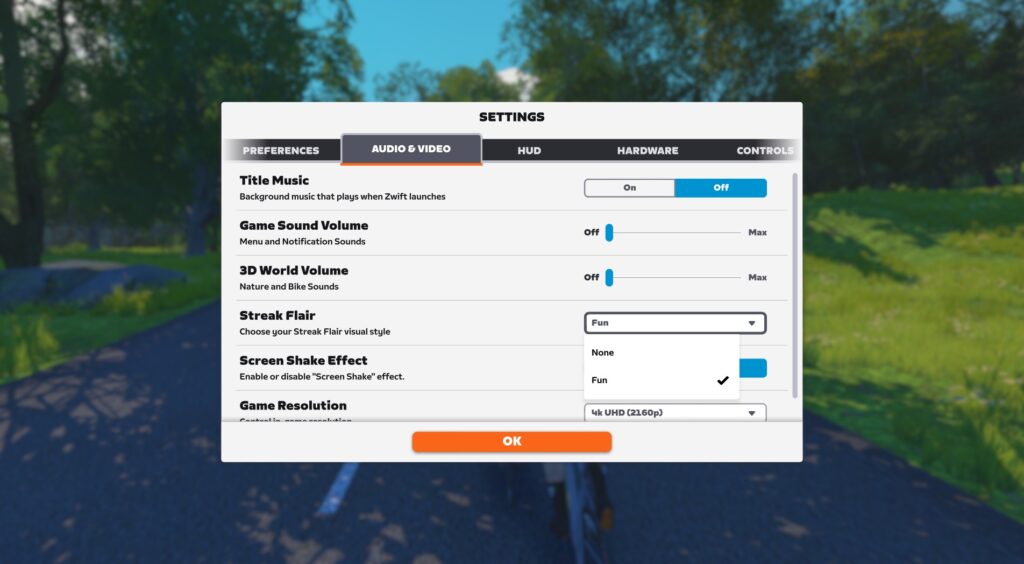
Streak Flair is turned off by default, so if you want your pocket Scotty to be visible to you and others, you’ll need to go into Settings>Audio & Video and set “Streak Flair” to “Fun”:
Checking Your Streak
The easiest way to see your current streak count is via the Zwift Companion app (available on iOS and Android). Your week streak is displayed in the Fitness Tracker at the top right of the homescreen:
You’ll also see your streak count each time you save a ride or run on Zwift.
A Few More Details
Time window: Zwift counts a new week from 00:00 Monday through 23.59 on Sunday, local time, as defined on the device you’re using to run Zwift.
Earning Streak Savers: you must actually ride or run 12 weeks in a row to earn a new Streak Saver. Whenever you use a Streak Saver, the 12-week counter resets.
Pocket Scotty is weightless: I tested it myself. Having him in your pocket won’t slow you on climbs (or make you less aerodynamic).
XP bonus for Zwift rides or runs only: You will not earn your 300/400/500XP week streak extension bonus for an outdoor ride. But the first Zwift ride or run you finish for the week will award you that XP bonus, so if you want the week streak XP bonuses, ride or run on Zwift at least once a week!
Subscribers only: you must have an active Zwift subscription to extend your streak.
Questions or Comments?
Got questions or comments about Week Streaks, Streak Flair, or related topics? Share below!