All About the New Shimano DURA-ACE C36 Wheels in Zwift
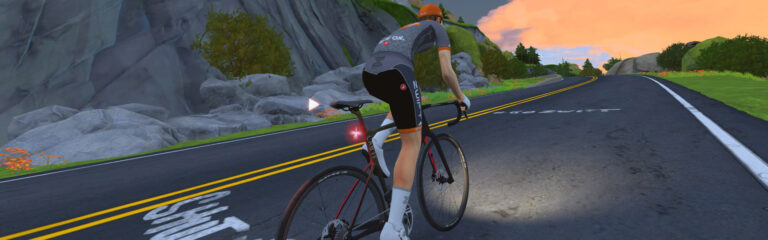
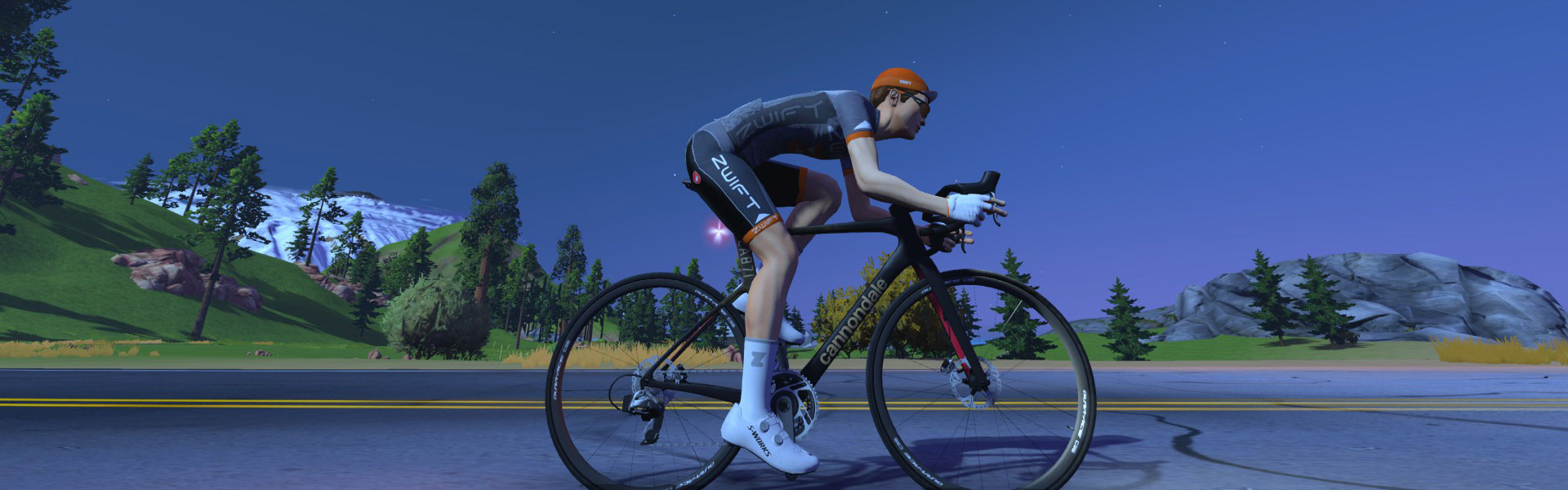
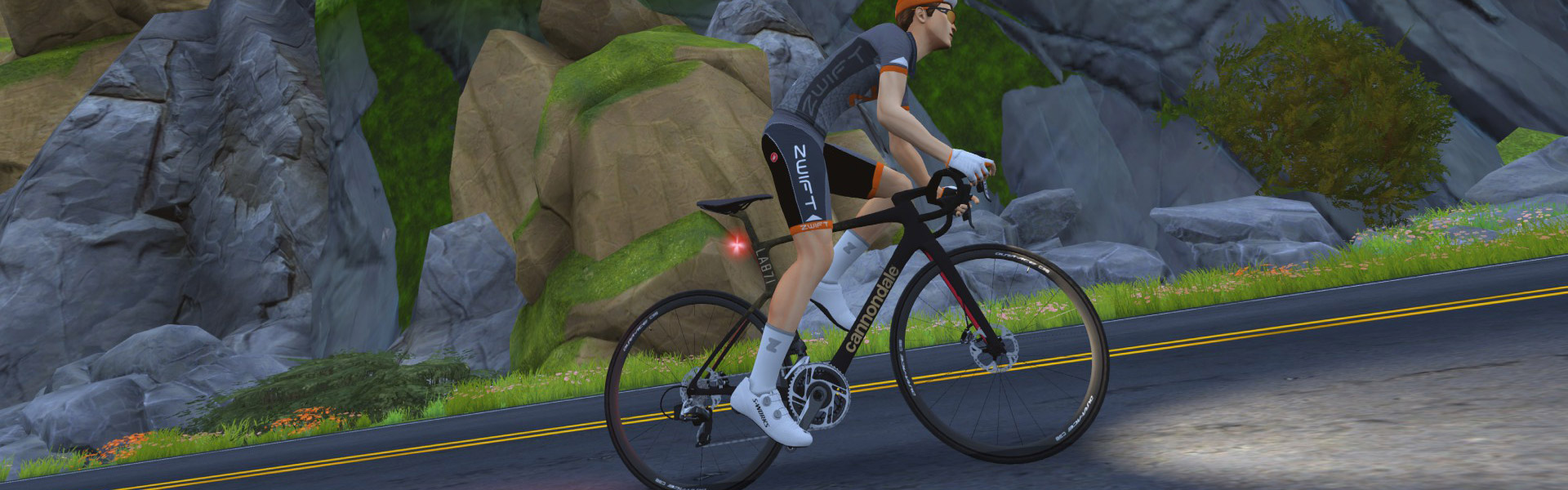
This week’s Zwift release includes a minor configuration fix for the new Shimano DURA-ACE C36 wheelset. The C36 wheels replace the C40 wheels in the Drop Shop, which means if you already own the C40 wheels they will remain in your garage, but once you update to Zwift version 1.101+, you will not be able to purchase the C40 wheels. Which should be fine with everyone, since the C36 is a better wheelset at a better price!
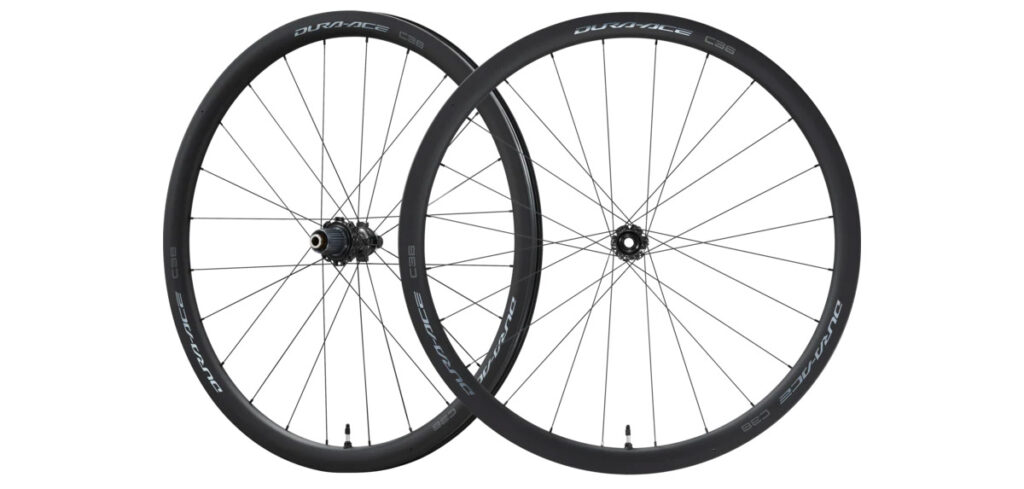
Here’s what the Drop Shop says about them: “With both a lighter, wider all-carbon rim and a lighter hub, the new DURA-ACE C36 won’t shy away from a day of climbing. The new rim is 36 mm deep and still delivers a good aerodynamic efficiency despite its gossamer weight. Meanwhile the hub features an alloy freehub body and new engagement mechanism for increased rigidity.”
The wheels are now available in the Drop Shop, accessible at level 6 and above, for the low price of 150,000 Drops. They are rated 3 stars for aero and 4 for weight, which is impressive given their price and low level requirement. Since Zwift’s 4-star rating system isn’t precise enough for our taste, we ran these wheels through our standard battery of tests to determine exactly how they perform in Zwift and stack up against other wheelsets in game.
Let’s dive in and learn all about the performance of this new wheelset from Shimano…
Aero (Flat/Rolling) Performance
Shimano’s DURA-ACE C36 wheels are on the lower end of aero performance in Zwift, although they are significantly faster than the D40 wheels they replace. While the D40 shows a 9.8-second gain over the baseline in a 1-hour flat ride, the C36 shows a 16-second gain.
As an affordable level 6 unlock, the C36 would be expected to perform in line with other lower-level unlocks. It squares up nicely against other low-level unlock wheels, performing better than all wheelsets at level 9 and below, except the Mavic Cosmic CXR60c which does very poorly on climbs.
Climb Performance
The climbs are where this wheelset really shines. It turns in the 6th-best time of any wheelset in Zwift, which doesn’t sound impressive until you remember it’s a level 6 unlock at only 150,000 Drops!
Shimano’s DURA-ACE C36 wheels put in an Alpe climb just 1.2 seconds behind the Zipp 454 wheels, less than 2.5 seconds behind the fastest wheels in the game across an hour of steep climbing. Very impressive performance for a level 6 wheelset!
Note: all test results above are from a 75kg, 183cm rider holding 300W steady using the Zwift Carbon frame.
Conclusions
While the new DURA-ACE C36 wheels from Shimano aren’t the top performers in Zwift, they are the best all-arounder or climbing-focused wheelset below level 18. In fact, I’d say they are actually the best climbing wheelset below level 24! Definitely a wheelset Zwift racers will want to check out early in their racing progression.
These wheels have been, or will soon be, added to the following posts:
Important note: this post contains speed test results for Zwift frames or wheels. These results may change over time, and a bike's performance relative to others may also change. We don't always revise posts when performance rankings change, but we do keep current, master versions of our speed test results which are always available. See the frame charts, wheel charts, and Tron vs Top Performers for current performance data.
Zwift version 1.102 begins its phased rollout today. For most Zwifters, this is a minor update that includes a new NYC route, a wheelset fix, and various bugfixes. But some Zwifters will begin seeing Personalized Recommendations as Zwift begins testing this new feature. Read on for details!
New Big Apple Route(s)
On the heels of the recent New York map expansion, today Zwift releases yet another new route: Times Square Circuit. This route includes an achievement badge for both riders and runners.
Shimano DURA-ACE C36 Fix
Zwift’s release notes include this line: “Updated the performance of the Dura-Ace C36 wheels to better match real-world performance.”
In version 1.101, Zwift removed the Shimano DURA-ACE C40 wheels from the Drop Shop, replacing them with the newer and (supposedly) lighter C36 wheels. There was just one problem: the game showed the new C36 wheels as rated 1 star for weight, meaning they were quite heavy!
Today’s release fixes this problem, and the wheels now show a 4-star weight rating. Watch for a post later today detailing their performance, which looks very strong considering they are unlocked at level 6 and cost only 150,000 Drops. These may just be the climbing/all-around wheels beginners are looking for…
New Level Up Celebrations
A new on-screen celebration happens whenever a Zwifter levels up. You’ll even see it when those around you reach a new level! See the forum announcement >
Users of the newest Apple devices rejoice: today’s update includes two items that may pertain to you!
macOS: The Ultra graphics profile is now enabled for devices with Apple M5 chips.
iOS: Improved visual quality for devices with Apple A19 and M5 chips.
Apple’s M5 chip powers the new 14-inch MacBook Pro, iPad Pro, and Apple Vision Pro. The A19 chip powers the iPhone 17.
Personalized Recommendations
Zwift promised this feature would begin launching in November, and they stuck to the plan. Today’s update includes Personalized Recommendations, but the feature is only being enabled for a select cohort of Zwifters because Zwift wants to gather feedback and fine-tune the recommendation engine before releasing it to a larger audience.
Due to this limited rollout, Zwift didn’t include Personalized Recommendations in the release notes.
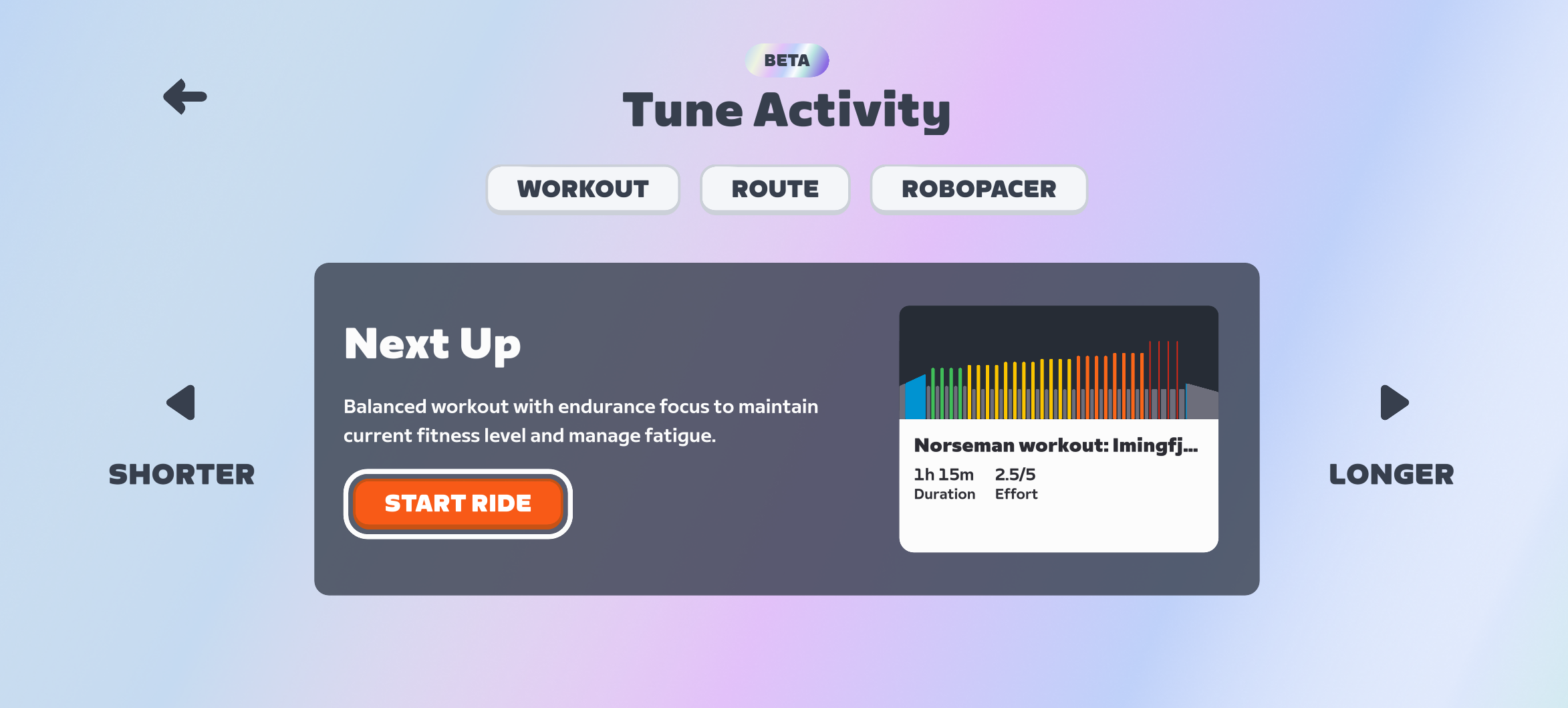
How does it all work? The Personalized Recommendations engine looks at your Zwift activities as well as any outdoor rides if you’ve connected your Garmin, Wahoo, or Karoo account. It then recommends a session for the day based on your habits, fitness, and freshness. These recommendations can be made shorter or longer, and you can choose between a workout, a route, and a RoboPacer. (Zwift tells me event recommendations will come in time.)
While the backend engine is, I’m sure, quite complex, the front-end interface is simple and easy to use. See for yourself:
Watch this space for more details as this feature begins rolling out!
Prestige: Season 1 Premier-Tier Race Series Begins November 20
Prestige: Season One is a premier-tier cycling esports series on Zwift with full live broadcast coverage, performance verification, and prizes. It all begins this Thursday, November 20, which means I’m getting this post out a bit late! But I believe this series is a big deal, for a few reasons, so I reached out to organizer Dean Cunningham to gather details I could share with the Zwift Insider audience.
Read on to learn all about this groundbreaking series, and the new platform hosting registration and results…
Principals & Partners
The series is organized and promoted by Restart Esports p/b Alex Coh Coaching, utilizing the Leadout Esports platform at its core for all race details, rider/team entries, and results.
Leadout Esports is a project headed by Nathan Guerra, and we’ll be seeing a lot more from them in the coming weeks and months as they begin powering additional high-end racing series. Restart Esports is headed by Dean Cunningham, and you can click below to hear Nathan and Dean discuss Prestige: Season One, the Leadout Esports platform, and visions for the future of cycling esports:
Race broadcast coverage is being handled by ZMS Esports Studio, powering live streams on the Leadout Esports YouTube channel during each race. Broadcasts will include commentary from familiar faces, including Nathan Guerra and Dave Towle.
Official race partners Verge Sport and Precision Fuel & Hydration will bring exclusive discounts to participants and squads, along with prizes for prime and race winners.
Series Format & Structure
The series consists of 4 one-day races on classic Zwift courses scheduled every other Thursday beginning November 20.
These are scratch races with one prime banner on each course. Scoring on the finish line of each race will be awarded as 30 points for 1st place, down to 1 point for 30th place.
To enhance the broadcast, women race first, with men racing a half hour later:
Women’s race times: 1300 EST/1800 GMT/1900 CET
Men’s race times: 1330 EST/1830 GMT/1930 CET
Individual Competition & Prizes
For the individual classification, each event is treated as a one day race. There are no league cumulative standings across the series for individuals. Instead, racers will compete in each race for cash prizes, as well as prizes from the series’ apparel and nutrition sponsors, Verge Sport and Precision Fuel & Hydration. Prizes for women and men are always equal.
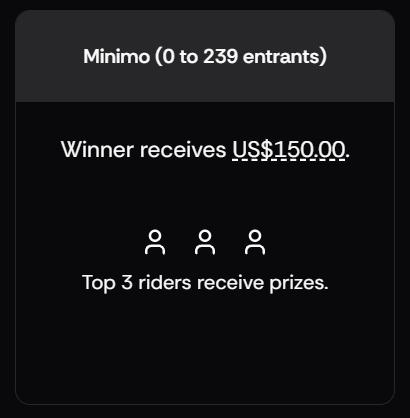
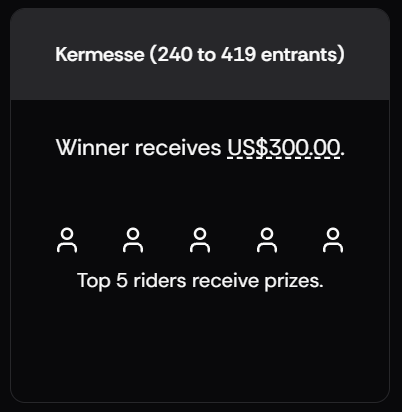
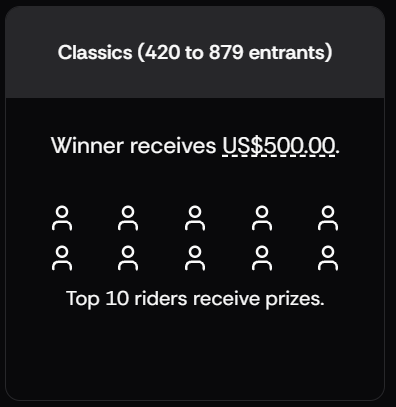
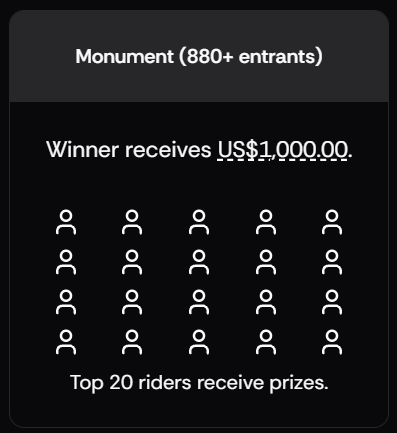
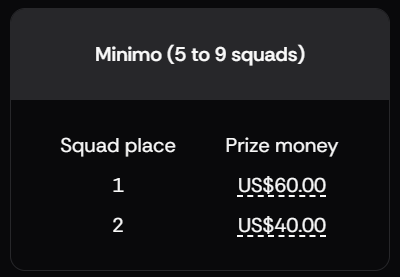
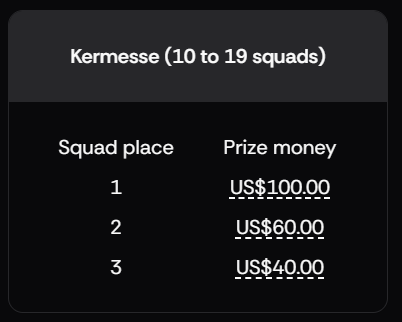
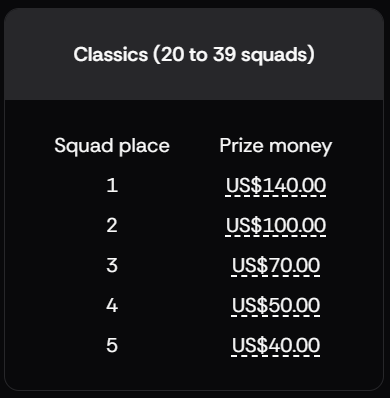
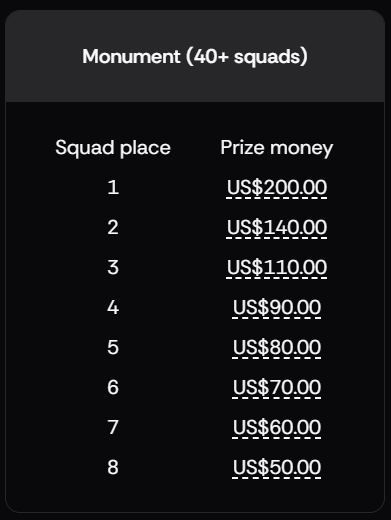
But that’s not all: Prestige offers a unique tiered prize structure that increases with the number of registrations for each race. The community has the power in their hands to grow the prize pool! This is visually represented on the Leadout Esports event page for the series:
Squad Competition & Prizes
Squads exist within teams, and there are 4 riders per squad. Within a team, you can have multiple squads, all competing against each other. This adds an inter-team competitive environment on top of the classic team competitions we have always enjoyed in esports cycling.
Unlike the individual competition, there is a cumulative league scoring competition for squads that carries across all 4 races.
Up to 3 racers on a registered squad, who place inside the top 30 across the race finish line, will see their points allocated to their squad’s point tally. These points will accumulate and form the squad’s total points after each race.
This will eventually accumulate to a final squad league table after race #4, where the squad with the most points will be declared champions. The series squad champions will receive a monetary prize as well as a custom-designed Verge Sport kit for all 4 racers on the champion squad.
Like the individual competition, the monetary prize pool for squads is also in the hands of the community. This prize pool grows in line with the number of squad registrations received for the series:
Age Group Prizes
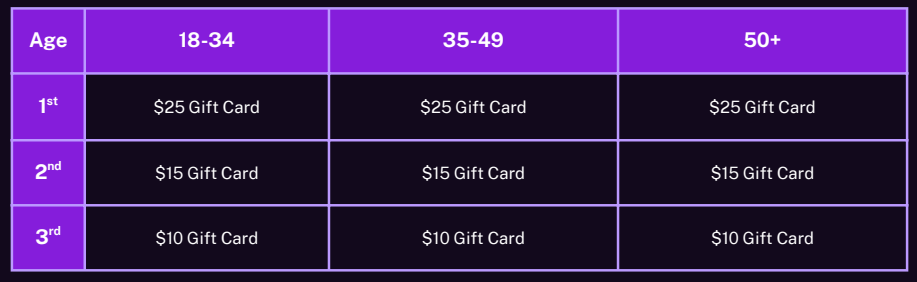
Precision Fuel & Hydration have offered up gift cards as prizes for age group winners across the finish line of each race. Racers who finish inside the criteria for cash prizes will not be eligible for the Age Group gift card prizes. This gives everyone in the entire race a chance at a prize!
Performance Verification
All 4 races in Prestige: Season One will be subject to performance verification.
The following requirements are mandatory for all participants in each race:
Must be 18 years of age or older.
A supplied weight video within 12 hours of the race start time.
The primary device to game for power, cadence, and resistance must be a smart trainer or smart bike from the permitted device list.
Heart rate data for no less than 80% of the entire race.
A dual recording dataset uploaded within 2 hours of race completion. This must show the primary device used for power, cadence, and resistance to the Zwift game overlaid with power and cadence data from a secondary independent power meter on the racer’s bike.
All data provided by racers will be checked, confirmed, and verified by Race Control for the series. Race results will not be set as confirmed until all of these checks have taken place, and no prizes will be allocated to any racer/squad until Race Control is satisfied with the provided data.
Entry Fees and Registration
Prestige: Season One does indeed have entry fees for individuals and for squads.
These entry fees fund further advancements to the Leadout platform. They enable and enhance live stream broadcast capabilities. And they enable the development of tooling/capabilities for Performance Verification. These are all things that are not available in any other race series.
But most importantly, the entry fees enable prize pools for racers and squads. No matter the number of registered racers/squads or prize pool tier that is met, 50-75% of the entry fees are paid back directly to the participating racers and squads, with the rest going towards the development of the platforms and tooling to make the racing experience even greater.
Individual entry stands at $12 USD per race. This is paid directly by each participating racer.
Squad entry for the 4x races in the series stands at $40 USD. This covers a squad of 4x racers for all 4x races in the series. This can be paid by any member on the squad, and is paid in addition to the individual race entry fee.
Prestige is a new series, and the first to be hosted on the just-launched Leadout Esports platform. But Dean from Restart and Nathan from Leadout are veterans in the esports space! There’s a lot of fresh, innovative stuff to talk about here, making this feel like a foundational moment for community-organized, premier-tier cycling esports.
If you’re looking for a heightened experience in the sport, a way to promote yourself and your team to a wider audience, a place where honesty and fair play grant opportunities to win prizes… take a good look at Prestige: Season One.
Questions or Comments?
What do you think of this new series on a new platform? Share below!
3-Stage Off the MAAP Series Announced for November 24-December 21
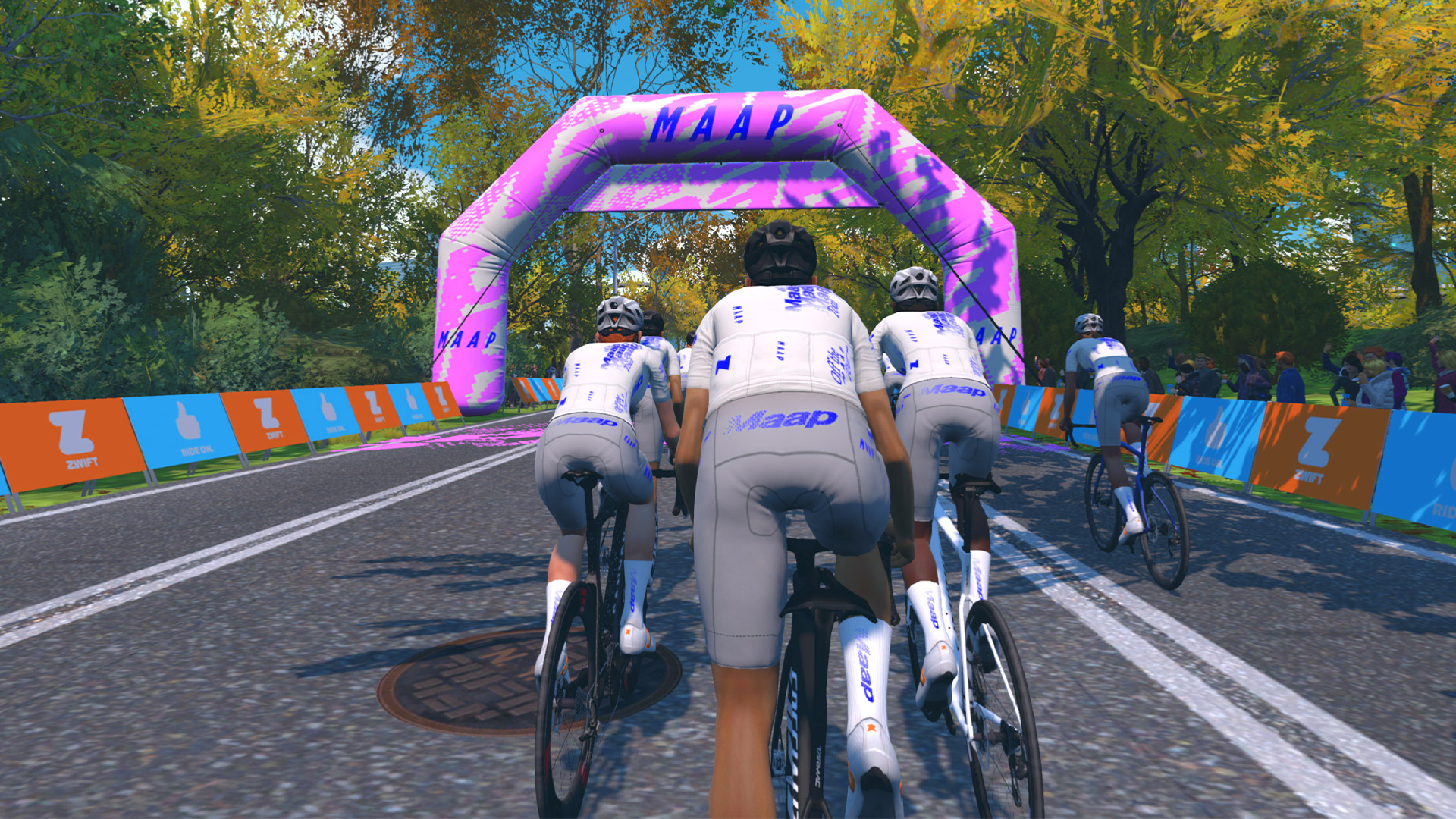
Zwift has just announced this year’s Off the MAAP series, a multi-stage cycling tour returning for its sixth year on the platform. With hourly events around the clock, this is the next big tour on the heels of Brompton Worlds.
Held in collaboration with the Melbourne-born MAAP, this series has historically proven very popular among Zwifters, with hundreds of thousands participating over the years thanks to a fun mix of courses and kit unlocks!
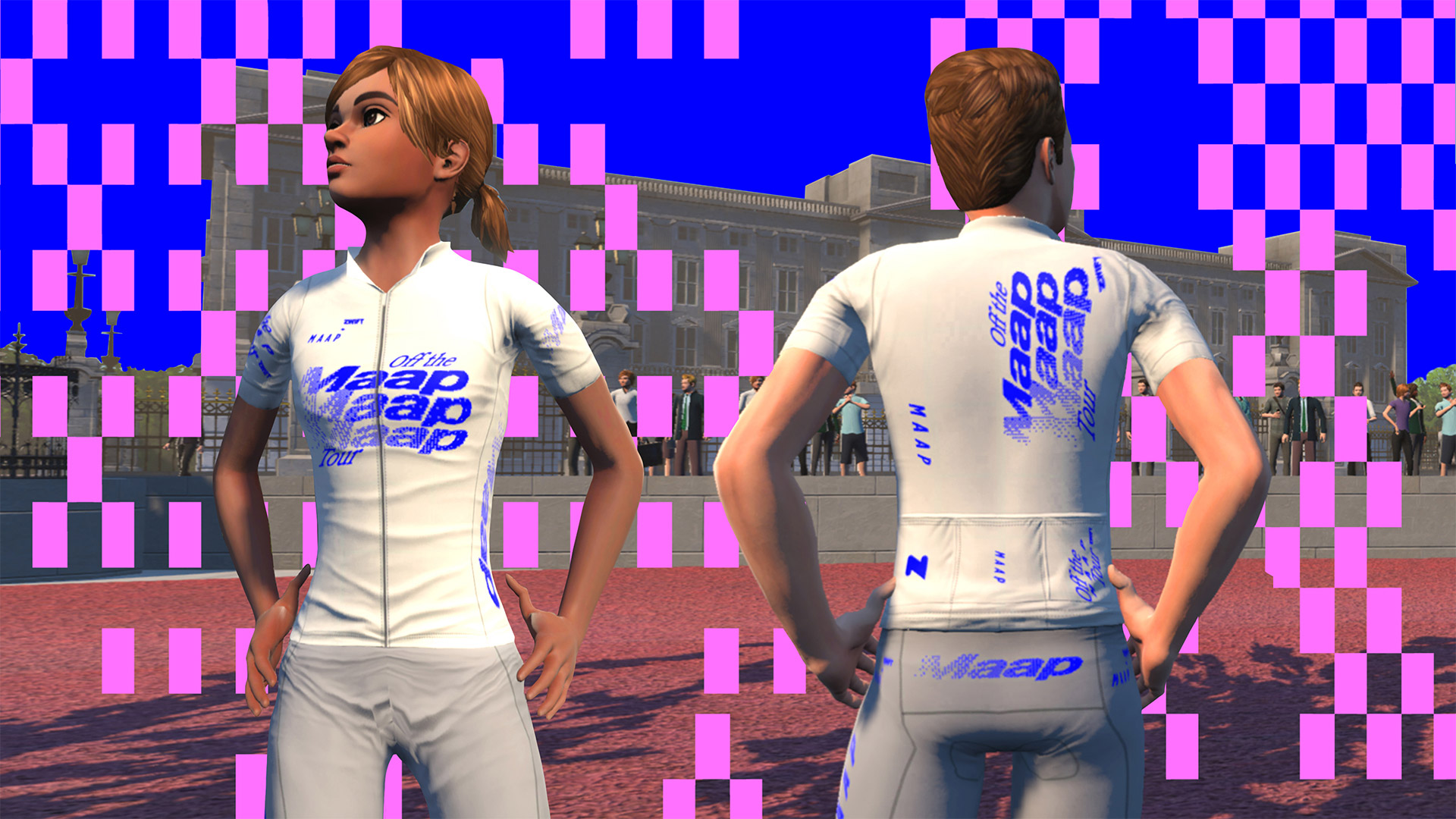
Complete All 3 Stages → Off The MAAP Kit (in-game)
Finish all three stages and you’ll earn access to purchase the limited-edition IRL kit via MAAP.cc starting on December 22. Important: to receive the purchase link, you must be opted in to receive Zwift emails at zwift.com/settings/emails.
IRL Events
Join with MAAP and other Zwifters at the MAAP LaB in Melbourne, Los Angeles, or Berlin for a night of music, beers, pizza, and short-course races on Zwift. (These are TT invitational races, but anyone is free to attend as long as you reserve your spot!)
MAAP says “epic prizes await—plus the first look at the Off the MAAP ’26 kit and a cash purse on the line. RSVP now—spaces are limited.” RSVP links:
Visit the MAAP landing page and fill out the form to enter for a chance to win the ultimate rider’s prize: a year’s supply of MAAP kit, a Zwift Ride with KICKR CORE 2, plus a year’s subscription to Zwift!
Is this a race?
Not officially – Off the MAAP events are set up as group rides and won’t count toward ZwiftPower ranking points, Zwift Racing Score, etc. That said, cyclists know it only takes two riders on the same route to make a race!
Many riders will be racing these events, and if you want to go hard you are free to do so, just as you’re free to ride at whatever pace you’d like.
Zwift Camp: Build is now underway. This is a 5-stage route-based workout series, with each stage lasting one week and focusing on developing power over a specific time interval.
My plan is to do each of the five workouts before their weeks begin, so I can write a post unpacking the workout and delivering some tips along the way. This post covers Stage 2’s anaerobic workout on France’s Bon Voyage. Let’s dive in!
I pulled the 7-Eleven bike out for this ride in France
The second stage of Zwift Camp: Build focuses on what you might call “long sprint power,” with efforts lasting 20-60 seconds. To do so, you’ll ride a lap of France’s Bon Voyage route (31.4km, 155m).
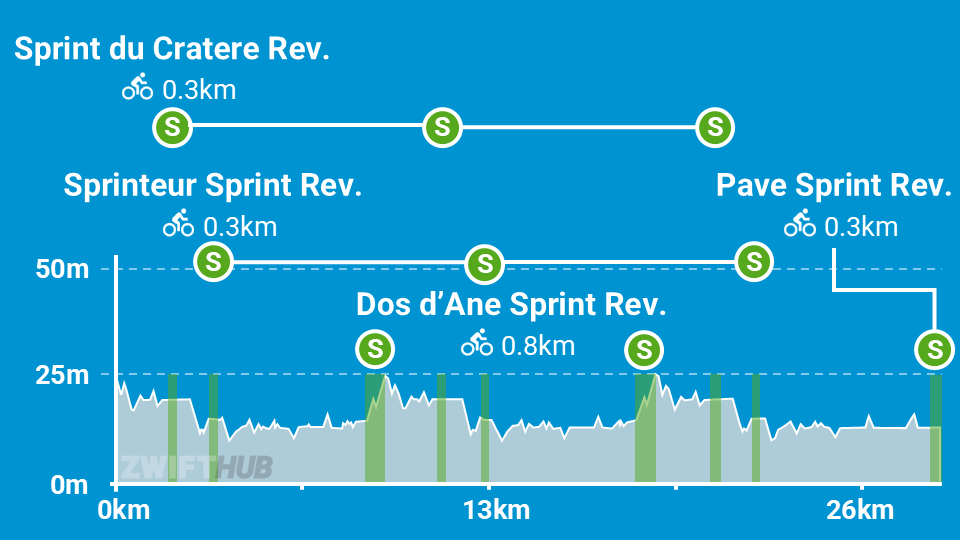
Here’s a profile of the route, not including the lead-in. As you can see, there are 9 sprints on the route itself. But watch out! You’ve got one more on the lead-in, for a total of 10.
Executing the workout is simple enough: just hit every sprint segment hard. (I said simple, not easy!) 10 sprints is a lot, especially when three of them are 1-minute efforts. So expect some suffering.
I went into the workout with semi-tired legs, but figured I could put in a decent effort because I thought we would only be doing three 1-minute efforts, based on the event description.
Unfortunately for me, this workout had more sprints than anticipated. But lucky for you, now that you’re reading this, you know what you’re getting yourself into!
My first sprint, Dos d’Âne Sprint Reverse, began 2.4km into the event. It was a little off, for a few reasons:
It wasn’t clear to me from the on-screen instructions that I was supposed to sprint at the line. (The messaging before most of the subsequent sprints makes this more clear, but this first one did not.)
When I went to turn my Wahoo Headwind fan up partway through the sprint, the fan turned completely off! So I had to fumble around with that.
My legs clearly needed this to be a recovery day.
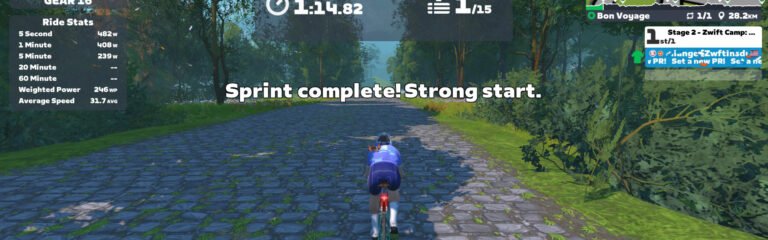
The sprint was longer than anticipated, taking me 74 seconds to complete.
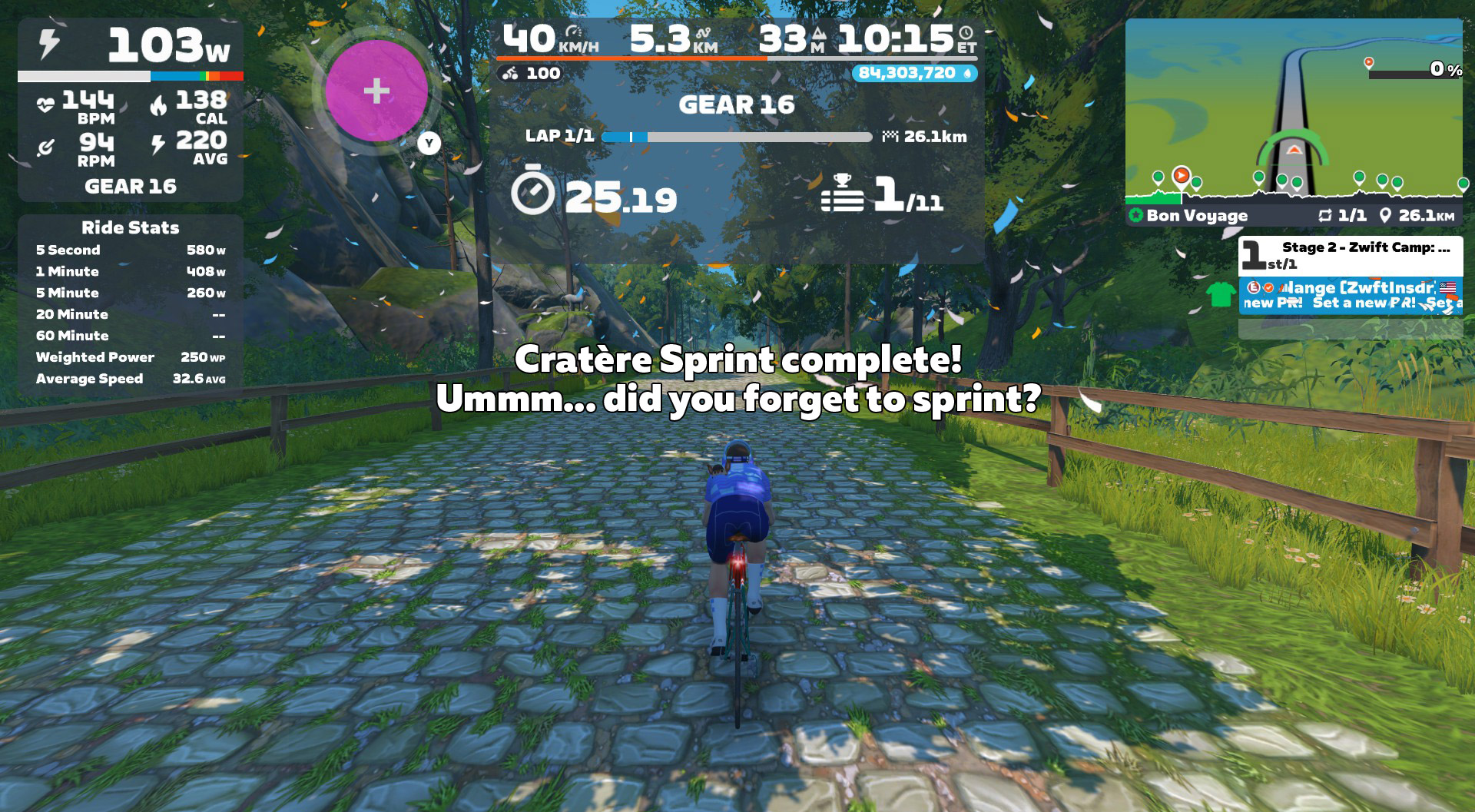
It wasn’t until 4.5km into the ride that a message popped up telling me the next sprint was coming up – Sprint du Cratère – and that I was supposed to sprint on it. That’s when I realized I would be sprinting on every segment on this route. Uh oh. I picked a bad day to have bad legs!
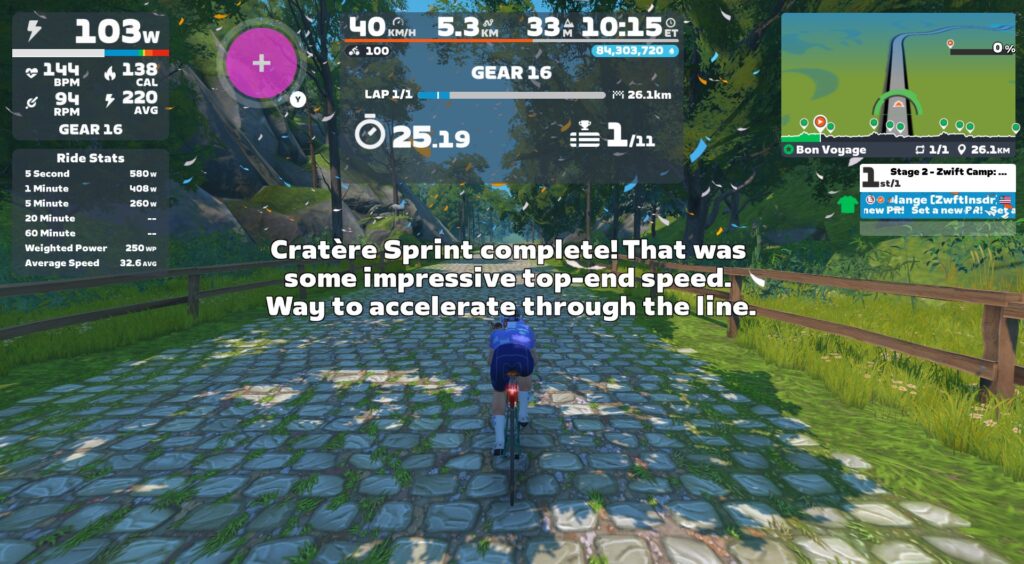
I sprinted rather halfheartedly my first time over Cratère, but the game was very impressed:
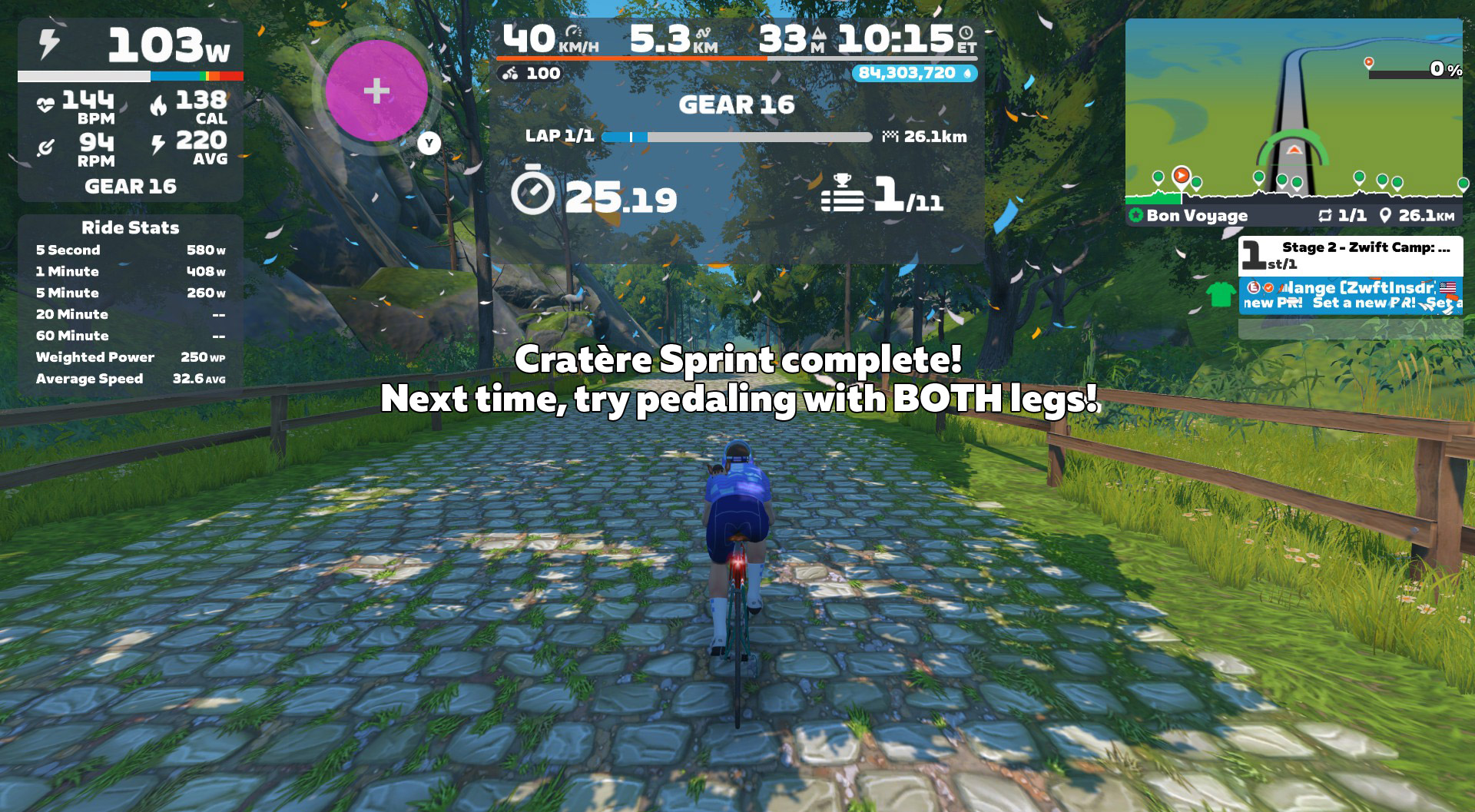
Wouldn’t it be cool if Zwift had some intelligence built into these messages, so the response reflected your actual performance? Maybe with a “Snark Slider” in Settings so we could determine how acerbic our coach was. My screen should have said something more like:
This route uses some of the newer HUD features I mentioned in stage 1’s writeup, showing the Ride Stats panel as well as the Lap Splits.
Like stage 1, Ride Stats was more useful than Lap Splits. I appreciated seeing the 1-minute power field on Ride Stats, as that gave me something to chase. But Lap Splits? Totally useless for this workout, because of how the route is laid out and how the Splits were used. (More on this topic in the Suggestion Box below.)
On-screen messaging does a good job of telling you when the next sprint is about to arrive, plus you can see the finish lines approaching on the mini-map profile.
There isn’t much more to say about this workout from an execution standpoint: just sprint hard at every sprint segment, and rest in between.
Again, same warning as stage 1:if you ride this in a group event, it may be harder to dial it down and spin between sprints. But you’ll definitely want to do so, if you want to have the energy for maximal sprint efforts.
HoloReplay Bug
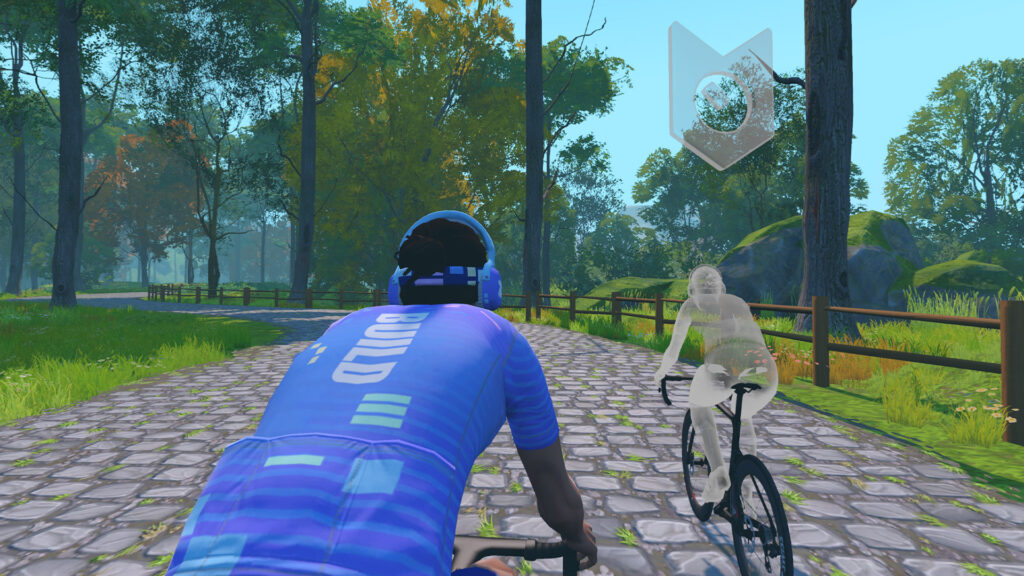
I found Zwift’s HoloReplay to be helpful as a motivator on the sprints, but the same bug is in this workout as in stage 1, causing two different ghosts to appear, instead of just my previous effort. (More on this in the Suggestion Box below.)
Anaerobic capacity is typically measured with a 30-second sprint test
Unlike the neuromuscular system from stage 1, the anaerobic system is highly responsive to training
Strong anaerobic performance is particularly useful in “spiky” cycling disciplines like cyclocross, crits, and MTB racing
Anaerobic Training Tips
The anaerobic system is very adaptable to training, so if you find this is an area you’d like to focus on, you can execute stage 2’s workout more than once! You can also try making your own workout, or using workouts from Zwift’s library.
One classic anaerobic workout is called “Thirty Thirties”. 30 seconds on, 30 seconds off. Repeat this 5-10x, rest for a few minutes, then repeat it again. Do 2 or 3 sets. Fit riders can typically do 3 sets of 10 30-30s. You can do the 30-second hard efforts as free ride segments in a workout, or set them to 130-150% of your FTP if you like Erg mode. You can even do this during a free ride, simply using the game clock as your timekeeper. It’s a simple yet effective workout.
Three tips to maximize your anaerobic workouts:
Fuel properly: Anaerobic work is almost entirely glycolytic, which means it’s fueled by sugar. If you don’t have glycogen stored up to fuel the workout, you won’t be able to put in repeated full efforts in your anaerobic zone.
Go in recovered: If you’re dealing with residual muscle fatigue from yesterday’s workout or tiredness from a poor night’s sleep, you’ll have a really hard time executing a quality anaerobic workout. These efforts are sharp, hard, and repeated. They take focus and mental (as well as physical) energy.
Set accurate targets: if you’re doing these as an ERG workout, make sure your FTP is accurate and your targets are realistic (130-150% of FTP is normal). As with all ERG workouts, an inaccurate FTP means you won’t be training the systems you thought you were training. And nobody’s got time for that!
Suggestion Box
The second workout of Zwift Camp: Build would have gone better if I’d known, going in, that there would be 10 sprints. I would have gone easier the day before, knowing I needed more in the tank.
Here are my suggestions for improvements Zwift could make to stage 2:
How many sprints? The marketing for this stage talks about “Three 1-Minute Efforts”, but the actual in-game messaging has you sprinting all 10 segments. Those are two very different workouts. Zwift needs to decide what the actual goal is, then communicate that consistently.
No Lap Splits: This route is basically two laps of a circuit, plus a lead-in at the start, and a “lead-out” at the end. So at best, you could time two “laps”. But the way it’s set up, the first lap isn’t auto-triggered until the second time through the Dos d’Âne Sprint, meaning the first lap’s time includes the lead-in. That means you can’t compare it to the second lap’s time… which makes the Splits timers useless for this workout.
Fix HoloReplays: It’s clear that Zwift has hard-coded the HoloReplay functionality into these events, because changing my settings doesn’t seem to make a difference! It wasn’t a big deal for me, and the ghosts still motivated me to push hard. But Zwift should fix these events so they automatically show HoloReplays (just one ghost of your previous effort) for everyone.
Improve the event description: I already mentioned this for stage 1, but stage 2 is a perfect example of how a simple line or two in the event description would clarify what people are signing up for (once Zwift figures out what that is, see the first bullet above).
Intelligent in-game messaging: OK, this is sort of silly and a major stretch goal at best. But it sure would be cool if the game could respond accurately to my actual efforts on the segments, as pitched above. Zwift has the data necessary to do so. Just hook it up to ChatGPT and let ‘er rip!
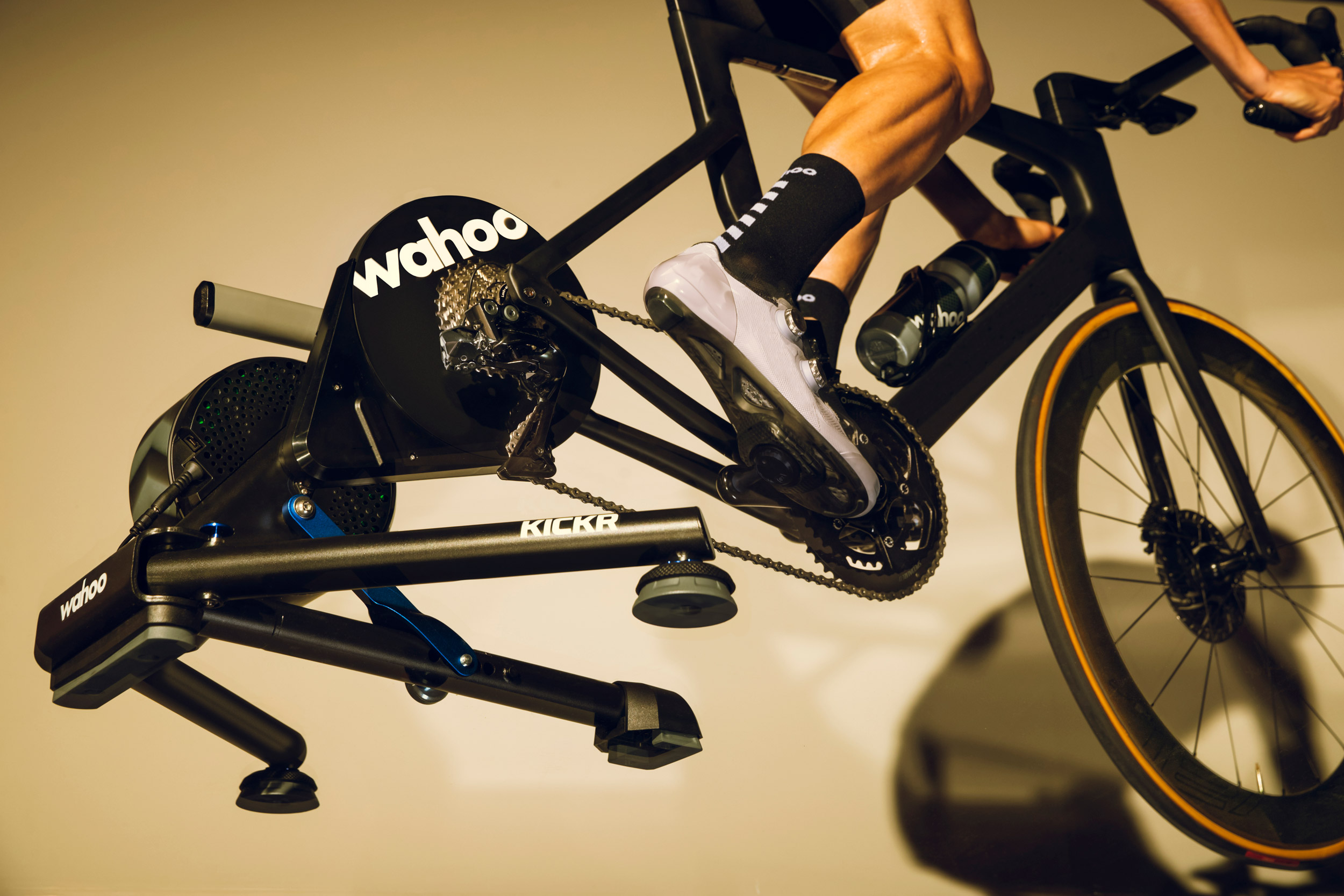
Today, Wahoo announced a handful of early Black Friday deals valid through Monday, December 1. I’ve shared those details below, along with shopping links.
Please note, if you purchase an item on Wahoo’s site using these links, Zwift Insider will receive a small affiliate commission. Thanks in advance for your support!
More To Come
There are even more deals from Wahoo dropping on Black Friday and running through Cyber Monday, including discounts on some of the most popular hardware in Wahoo’s indoor training ecosystem not already in the list below. My guess is, we’ll see similar deals from Zwift. Watch this space for details!
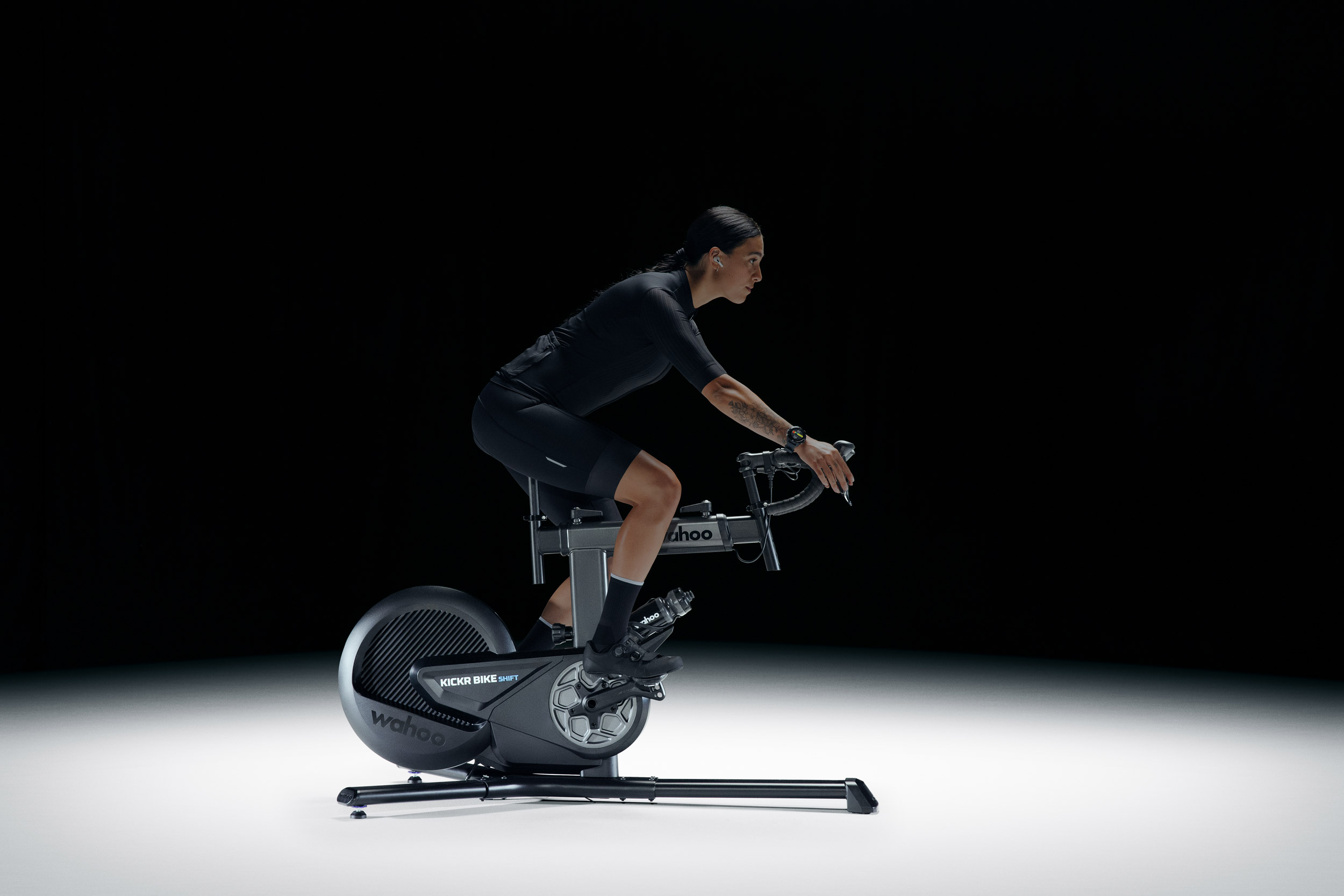
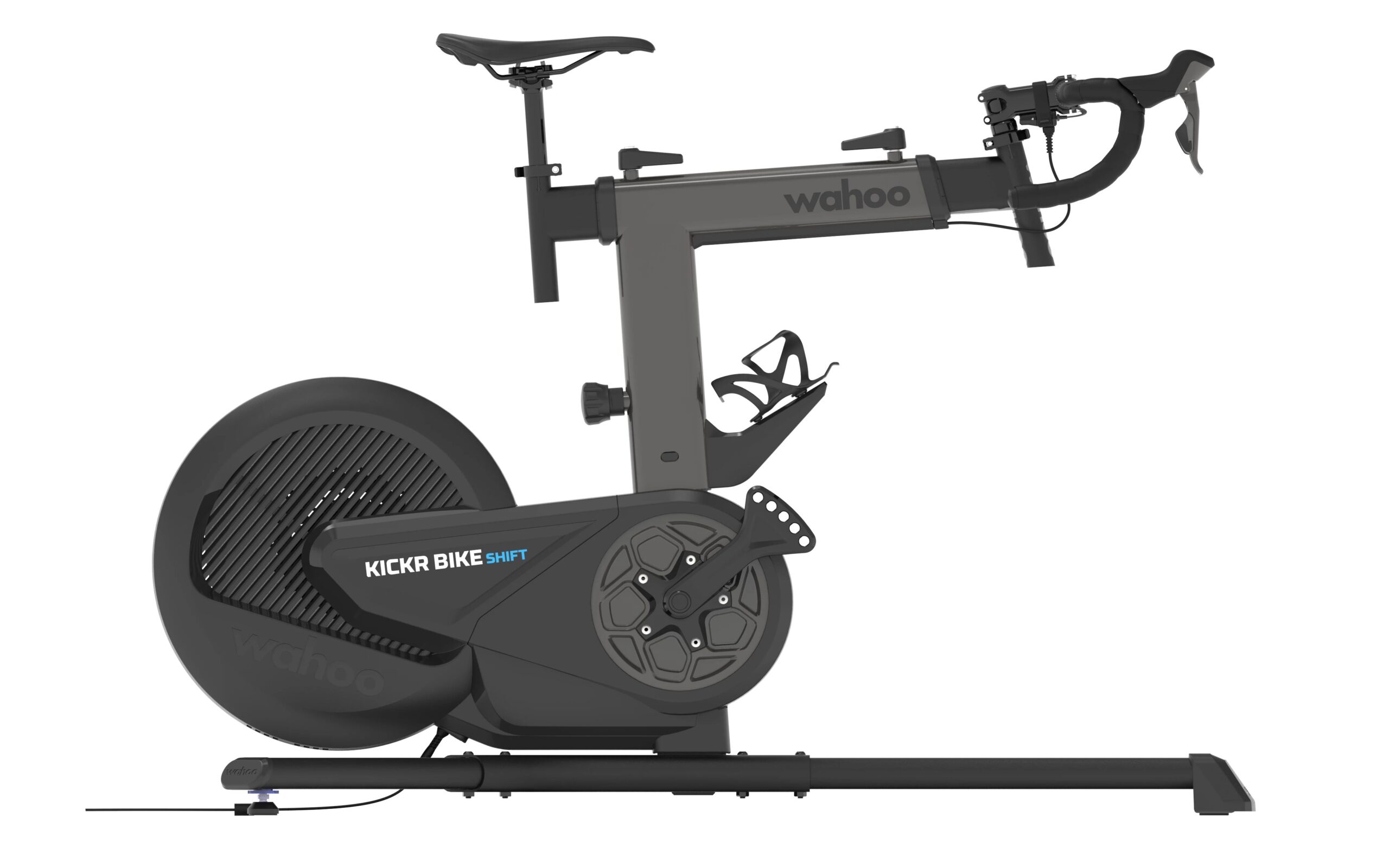
KICKR BIKE SHIFT
Regular Price £2,199.99 / $2,549.99 / €2,499.99, Black Friday Sale Price: $1,999.99
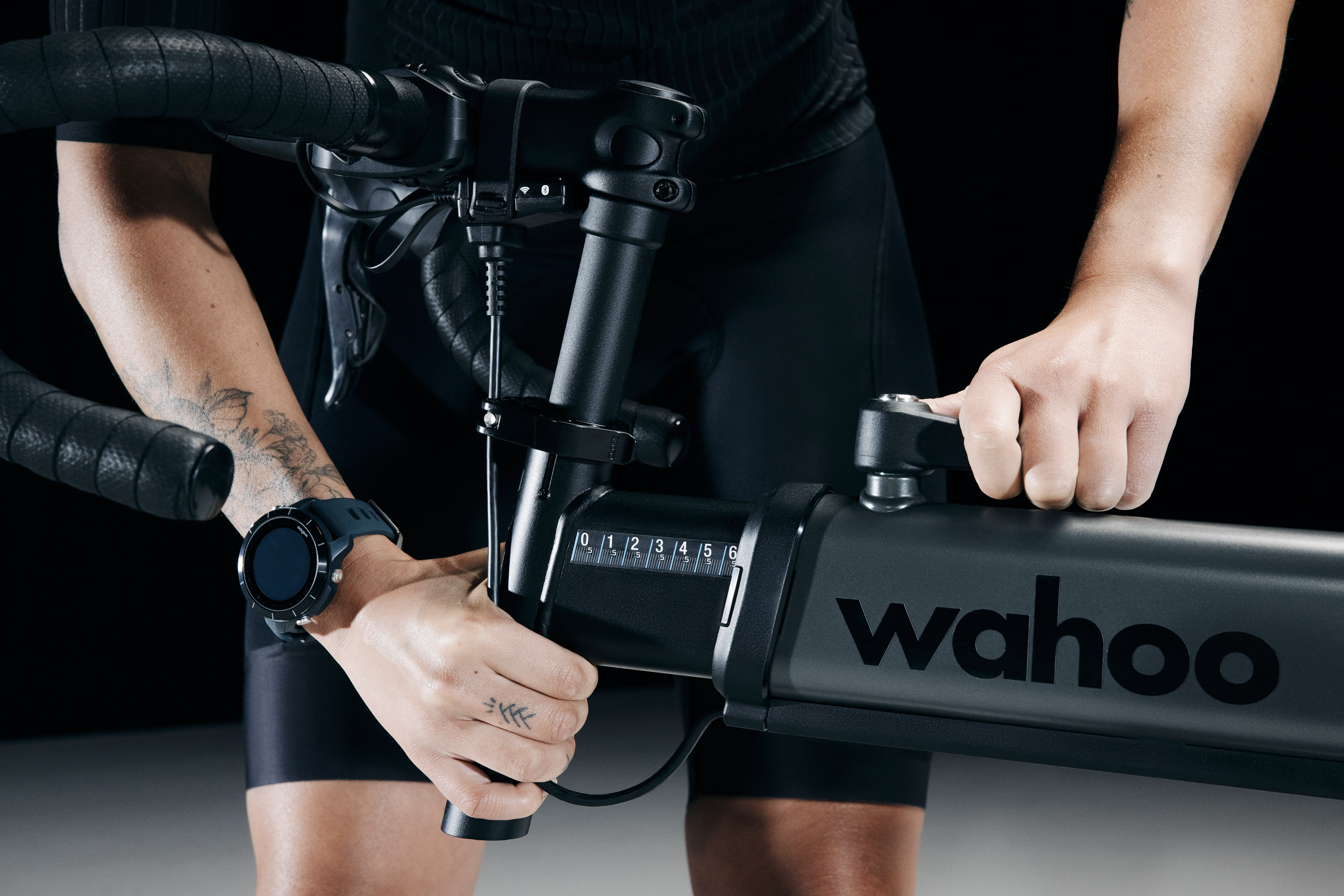
The KICKR BIKE SHIFT offers the unmatched ride feel of the KICKR BIKE while retaining key features such as Reality Shift, True Fit, Real Ride Feel and, of course, Wi-FI. Wahoo has helped open up the smart bike category to even more people by refining features, including the introduction of a new brake and belt drivetrain system to deliver lightning-fast resistance response to grade and power changes – plus an even quieter ride than ever before.
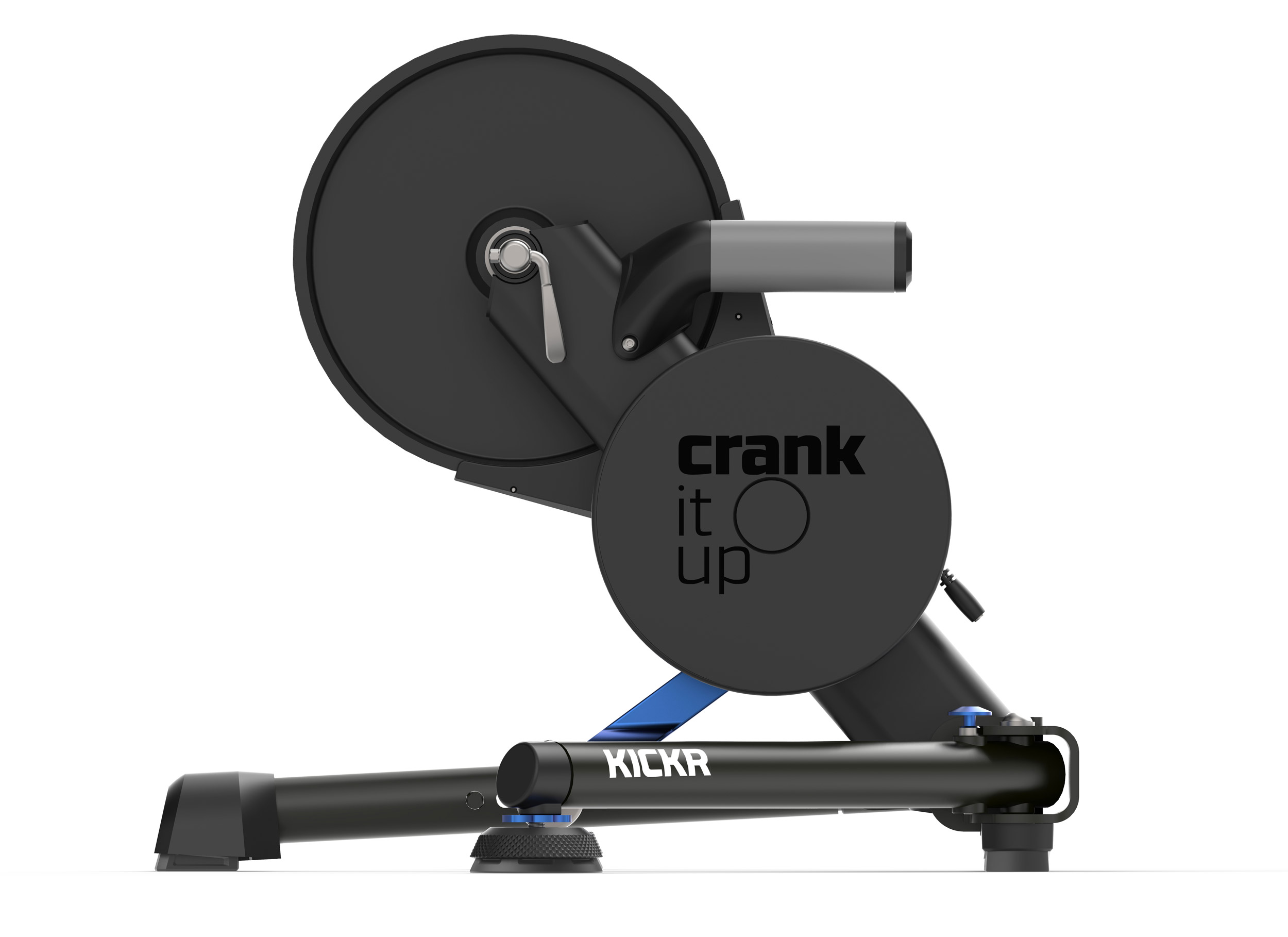
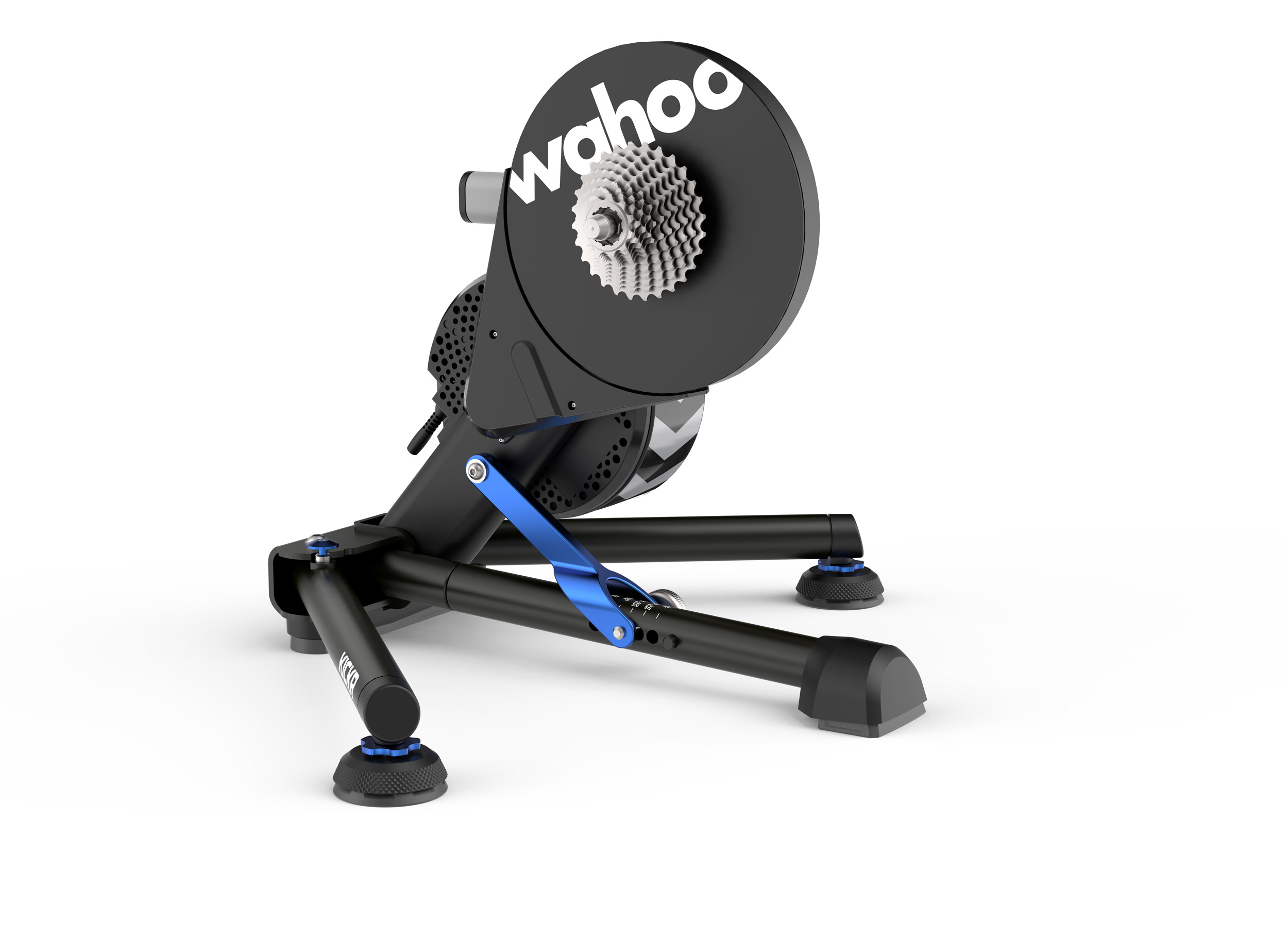
KICKR V6
Regular Price £899.99 / $1049.99 / €999.99, Black Friday Sale Price: $787.49
The newest version of the KICKR offers best-in-class indoor smart trainer design. With the addition of lightning-fast WiFi, KICKR continues to stay ahead of the pack as the smart trainer that gives you the most ways to connect, compete, and train indoors. The KICKR automatically calibrates and provides accurate power measurements of +/- 1%.
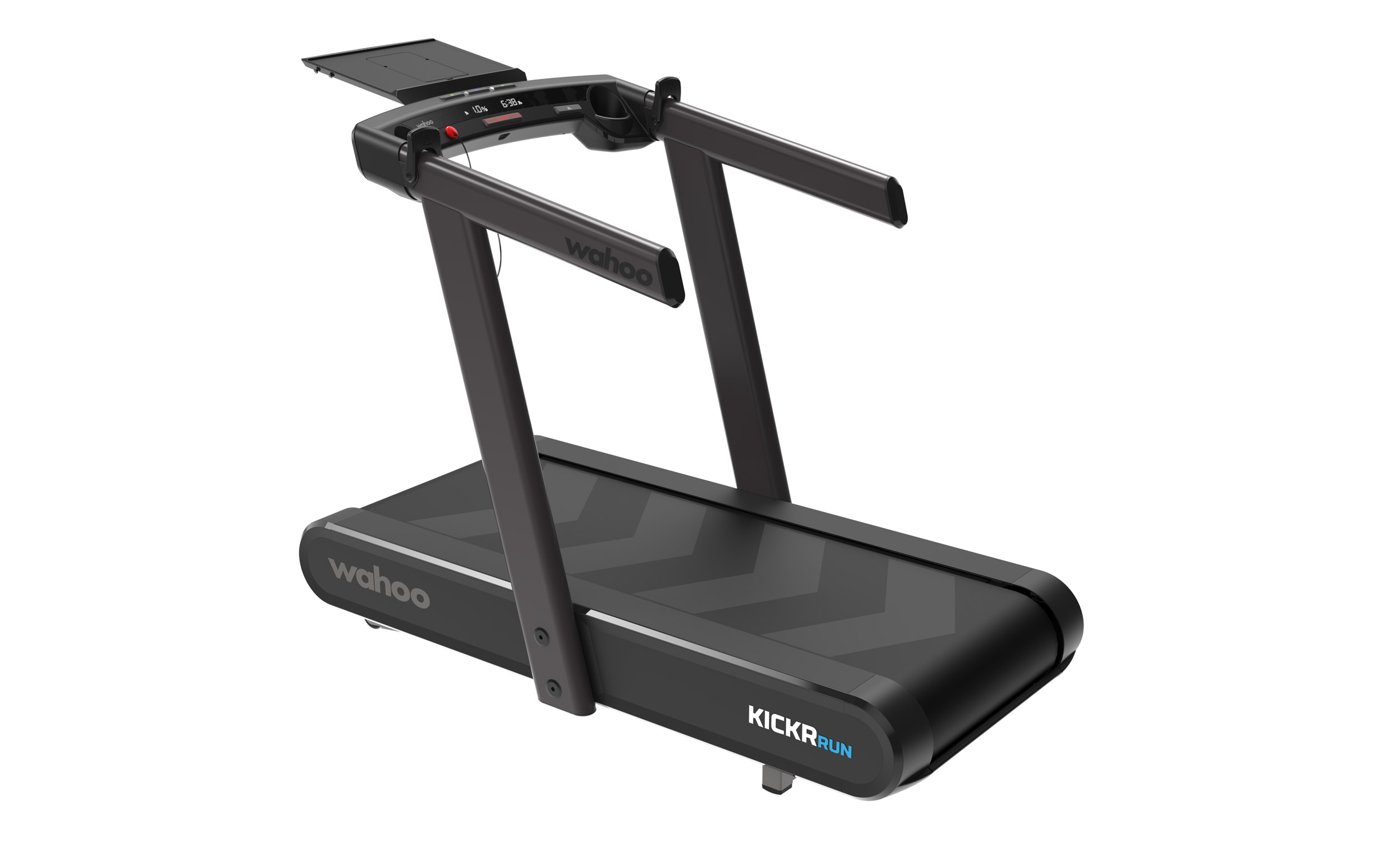
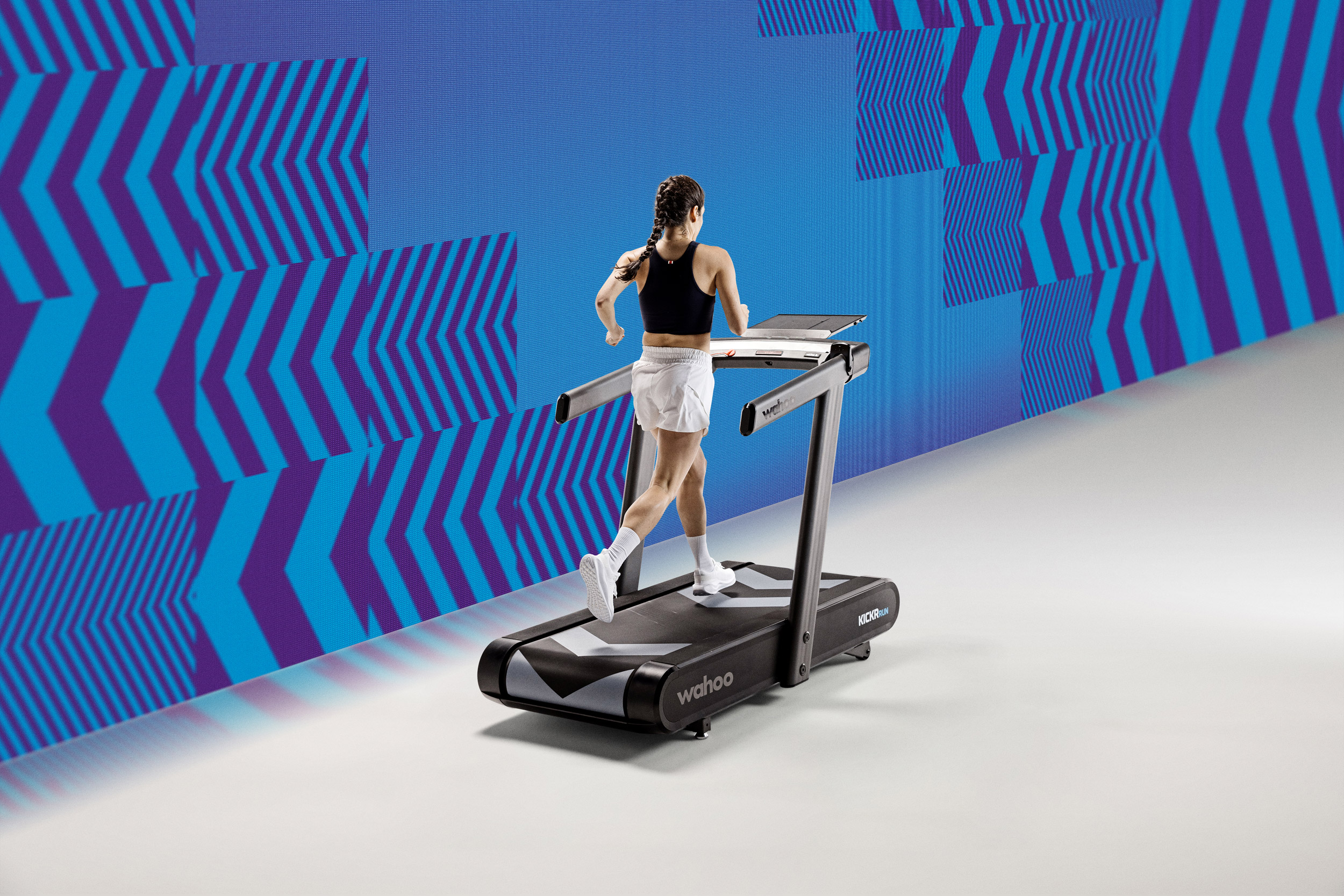
KICKR RUN (US Only)
Regular Price $6,999.99 / £5,999.99, Black Friday Sale Price: $5,249.99
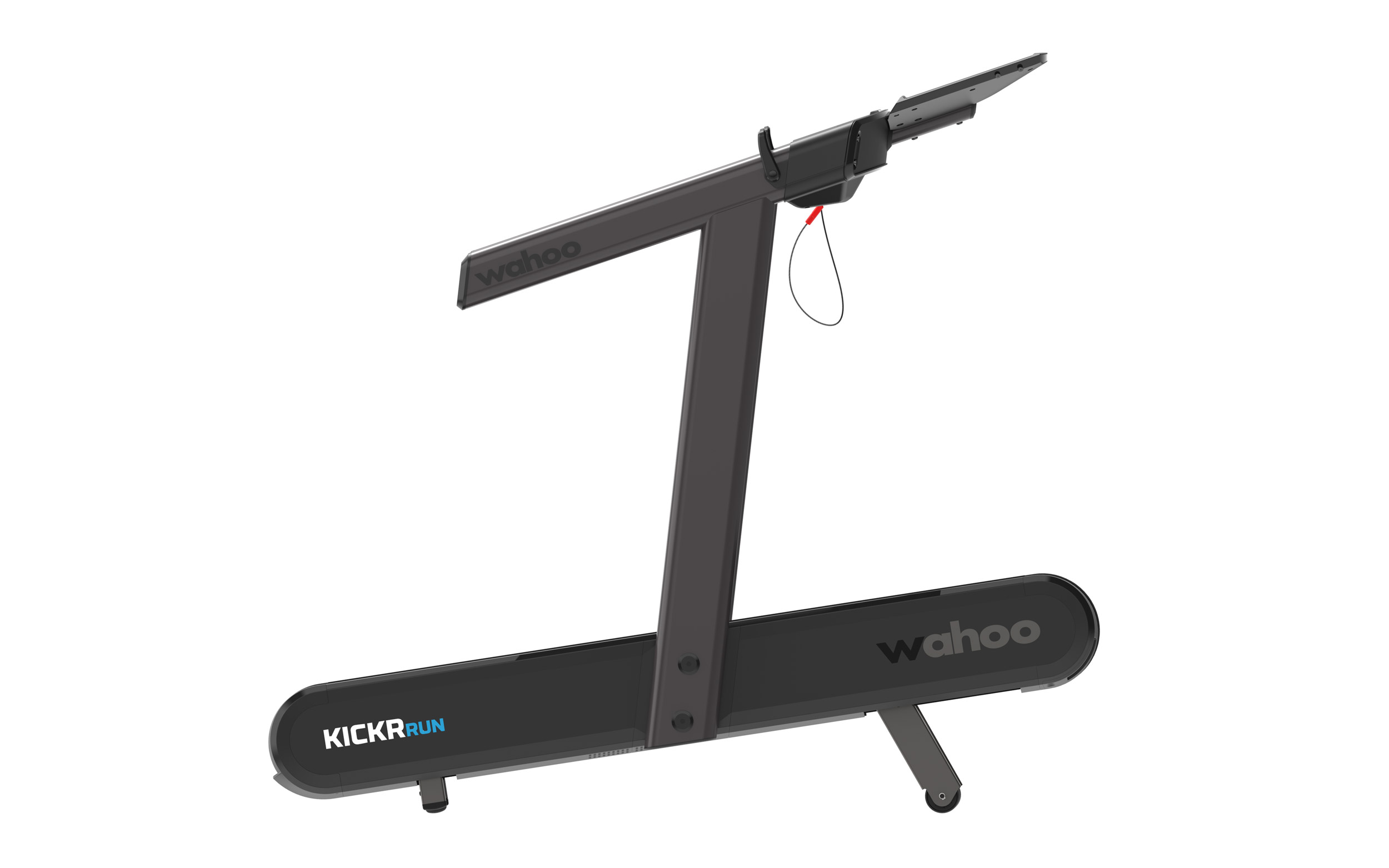
The KICKR RUN is a cutting-edge smart treadmill designed to deliver a natural and immersive indoor running experience. It features RunFree Mode, which uses advanced sensors to automatically adjust the belt speed to match your pace, eliminating the need for manual controls. With a responsive surface, grade simulation, and lateral tilt, it mimics outdoor running conditions, challenging stabilizer muscles while providing dynamic movement. The treadmill integrates seamlessly with apps like Zwift and TrainingPeaks, offering smart controls for speed, gradient, and advanced running metrics like cadence and vertical oscillation
We’re featuring an eclectic mix of community events this weekend: a wildly popular new TT series, a fat-oxidizing group ERG session, a new long race series, an endurance ride, and a popular new race league. See all the details below!
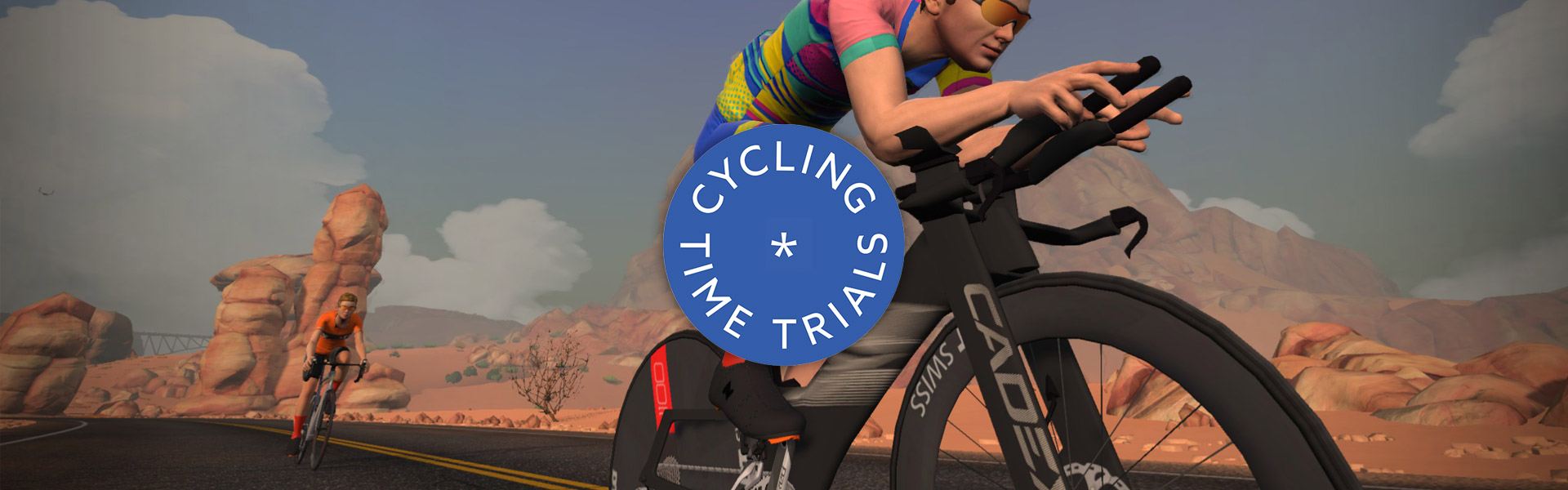
This week, Cycling Time Trials (CTT) – the national governing body for time trials in England, Scotland, and Wales – launched their Winter Time Trial Series on Zwift. And it’s proving hugely popular, with several hundred finishers in the kickoff event!
Saturday is your last chance to complete the kickoff event on Watopia’s Tempus Fugit (19.6km, 16m), and we see over 350 riders already signed up, making this the most popular event of the weekend.
This popular ERG workout series is structured like a small local training camp, with 6 sessions spread over 2 weeks. Session #3 is 80 minutes long, and the description says, “In the third session, things are a bit more relaxed: we’re training in the FatMax zone, right at the point of maximal fat oxidation.”
This weekend, DBR launches a new 6-week race series featuring events on longer routes. DBR says, “It’s not a SufferDay League, but maybe a light version of it.”
The kickoff race is on 5 laps of Coastal Crown Loop for a total length of 84km with 1006m of elevation.
The folks at Rad Race have organized a 12-week structured workout series on Zwift. Goal: To improve maximum oxygen uptake (VO₂max) – the basis for sustainable performance development on the bike.
Saturday’s group ride isn’t a structured workout, but rather an endurance group ride: 3 hours at 2-3 W/kg on France’s flat R.G.V. route. Rad Race says the goal of the ride is to “Build your aerobic base – the foundation for all training zones. Perfect for active recovery and balancing out your VO₂max week.”
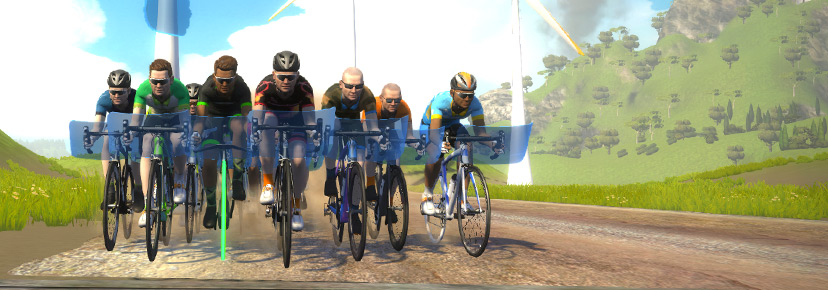
VirtuSlo’s popular 4Endurance League began last weekend, and this weekend’s stage 2 has a lot of signups! Riders will be racing two laps of Greater London Loop Reverse (41.4km, 511m).
The 4Endurance League is a 6-race series held over a 6-week period. You can find out about the other races and more league info in the event description.
We choose each weekend’s Notable Events based on a variety of factors including:
Is the event unique/innovative in some way?
Are celebrities (pro riders, etc) attending/leading?
Are signup counts already high, meaning the event is extra-popular?
Does the ride include desirable unlocks or prizes?
Does the event appeal to ladies on Zwift? (We like to support this under-represented group!)
Is it for a good cause?
Is it just plain crazy (extra long races, world record attempts, etc)?
Is it a long-running, popular weekly event with a dedicated leader who deserves a shout out?
In the end, we want to call attention to events that are extra-special and therefore extra-appealing to Zwifters. If you think your event qualifies, comment below with a link/details and we may just include it in an upcoming post!
How the Race Was Lost: Rising Empire VO2 Session (ZRL Race 2)
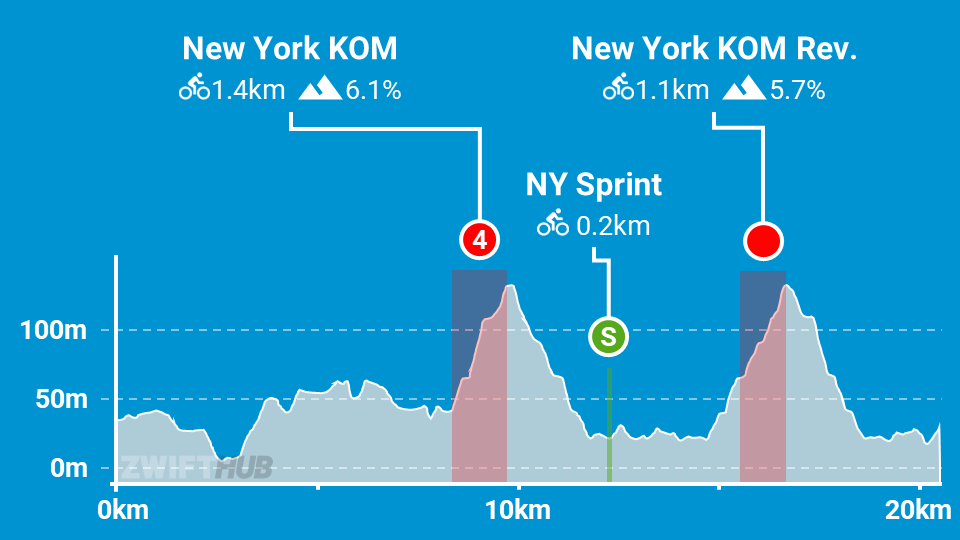
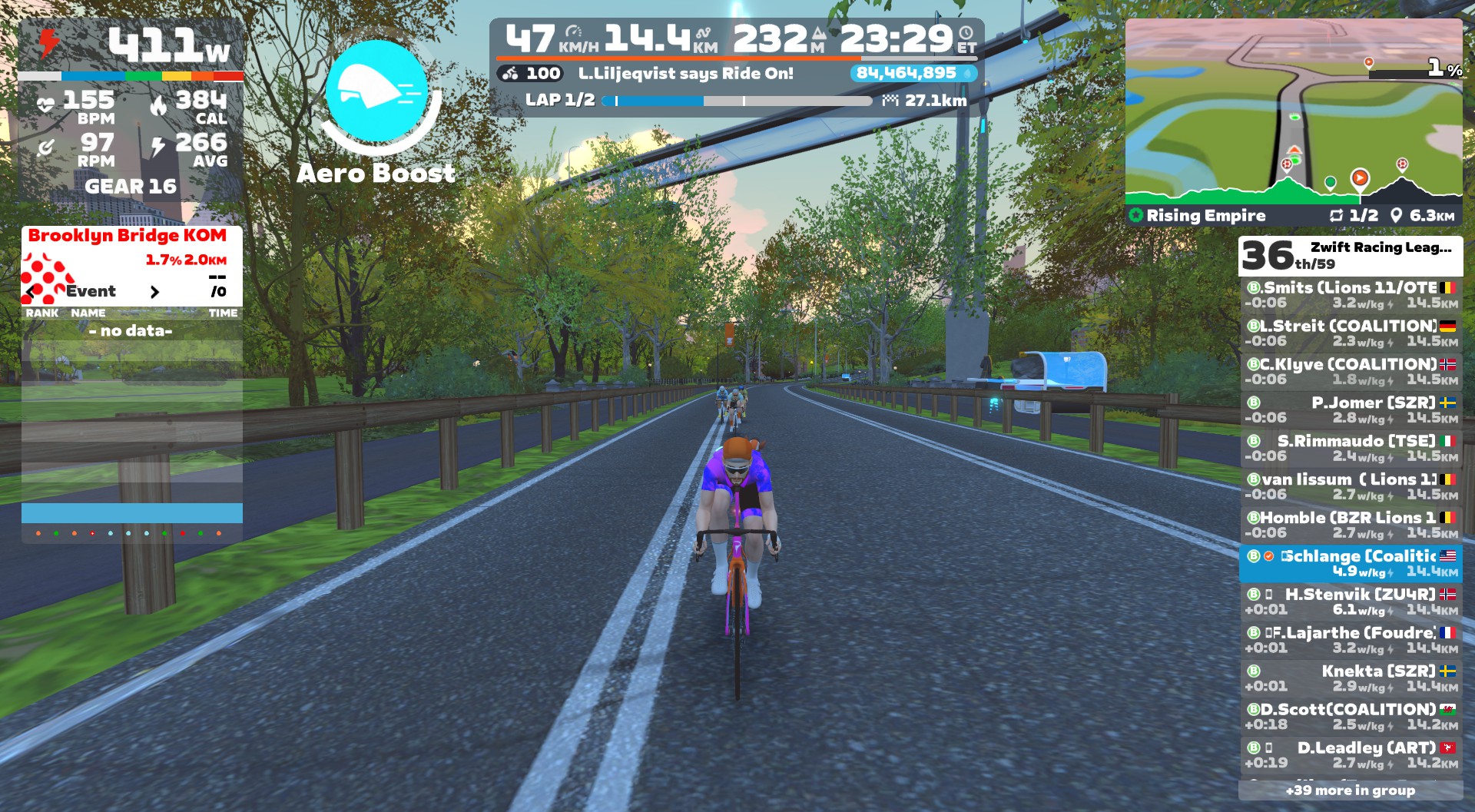
The second race of ZRL Round 2 was on two laps of New York’s Rising Empire for A and B teams. This course features the New York KOM in both directions, which meant a total of 4x hard climbs, and nightmares for me in the days leading up to the race…
Warmup and Planning
Leading up to the race, my Delusion teammates had been chatting on Discord. The consensus was that most of us were dreading it, a couple of weirdos were looking forward to it, and team captain Neil was clearly dodging it by trotting out the old chestnut of “I just crashed my bike, haven’t ridden since, and can’t put bibs on over all the road rash.” Likely excuse, Neil!
We basically decided everyone would race their own race, battling to stay in the furthest forward group possible, because ZRL’s points structure is such that everyone has an incentive to get across the line ahead of others on every points segment.
Knowing this race would require everything I had (and likely a bit more), I tried every trick in the book when it came to preparation. PR Lotion to my legs, 300mg of caffeine thanks to MEG gum, and even a Nomio shot (broccoli, yuck).
Having learned my lesson last week, I was on the bike with plenty of time for a good warmup. I spun up the legs, which felt less fresh than they should. Still, I put in a few good efforts to wake up my heart, then joined the pens in New York on my full-upgraded Pinarello Dogma F 2024 with ENVE 4.5 PRO wheels – the best climbing rig at my disposal.
Lap 1
Everyone knew the first real fireworks would explode the first time up the NY KOM. With the way this route is laid out and the way segment points work, there just isn’t enough incentive to do anything except sit in until that KOM.
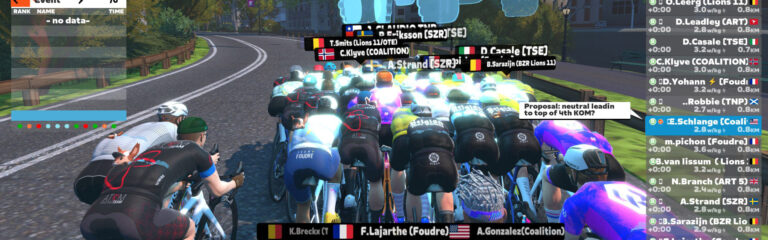
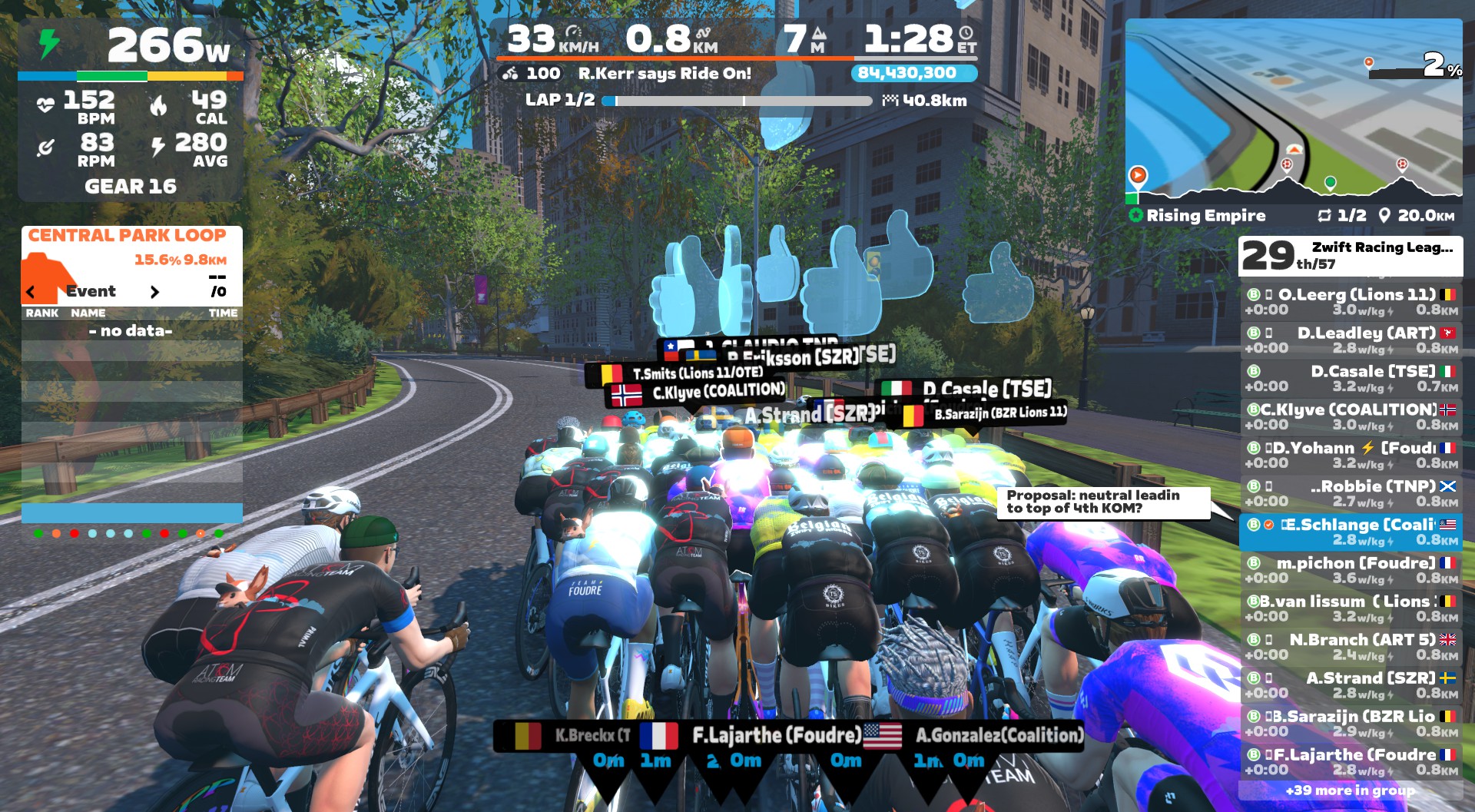
I proposed a helpful neutral lead-in, and got some yes votes:
Unfortunately, we clearly didn’t have the supermajority agreement required for such a measure to pass. The glass road ramp was our first effort after averaging just 237W in the first 5 minutes, and while the watts jumped up significantly, it wasn’t enough to drop anyone.
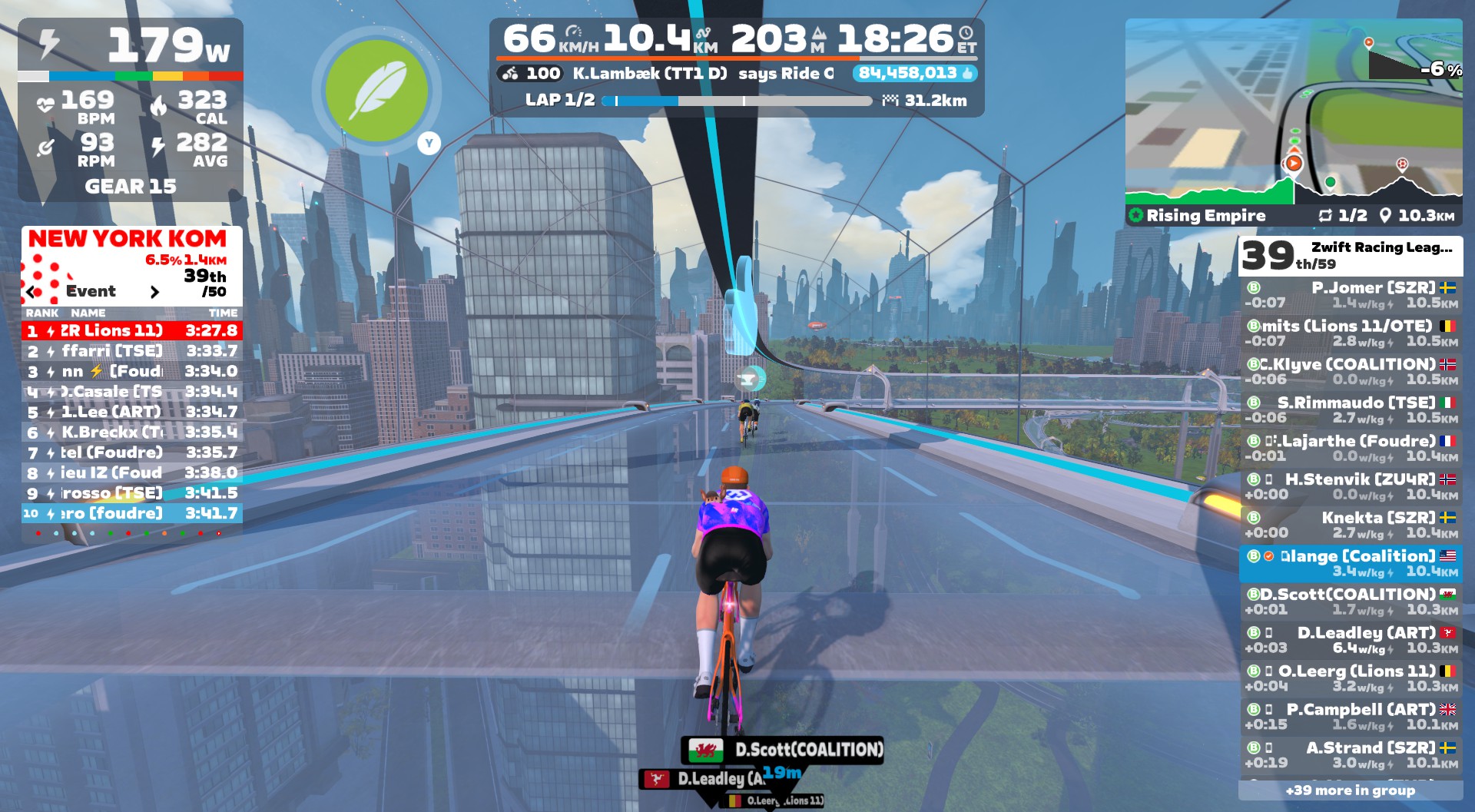
After several rolling kilometers on the glass, we hit our first KOM segment. Up to this point, I had done my best to convince myself that I might just be able to hang with the front group over this first KOM, unlike every other race I’ve ever done on here.
Unfortunately, it quickly became evident that I was living in a fantasy world. You know that terrible feeling when the peloton flows past, and you’re dropping back with no ability to move up? That was the feeling. From a pack of 50, I saw myself quickly drop into the 40’s. No front group for me today. I came through the KOM banner in 39th, and the Zwift gods rewarded my efforts with a feather powerup:
This was the first of four feathers I would earn on the day. One atop each KOM. You can’t make this stuff up.
After the first KOM, Andy and Rob had made the front group. Fabian and Chris were up the road from me chasing, and Dylan was behind.
We descended to ground level and quickly hit the NY Sprint Reverse. I put in a quick dig to pip an opponent at the line (every point counts!) and earn an atta boy from Captain Neil. I also grabbed an aero powerup at the banner, which I put to good use just up the road, bridging up to Chris and Fabian’s group.
Sauce for Zwift was earning its monthly subscription cost in this race, giving me a helpful and clear view of time gaps between groups.
Then it was straight onto the glass for the “pre-climb” to the start line of the NY KOM Reverse. The group’s pace seemed much more manageable now, but as the actual KOM segment stretched out, I found myself near the back again, with Chris and Fabian several seconds ahead as we hit the top.
An aero or an anvil would have been handy on the descent to follow, but unfortunately, all I got was another feather as I rode through the KOM arch in 37th. So I put in some well-timed digs on the descent, supertucking as much as possible, catching a handful of riders so I was in a group starting at 31st place as we hit the tarmac again.
My group caught up to Fabian and Chris, and I used my feather to ease the effort up to the lap banner in a pack of 9 riders as lap 2 began.
Lap 2 + Finish
My pack of 9 constituted 29th-37th place, and we now chugged along on the flat first portion of the route. The effort felt quite easy, but hard enough that pushing to bridge to the next group didn’t seem like the right move.
Sauce showed 22 riders in front (1:24 ahead), 6 riders chasing (39s ahead), my group of 9, and Dylan’s group of 8 40s back. Andy and Rob were still in the front group.
The second lap was, in many ways, similar to the first. Quite chill on the flats, hard VO2 efforts on the climbs, and some well-timed supertucks to catch riders on the longer descents. My pack of 9 had definitely calmed down, as evidenced by me being on the front near the top of the climb!
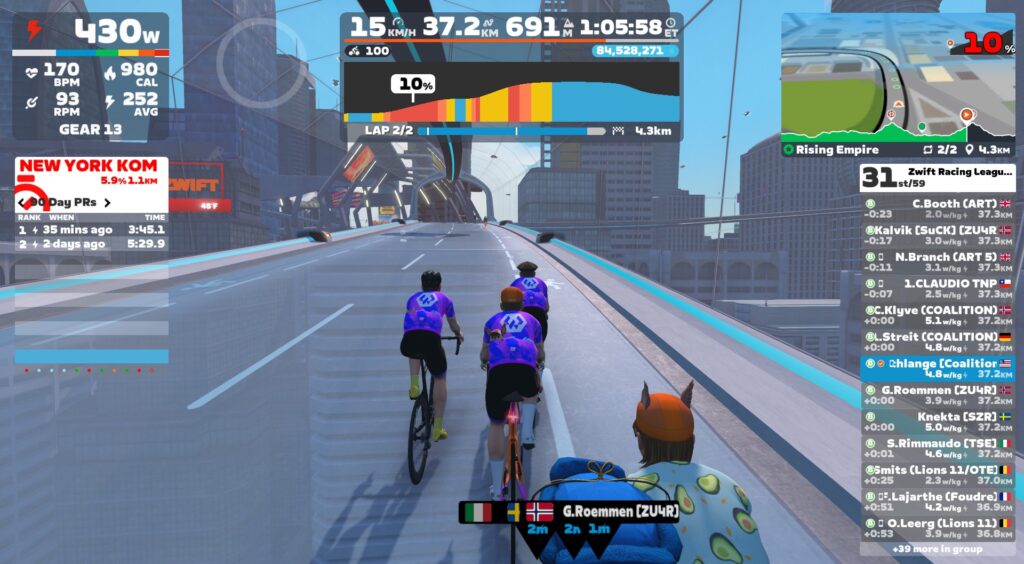
Another feather granted at the top, another slight sprint dig to grab some extra points, then it was back onto the glass roads for our final go at the KOM. The three Delusion riders lead the charge for part of it:
Once again, I got distanced over the top, and the Zwift gods handed me another feather as punishment. I supertucked to catch a rider up the road, then Chris put in a good dig to bridge up to me, and the two of us pushed to stay away from chasers just behind and finish in 30th and 31st place.
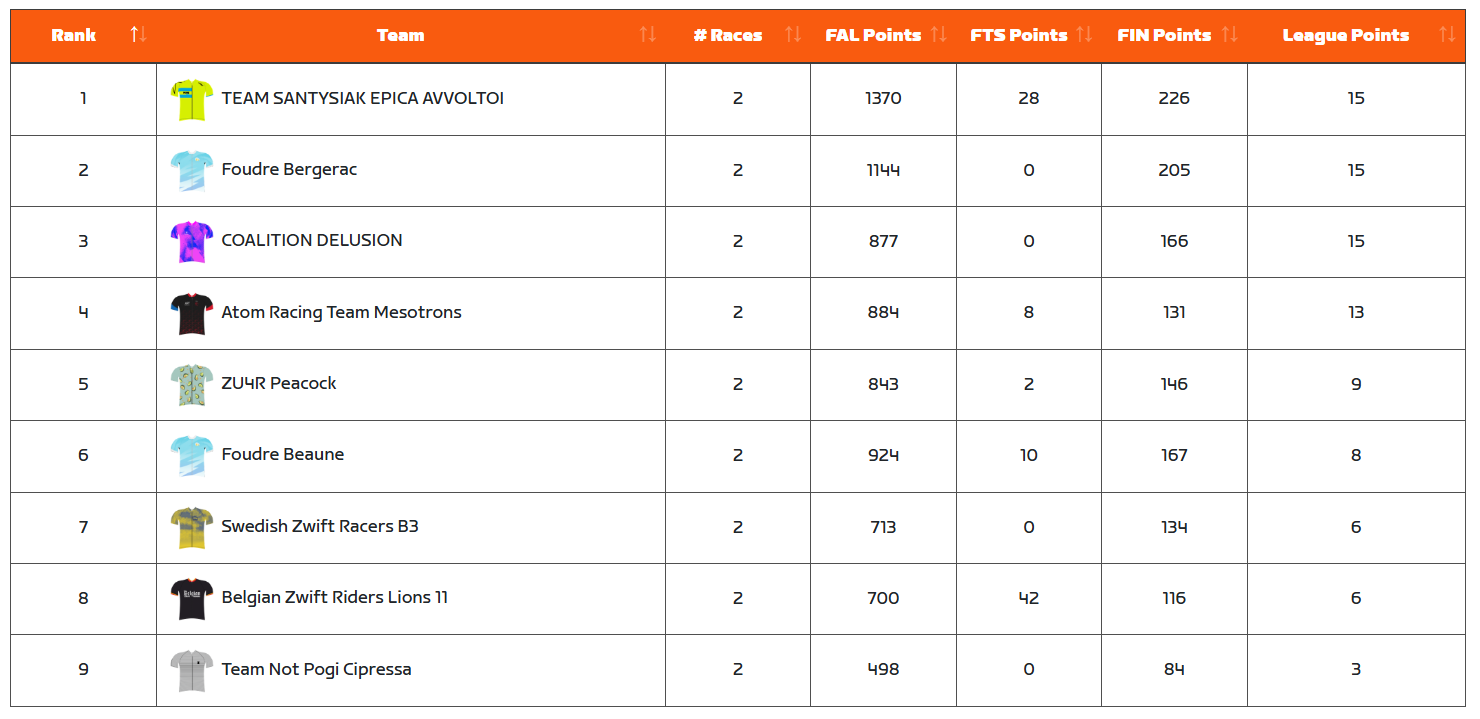
Andy had our team’s best finish on the day, in 8th. Not bad for a C rider, eh? Rob was 15th, Fabian 28th, me 30th, Chris 31st, and Dylan 40th. Delusion would finish 4th overall, with the win going to Team Santysiak Epica Avvoltoi (that’s a mouthful). Nice work, SEA!
Interestingly, there’s now a 3-way tie for 1st place in our division (B1 Development, Lime):
It may be too early to say, but it looks like there are clearly 4 leading teams in this division. While we won last round, this round will be much more difficult, with three races featuring significant key climbs.
I think we can win the TTTs, and do decently well in Glasgow on the punchy points race. But those three hilly races? Those will be a real challenge. We’ll have to push hard to do our best in races that don’t particularly suit us, to keep our overall points high enough to have a shot at the title.
Personally, I was disappointed in my performance in this race. I’ve never done well on the NY KOMs, but I’ve done better than this! Looking at my power numbers up those climbs, I just didn’t have the power I have on better days. Instead of holding 350-370W for 4 minutes, I was doing 320-330W. Not sure what the problem was, not sure if a few more watts would have helped at all, but I’ll try to be better prepared next week when we tackle the Fox Hill 3x.
I’m not sure you could design a better Zwift course than this for a race-based VO2 workout. We had 4 VO2-length efforts, with easy riding in between to recover. So if nothing else, I got in a helpful VO2 workout, which is always a good thing. (I’ve been doing a lot of endurance work lately, but I fear that has come at a cost to my 2-5 minute power. Time for more targeted workouts.)
Ten years ago today, I went for my first ride on Zwift.
The winter of 2015 was my first “indoor season” as a serious cyclist, and I was already dreading the roller sessions. At the time, none of my local riding buddies were on Zwift. None of them had even heard of it. But I saw it somewhere on Facebook, downloaded the game, ran it in “just watch” mode, and immediately knew I had to give it a try.
First Zwift session: November 12, 2015
I found a website in Germany selling Tacx Vortex Smart trainers for ~$290 to my door, so I pulled the trigger. The night it arrived I put it together, hooked my bike in, and went for my first Zwift ride from the middle of my living room. The trainer wasn’t calibrated, I had no fan, and I wasn’t dressed for a real ride… so that effort didn’t last long.
But two days later, I went for my first “real” Zwift ride – two laps of Watopia’s Hilly Route (the only route in Watopia at the time). Uploading it to Strava certainly confused local friends. “Are you in the Solomon Islands right now?”
I wish I had been on Zwift from the beginning, but when Zwift beta launched in 2014 I was just rediscovering cycling after an 18-year hiatus.
It has become my habit each November 12th to post a refreshed Zwiftversary article. So here I am, once again looking back at my journey and delivering my perspective as a Zwifter and the editor of the web’s biggest Zwift fansite (5,043 posts and counting).
Growth Trends
The all-time Peak Zwift of 49,114 came in January 2021. Remember that time? It was actually illegal to ride your bike outdoors in some European countries, as COVID lockdowns sent Zwift numbers off the charts.
A year later, traffic numbers were much lower than their mid-COVID peak, and really, since that time, if you remove seasonality, numbers have basically held steady as far as I can tell. We certainly aren’t seeing the massive year-over-year growth we saw each winter pre-COVID.
That said, I’m seeing a lot of brand-new riders on the platform in the past year or so. Zwift’s big moves in the hardware space certainly have something to do with this, with tens of thousands of Zwift Rides being sold since the product launched.
Hardware: Simpler, Cheaper, and More Powerful
The Zwift Ride was released in June 2024, and it immediately disrupted the smart bike market. Priced at just $1299USD, it was half the price of the cheapest competitor (Wattbike) and a third the price of the premium options (Wahoo KICKR Bike Pro, Tacx NEO Bike Plus).
But was it a smart bike? Or just a simple frame attached to a standard trainer? What exactly is a smart bike?
Turns out, the answer to those questions isn’t all that important. Because the truth is, the Zwift Ride became the overnight default smart bike recommendation for most Zwifters. It’s just really difficult to justify spending 2-3x more.
A year and a half after its launch, Zwift Ride is even more refined and capable thanks to a quieter Zwift Cog, an adjustable crank arms option, and an upgraded KICKR CORE 2 with WiFi, race mode, and more.
I don’t think prices can drop much more. But Zwift has done an amazing job of strategically lowering the bar when it comes to price, and that is opening up Zwift to a new audience while consolidating the trainer market.
A Virtual Shift
Speaking of hardware, we’ve seen lots of trainers come online with support for Zwift’s virtual shifting in recent months, including Tacx and Elite. It seems crazy, but Zwift only released virtual shifting two years ago (October 2023), and then only on the Zwift Hub. Today, that list has expanded to the following:
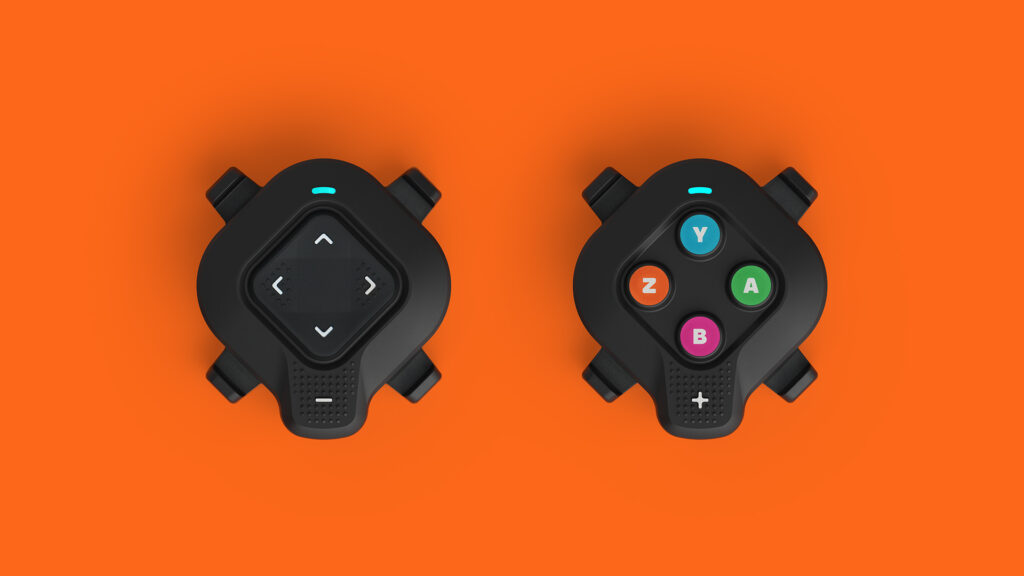
Zwift discontinued their Play Controllers this summer, and started shipping the Click v2 in September. The Click v2 is a simpler, more affordable controller that offers much the same capability, in a form factor that is more broadly compatible with various handlebars and setups.
We could argue about whether Zwift should have created a more “open” standard for virtual shifting that could be used on any trainer without a firmware upgrade, and perhaps even operated via a keyboard or the Companion app. But at the end of the day, the truth is this: Zwift’s virtual shifting is an innovation they brought to the market that helps enable a quality experience on the platform, and most riders shopping for a new trainer will heavily consider virtual shifting capabilities in their decision.
Training Partner Expansion
Zwift has had its own library of structured workouts since early days, and they work great for a lot of people. But some Zwifters want more or different workouts, or an easy way to execute workouts in Zwift that come from another provider/coach. So Zwift rolled out their Training API 15 months ago, allowing partners to sync workouts and session data to and from Zwift automatically.
It’s wild (but not inaccurate) to think how these new Training API integrations have infinitely expanded the library of workouts available on Zwift while also customizing that library to your specific needs. It may sound cliché, but we really are seeing training tools today that are exponentially more powerful than what we’ve had in the past. It’s fun to watch!
Here’s the full list of Training API partners currently syncing to Zwift:
Two years ago when I wrote this post, I listed Zwift’s three competitors. That list hasn’t changed:
MyWhoosh: they won the UCI Esports Worlds contract, and in fact are hosting the 2025 edition in just a few days. With no subscription cost, budget-minded riders are attracted to the platform. Additionally, big prize money is always attractive to racers! Still, it feels like people use the platform for monetary reasons, not because it’s particularly good.
Rouvy: a popular platform for riders who want to ride “real” roads. They’ve been doing a fair amount of expensive marketing in the past year or two and certainly have a following.
TrainingPeaks Virtual: the most compelling entry on the list for me, due to the intriguing combination of a popular training platform (TrainingPeaks) and a fast-moving, race-focused game developer (George Gilbert). I love how quickly they’ve built out lots of powerful features, but I don’t love the UI or gameplay appearance.
Zwift raised their price in May 2024, which made some Zwifters look at the alternatives. Then they removed their monthly 25km free trial last July, which was sort of a mystifying move that seemed destined only to drive people toward the competition.
Even so, Zwift is more profitable than ever, with a solid subscriber base and a strong influx of new riders on Zwift hardware. And internal sources tell me they’re investing that available cash in making big, long-term investments that will continue to drive innovation in the space. (Which innovations exactly? Zwift isn’t sharing, but my guess is it involves, at a minimum, AI-driven workout recommendations and new hardware development.)
Community Racing Development
Last year, I wrote, “it feels like Zwift has shifted the weight of its racing focus off of the elite side and onto the community side in the past 6 months.” This continues to be the case, with Zwift announcing last July that they would not be hosting an elite race series this fall/winter like they’ve done in years past.
While Zwift is dialing back their involvement in elite racing, they clearly see the value of community racing. Zwift Racing Score is still evolving, community organizers are being supported, and lots of racing is happening on the platform.
The problem is, innovating in the racing space just isn’t something Zwift has ever done well. It’s always been a grassroots effort, with the community suggesting and even building out the tools needed for racing to work well. Will that ever change? I’m not sure.
Perhaps Zwift has made the right call in throwing their weight behind the development of features that impact the subscriber base broadly, and not just racers. But if they’re going to focus on those “all-platform” features, I’d really love to see them deliver a rich toolset to community organizers, so we can create innovative race events and group rides on the platform. That way, everyone wins.
Zwift Camp vs Zwift Academy
This year, for the first time since 2016, Zwift isn’t hosting a Zwift Academy. That’s a big move! I get the sense that Zwift Academy has a bit of an identity crisis. Is it a community workout program, or a global talent ID program? Perhaps it can’t be both.
I think everyone loves the idea of Zwift hosting a global talent ID program that places deserving riders on top-tier teams. That’s just a cool concept, and one that shakes up the world of bike racing.
Last year’s academy pivoted heavily towards the talent ID side of things. Personally, I think that’s the way to go. Let Zwift Academy identify top riders around the world, and create another workout program that can be embraced by the everyman. In fact, proposed this approach back in August of 2024 in this post: Pondering the Possibilities: Zwift Academy and Zwift Community College.
Zwift has spun up a “Zwift Camp” program this season, with Zwift Camp: Build beginning this week. The Zwift Camp idea appears to be moving toward my year-round, progressive training “Zwift Community College” idea (admittedly, “Zwift Camp” is a cooler name). We’ll see where this all leads in the next year as Zwift’s personalized recommendations engine comes online in the next few months.
Clubs: What Now?
Things haven’t changed much with Clubs in the past few years, apart from Zwift raising limits so Clubs can get bigger and Zwifters can join more of them.
Here’s what irks me, though: even with one of the largest Clubs on Zwift (39.2k members, click here to join) I still struggle to put it to good use. The Club chat tool is very limited (no tagging members, no clickable URLs) which means most members just turn off notifications and never check the chat. And apart from chat, the club really just becomes a container for Club events.
Which is fine, I suppose. But having built and interacted with online communities for 20+ years, I can’t help but believe Zwift Clubs could be so much more. I’d love to see:
Club kit designs
Voice chat in game with Club members
Team racing where Club members are automatically linked together
More powerful Club chat/discussion tools
Club leaderboards, to promote competition between Clubs
and more!
So Many Rides, So Little Time
There was no in-game event calendar ten years ago – instead, the community put one together using Teamup (see it here). Today, there are ~385+ events per day on Zwift’s public calendar. Amazing! And that doesn’t even include private Meetups and Club Events.
Maintaining the perfect event calendar is no easy task, though. There is a tension that exists between Zwift-organized events like the currently underway Zwift Unlocked and community-organized events. Big Zwift events get lots of marketing and calendar space and, consequently, attract a lot of overall participation. But this reduces numbers for community-organized events.
Is that a bad thing? Not necessarily. I would argue that the end-user experience is what’s most important, so if riders are enjoying Zwift’s big events, that’s a good thing.
But Zwift’s community is also a massive asset for the platform, and volunteer organizers in the community have pushed the platform forward in terms of event innovation since day one. (This is still happening: witness today’s kickoff of a well-planned winter TT series from Cycling Time Trials, the national governing body for time trials in England, Scotland, and Wales. They’ve got over 1000 riders signed up to race the first week.) Zwift needs to be careful to cultivate and inspire event organizers, not battle with them for riders.
So once again, as the organizer of various Zwift events, including the Tiny Race Series and Pizza Burner 100km, I’ll sound my clarion call for more event options and better event management tools. Based on my experience over the years organizing hundreds of events, I know that improving these systems would reduce event configuration errors, streamline organizer workflows, and allow the community to innovate in the space, all of which logically leads to higher-quality event experiences for end users.
100km at 5am
Speaking of community-led rides, I should discuss a major addition to my training calendar this year: the Thursday Pizza Burner 100km! I launched this with ZHQ’s James Bailey on January 9th, 2025, and it’s been held every week since.
It’s a bit crazy to think I’ve been getting up at 4:15am every Thursday to start this ride in the dark. But it’s also become a part of my weekly routine in the past 11 months, and I intend to keep it going, because I can feel the difference this ride has made in my fitness. I’ve definitely built endurance, specifically an increased ability to hold high zone 2 and tempo power for durations of 2.5 hours or more.
Now I need to start building power in the 3-10 minute range. More on that in future posts!
The Future Is Bright
It’s not hyperbole to say my involvement with the Zwift community has been life-changing. It’s changed my fitness, it’s changed my work life – it’s even changed my vacation plans (Mallorca was amazing). Heck, in less than 48 hours, I’m heading to the Death Valley Century, where I’ll be riding with Zwift’s Jon Mayfield and two buddies whom I’ve spent hours riding with virtually, but have never met IRL!
This Zwift journey of mine has taken me many places, and I love being a part of it all. Every day, I’m reminded that I am truly blessed to serve the community through my work here at Zwift Insider. It’s something I hope to do for many years to come.
Ride on!
What about You?
What’s your Zwift story? How long have you been on Zwift, and do you feel the platform is moving in a good direction? What features are at the top of your wishlist? Share below!