
Zwift version 1.94 begins its phased rollout today. This is a minor update with two additional HUD metrics, new hardware support, and several bug fixes. Read on for details…
2 New HUD Metrics
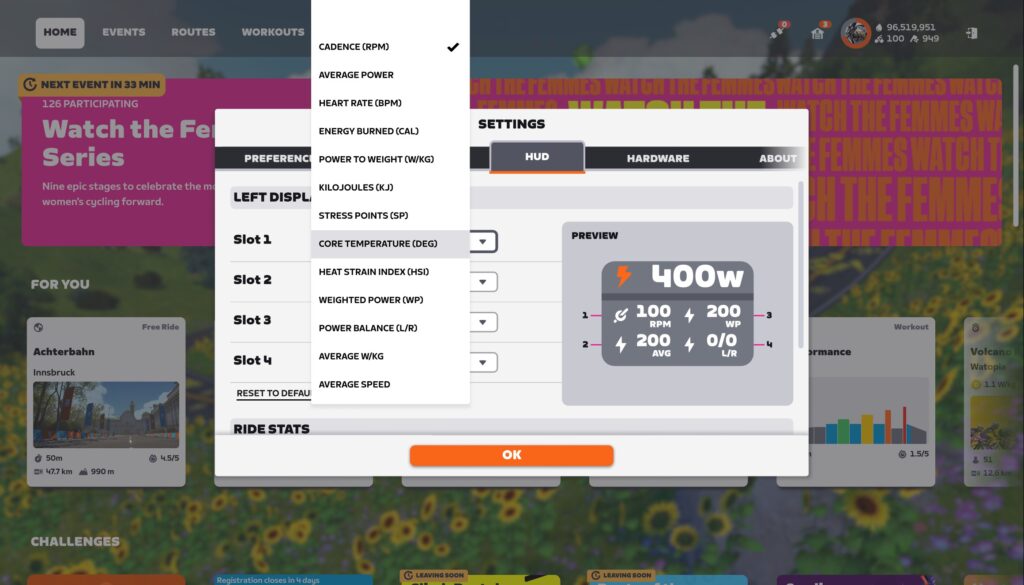
This update adds 2 more metrics to the in-game HUD:
- Average W/kg
- Average Speed
These two metrics will be especially helpful to ride leaders targeting particular effort levels or speed in their rides.
Sennheiser Momentum Sport Support
On the heels of CORE sensor support released two weeks ago, this week’s update includes support for another device which transmits body temperature.
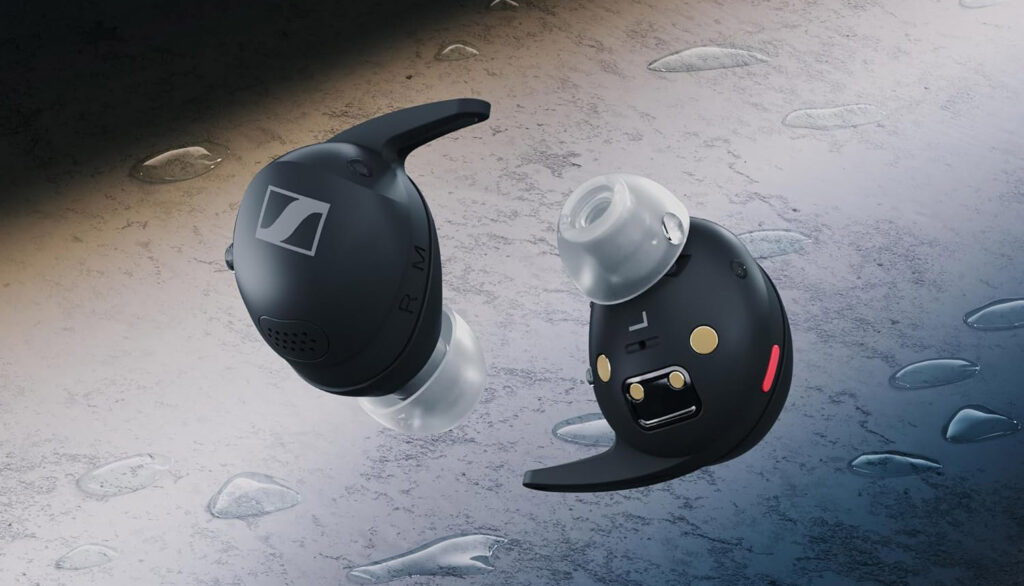
Zwift says, “You can now use Sennheiser Momentum Sport earbuds as a heart rate monitor AND body temperature sensor in Zwift, both of which can be made visible on the HUD. In the Pairing screen, open the Heart Rate card and select your Sennheiser Momentum Sport earbuds. You can configure the metrics shown in your HUD in Zwift Settings under the HUD tab.”
Outdoor Ride XP Bonus Bug Fix
Zwift started importing outdoor rides from Garmin and Wahoo back in April, but there was an odd bug: if your first ride of the week was an outdoor ride that was imported into Zwift, you wouldn’t get your streak extension XP bonus, even if you rode on Zwift later in the week!
Although not included in the release notes, Zwift tells us that this week’s update includes code to address the bug. One caveat: they will wait to trigger the fix until version 1.94 has fully rolled out (on Thursday or Friday) to ensure XP bonuses are granted properly.
Release Notes
Zwift provided notes on additional tweaks and bug fixes in this update:
- All workouts in the ‘3Run 13.1’ training plan are now available at the start of the week on Monday and can be completed in any order.
- Fixed an issue that could cause the Running workout ‘Hill + Tempo #2’ to be saved with an incorrect title.
- Fixed an issue that could cause the CORE Temperature label to overlap with the temperature reading in the new Ride Stats panel.
- Mac, PC: This update includes Zwift Launcher version 1.1.14 as the minimum-required launcher version.
Discuss this update in Zwift’s forum >
Questions or Comments?
If you spotted any other changes or bugs in the update, please comment below!


One thing that is bothering me since the previous update: When u use the lapbutton on the Alpe and u want to see the lap power, it switches back to the other sidebar on every turn.
Write that up as a bug on the Zwift Forums.
Something is seriously wrong with the first climb on the Casse-Pettas route in France. The HUD colors, climb percentages, and difficulty seem backwards.
I don’t have v1.94 yet and can’t check.
In 1.93.x there was/is a bug that causes Zwift to download activity from GarminConnect and mark it with a “sun” icon, calculating XP as for outdoor activity (even though it is indoor activity in GarminConnect).
This problem did not exist before version v1.93.x.
I’ve had that issue since the ability to bring in Garmin rides started. I’m hoping Zwift fixes this soon.
For me, since Zwift introduced synchronization with the “GC” platform, it worked correctly—outdoor activity had a “sun,” indoor activity did not have a “sun.”
It only broke in versions 1.92.0 and 1.93.2.
Pretty much all of my Monday rides have been outdoor through summer 😕. Any chance they’ll back track the missed XP we’ve lost out on?
I suspect that would be much appreciated by many as, like you, if it’s nice out on a Monday, that’s where you’ll find me 😃
Email support and ask for it to be credited and they can take care of it pretty quickly. The more specific you can be with dates that you were affected by this the easier time the support person will have.
@Eric Schlange wasn’t the XP bug fix supposed to be in 1.93? It was in the ZHQ release notes.
It was supposed to be. But it wasn’t. They fixed one bug, which uncovered another.
Have they heard of unit tests?
Doubt it.
Is there an easy way to see if we haven’t been credited with the XP bonus on weeks we rode outdoors?
None I’m aware of. But it hasn’t worked since outside rides started counting back in April, so you could look at your activities and do the math I suppose! Any week where your first ride of the week was outdoors (on Monday) but you also rode on Zwift, you’d be missing the streak extension bonus.
Hopefully, the launcher fix will correct the hang that causes it to consume vast quantities of power, thus battery, on Mac laptops. I’ve had it drain the battery several times and it’s no fun to have to boot after letting the battery charge for ten minutes when you are time crunched.
Any new bikes coming to Zwift soon? Don’t wanna spend em if something’s about to drop
With these new HUD metrics, hoping to see slots 5 and 6 added to the HUD display in the future.
Hoowee! Sounds like I will be getting a bunch of missing weekly streak points!
Will the average speed like 19.0 or 19.1 ? I only see my average speed after the ride on Garmin connect or Strava which is 19.1 o 19.2 no whole numbers, would be nice to see tenths in real time .
Yes, you can see tenths in real time.
That will big from this old timer who remembers the 1st CatEye bike computers back in 1986 and 1987 . When they came out with tenths was huge . To go from 19.0 to 20.0 ,then 19.1 to 19.6 made improving in our cycling so much easier.Then cadence . Its like today’s cyclists talk about power . We didn’t have power meters back then. Indoor training I started in 1987 was horrible compared to Zwift .
New roads, when?
Zwift should allow Bryton cyclometers to connect and count outdoor ride XPs
Those Sennheiser earbuds look nice, but just FYI they are a “frequently returned item” according to Amazon.
And a DC Rainmaker review is very disappointing.
lots of new metrics and stats lately, which is awesome. One thing I keep asking myself (for the dialogue naturally) is if anyone finds the Companion page that looks like a dated bike computer useful. Perhaps that page could be tweaked for additional usefulness? #potential =)
Rode outside on Monday which synced with Zwift. Updated Zwift (MacBook/ iOS) before today’s Zwift ride and got my +500 bonus XP after the session. Seems the bug is fixed at last.
How can you get the two new hub dash to be visuable? Because i select some new hub dash but they wont show up during my Zwift ride, neither my free ride, workout or group ride. Can someone help me?
Bring up the action bar and click the button that looks like a Stonehenge…
Stonehenge, where the demons dwell
Where the banshees live and they do live well
Still no news on Karoo outdoor ride integration which was due “this summer”.
And they’ve totally forgotten about when they promised video screenshots for PC it seems.
Fall begins September 22 😀. So they’ve still got plenty of time. And a little birdie tells me we’ll hear something very soon on the Hammerhead front…
Video screenshots – what are you talking about, exactly? Because it’s been on PCs (certain PCs that Zwift believes can handle the additional CPU load) for 2 years now (https://zwiftinsider.com/video-screenshots-windows/).
Hey,
I installed 1.94 but cannot switch my gears at my Zwift cog. Has this setting switched to some where else? Or is it removed completly?
Nothing changed with virtual shifting in this update, as far as I know. Make sure you’re paired using Bluetooth, as you can’t do virtual shifting with ANT+…?
Thanks Eric, that was my issue indeed!
Why the HUD has only 5 data ! Don’t they think don’t they drive on zwift. So hard to add options for another 2,4,8,10 extra fields.
I’m not sure if I’m missing something but I’ve set what data I want in the extra two slots but they don’t show up on screen. Am I supposed to press a key while riding or something?
Yes. Bring up the action bar at the bottom, and click the button that looks like Stonehenge. 😅
Finally, Average W/kg !!!
This will help big time when leading group rides and holding to advertised pace.
Thank you!!!
There ate now 4 new route badges available: Red Zone Repeats, Power Punches, Climb Control and Flat Out Fast. They dont sound as routes. Any ideas?
These are routes that are coming soon. I mentioned them in the 1.93 update post… no further info from Zwift at this time!
I think my auto update is not working properly but can’t find how to check