Home Blog Page 212

Zwift Update Version 1.28.0 (101433) Released

The latest Zwift update is now available on all platforms: Mac, PC, Android, iOS, and AppleTV.

Not sure if your Zwift install is up-to-date? Here’s how to check >

This update doesn’t include much that’s newsworthy, but Zwift tells us the next few months will see some fun features released! Here are the details of today’s update…

Pace Partner Updates

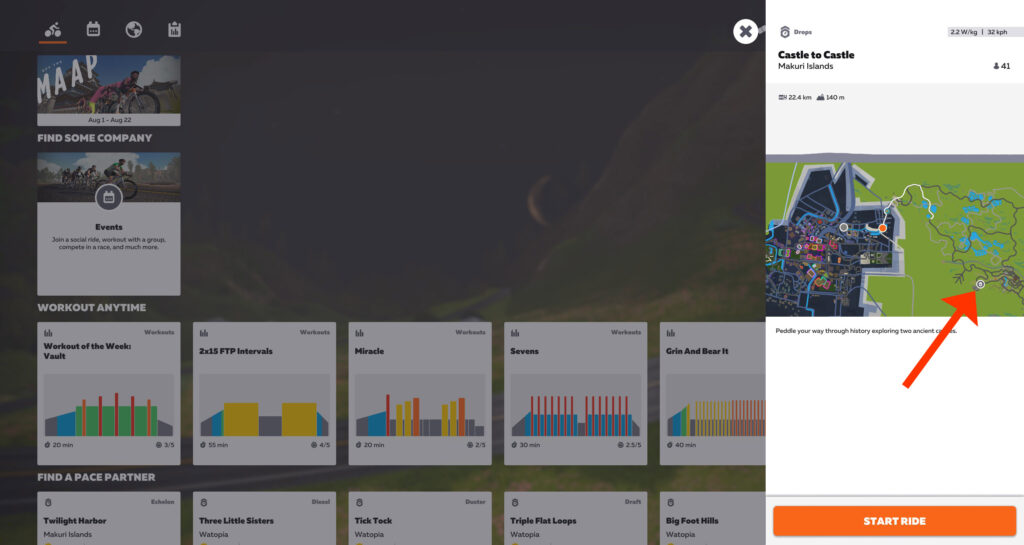
The UI for joining Pace Partners from the new Home Screen has been updated. Now, instead of clicking on one box to bring up a popup of all active Pace Partners, we have them as a row of options:
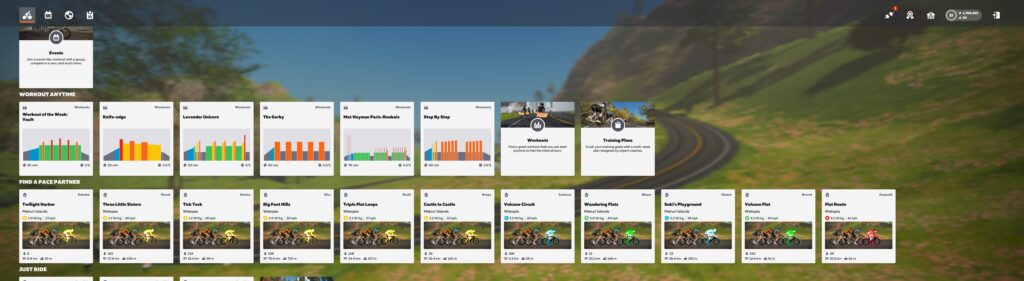
Additionally, each Pace Partner tile shows which route they’re riding, average speed and w/kg, and how many riders are currently in their group (although these numbers don’t seem to be entirely accurate at this time). Pace Partners are sorted from easiest pace to toughest, left to right.

PC/Mac users may need to click and drag to see Pace Partner tiles that aren’t visible off the right of the screen. You can also use your keyboard’s arrow keys to scroll through the tiles.

Where Are They Now?

If you click a Pace Partner’s tile, their current location shows up on the map (see red arrow). This is a handy feature that lets you know what you’re getting yourself into!
Note: Pace Partners are scheduled to graduate out of FutureWorks in September. This will entail additional changes to pacing and names – read this recent post for details.

Auto Screenshot Improvements

The update notes say “Auto-screenshots are now smarter, capturing your notable moments such as getting a new PR or claiming a segment jersey.”

For those of us who like ride photos, this is a significant and welcome improvement over the random auto screenshot that was taken during each ride! Zwift tells us that basically anytime you get a banner popping up at the bottom of your screen, an auto screenshot should be taken. Additionally, a screenshot should be taken if you set a segment PR, claim a leader’s jersey, or set a new FTP.

This should make the Strava feeds of Zwifters much more interesting.

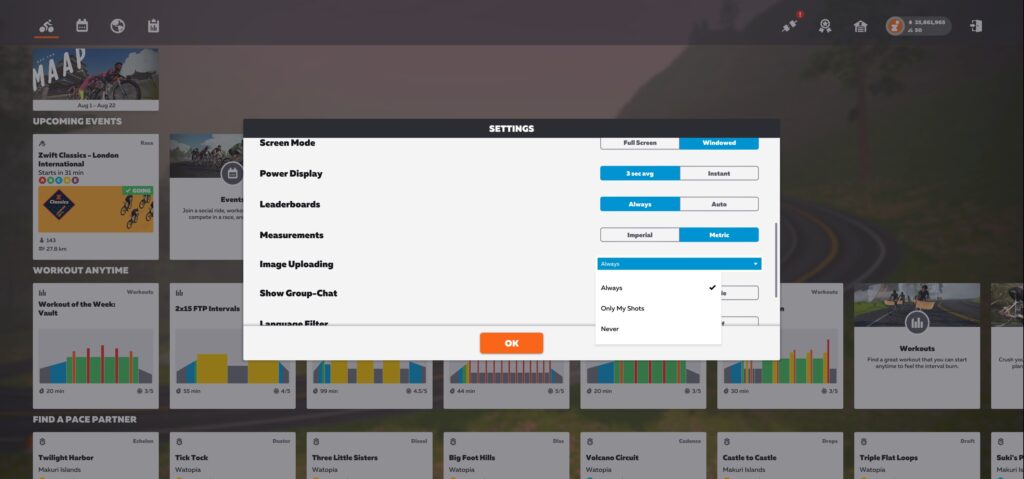
One important note: to enable auto screenshots on PC/Mac, you must have the “Image Uploading” option in your settings set to “Always”. Otherwise, Zwift will not snap any auto screenshots.
New HED Wheels
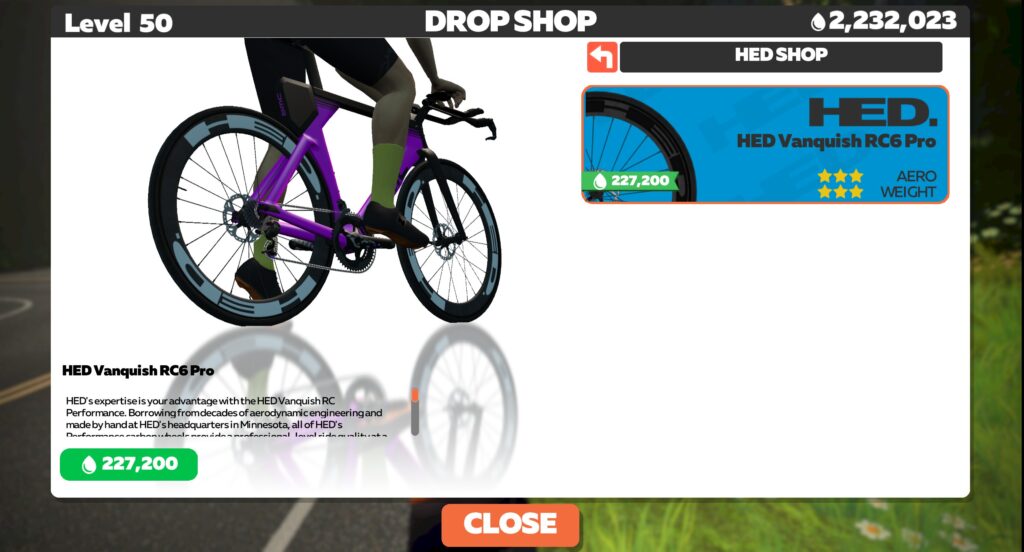
The HED Vanquish RC6 Pro wheels have been added to the Drop Shop. Rated 3 stars for aero and weight, they cost 227,200 Drops.

We’re testing them now to see how they stack up against other wheels in game, and will publish results when available.

OS Deprecations Rolled Out

As announced back in May, today’s update removed Zwift game and Companion app support for some older iOS and Android operating systems.

The following operating systems will no longer function:

• Zwift Game Client: Android 7 & 8, iOS 12, macOS 10.12 & 10.13
• Zwift Companion App: Android 7 & 8, iOS 11

This list of operating systems is slightly different from what Zwift had communicated back in May. Namely, they’ve added macOS 10.12 and 10.13 to the list of operating systems the Game Client will not support, and they decided to let iOS 12 continue to work for the Companion app.

New Leg Snapper KQOM Segment

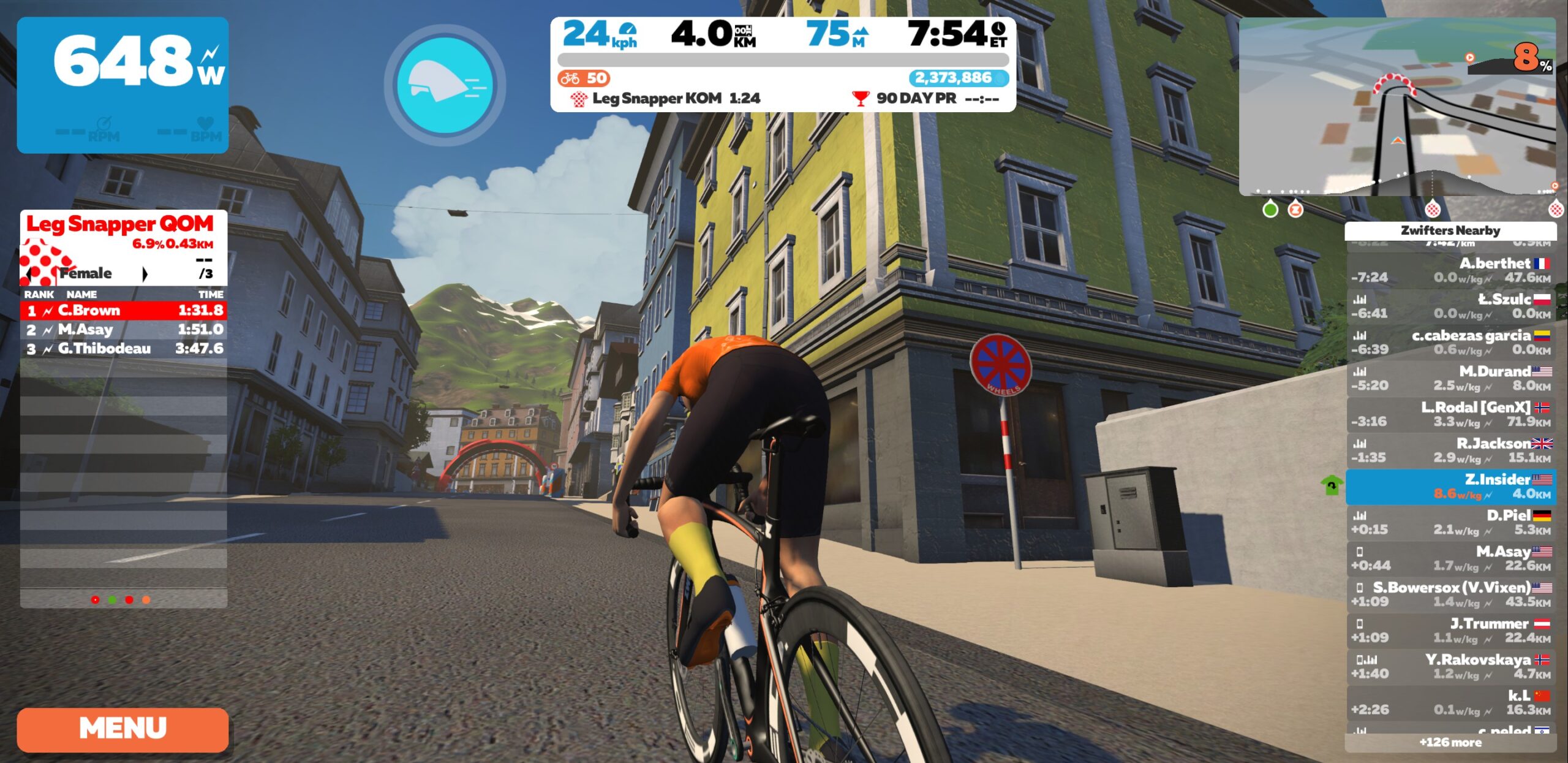
Innsbruck’s Leg Snapper has become an infamous climb for race events, and this update turned it into an official KQOM segment.
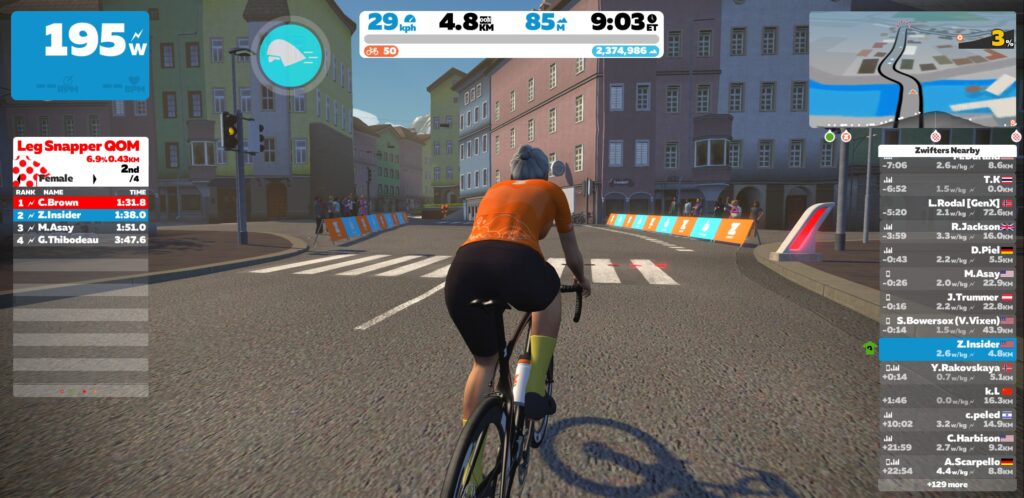
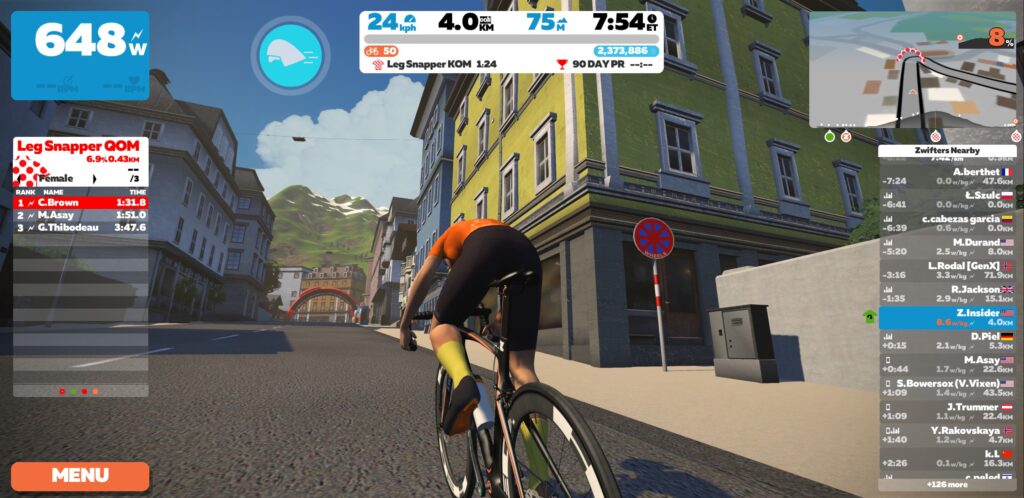
The segment is a bit shorter (starting a few meters later and ending a few meters earlier) than our existing Leg Snapper Strava segment. And while we’d love to create a segment that matches this new KQOM, Strava is preventing us from doing so, saying the segment is too short:
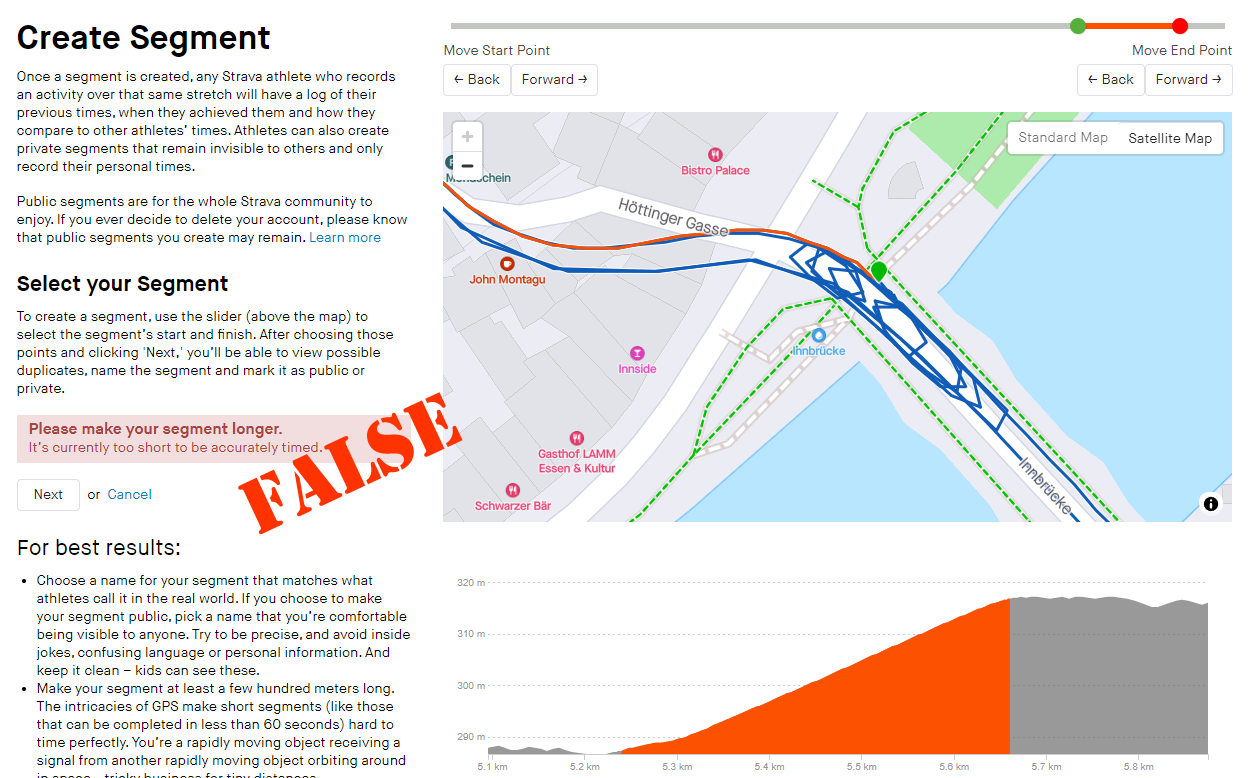
Which is, of course, ridiculous. The segment is around 430 meters long, and in the past Strava simply required segments to be at least 300 meters. It appears they’ve increased their length requirements, even for virtual segments like Zwift where GPS data will always be accurate.

It’s worth mentioning once again that requiring a minimum segment length without taking gradient into account is especially silly, since a 400-meter uphill segment is far from “short”.

We’re reaching out to Zwift+Strava to see if there’s a way to get the segment created.

More On the Way

This update, and the last several updates, have been pretty light in terms of new features. But we’ve had some in-depth talks with Zwift in the past few weeks and can assure you that they’ve got some fun stuff coming in September and October.

This summer has seen a lot of experimenting and development, and the fruit of that work will be released soon. Stay tuned!

Bug Fixes and Misc Improvements

Here’s Zwift’s list of fixes and improvements included in this update:

  • Fixed issue where riders may spawn off the road when resuming an activity
  • Fixed missing text from user profile screen
  • Fixed an issue where users were riding alone when using mobile data.
  • Fixed an issue where some intersection buttons would not respond in Zwift Companion

See notes on this update release in the Zwift forum >

Questions or Comments?

If you spotted any other changes or bugs in the update, please comment below!
Tiny Race Series – Week 2 Results and What’s Next

16

Tiny Race Series – Week 2 Results and What’s Next

After a super fun kickoff week, we tweaked things a bit for the second run of the Zwift Insider Tiny Race series last Saturday. This led to another great turnout, and our new custom routes certainly made things interesting!

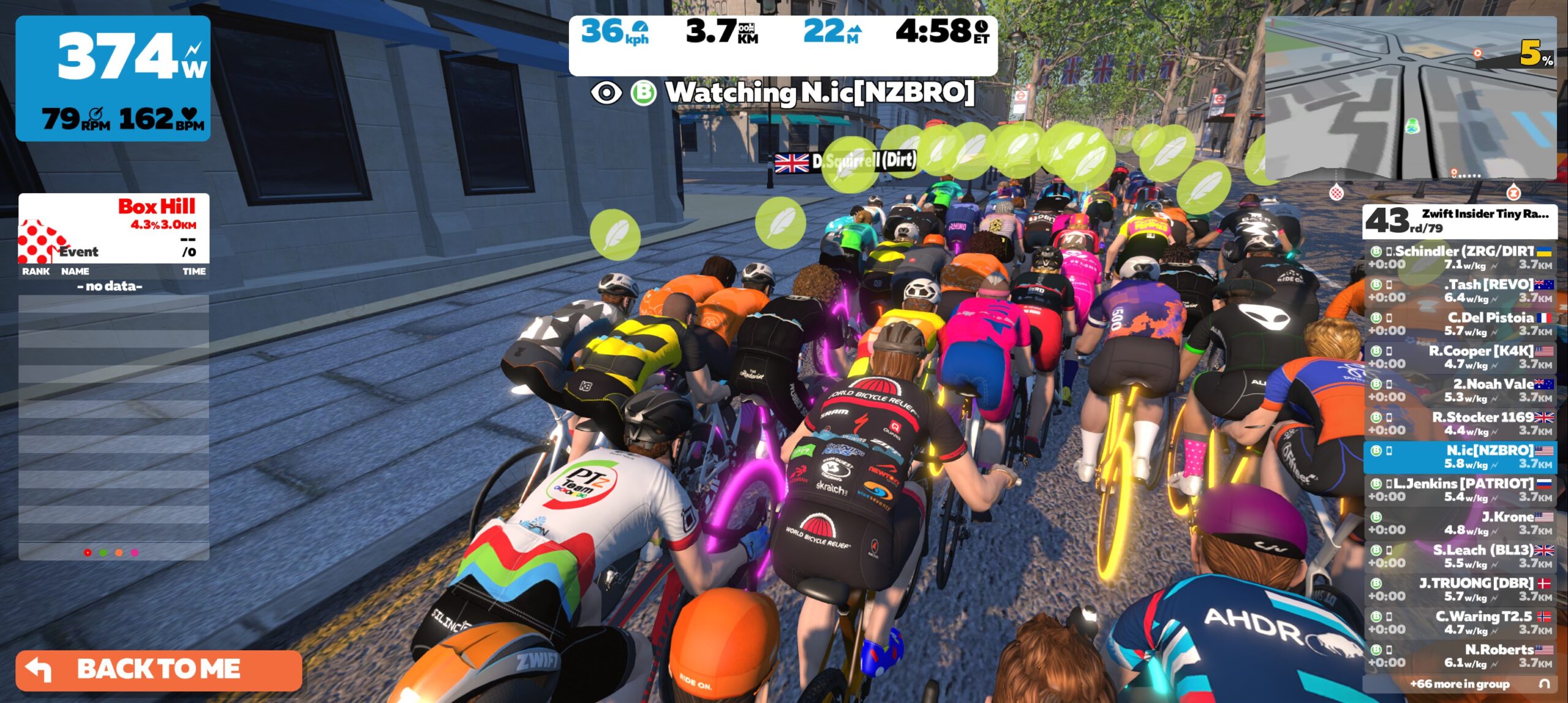
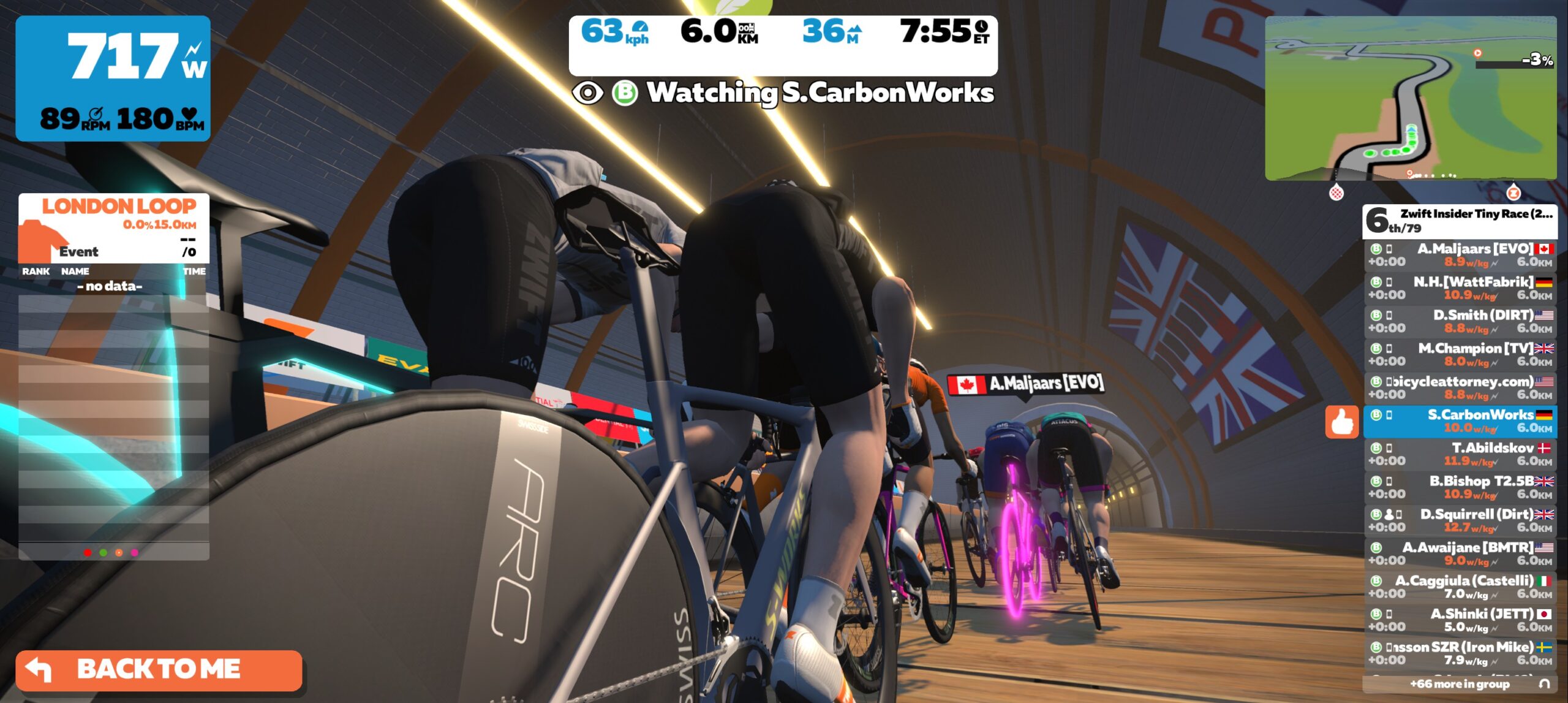
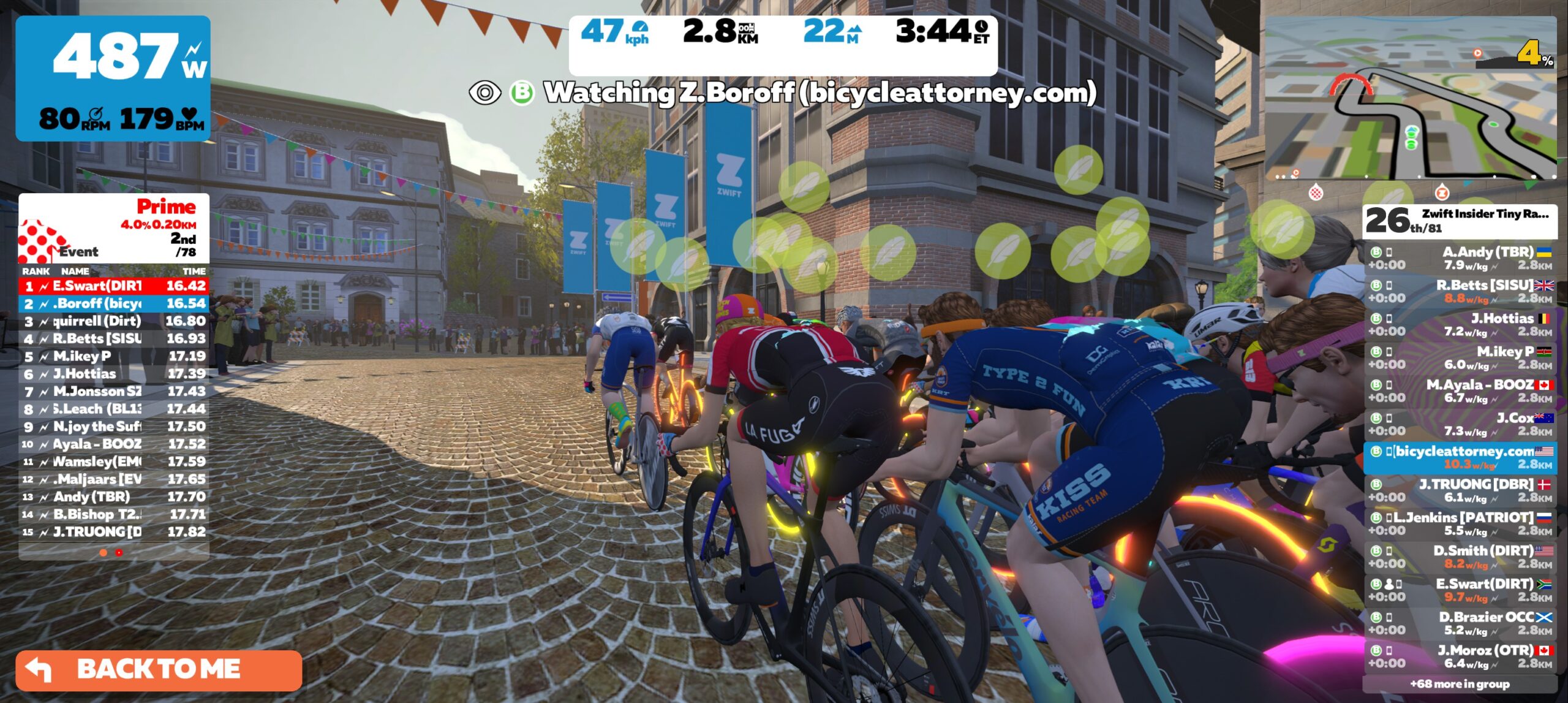
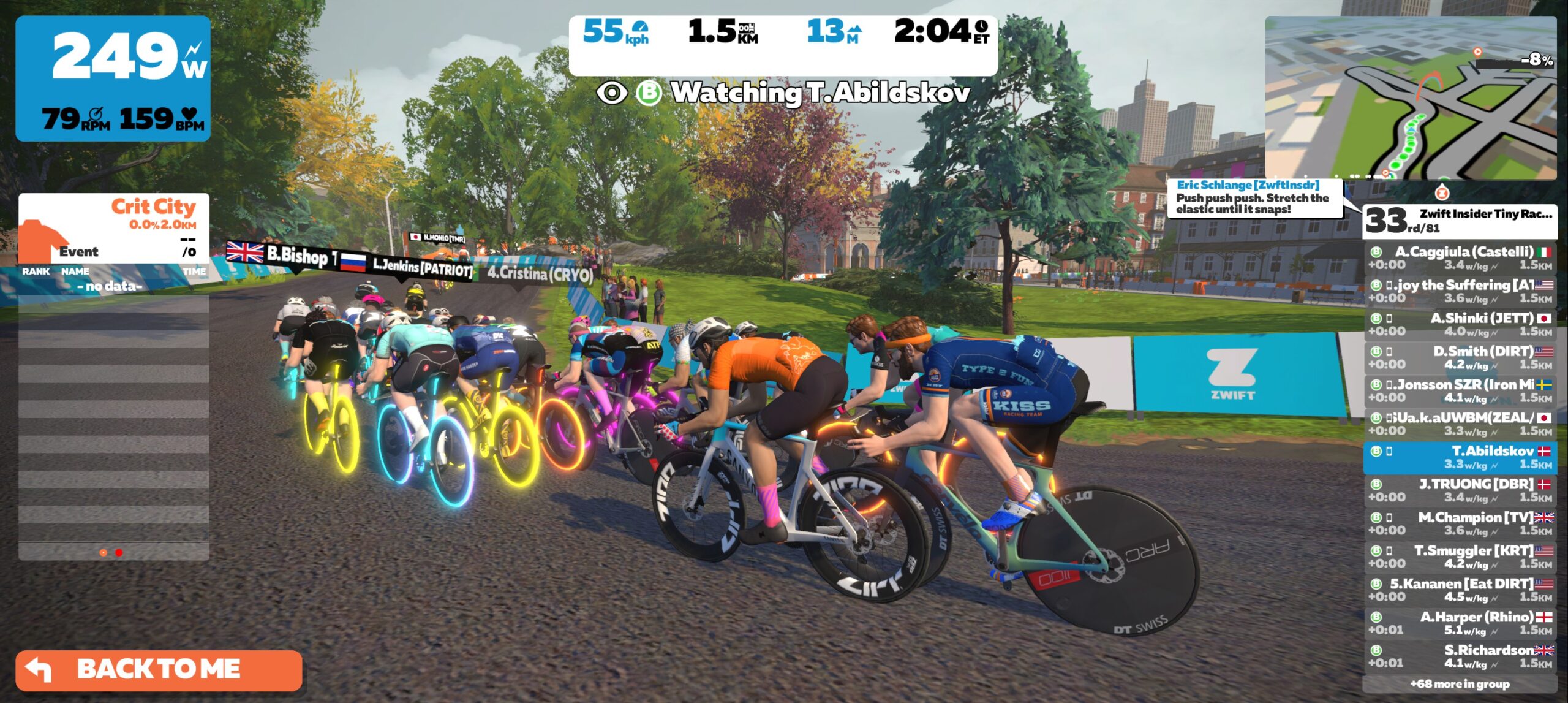
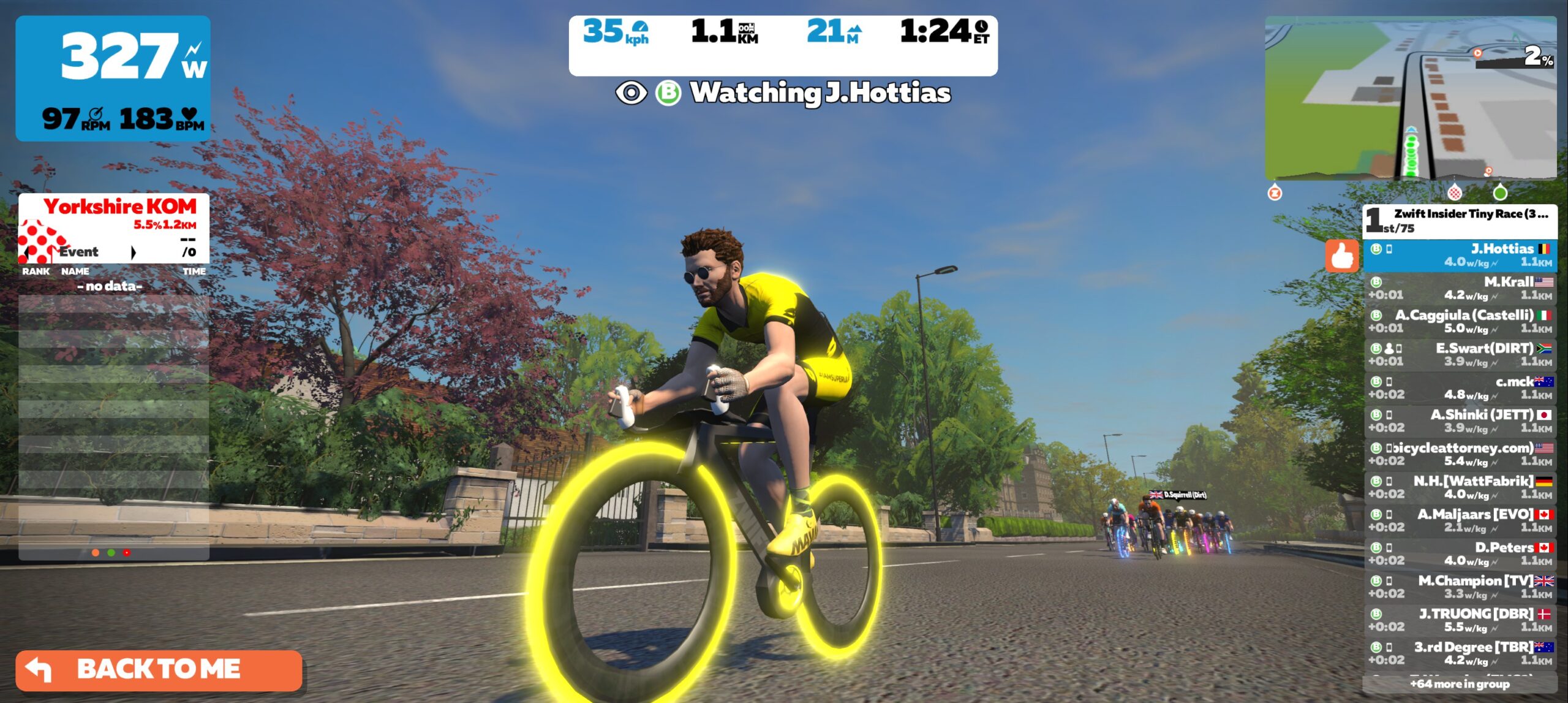
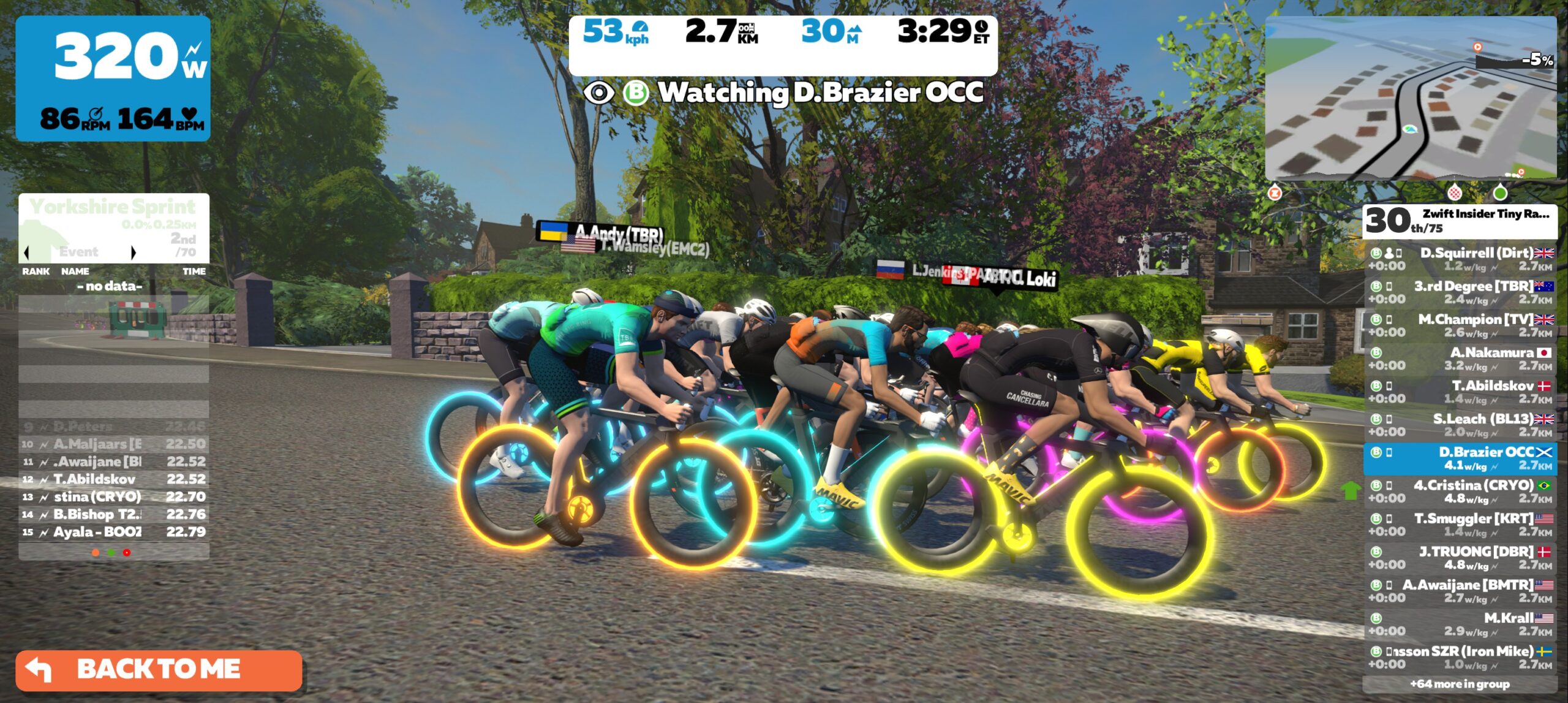
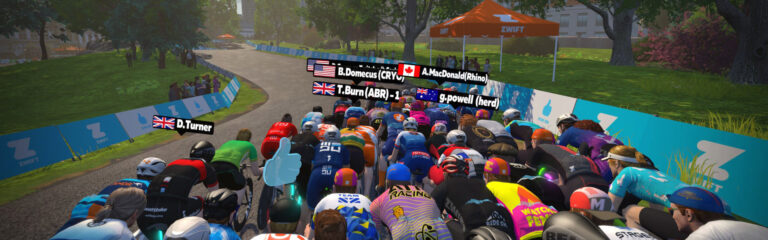
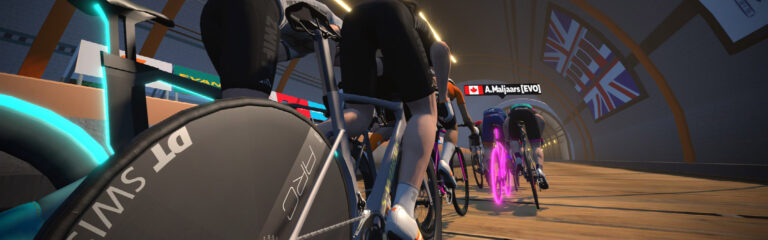
I actually opened up Zwift and watched the Zone 3 B races, heckling riders from the start pens and commentating a bit via in-game messaging. And you know what I discovered? These races are really fun to watch! They are short and animated, and you get to know who the key riders are as the races go on. A few screenshots:

One thing I found particularly interesting was how the custom London Loop route ending in the Underground tunnel caught a high number of racers sleeping. The pack strung out early on the bridge, then picked up so much speed on the descent that even strong riders couldn’t get back to the front and contest the finish! Live and learn…

Congrats to Last Week’s Winners

Zone 1 (8am UTC)

A: Joakim Lisson (POAUTO – CeramicSpeed)
B: Ed Gray (DIRT)
C: Paul Smith (ART)
D: TT (USO)

Zone 2 (2pm UTC)

A: Zach Nehr (NeXT pb Enshored)*
B: Robin Andersson (eSRT)
C: Julien Beijer (Team Type 1)
D: Robert MacArthur (ATP)

Zone 3 (8pm UTC)

A: Caleb Carl (SKYLAB)
B: Troels Abildskov
C: Kendrick Murphy (WTRL)
D: Darrick Bissell (BPCC)

* Johannes Randrop Keiding and Zach Nehr tied for points in Zone 2 A division, but Zach had the highest placing with a 1st place finish in race 1, so we gave the win to him.

This Week’s Routes

This week’s has two more “custom” routes. These are standard in-game routes, cut short so they finish at an interesting spot. Here are photos so you can see the precise location of the custom finish lines:

  • Race 1: Watopia Hilly
    • Custom length (3.2km), ending atop the little kicker that comes after descending from the KOM banner and taking a hard right
    • Powerup: Anvil
  • Race 2: LaGuardia Loop
    • 1 lap, 4.4km
    • Powerup: Feather
  • Race 3: Innsbruckring
    • Custom length (5.435 km), ending atop the Leg Snapper at new KQOM banner
    • Powerup: Burrito
  • Race 4: Rooftop Rendezvous
    • 1 lap, 6.7km total
    • Powerup: Draft Boost

Sign up at zwift.com/events/tag/tinyraces

The Formula Works

Not many changes to make for this 3rd week of races – we think the overall Tiny Race “formula” is a hit. It’s made up of five parts:

  1. Short races that take 5-10 minutes to complete, scheduled 15 minutes apart so you can do 4 in an hour
  2. Finishing points are awarded to all riders, so everyone has an incentive to keep pushing
  3. Each race is on a different route and (ideally) in a different world, so you’re getting a sort of baby Tour de Zwift each week
  4. One type of powerup for each race, so nobody gets an unfair advantage
  5. A fresh mixture of routes each week to keep everyone on their toes, including custom-length routes nobody has raced before!

NEW: Chat & Chill Cooldown Events

This week we’re adding one thing: a “Chat & Chill” cooldown event after the last race in each zone. We’re adding this because riders seem to be having such a fun time commiserating between races that we thought you’d like to chat and spin the legs out after that final effort. Here are the links to sign up:

  • Zone 1 (8:55am UTC)
  • Zone 2 (2:55pm UTC)
  • Zone 3 (8:55pm UTC)

    We’ve set the Chat & Chill events to start 10 minutes into the last race, to avoid making riders sit in the pens after their last race. This means some riders will still be on the course when the event begins. No worries – just late join and hang out as long as you’d like!

ZwiftPower Results + League

Zwift displays preliminary race results when you cross the line, but points are computed after all four races finish, with final race results on ZwiftPower. (We have to press a ZwiftPower button to compute results manually, so if your rankings don’t show up right away, just be patient.)

Riders will earn points based on finish position in each of the 4 Tiny Races. The category winner of each week’s series is the rider with the most points across their timezone’s 4 races. Here are the links for each timezone’s results on ZwiftPower:

Note: HR monitors are required if you want to show up in the final results.

Questions or Comments

Post below!

Top 5 Zwift Videos: ZwiftPower, Hard Races, and Smart Trainer Setup

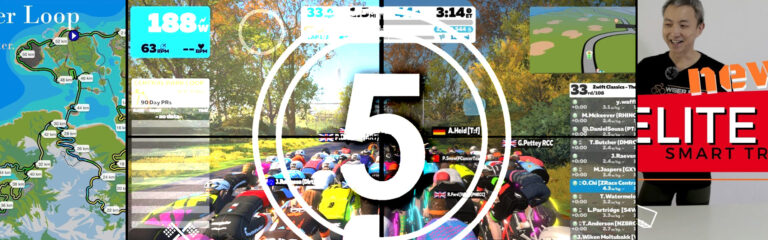
The Zwift Classics are upon us, and this week’s Top 5 Zwift Videos feature two races from the Apple Lap! Then one Zwifter tries out an upgrade to a new Elite Tuo smart trainer, while another climbs the Alpe du Zwift in an attempt to upgrade his virtual wheels. Finally, if you’re new to Zwift, you can check out an introduction to the program and the “Bigger Loop” route in Watopia.

GO GO GO!!! – Zwift Race Analysis // Zwift Classics The Apple Lap (B)

Oli Chi with ZRace Central brings you an analysis of his Apple Lap race from the Zwift Classics.

A Frantic Final 3km – Zwift Classics – The Apple Lap

More from the Zwift Classics! Adam Dawson from Zwiftaholics goes for the win in the Apple Lap race, having no PowerUp for the final sprint.

New Toy for Zwift | Elite Tuo Smart Trainer

How different does Zwift feel when you upgrade your trainer? Dihua with Wiser Biker unpacks his new Elite Tuo Smart Trainer, sets it up, and takes it for a test ride.

Zwift Meilenstein Wheel Unlock

The StClair Channel documents several climbs up the Alpe du Zwift to see how many it takes to unlock the Lightweight Meilenstein wheelset.

Zwift Bigger Loop – a PROPER ride

Benjamin Harley explains Zwift and then takes a ride around the challenging “Bigger Loop” route in Watopia.

Got a Great Zwift Video?

Share the link below and we may feature it in an upcoming post!

The Wrap, Episode 3

3

The Wrap, Episode 3

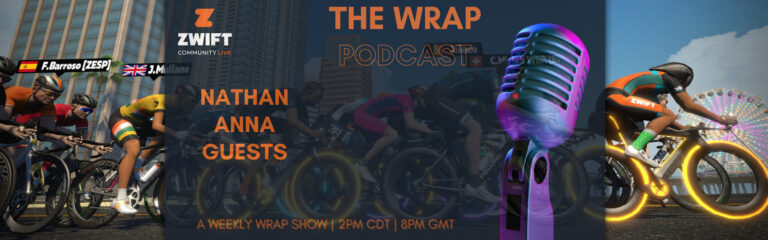
Episode 3 of the Wrap, the weekly vod/podcast series presented by Zwift Community Live, has just dropped.  If you’re after that extra edge in the upcoming ZRL season then this is a must-listen episode, as this week was the Round 1 Route Reveal discussion with special guest Si Bradeley.  The team went in-depth on each of the six routes: tactics that could be at play, bike choice, team strategies, and more.  

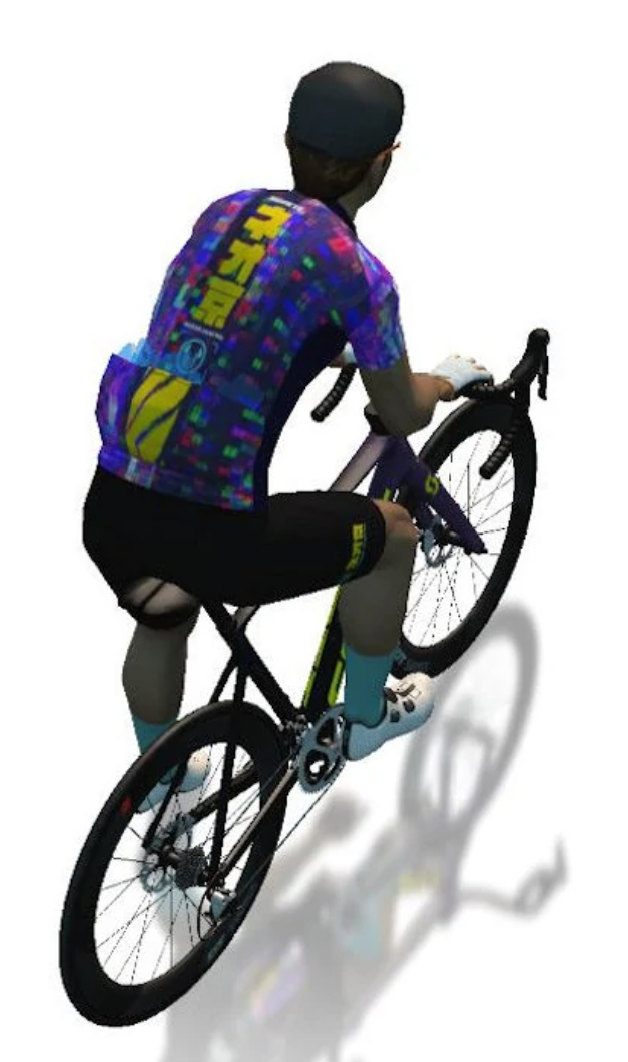
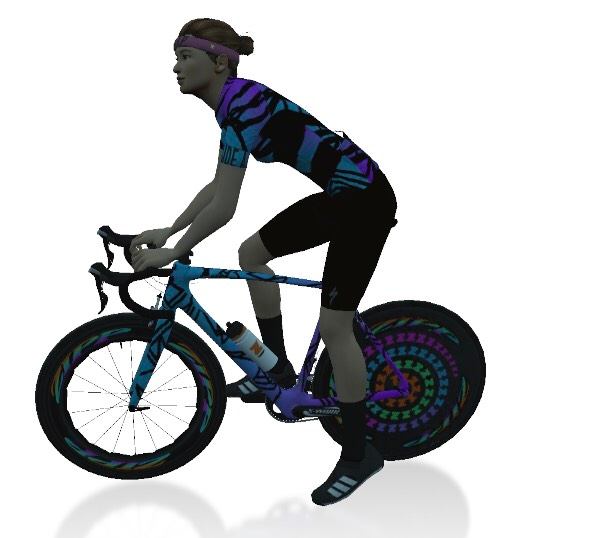
The Fashion spotlight was on the Neokyo in-game kit and the garage-pick of the week was the Specialized Mixtape bike. 

The Wrap is all about showcasing the awesome Zwift community, from upcoming events to must-have tech to community guests to the all-important avatar fashion segment.  The live nature of the show means that hosts Nathan Guerra and Anna Russell can interact directly with those watching, gaining valuable insights and opinions across a wide range of topics.

The podcast is available on all podcast platforms.  Subscribe to Zwift Community Live on YouTube to see the latest episode or tune in live 2pm CDT | 8pm UTC every Thursday.


Zwift Hardware Requirements Public Test Events, August 2-9

25

Zwift Hardware Requirements Public Test Events, August 2-9

This week Zwift announced a set of test events for the community to put a new FutureWorks feature through its paces. Currently called “Hardware Requirements”, the big idea is that Zwift wants to be able to restrict who can participate in certain events based on the devices (trainer, power meter, heart rate monitor) they are using.

There are currently 5 possible event configurations:

  • No rules; the event is open to all hardware types
  • Smart Trainers/Power Meters only allowed
  • Smart Trainers/Power Meters + Heart Rate Monitor (HRM) only allowed
  • zPower (classic trainer + speed sensor, spin bikes, etc.) only allowed
  • zPower + Heart Rate Monitor (HRM) only allowed

See upcoming Hardware Requirements events >

This is considered a FutureWorks feature, which essentially means it’s in public beta.

What It Does… and Does NOT Do

Zwift has informed us that their Hardware Requirements feature isn’t meant to restrict events to a particular make or model of device (like having a race just for Tacx NEO users). Rather, it’s to differentiate between people with and without a heart rate monitor, as well as those using a classic trainer (sometimes called zPower or virtual power) vs those using a smart trainer/smart bike/power meter.

Zwift says, “In other words, that means smart trainer/power meter-racers will race with fellow smart trainer/power meter-racers and zPower-racers with race with fellow zPower-racers.”

While we don’t see classic-trainer-only events ever taking off (there just aren’t enough racers on classic trainers) we definitely could see race organizers choosing to disallow classic trainers from racing, since the virtual power computed from classic trainers+speed sensors is notoriously inaccurate.

Category Enforcement has moved “zPower Rangers” out of the lower categories for the most part, but that just means they’re racing in the A category, which isn’t exactly fair to legit A riders, either. While the vast majority of Zwift Racers use a smart trainer or power meter, the implementation of Hardware Requirements should be able to stop a few race flyers, improving the experience for everyone else.

Will Hardware Requirements fix all power inaccuracies? Of course not. Riders in the smart trainer/power meter category can still calibrate their wheel-on trainer cold, then get a wattage boost as their tire warms up (or loses air). And many direct-drive trainers and most power meters can be miscalibrated or configured improperly so they over-read power. This is just one of many potential steps Zwift can take toward more fairness in racing.

One Gotcha

Rolling out Hardware Requirements as an event option will be a positive development for Zwift racing. But there’s one thing about this new feature which I think Zwift needs to fix, and that’s this: if you’re in a Hardware Requirement event and you go to the pairing screen, you are only allowed to pair the same hardware you joined the event with.

(Although we haven’t tested it yet, Zwift assures us that if you entered the event with, say, your Wahoo KICK paired via ANT+, you could re-pair the KICKR via Bluetooth and that would be allowed, since it’s the same device. That’s good.)

But what about riders running two power sources (such as the popular combination of a smart trainer + power pedals), and one of those power sources keeps dropping out? You should be able to pair your other power source and finish the race, since it still meets the requirements of the event. But that’s not possible with this iteration of Hardware Requirements.

Similarly, we’ve all hard heart rate monitors crap out mid-ride. If it’s an HRM-required event you will be entirely out of luck unless you can put a new battery in your HRM. (Having a backup HRM won’t do you any good, since you can’t pair that new hardware mid-event.)

While the trainer power drop and dead HRM situations aren’t common, they do happen (I’ve had both happen, multiple times). It would be a pity of riders had a replacement device on hand that still met the event rules, but were unable to pair that device and instead had to take a DNF.

Availability for Community Events

Zwift hasn’t said when Hardware Requirements will roll out for use by community race organizers. The forum post says, “After our initial testing phase from 2-9 Aug, we hope to have Hardware Requirements rolled out as soon as possible, though we can’t say for certain when that will happen.”

More Info

See the Zwift forum topic, which includes lots of additional details and a helpful FAQ. (Nice work as always, Flint!)

See upcoming Hardware Requirements events >

Your Thoughts

If you participate in one of these Hardware Requirement events, Zwift wants you to fill out this form to share your experience.

Got further thoughts? Feel free to share below!


Notable Zwift Events for the Weekend of August 6-7

0

This weekend sees some innovative races and rides to take part in along with one main event hosted by Off the MAAP.


Off the MAAP – Stage 2

Off the MAAP is back with four stages of racing that unlocks some kit. This weekend it’s Stage 2, which is hosted on Makuri Islands. There are multiple different routes to try to fit what you want to do in terms of distance.

Although this is advertised as a “Group Ride” the Stage 1 event that I took part in quickly turned into a race and my “easy ride” morphed into a frantic battle to stay with the group, which I wasn’t prepared for! But as always it was fun, nonetheless. Ride at whatever pace you’d like, but know you can push it on the front if that’s your desire.

Multiple dates and timeslots
See a list of upcoming events at zwift.com/offthemaap


Zwift Insider Tiny Races

First announced here, Zwift Insider is hosting four short events, in quick succession. As is noted, the point of these events is to “earn ZwiftPower ranking points, get a solid VO2 workout, and just have fun going all-out in a different sort of Zwift race!”

This is the second week of the series, and various tweaks have been made to improve the model.

I’m all in favour of new and innovative events like this as it keeps training interesting and fresh. Furthermore, sometimes it’s not possible to fit in a long race, but you can still get your racing “fix” with these short ones.

Read more about the Tiny Race series >

Saturday August 6, 3 timeslots
See a list of upcoming events at zwift.com/events/tag/tinyraces


Zwift FutureWorks Hardware Requirements Tests

Join this event and help Zwift Test some of their “FutureWorks.” This latest set of events “is designed to allow you to test a race environment where everyone you race against is on similar hardware to you.”

To find the right event for you, look for one of these titles that fits you, and sign up:

  • Zwift FutureWorks Test – Smart Trainer/Power Meter Only
  • Zwift FutureWorks Test – Smart Trainer/Power Meter + HRM Only
  • Zwift FutureWorks Test – zPower Only
  • Zwift FutureWorks Test – zPower + HRM Only

These are all 1 lap (27.8km) rides around Watopia’s Waistband.

Read more about these Hardware Requirements Tests on Zwift’s forum >

Multiple timeslots
See a list of upcoming events at zwift.com/events/tag/hardwarerequirement


Zwift Classics – Yorkshire Grand Prix

The Zwift Classics have been a well-attended series of races at a time when many people are riding outside. This event is 18.8km in length and hosted on the Royal Pump Room 8 route, in Yorkshire.

Read more about the Zwift Classics race series >

Multiple dates and timeslots
See a list of upcoming events at zwift.com/events/tag/zwiftclassics

Your Thoughts

Got other events that stand out this weekend? Share below in the comments!

7 Deadly Wins, Week 4: ZwiftPower Sniper

1

7 Deadly Wins, Week 4: ZwiftPower Sniper

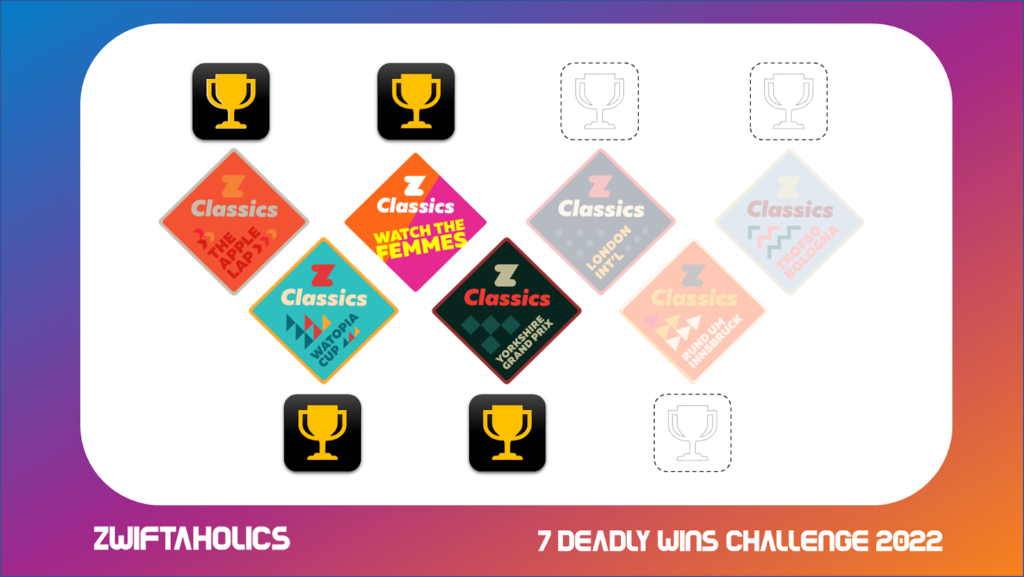
The 7 Deadly Wins challenge is my personal mission to collect a gold trophy in every Zwift Classic, no matter how many tries it takes. You can follow the highs and lows on my Youtube channel, Zwiftaholics


Racing up the Petit KOM was a challenge, for sure, but at least there was a flat sprint finish. No such luck in Yorkshire on the shortened Royal Pump Room 8 route with its custom summit finish. This was the first of the three major challenges for me in this series. My arch nemeses Box Hill and Bologna are lurking just over the horizon, but the immediate challenge was making it there with the winning record intact. 

Attempt #1 – Smoked

It was a nice lively chat on the YouTube stream for the race and I saw a familiar name – Dylan Jones. We had raced together in ZRL and enjoy a classic friendly British-Australian rivalry with plenty of banter. I thought that would add some nice colour to the broadcast, but got more than I bargained for. Dylan wasn’t just in the chat, he was in the race. 

The first five ‘warm up’ kilometres to the Otley Rd climb were uneventful, and though the climb itself would drop about half the field it was only a threshold effort for the high-Bs. That made the rollers to follow almost pleasant, and a group of 23 stuck together to take on the forward KOM. 

I felt good and chased an early move from Dylan, thinning the lead group to just seven, although it would become 11 again on the descent as we started thinking about that final climb up the Reverse KOM. I had done only a very loose recon of the finale. Two-minute effort, last minute steeper than the first. I should have taken a bit more time to look at the profile:

As soon as we hit the base, Dylan surged and disappeared with a ghost power up. I didn’t think too much of it. It would be just like Dylan to pull the very move I tried back in week 2, faking a ghost attack to lure me and the others into burning unnecessary matches. But this was no fake. He reappeared in a blaze of orange numbers some 10-15 bike lengths ahead with a two-second gap that was growing quickly. I panicked. I surged. The gap grew to 8 seconds with 1km left to climb. 

This was the time, as the road flattened out, to slot back into the group and take a breather while others took a turn to chase. But my lack of detailed study and the feeling in the pit of my stomach that this race was getting away from me kept any sort of rational thoughts far from my mind. I kept pushing and pushing. 

My greatest asset as a Zwift racer is an ability to deliver a high wattage burst and flood my legs with lactate. This works great when the effort is timed to finish very close to the finish itself and it’s acceptable for that power to very rapidly drop to zero. If I overcommit and mistime the effort, the result is an epic implosion and the sort of wobbly pedaling you see from a rouleur who has given it their all on a steep climb for their GC hopeful. I had over-committed. With 400m to go it was all over. Dylan held on for a stunning win with a six-second margin. I limped home for 20th. 

Attempt #2 – Opportunity Strikes

I was demoralised. The first race was by no means a close finish, and with other commitments during the week I couldn’t afford another all-out effort until Saturday, leaving precious little window to keep the challenge alive. 

I got lucky. A rare alignment of an empty house, a gap in my work schedule, and a race with a relatively thin field all came together in a brief window of time on Tuesday afternoon. I rushed to get ready, actually using the first 5km as a warm-up this time, and assessed the field on ZwiftPower live. 

There were only 5 registered competitors from our field of 10, and I had the edge on paper. After ignoring the attack of a non-ZP rider up Otley Rd, I used my draft boost powerup on the descent to the Yorkshire KOM and went all in to shake my ZP rivals. It was a harder effort than the previous night, and it did the job, even reeling in the unregistered racer off the front. With a 33-second advantage through the banner, and not much in the way of flat roads for a small group to work together and bring me back, the race was essentially won. 

A hollow victory compared to the hard-fought contests of the last three weeks, for sure, but I got some comfort from churning out a higher average wattage overall and a faster, harder forward KOM effort than the first attempt. 

I might still try this one again in a bigger field, as it’s such a brilliant race course. But this one’s officially in the books. 

London Calling

Next week is a double whammy. Box Hill has ruined more races for me than I care to remember over the last year or so. The peloton always seems to hit the lower slopes at an incredibly high wattage that blows up my engine before things settle into a rhythm. I’m hoping that the custom finish all the way over at The Mall will provide a chance to chase back on in the likely event I’m dropped. 

Life is also going to get in the way, though. With work commitments keeping me off the bike until at least Friday night, I may very well only have the weekend to tackle this one. At least I’ll have fresh legs!


Zwift Chartgeist, Volume 6

Zwift Chartgeist, Volume 6

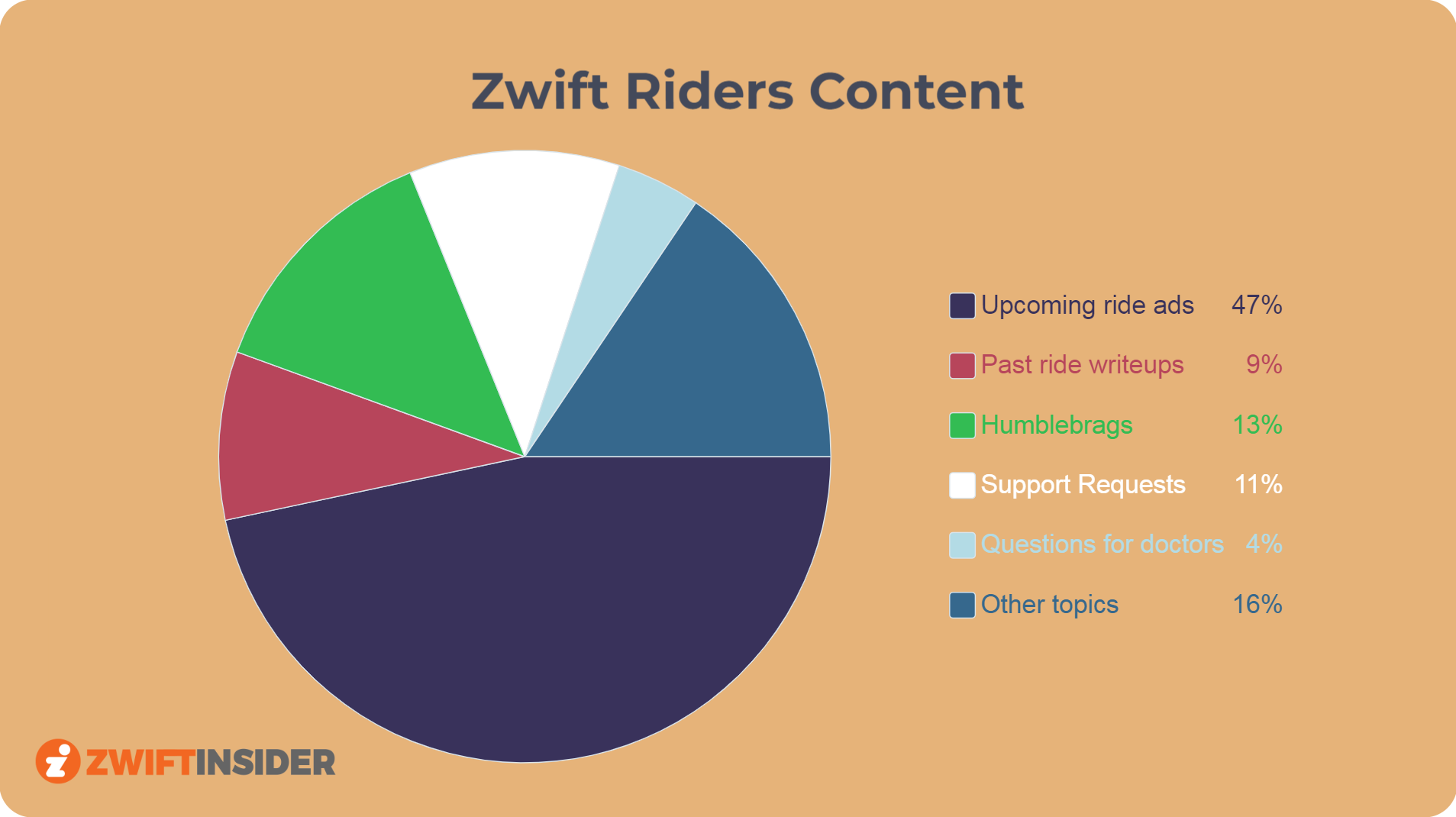
Created in Zwift’s early days by a Zwift community member, the Zwift Riders Facebook Group was (is?) the most popular gathering place for Zwifters who aren’t Zwifting. In fact, it functioned as Zwift’s de facto support portal for years!

But it can get a bit tiresome, mostly because of all the ride organizers spamming their events to the group. On the plus side, those posts are offset by the inevitable humblebrags and people asking questions better asked of licensed physicians!

Here are real stats from a quick survey the day this post was composed.


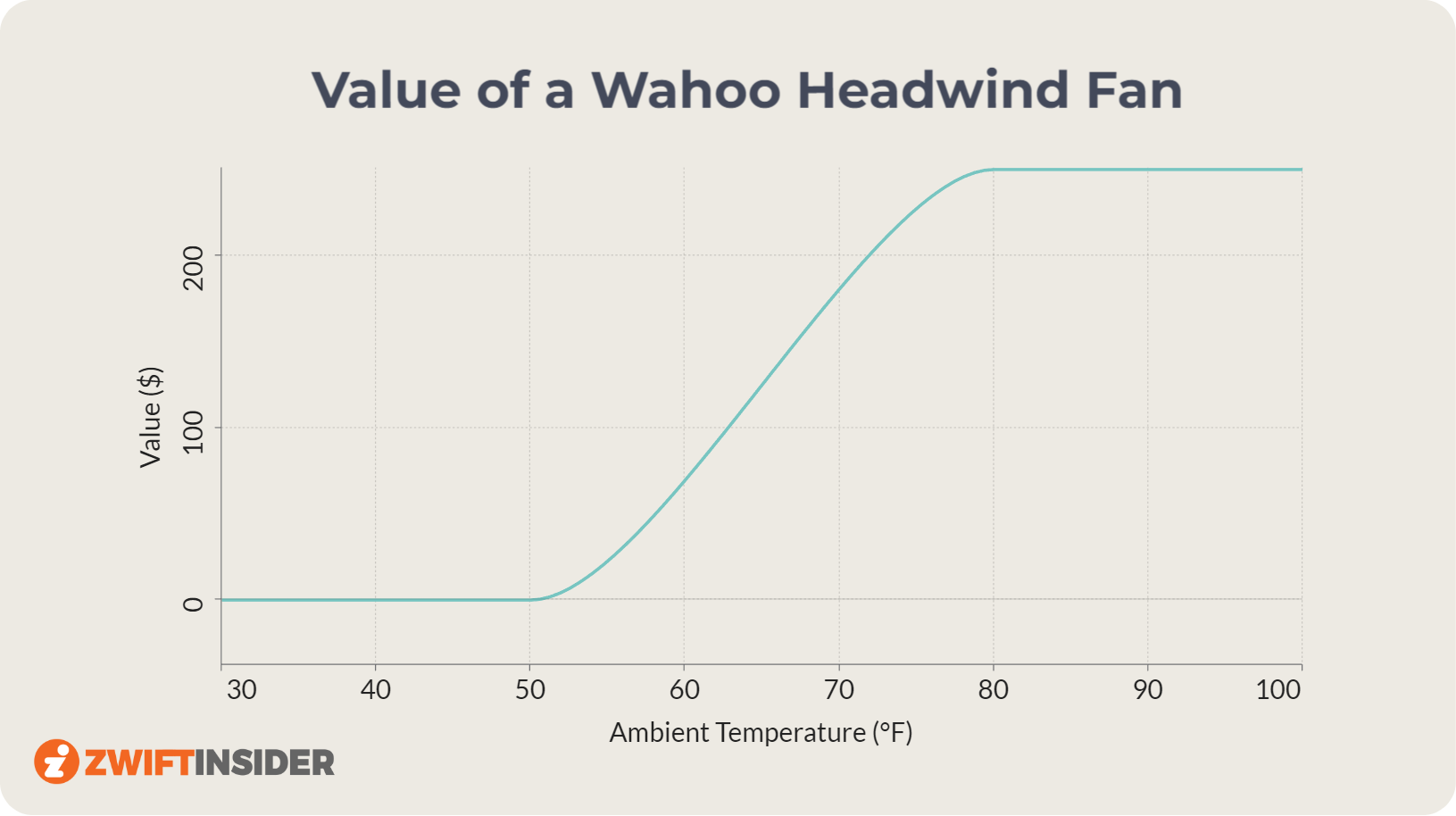
Wahoo’s KICKR Headwind fan is a piece of pain cave luxury that consistently earns high marks from buyers. Granted, you may need to take out a second mortgage to afford the laughable $250US price tag, but its high CFM and smart controllability prove their worth when the going gets hot!


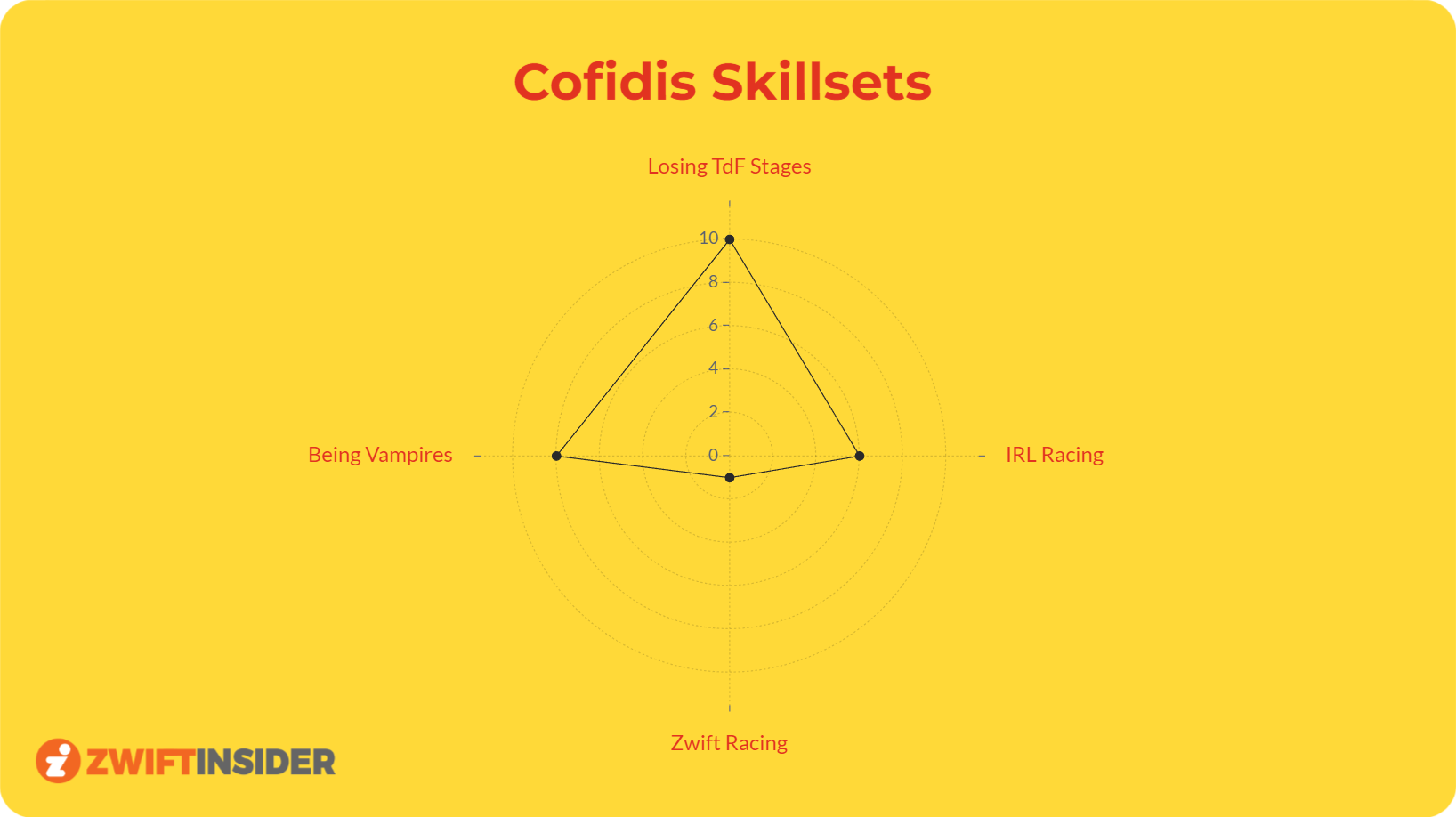
Cofidis has become a bit of a meme in cycling thanks to their being a team of vampires with a startling inability to win Tour de France stages. But that’s not all – in the early days of “pro” racing on Zwift, this World Tour team managed to perform so poorly that there were calls from the community to boot them from the races!

Your Thoughts

What do you think of these Zwift charts? Are Cofidis really vampires? Share below!


Zwift Insider Tiny Race Series: The View from the Pack

1

Zwift Insider Tiny Race Series: The View from the Pack

People have tried back-to-back racing series on Zwift before. Aussie Crit Crushers was one fun example, running two crit-style races back to back with a loose points competition across the series. Eric was not to be outdone, though, scheduling four races within an hour. Despite having to choose between a midnight or 6am race slot (an easy choice for this night owl), I wasn’t going to miss it. 

Training, Performance & Recovery

It was a quality training session that hit just about everything you need to be a good Zwift racer – fast starts, energy conservation wherever possible, repeated efforts (especially important for Zwift Racing League and similar events with intermediate sprints and KOMs), good powerup use, bunch positioning, and of course a strong finishing kick. The ability to stack a series of high-ranking races for those looking to sharpen up their ZwiftPower ranking was an added bonus, and with the event attracting some quality fields it proved lucrative (4 of my 5 ‘scoring’ races towards my ranking now come from this series, despite one of them being a 14th-placed finish!) 

I learnt a few things about myself, too, in pushing as hard as these events demanded. After doing my first recovery period on the bike, with some low-resistance spinning in the pen, I opted for some more overall body movement and stretching with an off-the-bike recovery after races two and three. This was partly motivated by a sudden desire to be very close to the floor after my second all-out sprint effort (on the back of my second hard five-minute effort) in the space of about 20 minutes. 

I found the off-the-bike sessions vastly more effective. I felt noticeably better in race three than race two, and delivered my best power numbers for the night, a feat which seemed implausible if not physically impossible. Physiology is a strange beast, though, especially combined with the dark science of sports psychology and motivation. 

By race four, though, I was feeling worse for wear, only dragging myself back onto the bike for the sake of the overall points competition.

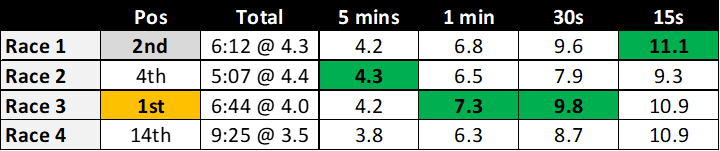
W/kg data across the four races revealed some interesting results

The availability of a ‘green jersey’ style of points competition on ZwiftPower was an appealing part of the event. With a points structure that extended well down the placings, but with a healthy premium for wins and podiums, it provided plenty of motivation, and I clearly wasn’t the only one with eyes on that prize. 

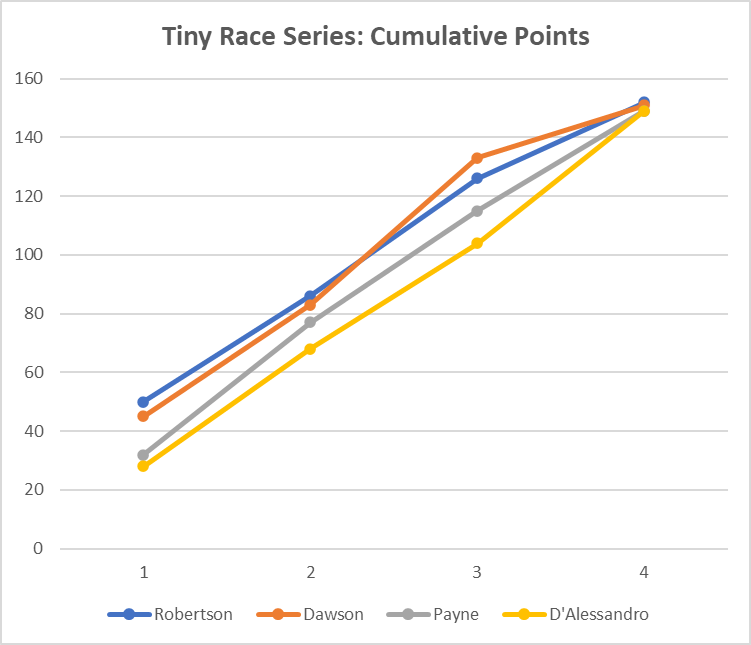
I certainly wasn’t trying to do the math live, but in the end myself, DIRT’s Paul Robertson, ZSUN’s Clayton Payne, and ATP’s Steve D’Alessandro staged an epic battle for the overall points crown that all came down to those final few hundred metres in the Volcano:

This was an incredibly tight series that went down to the wire

Robertson would come out victorious, with 10th in the final race enough to get him to 152 points, ahead of me on 151, with Payne and D’Alessandro on 149. I had paid dearly for a strategic error in the finale, holding onto my feather in the hopes of using it late to reel in positions. The margins involved here were incredibly thin. In race 1, Robertson pipped me by 0.034s on the line in Neokyo. D’Alessandro kept me off the podium in Crit City by 0.022s. Either result going the other way would have gained me the overall win. 

These weren’t even close to the hardest luck story of the night, though. In the Volcano, D’Alessandro and a Japanese rider (Noheyo Monio) actually dead-heated to the thousandth of a second. ZwiftPower awarded the win to Monio, depriving D’Allesandro of 5 points that would have won him the series.

Next Week

Eric’s back with yet more torture. Read all about it in his week 2 preview article, and sign up for the races at zwift.com/events/tag/tinyraces.


All About the “Zwifters Nearby” Sidebar in Zwift

All About the “Zwifters Nearby” Sidebar in Zwift

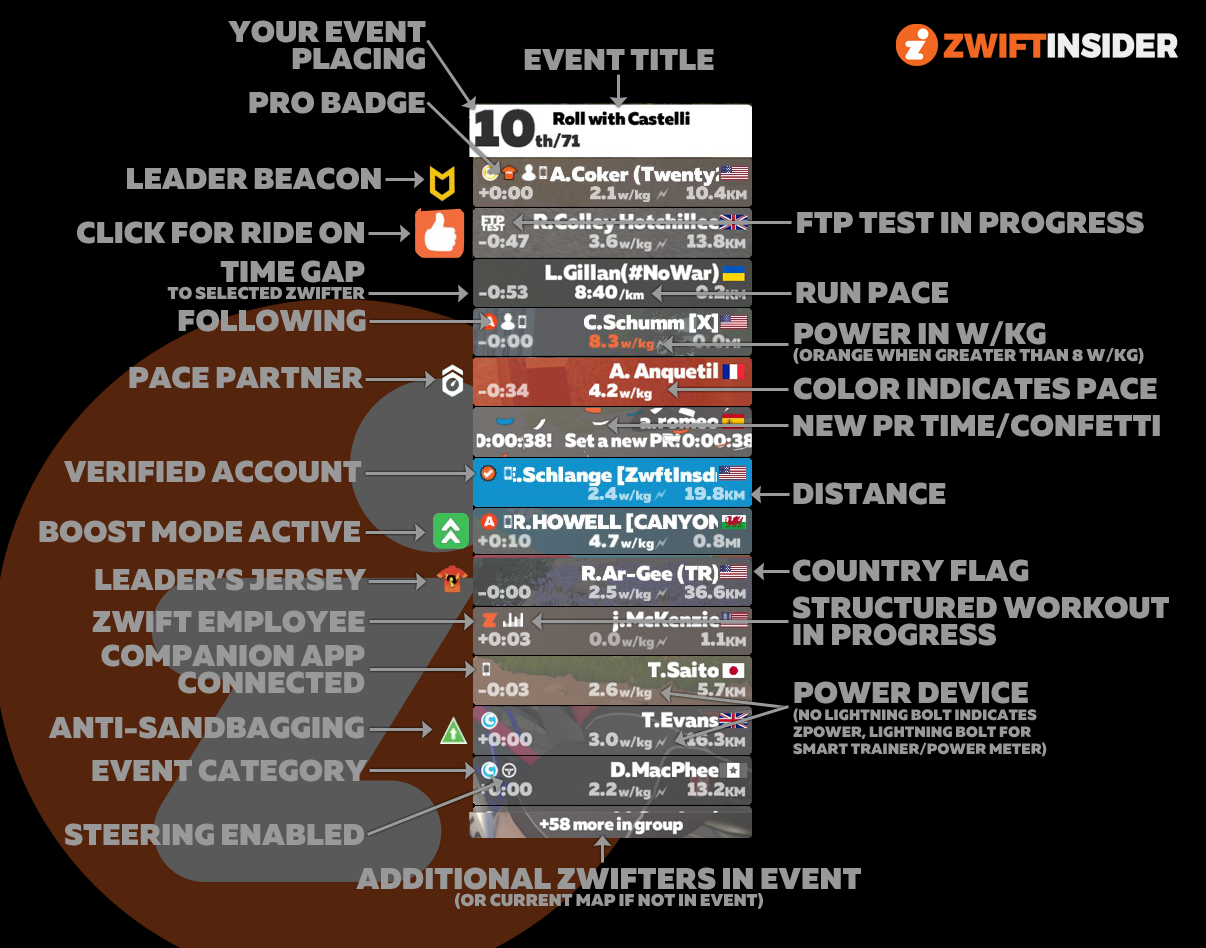
At its heart, Zwift is a social platform. The ability to interact with others begins at the in-game “Zwifters Nearby” sidebar, which shows a list of nearby riders/runners.

This constantly-updating bar sits on the right side of your screen, and while most of the information it contains is pretty straightforward, there are some icons and other indicators which new Zwifters may not understand.

The truth is, Zwift has managed to pack an incredible amount of information into this sidebar! Here’s a complete list of what the sidebar contains:

Always-On Elements

  • Zwifter Name (which can be customized to include your team name or other info)
  • Country flag
  • Power in w/kg (or pace for runners) – turns orange when you exceed 8 w/kg
  • Distance covered
  • Time gap in seconds to selected rider
  • Type of power device (zPower or smart trainer/power meter)
  • Badges for verified account, pro rider, and pro triathlete (pro riders are orange, triathletes are green)
  • Pace partner beacon
  • Status Icons:
    • Zwift employee status
    • Following
    • Structured Workout in progress
    • Companion app connected
    • Steering enabled

Temporary Elements

  • New segment PR
  • Ride On button: this pops up when a nearby rider gets a PR, starts an FTP test, completes a workout, takes a jersey, or gives you a Ride On (assuming you didn’t already give them a Ride On)
  • FTP test in progress
  • Leader’s jersey: shows when a rider has grabbed a sprint, KOM, or lap jersey (read more)
  • Anti-sandbagging triggered (read more)
  • Registered for Zwift Academy (this may be discontinued)
  • Boost active (this may be discontinued – read about Boost Mode)

Event-Only Elements

  • Category
  • Rider event placing (only shows if this feature is enabled for the event)
  • Event title (only shows if rider placing is enabled for the event)
  • Rider count (total shows on top if rider placing is enabled for the event, bottom number shows rider count less those listed in the sidebar)
  • Beacon indicator (yellow or red)

Whew. That’s a lot!

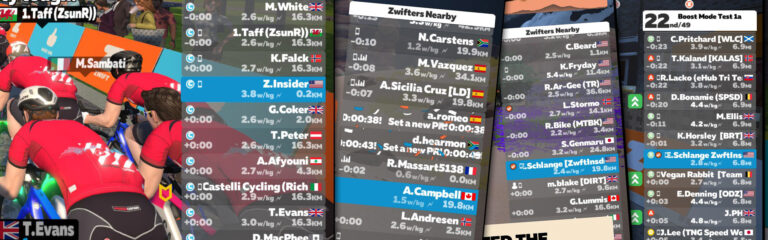
To help you see where each element fits into the side bar, I’ve cobbled together this visual from various screenshots so we can get all the elements in one place:

(Please note this is a composite image. So while Casey Schumm is probably currently sprinting on Zwift, I highly doubt T. Evans is a sandbagger. And Amanda Coker doesn’t lead the Roll with Castelli ride! The image is for illustrative purposes only.)

Questions or Comments?

Post below!