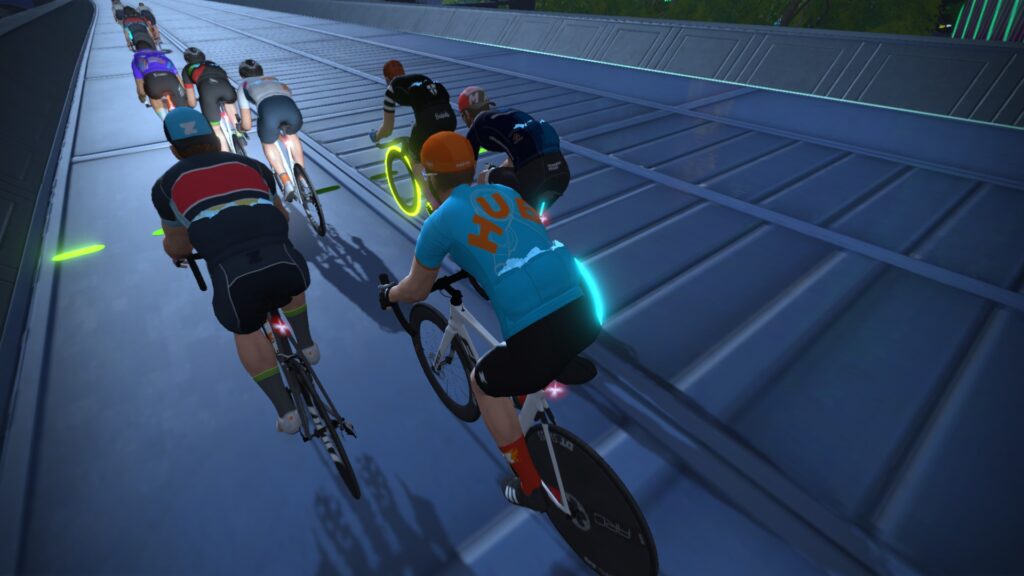
Have you had a stream sniper? Does anyone in Zwift or is Nathan being paranoid? And just what is a stream sniper? Tune in to find out.
The team chats Zwift holographic PR partners and why Anna has called hers Jem. Special guest Arielle Verhaaren, elite racer for team Aeonian, talks about her journey to Zwift from elite BMX and mountain bike racing. They discuss which discipline crosses over the best to Zwift: is it track, road, cross, gravel, BMX, or even rowing?
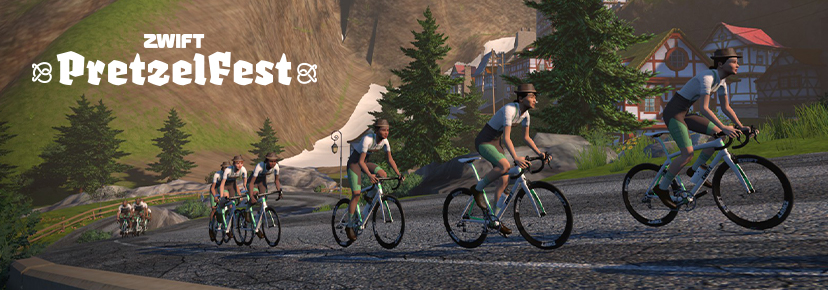
Jersey of the week is the new retro kit unlock, garage pick is the Chapter 2 TOA race bike and fashion in the field is the amazing new Lederhosen kit from the Pretzelfest challenge series now on.
The Wrap is all about showcasing the awesome Zwift community, from upcoming events to must-have tech to community guests to the all-important avatar fashion segment. The live nature of the show means that hosts Nathan Guerra and Anna Russell can interact directly with those watching, gaining valuable insights and opinions across a wide range of topics.
UPDATE: the test results below are now outdated, due to Zwift modifying their Pack Dynamics. See the latest version of these tests for accurate data.
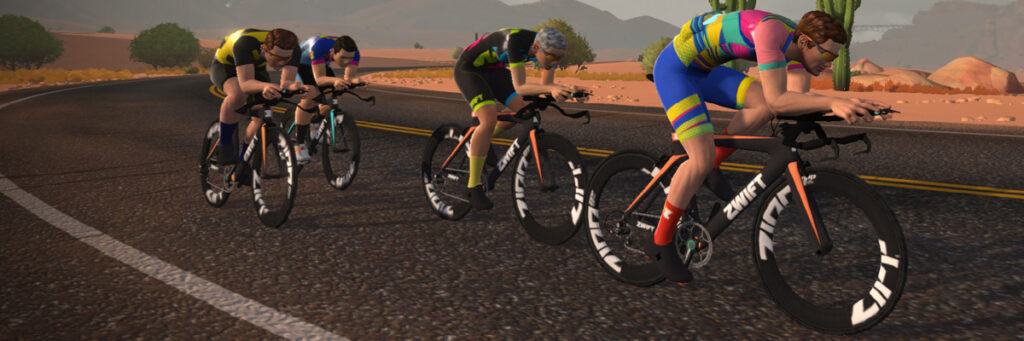
Our original TTT speed test post from 2020 gave team time trial riders some very welcome guidance about how to most efficiently ride their races. Then in 2021 Zwift rolled out “Pack Dynamics 3.0” and we ran a second test to see what, if anything, had changed in regards to TTT dynamics. (We found speeds hadn’t really changed, it was just harder to hold an efficient single-file formation due to a lack of sticky draft.)
Zwifters have been wondering how riding a TTT with a TT frame differs from riding it with a road frame. Is it just faster, or is the draft savings different? We decided to find out.
Test Goals
This set of follow-up tests set out to answer two questions:
Is the power savings in TTT formations on a TT frame different than it is on a road bike?
Are the different formations (churning or hybrid) more or less efficient on TT frames than they are on road bikes?
Test Parameters and Methodology
All of the test riders were set to 183cm height, 75kg weight, and rode Zwift TT frames with ZIPP 808 wheels.
Tests were done in an isolated event on Watopia’s Tempus Fugit route because it’s the flattest on Zwift, and it has a timed section (Fuego Flats Reverse, 4.4 miles long) which could be used to precisely measure the speeds of each test formation.
The ever-helpful James Bailey at Zwift HQ flipped the switch on our event so our TT bikes would be able to draft each other.
All of the tests were done with four riders.
Tests and Results
Test 1: the Churn
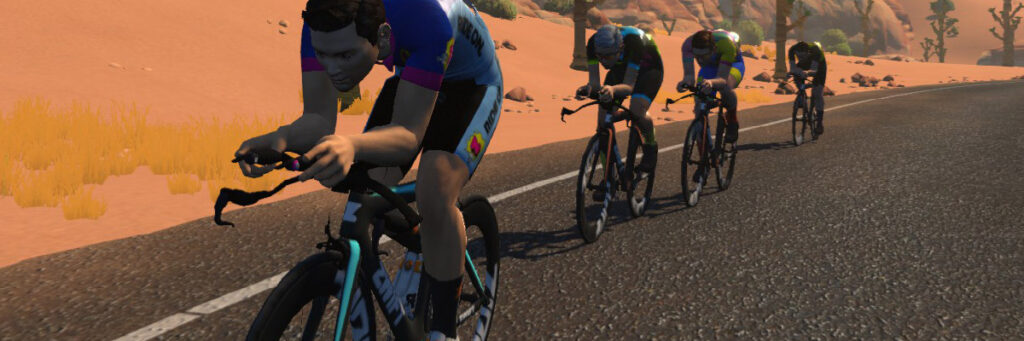
For our first test, we put all riders at the same 300W power setting. This resulted in a churning group of riders where one rider would surge from being in the draft near the back to being in the wind at the front, then dropping back to do it all over again. This “washing machine effect” is what you see at the front of many Zwift races.
All riders @ 300W
Segment time 9:53
Speed: 42.9 kph
Test 2: Single File @300W
The second test had the lead rider holding 300W, with the other three riders in single file behind, holding the minimum wattage possible to stay in formation. This is what you would see in an outdoor team time trial:
The “minimum wattages” stated for riders 2-4 on this test and other tests below should be considered approximations, as it is impossible to figure out the precise wattage required to hold formation due to Zwift’s dynamic physics engine and very small undulations in terrain, even on Fuego Flats.
Riders received power savings of 17%, 25%, and 29% – the same power savings seen in our road bike TTT tests. As expected, the further back you are, the bigger the draft effect.
In a TTT situation with all riders taking equal pulls on the front at these wattages, each rider would average 247W.
Test 2’s segment time was 16 seconds slower than Test 1’s, despite riders holding no higher than 300W in both tests. This may seem odd at first, but it’s a result of the “churn”. Riders are speeding up while in the draft, then shooting ahead into the wind, only to be slowed and have another rider shoot past them. This little speed boost accounts for a significant time difference, as we see here.
It’s worth noting here that we did a solo rider test at 300W steady, because we were curious if there was any advantage to the front rider if there were riders behind. There is not. Our solo rider turned in the same time as this 4-rider group.
Test 3: Single File @350W
This test is similar to Test 2, except we bumped up the front rider’s wattage to 350W to make sure the group would be faster than the churning pack in Test 1.
Riders received power savings of 16%, 23%, and 30% (2nd, 3rd, and 4th rider respectively). Almost identical to the power savings seen in our road bike TTT tests.
In a TTT situation with all riders taking equal pulls on the front at these wattages, each rider would average 290W. This is the crux of why TTT formation is so important: that even with Zwift’s “speed churning” from test 1, the four riders in this test significantly beat test 1’s time by riding efficiently in single file formation at a lower average wattage.
Test 4: Single File @400W
This test was very similar to Tests 2 and 3, we just bumped the front rider up to 400W.
Riders received power savings of 18%, 27%, and 30% (2nd, 3rd, and 4th rider respectively). Almost identical to the power savings seen in our road bike TTT tests.
In a TTT situation with all riders taking equal pulls on the front at these wattages, each rider would average 325W.
Test 5: Hybrid
For our final test we wanted to look at a strategy that many TTT teams use, wherein there is one designated rider in front, and the riders behind simply churn in the front rider’s draft. This reduces the hassle of trying to maintain single-file positioning while receiving some of the benefits. But how does it impact efficiency?
Rider 1 @ 400W, Riders 2, 3, and 4 at @319W steady
Segment time: 9:06
Speed: 46.6 kph
Notes:
In a TTT situation with all riders taking equal pulls on the front, each rider would average 339W. So not as efficient as single-file riding (average wattage is 14W higher than the single file test). But a much easier formation to hold!
Conclusions
Let’s answer the two questions we stated at the top of the page:
Is the power savings in TTT formations on a TT frame different than it is on a road bike?
It is not. Given that there’s a slight margin of error here, we’re confident there is no detectable power savings (or cost) in TTT formations on road bikes vs TT bikes. You’ll just go faster on a TT frame, but your power to chase a rider holding, say, 400W in front will be the same as it was on a road bike.
Are the different formations (churning or hybrid) more or less efficient on TT frames than they are on road bikes?
We don’t think so. Again, the numbers in our TT tests were very close to those in our road tests.
Single File or Hybrid Formation?
Clearly “The Churn” is not a good TTT formation. So what’s better – the single file formation, or the “hybrid” approach?
While the test results above confirm that single file is still the most efficient TTT formation on Zwift (as it is IRL), it’s much more difficult to hold a single file formation compared to the hybrid approach, especially on technical courses with lots of gradient changes and sharp turns.
So the “best” formation for your TTT squad will be the formation they’re able to hold. If you can pull off single file, do it! But if not, go hybrid. Either way, smash it!
Given the official launch of the Zwift Hub trainer this week, I thought it appropriate to highlight specific events in the calendar that are Zwift branded. There is a long ride on offer, structured training, a race and to complete the set, a “badge hunt” ride.
The Zwift PretzelFest Ride – Stage 1 was an absolute delight. I found myself riding with an excellent group that saw us battle it out on the first KOM before all agreeing that it would be more civilised to tackle the second big ascent in a group.
This camaraderie meant I was left with that “feel good” factor after the ride ended so am anticipating another fun event on Saturday, with Stage 2. I’m also hoping that some of the riders I found myself with will be riding too! This time the route is “The London Pretzel,” which is 56.2km in length and sees you tackling the famous “Box Hill.”
There is also a shorter route on the same course, which is measured at 29.5km, for those who don’t have the time or inclination to do the full route.
The last structured training session of Zwift Academy Road 2022 sees you pushing your boundaries by working above your FTP. It’s a challenging effort with two time durations on offer, the longer being 48 minutes and the shorter at 34 minutes.
Zwift are making positive moves to bring racing to the community. This is a short 14km race on the “2019 UCI Worlds Harrogate circuit” and is the first in a series of five during the month of October. Complete all events and get the “Race Like a Champ” badge.
Tiny Race Series – October 8 Route Details and Last Week’s Results
Last week we got word from Zwift HQ that our Tiny Race series had the “highest average number of signups for any community-led event” in September.
Of course, we were stoked to hear that. Here’s our promise: you keep racing, and we’ll keep coming up with fun, tiny routes that help you build VO2 fitness and maybe, just maybe, earn you some sweet ZwiftPower ranking points.
A: none B: none C: Jillian Walker (QueenBee) D: Sil B
This Week’s Routes: Four Worlds of Hurt
We’ve got three fresh routes this week, with Innsbruckring returning from week 3 for some Leg Snapper love. Four routes, four worlds. They’re all quite varied, too, with finishes on a punchy climb, a rolling sprint, a draggy climb, and a flat sprint (respectively).
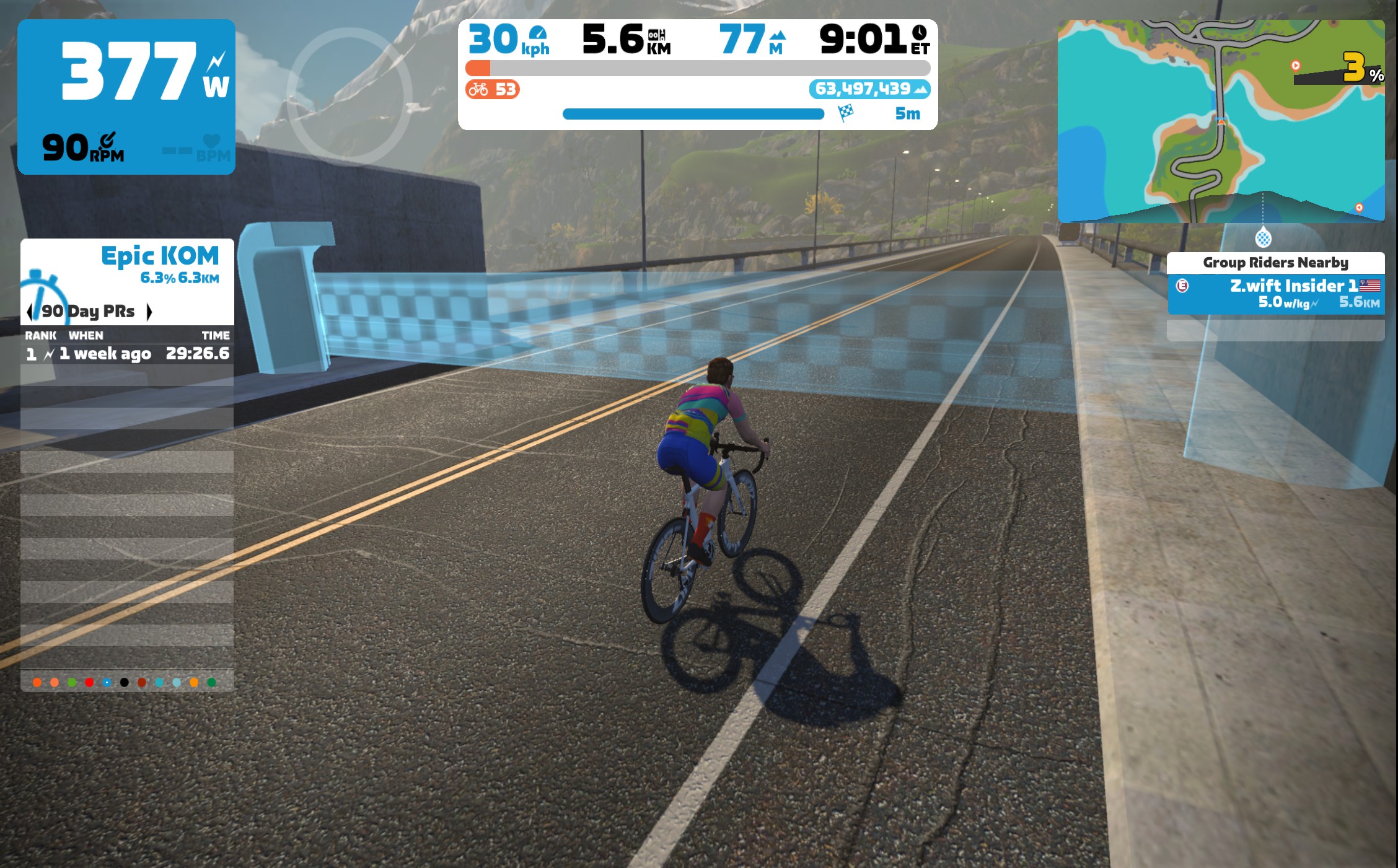
Here are photos so you can see the precise location of the custom finish line for race 3:
Approaching Mountain 8 finishMountain 8 finish line
Race 1: Innsbruckring (5.435 km, ending atop Leg Snapper)
Always a crowd favorite, Innsbruckring’s Leg Snapper is made even more dynamic when the race finishes at its top. Will you save your legs for that final effort, or try to sneak away early?
Powerup: Burrito
Race 2: Douce France (7.047km, ends at Ballon Sprint)
Our first Tiny Race in France! This rolling, twisty route will take you flying through Les Intestins and over a few rollers before sprinting for the Ballon Sprint arch.
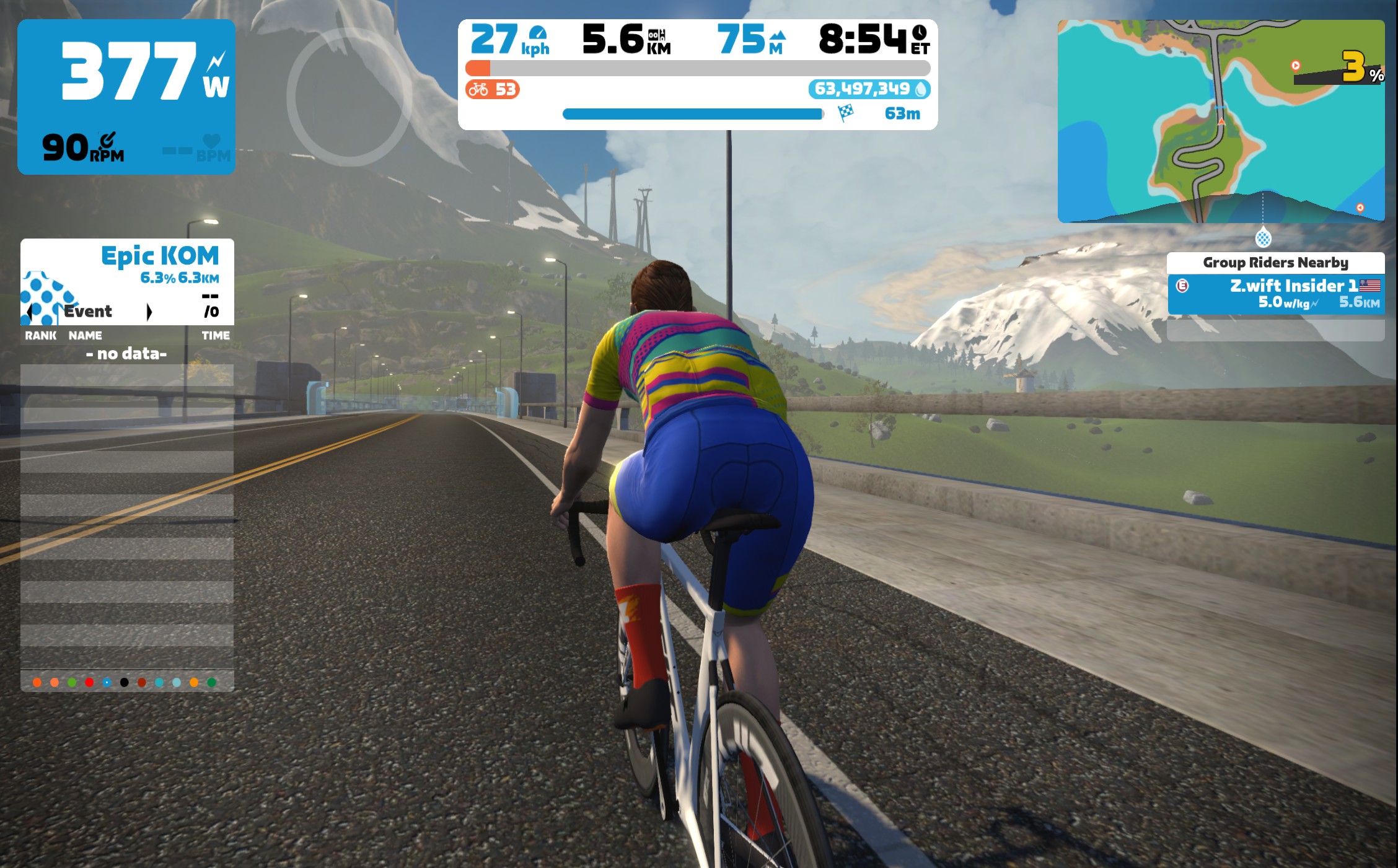
The climbiest of this week’s routes takes you through the Ocean Boulevard tunnel and past the windmills before attacking the base of the Epic KQOM Reverse climb. The finish line is on a false flat, on the bridge after the initial snaking climb (see photos).
Powerup: none
Race 4: Classique(5.638km, ends at Classique banner)
We finish our day on the iconic Classique sprint, within view of Buckingham Palace. This sprint is all about timing. You can see the banner from a long way out, but when do you go go go?!
Zwift displays preliminary race results in game when you cross the line, but points are computed after all four races finish, with final results on ZwiftPower. (We have to press a ZwiftPower button to compute results manually, so if your rankings don’t show up right away, just be patient.)
Riders will earn points based on finish position in each of the 4 Tiny Races. The category winner of each week’s series is the rider with the most points across their timezone’s 4 races. Here are the links for each timezone’s results on ZwiftPower:
Immediately following each hour’s racing, we’ve scheduled 30-minute “Chat & Chill” events where riders from all categories can spin out their legs together and have some fun chatting about how it all went down. Find them at zwift.com/events/tag/tinyraces.
Sauce for Zwift: Customizable HUD Widgets for Zwifters
Sauce for Zwift (S4Z) is an app for Windows/Mac/Linux which, according to creator Justin Mayfield, “extends the Zwift cycling and running simulator with more stats and pretty things.”
It’s an incredibly powerful tool, and even though it’s still in beta, I’d like to introduce you to it today.
First, Some Background
Back in 2015 Justin Mayfield (no relation to Zwift co-founder Jon Mayfield) created the popular Sauce for Strava browser extension, bringing lots of extra data to your Strava browsing experience in Chrome, Firefox, Edge, and Safari.
Sauce creator Justin Mayfield
He turned his attention to Sauce for Zwift in late 2021, and posted this teaser in December. “There were two main motivations for writing it,” Justin told me. ”The first was that I just wanted average power on the screen. Honestly, just average power for races and I kept forgetting to charge or set up my Garmin in the basement to give me this during events. The second was wanting to know what was going on with groups in events. I found it really hard to know when breaks were going and other race craft that was obvious for IRL racing but pretty hard to extrapolate from the Zwift UI on its own.”
Every Zwift racer can echo Justin’s desire for more detailed power data and better visibility of other riders. But most of us don’t have the development chops to build a solution! Justin does.
The Workaround
Even though S4Z has been available in beta for several months, it’s only in the last month or two that we’ve seen usage really pick up among Zwifters. Why all the attention now?
Because in July 2022 Zwift rolled out necessary privacy changes which encrypted the data stream between your Zwift client and Zwift’s servers. This encryption broke add-ons like S4Z, ZwiftMap, and Zwift Activity Monitor, all of whom accessed that datastream and provided pretty visual displays of the data. It took a while for Justin to develop a workaround to restore S4Z’s functionality… but he did it.
What’s the workaround? Making S4Z into “a full encrypted game client that ‘watches’ your normal Zwift account like a 2nd instance of Zwift itself.”
Because of this, you’ll need to create a second Zwift account (a free trial account) in order to use S4Z. The S4Z client uses this second login to sign into Zwift in the background so it can see your stats and the stats of nearby riders, and even after the 14-day trial expires, this account will still work fine for S4Z purposes.
Paid Software
Before we get into the basics of using S4Z, I want to make it clear that this is subscription-based software. It’s super cheap, but it’s not free! Although Sauce for Strava began as a side project, Justin has been working on his Sauce projects full time since the end of 2019.
How much does it cost? Just $2/month gives you full access to Sauce for Strava and Sauce for Zwift. Sign up over on Patreon and show your support for Justin’s hard work. (You can also do a $5/month tier to show him extra support. That’s what I’m doing… because I’m super impressed with S4Z, and I want to see Justin continue building it out!)
Run the downloaded file, and run S4Z once it’s installed
Click the “Link with Patreon” button to link your Sauce for Zwift install (assuming you’ve already created your Patreon account and joined as a Sauce member)
Enter your main Zwift account login at the S4Z prompt
Enter your second Zwift account login (again, this can just be a free/trial account)
That’s it! You’ll see the Sauce for Zwift interface windows pop up once you’re done with setup. Now the real fun begins…
Using Sauce for Zwift (the Basics)
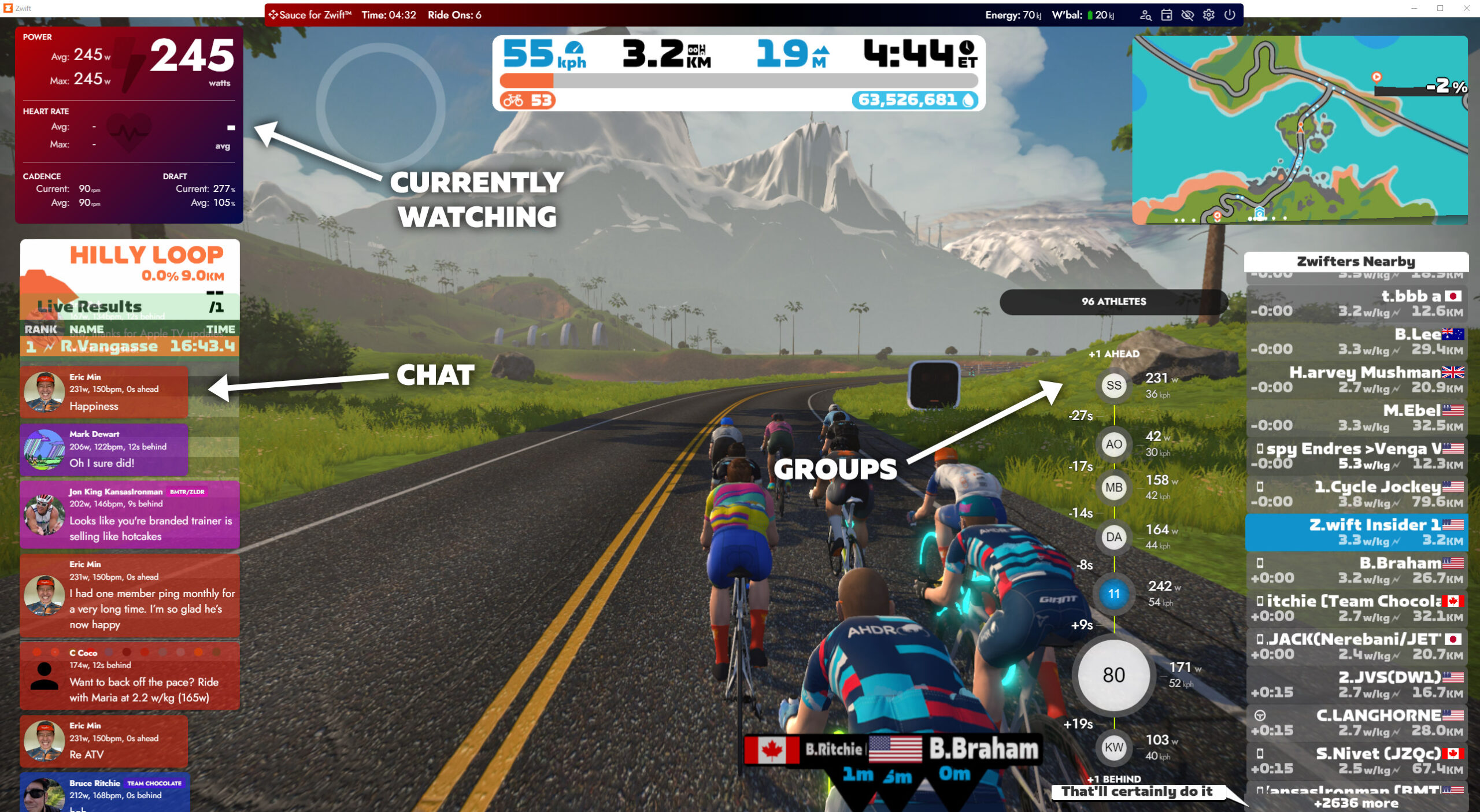
S4Z is designed to run overlayed on top of your Zwift window, but you can reposition the various HUD elements and even place them in a second monitor if you prefer. Here’s what S4Z looks like on my PC after a few quick sizing/positioning tweaks to the three basic windows (which I’ve labeled):
Current Watching: by default this shows power, HR, cadence, and drafting data for the rider you’re currently watching (which is yourself, usually). This includes that elusive average power number Justin originally built S4Z to display. This window’s fields are super customizable.
Chat: scrolling in-game chat history. Messages automatically age off after 2 minutes by default.
Groups: details of nearby groups of riders (up to 4 ahead, 2 behind, by default). Very handy for races (and the time gaps between groups are much more accurate than Zwift’s).
Not bad, right? But we’re just getting started…
Customizing Sauce for Zwift
S4Z offers the kind of customization many Zwifters have wanted from the game itself since early days. In fact, S4Z offers much more in terms of customization than just about any Zwifter could ask for! To wit:
Mouse over the borders of a window and you can click and drag to resize
Right-clicking any window makes its top bar visible, which you can then click and drag to move the window around. You can also click the gear to access window settings, or click to close the window.
From the settings dialog you can change the theme (color scheme) of the window, as well as customize it in other ways
Clicking on certain elements of certain windows does magical things. I can’t cover all the possibilities here, but I’ll give you two examples:
Clicking the main power number in your Currently Watching window changes it from instantaneous power to 5s to 15s to… well, there is a whole pile of options. Just keep clicking. This works for all the numbers in this window!
Clicking one of the groups in the Groups window “zooms in” to that group. You can click a specific rider to see their details, which includes such fun stuff as their FTP setting, a link to their ZwiftPower profile, and a button to hide all chat messages from that Zwifter.
Here’s a quick video I created to show you how to customize your S4Z displays in basic ways:
Adding New Windows
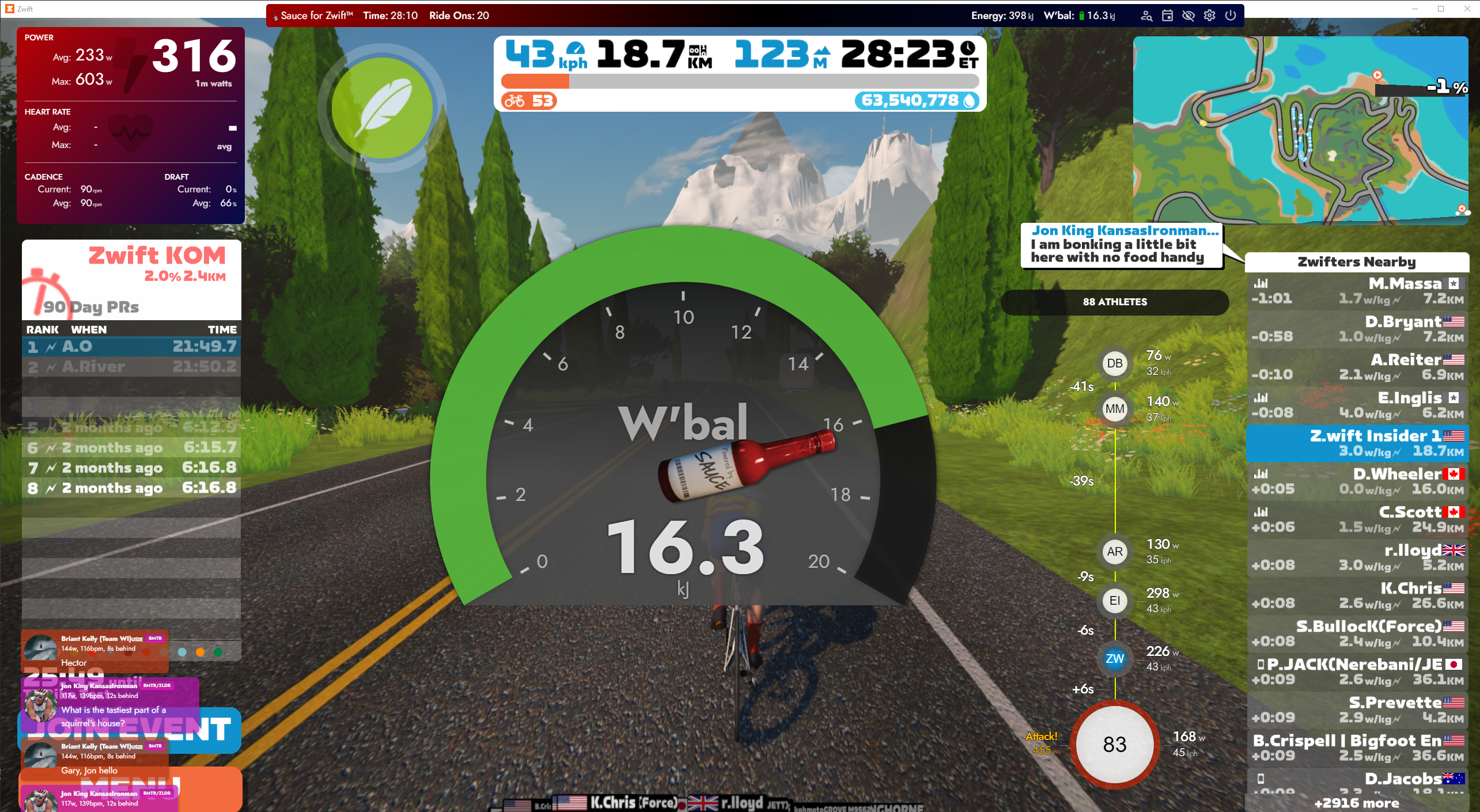
Clicking the settings gear in the main S4Z bar gives you access to your main S4Z app settings, including the option of adding new windows. Just for fun, I added a W’bal Gauge window:
Of course, you’ll want to shrink and reposition it.
(W’bal is a favorite metric of racers because it basically tells you how much oomph you’ve got left. It’s your anaerobic work capacity – read more about it).
There are lots of other pre-built windows you can enable. I won’t list them all here. The big idea, though, is that you can basically get any session data you’d like, displayed wherever you’d like, if you’re willing to poke around a bit and do some clicking and dragging.
Is This Cheating?
Some Zwifters are asking… is using S4Z in races cheating? Does it give you an unfair advantage?
I would argue no, since it’s software everyone has access to. (Sure, Zwifters using AppleTV, iOS, or Android won’t be able to use S4Z – but they could change to running Zwift on a PC or Mac if it was that important to them.) In this sense, it’s no more cheating than someone having a faster bike than someone else IRL. As long as the faster bike (or S4Z setup) is publicly available, the playing field should be considered level.
There will be those who disagree with my stance. And technically, S4Z, like every other Zwift community dev project, violates Zwift’s terms of service.
But most at ZwiftHQ seems to be supportive of what Sauce for Zwift is doing (as a developer himself, co-founder Jon Mayfield seems to love creative community projects), so I don’t see them shutting it down anytime soon.
Whether or not you support its use, expect more and more racers to get on the Sauce.
But Wait, There’s More!
There’s more to S4Z than the basics I’ve outlined above. For example: S4Z includes a web server that spits out data in standard formats to a local URL, which you could then feed into other apps to do amazing things.
Also, Justin Mayfield has lots of plans for improving S4Z. I asked him what he’s working on, and he said, “Stability and bug fixes (there are many). I’m sneaking in extra fields and fun features like themes here and there as I work on the core too. Feature-wise, I need to tackle segments next and I’d eventually like to tie this into WTRL and/or Zwift Power so real-time points are available.”
See… I told you this project was worth supporting. If you’re a Zwift racer using a Mac or PC, head over to Patreon, subscribe for at least $2/month, and support Justin’s work on this sweet project.
Questions or Comments?
Are you a Sauce for Zwift user? Share your tip and tricks below. Questions or comments? Share those too!
The fifth race of Zwift Racing League 2022/23 Round 1 happens Tuesday, October 11th. We’re back in Watopia for the penultimate race of round 1, taking on the varied and strategic Legends and Lava route.
Let’s dig into the race, including tips for bike choice, powerups, strategy, and crucial segments.
Looking at the Route: Legends and Lava
Created to host Zwift Academy Road 2021‘s “standard” Baseline and Finish Line rides, this route has three key segments to test riders’ power systems:
Incidentally, those three segments are our three intermediates for this race as well! We’ll all be racing one lap (24.6km, with 352m of climbing).
Let’s dig into the key sections of our race lap.
Titans Grove Pre-KOM (1.5-3.2km): this rollercoaster climbs twists and turns as it brings you up through Titans Grove. Probably not smart to attack here with the first intermediate just up the road, so you’ll want to mind your pack position and ride as efficiently as possible.
Titans Grove KQOM Reverse (4.2-5.1km): a short, very draftable climb that many riders will finish in 1.5-2 minutes. You won’t have a powerup heading into it, so pace yourself well and use the draft on the final flatter section near the top, especially if you’re going for FTS.
JWB Sprint Forward (16.5-16.9km): a flat and longish sprint, you’ll want to pray for an aero powerup atop the Titans Grove KQOM so you can use it here. As with any sprint, knowing the start line location is key if you’re going for FTS, because you need to it that line at near max speed. If you do push hard here, watch that you don’t get dropped on the short climb and The Esses immediately following.
Volcano KQOM (20.9-24.6): saving the best (worst?) for last, we finish on the big climb of the day. This is a very draftable climb, so smart riders going for FAL typically won’t attack until the second half (after the straightaway bit through the middle of the mountain). If you have a feather powerup, save it for the final steepest bit. Draft and aero? Use them when you’re going the fastest.
The Volcano KQOM is the most important section of this race because it gives both intermediate points and finish points. Of the 525 points a team of 6 could potentially earn, 301 will be earned on the Volcano!
Riders will be awarded powerups through the KQOM and sprint banners, meaning we’ll get just 2 powerups in this race. Three powerups will be given out at each banner:
Aero Boost (helmet) (30%): makes you more aerodynamic (reduces your CdA by 25%) for 15 seconds. Use this if you’re contesting the sprint intermediate or attacking in the wind at high speed.
Draft Boost (van) (30%): increases the draft effect you are experiencing by 50% for 30 seconds. Use at higher speeds (flats and descents) when you are already drafting off another rider (since this powerup only helps when you are drafting.) Useful in sprints if you’re chasing FTS points by sprinting through the peloton. Useful for recovery since it’s 30s long.
Lightweight (feather) (40%): reduces your weight by 10% for 15 seconds. Use on climbs, when weight matters the most. Save it on the Volcano for the final 150 meters.
Bike Frame + Wheel Choice
Bike Frame + Wheel Choice
With the Volcano KQOM being so important in this race, you might think this route is one for a lightweight rig. But you’d be wrong!
In fact, our extensive speed tests show that aero setups beat lightweight setups up the Volcano KQOM. And of course, aero always wins on descents and flats. So it’s really a no-brainer, if you look at the numbers.
At the top of the performance charts, the Tron bike turns in essentially the same Volcano KQOM time as the Specialized Venge S-Works + DT Swiss Disc combo. But the Venge + Disc will be faster on descents and sprints.
Many events are now being planned each weekend on the upcoming ZRL route. If you’re unfamiliar with this course, jump into an event and do some recon! Here’s a list of upcoming Legends and Lava events.
Looking for a video recon, with lovely British commentary to boot? Check out Si’s recon below:
Si Bradeley
Oli Chi
Strategic Options
Points Distribution, Legends and Lava
These charts show the maximum points a team of 6 could earn in each race.
What strategies will riders employ in race 5? Here’s what we predict:
Big Push Up and Over Titans Grove KQOM Reverse: climbers and punchy riders will push hard on the first KQOM in order to drop sprinters before the sprint intermediate.
Targeted Efforts: Legends and Lava lends itself to particular riders targeting particular segments. Watch for sprinters and puncheurs to target the sprint and Titans Grove KOM. But the punchers and climbers will drop the sprinters on the Volcano KQOM, if they race it smart! With so many points on the line atop the Volcano, smart climbers will save themselves for this final crucial effort.
Big Ease after Sprint: there’s no good reason for sprinters (who are the first through the sprint arch) to keep pushing after the sprint, and climbers will be saving their legs for the Volcano. Expect this to be an easier bit, but keep your eyes open!
Sag that Start: first across the finish line earns 50 points (40 finishing + 10 KOM FAL). But cagey, confident climbers will sag at the start of the Volcano KQOM, sitting in the back of the group across the start line then pushing to the front in order to earn FTS points as well. Do it right and the Volcano KQOM could earn you 70 points!
Your Thoughts
Any insights or further thoughts on this race? Share below!
What is HoloReplay? How does it work, and what sort of fun can we have with it? Let’s dive in and find out!
HoloReplay Basics
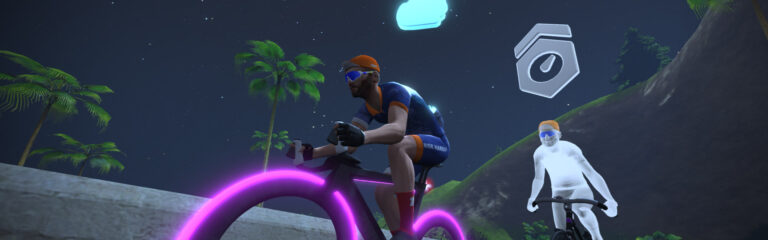
HoloReplay gives Zwifters the ability to ride against your past efforts. If enabled, when you begin any timed segment (sprint or KOM) or route, a “ghost” of your past effort will show up for you to race or pace against.
Here’s a demo video showing how it works in a Watopia Hilly KOM repeat session:
HoloReplay Options
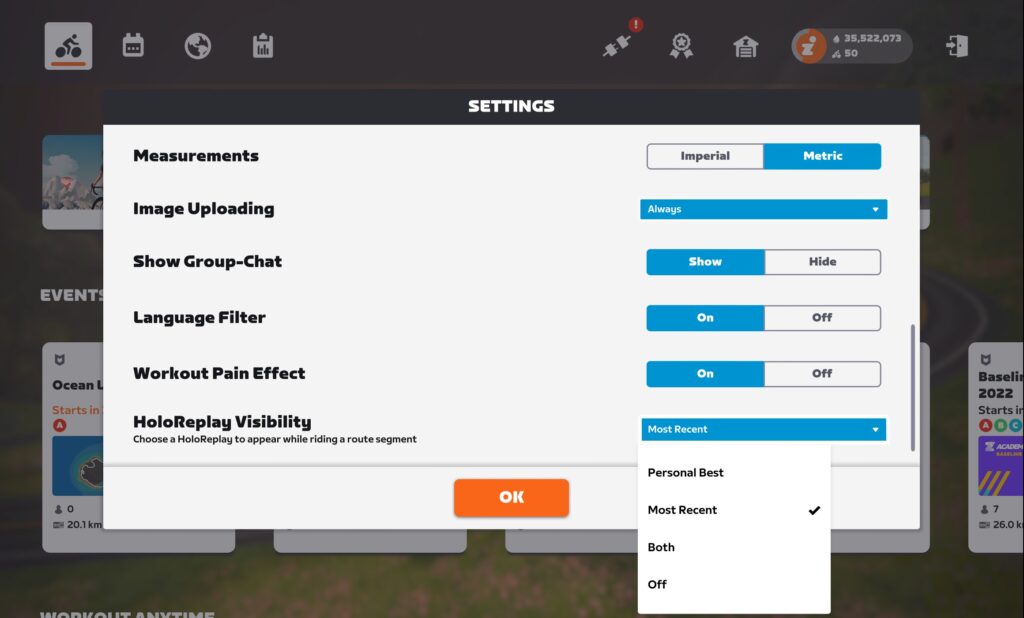
The main settings menu includes new options for HoloReplay Visibility:
This is where you define how HoloReplays show up as you ride Zwift:
Personal Best: replays your 90-day PB (not your all-time PB)
Most Recent: replays your most recent effort
Both: replays your 90-day PB and most recent effort
Off: no replays shown
Replayable Segments
HoloReplay is available on leaderboard segments (KQOMs and sprints), as well as all routes and Climb Portals.
Precise Replays
If you’ve ever tried to chase a Strava PR outdoors using data from your head unit, you may have experienced the annoyance of time tracking that isn’t based on the actual GPS data from your previous activity.
Zwift’s HoloReplay avoids this by actually replaying your previous activity based on activity recordings saved on Zwift’s servers which even include your left-right location on the road. (That’s right: if you had steering enabled, your hologram will even replay your steering movements.) So when you’re chasing your PR on Watopia’s Hilly Route, your hologram will reflect the precise speeds you hit when going hard up the Hilly KOM and supertucking down the backside.
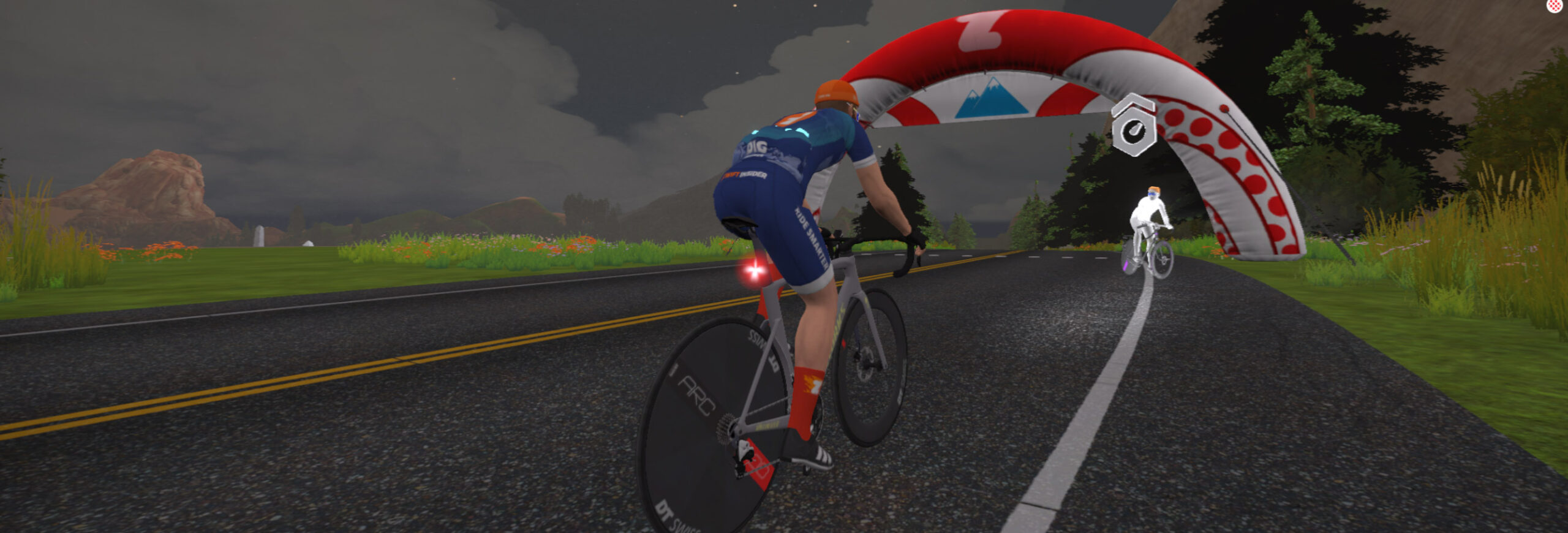
Your HoloReplay will also wear the same headgear, shoes, and ride the same bike frame and wheels as you used when the replay was created. You’ll even see when you used a powerup in your previous effort, and when you got out of the saddle. (Sadly, it won’t show if your fire socks activated.)
My HoloReplay showing previous bike, active powerup, and standing out of the saddle for a short time.
Other Tidbits
Your holograms are not draftable and are only visible to you.
HoloReplays data is not recorded in group workouts or “Keep Together” Meetups, but are recorded in all other activities.
Additionally, HoloReplays will only show up during free rides. They are not visible in workouts, Meetups, Club Events, races, or any other “official” event.
Playing with HoloReplay
What sort of fun can you have with HoloReplay? Here are some ideas:
Negative Splits: enable the “Most Recent” HoloReplay, choose Watopia’s Hilly Route, then ride up the Hilly KOM. Turn around after the banner, spin easy to the bottom, then turn around again and see if you can beat your time to the top. How many times can you repeat this? Bonus: try it on the Hilly KOM Reverse for a VO2 interval session! (2 sets of 4 climbs with 10 minutes between the sets is a good place to start.)
Pacing Practice: TT specialists will tell you it’s easy to lose time with poor pacing, especially on technical climbs. Try using your 90-day PR to fine-tune your pacing on a key climb, perhaps easing a bit more on a flatter section and giving it a bit more gas on a steeper bit. You may be able to trim seconds (or minutes) off your best time.
Custom Pacer Bot: Zwifters have been asking for custom pacer bots since the early days. Now with HoloReplays you can (sort of) make that happen. Ride a route or individual segment at the pace you want to hold, then any time you want to ride at that pace again just pick that route and enable the “Most Recent” HoloReplay. You’ll be chasing yourself around at whatever pace you previously rode.
Weekly Challenge: set a goal of riding the Epic KOM (~25 minutes), Alpe du Zwift (55-75 minutes), or Ven-Top (90 minutes+) each week, chasing and beating your 90-day best each time.
TT vs Ghostpack: did you set a PR on a particular route or segment during a RoboPacer ride? You may not be able to hang with your HoloReplay alone on a road bike, but a TT frame will mimic the speed advantage of the pack draft. (Not entirely, but it’ll help a lot.) Grab a fast TT frame out of your garage and see if you can beat your PR and the ghost pack who pulled you along.
Sprintervals: 30-30 workouts (30 seconds hard effort followed by 30 seconds of recovery) are popular with racers. Why not head to the Watopia Sprint Forward and do some repeats, trying to pip or at least tie your “Most Recent” HoloReplay each time? Sprint to the line, flip a u-turn and spin easy to the edge of the Italian Village cobbles, then flip around again and for another sprint. Start on the easy side, and aim for 2 sets of 5 sprints with a 5-minute rest in between each set if you’ve never done 30-30s before.
Racing a Fitter You: if you’re carrying some extra weight, you’ve probably wondered “How much faster would I be if I lost a few pounds?” Now you can find out. Change your weight in your Zwift profile (on free rides only, don’t be a cheater!), put in a hard effort on a climb, then come back and see if you can match that time at your real weight. (This is a win-win game, as we see it. If you get beaten by your lighter self that’s inspiration to shed a few pounds. And if you beat your lighter self you can celebrate with cake!)
My cheeky past self turned around and waiting for me atop the Hilly KOM…
Just The Beginning
FutureWorks HoloReplay launched with solid functionality that was welcomed by all Zwifters. But what else could be done with HoloReplay in the future? Our suggestions:
Include the ability to race your lifetime PR, not just 90-day
Be able to see another rider’s HoloReplay. What if a pro rode a particular route solo, then Zwifters as a group could race that pro’s HoloReplay in a recurring event? What if you could race your friend’s HoloReplay?
HoloReplay for runners
We’re confident that Zwift will refine and build out HoloReplays as time goes on, much like they did with RoboPacers.
My KOM hologram went into ET mode when doing repeats of Hilly Forward KOM. Just a reminder that this IS a FutureWorks feature, which means it’s under development!
More Details
There are lots of nuances to this feature, so if you have further questions we recommend reading Zwift’s Holographic Replay FAQ. If you want to discuss the feature with Zwift staff, head over to this new forum topic.
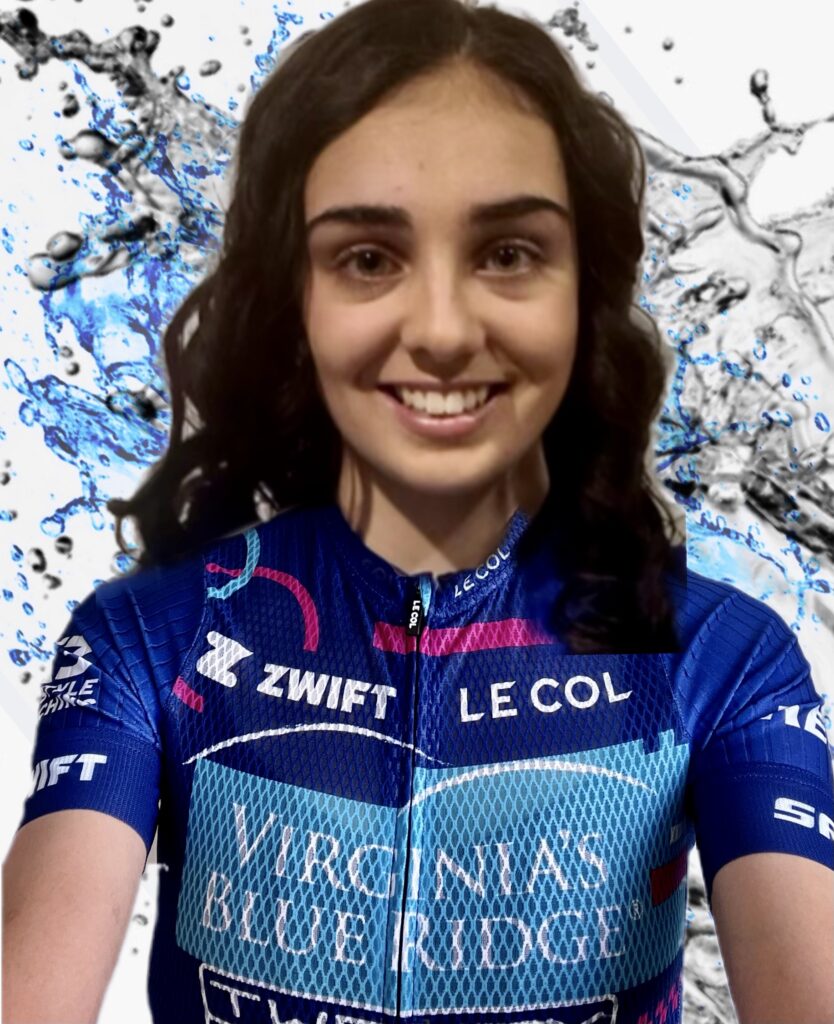
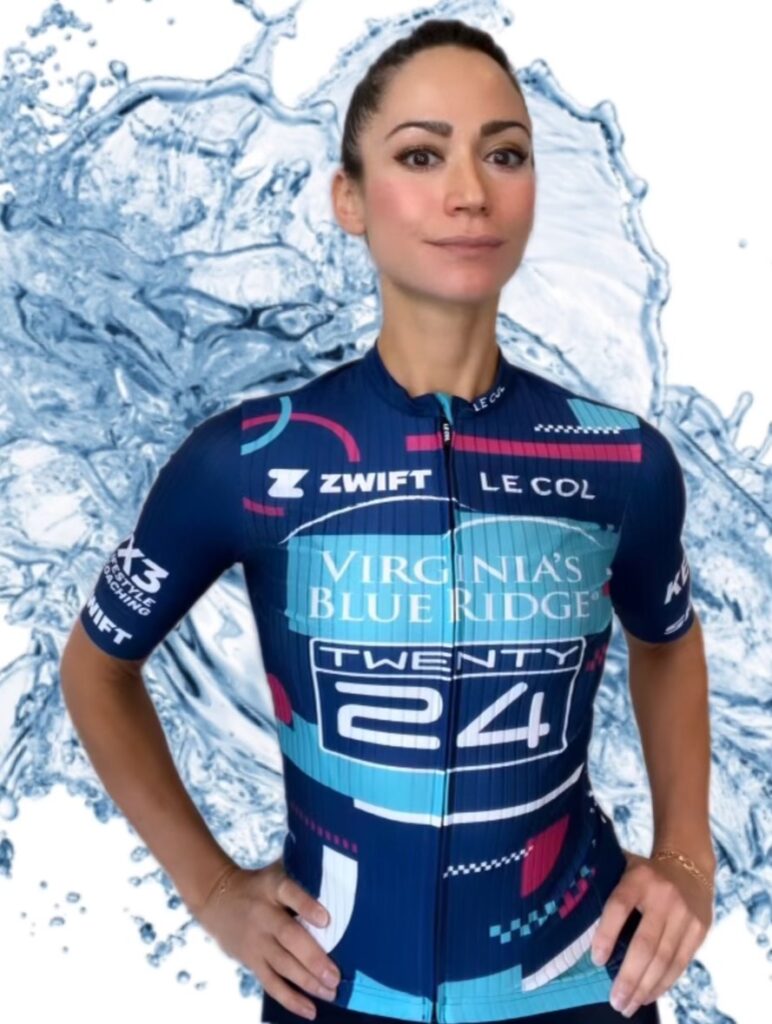
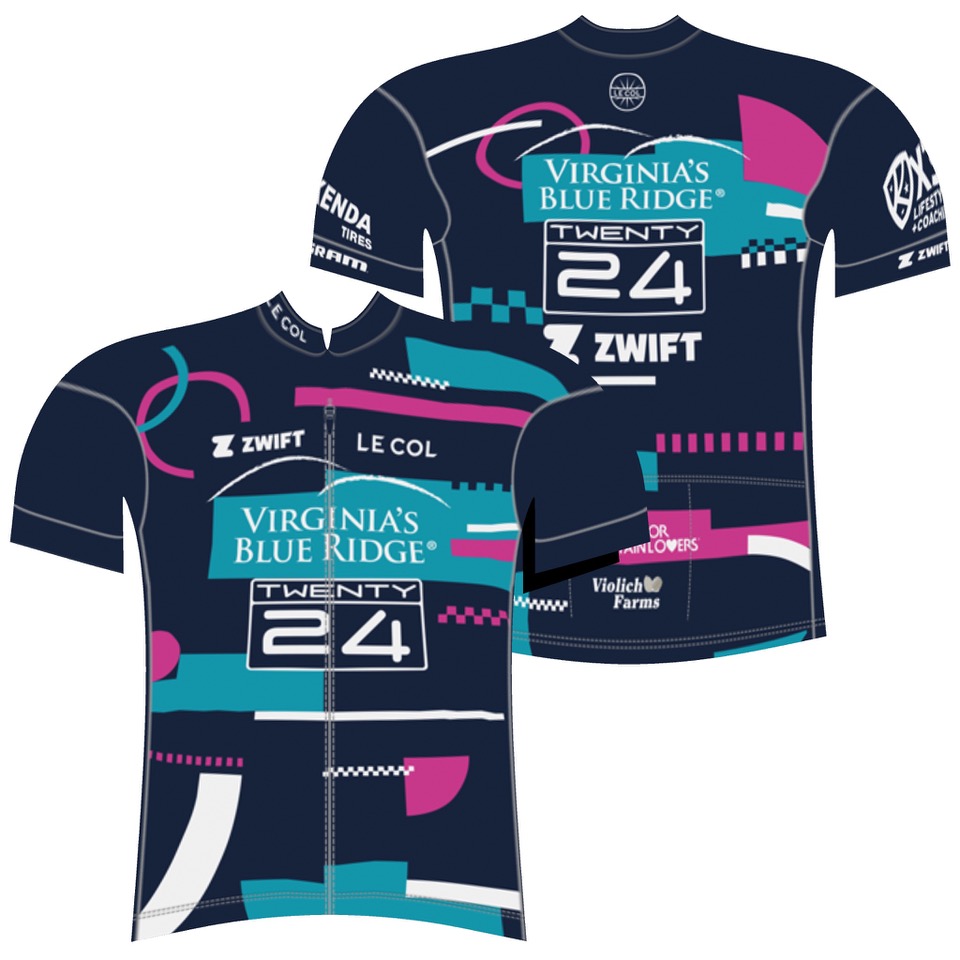
It’s Zwift Grand Prix season and we are stoked! I’ve been operating teams for almost two decades and Zwift racing is always an exhilarating reset and complement to our IRL season. I’m going to share some personal insights into the athletes of Virginia’s Blue Ridge TWENTY24 along with their perspectives on Round 1 of the 2022 Zwift Grand Prix.
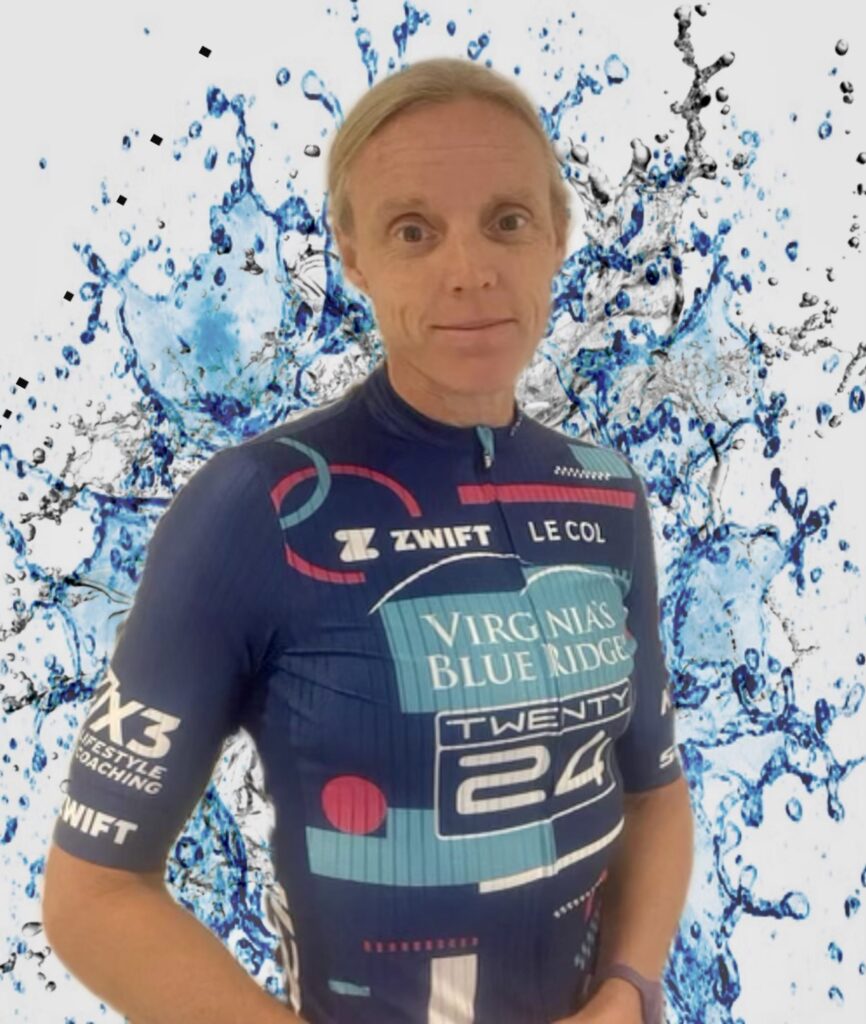
Virginia’s Blue Ridge TWENTY24 continues to focus on developing new Zwift racers. It’s easy to pull the best and most experienced Zwift riders together to create a winning team, but historically our program has been about developing some of the world’s best IRL athletes. We are fortunate and honored that our team is led by Zwift eSports specialist Kristen Kulchinsky, who is a superb racer with a keen eye for talent along with D.S Josh Lipka. Recruiting is fun, teaching is rewarding, and watching athletes excel and thrive is winning, even if they aren’t quite winning actual races yet!
The season is kicking off with The Parcours Picker, matching athletes’ strengths to specific courses.
Race 1
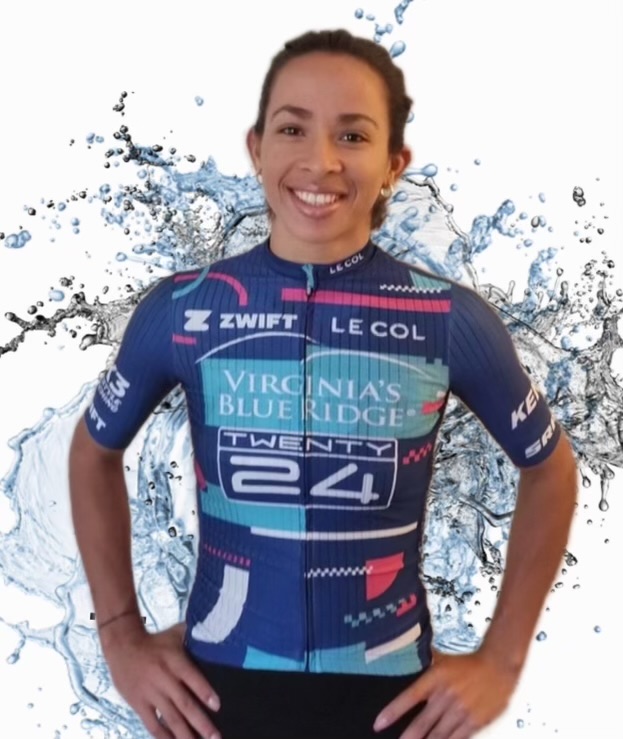
Athlete: Marlies Mejias (CUB)
Marlies is from Cuba, a two-time Olympian, Pan American Time Trial Champion, and a mother to a three-year-old daughter. She is new to Zwift, just reaching level 10 status this week. She scored 11 wins and another 10 podiums this season on the professional IRL road circuit, and her specialties are sprinting and time trialing.
Very few riders jump from IRL and immediately adapt to Zwift. It takes time and patience… a lot of patience. Marlies is learning English but comprehending and translating the language of Zwift racing is a next-level challenge with data uploads, weigh-ins, height videos, and dual recordings. Her life in Cuba is simple; for perspective, the people of Cuba are only allowed to use electricity for 3 hours a day for essential living, food is scarce, and there is little to no Internet, so Zwift is not an option, but she is embracing the new challenges.
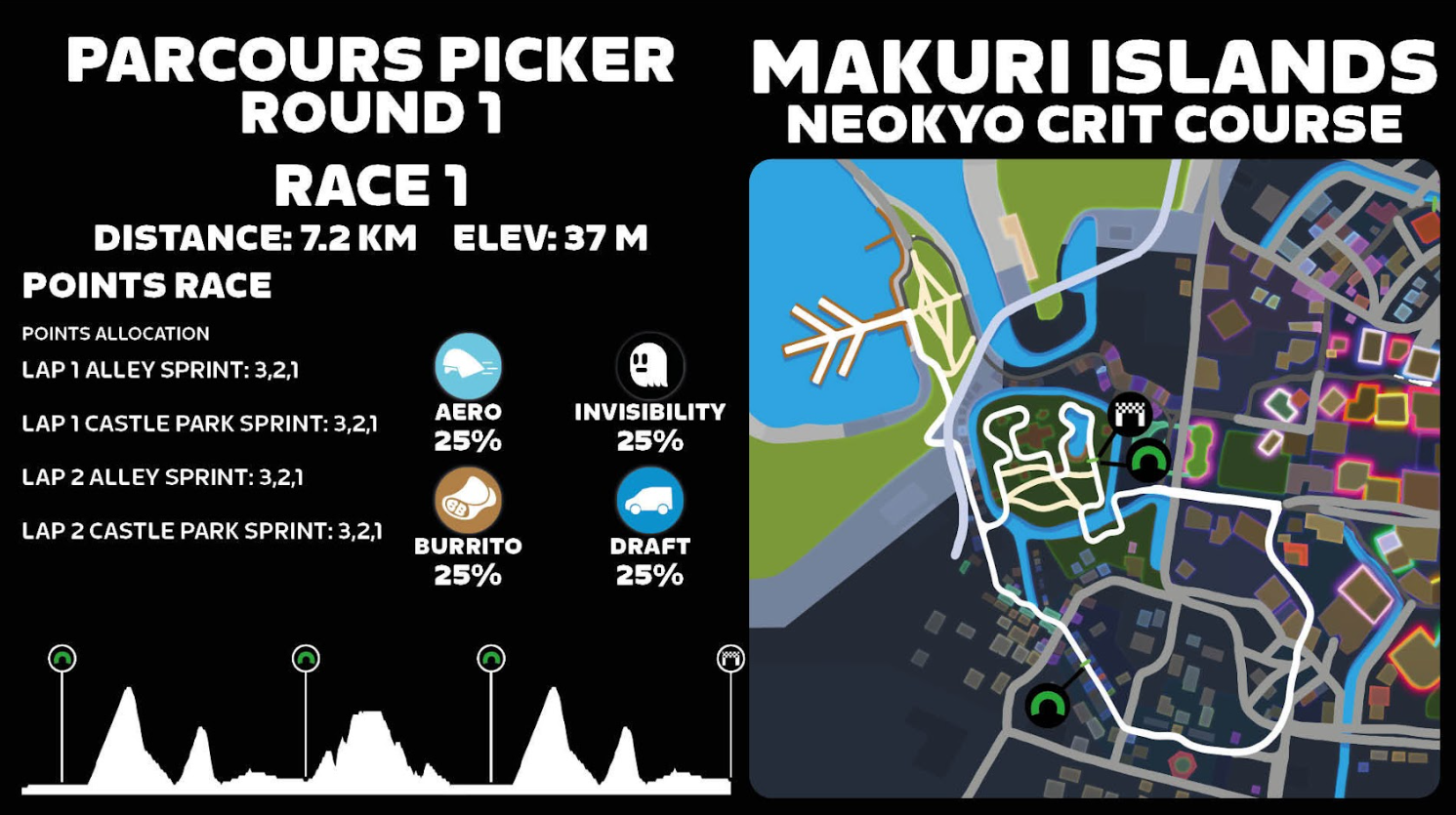
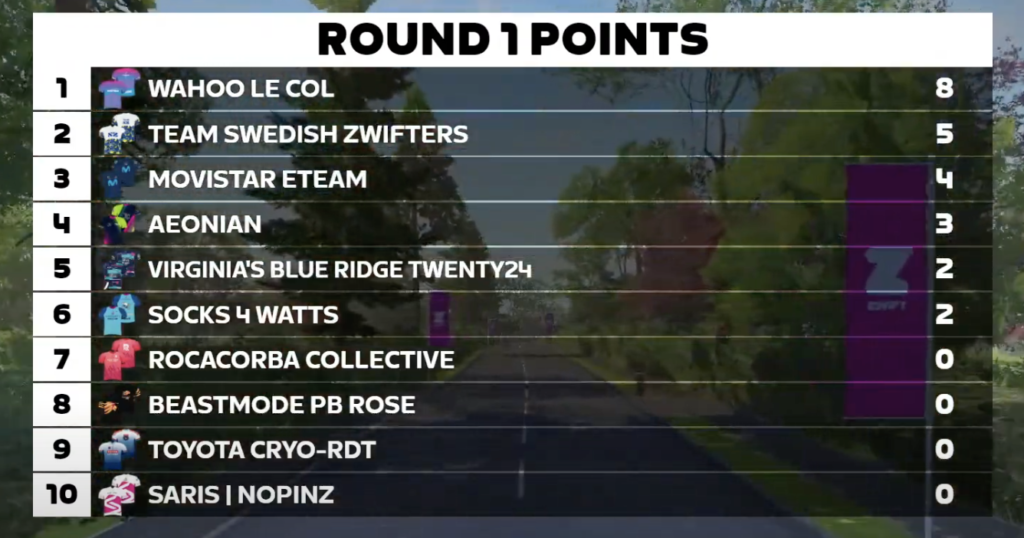
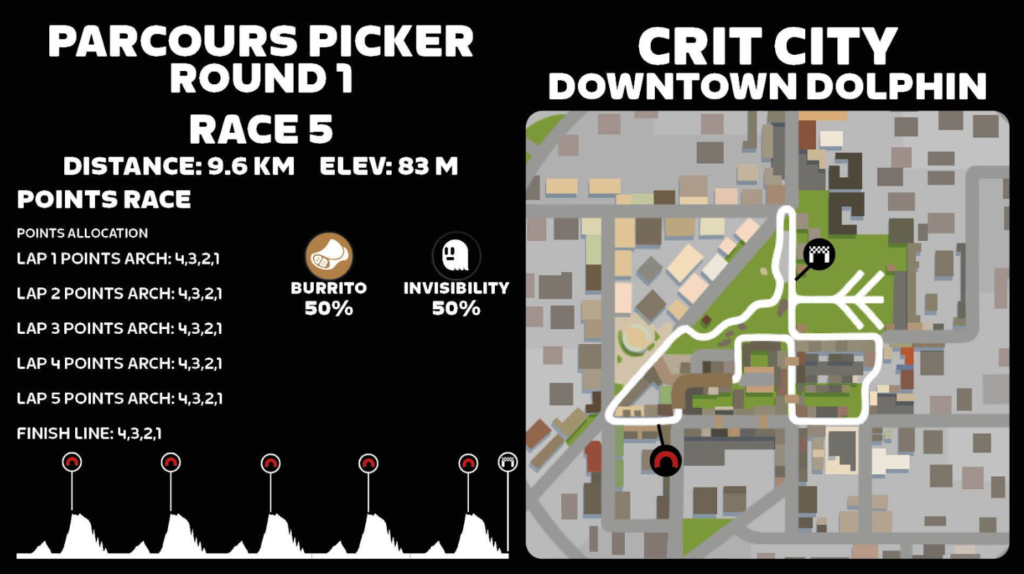
The short race produced action right from the start. There were 4 sprints within the 2-lap race. Jessica Edqvist (Movistar), Sara Lundin (Team Swedish Zwifters), Ellexi Snover (Socks4Watts), and Polona Itkin (Aeonian) all got on the scoreboard, but it was Wahoo Le Col who dominated the race with Kathrin Fuhrer who took the first two sprints and a second place on the third sprint.
Marlies featured in the points in two sprints but pushed hard for the others, just slightly mistiming. But the watts are there and the timing will come! “Racing on Zwift is an incredibly challenging and humbling experience. I have so much to learn in a short time. I’m grateful to Kristen and Josh for helping me these past 2 weeks. The experienced Zwift riders are so strong and smart in their approach to these races. I must adjust my style of sprinting for Zwift racing, be more patient, and practice timing and how to use power-ups!” said Mejias.
Race 2
Athlete: Elena Wu Yan (USA)
Elena is new to the eSports team this season, recruited by our team captain Kristen Kulchinsky who recognized her potential in community racing. She lives in New York City and is a product manager for a Tech company. Elena’s entry into endurance sports was in college as a walk-on to the lightweight crew team. After graduating, she discovered cycling during the pandemic and started racing Zwift and road this past year.
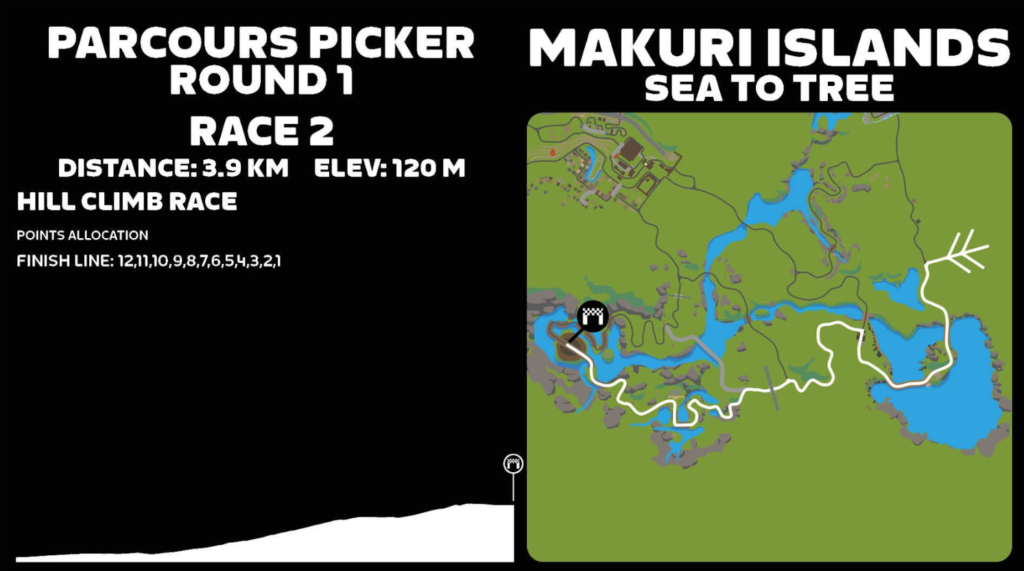
“The race was a fast and furious 5-minute hill climb up the Temple KOM! Having watched the men’s race from last week, I knew ours would be intense as well—you know everyone is super strong when a climb ends in a bunch sprint! (We didn’t know our competitors until a couple hours before the race, and even then, I hadn’t raced against many before so didn’t know most of the names. I just knew they’d be strong!) Our race started off relatively relaxed leading into the gravel for the climb. I didn’t want to leave things to a sprint finish so decided to attack early and see if my 5-min power could dwindle down the group. About .2 miles into the climb, I gained some speed from a slight downhill plus the draft of the pack and attacked when the road steepened. Sadly, my time off the front didn’t last long, as the group was quick to react, and most were able to chase back on.
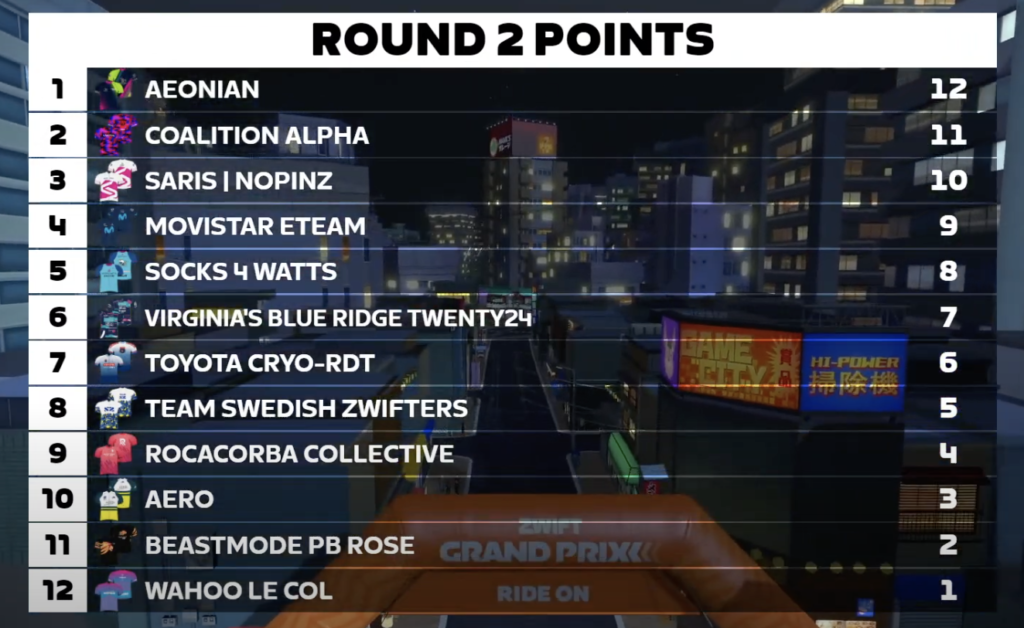
From there, the pace stayed high, and we were all climbing together at around 6W/kg. When the gradient kicked up one last time before the flat finish, Eva van Agt (Aeonian) made a calculated move, increasing the pressure while we were all fatigued, and created a slight gap to stay away for the win. The rest of us were also sprinting toward the line with whatever we had left. I didn’t know whether I came across in 3rd or 7th, as it was that close! Turns out I was 6th. While not the result I was hoping for, I’m happy with the effort I put in and glad I tried to attack even if it didn’t stick (no risk no glory, right?). Also, I found out afterward how many Zwift and road legends were in the race, so it’s even cooler to have represented Virginia’s Blue Ridge TWENTY24 and been in the mix with such incredible women!”
The legend Mary Wilkinson (Coalition Alpha) was 2nd and Morgan Uceny (Saris NoPinz) rounded out the podium spots in 3rd.
Race 3
Athlete: Mairen Lawson (CAN)
Canadian Mairen Lawson is in her second eSports season with the team. She is currently looking at colleges in the U.S for next year so she can continue to pursue academics and cycling.
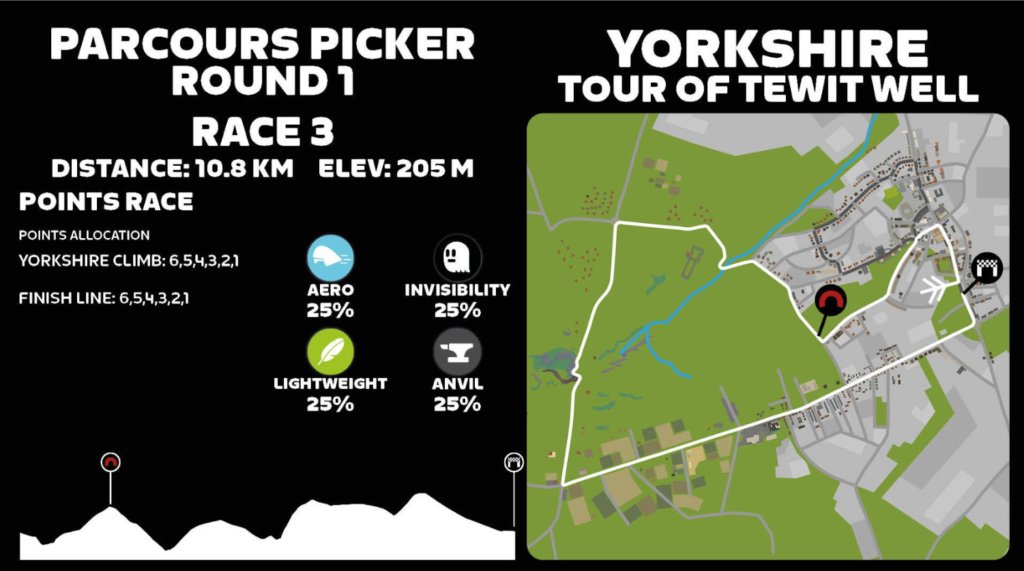
“The Tour of Tewit Well is a punchy undulating course, one of the toughest. The finish and the Yorkshire KOM reverse at 4.1% grade average were the battlegrounds for points in this race. The race started off with Mika Söderström (Movistar) taking the first points after a vicious attack, and she was followed by former BMX Pro Arielle Verhaaren (Aeonian) and Lyndsey Cassie (Wahoo Le Col) who each took the points. We then descended for a while and there was another section of climbing before the Pot Bank climb. Around halfway through the race the road kicks up to 12% and this is where Lyndsey Cassie threw down an incredible leg breaker of a move and splintered the group and we never saw her again.
The group thinned out at the top of the climb. I could not hang with the fast pace but two riders behind joined me and we chased back to the lead group. There was one last climb, but I couldn’t stick with the attacks. Lyndsey Cassie would stay away for the win followed by Arielle Verhaaren with an impressive 2nd and Gokçe Paul (Socks4Watts) 3rd. It was a good experience but not my best day. I finished up in 8th.”
Race 4
Athlete: Kristen Kulchinsky (USA)
KK is a Goldsmith and jeweler by trade. Her stunning pieces are unique, and you can see her fabulous art on Instagram. She is our eSports specialist and a highly sought-after Zwift athlete. She is very loyal and a dedicated team captain that has a deep passion for helping others become better Zwift athletes. She is in her third year with the team.
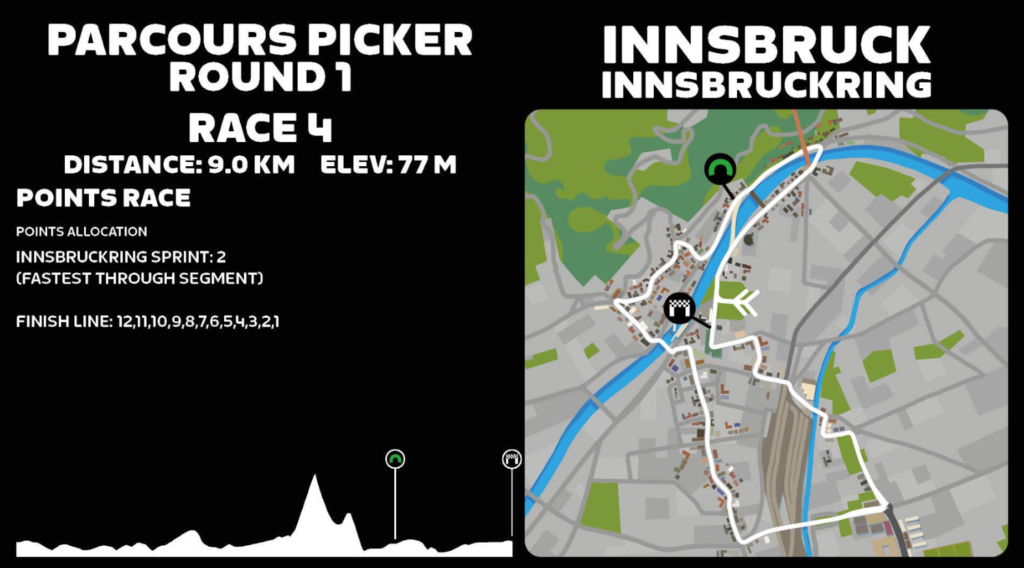
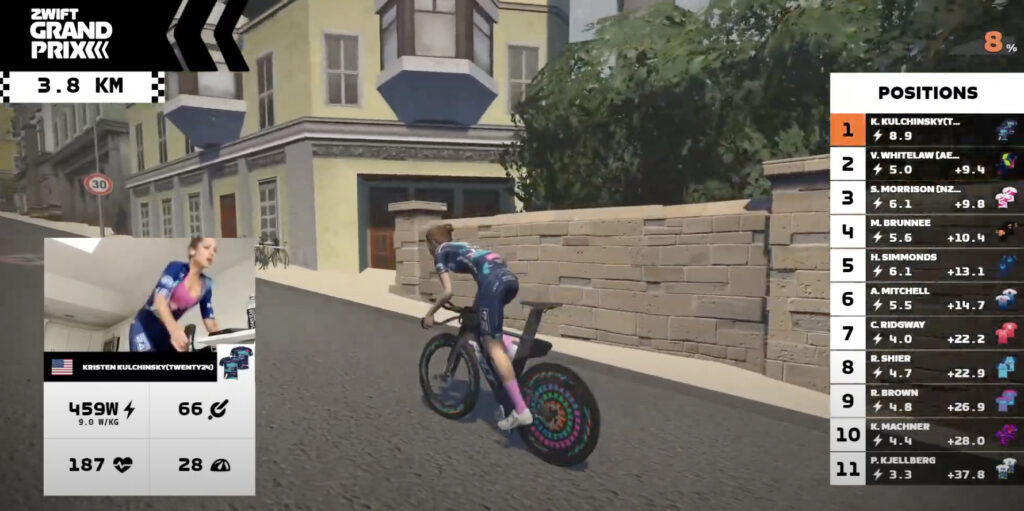
The time trial is also known as the race of truth and an IRL favorite historically for the athletes of Virginia’s Blue Ridge TWENTY24. There is tangibility in time trialing. Yes, tactics are involved on a personal level like pacing strategies and fueling and knowing the course, but it’s a race against the clock, a true test of raw power, with no drafting and no power-ups.
Eleven starters left the pen simultaneously, a new format for Zwift GP time trials. Kulchinsky hit the front immediately and was only challenged briefly by Morrison (Saris NoPinz). Vicki Whitelaw (Aeonian ) stayed within striking distance in the opening kilometers. By the 4k mark Kulchinsky had opened up a 6-second gap; she hit the Leg Snapper and was 15 seconds ahead when she crested the top. The battle for the remaining podium spots saw Morrison holding strong in second up the climb with a charging Merlee Brunee (Beastmode PB Rose) powering ahead of Whitelaw.
Kulchinsky also took the 2-point bonus by posting the fastest segment time. Her performance took the maximum available points and solidified the top spot for Virginia’s Blue Ridge TWENTY24. It was a stunning win and a testament to the hard work she put in this summer. Brunee finished 16 seconds back followed by Morrison, Whitelaw, and Simmonds (Movistar).
Kristen Kulchinsky said, “The Parcours Picker was one of the races I was looking forward to. The Innsbruck Time Trial seemed like a perfect choice for me and with the most points on the line for the team I was up for the challenge! My pre-race reconnaissance with my coach and DS Josh determined a good pacing plan. I felt great throughout the race, I was in the zone and slightly possessed! I went for the ‘fastest through segment’ and was happy to pick up the additional 2 points for the team! Completely emptied my tank and left it all out there!”
We hope Zwift adds an individual time trial to its UCI eSports World Championship schedule in the future.
Race 5
Athlete: Naomi de Pennington (GBR)
Naomi resides in England and owns her own veterinary practice specializing in large animals and in particular horses. It’s been interesting at times on Discord when Naomi gets an emergency call to attend to a horse with colic! She has raced with the eSports team for three seasons when she can work it into her busy schedule.
“I was thrilled to be chosen to represent Virginia’s Blue Ridge Twenty24 as part of the Zwift Grand Prix series last Friday with its exciting new format. The wait for race 5 was a long and nervous one although watching my teammates, in particular the incredible Kristen Kulchinsky on the Zoom feed whilst listening to our DS Josh’s team talk on Discord was highly motivating!
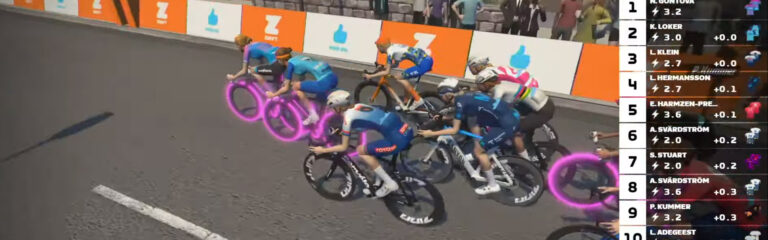
The start list for Race 5 was full of exceptional athletes, although I guess that goes for all of the ZGP races. Nevertheless, it was a little daunting to line up against the current esports world champion and some of the world’s top-ranked female Zwifters. The race set off at a moderate pace but when the short uphill segment to the sprint banner came into view some ferocious sprints were unleashed as expected. Despite a lot of practice on the course I didn’t quite time this first sprint right. The following lap, one of the riders used a ghost power up to go for a long sprint and I just managed to catch the wheel and hold on for fourth place across the line. In the third sprint I couldn’t quite match the power of the strongest women to make it into the points and then it was a battle to get back into the draft. My attempt to get points by going early on the fourth sprint was unsuccessful and then it was pure suffering to try to keep with the pack for the remainder of the race. Kudos to all the super strong women in the race for their fantastic sprinting and to Anna Svärdström (Team Swedish Zwifters) for powering through to cross the finish line in first place with Loes Adegeest (Aonian) in 2nd and Sammie Stuart (Canyon) in 3rd.
“We had a fun first race of the Grand Prix and we did as well as we could as a team on the day. It revealed several areas where we could improve, and we’re looking forward to round two,” said D.S Josh Lipka.
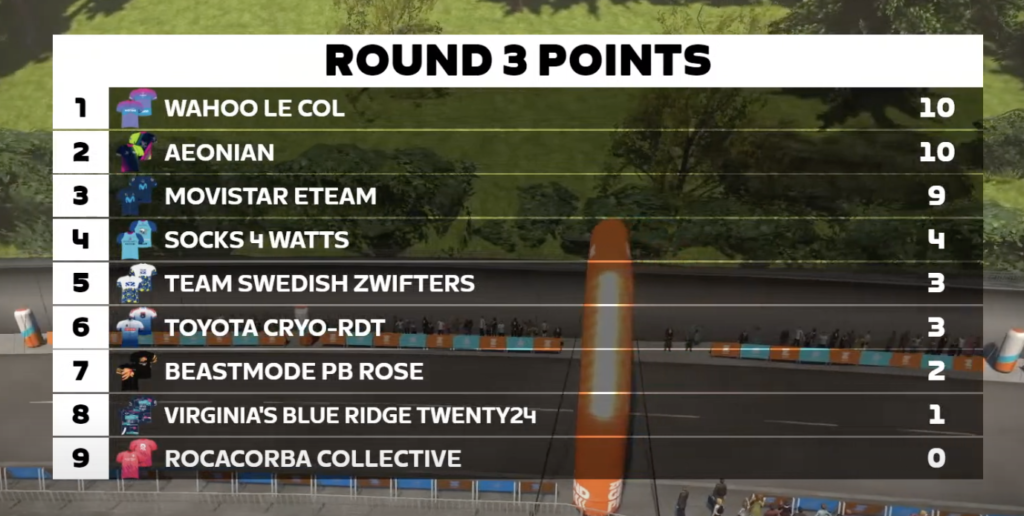
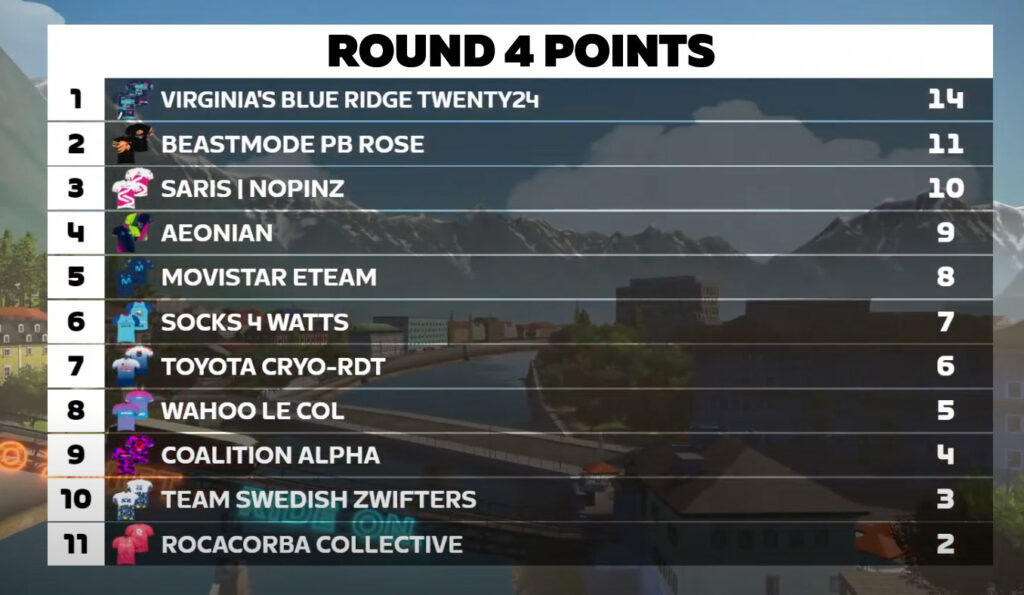
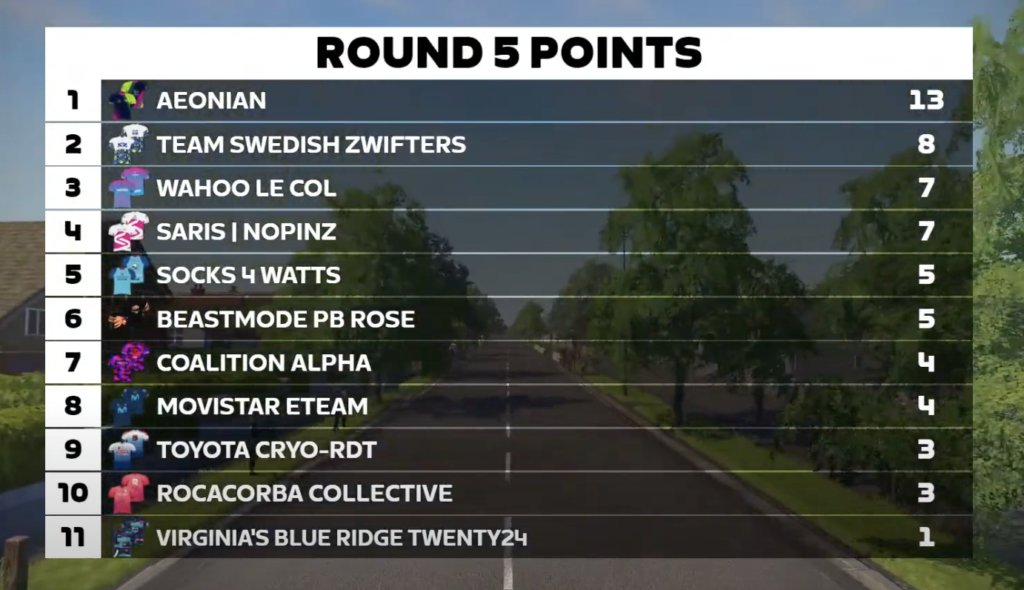
Congratulations to all the teams and athletes who participated, we know that just getting to the start line of the big-league Zwift races is no easy feat. Huge KUDOS to Wahoo Le Col on the overall.
“As a team I think we did amazing, there is always room for improvement and learning! I do love how we got to showcase each athletes’ abilities on the different courses,” said team eSports captain Kristen Kulchinsky. “Sprinters, climber, punchy, and power! Overall, a great first race of this new fun format!”
Watch the full race broadcast:
About Virginia’s Blue Ridge TWENTY24
Virginia’s Blue Ridge TWENTY24 is America’s premier women’s cycling team empowering women and young girls to develop and thrive as world leaders. Championing diversity, equity, inclusion, and belonging not only in the sport of cycling, but in occupations, cultures, and all aspects of their lives. When the team was formed in 2005, the goal was to create a pathway for athletes to the 2012 London Olympics. In 2009 the team name became TWENTY12 changing every 4-year cycle, followed by TWENTY16, TWENTY20, and now TWENTY24 representing the Paris 2024 Olympics.
The TWENTY24 program is responsible for developing many of the most successful American female cyclists to date. Creating opportunities for elite, junior development and para-cycling athletes. TWENTY24 has established a consistent athlete talent pipeline for road and track cyclists and additionally providing opportunities for athletes who excel in the virtual world of Zwift eSports and the new dynamic discipline of gravel racing.
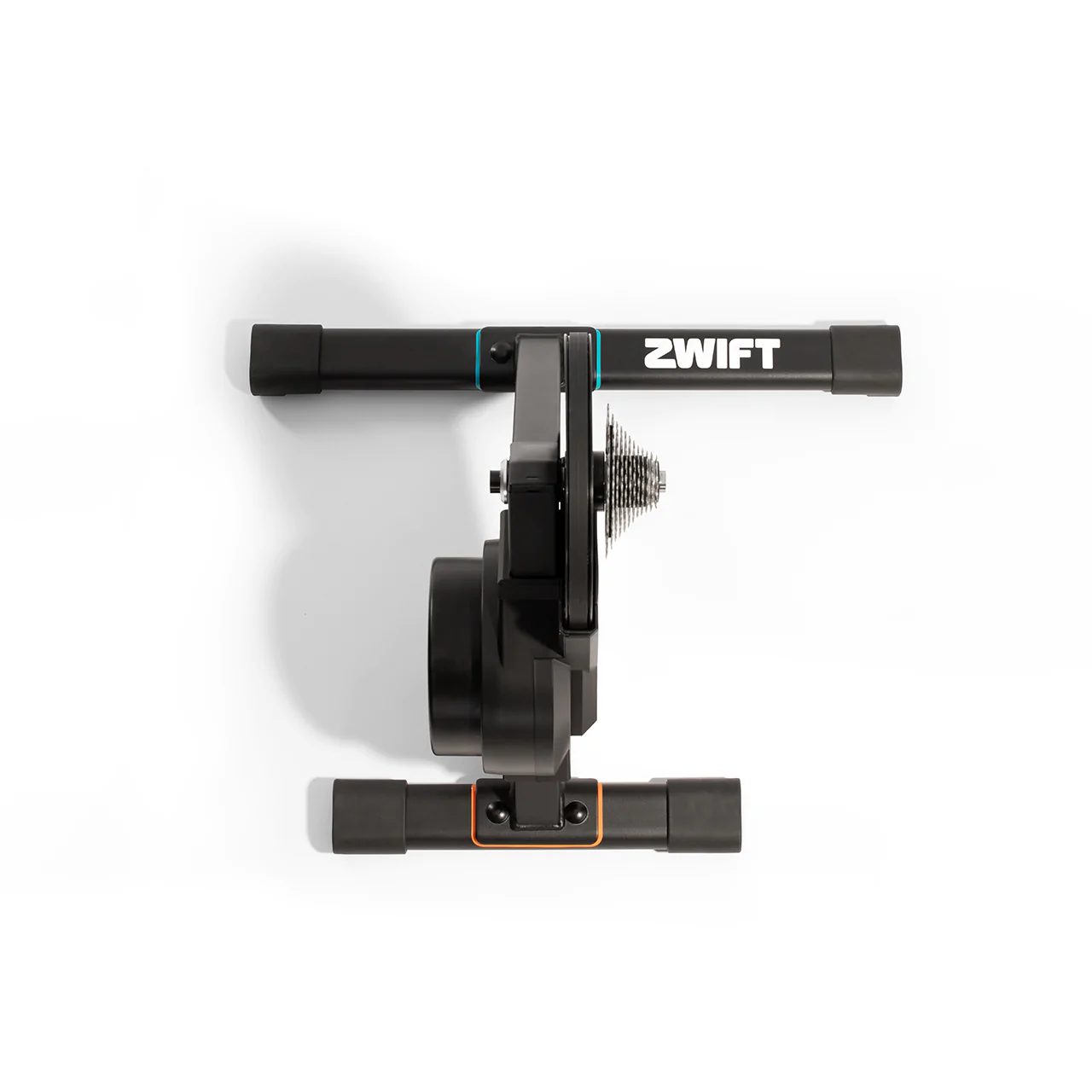
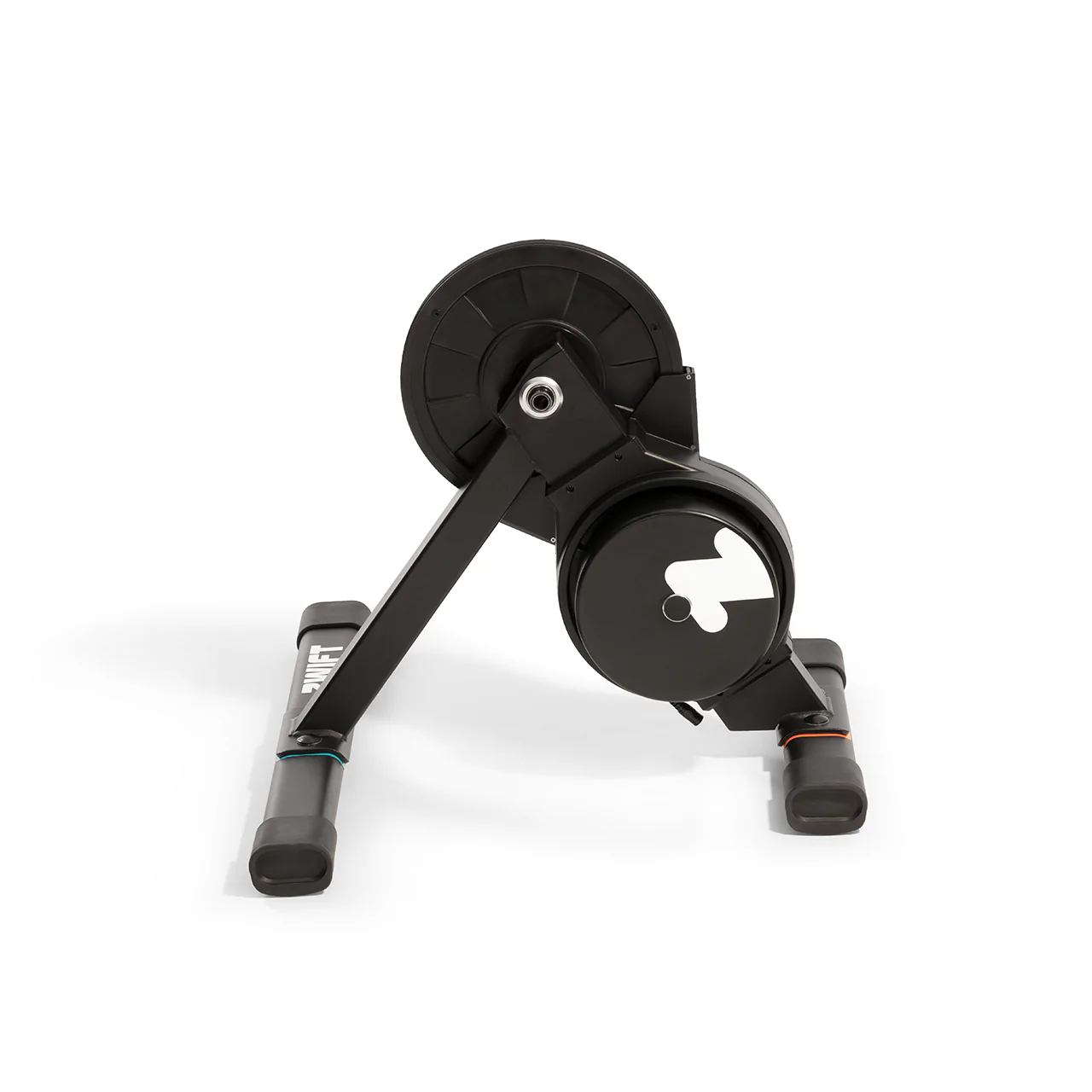
The Hub, Zwift’s first smart trainer, was announced on September 6. And as of today it is available for purchase at zwift.com for customers in the EU, UK, and USA.
Its $499USD price point garnered much attention, but how well does it actually work? In-depth reviews had to wait for updated firmware which arrived a few weeks ago.
I’ve ridden the Hub since early August, putting it through its paces across 800+ Zwift miles. During that time I’ve done a combination of Zwift activities: free rides, group events, races, and ERG workouts. I’ve thrown everything at the Hub that my cat-B legs can muster, all the while dual recording my power on a combination of pedals.
And now you get to benefit from all that hard work. Here’s my deep dive into all things Zwift Hub! I hope you find it helpful as you consider your next smart trainer purchase.
Zwift Hub Specs
Accuracy: +/-2.5%
Max Wattage: 1800W
Max Gradient: 16%
Flywheel Weight: 4.7kg
Protocols: ANT+ FE-C and Bluetooth FTMS
Cadence: built-in
Cassette: included (customers select from 8, 9, 10, 11, or 12-speed)
Freehub body: Hyperglide
Axle Compatability: 142/148 thru axle + 130/135mm QR
HRM Bridge: the Hub can pair with your HRM and rebroadcast it via Bluetooth
Max Rider Weight: 265lbs
Product Weight: 33lbs
Dimensions: 19.5 in L x 24 in W x 18.1 in H
Unboxing + Setup
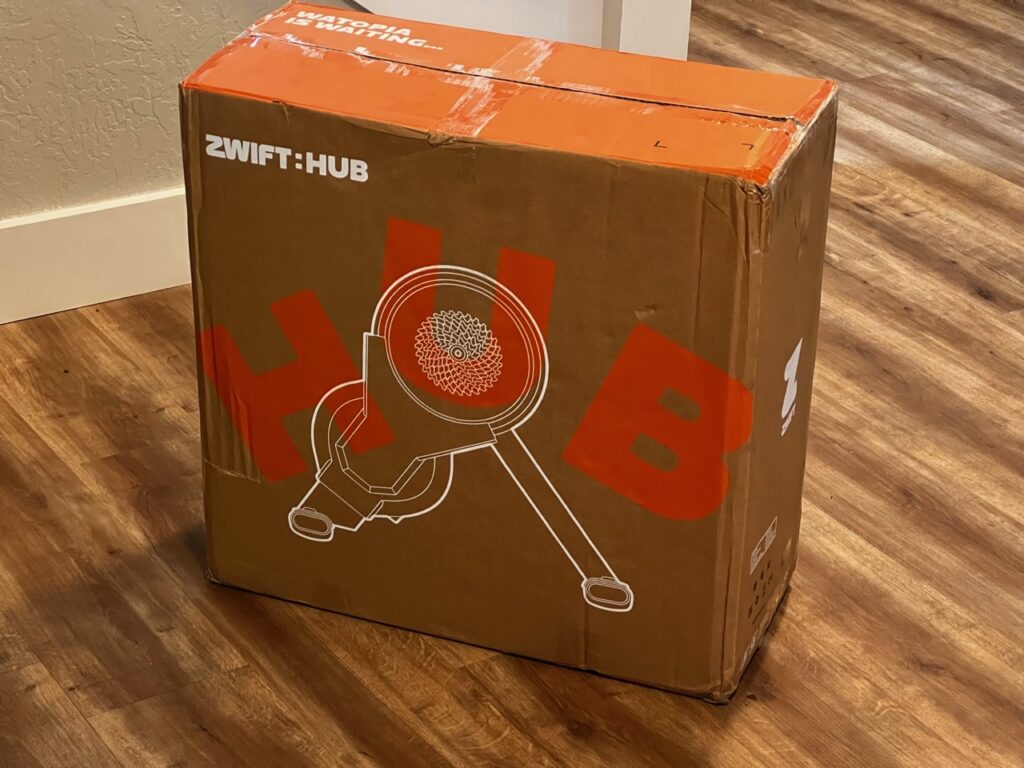
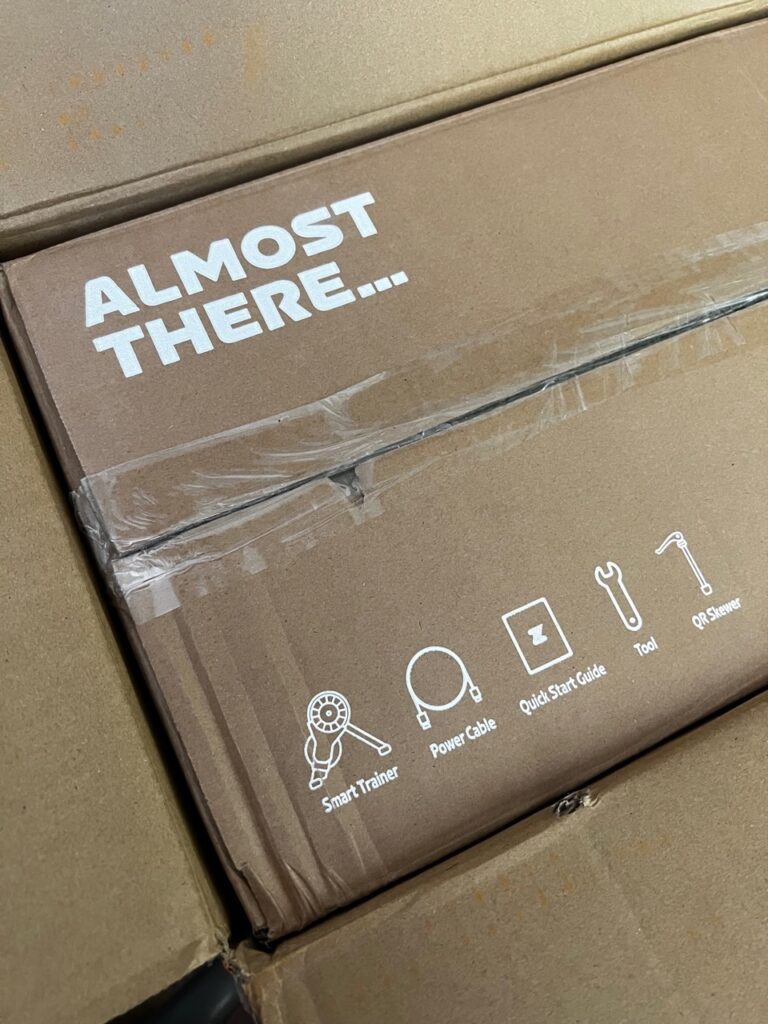
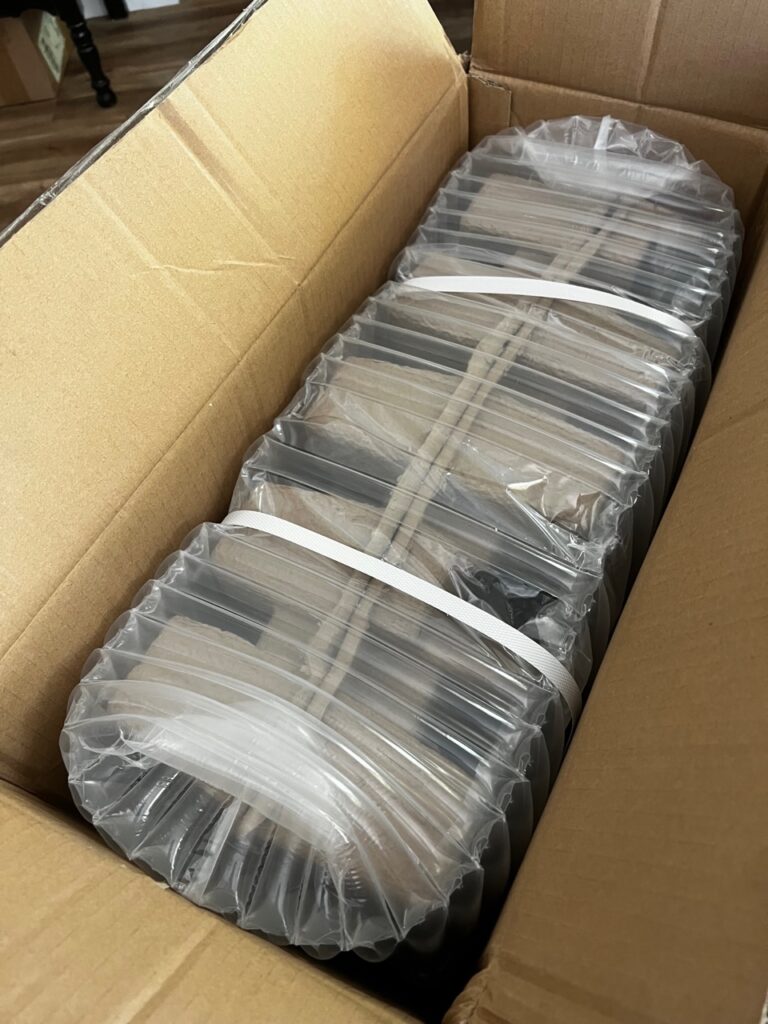
The Hub comes double-boxed like most decent trainers. Inside it is surrounded by beefy bubble wrap, then nestled into a cardboard carton (a more earth-friendly packing material than styrofoam, which I appreciate).
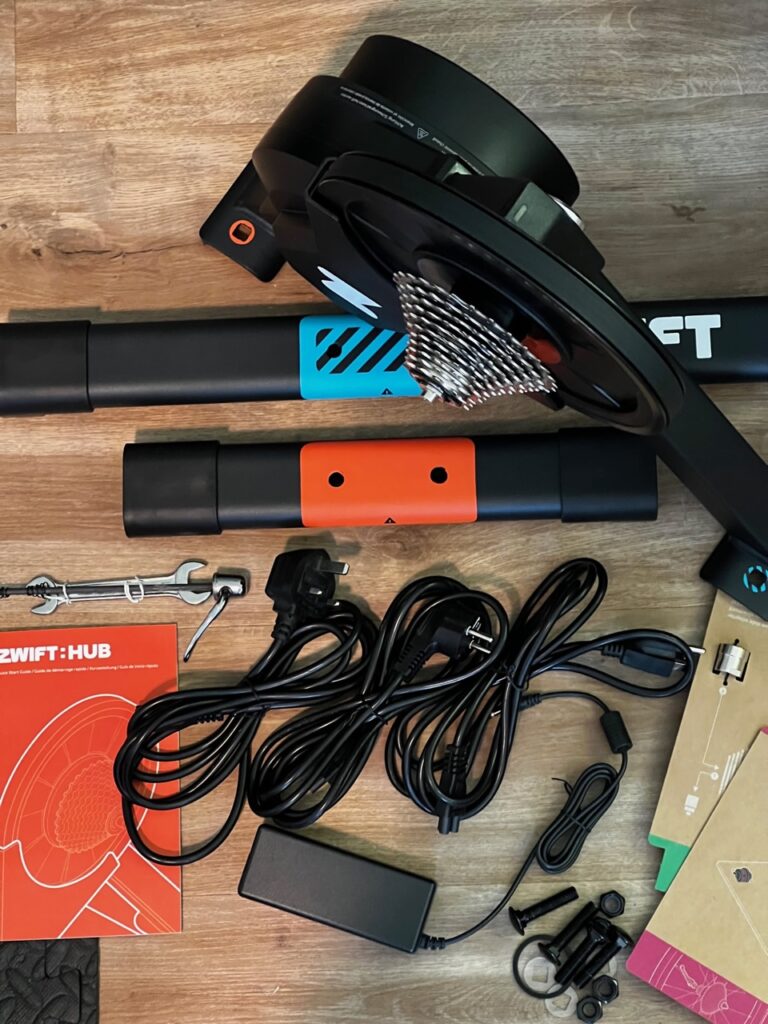
Entire contents of the Hub package
The cassette you select at checkout comes pre-installed, so the only work to be done is installing the two legs and your choice of axle adapter.
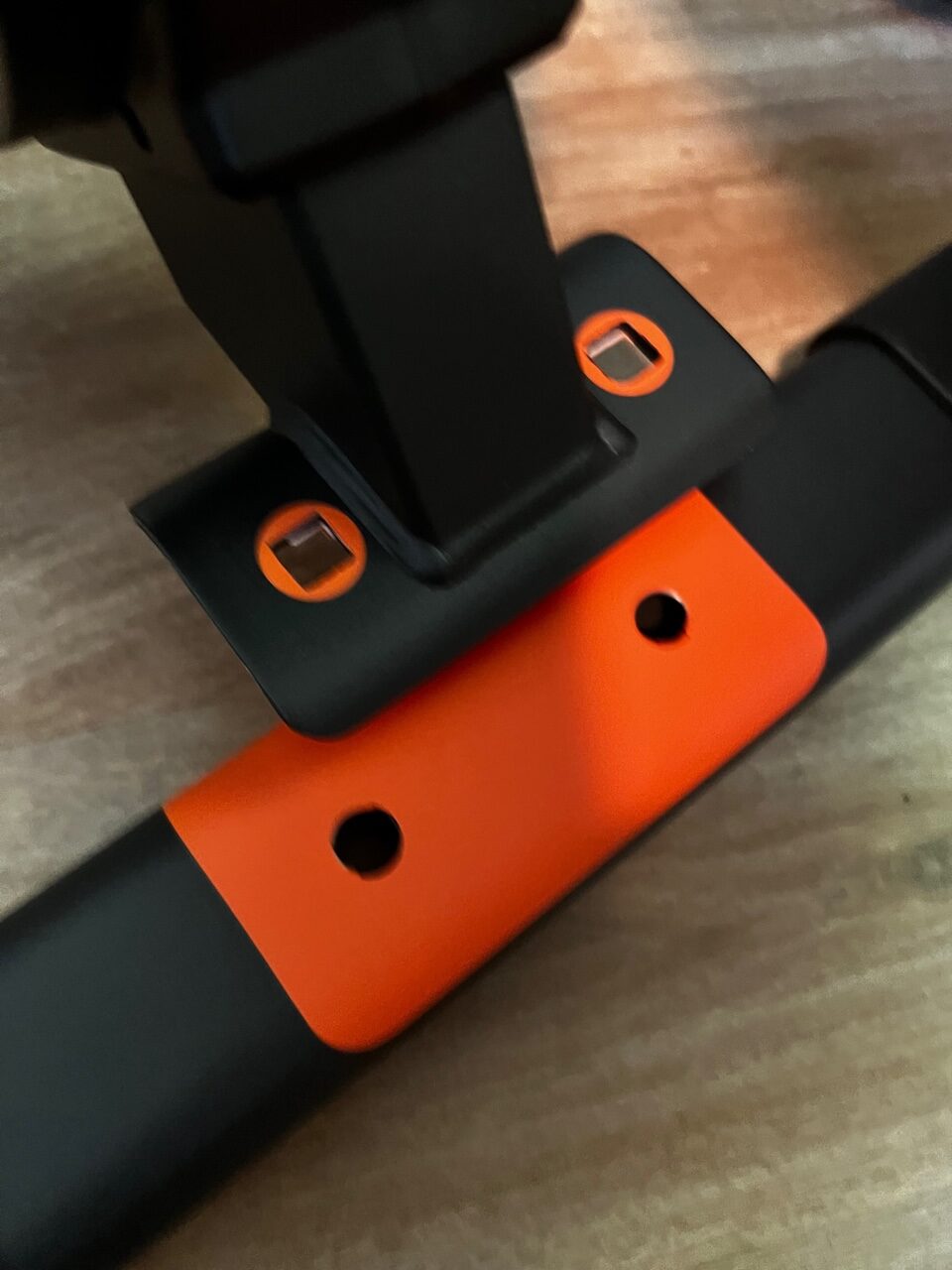
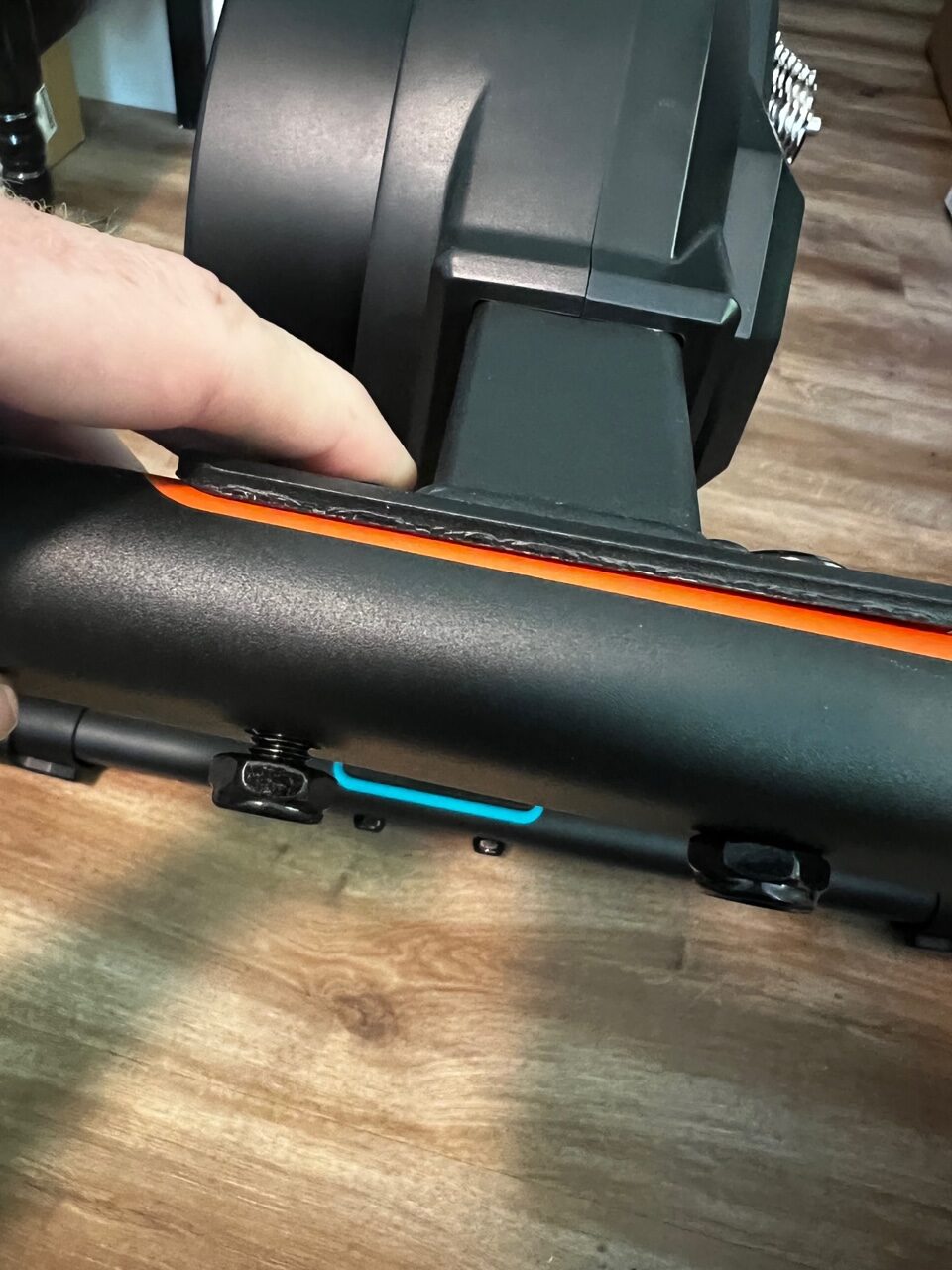
Leg installation is easily done with the included wrench: two nuts+bolts for each leg (and they’re color-coded so you know which leg goes where).
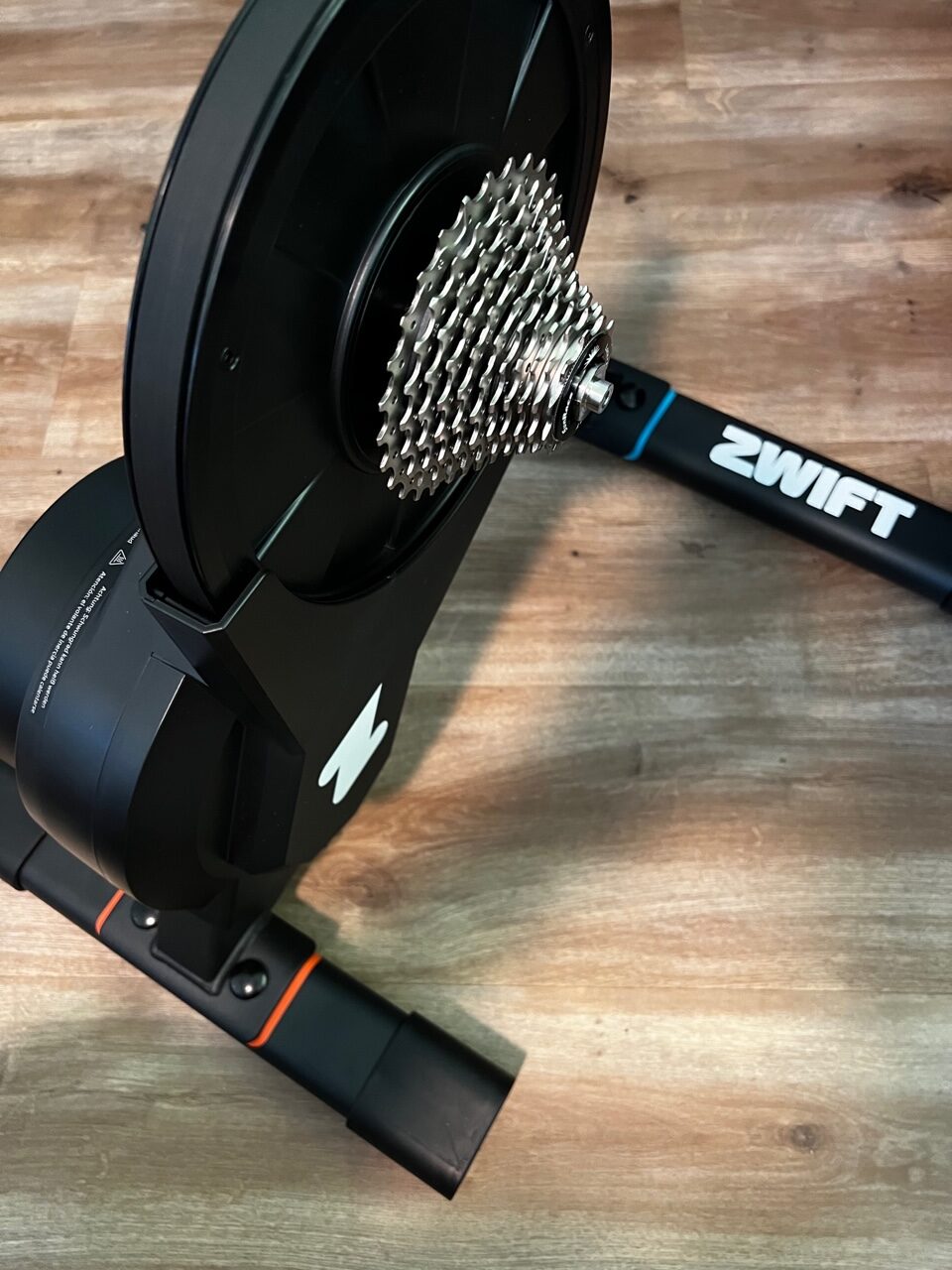
Just match the colorsTighten the boltsFully assembled Hub
For your axle, you have four choices:
130mm quick release
135mm quick release
142mm thru-axle
148mm thru-axle
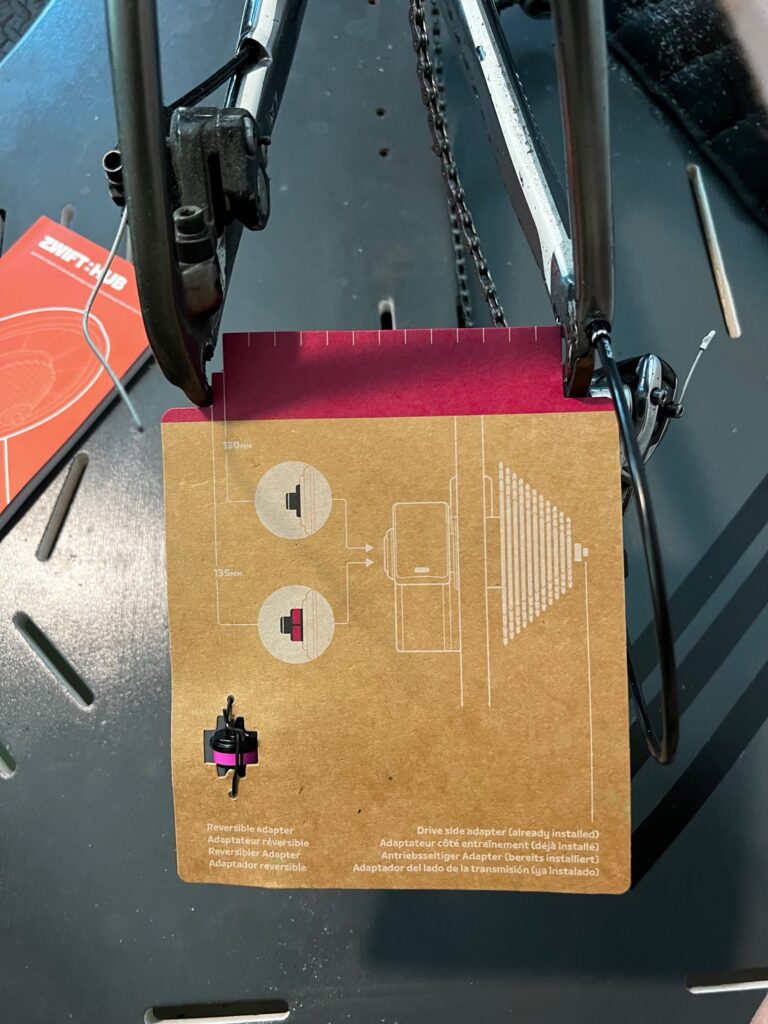
In one example of how Zwift has made the Hub just a bit easier to set up than other trainers, Zwift’s cardboard axle adapter cards make it easy to determine which axle adapter you need. Just grab the card for the type of axle you have, then hold it up to your rear dropouts to measure their width:
Using the axle adapter card to measure width
In my case, my older Specialized Roubaix needed the 135mm quick release adapter. Easy peasy. Let’s ride!
Total time to unpack and set up: around 10 minutes.
First Things First: Calibration
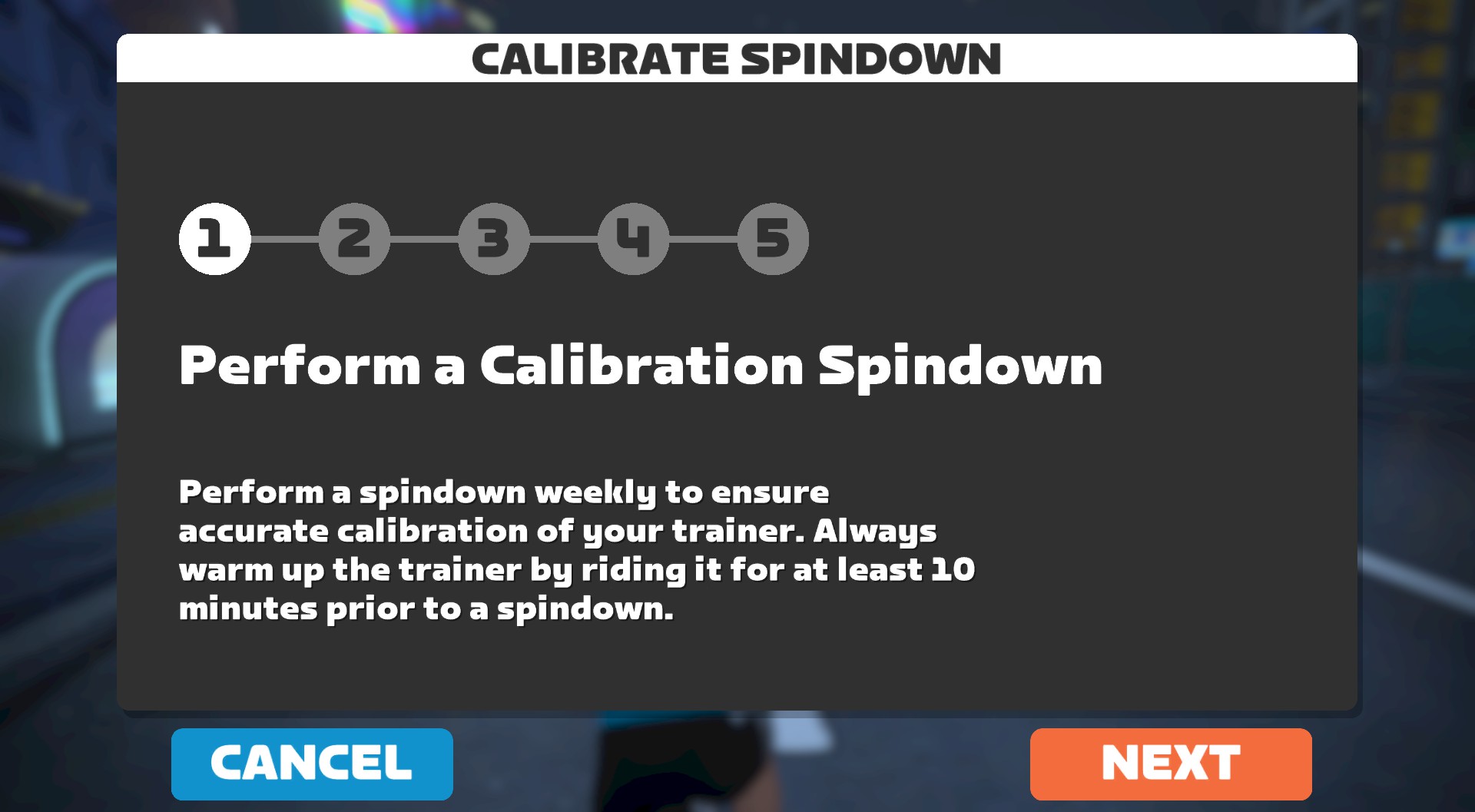
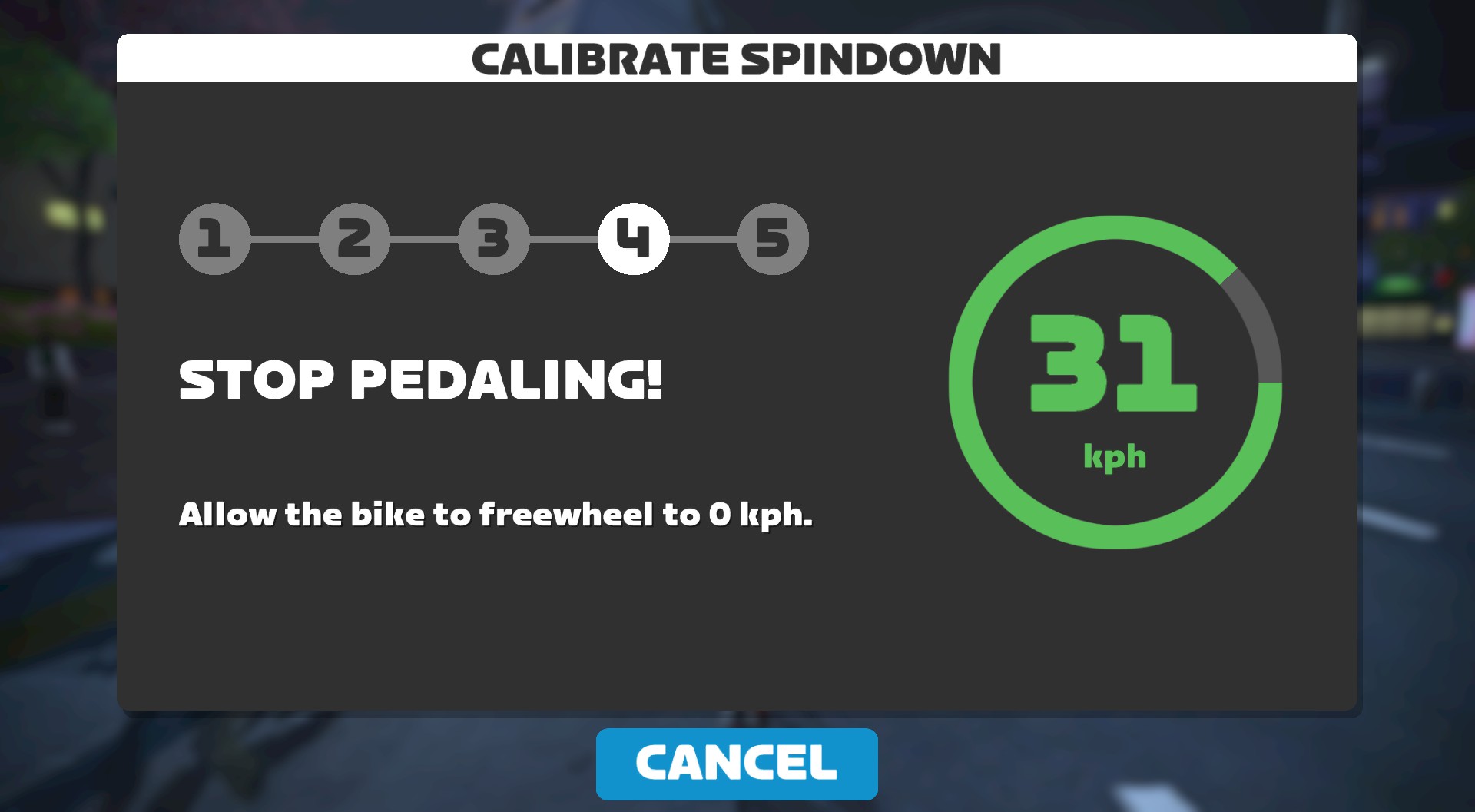
You’ll want to warm the Hub up by riding on Zwift for 10 minutes or so before calibrating. Spindown calibration is easy from within the Zwift app – just bring up the pairing screen and click the wrench in the Power Source box. This brings up the calibration wizard which walks you through the simple process:
Ride Feel
So how does the Hub feel?
Ride feel is a rather subjective thing. When you hop onto a new trainer, you’ll notice how it’s different from what you’re used to, not so much how it objectively feels.
In my case, I’m used to riding a Wahoo KICKR which, in my opinion, has the best “inertial feel” of any trainer out there. (That’s compared to other trainers I’ve ridden, including the Tacx NEO line, Wahoo KICKR Bike, Saris H-series, Elite Suito, and various wheel-on trainers.)
The Hub has a smaller flywheel (10.3lbs) than the KICKR (16lbs), which means less inertia can be “spooled up” as you get that flywheel spinning. For me, as a ~185lb rider, the Hub feels less realistic than the KICKR.
Lighter riders may actually feel that the Hub better replicates the inertial feel they experience outdoors, because really, what the flywheel is doing is replicating the inertial feel of your body+bike outdoors, so a heavier flywheel is needed for heavier riders, and lighter flywheels work for lighter riders.
A smaller flywheel usually leads to ERG changes “hitting harder”, which I’ll discuss more below. It also usually means quicker changes in resistance when the gradient changes, and that’s true for the Hub, which has a very responsive feel.
Overall, I’d say the Hub has a smooth, responsive feel on par with other direct-drive trainers with smaller flywheels such as the Wahoo KICKR Core or Elite Suito.
Noise Levels
The Hub is very quiet, which is a good thing as low noise is par for the course with direct drive trainers these days. (Five years ago low noise was big news, but nowadays all major direct-drive trainers are very quiet.)
Basically, the Hub is quieter than my drivetrain, and certainly quieter than my Wahoo Headwind fan, even when the fan is only blowing at 25%. This noise level matches the competition, including high-end Wahoo KICKR and Tacx NEO lines.
Power Accuracy
The stated accuracy of the Hub is +/- 2.5%, and I’ve found that to be true… with two caveats.
#1: The Temperature Compensation Issue
The Hub reads low for your first ~5 minutes of riding when starting cold. This isn’t uncommon with lower-end direct-drive trainers which don’t have the internals (that is, a thermal gauge) to handle temperature compensation. I found it reads around 5% low when warming up.
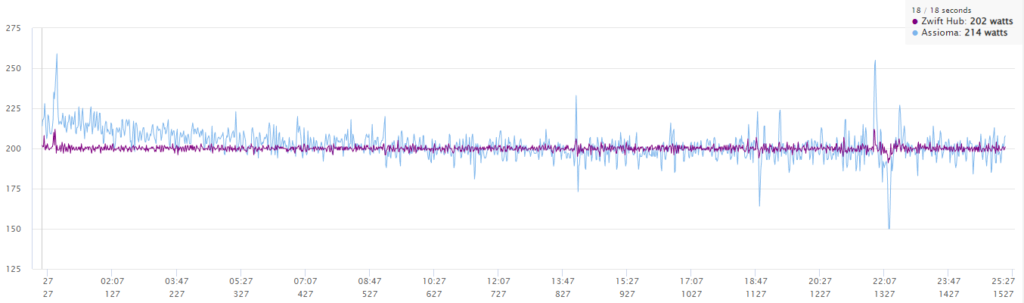
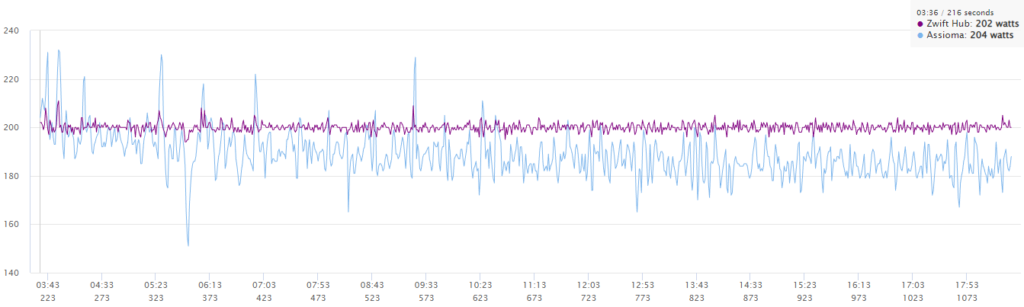
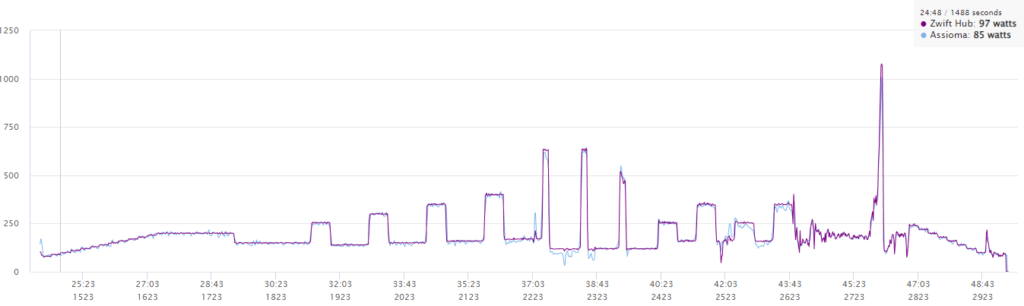
You can see this accuracy drift in this dual recording where I started cold and held 200W in Erg mode for 25 minutes. The Hub reads 5.38% lower than my Assioma Duo pedals for the first 5 minutes, 1.67% lower for the next 5 minutes, and 0.35% higher than the Assiomas for the next 15 minutes.
Because of the temperature compensation issue, the trainer is susceptible to inaccurate spindowns depending on the temperature of the unit when the spindown calibration occurs. This is nicely illustrated by my calibrating the Hub cold the first thing in the morning, then doing a 200W steady ERG interval. Here are the results:
Calibrating it cold artificially raises its power readings, and the gap in accuracy gets bigger as the Hub warms up (because a cold Hub reads lower than a warm Hub). (The same happens with cold-calibrated wheel-on trainers, by the way.) By the end of this 200W test the Hub was reading over 8% higher than my Assioma Duos.
This is why temperature compensation is so important in smart trainers. Hopefully Zwift can fine-tune the firmware to reduce temperature-related accuracy drift and improve calibration accuracy as well. The 5-minute low readings when warming up aren’t a huge deal, but the ability to calibrate the unit cold and really throw off the accuracy is something that needs to be addressed and should be fixable via a firmware update.
Now, I know some of you pessimists may be saying, “Overshooting sprint power and cold calibration hack? This is the perfect trainer for Zwift racing!” And you’re sort of right, even if you’re a terrible person. But I’m sure when Zwift set out to deliver a market-beating trainer for Zwifters, they didn’t have “inflated power readings” on their list of requirements. Their firmware team will be working to fix these niggles for sure.
To sum up the power accuracy discussion: while it overshoots a bit in sprints, if you calibrate your Hub after warming it up for 10+ minutes, average power accuracy should be well within spec.
Erg Mode
The Hub’s Erg mode responsiveness feels just right to me. Not too sharp, not too soft.
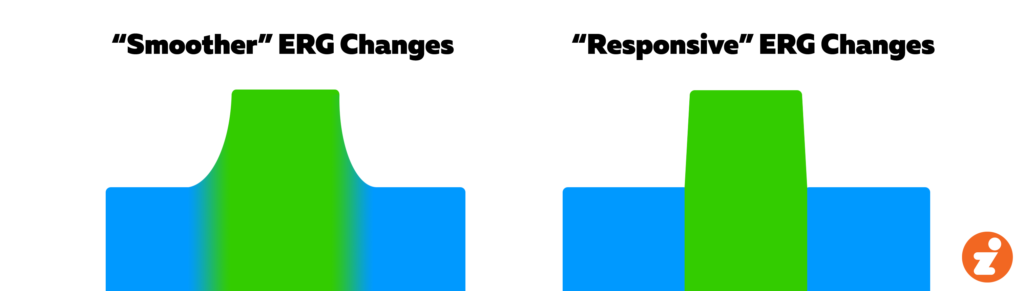
Every trainer ramps resistance between ERG intervals based on its own firmware algorithms. There’s a “ramp length window,” you might say, which most riders feel comfortable in. That is, if the intervals change within, say, 2-4 seconds, this feels good to most people. If the interval changes within 1 second it feels too abrupt and rips your knees out, and if it changes over 6+ seconds you end up not earning a star for your 10s sprint intervals.
A visualization of how different trainers handle power interval changes in Erg mode
Erg Mode Power Smoothing
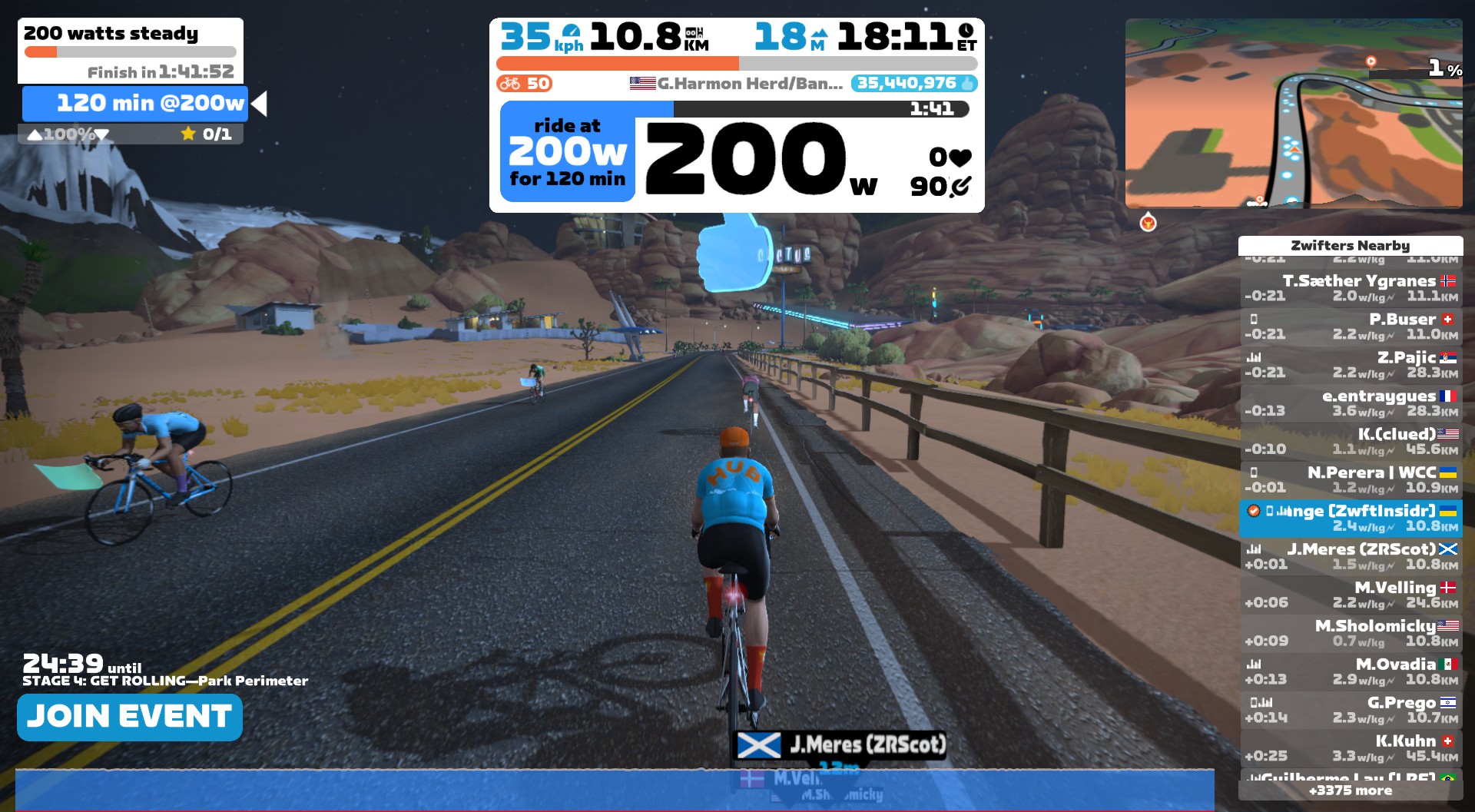
Testing the Hub in Erg mode, I noticed the power was remarkably steady. See my power graph below, on a 200W steady interval:
Smoooooth ERG power
The steadiness reminded me of Wahoo’s Erg Mode Power Smoothing feature, which I’ve written about before. Essentially what this feature does for KICKR owners is “smooth” the power numbers the trainer sends in Erg mode, resulting in a nice straight power line. Some riders love the smoothness, while others prefer seeing more jumpy, less smoothed, more instantaneous numbers. This is another preference thing, not a good or bad feature. But I always disable it when testing trainers.
In chatting with Zwift, they’ve told me the Hub has ERG power smoothing built in as well. It’s not a setting you can turn off or on (yet), but when you see your nice smooth power graph, now you’ll know why.
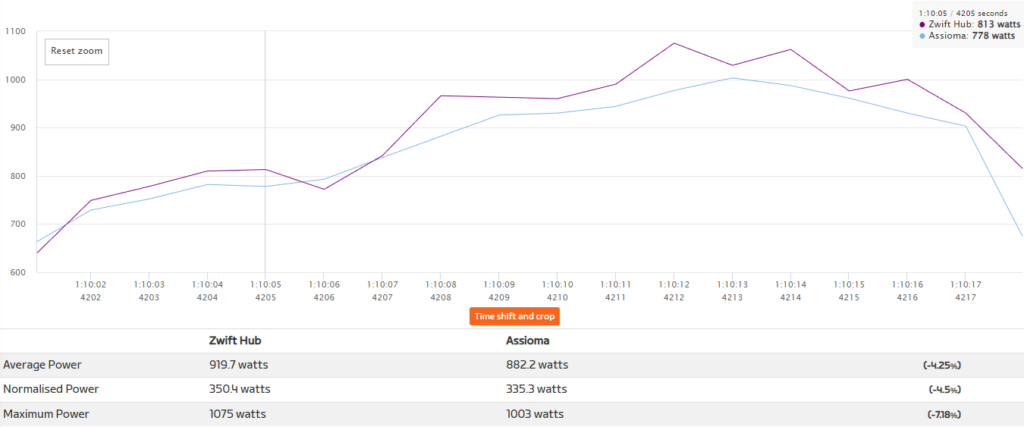
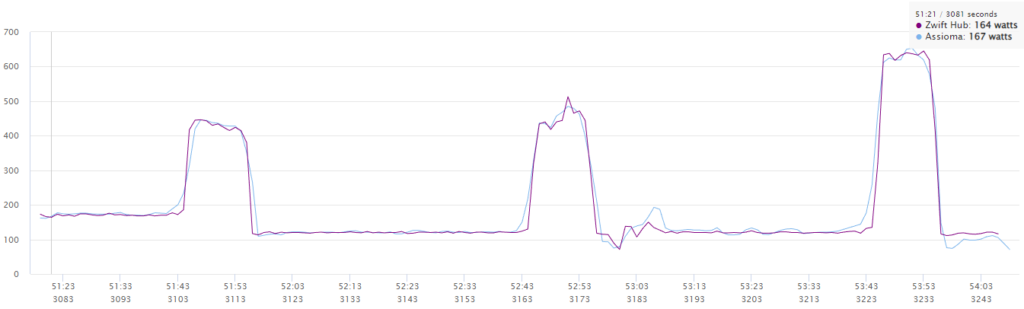
The three short peaks in this workout are 10s sprint efforts at 2x my FTP (so 635W for this particular test). These are completed at different flywheel speeds (that is, different gearing) to test the brake power of the trainer. In the workout above the first sprint interval was completed at a high gear (50/11), the middle was done in a middle gear (50/21), and the last was done in an easy gear (34/25).
You can see the first two are pretty good, but the last one was way under the target mark, barely breaking the 500W mark. What’s happening here?
What you’re seeing is me reaching the limit of the Hub’s braking power. Yes, the specs say the Hub can deliver 1800W of power – but that’s at a higher flywheel speed. You’ll never outsprint today’s direct-drive trainers in SIM mode, because trainers can deliver huge resistance at high flywheel speeds.
But go into Erg mode and shift to one of your easiest gears (I was in my second-easiest possible gearing for that last sprint) and you may just find the limit of your trainer’s braking power.
(Incidentally, this is why some trainer companies are now quoting maximum wattage numbers with a speed attached. I think this is a good thing.)
I did a second set of sprints (still targeting 635W) to confirm. For this set, the first two were done in an easy gear (34/25), and the last was done in a middle gear (50/21). You can see the results were the same as my first test – the Hub simply isn’t able to generate enough resistance at very slow flywheel speeds to bring me up to the target wattage.
To be fair, this is a common issue with many direct-drive trainers, and what I would certainly call an “edge case”. You won’t have to worry about hitting the resistance limit in SIM mode on big climbs, because you can always shift to a higher gear (which increases flywheel speed and thus potential braking power) for more resistance. The only time this will happen is if you’re in Erg mode in a very easy gear, doing intervals at 450+ watts. So if it does happen to you in Erg mode, there’s an easy solution – just shift to a higher gear.
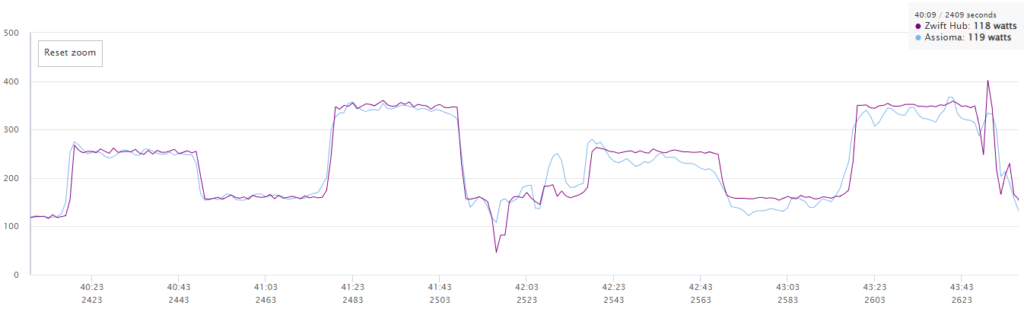
On the opposite end of the flywheel speed spectrum, the Hub tends to exaggerate power at very high flywheel speeds in Erg mode (for the same reason it exaggerates sprint power, as already discussed). Here’s a zoomed-in portion of the test workout to illustrate:
The first two intervals were done in a very easy gear, and their accuracy is within spec. But the second two intervals were done in my hardest gear (50/11), and the Hub overshoots its power by about 4-6% compared to the first two intervals.
Again, this could be considered an edge case – who does ERG intervals in their highest gear? But it does point to some firmware fine-tuning that could be done.
Overall, despite the nit-picking above, the Hub performs nicely in Erg mode, providing a quality “ramp-feel” between intervals and staying within spec on power accuracy (provided you’re riding in a “normal” gearing range and not sprinting in your very easiest or toughest gears).
Companion Integration
The Hub is Zwift hardware, so it only makes sense for Zwift to develop some special integrations with their software that make life easier for Hub users.
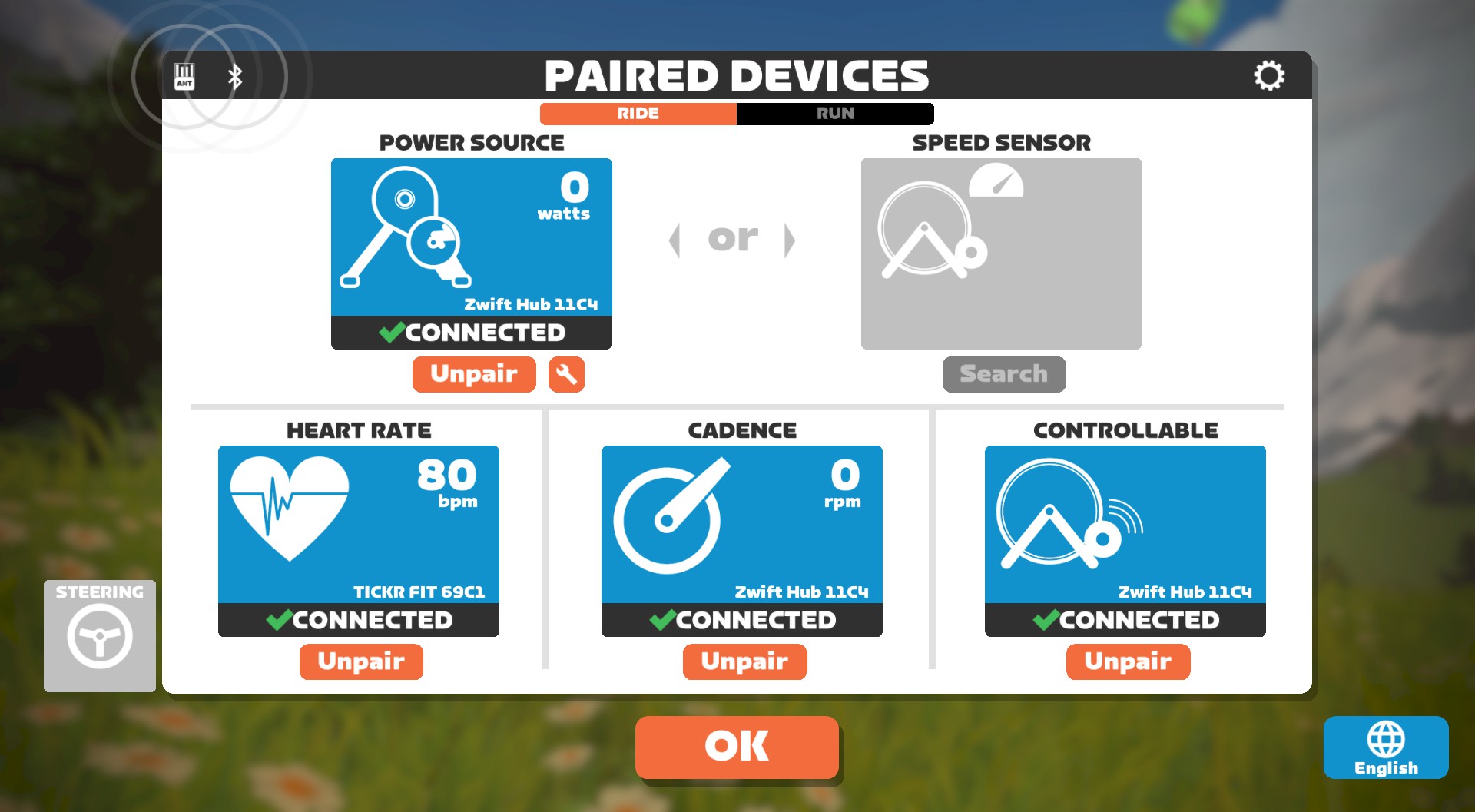
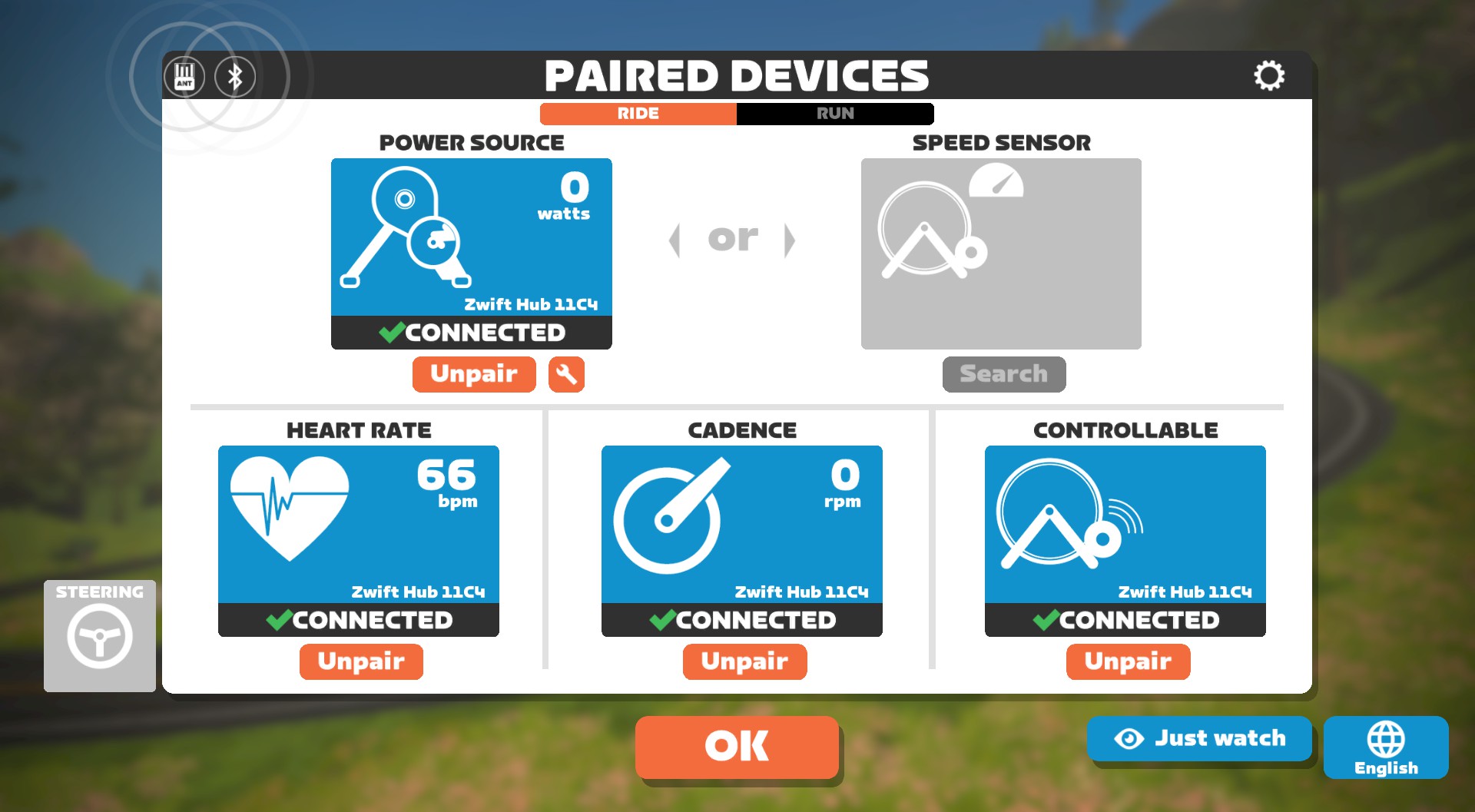
Currently that integration can be seen in the Companion app, but Zwift says they’re planning for more integrated features in the game itself. (Right now the only integration I’m seeing in game is a custom Hub trainer graphic when you pair the Hub in the pairing screen):
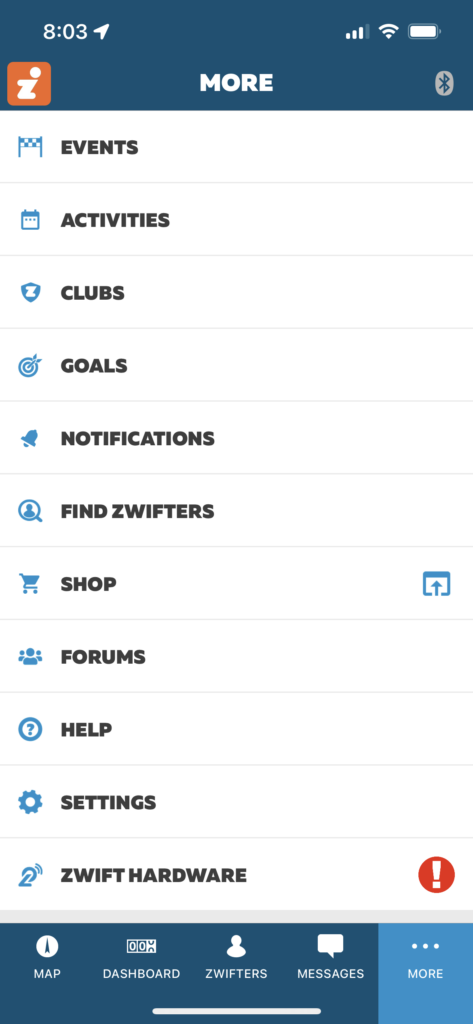
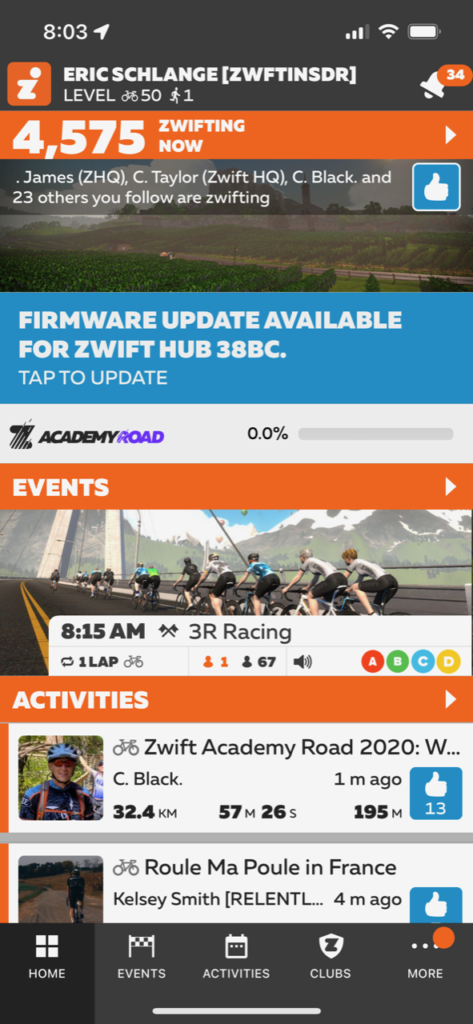
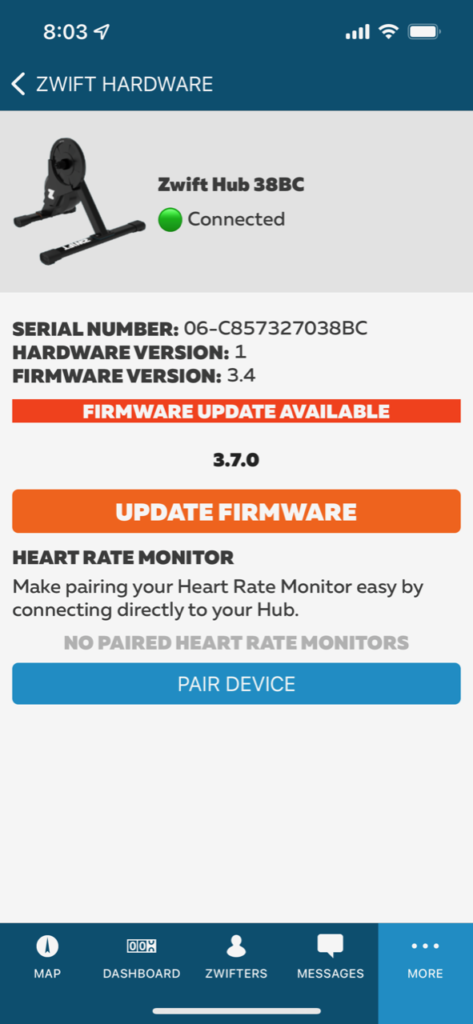
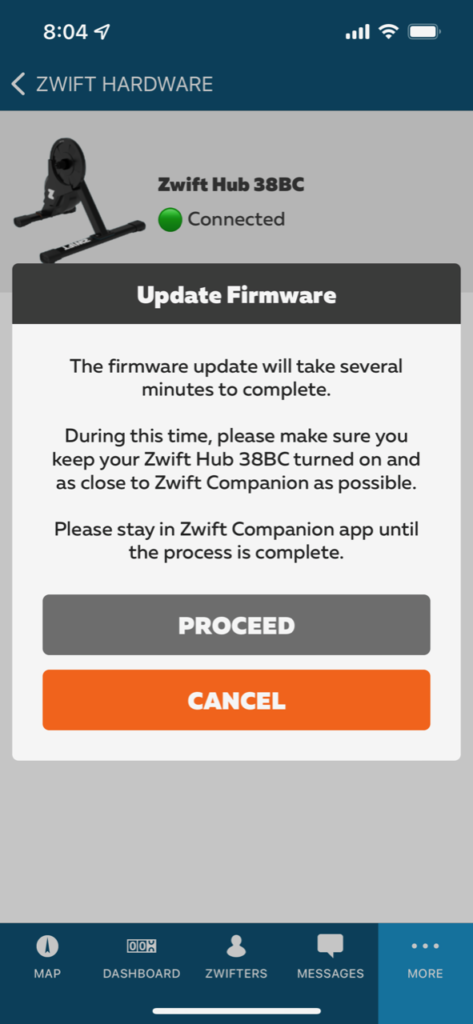
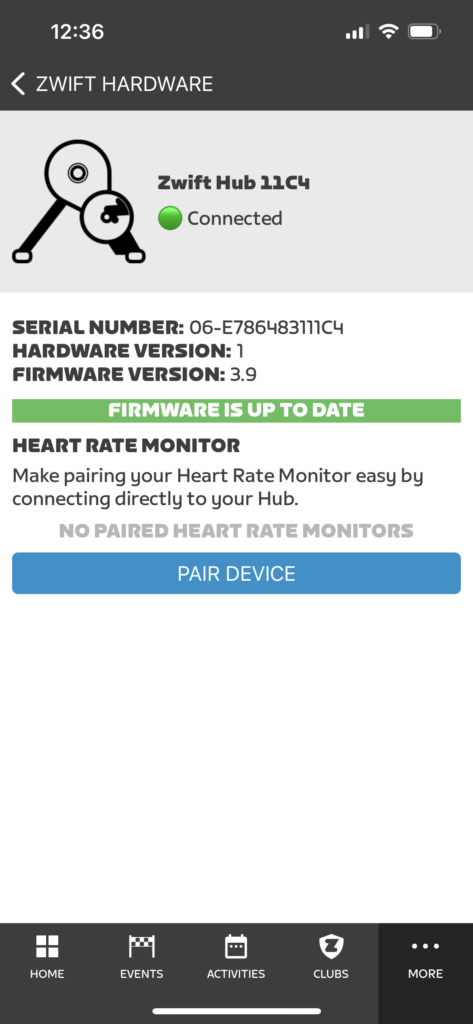
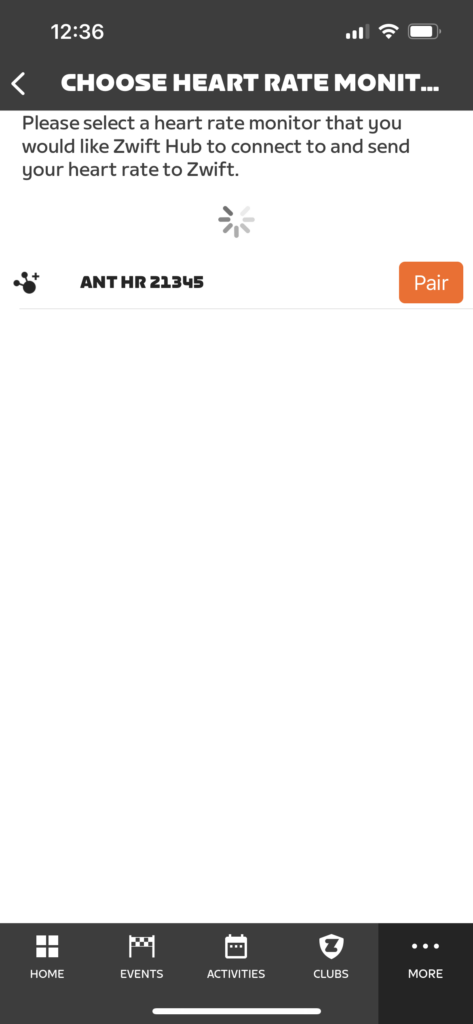
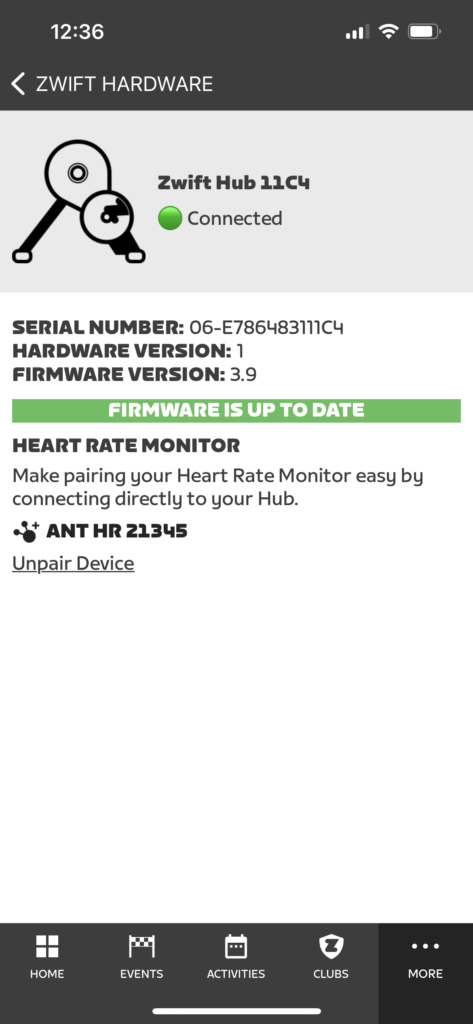
Companion now includes a “Zwift Hardware” section under “More”. Tapping this lets your phone search for the Hub via Bluetooth. Once the Hub is found, Companion remembers your trainer and will prompt you when new firmware is available. Additionally, you can then use Companion to pair a heart rate monitor to the Hub (more on that below).
More Hub Notes
Custom Cassettes
When purchasing the Hub, customers get to select from an 8, 9, 10, 11, or 12-speed cassette. Your choice of cassette then arrives, pre-installed, on your Hub.
This is unprecedented in the smart trainer space, but it’s something I bet we’ll see more of. While experienced cyclists often own the tools needed to swap cassettes, certainly a huge swath of riders do not own such tools and have no interest in buying or using them. The custom cassette option will save many riders a trip to the bike shop and the purchase of an additional cassette.
Cadence Accuracy
This may seem like a small thing, but while most direct-drive trainers offer built-in cadence sensing nowadays, some still don’t get it right. The Wahoo KICKR V5 is a great example of this: when I get out of the saddle on climbs, it will often double my cadence. (Which seems odd, since out of the saddle riding seems like it would be less smooth than seated, making it easier for the KICKR to detect the changes in power needed to determine cadence.)
Anyway, all that to say: cadence on the Hub has been very accurate in all my testing. Certainly better than the KICKR V5!
Heart Rate Monitor Bridge
The Hub can pair to an ANT+ HRM and rebroadcast your heartrate through the Hub’s Bluetooth channel. This is a nice feature in particular situations:
AppleTV users who have a limited number of Bluetooth devices they can connect. This feature lets them remove their HRM as a separate device (and connection), freeing up one channel.
Owners of HRMs that only broadcast on ANT+, who want to use Zwift on a device that only allows for Bluetooth connections (iOS, AppleTV, and some Android devices).
Initial screen without HRM pairedANT+ HRM detectedAll paired up
Once the HRM was paired I could get my heartrate in Zwift by pairing the Zwift Hub as my HRM:
In-Game Hub kit
It’s a small thing, perhaps, but still sorta cool: once your Hub is paired to Zwift, you will unlock the new Hub kit when you enter the game:
Auto Calibration
Zwift tells me auto-calibration is coming soon via a firmware update. They’re not giving any firm delivery dates, but I would guess we’ll see it before the year is out.
It can’t come soon enough, in my opinion. Because if they do it right, this feature could be a significant upgrade in terms of power accuracy due to the temperature-sensitive spindown issues already discussed above. That is, auto calibration could function in a way that ensures acceptable power accuracy, instead of the current situation which allows the possibility of a cold spindown leading to out-of-spec accuracy.
UPDATE: Zwift released a firmware update that brings auto-calibration to the Hub on March 31. Read more here >
Rocker Plate Mounting
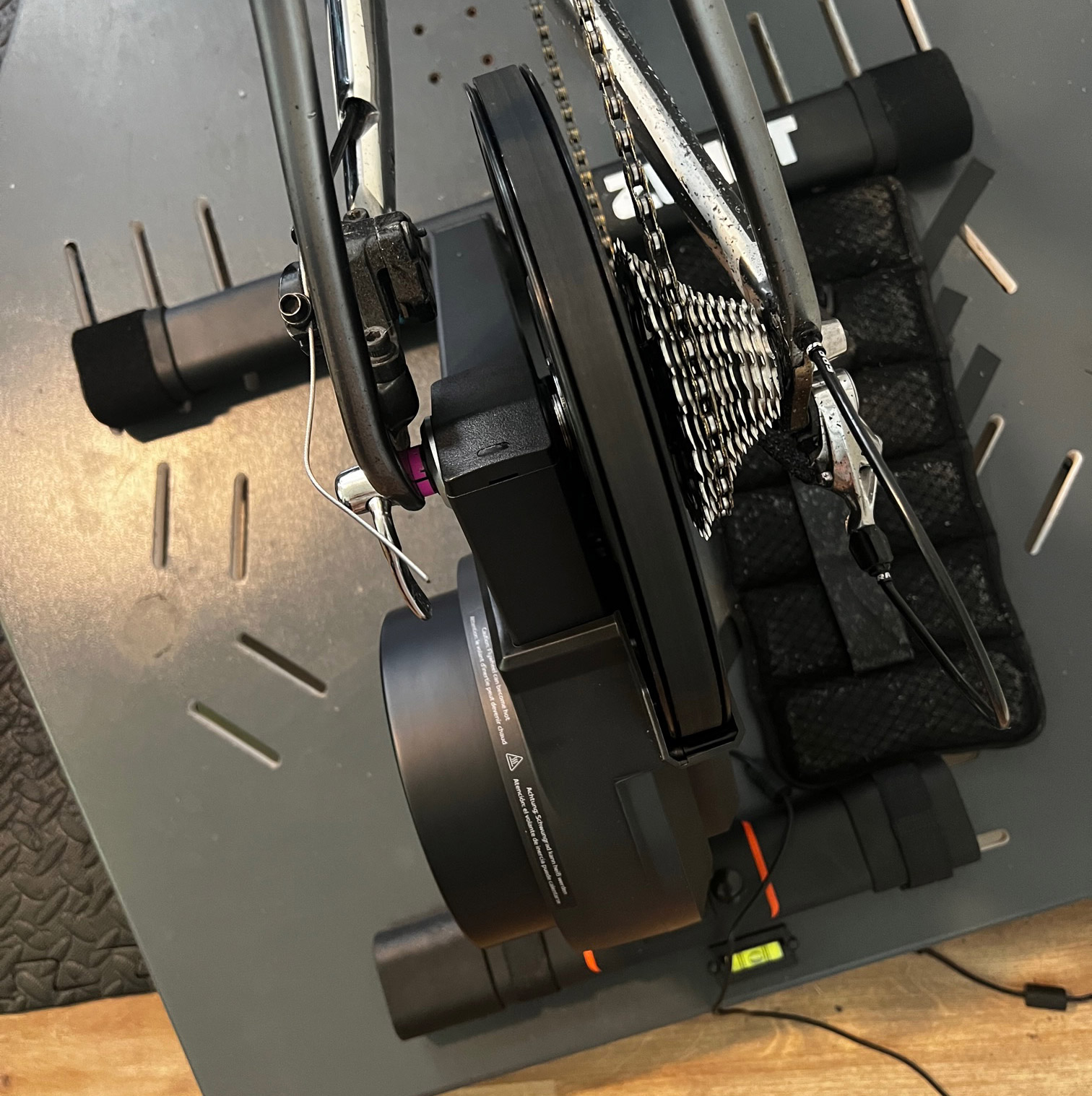
For all the rocker plate nerds out there, here’s how I mounted the Hub to my Velocity Rockers plate.
The plate didn’t really have properly placed cutouts for the Hub, so I wrapped the end of the front legs in Velcro tape, sticking the other side of the tape to the plate itself:
The back legs I strapped down using the velcro straps that come with the plate. Toss a weight belt on to balance out the flywheel, and we’re ready to go!
Firmware Development, JetBlack’s Involvement, and Customer Support
If you’ve been following the Hub’s story, you probably already know that it’s basically an updated version of JetBlack’s Volt. And in fact, JetBlack just announced their new Volt V2, which is essentially the Hub in a different dress.
(That is, the Hub ships with different stickers, comes with your choice of cassette, includes Companion app integration, and has different manuals/guides for setup help.)
So what is JetBlack’s involvement in the Hub project, exactly? JetBlack’s Murray Healey told me, “JetBlack has been a development partner on this project. We have assisted with both hardware, electronics, and firmware to ensure that their trainer performs the same at the JetBlack Volt.”
Other sources within Zwift tell me Zwift’s hardware team is working hand in hand with JetBlack’s to continue improving the firmware for the Hub and the Volt, and that this “firmware team” actually works quite effectively since their timezone differences mean the teams are essentially working around the clock.
I anticipate firmware development to continue in earnest until auto-calibration is finalized.
Some potential Hub customers have asked: who will provide trainer support? Zwift says support will be handled through Zwift’s customer service channels.
Warranty
Zwift is offering a 1-year warranty on the Hub to US customers, and a 2-year warranty to customers in the EU and UK due to different trading laws.
Trainer Comparison
Here’s how the Hub stacks up against today’s top trainers:
Accuracy
Max W
Flywheel
Cassette
Auto Calibration
Price
Zwift Hub
+/-2.5%
1800W
10.3lb
Your choice
Not yet
$499
Wahoo KICKR Core
+/-2%
1800W
12lb
none
No
$899
Elite Suito
+/-2.5%
1900W
7.7lb
11-speed
No
$849
Tacx Flux 2
+/-2.5%
2000W
16lb
none
No
$899
Tacx NEO 2T
+/-1%
2200W
Virtual
none
Yes
$1399
Wahoo KICKR V6
+/-1%
2200W
16lb
11-speed
Yes
$1299
Saris H4
+/-1%
2300W
20lb
none
No
$999
Elite Justo
+/-1%
2300W
13.6lb
none
Yes
$1199
In terms of specs it clearly matches up with the midrange direct-drive trainers (Wahoo KICKR Core, Elite Suito, Tacx Flux 2). In terms of price (if you don’t include some of the crazy trainer discounts we’ve been seeing lately) the Hub stands alone.
Pricing and Availability
The Hub is very attractively priced, given its specs:
USA $499
UK £449
EU €499
The Hub is now available direct from Zwift for customers in the USA, UK, and EU. (These are the three areas Zwift supports in terms of e-commerce. Customers in Canada, Australia/New Zealand, or other locations outside of Zwift’s supported areas will need to purchase other trainers, or order a Hub to be shipped to a supported country.)
Customers in Australia and New Zealand might have a look at the new JetBlack Volt, which is selling for the same price as the Hub.
Conclusions
The Hub’s most attractive feature is its price. It’s also a winner in terms of user-friendliness thanks to simple setup guides and custom cassette options when purchasing. Based on the performance I’ve seen in my tests, I would happily recommend the Hub to anyone looking for a budget-friendly smart trainer.
After many hours of “Hub-Zwifting” my only real concerns are related to the power accuracy issues detailed above. While I don’t ever expect the Hub to perform as accurately as top trainers such as the Tacx NEO 2T or Wahoo KICKR (which cost 2-3x more), I do believe forthcoming firmware revisions will improve accuracy so the Hub is consistently within its +/-2.5% accuracy spec. This will in turn force other trainer manufacturers to up their games!
And that will be a good thing for all of us. Because when a pleasing riding experience is available to more people, the Zwift community grows. This is, of course, what Zwift really wants to see. They’re not looking to take away business from other trainer manufacturers – they’re looking to expand their subscriber base by offering the most affordable direct-drive trainer on the market.
Will the Hub bring more subscribers to Zwift? Time will tell. I think the first crush of Hub buyers will be budget-conscious Zwifters looking for an upgrade from their wheel-on trainers. This is a win for Zwift as well, because the feel of a direct-drive trainer is so much better than a wheel-on.
The more people enjoy their Zwifting experience, the more they’ll keep coming back… and telling their friends.
Questions or Comments?
This review follows an updated format I’ve been working on for use as a standard Zwift Insider trainer reviews template. Let me know what you think, as I’ve got a Wahoo KICKR V6 and Saris H4 review in the pipeline.
Additionally, if you have any Hub-related comments or questions, please share below.
Zwift Sauce: is this cheating or a great way to use data available to enhance your Zwift experience? Nathan and Anna discuss some recent posts on this topic and insert their own opinions. Watch out, Nathan got triggered on this one!
The new TTT format hits Zwift Racing League, how much of a difference do TT bikes make to the draft dynamic? Turns out quite a lot.
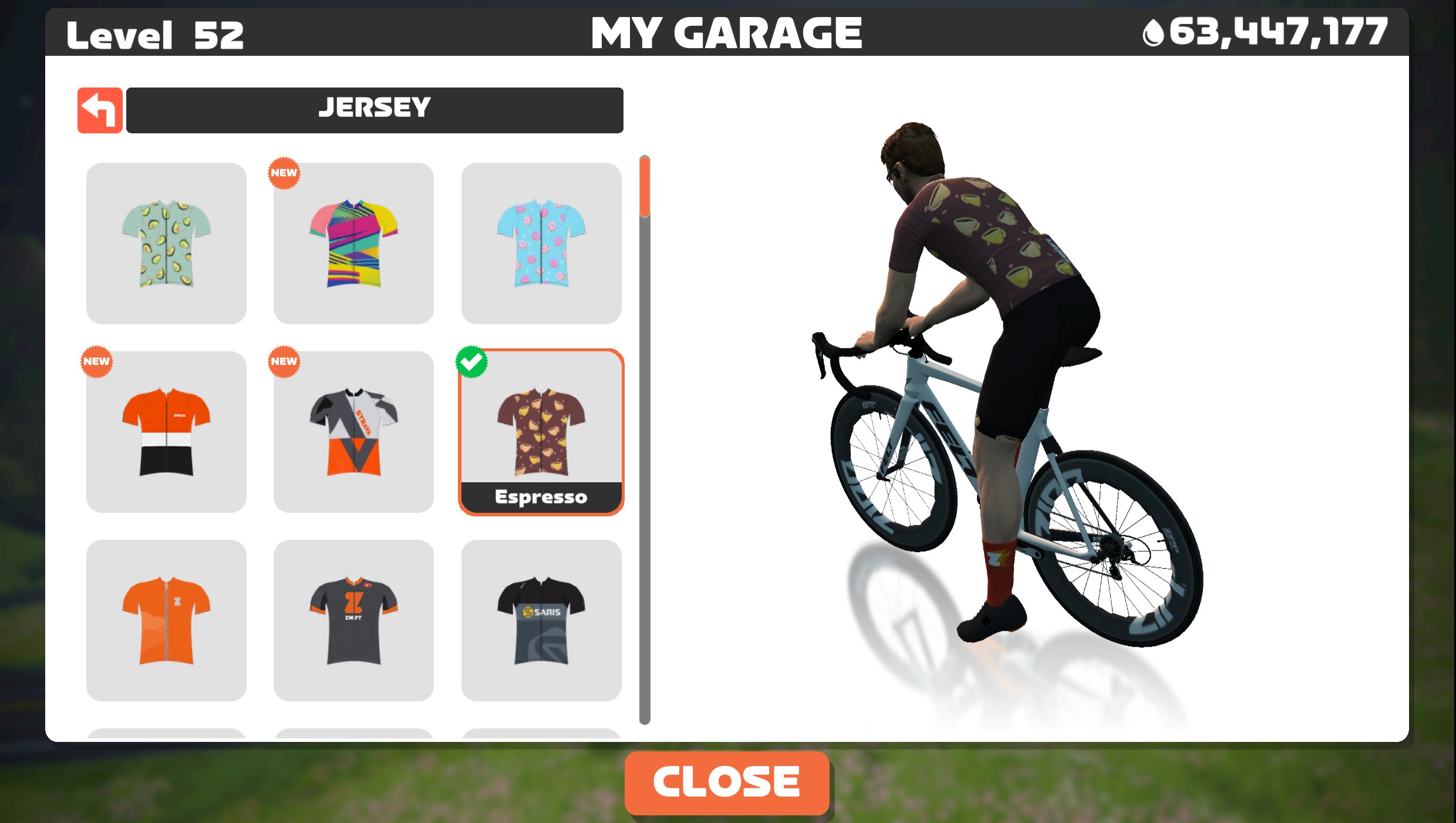
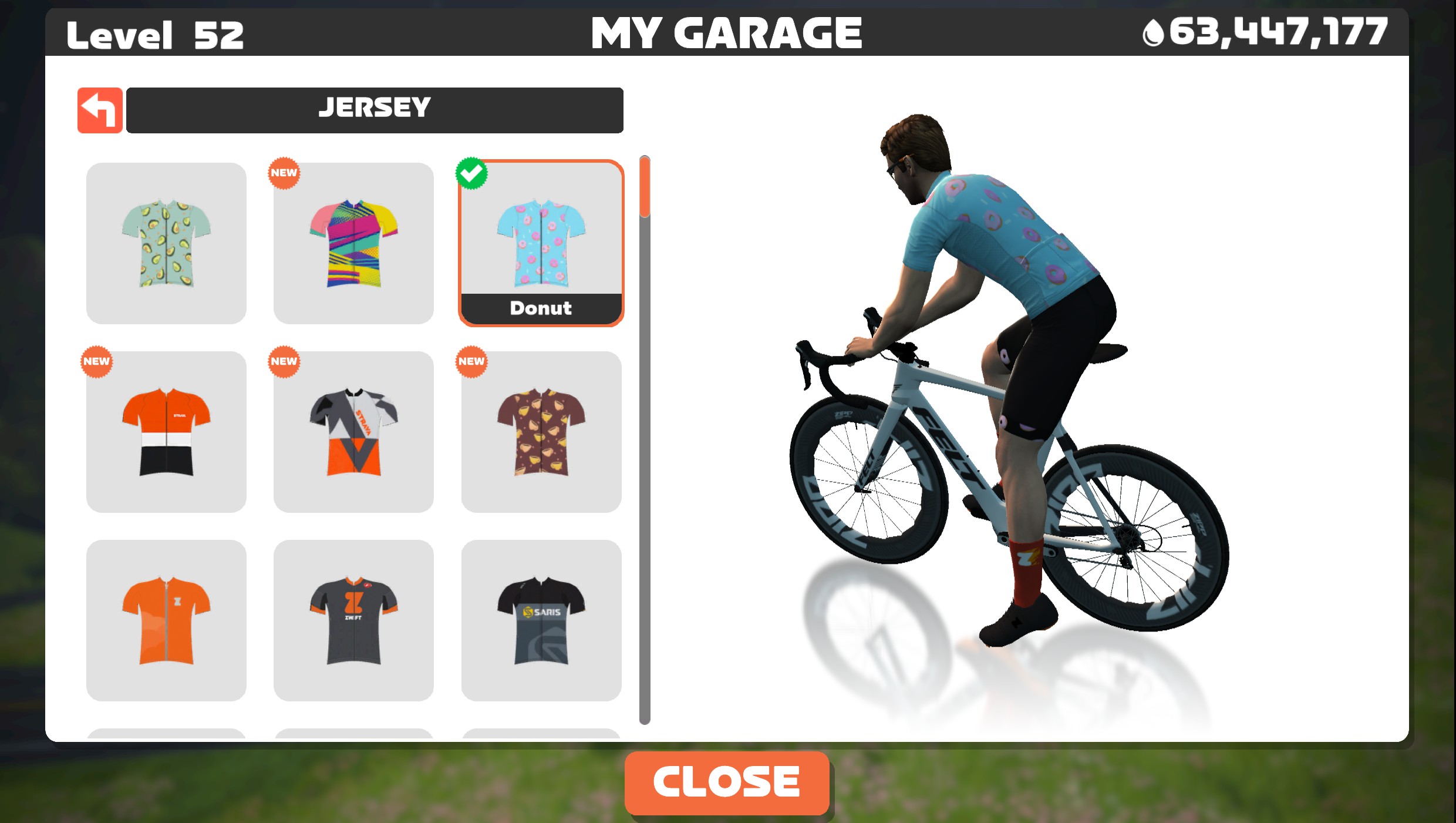
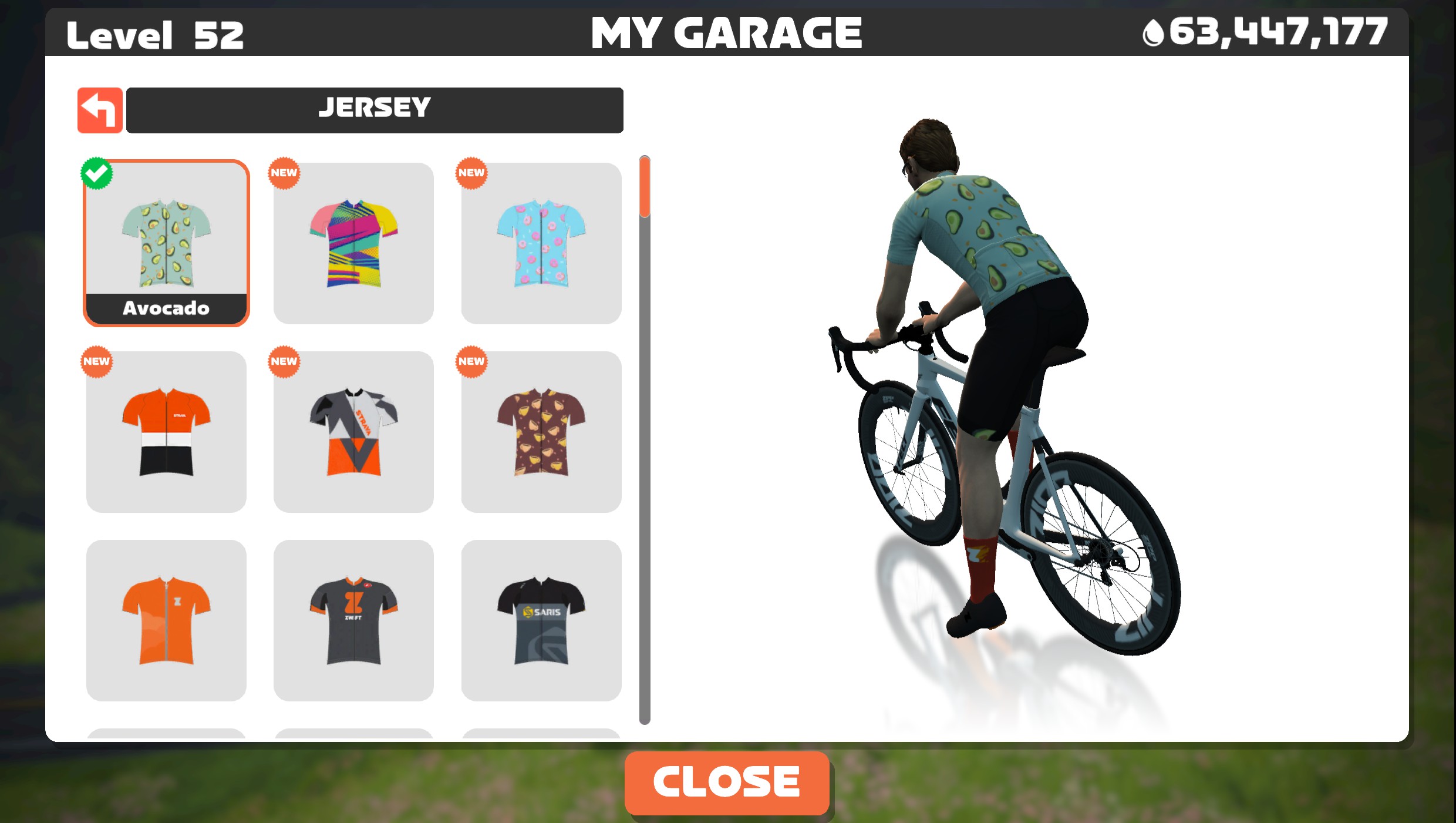
Special guest James Barnes, eSport racer for Next p/b Enshored, talks thru his first Grand Prix experience and why he had to tell his legs to ‘shut up’. Jersey pick is the new level 51 junk food unlock and garage pick is the horrific white visor.
Espresso kitDonut kitAcocado kit
The Wrap is all about showcasing the awesome Zwift community, from upcoming events to must-have tech to community guests to the all-important avatar fashion segment. The live nature of the show means that hosts Nathan Guerra and Anna Russell can interact directly with those watching, gaining valuable insights and opinions across a wide range of topics.