Reminder: Zwift Insider Epic Race on Quatch Quest this weekend!
We announced our Epic Series a few weeks ago, and this weekend is the first Epic Race of the series!
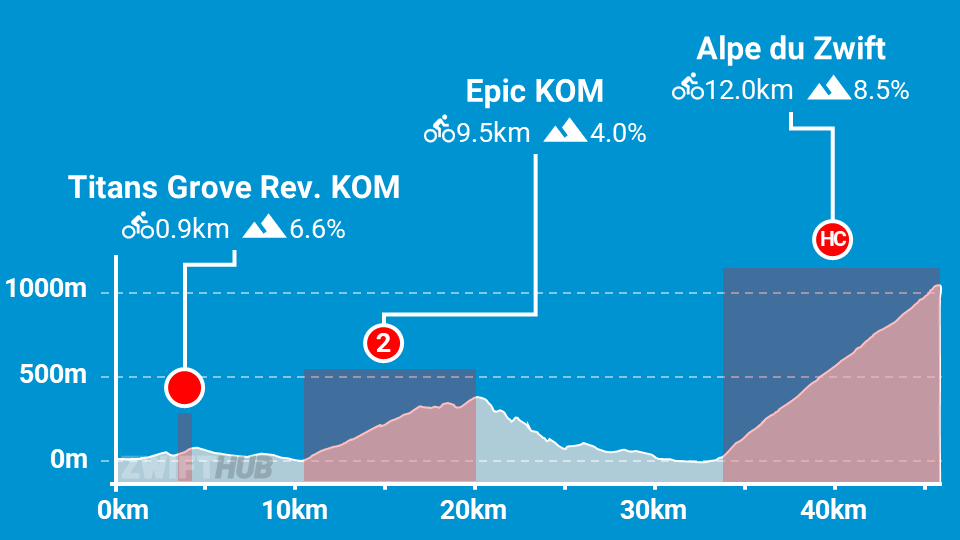
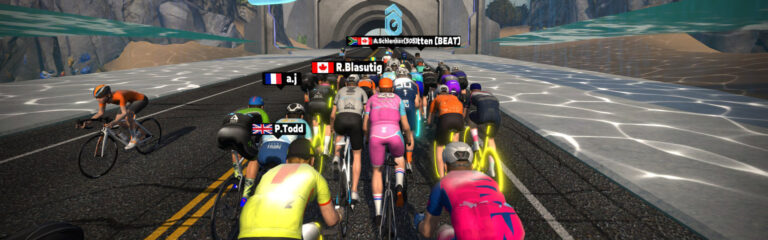
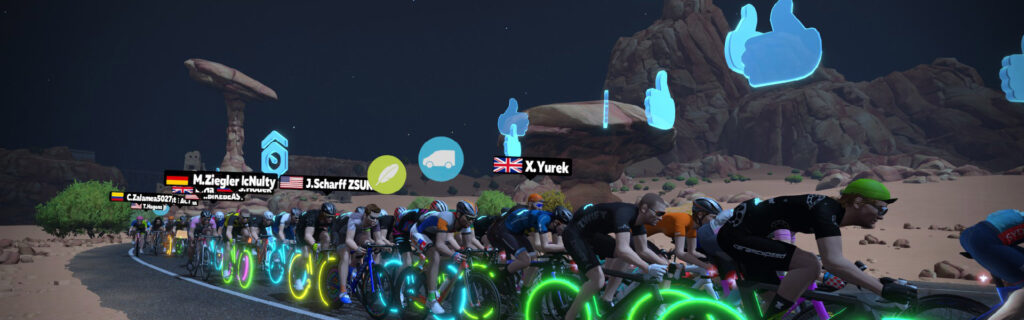
Held on Watopia’s Quatch Quest (46.2km, 1683m of elevation), the race promises to push everyone to their limits. It features three official KQOMs, with each climb much larger than the one before:
To help ensure all riders have company as they race the long route, we’ve modified the event’s category settings so all categories will start together and be visible to each other.
Epic Race Rules
Each Epic Series race event is a standalone event (no series GC) using the following rules:
Only Feathers: only feather powerups will be given. Because mountains.
Let me say here at the start: I’ve never been a breakaway rider. Not outdoors, and certainly not on Zwift. As much as I admire Eddy Merckx, his “Always attack!” mantra has never worked for me.
It’s unclear if this is due to my power profile, my mentality, or something else. But with Zwift’s latest Pack Dynamics changes, breakaways stand a much better chance of surviving. So I figured it was time to start giving breakaways a go. Today was the day!
I chose stage 1 of the ZRacing series as my event, because looking at the race through the lens of the breakaway made its tiny 10km length seem quite doable. Little did I know what was in store…
The Warmup
The race began at 7:10am, so I was on the bike by 6:30 to spin up the legs with Coco. I hadn’t eaten breakfast, but I figured that was OK since it was a short race. Knowing it would be a short, sharp effort, I chewed some caffeine gum and applied PR lotion to the legs… my typical “hard race” race prep.
I paired up my Zwift Play controllers and put in a few hard, short efforts to get the heart rate up and break the ice. Then I headed for the start pens on my trusty Venge + Disc combo.
The Start
Joining the pens, I noticed the route was set to “Flat Route Reverse.” For some reason I’d been thinking it was the forward version, and had already marked my mental map for great spots to attack (the climb out of the ocean tunnel, the snaking slight climb toward the Villas, or even the ramp after the sprint).
So I had to recalibrate my brain a bit. Where are the smart attack points here? Just after the sprint, when the road ramps up out of the Villas? On the dirt before we head into the ocean tunnel? Or what about a long attack from the ramp out of the tunnel near the finish?
But I didn’t have much time to think about it – soon the clock hit zero and the race was on!
Along with wanting to initiate my own breakaway, I had decided to chase any promising-looking attacks, because with a race this short, a breakaway at any point may be able to stay away. Right at the start the race strung out, with a handful of riders clearly pushing to get into a break. I pushed to join them, but the peloton gobbled us up soon enough and we headed up the short climb into The Esses.
More Attacks, More Chasing
On The Esses one L. Weber attacked, and I chased. It was actually really fun to chase him down with the Play controllers in The Esses, because I could cut corners! Check it out below (I’ve cued the video to the right place):
Everyone else was watching for breakaways too, though. Or maybe they were marking me? (It’s flattering to think so, but I doubt it.) The blob chased their way back to me, and we rode together again for a bit. Up the kicker and down through the sprint, the effort level stayed high as riders pushed on the front – I averaged 345W for the first 4 minutes of the race, which took us through the Italian Villas.
A. Cooper jumped ahead on the snaking descent to the Fishing Village, and after a couple of riders followed I pushed hard to join them. I made it, but also succeeded in pulling most of the peloton with me!
Arriving at the Fishing Village things calmed down as riders caught a breath. Remarkably, despite all the attacks and chasing, we still had 34 riders in the group from the original 40 starters… only one rider had dropped since we entered The Esses.
The Finish
We recovered a bit down into the ocean tunnel, then with 2.3km to go two riders (C. Duponq and A. Cooper) rolled off the front and upped their watts. I had been planning to wait until the ramp out of the tunnel to launch a final breakaway attempt, but I ramped up to join them, rolling to the front to keep the speed up and get a gap on the peloton.
The riders behind just weren’t having it, though. They kept the leash short, and half the group flew past me as I eased up at the worst time – on the ramp out of the tunnel!
Out of the saddle, hammering my way back to the group, I made it to the front and grabbed a wheel. 600 meters to go, and I had an aero powerup.
With 300 meters to go, a rider popped his aero powerup and came around, so I did the same. There were two problems, though:
I activated the 15-second powerup too early, so it ran out with 150m to go
I didn’t have a sprint left, because the race had been so hard up to this point
I crossed the line in 5th. Congrats to Ramon van Rixtel, who executed a perfectly timed sprint for the win!
I’ve finished just over 1000 races according to ZwiftPower. Let me say this clearly: this race didn’t feel like a “typical” Zwift race. If you haven’t raced with Pack Dynamics 4.1 yet, you’re in for a surprise in your next race.
(Related: earlier this week I wrote about a race I lost where I rider won with a long solo breakaway. That’s something you never used to see in Zwift, either!)
I went into today’s race thinking I was the sneaky racer who knew a breakaway might work. But clearly, plenty of riders held that same knowledge, and we all had the same idea – attack and get into a breakaway that stays away.
The race was so short that it became a nearly-continuous battle of riders trying to establish a breakaway. But the peloton was strong/smart enough to pull those attacks back, so in the end it came down to a bunch sprint.
If we’d had 20 starters instead of 40, I bet one of the breakaway attempts would have stuck.
I predict this is how more and more races on Zwift will feel moving forward. Before PD4.1 you could let solo attacks go because you knew they couldn’t stay away from the fast-churning pack. That’s not the case anymore, so now we have battles to establish a breakaway, like you see IRL. And once that breakaway is up the road, the peloton will have their hands full trying to organize a chase.
It’s going to get really interesting when team racing enters the picture as ZRL and DRS kick off next week.
Hindsight Is 20/20
With the benefit of hindsight, I could say that, had I raced this differently, I could have podiumed or even won. If I had sat in the wheels and let others chase down the attacks, chances are good others would have chased them down. We still would have entered the final kilometer as a group, but my legs would have been fresher.
But that’s the tradeoff you take in bike racing outdoors, too. When pack physics (IRL or virtual) allow for breakaways to survive, you have to choose between:
sitting in the pack and risking that the breakaway never comes back, or
chasing/initiating breakaways, risking burning out your legs and wasting energy because you still get caught by the peloton
Pack Dynamics 4.1 has dropped us into a new realm of Zwift racing, where the possibility of successful breakaways forces us to make strategic mid-race decisions if we want to race smart. I think that’s a very good thing.
Knowledge is Power
I haven’t been researching the competition prior to my races lately, but with breakaways standing a chance, it’s more helpful than ever to have a short list of riders to watch.
Because you can’t chase every attack (I did in this short race, and had nothing left for the finish). You have to decide if an attack is worth following, and that is determined in a big way by how strong the attacking rider is.
Sauce for Zwift has a rider info window that may also be helpful here. I think I’ll dig into that…
Power Curve
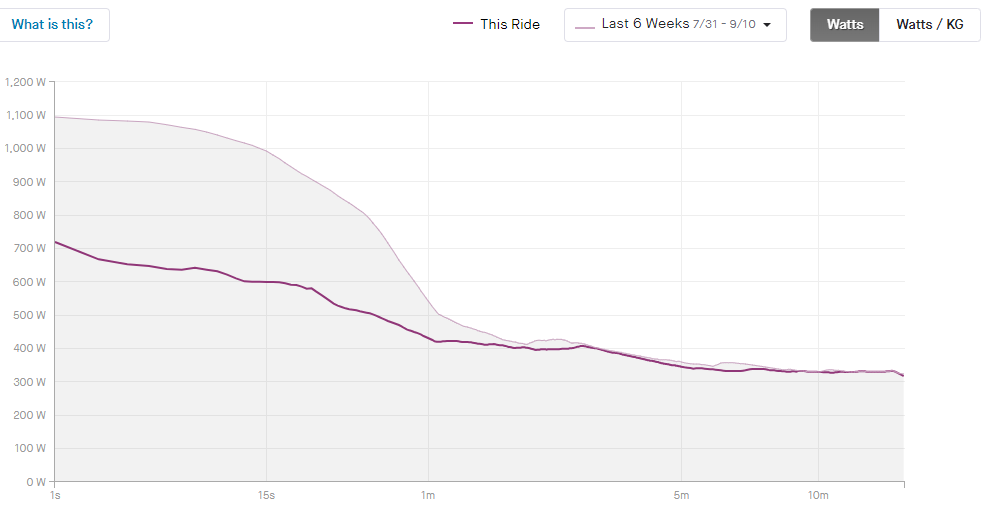
This was a tough race for sure – I averaged 334W for the ~14-minute race and hit some 6-week power PRs at various spots along my power curve between 4 and 14 minutes:
Was I wasting watts? A bit, I’m sure. To be honest I wasn’t even thinking about the watt-wasting issue during this race, except at one point when it popped into my mind. (I then eased up a bit. Lo and behold: I stayed in the same place, with lower power! See that moment here, although it’s hard to see the power reduction because I have Sauce for Zwift showing instant power and not 3s average):
Mostly, though, this was a hard race because I chose to make it hard. I chased breakaways and made some attacks myself, because that was the approach I’d chosen before the clock hit zero.
Your Thoughts
Have you tried breakaway away in a recent Zwift race? Have you noticed others are trying the same? Share your thoughts below.
Tiny Race Series – September 9 Routes and Last Week’s Results
The Tiny Races happen every Saturday, and they’re all about getting a hard, fun effort done in 1 hour. You’re meant to race all 4 races back-to-back, with each lasting just 5-10 minutes, giving you a short break in between.
David Hivey (ART) from the UK took top honors in the zone 1 C group this week. When we chatted afterward, he said, “That was bloody horrible. Great/Terrible idea to do the same course that just got longer. Had to really think about not going flat out in the early races, or the last one would just be too much.” See his video below, complete with Sauce for Zwift overlays:
Got a great YouTube video of your Tiny Race experience? Post it in the comments and we may feature it on Zwift Insider!
Our races this week feature two pairs of routes. Each pair is raced 2 laps in one direction, then 1 lap in the reverse direction. The roads will feel familiar, yet entirely different. Good luck!
Race 1: LaGuardia Loop (2 laps, 7.2km) Kick it off with a quick lead-in plus 2 hot laps in Central Park! With the lead-in kicker this is a difficult finish to get right. Good luck!
Powerup: Aero Boost (3x)
Race 2:LaGuardia Loop Reverse (1 lap, 5.3km) Let’s try that again, but in reverse. Just a lead-in plus one lap, but that final sprint always feels so looooong!
Powerup: Aero Boost (2x)
Race 3:Duchy Estate (2 laps, 7.7km) We head across the pond to a punchy little loop with a short climb just before the lap banner. This means you’ll hit the climb 3x. It’s gonna sting!
Powerup: Feather (2x)
Race 4:Queen’s Highway (1 lap, 5.8km) Finishing on single lap of the “reverse Duchy”, this route has a drawn-out final sprint that’s slightly uphill. This one is all about timing: modulating your power to efficiently maintain momentum on the short climbs, activating your powerup for maximum effectiveness… and where should you start your final sprint?
Zwift displays preliminary race results in game when you cross the line, but points are computed after all four races are finished, with final results on ZwiftPower. (We have to do some data processing on our side to compute results, so if your rankings don’t show up right away, be patient.)
Riders will earn points based on finish position in each of the 4 Tiny Races. The category winner of each week’s series is the rider with the most points across their timezone’s 4 races. Here are the links for each timezone’s results on ZwiftPower:
Tiny Race rules are simple, but still every week 6-8% of registered ZwiftPower racers get disqualified and removed from the final results. Don’t let that be you! Four races, four rules:
You must have a ZwiftPower account, because final results are processed by ZwiftPower (learn how to sign up)
No skipping then returning. These races are meant to be raced as a set of 4. If you need to leave early, that’s fine… but once you miss a race in your hour’s set of 4, don’t come back and race another or you’ll be disqualified from that race since you rested while others were racing! (Example: racing only races 1 and 2 is fine. Racing 1, 2, and 4 is not – you will be DQ from race 4. And if you race 2, 3, and 4, you’ll be DQ from all those races, since you skipped race 1!)
Heart rate monitors are required.
Smart trainer/smart bike or power meter required. ZPower/Virtual power is not allowed.
Join a Chat & Chill Cooldown
Immediately following each hour’s racing, we’ve scheduled 30-minute “Chat & Chill” events where riders from all categories can spin their legs together and chat about how it all went down. Find them at zwift.com/events/tag/tinyraces.
Zwift Insider Kit Unlock
Finish any Tiny Race or a Chat & Chill ride and unlock the Zwift Insider “Ride Smarter // Ride Harder” in-game kit.
The first race of Zwift Racing League 2023/24 Round 1 happens Tuesday, September 12. We’ll be on Zwift’s newest map (Scotland), riding the first official scratch race in ZRL’s history!
With Pack Dynamics 4.1 in play and ZRL’s unique scratch race setup there’s much to discuss along with our usual topics of bike choice, strategic options, and crucial segments. Let’s go!
Our First ZRL Scratch Race
This is the first time* we’ve had an official scratch race in ZRL. How does it differ from the typical ZRL points race format? Simple: you don’t have any intermediates to contest! The only points available are those you earn based on your finishing position, and those finishing points follow the same finishing points scheme as a ZRL points race.
*We actually had an “unofficial” scratch race when we raced Road to Ruins in March 2022. Officially, this was a “points race,” but since there were no intermediates on that route, the only points you could earn were at the finish line!
Looking at the Route: Scotland’s Rolling Highlands
Each lap of Scotland’s Rolling Highlands route is 9km (5.6 miles), with 77m of climbing. But don’t miss that there’s a long 5.1km lead-in to the start of that first lap, ending with the short Breakaway Brae KOM! All categories are racing three laps for a 31.9km long race with 260m of climbing.
This is a constantly-undulating course, but none of the pitches are particularly steep or long. Our advice: keep your eyes open, mind your pack position, and do a few test laps before Tuesday if you aren’t familiar with the route.
This route has three notable climbs, and everything else is a minor undulation or downhill. First, we have Breakaway Brae – the only climb that is an official segment:
620 meters long at 2.4%, this one starts easy but turns into a bit of a slog over the top through the banner. Try to start near the front, and know there’s a short downhill after the banner where the pack will typically regroup.
The other two climbs are worth mentioning since they provide platforms for hard attacks/pushes:
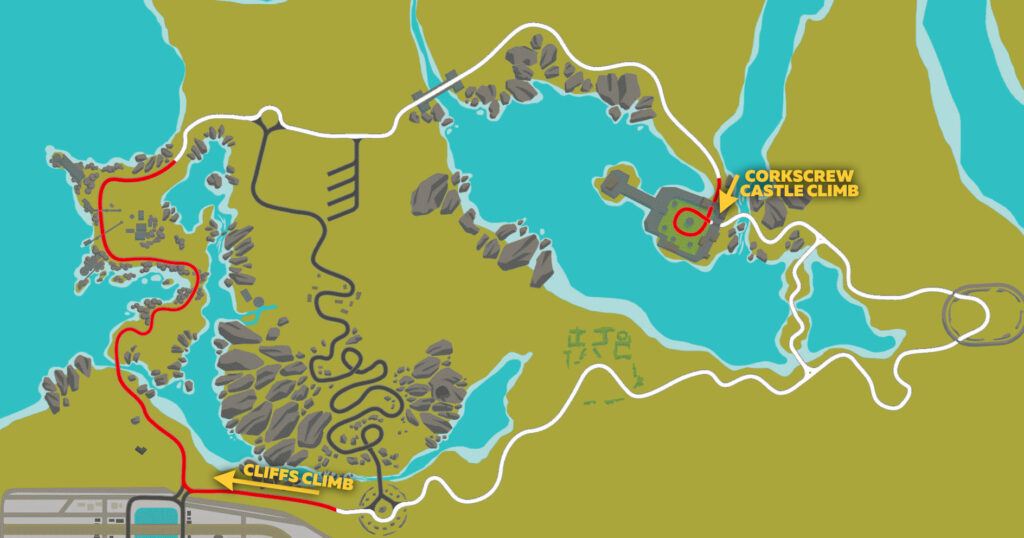
The climb up through the Cliffs area is the longest uphill of the route, but it’s not a continuous grade, nor is it very steep. This climb begins just after you ride through the mystical roundabout.
The sneaky “Corkscrew Castle Climb” serves as an excellent attack point due to its punchy steepness and proximity to the finish line (1.5km up the road). This one arrives after the longest descent on the map, so rest your legs and prepare to hammer!
In a fresh twist on powerups, WTRL tells us riders will be awarded feathers at the banner near the start pens, and burritos at the Breakaway Brae banner. If you haven’t been racing on Zwift much lately, it’s worth noting that Zwift rebalanced several powerups (including the feather and burrito) in May. Make sure you know how they work!
Lightweight (feather) (given at banner near the pens): reduces your weight by 10% for 30 seconds. Use on climbs, when weight matters the most.
Burrito (given at Breakaway Brae banner): turns off the draft effect for riders in a cone-shaped window behind you for 20 seconds. Use when attacking off the front so opponents have to work harder to follow you, or in the peloton to make others work harder.
Bike Frame + Wheel Choice
None of the climbs here are long or steep enough for a true climbing bike to be the sensible choice. A full aero bike will deliver the fastest overall lap time at steady state wattage, but with the course’s rolling hills and uphill finish, the Tron is probably going to be the most popular choice since it’s a bit more nimble on the climbs, where every second will count.
Many recon rides are now being planned each week on the upcoming ZRL route. If you’re unfamiliar with this course, jump into an event and do some recon! Here’s a list of upcoming Rolling Highlands events.
Si Bradeley
Strategic Options
How will the race unfold, and what strategies will riders employ in the first race of the season? Here’s what we predict:
Breakaways galore: racers are learning that Pack Dynamics 4.1 slows down the peloton and greatly increases the chances of breakaways surviving. Every category should expect repeated attempts to establish a breakaway, and all the team tactics that go along with it.
Sneak attacks: the small climbs on this loop lend themselves well to a coordinated breakaway attempt from 2-4 teammates. If that happens, everyone else will have to decide between chasing or letting it go. And with Pack Dynamics 4.1, if you let a group of teammates go, you may never see them again…
Going long on the Corkscrew Castle Climb: the sneaky Corkscrew Climb begins just 2km from the finish line on the last lap. Surely someone will try to go long… for season opener glory!
Saving it all for the Brae: in the end, every single point will be decided on the final ride up Breakaway Brae. Many racers will simply ride as efficiently as possible apart from this final short climb.
Your Thoughts
Any insights or further thoughts on this race? Share below!
Wahoo and Zwift Announce Settlement of Pending Litigation
Today Zwift and Wahoo have confirmed an amicable settlement in the patent infringement lawsuit brought by Wahoo against Zwift 11 months ago. (The original lawsuit from Wahoo claimed the design of the Zwift Hub infringed on multiple Wahoo-owned patents related to their KICKR trainers. Wahoo further requested an injunction preventing Zwift from selling the Zwift Hub trainer, and that injunction was later denied.)
News of the settlement was first published on BRAIN last week, and I reached out to Zwift and Wahoo for official statements. I haven’t heard back from Wahoo yet, but here’s what Zwift had to say:
Zwift and Wahoo Fitness today confirm the amicable settlement of all pending litigation. The agreement will see both parties embark on a renewed approach to collaboration, with a view to growing the indoor fitness category and delivering continual, ongoing improvements to customers – through increased innovation, ease of use and better value.
Wahoo has granted Zwift a limited license to use its patents. Zwift will continue to sell its Zwift Hub smart trainer in existing ecommerce markets – US, UK and Europe.
In addition to selling Zwift Hub, Zwift will return to selling a selection of Wahoo smart trainers, bikes and accessories on Zwift.com from mid-September. The assorted range will offer customers a simple selection across a range of price points, all sold with one year of Zwift.
Wahoo Fitness will also offer customers the option to bundle one year of Zwift with the purchase of a smart trainer or bike via Wahoofitness.com.
Both parties look forward to sharing further details in the coming months.
Zwift
Of course, this is positive news for indoor cyclists. Wahoo and Zwift are the two biggest names in the indoor cycling industry, and the fewer resources they waste on litigation, the more they can pour into making their products amazing.
It’s worth noting that Zwift’s statement says, “Wahoo has granted Zwift a limited license to use its patents,” meaning the agreement doesn’t give Zwift free rein to sell the Hub or use Wahoo’s patented design in any way they please. The agreement allows Zwift to “continue to sell its Zwift Hub smart trainer in existing ecommerce markets – US, UK and Europe.” Does this mean the Hub isn’t coming to other markets (Canada and Australia, for example) anytime soon? It appears so.
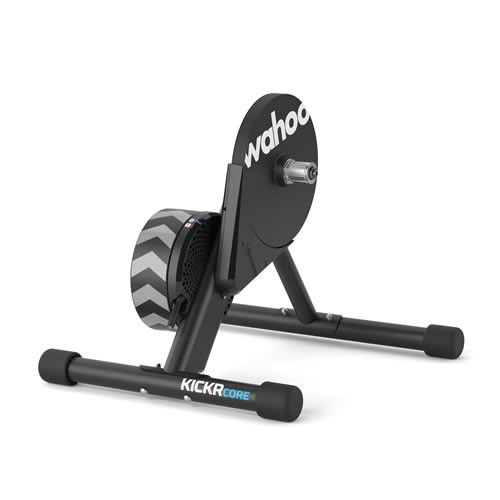
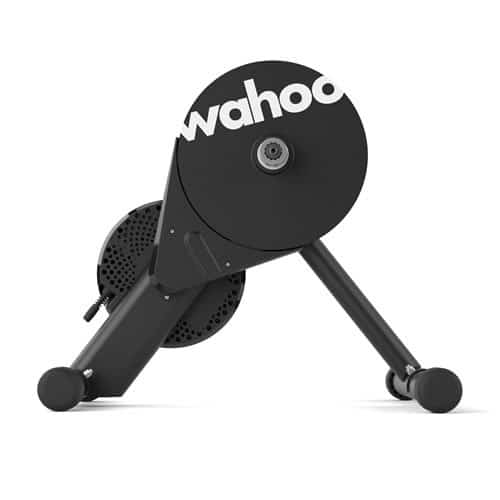
Wahoo also benefits from Zwift returning to selling Wahoo trainers at Zwift.com. Of course, to be competitive with the Hub’s price, Wahoo’s KICKR Core needed a price reduction – and I believe that’s what drove this week’s price drop on Wahoo’s mid-range trainer (see below).
Lastly, Wahoo is adding the ability to bundle a year of Zwift with their trainers when sold via WahooFitness.com. That’s a win for Zwift, and I bet we’ll see more of this bundling in the future – perhaps with a discounted annual rate (12 months of Zwift for price of 10, like Wahoo does with Wahoo X). Perhaps we’ll even finally see an annual plan from Zwift themselves!
Wahoo KICKR Core Price Reduction
In related news, early this week Wahoo reduced the price of their popular KICKR Core smart trainer from $899USD to $599USD – a huge price reduction! While you still need to purchase a cassette ($49.99 from Wahoo), the KICKR Core is probably the most positively-reviewed mid-range direct-drive trainer on the market.
UPDATE: Zwift has shared that this difficulty in moving up in larger packs is actually a bug, and will be fixed soon. Read the forum post >
Zwift’s Pack Dynamics 4.1 went live at the end of August, and the Zwift community has been debating its effects ever since.
We published TTT drafting tests on road bikes and TT bikes soon after PD4.1 was live, and in those posts I touched on the potential for wasting watts with PD4.1. Today we dig into this topic further, as it’s an important one for racers to grasp.
Defining “Wasted” Watts
In some sense, none of the watts we put into our pedals are wasted. It’s all hard, honest work that makes us stronger (if we skip the topic of overtraining, at least).
When I talk about “wasted” watts in the context of Zwift racing, I’m talking about power you’re putting into the pedals that isn’t making your avatar move faster. So much of racing is about conserving your energy so you have what it takes to go hard when needed. If you can hold your desired position in the peloton at 200W, but you’re putting out 225W to hold that same position, I would say you are wasting 25 watts.
As we’ll see, Zwift’s new Pack Dynamics 4.1 makes it very easy to waste watts in exactly this way.
Reducing Churn Through Stickiness
For years, Zwifters talked about the “sticky draft,” a feature of Zwift’s early pack dynamics which was put into place to help riders stay in the draft. The sticky draft was most apparent at slower speeds on climbs when you would come up behind another rider and “stick” to their back wheel instead of going around them. Sure, if you put out enough power you would break that stickiness and come around, but it sure hurt to feel like you were stuck on a wheel when you wanted to pass the rider!
Pack Dynamics 3 essentially got rid of the sticky draft. But I would say PD4.1 has brought it back in some sense. My guess is that the algorithm is different, but the effect is similar in packs: you can stay in the same fore/aft position, even if you put out more power.
Wasting Watts – an Example
I’ve seen complaints from riders saying PD4.1 is “harder” in the pack and “more like a TT feel.” One Zwifter commented that, “it took me 30W more than usual to hang with the RoboPacer.”
Having ridden with RoboPacers and race packs quite a bit using PD4.1, I have to say I haven’t noticed it feeling harder to hang in the pack. I certainly notice the packs are slower, and it’s harder to move forward, and especially to move into the wind. But sitting in the pack doesn’t seem to require any more work than it did in the past.
I believe riders are wasting watts in the peloton because they expect their avatar to move forward and backward in the group like it did in the previous version of Pack Dynamics. With PD4, in a steady group you could add a bit of power and easily move forward, even slingshotting around the front rider(s) and into the wind. But in PD4.1, adding a bit of power probably won’t change your position in the pack at all! That means you might be able to hold your position in the pack at 200W… and bumping your power up to 230W might not change your position one bit.
Whatever Zwift implemented to reduce pack “churn” has made our fore/aft pack positions more “sticky,” creating a “power window” with 20-40W of wiggle room. Hold any wattage in that window and you’ll stay in your current position in the pack. Hold the top end of that wattage (say, 240W) and you’ll feel like it’s extra hard to hang with the group. Hold the bottom end of that wattage (say, 200W) and it should feel as easy as ever.
Here’s a quick video with my bot in RoboPacer Yumi’s group to illustrate this behavior:
In the video above, my bot begins by holding pack position on flat ground at 199W. I then bump it up to 239W, and my rider doesn’t change position in any noticeable, immediate way. Eventually my rider works his way to the front of the group. But if I had only bumped up the wattage to, say, 219W, he probably wouldn’t have moved forward much at all.
So in this video example:
199W is riding efficiently
239W is riding inefficiently
If this was a race, that 40W margin could very well be the difference between winning and losing.
How to Ride Efficiently
So how do you ride efficiently with PD4.1? First, stay off the front. If you find yourself rotating into the wind, you’re putting out way more power than necessary.
Second, test your power. When you’re sitting in the pack, at the position you want, ease up on your power slightly, until your rider begins to drop back. This tells you the minimum power you can hold to stay in your position. Do this often enough (RoboPacers are a great place to practice) and efficient riding will become second nature.
Is this a bug?
You may ask: given this potential for wasted watts, did PD4.1 break proper pack behavior? Does Zwift need to fix PD4.1?
I say no. This “sticky draft” issue is one riders can easily learn to use to their benefit, plus PD4.1 offers some key improvements:
Slower pack speeds (more realistic, and more chances for the breakaway)
Reduced churn (more realistic pack appearance)
Zwift continues to iteratively improve pack dynamics, which are a difficult thing to get right in a virtual cycling environment. If you have any doubts about whether Zwift’s changes are actually making things better, I would submit this video of me racing with Pack Dynamics 2.0 just over 2 years ago:
Check out that squirrelly, compressed pack of avatars riding through each other! Give me PD4.1 any day over that.
How the Race Was Lost: The Breakaway That Got Away
I’ve heard many stories of solo breakaways winning Zwift races since PD4.1 went live. Here’s a fairly dramatic one, told from the perspective of someone (myself) who was merely pack fodder as the victor stormed to the line in a glorious, long-lasting solo break.
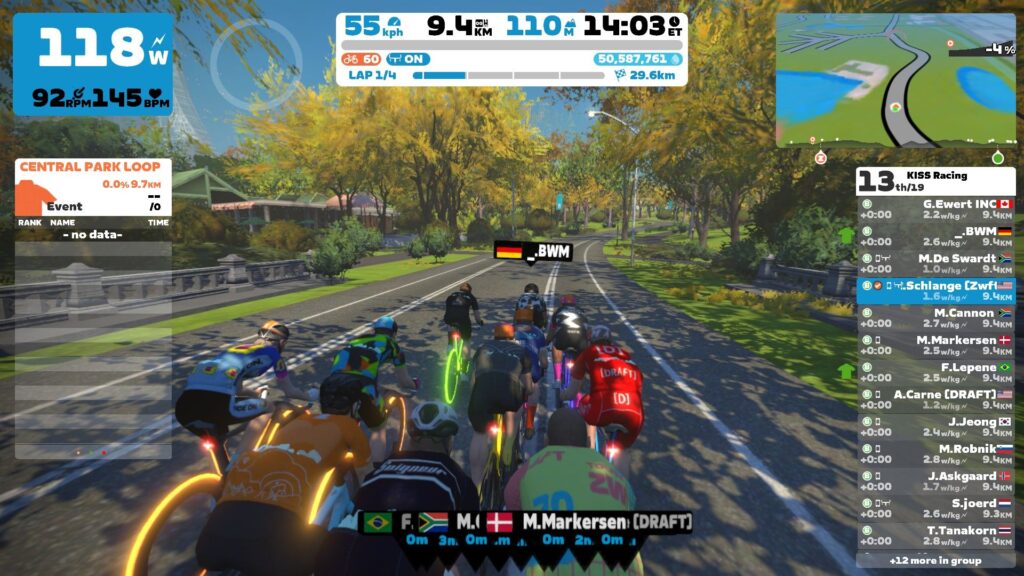
The race was KISS’ regular Wednesday event at 7am local time. I was looking for a longer race, as I’m growing a bit tired of the sub-half-hour ZRacing events. This one would take just about an hour, which sounded lovely. Four laps of New York City’s Park Perimeter Loop. Let’s race!
Lap 1
19 B riders jumped out of NYC’s start pens, and we quickly settled into a rhythm. Everyone seemed to know that the first sparks would fly on the Harlem Hill climb 3km into the lap, as this is the first and largest climb of the Park Perimeter Loop. 670m long at 5.1%, it takes a little under 90 seconds to finish in most B packs.
Someone always gets dropped on Harlem Hill, but there are also three more short climbs just afterward (the Three Sisters) where you can get tailed off the back if someone attacks and the pack follows. So Harlem Hill is really more like a hard 90 seconds that kicks off another ~3 minutes of solid work on the hilly back half of the Park Perimeter Loop.
We dropped 8 riders on the first Harlem Hill effort, and I put in some work on the front to help our group stay away. But our group didn’t want to work hard to stay away, probably because they reasoned that anyone dropped the first time up Harlem Hill wouldn’t survive the next 3 attempts.
So the chasers caught us, and we were a group of 17 as we finished up the lap and joined up with a straggling A rider or two.
1 lap down. 3 to go.
Lap 2
We recovered for a few minutes, then the group hit Harlem Hill a bit harder than the first lap. I was able to hang in with the front, but as we made our way over the Three Sisters, Danish rider “Martin Wang” attacked.
With my legs tired from the hills we were still in the middle of, I didn’t feel like chasing. There was an A rider up the road, and I just hoped he wouldn’t work with Wang to stay away.
Fortunately, Wang rode right past that A rider. Unfortunately… Wang seemed to have really good legs! He kept putting in a steady effort around 4W/kg, and the gap widened to 18s by the end of lap 2.
Lap 3
On the third time up Harlem Hill, I thought my goose was cooked. Twice!
The front group of 6 was 2 seconds ahead of me by the end of the climb, and I figured the front of the race was riding away. But 5 riders from behind joined me, and a few kept the pace up so we stayed within striking distance of the front 6.
Then, just when I thought the two groups were joining… I fell off the back! I knew if I eased up now I wasn’t coming back, so I decided to give it one last go. Shifting to a tougher gear, I got out of the saddle and went hard to catch the group. And made it!
Note to self: Pack Dynamics 4.1 has a shorter draft “fall-off”, meaning you can’t dangle off the back of the pack as easily as before.
Near the end of this lap a couple of riders from our group tried to bridge up to Wang, but nobody made it. Wang was still 17s ahead at the end of lap 3.
Lap 4
After nearly getting dropped (twice) on lap 3, I knew I wasn’t contending for the win today. Instead, my goal became hanging with this front pack to the finish line.
A couple of halfhearted attempts were made to work together to catch Wang, but they came to nothing. Was everyone tired like me? Did they think we would catch Wang automagically, as in Zwift races of yore?
Wang began extending his gap. Every time I looked at his power I felt like it said 4.2W/kg. “He must be cheater,” I said, comforting myself in my glycogen-depleted state. “Surely no legit B rider can stay away for 2.5 laps…”
The last Harlem Hill was fairly tame – I think riders were keeping their powder dry for the finish. With 5k to go, Wang had 26s on the pack. He wasn’t coming back.
With 700 meters left some riders from our group jumped. I just tried to surf the wheels, because I didn’t have much left. (Probably shouldn’t have skipped breakfast). I sat up as I finished last in the front group for 8th place. Wang? He took first by 10 seconds. Well done, sir.
My first takeaway is: don’t do hourlong fasted races. 20-30 minutes I can handle just fine, provided I had some carbs the day before. But I seem to run out of juice somewhere in that 30-60 minute window when I’m pushing hard in a fasted state.
The second (and bigger) takeaway is that our group’s lap times were remarkably slow. Looking at my Park Perimeter Loop history, our lap times were 30-60s slower than past races. I’ve done social rides here that were faster than this race!
It just proves what we’ve already been saying: Pack Dynamics 4.1 slows packs significantly, to the tune of 1.5-2 kilometers per hour slower. And that’s why Wang could pull off a well-timed attack and stay away for more than 35 minutes to take the solo win!
Wang’s power, in the end: 4.2W/kg for 20 minutes (highest in the race). 3.7W/kg average (302W), also the highest in the race, but not by much. His numbers were well within Zwift’s category enforcement range for B category – he just rode brilliantly and used his strengths well.
It’s a new day in Zwift racing land, and breakaway riders are loving it. Riders in the pack will have to learn to truly work together if they want to pull anything back. Things are going to be interesting!
Questions or Comments
Have you won from a breakaway with PD4.1 yet? Got questions or comments? Post below!
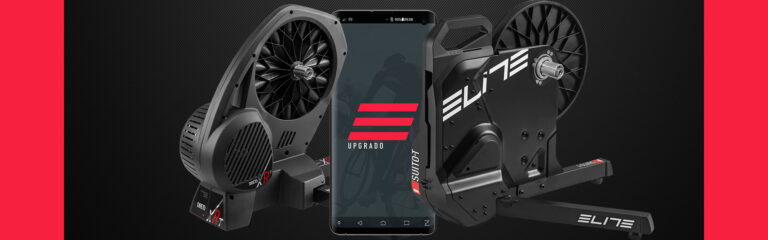
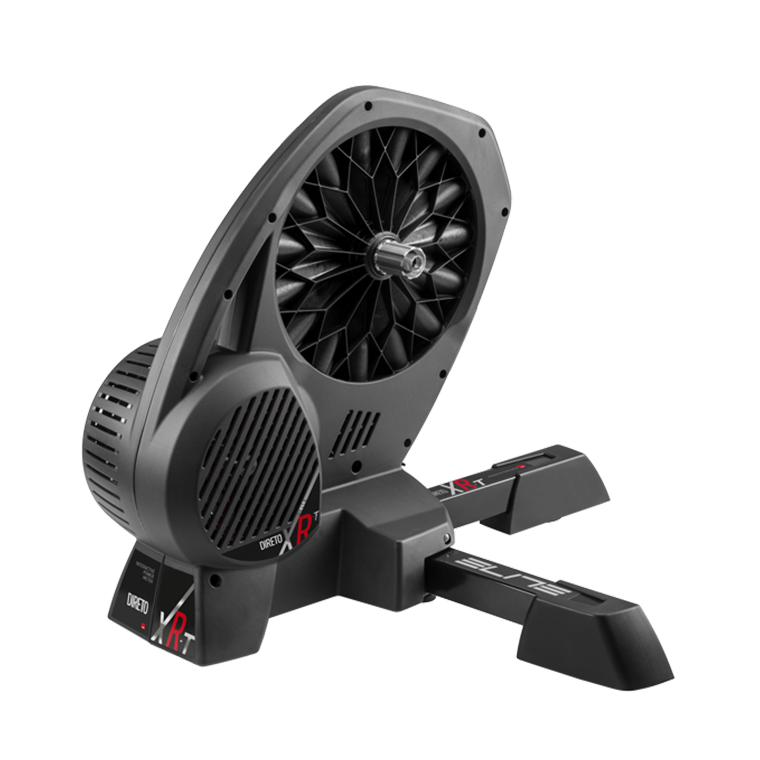
Today Elite announced reduced pricing for their most popular smart trainers, along with a raft of new features made possible by firmware updates for the Direto XR, Direto XR-T, Suito, and Suito-T. Let’s dive into the details!
New Retail Prices for Suito-T and Direto XR-T
At a time when most manufacturers are announcing price increases, Elite is substantially decreasing the list price of their two most popular trainers: the Direto XR and the Suito.
Direto XR-TSuito T
Specifically, these new list prices apply to the Direto XR-T and the Suito-T. (These are the only versions of the Direto and Suito listed on Elite’s site at this time, and the “T” in the name indicates that the trainer comes without a cassette.)
New pricing:
Suito-T is now $549 / 549€ / £499 (down from $699 / 660€ / £639) (21.5% reduction in $ price)
Direto XR-T is now $699 / 699€ / £599 (down from $899 / 825€ /£829) (22.2% reduction in $ price)
New Features
“Easy Start” Function
When you briefly stop pedaling in high-wattage Erg mode, this function makes it easier to resume the interval by automatically resetting the trainer’s resistance, giving you a few seconds to regain your cadence before returning to your chosen resistance level.
Cardio and Cadence Bridging
Your heart rate monitor and/or cadence sensor can now be connected directly to your Elite smart trainer. The trainer then acts as a “bridge” and transmits the data to software such as Zwift. This frees up Bluetooth channels, which is particularly useful on Apple TV since it can only connect to two Bluetooth sensors simultaneously.
Swift Supertuck
Swift Supertuck quickly sets power data to 0 when you stop pedaling, so Zwift can instantly detect pedal inactivity and activate the supertuck position.
Improved Erg Mode Brake Management
This feature ensures maximum power data stability in Erg mode, with the brake response perfectly synced with the software (aka Zwift), reducing fluctuations.
This update applies only to the Direto XR and Direto XR-T.
Power Smoothing
Similar to Wahoo’s Erg Mode Power Smoothing, but with more options, the new Power Smoothing feature lets you modify the visualization of your power in both ERG and Simulation modes.
You can choose from four levels of data display, customizing the graph’s level of adjustment and smoothing to your liking.
This update applies only to the Direto XR and Direto XR-T.
Upgrading Your Firmware
Install Elite’s Upgrado app (for iOS and Android) to update your trainer’s firmware and take advantage of the new features above.
The app automatically detects your trainer through Bluetooth, so all you have to do is tap on your trainer’s name from the list of detected devices on the app and look for any available updates.
Watch the Video
Shane Miller has released a video discussing these updates and sharing his tests in Zwift:
November 8, 2023 update: Zwift’s 1.52 release changed the rolling resistance of dirt for all bike types, and also brought the performance of Zwift’s gravel wheels in line with name-brand wheels. They did what we asked below!
Zwift has several types of bike frames in game:
Road bikes (the most popular, by far)
TT bikes (very aero and can only draft in special TTT events)
Mountain Bikes: the slowest and heaviest, but they look pretty sweet on dirt
Gravel Bikes: dropbar bikes with wider tires, just like IRL
I wouldn’t blame you for being a bit confused about which bike setup to use on a particular course, when that course involves dirt or gravel sections like Watopia’s Jungle Circuit, Makuri Islands’ Sea to Tree, or Scotland’s City and the Sgurr.
Most of our route detail pages include a recommended bike setup (start by clicking your desired route here). But I see one common mistake when folks choose to ride a gravel bike in game.
Don’t blame yourself: it’s a mistake many have made, because the way Zwift has set things up is confusing. Let’s take a peek behind the curtain…
A Bit of Gravel History
Zwift released its first gravel bikes in their December 2019 game update. The Cervelo Aspero, Canyon Grail, Canyon Inflite (actually a cross bike), and Zwift Gravel were built in game similar to how they’re built outdoors: to perform well on dirt while also zipping along nicely on pavement. Later more frames were added, and there are now 10 gravel frames available.
The frames are fine. It’s nice to have a selection of brands available, and if you want to learn how each frame performs in terms of climbing or aero performance, just read this post.
But things got confusing in February 2022 when Zwift added two new gravel wheelsets to the Drop Shop. Before this, only one gravel wheelset was available – the default Zwift gravel wheelset. But now Zwift was offering three wheelsets. Which one should you choose?
The answer, it turned out, wasn’t so easy to come by. Because the new wheelsets were rated the same as Zwift’s default gravel wheels (3 stars aero, 1 star weight) one might think they would perform the same. But Zwift got sneaky! They assigned a new, custom Crr for the new gravel wheels, but only when rolling on the “dirt” surface.
The newer name-brand gravel wheels have a Crr of .016 on dirt, while Zwift’s gravel wheelset has a Crr of .018. How do those different settings affect performance? Name-brand gravel wheels are about 17s faster than Zwift’s gravel wheels on a loop of Watopia’s Jungle Circuit at 4 W/kg, and about 10s faster climbing the Temple KOM in Makuri Islands.
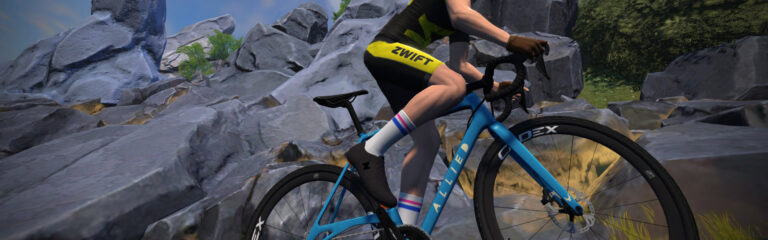
As of today, there are 4 name-brand gravel wheelsets available in Zwift. They all perform identically:
CADEX AR 35
ENVE G23
Reserve 25 GR
Roval Terra CLX
Go Name-Brand
So what’s the mistake people make with gravel bikes on Zwift? They use the default Zwift gravel wheelset, instead of spending a few drops on a name-brand gravel wheelset.
If you’re going to be racing in dirt, spend a few Drops. The performance gains are well worth it!
Zwift: Please Fix Gravel
The Crr difference between Zwift’s gravel wheelset and all the others seems like a confusing choice on Zwift’s part, and one that penalizes new riders. As much as I like the idea of rewarding people for doing their research and reading Zwift Insider posts, if one wheelset is slower than another that should be made clear in Zwift’s garage/Drop Shop UI.
My recommended fix: just make all the gravel wheelsets have the same Crr on dirt. No other wheelsets in game have custom Crr settings, so let’s consider this an experiment that didn’t pan out, and swap back to simple settings.
Now, if Zwift wants to make certain gravel wheelsets perform better because they’re more aero or lightweight than others – that’s sensible, and inline with what happens with road wheels. Just show the difference in the star ratings so it’s clear.
Lastly: there’s a bug when it comes to setting the gravel wheelset. On my personal account, when I select a gravel frame, it shows the frame with CADEX AR 35 wheels. Problem is… I don’t own those wheels!
Zwift needs to save whatever gravel wheels I last selected, so when I swap to a gravel bike, it has my favorite gravel wheels in place. (This saving needs to work for road bikes, too.)
With over 6100 riders and 810 teams taking part, the DIRT Racing Series has grown quickly over the last four seasons. As we head into “indoor season”, Team DIRT Racing has announced the launch of DIRT Racing Series, Season 5, which runs from September 12-October 17.
Here’s how they describe it:
Get ready to be part of the most competitive Team Racing on Zwift, open for ALL Zwift racers. In DRS EVERYONE contributes to their team with our well-balanced points structure, small categories and multiple individual and team leaderboards.
DRS Basics
Here are some key things we spotted that make the DIRT Racing Series special:
Unique category structure based on zwiftracing.app Race Rankings
Team racing: open to teams of up to 8 riders (no rider minimum), best 4 riders per stage contribute their points to the team
Three racing formats: iTT, Team Time Race (TTR), and Points Races