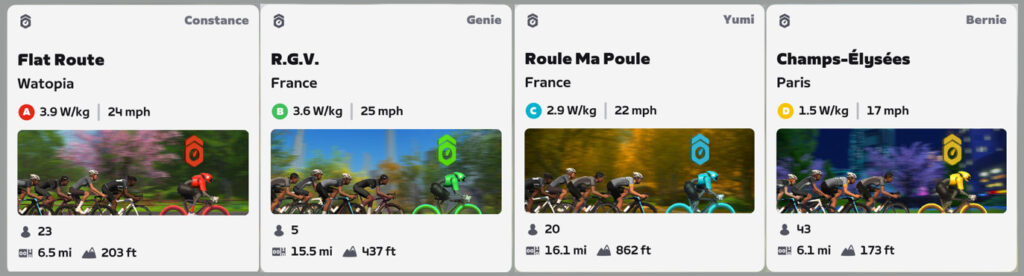
Zwift just rolled out a fresh Mission for September, and it’s all about route completion.
Note: signups opened earlier this week, but the Mission doesn’t begin until August 31.
Getting Started
To begin the Mission, select the mission card on your homescreen and click to register:
Once you’ve registered, clicking the mission card will show your Mission progress.
Completing the Mission
After registering for the mission, complete five different routes across any combination of Zwift worlds by September 30th. Completing the mission unlocks the mission badge for your achievements list.
“My List” Extra XP Tip
While this mission doesn’t require you to complete five routes you’ve never done before, when you complete a badged route you earn the achievement badge plus an XP bonus roughly equal to the distance-based XP you always earn while riding. That means you effectively earn double XP when completing badged routes for the first time!
Why not leverage the motivation of this month’s mission with Zwift’s recently released My List feature to earn extra XP while completing routes for the first time? Click Explore>Routes on the homescreen of the Companion app, then “All Routes”, then tap the filter icon at the top-right and check only the “Show Uncompleted Routes” box. This will show you all the routes you haven’t yet finished. Click to check them, adding them to your list, which shows up on your homescreen in game so you can easily ride the route.
“Pinarello Powered” ZRacing Series Details (September 2024)
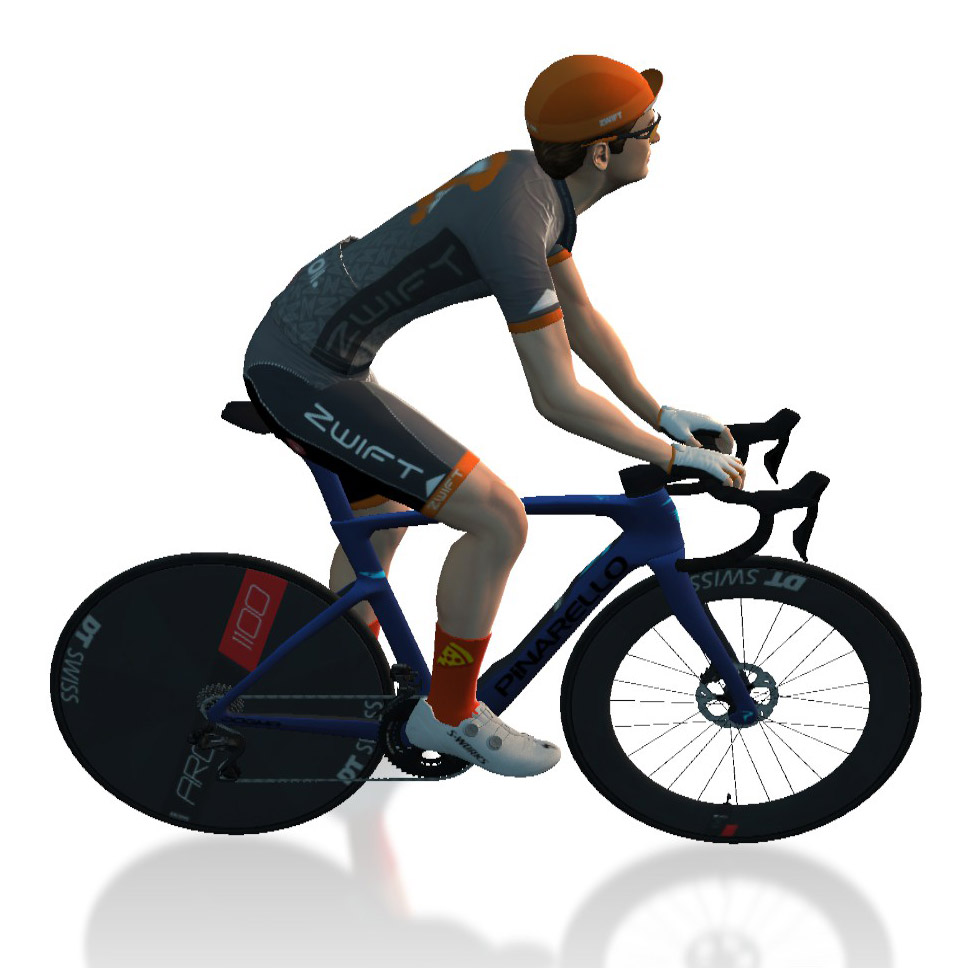
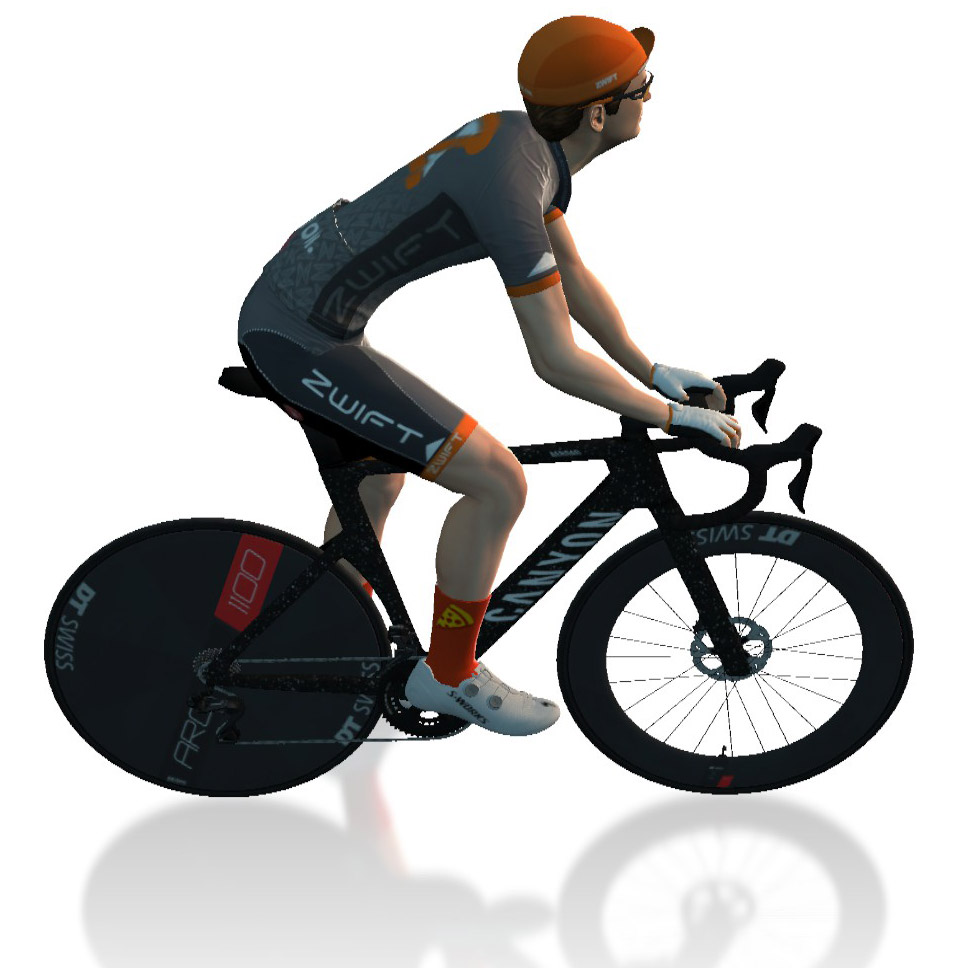
Zwift’s “ZRacing” is the platform’s most popular ongoing race series. In September the series takes on a number of punchy racing routes, and all racers will be placed on the fast new Pinarello Dogma F 2024 frame. Additionally, the series continues to test Zwift’s new Zwift Racing Score in certain events!
Read on for details about race routes, the overall monthly GC competition, and more…
Pinarello Powered – September’s Route Schedule
Here are the routes we’ll be racing in September (click route for details):
Complete all 5 stages to unlock a Zwifty color scheme for the Pinarello Dogma F 2024 frame! This new frame is possibly the top all-arounder in game (read about it), and the custom colorway (shown above) is Zwifty indeed.
FYI: if you unlock the new colorway before owning the frame, that’s alright. Once you buy the frame you’ll be able to apply the new paintjob to it.
I’ll be riding all 5 races, because after almost 9 years on Zwift, this is my chance to finally have my in-game bike match my IRL one! (Photo taken on this morning’s outdoor ride…)
Series Structure
The ZRacing series consists of monthly sets of weekly races. Each race is scheduled for seven days (Monday through Sunday) and timeslots are consistent week to week.
Races are scheduled hourly times each day at 10 minutes past the hour, so there are plenty of available times to find a race.
Zwift Racing Score will continue to be tested this month on certain ZRacing events. Zwift is keeping the adjusted scoring bands that went into effect mid-August:
July’s Bands
725-1000
575-725
400-575
225-400
0-225
August’s Initial Bands
700-1000
550-700
425-550
250-425
0-250
September’s Bands
650-1000
525-650
415-525
300-415
0-300
Scored events will occur at 0810, 1110, 1710, 1810, and 2210 UTC each day. These time slots will use 5 categories, except the 1710 and 1810 time slots which will use 10 categories.
IMPORTANT: there is a monthly GC for the 5-category scored races, and it is separate from the monthly GC for the standard category-enforced races. (See links below for each.) The 10-category scored races are not included in any GC.
Each monthly series includes a time-based GC (general classification) tracking riders’ best finishing times for each week’s race. The overall winners in each category for the month are the riders with the lowest overall time for that month’s set of races.
With over 150 weekly timeslots available, riders can race each week’s event multiple times and try to better their finishing time. Tip: the fastest times usually come from the largest race fields!
You must use a heart rate monitor to show up in ZwiftPower results for this series.
Each month’s ZRacing series has a unique achievement badge, which you can unlock by finishing every stage for the month. There are no makeup events, so if you miss a stage, you miss out on the badge and competing in the GC.
One and Done
Zwift has planned these events to deliver a solid 1-hour workout, so each race should only take around 1 hour to complete, including your warmup and cooldown.
In the Drops Episode 60: Guests Matt Smithson & Si Bradeley
Check out the most recent episode of In The Drops podcast where Nathan and Zwifty take a deep dive into MyWhoosh. Matt Smithson and Si Bradeley join them, discussing the huge recent improvements to the speediness of power input with huge benefits to the experience of riding in a pack. They also go deep on their preparations for the Worlds, including course details and verification, the semis, and details of how the finals will take place. As ever, there’s a quiz to test your knowledge, this time with a benefit to those with cross-platform experience.
They also touch on changes to Zwift Racing Score metrics and Nathan shows righteous anger at not having his choice of course shortlisted for the final stage of Zwift Racing League 24/25, Season 1.
00:00 Start
04:58 Show starts
06:20 How to pronounce Bradeley
09:06 Zwift Racing Score changes
12:58 ZRL Route design shortlist
17:11 Interview with Matt & Si
22:15 MyWhoosh plans
27:10 Huge recent release improvements
31:04 Worlds Finals details
39:20 VOD and Live sessions
45:45 MyWhoosh physics and lag
49:57 Worlds Semi Finals details
55:00 New Worlds & Season Pass
1:06:28 Verification outside of cash races
1:18:30 Virtual Shifting?
1:20:43 LevelVelo and ITD team up!
1:22:45 Quiz… How well do you know MyWhoosh vs Zwift?
Zwift Rolls Out Changes to Women’s Racing Calendar
This week, Zwift announced major changes to the platform’s schedule of women-only races. It’s all part of a long-running collaboration with a number of key community organizers and racers looking for increased participation in all levels of women’s racing. Read on for details…
Summary of Changes
Spearheaded by James Bailey – a long-time Zwifter turned key member of Zwift’s events team – changes to the women’s racing schedule can be summarized thus:
The women-only category E has been removed from all mixed-category races
Some women-only race events have been removed from the calendar
A new slate of women-only races has been added to the calendar, housed under the FemmeCycle Collab (FCC) club but managed by various race organizers
The Big Picture
So why the change? Here’s what James says:
The attendances on both Women’s only events, and mixed events which have a women-only E category are as a rule, poor in attendance (sub 5 starter average). It is my belief that these are damaging to women’s only racing – turning up to your first race with no one else in your category, or a single person that drops you by some distance will not encourage you to come back.
Leading up to this change, there have been approximately 75 weekly events that were women-only races or mixed races with a women-only E category. Those E events typically saw 3-4 people show up, with a broad range of fitness levels, meaning women in these events didn’t generally get the experience of racing “together.”
Of course, low turnout in women’s races isn’t just a Zwift problem. It’s an ongoing challenge for outdoor race organizers as well! Zwift realized early on that their platform was an ideal home for both aspiring and experienced women racers, so they hosted women-only race events and group workouts. They also pioneered the Zwift Academy model just for women in its initial years, placing aspiring pros on WorldTour women’s teams. And Zwift is a multi-year sponsor of what are arguably the two biggest women’s races of the season: Paris-Roubaix and Tour de France Femmes.
Given Zwift’s investments in women’s cycling, it only makes sense that Zwift’s events team, in collaboration with the women’s racing community, would make strategic changes to the women’s race calendar with a view toward creating more compelling events. James says:
Having events created by a number of different teams increases fairness (and a lack of favoritism) as well as there being a single place where all upcoming events are easily seen. It also improves the ability to market the events.
New Schedule
The new women-only race events p/b FemmeCycle Collab are scheduled 5x daily during the week, and 4x daily on the weekends.
Weekday times:
9:30am UTC/5:30am EDT/2:30am PDT
5:30pm UTC/1:30pm EDT/10:30am PDT
6:30pm UTC/2:30pm EDT/11:30am PDT
10:30pm UTC/6:30pm EDT/3:30pm PDT
12:30am UTC/8:30pm EDT/5:30pm PDT
Weekend times:
9:30am UTC/5:30am EDT/2:30am PDT
2:30pm UTC/10:30am EDT/7:30am PDT
5:30pm UTC/1:30pm EDT/10:30am PDT
12:30am UTC/8:30pm EDT/5:30pm PDT
So far, September’s race schedule has women on the planned Zwift Racing League courses, giving them a nice preview of the routes they’ll be racing if they’re participating in ZRL.
Note: the above schedule may change in the coming weeks, as James will be reviewing the numbers to determine if the daily event volume needs to be modified.
Want to host a women’s race?
If you’re interested in hosting a women’s race event on Zwift, James says it’s best to email [email protected] with your event proposal. You may also submit the event request form here.
Fair warning, though: Zwift’s events team plans to closely evaluate race schedules and participation levels before adding more women-only race events. It may be that the best way to influence women’s racing on Zwift is to join the FemmeCycle Collab (see below) and let your voice be heard in that forum!
If you want to get involved in race planning or just want to offer feedback to race organizers, join the FCC Discord server: https://discord.gg/u5G3wbXZ
Full Speed Ahead
Several months ago, in partnership with the FemmeCycle Collab, we launched Zwift Insider’s women’s racing portal as a central place for women to learn about racing on Zwift. The portal’s pages (including weekly racer profiles, a women’s racing calendar, and a big list of women’s teams to join) have proven quite popular. We look forward to continuing our support of more women racing more often!
Training as a top professional cyclist often consists of 20+ hours of training a week, but does a similar style of training work for the average cyclist? One rider tries to answer that question in this week’s top video.
We’ve also selected videos about an epic Zwift win, an overview of the gear needed to start Zwifting, a video from the start of the Tour de France Femmes avec Zwift, and a review of Zwift.
How fit I got training like Tadej Pogacar
Watch as Ryan, aka, Aaroiseverything, tackles a one-hour time trial to see if his recent training has helped him increase his fitness.
Dropping Everyone for the Zwift Win!
Erik from Don’t Get Dropped Cycling is back with another Zwift race. As usual, he absolutely lights up the race and rides away with the win. Watch as all the action unfolds in his latest video!
Everything You Need To Ride On Zwift
What do you actually need to start riding on Zwift? Road to A breaks down everything you need to start Zwifting and shares a few items to enhance your Zwifting experience.
Tour de France Femmes avec Zwift: Arrival In Rotterdam!
With the Tour de France Femmes avec Zwift recently starting in Rotterdam, Louise Vardeman gives viewers a look at some of the festivities that Zwift hosted at the site of the TDFF.
First Zwift Ride in Months – What I Love and Hate about Zwift
After recently being forced inside due to rainy weather, Michael breaks his Zwift setup out and gives it a spin. In his latest video, he gives a review of Zwift, sharing his likes and dislikes.
Got a Great Zwift Video?
Share the link below and we may feature it in an upcoming post!
Zwifters have long requested a velodrome in game, but so far Zwift has resisted the idea due to concerns about the need for steering, event size limits, and required support for track-friendly new race formats like elimination races.
But we’ve discovered a velodrome hidden in plain sight on Watopia’s southern coast. It may not be your classic wooden indoor oval. And may require a manual turn… every lap. But it’s right at 250 meters long, and it’s flat and fast. So we made a 10-lap rebel route, and are excited to invite Zwifters to a Strava segment competition on the Summit City Velodrome!
About Rebel Routes
“Rebel Routes” are Zwift rides not available on Zwift’s routes list, thus requiring manual navigation.
The reward for your rebel ride? Exploring a new route, knowing you’ve gone where few Zwifters have gone before. And a Strava segment rank in the tens or hundreds instead of the thousands! Rebel Routes are also included as a separate category on our Veloviewer Route Hunter leaderboard.
Route Description
The Summit City Velodrome has just one Strava segment at this time, and it consists of 10 laps of the Ciudad la Cumbre (“Summit City”) roundabout in a counterclockwise direction, after entering it from the uphill side at the base of The Grade KOM:
So to begin this route, you need to enter the roundabout from the uphill side, as pictured above. The quickest way to do this is to choose the Oh Hill No route from your list of Watopia routes, then flip a quick U-turn at the start. (Pro tip: ride up The Grade for a minute or two before turning to get a flying start!)
From there, complete 10 laps of the roundabout. You’ll get two intersection prompts per lap, and in our tests the first prompt defaults to the correct direction (left, to Radio Tower):
The second prompt, though, defaults to the wrong direction, as it tries to take you up The Grade. You want to go straight toward Jungle Ruins:
Complete 10 laps, and this Rebel Route is complete. The finish line is here:
Getting Started + Lead-In
The easiest way to get started is to choose “Oh Hill No” from your Watopia route options, then flip a U-turn. The game will auto-navigate you correctly on the first intersection of each lap, but you’ll turn to manually tell it to go straight on the second intersection of each lap, otherwise the game will take you up The Grade.
There’s another option: rumor has it that once you finish the Itza Party or Itza Climb Finish routes the game takes you down the bottom half of The Grade and onto our rebel velodrome for infinite laps without a need to navigate! We aren’t promising it will always work this way, but if you’re looking for a solid ride with a fun rebel route at the end, this is the way.
How did you get into cycling? Trying to beat my commute times during graduate school.
How many years have you been racing on Zwift? Almost 4.5 years
Are you part of a Virtual team? Yes, Revolution Velo Racing
What do you love most about racing? Being able to be competitive while at home and trying to make it to the final sprint!
What is your favourite style of race (e.g. points, scratch, iTT, TTT, Chase, duathlon)? Points
What is your favourite Zwift women’s race series? I really enjoy any series that includes a scratch race and a points race. The mini races are also becoming a favorite.
What is your most memorable racing experience, inside or outside or BOTH? Winning my state scratch race on the velodrome. On Zwift, winning a 20-lap race on the Crit course.
What is your favourite food to eat post race? A burger
What advice would you give to a woman entering her first Zwift race? Be ready to go with 5 seconds to go and it’s always worth it to give your all to stay with the group. And if you don’t, find a group and practice riding in a group to figure out how you best race!
Any upcoming race you are looking forward to? Hoping for more women’s races in the summer to meet more ladies!
After Sunday’s thrilling Tour de France Femmes avec Zwift finish, we have to feature the Alpe Celebration Rides once more this week. But we’ve also got three popular stage races on tap, and a long, beginner-friendly group ride!
Last Sunday, the final stage of this year’s Tour de France Femmes avec Zwift ended on the iconic Alpe d’Huez. And what a stage it was!
Zwift has been holding events on Alpe du Zwift all week to celebrate. Rides have 5 pace categories to choose from, with a Robopacer joining each group to ride at the stated pace.
Finish the ride to unlock the new 2024 Watch the Femmes Kit, and you’ll also get to spin the Watch The Femmes spinner at the top for extra surprise unlocks featuring WtF kit collections from 2024 and past years!
This week featured the final race of the Women’s Racing Series, and it’s the race of truth! An individual time trial on 2 laps of Scotland’s Loch Loop for a total distance of 16km. Bring your fastest TT rig!
We’ve featured this event several times in the past, as it’s always well-attended and well-led, at a pace that helps everyone stay together. Experienced leaders and sweepers do their best to keep the groups together with the help of doubledraft and a zapping fence, so everyone can work together to knock out a long ride!
This week’s ride is held at a 1.7-2.2 W/kg pace on Electric Loop for a total length of 103km.
The Spanish HISP club is holding its popular Tour de Hisp, a 15-day tour featuring 13 different stages. This Saturday’s race features Watopia’s newish Itza Party route (45.7km, 498m), so even if you haven’t been taking part in the tour, you can jump in and try out this fresh route and get the route badge plus bonus XP!
The “Tour de Stars” from Four Star Racing is a multi-stage event during the month of August. Stage 6 is on Sunday, covering 1 lap of Watopia’s Triple Flat Loops (36.3km, 134m), and it’s already got a solid number of signups, making it the most popular race on Sunday.
You can, of course, race an individual event without completing all the stages. Each category starts separately, and the race uses standard category enforcement.
We choose each weekend’s Notable Events based on a variety of factors including:
Is the event unique/innovative in some way?
Are celebrities (pro riders, etc) attending/leading?
Are signup counts already high, meaning the event is extra-popular?
Does the ride include desirable unlocks or prizes?
Does the event appeal to ladies on Zwift? (We like to support this under-represented group!)
Is it for a good cause?
Is it just plain crazy (extra long races, world record attempts, etc)?
Is it a long-running, popular weekly event with a dedicated leader who deserves a shout out?
In the end, we want to call attention to events that are extra-special and therefore extra-appealing to Zwifters. If you think your event qualifies, comment below with a link/details and we may just include it in an upcoming post!
Wahoo recently announced their latest generation of chest-strap heart rate monitor, named the TRACKR HEART RATE. This is the third generation of Wahoo’s TICKR line, and as the only chest strap HRM in Wahoo’s shop it replaces the 2nd generation TICKR and TICKR X. (Wahoo also sells the TICKR FIT optical armband HRM sensor.)
I’ve been a fan of Wahoo hardware for years, and that includes the original TICKR which impressed me so much that I wrote a post back in 2018 explaining why I was replacing my failed TICKR with another TICKR. (Spoiler: it’s because it lasted for 1000+ rides.)
But in recent years, I’ve been unimpressed with the second second-generation, having gone through three of them in short order before turning to another brand.
Will this new generation from Wahoo fix the sins of the previous generation? I sure hope so. Let’s dive into all things Wahoo TRACKR HEART RATE…
What’s New/Different?
Here’s how the new TRACKR HEART RATE differs from the 2nd-gen TICKR:
Battery: Rechargeable battery (TRACKR HEART RATE) vs coin cell
Strap Closure: Hook-closure strap vs button-closure
Battery Life: 100 hour between charges for TRACKR HEART RATE vs 500 hours per coin cell for TICKR
Size: the face size of the TRACKR HEART RATE is noticeably smaller (see photo above) than the TICKR – 30mm tall vs the TICKR’s 35mm. It’s also a few mm narrower.
Weight: TRACKR HEART RATE is 12 grams with a 28-gram strap by my measurements, while the TICKR is 16 grams with a 32-gram strap
Price: TRACKR HEART RATE retails for $89.99 while the TICKR was $49.99
Additional Features
Like the TICKR, the TRACKR HEART RATE features ANT+ and Bluetooth connectivity and supports up to three concurrent Bluetooth connections. The LED at the top-center of the HRM indicates battery status and whether the TRACKR HEART RATE is paired to devices/apps, and an IPX7 rating means you don’t need to worry about wearing the TRACKR HEART RATE in rain or sweat since it can be submerged up to 1 meter for 30 minutes.
And it’s all supported by the Wahoo app, which can deliver additional metrics like average HR, Max HR, and Total Calories.
What’s In the Box?
The TRACKR HEART RATE is a simple device, and comes in a simple package containing a simple instruction manual, the USB 3.0 charging cable, the HRM pod, and the chest strap.
Getting Set Up
After unboxing my TRACKR HEART RATE, I decided to charge it so it would be ready for testing later in the day. That’s when I ran into my first hurdle: the charging cable requires a USB-C port! I’ve got a pile of USB ports to plug into here in the office, but they’re all the older “standard” Type-A plugs. (Oddly enough, I’ve never needed a USB-C port, until the TRACKR HEART RATE arrived in my mailbox. That’s because I’m a PC guy and not a Mac guy.)
USB-C?! Whose idea was this?
After poking around a bit, I found that one of my desktop computers had a USB-C plug in the back. Whew. No need to buy an adapter. We were in business, and with a snazzy magnetic attachment to the HRM to boot! (Charger trivia: the charging cable that ships with the TRACKR HEART RATE has the same connectors as the cable that ships with Shokz bone conduction headphones.)
After charging the unit, I strapped it on for my first test session on Zwift. That’s when I noticed the next thing: the TRACKR HEART RATE’s strap is shorter than the TICKR strap. That’s one way to save weight, I suppose! My chest is around 36″ in the area where I would strap on a HRM, and the old TICKR strap had around 6″ of extra adjustable room once when I wore it, while the new TRACKR HEART RATE strap has around 3″. Maximum length of the TICKR strap (without stretching it) is 39″, while the TRACKR HEART RATE is 35″.
It’s actually a good change if you’re a small enough human, since it saves a bit of weight. But larger riders may run into issues.
Usage Notes
I’ve used the TRACKR HEART RATE on upwards of 20 rides so far, both indoors and out. Overall I’ve found that it connects quickly and works as advertised. I’ll discuss a few particular sessions, though, as they each are illustrative in their own ways.
The TRACKR HEART RATE is in blue, while the Rhythm is in black. As we typically see with armband monitors, the Rhythm lags behind the TRACKR HEART RATE by 1-3 seconds. You don’t notice this with steady state work, but when you’re doing 30/30s like I am above, the two will often be separated by 1 or 2 beats.
Overall, though, the two monitors tracked each other quite nicely.
Next, let’s look at the one odd anomaly I’ve had with the TRACKR HEART RATE. It was on an outdoor ride, and I wasn’t wearing a second HRM, so I suppose I can’t prove that these readings were wrong. But as I chugged along at a steady low zone 3 tempo, I was surprised to look down and see my head unit displaying a heart rate in the 190s! (My max HR is right around 189.)
This happened twice, for 1-2 minutes at a time. Nothing seemed out of the ordinary – not my position on the bike, my sweat level, my effort level. There was nothing I could point to that would cause the readings to be so far off. (And no, my heart rate was not in the 190s. That would have certainly been noticeable.)
But like I said, I’ve only had that happen once. Every other activity has shown accurate heartrate as expected. Here’s one from yesterday, in fact, in which I rode up a solid climb, then took a dip in a freezing pond while wearing the TRACKR HEART RATE (for science) before coming back downhill fully chilled.
Lastly, I should mention that battery performance seems to be within specs. After charging the battery up to 100%, I’ve checked it in the Wahoo app after each ride. It seems to be dropping by around 1% per hour of use, which is right in line with the claimed 100-hour rechargeable battery life.
Comparisons and Conclusions
There are basically three big-name chest strap makers in the market today: Polar, Garmin, and Wahoo. Polar and Garmin both sell HRMs that are slightly cheaper than the TRACKR HEART RATE, and they also have more expensive versions or same-priced versions with more features, like onboard memory. (Notably, both Polar and Garmin use replaceable batteries.)
The only other chest strap HRM with a rechargeable battery that I know of is the COOSPO H9Z, although there could be others. Like other “off-brand” HRMs, the COOSPO is much cheaper than the big-name brands.
The $89.99 price point for the TRACKR HEART RATE seems quite high for what it is, especially when you consider that it replaces the $49.99 2nd-generation TICKR. Why such a massive price increase? This is the biggest weakness of the TRACKR HEART RATE, in my opinion. With the long-term durability of the TRACKR HEART RATE yet to be seen, it’s hard to recommend it above the more feature-rich and proven Polar H10 ($90 but often on sale) or even the Polar H9 ($60).
While no HRM lasts forever – especially chest strap HRMS – the second-gen TICKR earned a reputation for poor durability. I’m hoping the lack of a battery door will help the TRACKR HEART RATE to live much longer. But, as all the reviewers below agree, that remains to be seen. Here’s hoping Wahoo learned a lesson from previous TICKR versions and have released a durable HRM in the TRACKR HEART RATE.
More TRACKR HEART RATE Review Videos
GPLama
DesFit
The Run Testers
Questions or Comments?
What do you think? Will you be considering a TRACKR HEART RATE? What’s your favorite HRM, and why? Share below!