

If you’re anything like me, you may find yourself planning the next day’s workout as you lay in bed late at night. Or perhaps you’re an after-work rider who likes to make plans during your lunch break?
While we can easily browse and sign up for events via the Companion app, there’s never been a way to queue up a particular route or workout without actually being in the game. Until now!
Originally teased in the Winter 2023/24 “This Season on Zwift” press release, the “My List” feature went live yesterday with Zwift’s release of Companion app version 3.57.
Here’s a quick video walkthrough:

How It Works
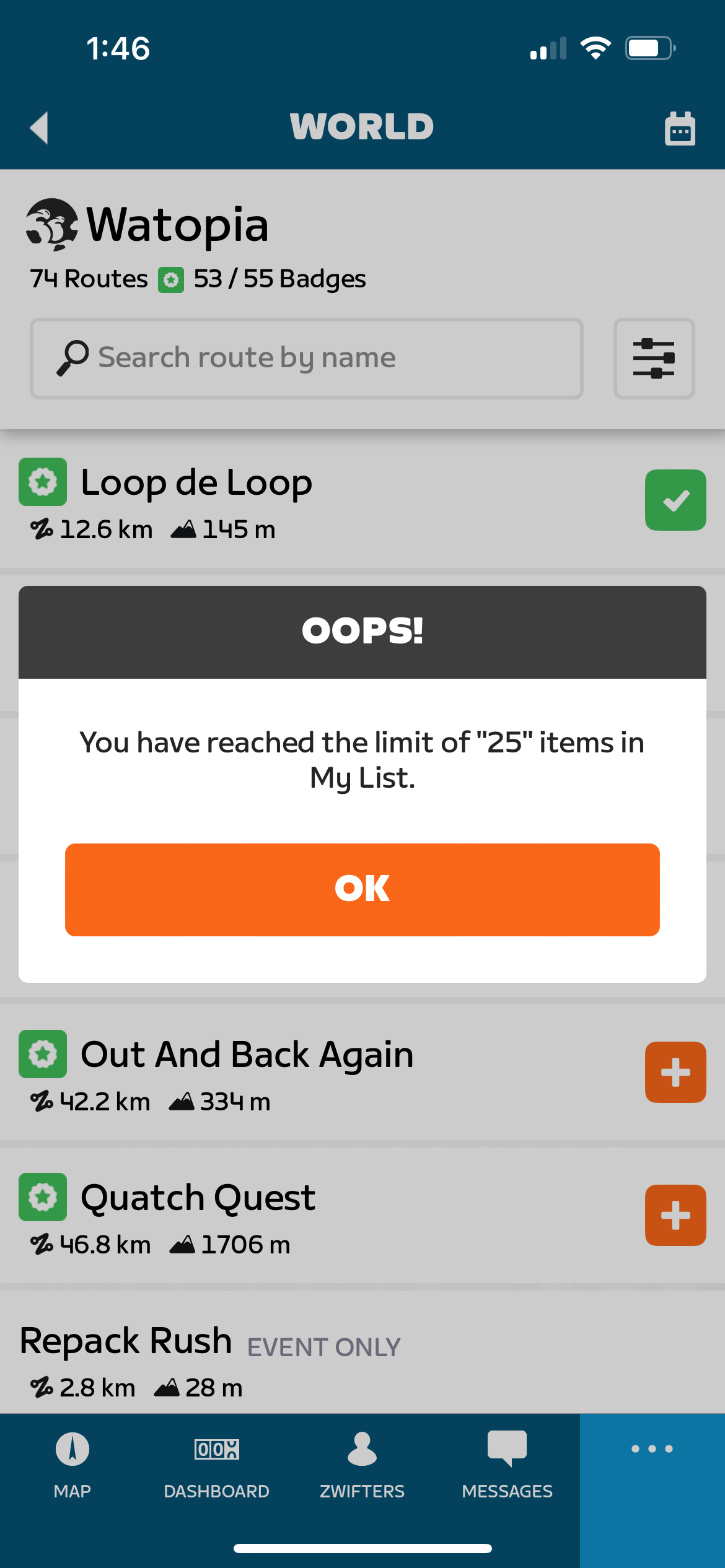
Using the Companion app, you can browse all of the workouts in Zwift’s on-demand library, as well as all the free-ridable routes, and easily tap the orange (+) button to add them to your list. Up to 25 items can be added to your list, you can drag list items up and down to sort as desired, and swiping left gives you the option to delete.
The “My List” option is the center button in iOS in offline mode, or go to “More” to access it when connected to a live game session. Here are some screenshots I took as I added routes I need to complete, plus one workout for giggles:
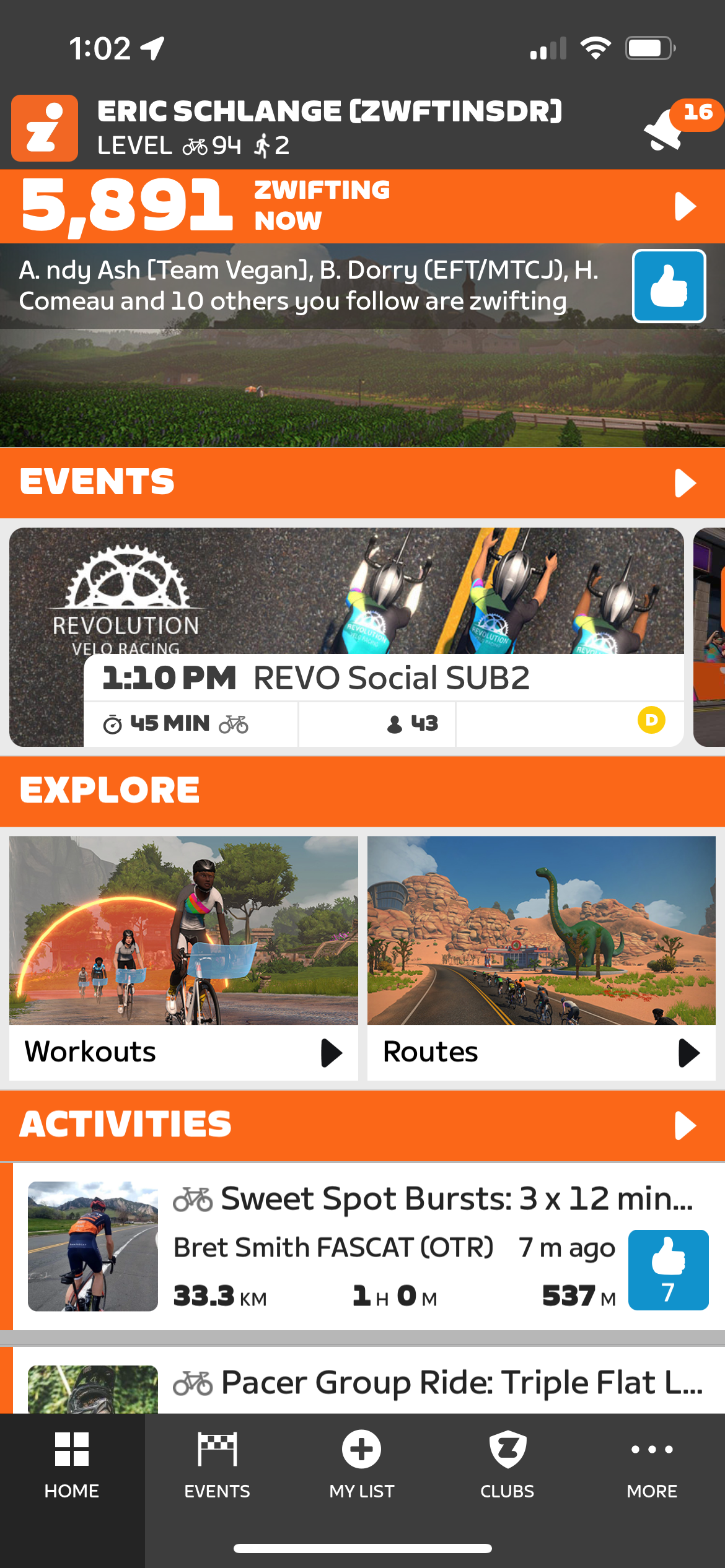
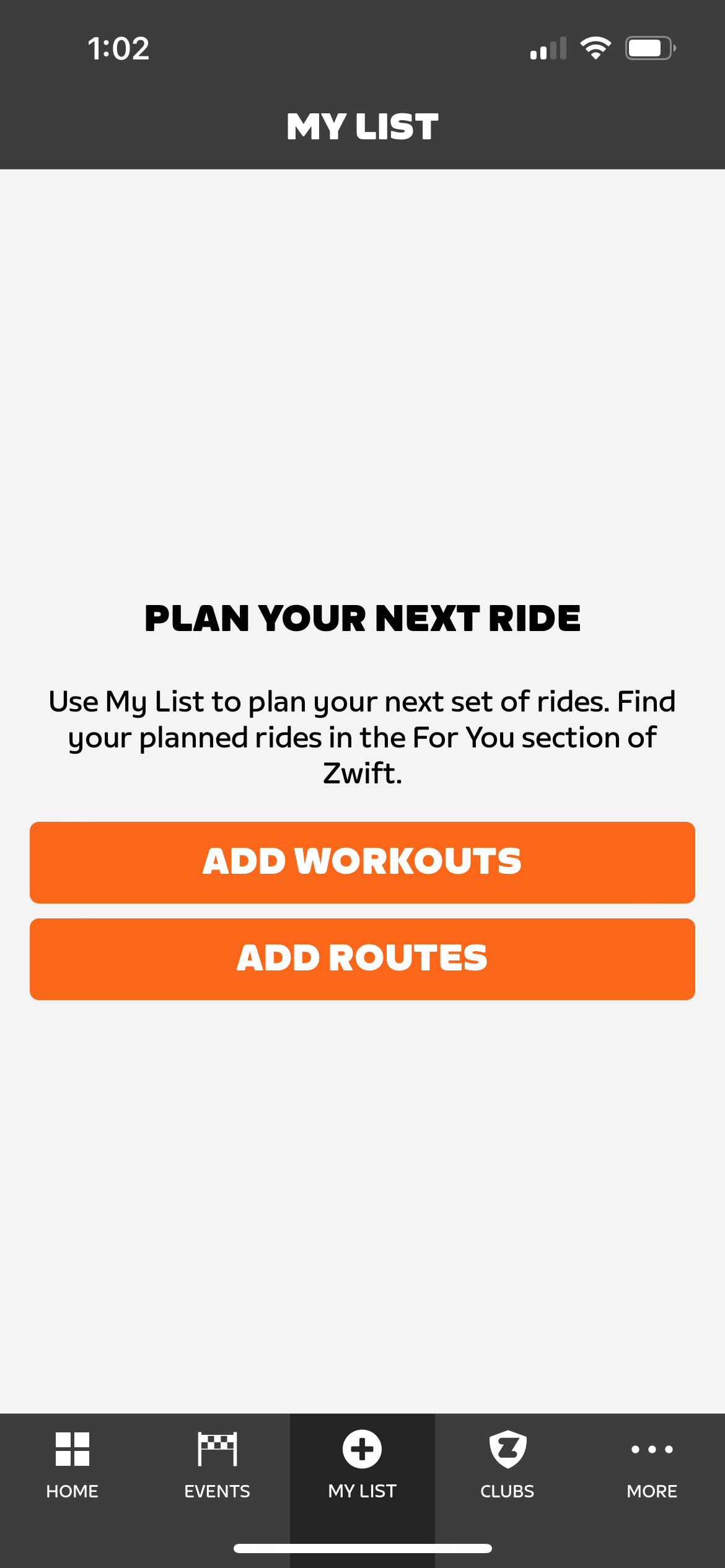
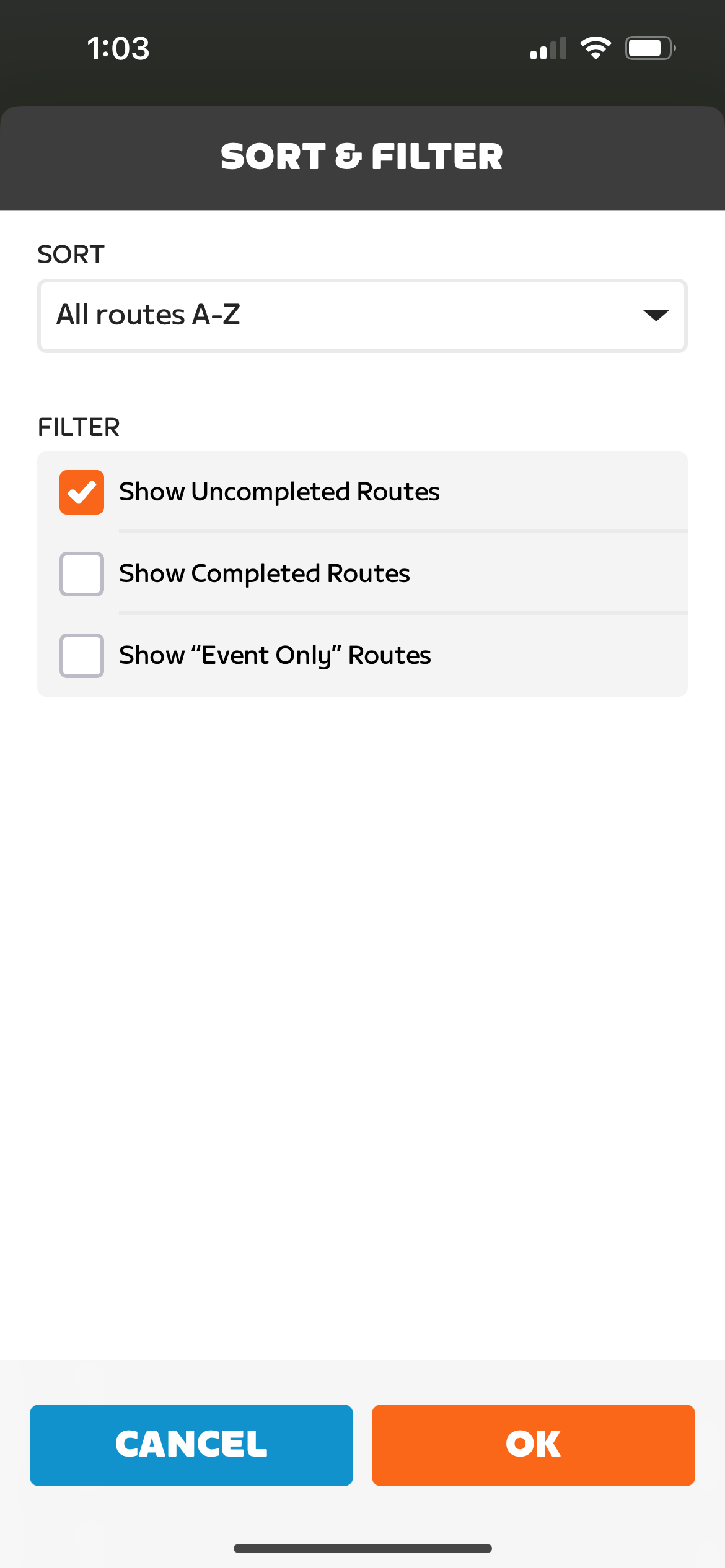
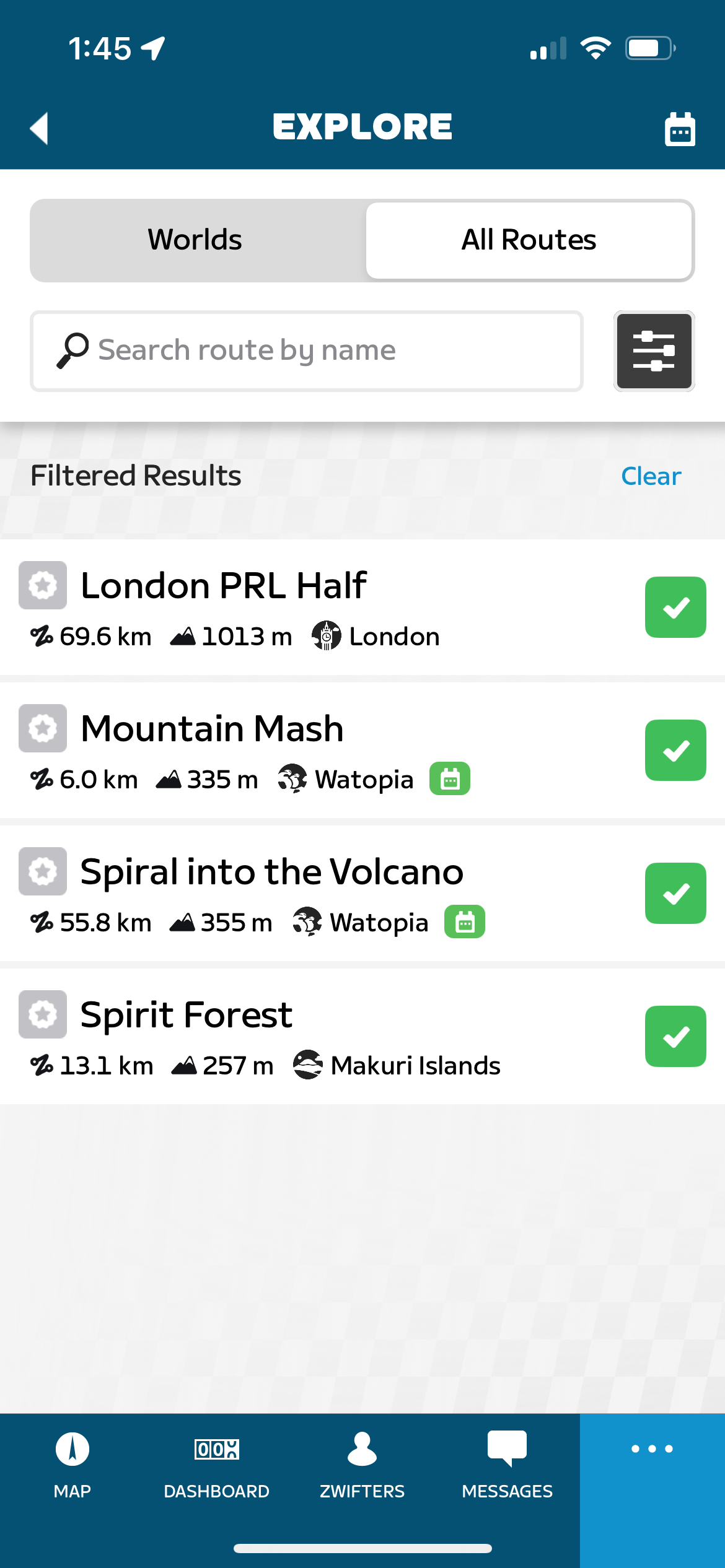
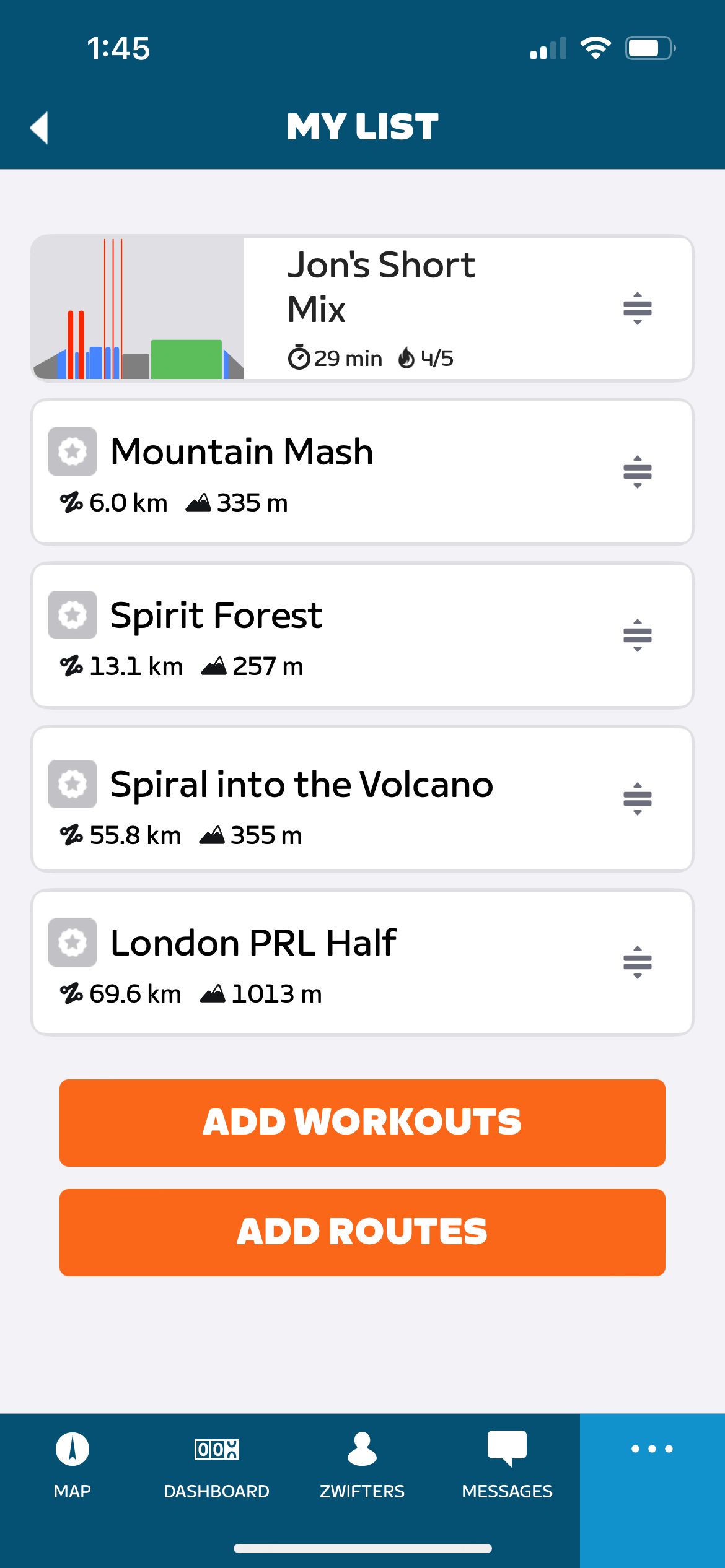
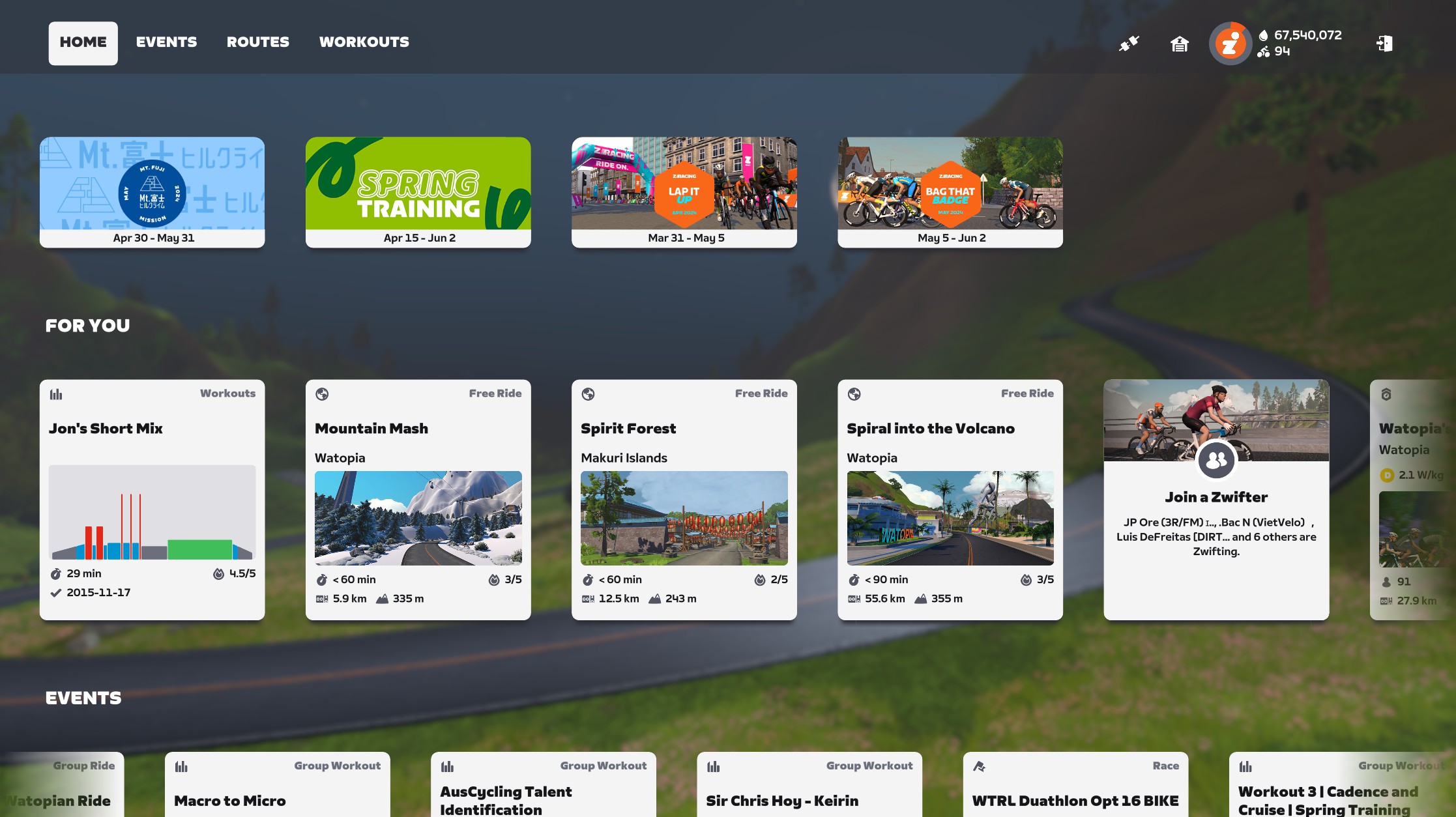
Items on your list show up first in the “For You” carousel on your Zwift homescreen. That carousel seamlessly and instantaneously updates as you edit your list via the Companion app, making it very easy to access the routes and workouts you’re interested in.
If you’re paying close attention, you may have already figured it out: this is a great new way to “world hack” and ride any route you’d like, regardless of Zwift’s guest map schedule.
Limitations and Future Improvements
There are a few limitations in this initial version of My List:
- You can add up to 25 items to your list
- You cannot add workouts from Zwift Training Plans, 3rd-party integrations like TrainingPeaks, or custom workouts. Only workouts from Zwift’s on-demand library can be added to My List at this time.
- Items are removed from your list when you click the item card on your homescreen, then enter the game to complete it. Removal is not contingent on you actually completing the workout or route – it is removed as soon as you enter the game to start that activity.
- You can add a workout to your list, but you can’t select which route you’ll be doing that workout in until you select it in game. (This was surely a conscious decision by Zwift UI designers to simplify the My List feature.)
- With routes that don’t have any sprint or KOM segments (like Mountain Mash and Ocean Lava Cliffside Loop), tapping the route from your list in Companion brings up an empty screen that simply says “There are no known segments on this route”. This is a known bug.
I’d love to see Training Plans, 3rd party workouts, and custom workouts make it into My List. And if I’m being nit-picky, I suppose it makes sense to only auto-remove the item from My List once I’ve completed it, and not as soon as I start it.
Those niggles aside, I’d say this is a nicely-polished and useful new feature from Zwift. Instead of hopping on my bike then poking around to choose a route or workout, I can get all that planning done “offline,” making my Zwift session even more efficient. Ride on!
Questions or Comments
What do you think of the new “My List” feature? Share below!


Can I use those Workouts for the Club-Events?
The list of workouts available for Club events is a fairly small subset of the overall list available on Zwift.
I know, but why? So many Workouts and since the beginning just a handful for Clubs. So disappointing.
No “my list” button on iOS.
blob:https://zwiftinsider.com/2c3b51a6-e135-4f5b-8502-cbbb904de7eb
Not pasting image for some reason.
Try force stopping the app and restarting. Worked for me.
“For now, if you want to remove said route from your list, find it by browsing all routes, click to view route details, then uncheck the box to remove it from your list.”
When you’re viewing your list you can also just slide it to the left of the screen and click the delete button.
Much better. 😁 I’ll update the text above.
Another limitation/improvement opportunity would be the ability to add Climb Portal routes even if they would only show up in “For You” when they became available.
Is there even a way to view climb portal routes in the companion app? I’ve never seen them on there.
There is not.
Tried companion app on android phone with and without Zwift app running. No “my list.”
Known bug on the Zwift forums, you need to Force Stop the ZC app and then the My List will appear in the left list, second or third item down. The android app doesn’t have the bottom row of icons like the IOS variant.
Nevermind, I needed to manually update the companion app.
I’ve updated the Android app and I can select workouts as described but I can’t see a “my lists” icon.
Tap the Sandwich icon on the top left of the main screen, My List will be on the top of the menu.
Thanks!
Don’t have the button. App is up to date. US/IOS user. ??
Working fine for me, but a shame you can’t add custom workouts. I’ve a load of training workouts I’ve added and it would be good to be able to line them up as part of a training plan.
This is a really welcome feature ! Great stuff.
Doesn’t seem to be working on android. Updated, tried to force stop and restart but still nothing. Anyone else have this issue?
It looks like it works great on my Android phone, other than the fact that it doesn’t show any running workouts (I know, “we” don’t pay for Zwift as runners, but still kind of sad).
Limitations and Future Improvements point #4 would make a huge difference to how this could be even more useful
Was not working for me with android companion app and zwift on Apple TV until I manually updated the game on Apple TV. Then my list and options to add workouts/routes popped up in the companion app
It would have been so much better if the “My Lists” icon displaced the “Clubs” icon instead the “Activities” has gone from iPhone Companion Home Screen which I use all the time.
So, if I’m interpreting the ‘nit-picky’ comment near the end, is it correct that once you do anything on your list, it’s automatically removed? This ‘my list’ feature isn’t a way to keep your favorite activities easily on hand?
Correct. When you click an item then enter the game world to do it, that item is removed from your list.
Good feature at wrong place in CA
Eric any word when they will activate the top left big fields box so we can add average power as a field? Really looking forward to seeing this one added.
New HUD is coming this summer… they haven’t gotten more precise than that yet.
It would be great add on to be able to “pin” a workout to your list – for example a pre race warm up that you use.
One nice thing I noticed is that I can add a route and ride it even if that world is not active. I know there are other ways of doing it, but this seems like one of the easiest now
I noticed too, great for badge hunting without following the calendar limitations
New to ZWIFT since Dec . Can I add to my list the group pacer rides ?
No, the My List feature is only for routes and workouts at this time.
That said, if you consistently use a certain RoboPacer, you’ll probably find that pacer’s card shows up in the “For You” carousel on your home screen.
why no place this “my list“ feature under „more“ and keep „activities“ in its old, easy reachable position ???
It’s also a great way to ride any route at any time.
Once on the home screen, the route is ridable, even if its world is not active.
How can I use ‘my list’ to flag in the daily events when one of the e routes I have not yet completed is on the schedule. For example the Belle Lap route I would like to do but never know when it is on?
My List won’t work for that purpose. It just lets you select actual routes to ride, or workouts.
I’d suggest ZwiftHacks for searching events on particular routes: https://zwifthacks.com/app/events/
I really want to be able to add my custom workouts to my list – would make this feature so much better – I don’t use it at the moment.
Would have thought that those of us who want to plan out our week’s rides & workouts are more likely to be using custom ones possibly?
It would be really cool if you could use the “My List” like a play list to link together multiple routes one after the other without having to get off the bike or start a new ride.
Do you know if there is a way on keeping favourite workouts on my list once completed so they are there for next time. Thanks
Hi Eric, Have you heard anything from Zwift regarding implementing some of the Future improvements you listed in your article ? Particularly, adding custom workouts to “My List”.
I have not.
Today I want to try my list to see if when I finish 1 route then the second on list will teleport me on the start. Do you know the answer ?
I discovered that the answer is no. If that can help other people.
I’ve only started using this since December 2025 as it is the “system” that my bike club uses in the winter for group rides. We ride at a recreational pace. I’ve been doing rides on my own and found the My List feature very handing in queuing up rides that look interesting to me. It makes absolutely no sense to me why My List routes are automatically being removed from the list. What is the logic behind this? (I just spent an hour looking for a setting to keep them from being removed.) If I like a route I want to ride it again. I consider automatic removal a bug that needs to be fixed.