Tiny Race Series – December 13 Routes – Hitting the BRAEks
See zwiftinsider.com/tiny for current Tiny Race details.
See zwiftinsider.com/tiny for current Tiny Race details.
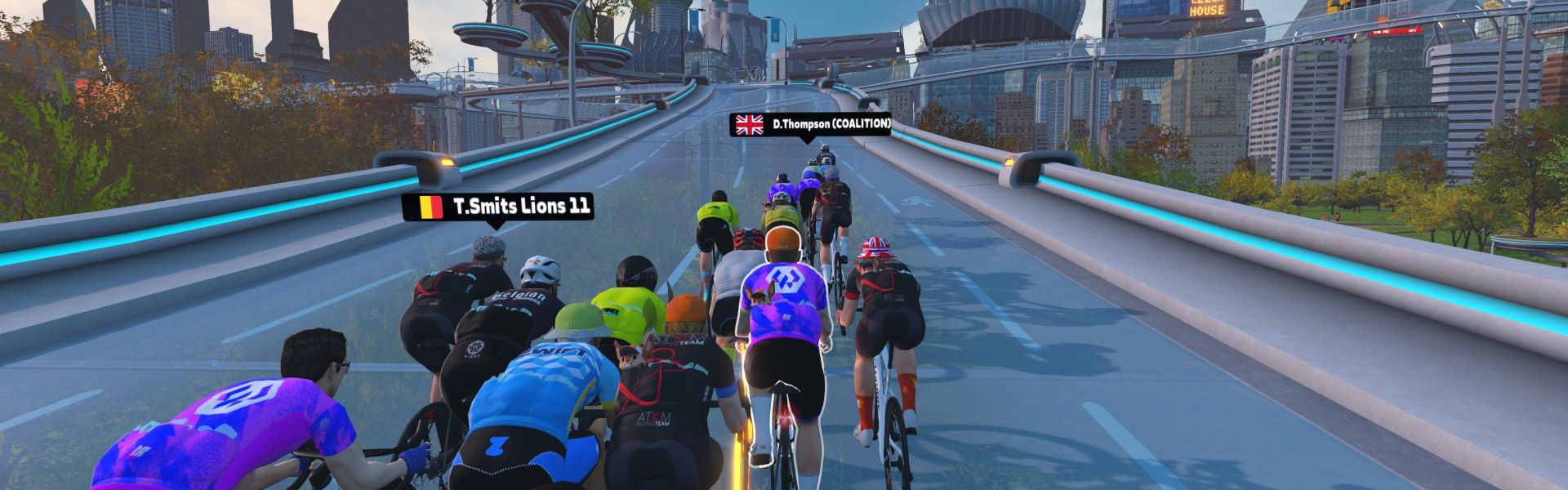
This week, ZRL racers headed back to New York for the final race of round 2. It was a scratch hosted on the new Empire Elevation route, and my team (Coalition Delusion) was tied for 1st place in the B1 Development Lime division. It all came down to this!
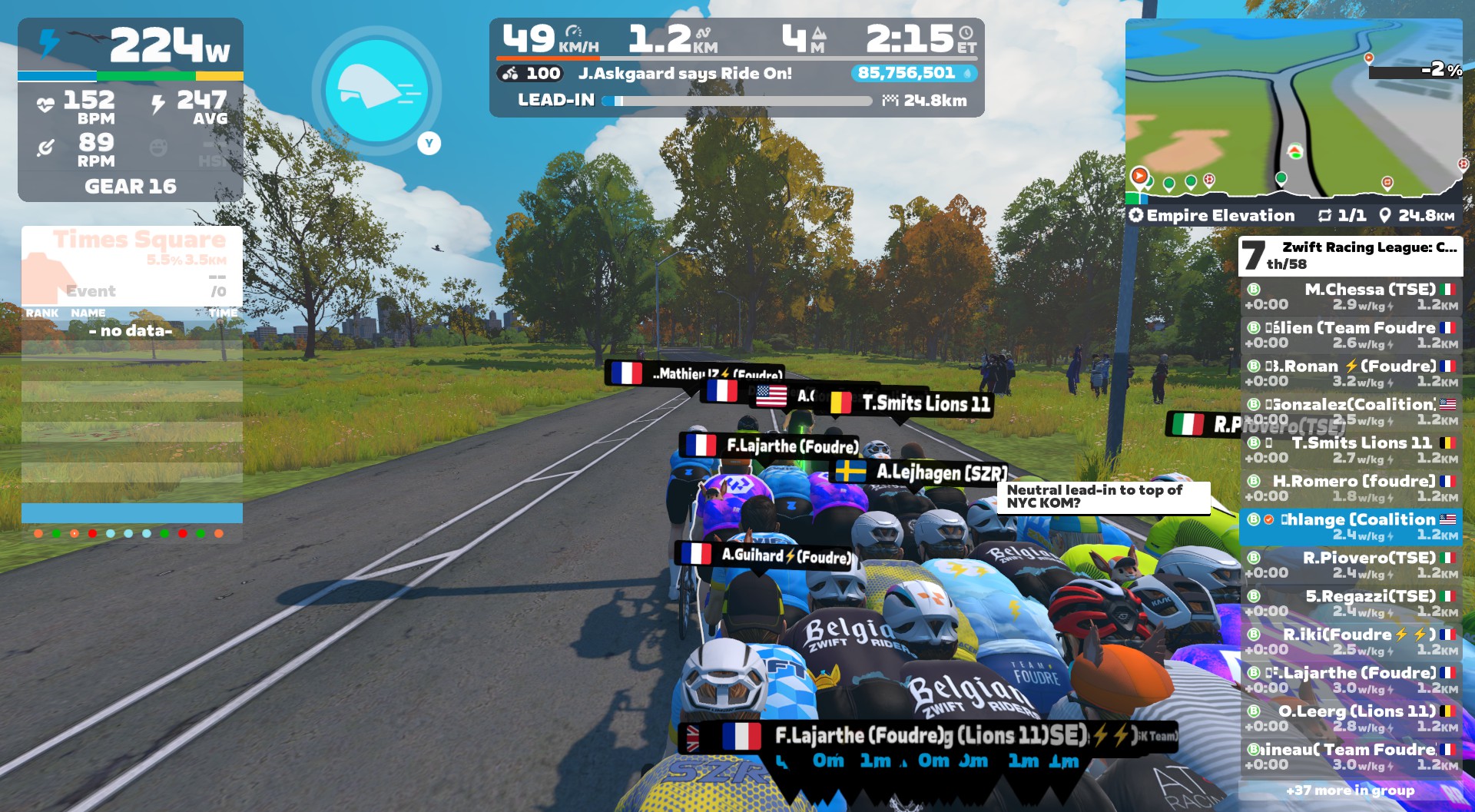
As usual, my team was chatting on Discord in the days leading up to the race, deciding how best to ride the course. We found ourselves in a difficult spot. Sure, we were tied for 1st. But we were up against team TSE, whose strength was climbing. (Ours is not.)
We searched high and low for a brilliant race strategy to secure the overall win, but found nothing. Our conclusion? Teamate David said it well: “I think there is only one tactic for this and it’s go into the KOM with as much energy as you can and try to empty yourself on that climb.”
I’d scouted the KOM to write the week’s race guide, but that wouldn’t make it any easier. I knew I was facing an all-out 5-minute effort on some steep slopes, so I pulled the Specialized Aethos out of the garage (level 3 upgraded, good enough), fitted with the fancy new ENVE 4.5 PRO wheels.
With a whiff of PR Lotion and mint MEG gum in my nostrils, I started my warmup, putting in a few good digs and chatting about Zwift with other riders as I woke up the heart and legs. Soon enough, it was time to sign into Discord and join the start pen. Let’s race!

The Empire Elevation route was brand-new, created for this specific race, and I’d never ridden it. But that didn’t mean it was unfamiliar. I’d ridden all of its roads multiple times via other routes, so I had a pretty good idea how this would play out as a scratch race.
Simply put: it would be quite easy for the first 24km. Then the KOM finish would be an all-out ~5-minute effort.
It played out as expected. Sure, some digs were required whenever the road tilted upward, including those pesky escalators. But the pace was never truly “high.” My heart rate sat firmly in the tempo zone, and I sat firmly in the draft.
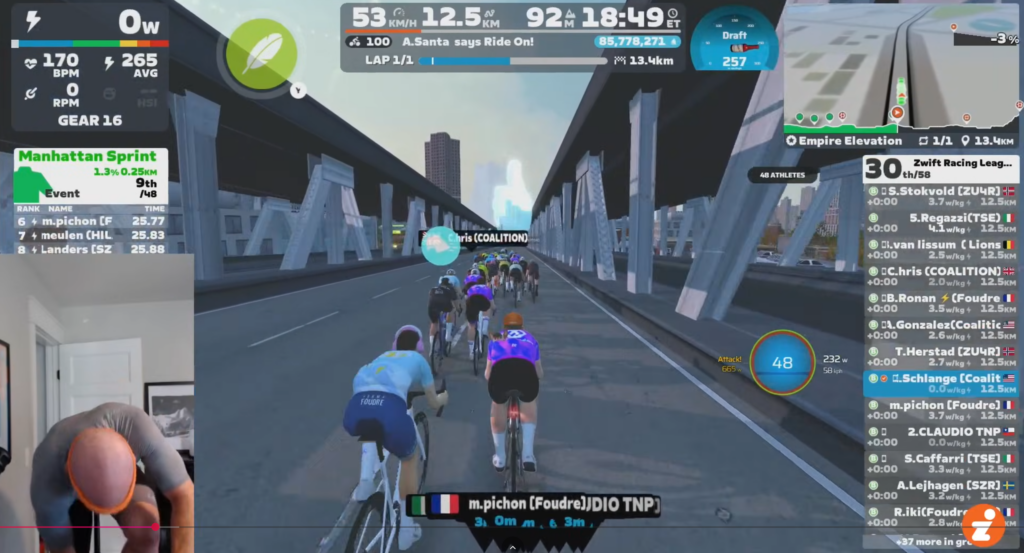
There was just one snafu: I somehow neglected to fasten the upper Boa on my left shoe, and didn’t notice it until the race was underway! So I pedaled with a loose shoe until the Manhattan Bridge descent 12km in, where I managed to stop pedaling and fix it while sliding backward through the pack:
Here’s something a bit crazy, which also speaks to how easy the first bit of this course was: we didn’t lose a single rider from the starting pack of 48 in the lead-in to the final climb. When was the last time you did a ZRL race where nobody was dropped in the first 24km?
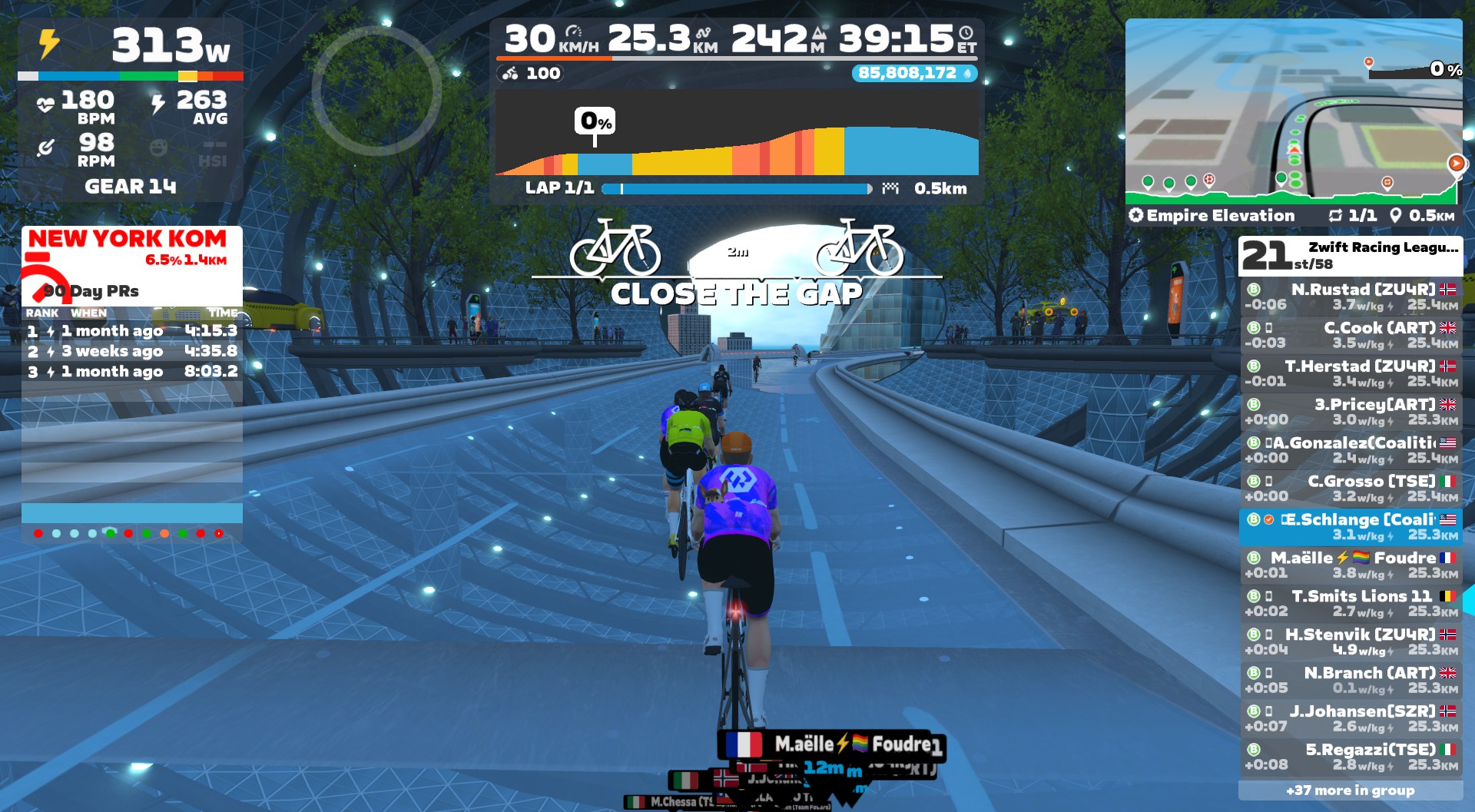
35 minutes into the race, we hung a right onto the glass road of the NY KOM, and the “fun” began.
Someone on Discord said, “Last 6 minutes of the round, so lay it on the road.” Exactly right (except it would be closer to 5 minutes). I steeled myself mentally and began to push. Time to empty the tank.
I stayed close to the front on the first and second of the four ramps, and still had a feather in my pocket with 1km to go. Then we hit the “main” ramp, and the pack began to stretch out ahead. I triggered the feather and kept hammering, riding on that razor’s edge between easing and losing places or pushing harder and blowing up in spectacular fashion.
With 600 meters to go, I realized I was just behind a TSE rider named Grosso. I lacked the glycogenic bandwidth to execute complex strategies, but I knew one thing: we had to beat TSE to win 1st overall! So I dug deeper, passing him and teammate Andrew with 500 meters to go:
One ramp to go. I eased a bit on the flat road leading to the final ramp, but then Grosso flew past with 180m to go! It was now or never. I went all in to catch him, channeling my inner Pogi with a seated sprint. Glancing up from my sweaty top tube, I saw I was getting closer to Grosso. But where was the finish arch?
Another glance up and it appeared Grosso had sat up early. With 20m left, I flew past as he dropped his power to 2 W/kg. I beat him to the line! For… 15th place.
Coming across the line, I saw that teammate David had taken 1st overall. Well done, sir!
Unfortunately, our overall team performance didn’t place us on the top step this week. We tied for 3rd, and team TSE took first:
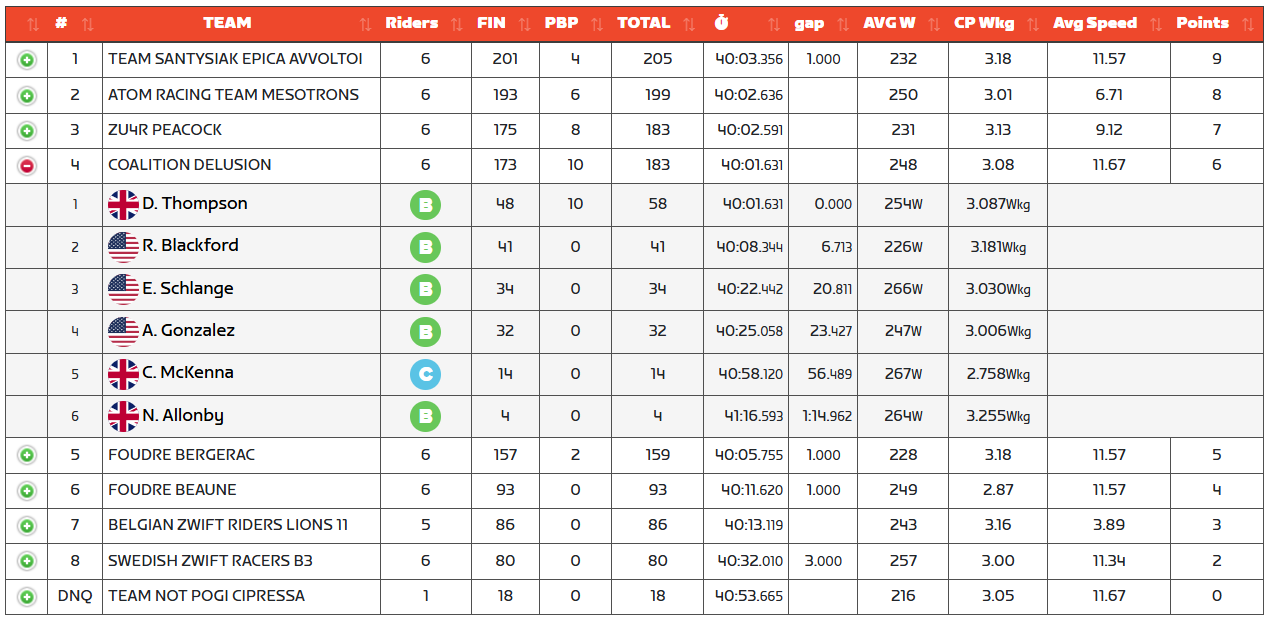
That dropped us from a tie for 1st to a firm 2nd overall. Ladies and gentlemen, the final standings for the Lime B1 Open Development Division, Round 2:
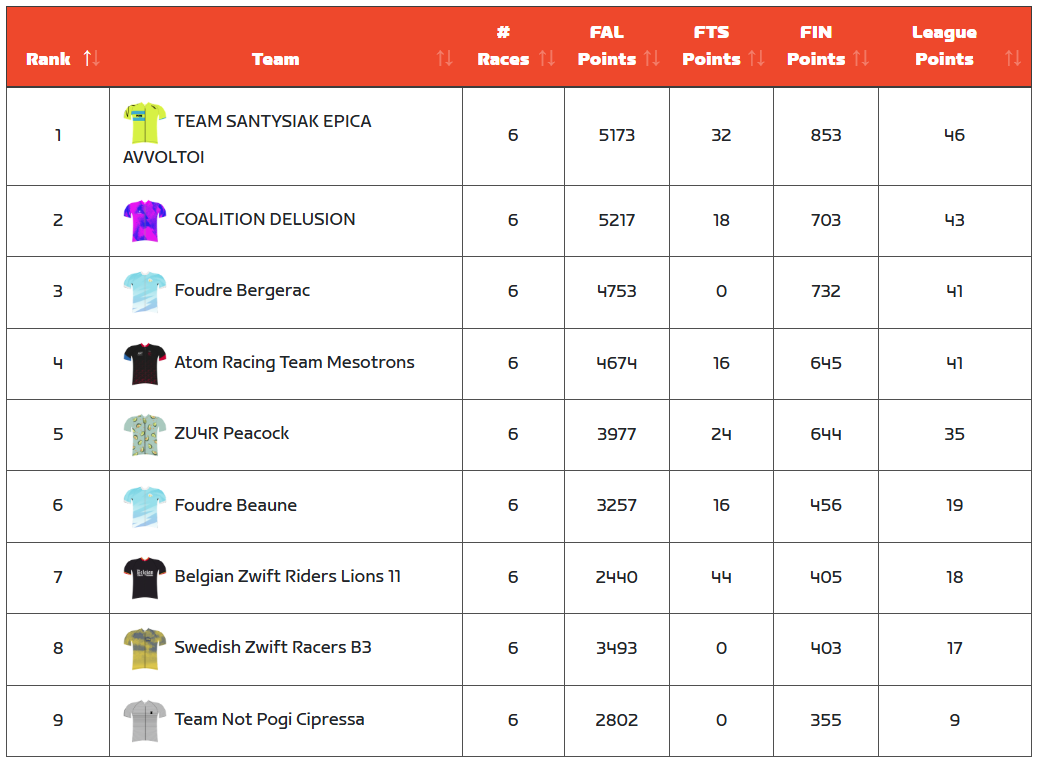
Well done, TSE!
As for my personal performance? Once again, I think I played this as well as I could. Heck, I was even doing some VO2 max training in the weeks leading up to this race!
In the end, I used all my W’ weebles, according to intervals.icu:

That final climb was almost exactly 5 minutes long, which let me (almost) set a new 5-minute power PR for 2025. (I did 379W to finish this race, but did 387W in an FTP ramp test in September.) So I feel I gave it all I had. Which is all anyone can ever do.
Good work, Coalition Delusion. And chapeau to all our competitors as well. See you next round! (Watch for details of ZRL 2025/26 Round 3 to be shared here on Zwift Insider next Tuesday.)
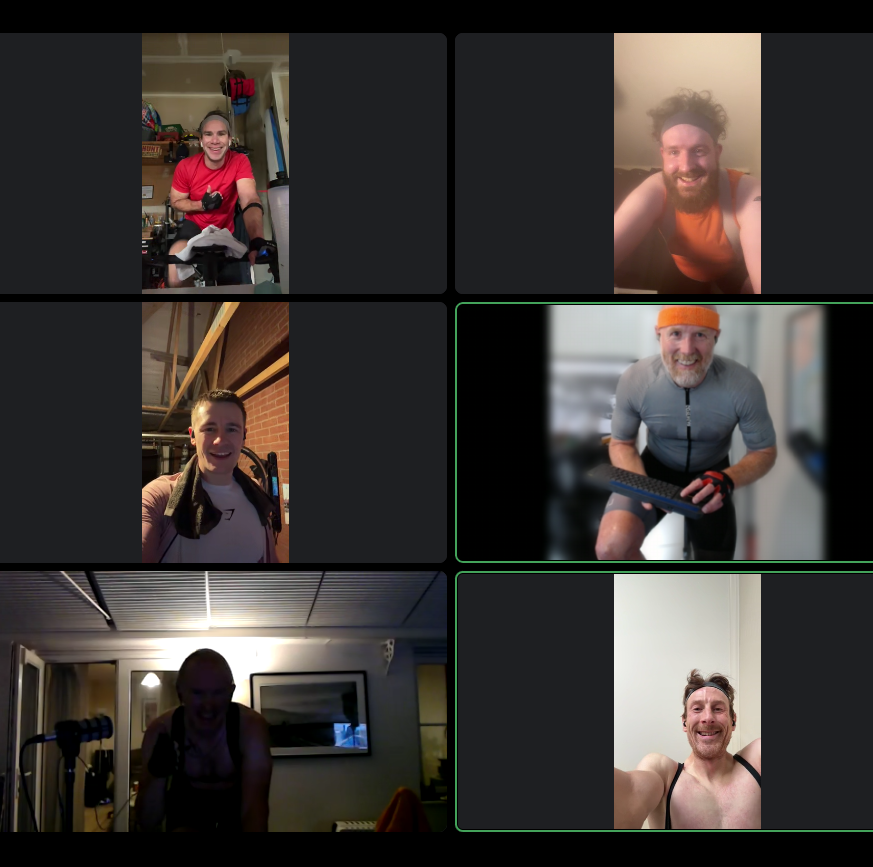
How did your final race of round 2 go? Share below!
We occasionally hear from Zwifters complaining that new features or achievements on Zwift aren’t working as advertised. The main reason this happens? Running an outdated version of the game.
Here’s how to check your installed Zwift version and update to the latest available version.
Zwift maintains a page showing current versions for each platform.
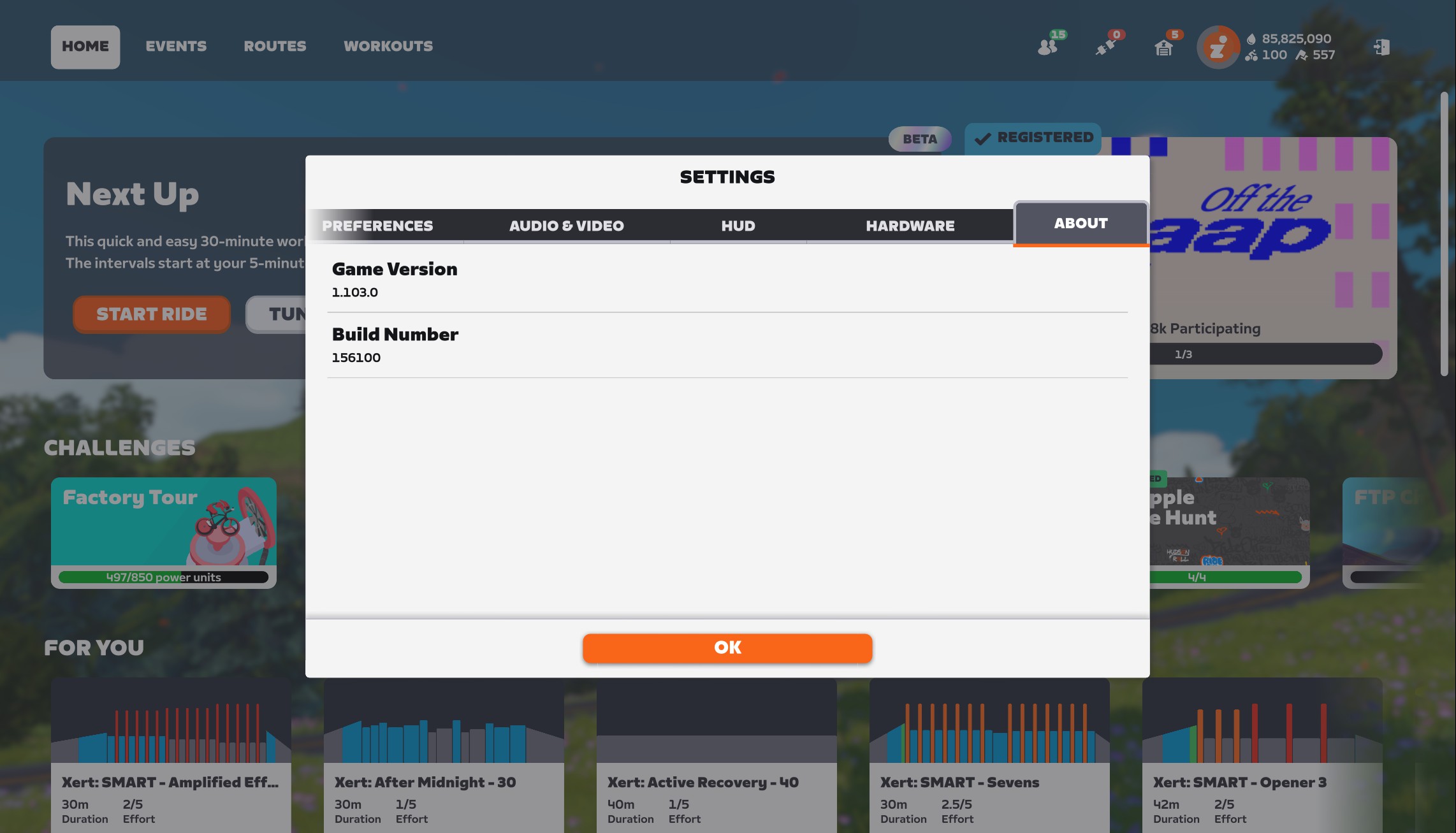
The simple way to check your currently-running Zwift version on any device is to visit My Settings>About:
On PC, you can also right-click the Zwift icon in your taskbar to learn which version of the game and launcher you are running. This can be done even if Zwift isn’t actively running:
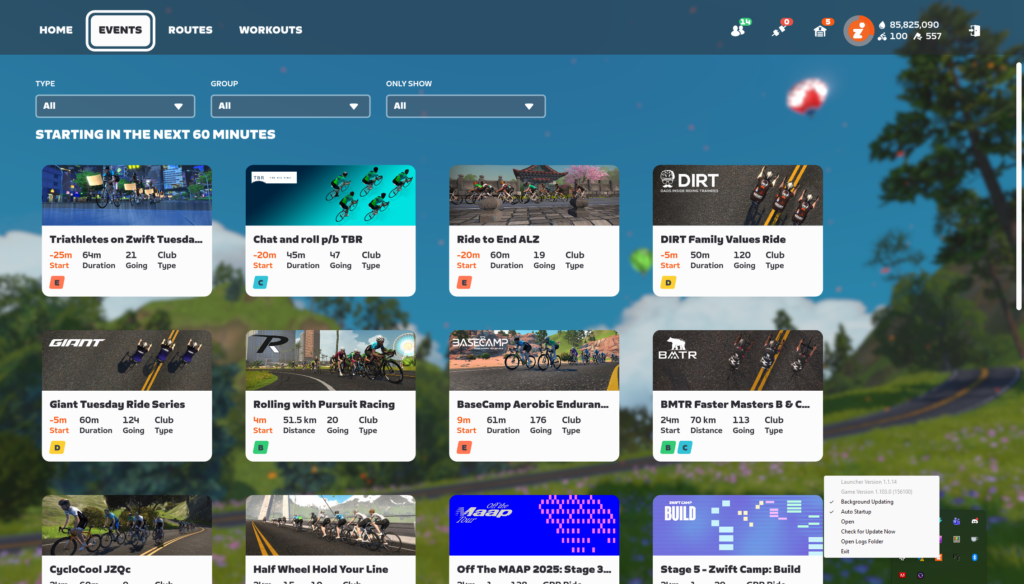
Keeping Zwift up to date is quite simple, and usually automatic, depending on how your device is configured. Settings vary by device, so here are some specific tips…
Zwift has maintained a biweekly release schedule for the past few years, with updates typically released on Tuesday mornings around 8:30am Pacific Time.
These rollouts are phased, so the update isn’t available to everyone immediately. Zwifters have asked if there’s a way to force a Zwift update, but unfortunately, there is no approved method for doing so. The timing of phased releases is tied to individual Zwift accounts, so chances are you’ll receive each update at approximately the same day and time every other week.
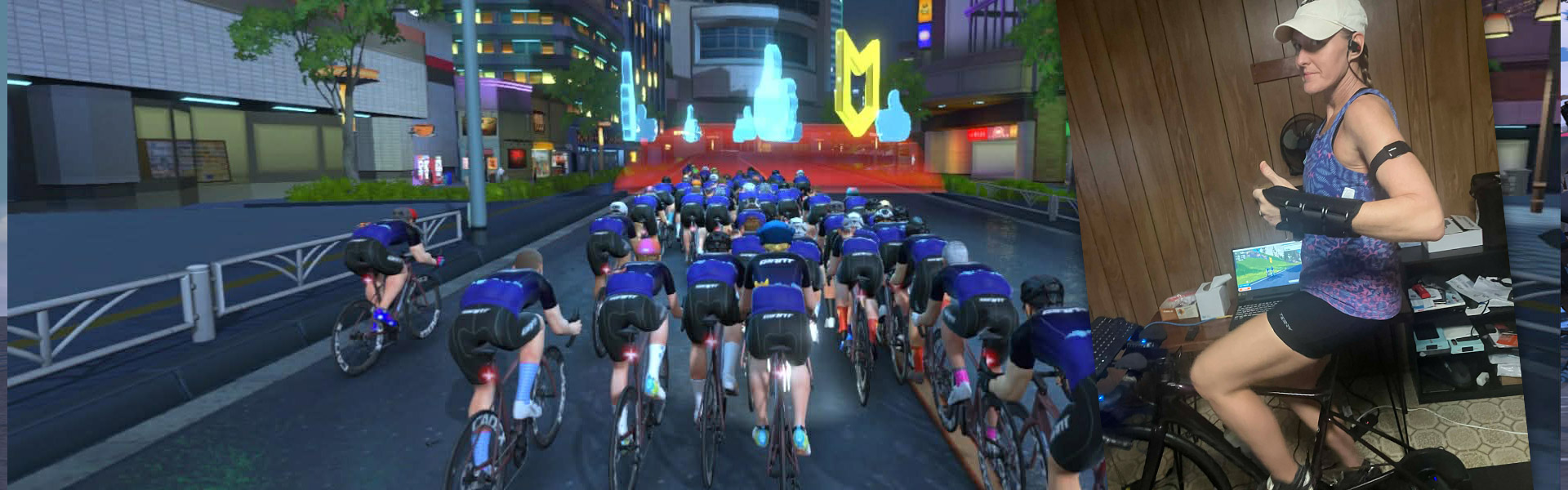
On September 14th, everything changed.
One moment I was out on the road doing something I loved; the next, I was dealing with injuries, restrictions, fear, and the uncertainty that comes with recovering from a cycling accident. Like many riders, I had relied on outdoor miles for stress relief, fitness, and a sense of identity. Losing that – even temporarily – felt overwhelming.
What surprised me most, though, was the role Zwift would play in helping me rebuild my strength, confidence, and routine.
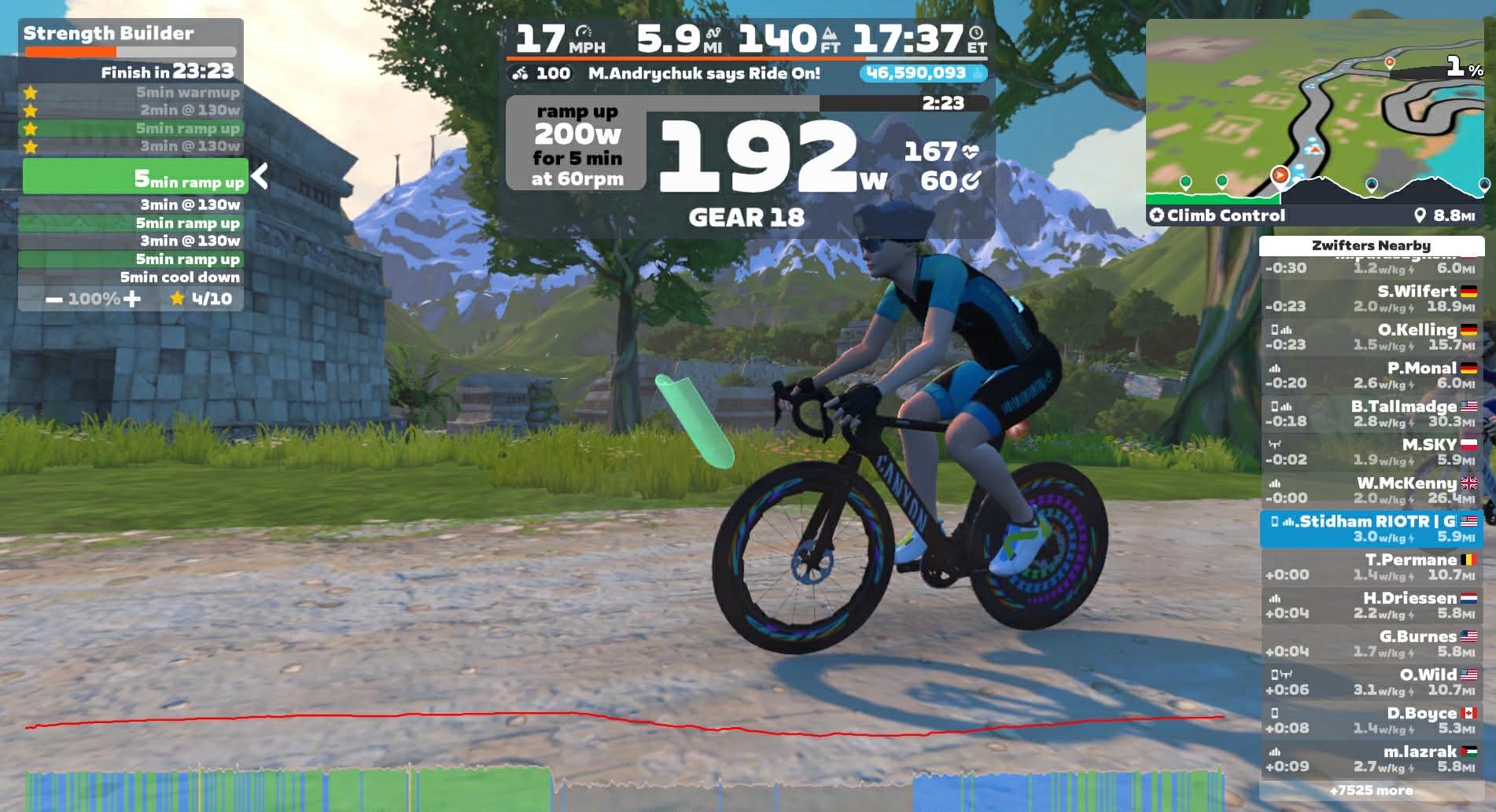
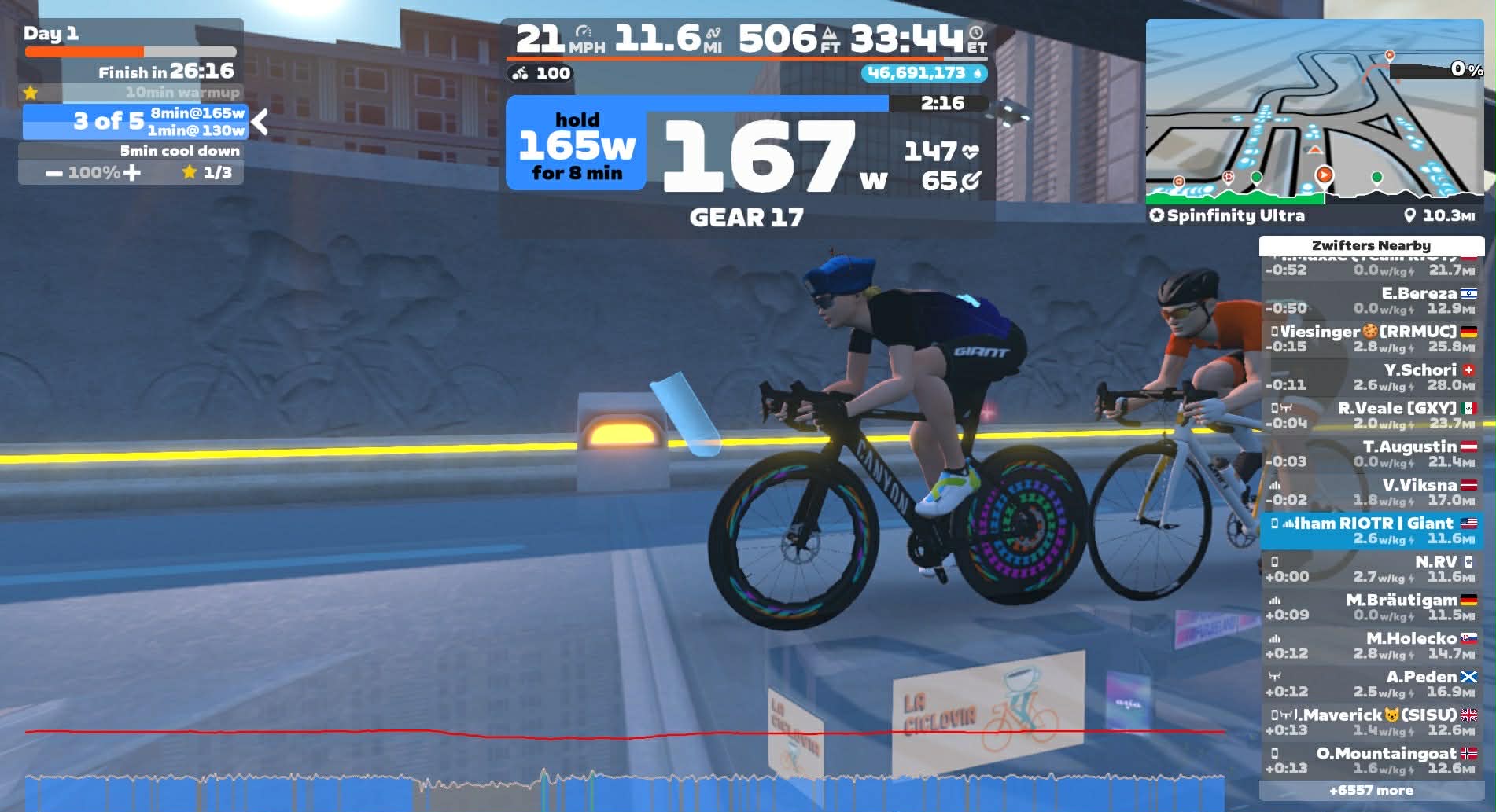
Riding in Erg mode to manage intensity
In the early weeks after the accident, I wasn’t sure when I’d be allowed to ride again. Once my physician and physical therapist gave the green light to begin low-intensity training, I knew the safest place to start wasn’t on the roads – it was inside, with Zwift.
For my rehab team, the controlled environment was a major advantage. No balance hazards. No traffic. No sudden braking. No risk of hitting a pothole (unless you count the ones on Cobbled Climbs). It gave me a platform where the only variable was my own power output.
Zwift allowed me to:
That stability gave me the reassurance I needed to focus on healing instead of what-ifs.
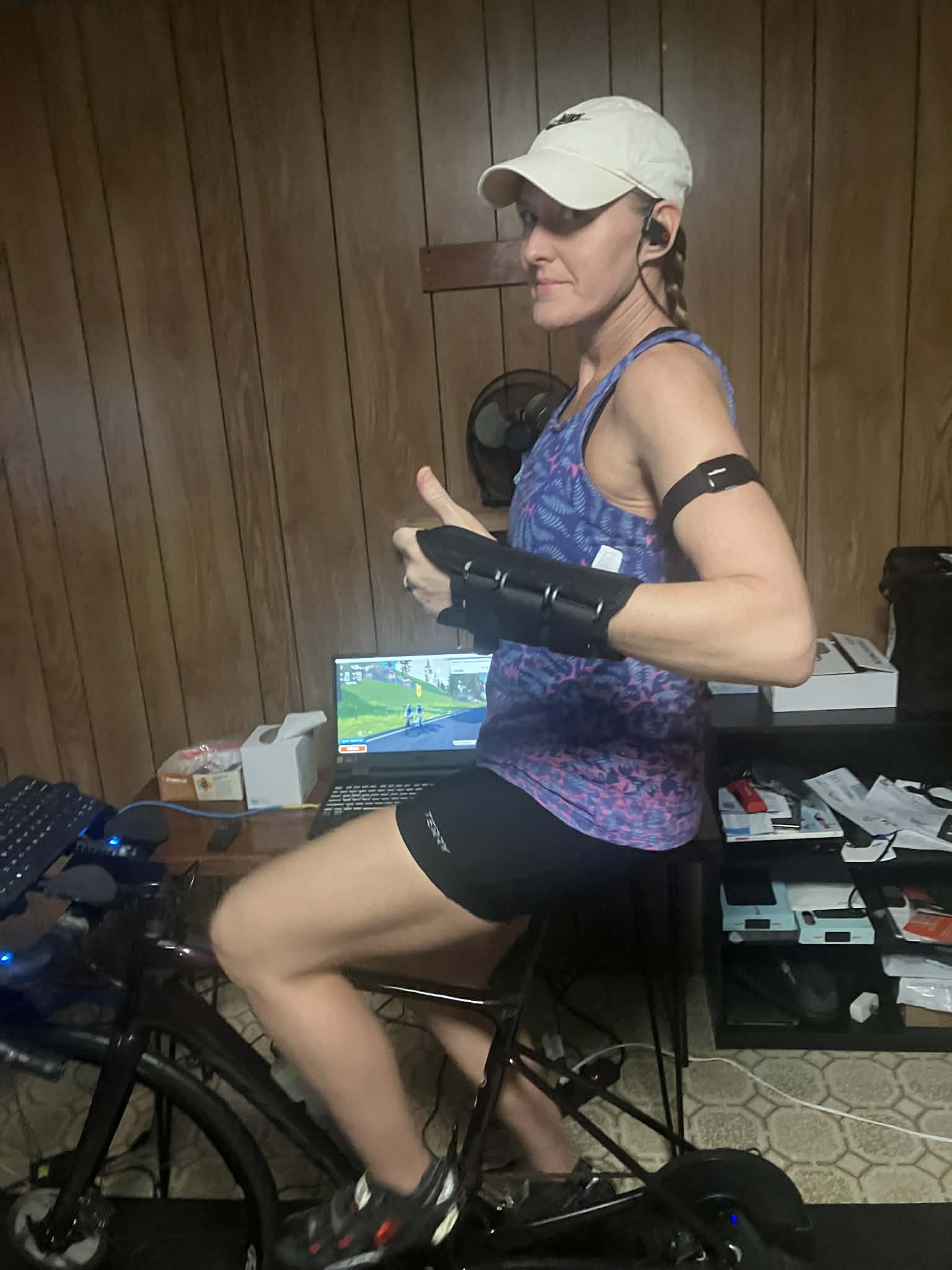
At first, my rides were short – 20 to 30 minutes – focused entirely on light spinning (well, I’m still a masher) and loosening up. Riding every day was actually encouraged because the intensity was so low. Zwift became part of my daily rehab routine: part workout, part meditation, part rebuilding.
As I progressed, my physio gradually expanded the plan:
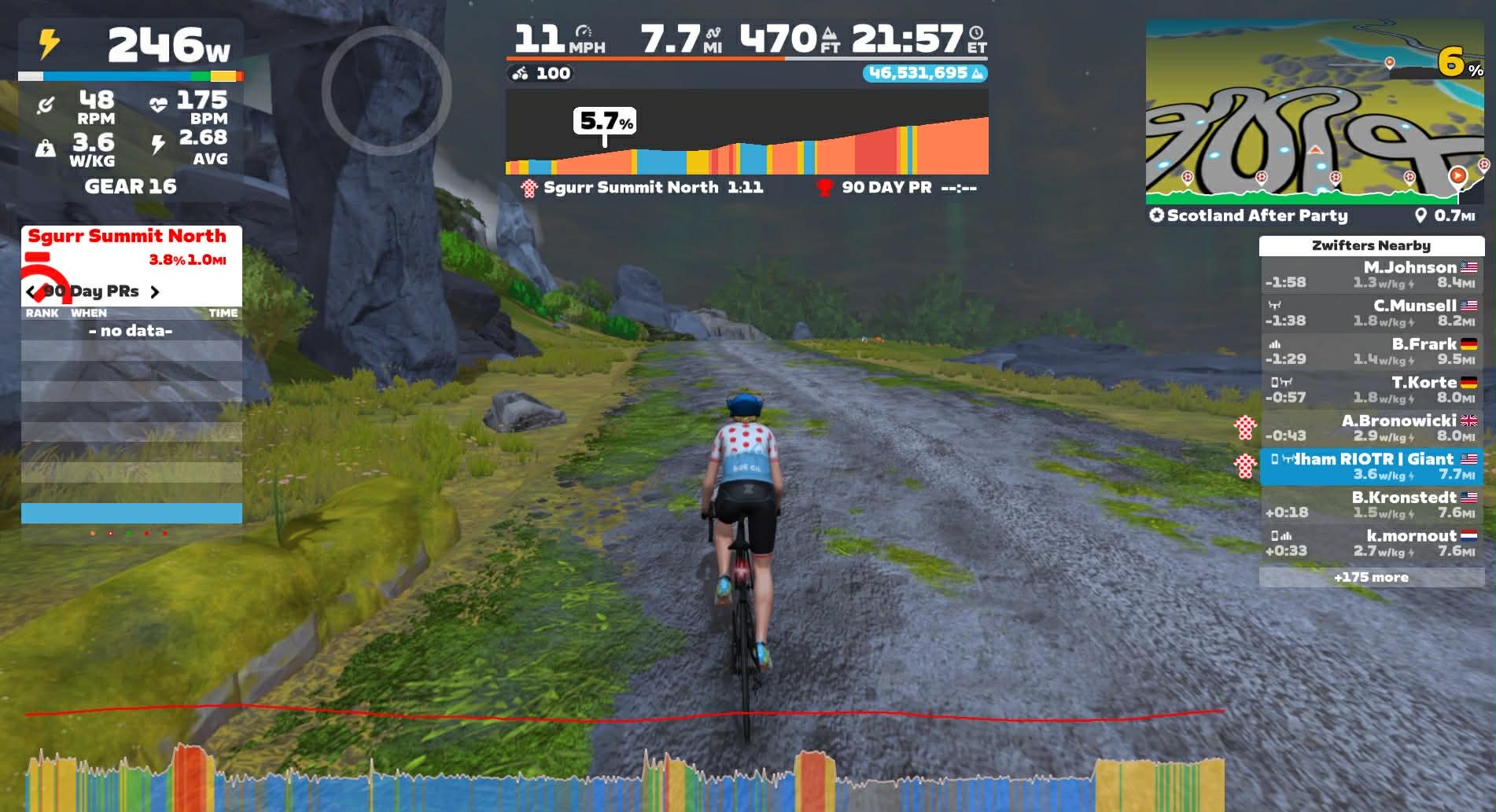
Seeing those numbers come back on the screen helped me trust my body again. Zwift’s data gave me objective proof that I wasn’t as limited as I feared.
At my follow-up appointment, my ortho told me something I had been hoping for: no restrictions. The words sat with me. They felt liberating, exciting, and – if I’m honest – a little intimidating. I was a little nervous about trusting my body after multiple injuries, but I was also ready to put in the work and regain my fitness.
Zwift made the transition manageable. Instead of jumping into long outdoor rides, which were off limits, I used the platform to:
Zwift gave me a structured, safe progression that matched exactly where my recovery was.
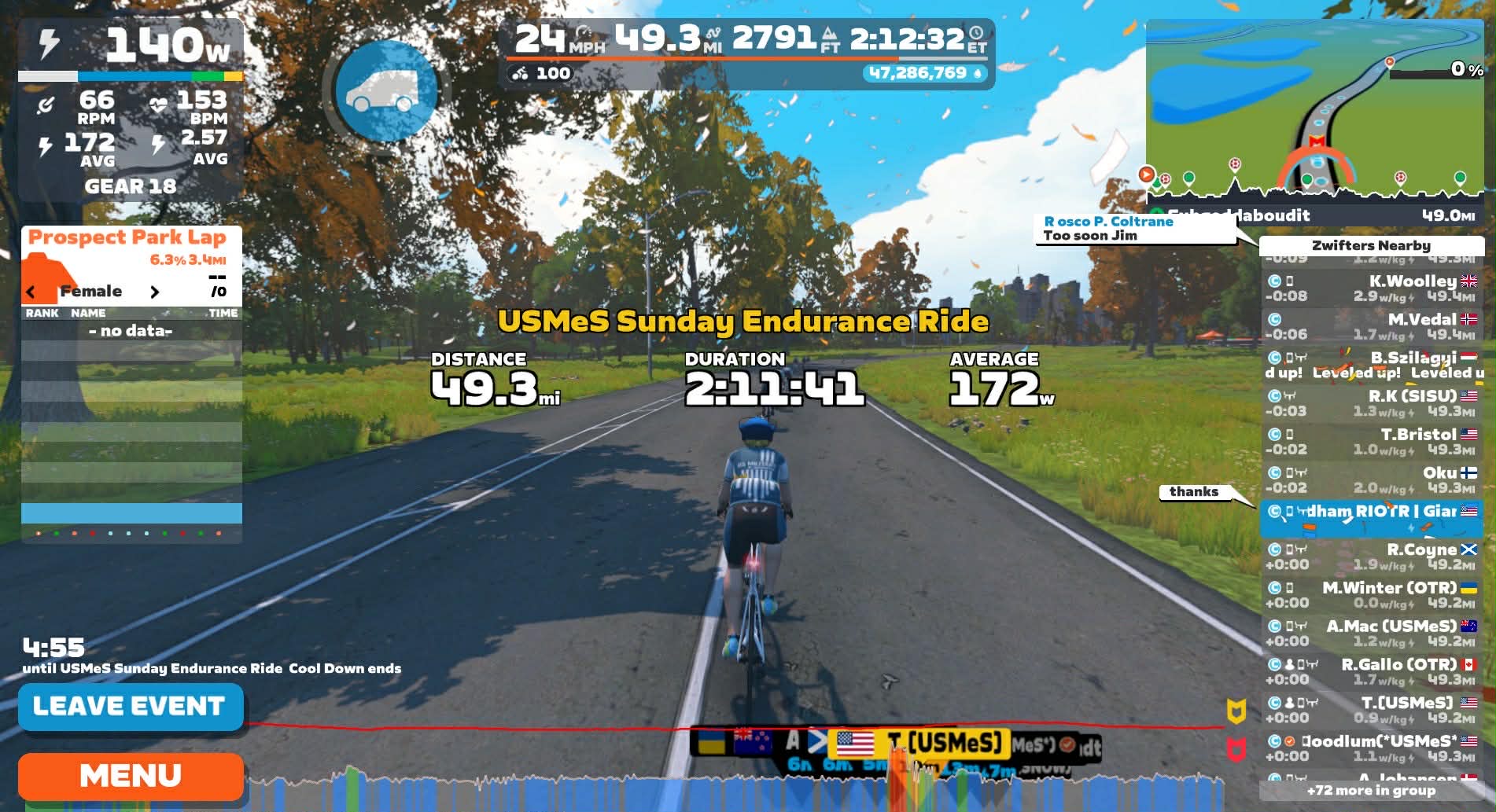
The physical side of recovery is one thing. But the emotional storm after a crash is its own challenge. Fear. Frustration. Loss of routine. Losing fitness. Even questioning whether you’ll ever feel like “you” on the bike again.
Zwift helped bridge that gap, and with each ride, I felt more confident in my abilities.
There’s something uniquely healing about moving your legs in a familiar cadence, even if the scenery is virtual. The digital rides, the community chat, the route badges, the gamified accomplishments – they gave me small wins every day. And small wins are exactly what you need when the big picture feels uncertain.
Before the accident, my FTP was 254. Watching myself gradually push pace and duration on Zwift has helped me feel not only like I’m returning to that level, but that I might come back even stronger. I’m back to leading my rides with Team Giant, and I led my first post-accident 100k!
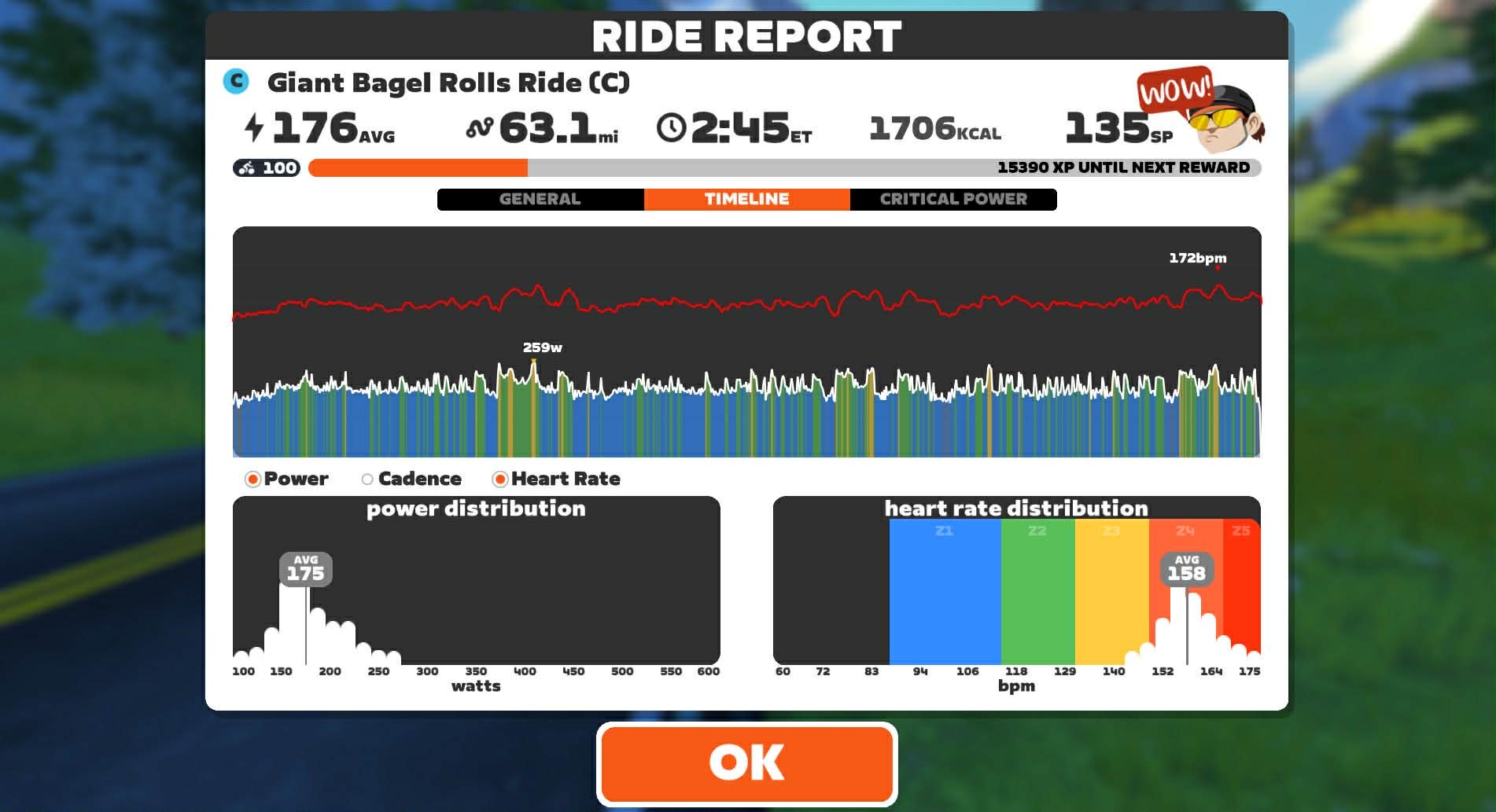
I’ve learned that rehabilitation isn’t just about regaining fitness; it’s about rebuilding confidence and reconnecting with the joy of movement. Zwift gave me a way to stay consistent, stay safe, and stay motivated when I needed it most.
If there’s one thing I’d share with any athlete rehabbing after injury, it’s this: Zwift meets you exactly where you are—and helps you get where you want to go.
Got a rehab story where Zwift played a role? Got questions? Share below!
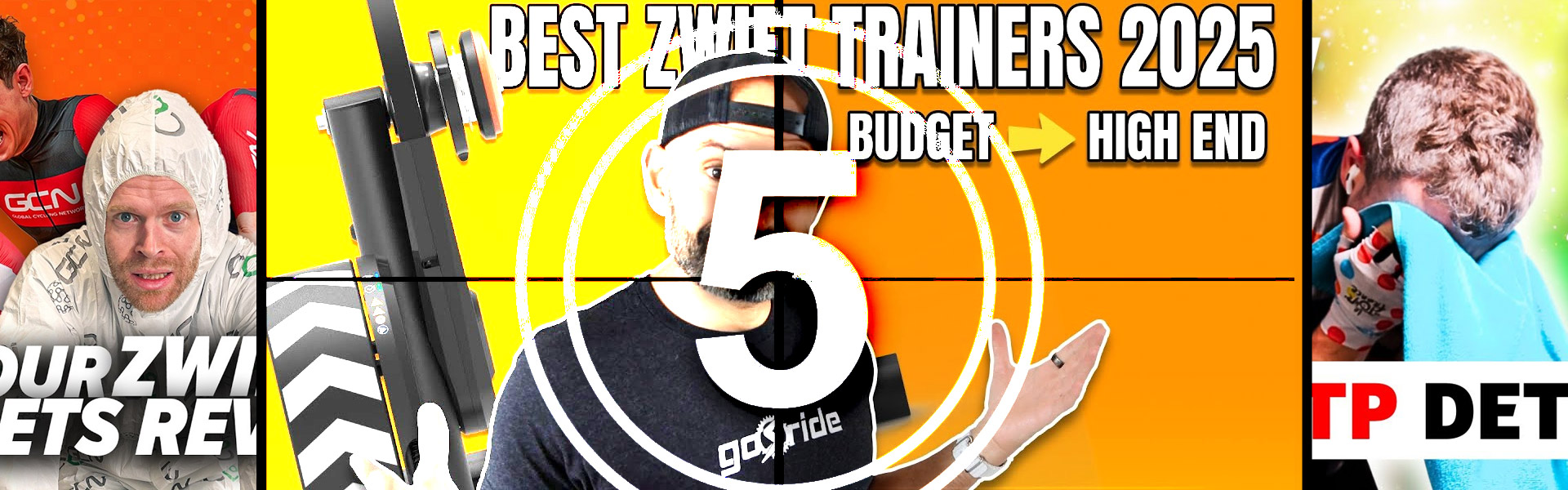
As more riders start the trainer season, many may be looking to upgrade or purchase their first setup. In this week’s top video, hear from one experienced Zwifter as he shares the top trainers for Zwift.
We’ve also included videos on fitness gains, Zwift use cases, the fastest bikes on Zwift, and the Wahoo KICKR CORE 2 (extensive review).
Share the link below and we may feature it in an upcoming post!
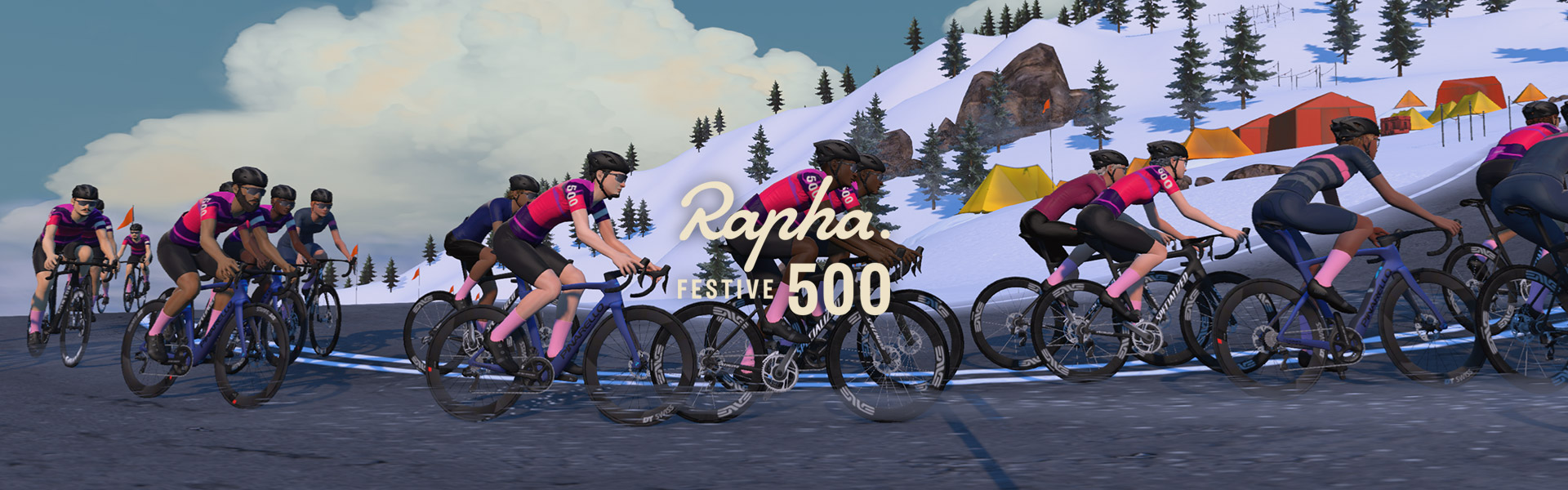
Rapha’s Festive 500 began in 2010 as a simple challenge: brave the winter elements and ride 500 kilometers between December 24-31. Since then, riders have covered over 400 million Festive kilometers, including many virtual kilometers after Covid lockdowns opened the Festive 500 challenge to virtual rides.
15 years on and it’s become cycling’s favorite year-end ritual. This year, for the first time, your outdoor miles count just like your indoor miles when it comes to finishing the challenge on Zwift. Read on for details…
Your task is to ride 500 kilometers (310.7 miles) in eight days, from December 24-31. Outdoor bike, e-bike, handcycle, and virtual rides all count toward the total.
This is all tracked through Strava – in fact, the Festive 500 is the longest-running Strava challenge in the world! You’ll need to sign up for the Strava Challenge and upload your rides to Strava to be considered an official finisher.
Outdoor rides and all Zwift miles (free rides, workouts, etc) count toward the Festive 500 challenge, but Zwift is spinning up RoboPacer-led events to encourage riders to go the distance. The following RoboPacers will be in each event:
Events alternate between “long” 50km rides on Triple Flat Loops at the top of each hour and “short” 25km rides on Watopia’s Waistband at the half hour.

See all of Zwift’s Festive 500 Group Rides at zwift.com/events/series/rapha-festive-500-zwift
The regular RoboPacers will be rolling as well, and these “always on group rides” are another great place to look if you want to rack up piles of miles. Zwift is changing the Watopia routes daily, to give us a bit of variety if we’re joining these bots regularly.
Here’s the route schedule during Festive 500 (see the full RoboPacer schedule here):
Join Zwift CEO Eric Min on Christmas day at 4pm UTC/11am ET/8am PT for a festive 50km group ride on Triple Flat Loops in the limited-edition Ugly Sweater kit.
Sign up at zwift.com/events/view/5283128 >
On the last day of the challenge, join Rapha CEO Fran Millar for a Festive 500 ride. It’s another 50km group ride on Triple Flat Loops. Finish strong!
Sign up at zwift.com/events/view/5288682 >
Complete the Festive 500 via any combination of indoor and outdoor rides, and you’ll unlock the Rapha Festive 500 2025 kit in Zwift:
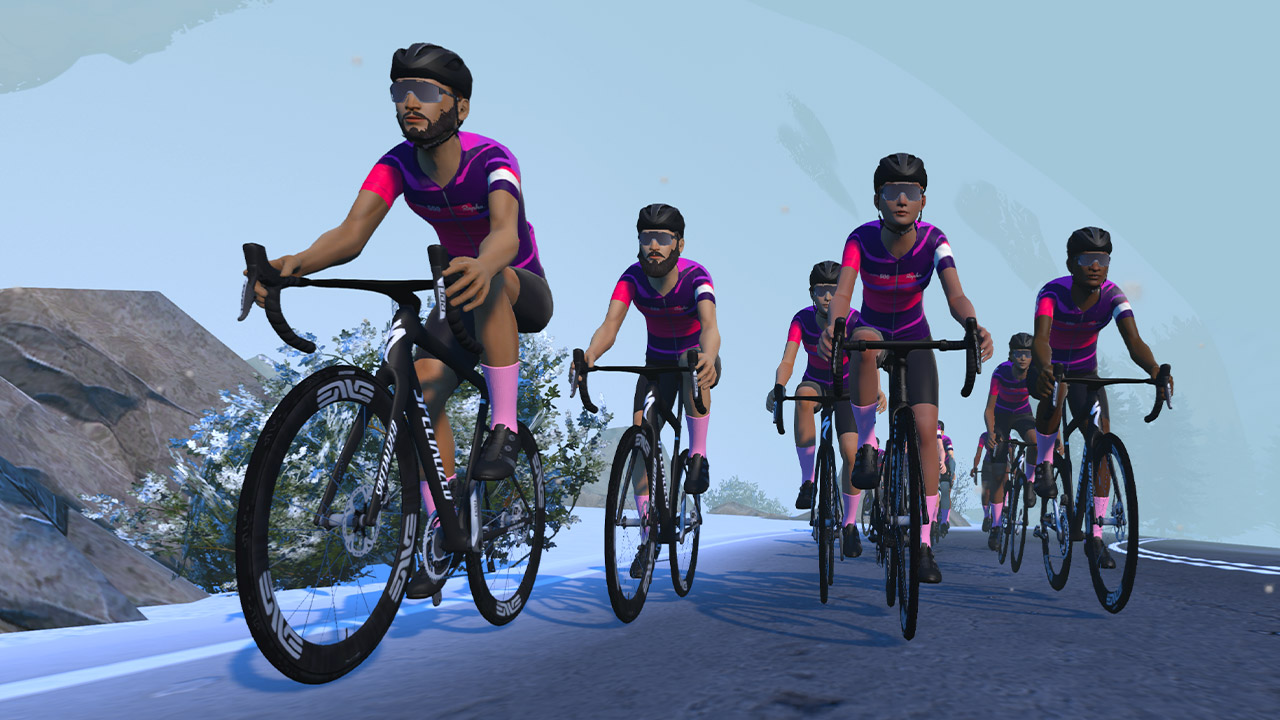
Important: you will not unlock the kit until Zwift batch-processes all Zwifters’ efforts after January 2. Internal sources tell me it will probably be January 5-6 when everyone receives their kits.
Details of the Strava challenge say those who finish will earn the following:
Community teams always create special events (group rides and even races) to help riders hit the Festive 500km goal. In fact, each year at least one crazy group holds a ride covering all 500km in one event!
See all upcoming rides over 100km in ZwiftHacks >
Are you up for the challenge? I know I’m in, just like past years. Share below!
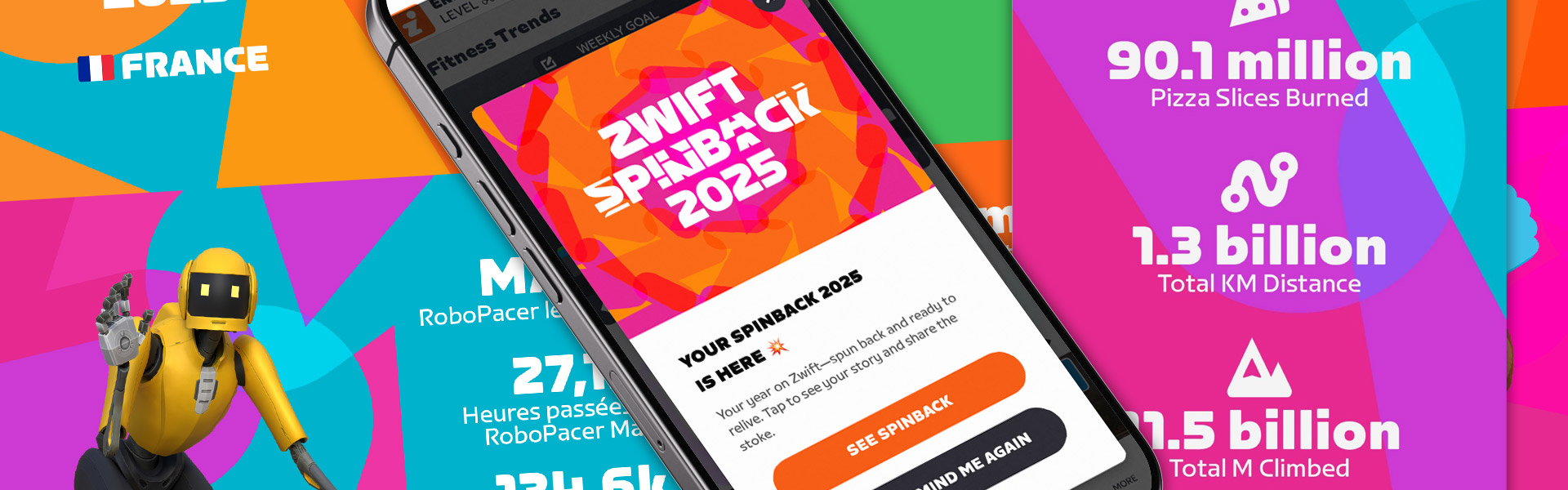
Late last week, Zwift released our personal 2025 Spinbacks, a video available in the Companion app that reviews your achievements for the year. The video highlights key stats, including:
Here’s my personal Spinback video as a reference:
Along with our personal Spinbacks, Zwift also released an unprecedented amount of aggregated “Community Spinback” data:
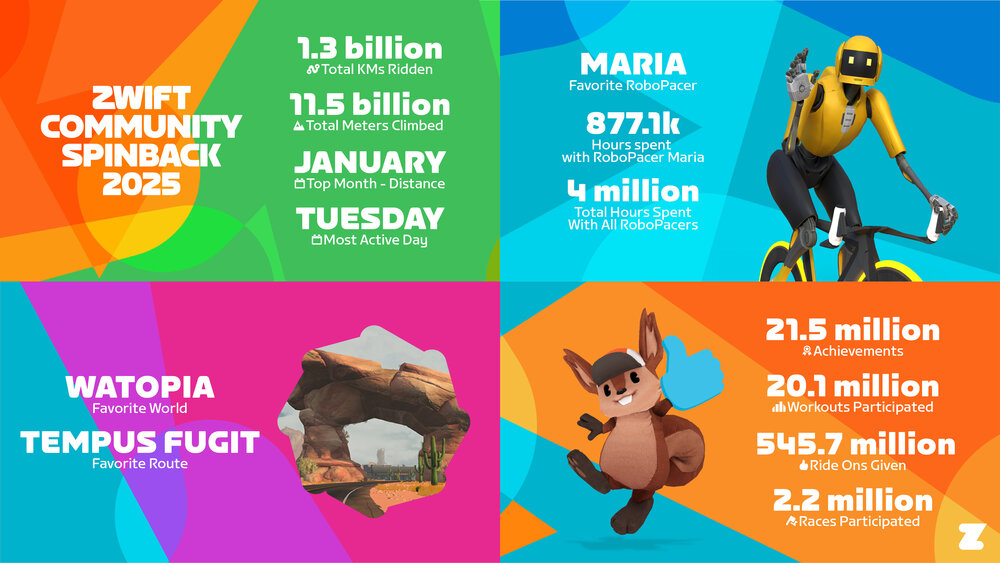

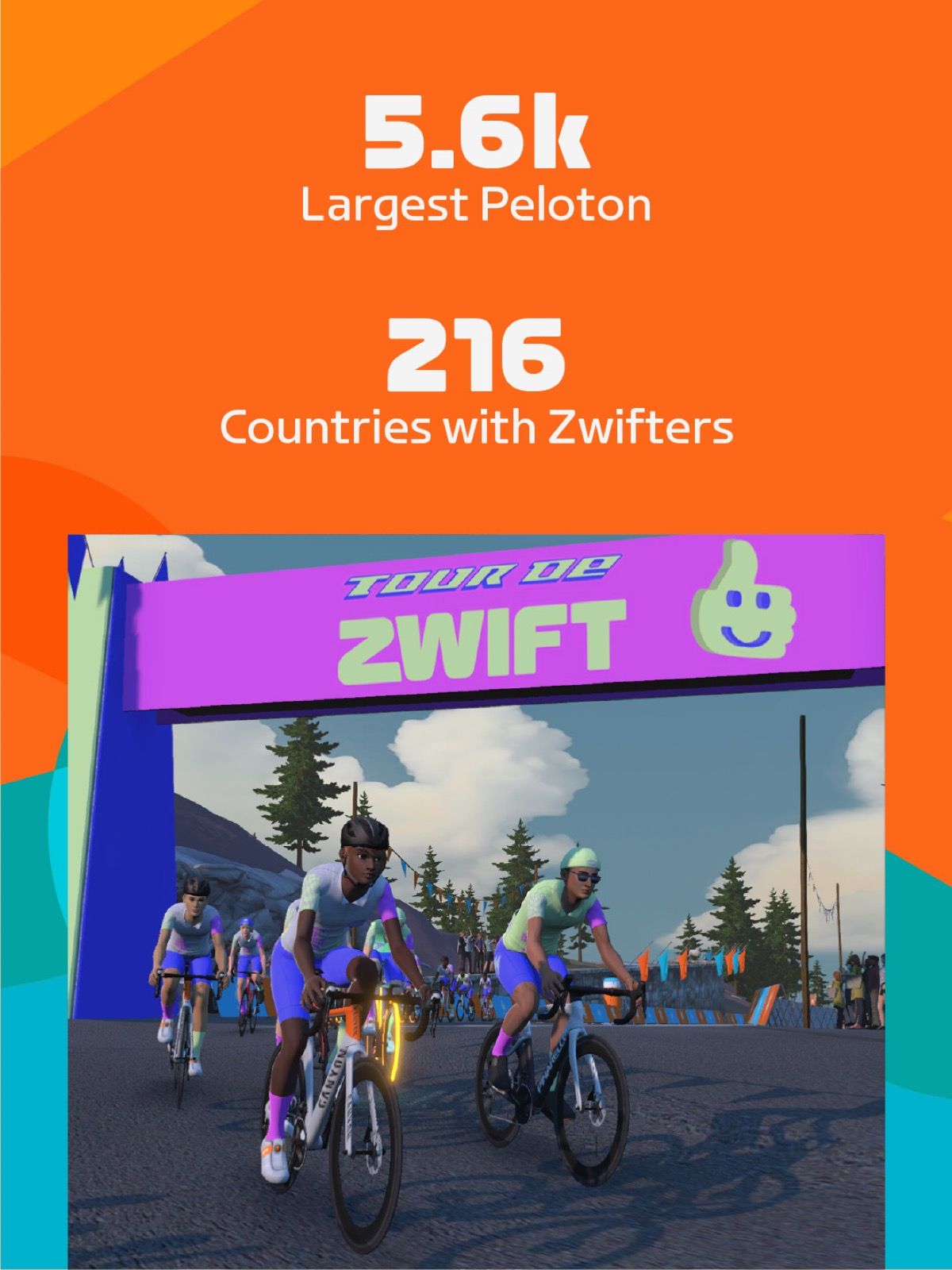

A few fun notes about the community’s achievements:
In a press release last week, Zwift shared additional Community Spinback data:
Zwift also released some country-specific data:
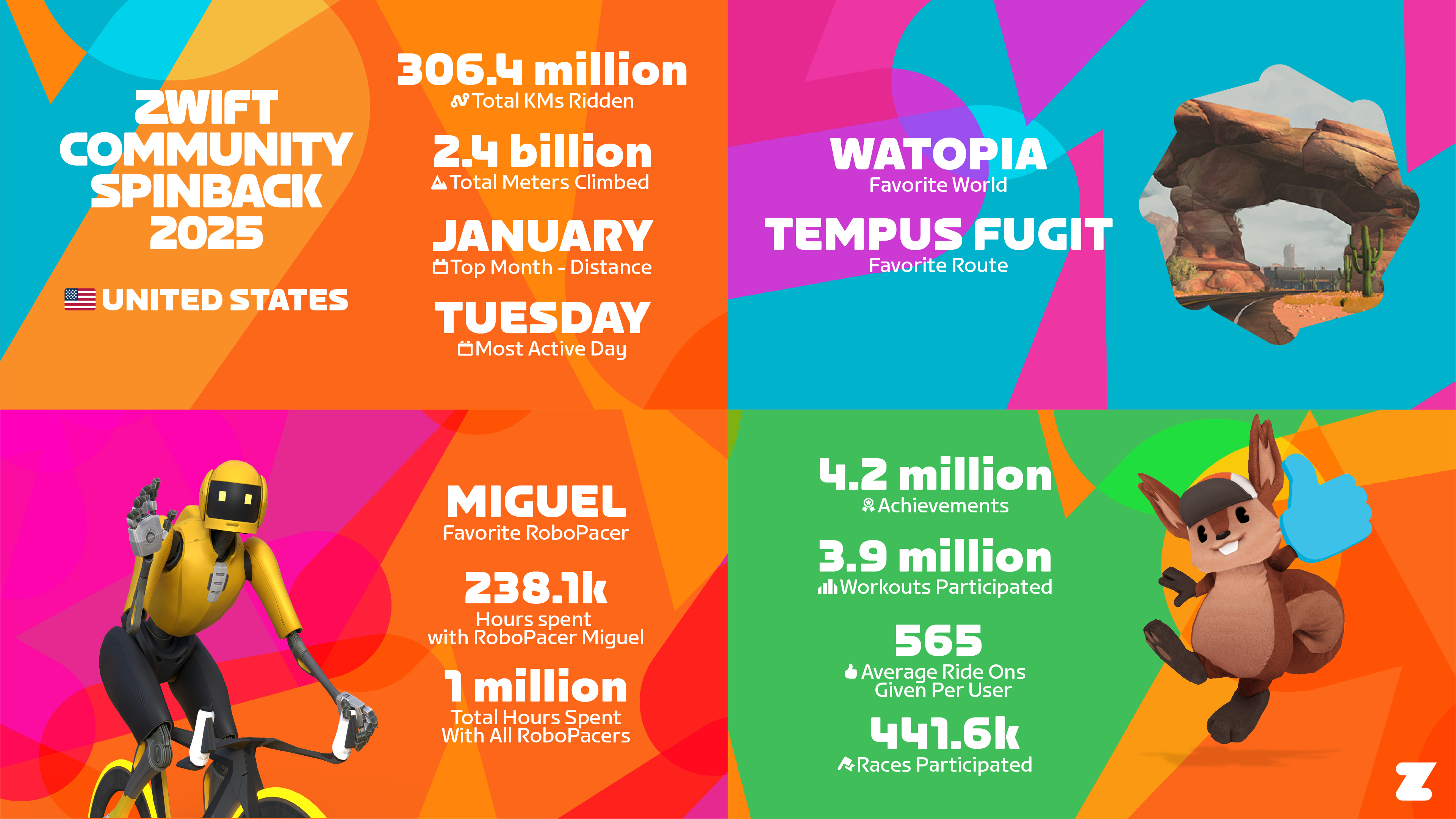
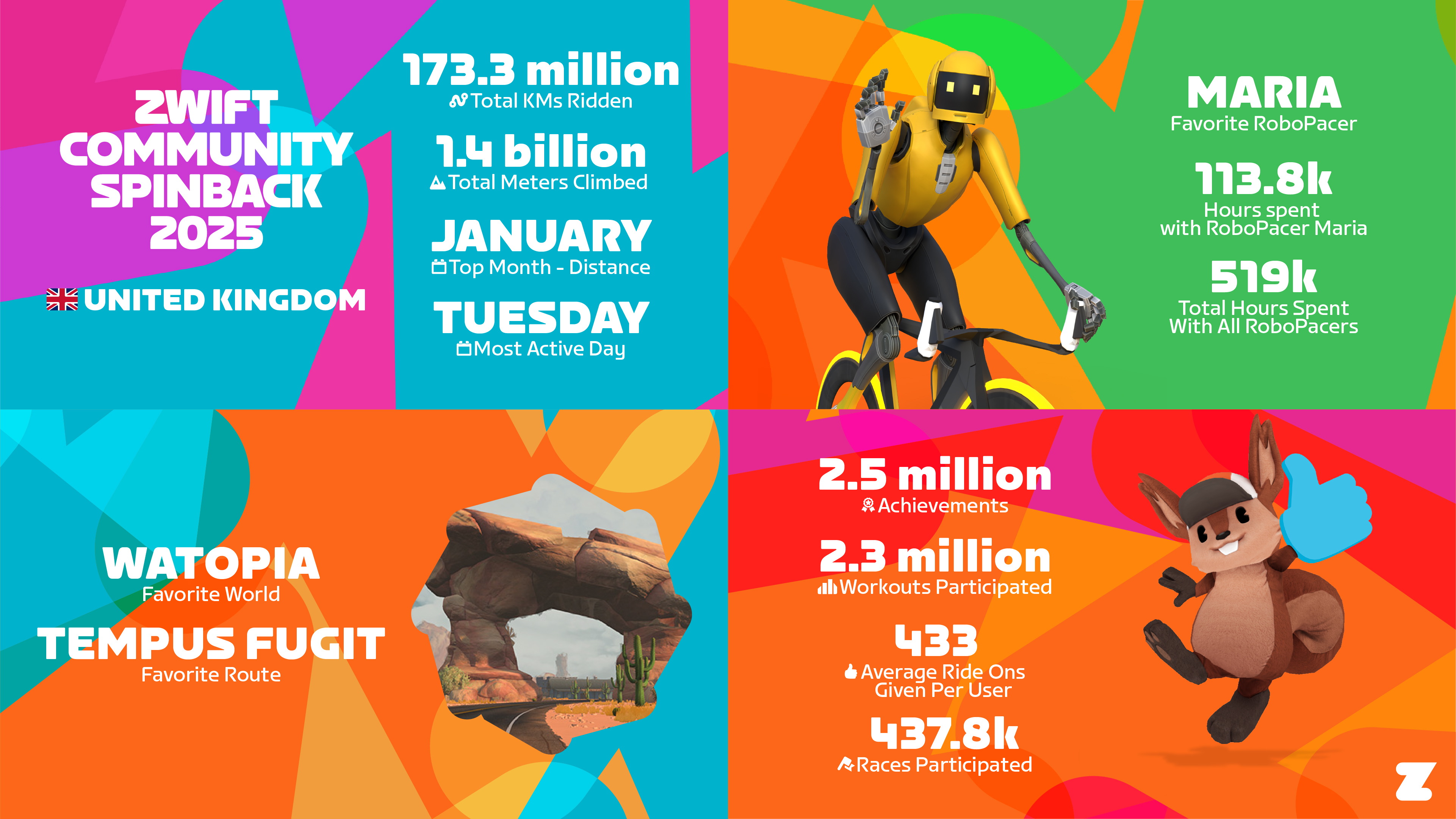
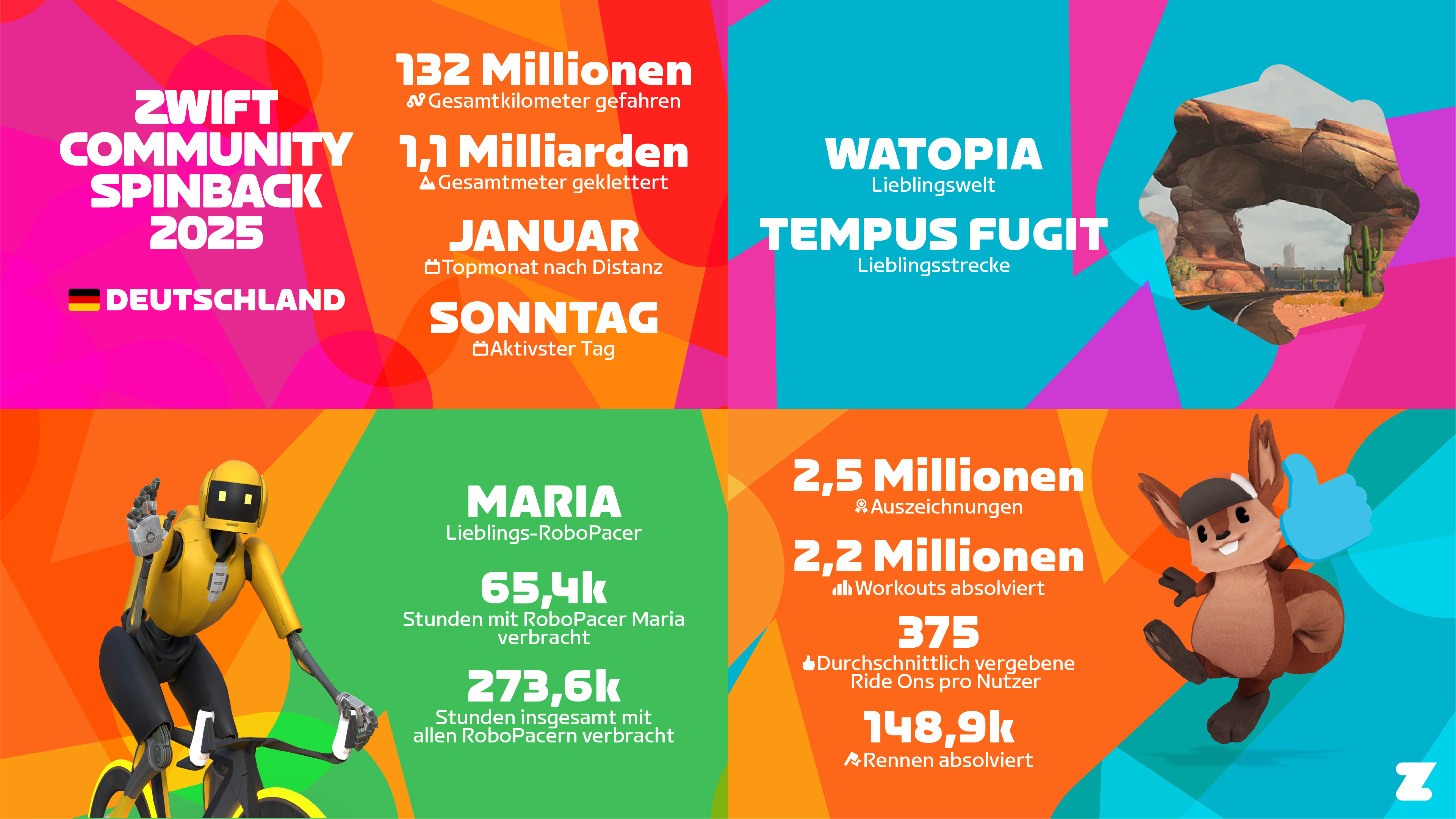
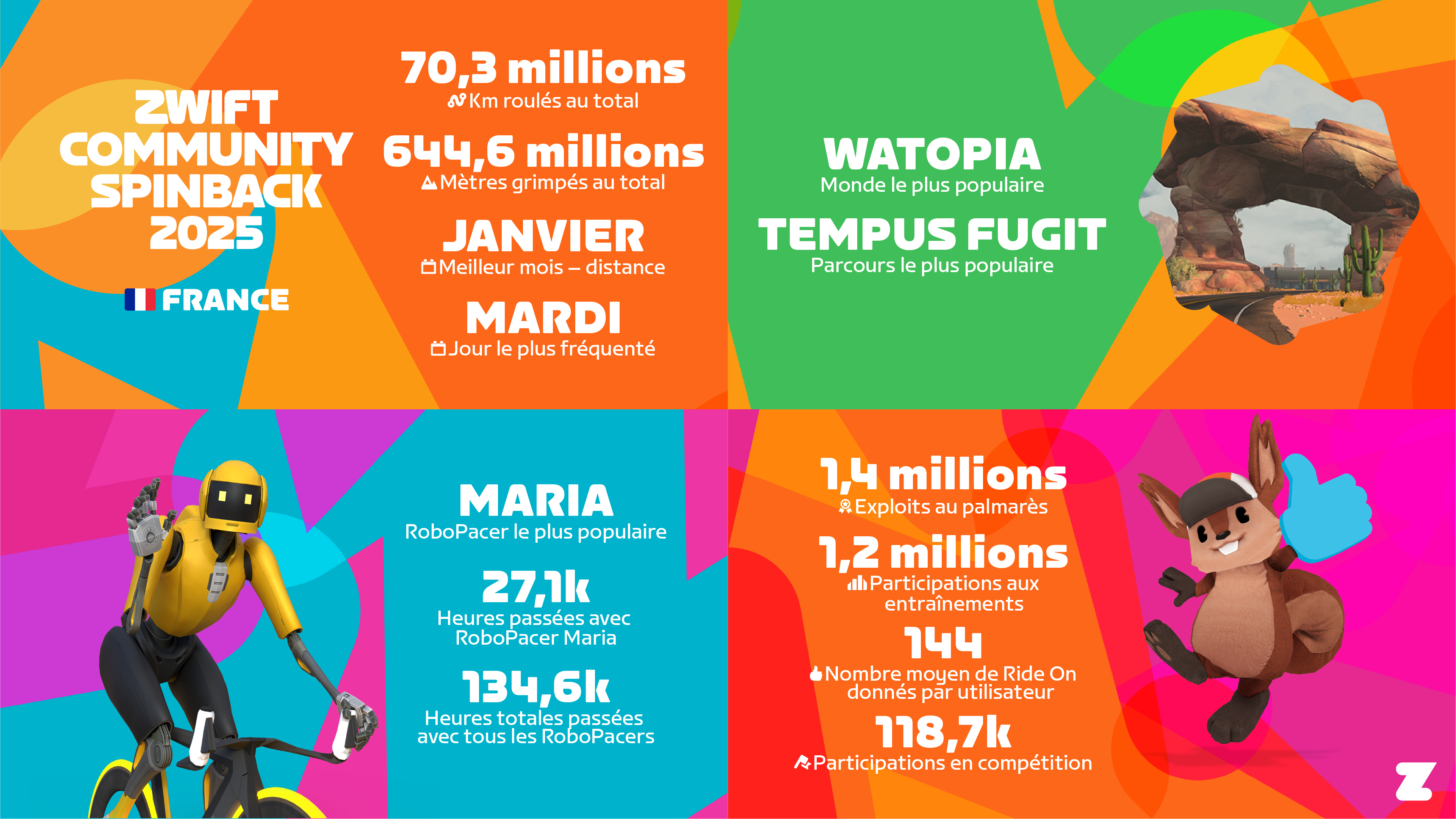
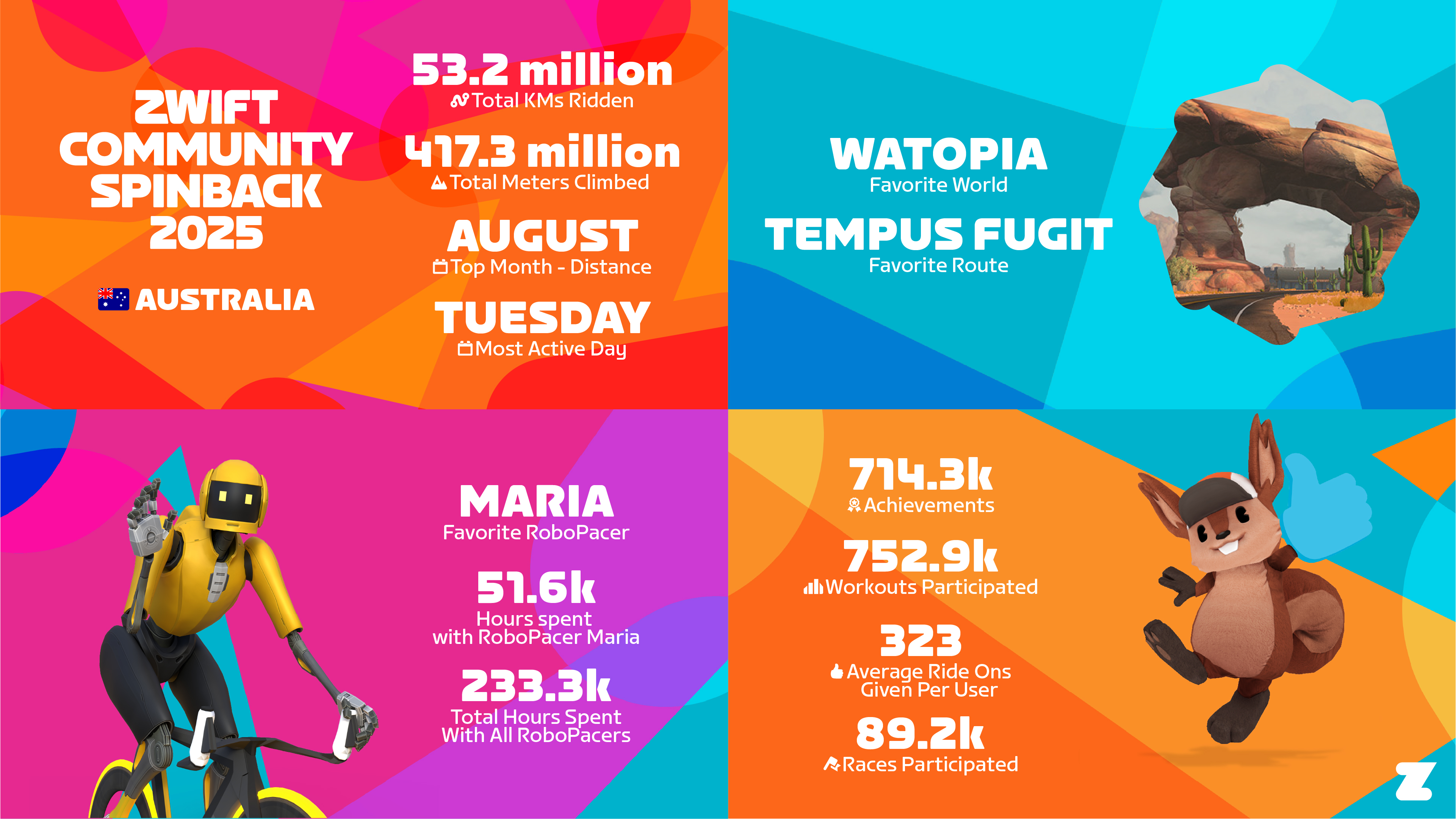
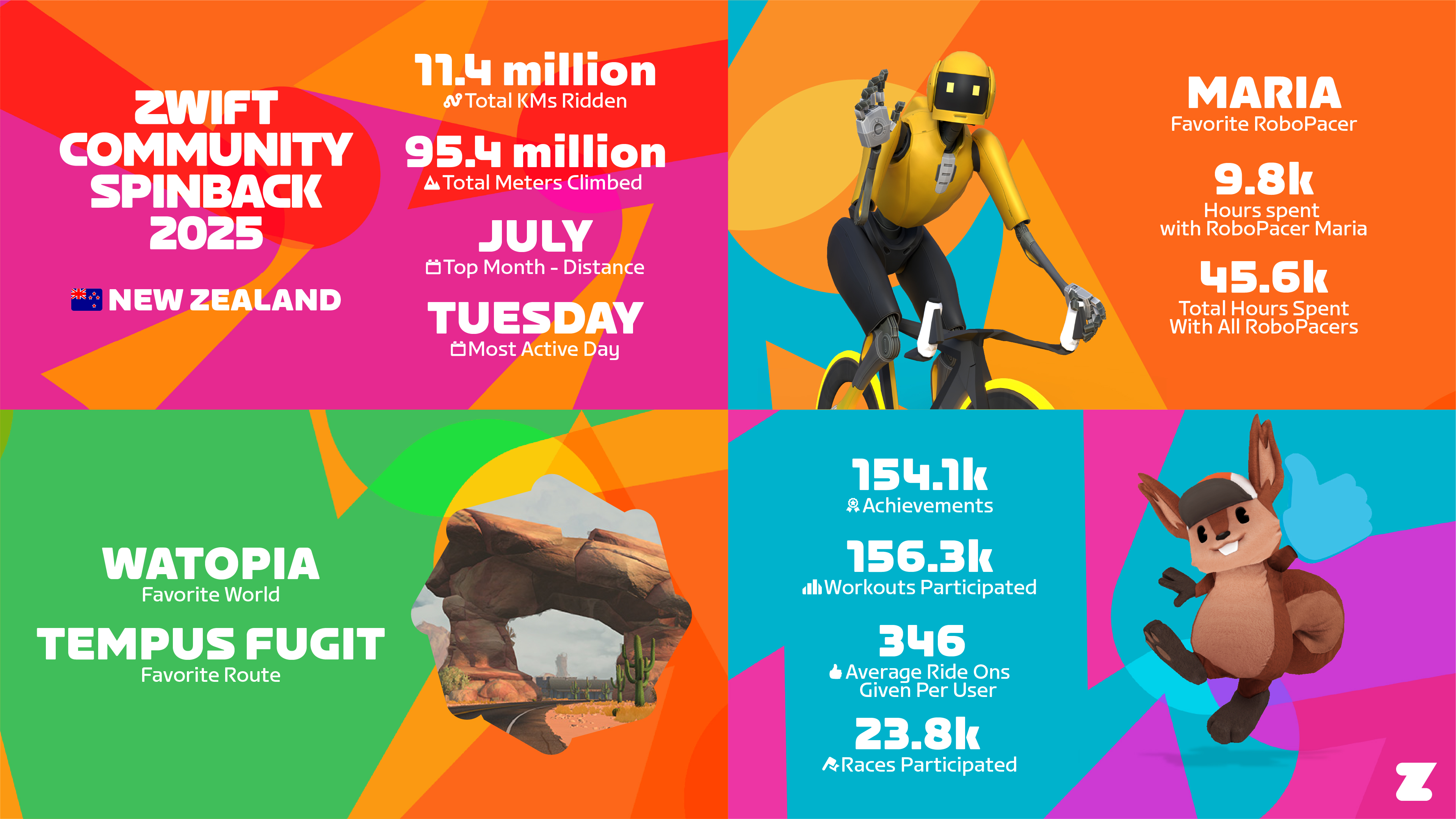
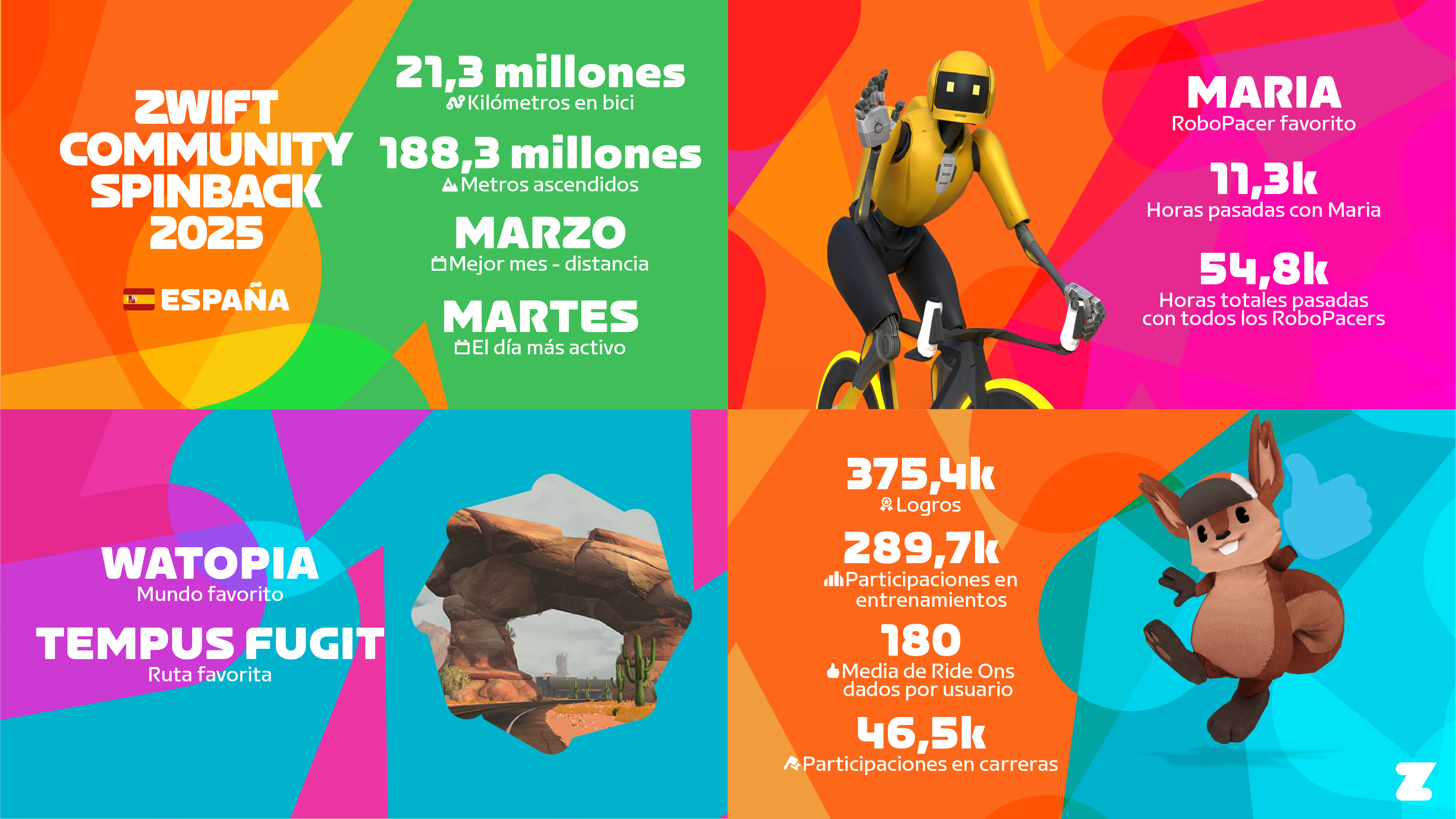
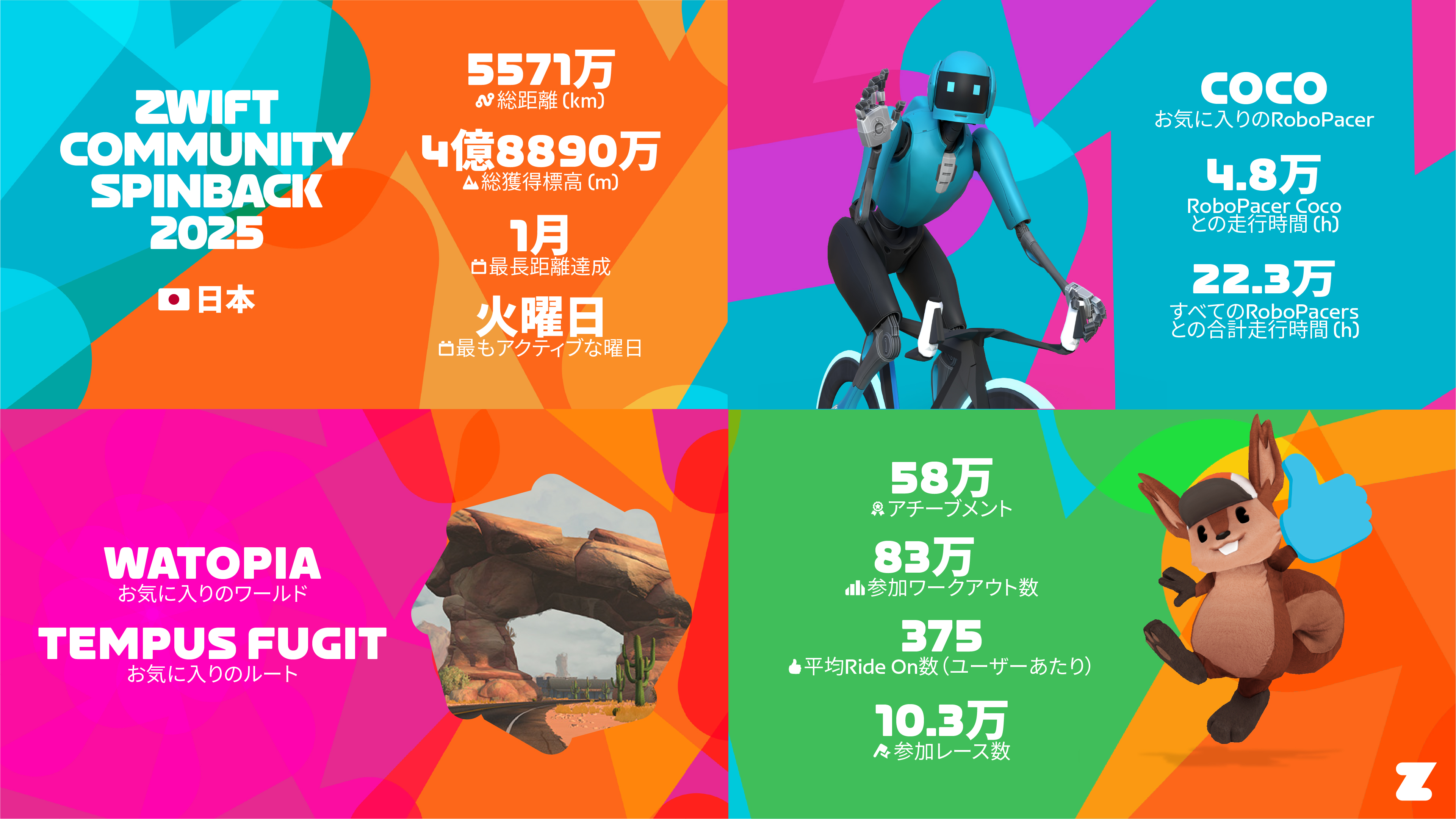
From these images, we can crunch a few numbers to come up with a fun little leaderboard showing which countries have accumulated the most Zwift distance and elevation per capita in the past year (aka, the world’s Zwiftiest places)!
| Country | Population (millions) | Total Distance (millions of km) | Total Elevation (millions of m) | KM per Capita | M per Capita | M/KM |
| USA | 340.1 | 306.4 | 2,400 | 0.90 | 7.06 | 7.83 |
| UK | 69.2 | 173.3 | 1,400 | 2.50 | 20.23 | 8.08 |
| Germany | 83.5 | 132 | 1,100 | 1.58 | 13.17 | 8.33 |
| France | 68.5 | 70.3 | 644.6 | 1.03 | 9.41 | 9.17 |
| Australia | 27.2 | 53.2 | 417.3 | 1.96 | 15.34 | 7.84 |
| New Zealand | 5.3 | 11.4 | 95.4 | 2.15 | 18.00 | 8.37 |
| Spain | 48.8 | 21.3 | 188.3 | 0.44 | 3.86 | 8.84 |
| Japan | 124 | 55.7 | 488.9 | 0.45 | 3.94 | 8.73 |
We can also see that France’s Zwifters did the most climbing per kilometer of any country on the list. Perhaps they were too busy working hard to drop Ride Ons?
I was curious how “bespoke” each of our Spinback videos actually is. Sure, the stats are unique to us. But what about various text quips, like “You torched enough pizza slices to open up your very own Pipos Pizza Palace”?
In poking around on Insta, it appears most of these bits are the same for everyone. (I saw one newer rider who had burned just 23 slices of pizza, yet apparently even he could have opened up his own Pipos. Hmph.)
Still, it was fun to see my year in review on Zwift. Although last year Zwift dipped their toes into the “spinback” water by delivering career spinbacks for us, this is the first time they’ve released an annual spinback for each Zwifter, and so much aggregated community data for the year. I’m hoping this will become an annual tradition.
Any thoughts on your personal Spinback? Did anyone have a different “top worlds” list than “Watopia, France, New York”? And what do you think of the community spinback numbers? Share your thoughts below!
(Also, if you’re having trouble seeing the Spinback prompt in the Companion app, check out this forum thread for some tips.)
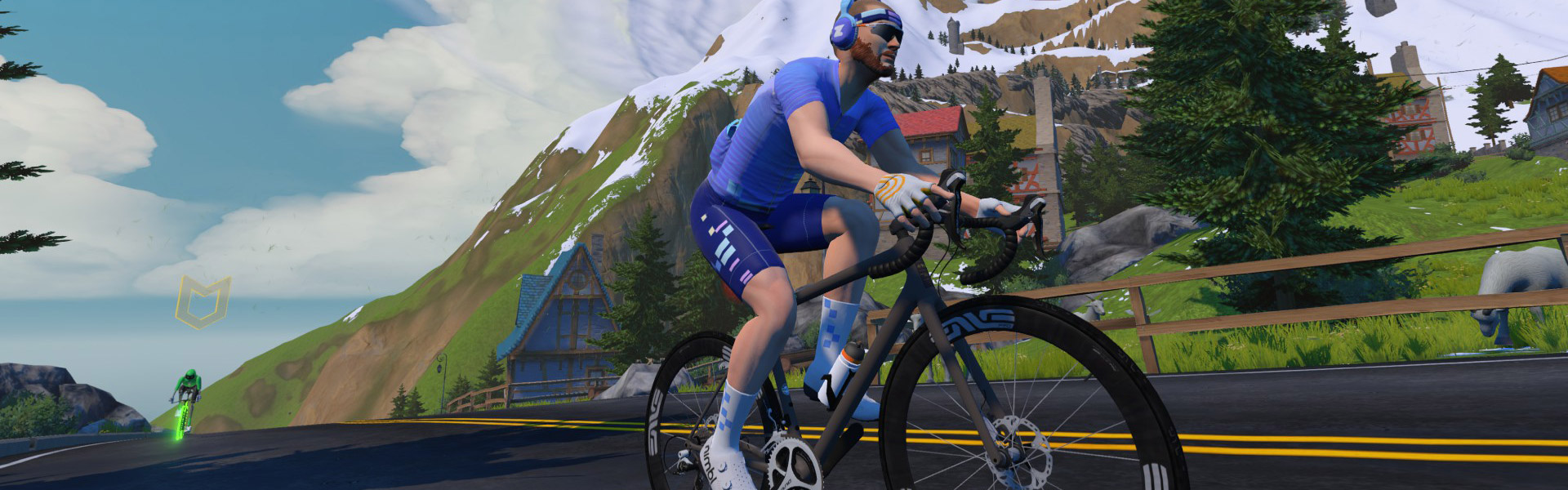
Zwift Camp: Build is underway: a 5-stage route-based workout series, with each stage lasting one week and focusing on developing power over a specific time interval.
My plan is to do each of the five workouts before their weeks begin, so I can write a post unpacking the workout and delivering some tips along the way. This post covers Stage 5’s workout on Watopia’s Road to Sky route, which takes you up the massive Alpe du Zwift KOM. Let’s roll!
The fifth and final stage of Zwift Camp: Build is focused on “One 60-minute showdown,” according to the event description. We’re climbing Alpe du Zwift, a 12.2km, 8.5% climb modeled after France’s infamous Alpe d’Huez.
This is by far the longest effort in Zwift Camp: Build. We began this Camp with short sprints in Stage 1, went to longer sprints in Stage 2, then (sort of) VO2 power in Stage 3, followed by 10-20 minute power in Stage 4. Stage 5, for many riders, will be around a 1-hour interval, making it a true threshold effort.
Apart from the mental and physical challenge of a long threshold effort, the only tricky part here is pacing. You’ll do best if you know the wattage you’re aiming to hold on the climb, and this will also let you pick a pace partner to ride with.
The RoboPacers each have their own pens, with the faster bots leaving first. While everyone is visible on course, chances are very few riders from the slower groups will catch the faster ones ahead.
Here are the RoboPacer options:
The stage is built around Watopia’s Road to Sky route, which begins with an easy descent into the Mayan Jungle.
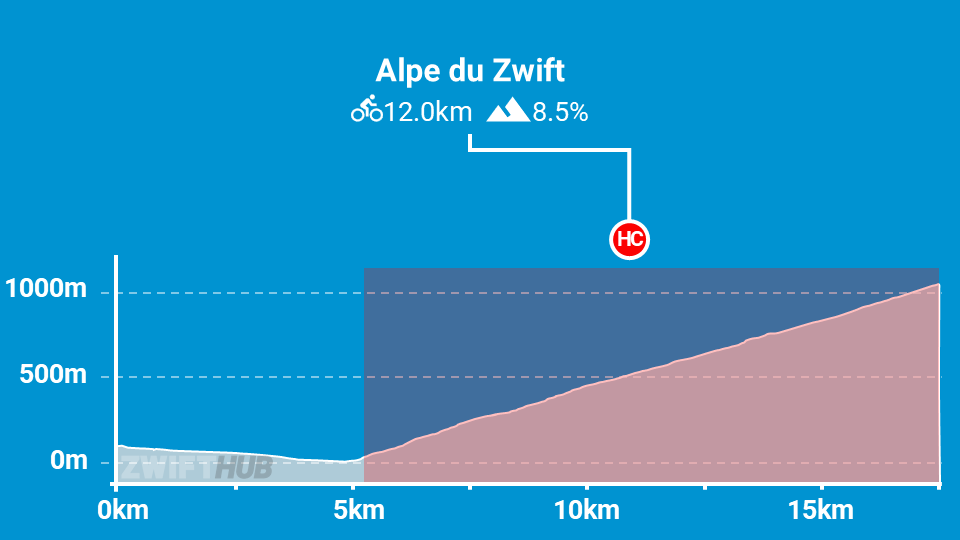
The bots go much slower during this warmup portion, so be sure to stay with your bot (it’ll be easy) if you want to start the Alpe climb next to them.
The route ends atop the Alpe, but you can keep pedaling and descend back to ground level afterward. You earned the distance!
Once again, I was going into this ride with legs that were less than fresh. Luckily, Zwift had set up the RoboPacers in such a way that the B bot was perfect for what I could do in terms of a longer effort!
The B bot’s 60-minute climb pace, at 3.3 W/kg, seemed like it would pace me nicely on the early part of the climb. Then I figured I’d have a bit more left on the upper slopes, so I could push a bit harder, drop the bot, and negative split things overall.
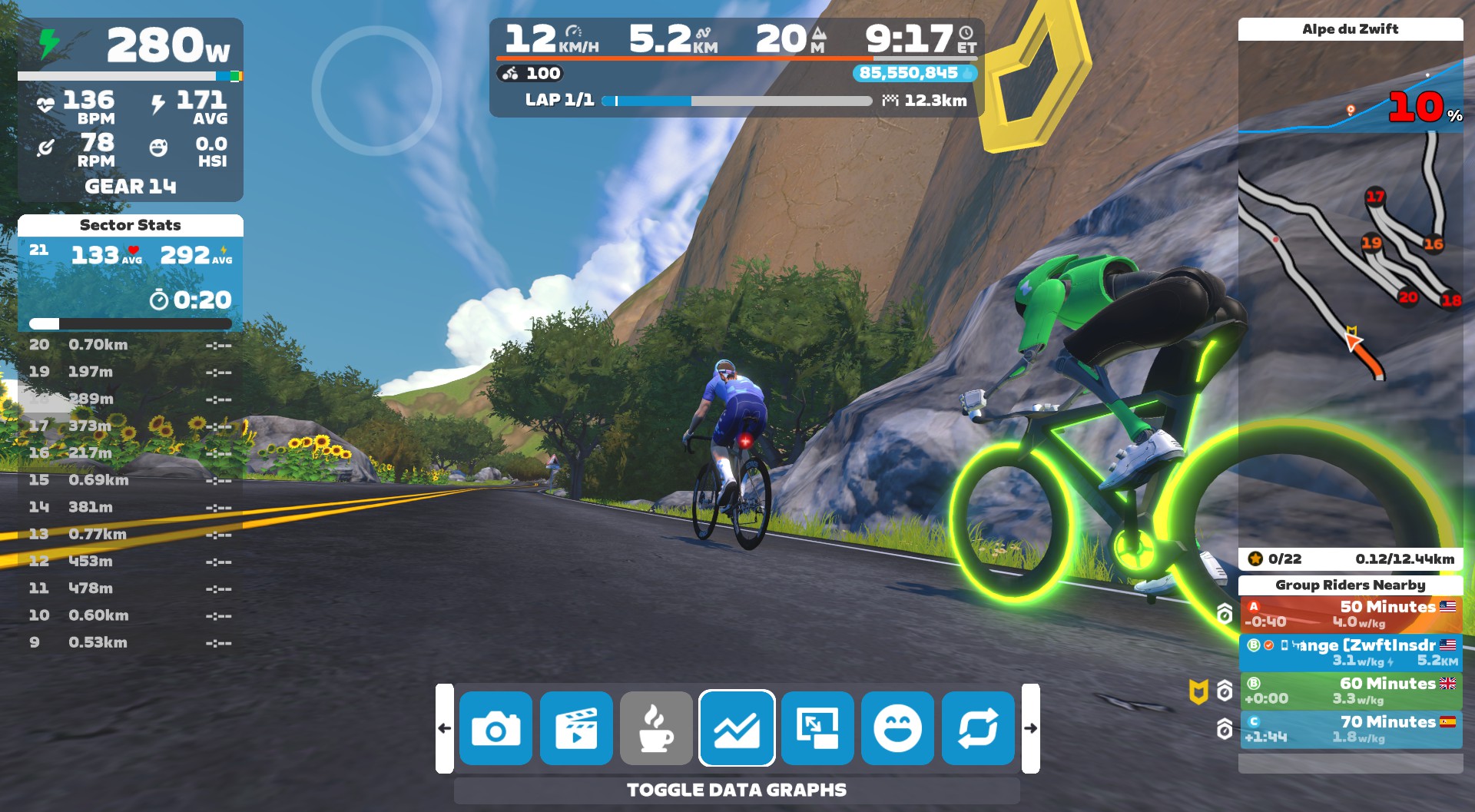
After 9 minutes of easy warmup spining through the Jungle, we crossed the start line for Alpe du Zwift, the bot kicked up the effort, and we got to work:
I settled into my target pace, finding the best gear and staying close to the bot.
After climbing for several minutes, I realized that this setup was working out really nicely. While the Sector Stats HUD on the left let me easily see my average power for each of the 21 sectors, the green bot and its big ol’ beacon made it easy to see if I was holding my target pace.
A warning, though: these bots are relentless, and if you ease up, you’ll get dropped!
The spot where you’ll notice the relentless nature of the RoboPacers the most is on the flatter gradients that often occur on the hairpins at the end of some sectors. When the road flattens, your power will naturally drop as trainer resistance drops. But the RoboPacer won’t change its output!
I found myself losing several meters to the bot on each flat section, until I began to consciously increase my power when I felt resistance ease.
I stayed just a few meters ahead of the B bot for the first 15 sectors. I also opted not to steer, as the pace I was holding felt good and I didn’t need to gain further advantage on the unsuspecting robot. (Note: steering can reduce the overall length by around 500 meters, so it’s no small thing!) If you’re struggling to keep up with the bot, though, a few cut corners may be just the trick you need.
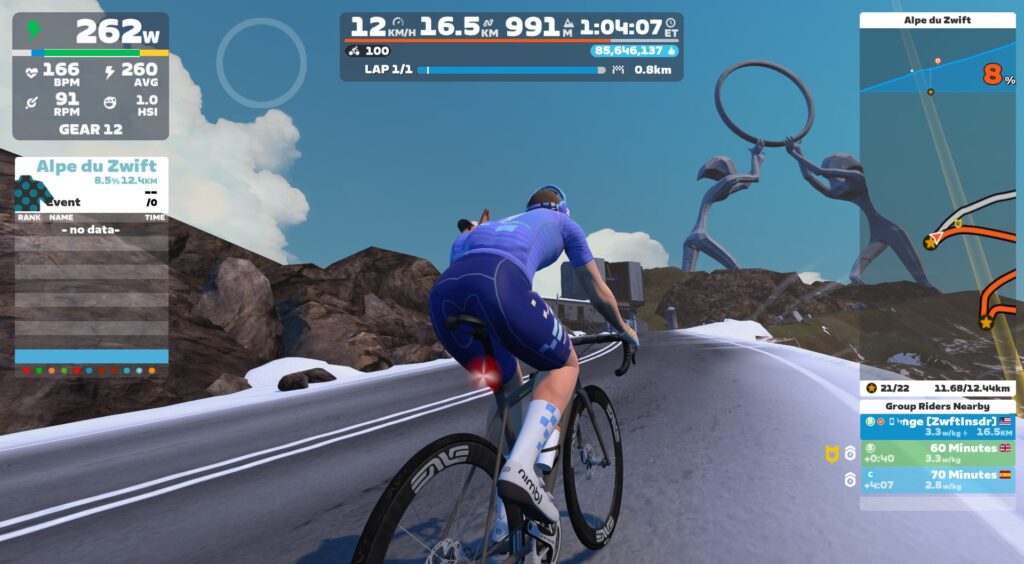
My heart rate had risen steadily from 140 at the bottom of the Alpe to 160 with 6 sectors to go. That’s when I decided to bump up my effort, drop the green robot, and sail to victory!
I went from averaging ~270W to ~280-285W, and began putting time into the bot. I kept pushing, getting my heart rate up to 170bpm as I crossed the finish line. My final climb time was 58:21, and the bot finished about 40 seconds behind me. (So it’s worth mentioning that the bot climb times are estimates only, probably accurate within a minute or so.)
I received an automated email after finishing this stage, which included a link to a web-based results dashboard: zwift.com/zwift-camp-build/dashboard
Good to see Zwift getting this launched, even if it came a bit late.
I’ve been offering improvement suggestions to Zwift for each of these stages, and my suggestions for stage 5 would be the same as stage 4: add messaging, and improve the event description (read those suggestions in more detail here).
Apart from that, I want to take a moment to talk about the overall Zwift Camp: Build experience now that I’ve finished the final stage.
Overall, I’d say Zwift Camp: Build offers some good sessions for riders looking to challenge themselves with maximal efforts across particular time intervals. Three stages do this well:
The other two stages fell short of what could have been. To be precise:
Like I said in the intro to stage 1, this isn’t meant to be a workout program for an intermediate or experienced rider, and it won’t offer the periodized training of a true program.
It is, however, an easy way for beginners, or those new to structured training, to dip their toes into more structured approaches. Route-based workouts are a great way to do this, as they offer a welcome and needed alternative to the rigid structure of ERG workouts. So it’s good that Zwift is pushing in this direction.
As Zwift’s first serious foray into a route-based workout series, I’d say overall, Zwift Camp: Build feels like a step in the right direction.
But these workouts, and the overall program, could be much better. I’ve already written all my suggestions in previous posts, but I’ll summarize them by saying Zwift should:
There’s a lot more to be said about the potential of route-based workouts in Zwift, but I’ll save that for an upcoming Pondering the Possibilities post.
Sign up for stage 5 events in-game, in the Companion app, or go to zwift.com/events/tag/zwiftcampbuild2025wo5.
Have you done this workout yet? Did you do the entire Camp? Share your thoughts below, or any questions you may have heading into the workout.
This weekend we feature three very different race events, a ride for a cause, and a training ride for crazy people. See our picks below!
✅ Women Only ✅ Popular ✅ Unique Event
Now in its ninth year, this race can be called a true Zwift December classic! Over 260 women are already registered, but organizers expect that number to more than double by race day.
This year’s race is on France’s Knights of the Roundabout route, with different route lengths based on rider category. Cat D/E will be finishing at 36km at the Ballon Sprint arch, while A/B/C will finish at 44km after descending from the Petit KOM.
Saturday, December 6 @ 7:30pm UTC/2:30pm ET/11:30am PT
Sign up at flammerougeracing.com/fearless/
✅ Endurance Challenge ✅ vEveresting ✅ Crazy
Interesting in completing a virtual Everesting? This is a training ride for global vEveresting Day on December 29th.
Read more about Global vEveresting Day >
The event has riders on Oh Hill No for 20 laps. “Enjoy!”
Sunday, December 7 @ 1:30pm UTC/8:30am ET/5:30am PT
Sign up at zwift.com/events/view/5091167
✅ Good Cause ✅ Beginner Friendly
Picked this because it’s a cause that’s near and dear to us. Ride organizers say, “We ride to support Ukraine and to remember that freedom has a cost. The war is still real — let’s keep Ukraine in the world’s heart and mind.”
Sunday, December 7 @ 8:45am UTC/3:45am ET/12:45am PT
Sign up at zwift.com/events/view/5250083
✅ Popular ✅ Long Race ✅ Age-Based ✅ Unique Event
Team Foudre’s weekly “medio fondo” is proving quite popular, with its age-based groupings and a women-only category.
This weekend’s race is on 2 laps of New York’s Everything Bagel route (68.6km, 1090m).
Sunday, December 7 @ 8:45am UTC/3:45am ET/12:45am PT
Sign up at zwift.com/events/view/5106424
✅ Popular ✅ Race of Truth
Cycling Time Trials (CTT) – the national governing body for time trials in England, Scotland, and Wales – continues to evolve their popular time trial series (read about the launch here).
Saturday is your last chance to complete week 4’s race on Innsbruck’s hilly 2018 UCI Worlds Course Short Lap (23.9km, 494m). Note: there are now dedicated events for men and women.
Multiple timeslots Saturday, December 6
Sign up at zwift.com/events/tag/cyclingtimetrials
We choose each weekend’s Notable Events based on a variety of factors including:
In the end, we want to call attention to events that are extra-special and therefore extra-appealing to Zwifters. If you think your event qualifies, comment below with a link/details and we may just include it in an upcoming post!
See zwiftinsider.com/tiny for current Tiny Race details.