Companion App 3.73 Released with Hammerhead Support and Home Screen Toggle

On Tuesday, Zwift began rolling out Companion app v3.73 to iOS and Android devices.

This version includes two small but handy new features and one bug fix.

Toggle Between Home and Live Map Views
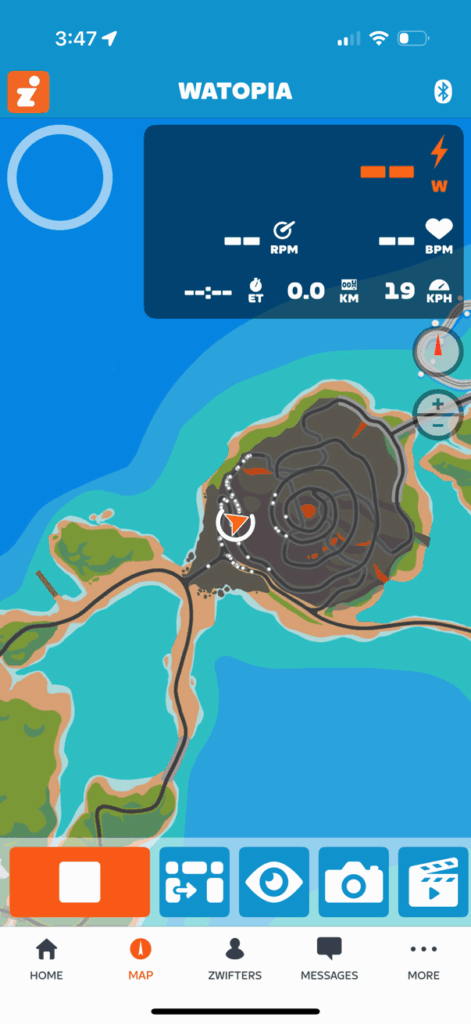
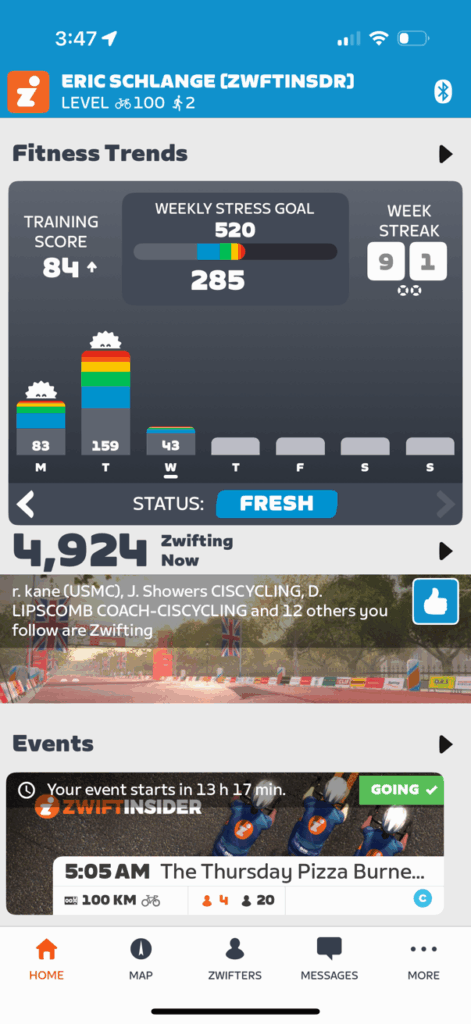
Zwift is making a big push toward their new fitness trends features in Companion, so it makes sense that they would make it easy to access those charts while you’re riding. You’ll now see “Home” and “Map” buttons at the bottom of your Companion app in iOS (Android users already have this option).

“Home” takes you to the default offline homescreen which includes Fitness Trends and more, while “Map” shows the live map you’re used to seeing while riding on Zwift.

Hammerhead Connections

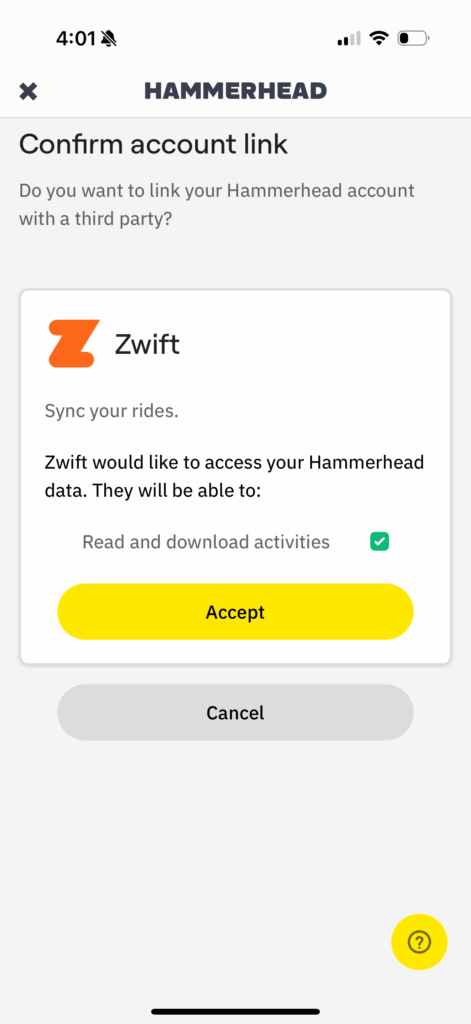
Zwift took their Hammerhead integration live last week (read all about it here), but the only way to connect was through your profile page at zwift.com. Now with the new version of Companion installed, you can easily connect your Zwift account to Hammerhead.

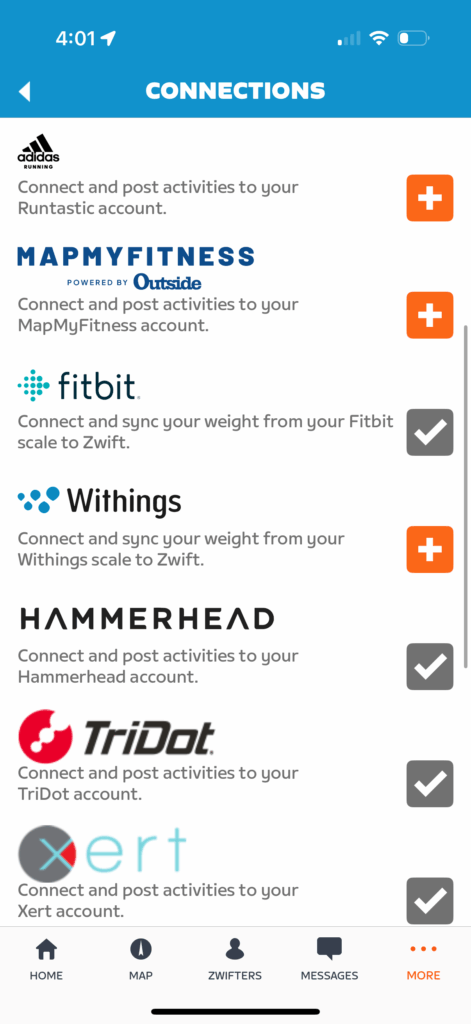
Navigate to Settings>Connections and tap the Hammerhead +. Sign into your Hammerhead account, approve Zwift data sharing, and you’re ready to start getting credit for outdoor rides recorded on your Karoo!
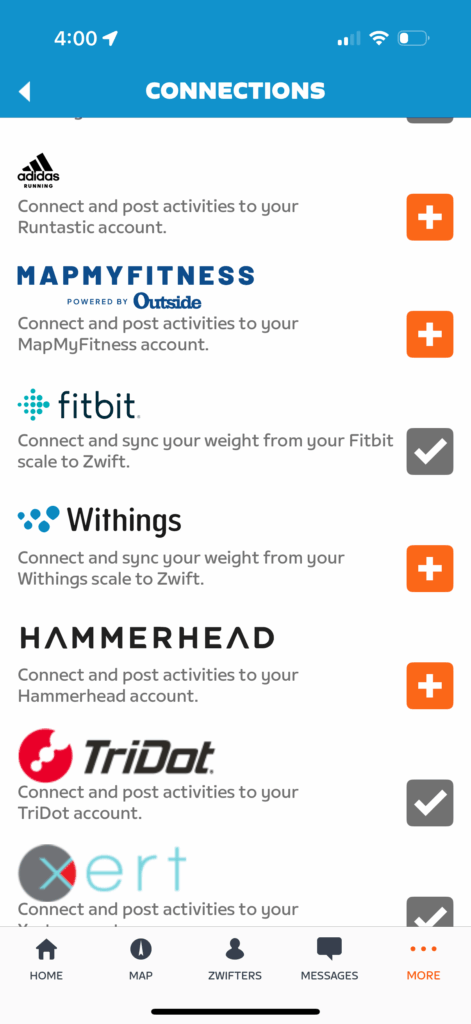
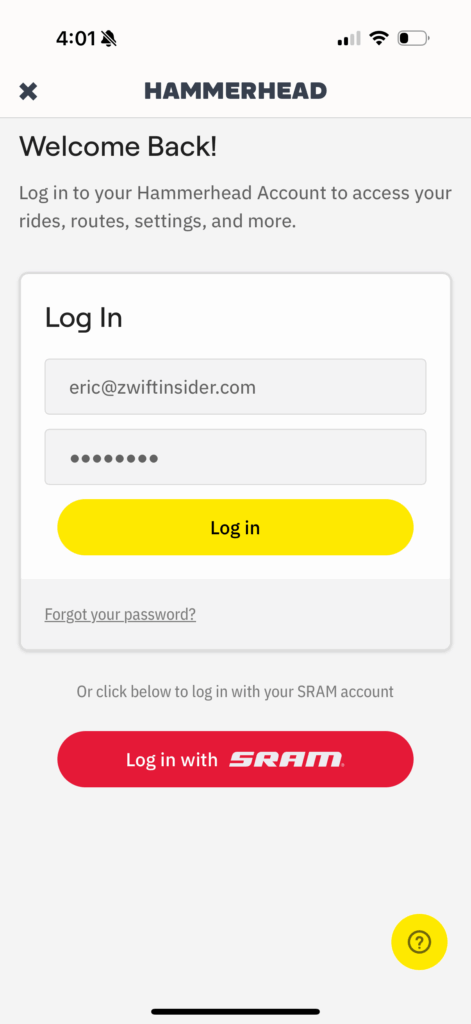
Once you connect your Hammerhead account, the past 90 days of activities will be sent to Zwift for processing and integration into your fitness metrics.

Bug Fix: Activity Feed

Fixed an issue that caused the user’s profile page Activity Feed to not show private or outdoor activities.

Questions or Comments?

Post below!

Eric Schlange
Eric Schlangehttps://zwiftinsider.com
Eric runs Zwift Insider in the spare time he finds between riding his bike and managing various business interests. He lives in Northern California with his beautiful wife Monica. Follow on Strava

25 COMMENTS

Subscribe
Notify of
guest

25 Comments
Oldest
Newest Most Voted
Andi
Andi
11 months ago

Since iam only half a year into zwift maybe someone can enlighten me why tf you still can’t see how much xp you have and how much is needed to the next level.
I know you have to start the game and start a workout /route to click the menu button to see it but holy cow it’s annoying af. Can’t be that hard to integrate it into companion app.

James M from Tucson
James M from Tucson
11 months ago
Reply to  Andi

Would love to see this and the garage brought over to.the Companion app.As it is, I have fire up my laptop, build a Wi-Fi connection and fire up the main app. Very inconvenient.

Cody
Cody
11 months ago

Agreed. My workaround for this is to download the Zwift game app (not Companion app) on my phone. I never use it for riding, but it allows me to view the garage when I’m not near my computer that I use for riding. Garage in the companion app would make things much easier.

James M from Tucson
James M from Tucson
11 months ago
Reply to  Cody

Can’t install the full app on my device though. Not capable of running it.

Bryan
Bryan
11 months ago

“Zwift is making a big push toward their new fitness trends features in Companion”, so they add a new button to the App, but have yet to consider the fact that there are runners on Zwift. Still a useless feature.

Eric
Eric
11 months ago

The new Home toggle in the companion app apparently kills (replaces) the Map toggle when doing a workout so that you can no longer see your location in the companion app when doing a structured workout.

I don’t see that as an upgrade. What aspect of the Fitness Trends is that relevant in the middle of a current workout?

Fossegrimen
Fossegrimen
11 months ago
Reply to  Eric

Agreed. Even worse if you are on an AppleTV and rely on the companion app for interaction. No ride ons, no navigation, might as well go back to TrainerRoad and just watch bar charts crawl by.

GDL
GDL
11 months ago
Reply to  Eric Schlange

Thank you!

Ade
Ade
11 months ago
Reply to  Eric

When using my iPhone, I can toggle between workout and map with the button next to the home, I accidentally pushed it a few weeks ago and noticed it could toggle between workout and map, when previously it was using the home button (from memory). It’s not very clear and ideally should be a separate button, rather than a shared/dual function button.

GDL
GDL
11 months ago
Reply to  Ade

Thanks…that works.

Eric
Eric
11 months ago
Reply to  Ade

Yep! That works – now that my iOS companion app has updated itself in the last 2 days! The current version now displays the correct wording to indicate you can switch during a workout.

Steve
Steve
11 months ago

3 days after the supposed upgrade and still nothing on my (Android) companion app to connect to Hammerhead!

James M from Tucson
James M from Tucson
11 months ago
Reply to  Steve

Still not seeing the update and it’s 8/24 on Google Play.

James M from Tucson
James M from Tucson
11 months ago

Looked at the app today, 8/29, and it magically updated to 3.73.2. I created a separate comment on the Map/Home capabilities being absent.

James M from Tucson
James M from Tucson
11 months ago
Reply to  Steve

Interesting.I received an update a while ago and that one shows 3.72.2 when you navigate in the app Settings -> About. However, when I checked the new features, they are there. Don’t know what is going on, but I think the about screen is in error.

Steve
Steve
11 months ago

Hi James. I was checking every day and yesterday (26th August) it was finally there!

Norm
Norm
11 months ago

Did they get rid of the dashboard view on the companion app? I can’t find the button for it any more.

Brian
Brian
11 months ago

Don’t know if I’ve missed something – I was doing a workout this morning and the normal workout sections screen was displaying on the Companion App. But ater the workout had ended and I was just completing the route that I had started – the App just showed me the map – I used to be able to just have a screen open that showed my Watts / Heart Rate etc on a white background. I don’t know what the official name for the screen was – but is it gone now????

Last edited 11 months ago by Brian
Bryan
Bryan
11 months ago
Reply to  Brian

That was the dashboard, if they have really taken away a useful realtime screen and replaced it with their “Fitness” screen (which isn’t actually that useful during the actual ride), they really need to reevaluate their priorities.

Last edited 11 months ago by Bryan
Alex
Alex
11 months ago

Might be just coincidence, but my Android app updated yesterday… The app worked fine yesterday, but would not show me the game today – not an option on the menu, and didn’t automatically go to the game screen when I started riding

I could give ride ons from the home screen to Zwifters I follow who were riding, and after I finished my ride the app showed it as soon as I opened it up again

Assuming the update has nerfed the Android apps in game usage?

Alex
Alex
11 months ago
Reply to  Alex

It was just coincidence: worked fine just now

Alex
Alex
10 months ago
Reply to  Alex

And maybe not – same issue today. A while after I’d finished the ride and shut down my pc the App did show me the in-game screen, but that seems weird; shouldn’t that only come up when I’m logged in?

James M from Tucson
James M from Tucson
11 months ago

FWIW, I’m on Android and 3.73.2 and do not have a home selection on the menu bar from Game -> Map. Is this capability supposed to be there?

Alex
Alex
10 months ago

I’m the same, and my Companion App has been playing up occasionally since updating on 21st August. Looking at this timeline,I might delete and reinstall

Get Started on Zwift

Newest Featured Posts

Support This Site

Write a post, shop through us, donate or advertise. Learn more

NEWSLETTER SIGNUP

Zwift tips and news every 2 weeks! Click to subscribe.

More Posts