Home Blog Page 338

How the Race was Lost: Zwift Racing League Race #2 (TTT on R.G.V.)

This week was the second race of Zwift Racing League, and the first TTT of the series. My team, the DIRTy Beasts Hellhounds, had some TTT experience as individual riders on other teams – but we had never ridden a TTT together (with riders located in 5 different countries, finding time to practice has been a bit tough).

But we knew enough about TTT races to chat with some intelligence and formulate a solid race plan heading into Tuesday’s big event. One lap of France’s R.G.V. It was gonna hurt so good!

Warmup

I began my pre-race ritual the same as ever: chewed three pieces of caffeine gum, applied PR lotion on the legs, then suited up. I was on the trainer 45 minutes before the race began, and took my time warming up.

The Start

Because Zwift doesn’t have a built-in system for team time trialing, the folks at WTRL have set up a time-delay system which works surprisingly well:

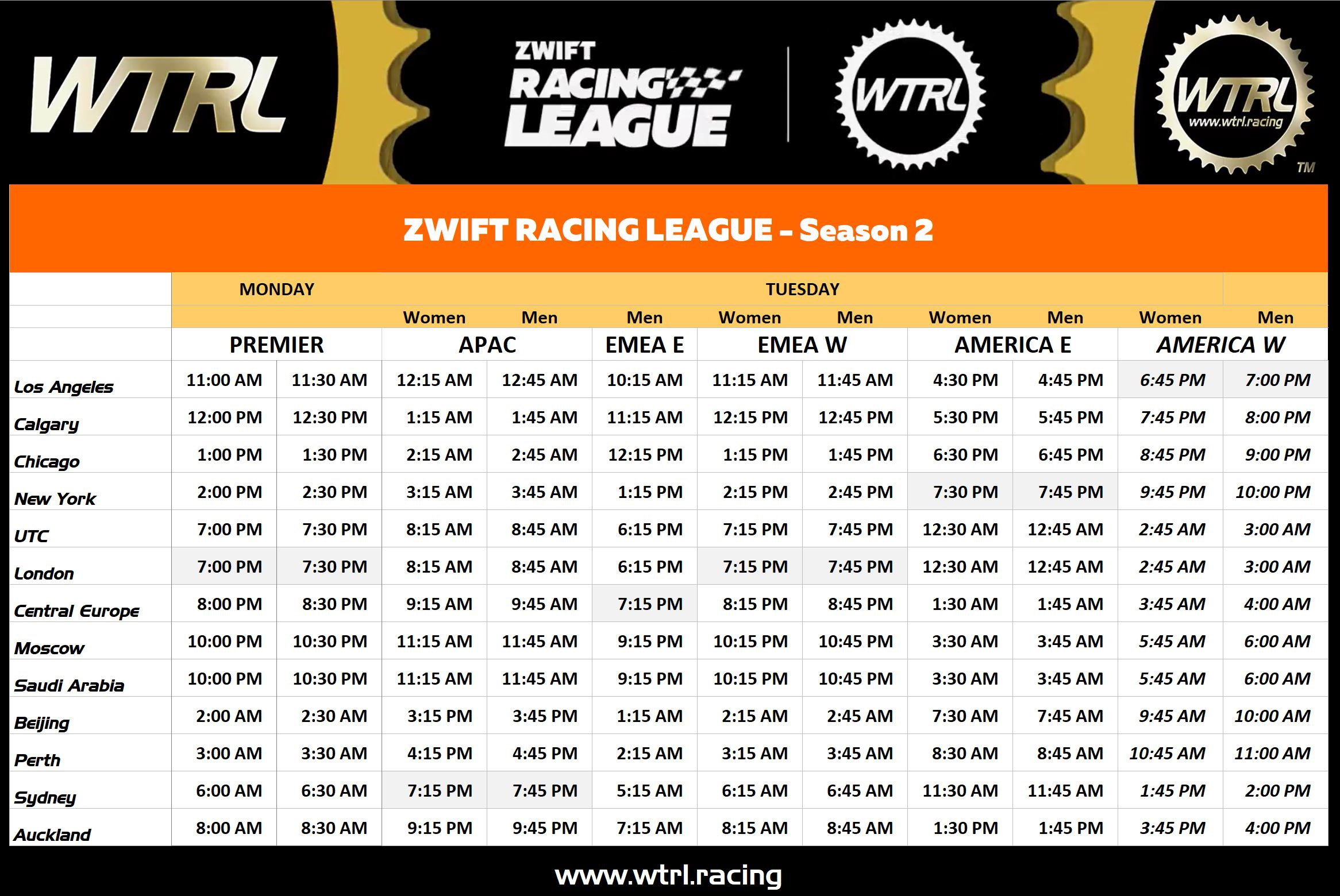
  • Each team is assigned a start time which is X minutes after the event actually begins
  • You join the event start pens as you would any race, but when the clock hits 0, nobody goes!
  • Each team designates a timer who begins their stopwatch as soon as the clock hits 0. When your time comes around, you go!

A bit hacky, yes. But here’s the amazing thing: this race set a new world record (to be confirmed by Guinness World Records) for the largest-ever team time trial, with 5,956 racers! Even with some hoops to jump through, racers want to race.

My team was the very last in our pen to go, so I joined the start pens a few minutes before the event began… then sat around for 13 minutes! Since you’ll be disqualified if you cross the start line early, most racers will open up the pairing screen (which stops your avatar from moving) and spin while they wait for their start time to come around. That’s what I did.

I was on a Zoom call with my six teammates, because one of them is located in UAE, where Discord doesn’t work properly. We chatted strategy and best practices as we waited for our time to come around, then our timer called it out: “1 minute to go!”

Stop pedaling. “30 seconds.” Close the pairing screen. Why is my heart rate already up? “10, 9, 8, 7, 6, 5, 3, 2, 1… go!”

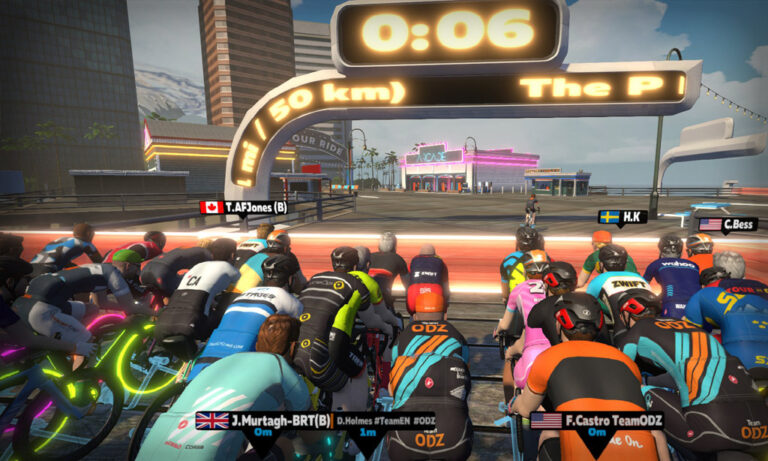
We jumped out of the start pen, quickly getting up to speed and into formation.

Formation/Rotation Notes

We were using a formation suggested by one of our more experienced TTT riders. In this formation, we ride single-file (the most draft-efficient formation), but one strong rider stays at second position for the duration of the race. It’s his job to bring the group up to the front rider if a gap opens up, and when it’s the next rider’s turn to take a pull, they slingshot from behind the 2nd rider and into the front spot.

Basically, that second rider helps to anchor the group and keep things steady. That’s the theory, anyway. But would it work?

The Middle

Our initial formation and rotation were spectacular, considering the fact that our team had never ridden together in a TTT! We had agreed to take 30-second pulls, calling out our “stop time” over the comms each team we got to the front. So I’d rotate to the front and say, “I’m on until 4:30.” If we were feeling extra strong, we could stay on for 60 seconds – just make sure to call it out so everyone knew.

I was feeling good and took some 60-second pulls, but my rotations in and out of the front spot didn’t feel as smooth as they should be. I felt like I was accelerating too much off the front – but I didn’t want to take it easy and go slow, either! Then when my pull was done I would try to drift back, but kept getting stuck in the middle of the group.

Around 11 minutes in, Justin (our second wheel man) drifted off the back, then disappeared. Uh oh! “What happened to Justin?” “I’m not sure, but let’s just keep the rotation going.” No more fancy second wheel formation – now it was just a standard rotation. The best-laid plans of mice and men, right?

Heading into the first little effort of the R.G.V. route, the Aqueduc KOM, I was feeling great. I knew I had plenty more in the legs, but I also knew the last 5-10 minutes would be the toughest of the race. Climbing up the KOM we fell out of formation on purpose, simply blobbing up and hammering our way up the short climb, then reforming on the descent.

The Finish

Soon enough we found ourselves in the twisties near the end of the course. (I call them “Les Intestins” – because they’re twisty, and because the mixture of motion sickness and effort make my guts hurt!)

We had already agreed to just blob up and hammer through Les Intestins, since holding formation through all the turns and rollers would be a fool’s errand. If we were feeling weak we could sit behind a teammate, and if we felt strong we could go into the wind and push it.

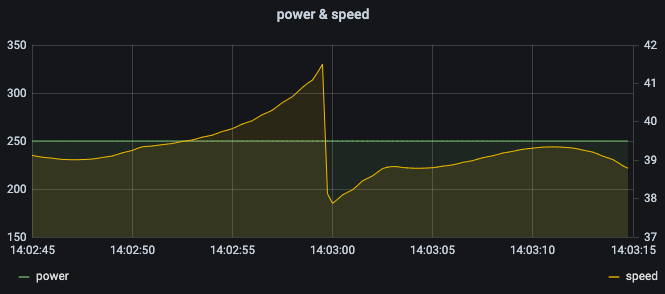
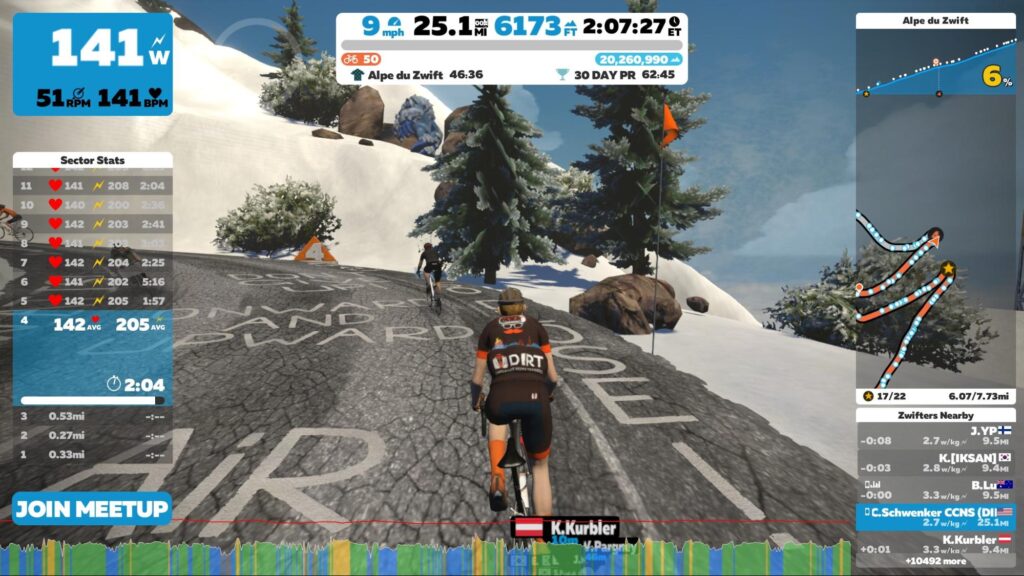
I was feeling good, but my teammates were hammering through the twisties – I could hardly even get to the front! Eventually near the end I was able to get my nose into the wind… by that time, we had less than a minute left. I decided to just hammer all the way in, hoping to provide some draft for any struggling teammates and help us all get across the line just a bit faster. Head down, seated, high RPM – just going all in. It hurt! Monica snapped this shot of me in the final seconds:

Our official time was 34:28.375, for an average speed of 43.9kph (27.3mph). We had hoped to make it under 33 minutes, but knew that was a big ask. We’ll do better with practice, but my teammates and I seem to all agree that it’s a decent result for our first try.

Our time was good enough for third place in our current division (EMEA E Division B 6), so between that decent result and our first place result in last week’s race, we’ll probably be stuck in a fast division for the remainder of Season 1.

See my activity on Zwift.com >
See my ride on Strava >
See race results on ZwiftPower >

Watch the race recording

Start Time Controversy

There is some question/controversy regarding teams starting from different start pens. To put it simply: some of the teams we were competing against started in a pen which is further away from the finish line than our start pen. And it appears that WTRL starts their timing when you leave your pen, which means those teams are at a disadvantage of probably ~3 seconds.

Here’s what it looks like on the map:

Since this race was only a “qualifying heat” for division seeding, I’m not too concerned about this issue. I’m confident WTRL will figure it all out in fair fashion, and my guess is future TTTs will have competitors all starting from the same pens, to avoid this issue. (I’ve reached out to WTRL for comment, and will update this post if/when I hear back.)

Takeaways

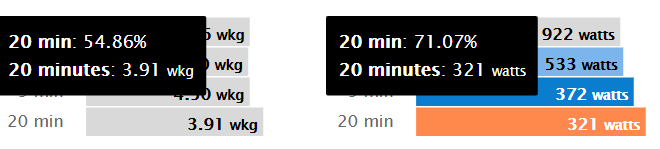
TTT enthusiasts will tell you that it’s the best way to test your FTP, and they’re not wrong! Here’s what Strava showed for my power curve, comparing this race to my last 6 weeks:

Basically, this race updated my power curve starting at 9 minutes and going all the way to 34 minutes! Excellent.

My biggest takeaway from this race is that I’ve got a lot of room for improvement in the TTT. This is definitely a discipline where you can see a lot of improvement as you get to know your teammates better and work on rotation technique. It’s also a discipline that offers lots of options in terms of strategic choice. I’m confident my team will get smoother and faster with each race.

Can you see when I took pulls? Ha!

Your Comments

Did you race Tuesday’s TTT? How did it go for you? Share below!

What’s the Best Zwift Trainer Difficulty Setting for Zwifters?

Ah, Trainer Difficulty. Simultaneously the most misunderstood and controversial setting in Zwift’s menu.

What it does is simple enough: Trainer Difficulty scales the gradients sent to your smart trainer. So if the slider is at 100%, your trainer is being sent the same gradient you see on the screen. If it’s at 50% (the default setting), your trainer is being sent 1/2 of the gradient you see on screen. So at 25% Trainer Difficulty on a 10% climb, Zwift is telling your trainer to replicate the resistance of a 2.5% climb.

Still confused how it works? Read Using the Trainer Difficulty Setting in Zwift

While explaining Trainer Difficulty to one Zwifter recently, I was asked what’s the best place to set Trainer Difficulty? And I realized that’s not a simple question to answer! So I will answer that question here, instead of burying it in a Facebook thread.

A Multifactorial Problem

There are several factors to consider when choosing your ideal Trainer Difficulty setting. I’ll discuss each below.

#1: Your Trainer

How much resistance can your trainer replicate? And does your trainer have problems with overheating on long climbs?

Higher-end direct-drive trainers can replicate gradients of 20% or more, but lower-priced smart trainers such as the popular Tacx Vortex Flow may only be capable of replicating the resistance of a 6-8% climb. If you set your Trainer Difficulty to 100% and your smart trainer can only replicate a 6% incline, that means the resistance you feel at 6% will be the same at 15%. Which isn’t ideal!

And this is a big reason why Zwift defaults to 50% Trainer Difficulty – because it allows even lower-end smart trainers to continue adding resistance as you hit steeper climbs, even if the trainer is capped at 6-8%.

Overheating is a problem we see in some trainers, even very popular ones. It happens when riding on long climbs at high Trainer Difficulty, which forces the trainer to work hard since applying the resistance brake at low flywheel speeds takes a lot of mechanical force. If your trainer begins to malfunction on long, hard climbs, you’ve got two easily solutions: point a fan directly at the trainer’s flywheel to keep things cool, and/or reduce your Trainer Difficulty so the brake doesn’t have to work so hard.

#2: Your Weight

When is max incline not max incline?

The heavier you are, the more resistance your trainer must apply in order to replicate climbs. In fact (and this is a bit of a rabbit hole), most smart trainer companies use a 75kg rider when calculating their estimated maximum incline. If you’re a 100kg rider, your trainer can’t replicate the gradient listed in the specs – but if you’re a 60kg rider, it can actually replicate a higher gradient than specified.

So how should your weight affect your Trainer Difficulty setting? Just know that the heavier you are, the more resistance you’ll feel on the climbs. If you’re running out of gears and having to grind your way up hills, it’s probably time to lower your Trainer Difficulty so you can at least pedal at a cadence that doesn’t make your knees sore.

#3: Type of Route and Race

Are you racing on a flat route, or up a big climb? Is your race a TT, or a draft-enabled event?

It may seem odd, but many Zwift racers turn Trainer Difficulty up for flat races, and down for climbing races. Why? Because they want the gearing flexibility of low Trainer Difficulty on long climbs, while high Trainer Difficulty lets them “feel” slight changes in gradient on flat routes such as Fuego Flats.

High Trainer Difficulty on flat routes makes even more sense if you’re racing a time trial, because it lets you feel those false flats and apply a bit more power to keep your speed high. Without having your Trainer Difficulty set high on a flat route, you may be on a slight incline and not even notice the difference – until you realize your speed has dropped by 2kph!

#4: Outdoor Training Goals

Does your Zwift training replicate your outdoor target event(s)?

Many Zwifters train indoors for big events or races outdoors. That race may be a pan-flat criterium in Florida, or a massive multi-day Haute Route event in the Pyrenees. It wouldn’t make sense to set your Trainer Difficulty to 100% and attack major climbs in Watopia in order to prepare for the pan-flat crit. But it also wouldn’t make sense to ride flat routes or set your Trainer Difficulty to 20% if you’re training for massive climbing days!

Use Trainer Difficulty to replicate your event. If your event is flat, leave Trainer Difficulty low and enjoy that high-inertia feel of spinning along a flat road. But if it has a lot of climbing, you’ll want to keep Trainer Difficulty high, so you’re feeling similar gradients and riding at low inertia just like the outdoor climbs.

#5: Indoor Bike Gearing vs Outdoor

How does your indoor bike compare to your outdoor one?

Now that Zwift has been around for 9+ years, many Zwifters have a dedicated indoor bike as well as outdoor bike(s). Often the gearing on the two bikes doesn’t match, (especially if you use an old ride for your Zwift bike like I do). Trainer Difficulty can help this, though! If you’re concerned about replicating the feel of particular climbs which you might be riding outside, you can use Trainer Difficulty to make your indoor bike’s cassette “narrower” or “wider” to match your outdoor bike’s climbing gearing.

There’s probably a mathematician-physicist out there with a formula to figure this all out, but I would just do it by feel. Perhaps your indoor bike is an older rig with a 10-speed 11-25 racing cassette, but your outdoor bike has an 11-speed 11-32 for climbing. Assuming the climbs you’re choosing on Zwift mimic those you’re training for outside, simply reducing your Trainer Difficulty down to 75% or so should give you a similar feel on climbs as your 11-32 cassette would if you were using your outdoor bike on Zwift.

#6: Spinning Out on Descents

Do you need more to push against on the downhills?

Trainer Difficulty banter often ignores the fact that the setting affects the feel of downhills as well as uphills! If you’re spinning out on descents, reducing Trainer Difficulty and/or changing your gearing are the only fixes. (Well, that or just going slower…)

Little-known fact: Zwift only sends half the descent gradient to your trainer. So at 100% Trainer Difficulty on a 10% downhill, your trainer is replicating a 5% downhill. At 50% Trainer Difficulty, it’s replicating a 2.5% downhill.

#7: Lower for Draft-Enabled Racing

How much shifting can you handle?

I don’t have access to the stats, but my guess is the majority of Zwift racers run their Trainer Difficulty below 50% when racing. Why? Because it keeps their effort more even, reduces the need to shift gears, and ensures they won’t run out of gears on descents.

Some racers are purists (or perhaps are training for hard climbing races outdoors) and ride at 100% Trainer Difficulty. But more racers are pragmatic, and a lower Trainer Difficulty should generally result in a lower VI due to less resistance fluctuation. For many riders, this means the overall effort might feel easier at lower Trainer Difficulty since maintaining steady power is easier than doing intervals.

#8: Training for vEveresting

Training for the big one?

The official vEveresting rules state that you must complete your effort at 100% Trainer Difficulty on an electronically controlled smart trainer. So if you’re doing a vEveresting effort, or just training to do one… you’ll want that slider set all the way to the right.

What Do I Do?

So how do I handle my personal Trainer Difficulty setting? It generally stays around 30%, except when I’m doing a flat TT and remember to bump it up to 70-100%.

With these settings I never spin out on descents, I never run out of “easy gears”, and I can feel slight changes in gradient during TT races where it matters most. (I’m fortunate to ride a nice Wahoo KICKR in an air-conditioned space, so I don’t need to worry about overheating or maxing out the simulated gradient.)

Your Thoughts

What’s your Trainer Difficulty philosophy? Do you set it and forget it? Change it for racing on various routes? Share below!

Zwift Academy RoadShow, Episode 4

ZA coaches Dan and Stephen are back with tips for workout #4. We hear from 71-year-old community rider Roger Uttley, who shares his story: “It’s up to the youngsters to decide whether they can cope with having an older person get one over on them. But I’ll be going as hard as I can.”

And Leah is back to give you a group ride etiquette lesson!

Find the Zwift Academy Roadshow archives at zwift.com/video/za-roadshow

This Week’s Top 5 Zwift Videos

We’re highlighting some of the best videos you may have missed in the world of Zwift. This week we’ve got a couple of TTT tip videos, a longer-form documentary, and a couple videos just for those starting up on Zwift. Enjoy!

A Team Time Trial on Zwift – How Does It Work?

Here’s more on team time trials, from the perspective of new TTT racer Lewis Bradley. He goes over the basics, gives a short clip of a TTT race, and shares lessons he’s learned and advice he would give others.

How to Find, Register, and Connect ZwiftPower

New to Zwift racing? Crit Whit will show you how to make sure you’re in the results that count by registering and connecting with ZwiftPower.

Zwift Power Racing – Documentary

In this well-produced 25-minute video, follow six stories from members of Bath Cycling Club as they talk about their passion for cycling, how they use Zwift, and why they race on Zwift. You may recognize your own story in theirs!

What is on the Zwift Screens (Zwift Icons Explained)

New to Zwift altogether? What are all those funny icons on the screen and the Zwift Companion app? Brian Davis breaks it down with easy visuals and explanations.

Team Time Trial Secrets with Matt Gardiner from Saris The Pro’s Closet

“No Breakaways” is back, and this time with some advice from Zwift veteran Matt Gardiner about how to race a Zwift team time trial. Video clips from a practice TTT play along with each tip, so that you can see exactly what he’s talking about.

Got a Great Zwift Video?

Share the link below and we may feature it in an upcoming post!

Is speed and cadence on a stationary bike adequate for Zwift? A real world test

57

Author’s note: A stationary indoor bike will be accurate in Zwift with a power meter. This article is about comparing a “spin bike” (which is a trademarked term) with a power meter to the same bike with a simple speed/cadence sensor.

From time to time I see questions on using a stationary bike in Zwift.  More often than not, the advice given is “grab a cadence and speed sensor and you are good to go”.  The well-intentioned suggestion utilizes the option Zwift provides of using a speed and cadence sensor with a non-smart classic trainer. 

Essentially Zwift has tested certain non-smart classic trainers and those supported trainers have a lookup table in Zwift. Basically. for X speed, you’re doing X watts. It’s a power curve table.  For Unlisted/Untested trainers they have another lookup table, but probably based more on averages that may or may not be accurate.  There’s a lot more to it, but I’ll invite you to read the excellent Zwift Insider post about virtual power vs going over it here again.

The Challenge with Stationary Bikes

Connecting a stationary bike as a trainer on Zwift can be a problem, though. Here’s why: a trainer has a set resistance (the pressure of the roller on the back wheel) and your speed increases with your wattage via gear changes and cadence, whereas a stationary bike has speed that is dependent only on cadence (no gears).  You can change resistance manually with a knob, but if you maintain the same cadence, you will maintain the same speed and thus, the same Zwift estimated power, regardless of where the resistance knob is set

To put that a different way, as long as you pedal at the same cadence on a stationary bike, your flywheel will spin at the same given speed.  The way you increase the wattage on a stationary bike is by putting resistance on the flywheel, resulting in more wattage to keep the flywheel going at the same speed. 

It’s worth mentioning here that resistance on a classic trainer can also be highly variable depending on how tight or loose the roller is against the tire.  Classic trainers have to have the roller tightened against the wheel to the trainer’s spec in order to be anywhere near accurate in terms of wattage. So it can basically be as variable as a stationary bike would be, although you can’t just reach down and tweak it on the fly.  Anyone who has experimented with that knows that the looser a wheel is against the roller, the higher the reported watts will be, and vice versa.  Hence the reason proper tightening is so crucial.

Back to the stationary bike.  When Zwift is estimating power solely by a speed and cadence sensor and knows nothing about the resistance knob, that estimated power number will be wrong.  It will be wrong because it’s missing an enormous part of the equation, the resistance, something it knows for a trainer, but can not know on a stationary bike.

Spindown for Stationary Bikes

How could Zwift know resistance and have accurate zPower with a stationary bike?  The only way I can theorize it working is to have a spindown test within Zwift.  Set the stationary bike resistance to where you want to ride, do a spindown to determine resistance, then keep the resistance at that setting the entire ride, using only cadence to make changes in power. 

Not a great way to ride, and Zwift would also need to know the stationary bike gear ratio (or use the speed which the stationary bike displays) for its calculations.

Testing Stationary Bike Power Accuracy

Enough explanation, let’s see it in practice.  To illustrate why a stationary bike isn’t accurate in the Not Listed trainer setting, I set up a few testing scenarios.  I set up a single Freemotion stationary bike with a Stages power meter and a Wahoo speed sensor.  I then set up two Zwift sessions, with exactly the same height, weight, bike, wheels, gender, FTP, etc.  I paired the speed sensor, HR sensor, and cadence sensor to one session via ANT+. I then paired the power meter, the same HR sensor and the same cadence sensor to the other session via Bluetooth.  The same pedalling effort would go into both sessions, power would just be output via different sensors.  

To put this into a visual format:

Session 1Session 2
NameHarry LegzScott DeLeeuw
Stationary bikeFreemotion s11.6Freemotion s11.6
In-game bikeZwift carbon w/ 32mm carbon wheelsZwift carbon w/ 32mm carbon wheels
FTP197 197
GenderMaleMale
Height5’ 10”5’ 10”
Weight177 lbs.177 lbs.
Cadence inputStages power meterStages power meter
Heart rate inputScosche Rhythm+Scosche Rhythm+
Power inputWahoo speed sensor, “Not Listed” trainer, 20” wheel settingStages power meter
Connection formatANT+Bluetooth

Note: the FTP setting was lowered to see if either of the tests would result in an FTP gain that wasn’t warranted.

For the first test I set up a MeetUp on Watopia Flat between myself and my identical twin nemesis Harry Legz. I configured the MeetUp to include only the two of us so variables like drafting did not come into play.  My first test was a cadence test.  I would do 2 minutes with no resistance at all at 70 rpm, 80 rpm, 90rpm, and 100rpm.  Then I would repeat these same 70, 80, 90, and 100 rpm tests, but with about 130W of resistance on the knob.

The graph below shows the comparison.  Cadence was the same as they were coming from the same sensor:

No resistanceNo resistance130W(ish) actual power*130W(ish) actual power*
Speed sensor zPowerPower meterSpeed sensor zPowerPower meter
70 rpm wattage130W41W128W134W
80 rpm wattage174W51W170W136W
90 rpm wattage209W61W213W135W
100 rpm wattage276W54W270W124W

*Note: I adjusted the resistance knob on each cadence change to maintain 130W(ish) via the power meter reading.

When I turned the stationary bike’s resistance knob to around 130W(ish) actual power, the results were pretty much exactly the same for the estimated power coming from the speed sensor as they were during the no resistance test.  This is expected since the cadence was the same as the first part of the test, and if the cadence is the same, the speed will stay the same. The graph below shows the data comparison visually.

One interesting observation on the no resistance test: true wattage actually went down at 100 RPM.  Since the watts are measured with a crank power meter, my take on that is the momentum of the flywheel started to take over, pulling the pedal through.  I was pedaling faster, but softer.

As you can see, there is a very large discrepancy in actual power vs estimated power, over 200W at some points in the graph, but what did it do for the ride stats?

Watopia Flat Route, ride time 23 min 24 sec

Speed sensor zPowerPower meter
Distance5.48 miles4.03 miles
Avg Power195W75W
Max Power400W162W
Avg Speed20.1 mph14.8 mph 
Max Speed30.5 mph23.8 mph

For the very same pedaling effort, the speed sensor rider covered a mile and a half additional distance in just 23 minutes!  That is almost 30% more!

Just for fun I also tested what would “MAX” out the 400W estimated power on the stationary bike. That happened around 115rpm.  As long as I maintained 115 rpm, regardless of resistance, I would peg 400W in my Harry Legz session.  (It’s worth noting that I could do 400 estimated zPower watts at around 50W of actual power, if the resistance was dialed down on the stationary bike.)

The cadence test is all fine and dandy, but I wanted to see what difference this made during an actual ride.  Maybe one with an interval workout incorporated into it to see actual larger power hills and valleys and how they would track between both setups.  Once again I set up a single Freemotion stationary bike with a Stages power meter and a Wahoo speed sensor, then rain two parallel Zwift sessions just like the first test.

For the actual ride I set up a one hour MeetUp on the 5.7 mile Watopia Hilly Route for the two sessions. I set the MeetUp to include only the two of us so variables like drafting did not come into play.   

This was my ride format:

  • 20 min warm-up
  • 5 min at 190(ish) watts
  • 5 min rest
  • 5 min at 190(ish) watts
  • 5 min rest
  • 5 min at 190(ish) watts
  • 5 min rest
  • 10 min cooldown

The result of this match-up?  Remember this is input from one bike.  My nemesis Harry Legz lapped me on Zwift KOM just as I was starting lap 3 of Hilly Route, rocketing past me at the finish banner.  He also took second fastest time (I honestly felt bad about that) on Hilly Route. At the end of the ride/workout, he received a nice fat FTP gain, despite only about 15 minutes of a moderate 190W effort.

Let’s look at the data.

Watopia Hilly Route, ride time 1 hour

Speed sensor zPowerPower meter
Distance21.73 miles15.11 miles
Avg Power254W132W 
Max Power400W264W
Avg Speed21.4 mph15.0 mph
Max Speed38.7 mph36.1 mph
KOM time during 110W 90rpm warmup3:29.166:52.69
Villa sprint time during 110W 90rpm warmup34.22 sec44.76 sec

While these numbers look dramatic, the graph of the power difference looks even more dramatic:

This graph does look more interesting at first glance than I thought it would.  zPower is about 100-200W high as before, but the power curves parallel each other more than I first expected until I really analyzed the data.  Why is that?  If you notice the cadence line I was soft pedaling at around 90 or so rpm for the warmup, rest intervals and cooldown.  During the intervals themselves my cadence would go higher to 100-105 rpm.  Since zPower is being estimated by speed, which is directly related to cadence on a fixed gear stationary bike, this makes perfect sense. A jump in 10rpm made a massive difference in zPower because it was making a big jump in flywheel speed. It was simply a coincidence that my higher true power was done at a higher cadence and that higher cadence gave a higher zPower number.

Searching for Sweet Spot

Discerning Zwifters may wonder if there’s a “sweet spot” on the stationary bike’s resistance knob where zPower and true power converge across a usable cadence range (say, 70-100RPM). Or to put it simply: can we make the zPower number be close to accurate on a stationary bike? 

The answer is: not really. Not without actively varying the resistance knob, and having a power meter to check your accuracy. (Of course, if you have a power meter, you don’t need a speed or cadence sensor or zPower anyway.) 

On my first cadence test when I had 130W of resistance on the flywheel and was pedaling at 70rpm, the numbers were nearly identical.  On the second test, if I had maintained about 85rpm in my 190W intervals power would have tracked closely.  I could have also cranked up the resistance to 400w and spun at 115rpm (for the whole minute I could maintain that).  But without a power meter I would have been guessing that the numbers lined up and inevitably what would happen is you’d loosen the resistance knob and drop actual power, but zPower would stay at 400W since your cadence isn’t changing. 

Conclusions

So there you have it.  I had fun doing this test.  It might seem pointless, but I wanted some real world data for when the suggestion is thrown out to just use a speed and cadence sensor with the Not Listed trainer setting on a stationary bike.  Seeing this data I don’t think it’s a good idea.  I get that it’s inexpensive and not everyone has the money for a power meter, but you are missing the resistance part of the estimated zPower equation.  Because of that, the power estimates are at best a guess, and a bad one at that.

None of this is to say a stationary bike is a bad idea for Zwift, a stationary bike can be a GREAT tool for Zwift.  If you have multiple riders in the family, or just want the simplicity of hopping on and riding, a stationary bike may just be the ticket. But please reconsider the incorrect speed and cadence route and set it up with a power meter such as a Stages crank or power pedals like the Assioma UNOs.  There are inexpensive options if you look around.  

I agree with the purists when they say a stationary bike won’t get resistance changes from Zwift, but Zwift will use the power you are putting into the bike to adjust your speed up and down in the game, the same as if you were riding a bike outside that dynamically adjusted gears to keep your cadence the same as you hit uphills and downhills.  Stationary bike or smart trainer, the true power you put into your pedals is what determines your speed in the game, the gradient feel is icing on the cake.  

I wrote another article about an inexpensive stationary bike setup that will work with Zwift that can save some cash over the long haul.  I found my entire stationary bike, with power meter, for $200.  If you are thinking about going that route, it’s worth taking a look.

Cadence and speed sensors on a stationary bike – summary

Pros:

  • Inexpensive
  • Can do rides and give Ride Ons
  • Breaks up the monotony of indoor training
  • Could be a gateway to a great Zwift future

Cons:

  • Not what Zwift intended with the speed and cadence option
  • Isn’t accurate, missing the resistance part of the equation
  • Not useful for personal fitness improvement measurements since zPower is only tied to cadence/speed, not how many watts you are actually producing
  • Can not do training plans as power targets are only tied to cadence/speed, not resistance
  • Will be very disheartening if you ever go to a power meter or smart trainer

Questions or Comments?
Share below!

Seven Days and Seven Nights – Launching a New Racing League

13

Until last Tuesday, WTRL operated the biggest race series on Zwift – the Thursday Team Time Trial. Since Tuesday, WTRL operates the two biggest race series on Zwift. WTRL TTT and the community side of the Zwift Racing League (Zwift HQ operate the Pro/Am Premier league themselves with tight cooperation from WTRL).

I’ve been an avid fan of WTRL since I started TTTing with the CICC lads out of Paris six months ago. Since then a lot has happened to WTRL, including their latest venture – working with Zwift to deliver the community side of Zwift Racing League, the most ambitious Zwift racing series to date. Last night between results processing and pizza I managed to catch up with Martin Carew – one of the two chaps who created and operate the World Tactical Racing League (WTRL). While I love to josh about WTRL Global HQ and its huge team, it is stunning what two guys have achieved. 

By the numbers, ZRL race #1 had 5,295 riders in 1005 teams with participants from 101 countries. There were over 7,000 people live-viewing the results on ZwiftPower and both Premier League and Community races were livestreamed. There were 25 different events throughout the day, spread across timezones to Zwifters could find a workable race time no matter where they live. 

In the run-up to the event Martin and Steve had to allocate 1005 teams to pens and send out the invites to captains – then make sure the livestream guys were all set up with graphics and other materials and also test the systems as best they could given there was no practice run possible. And throughout this came the emails: hundreds of league changes, name changes, tag changes (I was one of these) as well as hundreds more questions from racers and team captains sent via email or forums such as Facebook. Martin reckons he had four 22 hour days in a row between Saturday and Tuesday!

The day as it happened

The real work started Monday night – 1:45 AM Martin time was the mad rush ahead of the first Australian race. While the race itself was self-running, the livestream guys at Zwift Community Live (ZCL) were fed real-time results data from Zwift and ZwiftPower systems, which Martin had to coordinate. A few hours sleep between the antipodean races and eastern European was welcome, but then ZwiftPower stalled!

So many riders were hitting the results server that Zwift’s backend results systems (the same ones ZwiftPower uses) ground to a halt. The screenshot below is “that moment when..” Nathan and Dave had to maintain broadcast without data. Perhaps one of the best lemons-to-lemonade spiels ever… if you haven’t seen it, hop over to the ZCL footage and scan forward to around 1:10:00.

My race

Quick sojourn. I am captain of the Rowe and King Ewoks – one of six R&K teams across A, B, and C categories. My race was the C-cat route ending at the top of the volcano. I went hard from the gun and made the front group along with two racemates. I stayed there all the way until I was most of the way up the Titans Grove KOM, but got drifted off the back and spat out.

Despite being dropped I still got a PR up the KOM. I grouped with two Portuguese guys and we pushed on, being caught by a chase group going up the Hilly KOM. I was now in 25th place in a field of 100+ with a tight group of 10 riders. We stayed ahead of the chasers until halfway up the Volcano, when a small group of chasers (including one of my teammates) reached us. I got to the top in 35th position, having pulled a B-class w/k of 3.2 for the ride.

Tactically, I know where it went wrong – too hard at the gun, then when I was dropped, too much time in the wind trying to catch them. I lost my chance at points in the first 15km.

The aftermath

When i spoke to Martin late Thursday he had barely slept in 60 hours – and in that time he also had to run the regular Thursday TTT for 600 teams. While a lot of the challenges of processing 5000 rider results were predicted, the Zwift results engine melting down wasn’t. What most riders don’t know is that Martin had to recreate results from the data – a testament to Martin’s professionalism and dedication. 

The other area that consumed energy was sorting through all the results for fairness. Going in the rules were pretty clear – a rider’s ZwiftPower category at the start of their first ZRL race determines which league they compete in, subject to the reality check of Martin’s super-secret algorithms that determine riders behaving outside the normal boundaries of performance for their category.

Out of 5000 riders:

  • 10% were flagged for review (including me). 
  • 400 of those were categorized as racers having a great race on the limits, but not past, the bounds of their category (me again).  
  • 100 were DQ’d from the race results without prejudice. Perhaps they had no heart rate monitor, perhaps they were re-categorized up one, or even two levels. If you take a look at ZwiftPower you can see if you have one of these tags – all pretty self explanatory. UPG-A, UPG-B, HRM.. you get the idea. These riders are being asked to perform an action (move to a more appropriate race team, get a heart-rate monitor etc).
  • The tag CONTACT_WTRL during processing literally meant Martin had personally pored over your data and can’t see an obvious explanation of your performance. There were literally a handful of these – maybe 1% of the riders – including my favorite (this is all publicly available information in Zwiftpower), a rider who magically dropped 20kg before the race, then gained it back afterwards.

What shines through when talking to Martin is how he takes all this in his stride. Of course the first real race was going to be a time-consuming test of the underlying systems. Of course it was going to take days of hard work to process. And of course there would be a shake-out of riders who started in the wrong category or tried to game the system.

As an ex-professional athlete himself, Martin knows the temptations and doesn’t judge them. But he has more nous than the average race organizer, and as a professional data analyst he knows how to dissect a rider’s performance to spot the difference between an extraordinary day on the bike and something more sinister. 

What next

Tuesday will be race #2 – this time it’s a Team Time Trial on the R.G.V. course in France. A short, fast team ride. The rider pool has been cleaned up, the team captains know what they’re doing now and all the systems have been tested. 

Martin and Steve are committed to the success of ZRL – and it’s clear that Zwift themselves want this initiative to be a multi-season success. 

I certainly enjoyed race #1. R&K Ewoks will be out there on Tuesday giving it 110%! See you there and Ride On!

Here’s a picture of two chaps at WTRL. Martin is the one looking very GQ (I think his fiancé chose this), and Steve is the one looking very active at the top of a mountain!

Six times over the Inn – Tips for WTRL TTT #79 – Innsbruckring

6

Since March I have become obsessed with the weekly Team Time Trial… so I asked Eric if I could share my obsession with you all, in weekly doses.

Each week I will give you a profile of the upcoming route, guidance on bike choice, and some target times if you want to aim for the Premiere League (top-10 in each coffee class get to be in a special race televised on YouTube). 

If you can’t ride, or even if you can ride, but want more action, don’t forget to tune in to the live TV show on Zwift Community Live’s YouTube Channel at 6:15 (UK time). 

Thursday 22nd October – Three laps of Innsbruckring

After a few weeks of Watopia we are off to continental Europe – this time to Innsbruck, Austria. The name Innsbruck literally translates to “bridge over the river Inn”, which we cross six times in the three laps of the city center map. I’m excited for this race – last time in Innsbruck in a TTT was the first time my team (Rowe and King Hyenas) tried a paceline format rather than the surging blob strategy… it worked perfectly and we have stuck with it ever since. 

Three laps at 8.8km plus a tiny lead-in make this a short, fast 26.8km with one awkward little bump in the middle of an otherwise flattish (gently rolling) course. Top-flight Espresso teams will be in and out in just over a half hour, while an under-staffed Mocha team will be around 50 minutes. My team is targeting 40 minutes this week – that’s aggressive as it’s 2 minutes faster than last time we tackled the Innsbruckring. Winning here is about being fast on the flat, and not allowing Kleiner Hugel (affectionately known as the Leg Breaker) to slow you down too much.  

There is only one tricky stretch on this course. When you cross the Inn (5km, 14km, and 23km) you head up Kleiner Hugel then do a series of bumps down. Obviously, staying together on the main hill is important – but equally important is not getting separated on the descent. Communication alone won’t help you here – you have to have a plan, and ideally time to practice. Once you finish the descent (6.4, 15.2, and 24 kms) it’s all fairly flat again. My fastest time for a lap was in the Tour of Innsbruck at 13:30 – I’ll do better this time. 

Here’s the fantastic VeloViewer segment view along with a map. 

What to ride?

Bike recommendation on this route is pretty straightforward. Yes there’s a hill… but other than that it’s flat. Aero rules the day. For me it will be my trusty S-Works Venge and Zipp Super-9 disc wheels.

Bike choices are pretty boring of late… the Canyon Aeroad 2021 threw a speedy curveball but aero is a pretty straightforward choice at the various levels. Aeroad is so good I think it beats out the Tron on this course. Here are my recommendations at different levels for Innsbruckring:

  • Level 6 Zwift Aero frame and DT Swiss ARC 62 wheels
  • Level 13 Zwift Aero frame and Zipp 808s
  • Level 18 Specialized Venge with Zipp 808s
  • Level 23 Canyon Aeroad 2021 with Zipp 808s
  • Level 33 S-Works Venge with Zipp 808s
  • Level 35 S-Works Venge with Zipp 808/Super 9
  • Level 45 get those 858/Super 9 wheels and pair them with the S-Works Venge

I know I say it every week but I cannot stress highly enough that if you are racing you need to be working on Tron. It’ll take a while, but just set the Everest Challenge and forget about it for nine months… like having a baby.

Route Recon Rides

If you want to get out in Innsbruck this week you are in luck! You can pop to Austria on Zwift any time you like, as long as it’s Monday, Tuesday, or Wednesday when Innsbruck is one of the guest worlds!

If you want something more organized there are so many rides and races, and even workouts. As always, Zwifthacks has the up-to-date events listing – all you need to do is click here.

Race breakdown 

Regardless of how the official race-recon breaks the route up, I only see three sections:

  • Pen/Gate to the bridge at the foot of the Kleiner Hugel
  • Leg-breaker and the descent
  • Along the river, back across the Inn and home

Pen / Gate to the bridge at the foot of Kleiner Hugel

The lead-in is a short 200M – and the distance from the pen to the bridge is 4.7km. This isn’t flat exactly but there’s nothing taxing and nothing that will ruin your momentum if you’re paying attention. The most challenging is the long overpass over the River Sill (a tributary of the Inn) and railyards, but it is just a steady 600M at 1.5%. On the satellite view you can see it – the long straight at the bottom. 

Leg breaker and descent

Kleiner Hugel is the only meaningful hill on the loop. It isn’t a brutal climb by any definition, but it’s long enough to grind your heavy sprinters into the dirt. By the time they are at the top they will be gasping! By the numbers it’s 450M long and averages 6.8%, but the hill starts gently and ramps to 9% 100M from the top. You cannot afford to be timid on this bump – pick a speed on the edge of what the team can tolerate, and go for it!

After the hillcrest comes the descent. The problem here is that if you have a split going up the hill, the first guys over the top will accelerate down, while your slower riders can barely turn the pedals. A 2-3 second gap stretches to 10 seconds and you are done as a team. 

Here are two links for research – one is the initial hill, Kleiner Hugel, and the other is for the ascent and descent combined. Man, I love VeloViewer!

I can’t emphasize enough – your plan for going up and down Kleiner Hugel will make or break your ride.

Along the river, back across the Inn and home

Through the sprint and along the side of the river to the bridge, sharp turn and back again to the start/finish gate. This isn’t flat – it undulates – but mostly between 1-2%. This stretch is 2.5km long.

The ride as a whole

There are three laps to do. On the first lap you should be fine. By the time you hit the Kleiner Hugel on the second lap your heavier riders will be spent… you may have to choose whether you’re going to leave someone behind on the hill. At this point you’re only halfway through, their help on the remaining 12km might be invaluable… but you will have to slow down for them to catch up. Is it worth it? Only you know! 

The third time up Kleiner Hugel will be immeasurably worse! A half hour or more at threshold and everyone is on the edge. Again the heavier riders will struggle. Will you help them or leave them to the wolves?
Target times

Innsbruckring has featured a few times in WTRL’s schedule, but only once before in the three lap format. That was TTT #66 on July 23rd. Here’s how you did (in 11th place) for each Coffee Class then:

CategorySplit 1 (6km)Split 2 (12km)Split 3 (18km)Finish
Vienna9:5518:4128:1841:24
Espresso8:1315:3723:3534:49
Frappe8:4916:4825:0536:48
Latte9:2117:5726:5339:39
Mocha10:5419:5930:1944:41
R&K Hyenas9:5818:5928:3441:56

In July one of our Frappe teams, the R&K Gazelle’s set the PL pace in 11th place for Innsbruckring. This week they are heading into the PL again. Let’s hope they beat my time prediction for Frappe!

Last week we were almost back up to 600 teams. I think there will be over 600 this week and competition will be high. Here are my predictions for a PL spot this week:

CategorySplit 1 (6km)Split 2 (12km)Split 3 (18km)Finish
Vienna9:5018:3528:0041:00
Espresso8:1015:3023:3534:30
Frappe8:4016:4024:5036:35
Latte9:2017:5026:4039:30
Mocha10:5019:5030:0544:30

Wrap up

This race is all about one specific decision, probably played out twice – the second and third time over the Kleiner Hugel. Do you wait, or do you go?
TTT Secrets with Matt Gardiner (No Breakaways Video)

0

Hey Zwifters. You asked and we listened… 

I made Matt Gardiner of Saris the Pro’s Closet an offer he couldn’t refuse and he agreed to spill the best TTT tips from Saris! If you and your team are looking to improve your TTT check out the video below:

Matt delivers six key tips (watch the video for details:

  1. Ride in a single file line (see Zwift Insider TTT drafting experiments)
  2. Sink and sprint
  3. Plan and communicate
  4. Short, strong turns
  5. Practice… but be flexible
  6. Know the course

Coming Up from No Breakaways

This week we will be starting our live-streamed coaching series (sorry to anyone who tuned in this week – technical malfunction) with Johnny Rocket as the first coach! 

Every Thursday we are also releasing WTRL Course Previews for the following week.

We are still looking for more amateur racers who would want to come on the channel… Apply Here!

If you are a pro and want to get involved let me know at [email protected].

Good Luck everyone and Ride On!

Zwift Rolls Out Updated FutureWorks Clubs Capabilities

39

Around October 8th, ZwiftHQ notified some team owners that an updated version of the FutureWorks Clubs tools had just been released. This expanded toolset represents a big step forward for Clubs on Zwift, since it allows owners to invite Zwifters to join their club, which will certainly lead to a massive uptick in Clubs participation.

It is important to note, though, that the Clubs tools are still officially a closed Beta under the FutureWorks umbrella. ZwiftHQ says:

Currently Clubs still exists under the FutureWorks umbrella and is undergoing closed Beta testing with selected club owners. Once this testing phase is complete, we will roll out this functionality globally.

Here are the details of this latest release…

A Bit of Back Story

The Clubs feature was first mentioned in interviews around two years ago, with CEO Eric Min repeatedly saying Zwift knows they need to “get out of their own way” and let the community create more content without Zwift being the gatekeeper.

Wes Salmon

And that’s what the Clubs tools promise – the ability for Zwift community teams to create their own events, manage a roster, and much more… all through the Companion app. It’s a powerful concept, and if done right, Clubs are probably the most impactful new feature coming to Zwift in the near term.

ZwiftHQ’s Wes Salmon (who was a keen Zwifter before he left Microsoft to work for Zwift) has been the project lead on Clubs since the early days, and he clearly has a strong, clear vision for this important featureset.

The first public iteration of Clubs rolled out in March 2020, but only for one club: Club Jarvis, populated by early Zwift beta users. An expanded set of features rolled out several weeks later to some of the most established Zwift teams, allowing them to make simple changes to their events, taking some strain off of the Zwift events team.

Then early this month, Zwift rolled out the next set up expanded capabilities.

Features for Members

Chatting with the DIRT squad

As a reminder, here are the features which rolled out in the initial May release for Club members:

  • Joining and leaving the club: Zwifters can respond to club invites via Companion. You can also leave a club at any time.
  • Basic club content: about info, tagline, banner message for members. Club admins can manage this content, which shows up on the Club’s homepage in Companion.
  • Club events: a list of upcoming Zwift events linked to the club
  • Club member list
  • Club stats (total distance, elevation, time, calories): this shows the totals for all activities linked to the club. You can choose between 7-day, 30-day, and all-time views.
  • Club activities: view all completed activities from club members in chronological order. Very similar to your current activity feed.
  • Active Club selector in-game: there is a dropdown menu on the join screen where you select which club to link your activity with. Zwifters can join multiple clubs, but each activity can only be linked to a single club. That linking is done here, before you begin your Zwift session.

This latest update includes a new Club Chat feature, which at this point appears to be a super-simple list of messages, not unlike you see when people comment on your ride in Companion.

Features for Administrators

This is the area that sees the most improvements in the latest release.

Event Editing

Club members with Owner status can make changes to existing events, easily tweaking event properties that change from week to week such as:

  • Ride leader(s) and sweeper(s) selection
  • Ride pace (in w/kg or mi/h)
  • Duration type (distance, time, or number of laps) and duration value
  • Map and route
  • “Show Race Results” toggle
  • “Allow Late Join” toggle

There’s a lot of editing the event tools cannot do, but most of this is by design. You can’t modify the event’s date/time, title, text description, banner image, or add/remove categories to the ride. Powerup settings cannot be modified (some events use a custom mix of powerups or disable them entirely). And the event type cannot be changed (from a group ride to a race, for example). Zwift event support will need to handle any of these changes at this time.

Member Management

With this new release, club owners and moderators can invite Zwifters to join the club. Once a Zwifter accepts the invitation, an owner can upgrade the club member’s status to moderator or owner if they’d like.

There is currently a 500-member limit for each Club. Hopefully this will be raised significantly and soon, as several Zwift teams have over 2,000 members.

Moderators can delete comments from the Club Chat and invite new Zwifters to join the club. Owners can do whatever a moderator does, plus edit events and various club settings.

Club Configuration

Various club settings can be modified by the club owner, including a notification banner on the club’s homepage, type of club (Running, Cycling, or both), club colors, preferred language, country, and various club images.

Tool Locations

Event and club editing can be done through the web-based tools outside of Companion, or within Companion itself. The web-based tools are reachable by club owners via their my.zwift.com dashboard.

Club Chat and member management appears to only be available through Companion at this time.

The Future of Clubs

Zwift has been talking about rolling out Clubs for quite a while, and the newfound ability to invite Zwifters to a club signals Zwift’s readiness to take the next step and see Club participation numbers soar. That’s great news!

Last we heard, the plan was to open up Club features to the most established clubs on Zwift… then roll them out to additional clubs incrementally, as long as everything continues to function properly as things scale up.

Zwift isn’t saying which clubs will be given Clubs access and in which order. Here’s their official statement:

We’ve chosen a limited number of club owners to participate in order to deep dive into the details of their experience and collect feedback from every selected tester. This will enable us to better manage feedback and iterate on feature feedback quickly.

Which clubs already have access? Only ZHQ knows that. We know the following clubs are using the Clubs tools (if your club has access and isn’t on this list, comment below and we’ll add it):

  • 3R
  • AHDR
  • Ascenders
  • Team CLS
  • Danish Bike Riders (DBR)
  • DIRT
  • Dutch Diesel Cycling
  • Evolution Cycling
  • HERD
  • Team Italy
  • KISS Racing Team
  • PACK
  • SloZl
  • Swedish Zwift Riders (SZR)
  • Team TFC
  • TGIF
  • The Big Ring (TBR)
  • USMES
  • Team Vegan
  • Team eXperimental
  • ZHR
  • ZRG
  • ZSUN
  • ZTPL Cycling Club
  • ZZRC

Your Thoughts

Has your Zwift team started inviting members to their Club? What features will be most useful in the Clubs toolset? Share your thoughts below!

Bell Lap and Innsbruckring Race Analysis (No Breakaways Videos)

2

This week on our No Breakaways Race Breakdown we take a look at two races: our amateur Deven Destefano on the Bell Lap as well as Top 20 ranked Zwifter and Sprinter extraordinaire Scott Gleason racing Innsbruckring. If you want to learn how to race these courses and sharpen your sprint check out the videos below!

Devon (Bell Lap)

Scott (Innsbruckring)

Next week we will be starting our live-streamed coaching series (sorry to anyone who tuned in this week – technical malfunction) with Johnny Rocket as the first coach! We will also be releasing a new series called “From A to Zwift” where we take a look at the specific skills you need to become a better Zwifter. 

Every Thursday we are also releasing Zwift Racing League Course Previews for the following week.

We are still looking for more amateur racers who would want to come on the channel… Apply Here!

Good luck everyone and Ride On!