Home Blog Page 230

How To Get Strava To Match Old Activities To New Zwift Segments

How To Get Strava To Match Old Activities To New Zwift Segments

Many Zwifters use Strava as their main fitness tracker, dumping outdoor activities as well as Zwift sessions into it so everything is in one place.

But when a new Strava segment is created for a Zwift road/route you’ve ridden in the past, chances are your old activity won’t be matched up against that segment. Why is that, and how do you get it to match? That’s what this article will answer.

Intro to Strava Segments

Strava has lots of features, but its “segments” are arguably its most popular feature. Users can save an activity, then create a “segment” covering all or part of that activity’s roads. If that segment isn’t marked private then it’s public, and anyone else can complete that segment and get ranked on the leaderboard.

Segments let you automatically track your own times on specific roads/routes, competing against your old self as you strive for new PRs. And segments let you compete with others too if you’d like!

The Weirdness of Strava Segments + Zwift

Strava segments for Zwift roads have always behaved a bit differently than they do outdoors, probably because Strava’s system wasn’t built with the idea that tens of thousands of people would be riding the same segments each day.

Here are a few oddities about Zwift Strava Segments:

  • Segments can be flagged as hazardous, even though they’re on virtual roads
  • There is only one Strava account currently allowed to create public Zwift Strava segments. And that account belongs to Zwift Insider! Read more about the history behind this >
  • Segments must be at least 300m long. The limit used to be ~170m, or 0.1 miles, but Strava lengthened it a few years back. This may make sense outdoors, where GPS data may be a bit spotty. But on Zwift, GPS data is rock-solid, since it’s simulated. We’d love it if Strava would allow for shorter Zwift segments, so we can finish creating segments for each Alpe du Zwift turn!
  • Strava’s “Local Legends” feature only works for a handful of Zwift segments. Read more about this >
  • When a new Zwift Strava segment is created, Strava doesn’t always pick up older activities that match the segment.

Let’s unpack that last point…

Old Activities + New Segments

With outdoor segments, you can create a fresh public segment and Strava will go back in time to find matching activities from everyone who has ridden that segment over the years. Cool, right? (I just did this today, in fact – let’s see if my KOM holds!)

But if Zwift Insider creates a new public Strava segment for a stretch of Zwift road, Strava doesn’t go back to find old matching activities. Or at least, it doesn’t go back and find all past matches.

I haven’t figured out exactly what’s going on this regard, but from what I’ve seen, the longer the route, the less chance Strava will go back and find matching activities. For example, today I created a short test segment on a popular stretch of Watopian road. Within 30 minutes, Strava had found over 1000 matching activities, dating back at least 2 years.

But I’ve created longer segments for established routes, and very few matching activities are found, even after days for Strava to process the new segment.

Our guess is this is related to the processing load required to pore over millions of Zwift activities, which is a much larger job compared to IRL activities in a given region.

Getting Your Old Activities to Match New Segments

And so we arrive at the point of this post: how do you get your old Zwift activities to match up with Strava segments created after the activity occurred?

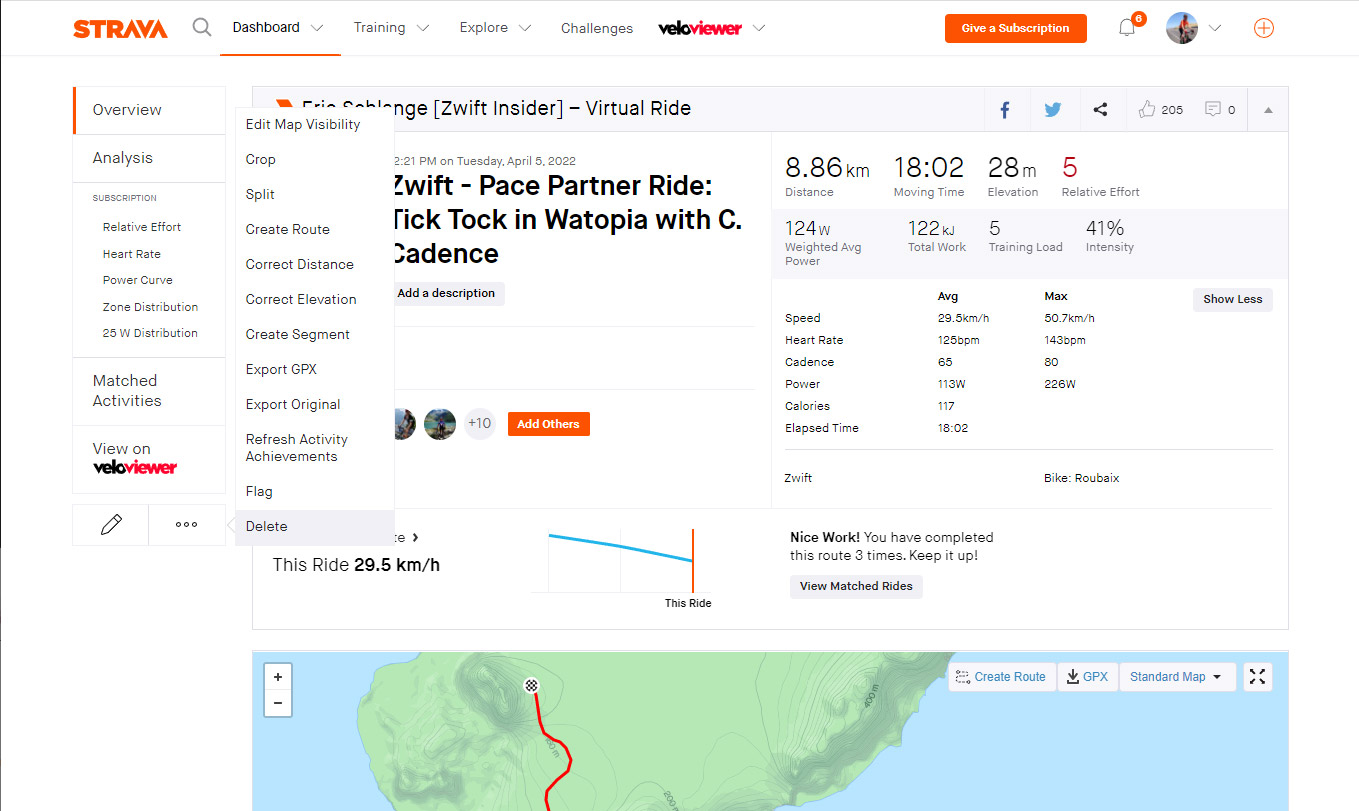
Strava has a “Refresh Activity Achievements” option in its desktop version. Logically, this would do the trick. But it doesn’t!

And you used to be able to change the activity type to something else, like Surfing, then back to Virtual Ride, to force a refresh. But that doesn’t work anymore.

Nope. The only ways to reliably force Strava to match your activity to newer segments are:

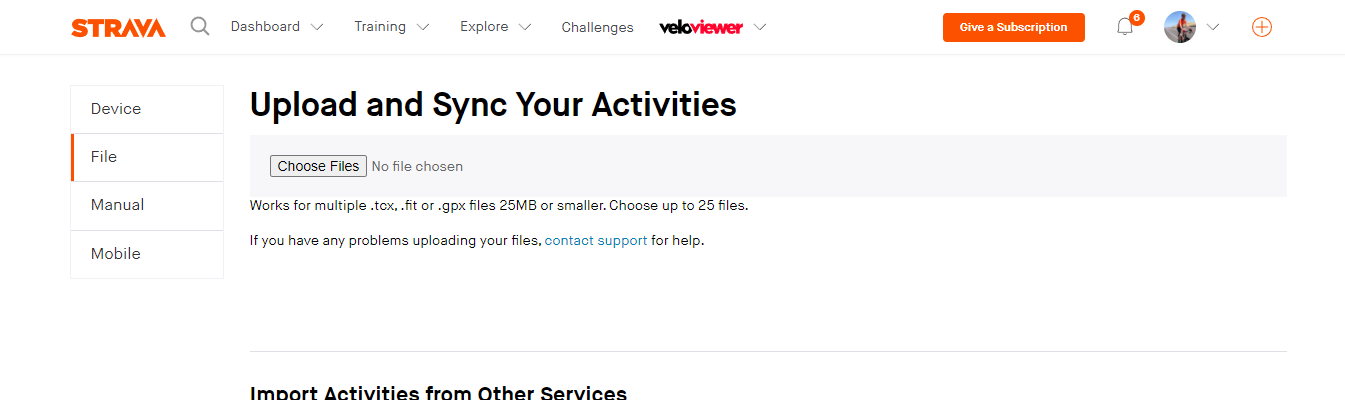
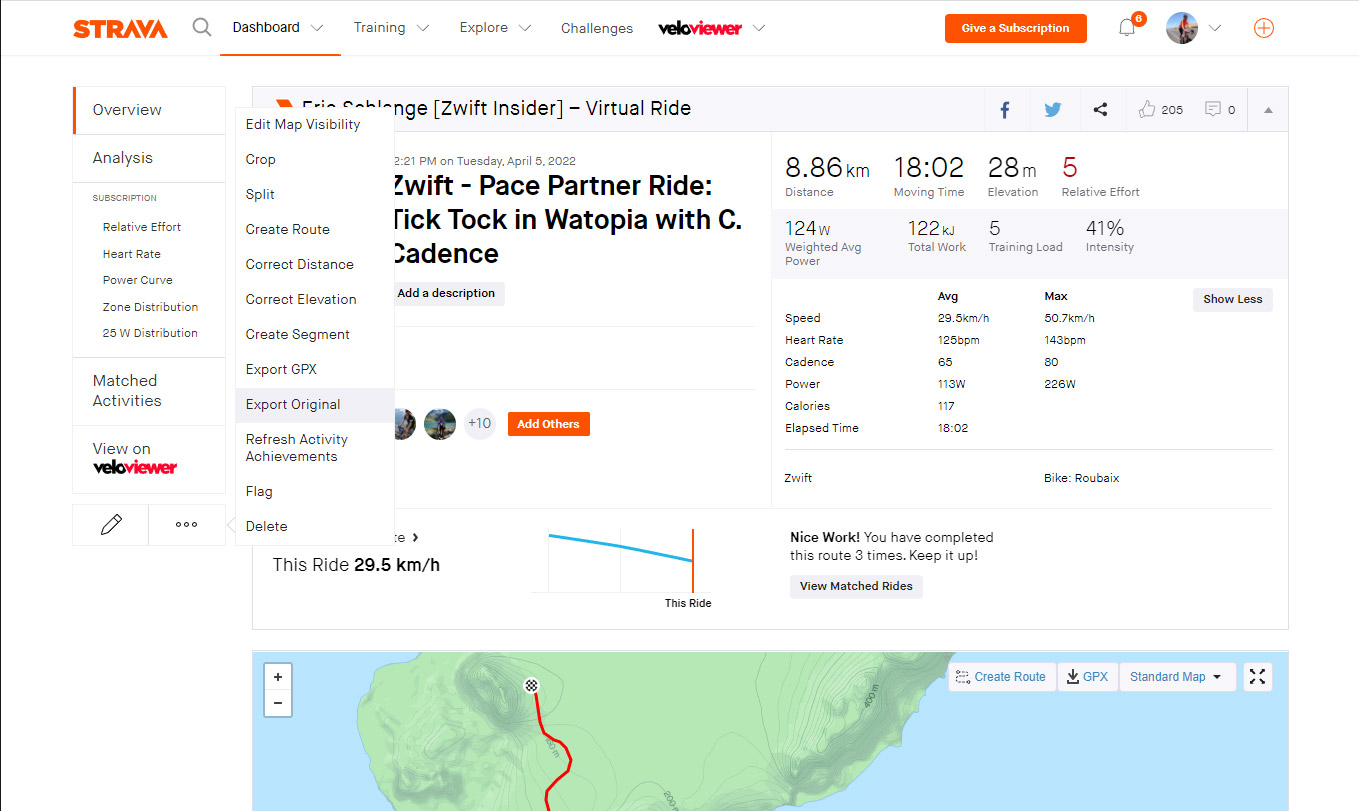
  1. Re-upload your activity. This is best done via your web browser.
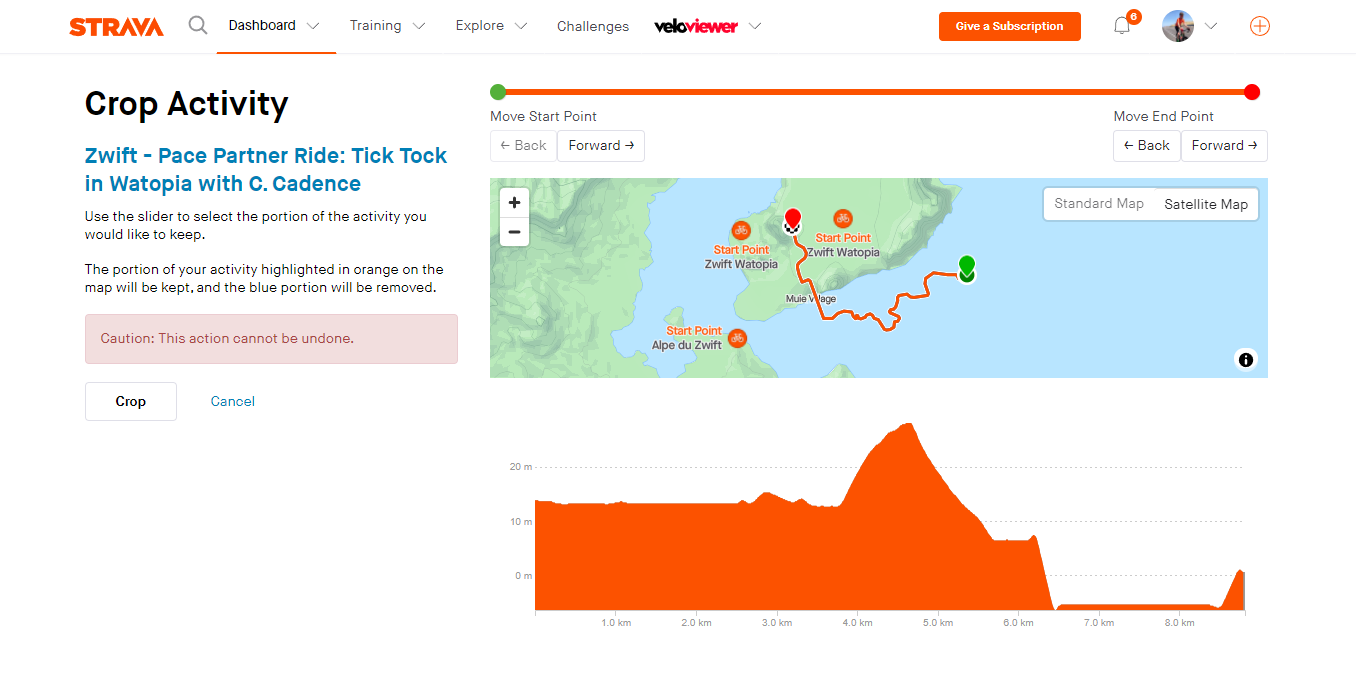
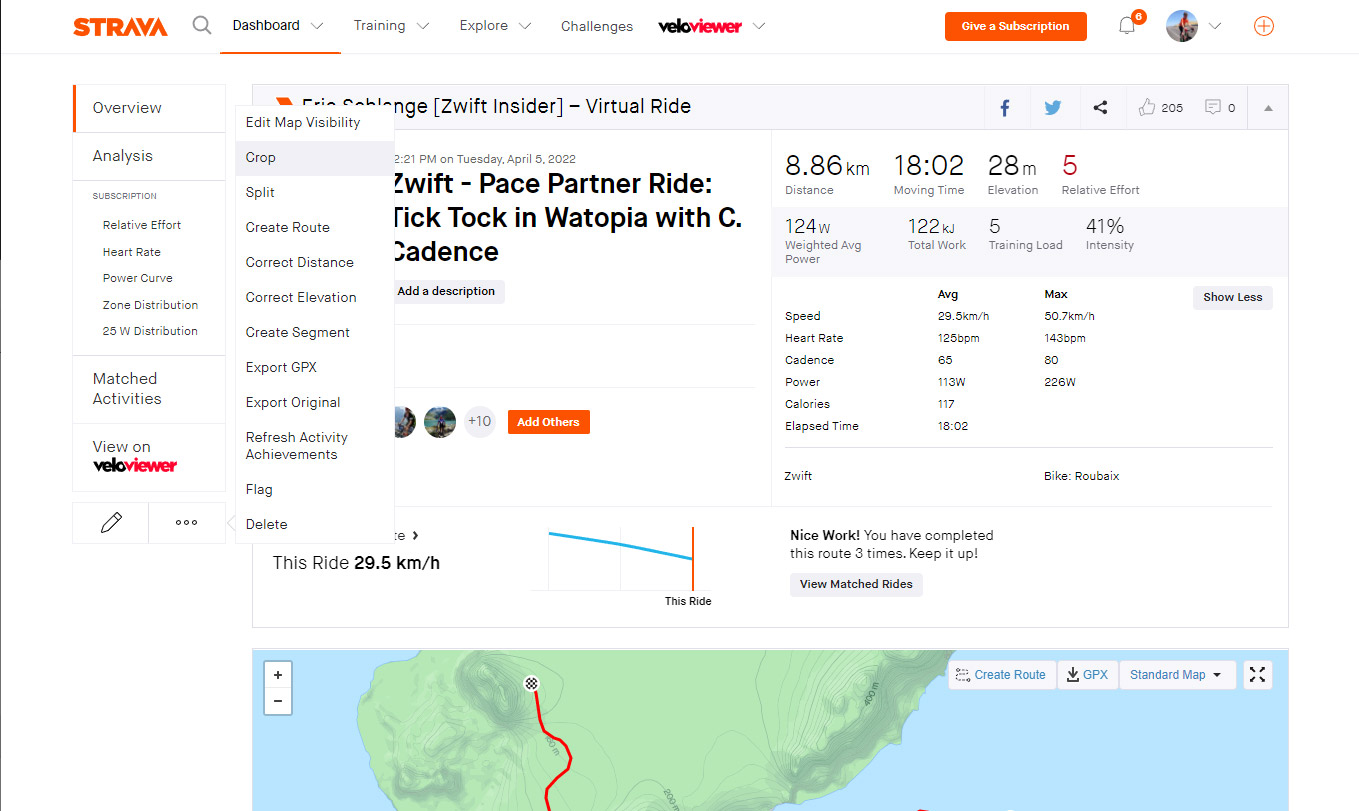
  2. Crop your activity. This can be done easily via the smartphone app or desktop browser version. Just shorten your activity by 1 second, save the change, and presto! (This is the easiest solution, in my opinion).

Here are some screenshots showing how to do each of these via your web browser:

Re-upload Your Activity:
Cropping Your Activity:
Questions or Comments?

Share below!

Global Bike Festival Series Announced

Global Bike Festival Series Announced

Global Bike Festival is a unique long-weekend cycling experience hosted by the world’s largest cycling and mountain bike channels (GCN, GMBN, and EMBN) June 16-19, 2022. Held in the heart of the Austrian Alps, it’s a 4-day celebration of everything road, mountain, gravel, and electric mountain biking!

Zwift has partnered with GBF to hold a series of Zwift events which celebrate all things cycling while helping you prepare for the main event! Here are the details…

Schedule of Events

Group rides and workouts will take place every other week until the end of May:

  • Wednesday social rides, every other Wednesday, with special guests. Tomorrow’s kickoff event is hosted by Andre Greipel!
  • Group workouts every Thursday. These workouts are “taken straight from GCN presenters’ workout folders, including Si Richardson, Dan Lloyd, and Tom Last.”

See upcoming rides at zwift.com/events/series/global-bike-festival

Prizes

Complete one of the GBF events for a chance to win two VIP packages to the event for you and a friend including:

  • Festival weekend ticket
  • Four nights of B&B accommodation in the four-star Saalbacher Hof hotel
  • Airport transfers from Munich or Salzburg
  • Access to the VIP area at the wrap party on Sunday

Prize package worth up to £700. Travel to Munich or Salzburg not included. Terms and conditions

Exclusive Race

Finishing any of the events also earns you access to an exclusive racing event with GCN. (Final details to be revealed in the coming days.)

Questions or Comments?

Share below!

Rebel Route: Epic Loop

Our newest Rebel Route is a climber’s dream: a loop that begins atop the Epic KOM, descending down to the bypass road, cutting across, then climbing up. It’s a great route if you’re looking to do some ~20-minute sweetspot intervals.

About Rebel Routes

“Rebel Routes” are Zwift rides not available on Zwift’s routes list, thus requiring manual navigation.

See all rebel routes >

The reward for your rebel ride? Exploring a new route, knowing you’ve gone where few Zwifters have gone before. And a Strava segment rank in the tens or hundreds instead of the thousands! They are included as a separate category on our Veloviewer Route Hunter leaderboard.

Route Description

This route begins with a tough lead-in from downtown Watopia to the top of the Epic KOM forward. Once you hit the KOM banner (~14.3km into your ride, after 433m of climbing!) the actual Epic Loop Rebel Route begins.

You’ll start by descending most of the Epic KOM Reverse before turning right onto the Epic KOM Bypass ride. This beautiful newish stretch of Watopian tarmac runs along the cliffside, offering splendid views to your left.

Turn another right at the end of the Bypass and you’re on the Epic KOM climb. Hammer your way to the banner, and your loop is finished.

Then you can decide if you want to do it all over again!

Profile

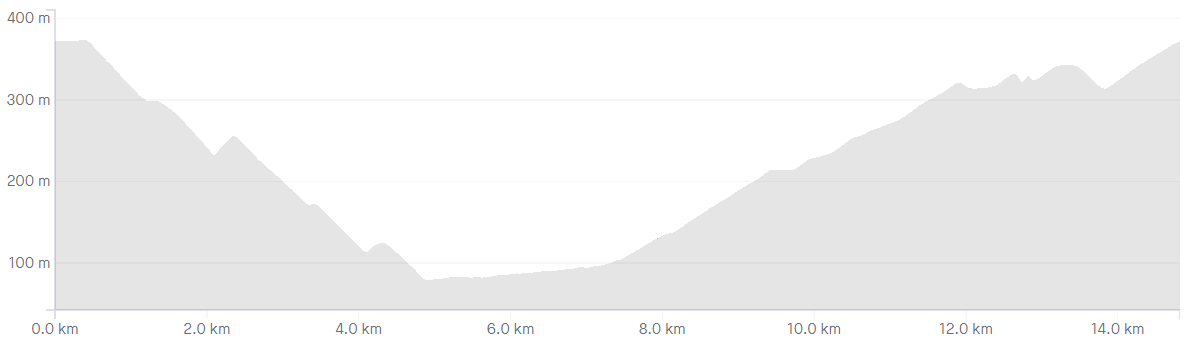
This route is essentially a long descent followed by a flat, finishing with a long climb. Repeat as many times as you’d like!

Getting Started + Lead-In

The easiest way to get onto this loop is to choose “Mountain Route” from your Watopia route options. This will properly route you up the Epic KOM in the correct direction. Once you’ve passed through the Epic KOM banner, the Epic Loop route (and the need for manual navigation) begins!

Turn by Turn

Here are the turns you’ll need to make to successfully complete the Epic Loop, beginning by selecting Watopia’s “Mountain Route” and riding up to the Epic KOM banner:

  1. Right (Straight) to KOM Descent
  2. Right to Epic KOM Bypass
  3. Right to Epic KOM

Route details:
Distance: 14.4km (9.2 miles)
Elevation Gain: 378m (1,240′)
Lead-In: 14.3km (9 miles), 433m (1,421′)
Strava Segment

Rebel Route Suggestions

Got an idea for a great rebel route? Share it below and maybe we’ll publish a post about it!

Top 5 Zwift Videos: Blindfolded Racing, Voluntary Upgrades, and Clubs

In this week’s Top 5, three racers go looking for a challenge. One of them does a race blindfolded, and two more try racing above their normal category. Zwift racing itself can face some difficulties, and one Zwifter highlights a confusing one. Finally, get a good breakdown of how the new clubs feature works, in case you missed Shane Miller’s useful video.

Can I Win an Indoor Bike Race on Zwift… BLINDFOLDED?

Scott (KOM Hunt TV) has been doing so well in Zwift races that he bet Ed Laverack he could win one blindfolded. With Ed as his guide and DS, he dons a blindfold for a Crit City race. We’re wondering what this sort of guidance could do for a sight-impaired racer!

Zwift Race Upgrade – Exactly How to Race Up a Level

Brian Davis focused on a key tip from a Zwift racing expert to see if he could race up a category. Watch to see how it went!

Zwift Race – Can I Keep Up With The A Category?

Another racer, Giorgio Coppola, races above his usual level to see just how well he can do.

Zwift Racing’s Biggest Challenge

What you see happening on Zwift is not always what others see, and Jonathan Crain explores how this presents a challenge in racing.

ZWIFT Clubs How-To: Cycling Club Creation // Memberships // Events

In case you missed it, in this video, Shane Miller gives the details of Zwift’s Clubs feature and how to use it.

Got a Great Zwift Video?

Share the link below and we may feature it in an upcoming post!

Fly Watopia: Going Fully Off Road via Repack Ridge

Fly Watopia: Going Fully Off Road via Repack Ridge

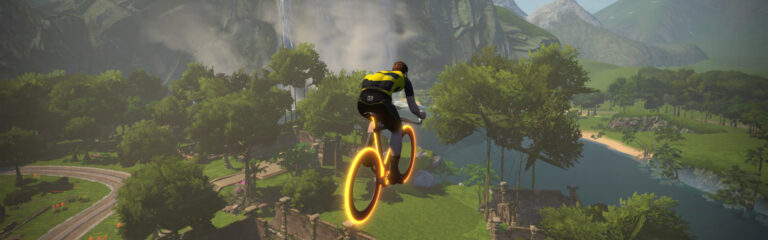
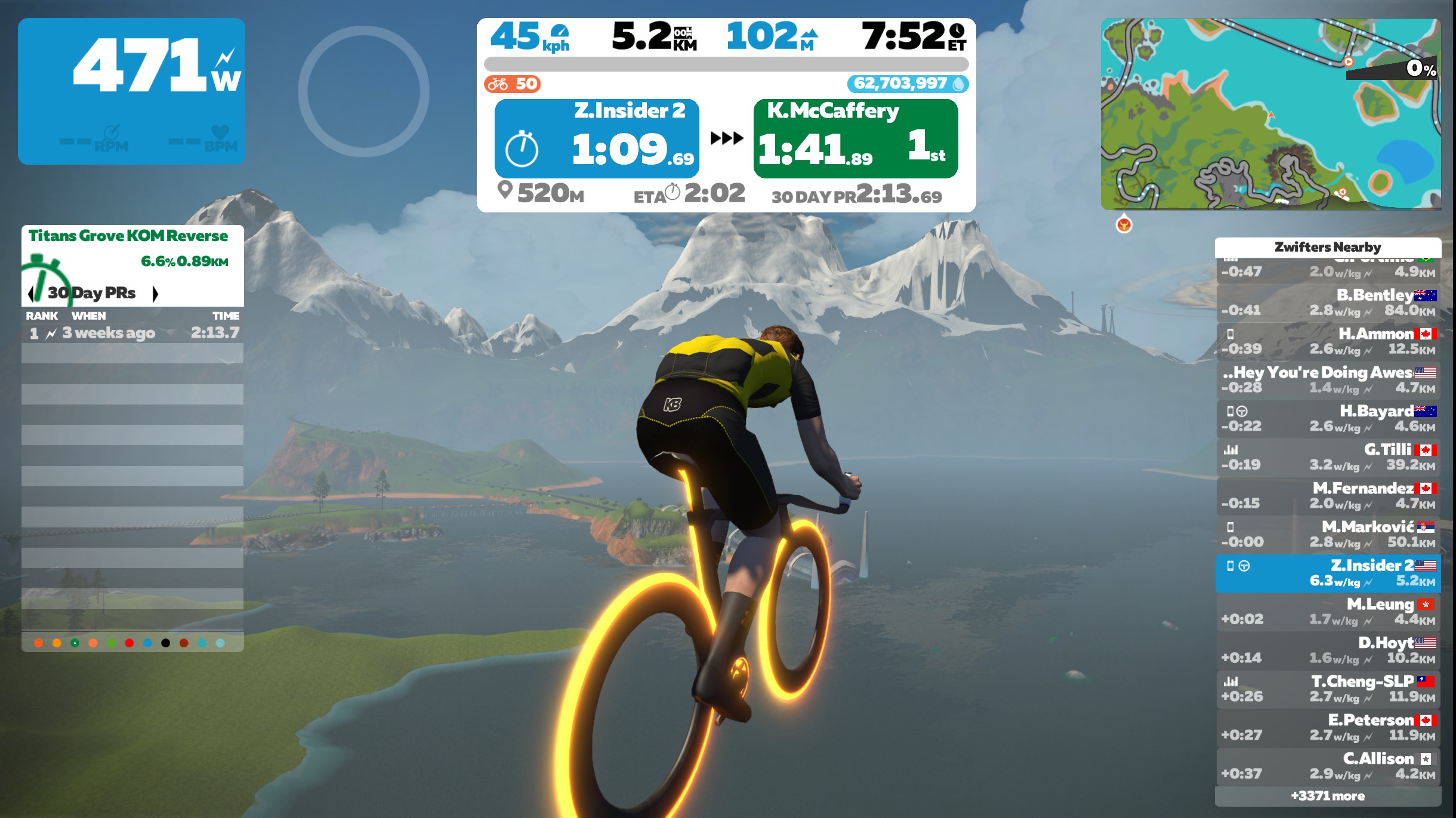
Have you ever wanted to see Watopia from above? To get a bird’s eye view of the place? Thanks to a months-old Zwift bug, it’s easy to do.

The Backstory

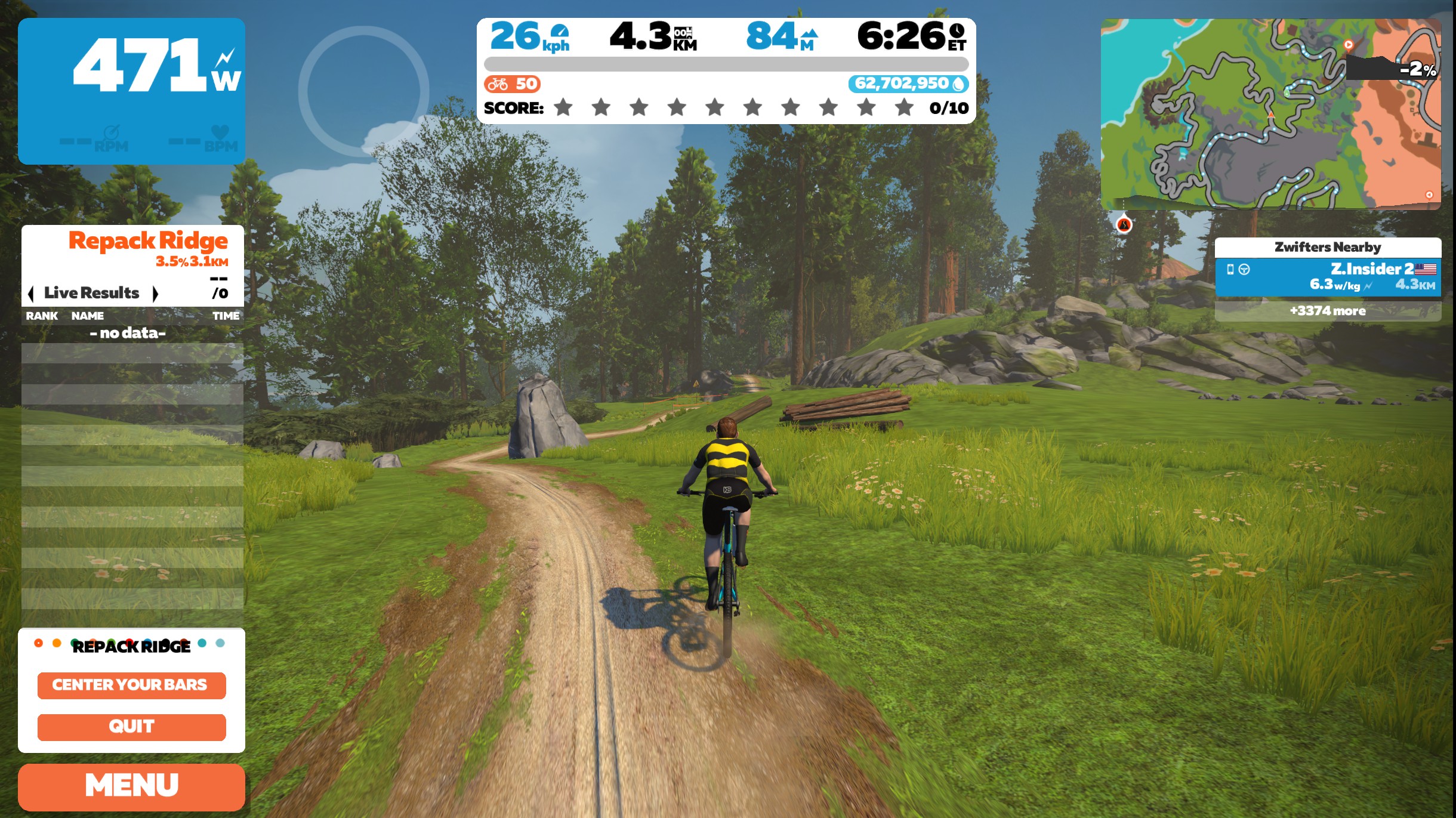
Over the past several months we’ve been hearing reports of Zwifters launching their bikes into the sky near Repack Ridge. Some riders said it happened when they finished the route, others said it happened when they chose to quit mid-route.

So we jumped on and gave it a try. Lo and behold, it’s easy to go full-ET in Watopia!

How It Works

Getting airborne is simple (at least on a Windows PC, which is the only place we’ve tested this bug):

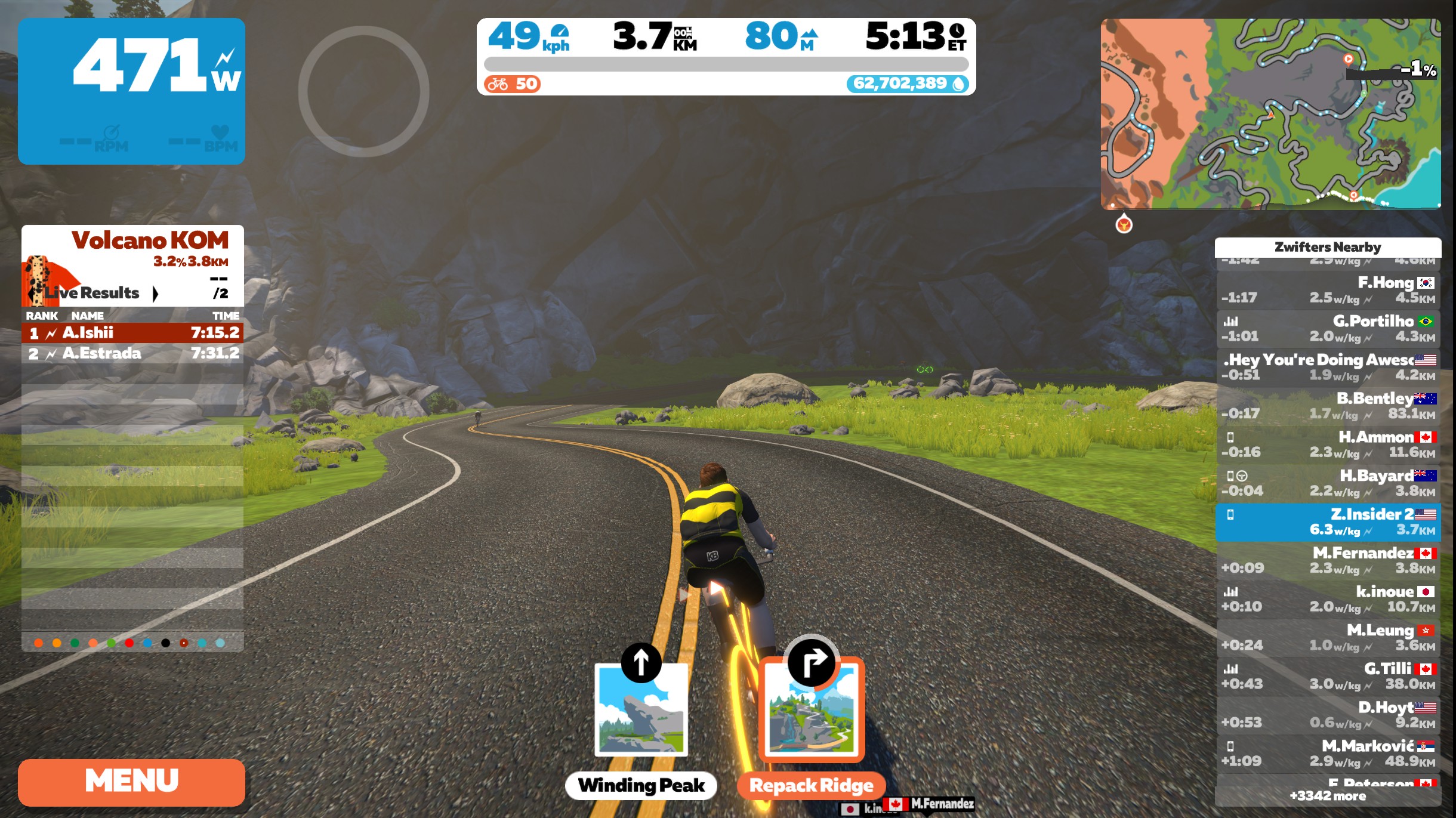
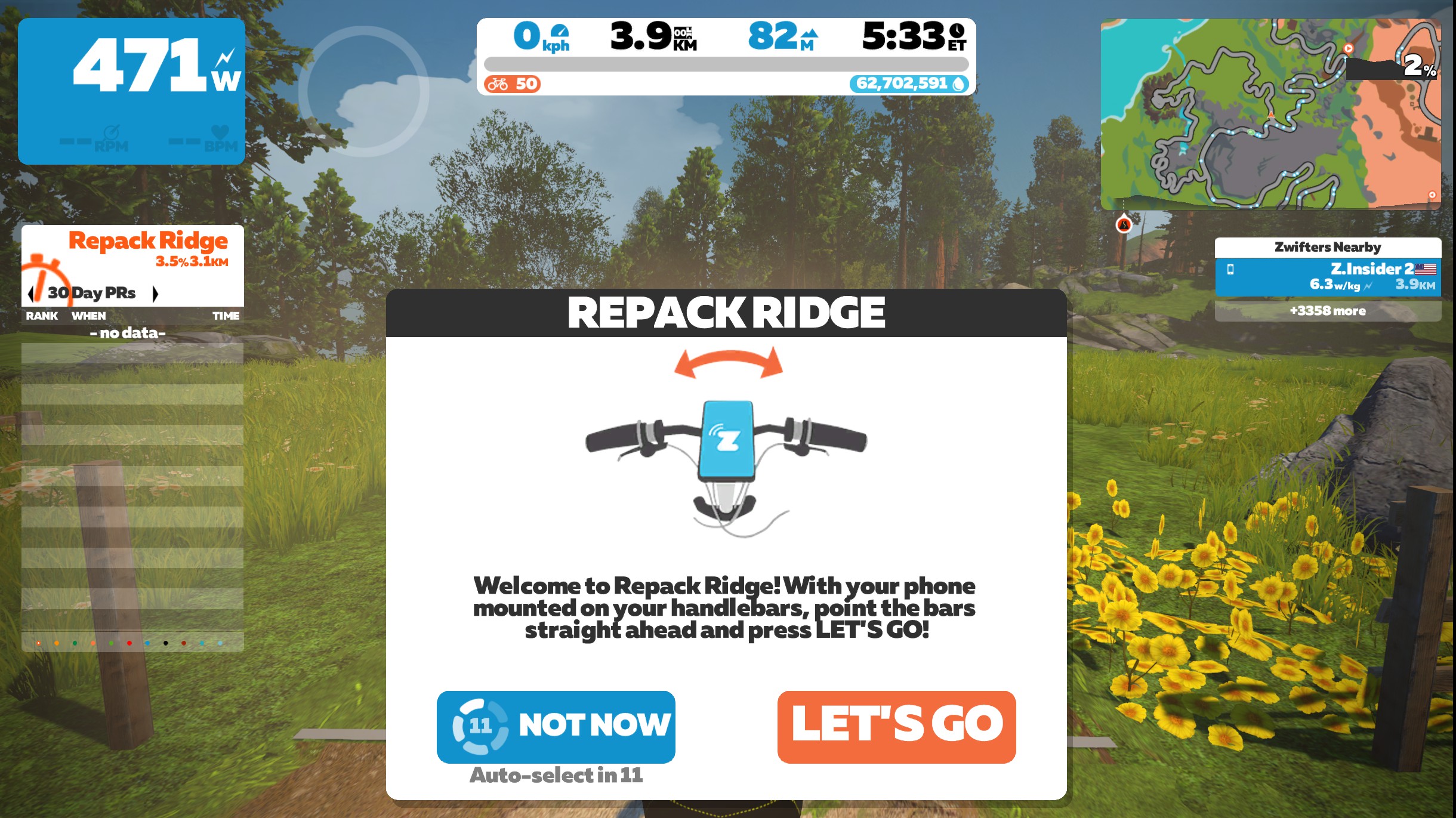
  1. Navigate to the Repack Ridge trailhead (instructions here). Make sure your Companion app is paired to your ride session, otherwise the game won’t give you the option to turn. (Having a steering device connected may also work, but when we tried it with the KICKR bike’s steering enabled it didn’t let us fly.)
  2. Click “Let’s go” at the trailhead, wait for the countdown, then start riding.
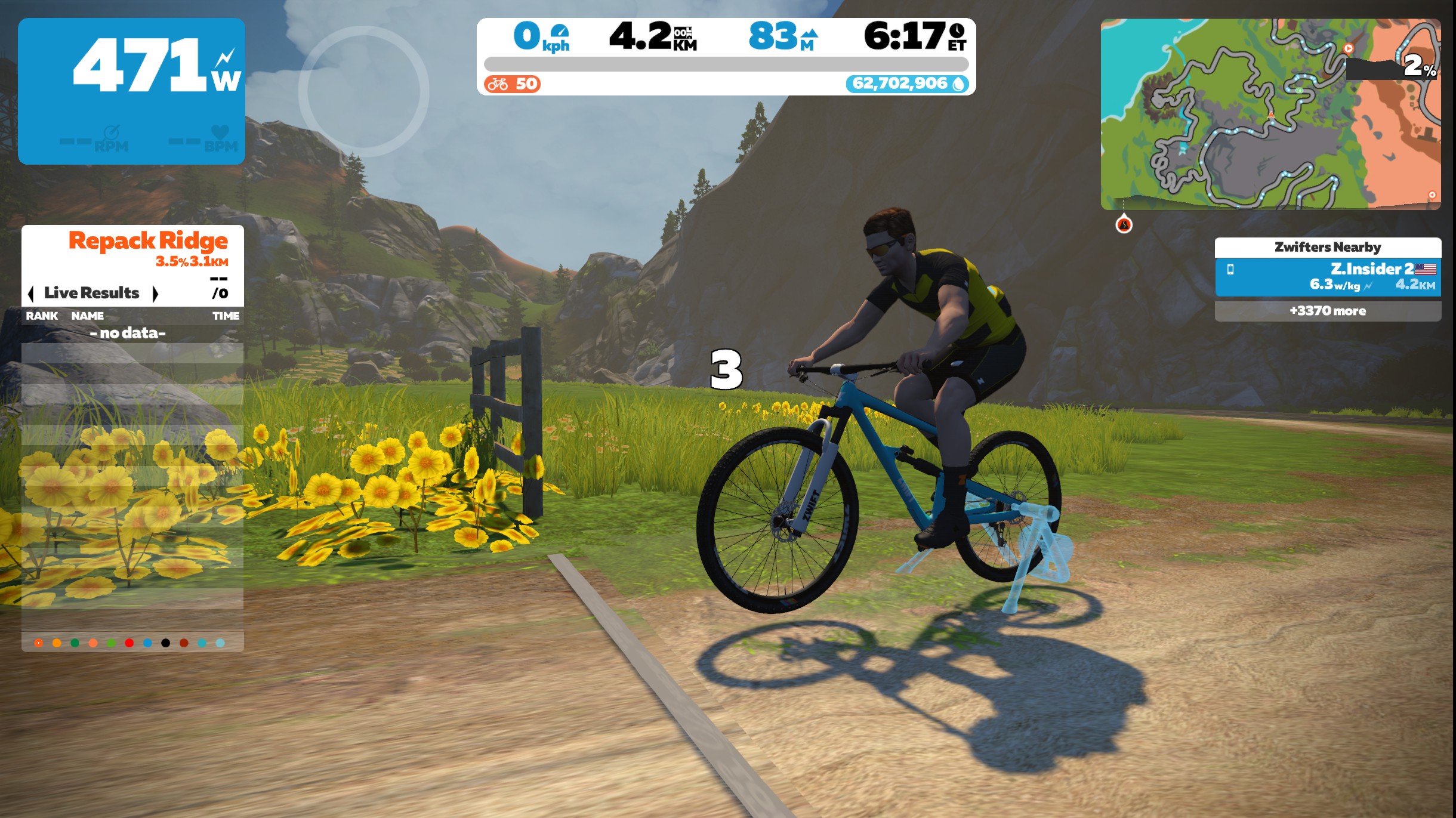
  3. Click “Quit” at the bottom left. This puts you back on the paved road, but at this point it seems your avatar is “off the rails”.
  4. Start pedaling, and your rider should travel straight off the road and into the sky!

Short test flight video:

Fly At Your Own Risk

We have to put a disclaimer here, of course: any time you purposely “activate” a software bug, unintended consequences may occur. That may include Zwift behaving oddly in terms of the data it records, visuals it shows, or how the game behaves. For example:

  • You have no control over the direction of your rider once you’ve quit Repack Ridge. Your avatar just travels straight ahead, with your speed varying based on your power.
  • Even after saving our ride to Strava and starting a new activity, our avatar was taken off course. We had to start an activity on another map, then go back to Watopia, for things to reset and begin routing properly again.
  • If you ride far enough, the minimap turns black. Eventually you may get turned around (on the edge of the map?) to ride back toward mapped Watopia.
  • On one test flight, we were bounced back to Watopia from the edge of the map, then landed on the road in Titans Grove and were locked back onto the tarmac like a typical ride. That’s right: we stuck the landing!
  • Go far enough and you’ll see some weird graphics as you ride straight through mountains, etc. Suspended roads, flying trees and rocks… some scenes feel like you’re on the set of Avatar.
  • Any friends trying to fanview you may get an odd view. They may also have odd things happen to their own avatar or Zwifting experience.

Fly at your own risk, ya freakin hacker!

A Safe Bug

We thought about keeping this bug under wraps, but it’s a fun bug without any real downside. (That is, it doesn’t let people cheat in races, give you unrealistic speeds, or impact other Zwifters’ enjoyment of the game.)

So we thought it was worth sharing, for the adventurous few who may want to take to the skies before Zwift fixes this bug.

Your Thoughts

Have you tried this, perhaps on a system other than Windows PC? Share your experience below!


Couples Special: Ash Gentle and Josh Amberger (Zwift PowerUp Tri Podcast)

0

Matt Lieto and Sarah True are joined by tri power couple Ash Gentle and Josh Amberger to discuss Josh’s recent Visa nightmare and what their 2022 race schedules look like (complete with wedding planning!) 

About the Podcast

The Zwift PowerUp Tri Podcast is hosted by former pro triathlete Matt Lieto and Zwift Academy Tri mentor Sarah True. Both are passionate about lending their in-depth knowledge of the multisport to the Zwift Tri audience.

All About Erg Mode Power Smoothing On Wahoo KICKR Trainers

All About Erg Mode Power Smoothing On Wahoo KICKR Trainers

One question we see popping up regularly from Zwifters goes something like this:

“I just upgraded from my Wahoo KICKR Snap to (insert non-Wahoo trainer model here). I’ve noticed my power in workouts is must more sporadic now, bouncing up and down but never staying on the target power. Is there a problem with my new trainer?”

Or some sort of reverse version has also been seen:

“I just upgraded my trainer from (insert non-Wahoo trainer model here) to a Wahoo KICKR. I’ve noticed that the KICKR’s power in workouts is nice and steady. Super impressed.”

So what’s actually happening here? Let’s dive in…

Intro To Wahoo’s “Erg Mode Power Smoothing” Feature

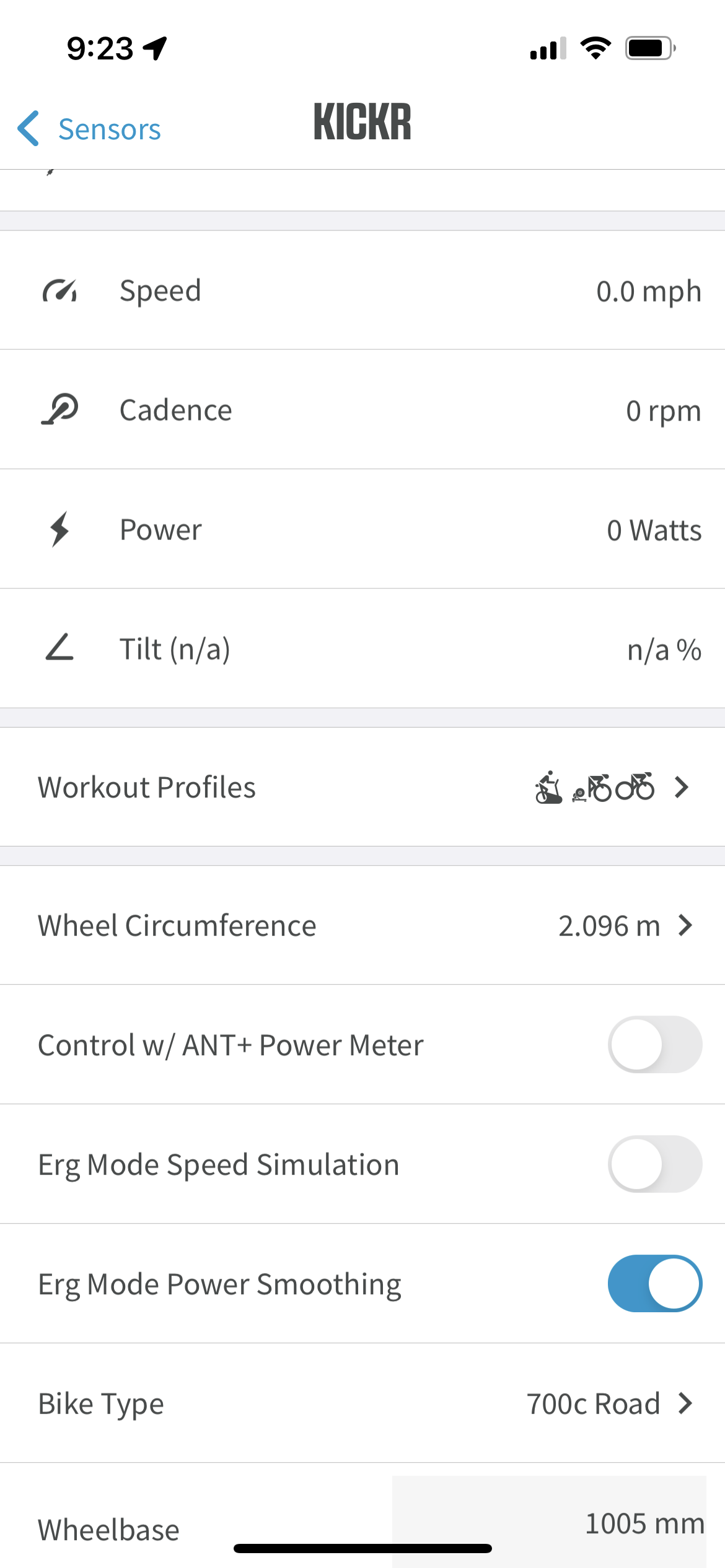
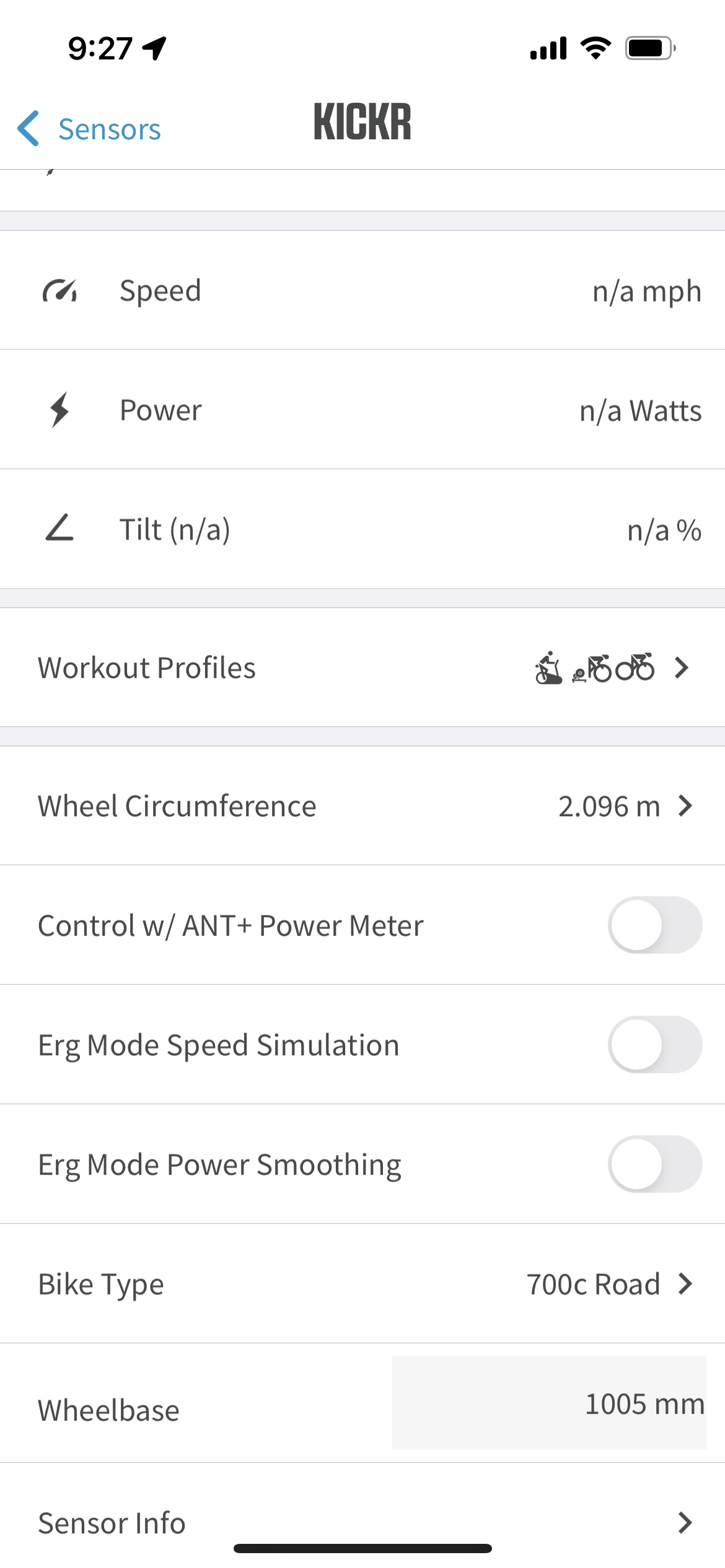
Wahoo’s smart trainers include a feature called “Erg Mode Power Smoothing” which is automatically enabled out of the box. It can be toggled off and on easily via the Wahoo app:

What does this feature do? According to Wahoo’s support page, “this setting enables smoothing reported power to eliminate small inconsistencies in pedal strokes, making power graphs appear less erratic. Enabling is a personal preference, will not impact overall trainer functionality, and is not required.”

About Power Smoothing

Power “smoothing” refers to displaying or reporting your average power vs your instantaneous power. You might set your bike computer to display a moving 3-second power average, for example, instead of instantaneous. Bike computers typically offer a wide range of options from 3 seconds up to 20 minutes.

This averaging or “smoothing” results in less of the spiky power numbers which naturally occur due to an uneven pedal stroke, power readings being taken at varying places in the pedal stroke, and generally less-than-rock-steady pedaling behavior.

Smoothing is a feature found in essentially all devices and software which display cycling power. Zwift, for example, lets you choose between “3 sec” and “Instant” power in the main settings menu.

The crucial thing to understand about power smoothing on a display device is that it doesn’t affect your recorded power numbers. It just affects their display as you ride. But that’s not the case with Wahoo’s power smoothing.

Here’s Shane Miller with a quick visual description of what Wahoo’s Erg Mode Power Smoothing does to your workout data:

More On “Erg Mode Power Smoothing”

Wahoo’s Erg Mode Power Smoothing feature is toggled on and off on the trainer itself, so it actually changes the power numbers sent to Zwift (or any other device). That’s right: it’s not just changing the way your numbers appear. It’s actually changing the way your trainer reports power.

There’s a case to be made that enabling this feature is a good thing, which of course is why Wahoo enables it by default. It keeps your on-screen power numbers nice and steady, making it appear as though you’re holding rock-steady power in your workout intervals. It feels clean and accurate.

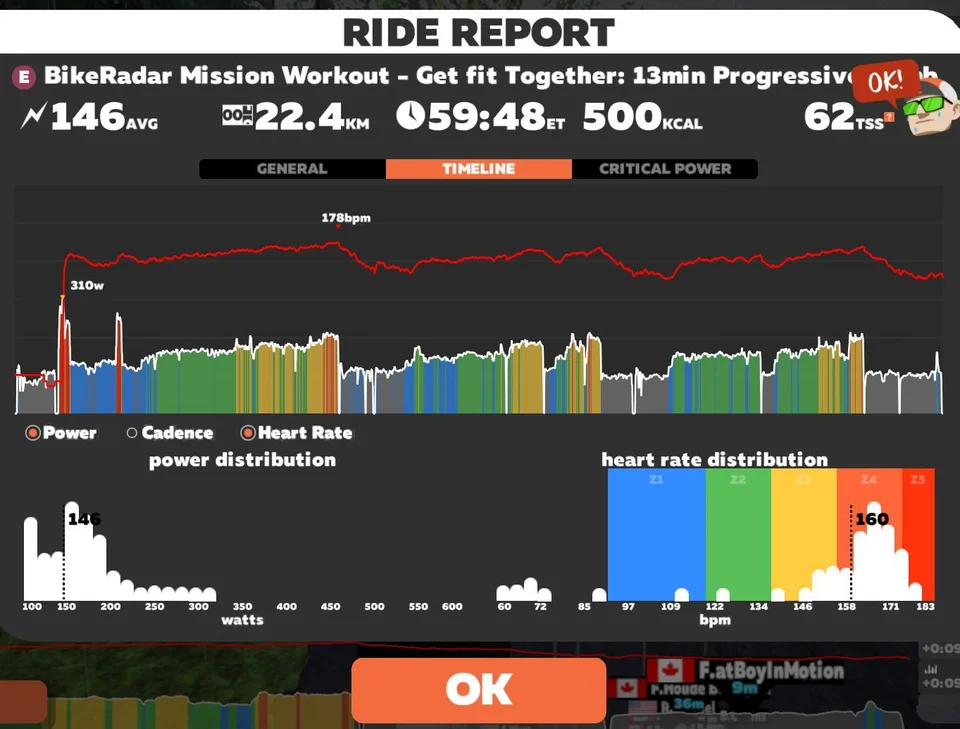
Workout Graphs Without Erg Mode Power Smoothing

On the other hand, enabling the feature means your trainer isn’t reporting instantaneous power accurately to Zwift. And that can be a bit annoying, especially if you’re a data nerd (and many of us are).

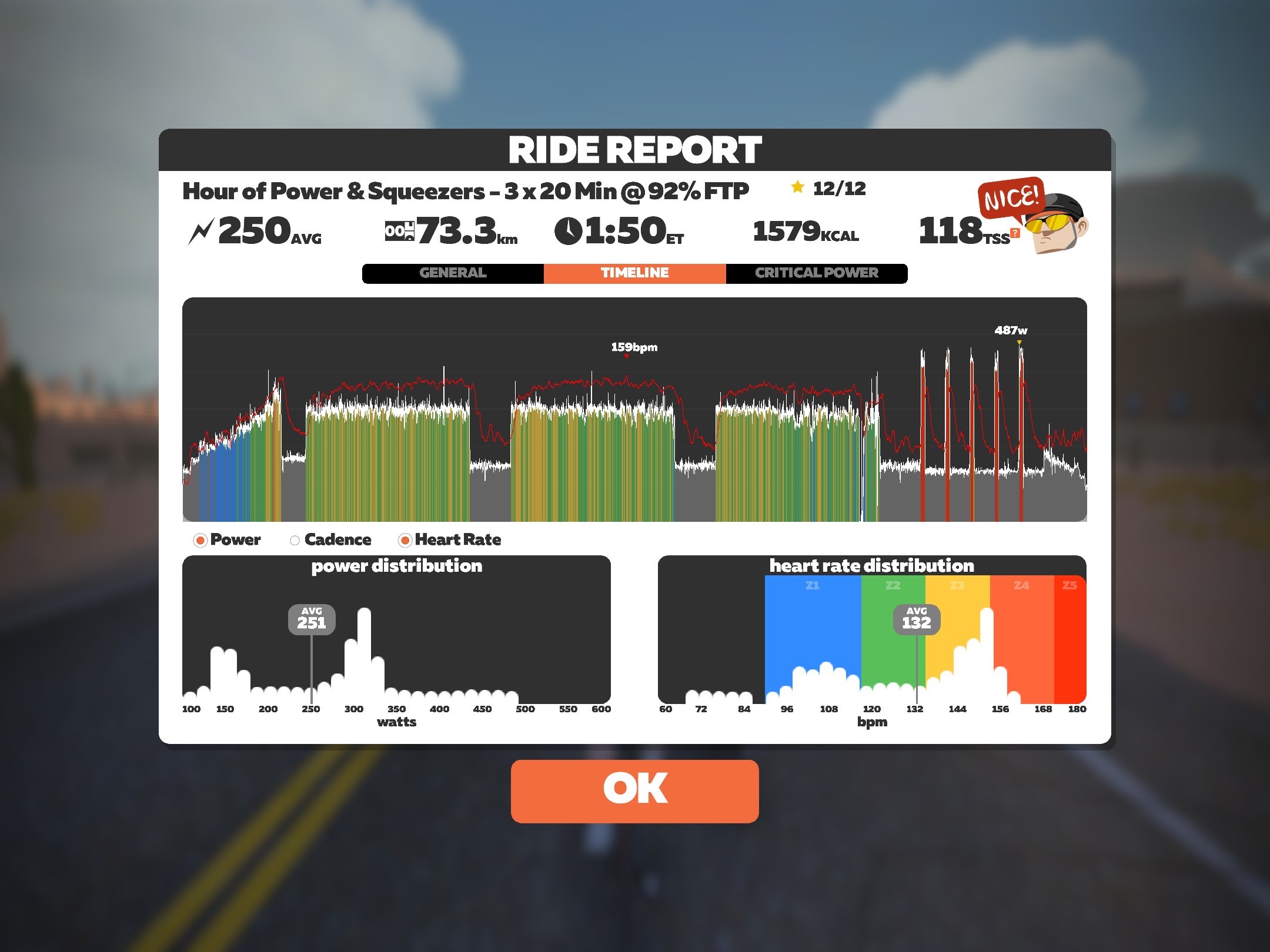
Workout Graphs With Erg Mode Power Smoothing

We aren’t sure how exactly Wahoo’s power smoothing feature works. Is it as simple as reporting, say, 5s average power? Perhaps.

But my main goal today was to shed some light on Wahoo’s Erg Mode Power Smoothing option, so people can disable it if desired. And I wanted to put you at ease if you’ve noticed your power looks more erratic now that you’re on a trainer without this feature. Don’t worry – as long as your trainers are accurate, you’re doing the same work as before. It just may not look as “smooth”.

Questions or Comments?

Share below!

Team Electric Spirit Co. Aperitivi Race Series Begins Tomorrow

0

Team Electric Spirit Co. Aperitivi Race Series Begins Tomorrow

Want to preview each week’s Zwift Racing League course – or just enjoy a fun weekend race? Join Team Electric Spirit Co. for a fast and furious race series every Saturday!

Each week racers will take on a shortened (where possible) version of that week’s ZRL course, making it the perfect chance for a little aperitivo for those racing on Tuesday. Whether you want to race for prizes, group ride with your club mates, or hang back at the start and use it as a chance to practice your TTT with your team, all are welcome.

Things are kept simple, with all categories starting together. First past the post wins, and the powerups enabled match those used for that week’s ZRL races.

There’s also an overall race series leaderboard where your best 5 results from the series count, with points allocated based on finishing position.

The Races

Race are held at 4pm UK time (11am EDT/8am PDT) every Saturday. The courses mirror the ZRL schedule.

Points Mean Prizes

Courtesy of Electric Spirit Co., prizes will be given away to overall and individual race winners. As the sponsor is an alcohol brand, prizes will only be given to over 18s with UK shipping only, you may be asked to verify your age before getting your prize.

Winners will be announced on the Facebook page shortly after the race, please get in touch with Electric Spirit Co. via Facebook to get your prize.

Series points will be allocated based on finishing positions, and your best 5 finishes will count for series points.

See league leaderboard on ZwiftPower >

Top points scorer for men and women will get 50% off a bottle of gin at www.electricspirit.co. If the winners are from North America they will receive a free Team Electric Spirit cap instead.

To keep things interesting they’ll also have some wildcard prizes up for grabs in some of the races, more details before each race!

Rules

Race organizers are trying to keep things as simple as possible but also “very strongly believe in fair racing and will stand for no silly stuff.” Everything will be run as per standard Zwiftpower rules for category limits etc. so please make sure you are familiar with them.

  • You should enter your usual mixed category. All pens will start together, first past the post wins and all powerups will be enabled.
  • Final results will be posted in Zwiftpower, so you must have an account to be counted in results and series standings.
  • Zpower riders are welcome to join but will not count in the official results.
  • All riders must use a HRM to count in official results.

If you enter in the right category, with accurate equipment and race fairly then you will have a great time, if you want more details on exact rules and requirements then please refer to the race details on Zwiftpower, or just ask.

Questions or Comments?

Post below!


Zwift Replaces Fuego Flats Tarmac with Gravel

101

Zwift Replaces Fuego Flats Tarmac with Gravel

From the editor: now that April 1 has passed, we’re adding a note here to let you know that yes, this was an April Fools’ Day post. But we’re keeping it up posterity… and because we think it’s fun.

Watopia’s Fuego Flats desert is the fastest ride in Zwift thanks to its long, flat stretches of pavement. But Zwift knows there are more important things than speed, and they’re always working to stay on top of cycling trends.

So it was no surprise today when Zwift announced their latest road construction (or in this case, deconstruction) project: swapping out Fuego Flats’ smooth tarmac for chunky, slower-rolling gravel.

Zwift CEO and Co-Founder Eric Min, clearly excited about the development, explained, “There aren’t many gravel roads in my part of the UK, and living in New York city’s concrete jungle didn’t give me access to them either. So I’m thrilled at the prospect of experiencing more gravel in Watopia!”

Tests and Trends

Zwift had tested the new gravel roads in stage 4 of Tour of Watopia, and Zwifters clearly enjoyed the ride, turning out in huge numbers to ride repeated loops of the new Handful of Gravel route. Apart from a few complaints about Neo’s road feel on the new surface (which Zwift says will be addressed soon), Zwifters seemed happy with the new gravel experience.

Gravel riding has grown hugely popular outdoors, especially in the US where races like UNBOUND Gravel and the Belgian Waffle Ride attract thousands of participants annually. As more riders choose to trade car-filled highways for quiet gravel IRL, Zwift is betting they’ll want to do the same virtually. In fact, Zwift’s March update included the Garmin UNBOUND Gravel Training Program which launches the week of April 11th.

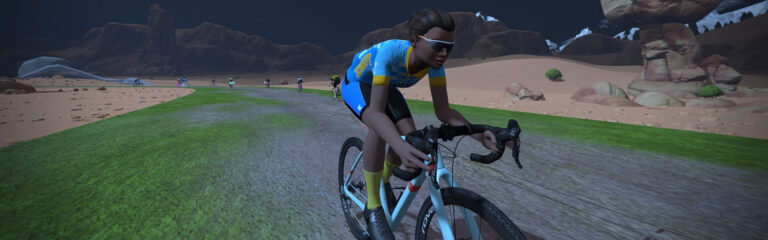
Here’s a video snippet of the new road surface through the town of Saddle Springs:

Return To Roots

It’s not all about trends, though. Gravel is really what Fuego Flats was meant to be.

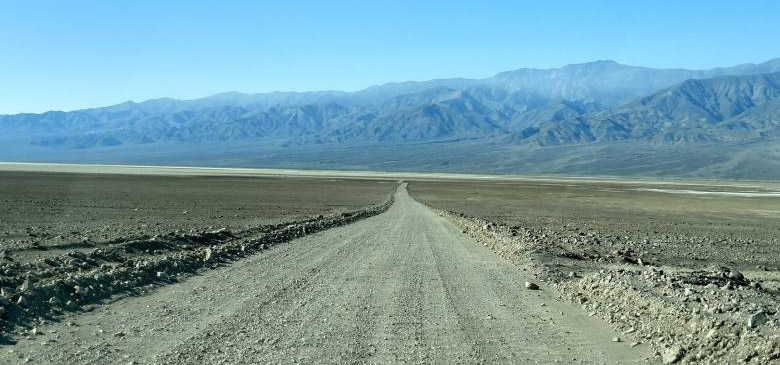
“Fuego Flats was actually modeled after California’s Death Valley,” explained Jon Mayfield, Co-Founder of Zwift and original developer of the game. “I only paved it because I wanted a fast place to ride my 2am virtual TTs. But here a few years later, it makes sense to swap out that tarmac for the gravel Death Valley is known for.”

One of Death Valley’s many gravel roads

Slowing to Smell the Roses

Discerning Zwifters know that each road surface rolls differently in game, with gravel rolling resistance (Crr) being higher than tarmac. That means this swap from pavement to gravel will slow Zwifters down on popular routes like Tempus Fugit and Tick Tock.

Lead Game Designer Wes Salmon acknowledged that some Zwifters may not like the slower virtual speeds. (It may prove especially irksome to the C. Cadence cruisers who like to sit in with the pace partner and rack up lots of easy miles in the draft of a large peloton.) “But training isn’t all about mileage,” explained Wes. “We think the journey itself is the most important part of the Zwift experience – especially the sites we see and friends we meet along the way. Just keep turning those pedals over. You’ll get their zoon enough.”

This view was echoed by Mark Cote, Zwift’s Senior Director of Content Programming. He told us, “It’s a hectic world out there, and studies show there are real health benefits to slowing down and waving to friends and elusive roadrunners a bit more often. We think these new gravel roads will help Zwifters do just that.”

Questions or Comments

What do you think of Zwift’s road swap? Is gravel better than tarmac? Share your thoughts below!


Join an April Fool’s Day Event on Zwift

21

Join an April Fool’s Day Event on Zwift

This is our 8th April Fools’ Day on Zwift, and each year ZHQ has come up with something fun for the community. Last year we were big wheeling, in 2020 we were transported to 1989, and in 2019 we were burning rubber. The year before that it was Paperboy. In 2017 we had big heads, 2016 gave us the old-timey effect, and in 2015 we rode big wheels on Jarvis.

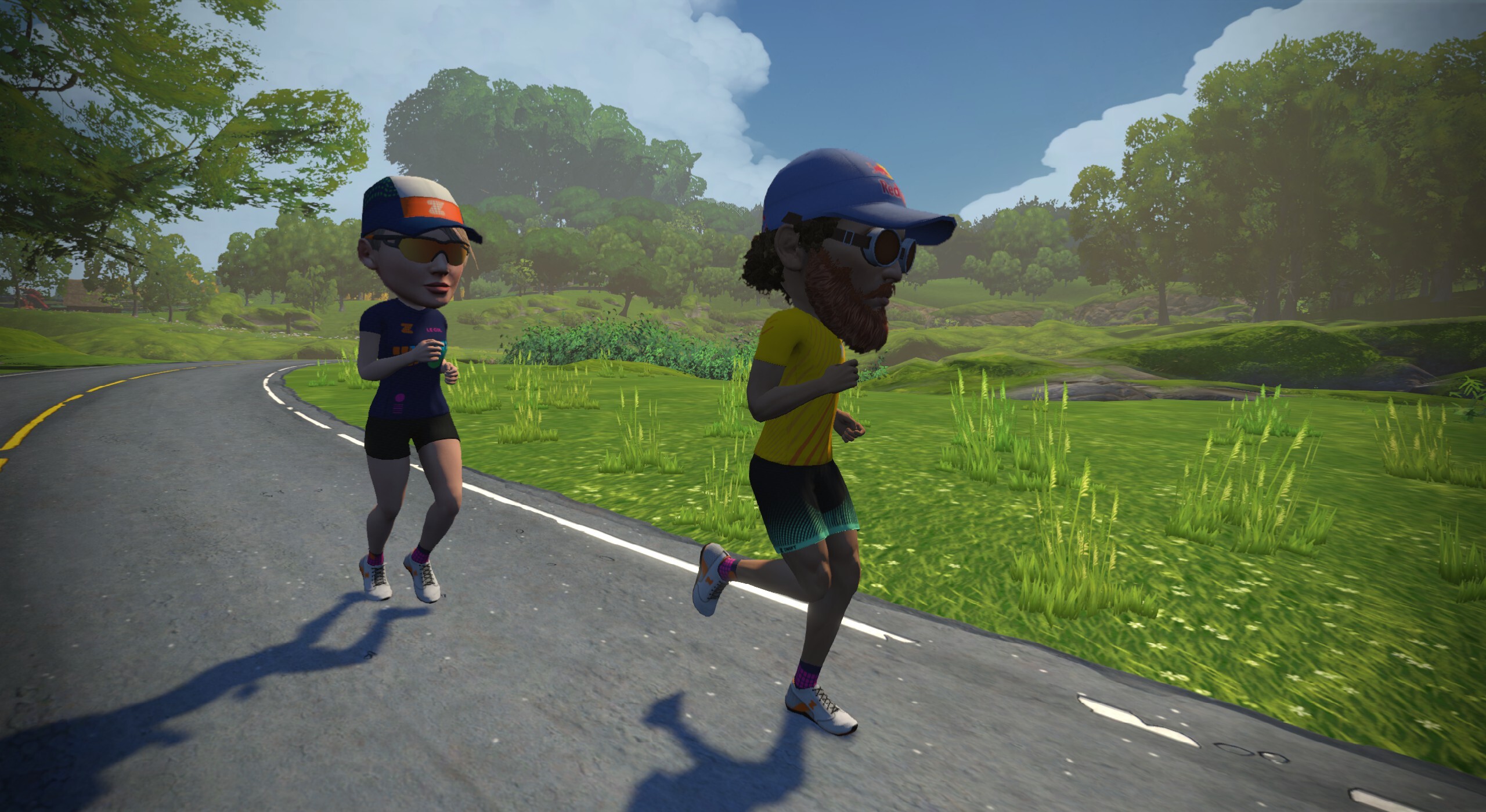
This year Zwift has brought back the big heads from 2017. Here’s how they look:

Event-Only

In past years, the April Fool’s joke was applied to every Zwifter. This hasn’t always gone over well, because some poor souls simply aren’t up for all the silliness. So this year, Zwift decided to create a series of April Fool’s Day events, and have the silliness be confined to those events.

Fair play, we suppose, but it sort of takes the sting out of the “pranky” nature of April Fool’s Day when we have to join the events ourselves. They could have at least pointed all Zwifters to this helpful orientation video >

Regardless, if you want to laugh at yourself and others having giant heads, you’ll need to join one of the April Fool’s Day Runs, Rides, or Chase Races. They begin at 12:20am GMT Friday, April 1 which is 8:20pm EDT/5:20pm PDT Thursday, March 31. Enjoy!

See the full list of events at zwift.com/events/tag/aprilfools >

Questions or Comments?

Did you take part in a big head April Fool’s Day event? Did you have a good laugh? Share below!