In this week’s top 5 Zwift videos Ryan Condon, a beginner on Zwift, talks through his mistakes in Zwift Insider’s very own Tiny Race Series. Additionally, we feature the live stream of the Olympic Esports Series on Zwift, a video about FTP tests, a race where the rider told his opponents when he was attacking, and a bodybuilder’s experience on Zwift.
How NOT to race on Zwift!
Ryan Condon, a newer rider on Zwift, recently tackled the Zwift Insider Tiny Race Series. As he recaps each of the races, he comments on where he made mistakes and where he can improve for the next time.
Olympic Esports Series | Finals | Cycling x Zwift
In case you missed it, Zwift recently hosted the Olympic Esports Cycling Series where top riders from around the world gathered to race on Zwift. Watch all the action in this live stream!
First Zwift FTP Test | Why do one?
Max from The Watt Life recently took on his first-ever FTP test. In this video, he talks through his test, analyzes his result, and talks about why you should do one.
Telling Competition When I Am Attacking
In his latest video, Jake Sanderson tells riders when he is going to attack and sees if he can take the win.
Bodybuilder vs Zwift.. (It nearly killed me)
As someone who is on a mission to improve his fitness and gain strength, ThatGearGuy attempts a Zwift ride after recently purchasing a Stages Bike. While he tackles his Zwift ride, he talks through the app, training, and more.
Got a Great Zwift Video?
Share the link below and we may feature it in an upcoming post!
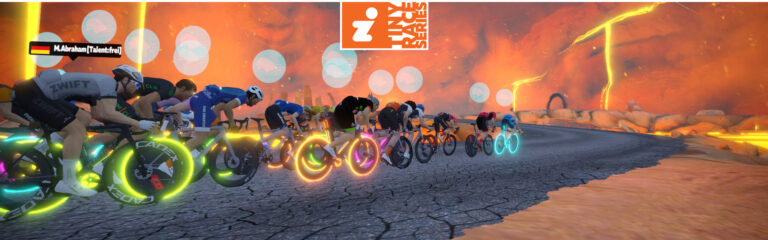
Tiny Race Series – July 8 Routes and Last Week’s Results
Last week’s races were Tour de France themed since they happened on the same day as the TdF’s Grand Depart (stage 1). B racer Lucas Johnston recorded his race while listening to the live TdF commentary – and he won the overall!
This week features a mix of route types from flat to rolling to a leg-snapping finish up Alpe du Zwift.
Here are photos so you can see the precise location of the custom finish line for race 2:
Approaching Road to Sky finishRoad to Sky finish
Race 1: Seaside Sprint (5.676 km, ends at Volcano Circuit arch)
This one is a bit of a roller coaster, starting on The Esses, down across the JWB sprint reverse, down the Dirty Sorpressa, then finishing inside the Volcano on one of Zwift’s most technical and challenging finishes. Lots of aero boost powerups will keep this fast and encourage attacks.
Powerup: Aero Boost
Race 2: Road to Sky (5.5km, ends partway up Alpe du Zwift)
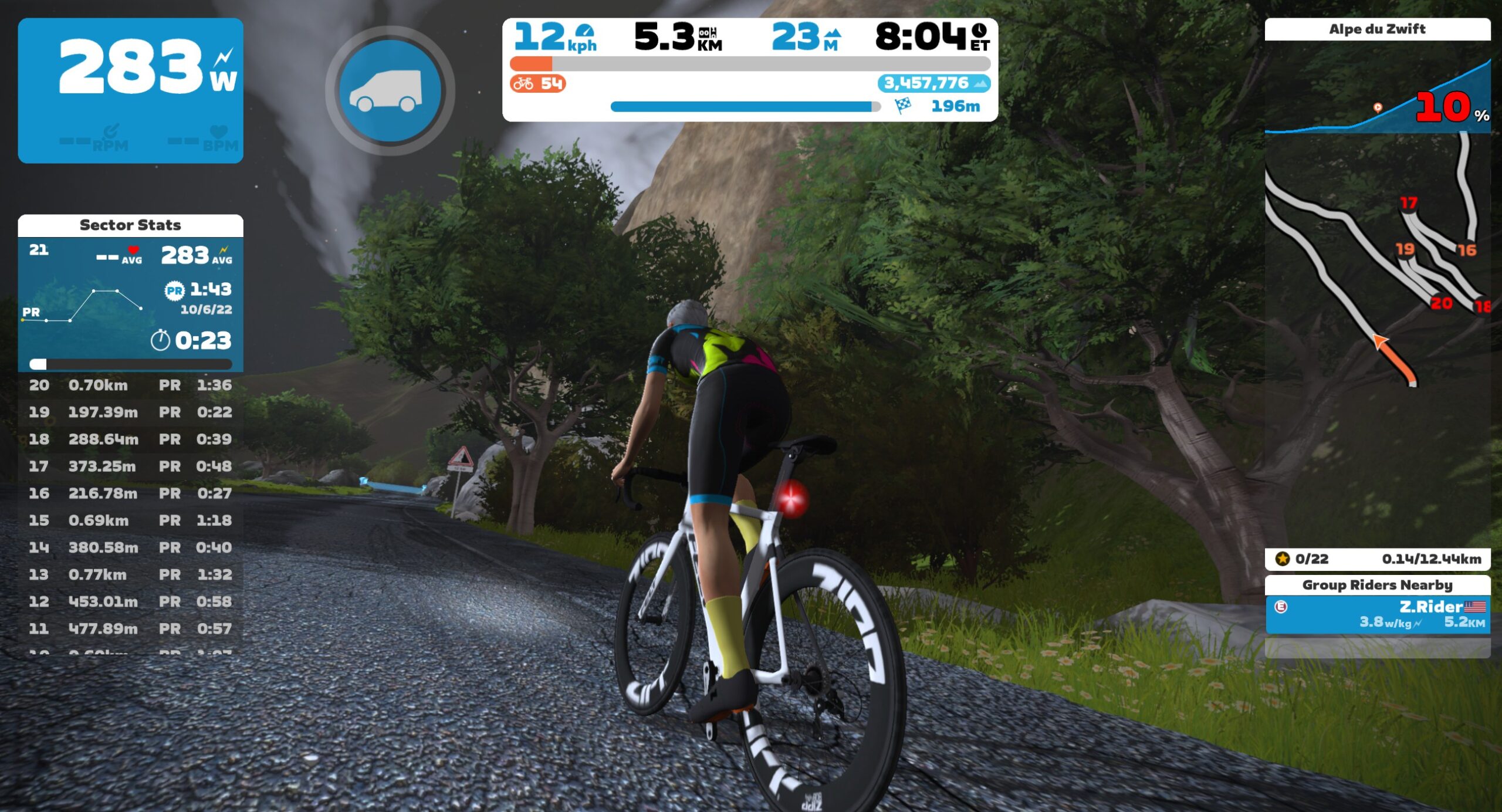
This will be interesting. A jungle dirt lead-in followed by 400m of Alpe du Zwift climbing. Do you choose a gravel bike, or a road bike? Depends on where you want to attack…
A rolling counterclockwise circuit of Central Park’s inner loop, this route has an uphill finish on Cat’s Paw Hill that requires timing and punch for the win.
Covering only the lead-in from the pens to The Mall Sprint banner, this route is quite flat apart from the quick Northumberland Ave climb to Trafalgar Square.
Zwift displays preliminary race results in game when you cross the line, but points are computed after all four races are finished, with final results on ZwiftPower. (We have to do some data processing on our side to compute results, so if your rankings don’t show up right away, be patient.)
Riders will earn points based on finish position in each of the 4 Tiny Races. The category winner of each week’s series is the rider with the most points across their timezone’s 4 races. Here are the links for each timezone’s results on ZwiftPower:
Tiny Race rules are simple, but still every week 7-10% of registered ZwiftPower racers get disqualified and removed from the final results. Don’t let that be you! Four races, four rules:
You must have a ZwiftPower account, because final results are processed by ZwiftPower (learn how to sign up)
No skipping then returning. These races are meant to be raced as a set of 4. If you need to leave early, that’s fine… but once you miss a race in your hour’s set of 4, don’t come back and race another or you’ll be disqualified from that race since you rested while others were racing! (Example: racing only races 1 and 2 is fine. Racing 1, 2, and 4 is not – you will be DQ from race 4. And if you race 2, 3, and 4, you’ll be DQ from all those races, since you skipped race 1!)
Heart rate monitors are required for podium finishers
ZPower/Virtual power is not allowed. Smart trainer/smart bike or power meter required.
Join a Chat & Chill Cooldown
Immediately following each hour’s racing, we’ve scheduled 30-minute “Chat & Chill” events where riders from all categories can spin their legs together and chat about how it all went down. Find them at zwift.com/events/tag/tinyraces.
Zwift Insider Kit Unlock
Finish any Tiny Race or a Chat & Chill ride and unlock the Zwift Insider “Ride Smarter // Ride Harder” in-game kit.
About this Week’s Steering-Required Races on Watopia’s Volcano Circuit
We’re now in our third week running a small set of “steering required” races to test what its like to race on Zwift when everyone can steer.
Last week’s events on the rollercoaster that is Scotland’s Glasgow Crit Circuit were fun and dynamic with all the categories racing together in a larger group. I recorded my race so you can watch me gut out 8x on the Clyde Kicker only to mess up the finishing sprint:
Rider feedback has been generally positive, with Zwifters telling us that the racing feels more “immersive” and “strategic”. When you can cut a corner for a more efficient line, change lanes to shake off a wheelsucker, or adjust your position for maximum draft benefit things suddenly feel more engaging and interactive.
This week we move to Watopia’s Volcano for a fresh course. See details below!
Schedule and Route
This 4-week series rotates to a different “steering-friendly” race course each week. For week 3 we’re on Watopia’s Volcano Circuit for 6 laps. The final 400m is a bit twisty, so steering efficiently may mean the difference between a win and a loss!
Every week has 3 race events scheduled on different days/times for maximum availability. Here are the signup links for this week’s events:
Wednesday, July 5: 12 pm PDT // 3 pm EDT // 7 pm UTC // 5 am AEST (Thursday) Sign up here >
Saturday, July 8: 11 am PDT // 2 pm EDT // 6 pm UTC // 4 am AEST (Sunday) Sign up here >
Sunday, July 9: 1 am PDT // 4 am EDT // 8 am UTC // 6 pm AEST Sign up here >
Rules and Results
These are simple scratch races, and each race is a standalone event. Category enforcement will be used, with all categories starting together.
A smart trainer or power meter is required to enter (no virtual power racers).
Since we don’t need ZwiftPower for special post-race results processing, final results will be available on screen as soon as you cross the line.
Steering Required
Steering is required to enter the start pens for these race events, so when you log in to the game to join the event, make sure you have your steering device connected. When the join event prompt appears, you can only enter the event if you have a compatible steering device connected.
Zwift Play is quickly becoming the most popular steering device on Zwift, but you can also steer with the Elite Sterzo, JetBlack Smart Turn Block, Elite Rizer, Wahoo KICKR Bike, and Tacx NEO Bikes.
Zwift’s Climb Portal opened at noon PST Friday, June 30th. Once it opened I went to work creating Strava segments for the new climbs and got most of them created within a few hours.
Now, just over three days later, I thought it would be fun to look at the segment stats for Zwift’s Climb Portal…
The Big Numbers
Here are some key summary numbers taken from the 8 France-based climb portal segments as of 1pm Monday, July 3:
Total elevation gain: 7,868,828 meters
Total distance ridden up climbs: 117,084 kilometers
Average incline (elevation gain/total distance): 6.7%
Total climb completions: 22,353
Elevation vs Climb Completions
Does the amount of climbing (elevation) affect how often a climb is done? Perhaps…
Cote de Pike is the expected outlier since it’s been the featured climb since the Portal launched. And the shortest climb in the Portal (Cote de Trebiac) is also quite popular.
But apart from those two climbs, there isn’t a clear trend showing that shorter climbs are more popular. It will be interesting to see how these numbers shake out in the coming months. My guess is that a climb’s popularity will have more to do with how Zwift surfaces it to Zwifters than anything else.
Total Meters, By Climb
Strava shows a total of 7.8 million meters climbed on the France Climb Portal segments so far. But which climbs account for which portions of that total?
Again, not surprising to see Cote de Pike with the largest percentage. Puy de Dome is a bit of a surprise with the second-most meters accumulated. As one of the longer climbs in the Portal, we wouldn’t expect it to be so much more popular than the other climbs. Does anyone have an explanation?
Hill Repeats
Climbers love their hill repeats, and it looks like many riders aren’t satisfied with just a single summit. Which climbs are riders repeating the most?
Col du Platzerwasel is the outlier here. Why so many more repeats than the other climbs? Perhaps one clue is that it has been completed less than any other climb. Our guess is that a handful of Platzerwasel fans (or bots) threw the numbers off a bit, and the numbers will event out more as time goes on.
Data Caveats
It’s important to add a few notes to this data:
This is Strava, not Zwift: these numbers don’t account for all rides on Zwift. They only account for rides Zwifters have uploaded to Strava, and around 70% of Zwifters have their account hooked up to Strava.
Climb completions, not climb attempts. The data in this post does not include activities where riders only climbed partway to the summit.
Missing historic data: a small number of climb completions may not be included in this data, since I wasn’t able to make all 8 Strava segments as soon as the Climb Portal went live. Strava is a bit weird about reading in past attempts for newly-created virtual segments, so I can’t promise summits uploaded before the segment was created are included in my data.
Only France: because Zwift maps your portal climbing to whatever world you start in (France or Watopia), we have to create two segments for each climb: one starting in Watopia, and one starting in France. The data in this post is only for the France segments, since we haven’t been able to create segments for all climbs in Watopia. (That said, Cote de Pike is the only climb that has been open in Watopia, and it has 6,696 attempts by 2,379 people as of the writing of this post!)
Strava Segments
Here are the 8 France segments used for the data in this post:
The Chasing Tour Series is well underway: the first year-long Zwift racing calendar ever organized on the platform (read all about it here). Tomorrow the biggest stage race of the series kicks off! Running alongside the Tour de France, Chasing Yellow is an 18-stage race where riders race daily between July 4-23, with just 2 rest days on the schedule.
Schedule Details
Each race is scheduled at 4 different times throughout the day, so you can find a slot that works for you. You don’t need to race the same timeslot each day.
Categorization is different than typical Zwift races, since the Chasing Tour is using the zwiftracing.app ranking system to provide categorization. Riders should sign up for the category that corresponds to their zwiftracing.app rank:
A: Platinum, Challenge, Champion, Grand Champion
B: Gold
C: Silver
D: Bronze
All categories will start at the same time and be visible to each other during the race. Categories are used at signup so riders can see their competition.
If you need help determining your category, see the CATEGORIES section of the Rules & Scoring page.
GC Competition
In addition to the individual race competition, Chasing Yellow (and all other stage races in the Chasing Series) has a GC competition:
Stage races evaluate a rider’s combined time over the course of multiple stages (race events).
In an effort time normalize times across multiple time zones a time gap system will be used.
The 1st placed rider in a race event will earn a time gap of 00:00:00s.
Each following rider’s time gap will be calculated as a difference from the first rider’s time (ie: +00:00:05s).
The time gap logic will apply to each race event time zone.
Riders will then be globally ranked based on their overall combined time gaps throughout the tour. The rider with the lowest overall combined time gap finishing in 1st.
If a rider misses a stage they are given the last finishing time for the stage.
Riders must complete the minimum required amount of stages within a GC competition to qualify for GC competition points. This is generally at least 80% of the stages.
Don’t worry if you miss a stage, riders still earn points from the individual race events they complete within a stage race.
Prizes
Tour sponsor The Breakaway will provide grand prizes for each main tour (Chasing Pink, Chasing Yellow, Chasing Femmes, and Chasing Red).
Additionally, each 8-week or all-time PR earned on The Breakaway during each tour will earn you a virtual ticket for a raffle at the end of that tour. The more PR’s you get, the more chances to win!
For each tour, three finishers will be selected at random to receive:
In the Zwift Hot Topic series, each week we’ll bring up a popular discussion, controversy, question, or creative idea in the Zwift community. We’ll share a couple of different perspectives, but we want to hear your thoughts, too. So read on and chime in below!
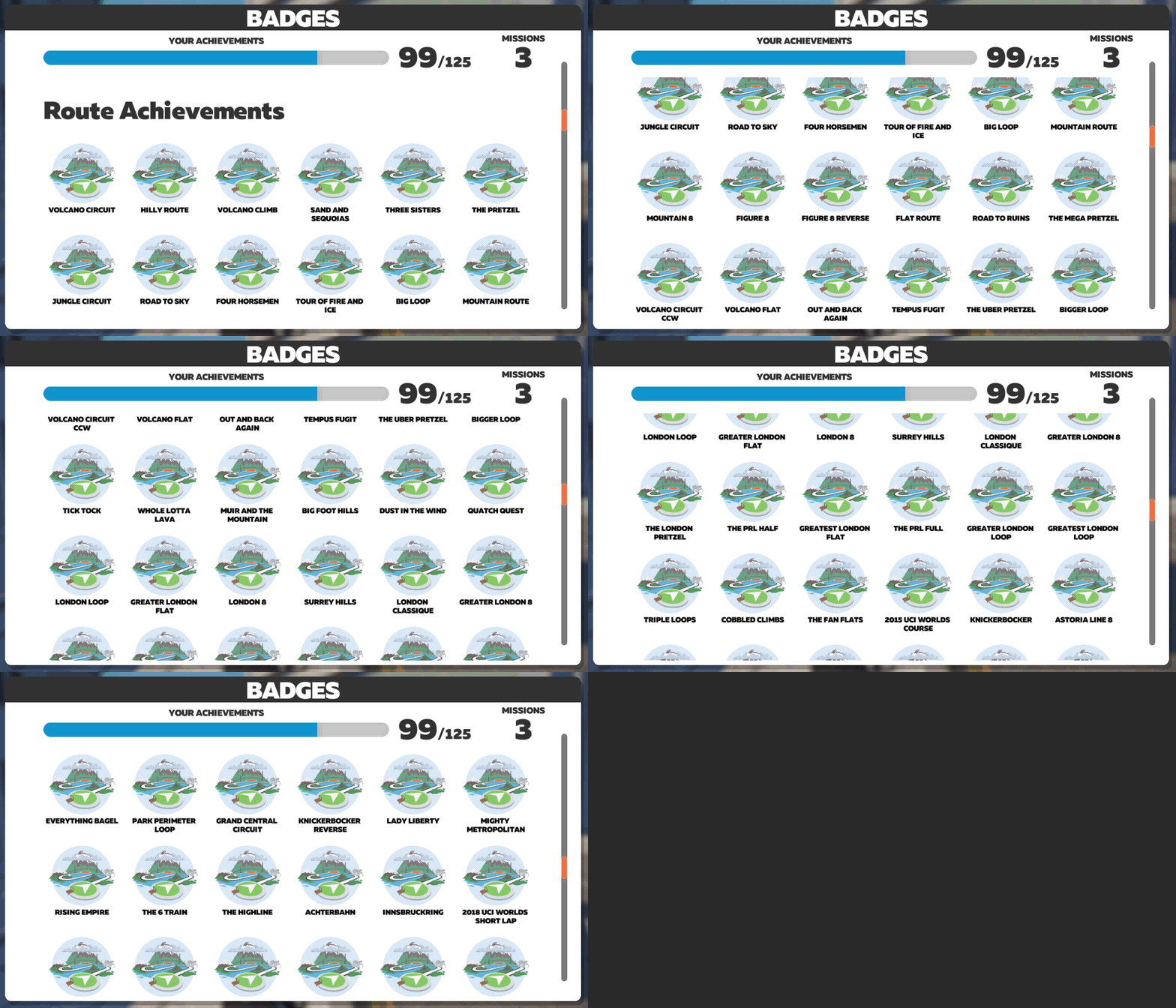
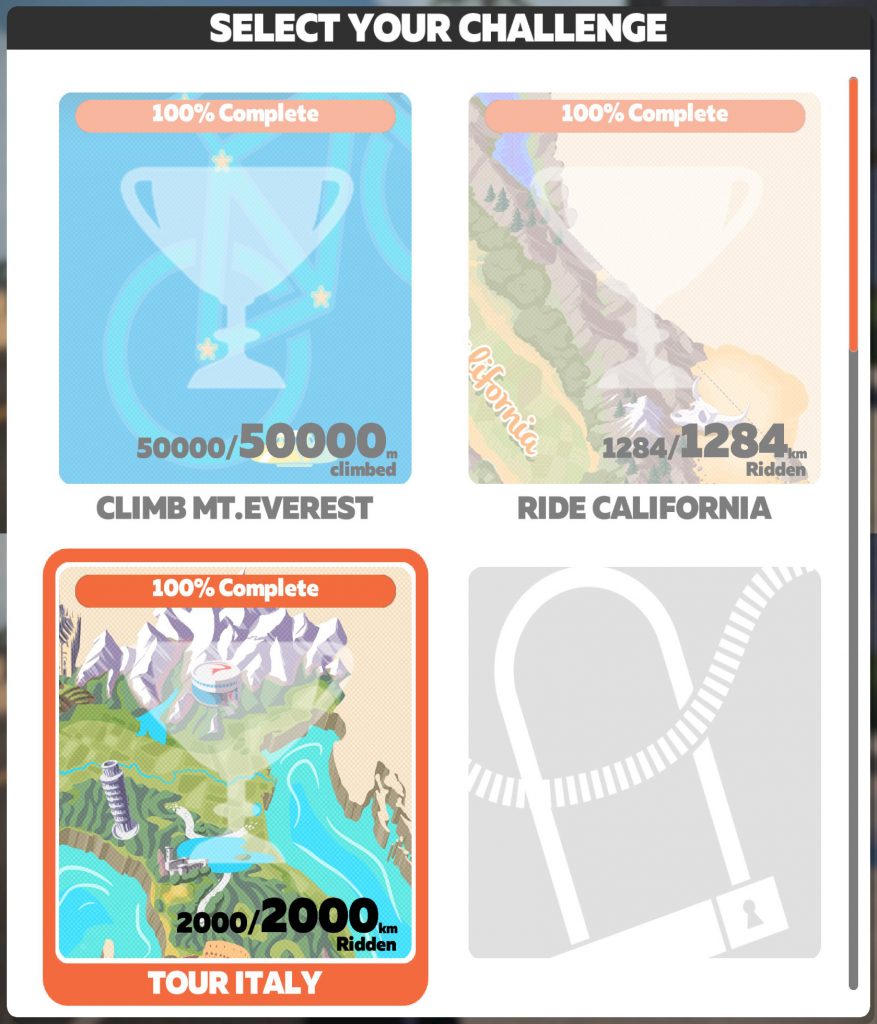
Achievement badges are just one of the incentives Zwift offers to keep us riding and coming back for more. We also have level unlocks, the Drop Shop, and monthly “Missions.” Challenges even come with a visual map of your progress and award a bike at the end.
But hang on – WHY do we still have a fourth Challenge slot?! It’s been there for years, taunting us with its little lock symbol. I’d like to see Zwift break that lock and do something creative!
Rather than distance or elevation, Zwift could add a Challenge that tracks total riding time. The “map” could depict lengths of time visually somehow, with a clock, calendar, or time-bound activities as checkpoints (“finished an average Tour de France stage” or “binged The Lord of The Rings extended versions”). The Everest challenge is harder to complete for slower riders, but this one would take the same time and effort no matter who you are.
I got this idea from a friend of mine. She wants Zwift’s incentives, like badges and Challenges, to become more inclusive.
Motivation for All
Steph Dannenberg: “Although Zwift does a fairly good job of being inclusive to women, there are a few things that they could incorporate that would make things like badge hunting more accessible. The minimum watts for a badge is 500, and the max being 1200 for extra credit top end. It would be neat to see some badges targeted for women.”
Women weigh less than men on average. We typically have less muscle mass, too, even for the same weight. That means our watts tend to be lower, so fewer of us are able to hit even the lowest power achievements.
That doesn’t mean badges like that shouldn’t exist. Many are listed as “Extra Credit,” meaning you’re not expected to earn them and they don’t show up unless you do. But for those of us with smaller power numbers, there aren’t more attainable goals to reach.
Some achievements should be very difficult to earn. There’s also a badge for doing your first U-turn. These suggestions are in the middle, rewarding effort while being more attainable for more people. Why not one for breaking 400 watts? And one for holding that 400 watts for 10 seconds? Or…
Steph Dannenberg: “Why not have badges be measured by w/kg instead of raw watts? (Author’s note: I would keep both.) Sure seeing those big values is rewarding, but, this would level the playing field. It could be applied to various segments and courses, and not necessarily be gender specific either.
Another example is the Alpe du Zwift sub-1-hour badge. To diversify and make for incremental goals for Zwifters, have a 70-minute and 80-minute time badge added to the game, thus giving an incentive other than gaining those precious meters towards the Concept bike.
Perhaps there could be badges earned towards other KOM/QOMs as well, time goals, or even average wattage goals.”
I love these ideas! This is gamification – making something rewarding and fun. It really does work for many people. I’ve seen Zwifters try harder to stick to workouts because they want every gold star, and the XP that comes with it.
Steph also suggested splitting segment leaderboards by age group along with gender. As someone who has been young and slow (and now a bit less of both), I usually don’t see the value in age groups. I know others do, though, and they say I will with time. If it helps motivate someone to get a PR on a timed segment, then I could be swayed…
Your Thoughts
What do you think? How could Zwift make its incentives better? I loved Eric’s “I Need More Carrots!” plea a couple of years ago. Here, I’m talking less about the carrots themselves and more about what we do to chase them.
Do you wish more badges were within your reach – or are there too many? What other kinds of achievements could Zwift incentivize? And please, give me your weirdest ideas for The Missing Fourth Challenge!
Zwift Ride Series “Watch the Femmes” 2023 Events Announced
Last month saw Zwift roll out their first-ever “Zwift Ride Series” group rides, which are basically Zwift-organized group rides happening in months that don’t have a bigger special event like Tour of Watopia or Tour de Zwift.
July’s Zwift Ride Series is focused on Tour de France Femmes avec Zwift. Throughout the month, Zwift will host 45-minute rides on various routes in Zwift’s France and Paris maps to remind everyone to #WatchTheFemmes (see list of broadcasters).
We’ve learned that some (possibly all) rides will be led by helpful ladies from the Zwift community. This may include some high-profile names you’d recognize!
Route and Schedule Details
Rides are scheduled five minutes past the top of each hour throughout the week. This month each ride has just one category (E) and the rides are timed (45 minutes).
Stage 1 (July 3-10)
Group E: Champs-Élysées – 45 minutes The most beautiful avenue in the world. A monument for the sprinters, this mostly flat route kicks off the month of festivities!
Stage 2 (July 10-17)
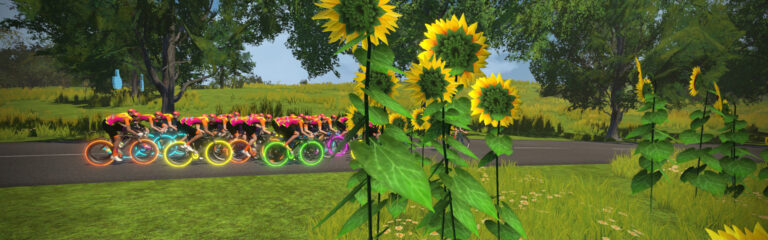
Group E: Douce France – 45 minutes One of the most popular routes in France, Douce France is a mostly flat route that covers the perimeter of Zwift’s French countryside. Check out the fields of lavender and sunflowers as you complete the circuit!
Stage 3 (July 17-24)
Group E: Roule Ma Poule – 45 minutes Covering many of the same roads as Stage 2, Roule Ma Poule throws in a climb up the Petit KOM’s backside to start and finish the route.
Stage 4 (July 24-31)
Group E: R.G.V. – 45 minutes Now the most popular route in France, R.G.V. debuted in the first virtual Tour de France on Zwift. The route is mostly flat and fast, so get ready to lay down some watts!
Complete all stages each month to unlock the Zwift Ride Series: Watch the Femmes badge!
Note: there are no makeup events. If you miss a stage, it’s gone forever!
Kit Unlocks
Finish any Zwift Ride Series: Watch the Femmes to unlock the Watch the Femmes kit! This is the same kit (jersey/shorts/socks) as previous Watch the Femmes events unlocked, but the cap is new.
Zwift wants your help empowering women by getting more people excited about the race! How can you help? Just share a ride pic or a video of you cheering on your favorite rider, tag it #WatchTheFemmes and @gozwift, and you could win a special edition Watch The Femmes cycling cap and other IRL gear.
Zwift’s Climb Portal went live July 2023 with a small library of new climbs plus a new look and new HUD features. Since then, Zwift has added more climbs to the library, and more features to the Portal!
Here’s a complete look at how the Climb Portal works…
The Basics
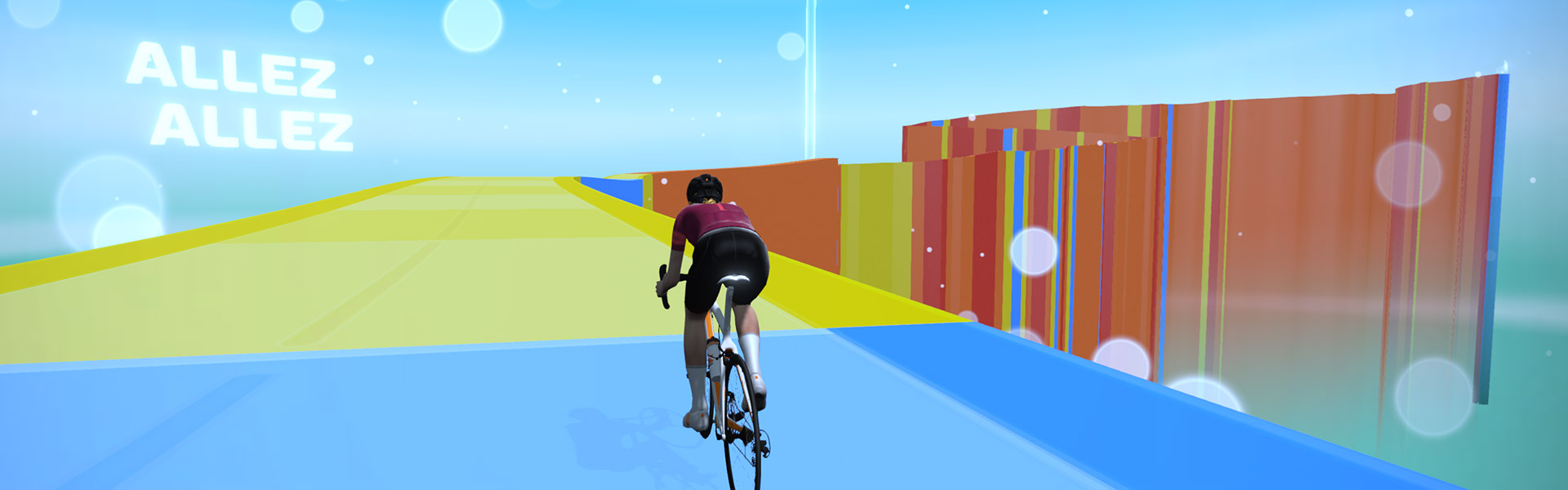
Zwift’s Climb Portal provides easy access to a rotating schedule of GPS-accurate virtual versions of famous real-life climbs. Its most noticeable quality is the “gamified” appearance of the roads, which are colored to match the gradient, with no surrounding real-life environmental visuals.
Why this design choice? Simple: it allows Zwift to quickly add new climbs to the game with no custom artwork required.
The Climb Portal Experience
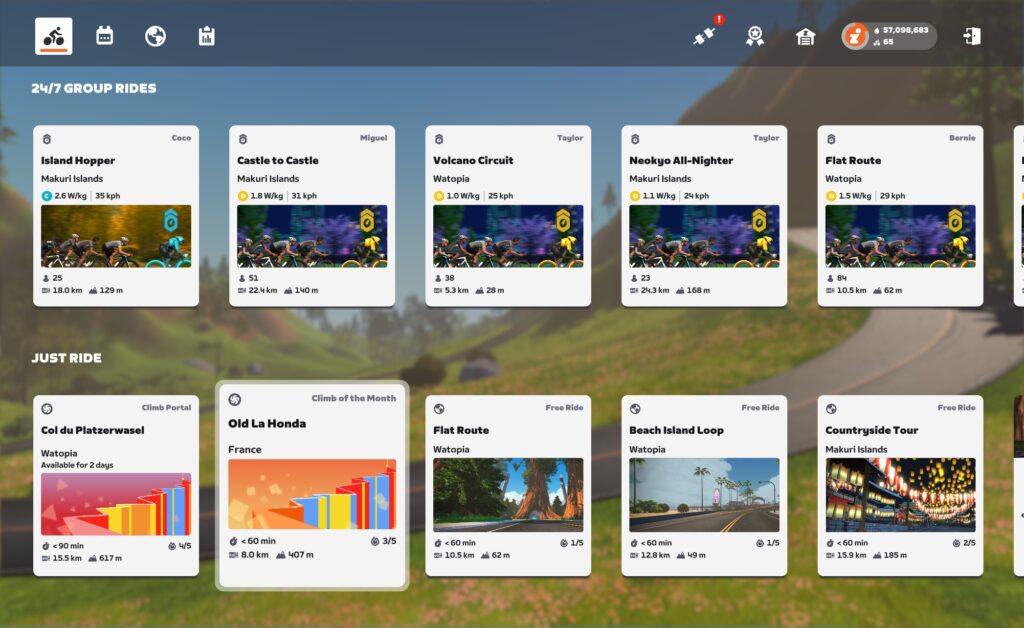
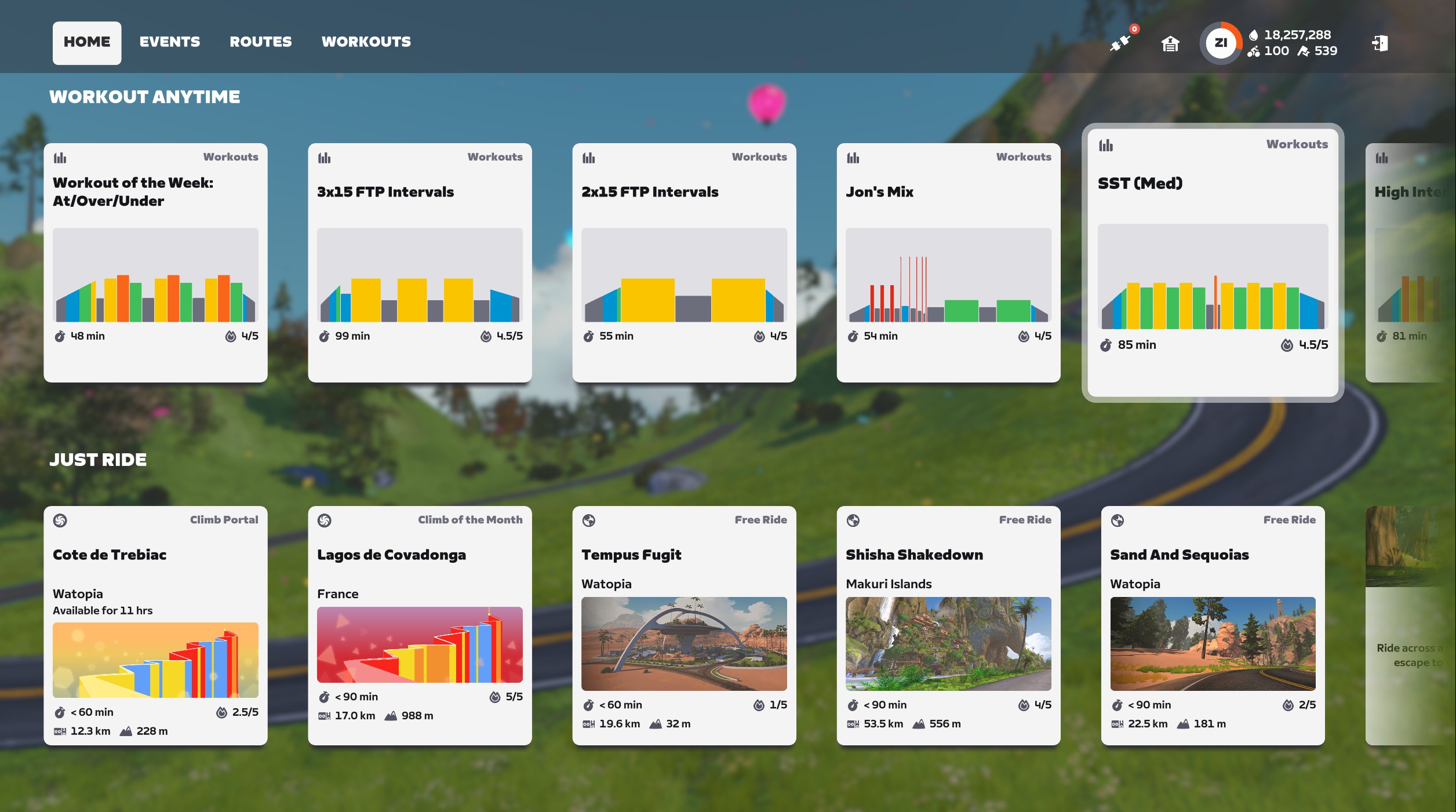
Both Watopia and France have Climb Portals. These can be accessed from the routes menu of the Watopia or France maps, or at the bottom of the homescreen, where you’ll see an option for the month’s featured climb (located in France) and the day’s featured climb (located in Watopia).
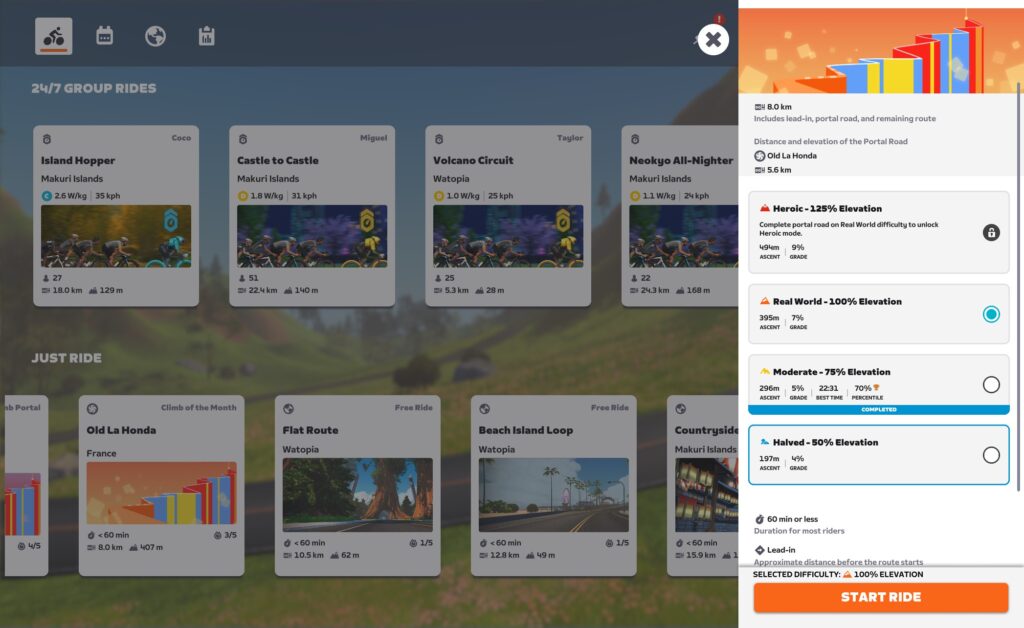
Selecting a climb will bring up a panel showing details and options for that particular climb:
This panel lets you choose a scaled version of the climb. Choose between 50%, 75%, 100%, and 125% (only available once you’ve finished the 100% version). Regardless of scale chosen, everyone rides on the same road.
This same panel also shows your percentile rank for any completed versions of the climb (see 70% percentile on 75% version above). If you’re looking at the current climb of the month, the percentile shown is only for efforts in the current calendar month. This way, each month’s featured climb turns into a month-long game-wide competition, which is a super fun idea. If you’re looking at a climb that isn’t the climb of the month, but just one of the featured climb of the day, the percentile you see is an all-time percentile.
You can also access the Climb Portals by navigating to them during your free ride in Watopia or France. Watopia’s Climb Portal is reachable by turning off of the Volcano Circuit, while France’s Climb Portal is reachable via a left-hand turn toward Mont Saint-Michel when traveling the main loop clockwise:
Watopia portalFrance portal
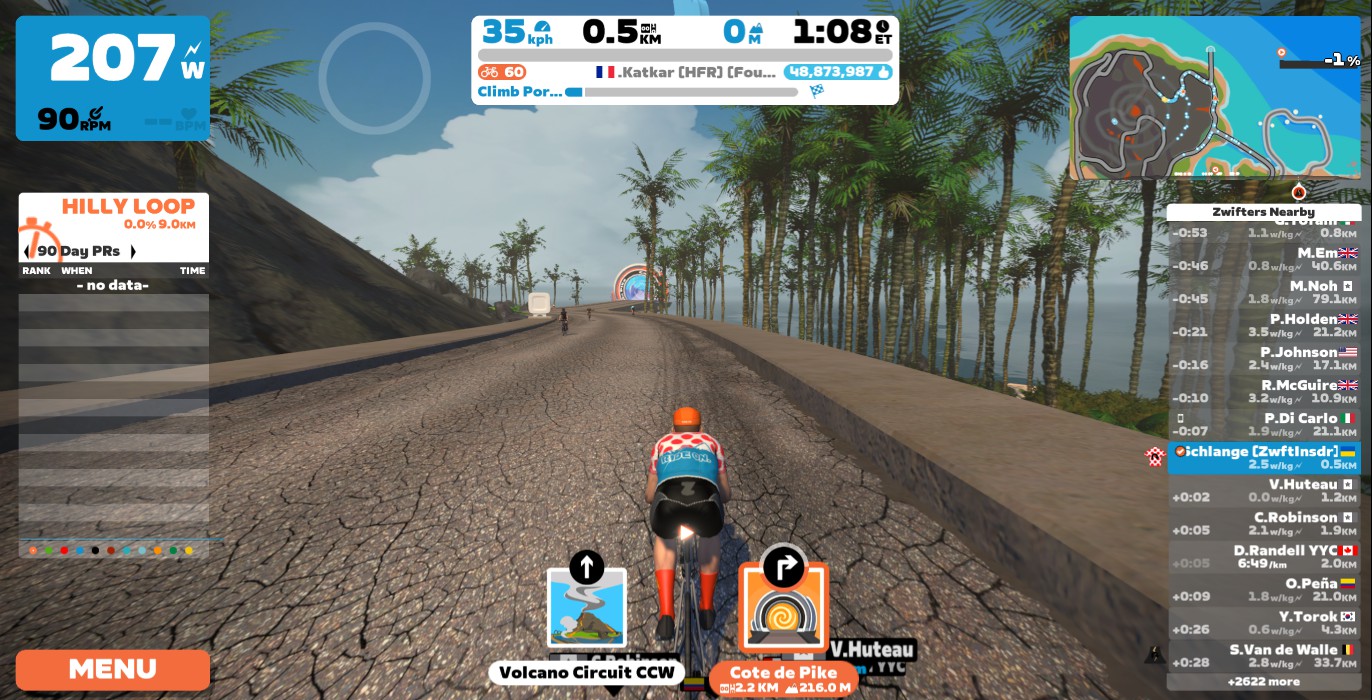
Regardless of how you get there, you ride a short lead-in before going through the Climb Portal, which is labeled with your selected climb. Once you’re through the Portal, your climb begins!
Other riders are visible on the climb, including riders using a different scale that you chose. Icons indicate which scale option every rider is using, and leaderboards are separated by scale factor. If you have HoloReplay enabled, they will also show up if you’ve completed this climb in the past 90 days.
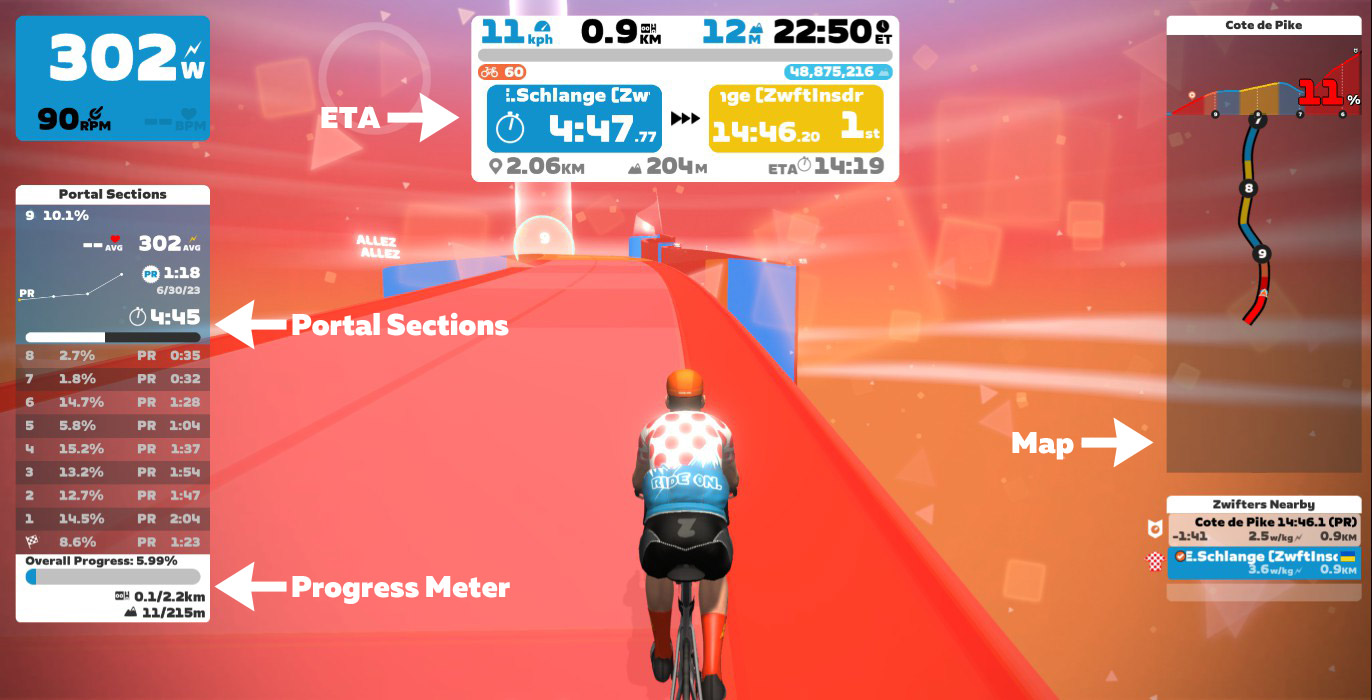
As you climb, the road changes color based on gradient. Floating text and geometric shapes help fill the air and give you a feeling of movement, while the 10 equidistant portal section arches give you a goal up the road to work toward.
Once you reach the top, a summary of your climb will show on screen as you ride the small ring road that loops you around to start your descent. Ride through the finishing arch and begin your descent, and the environment changes. While descending, the sky and road turn to cooler colors, encouraging you to spin those legs out as you enjoy the descent and the animated constellations above.
Ride through the Portal at the bottom of your descent and you’ll find yourself back in your starting world.
Important note: if you ride a 50% or 75% scaled version of your climb during an activity, your entire activity will be tagged as “gamified,” and all Strava segments will be excluded. So if you want your activity to match with Strava segments, don’t mix in a scaled climb portal effort!
Complete List of Portal Climbs
The Climb Portal uses a growing library of uphill challenges! See the full list of Portal climbs below (click a climb for details):
While the library contains many climbs, Zwifters can only access two climbs one any given day. The “climb of the month” is hosted in France, while the day’s featured climb rotates every few days and is hosted in Watopia.
You can access these two climbs easily, from the bottom of the Zwift homescreen under “Just Ride”:
Improvement Ideas
We wouldn’t be true Zwifters if we didn’t have at least three ideas how Zwift could improve a just-released feature. So here are nine:
More useful maps: the climb profile and overhead views only show nearby portions of the climb. We’d like to be able to click and zoom out to see the full climb.
Different background sounds: the ambient background sounds while climbing are… odd. Too somber, too heavy, for our taste. That said, we usually ride with sounds off, so this isn’t a big deal.
Smarter Portal Sections: the “portal sections” seem programmatically generated, just breaking the climb into 10 equidistant sections. This makes adding new climbs easy, but it sure would feel a bit fancier if the sections broke the climb into logical sections at key turns or gradient changes.
Achievements: there are no achievement badges for portal climbs at this time, which seems like a big miss. We’d love to see smart badges that count how many times you’ve finished each portal climb.
Companion Leaderboards: we have Leaderboards in Companion now. These should include portal Climbs! (Note: Zwift Insider has collaborated with Veloviewer to create leaderboards for the Climb Portal. Read more here >)
Enable Fan View and Teleporting: currently you can’t fan view or teleport to a rider who is on a Portal climb. That seems a bit silly.
Better preview map/graphicfrom the homescreen. When you click the featured climb from the homescreen, the preview window doesn’t show the selected climb graphically in any way (not an overhead view or an elevation profile).
Strava+VeloViewer Leaderboards
If you start a portal climb from France, your Strava data will show you as climbing it attached to Zwift’s France map (which is based on the French island of New Caledonia for Strava GPS positioning). Start the same climb from Watopia and your Strava data will show you riding in Vanikoro, in the Solomon Islands (where Watopia is located for the purpose of Strava GPS positioning).
This means we’ll have to create two Strava segments for each climb: one for starting in Watopia, the other for starting in France. That means two leaderboards for each climb.
Zwift Insider has collaborated with Veloviewer to create leaderboards for the Climb Portal. These leaderboards utilize your fastest time up each climb, regardless of whether you rode it in Watopia, France or both. Read more here >
Your Thoughts
Tried Climb Portal yet? Share your thoughts below!
In cycling, this first weekend of July is always a big weekend! Saturday, July 1st, marks the start of the 2023 Tour De France (TDF), the biggest race in cycling. This week’s first notable event kicks off a big racing tour put on by SISU that follows the TDF. We’ve also selected several more endurance rides and races.
✅ Popular Event ✅ Innovative Format ✅ Highly Competitive
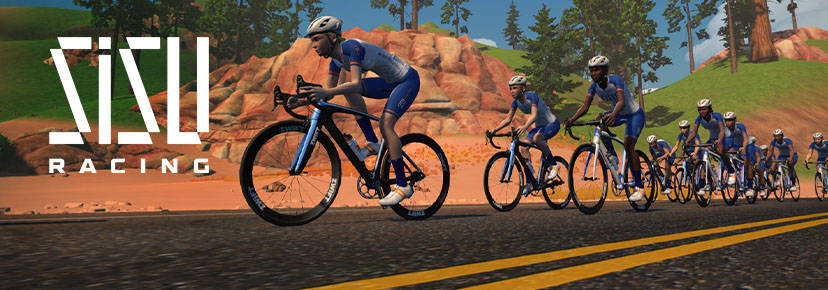
Like the pros, tackle a three-week race series! SISU Racing is hosting its 2023 Racing Tour, featuring 7 races across three weeks. To accommodate riders’ needs, there will be seven opportunities to complete each stage. Riders’ best time will be counted towards their time in the GC (general classification).
This first stage will take place on the Country to Coastal course. However, the courses will be changing at every stage. Tip: Get the full TDF experience by watching the tour as you complete the race!
To celebrate the start of the Tour De France, team USMES will be hosting their monthly century ride on the virtual roads of France. USMES encourages riders to make this their own event by going to whatever distance pleases them, whether it is 50, 100, or 160 kilometers. Two leaders will lead at different paces, one at 2.5 w/kg and the other at 3 w/kg.
This endurance group ride takes place on the French Classic Fondo course, one of the longest routes on Zwift.
🥇 Pack Dynamics 4.1 with VirtuSlo 4Endurance Sunday Race
✅ Test Race
After lots of hard work on Pack Dynamics 4, Zwift is back with its next iteration. Give Pack Dynamics v.4.1 a go in VirtuSlo’s Sunday race. This is a standard scratch race, so there is no need to worry about points.
Categories A and B will be racing two laps of the Greater London 8 course while categories C and D will race one lap.
Start the weekend off strong with the 3R Endurance Steady Ride. Typically, 3R events are extremely well-paced and feature a nice, large blob. This is a category C-paced endurance ride with an average of 2.3-2.5 w/kg. Leaders and sweepers will be present.
This 100-kilometer (62-mile) endurance ride takes place on the Sprinter’s Playground course in the Makuri Islands. Riders will complete multiple loops of this course. Note: due to the time of this event, it will mainly suit those in Europe.
Join the DIRT Categorie Hors Series for some fun and competitive racing. For the past five weeks, this series has been taking place weekly. It is also some of the most competitive racing on Zwift!
This week’s race is going to be extra tough as it takes place over one lap of the Surrey Hills course in London. Watch out for those hills!
We choose each weekend’s Notable Events based on a variety of factors including:
Is the event unique/innovative in some way?
Are celebrities (pro riders, etc) attending/leading?
Are signup counts already high, meaning the event is extra-popular?
Does the ride include desirable unlocks or prizes?
Does the event appeal to ladies on Zwift? (We like to support this under-represented group!)
Is it for a good cause?
Is it just plain crazy (extra long races, world record attempts, etc)?
Is it a long-running, popular weekly event with a dedicated leader who deserves a shout out?
In the end, we want to call attention to events that are extra-special and therefore extra-appealing to Zwifters. If you think your event qualifies, comment below with a link/details and we may just include it in an upcoming post!
Your Thoughts
Got other events that stand out this weekend? Share below in the comments!
After the release of Zwift’s Play Controllers, many are wondering whether it is a worthy purchase. We’ve selected 5 reviews/hands-on experiences from content creators around the globe to help you decide and learn more about the product.
Zwift Play Controllers Review: Is It Worth It? (Smart Bike Trainers)
Tariq provides his thoughts on the controllers after some hands-on experience. He also gives a run-down of the features this device brings to the platform.
Zwift Play Controllers Review (ZRace Central)
Oli Chi reviews the Zwift Play Controllers after using them quite a bit. He covers the functions of the controllers, hands-on experience, and ultimately answers whether it is worth the purchase.
Zwift Play Controllers // Steering, Braking, and Full Control of Zwift! (DesFit)
Des from DesFit goes over his experience with the controllers, along with some of his thoughts and feature requests.
Zwift Play Controller Review: Surprisingly Useful! (DCRainmaker)
Ray provides a full review of the Play Controllers including setup, a demonstration of the functions, and ultimately his final thoughts.
Zwift Play Controllers: First Live Gameplay! (Nathan Guerra)
Looking to see what it looks like to use the controllers in Zwift? Nathan provides the first-ever livestream with the controllers and talks through the functions, steering strategies, and more!
Honorable Mention: New Hardware from Zwift // Zwift Play Controller (GPLama)
We featured this video last week, however, it is a well-made review of the product that deserves to be in this post. In this video, Shane installs, tests, and reviews the controllers.
Got a Great Zwift Video?
Share the link below and we may feature it in an upcoming post!