Elite has just released a firmware update for their flagship Justo direct-drive smart trainer. Let’s dive into the details!
Fast Track Mode: 10Hz
First, the Justo has joined the ranks of smart trainers offering higher frequency “race mode” power transmission. (That list includes newer Wahoo KICKRs, Wahoo KICKR Bikes, Zwift Hub, Jetblack Volt V2, and Tacx Neo to a lesser extent).
Elite calls this option “Fast Track” in their MyETraining app, where you can toggle it on and off.
Odometer
You can now connect to your trainer in the MyETraining app to see the total distance it has been ridden.
Di2 Connectivity
This is an interesting one. You can pair your bike’s Shimano Di2 controls to the Justo via ANT+, then use your Di2 to directly control the Justo in a few different ways:
“Pain Break” tap a D-FLY button during a workout or normal SIM mode ride and all resistance on the Justo will be removed for up to 60 seconds (tap again to re-enable normal operation)
You can also use your Di2 shifters to move the Justo through 16 levels of resistance when the trainer is in “manual mode” (that is, no software is controlling it). So not exactly virtual shifting akin to the Zwift Hub… but perhaps a step in that direction.
You’ll need the wireless module installed on your Shimano Di2, and ANT+ transmission enabled, for these features to work.
Watch the Video
Get a full rundown on the new Justo features from Shane Miller:
Zwift Ride Series “Rewind” Events Announced for December
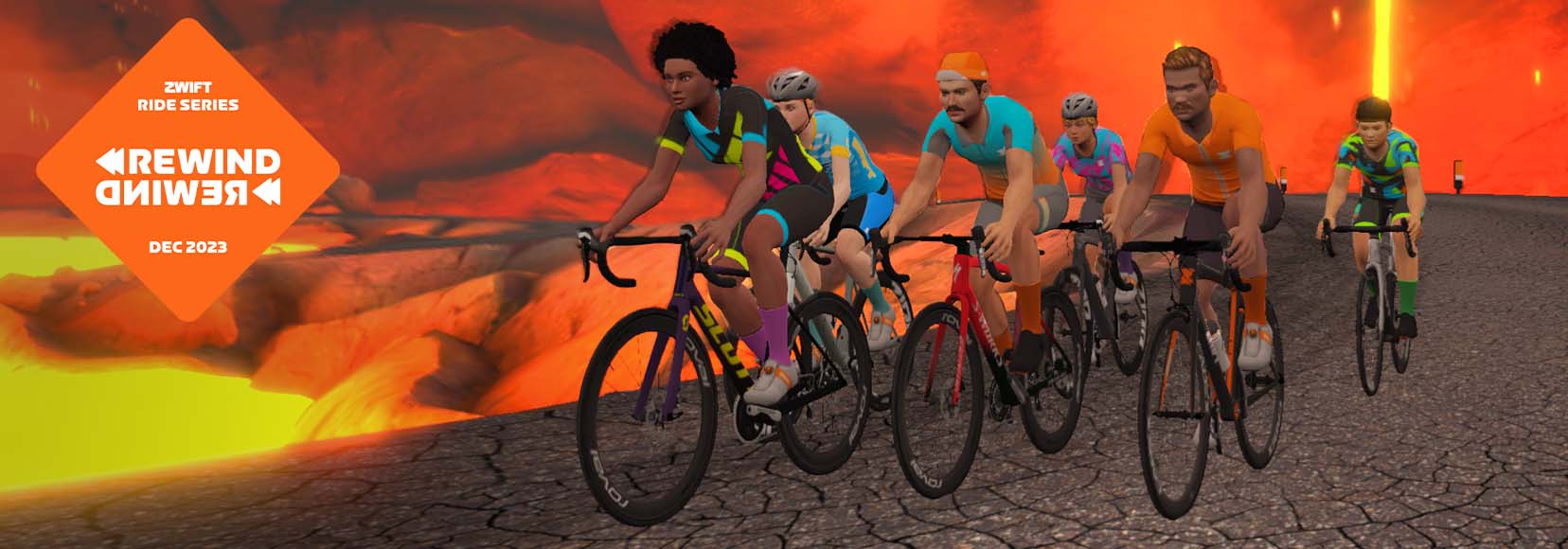
The Zwift Ride Series continues for December with the “Rewind” theme, reliving some of Zwift’s best group rides from the year!
Tour de Zwift (Stage 7), Race Scotland (Stage 1), Tour of Watopia (Stage 3), and Watch the Femmes (Zracing Stage 1) are all back on deck, including the unlocks and other fun extras from those original rides!Get all the details below…
Route, Schedule, and Unlock Details
Rides are open-paced and scheduled hourly at five minutes past the hour.
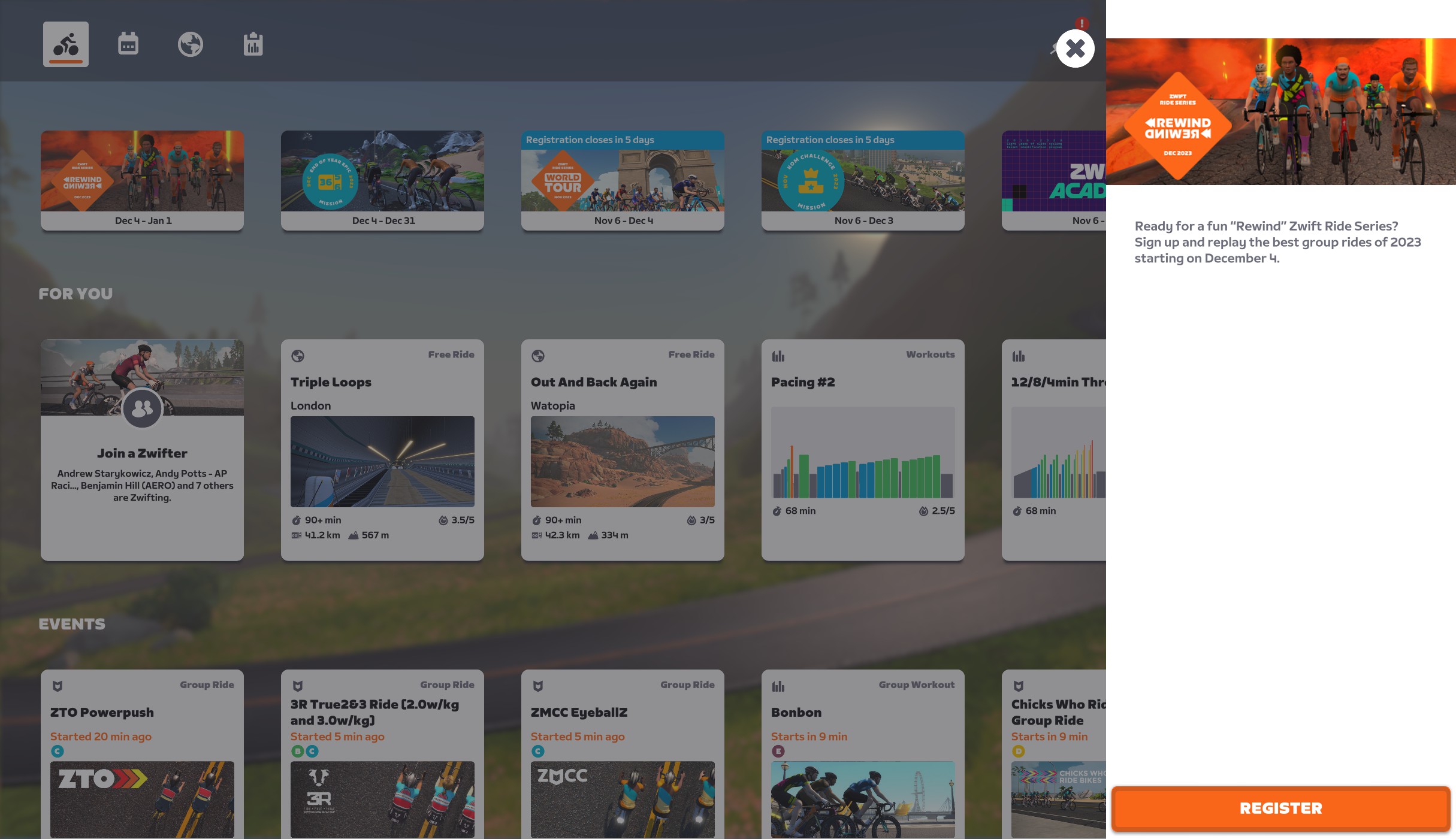
To sign up for the series, click the card at the top of the homescreen and click “Register”. You’re all done! Clicking the card will now show your progress as you complete each stage.
Next you’ll need to join and complete at least one ride from each of the four stages. They’re scheduled hourly, so you should be able to fit one into your schedule.
Badge Unlocks
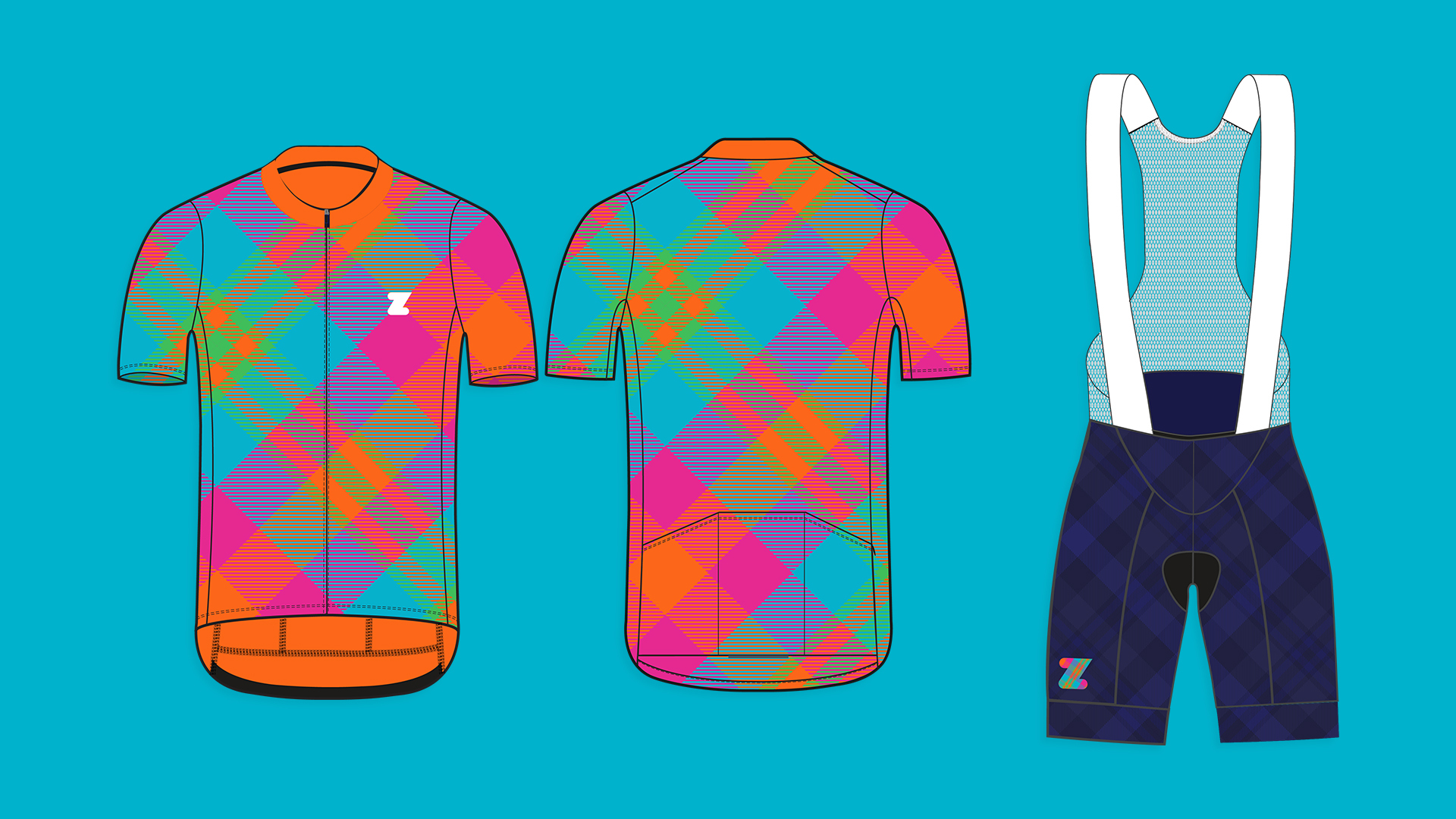
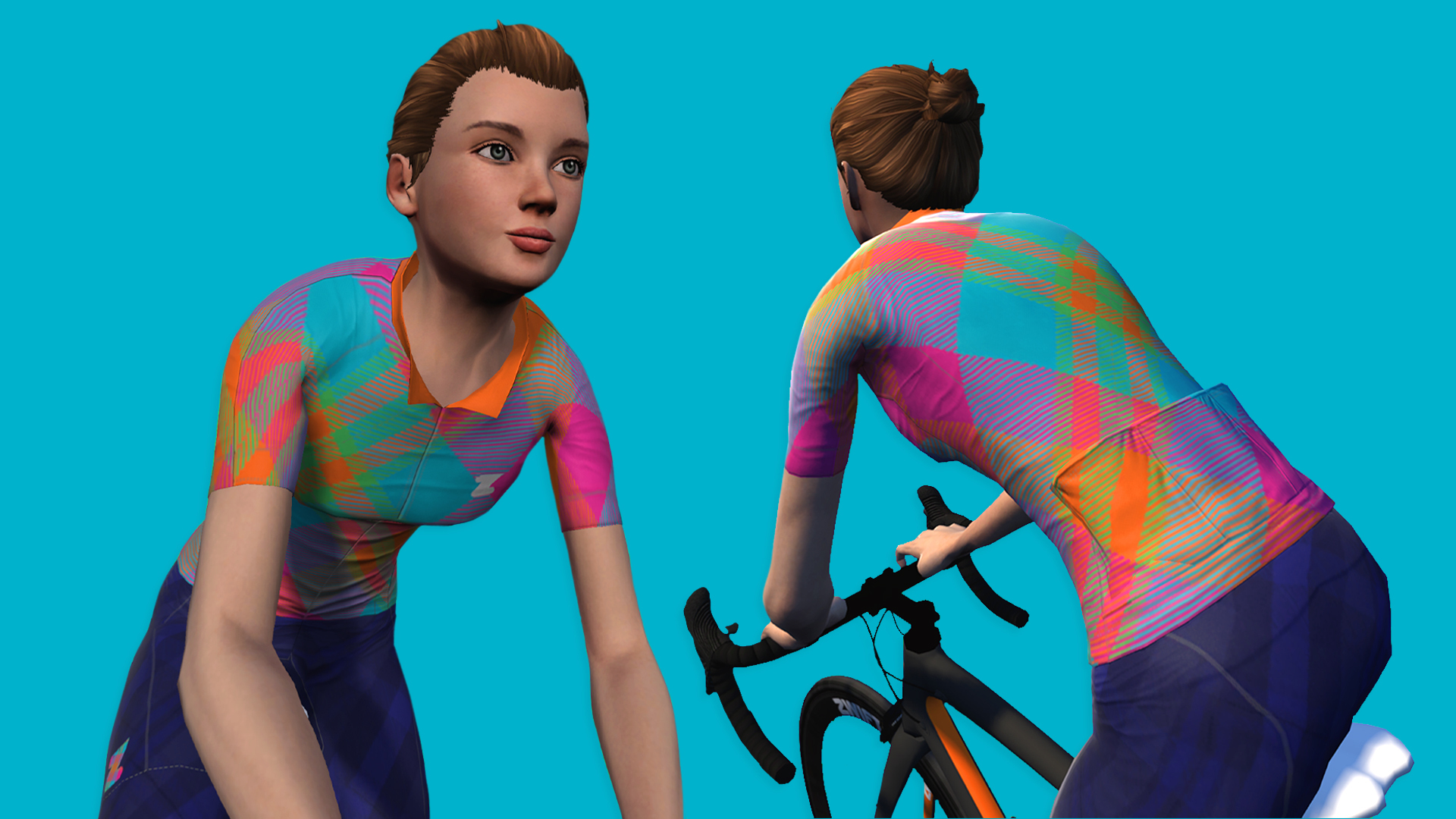
Complete all four stages this month to unlock the Zwift Ride Series: Rewind badge!
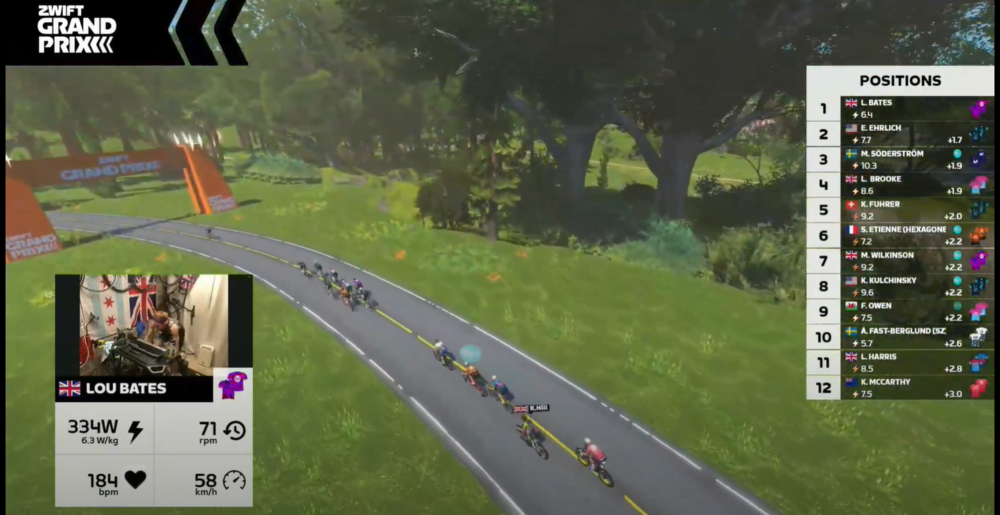
After a super impressive performance in Round 3, Lou Bates and Coalition Alpha were looking to extend their lead atop the Zwift Grand Prix Series leaderboard. On tap in Round 4 were two laps of Suki’s Playground for a total of 36.8km with 300 meters of climbing. There were four points on the course where the riders would have a 33% chance of getting a Draft Boost, Feather, or Aero Boost.
Between the rolling climbs, fast descents, and downhill finish, there were plenty of tactical choices to be made – would riders save their power-ups for the final sprint? Or would they attack on the climbs, attempting to break away from the peloton?
It didn’t take long for Åsa Fast-Berglund (Team Swedish Zwifters) to start pushing the pace on the first long and draggy climb of the day.
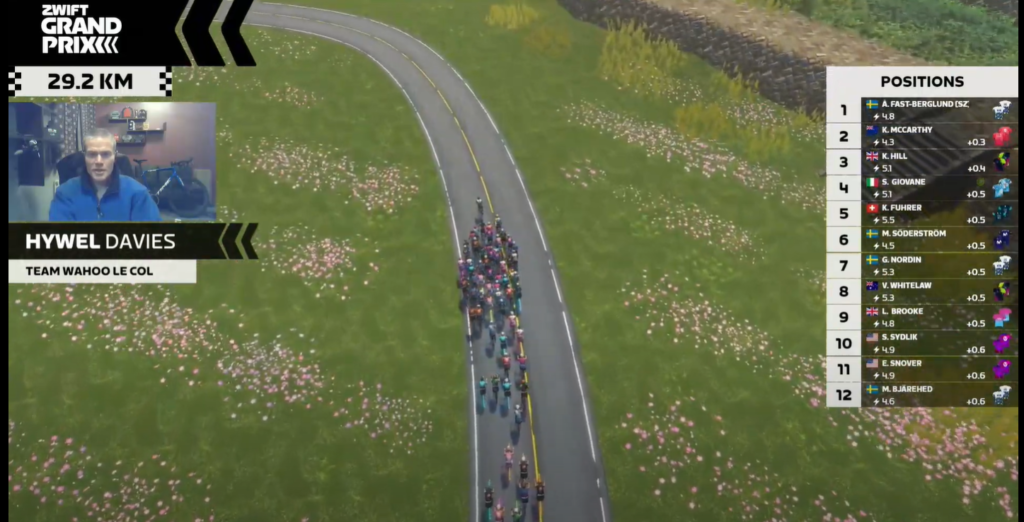
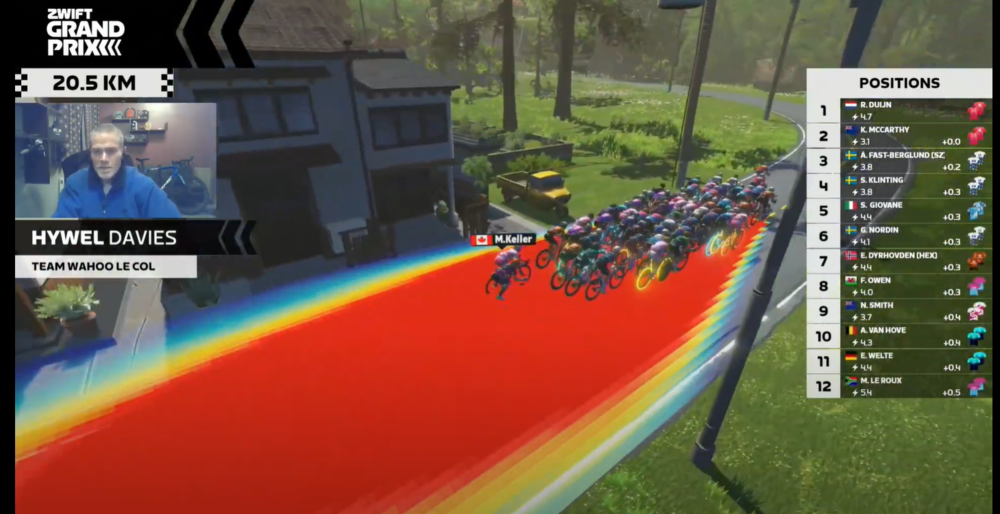
Less than a quarter of the way through the race, around 15 riders had been dropped as the peloton sped towards the next section of Suki’s Playground. For the next 10km, the best women’s Zwifters in the world put on a clinic in drafting and saving energy.
The live broadcast put it into perspective, as nearly every rider in the peloton was saving precious energy on the fast roads of Makuri Islands.
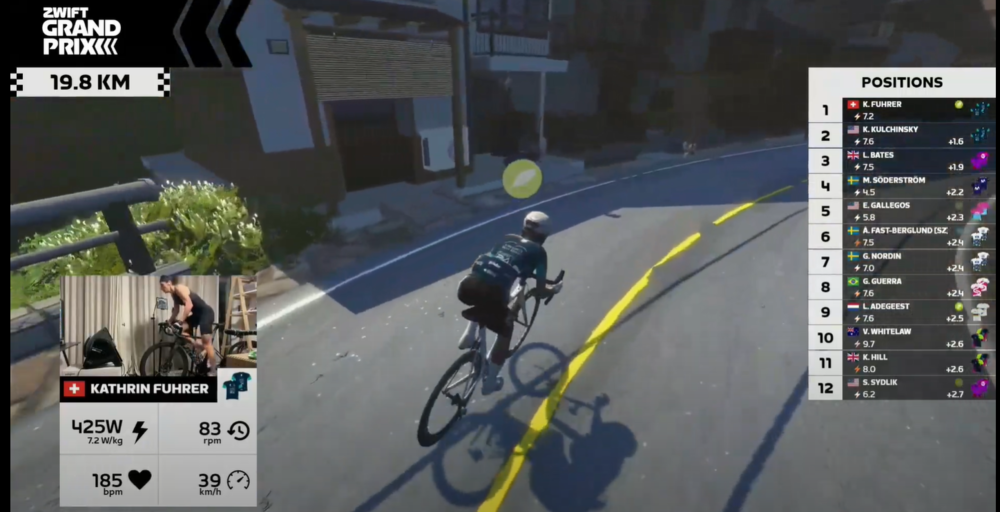
Kathrin Fuhrer (Virginia’s Blue Ridge Twenty24) put in the first big attack of the race, dropping the Feather powerup with 20km to go. Fuhrer’s attack firmly split the field at the end of Lap 1, leaving just half the field left in contention.
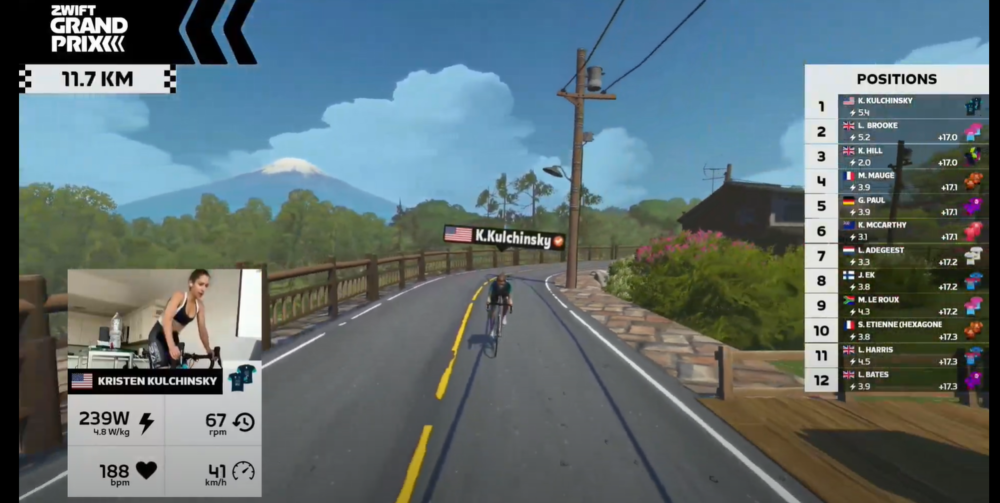
Virginia’s Blue Ridge Twenty24 confirmed the message that they weren’t waiting for the final sprint when Kristen Kulchinsky launched off the front with 16.5km to go. The American earned a five-second gap before Coalition Alpha took up the chase.
Kulchinsky kept pushing, and with 13km to go, her gap was 17 seconds and growing. As the road began climbing with 12km to go, Kulchinsky’s lead started to fade as Coalition Alpha and Wahoo Le Col pushed the pace in the peloton.
With 10.6km to go, Kulchinsky was caught, and there were only 34 riders left in the peloton. After the long and lightning-fast descent, Gabriela Guerra (Saris | Nopinz) was the next rider to attack with 5.8km to go.
The Brazilian was closed down almost immediately, but that didn’t stop her from trying again with 4km to go. However, the peloton seemed set on a sprint, and so the lead group came into the final kilometer with very few gaps. With 900m to go, Bates (Coalition Alpha) surprised the sprinters with an all-out attack, going clear into the final descent.
Just like she did in Round 3, Bates held her attack all the way to the finish, earning maximum points for Coalition Alpha with 1st place. Mika Söderström (Movistar eTeam) won the field sprint for 2nd, while Lizzi Brooke (Wahoo Le Col) rounded out the podium in 3rd.
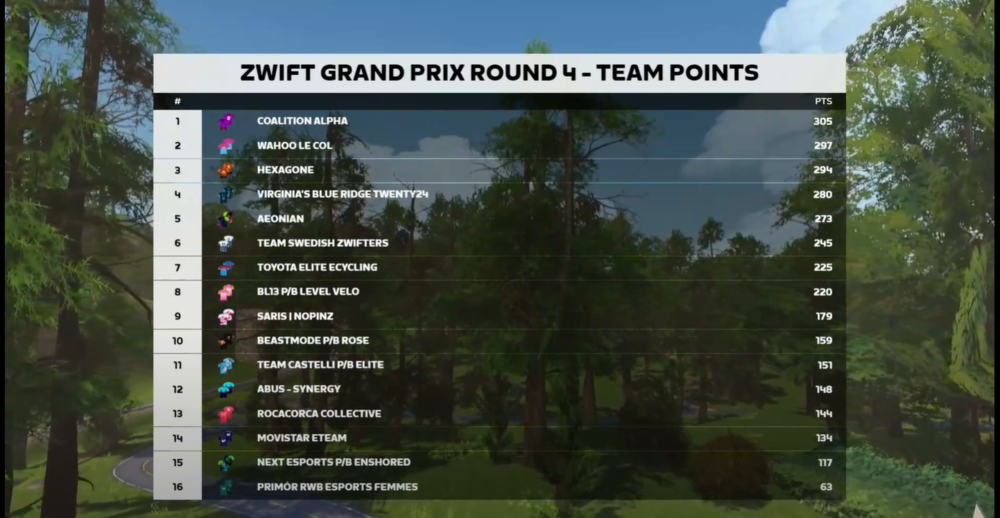
Bates’ finish helped Coalition Alpha make it two in a row by winning Round 4 of the 2023/2024 Zwift Grand Prix. The team points were incredibly close at the top of the leaderboard, with Coalition Alpha winning (305 pts) ahead of Wahoo Le Col (297 pts) and Hexagone (294 pts).
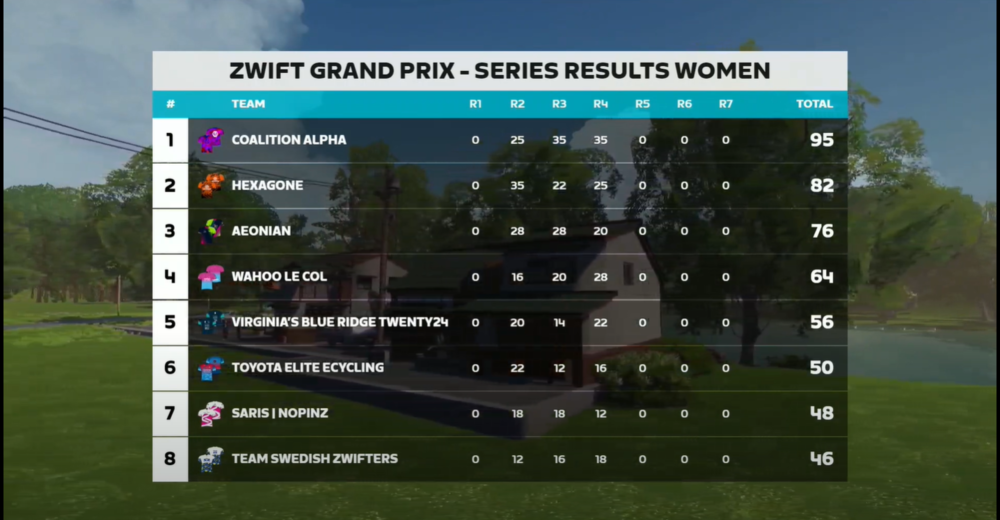
Coalition Alpha extended their lead atop the Zwift Grand Prix – Series leaderboard, and they now have a 13-point lead over Hexagone in second. With three rounds to go, here is what the women’s Series leaderboard looks like.
Coming Up Next
The 2023/2024 Zwift Grand Prix returns next week with Round 5 – Men’s Points Race on The Muckle Yin. In yet another round mimicking the Zwift Racing League, the Round 5 – Men’s Points Race will include five intermediate sprints and points at the finish line. FTS and FAL points are available for the Top 10 at each intermediate sprint.
On December 14th, the women’s 2023/2024 Zwift Grand Prix continues with one of the longest Team Time Trials (TTT) in Zwift Grand Prix history at 36.3km on Triple Flat Loops. All 16 teams will start with five riders, with their time being taken from their third riders across the line.
In the Zwift Hot Topic series we focus on popular discussions, controversies, questions, or creative ideas in the Zwift community. We’ll share a couple of different perspectives, but we want to hear your thoughts, too. So read on and chime in below!
Another Tour of Watopia has come and gone, and with it, more arguments about the jungle roads. I found lots of people willing to share their opinions in the Zwift Riders and Zwift Racers Facebook groups.
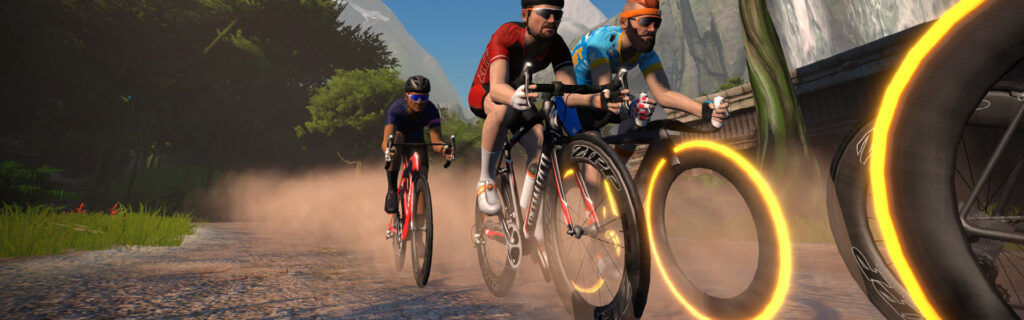
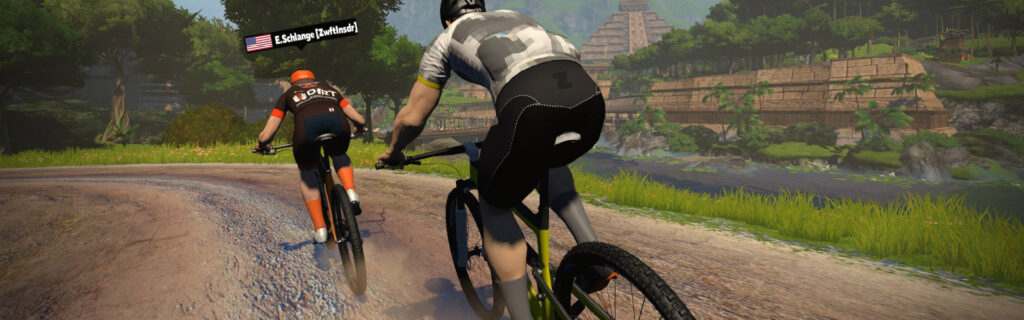
Do dirt and gravel roads belong on Zwift? Should they act any differently than smooth asphalt? Sure, they can bring some visual variety to routes in Watopia, Makuri Islands, and Scotland. But adding resistance and slowing them down can turn a smooth cruise into more of a slog.
Petra Jungmann: “It used to be my favorite ride on Zwift. From downtown Watopia around the jungle and back. Then they brought in the gravel and totally ruined it for me. … I think nevertheless that it would be nicer to just have dedicated roads for gravel enthusiasts.”
Craig Schaepe: “I just don’t get at all the hate for the jungle loop. Are people put off that they are virtually a few mph slower than on pavement? I have never paid that much attention to the virtual speed since it is fake. … It comes down to just putting in your effort and forget the speed.”
To me, the real potential of mixed surfaces comes out when you’re racing. Do you change your bike and risk not being able to catch your group again? Stay on your bike and risk falling behind? Start with a bike that will let you attack where it matters most? Answer these questions well and you’ll get an advantage on your opponents. Answer them poorly and you’ll be cursing the dirt.
David Hivey: “The change in road surface should add a tactical aspect to the game. Until recently it certainly did. The difference in speeds for the gravel and road bikes made it just faster to do a bike swap on many sections such as the temple KOM.”
David isn’t happy with the recent update that made dirt and gravel surfaces faster. It makes that tactical advantage smaller – to the point where changing bikes no longer helps in some places. I wonder whether this will make anyone happy. Road bikes are still slower on dirt and gravel, but maybe not enough to make a tactical difference anymore.
Some racers don’t want to bother with changing equipment, though. They might find it hard to change bikes and wheels quickly, especially if they have limited access to input controls (like a mouse and keyboard).
What if you’re just trying to ride with a group? Another Zwifter pointed out that dirt and gravel roads can make group rides chaotic, as people naturally lift their effort to keep up speed.
Whitney Stidham: “For mixed surfaces on group rides, it can be tricky; you have people really pushing pace on a mixed surface which of course, pushes the pace of the group. A mass bike exchange entails a mass stop, then everyone changing, and then a mass start… It makes for slower times on group rides, and riders that aren’t as strong have a tendency to fall off the rear because they are tired from pushing on a mixed surface.”
Your Thoughts
What do you think? Should Zwift stick to road cycling and pave the jungle? Keep road, dirt, and gravel roads separate? Make all roads ride the same on all bikes, or put them back as they were and keep the challenge? Let us know in the comments!
This weekend marks the return of the ZFondo series – one of the most popular endurance events on Zwift! In addition, we’ve selected a popular badge hunt ride, a memorial ride, and two social group rides.
The first Fondos of the ZFondo 2023-24 series are here! Join Zwifters from around the world for a fun long ride around the roads of France. Unlike prior years, Fondos will be taking place in Zwift worlds other than Watopia, bringing more variation with the route choices. Each month will have a different Fondo kit unlock associated with it, with this month’s feast-themed.
As usual, there will be three different categories, each with a different distance. Can you complete all three this weekend?
The AHDR Bagel Rolls ride will be taking place on the Mega Pretzel this week, making it the perfect opportunity to complete this route badge with the company of others. This ride is typically very well-led, with this week’s ride being led by Whitney Stidham, an experienced and fun leader.
With the advertised pace set to 2.6-2.8 w/kg, this ride is a little bit quicker-paced than most group rides. Because of this, riders will likely complete the Mega Pretzel course in ~3 hours with the lead group.
Recently Galaxy Cycling Club member Martin Friedrich passed away after a fatal cycling accident involving a car. Martin, along with his wife, were avid Zwifters. Join hundreds of riders to honor and remember Martin.
The group ride will be held on The Big Ring and has an advertised pace of 1.6-2 w/kg.
In May 2024, riders from Cirencester and Bathurst will celebrate the friendship between these two cities. Join the ride and learn more about the events that wil be taking place in real life. Former professional cyclist Mark Renshaw will also be in the ride to help lead.
The group ride will be taking place on the Tick Tock course in Watopia and last 60 minutes.
✅ Popular Event ✅ Endurance Ride ✅ Innovative Format
The Breakfast with the Pscyclepaths is a bit of a unique endurance ride as it is set up similarly to a chase race. Category C will start 15 minutes before category B and category B’s goal is to try to catch the C’s by the end of the 100 kilometers.
This week’s ride takes place on The Big Ring, a rolling course which takes riders through the new Southern Coast. Riders will be riding ~2 laps for a grand total of 100 kilometers (62.1 miles).
We choose each weekend’s Notable Events based on a variety of factors including:
Is the event unique/innovative in some way?
Are celebrities (pro riders, etc) attending/leading?
Are signup counts already high, meaning the event is extra-popular?
Does the ride include desirable unlocks or prizes?
Does the event appeal to ladies on Zwift? (We like to support this under-represented group!)
Is it for a good cause?
Is it just plain crazy (extra long races, world record attempts, etc)?
Is it a long-running, popular weekly event with a dedicated leader who deserves a shout out?
In the end, we want to call attention to events that are extra-special and therefore extra-appealing to Zwifters. If you think your event qualifies, comment below with a link/details and we may just include it in an upcoming post!
Your Thoughts
Got other events that stand out this weekend? Share below in the comments!
Zwift’s “ZRacing” is the platform’s most popular ongoing race series, and in December we’re racing some of the best routes used in the past year of the series. Enjoy the sights: sequoias, castles, pavé, and even a monster (Nessie) if you get lucky!
Read on for details about race routes, the overall monthly GC competition, and more.
Best Of – December’s Route Schedule
Here are the routes we’ll be racing in December (click route for more details):
The ZRacing series consists of monthly sets of weekly races. Each race is scheduled for seven days (beginning 1:10am UTC on Monday and running through to the next Sunday). Timeslots are consistent week to week and month to month.
Races are scheduled ~15 times each day, so there are plenty of available times to find a race.
Each monthly series includes a time-based GC (general classification) tracking riders’ best finishing times for each week’s race. The overall winners in each category for the month are the riders with the lowest overall time for that month’s set of races.
With over 100 weekly timeslots available, riders can race each week’s event multiple times and try to better their finishing time. Tip: the fastest times usually come from the largest race fields!
You must use a heart rate monitor and be on a smart trainer, smart bike, or power meter to show up in ZwiftPower results for this series.
Each month’s ZRacing series has a unique achievement badge, which you can unlock by finishing every stage for the month.
There are no makeup events, so if you miss a stage, you miss out on the badge and competing in the GC.
One and Done
Zwift has planned these events to deliver a solid 1-hour workout, so each race should only take around 1 hour to complete, including your warmup and cooldown.
Zwift Companion Version 3.53: “Keep Everyone Together” Option Added for Club Events
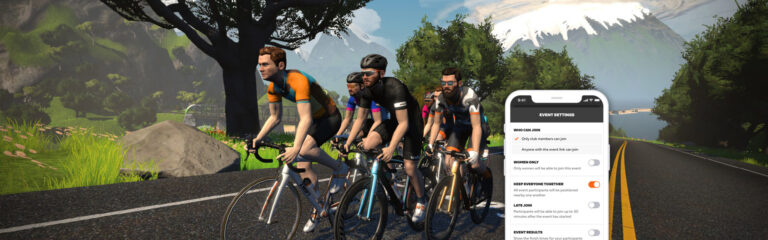
Yesterday Zwift released the latest version of the Companion app (v3.53) which includes a much-anticipated feature: the “Keep Everyone Together” setting for Club events!
The toggle is on the event settings screen when creating/editing a Club event.
Important Note: you can’t enable “Keep Everyone Together” when “Event Results” is enabled. Because it doesn’t make sense to show event results if everyone is being forced to stay together!
Why Banded?
Zwift says the “Keep Everyone Together” option “makes it easier to spend time with friends and socialize while you pedal, even if your group has a wide span of fitness levels.” And they’re not wrong. If you want your group to stay together at whatever pace each rider desires, without a lot of messaging and hassle, this option makes it happen.
A Bit of History
Zwift has had “Keep Everyone Together” (aka “rubberbanding”) capabilities for years. (In a rubberbanded ride, all participants stay together, regardless of their power output, as long as they pedal.)
Rubberbanding was first used in group workouts, then expanded to Meetups and made available as a custom, by-request setting for group rides.
Zwift’s code for keeping riders together hasn’t always worked optimally, though. First, group workouts were super slow for stronger riders. Secondly, and perhaps a bigger issue, a longtime bug led to Meetups sometimes getting stuck at unrealistically high speeds, which is why you see Strava climb segments topped by riders holding over 45kph doing very low power (see Box Hill, for example).
The great news is, Zwift put in a lot of work to improve their algorithm for keeping riders together, and rolled that out months ago. Feedback from Zwifters indicates that it has greatly improved the experience for group workouts, Meetups, and banded group rides.
The fourth race of Zwift Racing League 2023/24 Round 2 happens Tuesday, December 5, and we’re in Makuri Islands for a scratch race on a new-to-ZRL course.
Let’s dig into crucial sections along with powerup tips, bike choice notes, and more!
Looking at the Route: Suki’s Playground
Never before raced in ZRL and rarely used by race organizers, Suki’s Playground in Makuri Islands will be unfamiliar to many racers. That said, it traverses well-known Yumezi roads, so the learning curve shouldn’t be very steep.
All categories will race two laps for a total of 36.8km with 300 meters of elevation gain.
This route is quite flat apart from two climbs on each lap. Smart racers will anticipate attacks on these climbs, and strong racers will initiate those attacks to thin the herd as the race progresses.
Here are the key points in the race:
5.5km and 23.8km: the longest climb of each lap (2.6km) takes you up into the Castle area and through the marketplace
16.1km and 34.4km: starting just like the first climb, this shorter climb (1.5km) stays right and takes you down to the lap banner
Finish: the final 700 meters of this route are downhill, so having an aero boost powerup ready will be a huge advantage!
Three types of powerups will be awarded during this race: the feather, van, and helmet. Powerups are weighted equally in terms of probability. A total of 4 powerups will be given during the race at the Start/Finish and Country Sprint banners on each lap.
Lightweight (feather) (33%): reduces your weight by 10% for 30 seconds. Use on uphills to save some effort where effort will be highest.
Draft Boost (van) (33%): increases the draft effect you are experiencing for 40 seconds. Use at higher speeds (flats and descents) when you are already drafting off another rider (since this powerup only helps when you are drafting.) Great for recovery.
Aero Boost (helmet) (34%): makes you more aerodynamic (reduces your CdA by 25%) for 15 seconds. Use at higher speeds (flats and descents), especially when no draft is available (although it is still useful when drafting.) If you want a shot at the podium, you’ll probably need to use one of these in the final seconds on the fast, downhill finish!
Bike Frame + Wheel Choice
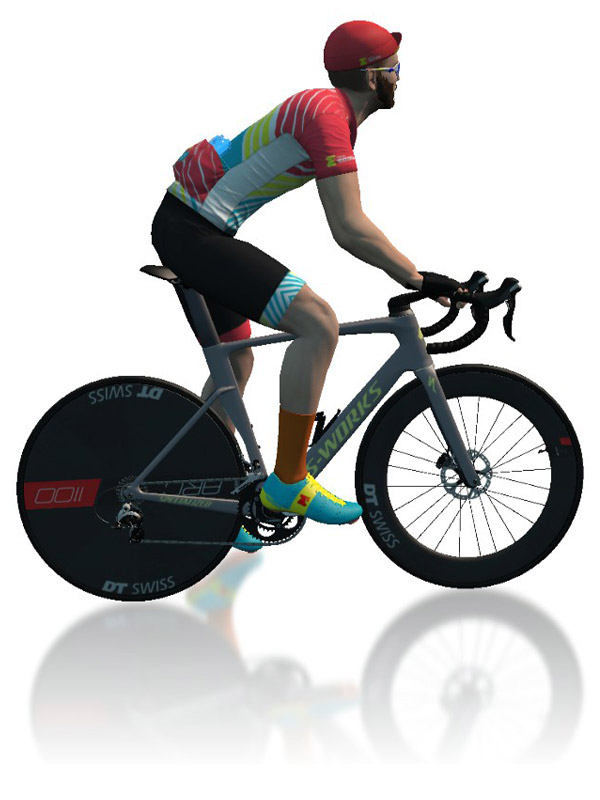
An aero bike is the way to go on Suki’s Playground, because the climbs are so short and fast that a lighter bike won’t make much difference. So we recommend the Venge S-Works or Felt AR frames with the DT Swiss Disc wheels.
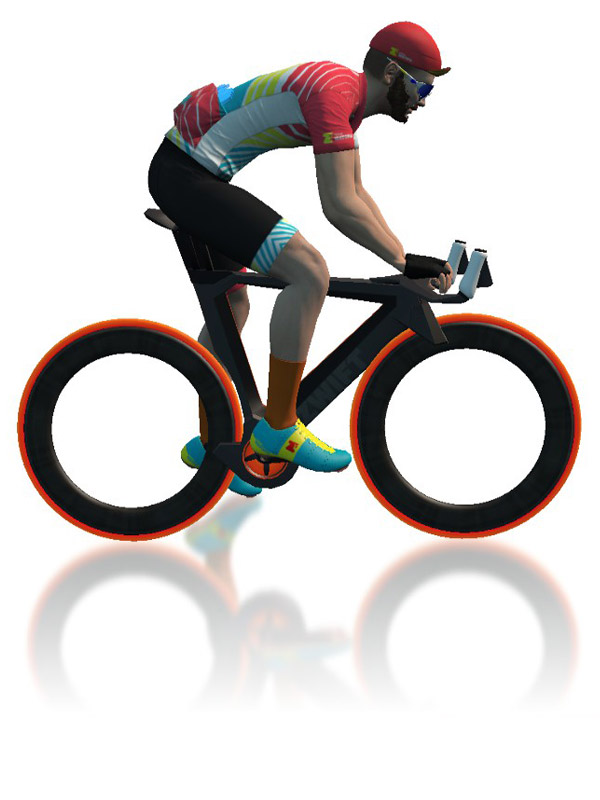
The Tron bike isn’t a terrible choice here, but you’ll lose a bit of speed in that crucial final downhill sprint.
Many recon rides are held each week on the upcoming ZRL route, and they even give you double XP! If you’re unfamiliar with this course, jump into an event and do some recon.
Si Bradeley
Oli Chi
Strategic Options
How will the race unfold? What strategies will riders employ in this scratch race on an unfamiliar route? Remember: in a scratch race, only the finish matters. Here’s what we predict:
Attritional Climbs: the finish favors heavier sprinters, so lighter riders may need to go all-out to drop punchy sprinters on the climbs if they want a shot at the podium.
Chasing It Back: the pack will string out and split on each climb, but some riders will be able to chase back on during the descents and flats that follow.
Tough Finish: the final 2.3km will be brutal, as it begins with a 1.5km climb and finishes with a downhill sprint! Expect lighter riders to attack hard on the climb in hopes of getting away from the sprinters who would otherwise beat them on the downhill. Team tactics could be really interesting here…
Hold Onto Your Helmets! We’ve already said this above, but we want to be crystal-clear: the aero powerup will be a huge advantage in the finishing sprint. With only four powerup arches in the race, once you get an aero you’ll probably want to save it for the finish.
Your Thoughts
Any insights or further thoughts on this race? Share below!
The Team Time Trial (TTT) was back for Round 4 of the 2023/2024 Zwift Grand Prix. Sixteen men’s teams took on one lap of Watopia’s Waistband in the classic TTT format, mimicking the upcoming round of the Zwift Racing League. Five riders from each team started together, and the team’s time was taken from their third rider across the line.
Watch the Livestream
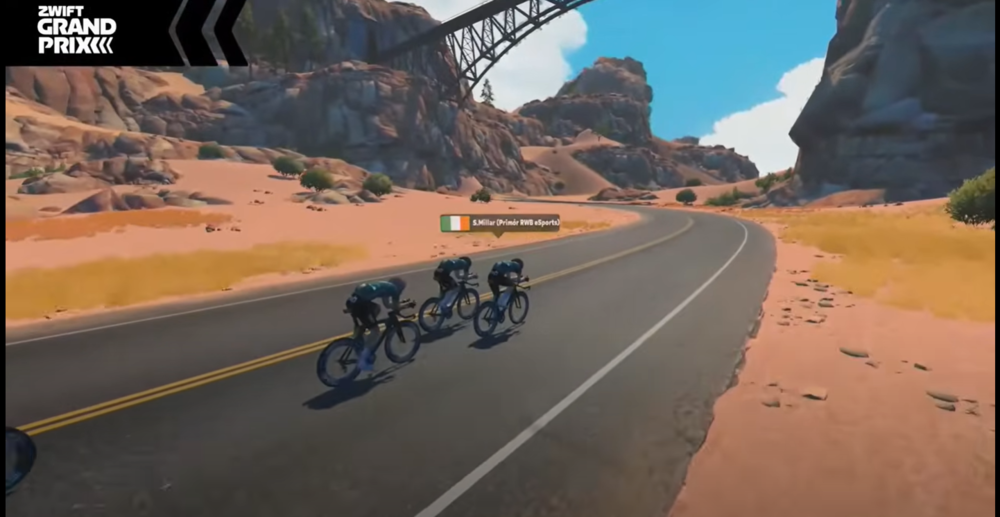
It was the first time that time trial bikes had ever been used in the Zwift Grand Prix, and it all kicked off with Primór RWB esports. Each team set off in one-minute increments, with the goal of setting the fastest time over the 27.8km course.
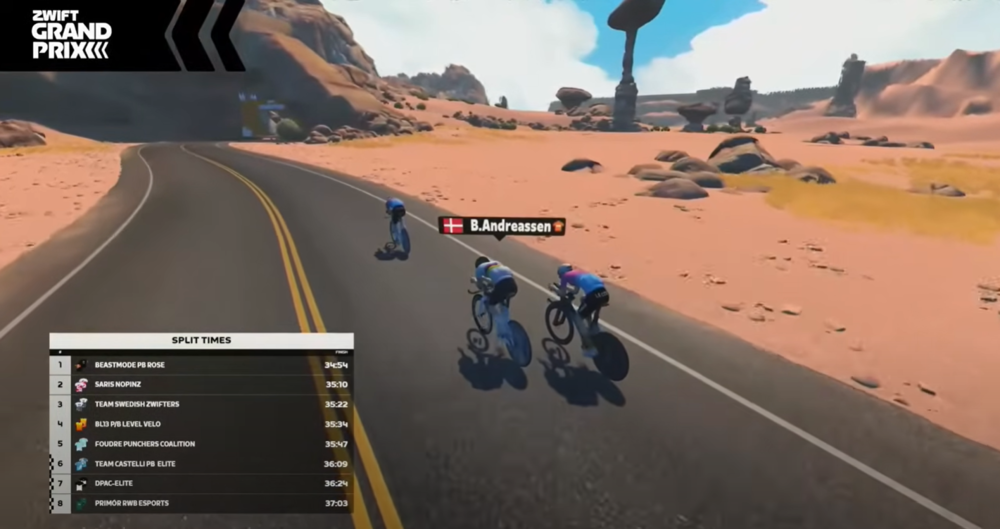
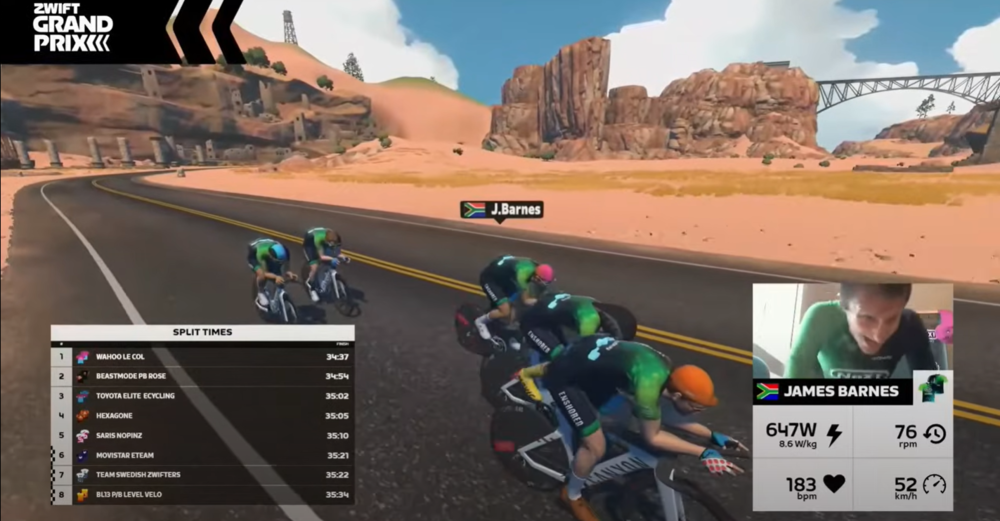
There were three time splits across Watopia’s Waistband, where teams could see how their times stacked up against the competition. Saris | NoPinz was one of the pre-race favorites, and they set the early mark at the first intermediate time check. The other pre-race favorites were Coalition Alpha, Wahoo Le Col, NeXT eSports pb Enshored, and ABUS – Synergy.
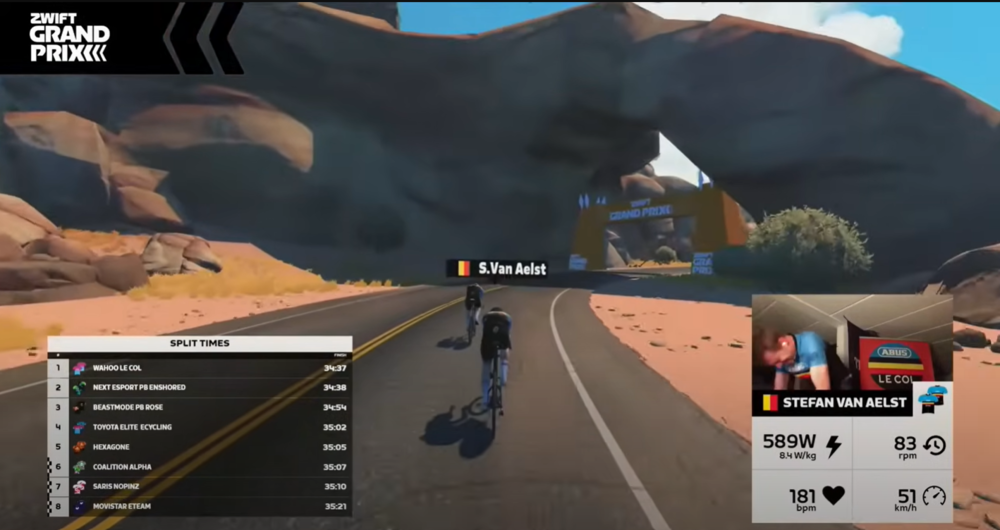
At the halfway point, Wahoo Le Col had set the fastest time, with NeXT eSports pb Enshored and Beastmode p/b ROSE not far behind. The other favorites were losing time, and they would continue to do so all the way to the finish line.
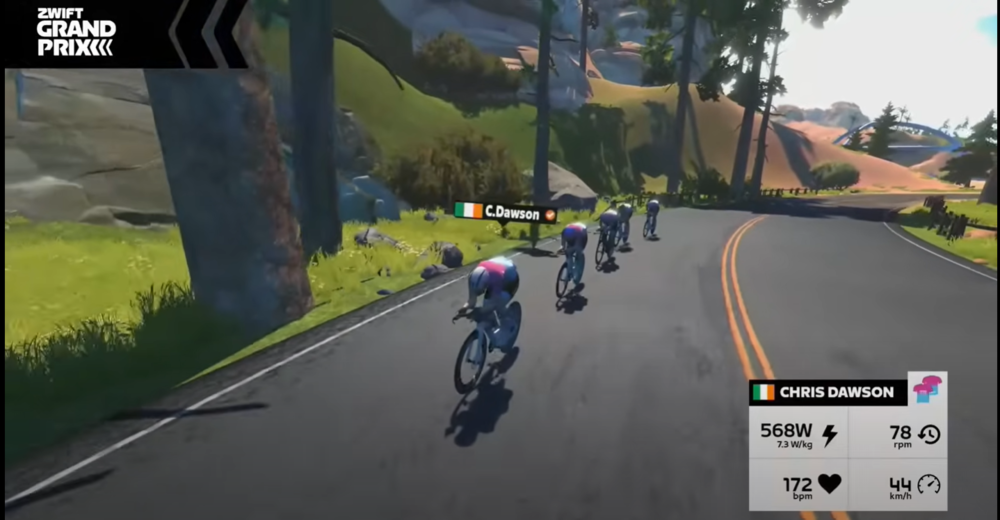
In the back half of Watopia’s Waistband, teams were really piling on the pressure in hopes of increasing their average speed. Teamwork was paramount, and the fastest teams were the ones who stayed together and rolled the smoothest turns.
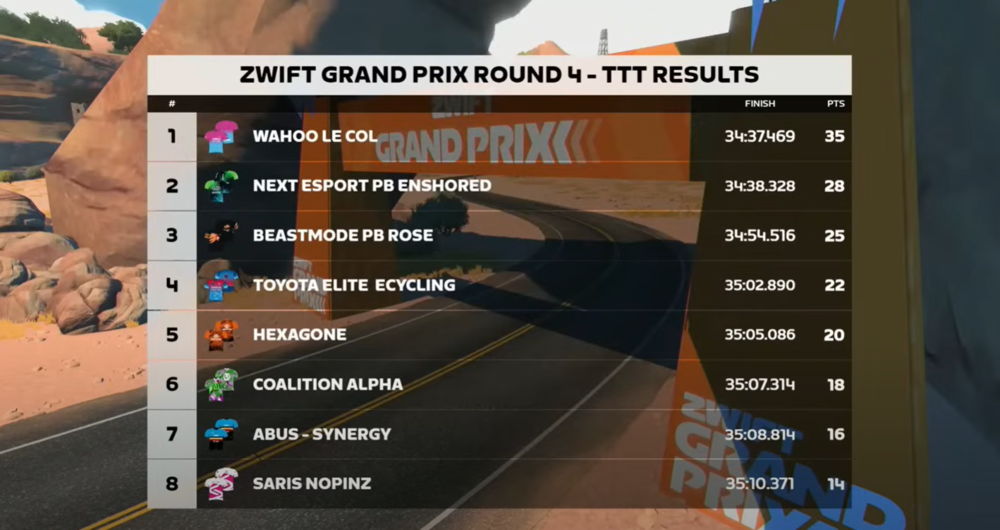
Led by Marc Mäding, Beastmode p/b ROSE surprised the favorites by coming through the finish line with a time of 34:54, more than 15 seconds ahead of Saris | NoPinz and Movistar eTeam. But it wasn’t long before Wahoo Le Col came roaring into the desert, crossing the finish line in a time of 34:37.
Wahoo Le Col had laid down the mark, and now it was up to Coalition Alpha, NeXT eSports pb Enshored, and ABUS – Synergy to challenge them for the top spot. Coalition Alpha lost time in the second half of the race, ultimately finishing in 6th with a time of 35:06.
ABUS – Synergy, leader of the Zwift Grand Prix standings, finished just one second slower than Coalition Alpha, earning them 7th place.
Coming into the final kilometer, it looked like it was all coming down to NeXT eSports pb Enshored. After losing a few seconds to Wahoo Le Col in the opening kilometers, NeXT eSports pb Enshored had begun clawing back time on the roads of Watopia. They were getting closer and closer, and as the finish line neared, all five riders from NeXT eSports pb Enshored sprinted to the line – but was it enough?
Less than a second… Wahoo Le Col took the win by less than a second. NeXT eSports pb Enshored finished in second place, while Beastmode p/b ROSE surprised many of the pre-race favorites to finish on the podium.
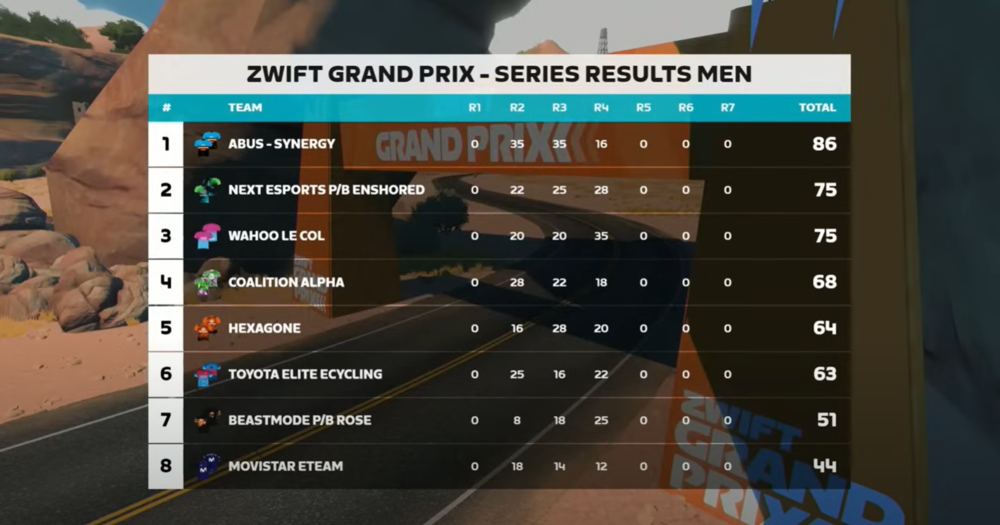
Round 4’s TTT offered a big shakeup to the Zwift Grand Prix – Series Results Men, with NeXT eSports pb Enshored jumping into second and Wahoo Le Col making the leap into third. The points gap from 1st to 6th is only 23 points, and there are still three rounds to go.
Coming Up Next
The men’s Zwift Grand Prix field returns in less than two weeks for another round imitating the Zwift Racing League: a 23.7km points race on The Muckle Yin will include five intermediate sprints and points at the finish line. FTS and FAL points are available for the Top 10 at each intermediate sprint.
The women’s 2023/2024 Zwift Grand Prix continues this week with the Scratch Race on Suki’s Playground on November 30th.