

“Mt. Hamilton” Climb Portal Details
See zwiftinsider.com/portal/mt-hamilton/

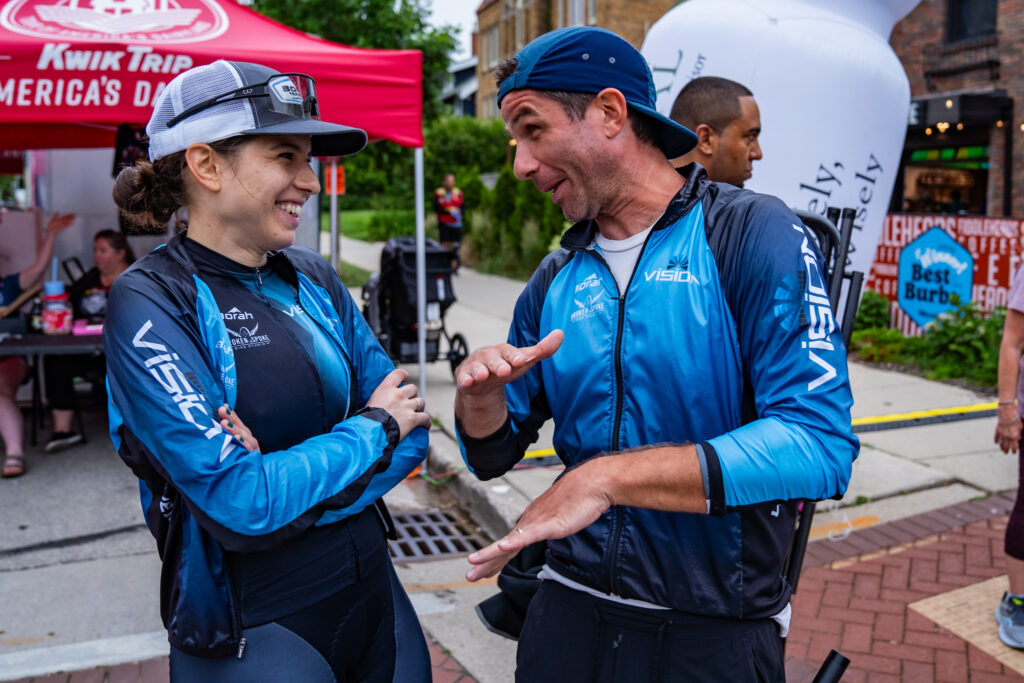
Name: Gabriela Guerra
Hometown: Curitiba, Brazil
How did you get into cycling? First it was only to get around the city when I lived in Munich, Germany and as a recovery and fitness tool alongside other sports. Later in Brazil, I started mountain biking (gravel style) and shortly after that discovered virtual cycling. Only after getting married and moving to the States did I take on structured training and being a “cycling athlete” thanks to my husband and coach Nathan Guerra, that also helped me out of RED-S that I developed before that.
How many years have you been racing on Zwift? 2.
Are you part of a Virtual team? Yes, this season I am with awesome people in Wahoo Esports.
What do you love most about racing? The challenge to push myself hard with others with the motivation to win and to put into practice the hard training.
What is your favourite style of race (e.g. points, scratch, iTT, TTT, Chase, duathlon) Scratch is my main go to, but I also enjoy points races, short back-to-back races such as Tiny Races and TTTs are always fun.
What is your favourite Zwift women’s race series? The current World Series is the most motivating and challenging with a packed field and therefore my favorite (even though not a women’s only series but each field is separate so I guess this counts 😊). But to mention some racing earlier this year I enjoyed was Tour de Boudica, Echelon Racing league, and last summer’s (2023) Women’s Racing Series.
What is your most memorable racing experience, inside or outside or BOTH? Last summer (2023), I completed my first full mountain bike season across Wisconsin, where I became State Champion in the series and placed 4th at the Chequamegon40 festival, racing against some of the biggest names in the country. It was a season filled with challenges, learning, and great moments shared with family and friends.
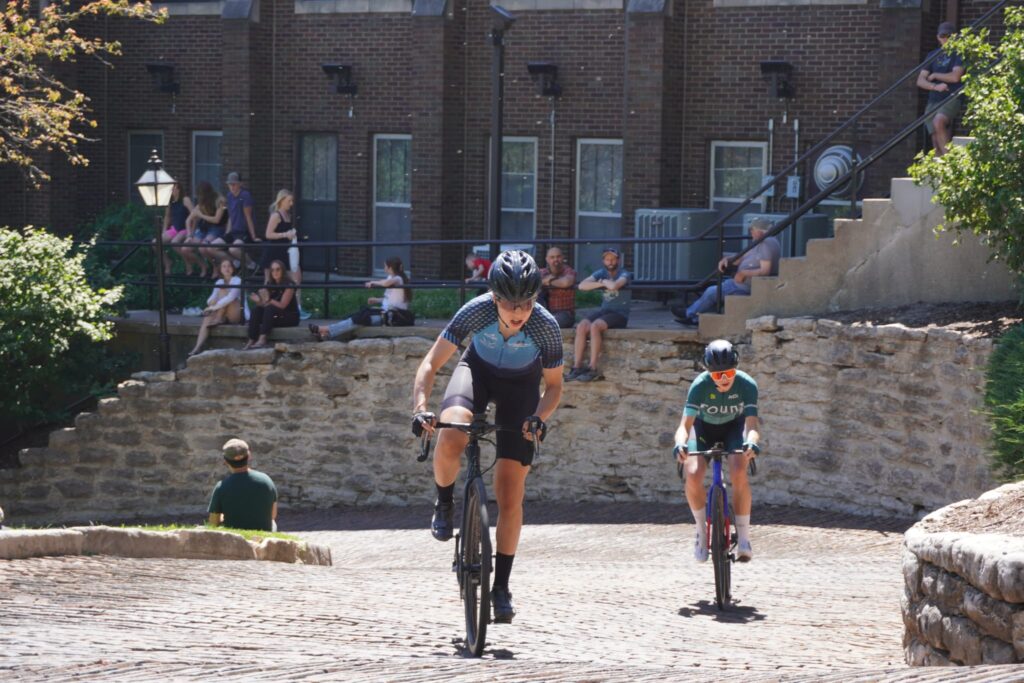
This year (2024), I raced Chequamegon again, finishing 4th, which was my only mountain bike race of the year so far. The field was stacked with top riders, including Olympian Savilia Blunk.
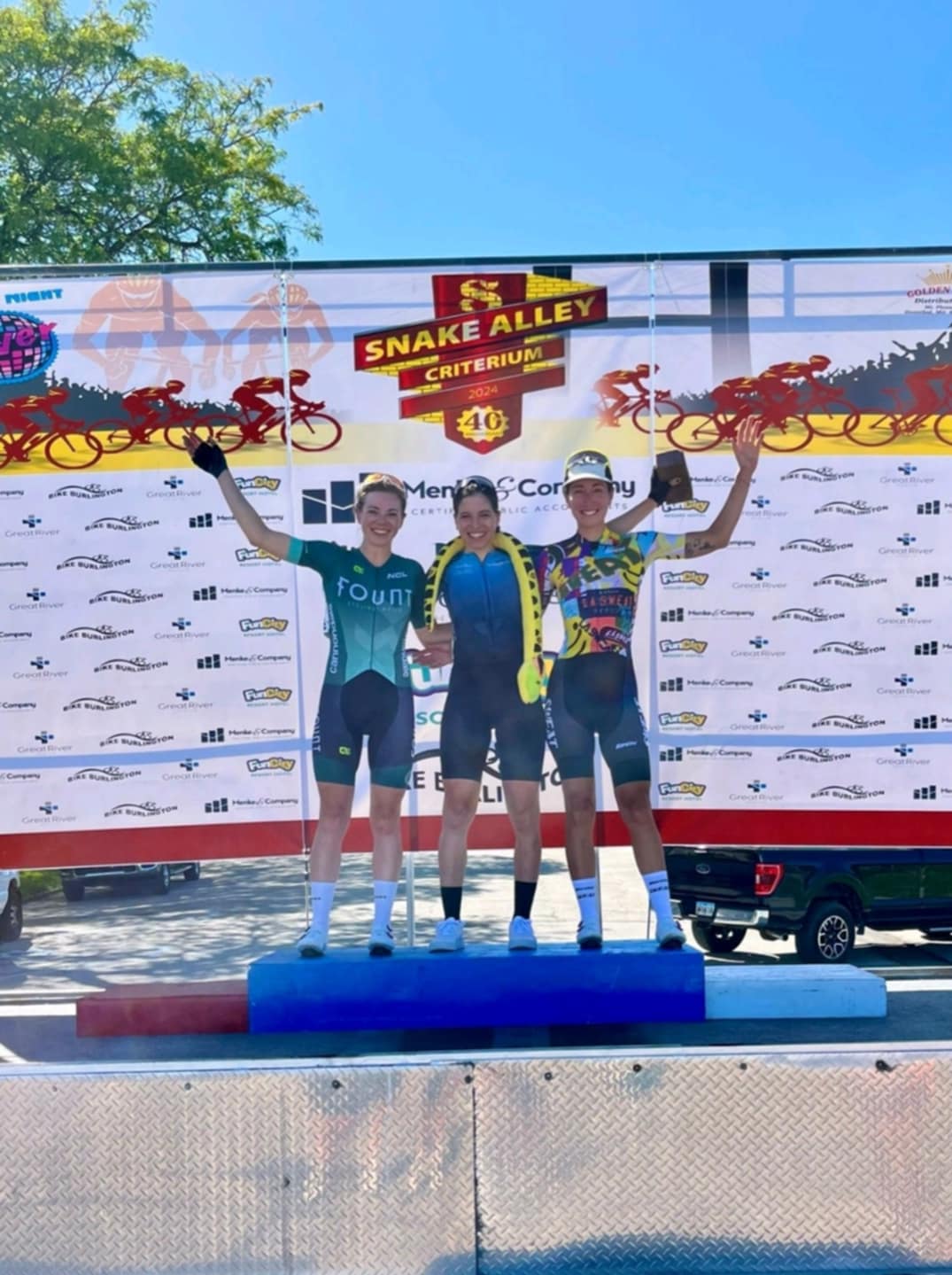
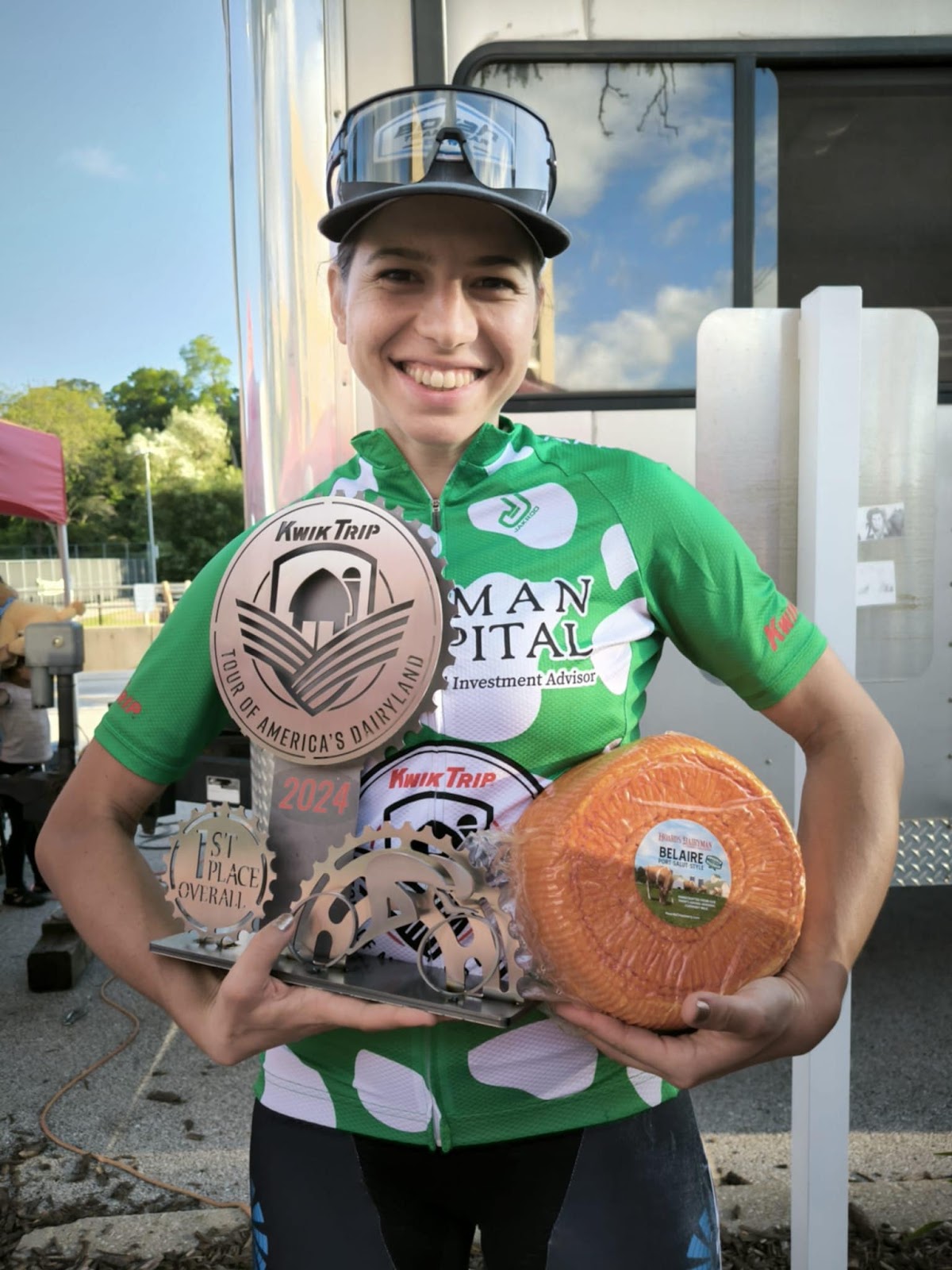
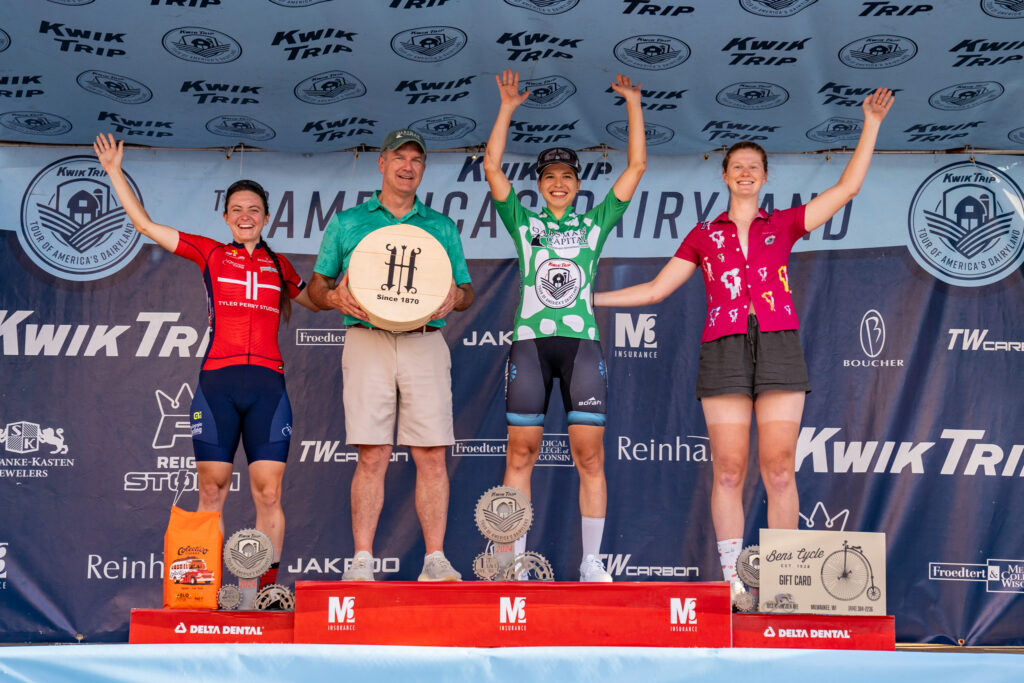
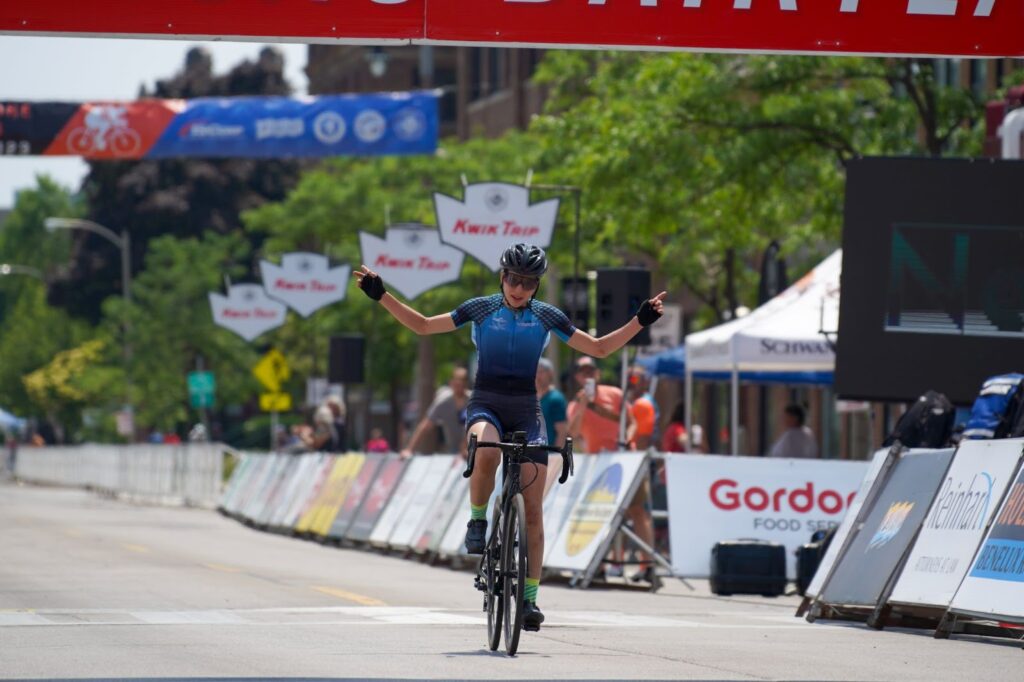
Also this year, I took on road racing for the first time. I upgraded from category 3 to 1 in just 2 months, winning several local races and the iconic Snake Alley crit. I was thrilled to take the overall category 2 title at the 11-day Tour of America’s Dairyland, where I quickly adapted to racing in fast, large packs against experienced pros. It was an intense learning experience, and I even had the chance to meet and race fellow Zwifters Arielle Verharren and Kristina Grossman!
What is your favourite food to eat post race? Steak, always steak. But since carbs are a must, then add sweet or regular potatoes with some goat cheese and mushrooms please. 😊
What advice would you give to a woman entering her first Zwift race? Don’t be afraid! Don’t be afraid to try, don’t be afraid to fail, don’t be afraid to push, don’t be afraid to hurt, don’t be afraid to discover your power, don’t be afraid to lose or even win! Racing is a challenge that at any level will make you grow and learn.
Any upcoming race you are looking forward to? Zwift World Series kicked off and I am excited for the next races! Also the finals of the World Championship if virtual cycling in Abu Dhabi! Maybe I will race the “Bell’s Iceman Cometh Challenge”, a mountainbike race in November.
Where can people follow your racing adventures? You can watch me training and racing LIVE! Just give me a follow in Twitch.tv @gabriela9guerra and you’ll get notified whenever I go live. I’ve been sharing my journey on Instagram @gabriela9guerra and if you want to see some real adventures I did before cycling (hiking, motorbiking, paragliding, biketraveling) and skateboarding, head over to my YouTube channel: https://www.youtube.com/@Gabriela9Guerra

To celebrate 10 years of community-organized racing on Zwift, the popular ZRacing series is taking a break from its usual schedule and hosting a community takeover from October 7 through November 24.
Every weekday will feature a different community race organizer – 35 in total – and their selected race course. Races will award double XP, and for the first time ever, all the races will be categorized using Zwift Racing Score!
Read on for details about community teams, race routes, event schedules, and more…
Here are the teams featured in the Community Racing Festival, along with their chosen routes. Note: these are single-lap races unless stated otherwise. Races are scheduled hourly throughout the week:
See upcoming Community Racing Festival events >
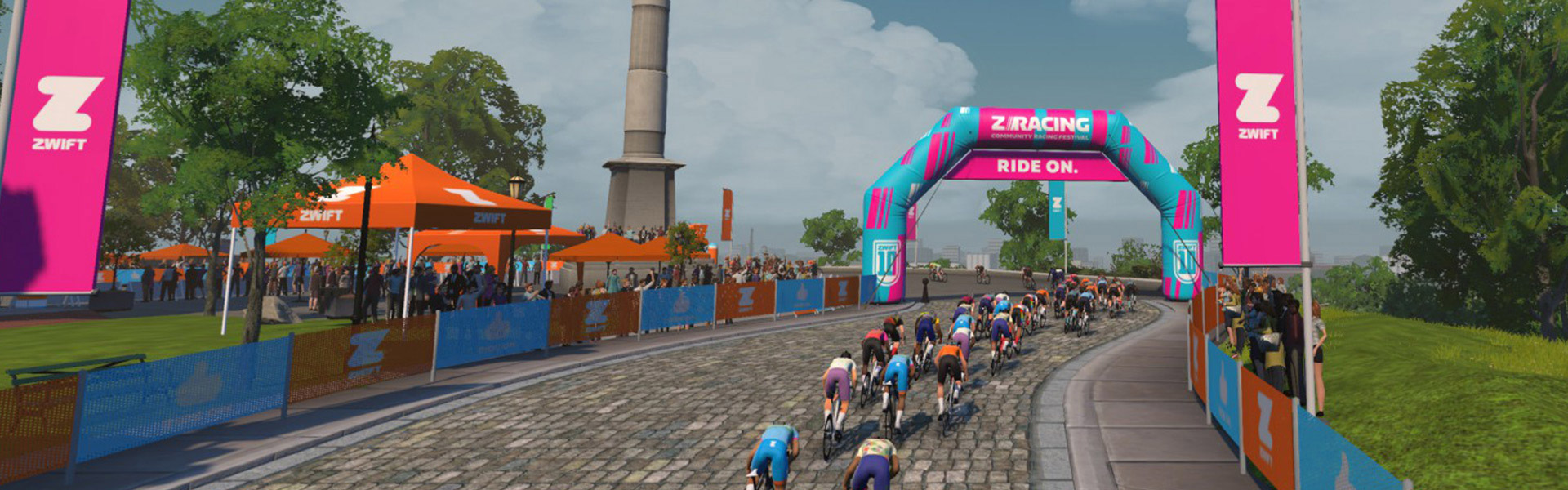
As shown above, each weekday will feature a different community team and their chosen race course. Races will be scheduled hourly across the day’s 24 timeslots, and every 5 hours on the weekend.
See upcoming events at zwift.com/events/tag/communityracingfestival
Typically riders are awarded 20XP per kilometer or 32XP per mile, depending on whether you have units set to metric or imperial. For Community Racing Festival events, riders will receive 40XP per kilometer/64XP per mile! Learn all about cycling XP and unlocks >
Zwift Racing Score has been used for limited test events in the past few months of ZRacing, but beginning with the Community Racing Festival, all ZRacing events will use Zwift Racing Score.
Zwift has settled on subgroup ranges which will be used for all Zwift-branded races beginning October 7. Here’s how those ranges have evolved in ZRacing over the past few months:
ZRacing typically includes a monthly GC, but because of the daily structure of the Community Racing Festival, no overall GC will be tracked for October + November.
Update: James at Zwift has set up a GC for the Community Racing Festival. He describes it as “… not a serious GC. Just something I set up for fun” because it tracks every race of the series, and nobody is going to race every day’s stage… are they? (Spoiler: somebody will. For sure).
Here’s the link to that GC, so you can figure out who’s crazy enough to race all 35 stages >
You must use a heart rate monitor to show up in ZwiftPower results for this series.
If you aren’t signed up for ZwiftPower, check out our post How to Sign Up for ZwiftPower (and Why Every Zwifter Should Do It).
Each month’s ZRacing series has a unique achievement badge, which you can unlock by finishing every stage for the month.
The Community Racing Festival is deviating from the standard ZRacing setup, so in order to unlock the badge, you will need to finish 7 different races.
These races are designed to deliver a solid 1-hour workout, so each race should only take around 1 hour to complete, including your warmup and cooldown.
Post below!
The big second race of the Zwift World Series happens this weekend, but that’s not all! We’ve picked two other popular race events, plus a couple of social rides that may help you bag a route badge you’ve been looking for. See our picks below!
✅ Popular Race ✅ New Route
The Zwift World Series community races are by far the most popular events this weekend, with race #2 being held on the newish “Peak Performance” route (46.6km, 729m). These World Series events happen only once a month, and they’re longer efforts, sort of like a virtual classics race.
This newish route takes you up the Titans Grove KOM Reverse, but that is just a taste of the big climb that lies ahead. After some flat miles, riders will climb The Grade, then continue ascending the Epic KOM before descending back to Watopia proper for the finish. Learn more about the route and race >
Lots of events Saturday and Sunday
Sign up at zwift.com/events/tag/zwscommunity
✅ Route Badge ✅ Beginner Friendly
Some of Zwift’s route badges feature longish routes, and it’s a lot more fun to finish these routes with friends! Team Velos holds a monthly Route Bagger Challenge ride to help you “tackle the hardest Zwift routes.”
This Saturday’s ride features Watopia’s newish Radio Rendezvous route (23.5km, 736m). The leader will set a steady pace around 1.9-2.1w/kg.
Saturday, September 28 @ 2pm UTC/10am EDT/7am PDT
Sign up at zwift.com/events/view/4481821
✅ Popular Race ✅ Women Only ✅ Unique Event
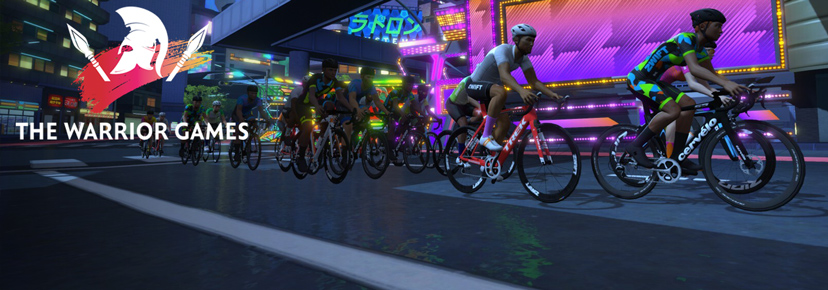
The popular Iceni Women’s Series is now underway, and this weekend it’s Challenge 4: a 2-lap points race on Loop de Loop for a total length of 25km. With an intermediate sprint and QOM awarding points on each lap, this is going to be strategic and spicy!
Two timeslots on Saturday
See upcoming Iceni events at zwift.com/events/tag/iceni
✅ Unique Event ✅ Cash Prizes ✅ Endurance Challenge
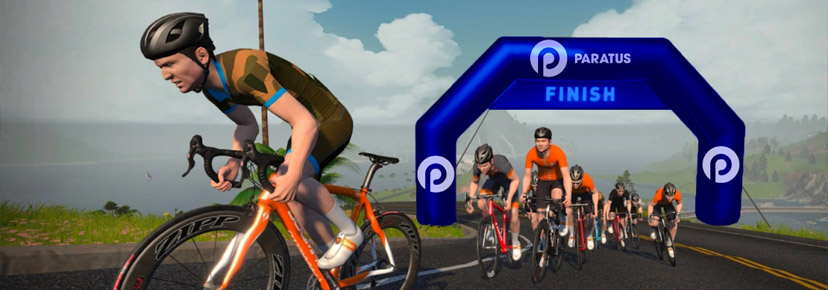
This is the first time the IRL Paratus Namibian Cycle Classic has held an online version of their race (1 week before the outdoor one). Riders can choose between two different race lengths (42.4km or 82.1km), both held on Watopia’s Out and Back Again.
According to the website there’s even some prize money on the line!
Three timeslots this weekend
See events at zwift.com/events/tag/paratuscycleclassic
✅ Route Badge ✅ Banded Ride ✅ Beginner Friendly
Have you ever wanted to climb the legendary Alpe du Zwift, but find it a bit intimidating? Join Wobble Cycle Club on a banded ride on Road to Sky that takes you all the way to the top! All you have to do is keep turning those cranks over, and you’ll keep climbing with the group all the way to the top, regardless of power output.
Saturday, September 28 @ 8am UTC/4am EDT/1am PDT
Sign up at zwift.com/events/view/4512694
We choose each weekend’s Notable Events based on a variety of factors including:
In the end, we want to call attention to events that are extra-special and therefore extra-appealing to Zwifters. If you think your event qualifies, comment below with a link/details and we may just include it in an upcoming post!
See zwiftinsider.com/tiny for current Tiny Race details.
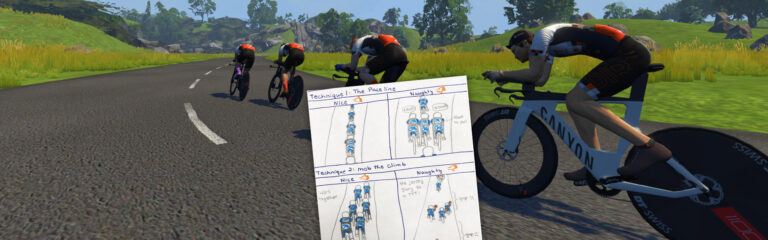
A few weeks back, Zwifter Jen Moroz shared some fun hand-drawn team time-trialing technique illustrations on the FemmeCycle Collab Discord server. I found them to be quite insightful, and I love that she took the time to draw them out. So I asked if I could share them with the Zwift community this week as we prepare for next week’s ZRL TTT on Greater London 8. Enjoy!
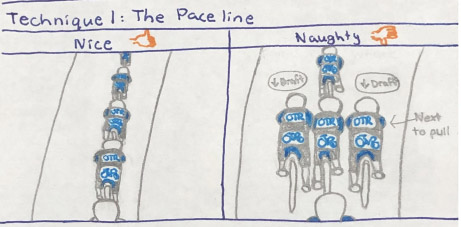
Jen begins with the most basic of TTT technique tips: formation. Your default formation should be a single-file line because this gives you the fastest overall speed for the least amount of overall work.
It’s the same outdoors. Why does it work this way? Physics. Single-file formation puts only one rider in the wind, while everyone else receives the maximum possible draft benefit and thus saves the most watts possible.
In our TTT drafting tests, the single-file formation (image on the left) results in an average power of 309W, while the “hybrid” formation on the right results in an average power of 331W. That’s a power savings of 6.5%!
Single-file is the best formation on flats and descents because it enables maximum draft benefit. But what about climbs, where air resistance is minimal and drafting is thus less important?
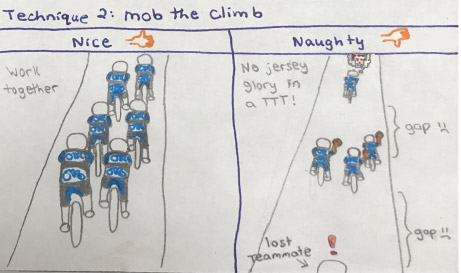
Most teams choose to “mob” the climbs, with the strongest climber(s) on the front of the pack setting a pace everyone can match. Weaker climbers behind may benefit from a bit of draft, but they also benefit by keeping things simple mentally and just working to match the pace being set on the front. Precise front/back positioning isn’t very important on climbs, and the longer and steeper a climb gets, the less important it is. What’s more important is keeping the squad together.
Communication is key on climbs, as you usually don’t want stronger climbers dropping weaker riders. If gaps open up, be sure to speak up quickly so the front can make a decision about easing to keep the team together.
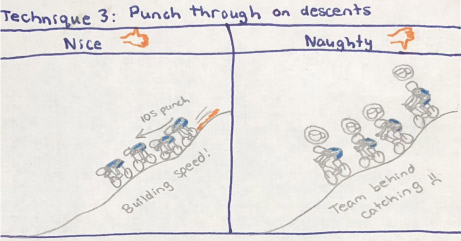
You may be tempted to sit up and rest on the descents, but your team will travel faster if riders take turns putting in 10-second “punches” from near the back of the pack.
This makes use of the draft “slingshot” effect which also exists outdoors. How does it work? While in the draft a few wheels back from the front, you hammer down and build momentum as you pass riders before shooting off the front. The rest of your team stays on your wheel, so the speed of the entire team is increased.
In a perfect scenario, after you’ve been on the front for a few seconds, the next rider near the back should punch their way through, giving your team another speed boost. Wash, rinse, repeat.
Teams are usually better at holding formation and keeping speeds high during the first 2/3 of the race. But it may just be the final 1/3 that makes or breaks your shot at the podium!
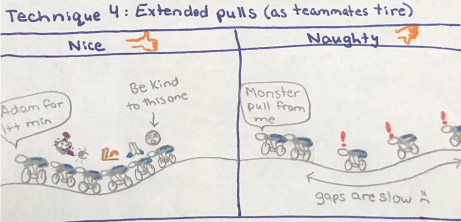
As riders tire, they may need to skip a pull or may even lose the wheel and allow gaps to open up. This is a problem because, as Jen so nicely illustrates, gaps are slow. When gaps get too large, the gapped rider loses their draft benefit, which just adds to their struggle. Even worse, anyone on the gapped rider’s wheel is now slowed as well, forcing the team to make a difficult decision: does the front pack slow so the gapped riders can rejoin? Does one of the gapped riders have to put in a hard effort to pull back the gap? Or do we let the gapped rider(s) fall off the back?
As the team weakens, stronger riders must resist the urge to make up for lost time by taking higher-powered monster pulls. Instead, stronger riders should take longer pulls. This gives weaker riders more time to sit in the draft and recover, without raising pack speeds and opening up gaps.
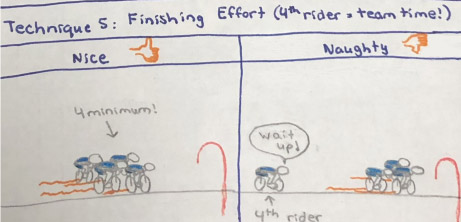
In ZRL team time trials, your team’s time is taken from the fourth rider across the line. This rule carries two important implications:
What do you think of Jen’s TTT Technique Tips? Which one does your team need to work on the most? Share below!
The fourth race of Zwift Racing League 2024/25 Round 1 happens Tuesday, October 1. It’s the second team time trial of this round, and our first with a real climb.
The race course: 1 lap of London’s Greater London 8 route, which includes the Box Hill KOM.
The climb up Box Hill makes this an especially interesting TTT in terms of pacing and team selection. Let’s dive into route details, bike choice, and all things TTT…
London’s Greater London 8 route is 24.4km long, with 280m of elevation gain. Its most obvious feature is, of course, the Box Hill KOM:
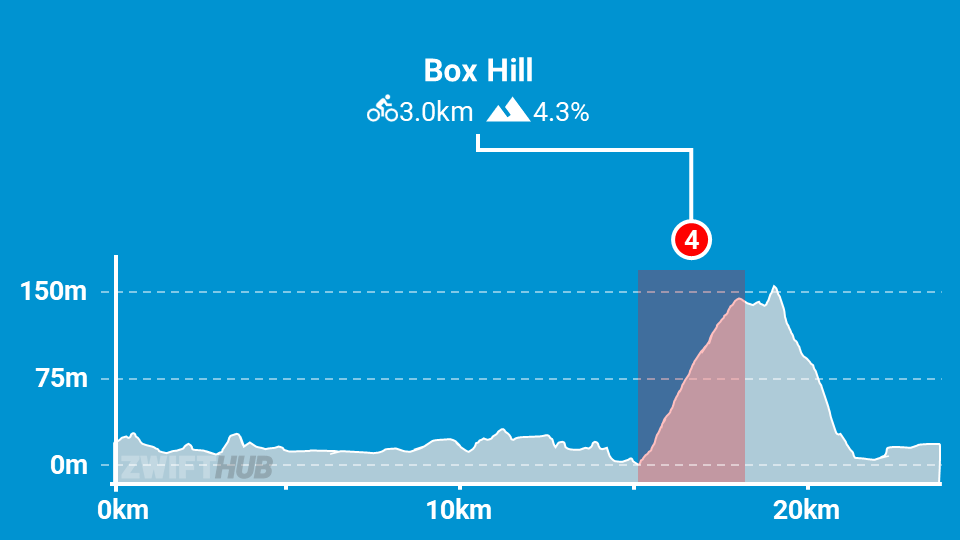
Here’s a modified version of Sherpa Dave’s notes from when this route was raced as a Thursday TTT back in 2021:
Read more about the Greater London 8 route >
You may think that a lighter wheelset is the way to go because of the big Box Hill KOM on this course, but that’s definitely not the case. In a TT the strategy is simple: pick the wheelset and frame that gives you the fastest overall time.
If you look at our wheel performance data and do some simple math, you can draw a few important conclusions:
Frame performance works out similarly. To put it simply: aero is everything. Switching to a lighter frame, even the zippy and light Felt IA 2.0 or Scott Plasma RC Ultimate frames, gives you a net disadvantage vs the more aero CADEX Tri and Canyon Speedmax Disc frames.
So bike choice is easy: grab your most aero TT setup! The CADEX Tri is the fastest frame in game by a solid margin, and the DT Swiss disc wheels are the fastest wheels. If you don’t have access to that setup (level 40+) then see this post to determine the fastest TT setup available at your level.
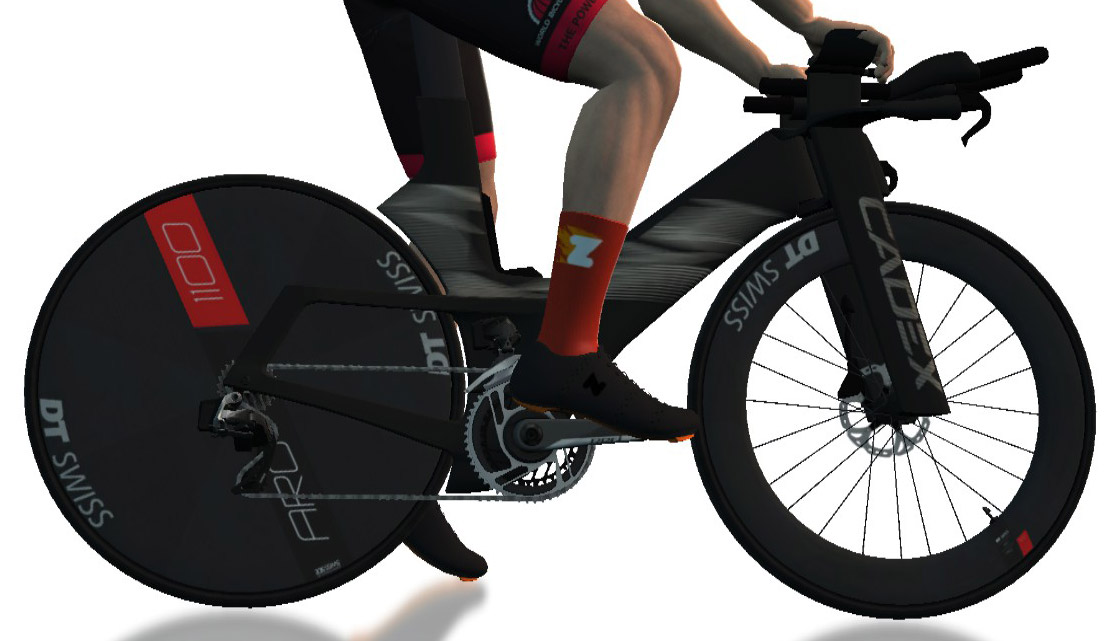
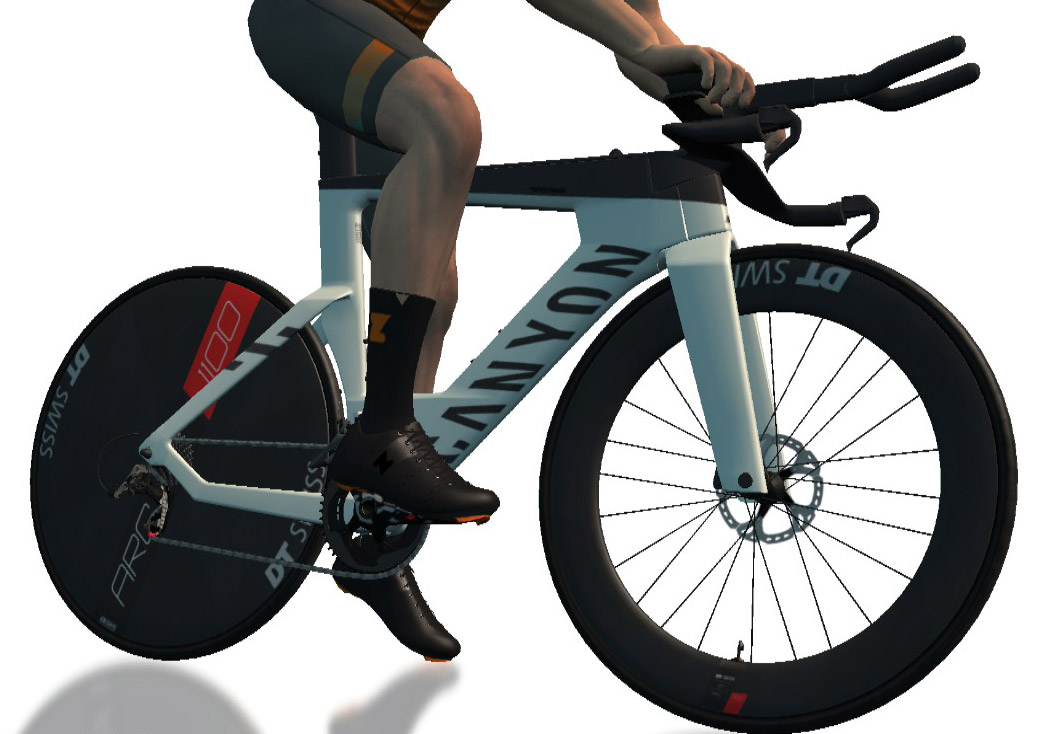
Whatever you do, do not use a road frame. Because just like in real life, even a “slow” TT frame is much more aero than a road frame.
Lots of recon events are scheduled on upcoming ZRL routes, led by various teams. See upcoming ZRL recons for this race at zwift.com/events/tag/zrlrecon.
See Greater London 8 course notes >
Team Time Trialing on Zwift is a challenging mixture of physical strength, proper pacing, and Zwift minutiae like picking a fast bike and understanding drafting in a TTT context.
Flatter courses like this week give valuable seconds to teams who can keep their speeds high over false flats. If you typically run your trainer difficulty setting pretty low, we advise you to raise your Trainer Difficulty high enough that you can feel slight incline changes and automatically increase power to keep your speeds high.
Climbs like this week’s Box Hill KOM also present an opportunity to gain or lose lots of time over a short distance. You will want a target pace and attack plan for this section to ensure your team is climbing as fast as possible. You may also need to make decisions about dropping riders on this climb, because waiting for them may cost you more time than they can pull back on the descent and flats to follow. If your team includes a slow climber with decent pure watts, it may make sense for them to take a suicide pull leading into Box Hill to give the team a final boost before dropping off.
Your goal in a ZRL TTT is to get four riders across the line in the shortest time possible. That means every team’s pace plan will differ based on the abilities of each rider. We highly recommend having an experienced DS on Discord directing your team, especially if your team contains some inexperienced TTT riders.
If you really want to go down the TTT rabbit hole, check out Paul Fitzpatrick’s zwift-ds.com site. We also highly recommend using Dave Edmond’s Zwift TTT Calculator tool.
Any insights or further thoughts on this race? Share below!

A group of riders from the Rhino Racing team plan to Virtual Everest (vEverest) Alpe du Zwift on Saturday, November 2. And they’re inviting other brave souls to join!
Read on for details…
VEveresting is climbing the equivalent of Mount Everest (8848 meters) in one indoor cycling activity. (You can also do “Everesting” outdoors, of course).
There are rules for what makes an official vEveresting that qualifies for the Hall of Fame, including:
Rhino Racing has created an event (zwift.com/events/view/4520612) to begin their Virtual Everest Challenge at 5am UTC Saturday, November 2. This event is just one lap of Watopia’s Road to Sky route, with late join enabled and all riders within Watopia visible.
But the real challenge begins after that event is completed and riders descend to the bottom of the Alpe only to flip a u-turn and begin climbing again! Because with 1036 meters of elevation gained on each Alpe du Zwift ascent, it takes over 8.5 completions to vEverest Alpe du Zwift.
If you’ve never vEverested before, doing a quarter (2212m) or half (aka “Basecamp”) is also a huge achievement! Everyone is invited to join the event and complete as many ascents as desired.
If you can’t make the kickoff event, you may also head over to Alpe du Zwift on your own schedule and join the Rhino Racing squad as they ride up and down the Alpe for 8+ hours. Just choose Watopia’s “Road to Sky” route, which takes you down through the Jungle to Alpe du Zwift.
Rhino Racing’s Discord server (https://discord.gg/wPD4HJ6) will be active for the ride, so if you’re looking to pass the time meeting and chatting with other Zwifters, sign into the public voice channel. Be sure to alert everyone if you spot the Yeti!
Those looking to participate are also invited to sign in now and introduce themselves via text chat in the #rhino-everest-challenge channel!
The average pace will be between 2.0 and 2.5 w/kg and Rhino Racing says the group will be “aiming to stay together as much as possible.”
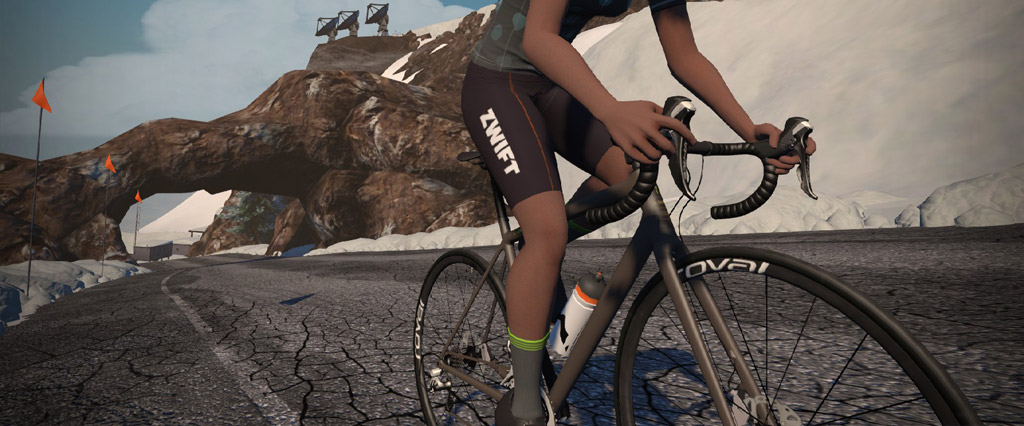
In a ride of this length, a lightweight climbing bike can save you several minutes over the course of a vEveresting attempt. Check out Fastest Climbing Bike Frames and Wheels at Each Zwift Level to learn which climbing rig you can access and use!

Finish a vEveresting, and you’ll earn the coveted hidden Everested! badge, including a 5000XP bonus. (There are other hidden “extra credit” badges, too. See our full list of Zwift achievement badges >)
Share below!
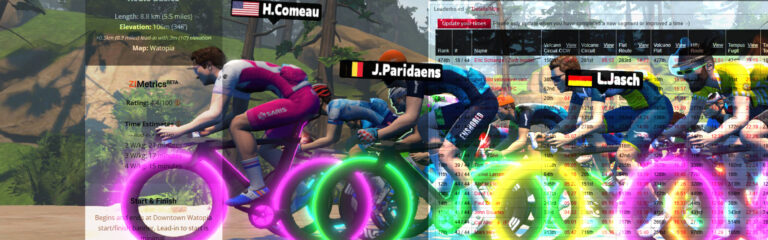
I’ve been spending a lot of time getting intimate with Zwift route data lately. Why? Two separate projects. One that predicts your finishing time on a given route… the other that tracks those times on a leaderboard against others!
Here are the details…
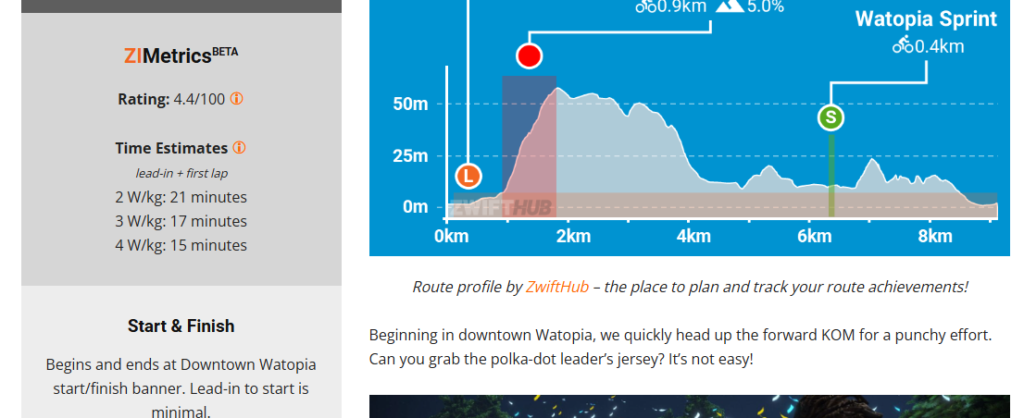
For years, I’ve wanted to add two things to Zwift Insider’s route detail pages:
I’ve been tweaking and testing an algorithm for a few weeks, and I’m pretty happy with its results at this point – hence this announcement.
Let me start by saying this: there’s no way to estimate a perfectly accurate completion time on Zwift – not unless it’s a TT race and you’re perfectly following a particular “power plan” à la BestBikeSplit.
My goal with these time estimates is to predict how long it would take a semi-experienced rider, riding efficiently in a group, to finish one lap of the course, including any lead-in. The algorithm assumes you’re a 75kg, 183cm rider drafting on the flats, on a decently fast bike, and pushing harder on climbs than on flats and descents.
Basically, the algorithm is based on a typical Zwift group ride or race situation.
Of course, draft conditions vary widely, as do rider height/weight, choice of bike, and power variability. In order to keep it simple and avoid requiring people to enter height, bike choice, etc, I had to make certain assumptions, and I’m fine with that, because I don’t think we lost much accuracy in doing so. In my tests, I’m finding that the ZIMetrics estimates are almost always within 3% of the actual completion time. That’s certainly close enough for our purposes.
Each route also has an objective “Rating” score between 0-100. This is simply a normalized version of the time estimates above. For example, if ZIMetrics estimates that a route will take 40 minutes to complete, that means it will have half the rating of a route that is estimated to take 80 minutes to complete.
Yes, it’s not a perfect metric. But I’m not sure such a metric exists. The ZIMetric route rating is a simple way to rank routes against each other.
I’ll be using this to compute the bidon score for the printable routes by difficulty page, once I’ve got all the routes updated. (That’s why this printable list hasn’t been updated for a few months, by the way…)
I should note that I’ve set it up so the current highest-rated (that is, the toughest) route – London’s “The PRL Full” – is rated at 100. If a tougher route gets released all scores would get automatically recalibrated based on the new maximum.
ZIMetrics aren’t yet available for every route, because I have to edit each of the 236 routes in the database to include specific, accurate data before the ZIMetrics algorithm can spit out good results.
Here’s the complete list of routes that have ZIMetrics enabled (90+ routes currently). That list should continue to grow daily until all routes are finished.
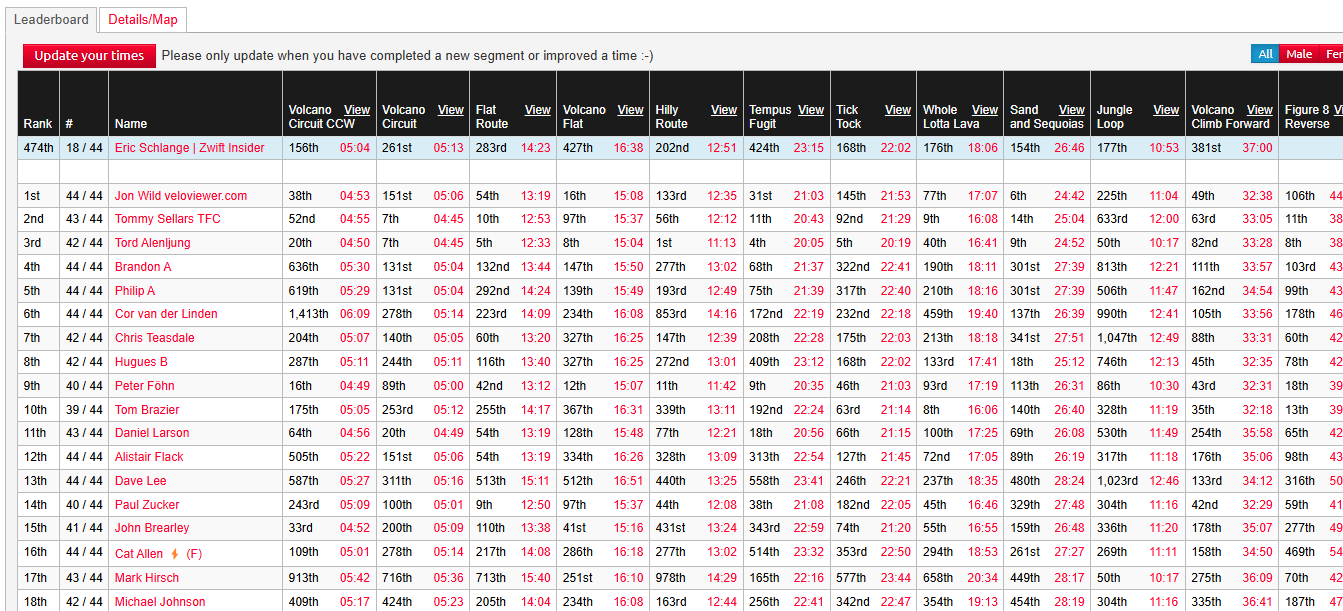
Our Route Hunter Leaderboards p/b VeloViewer, have been very popular since they were first launched in the middle of Covid craziness on August 18, 2020.
If you aren’t familiar with these leaderboards, they basically allow you to compete for overall fast time across a combined set of Zwift routes and KOMs. It’s a fun way to pit yourself against others, track your completion of routes, and see your own fitness progression.
These leaderboards are now updated with the latest routes and KOMs.
Share below!

I’m not one to talk about myself, but today I’m stepping out of my comfort zone. If this can motivate someone to reach their own goals, then I’ll be thrilled.
I’m celebrating my 5-month anniversary on Zwift.
Here’s my story.
Honestly, at the start of 2024, nobody would have believed I’d take up exercise—myself included! It was probably the last thing anyone expected from me.
But everything changed on April 21st, when I bought a Wahoo KICKR Core trainer, mounted it to a Decathlon bike, and jumped into Zwift.
That was a massive shift for me. Before this, my biggest workout was moving from bed to my computer and then to the couch. I had no idea a piece of software could have such a big impact on my life.


I’ve been using Zwift not just for performance, but also for weight loss and to completely overhaul my routine! When I started, I wasn’t in great shape—quite unhealthy at 190 lbs with a height of 155 cm (5’1″). Over the last 4 months, I’ve dropped 18 kg (about 40 lbs) and increased my FTP from 110 to 171 watts, all through indoor training and walking.
Those are the 5 key areas I’m focusing on in my journey. I still have weight to lose and goals to hit, but I’m moving in the right direction.

Zwift can be a game-changer for anyone looking to combine fitness with weight loss!
If you’re on a similar journey, I’d love to hear about your experience.
Any tips on keeping the momentum going?