

Zwift version 1.64 begins its phased rollout today. This update includes a significant change to speeds in banded events, plus badge hunters will be happy to see new badges for some event-only routes! See details below…
4 New Route Badges
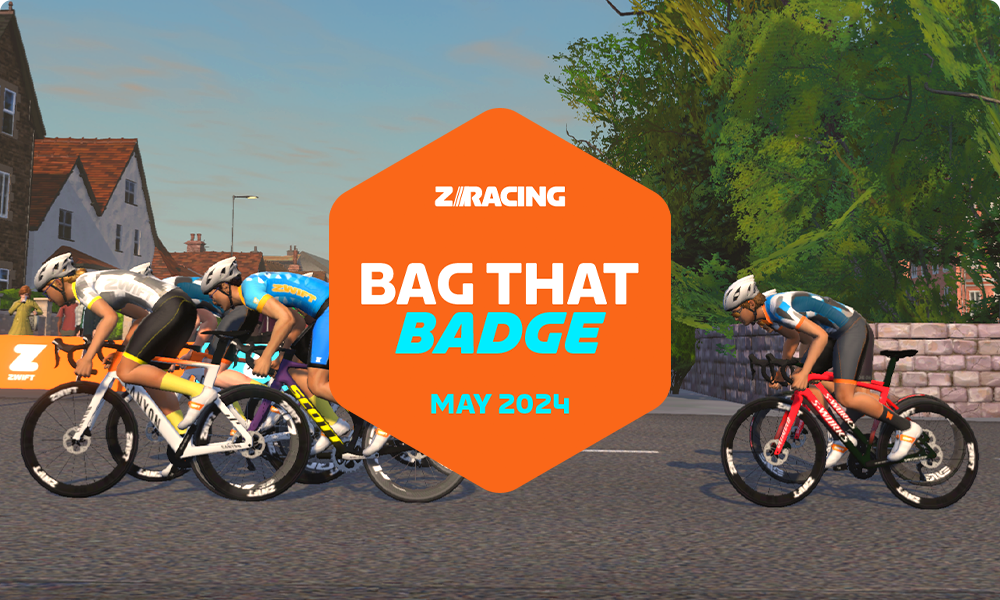
Four event-only routes now have route badges you can earn for extra achievement and XP! The routes are:
- Yorkshire’s Queen’s Highway After Party
- Watopia’s Hilly Route Reverse
- London’s Classique Reverse
- New York’s Park Perimeter Reverse
You’ll have to join an event held on each route to unlock the badge, but that’s easy enough: these are the four routes featured in May’s “Bag that Badge” ZRacing events!
Note: the new badge for Queen’s Highway After Party is erroneously named “Queens Highway Reverse” on the badge list. This is a known bug.

Rubberbanding (Keep Everyone Together) Fix
Zwift’s release note says, “Fixed an issue where “Keep Everyone Together” (aka rubber-banding) speeds could be inconsistent between events and meetups.”
You may recall that in March we ran some tests on Zwift’s “Keep Everyone Together” (aka “rubberbanding”) mode for Club events and Meetups. Read them here:
- Speed Tests: Rubberbanding (Keep Everyone Together) Mode in Zwift Club Events
- Speed Tests: Rubberbanding (Keep Everyone Together) Mode in Zwift Meetups
- Speed Tests: Rubberbanding (Keep Everyone Together) Mode on Climbs in Zwift Club Events
- Speed Tests: Rubberbanding (Keep Everyone Together) Mode on Climbs in Zwift Meetups
In summary, our simple 2-rider tests showed that Club events used a completely different banding algorithm than Meetups, and that speeds didn’t fluctuate very realistically based on power variations. Our conclusion was that Zwift’s banding algorithm for Meetups was most accurate in terms of speed, and should be used for all banded events, perhaps with some tweaks to make speed fluctuations feel more realistic.
Zwift’s developers have been hard at work improving Keep Together Mode in recent weeks, and today’s release delivers those improvements to all “Keep Together” events: Club events, Meetups, and (an inside source tells us) even Group Workouts!
We tested the updated algorithm in recent days, and it is indeed much improved! You’ll find the updated algorithm noticeably increases speeds in flatter Club events and (presumably, although we haven’t tested it) group workouts. We’ll release updated speed tests in the coming days.
Homescreen Updates

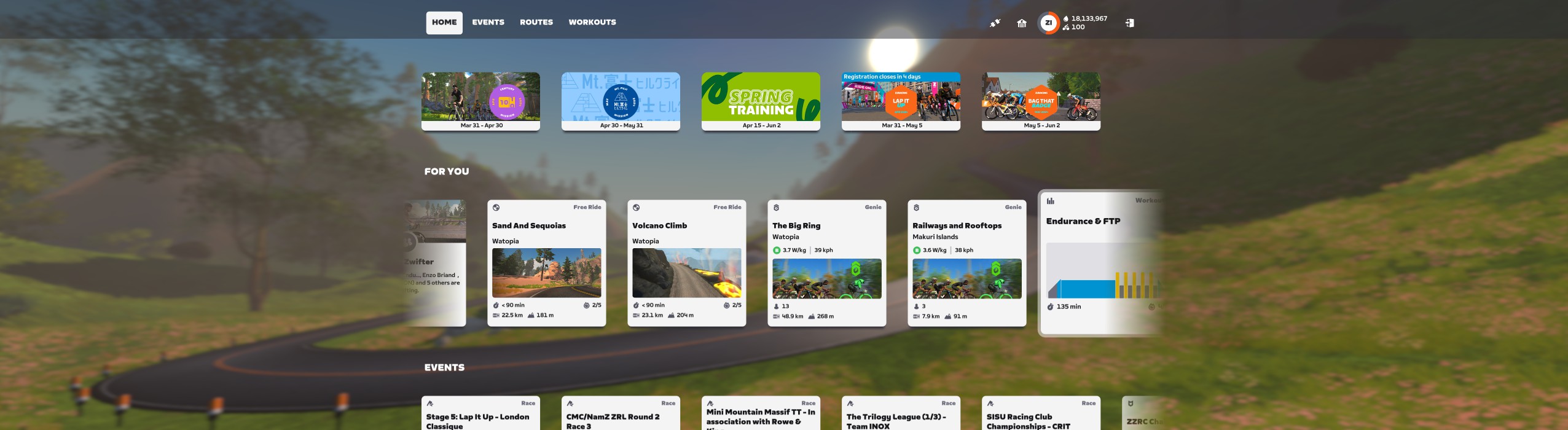
Not included in Zwift’s release notes, but mentioned on another forum topic, are several changes to the homescreen rolling out in this update. Zwift says this is “a first step towards improving user navigation and reducing complexity.” Changes include:
- Text navigation instead of icons at the top-left
- UI Scaling option removed from settings. All screens use a standard scaling setting.
- Fading effect added to the left and right of rows to show there are more cards off the screen
- Removal of achievements icon at top-right
Zwift says these changes will let them more quickly iterate on homescreen improvements, while also simplifying homescreen usage. These initial changes appear to signal an overall shift in design strategy for the homescreen:
Over time, we will shift the Home Page to focus on surfacing Zwifter relevant information and enabling quick entry into a ride. Browsing content and planning a ride will still be available in Zwift’s Home Screen on the Events, Workouts, and Routes pages.
Zwift
We love the idea of Zwift being able to more efficiently tweak the homescreen’s design, and we’re hopeful we’ll see further improvements soon. That said, there are two significant issues we’re seeing with today’s changes:
- Certain UI elements are simply too large on bigger screens, especially TVs. We’d love to be able to shrink these elements so we can see more cards without scrolling.
- Content doesn’t autoflow to fill wider screens. Instead, it shows empty space on the left and right, with the fading effect on the edges of the cards. (See below, shot on an ultrawide monitor.)
Pinarello Dogma X Frame Added
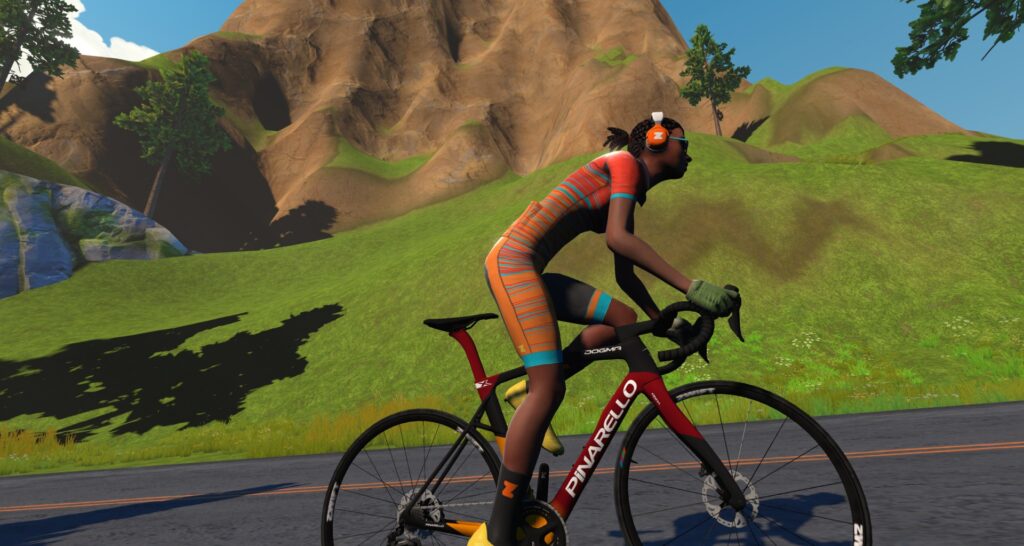
(Note: this frame was actually added in the previous update, but without any description. We’re including it here since Zwift says the description will be fixed in today’s release.)
The Pinarello Dogma X frame has been added to the Drop Shop – the first Drop Shop addition in months! Priced at 850,000 Drops, with an aero rating of 2 stars and weight rating of 3 stars, we don’t expect strong performance from this virtual frame. (The real-life frame is an “all-road” bike meant to fill the endurance slot in Pinarello’s lineup, so its advantages don’t exactly translate well to Zwift.)
Stay tuned for our test results on this frame.
More Release Notes
Zwift provided notes on additional tweaks and bug fixes in this update:
- Fixed an issue that could cause Climb Portal route distances to be inconsistent between the route description, in-game HUD, and results display.
- Fixed an issue that could cause some home screen cards to be missing images when using Zwift in Italian, German, Spanish, or Chinese.
- Fixed an issue that could cause the Badges screen to unintentionally appear when navigating on the home screen.
- Fixed an issue that could cause some text elements to display incorrectly on the home screen after changing languages.
- Fixed an issue that could cause the Braking Sensitivity setting to not be visible in Settings.
- The About tab is now available in Settings and contains information about the game version and build number.
- Apple TV: Fixed a potential crash that could occur in the Drop Shop.
- Windows: Fixed a potential crash that could occur when launching Zwift.
- Windows and macOS: Zwift Launcher version 1.1.12 is bundled with this update.
Discuss this release on Zwift’s forum >
Questions or Comments?
If you spotted any other changes or bugs in the update, please comment below!


Since May doesn’t start (in my time zone) until tomorrow, do I still have until the end of the day to move up one more level at the older (lower) XP requiremetns, or, if I get this update when I boot up tonight, did I miss my chance to get the last 250 xp that I should have just gone 13 more km yesterday to get?
I don’t think the new XP requirements are part of this update. At least, Zwift hasn’t said they are!
Awesome. thanks
Is this the change that alters the Levels and XPs?
No.
Do we know when that is coming? It was previously said it would come with update 1.64.
I don’t think that was said. Just that it was planned for early May. 1.64 dropped in April.
Every time I load up zwift it shows the virtual gears even though I don’t have it set up and it says it’s off in settings – it’s a simple fix (turning the settings on and off again) but it’s really annoying. Does anyone else have this issue?
Yes! At last, a new framework! Even if it doesn’t look extraordinary, I hope it heralds the release of lots of new frames!
Huzzah, something to think about spending drops on!!! I might keep saving. What’s the best frame to go with the tri-spoke wheels, aesthetically?
The Atomic Cruiser, of course! 😀
It looks great with the Cervelo S5 2020
The option for menu scaling is gone?
Yes, not too pleased about that. I don’t want huge icons (and more scrolling) on my 50” tv.
It looks crap even on a moderate sized monitor. Everything is way too big…
A new bike,hallelujah! A shitty one, but a new bike nonetheless. Grandpa Min the Merciful. 😂😂🤲
I can not start any rides on my home screen now using a windows 10 PC since I installed the update this morning.
Any plan to start putting time limits on the 100 mile black shirt and other distant awards? Sad people staying logged in for days to accomplish the tasks.
Possibly you’re not over 75… just saying.
I wish at the top Zwift would show how many miles you have left to the next level. I have to ride to see it but I wish when I logged in I could simply see the number and know how far until the next level.
Hey there! That would be complicated I think. Since level ups are based on XP not miles and since there are multiple ways to earn bonus XP it would be hard for the calculation to be accurate. However, quick math for you if you are using Imperial is to just divide your remaining XP by 30 = number of miles (with no bonus or accelerated leveling)
I would love to be able to alter the actual “ride” screen by being able to move the elements : power, HR, leader board, etc.
If you run Zwift on a PC, check out “Sauce for Zwift” for a massively customisable HUD.
Don’t know if this is just an Apple TV thing, but why oh why is there still the menu screen and the home screen? Why can’t we just end a ride and go back to the home screen. All the bits in the menu screen are available via the home screen, but not the other way round. If you want to link routes etc you’ve got to log out and come back in. That and a proper garage setup are needed. Not a pointless bike
Totally agree.
Yeah very annoying indeed. Probably caused by early software layout of ZWIFT and then never been reworked.
Scrolling the home screen with mouse is always a pain. It’s intended to be used with tuchscreen and swipe
Has the new Zwift trispoke/disc wheel combo had it’s CRR fix yet?
Yes: https://zwiftinsider.com/zwift-tri-spoke-update/
Did they change the powerup mix at climb portal again? Got 9 large bonuses during 5 times Cheddar George today, way more than last attempts.
I appreciate the move towards a HUD update and some customization there. Thank you, thank you, thank you!!! I’m also looking forward to My List in the Companion App.
I hope that the home screen is going to have further updates as I don’t understand why the badges are now buried. There is plenty of room up there along the top. Why add an extra click to get to it? I hope it is part of a bigger plan – but please don’t increase clicks if anything, please decrease them.
Lastly, I’m hoping that My List will eventually do what Zwift Hacks does to where you can search a route you want to accomplish and see what events it is in, what time the events are at, and then add them to the list. That would be so much easier than having to go to Zwift Hacks, searching, finding the routes you want to complete and their times, then having to go back to the Companion App, find the event, and finally add it. Please, please, please integrate this feature that Zwift Hacks has had for some time now.
Hi Eric, was hoping you (or someone else on here would help me test a bug I think I found). My Zwift was updated to 1.64.0 today, and once that was done, I rode Cheddar Gorge today from Watopia at 50%, four times in a row (trying to get the climb portal 25 badge and XP before the XP changes come). But something weird happened. I rode the first time to the top of Cheddar Gorge and saw the on screen display showed 193 watts and 11m30s time. I descended, went out of the portal into Watopia for a second or two, just enough to confirm I was out of the portal, then made a u-turn and climbed Cheddar Gorge again. When I got through the last arch at the top, the on-screen display showed me the same 193 watts and 11m30s. I thought that was strange but I did put in about the same effort so thought maybe I did climb at the same power and time. I rode it two more times with the same descent and quick u-turn and back up to the top, and all four times was 193 watts and 11m30s, and the fourth try I was tired and know that each segment average less than 190 watts so no way did I average 193 watts on the climb.
I sent that to Zwift support and am being told to uninstall the software, save certain files, you know, do the usual checks that my installation isnt messed up. But they asked me to see if after all that work, the Companion shows the correct data. The problem with that is the on-screen display after going through the last arch only shows for a few seconds and that data is gone. I cant get it anywhere, so troubleshooting as the suggest doesnt make sense. I was hoping someone else could try this and see if it happens to them, so that if it does, we would know its a problem with Zwift 1.64.0 (yes, I’m in IT and done plenty of work like this in my career).
All that is needed is to use the Climb Portal from Watopia on Cheddar Gorge at 50%. The first effort up go as fast as you want and screenshot the on-screen display at the top with your average wattage and total time for the first climb. Then descend until you are into Watopia and immediately make a u-turn (as close to the portal entrance as possible as long as you are convinced you are in Watopia), then climb again to the top with a significantly different effort so you know the power and/or time should be significantly different. Take a screenshot of the on-screen display again. If they are the same, we have a bug. This is almost longer to type than it is to do. I’d greatly appreciate anybody trying this, its just two climbs of no more than 12 minutes plus a descent and will yield a ton of XP (I’m getting over 2400XP/hr)!
Where can you track your achievement badges now then?
No worries found it now. It’s a drop down on your picture
icon on the top right 👍
I’m really disappointed that the home screen scaling option has now been removed. I used to have loads of icons on my home screen making it easy to select the iron that I wanted. I now have an ugly screen with a very few large (clunky) looking icons on it – it looks terrible to me and takes time to select what I want. I really hope that the designers reconsider the change.
+1. Completely agree. I could reach 90% of the icons on 1 screen before, now, 10%. Sigh…
Please put home screen scaling back. So I can use large option. Did you consider some people need this option?
You need to give that feedback to Zwift (I’ve already given it to them also!)
I’m just a fansite!
I think the new home screen icons are too small, especially the ones at the top. For example, I cannot see the number of paired devices next to the pairing icon. The icons and text are very small on my PC. I like the old home screen better; I don’t see a need for this “improvement”. It does not add any new features.
With the 1.64.0 update on AppleTV with a Wahoo Kickr Bike, the wattage in the HUD in the upper left reads 0 even though it shows up everywhere else (W/kg on the rider list on the right, power profile graph on the bottom, watts on the pairing screen, Watts on the iPhone Companion app). And the app calculated my average watts for the different time intervals correctly. So it knows my power but it only displays 0W in the upper right HUD box (HR and cadence still show).
UPDATE: Several AppleTV users have reported exactly the same symptoms to Zwift. The memory seems to need refreshing. I fixed the problem with a soft Restart through the AppleTV setup menu. Others solved the problem by cycling power to force a reboot of the AppleTV, or by deleting and reinstalling the Zwift app.
The removal of screen scaling now makes fonts impossibly small when using Zwift on a smartphone. I’m using a Samsung Galaxy S24 with a 6.2″ screen – comparable to an iPhone screen. Extremely frustrating.
Another example