Tiny Race Series – October 24 Routes – Tour of Double XP
See zwiftinsider.com/tiny for current Tiny Race details.
See zwiftinsider.com/tiny for current Tiny Race details.
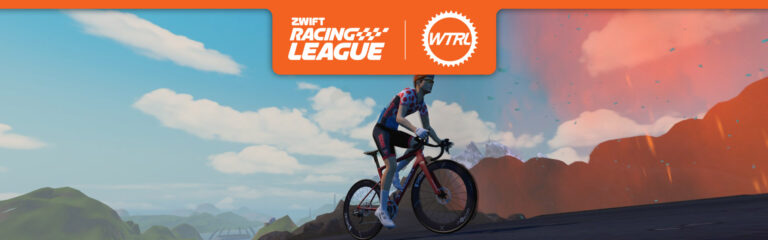
The sixth (fifth? fourth?) and final race of Zwift Racing League 2026/27 happens Tuesday, October 27, and we’re in Watopia for a points race on Spiral Summit – a new route created just for ZRL! It’s gonna be a spicy one, too, with a mix of sprint, climb, and event a lap segment being contested for points.
Don’t understand how ZRL points races work? Read our explainer >
There’s much to discuss, including crucial course sections, powerup usage, bike decisions, and strategic options. Let’s go!
This is a points race, and WTRL (as usual) is awarding FAL and FTS points on every timed segment on the route. That’s a total of 6 segments: 3 climbs, 2 sprints, and a rare lap. Let’s break the route down…
Let’s look a little closer at the Volcano KOM, since it’s the biggest climb in the race and effectively counts for double FAL points because the race finishes at the KOM arch.
While the average gradient is 3.2%, if you look closer, it’s more like 4-5% with a few flat spots and one steep section at the finish. It roughly breaks up like this:
This climb isn’t a steep one, and that’s so important to understand because it means two things:

Burrito: turns off the draft effect for riders in a cone-shaped window behind you for 20 seconds. Use when attacking off the front so opponents have to work harder to follow you, or in the peloton to make others work harder.

Lightweight (feather): reduces your weight by 10% for 30 seconds. Use on climbs, when weight matters the most. This will be best used on the Jarvis and Volcano KOMs.

Aero Boost (helmet): makes you more aerodynamic (reduces your CdA by 25%) for 15 seconds.
Use at higher speeds (flats and descents), especially when no draft is available (although it is still useful when drafting). Deploy this during the Jarvis Sprints.
With all the race’s points hidden behind draftable climbs, “aero all arounders” are the choice of the day. That means the Specialized S-Works Tarmac SL9 or SL8, or Cannondale Supersix EVO Lab 71 Team Edition as the top picks.
For wheels, I ran a 4 W/kg test up the race’s two key climbs, to see where exactly we fell on the teeter-totter of aero vs lightweight. Here are the KOM timings of the three wheelsets who lead their categories:
| Wheelset | Jarvis KOM | Volcano KOM |
| Cadex 4-Spoke/Disc | 3:20.96 | 8:17.67 |
| SwissSide 650 | 3:20.89 | 8:17.16 |
| Princeton Wake 6560 | 3:20.88 | 8:16.75 |
So it looks like the climbing-friendly (but still very aero) Princetons win the day for race 6.
How will these races unfold? What strategies will teams employ? Here’s what I predict:
Any insights or further thoughts on this race? Share below!
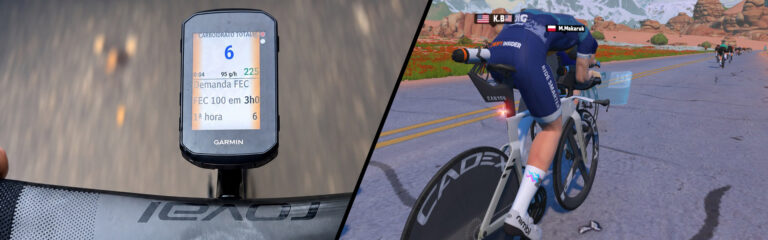
You finish a 3-hour endurance ride in Watopia, and the screen says you burned well over 2,000 kJ. A week earlier you did an 84-minute group ride that left you wrecked, and the kJ number was much smaller. Which ride needed more carbohydrate?
Most of us would say the long one. In real ride data, the answer was: about the same.
Here are three recent rides from one rider (myself) with a reference power (FTP) of 350 W, recorded on a Garmin Edge (the two indoor rides on Zwift, with the Edge recording the same ride):
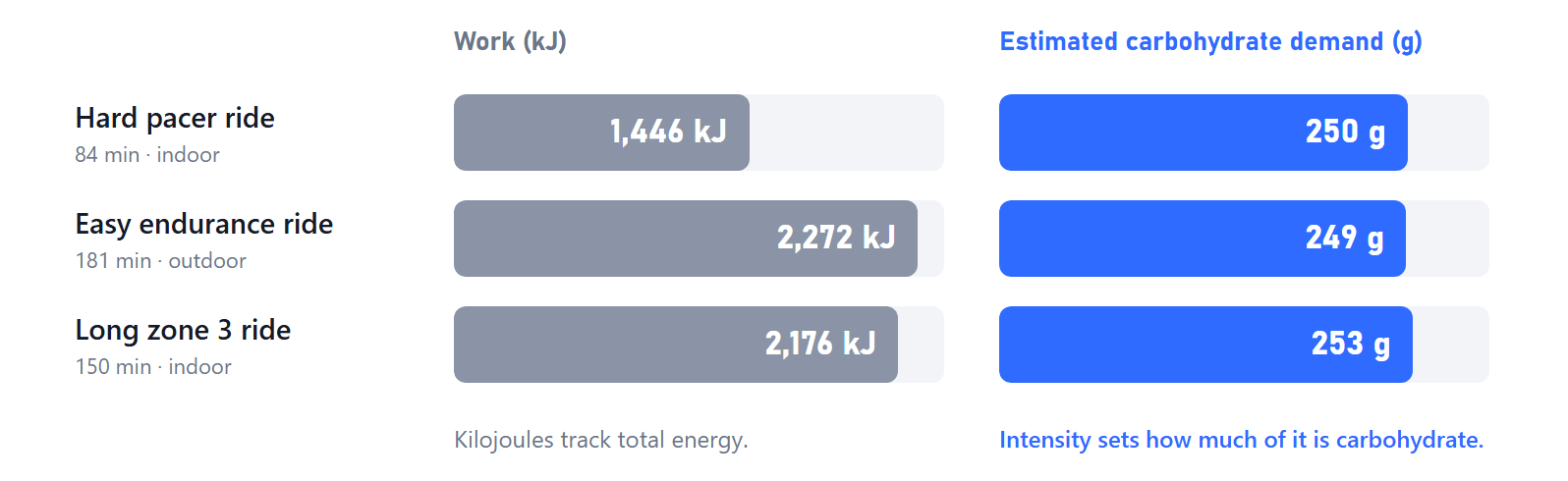
The easy ride did 57% more work than the hard one, and both came to roughly 250 g of carbohydrate.
Kilojoules tell you how much work went into the pedals. They are a good guide to total energy: with typical cycling efficiency, 1 kJ of work costs roughly 1 kcal of food energy. But they say nothing about where that energy came from.
Your body runs on a mix of fat and carbohydrate, and the mix changes with intensity. At an easy pace, a large share of the energy comes from fat. As you push closer to your threshold, the share of carbohydrate climbs steeply, until almost everything you do comes from carbohydrate. Research on cyclists shows this clearly, and it also shows that the curve is personal: at the same watts, a well-trained rider burns less carbohydrate than a less-trained one.
So two rides with very different kJ can ask for the same carbohydrate, and two rides with the same kJ can ask for very different amounts. Time on the trainer matters, but intensity matters more.
The totals match, but the rates do not. Per hour, the three rides respectively demanded about 180 g, 80 g, and 100 g of carbohydrate:
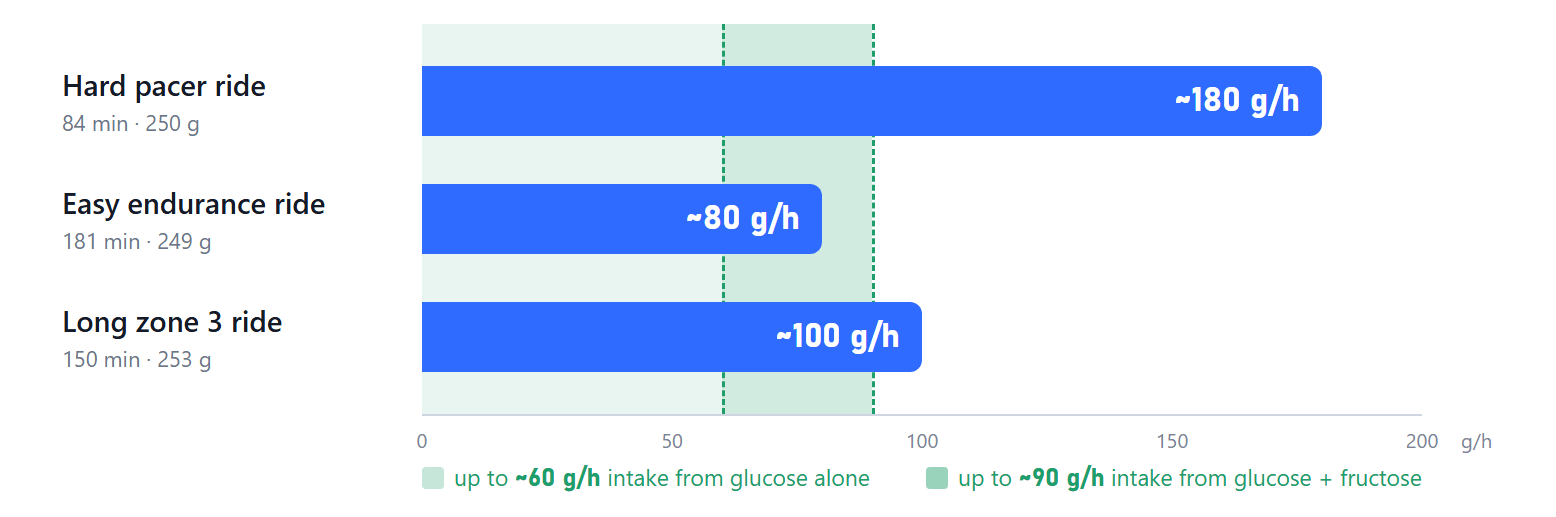
That changes how you fuel. Your gut has limits of its own: the guidance for long rides is usually up to about 60 g per hour from glucose alone, and up to about 90 g per hour from glucose and fructose together, with some trained riders going higher. On the easy 3-hour ride, 60 to 80 g per hour of drink mix or gels covers most of the demand. On the hard 84-minute ride, no stomach can keep up with 180 g per hour. That ride runs mainly on the glycogen you already have, which is one more reason to start hard sessions well fed and to refuel properly afterward.
Disclosure: I developed the tool that produced them. GC Demand & Fueling is a Garmin Connect IQ data field, available on the Garmin Connect IQ Store with a free 7-day trial, that estimates, second by second, how much carbohydrate a ride demands, from power, body weight, and a personal curve. Zwifters can use it by running an Edge head unit or a Garmin watch recording the same ride you do on Zwift. It is an estimate, not a measurement, and it shows demand, not what you ate. Intervals.icu now reads the ride total from the app automatically, into its “Carbs used” field.
Whatever you use, the main point stands without any app: look at how hard the ride was before you decide how much to eat.
Share below!
Zwift version 1.124 begins its phased rollout today. The update delivers the Watt Lock feature, nerfs Coffee Stops, and brings Zwifty Pinarellos to our garages. Read on for details!
Watt Lock has arrived, allowing you to lock in a target wattage while free riding or in group rides. Essentially, it’s a simple toggle that swaps you out of “Sim mode” (where your trainer resistance replicates the gradient) to Erg mode, where your trainer changes resistance to help you hold a target wattage:
Give it a go and you’ll quickly see how it works. Enable Watt Lock via the lock icon in the action bar, then use your keyboard (+ and – keys) or virtual shifter controllers to change your power target:
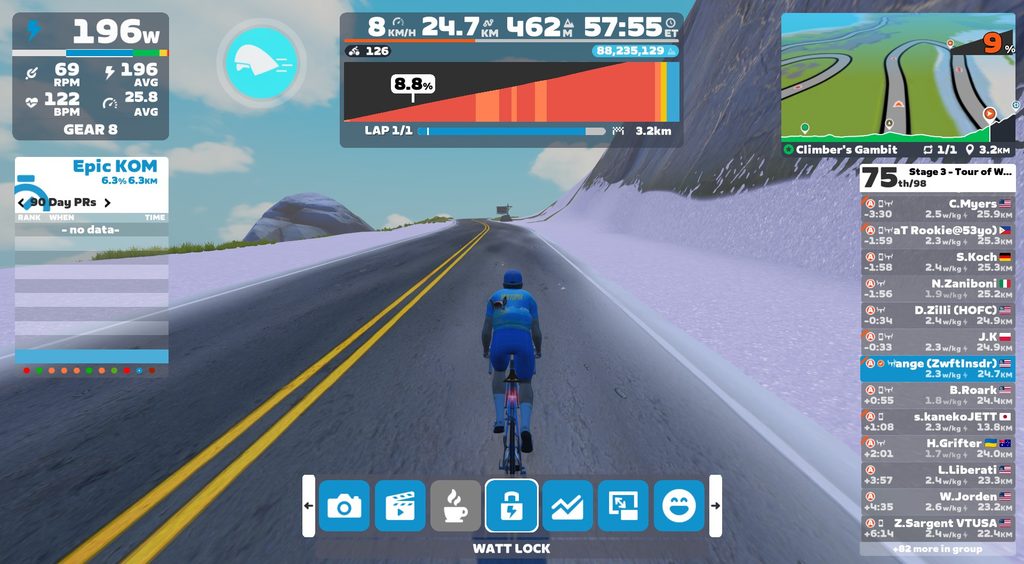
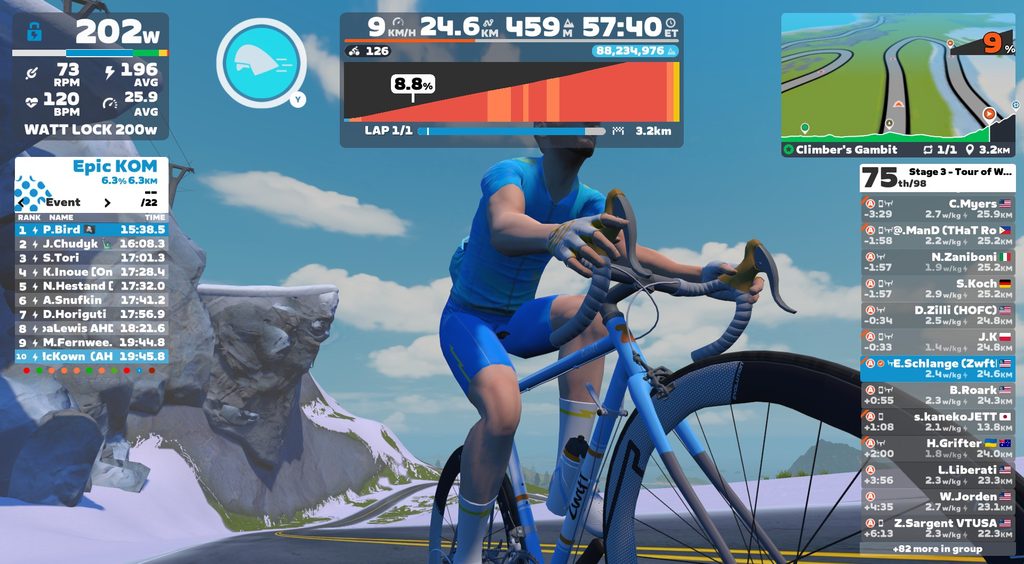
Here are some ways Watt Lock may be useful:
There are some situations where Watt Lock cannot be used:
Additionally, Watt Lock will automatically turn off if you drop to 25 RPM cadence or less. (This is typically a sign that you’re deep into the “spiral of death,” so Zwift is doing you a favor by turning it off.)
After testing Watt Lock just a bit, I’d say it works quite well and Zwifters will find it useful. There are a few improvements I’d suggest:
Discuss Watt Lock on Zwift’s forum >
As mentioned in the latest Wattage Cottage episode, today’s update nerfs the Coffee Stop feature. Starting with game version 1.124, Zwifters no longer accumulate progression of distance, elevation, XP, Drops, or bike upgrades while coffee stopping.
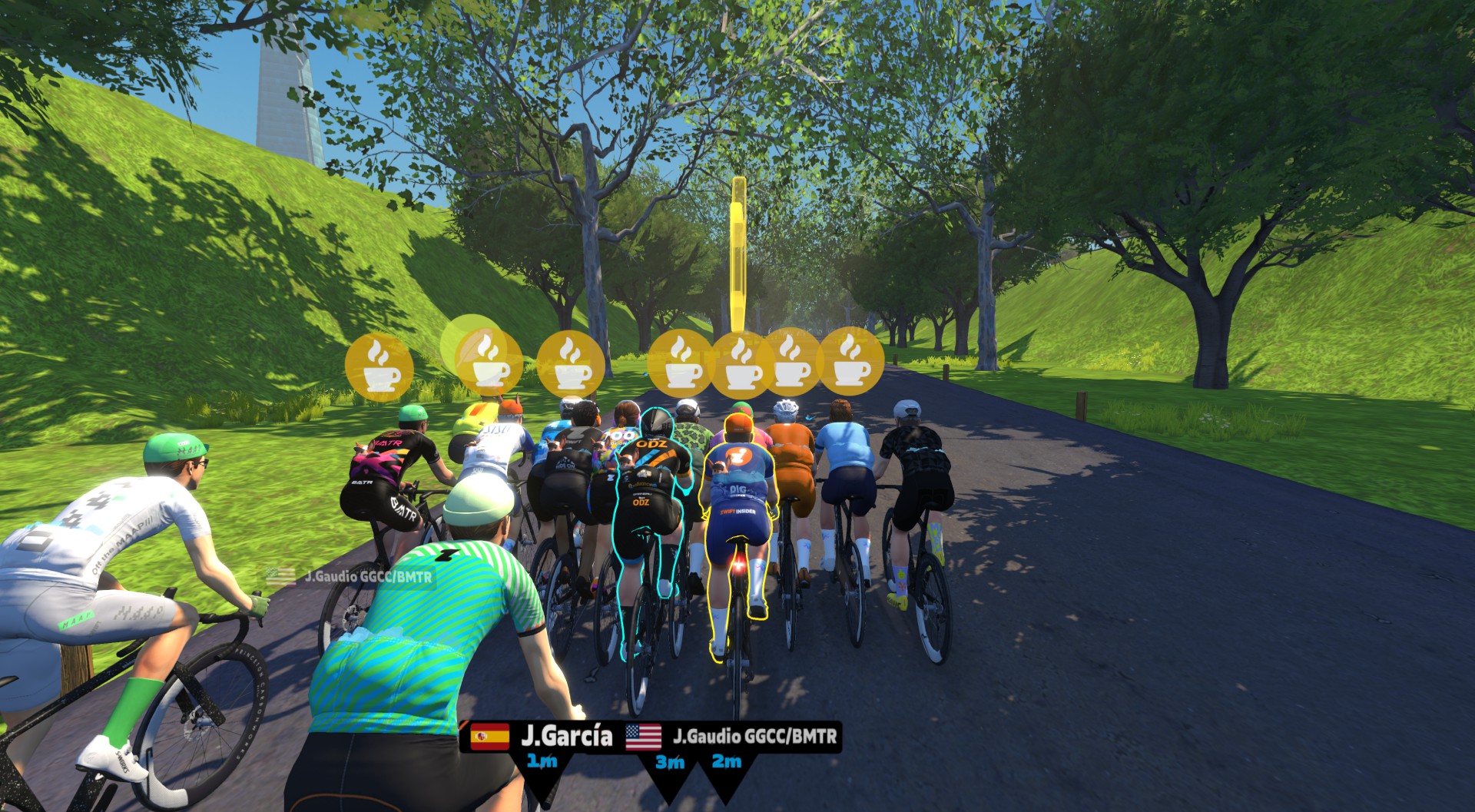
Nothing changes in terms of Coffee Stop timings or usage: you can still use them to stay with nearby riders in group rides and free rides. (See our Coffee Shop post for details on usage limits, etc.)
My take: this is a good change. It keeps the core functionality of the Coffee Stop intact while removing incentive for the freeloaders who have been rejoining the Constance RoboPacer group repeatedly to accumulate tiny gains without turning a pedal.
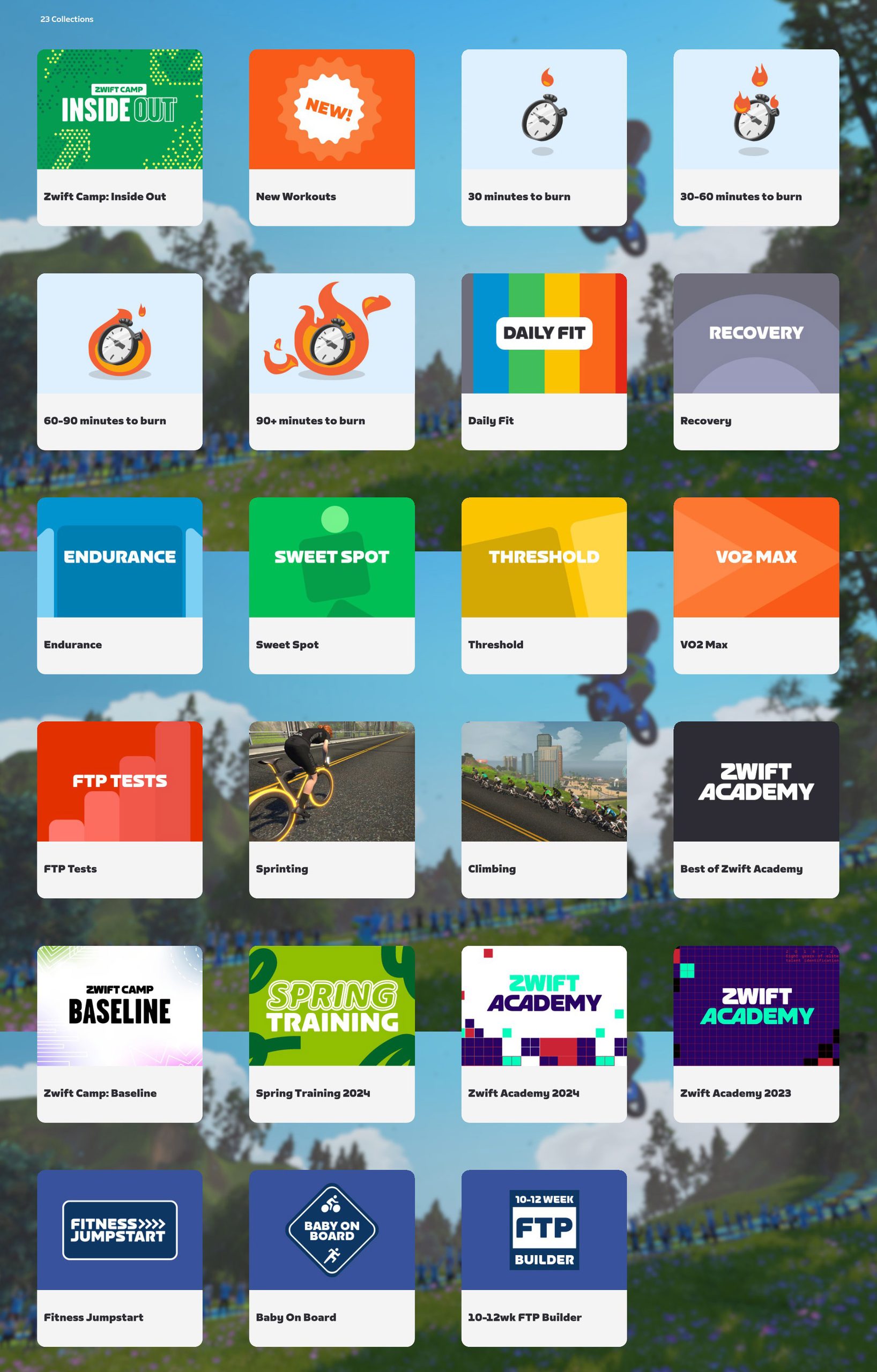
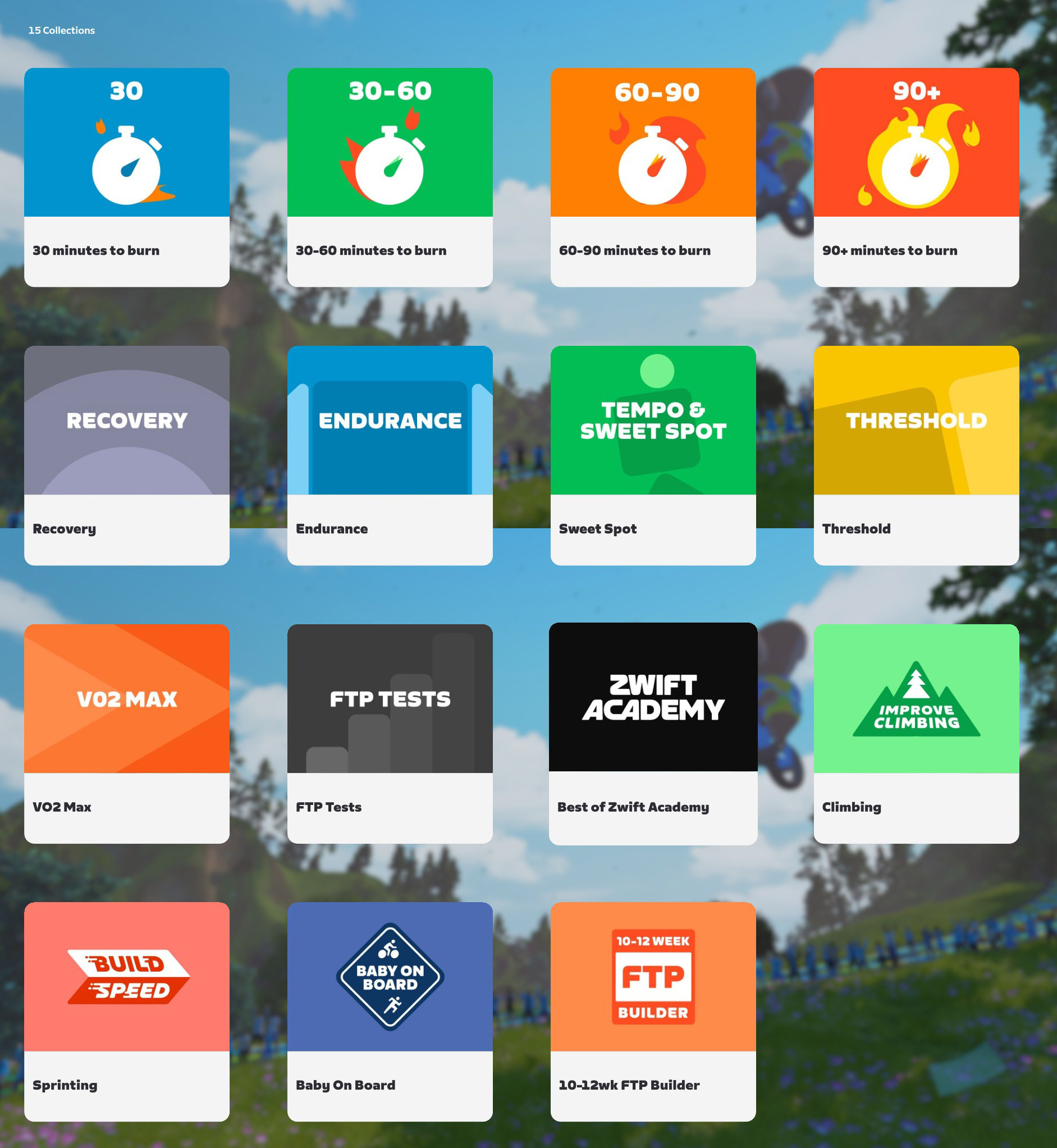
Today’s release “updates the Workout collection images and removed retired collections.” The total number of collections has been reduced from 23 to 15, but all the workouts from retired collections remain available. (We tested to confirm: there were 806 workouts in the library before the update, and 806 afterward.)
If you’re curious, here are before and after screenshots of the Workout collections:
The Zwift-inspired pink/orange colorway for the Pinarello Dogma F 2024 was only unlocked in a single event series: September 2024’s ZRacing. (I know this because that’s the only month where I completed every ZRacing stage, so I could unlock the colorway that matches my IRL bike!)
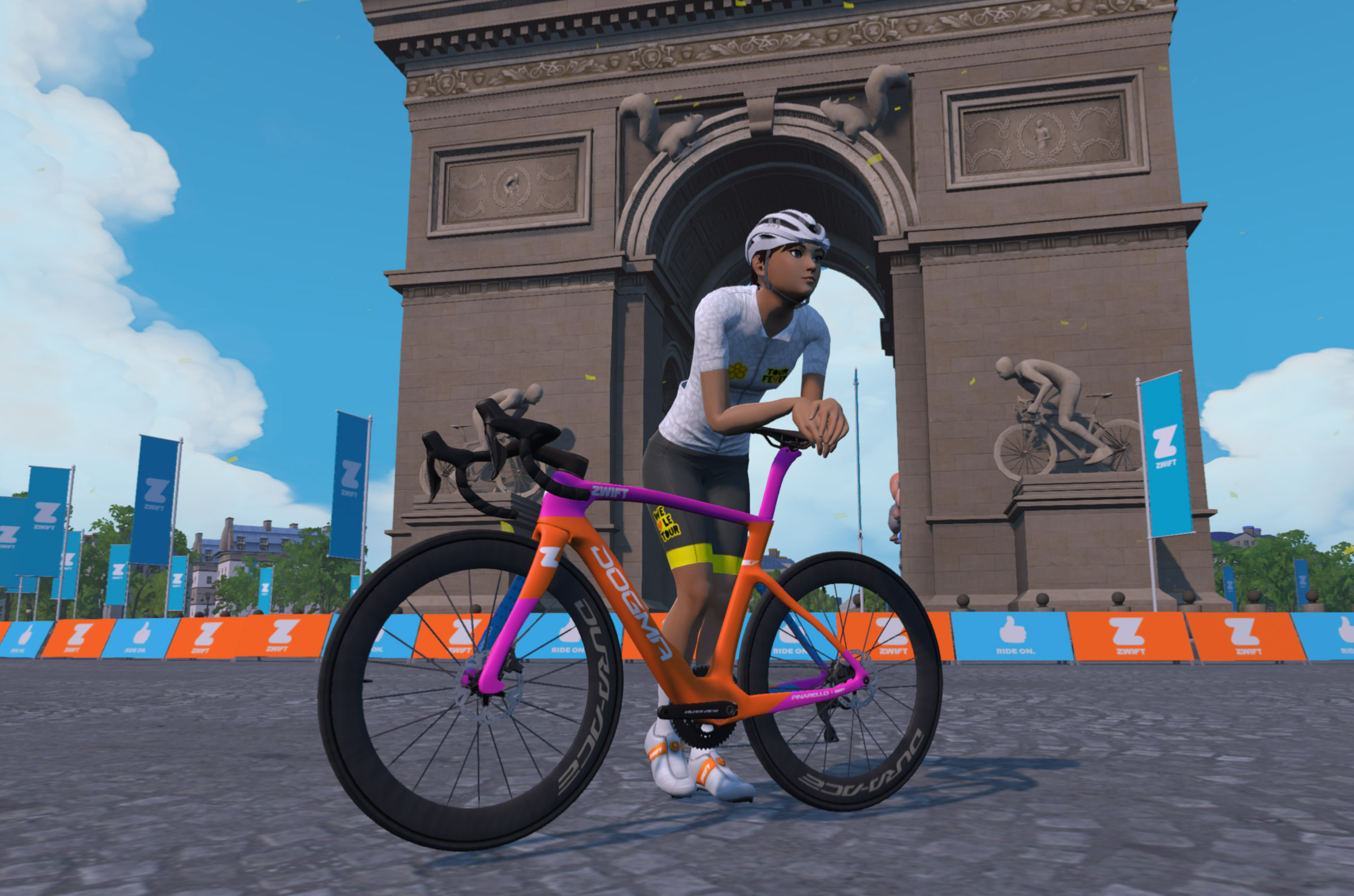
Beginning today, that colorway is now available for all Zwifters who own the Pinarello Dogma F 2024:
Some bikes may be faster than the 2024 Dogma in Zwift, but few can rival the looks of this fun Zwifty colorway. Hopefully this brings some variety to the virtual peloton!

A late addition to the release notes says, “Ride on ROUVY, earn XP in Zwift. Connect your ROUVY account to Zwift to earn 5 XP for every kilometer you ride on ROUVY.”
Zwift rides have been counting on ROUVY for about a month now, but now it officially works in both directions. As long as you’ve connected your accounts on both platforms, riding on one will give you XP on the other (albeit at a reduced rate, the same rate as outdoor rides).
Zwift supplied these additional release notes:
Discuss this update in Zwift’s forum >
If you spotted any other changes or bugs in the update, or have comments about this release, please share below!

Struggling to keep up in Zwift races? In this week’s top video, an experienced Zwift racer shares tips and tricks for sticking with the pack.
Also included in our list of picks: long-term challenges on Zwift, training tips for building fitness, and hardware reviews.
Share the link below, and we may feature it in an upcoming post!
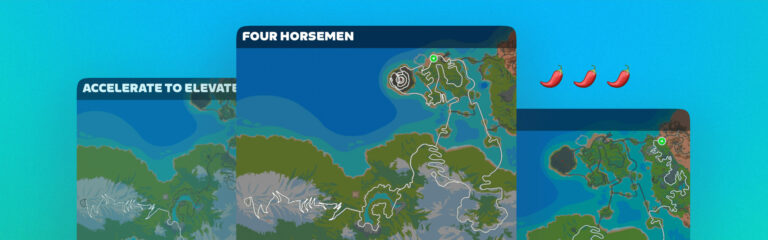
JOIN x Lanterne Rouge x Zwift: The Indoor Series is back for a second season, with group workouts and races every Thursday building toward the big Fondo on Saturday, December 19, 2026.
You can drop into single events, or follow the full training plan in the JOIN app, where each weekly event slots into your own adaptive schedule. The series started two weeks ago, but there are still nine weekly events and the Fondo to come! This first upcoming event is a race on Makuri 40 this Thursday, October 22.
What makes the Indoor Series different?
Every event is open on the Zwift calendar. Sign up for the ones that suit you best, or join them all!
See upcoming events at zwift.com/events/tag/joincycling >
JOIN builds a personal training plan from your fitness level, goals, and availability, and keeps adjusting it as you ride. The plans are designed by World Tour level coaches. When you follow the Indoor Series in JOIN, the Thursday events are built into that plan, and the rest of your week is planned around them so you arrive at the Gran Fondo fresh and ready.
JOIN connects to Zwift through Zwift’s Training API, which Zwift Insider covered in 2024. Your JOIN workouts sync to Zwift automatically, and your Zwift rides flow back into JOIN, which then updates your plan. Ride something other than the scheduled workout and JOIN adapts to that too.
To get set up:
All weekly events are on Thursdays at 20:00 Central European Time (currently 19:00 UTC, 14:00 EST, and 11:00 PST, but clock changes may shift those times by an hour). For the workouts, distance and elevation are for one lap of the route.
| Date | Event | Route | Distance | Elevation |
|---|---|---|---|---|
| Thursday, Oct 22 | Race | Makuri 40 | 40.2 km | 308 m |
| Thursday, Oct 29 | Workout: reversed steigerungs | Roule Ma Poule | 23 km | 155 m |
| Thursday, Nov 5 | Race | Innsbruck KOM After Party | 36.9 km | 656 m |
| Thursday, Nov 12 | Workout: 2 and 1 min VO2max | London Classique | 5.5 km | 16 m |
| Thursday, Nov 19 | Race | Tides and Temples | 36.5 km | 460 m |
| Thursday, Nov 26 | Time trial race | Bologna Time Trial | 8 km | 236 m |
| Thursday, Dec 3 | Race | Harrogate Circuit, 3 laps | 41.4 km | 735 m |
| Thursday, Dec 10 | Workout: Rønnestad intervals | Loch Loop | 8 km | 71 m |
| Thursday, Dec 17 | Workout: cadence pyramid | 2015 UCI Worlds Course | 16.3 km | 127 m |
| Saturday Dec 19 | Fondo (09:00 CET, 08:00 UTC) | Three options (see below) | 41-88.7 km | 1153-2113 m |
Sign up for each event on the Zwift events calendar, or follow the series in JOIN to have them all in your plan.
The series ends on Saturday, December 19 at 09:00 CET (08:00 UTC, 03:00 EST) with a Gran Fondo in Watopia. There are three distances, so everyone can pick a ride that fits their legs and their weekend.
| Distance | Route | Length | Elevation |
|---|---|---|---|
| Gran | Four Horsemen | 88.7 km | 2113 m |
| Medio | Quatch Quest | 46.7 km | 1710 m |
| Bambino | Accelerate to Elevate | 41 km | 1153 m |
The Gran is a proper winter epic, taking in Watopia’s biggest climbs. The Medio is shorter but finishes on the Alpe du Zwift. Whichever you choose, the weeks of races and workouts before the Fondos prepare you for the big day.
Indoor season is spinning up, bringing as always fresh hardware announcements and big races, coffee controversy and… magpies?!
We begin with a deep dive into Stages Cycling’s new SB200, the first complete smartbike to hit the market in quite some time. Stages are clearly looking to make a splash with their first big announcement since bankruptcy and acquisition. So how does the new bike feel? Shane and Eric flew to Colorado for a first look, and now they’re riding it in their pain caves. We chat about its unique features, and how it stacks up against the competition, especially Zwift’s new Ride version 2.
Next: we’re not a racing podcast, but the first race of Zwift Racing League was annulled due to a combination of problems, and that’s worth talking about. Who allowed TT bikes into the inaugural Race of Truth, and why were teams shuffled around in the final hours? We chat about the relationship between WTRL and Zwift, and like everyone else, hold out hope that it’ll go smoother next round.
We head down under for a quick magpie report from Shane, who says the birds are smarter and faster than ever. Is it time for magpies to come to the game? And the bigger question: how is “indoor season” experienced by riders in the southern hemisphere, when all the big events get scheduled during prime outdoor riding weather?
Lastly, it’s a coffee break hot take. Shane and Eric weigh in on one of Zwift’s more controversial features, the Coffee Stop. Is it OK to use one at the front of a fast group ride? Eric says, “Just because you CAN do something doesn’t mean you SHOULD.” But do the Constance Couch Potatoes agree? And will Zwift ever do anything to discourage riders who are gaming this feature?
And that’s a wrap. Join us next time to learn about the Watopia expansion, how Zwift Racing League’s first round shook out, and much more.
Thanks for listening! Leave a review if the show is landing for you, and share us with your cycling friends. Word of mouth is how independent podcasts grow.








This is just an early episode of what we hope is a long-running and useful community Zwift podcast. Share your thoughts below. We’re listening!
Once again, this weekend’s notable events list has a clear Tour of Watopia theme, with most events using ToW stages so riders get double XP. We’ve got several unique and special events to feature, so be sure to check the full list below, and ride something fun this weekend!

✅ Popular ✅ Unlocks ✅ Double XP
Zwift’s first big tour of the 2026/27 season kicked off last week, which means we’re on stage 2 this week. You can free-ride the routes whenever you’d like, or race them… but the biggest turnouts are for the group rides. Highly recommended.
Learn all about Tour of Watopia 2026 >
The category you sign up for (A, B, or C) determines the route and length of your ride. This week that means 42.5km, 19.9km, and 19.1km respectively.
Hourly events all weekend
Sign up at zwift.com/events/tag/tourofwatopia2026
✅ Good Cause ✅ Endurance Challenge
This weekend BMTR is holding their annual Breast Cancer Awareness 500km event, with four events spaced two hours apart to choose from if you aren’t able to ride the full 500km. Or, join all four and stick around afterward to finish the full 500km!
In all four events, the yellow beacon will ride at a C category pace, averaging 2.2-2.6 w/kg. However, BMTR encourages riders to form groups that work for your pace.
This event benefits the National Breast Cancer Foundation (NBCF).
First ride is Saturday, October 17 at 6:10am UTC/2:10am ET/Friday 11:10pm PT
Sign up at zwift.com/events/tag/bmtrcares
✅ Popular ✅ Unlocks ✅ Double XP
The SYN Club Circuit series arrived this week, and both Zwift and SYN have been getting the word out, which means lots of riders have been showing up for the rides. These aren’t races – they’re just group rides – but you can bet, like Tour of Watopia, the front of these events will be cookin’.
The first week’s rides are on Watopia’s Downtown Eruption (19.9km, 275m), which is a Tour of Watopia route, so you’ll get double XP and ToW stage credit when you finish the route.
Every 2 hours, Saturday and Sunday
Sign up at zwift.com/events/tag/synclubcircuit
✅ ToW Route ✅ Endurance ✅ Unique Event
Here’s an event that sticks out from the crowd. First, it’s long – three hours long! Second, it has three pace options – D, C, and B. Lastly, it’s set up like a “chase” event, but not a race. The group start times are spaced so the groups will merge near the end of the ride.
This week, the ride is on Watopia’s Tick Tock route, so you’ll get double XP and stage credit since it’s a Tour of Watopia route.
Sunday, October 18 @ 10am UTC/6am ET/3am PT
Sign up at zwift.com/events/view/5739758
✅ Kit Unlock ✅ Upgrade Hack ✅ Popular ✅ Double XP
Want to accumulate lots of miles quickly? Join this popular group ride, which puts everyone on a fastest TT bike (Canyon Speedmax CFR) with double draft enabled.
Everyone is on Tick Tock this week (double XP!), and there are five pace groups to choose from.
Bike upgrading hack: on rides with forced bikes, whatever bike you’re on when you join the event is the bike that accumulates the distance/elevation/time. So, for example, you could accumulate lots of distance toward a gravel bike upgrade while riding the Canyon Speedmax CFR in this event.
Sunday, October 18 @ 12:30pm UTC/8:30am ET/5:30am PT
Sign up at zwift.com/events/view/5740676
We choose each weekend’s Notable Events based on a variety of factors including:
In the end, we want to call attention to events that are extra-special and therefore extra-appealing to Zwifters. If you think your event qualifies, comment below with a link/details and we may just include it in an upcoming post!

See zwiftinsider.com/tiny for current Tiny Race details.
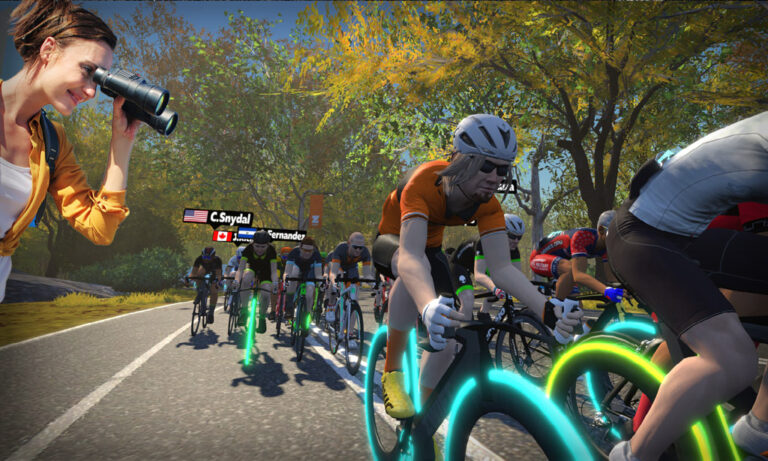
Zwifting isn’t just fun to do… it can also be fun to watch, particularly when it’s a race and your friend is going for the win!
But how do you watch someone else on Zwift? The solutions, it turns out, are varied and imperfect. Let’s take a look at all the options, so you can decide which one is best for you.
The first four fan viewing options all require that you are actively running Zwift, which makes them a non-starter if (for example) you want to let your non-cycling friends watch you race. That said, these are relatively simple ways for Zwifters to watch other Zwifters, so let’s cover them first…
If you are currently signed into Zwift and ready to ride/run (that is, your avatar is actually on a particular map) you can use the Companion app to look up other Zwifters and “fan view” them.
This will change your Zwifting view from watching yourself to watching the Zwifter you’re fan viewing. Here’s the 3-step sequence:
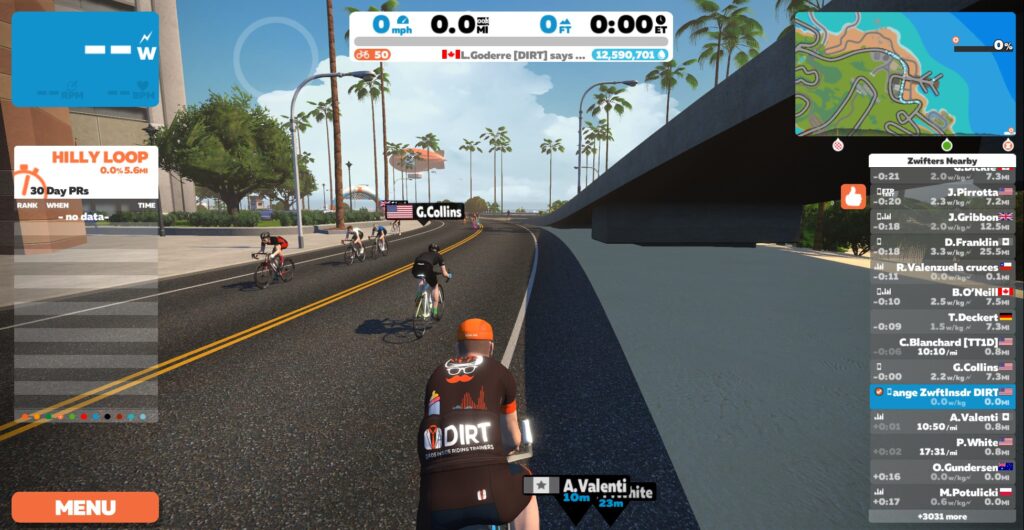
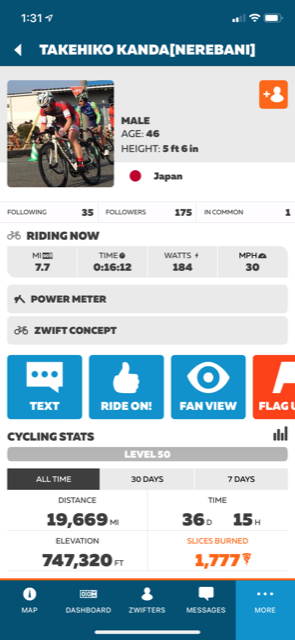
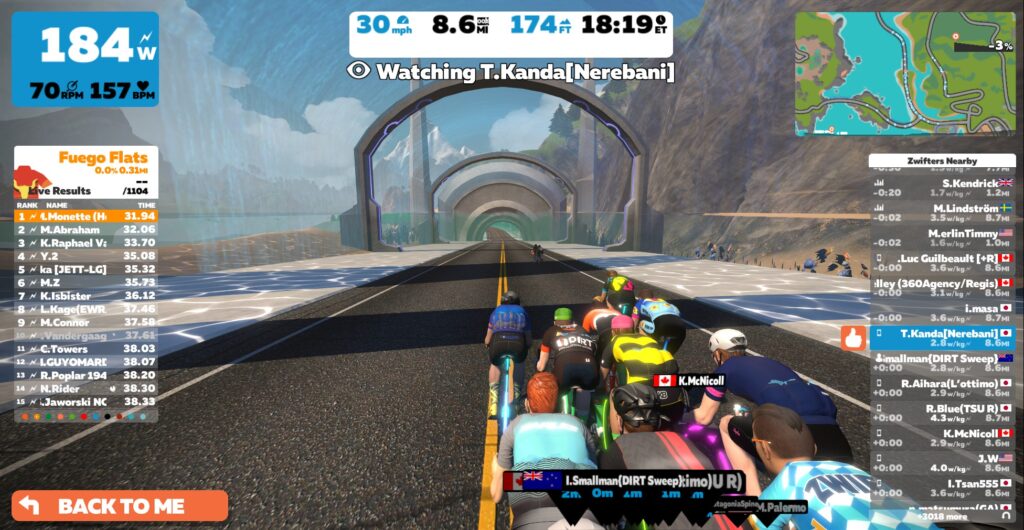
This seems simple enough – but there are a few caveats which can throw a hitch in your fan viewing:
Fan view is a workable option if you’re wanting to watch another rider who is in the same world as you, but it needs a few improvements to make it simpler and more powerup.
This trick was used by race teams for years because it provided a better view of the actual event than the fan view option above. These days, though, there doesn’t seem to be any difference between the views you get with either method.
To “Fake Join”, just sign up for the event you want to spectate. Join the start pens as if you’re taking part. But when the event begins, don’t go anywhere! Instead, just click on the rider list to “fan view” the rider you want to watch.
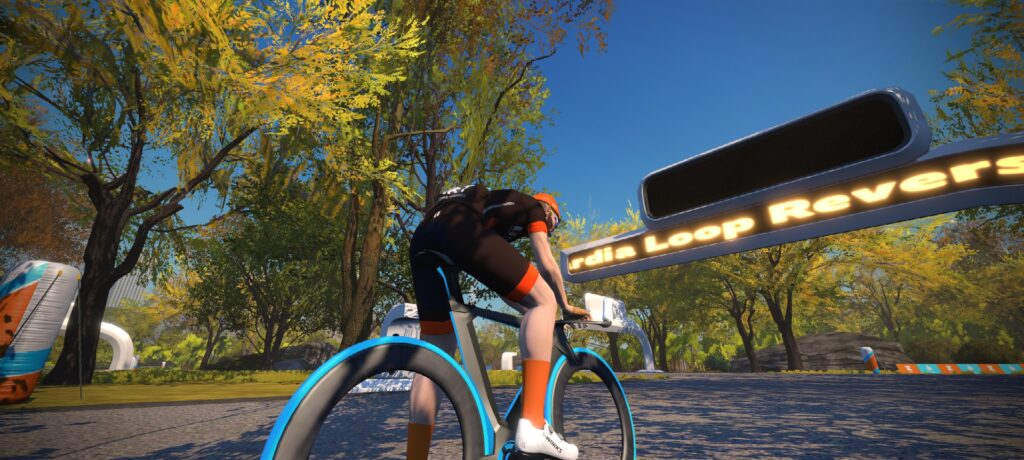
This method requires you to sign up for the event before it begins, and you’re not able to jump in late (unless the event has late join enabled, and most races do not). But if you manage to get signed up and in the pens before start time, you can watch the race and see the same view as the other riders, including rider placings. You just won’t see the distance to go/lap progress bar if you are fan viewing another rider.
One major caveat: Most races these days require you to have a smart trainer connected, and often a heart rate monitor as well, when you enter the pens. That means you can’t use this method unless you can pair those devices as well.
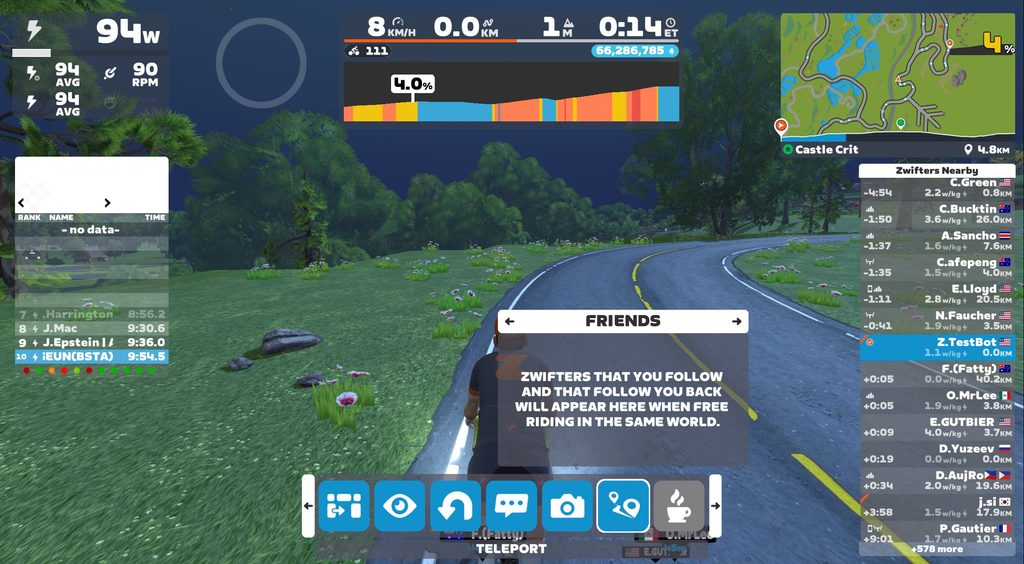
The teleport feature lets you seamlessly move between RoboPacers or active friends currently riding or running in the same world as you. It’s a viable way to pop in and view another Zwifter, but there are some major “gotchas” here as well:
These gotchas make teleport a nonviable option if you’re looking to watch someone race. But if you just want to see what a friend is up to on a free ride, teleporting lets you do that without using the Companion app.
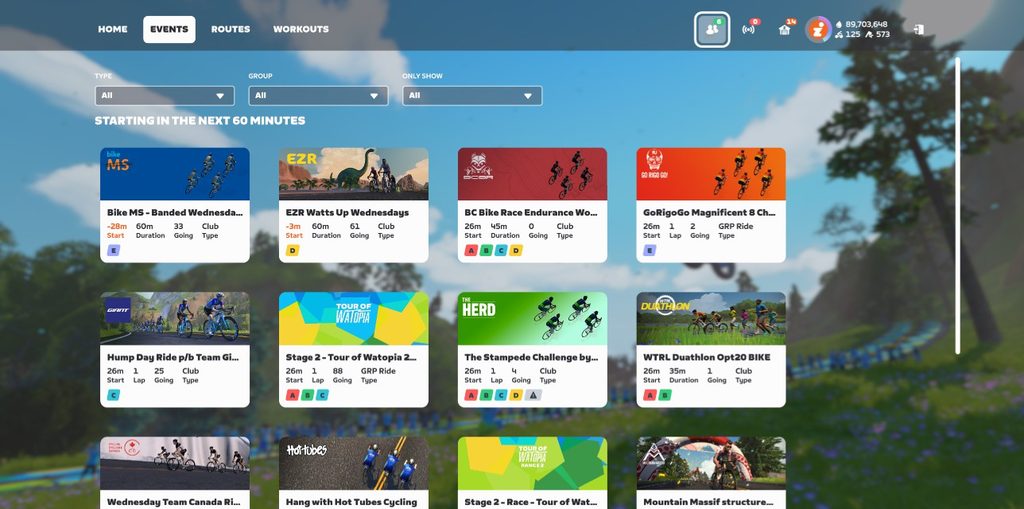
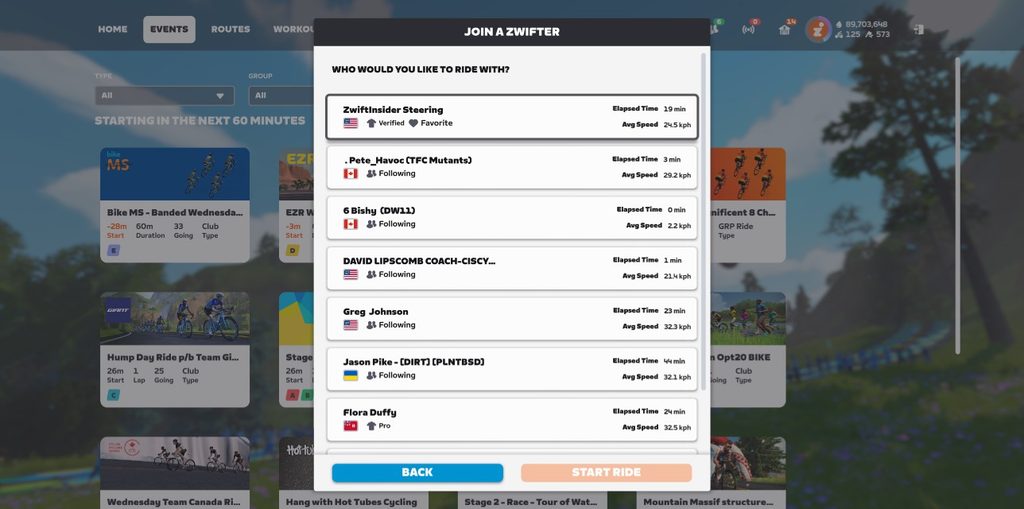
Available from the top of your home screen, the “Join a Zwifter” feature lets you pop in and ride/run with friends and pros. Like teleporting (above), you can use this feature even if you aren’t actively riding and just want to spectate. Click the icon at the top-right of your homescreen (it shows how many friends are currently active), then choose a friend or pro to join.
Big Zwift races used to be live streamed by Zwift Community Live or Zwift themselves, but that doesn’t happen much these days. You can often head to YouTube or Twitch to find live streams of particular big races and series such as Tour of Watopia and Zwift Racing League, if you’re just wanting to watch someone race a particular course.
Watching a friend’s live stream is typically the best experience possible, since it doesn’t require you to sign into the game, and you get to see and hear your friend live as they race. The only problem is: most of your friends don’t live stream their races!
That said, here’s a snippet of one of my favorite live streams ever – Justin Wagner of Team ODZ taking the win in the 2017 Team Worlds race, with lots of teammates on Discord. This gives you a good idea of just how cool live streams can be:
Fan viewing in Zwift has never been a straightforward experience, particularly if you want to watch someone race. On top of that, if you do manage to fan view a racer, you’ll see somewhat limited data on screen.
One simple fix Zwift needs to make is to the “Fan view” button in Companion. This button shows up if you’re looking at a rider who is in game, even if they’re in a different world than you and fan viewing isn’t available. Zwift should disable the button in that case, or at least show a message like, “This rider is in Makuri Islands, so you can’t fan view them unless you go to Makuri Islands as well.”
In the past, Zwift has said it’s not worth investing resources in improving fan viewing, because there isn’t much interest in it. But I say it’s a “chicken or the egg” problem. I think if Zwift made fan viewing easier and better, more people would use the feature, and it would increase overall engagement in the platform.
Someday I hope we’ll be able to view any active Zwifter on any map, and to see their actual live event view. (Unless they’re marked as private, of course.) Wouldn’t it be great if we could look up a rider on Companion, tap to view them, and be popped over to the Zwift app on our phone, live-viewing that rider in their event? Maybe we could even get the ability to send them messages or Ride Ons as a sign of support.
Helping offline Zwifters engage with online ones seems like a community win to me. But will it ever happen? Chime in with your thoughts and ideas below!