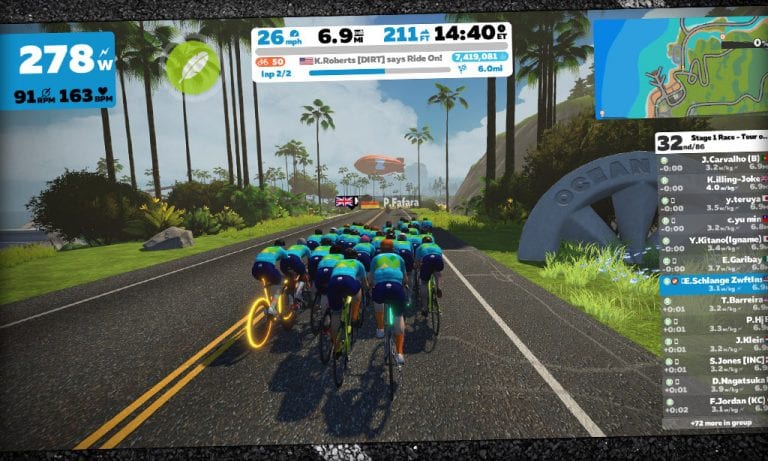
Ladies and Gentlemen: Crit City is on the Calendar
UPDATE: Crit City events are happening now. After this post, many more Crit City events were added to the calendar, with the first event happening at 12:30AM Pacific on December 14, 2019.
After a bit of a delay, it looks like we’ll be seeing events on Crit City beginning on Monday (if not sooner).
Will this be the first event on the new map, or will we see other events dropping into the calendar before Monday? One thing is certain–we’ll have many more chances to ride in Crit City, but only one chance to be part of the first event ever held there.
With the release of Zwift’s FutureWorks steering, Zwifters everywhere are mounting smartphones to their handlebars and turning them to and fro. To avoid wearing a hole in your carpet, trainer mat, and/or tire, it’s best to have something under your front wheel to help it turn smoothly.
Trainer manufacturers are starting to release swiveling riser blocks that can help, but they’ll take a bite out of your wallet. So why not just make your own?
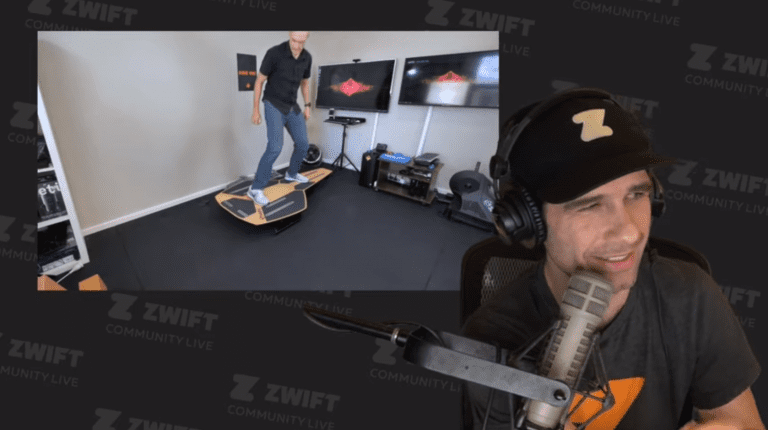
In this video, Shane Miller takes us through how to build a low-budget swiveling riser block to use with steering on Zwift. You can find the parts at any hardware store, and it’s not too hard to put together. If you prefer a nearly ready-made solution, just buy a Lazy Susan and make a couple easy changes.
A year ago, Zwift launched their totally revamped online store. This took them from selling one trainer line and a few clothing items and accessories to a full-fledged e-commerce presence.
In the months that followed, Zwift’s “ECOM” team has worked to build out overseas distribution, bring more products to their online store, and generally make it easy for someone to get what they need from Zwift.
Here’s a quick summary of some updates we’ve seen at zwift.com/shop.
30 Day Home Trial for Smart Trainers
Here’s a sweet deal: you can buy a smart trainer from Zwift and try it for 30 days. If you aren’t happy with it, just send it back using the included pre-paid shipping label. No questions asked. Free shipping both ways!
Zwift stocks 12 smart trainers as of today, ranging from basic wheel-on models to top of the line direct drive workhorses.
This home trial is a brilliant move on their part, as it helps reduce that “will my new trainer be worth the money” anxiety we’ve all felt when shopping for a smart trainer. I think Zwift also knows that, once you’ve used an upgraded smart trainer (or your first smart trainer) it’s pretty hard to go back!
New Kit
Zwift stocks a variety of jerseys and bib shorts ranging from their more affordable club-fit “Domestique” collection to their top of the line race-fit “Pursuit” kits.
The recently-released Pursuit kit appears to be a mostly cosmetic update to their original “Breakaway” kit. I own both a Breakaway and Pursuit kit, and the bib shorts (which are the most important part for me) are almost identical except for the leg band graphics, a slightly modified chamois, and a few other minor details.
Bib short evaluations can be pretty subjective, but I’ll say this: the Breakaway/Pursuit bib shorts are some of my favorites–right up there with my Assos and Eliel kits. They’re Giordana’s top of the line FR-C Pro shorts (made in Italy!), made for warm weather and indoor use. Not cheap by any stretch, but the more I ride more I’m convinced that truly good bib shorts don’t come cheap.
Bits and Bobs
The new Pursuit socks are also available, and although I haven’t bought any yet I’m sure it’ll happen soon enough. They appear to be a slightly taller version of the Big-Z sock (which is the main sock I wear nowadays on the bike). The Pursuit socks are made from more eco-friendly materials (recycled water bottles), which is always a plus.
I’ve placed several orders with Zwift since last year’s re-launch, and I have to say I’ve been thoroughly impressed with the quality of their customer service. They respond quickly to emails, their return policy is generous, and everything happens fast.
If you’re looking for an enjoyable purchase experience, the Zwift Shop delivers.
What About You?
Have you made any purchases from Zwift’s Shop? Looking to make one soon? Share your thoughts and questions below.
One fun challenge some Zwifters take on during makeup weekends is to complete the full tour just one or two days. That’s right–you can go big and try riding the full tour using only the makeup events!
Completing all of the A group (long distance) stages means a total of 205km (127 miles) with 2079 meters (6,820′) of elevation gain. Need to make it a bit easier? Choose the B group (short distance) stages which total 138km (86 miles) with 1565 meters (5,134′) of climbing.
With 10 opportunities to ride each stage over the weekend, it becomes a game of planning, especially if you want to complete the full tour in one day. Ride on!
Last week saw the announcement of the Runn Smart Treadmill Sensor from North Pole Engineering. With a strong feature set, expected release date of December 13th, and very competitive price point ($99USD, on sale for $89) this is an exciting product for Zwift runners.
NPE are well-known in the Zwift world for their small CABLE device which is not actually a cable, but a pod converting ANT+ signals into Bluetooth signals. It’s very useful for people who own the Garmin footpod for example but who want to run Zwift on an iOS device, which only accepts a Bluetooth signal. Connect your footpod to the CABLE and connect the CABLE as a speed source in Zwift. It’s a really good device.)
Now, NPE have worked in collaboration with Zwift to develop the Runn Smart Treadmill Sensor. It is a small device which sits on the edge of your treadmill and looks over at the belt with an optical sensor, two in fact. The idea is that you affix three or four strips of white 3M tape at approximately equal distances apart on the belt and from this, the sensors can measure the speed at which the belt is traveling.
This way of measuring the speed of the belt may remind you of the Run Social Treadtracker which is no longer available but well regarded by those who purchased it. Using a rather more mechanical method, the Treadtracker used a wheel placed under but in contact with the belt to measure speed and then send that data via Bluetooth to Zwift. Many have bemoaned the loss of the Treadtracker and have been waiting for a replacement.
Not only does the Runn Smart Treadmill Sensor send the speed of the belt via Bluetooth and ANT+, it also sends cadence and incline data. Unless you have a Smart Treadmill there is no other device that will do this. In fact, many Smart Treadmills won’t record cadence, requiring you to use a footpod. The only other way to get incline data recorded on the Zwift FIT file is to manually input any changes into apps like Runcline or TSS which can be paired with Zwift. Obviously this is particularly cumbersome and not ideal by any means.
If you currently use one of the cheaper Bluetooth footpods and you are not happy about the accuracy of the data you’re getting, you may well want to have a look at the Runn Smart Treadmill Sensor. If you currently use a Stryd however, you may need to consider things a little more carefully.
The Stryd is a power meter for runners. Power is something the Runn Smart Treadmill Sensor does not offer (although, watch this space for future firmware updates.) Also, Gus Nelson and the rest of the Stryd team will argue that their footpod gives a more realistic interpretation of a runner’s speed.
Let me explain. The Stryd is measuring the movement of your foot. The Runn is measuring the speed of the treadmill belt. The two will not necessarily match. When your foot impacts the treadmill belt the belt slows. It then speeds up to compensate when you are in mid-air. So your speed will, in fact, be marginally slower than that of the treadmill belt. The Stryd footpod reflects this. However, is it a more satisfying experience to see the numbers in Zwift matching the display of your treadmill more closely? Furthermore, are you happy to forgo incline data by sticking with the Stryd?
So if you’re using the Stryd, you need to have a few conversations with yourself. But if you are using one of the cheaper footpods, or the TickrX , UA shoes or the various EarPods which broadcast speed to Zwift, it is definitely worth considering the Runn Smart Treadmill Sensor.
If you already own a smart treadmill there is very little reason to consider the Runn Smart Treadmill Sensor other than for travel purposes. You can’t take your treadmill on a plane, but you now have the choice of the Runn or a footpod to use when you are away from home.
The advertised price is half that of the Stryd and around twice that of the most budget footpods. But for the potential accuracy improvements, it may well be worth it.
Plus points for the new Runn Smart Treadmill Sensor:
Zwift has announced Jessica Pratt as the winner of the fourth CANYON//SRAM Zwift Academy Program. She secures a professional cycling contract for the 2020 season, joining past Zwift Academy winners Ella Harris and Tanja Erath at CANYON//SRAM Racing for the 2020 season.
“The vision for Zwift Academy was to revolutionize professional cycling by introducing an entirely new means of identifying talent,” says Zwift CEO and founder Eric Min. “2020 will see three former winners take to the World Tour with CANYON//SRAM Racing, proving the program has been a resounding success. I wish Jessica the very best in her first year as a professional – she is certainly in the right place to receive the best support and guidance.”
“I’d say we got lucky with finding Ella and Tanja, but that really isn’t true,” adds Ronny Lauke, CANYON//SRAM Racing Team Manager. “Finding incredible talent – which these riders have in spades – is exactly what the Zwift Academy does. I know we have another great talent this year in Jessica, and look forward to watching her contribute to the team in her first World Tour season.”
2019 finalists (left to right): Samara Sheppard, Jessica Pratt, and Catherine Colyn
Heading South for the Winner
One striking theme has emerged from the Zwift Academy over the past four years: the Southern Hemisphere continues to deliver a wealth of Zwift Academy talent. This year, all three finalists came from the Southern Hemisphere, and Australia’s Jessica Pratt will join New Zealand’s Ella Harris at CANYON//SRAM next season.
“For us in the Southern Hemisphere, the Zwift Academy arguably presents an even bigger opportunity than for those in Europe, North America, and Asia,” says Jessica. “For me personally, I was incredibly hungry for it. It can be a very difficult route to the professional peloton when compared to the opportunities available to riders living in cycling’s homeland – Europe. The cost of travel alone can make things very difficult when living in Australia. To have come through and win is life-changing for me – I’m so, so happy!”
Community Training
Zwift Academy is more than just a talent identification program. For many it’s a fantastic community training program, and one that helps encourage cycling participation among women.
Enrollment in the program continues to grow each year, with the 2019 Zwift Academy hosting almost 9,000 women, an 80% increase over 2018.
Zwift released its first mountain bikes in last week’s major update. The Canyon Lux, Scott Spark RC, and Specialized Epic S-Works join the “Zwift Mountain” to make a total of 4 MTB rigs available.
Scott Spark RC
Specialized Epic S-Works
Canyon Lux
But how do they actually perform in game? How do they compare to the established crop of road rigs, and Zwift’s new gravel bikes?
We ran extensive tests to find out. Here are some of the results.
Flat Pavement Performance
Here’s how each mountain bike performed over two laps of our Tempus Fugit test segment (300 watts steady, 75kg rider):
Specialized Epic S-Works: 55:35
Scott Spark RC: 55:35
Canyon Lux: 55:36
Zwift Mountain: 55:43
The Spark and Epic S-Works turned in the same fastest times, but the Lux is only 1s behind, which can be a Strava rounding error. We’ll give the win to all three.
By comparison, the fastest road bikes complete the test route in 50:25, while the slowest road bikes (Zwift Steel with 32mm carbon wheels) complete it in 51:40. So if you’re riding an all-pavement race, you definitely don’t want to be riding a mountain bike!
The fastest gravel bikes complete the test route in 53:47, which is what you would expect: the mountain bikes’ big knobbies and poor aero values make them slower than road or gravel rigs on pavement.
But how do the mountain bikes perform in other settings?
Climb Performance
Here’s how the mountain bikes performed up the big Alpe du Zwift climb:
Scott Spark RC: 54:29
Specialized Epic S-Works: 54:30
Canyon Lux: 54:40
Zwift Mountain: 54:50
The Spark RC and Epic S-Works are essentially tied after almost an hour of climbing, with the other MTB rigs well behind.
The fastest road bikes climb the Alpe in 48:39, while the slower (Zwift Steel with 32mm carbon wheels) complete it in 49:57. So the heavy mountain bikes are well behind, as they should be. Because gravity matters!
Jungle Performance
What about the dirt? This is where knobby tires should excel, and indeed they do. Here’s how the mountain bikes perform on one lap of the Jungle Circuit:
Specialized Epic S-Works: 13:51
Canyon Lux: 13:52
Scott Spark RC: 13:52
Zwift Mountain: 13:54
So the three new MTB rigs turned in nearly identical performances, with the stock Zwift Mountain bike a few seconds behind.
The faster road bikes complete a jungle lap in around 15 minutes flat, while the gravel bikes do it in 14:11. But our mountain bikes shred some gnar and lay the hurt on all those skinny-tired, rigid-forked rigs!
MTB Conclusions
Scott Spark RC
Specialized Epic S-Works
The Scott Spark RC and Specialized Epic S-Works are clearly the top two bikes of the four MTB rigs. The three new mountain bikes have the same aero values, but the Spark RC and Epic S-Works are lighter, making them the winners. Which one should you choose? Whichever looks cooler, of course.
Interesting side note: Zwift retooled the Zwift Mountain bike with their latest release, reducing its performance in game.
Your Thoughts
Have you tried the new mountain bikes? What did you think? Share below!
Send it! How Zwift’s updated out-of-the-saddle sprints work
Since Zwift’s early days, our avatars would get out of the saddle and sprint if we hit 460 watts or more. It didn’t matter if you were a 50kg climber or a 90kg sprinter–the cutoff was 460 watts for everyone.
But a recent update has changed that.
Now, your rider will get out of the saddle and into a sprinting posture if you exceed 2x your FTP wattage.
Go past 2.5x and your sprinter gets in an even more strenuous position, tilting their head up and down just like the pros in a sprint to the line!
A Smart Change
This is one of those little changes that just makes so much sense. Kudos to Zwift for making it!
The across the board 460-watt threshold wasn’t ideal, if you think about it–the 1400 watt sprinters haven’t even started working at 460 watts, while the lightweight endurance workhorses may be getting out of their saddles well before they hit 460.
Tying it to each rider’s individual FTP is smart, because it customizes the sprint threshold for each rider, making what we see on the screen with our own avatar and others’ more realistic.
Everyone Sees It
In case you’re wondering: when your avatar gets out of the saddle to sprint, those around you will see it as well.
This is different than the out of the saddle climbing behavior, where all the avatars except yours automatically stand on your screen once they hit a 3% climb, regardless of the rider’s actually cadence.
Implications
How will this change affect our Zwift experience? Here are some ideas:
Time to get sneaky. Before this change, you would see riders out of the saddle quite regularly–at the start of the race, up short climbs, or when attacking off the front. But we’ll be seeing less out of the saddle riding on screen, because for most racers, the sprint posture threshold has increased. This means it will be harder to spot attacks since most are done below that 2x FTP threshold.
See a sprint? That’s a big sprint! Racers will need to recalibrate their minds around the fact that now, when they see someone out of the saddle sprinting, they are really going for it. Double your FTP is a very hard effort to sustain for more than ~30 seconds.
More standing for less powerful riders. Some riders rarely, if ever, saw their avatar out of the saddle. I’m talking about riders with an FTP in the sub 200-watt range, which is actually a lot of people. Those Zwifters will be able to get their avatar sprinting more easily now, which makes it all more inclusive. That’s a good thing.
Your Thoughts
What do you think of this change? Share your thoughts below!
Wahoo KICKR Tests: Connecting via Legacy ANT+, ANT+ FE-C, and Bluetooth
Wahoo KICKR owners: have you noticed Zwift prompts you with multiple connection options on the pairing screen?
If you only use Bluetooth (AppleTV, iOS, Android) then you’ll only see one option. But ANT+ users will actually see two different ANT+ profiles: one that begins with “WAHOO FE-C” and another that begins with “KICKR”.
ANT+ users who also have Bluetooth (or Zwift Companion) enabled will see a total of three profiles:
What’s going on here?
The ANT+ connection which doesn’t include “FE-C” is a legacy (older) connection that uses an ANT+ scheme developed by Wahoo prior to the FE-C standard being adopted. (Wahoo wasn’t unique in this–all the smart trainer makers had their own proprietary communication methods in the early days.)
The FE-C connection uses the ANT+ FE-C standard, an open standard for controlling a variety of fitness devices (FE-C stands for “fitness equipment control”).
The Bluetooth connection uses a proprietary Bluetooth Smart implementation since the KICKR, like many smart trainers, doesn’t yet use the newer Bluetooth FTMS standard.
Legacy ANT+ Weirdness
There are two strange issues we’ve noted with the legacy ANT+ connection.
First: we’ve heard from other Zwifters (and experienced ourselves) that connecting to this profile as a power source can cause dropout issues. (We note this in our ANT+ Dropout Troubleshooting post.)
Secondly: here in the Zwift Insider Lab, we’ve noticed that this legacy ANT+ profile is always found first on the pairing screen’s “Controllable Trainer” box, which means Zwift automatically pairs with that profile. Sometimes the FE-C profile won’t show up for a minute or more, in fact!
Resistance Differences Between Connection Methods
Sometimes, we’ve used the legacy ANT+ connection for the controllable trainer just because we were in a hurry and couldn’t wait around for the FE-C connection to be found. When using the legacy connection, we noticed that the base resistance seemed lower. That is, we would be spinning one or two gears higher in the legacy connection than we would with the FE-C connection, but holding the same cadence and power.
Not that the power accuracy was wrong. Just that the “base resistance”–the amount of resistance the trainer gave us at 0% trainer difficulty (like riding a flat road) varied between each connection method.
Or was it all in our heads? We decided to do a little testing.
We headed out to Fuego Flats, turned our Trainer Difficulty down to 0, and rode for a minute or more at a steady cadence of 90 without shifting. We did this for each of the three connection methods. Here’s what we found:
ANT+ (non FE-C): 184 watts average
ANT+ FE-C: 215 watts average
Bluetooth: 182 watts average
Interesting results. There is definitely a significant resistance difference between the industry-standard ANT+ FE-C protocol and the older one which Zwift implemented for the KICKR back before ANT+ FE-C became a standard. A difference of ~15%!
Interestingly, the legacy ANT+ method tests out to almost the same average watts as the proprietary Bluetooth method. Which makes sense, because both were proprietary implementations from Wahoo. The important takeaway here is: connecting your KICKR via Bluetooth results in significantly lower base resistance than connecting via ANT+ FE-C.
Implications
This isn’t an industry-shaking revelation or a huge deal in the grand scheme of things. But it’s worth knowing if you, like us, get close to running out of gears on descents or while sprinting. You may be able to switch to the ANT+ FE-C connection and get a little more resistance, making your setup work just a bit better for you.
In the bigger scheme of things, isn’t it time for industry-wide standards to be implemented on ANT+ and Bluetooth? Make it happen, Wahoo and Zwift!
What About You?
Have you noticed a difference between resistance levels when connected via ANT+ FE-C compared to Bluetooth? Share your experience below!
Note: the original version of this post referred to Wahoo’s Bluetooth implementation as FTMS, but we later learned that the KICKR (mostly) uses a proprietary Bluetooth Smart implementation. We’ve updated the post above to reduce confusion.
Zwift released its first gravel bikes in their December 2019 game update. The Cervelo Aspero, Canyon Grail, Canyon Inflite (actually a cross bike), and Zwift Gravel were built in game similar to how they’re built outdoors: to perform well on dirt while also zipping along nicely on pavement. Later, the Lauf True Grit and others were added to the list.
But how do they actually perform in game, and how do they compare to Zwift’s mountain bikes and the established crop of road rigs?
We ran extensive tests to find out. Here are the results.
Flat Pavement Performance
Here’s how each of the gravel bikes performed over two laps of our Tempus Fugit test segment (300 watts steady, 75kg rider):
Cervelo Aspero: 53:47
Canyon Grail: 53:49
Specialized Crux: 53:50.5
Giant Revolt Advanced Pro, Liv Devote Advanced Pro: 53:51
Allied Able: 53:51.5
Canyon Inflite: 53:53
Specialized Diverge: 53:53.5
Zwift Gravel: 53:54
Lauf True Grit: 53:57
The Aspero wins this contest, with the Grail close on its heels.
The fastest road bikes complete the test route in 50:17, while the slowest road bikes (Zwift Steel with 32mm carbon wheels) complete it in 51:40. Clearly, gravel rigs perform quite poorly on pavement.
The fastest mountain bikes complete the test route in 55:40, meaning the gravel rigs are turning in times right in between the fast road bikes and the slower MTB.
Hands-On Experience
I found the gravel rigs to be quite challenging on pavement. I had to hold ~30 more watts than those around me just to hang with the group on the flats, turning a “2.0-2.5 w/kg spin” into something a bit more tougher.
Climb Performance
Here’s how the new gravel bikes performed up the big Alpe du Zwift climb:
Specialized Crux: 51:18
Canyon Grail: 51:25
Allied Able: 51:35
Cervelo Aspero: 51:39
Giant Revolt Advanced Pro, Liv Devote Advanced Pro: 51:42
Specialized Diverge: 51:51
Canyon Inflite: 51:55
Zwift Gravel: 51:56
Lauf True Grit: 51:58
The super-light Crux wins the climbing contest quite handily, with the Grail 7 seconds behind.
The fastest road bikes climb the Alpe in 48:50, while the slower (Zwift Steel with 32mm carbon wheels) complete it in 49:55. We already know the gravel bikes are slower on flat pavement, so this is not surprising.
The fastest mountain bikes climb the Alpe in 55:21. The mountain bikes are quite heavy, so this isn’t surprising, either. Like our flat tests, the gravel bikes sit squarely in between the road bikes and mountain bikes in terms of time up the Alpe.
Jungle Performance
Here’s how the gravel bikes perform on one lap of the Jungle Circuit using the basic Zwift gravel wheels:
The Crux just barely edges out the Grail, which just barely edges out the Aspero. But the Aspero is close behind.
The faster road bikes complete a jungle lap in around 13:35. Zwift’s gravel bikes drop lap times by around 15 seconds, so if you extrapolate that difference out over 4 laps we’ve got a difference of 1 minute between the road bikes and gravel bikes.
Gravel Conclusions
The Specialized Crux is definitely the bike to have when it comes to gravel climbs, while the Cervelo Aspero is a better performer on flats and descents. The Grail is somewhere in between, being a bit more aero than the Crux and a bit lighter than the Aspero. Choose accordingly.
Your Thoughts
Have you tried out a gravel rig in Zwift? What did you think? Share below!