Tiny Race Series – February 7 Routes – A Tricky Mix
See zwiftinsider.com/tiny for current Tiny Race details.
See zwiftinsider.com/tiny for current Tiny Race details.
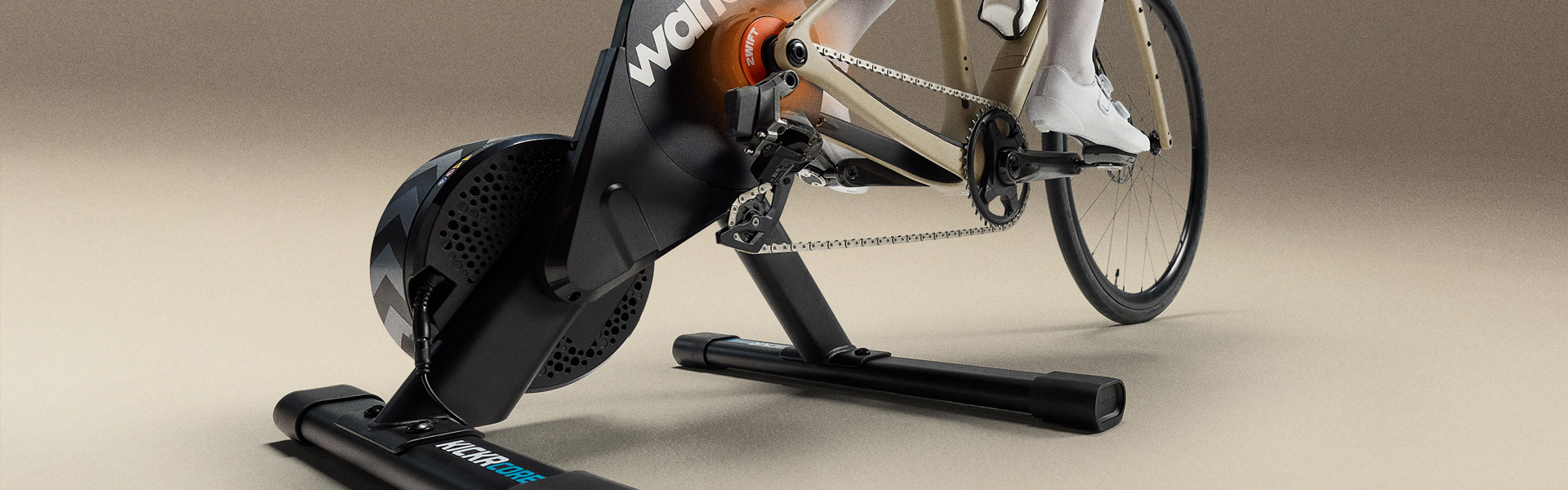
Zwift and Wahoo have just launched an “end of season” promotion on the Wahoo KICKR CORE 2 smart trainer. The deeply discounted price is as low as it’s ever been, matching Black Friday pricing. If you’re in the market for a full-featured smart trainer at a great price, backed by industry-leading support… this is it.
The deal begins today (February 5) and runs through March 1 on Zwift and Wahoo’s websites.
While Zwift only sells the KICKR CORE 2 with Zwift Cog and Click, Wahoo sells that version as well as a version with a standard cassette. Here are links to shop at Wahoo:
Price includes 1 free month of Zwift ($20 value) for new subscribers only, and you can purchase the trainer with either the Zwift Cog or a standard cassette.
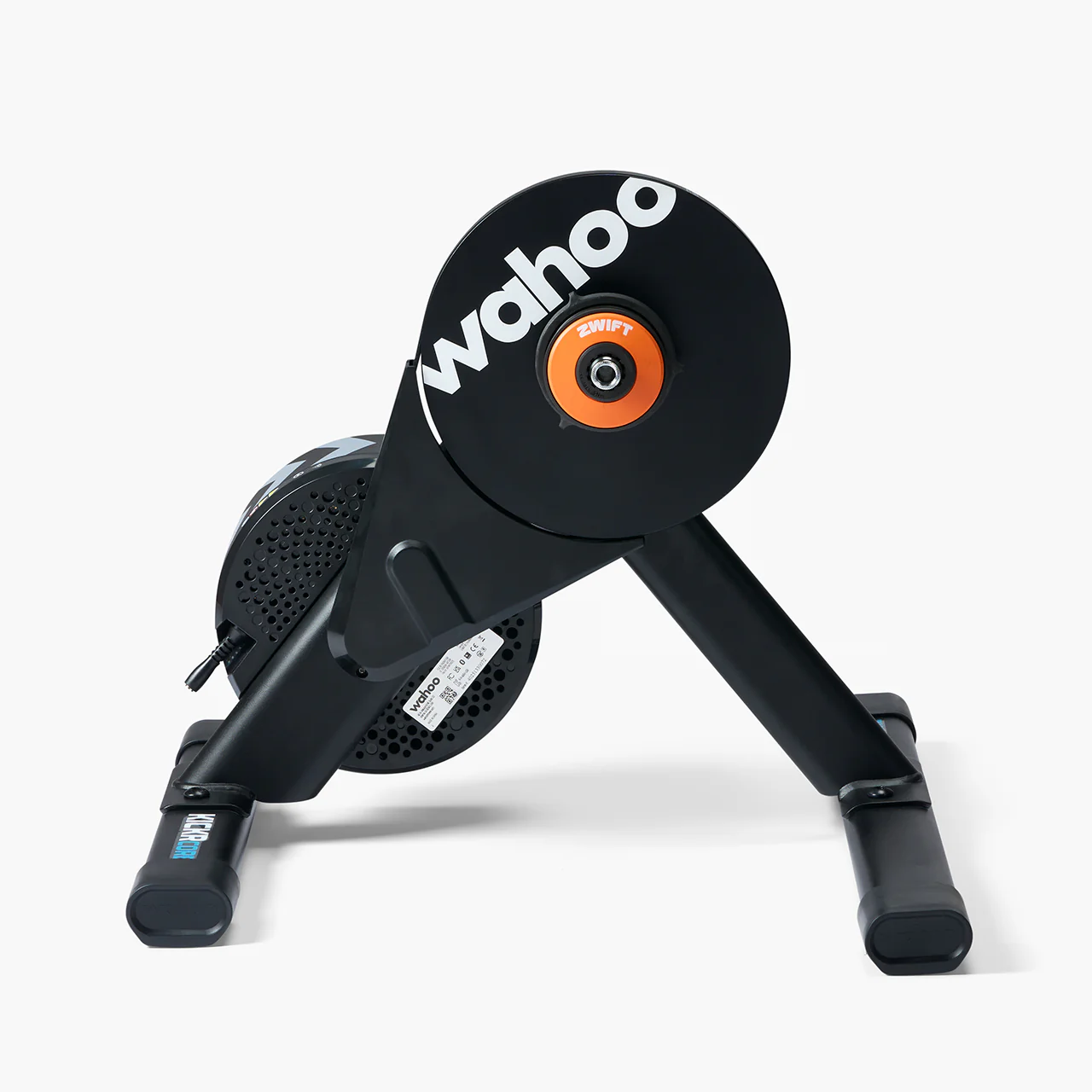
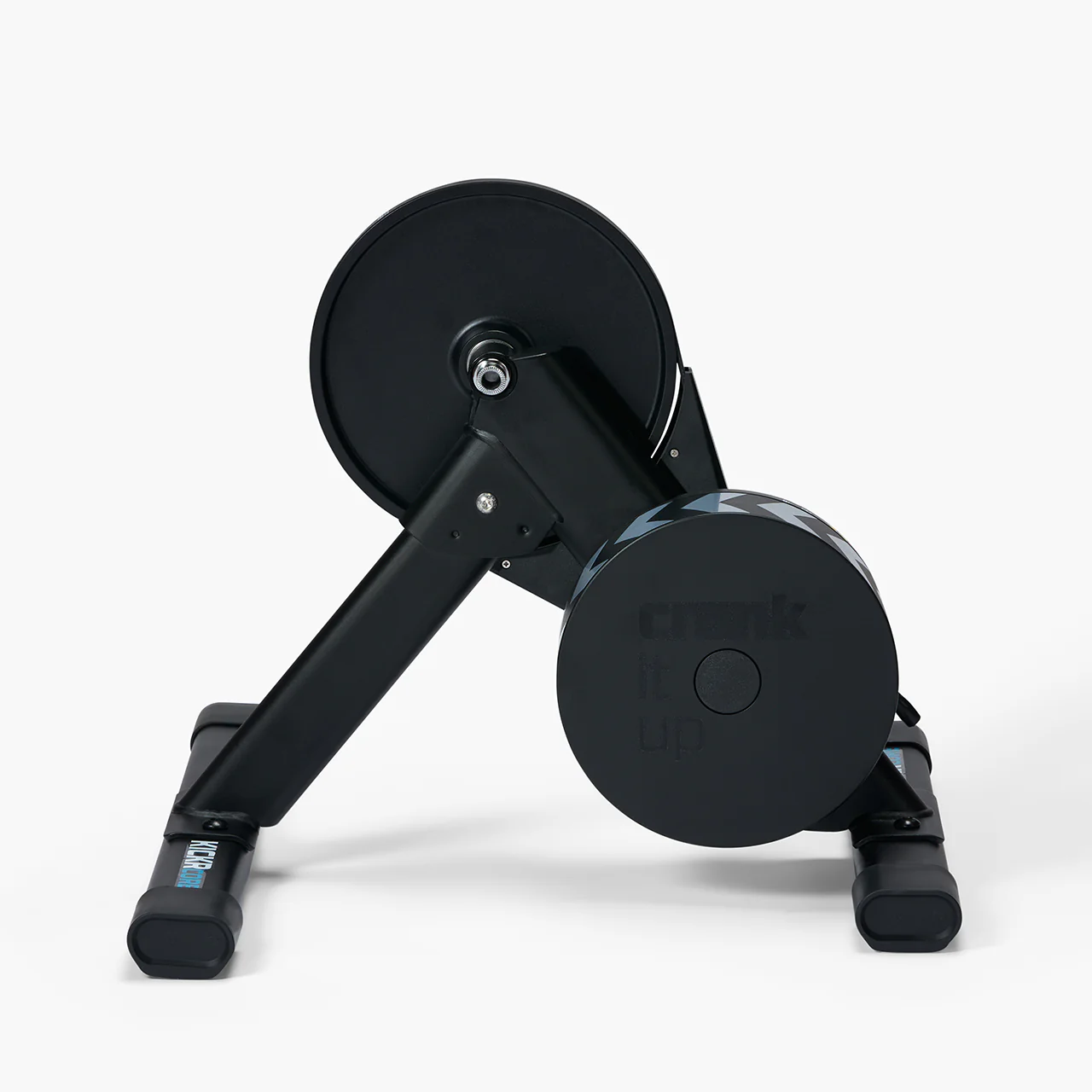
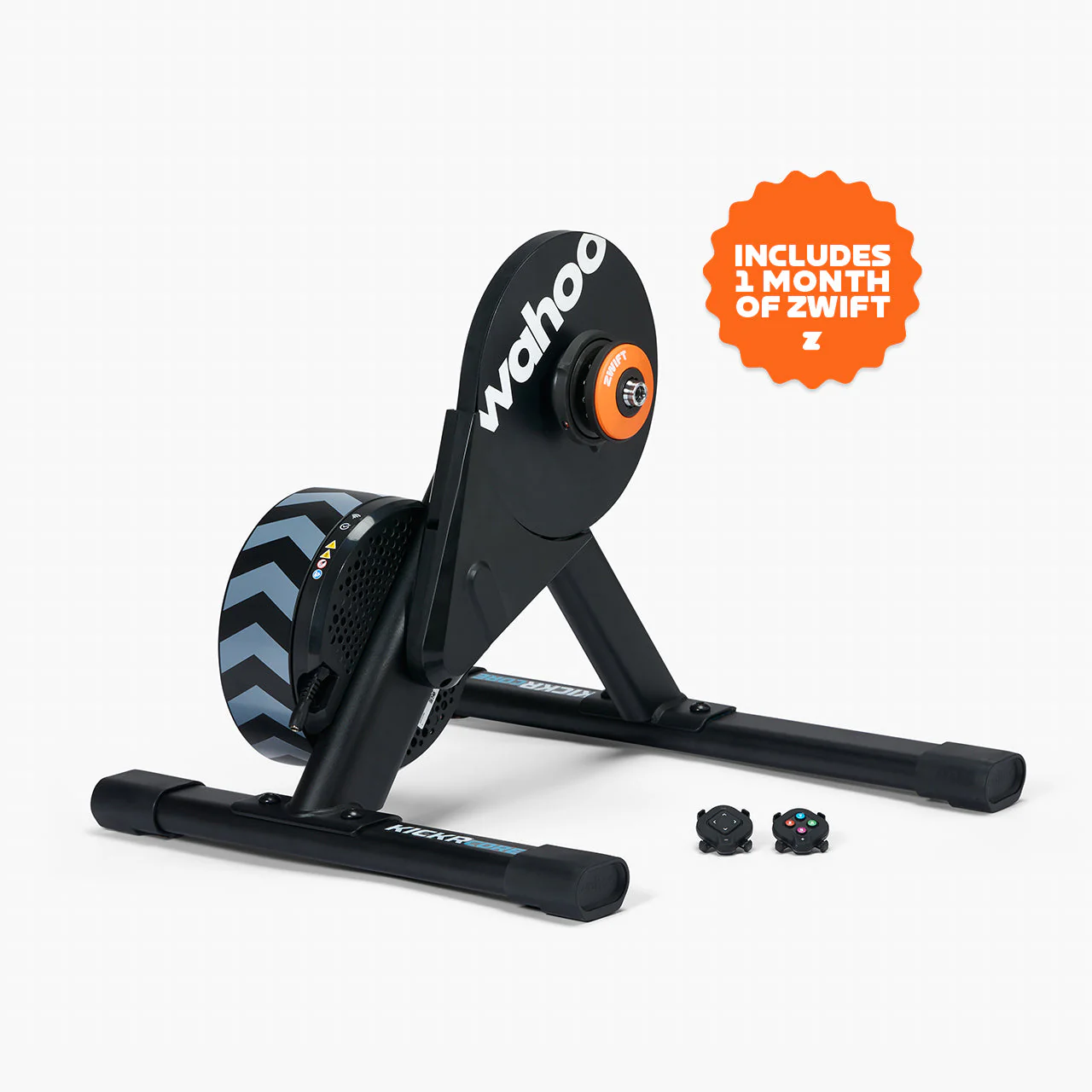
Wahoo’s release of the CORE 2 in September 2025 shook up the smart trainer world, because the new CORE 2 maintains the affordability and reliability of the original CORE while adding three premium features:
Learn more about Zwift’s new Click v2 controllers here >
Share below!
The sixth and final race of Zwift Racing League 2025/26 Round 3 happens Tuesday, February 10, and we’re in London for a scratch race.
If you’re on a C or D team, you’ll be racing one lap of Greatest London Loop, and this guide is for you. A and B teams will be on two laps of London Loop (click here for that race guide).
There’s much to discuss, including crucial course segments, powerup usage, bike decisions, and strategic options. Let’s go!
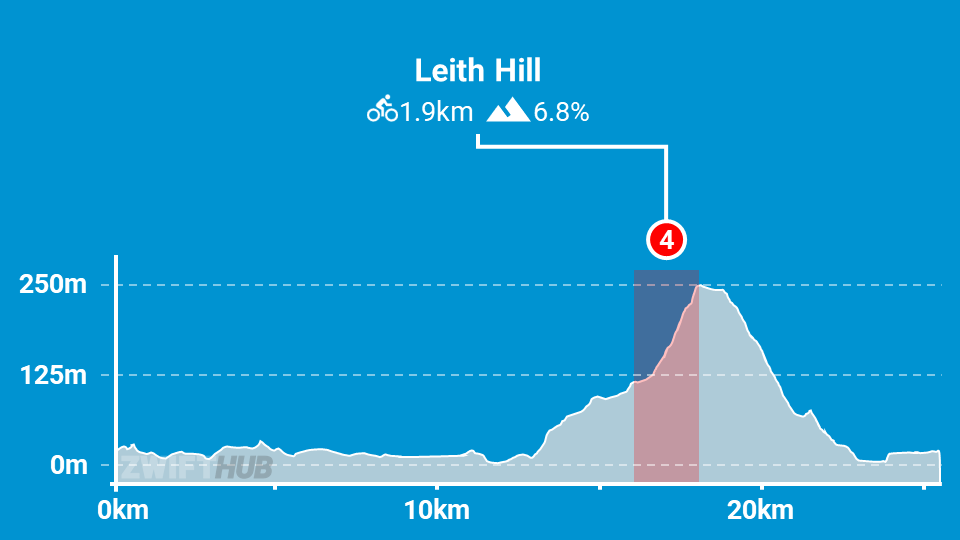
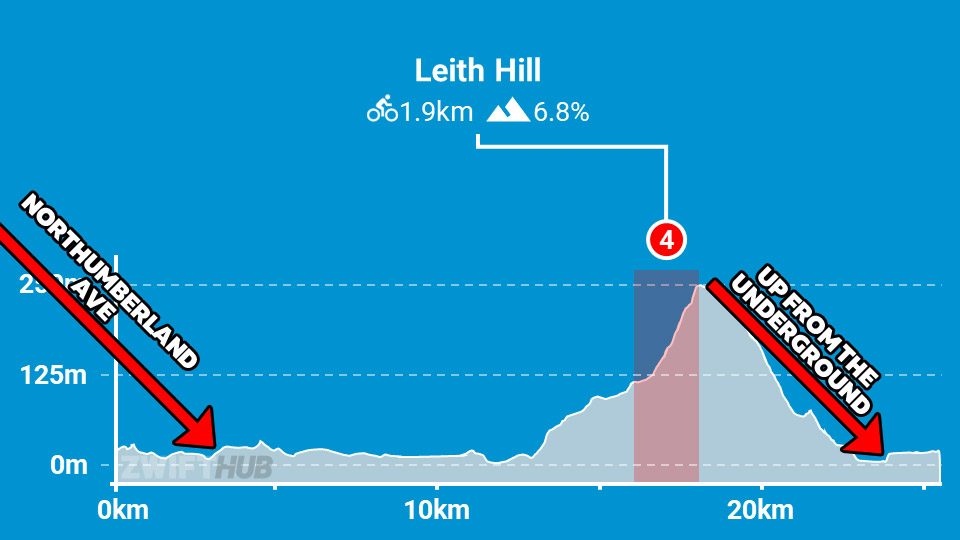
Here’s the Strava segment for the full Leith Hill climb, so you can analyze it further. It’s a long climb – the longest we’ll race in this round. Plan on 16 minutes minimum, but probably closer to 20 minutes for many C/D riders. It roughly breaks into four sections:
There are two small kickers on the circuit that deserve a mention as well. They may look small on the profile since they’re dwarfed by Leith Hill, but trust me – you’ll notice them in the race:

Lightweight (feather): reduces your weight by 10% for 30 seconds.
Use on climbs, when weight matters the most. This is best saved for Leith Hill, particularly on the final section where the gradient is steepest and legs are burning.

Anvil: makes you heavier for up to 15 seconds, so you can descend faster. It won’t hurt you, as it only adds weight when the road is at a -1.5% decline or greater.
Use this when descending the backside of Leith Hill to make it even easier to sit in.
Any insights or further thoughts on this race? Share below!
The sixth and final race of Zwift Racing League 2025/26 Round 3 happens Tuesday, February 10, and we’re in London for a scratch race.
If you’re on an A or B team, you’ll be racing two laps of the classic London Loop, and this guide is for you. C and D teams will be on Greatest London Loop (click here for that race guide).
There’s much to discuss, including crucial course segments, powerup usage, bike decisions, and strategic options. Let’s go!
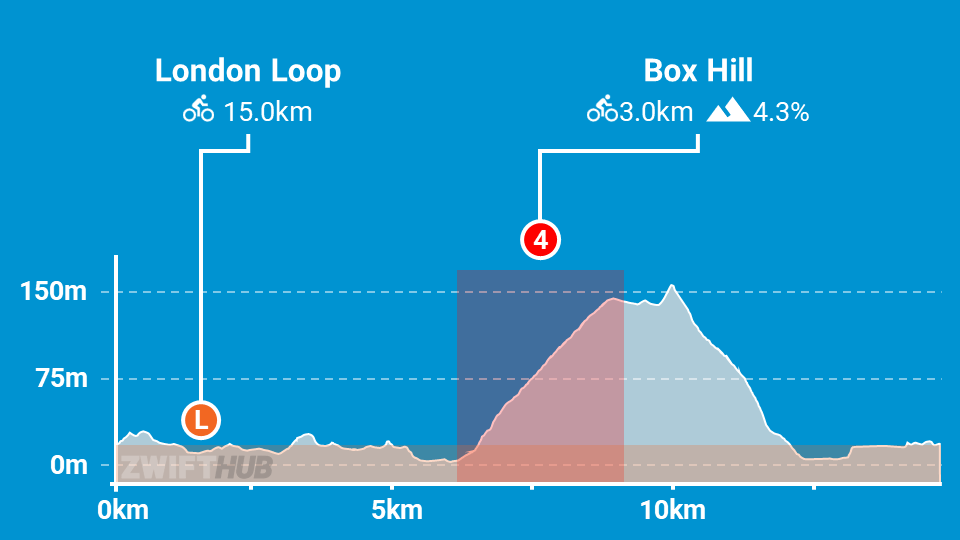
Box Hill is a fairly steady 2.7km grade, but the final 300-400 meters of the segment are flat or even slightly downhill, throwing off the stats. The steepest part of the climb, where the pack quickly stretches and elastic snaps, is on the early long stretch before the left hairpin. This section averages 7-8%, and most of the climbing apart from that is around 5%.
There are three kickers on the circuit that deserve a mention as well:
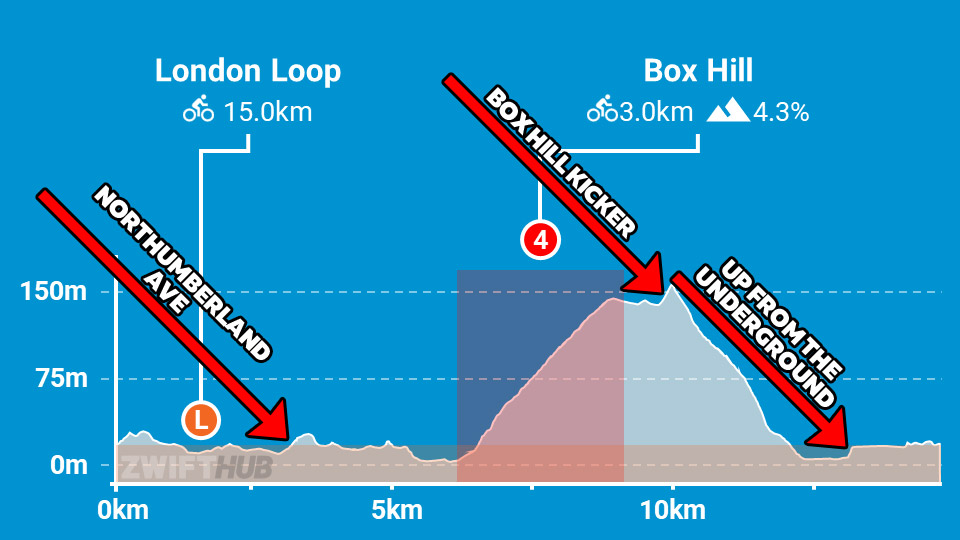
The Box Hill Kicker comes just a few hundred meters after you ride through the Box Hill KOM banner. This one is short, but steep, and everyone’s legs are a big knackered. Pro tip: hit it hard and push across the top, and you can often close big gaps to riders ahead.
Lightweight (feather): reduces your weight by 10% for 30 seconds.
Use on climbs, when weight matters the most. This is best saved for Box Hill, particularly on the lower slope where the pace will be high and the gradient is steepest.
Anvil: makes you heavier for up to 15 seconds, so you can descend faster. It won’t hurt you, as it only adds weight when the road is at a -1.5% decline or greater.
Use this when descending the backside of Box Hill to make it even easier to sit in.
Any insights or further thoughts on this race? Share below!
Some races are lost on the climb.
Others on the descent.
Mine was lost at the front door — with a baby monitor as co-pilot.
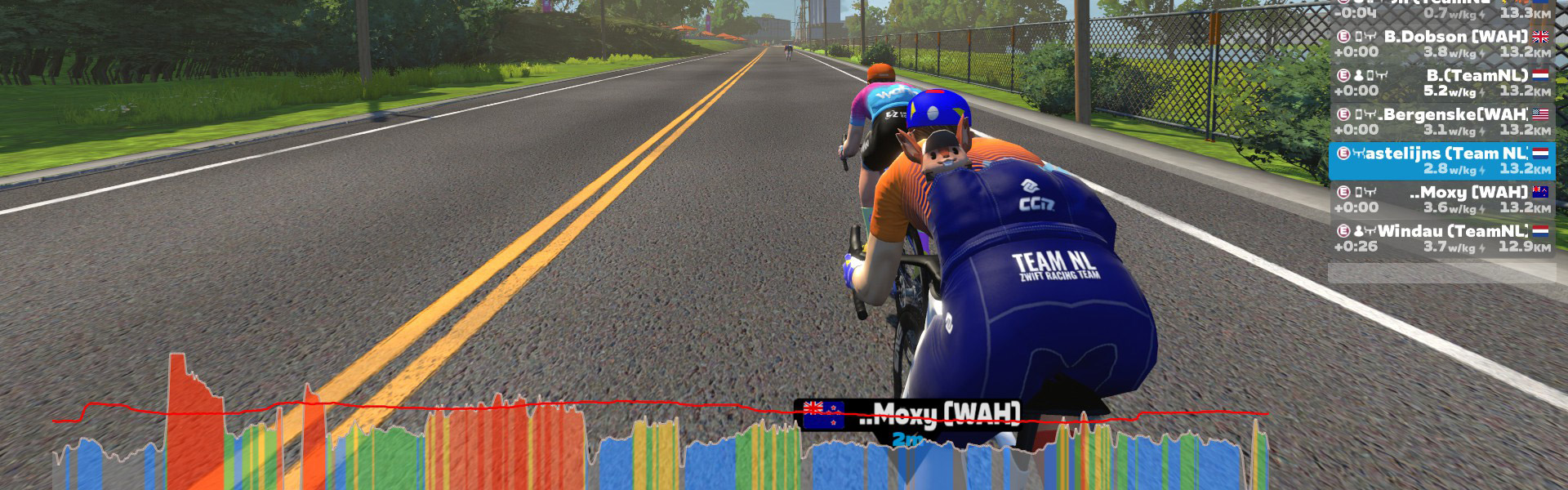
The setting was perfect. Racing with Team NL Cloud 9 Thunder in a Ladder race against my former teammates from Wahoo Esports, on Cobbled Climbs. Short, sharp efforts. Repeated accelerations. Chaos with intent. Exactly my kind of race. Exactly the terrain where I was determined to show my old mates nothing but my rear wheel.
But the first real battle had already started long before the start pen.
My youngest son was sick. High fever. Unsettled. Inconsolable. With my wife due home late, I had stationed a baby monitor right next to my Zwift setup. As I clipped in, I silently negotiated with fate: please no blue crying lights during the race. Just let me get through this one.
To prevent my two boys from repeatedly checking whether their mother had arrived yet, I made what would later turn out to be a catastrophic tactical decision: I locked the front door from the inside, using the hook.
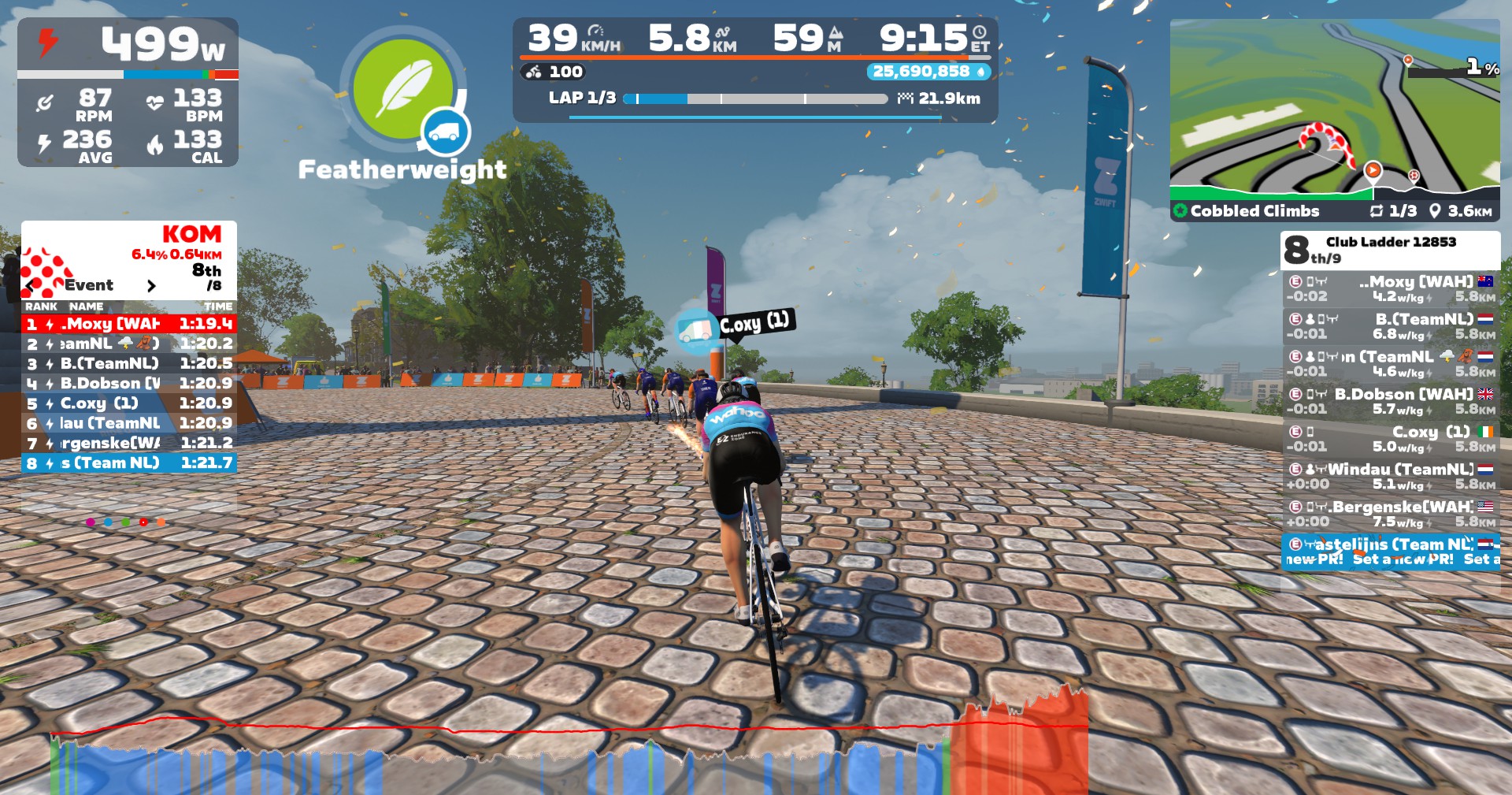
Ten minutes before the race, the house finally went quiet. I started with cold legs and a fatigued mind, skipping any real warmup. Not ideal — but manageable.
At the start line, another complication. One rider from our team was missing. Confusion, quick chat, and then a decision: we would race four versus four anyway. Whether Wahoo Esports was also short a rider or simply chose sportsmanship, I honestly don’t know — but the race was on.
The first lap hurt, as expected. Then the legs woke up. The rhythm settled. The repeated surges began to feel controlled rather than desperate. The group thinned, the pace sharpened, and I found myself exactly where I wanted to be — in the front selection, feeling stronger with every acceleration.
That’s when I heard it.
Not the baby monitor.
The front door.
Loud knocking.
My wife was home.
And locked out.
I unclipped mid-race and sprinted across the house in cycling shoes. Door open. Quick explanation. Door closed again. A full anaerobic effort back to the bike. Back on. Straight into damage-control mode.
By sheer adrenaline and stubbornness, I managed to claw my way back to the front group just before the next climb. Heart rate pinned. Legs already flooded. Zero margin left.
The elastic snapped immediately.
As the group surged uphill, I had nothing. No kick. No response. Just the slow, inevitable slide backward as the watts refused to come back. The climb didn’t beat me — domestic logistics did.
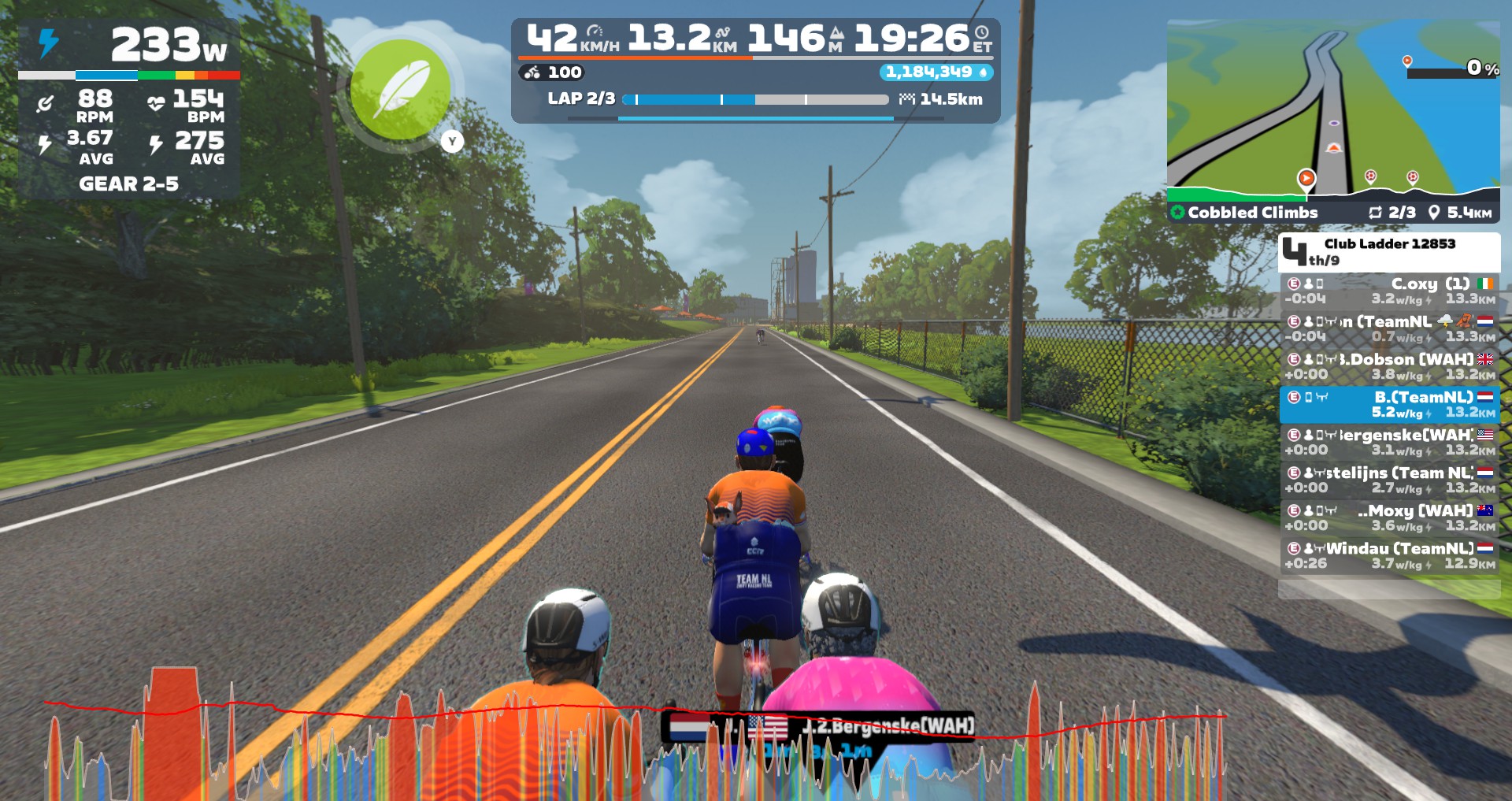
The race wasn’t lost on Cobbled Climbs.
It wasn’t lost tactically.
It was lost in cycling shoes somewhere between the Zwift setup and the front door.
Lesson learned: always recon the course —
and always, always unlock the house.
As we make our way through the long winter months, it may be hard to stay motivated to ride indoors on Zwift. This week’s top video covers tips and tricks for staying entertained on Zwift!
We’ve also included videos about the best budget fans for Zwift, racing as a lightweight rider, Zwift update v1.06, and a gamer’s guide to Zwift.
Share the link below and we may feature it in an upcoming post!
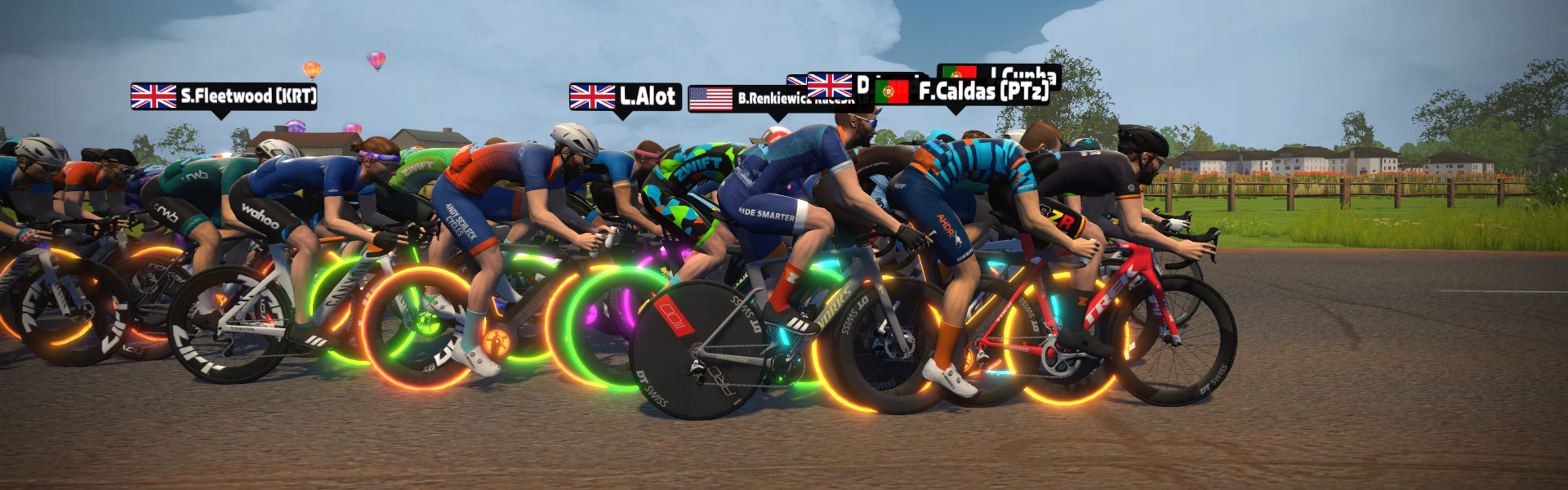
Rolling Collective (RollCo) has launched Rolling Tide, a new year-long Zwift race series built around a simple but demanding idea: start small, build big.
Rolling Tide begins with a short, sharp opener and increases in distance by 1 kilometer every week, culminating in a full-distance endurance race at the end of the year. More than just another race on the calendar, Rolling Tide is about commitment, momentum, and shared growth, a collective journey where improvement is earned through consistency.
Most events test riders on a single night. Rolling Tide tests them over time. Early weeks reward explosiveness and sharp efforts, while later races demand patience, pacing, and resilience. The format naturally evolves, mirroring the way real fitness is built.
Rolling Tide is supported by an ongoing ZwiftPower leaderboard, encouraging riders to measure progress, track rivals, and build season-long narratives. It’s not just about today’s result, it’s about where you finish after riding the entire tide.
Each race is run as a categorised scratch event, ensuring competitive racing at every level while keeping the shared experience intact. Whether riders are chasing podiums, rivalries, or personal milestones, everyone starts the journey together.
Rolling Tide is designed to create familiarity. The same names. The same time slot. The same rising challenge. Riders will remember where they started and who they rode alongside when they reach the final weeks of the season.
Events occur weekly in 5 timeslots:
The first race kicks off Wednesday in France: a 1km sprint on Macaron. There’s no lead-in, just a hard, straight start through to a harder finish. Can you be quick off the line without the benefit of building up momentum first? Is your pre-race warmup to scratch?
See upcoming Rolling Tide events at zwift.com/events/tag/rollingtide
Rolling Collective (RollCo) is a community-driven cycling club built around shared momentum and riding Forward, Together. Through races, rides, and creative events, RollCo aims to build long-term engagement, meaningful competition, and a culture that celebrates showing up.
Two years ago, I found myself sitting on a couch in Eric Min’s living room, talking about where we’d love to see Zwift go next. The single biggest idea I shared was simply this: I want Zwift to give me a brilliant recommendation for each day’s workout.
I knew a simple, brilliant recommendation engine could help to solve both of these challenges. But also, it was no easy ask! (Especially back then, when Zwift wasn’t even “seeing” my outdoor rides.) Now, two years later, Zwift can see what we do outside, which is brilliant. But that doesn’t mean the holy grail of workout recommendation engines is easy to build. (Case in point: Strava’s new “Instant Workouts” feature, which hasn’t impressed anyone I know of.)
Zwift is completing a major rollout of their Next Up personalized recommendation engine this week. And while Next Up is still very much a beta in Zwift, and some of the feature requests I make below are already being worked on internally, I’m sharing this post now in hopes of sparking useful conversation and actionable feedback for Zwift’s team. This will, in turn, help to drive the development of what I believe is an important feature. So let’s dive in!
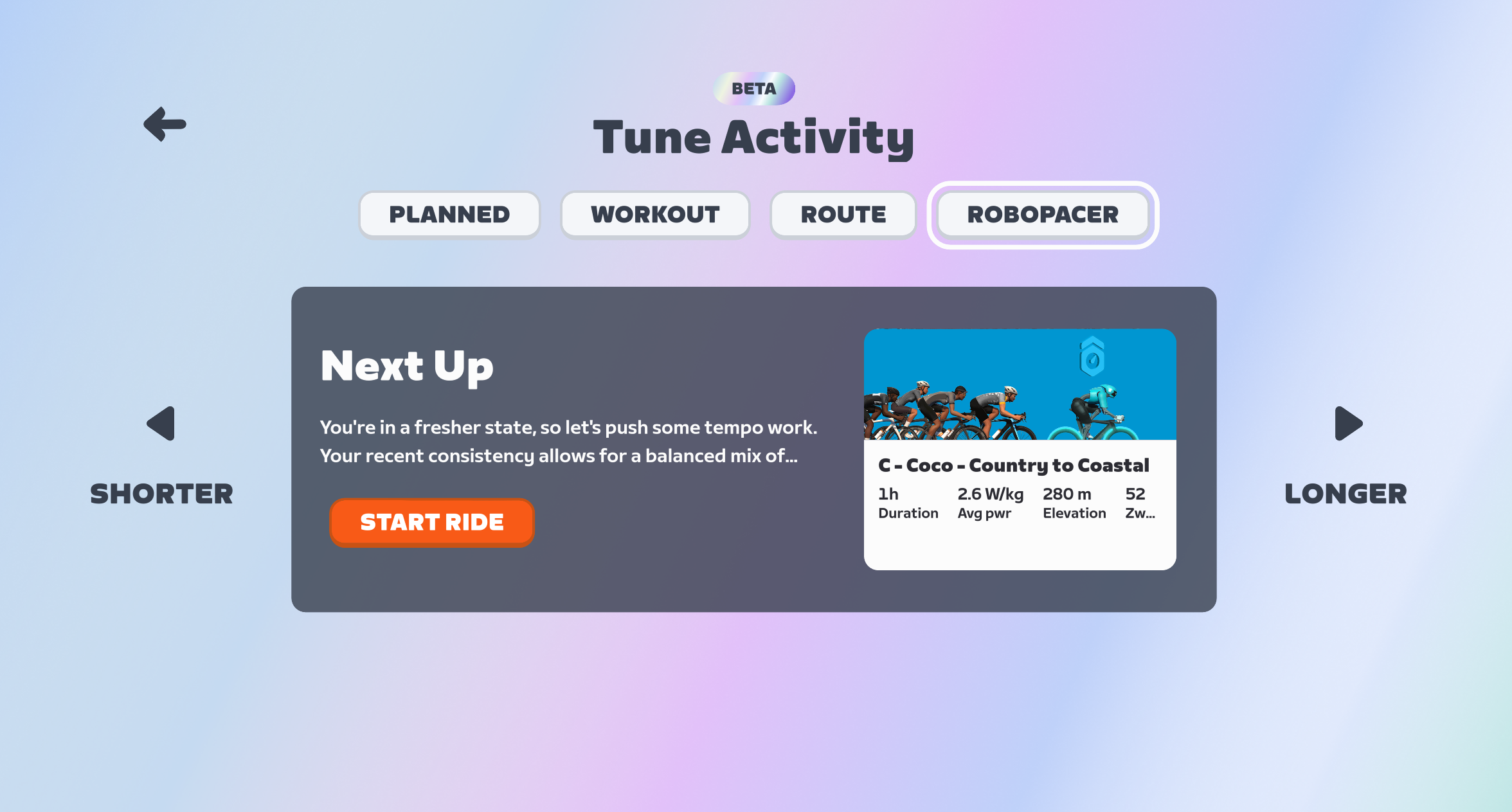
If the Next Up feature is enabled for your account, you’ll see it at the top of your homescreen. It’s pretty hard to miss:
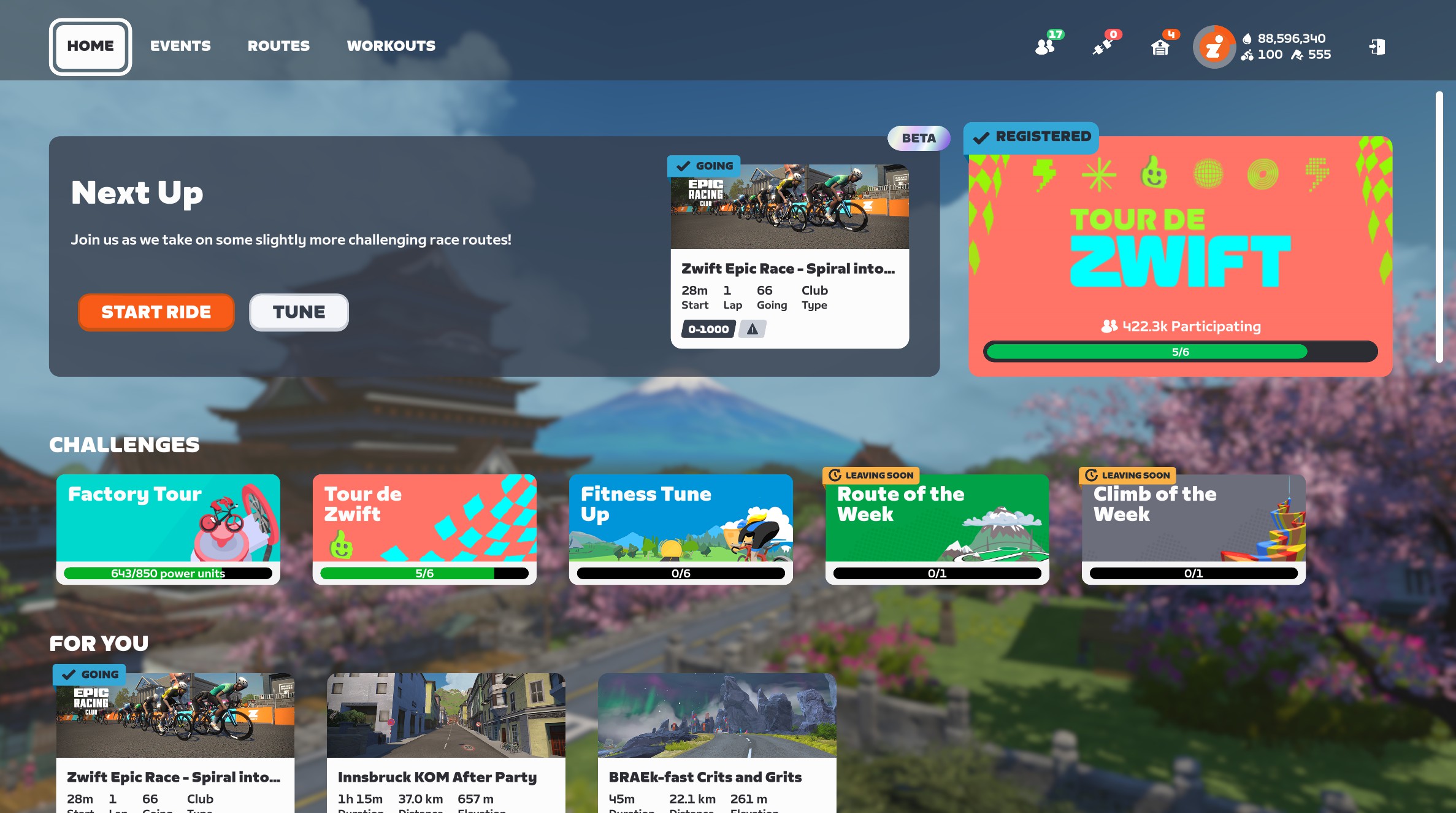
If you’re signed up for an event that’s coming soon, it will show that event as your first option. Otherwise, it shows the selected workout as your next option:
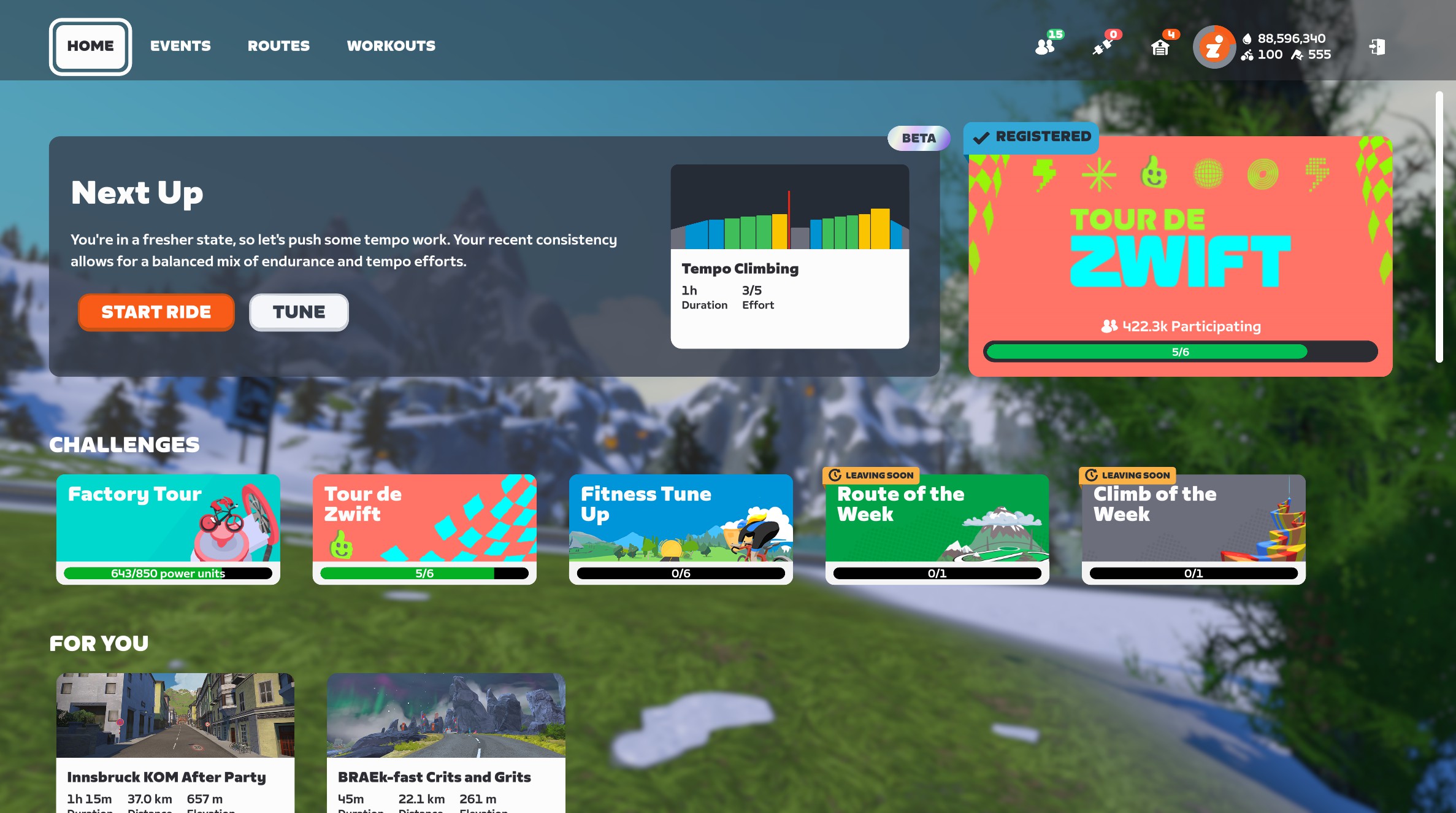
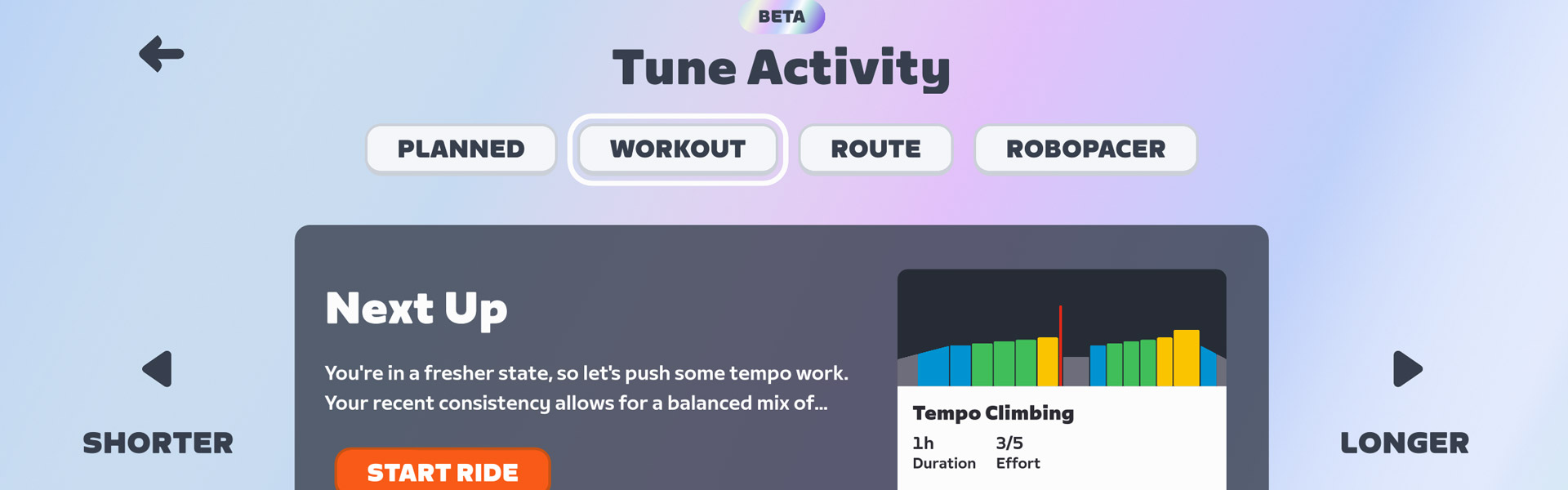
Click “Start Ride” to begin the recommended activity, or “Tune” to see and/or modify the recommendations. Next Up currently serves up four types of recommendations:
Once you’re on the “Tune” screen, you can click the “Shorter” or “Longer” buttons to select a shorter or longer Workout, Route, or RoboPacer ride. You’re given two shorter options and two longer options, plus the default option, for a total of 5 possible Workouts, 5 Routes, and 5 RoboPacer lengths.
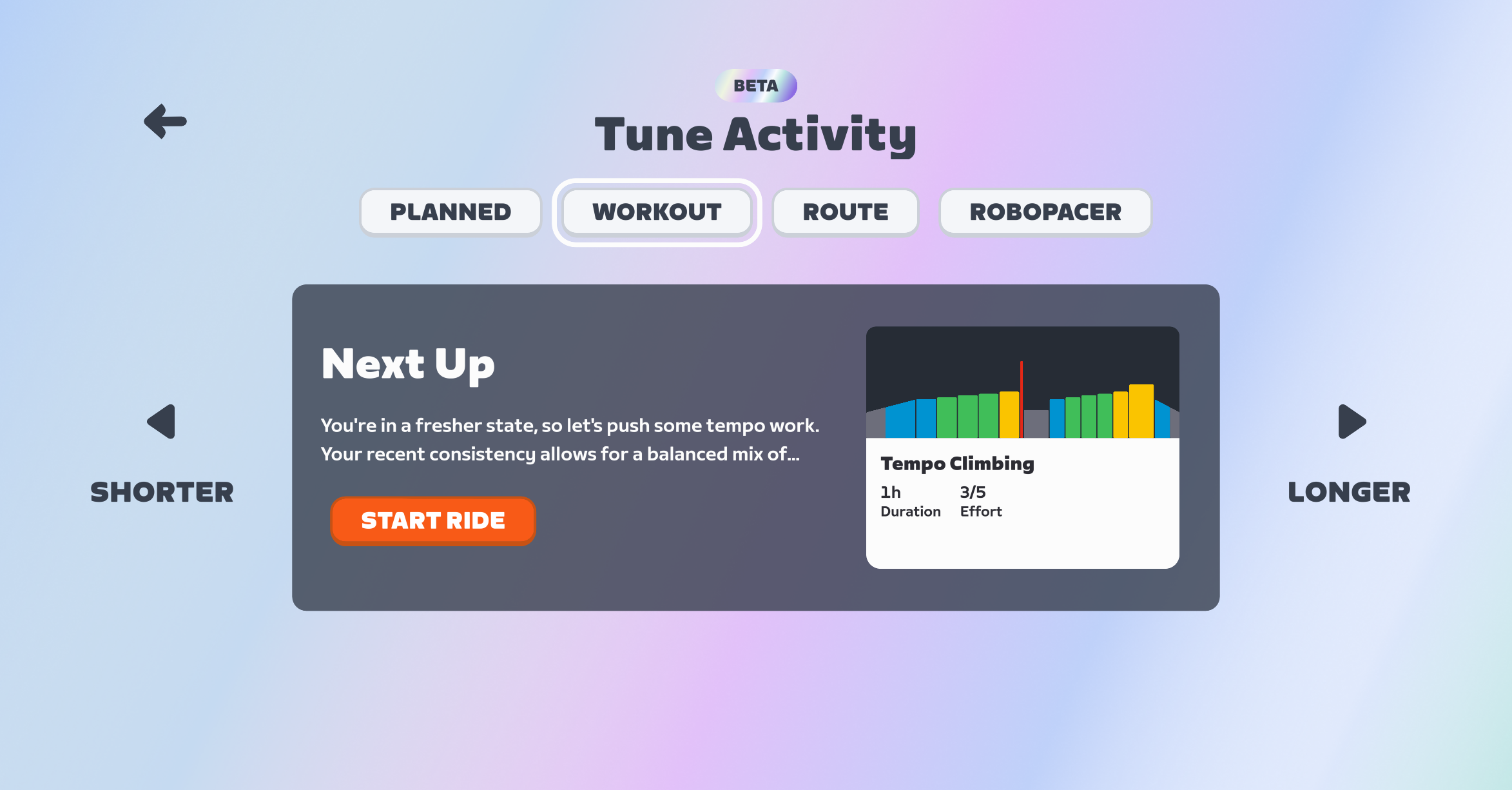
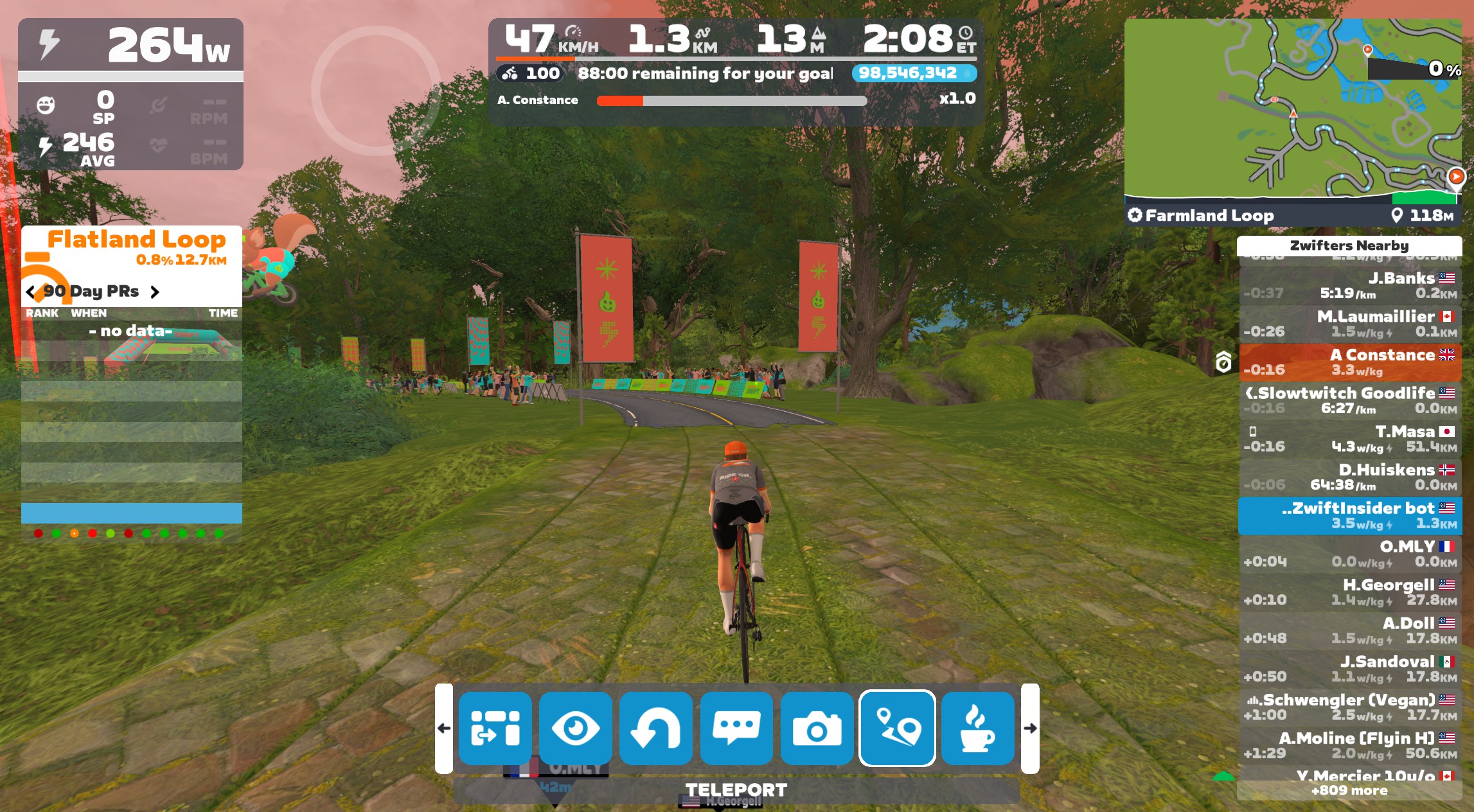
If you “tune” your RoboPacer ride, it just adds or subtracts 30 minutes from the stated duration. There is a timer in the game’s center HUD that pops up intermittently to show how much time you’ve got left to hit your goal:
Two more things to call out:
As I explained in this week’s post on Zwift’s version 1.106 release, Zwift released Next Up to all English-speaking Zwifters this week. The plan is to roll it out for all other supported languages by the end of February.
In terms of target audience, while the current iteration of Next Up can provide value to every Zwifter, it should prove especially useful to newer Zwifters and less experienced cyclists. More experienced Zwifters don’t necessarily need guidance on the next route to ride or which RoboPacer group to join, and many experienced cyclists already have some sort of training plan they’re following.
While Next Up could someday provide great value for all Zwifters (I discuss this more below), in its current form, it’s most helpful to newer riders. I would say this sort of Next Up’s “unofficial target audience.”
Update April 13, 2026: Zwift has added a generic support link to their Next Up support page saying, “If you’d like to disable the Next Up feature, please select this link to contact our Community Support team.”
I’m seeing more and more riders asking if the Next Up feature can just be toggled on and off, as they don’t have a use for it. While Zwift has never been big on letting people toggle key features, I think there’s some sense in this idea. Turning it off would save AI processing and free up screen space for the features people do want.


The Next Up feature, as it currently stands, isn’t super-useful to everyone. Until Zwift can build it out so it’s really good at knowing what you should do next, it makes good sense for Zwift to add a setting to turn it off.
Currently, the recommendations in Next Up for Workout, Route, and RoboPacer only refresh once a day. This is done to save AI cycles, no doubt, but it makes the feature feel rather “dumb” if you’re a rider who often does multiple activities in one Zwift session, or you’re a rider who does two distinct Zwift sessions in a day.
I would love to see the recommendation refresh after I save my Zwift activity. That means, for example, on Tuesdays I might log in for my ZRL race. It would recommend a race warmup for me (see that feature request below), then recommend the ZRL event to me, then recommend a cooldown.
To save on AI cycles, perhaps they could just add a refresh button to the UI, so I could easily get a new recommendation if I want it?
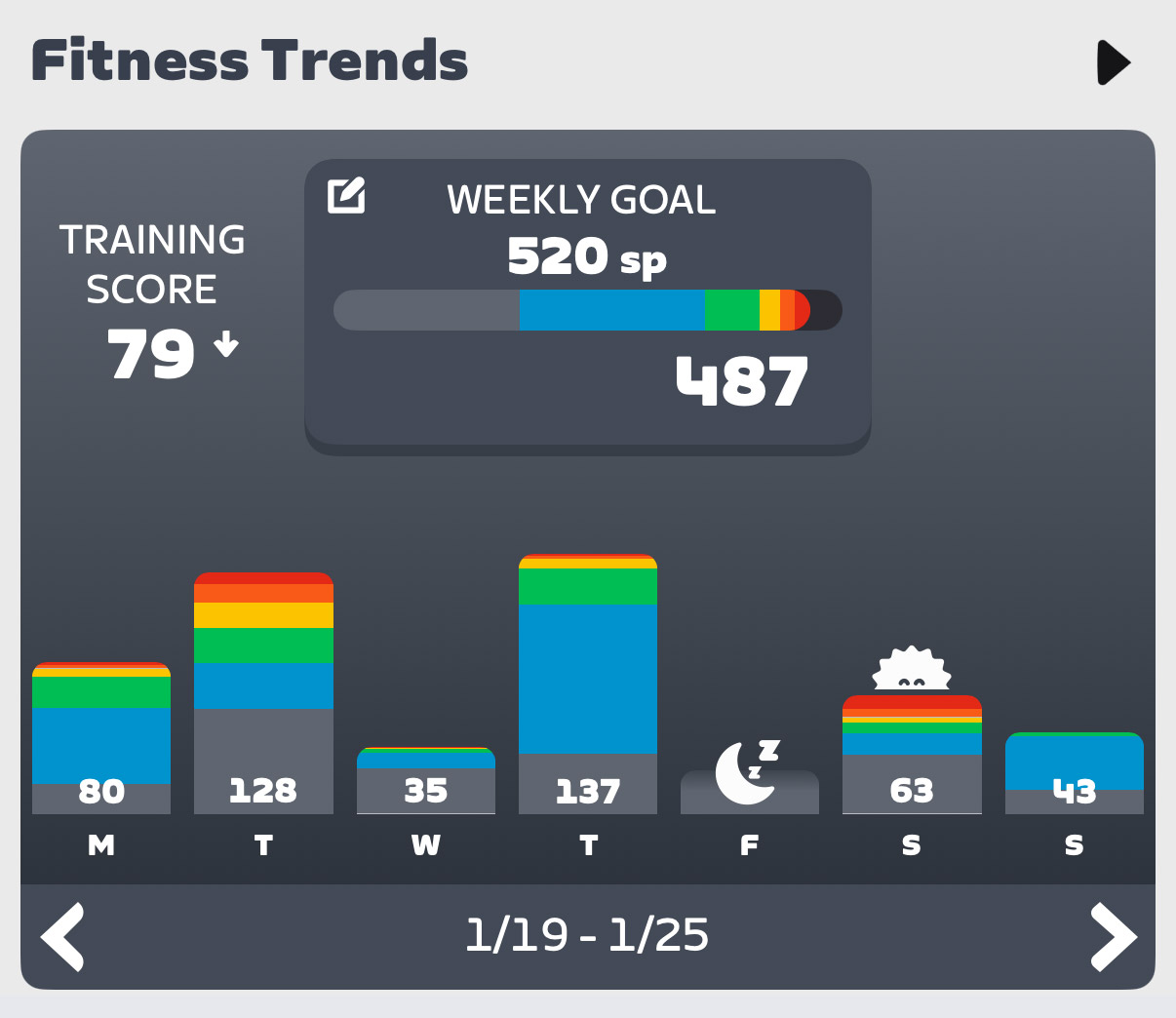
Currently, Next Up seems to recommend 1-hour activities every day. Yes, you can click to tune them longer or shorter, but it feels like the engine is a bit blind to my weekly habits.
For example, I’ve led my 100km Pizza Burner ride every Thursday morning for a year, yet it still recommends a 1-hour ride for me on Thursdays. And Saturdays are always a long day for me (2.5-4 hours, typically), but it’s still just recommending 1-hour rides. (And even if I try to tune them, the longest options are sometimes only 2 hours).
Next Up needs some logic to spot day-of-the-week patterns.
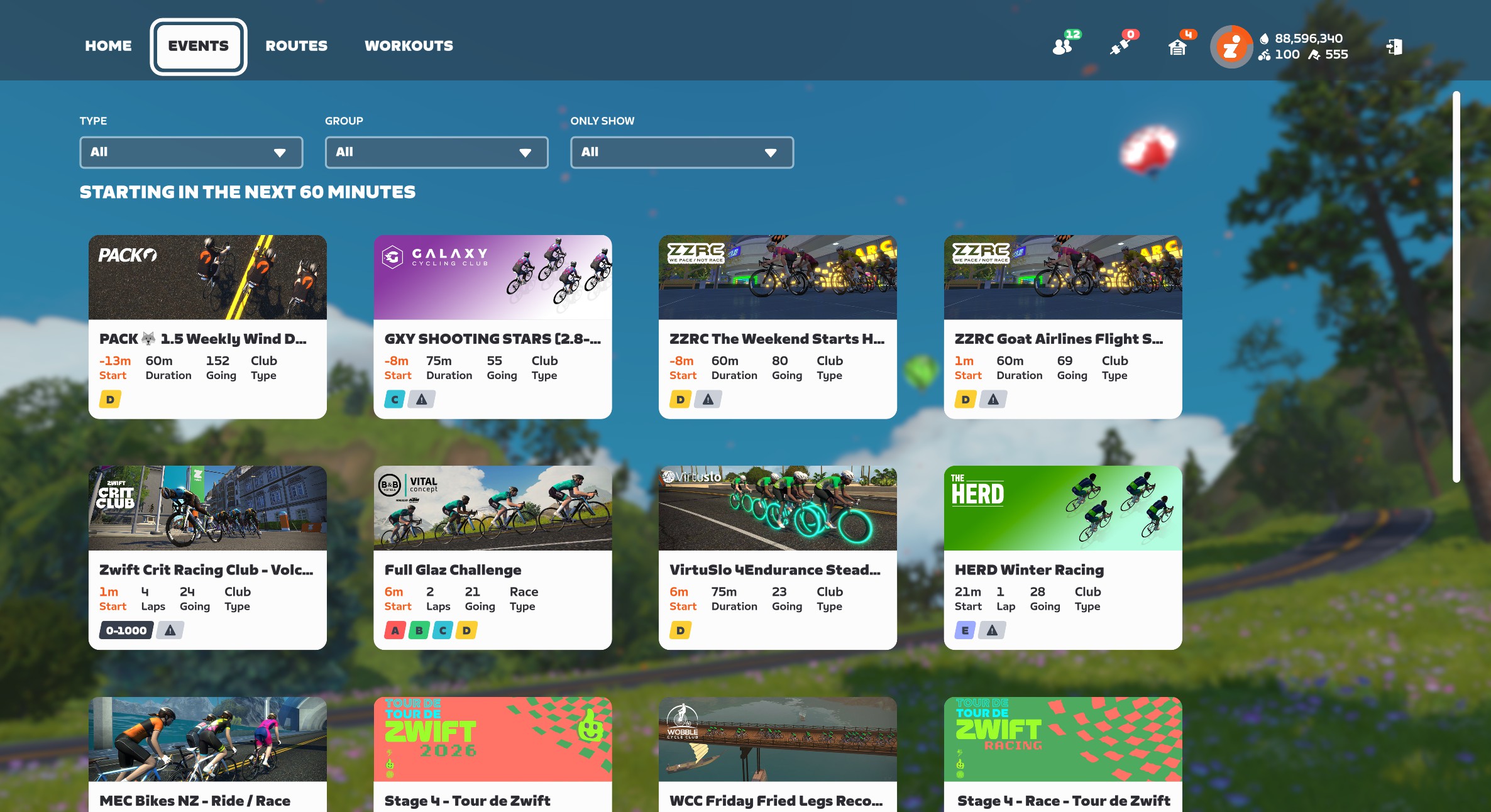
Zwift has always struggled to surface (or let people discover) events that will leave Zwifters coming back for more. Think about it: there’s still no tool in Zwift that says, “Show me the most popular events happening in the next hour” or “I want to do VO2 work in a group, what events are coming up?”
This is an untapped area with huge potential wins for Zwift.
Imagine if it could find the best event for you that was coming up soon? And you could tune the selection a bit, to choose between a handful of event options?
Currently, the “Planned” section of Next Up will show the next event you’re signed up for, assuming it’s coming up soon. But that’s just the most basic functionality Next Up should have. There’s much more Zwift can do…
If Zwift knows I’m signed up for a race that starts in 15-60 minutes, it should be recommending race warmups for me. There are several race warmup workouts in Zwift’s library, and there are also routes and RoboPacers I could ride that would do the job.
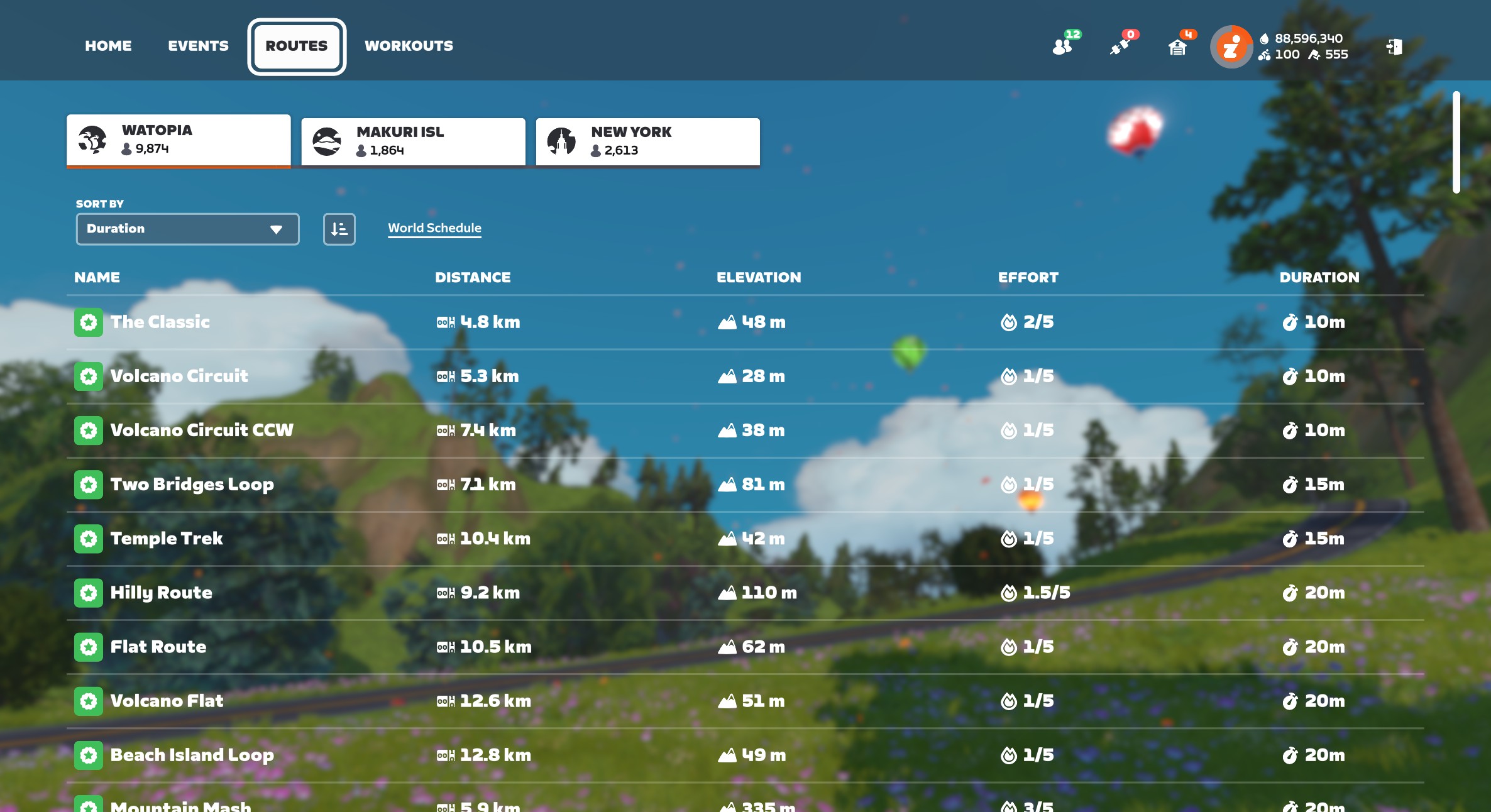
Zwift’s huge library of routes (well over 200 free rideable routes now) can be a bit overwhelming, especially to newer users. Add route badges into the mix, Route of the Week, and the huge variation in length and difficulty of routes, and you can see that a strong route recommendation engine would be a great addition to the game.
To Zwift’s credit, they’ve improved this portion of Next Up since its initial launch. It’s now recommending Tour de Zwift routes for me, for example – even though the explanation text doesn’t explain this (that’s coming soon).
Personally, I’d love it if the feature just brought up routes I haven’t ridden yet, and explained that if I ride the route, I’ll get the achievement badge and XP.
Speaking of the explanation text (we need a better name for this text that explains why a particular activity is being recommended) – there’s a lot of improvement that could happen here.
First: as a text guy, it’s mildly infuriating that I can’t read the full text from the screen in game. It ends with …, but there’s no way to click and read more. Zwift needs to fix this, as that explanatory text is going to play a key role in convincing Zwifters of the value of Next Up selections far into the future.
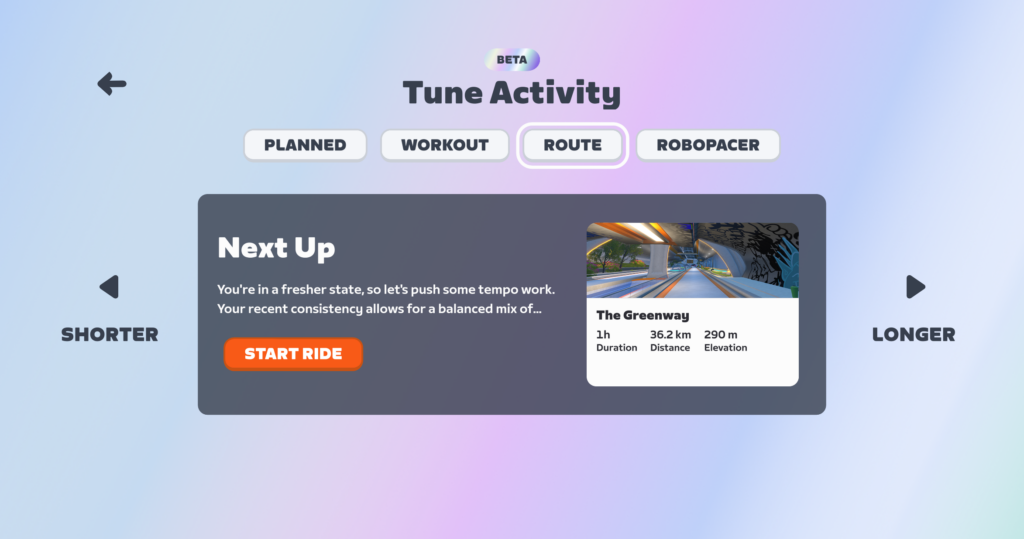
(To be fair, that text is fully readable in the Companion app).
Fixing the way the text is displayed is the easy part. Improving the actual text, I imagine, is much more challenging. You’ve got to keep it short, but also informative. Right now, the text feels overly simplified to me. I know there are unmentioned factors (like weekly goal settings) driving Next Up to recommend a particular activity, and I wish it would mention them.
Currently, the Companion app only shows you the default Next Up activity. That means it shows you your “Planned” activity (an event you’ve signed up for, or a third-party workout), or if you have nothing planned, it will show you the selected workout of the day.
There’s no way to tune the workout in Companion. And no way to see selected routes or RoboPacers.
For Next Up to be useful, it definitely needs a strong presence in Companion, since this is where people go to plan their next activity. But right now, its presence in Companion feels a bit half-baked.
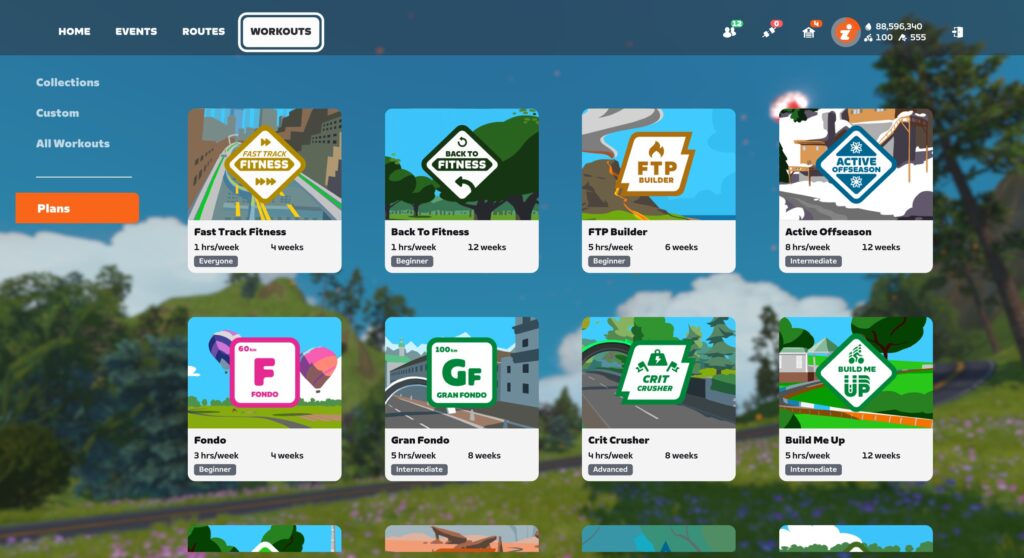
It’s a bit odd, but if you’re signed up for a Zwift Training Plan, nothing about that plan shows up in Next Up. Ever.
Workouts from third-party providers like XERT will show up, but Zwift’s own Training Plan workouts do not.
My guess is this hasn’t been fixed yet because Training Plans have their own UI in game – a popup window where you select your workout for the day. That would need to be modified/removed, and Next Up may need to be modified somewhat to replace that functionality.
One possible solution: surface the day’s planned workout in Next Up, just like you’d do if I were using TrainerRoad for my plan. Swap the “Longer” and “Shorter” buttons for “next” and “previous”, so I can choose to execute a workout that’s scheduled for tomorrow, if that’s what I want.
Next Up currently defaults to showing me the recommended Workout for the day, and I have to click “Tune” to choose a non-workout activity.
Here’s the problem: I rarely do workouts! The vast majority of my activities are events, RoboPacer rides, or solo efforts on particular routes.
The feature should be better at choosing which activity type to display based on my habits and goals.
Zwift is nearly ready to enable the addition of our running activities to Fitness Metrics (it’s coming very soon!), so my guess is they plan for Next Up to expand into running recommendations in the future as well.
I’m sure there are other great things Zwift could do with Next Up that I didn’t cover above, and conversely, some of what I recommended above won’t prove useful to everyone. But the big thing I’m hoping Zwift and the Zwift Community both understand is that the Next Up concept has huge potential. Like I told Eric Min over 2 years ago, Zwift has the historic data needed to make smart activity recommendations. That engine in turn will:
In talking to contacts within Zwift, it’s clear the company knows that Next Up is an important feature, and is planning to continually invest in improvements.
I’ll wrap up with this: many Zwifters are asking if they can just turn off the Next Up feature. While I think a toggle is a good idea, I also know Zwift can make Next Up compelling enough that everyone will want to keep it turned on. Here’s hoping!
What do you think of the Next Up feature? Share your thoughts below! I would also recommend sharing your thoughts on this topic in Zwift’s forum.
This weekend’s picks are a rather eclectic mix. The headliners are two rides for two deserving causes. But we’re also featuring some extra-long rides, beginner-friendly rides, and of course, Tour de Zwift. See details below…
✅ Good Cause ✅ Memorial Ride
There are many IRL rides happening this weekend in cities across the US to honor Alex Pretti, a nurse and cyclist who was killed by Homeland Security agents last Saturday. Join the Zwift version. “We ride in unity. We ride together and stand together. Join us for a community ride to remember those who are lost and stand for civil rights.”
This ride is 60 minutes long, open-paced, on Makuri Islands’ Flatland Loop.
Saturday, January 31 @ 7:30pm UTC/2:30pm ET/11:30am PT
Sign up at zwift.com/events/view/5403474
✅ New Kit Unlock ✅ Good Cause ✅ Beginner Friendly
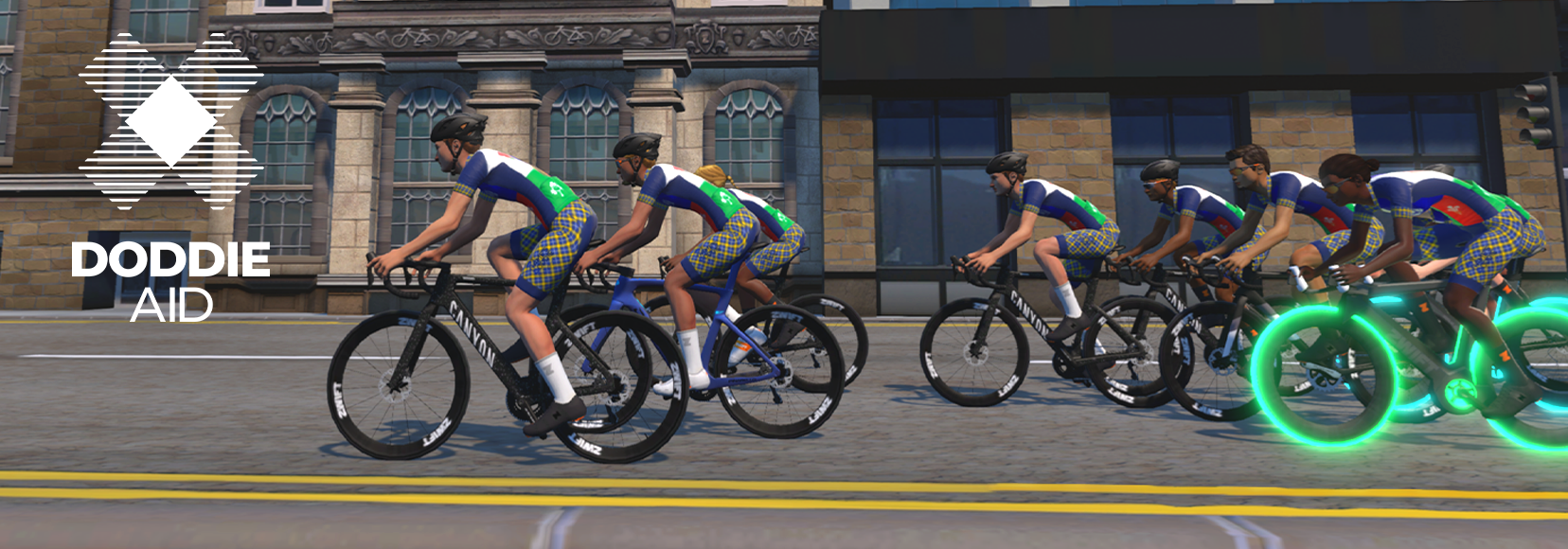
The Doddie Aid rides are usually led by Sir Chris Hoy, but he’s recovering from a bike crash. Still, this ride is worth doing – it’s for a good cause, and you’ll unlock the brand-new in-game Doddie Aid kit!
The ride is 75 minutes long, on the Scotland Smash route, at a stated pace of 1-2.5 W/kg.
Sunday, February 1 @ 10am UTC/5am ET/2am PT
Sign up at zwift.com/events/view/5354392
✅ Route Badge ✅ Endurance Training
The Velos squad has been riding a progressive series of epic Zwift rides in January, and this Saturday is the big one: The Uber Pretzel!
The ride is led at 2-2.5 W/kg, and officially ends after 2 hours. But riders are encouraged to continue riding after it ends, to finish out the route surrounded by other riders in the open world.
Saturday, January 31 @ 12pm UTC/7am ET/4am PT
Sign up at zwift.com/events/view/5389560
✅ Route Badge ✅ Beginner Friendly
✅ Keep Together ✅ Tour de Zwift Stage
If you have yet to climb Alpe du Zwift, consider this event for your first attempt. This is a banded ride, so as long as you keep pedaling, you’ll stay in the pack, no matter how hard you push.
Additionally, this ride is on the Tour of Fire and Ice route, which is the long ride for stage 6 of Tour de Zwift. That means you’ll get credit for stage completion!
Sunday, February 1 @ 2:15pm UTC/9:15am ET/6:15am PT
Sign up at zwift.com/events/view/5392948
✅ Popular ✅ Unlocks ✅ Race If You Want
Tour de Zwift is the biggest annual tour on the platform – a celebration of discovery across all Zwift worlds! We’re now past the halfway point, with stage 4 running through Sunday. Hundreds of riders are joining each event, so you’ll always have some company.
Read all about Tour de Zwift 2026 >
Each stage has three route length options. For stage 4, those are Triple Loops (41.4km, 569m), Greatest London Flat (31.1km, 223m), and London 8 (20.9km, 223m).
Hourly events all weekend!
Sign up at zwift.com/events/tag/tourdezwift2026
We choose each weekend’s Notable Events based on a variety of factors including:
In the end, we want to call attention to events that are extra-special and therefore extra-appealing to Zwifters. If you think your event qualifies, comment below with a link/details and we may just include it in an upcoming post!