Home Blog Page 34

New Climb and Workout of the Week Challenges Released

New Climb and Workout of the Week Challenges Released

Back in May, Zwift introduced a “Route of the Week” challenge, where a different route is featured each week, and completing it earns a 500XP bonus. Learn more here >

Yesterday, two new weekly challenges have launched: a “Workout of the Week” featuring an ERG workout from Zwift’s library and a “Climb of the Week” featuring a climb portal. In simple terms, these work like the Route of the Week: simply complete the featured workout or climb to earn an XP bonus. But let’s take a closer look…

Workout of the Week

Click the Workout of the Week card on your homescreen to see the details of this week’s featured workout. Kicking it off? “Emily’s Short Mix”, a popular OG Zwift workout named after Emily Mullen, an early leader on the Zwift’s marketing team.

Finish the workout (I’m not sure what constitutes “finishing” the workout, as you definitely don’t have to earn all the stars), and you’ll see a banner on your screen:

Once you finish the workout, clicking the homepage card initiates a confetti party and a popup telling how much much bonus XP you earned:

How Much Bonus XP?

Until this week, completing the Route of the Week would earn you a 500XP bonus. But Zwift has changed their XP bonus formula, giving different bonuses based on the difficulty/length of the featured route/workout/climb. On the weekly challenge forum thread, Zwift staffer Alex says, “The XP reward does vary based on the difficulty of the ride, though we’re still fine-tuning the reward for these.”

So Zwift isn’t sharing the exact formula yet, but you can see above that we get a 250XP bonus for the 30-minute Emily’s Short Mix workout, and a 750XP bonus for the longer Tourmalet climb. Alex also says, “We agree that the reward needs to be clear on the UI. We’re looking at some options.”

Climb of the Week

Click the Workout of the Week card on your homescreen to see the details of this week’s featured climb portal. Our first featured climb? The mighty Col du Tourmalet, with 1213 meters of elevation gain across 17.2km of riding.

Finish the climb (yes, finishing it at 50% scaling counts), and you’ll see a banner on your screen:

Once you finish the climb, click the homepage card for a confetti party and a popup telling how much bonus XP you earned. (The Tourmalet earned my test bot 750XP.)

Double Dipping

Keen XP farmers will, of course, want to know how to maximize their earnings in these challenges. And there are certainly ways to do so! The trick is to figure out how to complete more than one of the three challenges (route, workout, and climb) in one go.

There really is no way to knock all three out at once, because you can’t do the Route of the Week and Climb of the Week at the same time. But you can certainly layer the Workout of the Week on top of a Route or Climb of the Week ride.

Alex from Zwift confirms, saying, “Yes, you can double dip! You just need to make sure you’re registered for both ahead of time until we update that.”

To register for a challenge, just click the challenge card on your homescreen. That signs you up for the challenge, and now, if you complete the route/workout/climb via another official pathway, it will still count.

(Note that it won’t always be this way. Alex also says, “You currently need to view each challenge to get credit for the ride, though you don’t have to start the route/workout/climb from the Challenge screen. We will soon change it so that you’re automatically registered for them on log in.”)

Two examples of double dipping (there are other ways to do this, but hopefully this illustrates how it works):

  • Click the Workout of the Week challenge card, then return to your homescreen. (Now you’re registered for this week’s WotW Challenge). Click the Route of the Week card, and click the route to enter the map and begin your ride. Now go to Menu>Workouts (“E” keyboard shortcut) and choose this week’s featured workout from the library. (Emily’s Short Mix is under the “30 minutes to burn” category). Complete the workout and finish the route, and you’ll finish both challenges and get both bonuses.
  • Click the Workout of the Week challenge card, then return to your homescreen. (Now you’re registered for this week’s WotW Challenge). Click the Climb of the Week card, and click the climb to enter the map and begin your ride. Now go to Menu>Workouts (“E” keyboard shortcut) and choose this week’s featured workout from the library. (Emily’s Short Mix is under the “30 minutes to burn” category). Complete the workout and finish the climb, and you’ll finish both challenges and get both bonuses.

Schedule of Upcoming Challenges

I don’t yet have the schedule of upcoming Workouts and Climbs of the Week, but I’ll share that ASAP in a separate post here on Zwift Insider. The Route of the Week schedule is available here.

Questions or Comments?

Share below!


Zwift Update Version 1.96 (150872) Released

Zwift version 1.96 begins its phased rollout today. This is a small update, but racers should take note of a fast new wheelset, and achievement badge completionists will want to know what’s changed on their badge list. Read on for details…

New ENVE SES 4.5 PRO Wheelset

The biggest news in this week’s update is a new, top-performing wheelset from ENVE. The real-life ENVE SES 4.5 PRO wheels were announced in July of this year, and ENVE shared that the wheels were developed with direct input from Tadej Pogačar and UAE Team Emirates XRG over two seasons. When the wheels were announced, they had amassed 25+ victories this season alone … before Tadej won the Tour de France!

The wheels are now available in the Drop Shop, accessible at level 29 and above, for a price of 675,000 Drops. They are the only wheelset in the Drop Shop with a 4-star rating for both aero and weight, so we expect them to be fast on the flats, and light on the climbs!

Watch this space for a detailed post about their performance once we finish our speed tests.

If you’d like to try the wheels before purchasing, September’s ZRacing events feature them, meaning everyone will be placed on these wheels for each of September’s races. (More info on September’s ZRacing will be published here on Zwift Insider tomorrow.)

Unearned Event-Only Badges Now Hidden

Zwift says, “In the Achievements screen, placeholder badges will now only be shown for routes that are available to all Zwifters in the Routes list. If a route is only accessible via an Event, the badge will be shown in the Achievements screen if it has been earned.”

The event-only route badge situation has been a messy one for years on Zwift. In the early days, event-only routes didn’t have achievement badges. That changed with the release of the Neokyo Crit Course in November 2021, the first event-only route to ever have an achievement badge and corresponding bonus XP.

Since then, more and more event-only routes have had achievement badges attached. But there are still many that don’t.

Zwifters who love earning achievement badges have been frustrated by their inability to earn badges for certain event-only routes, and this seems to be the driving force behind Zwift removing unearned event-only route badges from the list and the counter at the top.

To be clear, you can still earn these badges. They just aren’t visible until you earn them, making them like other hidden “extra credit” badges in Zwift.

Here’s a full list of event-only routes with achievement badges and associated XP, in case you want to make sure you earn all these badges:

Route Map Badge XP
Cobbled Crown Richmond 480
Glasgow Crit Six Scotland 360
Handful of Gravel Watopia 125
Hilly Route Reverse Watopia 180
Hot Laps Watopia 465
Hudson Hustle New York 405
Kaze Kicker Makuri Islands 340
London Classique Reverse London 110
Macaron France 50
Neokyo Crit Course Makuri Islands 90
Neon Shore Loop Makuri Islands 660
Park Perimeter Reverse New York 195
Peaky Pavé France 610
The Epiloch Scotland 160
Three Step Sisters Watopia 755

Release Notes

Zwift provided notes on additional tweaks and bug fixes in this update:

  • The in-game “Friends Zwifting” notification is no longer shown during Workouts.
  • Fixed an issue that caused some environmental shadows to have jerky animations.
  • Fixed a crash that could potentially occur when creating custom workouts.
  • Fixed an issue that could cause water to flicker at some locations in France.
  • Android: Improved Bluetooth connection reliability.
  • Windows, Android: Stability improvements.

Discuss this update in Zwift’s forum >

Questions or Comments?

If you spotted any other changes or bugs in the update, please comment below!

Top 5 Zwift Videos: FTP Tests, Podium Finishes, and KICKR ROLLR

What happens when an elite distance runner attempts an FTP test on Zwift? In this week’s top video, watch as a sub-elite marathoner tackles an FTP test.

Also included in this week’s top videos are tough Zwift races, the addition of native power to the KICKR ROLLR, a comparison between the different types of FTP tests, and a dream pain cave build.

Sub-elite marathoner Ben is Running attempts an FTP test to see how well his running fitness translates to his cycling abilities.

After learning some new Zwift racing tips and tricks, WattR Cycling is back for another round of racing. Watch as he battles through the pain and leaves everything out on the course.

Shane Miller, GPLama, shares a deep dive into the addition of onboard power on the Wahoo KICKR ROLLR.

Road to A breaks down the different options for performing an FTP test and shares which are the most accurate measurements.

After recently receiving the Zwift Ride, Jose sets up his ultimate Zwift setup and shares his initial impressions of Zwift.

Got a Great Zwift Video?

Share the link below and we may feature it in an upcoming post!

Browser Extensions for Zwifters: ZwiftPower ZRS (Improved Racing Score Visibility)

Browser Extensions for Zwifters: ZwiftPower ZRS (Improved Racing Score Visibility)

Last week, a comment from an astute reader alerted me to a browser extension I’d never heard of: ZwiftPower ZRS.

Available for Chrome, Edge, and Firefox, the extension delivers a simple but useful upgrade to the ZwiftPower experience for racers by adding Zwift Racing Score results to event pages. Here how it works…

Installation

Installation is easy – just navigate to the ZwiftPower ZRS page for your browser (Chrome, Edge, or Firefox) and click to add it to your browser. Done! It will automagically function when viewing event results on ZwiftPower.

Usage

Visit any event results page on ZwiftPower to see the extension at work. Here’s one such page, the results for a race I wrote about losing just this week.

ZwiftPower ZRS adds a “ZRS” column to the results, as shown below:

The number in black is the ZRS result for the race, while the smaller superscript number tells you how much the rider’s score changed with this result.

If a rider’s score increased due to a power PR that resulted in a seed score boost, you’ll see an upward arrow ⇡. You may also see an up tack ⊥ next to the score, which indicates that the rider’s ZRS floor has been reached.

From the Creator

I reached out to the creator of ZwiftPower ZRS, who prefers to go by the nickname “int” for online anonymity. Here’s what they shared:

The project started when I noticed Sauce4Zwift showing ZRS scores in their app. At the time, it was a feature the racing community was really missing. I thought it would be great to have the same thing directly on ZwiftPower – the one website every racer already uses – so there’d be no need to check anywhere else just for ZRS.

Curious how they managed it, I checked their source code and discovered that ZRS data is actually accessible via the official Zwift API. The problem: even though I’m a software engineer, I had never built a browser extension before and barely knew JavaScript. Still, I figured someone had to do it (hence my nickname SomebodyHasToDoIt in the webstore). So I dove in, looked things up, and with a bit of AI help had a basic version working in about 3 hours.

I uploaded it to the Chrome Web Store, and while it was under review, I shared the source code in the Zwifties Discord #nerd-corner to gather feedback. A few people there offered great suggestions, which I quickly implemented.

Since then, the extension got approved and has only needed small fixes. I never promoted it anywhere, yet word spread – and today it’s used by around 200 people each week.

I’ve had requests to add more features (like a ZRS history graph), but I hesitated because of rumors that Zwift might replace ZwiftPower. Looking back, I kind of regret not expanding it further for the community – maybe your post will give the project new life.

Two quick facts:

  • First released: Feb 16, 2025
  • Privacy: No data collection, analysis, or tracking

Feature Requests for Zwift

We could discuss potential improvements to the ZRS algorithm all day long, but for this post, I want to stay focused on what the ZwiftPower ZRS extension does: make it easier to view ZRS information.

A ZRS column should already be built into ZwiftPower, of course. This extension, like other brilliant community projects over the years, just adds functionality Zwift should have already built!

I would also love to see the score change number showing up on the event results page at zwift.com as well (for example, at zwift.com/events/view/5061096).

And my bigger ask – which Zwift has said is coming – is some sort of historical view of a rider’s ZRS, as int mentions above. I want to see how my score has tracked over time, and I want to see that for others as well. Please make it so, Zwift!

Questions or Comments?

Have you used this browser extension? Would you like Zwift to make ZRS information more available, and if so, how specifically? Share your thoughts below!


Notable Zwift Events for the Weekend of August 23-24

2

This week’s selections include a bit of everything… a memorial ride, two races, an endurance effort, and a banded ride. Pick what works for you, and Ride On!

✅ Good Cause  ✅ Big Climb  ✅ Popular Ride

A recent Zwift update added an Alpe du Zwift memorial for Michael Lander, “Red Beacon extraordinaire for over five years in the C group for BMTR’s Flat 100 Event, who passed away suddenly last February at a far too young age.”

On Sunday, Zwifters will ride up the Alpe and pause for a minute of silence when reaching this tribute, before continuing to the top of the climb.

Two paces are offered: 2.6 W/kg and 2.2 W/kg. Read more about the tribute on the event description.

Sunday, August 24 @12:15pm UTC/8:15am ET/5:15am PT
Sign up at zwift.com/events/view/5082655

✅ Chase Race ✅ Popular Event

Join Team Not Pogi (TNP) for their second chase race, this time on Scotland’s BRAEk-fast Crits and Grits with a custom finish at 32.4km.

In a chase race, slower categories start earlier, with the goal of all riders coming together near the finish for an all-out battle to the line. Work with others in your category to stay away from chasers and catch those ahead, and you may just have a shot at the overall win!

Sunday, August 24 at 8am UTC/4am ET/1am PT
Sign up at zwift.com/events/view/5080528

✅ Banded  ✅ Route Badge

This banded ride on Watopia’s challenge Muir and the Mountain (39.2km, 914m) lets you ride at whatever pace you’d like, while hanging with the group. Get some elevation in while enjoying the friendly and welcoming Bikealicious atmosphere!

Sunday, August 24 at 6pm UTC/2pm ET/11am PT
Sign up at zwift.com/events/view/5082750

✅ Popular Race  ✅ Route Badge

The Spanish HISP club is midway through its popular Tour de Hisp, a grueling 14-day tour featuring 13 stages. This Saturday’s race features France’s newish Hell of the North route (20.2km, 241m). Even if you haven’t been taking part in the tour, you can jump in and try out this fresh route and get the route badge plus bonus XP!

Four timeslots Saturday, August 23
See events on ZwiftHacks

✅ Endurance Challenge

This is the USMES team’s weekly 100km ride (except on the first Saturday of each month, when it becomes a 100 miler). This week’s ride is on Makuri Islands’ Makuri Pretzel.

The ride is paced at 2.2 W/kg average, but all abilities are welcome and stronger riders are free to fly off the front.

Saturday, August 23 @ 12:50pm UTC/8:50am ET/5:50am PT
Sign up at zwift.com/events/view/5081810

How We Make Our Picks

We choose each weekend’s Notable Events based on a variety of factors including:

  • Is the event unique/innovative in some way?
  • Are celebrities (pro riders, etc) attending/leading?
  • Are signup counts already high, meaning the event is extra-popular?
  • Does the ride include desirable unlocks or prizes?
  • Does the event appeal to ladies on Zwift? (We like to support this under-represented group!)
  • Is it for a good cause?
  • Is it just plain crazy (extra long races, world record attempts, etc)?
  • Is it a long-running, popular weekly event with a dedicated leader who deserves a shout out?

In the end, we want to call attention to events that are extra-special and therefore extra-appealing to Zwifters. If you think your event qualifies, comment below with a link/details and we may just include it in an upcoming post!

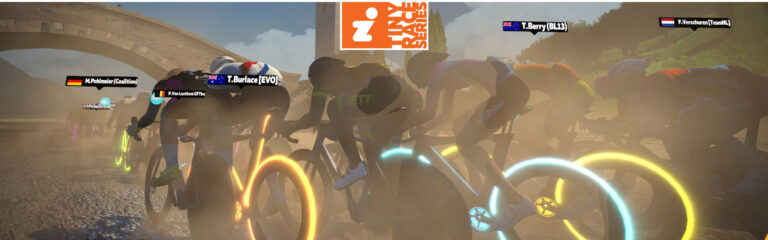
Tiny Race Series – August 23 Routes – Dirty Racing

0

Tiny Race Series – August 23 Routes – Dirty Racing

See zwiftinsider.com/tiny for current Tiny Race details.


Companion App 3.73 Released with Hammerhead Support and Home Screen Toggle

Companion App 3.73 Released with Hammerhead Support and Home Screen Toggle

On Tuesday, Zwift began rolling out Companion app v3.73 to iOS and Android devices.

This version includes two small but handy new features and one bug fix.

Toggle Between Home and Live Map Views

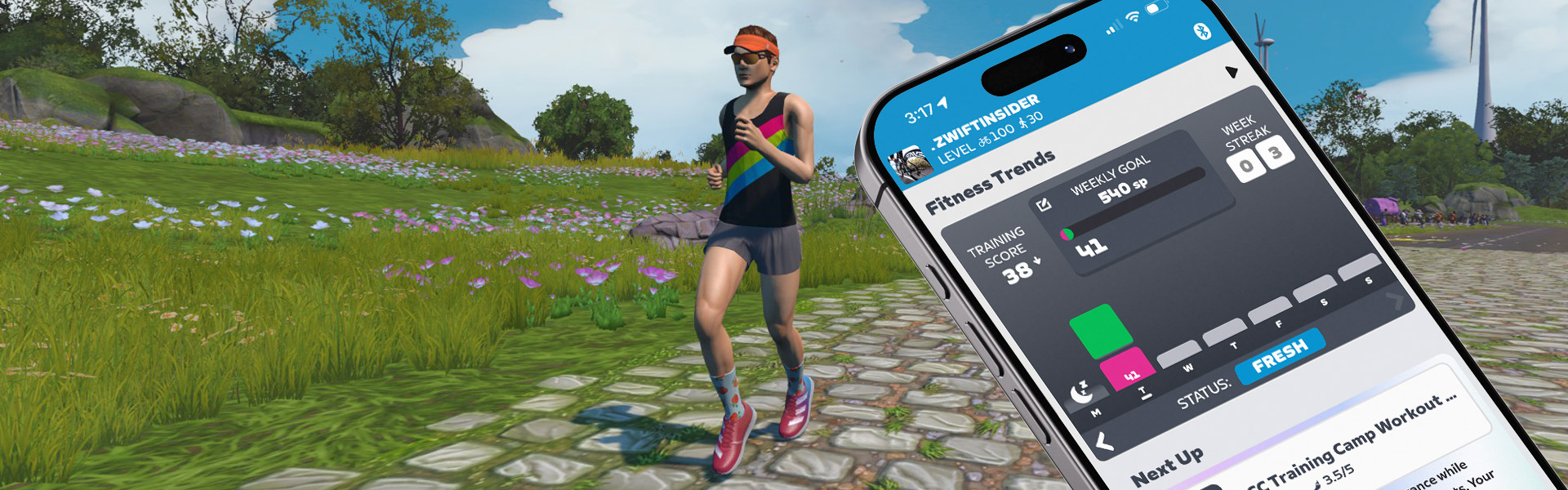
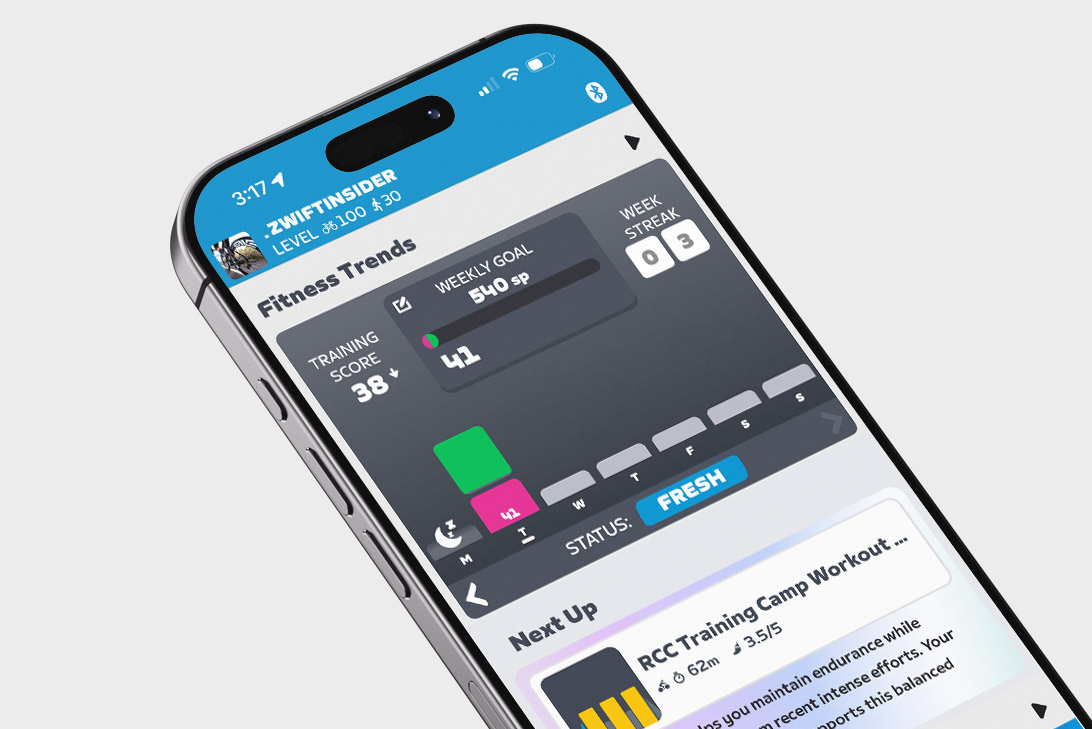
Zwift is making a big push toward their new fitness trends features in Companion, so it makes sense that they would make it easy to access those charts while you’re riding. You’ll now see “Home” and “Map” buttons at the bottom of your Companion app in iOS (Android users already have this option).

“Home” takes you to the default offline homescreen which includes Fitness Trends and more, while “Map” shows the live map you’re used to seeing while riding on Zwift.

Hammerhead Connections

Zwift took their Hammerhead integration live last week (read all about it here), but the only way to connect was through your profile page at zwift.com. Now with the new version of Companion installed, you can easily connect your Zwift account to Hammerhead.

Navigate to Settings>Connections and tap the Hammerhead +. Sign into your Hammerhead account, approve Zwift data sharing, and you’re ready to start getting credit for outdoor rides recorded on your Karoo!

Once you connect your Hammerhead account, the past 90 days of activities will be sent to Zwift for processing and integration into your fitness metrics.

Bug Fix: Activity Feed

Fixed an issue that caused the user’s profile page Activity Feed to not show private or outdoor activities.

Questions or Comments?

Post below!


How the Race Was Lost: Trainers and Titans (Sand and Sequoias)

23

How the Race Was Lost: Trainers and Titans (Sand and Sequoias)

I’ve been on a roll lately, racing each week’s ZRacing event on Tuesdays at 12:10pm California time (join me!) in the B group (450-570). While I haven’t won a race in a while, these provide a good challenge with a large and varied enough field to keep things interesting.

This week’s race is on a single loop of Watopia’s Sand and Sequoias, a popular circuit that takes in both the Fuego Flats desert and Titans Grove, two distinctly different sections of road. My event was full of classic Zwift race fun: an overpowered rider staying off the front, an underreading trainer making me work extra hard, praying to the powerup gods, and even a virtual shifting “mechanical” that forced me to improvise a bit to stay in touch! Let’s get into it…

The Warmup

I got on the bike with plenty of time before the race, giving me a full half hour to wake up the ol’ ticker and spin up the legs. I was already one dirty chai and a few pieces of Neuro caffeine gum into my warmup by the time I got on the bike, so I was nicely caffeinated. I had also rubbed PR Lotion into my legs to keep the burning at bay.

My Warmup “Stack”

I rode my Cadex Tri bike during the warmup, since I’m working on upgrading it as we head into ZRL. Gotta get those minutes!

Fuego Flats (the Easy Part)

This route is 22.4km long, and the first ~10km takes you from the desert start pens and across Fuego Flats to Saddle Springs. It’s quite flat, and most racers don’t even attempt an attack here, because the pack chasing from behind is simply too fast.

The Luck of the Powerup

The race was set up to hand out one of two powerups at random at each arch: a feather or an aero. With two arches on the course, the powerups you receive could really affect your race! Everyone wanted a feather as their first powerup, to help them up the Titans Grove KOM. And everyone wanted an aero for the second powerup, to help them in the final sprint.

I got a feather through the first arch. Bingo.

We chugged along, a starting group of 26 riders working at a steady but bearable clip. I averaged 251W for this section, but things started getting spicy near the end as we entered Saddle Springs. One L. Nystrom attacked off the front, and four other riders followed. They soon built a 5-second gap, and seemed to be working hard together as we headed up the Col du Saddle Springs into Titans Grove.

This was gonna hurt. But at least I had my feather!

Titans Grove (the Hard Part)

We hung a right into Titans Grove, and the real work began. One rider from our group put in a hard effort and bridged up to a handful of riders just ahead, but I could see the breakaway had split into two groups. We reeled in the back group at the bottom of the Titans Grove KOM, but there were still three riders up the road.

It helps to know how this KOM lays out. While it’s 2.6km long on paper, the first kilometer is quite flat (less than 2%) and very draftable. So if you want to ride this as efficiently as possible (vs attacking and ripping everyone’s legs off), you want to sit in the pack and draft efficiently for this first bit.

The second portion is steeper, but still only 3-4%. Drafting still helps a lot, so sit on a wheel and just work to hold a good pack position up and over the top.

I stuck to my advice above, and was able to hang with the peloton up and over the climb, triggering my feather with about 600 meters to go. I finished in 4 minutes, 37 seconds with an average power of 330W.

Bad Shifting, Bad Powerup

But as we approached the KOM banner, something odd happened: I shifted (virtual shifting), but the resistance didn’t increase as expected! Instead, it hit… slowly… over several seconds. This odd shifting delay would persist through the end of the race.

I had hoped for an aero powerup through at the KOM banner, but alas: it was another feather. You win some, you lose some.

In contrast to the flat, easy start of the race, the 5.3km section from the start of Titans Grove to the top of the KOM required 308W average for me to stay with the group. Ouch!

The Finish

I tried to recover a bit as we descended from the KOM arch, but my delayed virtual shifting was making things a bit goofy. I also knew there was a sharp little kicker coming up, so I tried to get set into a gear that would work for hammering up and over this rise.

By the time we finished that kicker and began the true rollercoaster descent to the jungle, only two riders were up the road: L Nystrom solo on the front, with B. MacPhee chasing. I didn’t have the legs to chase, so I sat in and hoped our pack of 21 would pull them back.

B. MacPhee got caught with 3km to go, just before we exited Titans Grove. That left only Nystrom, who didn’t seem to be slowing one bit. Just as we all began resigning ourselves to fighting for second place, B. Ruhne, wearing a DIRT kit, jumped hard off the front and got away solo.

I sat in the group, unable to jump hard enough to get away. As we neared the sprint finish, A. Morvan jumped hard with an aero powerup, catching B. Ruhne just before the line. Nystrom won by nearly 20 seconds. And my feather powerup and tired legs proved a poor match against the competition. I crossed the line in 10th.

See ride on Strava >
See results on ZwiftPower >

Watch the Video:

Takeaways

This race basically unfolded the way past Sand and Sequoias races have unfolded for me. Easy on the flats. On the rivet surviving the Titans Grove KOM. And too knackered to sprint to the podium.

Zwift Racing Score

My score increased from 564 to 569 as a result of this race. Looks like I may not be long for the 450-570 group! And neither is L. Nystrom, the rider who jumped off the front ~9km into the race and stayed away to win solo by 20 seconds. He averaged 4.3W/kg for the event, which was his first race since December 2024 according to his ZwiftPower profile. His Zwift Racing Score result for this event was 559, and that includes a seed score upgrade due to some new 90-day power bests.

Generally, I’ve been quite happy with how my Zwift Racing Score-powered races have unfolded in recent months. The algorithm seems to be doing a good job. But today’s race highlights two areas where Zwift Racing Score still needs to improve:

  1. Taking a rider’s historic performance into account: Nystrom averaged 4.2W/kg for over 53 minutes in a race in March 2024. He’s clearly got the fitness to be ranked higher than he was heading into today’s race.
  2. Upgrading a rider more quickly based on current performance: I’m not sure how much his score jumped due to today’s result, but the fact that he can still race in the 450-570 group is silly, given what he did today, averaging 4.74W/kg for 20 minutes.

Blaming the Trainer

The most annoying bit of information is that I was testing a smart trainer (which shall remain unnamed) during this race, and while it seemed like the trainer may have been reading a bit low as I was warming up, I used it as the power source anyway during the race, while dual recording my Assioma pedals on my head unit.

It turns out that the trainer’s average power was ~15W lower than the pedals for the duration of the race. Ouch. Here’s a chart showing a small portion of the race, with my pedals in blue and the trainer in purple:

Power chart showing dual recording discrepancy

The power readings on this chart may look similar at first glance, but the Strava power curve for this race shows that the difference between the trainer’s numbers and the pedal’s numbers is the difference between a ho-hum effort and setting several new PRs for 2025 in the 10-30 minute window.

I’m not saying I lost because of an under-reading trainer, of course. But it certainly didn’t help. Occupational hazard, I guess, when you’re riding in the Zwift Insider Pain Lab!

Your Thoughts

Did you race this week’s Sand and Sequoias ZRacing event? How did it go for you?