Zwift CEO Eric Min has traditionally posted a Strava “teaser” ride just prior to the launch of new routes, and he’s just done it again.
Expansion Details
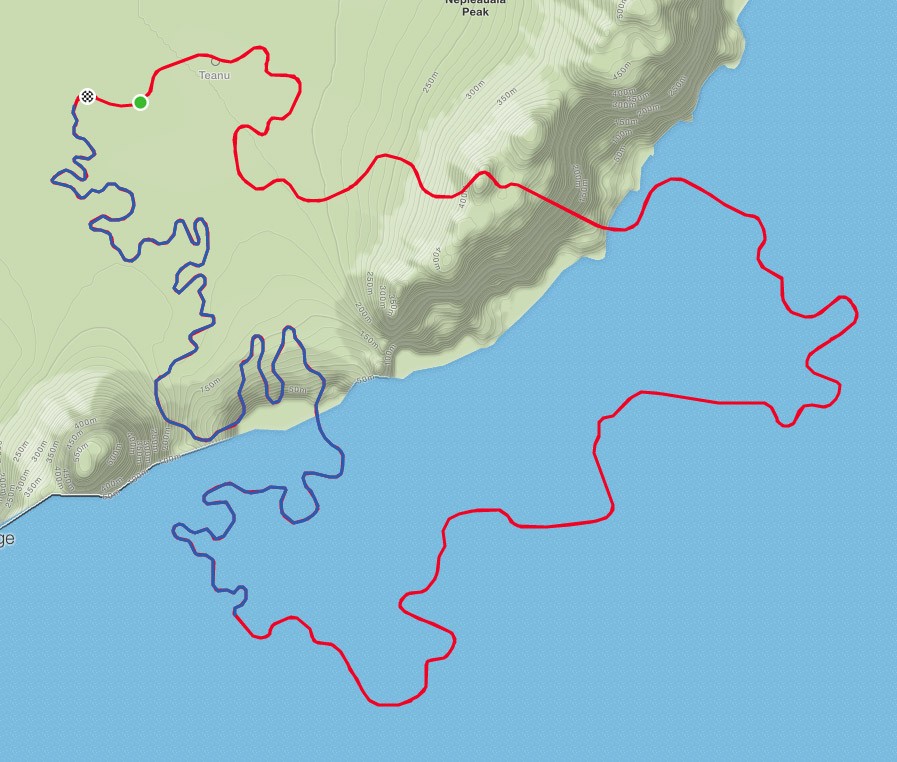
This is the much-anticipated “Watopia National Forest” segment which connects the ends of the Fuego Flats desert expansion released back in April.
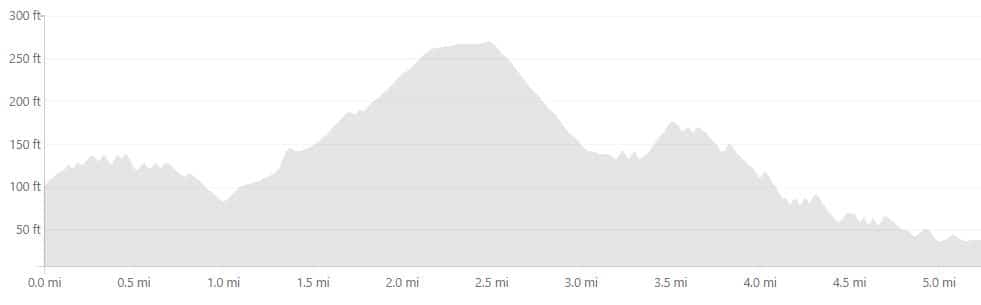
This 8.4 km (5.2 mile) section of tarmac is nothing like the desert roads, though! While those roads are flat and fast, this expansion is never flat.
Total elevation gain over the segment is 121m (396′), so this isn’t a massive climb–but it will certainly hurt in a race!
It’s a winding road as well, with none of the straight sections we see in nearby Fuego Flats.
New road shown in blue, Fuego Flats in red
Beautiful!
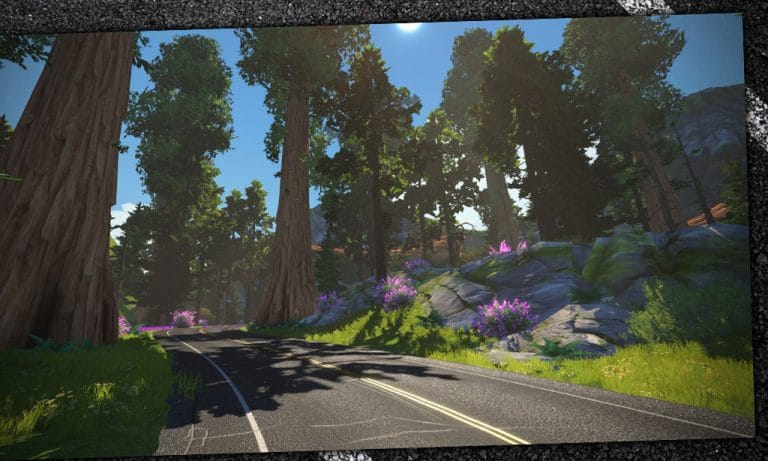
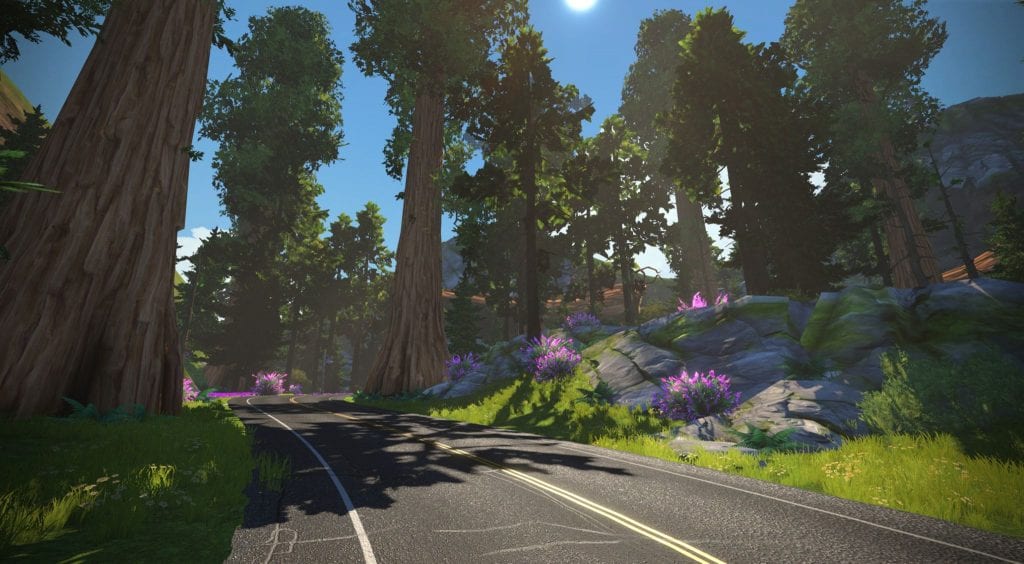
Based on Min’s single shared screenshot, this new section of road is going to be gorgeous. Check it out (click to enlarge)!
Early Access?
The “Watopia National Forest Reverse” segment Min rode already has 32 other Zwifters on the leaderboard, from dates as early as April 23rd. How did this folks get into the blocked roads? Did they sneak in Zwift Hype style? Were they routed there incorrectly? Perhaps we’ll never know…
When Will It Release?
While Zwift never promises release dates, Eric’s Strava post means the release is just a day or two away. My guess is we’ll see it released late tonight, as Thursday nights are popular days for Zwift updates. See you on course!
Editor’s note: Jordan Cheyne’s “The Open Pro” series details his experiences with high-level Zwift training as a rider in the pro Continental ranks. You can read his past posts here.
What do I really want to get out of this? That is a question I ask myself a lot in respect to my cycling career. For more than a few tough years when I was an amateur trying to figure this sport out the answer was simple: “To be a pro.” Once that dream became a reality there was another simple directive: “Get that second contract, don’t waste this chance.” After that things get more complicated. For me its been a good problem to have. I’ve been part of some amazing races and this year I’ve had the privilege captaining Elevate-KHS on the way to some spectacular wins. There have been great rides, great teams, and proud personal results but there is always that question. What do I want? What sort of things would make all of this a feel like a success when I eventually leave it behind?
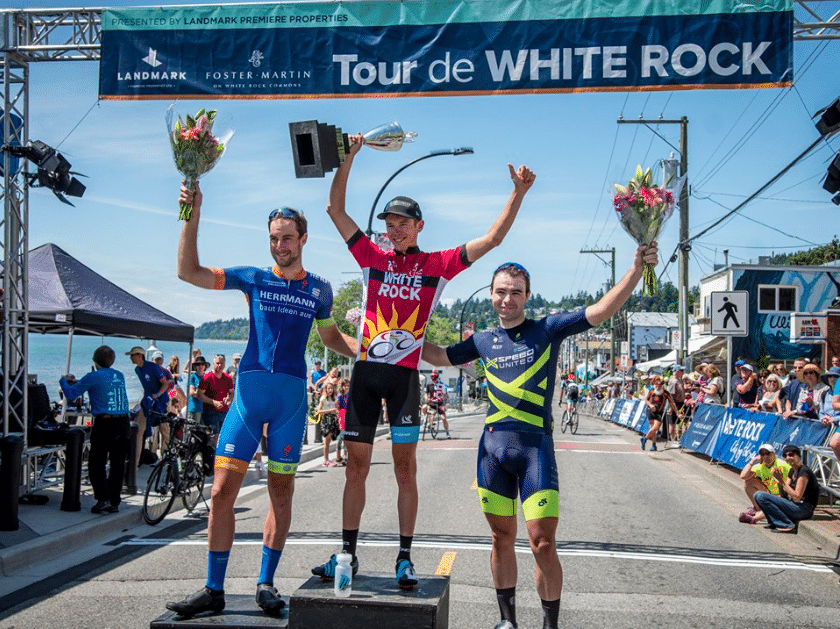
I think I came across a good answer recently talking to my wife Emily after a disappointing race. I was being my usual pessimistic self, downgrading my accomplishments and embellishing my shortcomings. It sometimes feels like you are only just doing your job and that your performances, even the good ones, are expected and nothing to get excited about. I eventually came to my answer: “I just want some days that are mine, I want some that I will really remember.” The Tour of White Rock was one of those days.
BC Superweek
I joined a stacked squad at BC Superweek complete with a murderer’s row of sprint talent and all-around strength. It was a perfect team, except maybe for me, to compete in 10 days of blistering crit racing bookended by challenging road races. We started well with a solid team race and a gritty sprint victory for Sam Bassetti in the Whitespot Delta Road Race.
Sam with his own big trophy early in the week
The next race at the New West Grand Prix was certainly memorable but for the wrong reasons. I faltered on the hilly, rain-soaked course and was of no help as Sam finished in second place. That one stung. I know I have to be my best and my sharpest to be a good teammate in such a high-powered crit squad and I wasn’t there. My legs just weren’t up to the task and I wondered what I could offer for the rest of the week.
Things turned around, at least for me, at the Thursday Giro di Burnaby and Friday Poco crits. I managed to be effective on a course with a 180-degree turn and even in an 8-corner night race under the lights. Sam pulled off podium results both nights and although we weren’t winning, our execution was pretty good. Personally, I managed to raise my game and get back to the front where I could be useful covering attacks and starting off the lead out.
But there was one thing getting me through the week mentally: my own shot at the Tour de White Rock on the final Sunday.
White Rock
I raced White Rock for the first time in 2017 and it was stunningly hard. I was solo and felt I had something to prove after some turbulent times with Jelly Belly. I raced the crap out of it and it punched me right back. The numbers (134km, 2600m of climbing, a million turns) don’t do it justice. With two short and steep climbs per lap over 17 laps, the recovery period never arrives and you end up racing flat out for over 3 hours. I finished 4th that year with not a drop of fuel left in my tank and was happy with that.
This year with a full team and a more pragmatic tactical approach I hoped for better.
The boys were understandably pretty tired on race morning.
Trying to sprint for the win every night takes a much higher toll than just
doing the team job and pulling off with a lap to go. Plus I had skipped a
couple races trying to maintain a modicum of freshness for a big push in White
Rock. I knew that no matter how tired they were they would have my back and I
could be a little more conservative in my approach than when I was racing solo
two years earlier. The boys covered the early moves and I mostly waited for the
right time.
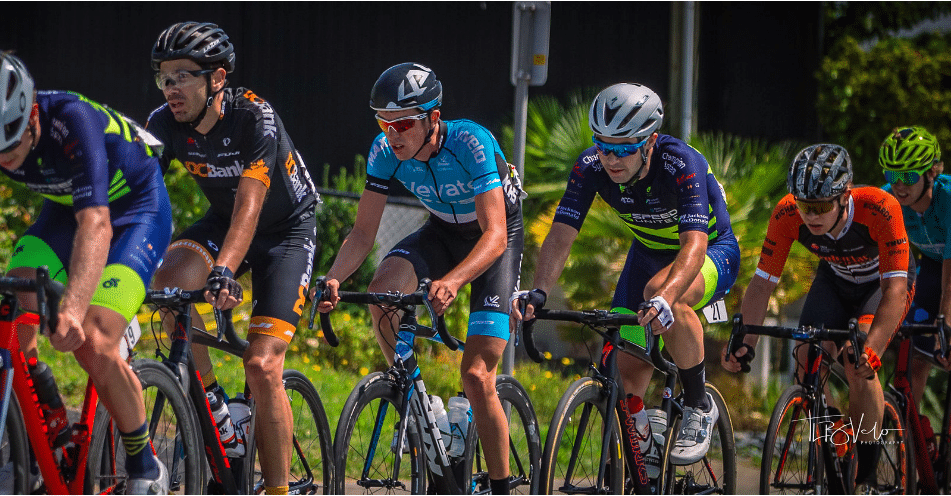
In the middle of the action (copyright TLB Velo Photography)
Only an hour in, the moment came. Several strong riders were scattered up the road around 20s ahead and looked like they would form a cohesive group as the field let up. I attacked at the bottom of the steeper of the course’s two climbs and fought my way across. It was a hectic few kilometers but when the dust settled we were 8 riders with most of the major teams represented and a 30s gap. There were still almost 90km to go but knowing how hard it is to chase on a course like White Rock I committed and did my turns on the front. The gap quickly went out to 2 minutes and stayed there for the next 8 or so laps.
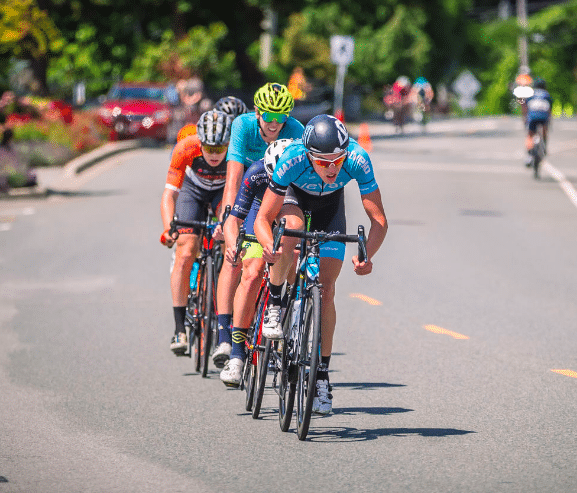
Committing to the move (copyright TLB Velo Photography)
Usually with a strong team like ours having one rider out of
eight isn’t the tactical advantage we want but I could feel I was the strongest
in the group on each climb. I tried to push the pace a little bit every time
the road went up to grind away at my break mates without blowing the group
apart too early. With 40km to go everyone was still working and I started to
think about my first attack to try to thin out the group.
It turns out I didn’t need to think too much about that because the powerhouse German in the group, Christopher Hatz, attacked first. I followed and in the blink of an eye the group was down to just three and no one was coming back. I spent the next 10km repeating the same words over and over in my head: “Podium is not enough, today it’s you.”
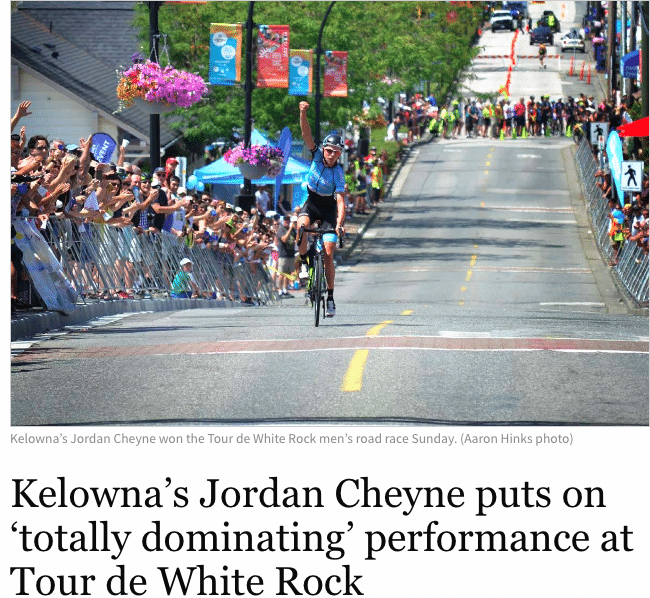
We forged onto the punishing finishing 4km circuits and sooner than expected I saw my chance. I raised the pace on the steepest section of the climb and looked back to see a 5m gap. That was all I needed. I drilled it over the top and through the finish with 5 laps to go, still seeing the German locomotive steadily keeping pace 100m behind. We got to the climb again, I hit it as hard as I could and I was truly on my own. Ten seconds became thirty and that became a minute. I had the surreal experience of being able to soak up the win well before the finish with time on my side. It was done, today it was me.
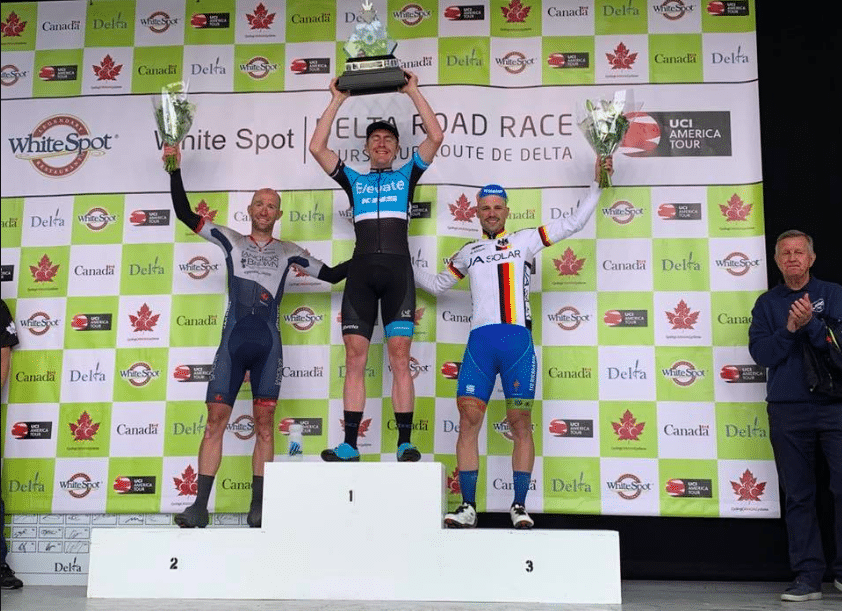
My own trophy (copyright Tour de White Rock)
Local news fame – from the Delta Reporter
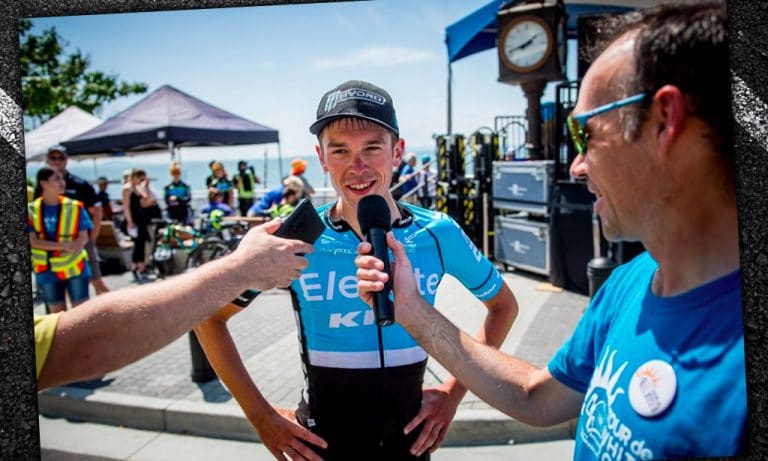
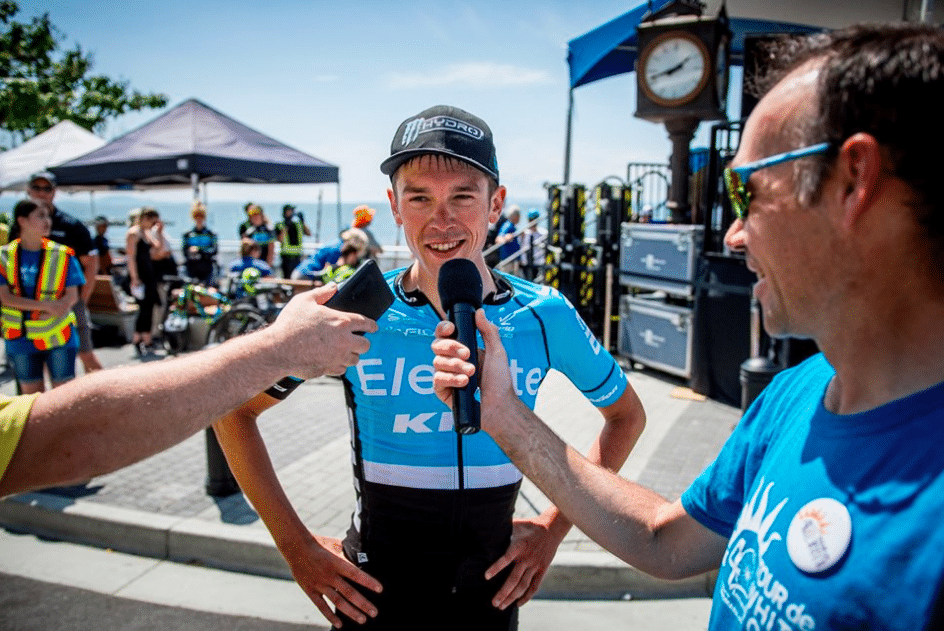
Winners interview (copyright Tour de White Rock)
One to Remember
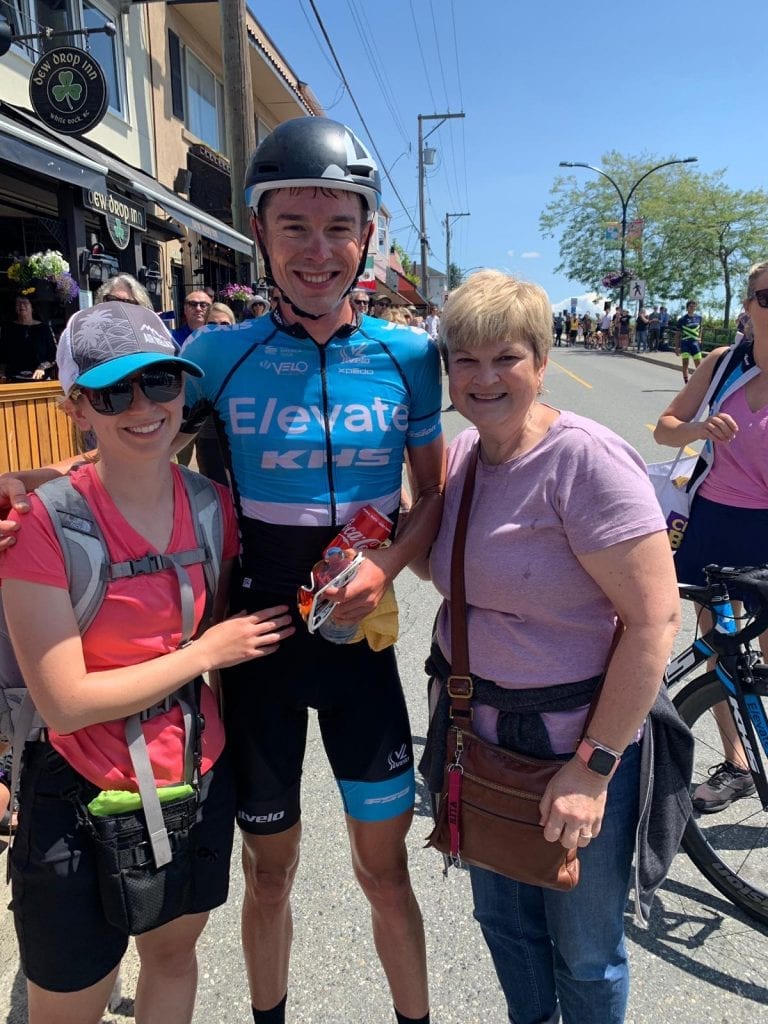
There were hundreds and hundreds of people cheering me to the finish. There was my wife and my mom at the finish (it was her birthday too). There was a massive trophy with thirty-nine other names on it including Chris Horner, Svein Tuft, and Zach Bell. There was my team who set up the race for me and who I finally gave a bit back to after they raked in prize money all week. There was no one in sight behind me when I punched the air coming to the line.
That’s the picture I will hold onto. It felt like a big deal and maybe it actually was. Here’s hoping I can remember a few more days like the 2019 Tour of White Rock by the time I hang up my wheels.
There’s less than a week to go before Zwift Academy begins! Time to dust off that trainer if you’ve been outside, collect your favorite pump-up jams, and get ready to roll.
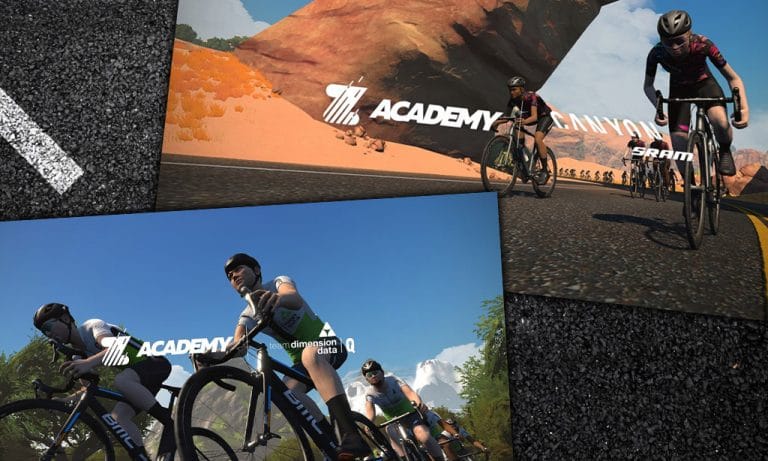
The Academy starts August 5th and runs through September 29th, but you still have time to sign up before enrollment closes on September 1st. To graduate, Zwifters must complete a series of 8 workouts and 4 races or social rides during this time period. Graduates who meet certain requirements have the chance to earn a pro contract through the Team Dimension Data Zwift Academy for men or the CANYON//SRAM Racing Zwift Academy for women.
But what if you’re not anywhere close to being a pro cyclist? What if you’re not a fast rider, or you’ve never done a training program before? Don’t worry–the Academy is for anyone who can ride a bike on Zwift.
Why participate in Zwift Academy? Here are just a few of our reasons, along with some thoughts from previous graduates:
To Get Fitter and Stronger
Want to add some structure to your training, but don’t think you can follow a strict plan? The Academy gives you a varied menu of workouts you can do on your own time, at your own pace. There is a recommended order to get the most out of your training, though. If you follow it, you’ll be in good company with other riders who are going through the same thing!
As a bonus, all Zwift Academy participants get a free premium subscription to Today’s Plan while the Academy is running. Not only can you track and analyze your own data, but you’re also able to see how you compare to other participants in your age group and overall.
You also get a sharp-looking Zwift kit. Graduates in 2018 had the chance to purchase a limited edition real-life kit to match.
“Still my favourite kit to wear as it was the most difficult to earn. Makes you a stronger cyclist. Just do it. You won’t regret it.” – Edward Albert Oliver
To Challenge Yourself
Each year, a few of the Zwift Academy workouts have been designed to bring you to your breaking point–then see if you can go past it. Just a little longer. Just a little harder. Just one more interval. Keep it up! In 2018 there were some maximal-effort tests, where the goal was to see how hard you could go over a certain time period.
Zwift races also can help you push your limits. The Academy is making races optional in 2019, but it’s a good idea to do at least one. When you’re chasing others on those virtual roads, sometimes you go deeper than you would during a structured workout.
“Want someone to kick your butt into shape for free? Join Zwift Academy and they’ll make a man (woman) out of you.” – Ryan Downey
To Find Support and Motivation
Group workout events are part of the Academy, allowing a bunch of riders to do the same workout together. As long as you’re following the workout, you’ll stay with the bunch no matter what pace you’re riding. You can encourage each other, distract each other, share tips for the workout, and even indulge in some complaining to know you’re not alone in your suffering.
During group rides, you can get to know other Zwifters. Have some fun and enjoy yourself! For anyone new to Zwift, these will help you prepare for other group rides and races as you learn how to ride with the bunch.
If you have a Facebook account, make sure to join the corresponding men’s or women’s Facebook group when you sign up for Zwift Academy. (You should get a link to it once the Academy starts.) You’ll get to be part of a community that helps each other out. Having a hard time with that set of intervals? Talk to others about how they dealt with the challenge. Running into a technical problem? Chances are, someone in the group knows what to do.
“The community around ZA is great! Even if I don’t join the group workouts, I still have the support and fun sharing experiences with the other women. And because of that support, it’s even ok to join in group rides where you know you can’t keep the pace or races where you know you will finish dead last. And it is ok, because you’re in a group with the same goal: finishing the Academy and having fun together.
For me, ZA is not about winning the pro contract (I don’t stand a chance), it’s not about gaining fitness (nice bonus though) or increasing my FTP. It’s about challenging myself, doing things that are out of my comfort zone and sharing experiences with the other women. The community is the most important reason for me to participate again. The fun we have together, the support and virtual cheers, even the shared suffering and complaining about tough workouts. No matter what level of fitness you have, we’re all in it together.” – Jeannette Rosbach
To Learn and Have Fun
What does lactic acid do, exactly? That sounds like dairy… is ice cream a good post-ride treat? You can find answers to questions like these through guided workouts and group discussions.
“For me, ZA opened up a whole new challenge that was brand new back in 2016. It was very hard but the support and the knowledge sharing across the world was fabulous. [People shared] what to expect from the workouts if you’ve done them or what to expect from a race. Also recovery food and cake tips too! Now as a ride leader I love supporting women in their journey and helping them get the best out of the experience.” – Michelle Crick
To Support a Good Cause
Zwift has pledged to donate one bike to Qhubeka for every 10 graduates of the men’s Zwift Academy. This nonprofit gives bikes to communities in South Africa to connect people to schools, clinics, and jobs.
The women’s Zwift Academy does not have a charitable partner… yet! It would be a great idea for the future.
To See a Dream Come True
Every year, three people from each Academy are selected to attend a training camp with Team Dimension Data (men) or CANYON//SRAM Racing (women). They get the chance to ride with the pros and meet the team staff. Finally, one of them is awarded a professional cycling contract, either with CANYON//SRAM Racing or Dimension Data’s U23 team.
Three women and two men have seen this dream become a reality. Could you be next? Or will you cheer on your training partner?
How to Enroll
Enrollment for the 2019 Zwift Academy is now open. To register, head to www.zwift.com/academy and choose your academy, or sign up in-game.
Editor’s note: the Indoor Specialist team races together on Zwift, but they also organize races and produce Zwift-focused videos and articles. We’re publishing some of this content on Zwift Insider because we like highlighting what’s best in the Zwift community. Learn more at IndoorSpecialist.com >
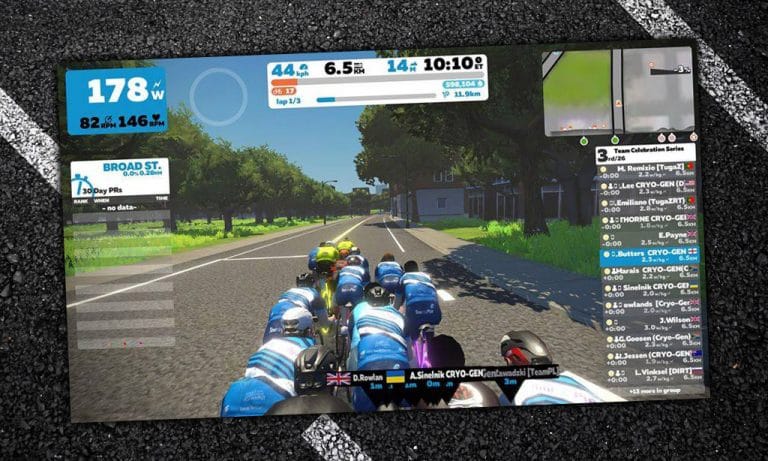
In our Team Celebration Series, we’ve really taken notice of how united teams are across all categories. One of the most coordinated and dedicated groups of riders we’ve seen is Team Cryo-Gen’s D category. Their teamwork in the Series has been incredible, and their commitment to taking the win is as strong as any other category leader in the series!
We caught up with D-cat ring leader Chris Butters to learn a little more about their squad…
Q: Tell us about yourself and your Cryo-Gen Team. What are some of the features and goals for the team as a whole across all categories?
A: I’m fairly new to the racing side of Zwift, I’ve been more of a social rider. I took over the Saturday Sub-2 club ride from Mark Cottenham (who is super busy compiling the daily team results) with the encouragement of the team founder Tam Burns.
Recently I’ve been made El Capitano of the D-squad and added to the team admin, more for my vocal input than cycling ability. The team is set up to offer riders the team experience, rather than racing solo–join some teamies and go for a ride. We never pressure riders to turn out as it’s always when/if you are available. The main goal is to ride the team events, and the bigger the better. The Team Celebration Series has been a great experience for those new to racing and seasoned riders, too. Everyone is excited about the next race!
Q: Cryo-Gen has one of the largest D-category squads in Zwift. How did that all come together?
A: We have a dedicated recruiter in Dave Clarkson, who has been successful in reaching out and attracting D riders. Many have been surprised that a team would want them, but why wouldn’t we? As a community team, covering both European and Americas time zones, most of our riders are very active, with many of them joining tours and group rides as well as races.
Q: Does Cryo-Gen have a social component? Group chatting on Discord, for example.
A: Yes, the team comes together pre-race in the D chat group. All the team categories have this feature via FB messenger which allows us to discuss tactics and the course. Once in the pen, there is chat on Discord with each category having their own channel, which is great for encouraging each other during the race or group ride.
We also have 2 team rides on Saturdays: Sub-2 and Sub-3. The Sub-2 sets off 20 minutes before on their leisurely ride with the Sub-3 in hot pursuit. These rides are usually around 1.5 hours long.
Q: Does the team coordinate in races–working together to get the team onto the podium?
A: We always try our best to have a plan of attack for the course we are on, mainly sticking as a group for as long as possible with the stronger riders making a break when they feel the time is right. The Discord channel is open all race for communication.
Q: D category has been one of the toughest categories to get a good number of team riders together. What tips would you give other teams to help them gain numbers in this category?
A: It’s never easy to attract riders–perseverance is key. Reach out to those that ride regularly especially in team events, as numbers build it gets easier but make sure you have the support network in place first. Our admin team is 20+ and growing to cater for each category!
Q: Tell us about some of your favorite moments with the team on Zwift.
A: Fielding 10 D-cats was amazing and having our D team feature on live stream in the Team Celebration Series was such a buzz for us all as it wasn’t all about the fast guys but us slower ones going through the same pain but getting some recognition. The Team Celebration Series has seen a lot of D cats go up to C and we love that.
Q: If other riders were interested in joining the Cryo-Gen team, what steps would they take?
A: It’s easy to join us and we always welcome new riders to the team experience, from A+ to D. Simply go to www.zwiftpower.com, sign up for an account, go to Teams>Team Cryo-Gen>Join then if possible please join us on Facebook as we have a closed group and use this to keep everyone in touch with what’s going on in the team. Once you join us you will receive a welcome post where you will be greeted by other team members and added to your category chat group so you are in contact with riders of the same ability.
Simon, Shane, and Nathan are back together for the first time in a few weeks to discuss all matters Zwift… with a departure or two towards a bike race in France.
Zwift and the Tour in fact coincide, with the platform launching a global advertising and sponsorship campaign around the TdF. The podcasters discuss the implications and hear from Zwift exec Laurent Jannau as to whether it’s working, and why Zwift decided to invest so heavily.
Ride leader Tim Searle has a review of The Fence, now that it’s been in operation for a few weeks. The Zwiftcasters round up a slew of news and moves in indoor training, including a thumping price rise at TrainerRoad. Simon and Shane predict what we might see of interest to indoor riders at Eurobike and the chaps speculate about when we might see a new extension to Watopia and a brand new course. Quite soon, they conclude.
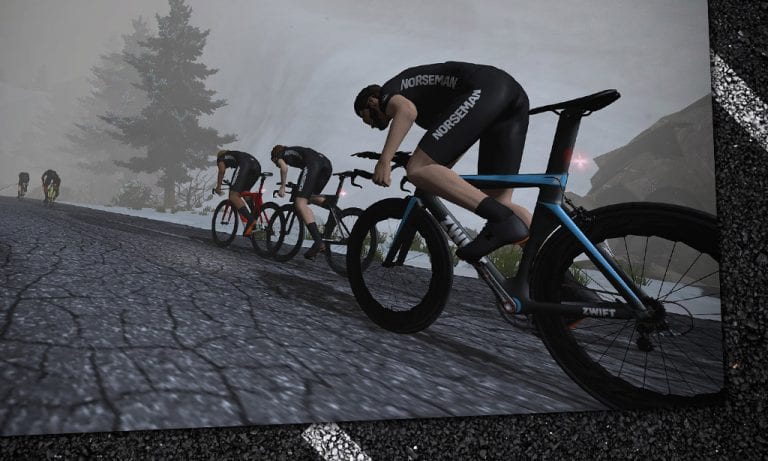
The Isklar Norseman isn’t your typical triathlon: it’s an extreme triathlon. It begins with a 3.8km (2.3 mile) swim in near-freezing water, then continues to a 180km (112 mile) ride up a mountain, finishing with a marathon that includes steep climbing for the final 10+ miles.
It’s an Ironman-distance triathlon that chews people up and leaves them in the cold. That’s why the homepage of their website says:
This is not for you. Nothing personal. But it’s not. This is for people with fight.
Zwift is holding a week of races to celebrate the Norseman event, culminating in a long Saturday bike race and a long Sunday run. There’s a prize on the line, but more importantly, it’s an opportunity to push yourself hard. Here are the details…
Kit Unlock
Complete any of the Norseman races listed below to unlock either the cycling or running kit.
Prizes
Two winners will be chosen (one man and one woman) to receive free entry into the Isklar Norseman Xtreme Triathlon 2020 in Eidfjord, Norway.
To qualify, you must complete one of the Saturday bike races (128.3km/79.7 miles, held on the Uber Pretzel) and one of the Sunday runs (19.9km/12.4mi, held on the Road to Sky route).
Important: the other events listed leading up to the Saturday rides and the Sunday runs will unlock the Norseman kit in game upon completion, but they will not get you entered for the prize drawing.
Cycling Event Details
Four races per day at 11:30pm (day before), 5:30am, 11:30pm, 5:30pm PST
Monday, July 29th Route: Three Sisters (a slightly shortened version, finishing atop the Volcano KOM) Distance: 40.8km // 25.3mi Elevation: 880m // 2,887ft
How To Get Started on Zwift with a Classic Trainer
They might get called “dumb,” but classic trainers are a great option for Zwifters on a budget. While they won’t give you the full Zwift experience or be as accurate as smart trainers, they often cost much less and can be used with a wider variety of bikes.
Want to start riding on Zwift, but aren’t sure where to start? Here’s a guide with all the basics for anyone looking to get up and riding on Zwift with a classic or dumb trainer.
Choosing a Classic Trainer
Already have a classic trainer? (Sometimes people call them dumb trainers, because they don’t broadcast power like smart trainers do!) The good news is that nearly any trainer will work with Zwift if you can mount a bike with a speed sensor on it. Standalone exercise bikes may not be compatible.
Need help choosing a classic trainer? Make sure that it’s on Zwift’s list of supported trainers. Supported trainers will work best with Zwift, making it more likely that your estimated power numbers will be accurate.
Are you using rollers? Most of the time they should be set up like a classic trainer. Some newer “smart” rollers will transmit power to Zwift and even change resistance, though. If you have rollers that transmit ANT+ and/or Bluetooth signals, those should be set up like a smart trainer.
What Else Do I Need?
In addition to your classic trainer, there are three things you must have in order to ride on Zwift:
A bike (obviously)
A device to run Zwift (with Internet connection)
A wheel speed sensor
Note: You do not need a speed sensor when using Zwift with a power meter! Zwift will use your power to calculate your speed.
Choosing a Bike
If you’re new to cycling and don’t have a bike, we recommend visiting your local bike shop and making friends with the good people there. They can advise you on the best bike to fit your needs, repair/adjust things as needed, and generally support you in your cycling journey. That’s what they do!
If you’re more of a do-it-yourselfer, you can always find new bikes online, or used bikes on eBay, CraigsList, or elsewhere. But if you’re new to cycling we highly recommend forming a good relationship with your local shop.
Devices Which Run Zwift
Zwift is software, and you must install it on a compatible device in order to use it. Here is a summary of devices which can run Zwift. We’ve also included a note indicating the type(s) of wireless connections they allow:
Smartphones/Tablets: Bluetooth only
iPhone
iPad/iPod
AppleTV
Android
Computers
Windows 7 64bit or higher: ANT+ supported if you plug in an ANT+ dongle, Bluetooth supported on Windows 10 with Bluetooth 4. We recommend using ANT+ on Windows.
macOS 10.9 or higher: ANT+ supported if you plug in an ANT+ dongle, Bluetooth also supported.
Note: if your device was made in the last few years, it should be able to run Zwift. But you may want to double-check by looking at Zwift’s current device requirements.
As you can see, Zwift supports just two ways of communicating wirelessly: Bluetooth or ANT+. Speed and cadence sensors may broadcast one or both of these signals.
Which Device is Best?
This is a common question, and there is no single answer. For some, the best device for running Zwift is the one they already own, because they can’t afford anything else! For others, the best device is whatever offers the most immersive experience, regardless of cost.
If you’re looking for the simplest experience, AppleTV is probably it. Of course, you’ll need a TV screen as well, but Zwift on AppleTV is dead simple, affordable, and looks pretty smooth and sharp if you’re using the latest AppleTV (4k).
Looking for the best gameplay experience (fast framerate, highest resolution)? Go with a Windows PC with a quality gaming graphics card. This will provide the most immersive and visually stunning experience when coupled with a large display.
Many Zwifters begin by using a basic device they already own (perhaps their iPhone, or a laptop PC) then upgrade to a higher-end setup once they’ve experienced how cool Zwift really is.
Creating a Zwift Account
Every Zwifter has their own account which tracks mileage and other achievements. Signing up easy–just visit zwift.com/create_account.
You will be given free trial access to Zwift so you can test it out before choosing to subscribe. Subscription cost in the US is currently $14.99/month.
Choosing a Speed Sensor
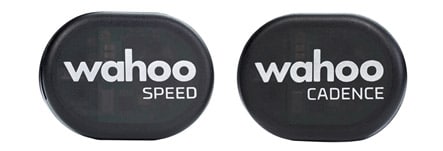
Speed sensors measure the speed of your rear wheel. Some speed sensors also include a cadence sensor, or are sold with a cadence sensor. (Cadence while cadence sensors measure how fast you turn the pedals.) While a cadence sensor isn’t required for Zwifting, they are highly recommended and affordable.
These sensors may communicate with Zwift via ANT+ or Bluetooth signals or both. Check to make sure that your sensors transmit a signal that is supported on your Zwift device.
Wahoo’s speed sensor is highly recommended as it is affordable, reliable, and transmits both ANT+ and Bluetooth. If you want cadence as well, get the bundle.
Connecting Your Speed (and Cadence) Sensors to Zwift
So you’ve got your bike mounted on a classic trainer, plus a device to run Zwift and the sensor(s) to connect to it. What next?
When you don’t have a smart trainer or power meter, Zwift’s software communicates wirelessly with your speed and cadence sensors. It takes your rear wheel speed, compares it to a known power curve for your trainer, and uses that to estimate how much power you are putting out. This allows your in-game avatar to ride in a way that reflects your effort. Estimated power also can be called “virtual power” or “zPower.” Read more about virtual power here.
Note: if you’re running Zwift on a computer and want to use ANT+ for your wireless connection, you’ll need an ANT+ USB dongle plugged into that computer so it can talk to your smart trainer. See Recommended ANT+ Sticks (Dongles) for Zwift >
For Zwift and your sensors to “talk” to each other, you must pair them from within the Zwift software. Connecting your speed and cadence sensors to Zwift is quite easy once you’ve installed Zwift on your device:
Make sure your speed sensor and cadence sensor are installed and have fresh batteries.
Inflate your rear tire as you would on the road, then tighten the tension on the rear wheel according to the instructions for your trainer.
Open up Zwift on your device and log in.
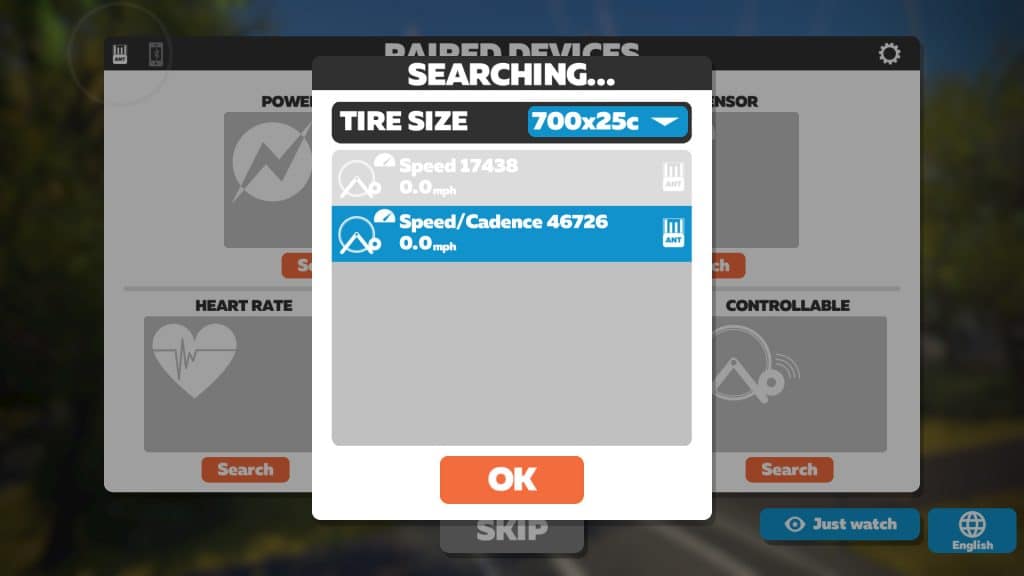
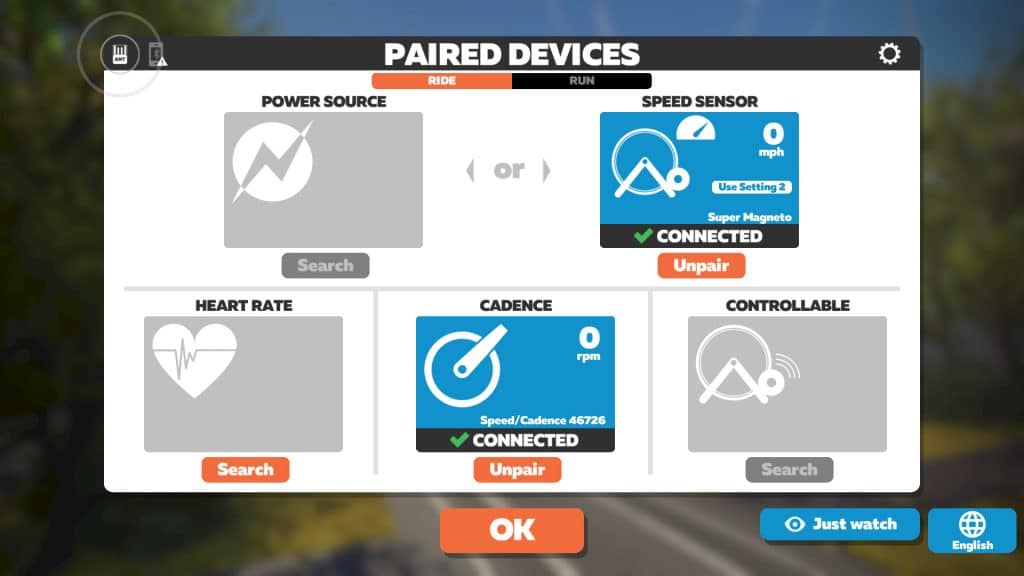
At the pairing screen, click “Search” under “Speed Sensor.” If your sensor doesn’t appear, try pedaling a few times to get the wheel spinning.
Select your correct tire size and your sensor, then hit “OK.”
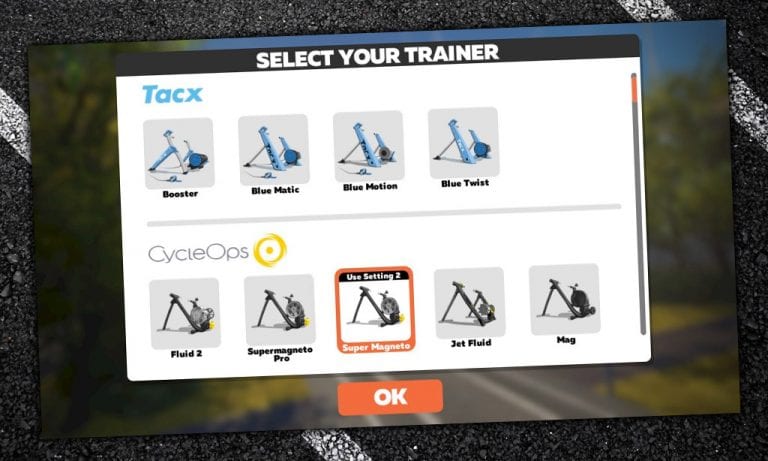
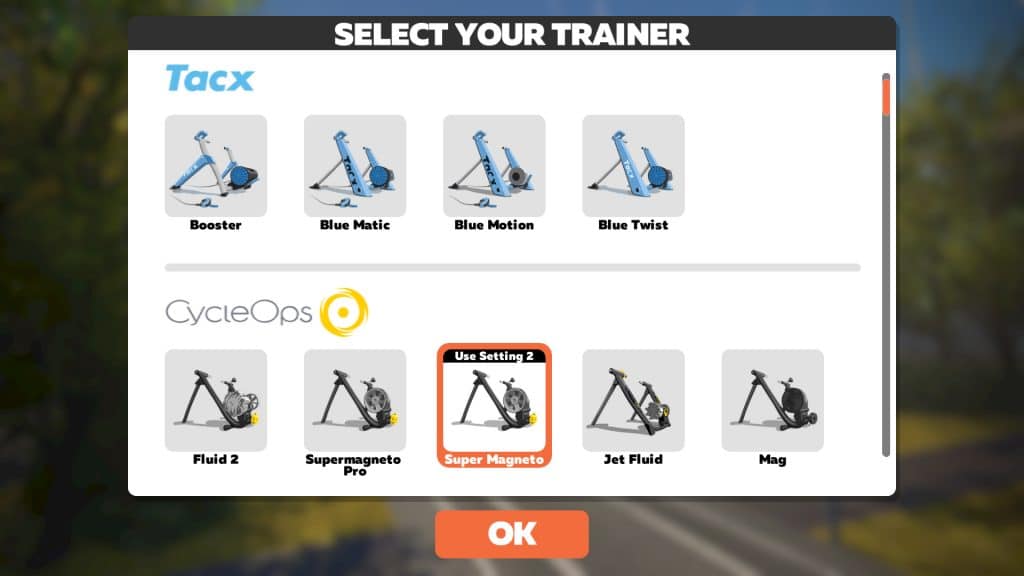
Scroll through the list of classic trainers and select your brand and model.
Some magnetic (“mag”) trainers have multiple resistance settings. Zwift will show you which setting to use when you select it. Keep your trainer on this setting whenever you use Zwift, and shift gears on your bike to make it easier or harder to pedal.
If you can’t find your trainer, scroll to the bottom of the list and click “Not Listed” or – if using rollers – “Unlisted Rollers.” Note: Your power estimates probably won’t be as close to reality as they would be on a supported trainer. Do NOT select a listed trainer if yours is not listed, because the stored power curve won’t match.
Pair your cadence sensor if you have one, turning the cranks to wake it up if it doesn’t appear on the list.
Selecting your tire size and speed sensor
Selecting your trainer
Ready to go!
Get Moving!
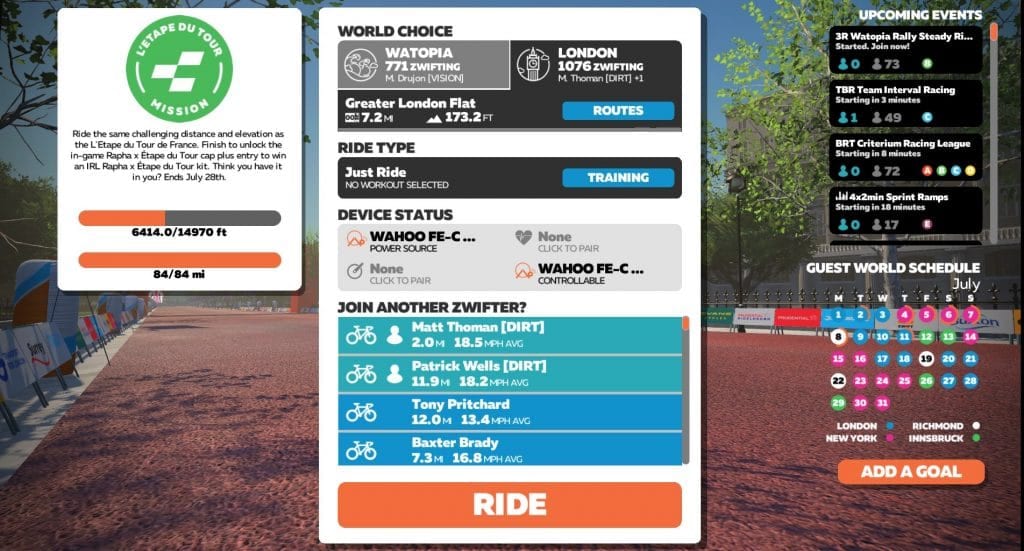
Once you click “OK” on the pairing screen, you’ll be greeted with the “Startup Screen” which lets you choose which route to ride, as well as a workout if you’re so inclined.
Just click the big orange “Ride” button to get going right away, or click “Routes” to browse the available routes. Keep in mind there are always two worlds available on a given day: Watopia and a “guest world”. Each world has its own unique set of routes, and the guest world rotates based on a monthly schedule.
Upgrade Your Experience
While you only need a few things to start Zwifting, there are some additional purchases you can make to greatly improve your Zwifting experience:
A table/tray: you’ll need a place to store towels, remotes, food/drink, and more. A music stand is a good start or something like the Conquer Desk is a solid upgrade.
A larger screen: try to get a screen that lets you see game details clearly and fills most of your field of view.
A heart rate monitor: it’s nice to see your heart rate on screen, and most Zwift races require heart rate data if you reach the podium. We’re partial to the Wahoo Tickr.
A smart trainer. Many Zwifters begin with a classic trainer (often one they already own) then upgrade to a smart trainer for the full experience. Read the 2018 Smart Trainer Recommendations Guide which includes recommendations for various budget levels.
We recommend joining a group ride once you’ve done a few “free rides” on Zwift. The Zwift community rocks!
Additionally, Zwift Companion allows you to see upcoming events, control the game, and interact with other Zwifters from your smartphone. Install it on your iOS or Android device and see how it works.
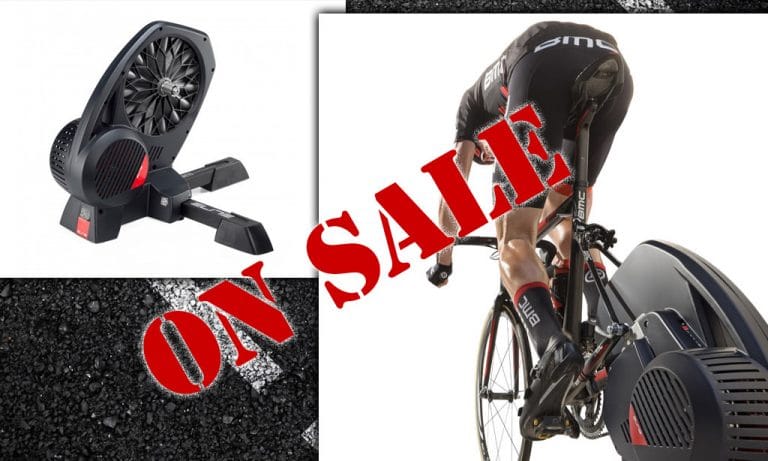
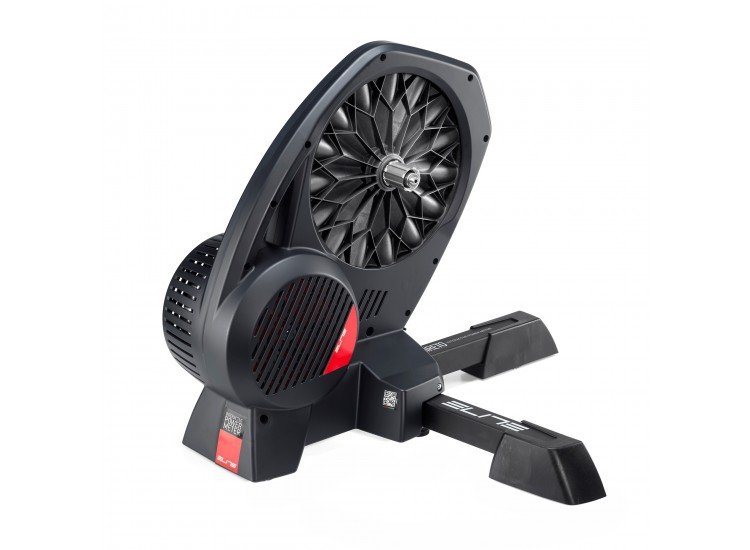
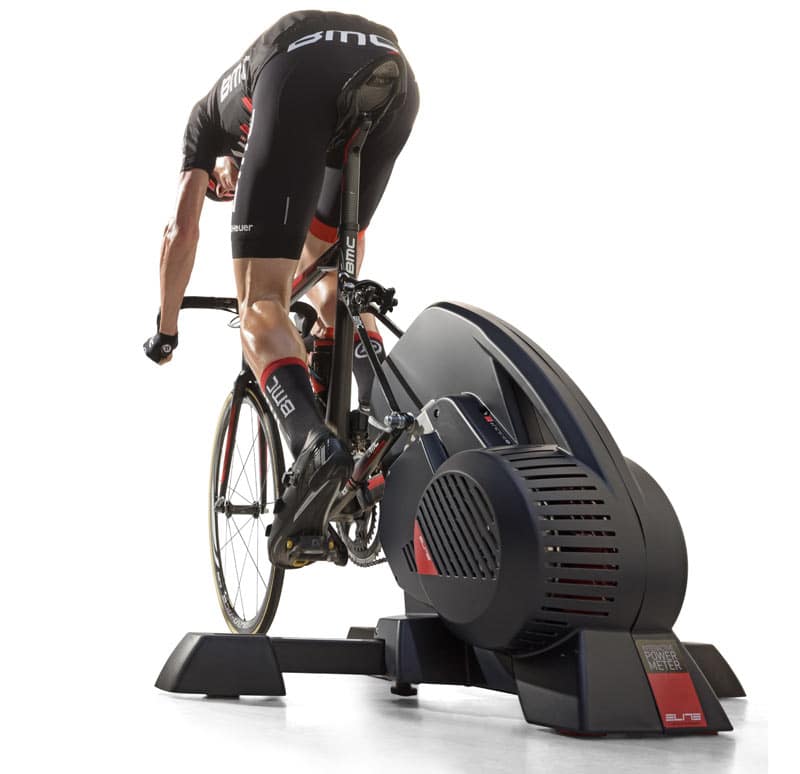
Elite Direto II Smart Trainer only $599 at Clever Training
Remember when direct drive trainers were only available for $1200 or more? Then the Tacx Flux came along, followed by the Elite Direto, creating a “mid-range” category of direct drive trainers in the $750-$900 range. And now we’re seeing some of these direct drive trainers on sale for $600-$700. What a time to be alive!
If you’ve got a “classic” trainer or a basic wheel-on smart trainer, moving up to a direct-drive smart trainer will take your Zwift experience to a whole new level.
Or perhaps you’re looking to get on Zwift for the first time, and need to purchase your first trainer. Here’s your chance to snatch up a direct drive trainer at a killer price!
Our friends over at Zwift Community Live have announced a weekly series of “Test Labs” races. Each week’s race will feature custom event parameters, with the end goal being to “encourage more tactics, skill, and entertainment in Zwift racing.”
Schedule
Races are Tuesdays at 11:25AM PT/2:25PM ET/7:25PM BST.
Tweakable Parameters
Zwifters may not realize how many options are currently available for Zwift events. Here’s a partial list:
PowerUp distribution (turning some powerUps off completely and/or changing the award ratios)
Group spacing–do we start categories separately, and with what gaps?
Category culling: do we hide other categories, or make them visible?
Lap count
Route
Custom finish lines
Race type (road race, TT)
Leader fence (on or off)
Some of these changes will be made known to racers before the event, while others may be “hidden” to see if racers notice the difference.
Feedback Requested
For the Test Labs races to really “work,” racers need to give feedback on their experience. Currently, the best place for that feedback is on ZCL’s Facebook page.
Some racers give feedback during the race via the live stream’s Facebook thread, while others may wait until the event is finished. Do what works for you!
Discord Enabled
ZCL has set up a Discord server for these races, allowing races to voice chat in real-time.
Each week’s race will be live-streamed with commentary from Nathan Guerra, and all of the categories will get plenty of airtime in the stream.
Watch the First Race
Yesterday was the very first ZCL Test Labs race. 123 riders turned out for an exciting set of laps around the classic Watopia Hilly route.
All “offensive” powerups were enabled, while XP and drafting powerups were disabled. Double draft was enabled, and other tweaks were made which Nathan Guerra didn’t disclose. He just said, “You might be rewarded for attacking today…”