Home Blog Page 427

Elite Direto II Smart Trainer only $599 at Clever Training

0

Elite Direto II Smart Trainer only $599 at Clever Training

Remember when direct drive trainers were only available for $1200 or more? Then the Tacx Flux came along, followed by the Elite Direto, creating a “mid-range” category of direct drive trainers in the $750-$900 range. And now we’re seeing some of these direct drive trainers on sale for $600-$700. What a time to be alive!

If you’ve got a “classic” trainer or a basic wheel-on smart trainer, moving up to a direct-drive smart trainer will take your Zwift experience to a whole new level.

Or perhaps you’re looking to get on Zwift for the first time, and need to purchase your first trainer. Here’s your chance to snatch up a direct drive trainer at a killer price!

Now through July 26th pick up an Elite Direto II direct-drive smart trainer from Clever Training for only $599, with free shipping in the US. That’s 25% off the regular price! Use coupon code LK3FHG in your cart for the discount.

This is a solid trainer–here are some key specs:

  • Regular price: $799
  • Power accuracy: +/-2%
  • Power output: 2000w
  • Slope simulation: 14%
  • Noise level: very quiet
  • Transmits cadence, so great for AppleTV or iOS users

If you purchase through any of the links above, Zwift Insider will be paid a small sales commission. Thanks for your support!


Zwift Community Live Launches “Test Labs” Races

0

Zwift Community Live Launches “Test Labs” Races

Our friends over at Zwift Community Live have announced a weekly series of “Test Labs” races. Each week’s race will feature custom event parameters, with the end goal being to “encourage more tactics, skill, and entertainment in Zwift racing.”

Schedule

Races are Tuesdays at 11:25AM PT/2:25PM ET/7:25PM BST.

Tweakable Parameters

Zwifters may not realize how many options are currently available for Zwift events. Here’s a partial list:

  • Bike frame restrictions (TT only, etc)
  • Double draft, standard draft, or no drafting
  • Changing air resistance (used recently in the High Desert Speed Challenge)
  • PowerUp distribution (turning some powerUps off completely and/or changing the award ratios)
  • Group spacing–do we start categories separately, and with what gaps?
  • Category culling: do we hide other categories, or make them visible?
  • Lap count
  • Route
  • Custom finish lines
  • Race type (road race, TT)
  • Leader fence (on or off)

Some of these changes will be made known to racers before the event, while others may be “hidden” to see if racers notice the difference.

Feedback Requested

For the Test Labs races to really “work,” racers need to give feedback on their experience. Currently, the best place for that feedback is on ZCL’s Facebook page.

Some racers give feedback during the race via the live stream’s Facebook thread, while others may wait until the event is finished. Do what works for you!

Discord Enabled

ZCL has set up a Discord server for these races, allowing races to voice chat in real-time.

Join the ZCL Discord Server >

Learn more about how Discord works for Zwifters >

Live Streamed

Each week’s race will be live-streamed with commentary from Nathan Guerra, and all of the categories will get plenty of airtime in the stream.

Watch the First Race

Yesterday was the very first ZCL Test Labs race. 123 riders turned out for an exciting set of laps around the classic Watopia Hilly route.

All “offensive” powerups were enabled, while XP and drafting powerups were disabled. Double draft was enabled, and other tweaks were made which Nathan Guerra didn’t disclose. He just said, “You might be rewarded for attacking today…”


ZCL Weekly Wind Up for July 15, 2019

0

ZCL Weekly Wind Up for July 15, 2019

Nathan Guerra is back with another Zwift Community Live weekly wind up, joined by Nicola Cranmer, GM of the Sho-Air Twenty20 women’s pro team.

Here are the topics in this week’s wind up:


Zwift Update 1.0.37722 Released

Zwift Update 1.0.37722 Released

Zwift released a minor game update last night. Here’s a quick look at what was added, courtesy of Jonathon Levie over at Zwift Hype.

New Kits

A Team Ineos kit is now in-game, although we don’t have a way to unlock it currently. It may be used for an event in the future, or it could be only for members of Team Ineos.

Here’s a shot of the kit–along with the elusive Fuego Flats roadrunner!

Speaking of Team Ineos, have you seen Zwift’s TdF ads? Pretty cool.

Three new running kits (tops and shorts) were also added: K/RC, Norseman, and PRRC.

Steering and Braking?

According to Jonathon, there are some behind the scenes code changes he’s seeing which indicate Zwift is working on steering and braking capabilities. When will we be able to try it out for ourselves?

Jon Mayfield discussed steering quite a bit in his recent Zwiftcast interview. Listen to that episode to learn about his thoughts on the topic, and the hidden steering course already in Zwift!


Alistair Brownlee Cannot Be Stopped (Zwift PowerUp Tri Podcast #11)

Alistair Brownlee Cannot Be Stopped (Zwift PowerUp Tri Podcast #11)

Alistair Brownlee is often seen on G.O.A.T. lists, and he just completed and won his first IRONMAN! What’s next for the 2x Olympic Gold Medalist? We chatted about his move up in distance and what podium he’s hoping to stand on next.

About the Podcast:

The Zwift PowerUp Tri Podcast is hosted by former pro triathletes Matt Lieto and Jordan Rapp, lending their in-depth knowledge of the multisport to the Zwift Tri audience.


Elite Announces New Suito Compact Direct-Drive Smart Trainer

0

Elite Announces New Suito Compact Direct-Drive Smart Trainer

Today we got some fun news–a new direct-drive smart trainer has been announced. It’s been a while!

Elite’s newest smart trainer is a compact, easy to set up unit named “Suito” (pronounced “sweet-oh”). Here’s their promo video (Zwift even makes a cameo appearance):

At $799USD, the Suito’s specifications and pricing have it competing with the Wahoo KICKR Core ($899), Tacx Flux S ($749), and Elite’s own Direto ($799).

Specs

  • Cassette: 11-speed Shimano 105, 11-28
  • Flywheel: 3.5kg/7.7lbs
  • Max Simulated Incline: 15%
  • Max Resistance: 1900w
  • Stated Accuracy: +/- 2.5%
  • Protocol Compatibility: ANT+ FE-C, ANT +Power, ANT+ Speed & Cadence, Bluetooth FTMS (Trainer Control), Bluetooth Power, Bluetooth Speed & Cadence
  • Compatibility: 130/135 QR, 142×12 thru-axle included (and 148×12 Boost adapter available)
  • Weight: 14.5kg / 31.96lbs

How’s It Special?

DC Rainmaker says, “I suspect this will be the trainer to beat value-wise this year.”

The Suito is essentially an upgraded Direto, at the same price. While its slope simulation, power accuracy, and max wattage are very similar to the Direto, the Suito is quieter and performs better in Erg mode. Plus: it comes with a cassette!

Cassette Included

The cassette thing is kind of a big deal, actually. It is baffling, but the Suito is the only smart trainer other than Wahoo’s $1199 KICKR shipping with a cassette.

For some, the cassette issue isn’t a big one. But many cyclists don’t own the tools or possess the expertise to swap a cassette. Buying a cassette and the tools to install it can run ~$100, so this is a significant consideration for anyone who doesn’t have a spare cassette and chain whip and lockring removed sitting around.

Elite’s marketing is really focusing on the Suito’s ease of setup (and I quote):

This is Elite’s first direct-drive hometrainer that comes totally pre-assembled out of the box….

Total setup time: less than five minutes.

Compact/Portable

The unit folds to a very compact shape, only 8″/20cm tall if you lay it on its side. It would be even smaller if you removed the skewer, which is the widest part.

Quiet

DC Rainmaker says the Suito is indeed quiet–he guesses it’s a bit louder than the very quiet Wahoo KICKR Core, but quieter than the Elite Direto. So, quieter than your fan!

Zwifty Bonuses

Cadence Included

AppleTV users will be happy to see the Suito includes cadence in its Bluetooth data, meaning you still have a Bluetooth connection available for your heart rate monitor, making setup quick and easy.

Free Month of Zwift

Every Suito includes a card which gives you a 1 free month of Zwift membership.

Availability

US deliveries are expected in the first week of September. Clever Training is currently taking pre-orders for delivery in “late September.”

Moreover, the streamlined design ensures compatibility with various bicycle models and sprocket sets on the market.

Cadence included in Bluetooth signal, nice for AppleTV users.

More Info

Looking for more details on the Suito, including power accuracy and unboxing? Check out DC Rainmaker’s post >

Your Thoughts

What do you think? Does this look like a trainer you may want to pick up for the next Zwift season? Comment below!

Off the MAAP 2019 Tour Announced July 15-31

0

Off the MAAP 2019 Tour Announced July 15-31

A 4-stage, 2-week Zwift tour was just announced which begins today and runs through the end of July. Here are all the details…

Schedule

This event is really targetting Australian Zwifters who are in their winter season currently, but the scheduled time slots should be workable for most riders worldwide.

Each stage runs for 3 days, and during those days the stages run at 1AM, 3AM, 11AM, 1PM, 4PM, and 11PM Pacific time.

There will be 5 makeup days at the end in case you missed any stages.

Is This a Race?

Zwift always says these big events aren’t races, but let’s be realistic–everyone will be pushing hard to do their very best. That’s what makes it fun!

How to Join

Simply sign up for each stage in-game, via Zwift Companion, or from the zwift.com Off the MAAP page. Learn how to join an event >

Not yet a Zwift user? Create your free trial account >

Kit Unlock

Finish all four stages to unlock the in-game Off the MAAP kit.

Unlocking the kit also gives you access to pre-order the real-life Off the MAAP kit in a one-time-only deal.

Stage Details

Stage 1

Route: Big Loop, 1 lap
Distance: 42.4km // 26.6mi
Elevation: 651m // 2,175 ft

Stage 2

Route: Out and Back Again, 1 lap
Distance: 26.2 mi // 42.1 km
Elevation: 1095 ft // 334 m
Lead In: 1.4 mi // 2.3km

Stage 3

Route: NYC KOM After Party, 1 lap
Distance: 22.7 mi // 36.6 km
Elevation: 1558 ft // 475 m

Stage 4

Route: Road to Ruins, 1 lap
Distance: 18.4 mi // 29.6 km
Elevation: 905 ft // 268 m

See full list of events and details >


Wahoo Kickr 2018 Review Roundup

0

Wahoo Kickr 2018 Review Roundup

[et_pb_section fb_built=”1″ inner_shadow=”on” _builder_version=”3.22.3″ background_color=”#d8d8d8″ box_shadow_style=”preset6″ fb_built=”1″ _i=”0″ _address=”0″][et_pb_row _builder_version=”3.25″ _i=”0″ _address=”0.0″][et_pb_column type=”4_4″ _builder_version=”3.25″ custom_padding=”|||” custom_padding__hover=”|||” _i=”0″ _address=”0.0.0″][et_pb_text admin_label=”Article intro” _builder_version=”3.27.4″ _i=”0″ _address=”0.0.0.0″]

We’ve combed the web seeking Wahoo KICKR 2018 reviews and information, summarizing our findings so you can learn everything worth knowing about this very popular smart trainer. If you decide to purchase the KICKR 2018, please consider doing so through the shopping links at the bottom of this post, as this will help support Zwift Insider. 

[et_pb_section fb_built=”1″ _builder_version=”3.22.3″ fb_built=”1″ _i=”1″ _address=”1″][et_pb_row column_structure=”1_2,1_2″ _builder_version=”3.25″ background_size=”initial” background_position=”top_left” background_repeat=”repeat” _i=”0″ _address=”1.0″][et_pb_column type=”1_2″ _builder_version=”3.25″ custom_padding=”|||” custom_padding__hover=”|||” _i=”0″ _address=”1.0.0″][et_pb_text admin_label=”Intro” _builder_version=”3.27.4″ _i=”0″ _address=”1.0.0.0″]

Wahoo rolled out the KICKR 2018 direct-drive trainer at July 2018’s Eurobike show. As the 4th update to their flagship model, the KICKR 2018 competes directly with the industry’s top direct-drive smart trainers including the Tacx Neo, Hammer H2, and Elite Drivo.

The KICKR is the world’s most popular smart trainer, and for good reason: it’s a rock-solid unit which consistently performs well. It’s also backed by Wahoo’s US-based support, which has a reputation as being quite fair and responsive.

What could you possibly change in the world’s most popular smart trainer? In a word: noise. Wahoo has made the new KICKR virtually silent… and that’s big news! Previous KICKR models were known for their distinctive sound, but the KICKR 2018 replaces the timing belt with a v-belt, with the result being sweet, sweet silence. They’ve also made it compatible with more bikes and upgraded the flywheel from 12.5 to 16 pounds for a more realistic road feel.

These upgrades plus the KICKR’s solid reputation made it DC Rainmaker’s top recommended high-end trainer for 2018.

[/et_pb_text][/et_pb_column][et_pb_column type=”1_2″ _builder_version=”3.25″ custom_padding=”|||” custom_padding__hover=”|||” _i=”1″ _address=”1.0.1″][et_pb_text admin_label=”Quick Quotes” _builder_version=”3.27.4″ background_color=”#efefef” custom_padding=”20px|20px|5px|20px” border_radii=”|10px|10px|10px|10px” box_shadow_style=”preset1″ _i=”0″ _address=”1.0.1.0″]

Quick Quotes

Ray at DC Rainmaker says: 

Wahoo KICKR is the best trainer Wahoo’s ever made. It’s quiet, works with every app out there, is easy to use, and doesn’t require an arts and crafts project to get it up and running. It’s spot-on accurate, reacts quickly, and the flywheel is the best Wahoo has ever offered. All of that is great, Wahoo has no reason to be ashamed of it.

Tariq at SmartBikeTrainers says:

It’s a solid trainer, accurate and quiet. I have no reservation recommending it to anyone.

[/et_pb_text][/et_pb_column][/et_pb_row][et_pb_row _builder_version=”3.25″ background_size=”initial” background_position=”top_left” background_repeat=”repeat” _i=”1″ _address=”1.1″][et_pb_column type=”4_4″ _builder_version=”3.25″ custom_padding=”|||” custom_padding__hover=”|||” _i=”0″ _address=”1.1.0″][et_pb_text admin_label=”Promo Video” _builder_version=”3.27.4″ _i=”0″ _address=”1.1.0.0″]

Wahoo KICKR 2018 Promo Video

[/et_pb_text][et_pb_video src=”https://www.youtube.com/watch?v=kJ0X_UmN1-I” image_src=”//i.ytimg.com/vi/3SgxQVi5d4M/hqdefault.jpg” _builder_version=”3.26″ _i=”1″ _address=”1.1.0.1″][/et_pb_video][/et_pb_column][/et_pb_row][et_pb_row column_structure=”1_3,1_3,1_3″ _builder_version=”3.25″ background_size=”initial” background_position=”top_left” background_repeat=”repeat” _i=”2″ _address=”1.2″][et_pb_column type=”1_3″ _builder_version=”3.25″ custom_padding=”|||” custom_padding__hover=”|||” _i=”0″ _address=”1.2.0″][et_pb_image src=”https://zwiftinsider.com/wp-content/uploads/2019/07/kickr-1.jpg” show_in_lightbox=”on” align_tablet=”center” align_last_edited=”on|desktop” _builder_version=”3.26″ _i=”0″ _address=”1.2.0.0″][/et_pb_image][/et_pb_column][et_pb_column type=”1_3″ _builder_version=”3.25″ custom_padding=”|||” custom_padding__hover=”|||” _i=”1″ _address=”1.2.1″][et_pb_image src=”https://zwiftinsider.com/wp-content/uploads/2019/07/kickr-2.jpg” show_in_lightbox=”on” align_tablet=”center” align_last_edited=”on|desktop” _builder_version=”3.26″ _i=”0″ _address=”1.2.1.0″][/et_pb_image][/et_pb_column][et_pb_column type=”1_3″ _builder_version=”3.25″ custom_padding=”|||” custom_padding__hover=”|||” _i=”2″ _address=”1.2.2″][et_pb_image src=”https://zwiftinsider.com/wp-content/uploads/2019/07/kickr-3.jpg” show_in_lightbox=”on” align_tablet=”center” align_last_edited=”on|desktop” _builder_version=”3.26″ _i=”0″ _address=”1.2.2.0″][/et_pb_image][/et_pb_column][/et_pb_row][et_pb_row column_structure=”2_3,1_3″ _builder_version=”3.25″ background_size=”initial” background_position=”top_left” background_repeat=”repeat” _i=”3″ _address=”1.3″][et_pb_column type=”2_3″ _builder_version=”3.25″ custom_padding=”|||” custom_padding__hover=”|||” _i=”0″ _address=”1.3.0″][et_pb_text admin_label=”Key Specs” _builder_version=”3.27.4″ text_text_color=”#ffffff” link_text_color=”#e09900″ header_2_text_color=”#ffffff” header_3_text_color=”#ffffff” background_color=”#595959″ custom_padding=”20px|20px|20px|20px” custom_padding_last_edited=”on|desktop” border_radii=”on|10px|10px|10px|10px” box_shadow_style=”preset1″ _i=”0″ _address=”1.3.0.0″]

Key Specs

  • Accuracy: + / – 2%
  • Maximum Grade: 20%
  • Maximum Power Output: 2200W
  • Flywheel Weight: 16 lb
  • 20″L x 9″W x 17″H (legs closed), 20″L x 28″W x 17″H (legs open)
  • Weight: 47 lb
  • Hub Types: 130/135mm QR, 12×142, and 12×148. Thru Axle Adapters included.
  • KICKR Climb and Headwind compatible
  • 11-speed 11-28 cassette and RPM cadence sensor included

[/et_pb_text][/et_pb_column][et_pb_column type=”1_3″ _builder_version=”3.25″ custom_padding=”|||” custom_padding__hover=”|||” _i=”1″ _address=”1.3.1″][et_pb_text admin_label=”Pros & Cons” _builder_version=”3.27.4″ text_text_color=”#ffffff” header_2_text_color=”#ffffff” header_3_text_color=”#ffffff” background_color=”#930707″ custom_padding=”20px|20px|20px|20px” custom_padding_last_edited=”on|desktop” border_radii=”on|10px|10px|10px|10px” box_shadow_style=”preset1″ _i=”0″ _address=”1.3.1.0″]

Pros & Cons

The Good:

  • Very quiet
  • Realistic flywheel feel
  • KICKR Climb compatible
  • Built like a tank

The Bad:

  • Some quality control issues in early manufacturing runs
  • Quite heavy

[et_pb_section fb_built=”1″ inner_shadow=”on” _builder_version=”3.22.3″ background_color=”#dddddd” box_shadow_style=”preset6″ fb_built=”1″ _i=”2″ _address=”2″][et_pb_row _builder_version=”3.25″ background_size=”initial” background_position=”top_left” background_repeat=”repeat” _i=”0″ _address=”2.0″][et_pb_column type=”4_4″ _builder_version=”3.25″ custom_padding=”|||” custom_padding__hover=”|||” _i=”0″ _address=”2.0.0″][et_pb_text admin_label=”Video Reviews” _builder_version=”3.27.4″ _i=”0″ _address=”2.0.0.0″]

Video Reviews

We’ve taken a look at the best KICKR 2018 review videos and summarized them for quick digestion.

[/et_pb_text][/et_pb_column][/et_pb_row][et_pb_row column_structure=”1_3,2_3″ _builder_version=”3.25″ _i=”1″ _address=”2.1″][et_pb_column type=”1_3″ _builder_version=”3.25″ custom_padding=”|||” custom_padding__hover=”|||” _i=”0″ _address=”2.1.0″][et_pb_text _builder_version=”3.27.4″ _i=”0″ _address=”2.1.0.0″]

Shane Miller

  • Very quiet, matching or even beating the Tacx Neo (the gold standard for silence)
  • Pairs with KICKR Climb, no problem
  • Accurate power throughout all tests


[/et_pb_text][/et_pb_column][et_pb_column type=”2_3″ _builder_version=”3.25″ custom_padding=”|||” custom_padding__hover=”|||” _i=”1″ _address=”2.1.1″][et_pb_video src=”https://www.youtube.com/watch?v=X09mAhzfi-0″ image_src=”//i.ytimg.com/vi/Fi_w2vghs1k/hqdefault.jpg” _builder_version=”3.26″ _i=”0″ _address=”2.1.1.0″][/et_pb_video][/et_pb_column][/et_pb_row][et_pb_row column_structure=”1_3,2_3″ _builder_version=”3.25″ background_size=”initial” background_position=”top_left” background_repeat=”repeat” _i=”2″ _address=”2.2″][et_pb_column type=”1_3″ _builder_version=”3.25″ custom_padding=”|||” custom_padding__hover=”|||” _i=”0″ _address=”2.2.0″][et_pb_text _builder_version=”3.27.4″ _i=”0″ _address=”2.2.0.0″]

DC Rainmaker

  • Seems quiet, but you can listen and decide 


[/et_pb_text][/et_pb_column][et_pb_column type=”2_3″ _builder_version=”3.25″ custom_padding=”|||” custom_padding__hover=”|||” _i=”1″ _address=”2.2.1″][et_pb_video src=”https://www.youtube.com/watch?v=-7EE0B6IsmU&t=2s” image_src=”//i.ytimg.com/vi/-7EE0B6IsmU/hqdefault.jpg” thumbnail_overlay_color=”rgba(0,0,0,0.6)” _builder_version=”3.26″ _i=”0″ _address=”2.2.1.0″][/et_pb_video][/et_pb_column][/et_pb_row][et_pb_row column_structure=”1_3,2_3″ _builder_version=”3.25″ background_size=”initial” background_position=”top_left” background_repeat=”repeat” _i=”3″ _address=”2.3″][et_pb_column type=”1_3″ _builder_version=”3.25″ custom_padding=”|||” custom_padding__hover=”|||” _i=”0″ _address=”2.3.0″][et_pb_text _builder_version=”3.27.4″ _i=”0″ _address=”2.3.0.0″]

SMARTBikeTrainers

  • Very quiet
  • Power accuracy is very good
  • Built-in cadence would be nice
  • Hard to tell if bigger flywheel feels different


[/et_pb_text][/et_pb_column][et_pb_column type=”2_3″ _builder_version=”3.25″ custom_padding=”|||” custom_padding__hover=”|||” _i=”1″ _address=”2.3.1″][et_pb_video src=”https://www.youtube.com/watch?v=BZXNfIIFheA” image_src=”//i.ytimg.com/vi/BZXNfIIFheA/hqdefault.jpg” thumbnail_overlay_color=”rgba(0,0,0,0.6)” _builder_version=”3.26″ _i=”0″ _address=”2.3.1.0″][/et_pb_video][/et_pb_column][/et_pb_row][/et_pb_section][et_pb_section fb_built=”1″ _builder_version=”3.22.3″ background_color=”#000000″ custom_margin=”-1px||2px||false|” fb_built=”1″ _i=”3″ _address=”3″][et_pb_row _builder_version=”3.25″ background_size=”initial” background_position=”top_left” background_repeat=”repeat” _i=”0″ _address=”3.0″][et_pb_column type=”4_4″ _builder_version=”3.25″ custom_padding=”|||” custom_padding__hover=”|||” _i=”0″ _address=”3.0.0″][et_pb_text admin_label=”Conclusions” _builder_version=”3.27.4″ text_text_color=”#ffffff” link_text_color=”#4389c1″ header_3_text_color=”#ffffff” _i=”0″ _address=”3.0.0.0″]

Conclusions

There has been some talk of “flywheel-gate” due to reports of some KICKR 2018 units developing a clicking noise from a loose flywheel key. All indications are that Wahoo support has been very good about getting issues resolved, and Wahoo CEO  Chip Hawkins even worked with DC Rainmaker to create a video explaining these issues.

With Wahoo continuing to stand behind its product, and the newest model being virtually silent and very compatible with a wide range of frames, it’s safe to say the newest KICKR will help Wahoo continue to keep its place at the top of the smart trainer mountain. In fact, as DC Rainmaker so astutely pointed out, it could be that some of the biggest competition for the KICKR 2018 is the KICKR Core, Wahoo’s newest model which has much of the standard KICKR’s capabilities but for $300 less. 

[et_pb_section fb_built=”1″ _builder_version=”3.22.3″ fb_built=”1″ _i=”4″ _address=”4″][et_pb_row column_structure=”1_2,1_2″ _builder_version=”3.25″ background_size=”initial” background_position=”top_left” background_repeat=”repeat” _i=”0″ _address=”4.0″][et_pb_column type=”1_2″ _builder_version=”3.25″ custom_padding=”|||” custom_padding__hover=”|||” _i=”0″ _address=”4.0.0″][et_pb_text admin_label=”Read Reviews” _builder_version=”3.27.4″ _i=”0″ _address=”4.0.0.0″]

Read KICKR 2018 Reviews

DC Rainmaker
Gearmashers
SMARTBikeTrainers

[/et_pb_text][/et_pb_column][et_pb_column type=”1_2″ _builder_version=”3.25″ custom_padding=”|||” custom_padding__hover=”|||” _i=”1″ _address=”4.0.1″][et_pb_text admin_label=”Where to Buy” _builder_version=”3.27.4″ _i=”0″ _address=”4.0.1.0″]

Where to Buy

Direct from Wahoo
Clever Training
REI
Competitive Cyclist


How To Get Started on Zwift with a Smart Trainer

Want to start riding on Zwift, but aren’t sure where to start? Here’s a guide which answers all the basic questions for anyone looking to get up and riding on Zwift with a smart trainer.

Choosing a Smart Trainer

Smart trainers provide the most immersive and rewarding Zwift experience since they accurately detect your power output while simulating the hill climbs and descents.

Need help choosing a smart trainer? See our Smart Trainer Index which includes recommendations for various budget levels.

What Else Do I Need?

In addition to your smart trainer, there are two things you must have in order to ride on Zwift:

  1. A bike (obviously)
  2. A device to run Zwift (with Internet connection)

Choosing a Bike

If you’re brand-new to cycling and don’t have a bike, we recommend visiting your local bike shop and making friends with the good people there. They can advise you on the best bike to fit your needs, repair/adjust things as needed, and generally support you in your cycling journey. That’s what they do!

If you’re more of a do-it-yourselfer, you can always find new bikes online, or used bikes on eBay, CraigsList, or elsewhere. But if you’re new to cycling we highly recommend forming a good relationship with your local shop.

In the end, to get on Zwift the bike you purchase needs to be compatible with your smart trainer. Your safest bet is a standard 10 or 11-speed road bike, as this will work on virtually all smart trainers.

Devices Which Run Zwift

Zwift is software, and you must install it on a compatible device in order to use it. Here is a summary of devices which can run Zwift. We’ve also included a note indicating the type(s) of wireless connections they allow:

  • Smartphones/Tablets: Bluetooth only
    • iPhone
    • iPad/iPod
    • AppleTV
    • Android
  • Computers
    • Windows 10 64bit or higher: ANT+ supported if you plug in an ANT+ dongle, Bluetooth supported on Windows 10 with Bluetooth 4.
    • macOS 10.14.4 or higher: ANT+ supported if you plug in an ANT+ dongle, Bluetooth also supported.

Note: if your device was made in the last few years, it should be able to run Zwift. But you may want to double-check by looking at Zwift’s current device requirements.

As you can see, Zwift supports just two ways of communicating wirelessly: Bluetooth or ANT+. Fortunately, today nearly all smart trainers communicate in both Bluetooth and ANT+ simultaneously, making it easy to connect a smart trainer to your Zwift device of choice.

Which Device is Best?

This is a common question, and there is no single answer. For some, the best device for running Zwift is the one they already own, because they can’t afford anything else! For others, the best device is whatever offers the most immersive experience, regardless of cost.

If you’re looking for the simplest experience, AppleTV is probably it. Of course, you’ll need a TV screen as well, but Zwift on AppleTV is dead simple, affordable, and looks pretty smooth and sharp if you’re using the latest AppleTV (4k).

Looking for the best gameplay experience (fast framerate, highest resolution)? Go with a Windows PC with a quality gaming graphics card. This will provide the most immersive and visually stunning experience when coupled with a large display.

Many Zwifters begin by using a basic device they already own (perhaps their iPhone, or a laptop PC) then upgrade to a higher-end setup once they’ve experienced how cool Zwift really is.

Creating a Zwift Account

Every Zwifter has their own account which tracks mileage and other achievements. Signing up easy–just visit zwift.com/create_account.

You will be given free trial access to Zwift so you can test it out before choosing to subscribe. Subscription cost in the US is currently $14.99/month.

Connecting Your Smart Trainer to Zwift

So you’ve got your bike mounted on a smart trainer, plus a device to run Zwift. What next?

Zwift’s software communicates wirelessly with your smart trainer, allowing your in-game avatar to ride in a way that realistically reflects the effort you’re actually putting out. In addition to sensing your efforts, Zwift also sends terrain information to your smart trainer, allowing the trainer to mimic the feel of hill climbs and descents for a very immersive experience!

Note: if you’re running Zwift on a computer and want to use ANT+ for your wireless connection, you’ll need an ANT+ USB dongle plugged into that computer so it can talk to your smart trainer. See Recommended ANT+ Sticks (Dongles) for Zwift >

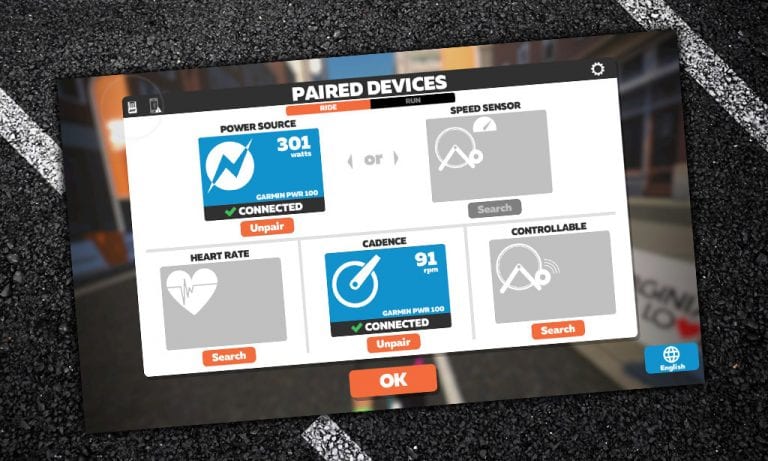
For Zwift and your smart trainer to “talk” to each other, you must pair them from within the Zwift software. Connecting your smart trainer to Zwift is quite easy once you’ve installed Zwift on your device:

  1. Make sure your trainer is powered on
  2. Open Zwift on your device and log in
  3. Click “Power Source” and choose your trainer
  4. Click “Resistance” and choose your trainer
  5. Optionally, click “Cadence” and pair your cadence meter (often your smart trainer) and/or pair your heart rate monitor and controls like Zwift Play

Get Moving!

Once you click “OK” on the pairing screen, you’ll be greeted with the homescreen where you can choose from a variety of activities and access various settings. Want a guided tour? Click “Tutorial” underneath your profile:

Upgrade Your Experience

While you only need a few things to start Zwifting, there are some additional purchases you can make to greatly improve your Zwifting experience:

  • A fan (or two): read How Much Fan Do You Need When Riding Indoors? to learn why fans are important and get a list of recommended fans.
  • A table/tray: you’ll need a place to store towels, remotes, food/drink, and more. A music stand is a good start or something like the Conquer Desk is a solid upgrade.
  • A larger screen: try to get a screen that lets you see game details clearly and fills most of your field of view.
  • Quality wireless earbuds: soon enough you’ll want to listen to music, podcasts, or interact on Discord as you ride. Read Top 3 Wireless Headphones for Zwift+Discord if you need recommendations.
  • A heart rate monitor: it’s nice to see your heart rate on screen, and most Zwift races require heart rate data if you reach the podium. We’re partial to the Wahoo Tickr.
  • And don’t forget a sweat towel!

Next Steps

We recommend joining a group ride once you’ve done a few “free rides” on Zwift. The Zwift community rocks!

Additionally, Zwift Companion allows you to see upcoming events, control the game, and interact with other Zwifters from your smartphone. Install it on your iOS or Android device and see how it works.

We’ll see you out there. Ride on!

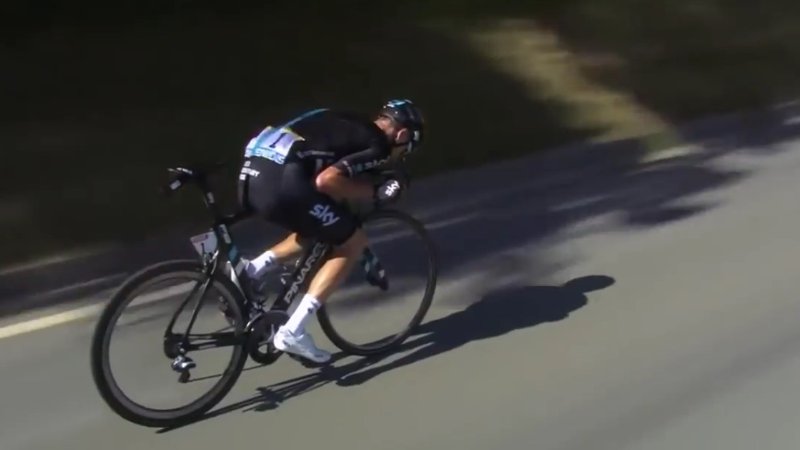
Geraint Thomas on the Tour de France vs the Olympics (Zwift PowerUp Cycling Podcast #32)

Geraint Thomas on the Tour de France vs the Olympics (Zwift PowerUp Cycling Podcast #32)

Hear what it takes to win the Tour de France with current champ, Geraint Thomas. In Episode 32, he opens up about the kind of prep that goes into the greatest bike race on Earth. Periodization, training phases, so on and so forth.

The two-time Olympic Gold Medalist also compares the demands of the Olympics versus the Tour de France. Plus, we get into his favorite Zwift course and first time racing at age 14.

About the Podcast

The Zwift PowerUp Cycling Podcast features host Matt Rowe (Rowe & King), with regular co-hosts Greg Henderson (Coach Hendy) and Kev Poulton (Powerhouse Cycling). The hosts share tips on how road races can get faster in-game and outdoors.