Zwiftcast Episode 71 – Rumble in the Jungle, Whither the Rivals and all the latest Zwifty chat
Simon, Shane and Nathan reconvene to discuss and analyse all the latest Zwift news and chat.
The podcasters get things going with a new take on the age-old Kickr vs Neo debate, updated to the KickrBike vs NeoBike dilemma. If you have 3k plus to spend on a smart bike this will be of interest to you… Shane is one of the very few people in the world with saddle time on both, so what’s his verdict?
The Zwiftcasters move on to consider the demise of VirtuoGo, one of the rivals to Zwift. It has just announced that its number of subscribers is too low to be sustainable so the issue for discussion is: can any of the rivals live with the well-funded, well-established, heavily-promoted Zwift?
Next, it’s the Rumble in the Jungle–no significant game update would be complete without some Zwifters having a bit of a moan. Is the long-ish lists of complaints about the increase in rolling resistance justified? The podcasters try to put it all in perspective.
Meanwhile, Simon has a problem with the stand-up/sit-down threshold changing to 80rpm… has Zwift got this one right?
Along with a few more tidbits of Zwift stuff – including a review of the Keep Everyone Together Group Ride functionality by experienced Zwifter Christian Nistri – this is a busy edition of the podcast for Zwifters.
Zwift released a minor update two nights ago, mostly to support upcoming special events like Movember and Giro de Rigo. But it also includes a new bike frame (always fun) and some interesting notes from the Game Master himself, Jon Mayfield.
Reworked “Lead-In” System for Events
Events have long had issues with displaying accurate distances, due to how Zwift was computing lap distances. They may also display confusing or inaccurate information about the “lead-in” portion of the event. Notes for this update included this blurb:
Reworked ‘lead-in’ system for events. This should improve the lead-in countdown before lap based events, as well as resolve some of the other discrepancies we saw in the user interface during those events.
We haven’t been able to test these updates much, but hopefully some or all of these issues have been resolved. (That said, we’ve already seen some Zwifters complaining about strange distances on their Strava rides vs Zwift rides, so it looks like Zwift may have fixed some bugs but unearthed some others.)
Tweaked Meetup Speeds
Zwift released the “Keep Everyone Together” option earlier this month, and while feedback has generally been very positive, word has quickly spread that speeds in these meetups are higher than they should be. This has resulted in some riders hosting meetups on their own, just to get a boosted speed. (It may seem silly, but most are probably doing it to prove a point.)
Zwift has adjusted these speeds down in this update. Here are some of the speeds we saw in today’s test:
37kph when both riders held ~200 watts (before the change this was 45kph)
45kph when both riders held ~400 watts (before the change this was 55kph)
39kph with one rider at ~200 watts and the other at ~400 watts (before the change this was 50kph)
Compare these speeds to a simple test we ran outside of the meetup:
40kph when both riders held ~200 watts
47kph when both riders held ~400 watts
So we’re now moving a bit slower in the Meetups than we would be in a free ride. We’re closer to the free ride speed than we were previously, but some riders are already complaining that it feels a bit slow.
New Cannondale SuperSix EVO
New bike day! This frame has been released to support Sunday’s Giro de Rigo event, where riders can unlock the Education First Pro Cycling Team paint scheme for this new bike.
Of course, you’ve got to buy the bike first! It requires you to be at level 36+, and costs 816,500 Drops.
How quick is it in-game? We’ll post about this soon, but for now we’ll say that it looks like decent performer on the flats, but it really does best on the climbs.
Other Changes
This update included several other changes/fixes as well:
Fixed screen-size issue due to an Apple change in tvOS 13 on certain Apple TV’s, when used with 720p televisions
Fixed WatchOS 6 support
Fixed crash on iOS 13.1 + iPhones (this was bugging a lot of folks!)
Added additional variant of new user tutorial (making it easier for the newbies is always good)
Comments from Jon
Jon included some interesting comments on two topics. First, regarding recent rolling resistance changes:
I also wanted to touch on the rolling resistance changes that we made earlier in the month. Up until recently road and TT bikes went unrealistically fast on rough surfaces. As we start to think about adding other bike types such as gravel, cx, mountain bikes, fat bikes, etc in the future it made sense to start taking into consideration surface roughness vs tire/bike type. We don’t allow drafting on TT bikes. Some bikes are kilograms heavier than others and are bad for climbing. And now, road bikes can’t pretend dirt is tarmac. Dirt now acts more like dirt.
Now, with that out of the way, much of the negative feedback from some of our most outspoken Zwifters really stemmed from the fact the transition wasn’t handled very gracefully. We did a poor job of ensuring everybody got that specific update at the same time causing group rides to get blown apart as well as races being won unfairly. We’ll now be building some simple restrictions to events to ensure a more level playing field for the future (ie, requirements on equipment, up-to-date software, etc). We regret that some of the competitiveness of some group rides and races was ruined. As we continue to deprecate the older clients this issue should become mostly resolved. Additionally we’ll soon try and ensure everybody riding on events specifically on the jungle circuit will be doing so on the same class of bike (ie, MTB).
And secondly, regarding the Repack Ridge FutureWorks steering test:
Finally, I want to thank the community for all the feedback on the steering test we launched earlier in the month. While the early skeptics were certainly vocal about it in the “Whats new” post previous to this one, in the end we’ve had almost 20,000 test rides fully completed start to finish and overwhelmingly positive feedback. While it was meant to be a low volume test, I think it could end up as a permanent addition to Watopia in the future. Who knows – maybe a whole network of single track trails can spread through the wilderness of Watopia one day.
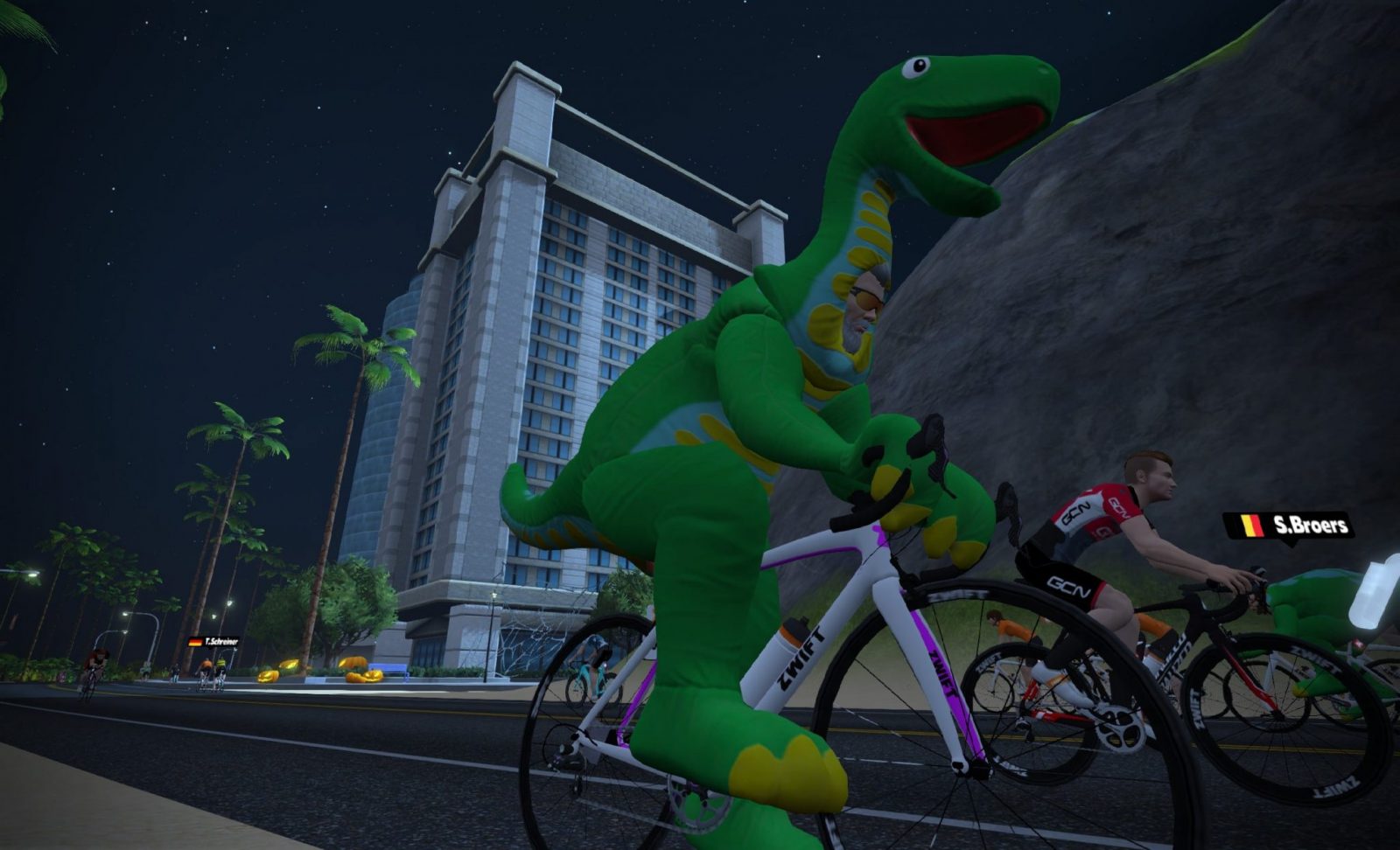
“The Magnificent 8” route was rolled out with Zwift’s October 29th update, and is used as the route for the Halloween dinosaur costume scavenger hunt. Whether this route will hang around and be available for events or free-riding in the future remains to be seen.
Course Profile
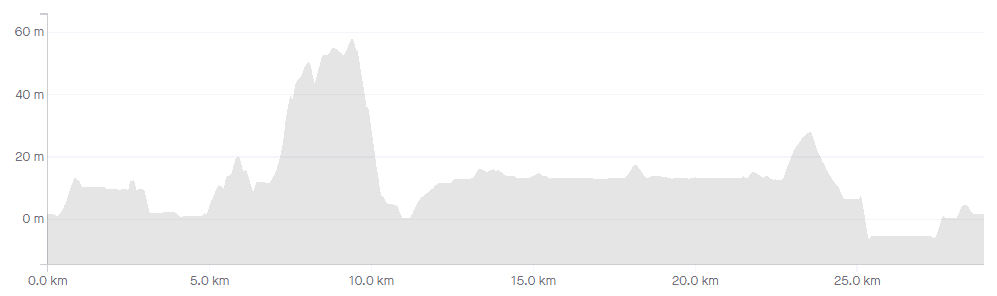
The route begins in downtown Watopia, riding through the start/finish banner in the reverse direction. We ride around the volcano, across the land bridge, by the Italian Villas then over the reverse Hilly KOM. (This is the only significant climb of the entire route).
Next, we hang a right onto Ocean Boulevard, then a left to Fuego Flats for a spin through the desert.
This brings us all the way around to a right turn onto the Ocean Boulevard/Epic KOM spur, where we make our way back to downtown Watopia for the finish.
This is actually an excellent flat route–hopefully it will be available for future use!
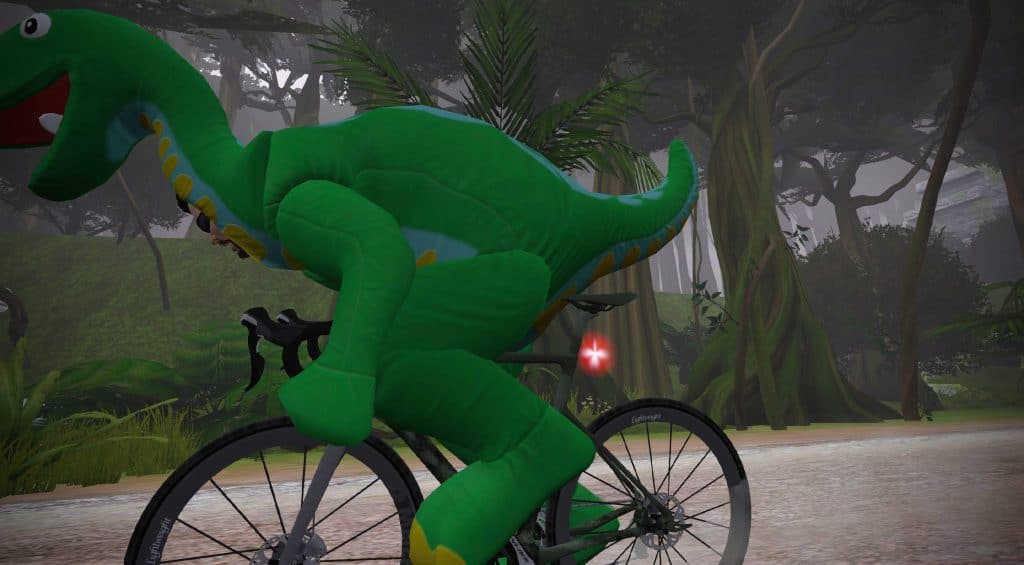
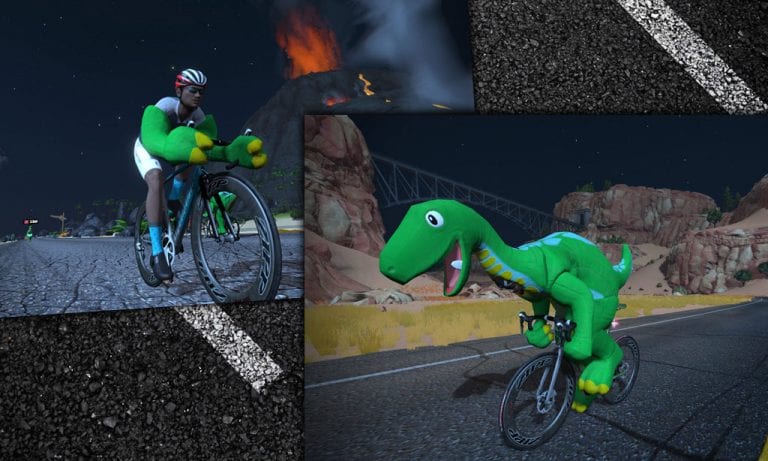
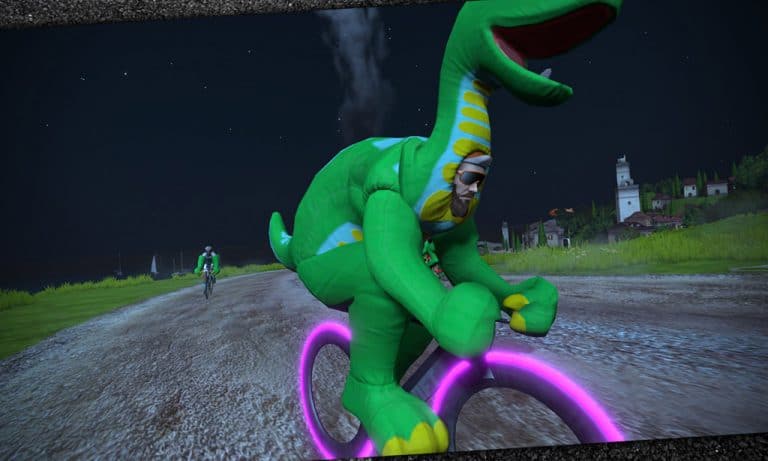
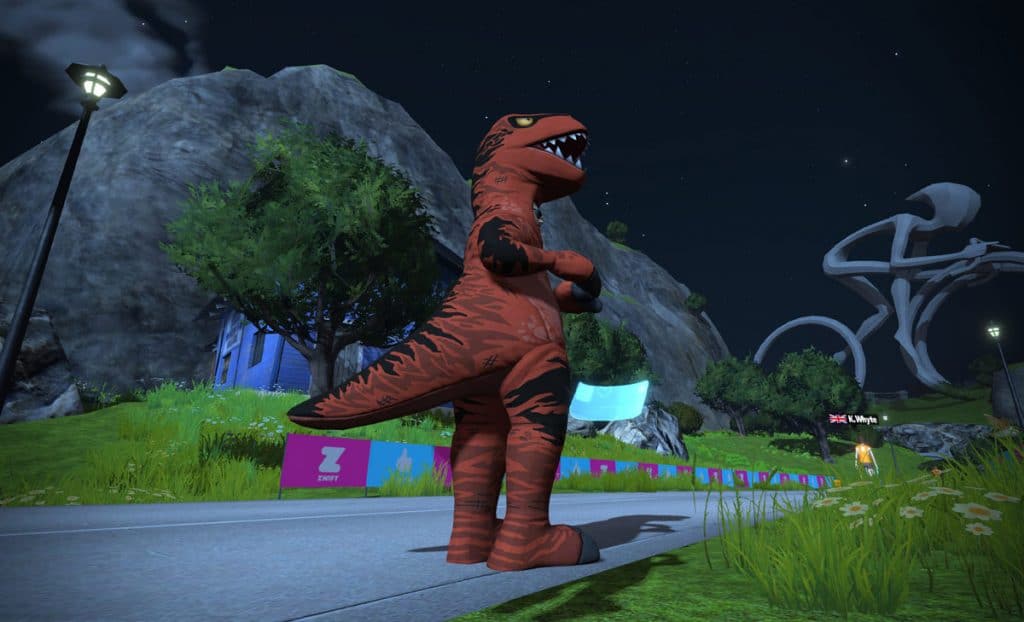
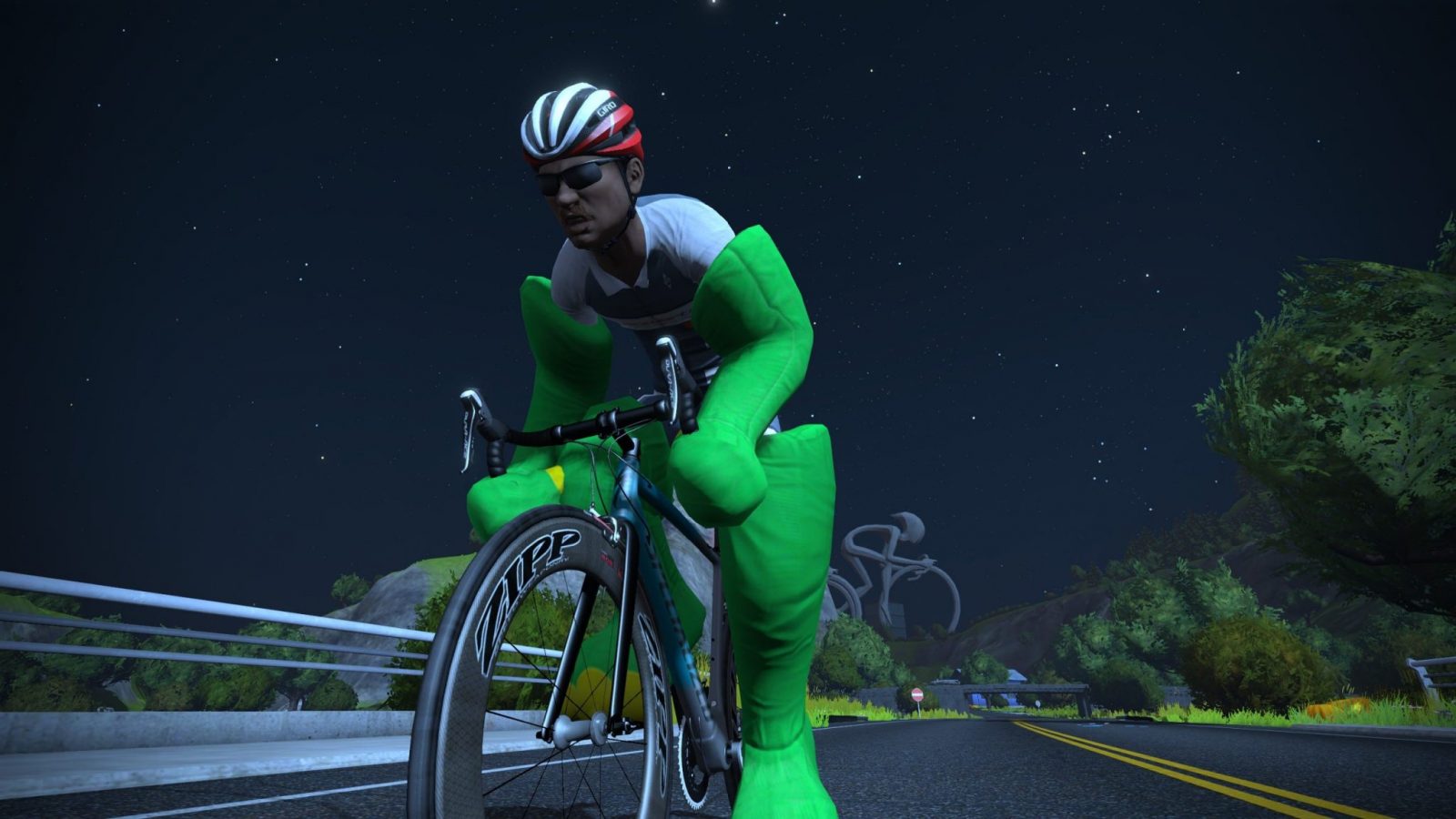
The good people at Zwift love to have a little fun on special days like April Fools, Halloween, and around Christmas time. Last night Zwift released an update which includes some Halloween fun: an in-game scavenger hunt in which Zwifters collect pieces to a dinosaur costume!
Here’s our favorite Lama with a video preview:
Finding Your Costume
We won’t spoil all the fun by telling you the location of each part of the costume, but Zwift has made it pretty easy. Just open the game, pick Watopia, and ride “The Magnificent 8” route which should already be pre-chosen for you.
(We’ll publish a post soon about “The Magnificent 8”, including a Strava segment link. Let’s see who can grab the K/QOM in full dino regalia!)
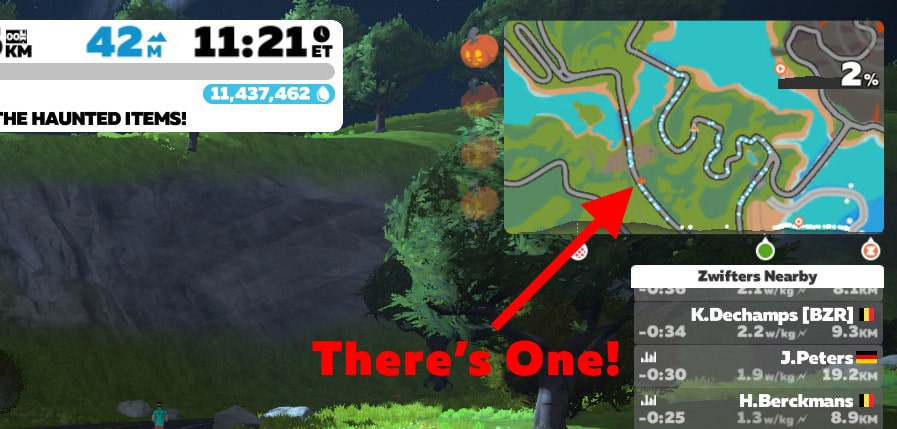
This route guides you along a path which should take you to all the important spots, which are marked on the minimap with a jack-o-lantern. (Still testing to confirm this.) You can track your progress with the jack-o-lanterns along the left of the minimap.
A Note for iPhone/iPad Users
Zwift is waiting for their latest update to get approved for release in the Apple Store, so until that happens, users on iOS won’t see this update. It IS available on PC, Mac, Android, and AppleTV at this time.
Alpe du Zwift is only available to Zwifters at Level 12 or higher, unless you access it with a friend or two). A GPS-perfect replica of the iconic Alpe d’Huez, this 1000 meter+ climb is the biggest in Zwift.
Some see it as an impossible goal, while others see it as another day at the office. Regardless, every Zwifter should attempt the Alpe at least once.
Above the clouds!
So what does it take to reach level 12 and gain unfettered access to the Alpe? If we take a look at XP, Levels, and Unlocks in Zwift Ride we see you need 23,000 points (XP) to hit level 12.
So how do you get those points, and just how much work will it take? Here’s one way to do it, with the numbers broken down:
Riding one lap of the Volcano Circuit on Watopia gets you 80 XP for the distance alone (4km x 20 XP).
You would also receive 10 points for crossing the start/finish banner each lap.
We’ll keep it simple and estimate you’ll get the Small Bonus power-up 1/4 of the time when you ride through the lap banner. That means you’ll get an extra 10 XP every fourth lap–averaging 2.5 XP per lap.
Add it all up and each Volcano Circuit lap will see you receiving 82.5 XP on average.
If you average 35km/hr you will complete a Volcano Circuit lap in 6:51. Let’s round that to 7 minutes.
82.5 XP every 7 minutes equals 707 XP per hour of riding.
23,000/707=32.53 hours needed to hit 23,000 XP.
And that’s your answer. Ride the Volcano Circuit route for less than 33 hours at a decent pace and you’ll hit level 12.
Get There Faster
Want to reach level 12 a little faster? Do 10 laps of the Volcano Circuit in one ride for a 1000XP bonus. Do 25 laps in one ride for another 1000XP! If you get both of these achievements you’ll knock your total time down to 29.7 hours.
Zwift has announced its next in-game mission, centered on the Movember Foundation and its stance against a handful of key issues affecting men (and by proxy their wives, daughters, friends, etc).
Movember’s platform is centered around battling prostate and testicular cancers, as well as supporting mental health and suicide prevention for men.
About the Movember 9.9 Mission
The mission launches November 1st, and the goal is for Zwifters to run or ride 9.9 hours during the month. (The 9.9 number is taken from the 9.9 million people who live with prostate cancer globally.)
Unlocks and Donations
Sign up for the mission, then ride or run (or do a combination of both) for 9.9 hours on Zwift by November 30th to permanently unlock the Mo’ kit in game. (If you do a combination of running and riding, you will unlock both the run and ride kits.)
Best of all, if 10,000 Zwifters complete the mission, Zwift will donate $25,000 to the Movember Foundation.
Evolving Kit
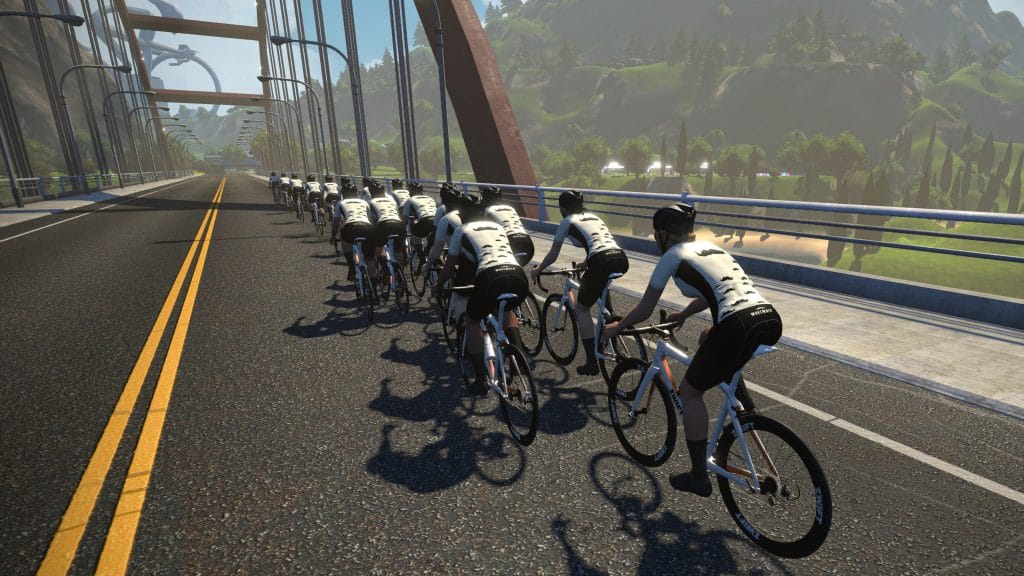
The Mo’ kit is a Zwift first: it “evolves” as you get closer to completing the mission, with more mustaches showing up as you make progress toward the 9.9 hour goal. Cool!
Charitable Changes
November has traditionally been a sort of “charity month” at Zwift, but it appears the company is moving to a more year-round approach to supporting worthy causes. We can expect to see other opportunities to “Zwift for good” in the coming months.
Zwifters love a good eFondo, and this Sunday (November 3rd) is the first of the 2019-2020 winter season.
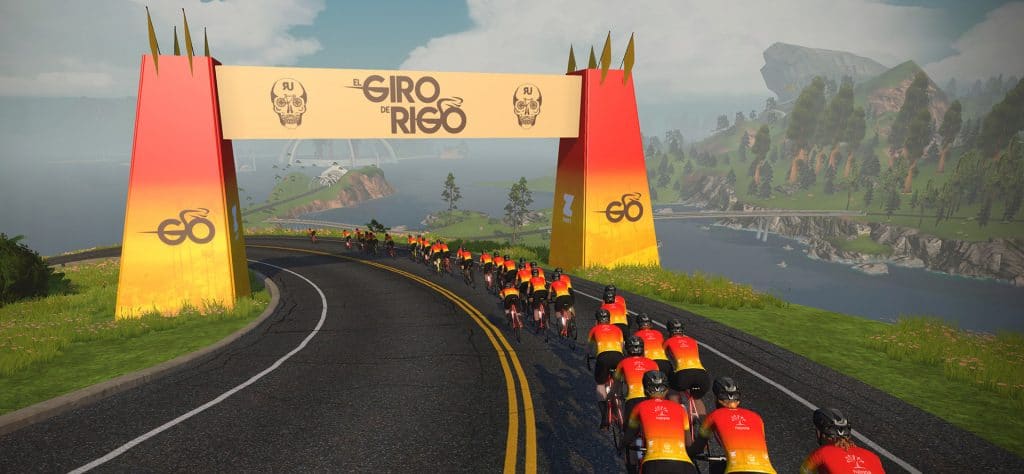
Dubbed the “Giro de Rigo”, this is Zwift’s version of the ride hosted annually by Rigoberto Uran, one of Colombia’s top pro cyclists. Happening outside on the same day as Zwift’s events, the Giro de Rigo gives South American cyclists an opportunity to ride with some of the biggest stars of the sport.
Route Details
All events will be held on the Dust in the Wind route which covers Titans Grove twice, as well as Fuego Flats, part of Ocean Boulevard, and the Mayan Jungle.
Riders who complete the full 131km ride will cover 2.5 laps of the route, climbing 1,465m (4,806′) total.
Choosing Your Category
Riders can choose from short-distance or long-distance events. Riders who enter the long-distance event have access to 3 more prizes/unlocks than the short-distance, so choose your category wisely!
A: 40km (25 miles) long
B: 40km (25 miles) long, women only
C: 131km (81 miles) long
D: 131km (81 miles) long, women only
Prizes and Unlocks
The further you go, the more prize entries and unlocks you earn:
Ride 40km (25 miles): Unlock the in-game El Giro de Rigo jersey
Ride 80km (50 miles): Entered to win a year-long Zwift subscription. (10 available)
Ride 110km (68 miles): Unlock the new Cannondale SuperSix EVO EF Education First Pro Cycling Team paint scheme. (Zwift’s notes say you must first purchase the all-new Cannondale SuperSix EVO from the Zwift Drop Shop, available after Nov 3. New bike day? Always good news!)
Ride 130km (80 miles) (entire distance): Entered to win a once-in-a-lifetime trip to Colombia to ride in the 2020 El Giro de Rigo alongside Rigoberto Uran.
Important notes:
There will not be a notification in-game when you have reached the distance milestones in the long-distance event. Just ride as far as you want, then end and save your ride. Zwift will let you know what you have unlocked via email, as the game will have recorded your ride.
Unlocks will be applied by Nov 5 for those who do not complete the full distance but are eligible for the distance-based unlock.
Event Schedule
Zwifters have 5 different event times to choose from:
How to Fix ANT+ Dropouts and Other Connection Problems in Zwift
Zwift connects to your sensors (smart trainer, power meter, heart rate monitor, cadence, speed) wirelessly using Bluetooth or ANT+. Usually this works wonderfully well, but occasionally Zwifters encounter the dreaded ANT+ dropout: that frustrating event when Zwift stops receiving data from your sensors. What causes dropouts, and how can you avoid them?
#1 Culprit: Weak Signal or Interference
This is by far the most common reason for ANT+ drops, and it’s due to the inherent weaknesses of ANT+ as a wireless protocol. Fortunately, if your problem is weak signal or interference it is usually fixed quite easily. Here are common causes and solutions.
Too Far Apart
If your ANT+ dongle is more than a few feet away from your bottom bracket, it’s possible the signal from your sensor(s) is not reaching the dongle. Fortunately, this, is easy to fix! Simply buy a USB extension cable (here is one we recommend from Amazon) then install it with one end plugged into your computer and one end into the ANT+ dongle. Now you can place the dongle wherever you’d like.
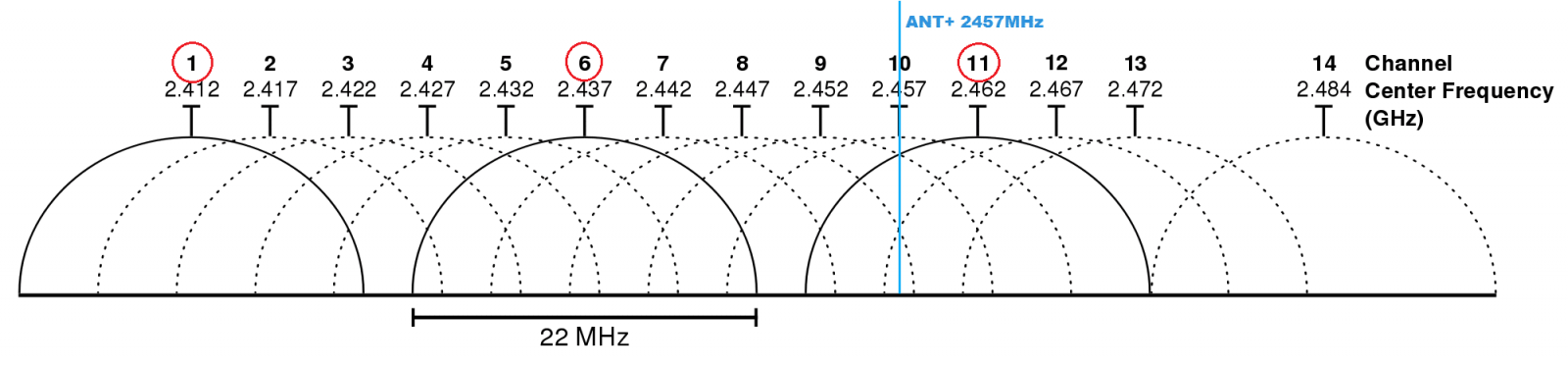
Most people set up their wifi routers with default settings, which means the router chooses which channel to use when it boots up. If your router uses 2.4Ghz (which most do) and chooses any channel from 9-12 it could very well cause interference with ANT+. The image below shows the spectrums used by each router channel, with ANT+ labeled in blue.
Logging into your router and forcing it to use a particular channel far away from the ANT+ signal will ensure wifi interference is not an issue.
Other devices operating nearby may cause interference leading to dropouts. I’ve heard from than one Zwifter who only experience dropouts when their housemates use the microwave!
Fans are another common cause, but any electrical device has the potential to interfere with your ANT+ signals, especially devices which are poorly built. If you are experiencing issues you may need to just unplug items one at a time to see what solves the problem. This includes other wireless devices (such as a mouse or keyboard) on your computer. If you are plugging your ANT+ dongle straight into your computer, using a USB extension cable to get it away from the computer’s electronics is a good idea.
Weak Batteries
While smart trainers are plugged in for power, everything else (including your power meter) uses batteries. As these batteries weaken, the signal strength is reduced.
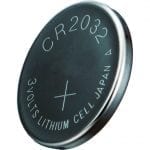
Installing fresh batteries may just solve your problem, which is why I always keep a pile of 2032 batteries on hand. Buying these in bulk from Amazon is much cheaper than paying a few bucks apiece at your local store.
Kinetic’s Extended Range Dongle
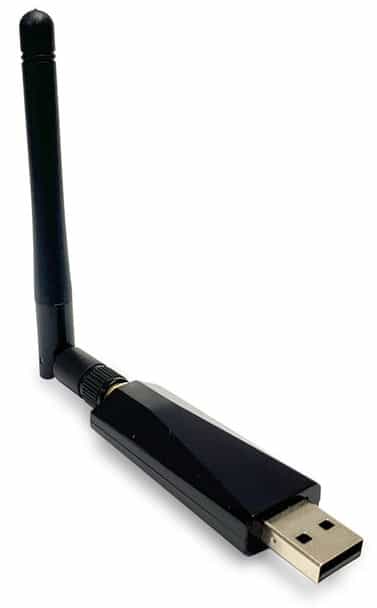
Kinetic’s Extended Range ANT+ dongle has been tested and proven to work better than a standard ANT+ dongle in nearly every possible setup situation. If your ANT+ drops are caused by weak signals or interference, the Kinetic dongle should improve things.
Only one program on your computer can “own” your ANT+ dongle at any given time, so make sure you aren’t running any programs that use ANT+ dongles. The most common culprit here is Garmin’s software, “Garmin Express”.
USB Port Settings
The vast majority of USB ports will work just fine for your ANT+ dongle, but there are potential issues here:
Power saving: especially prevalent on laptops, this turns off or reduces power to your USB ports and can cause problems.
USB version: make sure your ports are version 2.0 or higher, as USB version 1 will not work with Zwift. If possible use a USB 3.0 port.
Adequate power: some computers only send 100mA of current to certain USB ports, and you need at least 500mA. Purchasing a powered USB hub or switching to a higher-powered port on the computer can fix this. I use and recommend this Sabrent 4-port hub, but any powered USB hub will do!
Sweat Damage
If you’re dripping sweat, water, etc on your USB dongle then it will stop working sooner or later. Simple solution: put the dongle into a small plastic bag so it is sheltered from sweat.
A Special Note about Wahoo KICKR ANT+ Dropouts
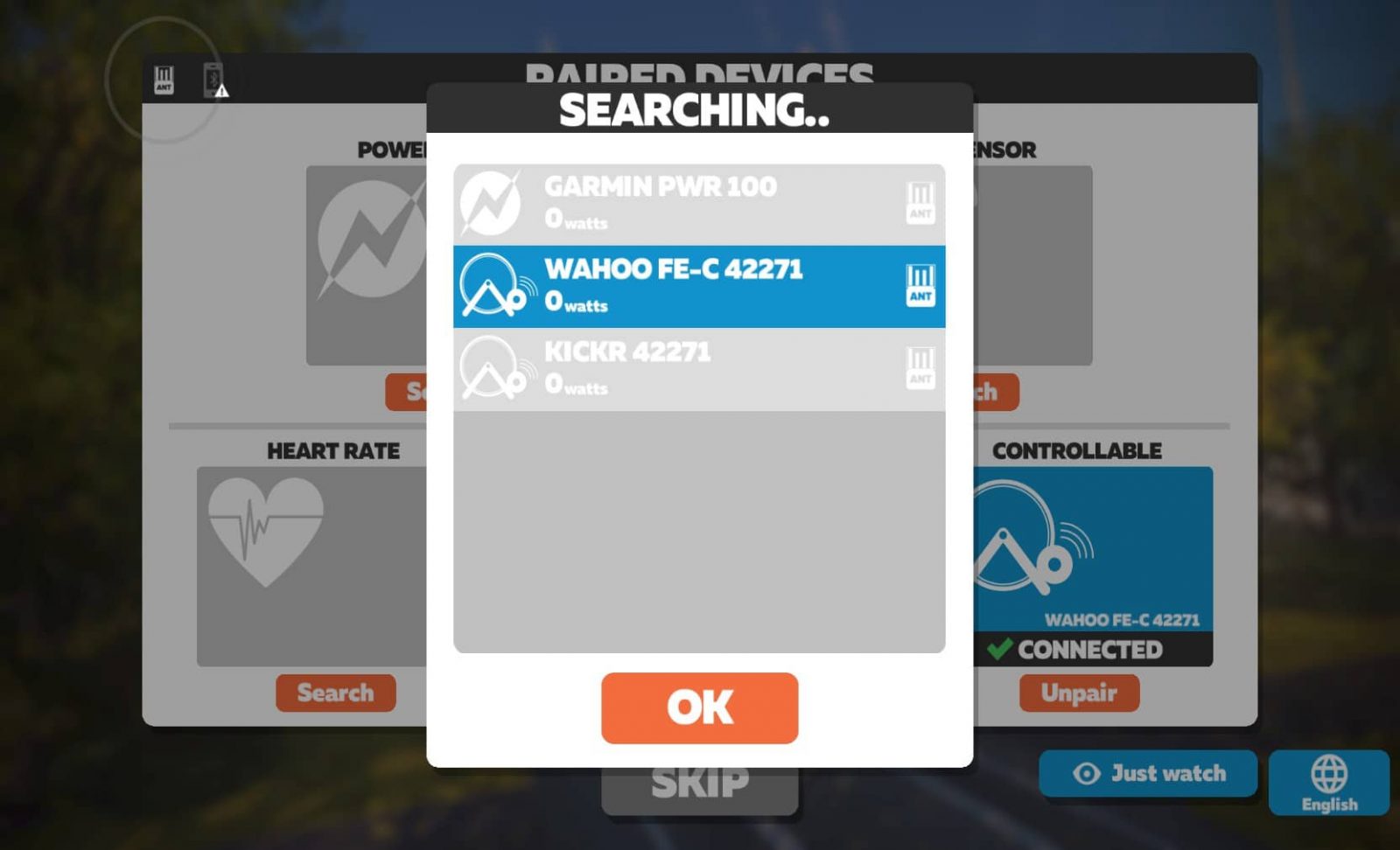
I’ve seen more than a few Zwifters who have had ANT+ dropout problems with their KICKR smart trainers because they paired the wrong profile in the “Power Source” and “Controllable” windows of the pairing screen. If you’re having KICKR power dropouts, pair the profile that has “FE-C” in the name. (The other profile does not use FE-C, and seems to have some problems. Word is Zwift may be removing it from the game in the future.) Note: this fix may apply to other trainer models as well.
The Easiest (Legal) Way to Get the Tron Bike in Zwift
The Tron bike is the most prized ride in Zwift: it’s fast, eye-catching, and difficult to earn.
So of course, you want it in your garage (where it’s called the “Zwift Concept Z1” by the way). But you also want to make obtaining it as painless as possible. There’s no getting around the fact that you’ll have to climb 50,000 meters to earn the Tron bike, unless you’re willing to cheat. But are there ways to do that climbing more efficiently, so your watts result in as much elevation as possible?
Absolutely. Read on!
The Four Climbs
Traditionally, Zwifters have focused on four different Watopian climbs when working toward their Tron bike. Watopia is usually chosen because this map is always available, it has long/difficult climbs, and there are numerous climbs to choose from.
We did some tests with a 75kg rider up these four climbs, where the rider pedaled at 300 watts whenever pedaling was required. Here are the results.
Watopia Hilly Repeats
The Hilly KOM forward climb was Watopia’s first, and many a Tron bike has been earned on it. It’s a short effort (2-3 minutes for most), and riders simply do repeats: ride up, flip a u-turn to ride down, then flip a u-turn and do it all over again.
This climb has the advantage of being easily accessible (the road isn’t level-locked and you begin your ride nearby) as well as short–it’s not an intimidating mountain like Alpe du Zwift.
In our test, we road up the hill at 300 watts (4 w/kg), turned around at the KOM banner, got up to speed, then stopped pedaling for the descent.
Test result: this hill repeat required 242 average watts for 230 seconds to climb 51m
Epic KOM “Bowl Hack”
There’s a “bowl” section at the end of the Epic KOM where riders have tried to “cheat” a bit by using gravity and inertia to do some of the climbing.
The easiest way to find this section is to ride the forward Epic KOM, then turn around once you hit the banner at the top. You can coast down until the road turns up, then begin pedaling once your rider slows. Pedal to the top of that small rise, turn around, descend, then pedal up to the KOM banner where you turn around and do it all again. Lots of coasting, right? Seems easy!
We tried to be as efficient as possible in our tests, only pedaling on the descents to get us up to 30km/hr, then coasting the rest of the way. And when the climbs hit we would coast until we dropped below 30km/hr, then begin pedaling. All pedaling was done at 300 watts (4 w/kg).
Test result: this hill repeat required 254 average watts for 395 seconds to climb 85m
Trekking to the (Radio) Tower
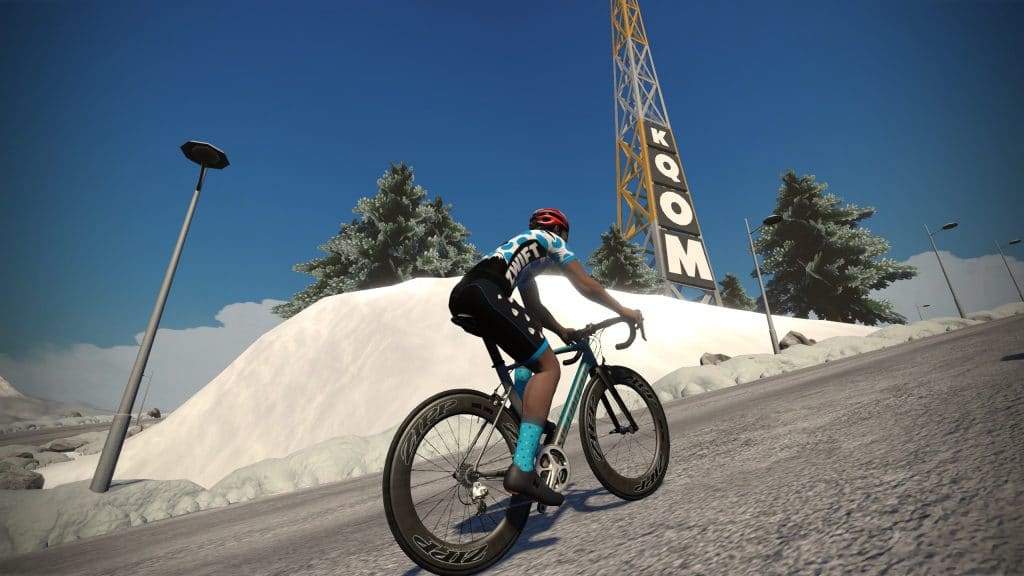
The radio tower “bonus climb” atop the Epic KOM is very steep, so it seems like a brilliant place for elevation seekers. You won’t move fast up the steep road (average gradient is 14%!) but you’ll tick those meters off quickly.
Keep in mind you have to ride up the Epic KOM first, so getting to this climb takes time and effort.
Test result:this hill repeat required 259 average watts for 480 seconds to climb 148m
Alpe du Zwift
By far the biggest climb in Watopia, Alpe du Zwift is a solid hour-plus effort for most riders. The fairly steady grade will have you racking up the elevation quickly, but keep in mind you have to ride out to the Alpe before you can climb it, which makes this approach less efficient in terms of overall time requirements.
Additionally, the Alpe is only accessible to level 6+ riders, unless you access it with others.
Test result: this hill repeat required245 average watts for 3660 seconds to climb 1035m
Results
Looking at the results of our tests for the four climbs above, we can calculate which gets you the most meters of climbing for the least amount of work (watts). All we have to do is convert the hill repeat effort to kilojoules, then divide that by the number of meters the effort got us. Presto! This tells us how many kilojoules per meter we got–the “cost” of each climb. (Lower is better.)
Avg Watts
Ride Time (Seconds)
Kj
Meters
Kj/Meter
Hilly
242
230
56
51
1.09
Epic KOM
254
395
100
85
1.18
Radio Tower
259
480
124
148
0.84
Alpe
245
3660
897
1035
0.87
These results show that the Radio Tower is the “easiest” way to accumulate elevation.
The Big But
But wait. Zwifters don’t ride in a laboratory! We have to get to the climb first, and that needs to be included in the calculations.
So we ran the numbers to learn which of the four climbs above is the most efficient when we talk about starting at the spawn point, riding to the climb, then doing repeats until our ride time hits ~60 minutes.
You’ll notice the increases the per meter “cost” of every climb, which shouldn’t be surprising.
Final Results (including Lead-In)
# of Repeats
Kj
Meters
Ride Time (Minutes)
Kj/Meter
Hilly
15
862
770
59
1.12
Epic KOM
5
1048
861
63
1.22
Radio Tower
4
1061
1028
63
1.03
Alpe
1
1138
1142
63
1.00
As you can see, climbing the Alp (using the Road to Sky route) is the most efficient way to accumulate elevation. The Radio Tower comes in 2nd, 3% less efficient. Watopia Hilly is 3rd, 12% less efficient. And the Epic KOM “Bowl Hack” is in last place at 22% less efficient.
If you extrapolate these numbers out to, say, a 90-minute ride, the rankings and % difference between each stay roughly the same.
So there you have it. Going for a 60-90 minute ride and want to get the most meters you can for your effort? Hit the Alpe! Ride the Road to Sky route 44 times and you’ll have your Tron bike.
Drops are Zwift’s virtual currency, introduced to the game when Zwift released the Drop Shop in February 2019. Use them to purchase virtual equipment like bike frames and wheels for your Zwift garage.
So how do Drops work? Or more specifically: how do we get them, and how can we get them faster?
First, the Basics
A Drop is roughly equal to 1 US cent. So a $10,000US bike frame will cost roughly 1,000,000 Drops, while a $1500US wheelset will cost 150,000 Drops. Zwift obviously included some other factors when setting Drop Shop prices, but 1 Drop equalling 1 cent is a good way to understand pricing.
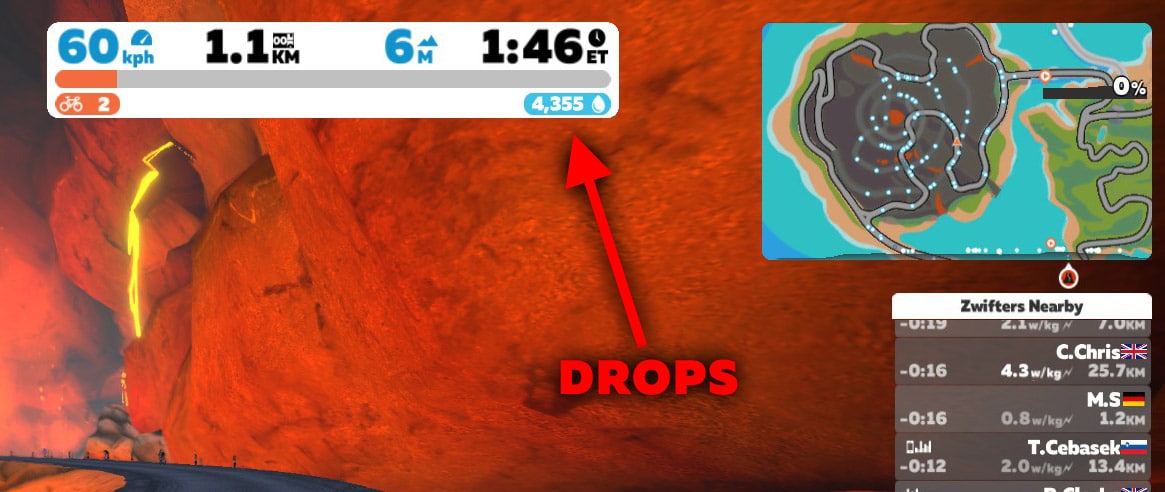
You can see Drops adding up as you ride or run, just beneath your ride timer:
Drops are based on your effort (drops of sweat, get it?) – if you aren’t working, you aren’t earning.
Take a Drops Deep Dive
The specifics of how Drops are rewarded aren’t known (Zwift isn’t sharing the formula), but we can draw some conclusions based on what we do know and what we see in tests.
We know there are six factors affecting your “Drop rate” (how quickly you receive Drops):
Calories burned: this is the main factor
Your Gender: yep, it matters!
Elevation: more incline=more Drops
Distance: more distance=more Drops
Receiving Ride Ons: the easiest way to boost your Drop rate
Drops Multiplier Game: sticking close to a Pace Partner increases your Drops rate
(Apart from steadily earning Drops as you ride around, bonus chunks of Drops are given out as a reward in various situations. For example, you will receive 50,000 Drops each time you level up. You’ll also get bonus Drops if the Alpe du Zwift prize spinner lands on a prize you already own.)
Let’s dig into each of the six “Drop rate factors” a bit more…
Calories Burned
Your rate of calorie burn can be easily calculated based on your current power output. Zwift is constantly adjusting your Drop rate based on your watts. This makes sense, of course: it’s your power levels that determine how much “work” you are actually doing. While there are other factors that figure into the overall Drop rate equation, power to your pedals is the #1 driver.
Want to learn more about how calorie burn relates to wattage? Read this post.
Your Gender
This may be controversial for some, but here it is: Zwift awards female riders 10% more Drops than male riders for the same effort.
If that seems unfair, consider this: it is well-documented that there are performance differences (in watts) between male and female cyclists. One study comparing men and women under identical race conditions found that men averaged 278 watts in the criterium stage while women averaged 205 watts. This popular power ranking table assumes differences as well. (Many other studies show similar results. Google is your friend if you’re curious.)
Without Zwift building in some gender bias, females on average simply would not be able to accumulate Drops at the same rate as males. So Zwift has added this “gender bias” as a way to equalize things a bit.
I think it’s a good move. It’s not perfect, and we all know this is a complicated issue. But it shows Zwift is thinking about gender issues and trying to be fair to everyone.
Elevation
How much does elevation factor into your Drop rate? It’s significant. Our tests up the Alpe with a male holding 300 watts for 1 minute showed he received around 770 Drops on a gradient averaging ~9%.
Hold that same power for 1 minute on flat ground and the same rider receives around 470 Drops.
So climbing increased our Drops rate by 63%. Interesting. Zwift is certainly giving people an incentive to climb.
Distance
This is an interesting factor to consider, and I believe it is another attempt by Zwift to equalize the playing field a bit, as well as encourage more climbing. Let’s look at the effect of the distance factor a bit more…
Equalizing the Playing Field
Let’s look at two riders, Tiny and Biggz. Tiny weighs 50kg, while Biggz weighs 75kg. Both riders are well-trained cyclists at the same fitness level. Both go out for an all-out hourlong race against each other. Who wins?
The answer depends on the course, of course. Just like in pro cycling, Tiny will win if the course has a lot of climbing, because he’s got the power-to-weight ratio to drop Biggz up hills. Biggz will win if it’s a flat course, because his higher watts can make Tiny suffer.
(Obviously, I’m making a lot of assumptions here, but hang with me.)
Larger riders can burn more calories than smaller riders because they’ve got more muscle working to produce power. In a purely calorie-based system, larger riders would have the advantage–big folks would earn more, and the little man would be in the virtual poorhouse.
But the little man rides farther at the same wattage as the big man, because he’s got less weight to move. Tiny may also be shorter, which would mean he would travel further than Biggz at the same wattage since height affects speed.
And this is the equalizer. If Tiny and Biggz both hold, say, 200 watts for an hour on the same course, Tiny will earn more Drops because Tiny will ride further.
In our tests, a 75kg rider starting from a dead stop then holding 300 watts for 1 minute earns around 457 Drops. A 50kg rider doing the same earns around 484 Drops–a 6% increase.
Encouraging Climbing
The distance factor also encourages climbing, as your Drop rate will increase on descents (as long as you are still working!) In our tests, a 75k rider holding 300 watts down the Alpe accumulated around 700 Drops per minute… not far off the Drop rate up the Alpe, and much higher than the Drop rate on flat ground.
Receiving Ride Ons
When you receive a Ride On, your Drop rate doubles for 15 seconds. Receive a Ride on while climbing a steep hill and you’ll really earn those Drops quickly!
This is a stellar idea from Zwift because it encourages us to encourage others. I like throwing out random Ride Ons and knowing that it’s putting some virtual money into Zwifters’ pockets.
Drops Multiplier Game
Zwift rolled out a Drops Multiplier “game” with its Robopacers feature. Basically, the longer you ride near a Robopacer, the higher your Drops multiplier increase, from 1.2x all the way up to 2.5x! This can provide a huge boost in Drops accumulation. Read all about the Drops Multiplier Game here >
How Quickly Do Drops Accumulate?
Quite quickly, really. In a recent 90 minute workout on the Road to Sky route I earned just over 58,000 Drops with an average power of 228 watts for the ride. This calculates out to an hourly Drop rate of around 39,000.
If I ride at that pace for an hour every day of the week I’ll earn ~270,000 Drops weekly, or over 14 million Drops annually.
If you receive a fair number of Ride Ons from friends, ride with Robopacers, and push hard (high watts) you can get over 60,000 Drops per hour, which would work out to 420,000 Drops weekly, or almost 22 million Drops annually!
How Do You Get The Most Drops?
Considering all these factors and our tests to date, the fastest way to get Drops is:
Climb. A lot.
Make friends who like to give Ride Ons.
Ride with a Robopacer to receive a Drops Multiplier
Go hard.
Your Thoughts
I would love to hear your questions and comments on Drops. Do they help motivate you? Does the calculation scheme seem sensible? Chime in below.